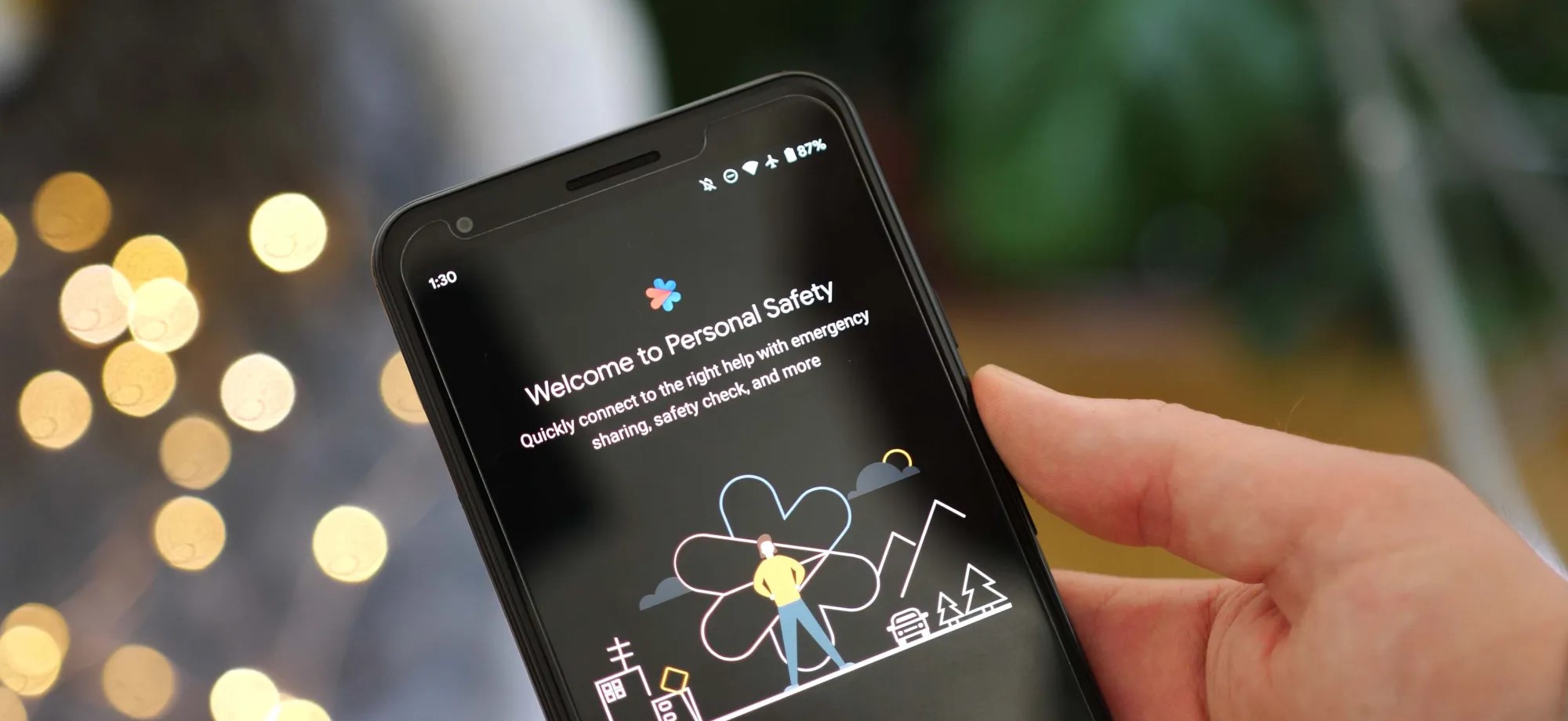
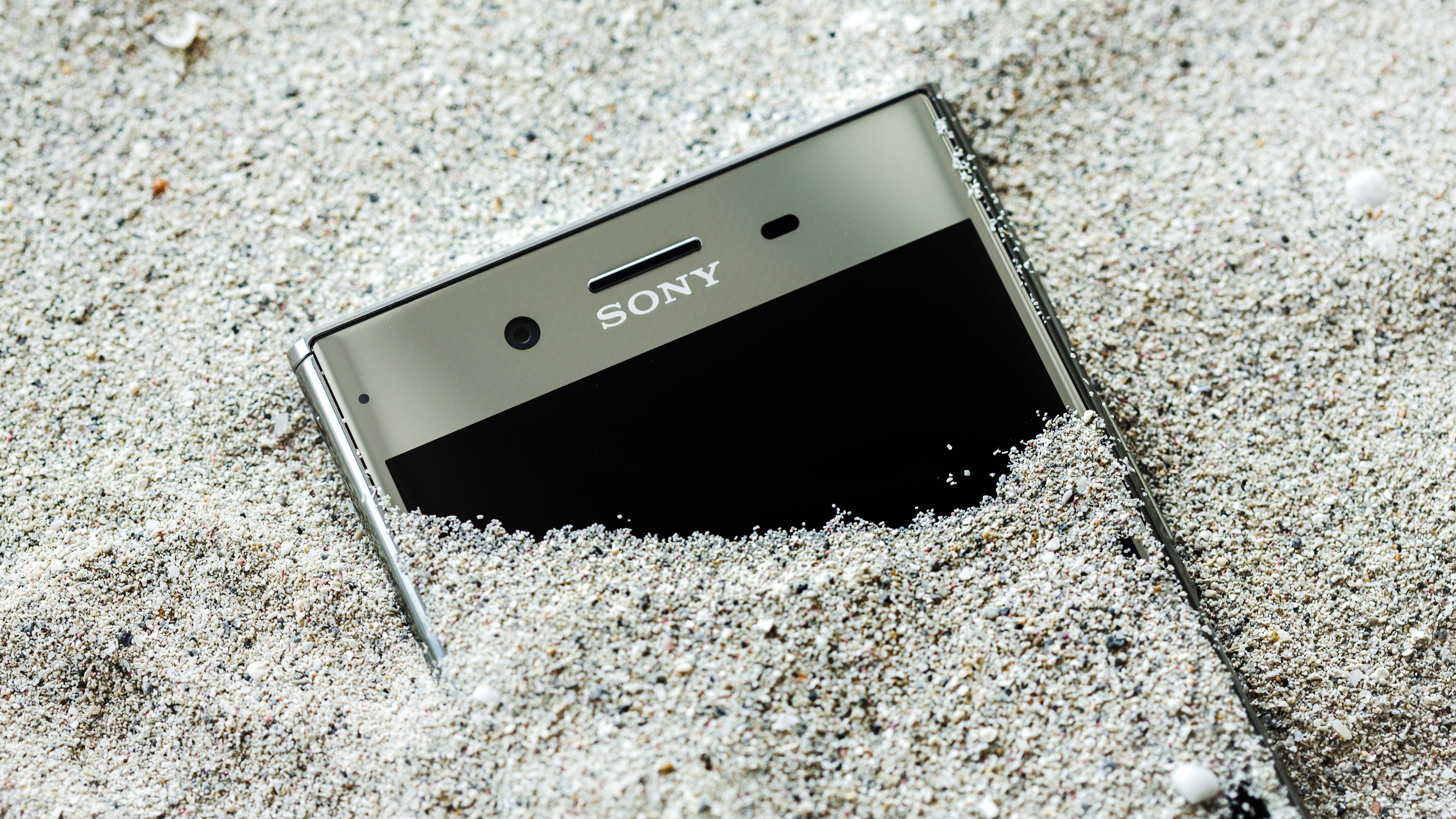
As Android 13 rolls out to more phones, the update is bringing the once Pixel-exclusive Personal Safety app to more devices including those from Sony Xperia and Vivo.
On Pixel phones today, the Personal Safety app includes a full suite of features designed to make sure you’re ready should any type of disaster strike. You can add/edit critical medical information, assign emergency contacts, get alerts for nearby crises, and on some devices even call for help when a car crash is detected.
While this was originally built as an exclusive set of features for Pixel phones, with the release of Android 13, Google has decided to make Personal Safety available as an option for other phone makers. As noted by Mishaal Rahman on Twitter, there is already a small selection of phones that are gaining access to Personal Safety as part of Android 13.
While Samsung certainly has the broadest profile of devices on Android 13 today, no Galaxy phones are currently opted in for Google’s safety suite. Instead, the current list of non-Pixel Android devices with Personal Safety contains phones from Sony Xperia, Vivo, iQOO, and Nothing.
Nothing Phone (1)
Sony Xperia 5 IV
Sony Xperia 1 IV
iQOO 7
iQOO 8 Pro
iQOO 9 SE
iQOO 9 Pro
iQOO 9T
iQOO I2202
iQOO 11
iQOO Neo7
Vivo X80 Pro
Vivo X90
Vivo X90 Pro
The actual experience of using Personal Safety on these phones is straightforward and quite similar to the app’s older (pre Android 13) experience on Pixels. Rather than appearing as a dedicated app in the drawer, you can navigate to Personal Safety through the Settings app, in the “Safety & emergency” section.
From there, as expected, you can manage your emergency information and get enrolled for alerts. However, for all currently supported phones, the Android 13 update does not bring the car crash detection that Personal Safety is best known for.
Google has opened car crash detection to non-Pixel phones, but it requires device makers to implement Android’s “Context Hub.” This feature is designed to let small, ambient programs — such as sensing a sudden stop, in the case of car crash detection — run without using excess power. As adding support for Context Hub would require a system update, it’s not likely that any of these phones will gain car crash detection in Personal Safety any time soon. Despite that, it’s still great to see Google offer some of the Pixel series’ exclusive features to more Android phones.
Android 11 brings much-needed privacy and security features alongside exciting UI changes.
Android 11 continues to push Google’s vision of Android forward. With Android 11, Google is making a few tweaks to refine the platform instead of making wholesale changes. Privacy is a big focus with Android 11, with Google introducing one-time permissions and granular control over what sort of data you share.
There are new features to get excited about as well — the power button menu picked up a massive overhaul, the Conversations view does a great job highlighting your messages, and there are little tweaks throughout the interface that give it an added polish.
Android 11 is powering the best Android phones of 2021, and manufacturers are doing a better job rolling out the update to their 2020 phones. So here’s everything you need to know about all the new features in Android 11, and when your phone will receive the update. We also highlight what’s on the horizon with Android 12; Google just rolled out the first public beta, introducing a radical new UI and exciting new features.
Is Android 11 available for my phone?
Following months of Developer Previews and Betas, Google launched the final build of Android 11 on September 8, 2020. The update was available for Pixel phones on day one as per usual. This year, Android 11 was also available on the same day for select handsets from the likes of OnePlus, Xiaomi, OPPO, and Realme.
That’s a big step forward for Android updates as a whole, but there’s also still plenty of work that’s left to be done. Samsung is now rolling out One UI 3.0 based on Android 11 to its flagships and mid-range devices, but the likes of Motorola, Nokia, Sony, and others are yet to roll out the update.
While that’s certainly annoying, we’re making things as easy as possible for you by tracking any and all Android 11 updates as we learn more about them.
What’s going on with Android 11 on non-Pixel phones?
As noted above, this year’s Android update rollout was a bit different compared to past releases. Instead of Pixels being the only phones treated to the new software, handsets from other select manufacturers were also treated to Android 11 in some form.
Let’s first look at Samsung, which is marketing its Android 11 update as One UI 3.0/3.1. Most of the core design principles remain in place, but there is a lot that’s new to check out. Samsung’s touting things like an improved lock screen, a more customizable always-on display, new accessibility tools, and more.
Samsung has already delivered the Android 11 update to most of its 2020 phones, and is now working its way down the list to its 2019 phones. It shifted to the One UI 3.1 build in recent months that debuted on the Galaxy S21 series.
We should also mention OxygenOS 11, which is the Android 11 update for OnePlus phones. OxygenOS 11 introduced a major design shift for OnePlus, with the company moving away from its stock Android aesthetic and embracing design elements found in Samsung’s One UI interface. OnePlus rolled out the OxygenOS 11 stable build with the 8T, and the Android 11 update is now available for the OnePlus 8 series, 7 series, and set to make its way to the 6/6T. The stable build is also making its way to the Nord shortly.
Nokia has also kicked off its Android 11 update rollout, with the Nokia 8.3 5G picking up the stable update starting February 8. HMD has lagged behind in this area over previous years, but with the Nokia 8.3 now on Android 11, we should see the update rolling out to other Nokia devices in the coming months.
Then there’s Xiaomi. The stable MIUI 12 update based on Android 11 is now rolling out to the Mi 10 series and Redmi Note 9 devices and should make its way to other Xiaomi phones very soon. We’ve rounded up Xiaomi’s Android 11 rollout timeline to make it easier for you to learn when your phone will get the update.
Motorola has kicked off the Android 11 update to the foldable Razr 5G starting April 15. LG has also started to roll out the Android 11 update, with the V60 and the Velvet receiving the stable build. Although LG will no longer make phones, it has stated that it will deliver the Android 12 and Android 13 updates to its current portfolio.
Lastly, we have ColorOS — the custom Android interface used on OPPO smartphones. ColorOS 11 is rolling out now to OPPO devices, and it offers a lot of exciting improvements. In addition to the usual Android 11 goodies, some other highlights include a customizable dark mode, a power-saver mode to extend battery life, and a new feature called OPPO Relax 2.0 that aims to help you unwind and fall asleep at night.
Where can I learn more about Android 11?
We’ll dive into some of Android 11’s biggest features below, but before we do any of that, we should address the elephant in the room — is Android 11 any good? The short answer, yes — it is very, very good, as per our Android 11 review.
Understandably, some people may find Android 11 boring or not very different from Android 10, but the fact of the matter is that Android no longer needs massive overhauls every year the way it used to. The core Android experience is darn good, and Android 11 elevates it even more. All of the conversation improvements are great for streamlining notifications, more powerful permissions are always something we’re happy to see, and the new power button menu adds a ton of extra functionality.
There are a couple of changes we aren’t completely in love with (namely the new multitasking window and Suggested Apps feature for the home screen), but those things are easy to overlook. The vast majority of what Google did with Android 11 was for the better, and the result is software that’s more functional and enjoyable to use.
How do Android 11 chat bubbles work?
As mentioned above, there isn’t one single overhaul or massive change found with Android 11. Instead, it’s a mix of many small tweaks here and there. A few of them focus on improving your messaging experience, with Google offering a lot in this department.
First on the list, we have chat bubbles. Similar to what Facebook’s offered for years with its Messenger app on Android, chat bubbles in Android 11 hide your ongoing conversations in little bubbles on the side of your screen. You can move the bubbles around, and tapping on them reveals that specific conversation. The Bubbles API is available for all messaging apps, with Google encouraging developers to adopt it.
In another effort to make sure you can get to your messages as quickly as possible, Android 11 introduces a dedicated conversation section in your notification shade that offers instant access to any ongoing conversations you have. It also makes it easier for your messaging notifications to stand out from others, ensuring you never miss an important text ever again.
Speaking of messages and notifications, Android 11 makes it possible to send images directly from the notification shade when replying to a message.
What’s new with permissions in Android 11?
Looking back on Android 10, one of its highlights was its improved handling of app permissions. Android 10 gave users more control over applications and what they could access, and Android 11 keeps this train rolling with a wonderful new addition.
Now, when an app asks for permission to use sensitive features like your location, microphone, or camera, you can choose to only grant it access on a one-time basis. The app will be able to use that permission during that instance of you using the app, but the permission is revoked as soon as you leave it. The next time you use the app, and it wants to use that permission, it needs to be granted access again.
Giving apps permission to these aspects of your phone should not be taken lightly, so we’re thrilled to see Google giving users more control over their data like this.
Does Android 11 have a built-in screen recorder?
For the past few Android releases, we’ve been patiently waiting for Google to add a built-in screen recorder. It’s not something you’ll use every day (if ever for some people), but the fact that such a basic function isn’t baked into Android at its core is getting annoying.
Thankfully, Android 11 finally changes that. This Android version does include the feature, accompanied by a clean UI and toggles for recording audio and showing touches with your recording.
There’s not much else to say about this, other than the fact that we’re glad we can finally put this feature request to bed.
Is Android 11 compatible with folding phones?
If there’s been a place of notable advancement in the Android space, it’s been with displays. Companies are doing what they can to offer the best and most exciting smartphone screen possible, and as great as this is, Android needs to catch up with better support for all of these advancements.
Folding phones are proving to be quite popular so far, and especially with devices like the Galaxy Z Flip and Motorola RAZR that have the “flip phone” folding design, Android 11 adds the “hinge angle sensor API” so apps can easily detect the hinge of these folding phones. With this information, developers can adapt their apps to work around the hinge and create unique experiences because of that (like how Google Duo changes its UI when you do a half-fold on the Z Flip).
The other big upgrade displays have seen has to do with faster refresh rates. It’s no longer uncommon for phones to ship with screens that refresh at 90Hz or 120Hz, and Android 11 allows developers to take better advantage of these powerful displays. Developers can select which refresh rate their services should run at, and if the developer determines their app looks best at 90Hz or 60Hz, they can make that decision and have the phone’s display change its refresh rate accordingly when using that app.
How does Android 11 work with 5G?
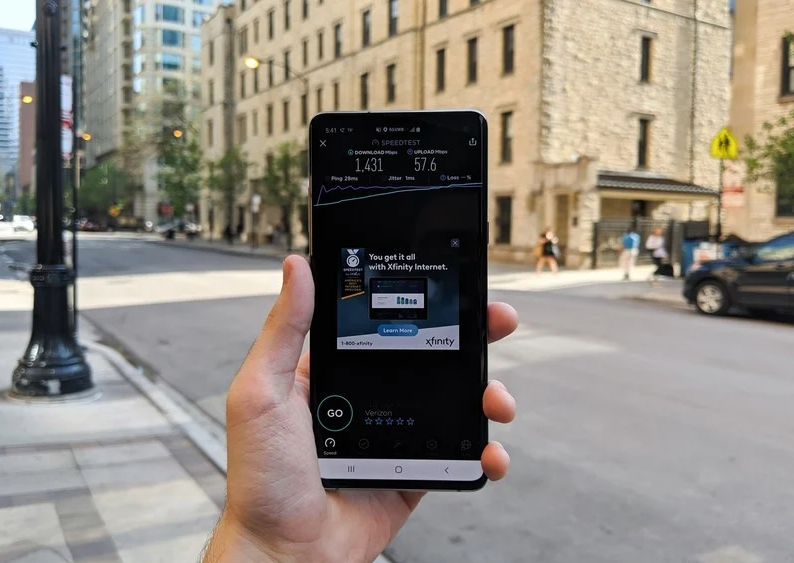
5G is finally starting to make its way to people, and more and more folks have started connecting to the next generation of wireless data. To ease the transition, Android 11 adds a very important “Dynamic Meterdness API.”
That may not sound very exciting on paper, but it essentially allows phones to take full advantage of all the power 5G brings.
If the API detects that you’re connected to an unlimited 5G signal, you’ll access the highest possible quality for videos and graphics. The potential for 5G is pretty darn cool, and this API ensures you take full advantage of the speeds available to you.
What phone should I get for the best Android 11 experience?
Whether you want to be among the first to get Android 11 or experience it the way Google intended, the Pixel 5 is the phone for you. It’s the newest flagship Pixel currently available, and if you prefer metal over plastic or glass, it’s a hard phone to ignore.
The Pixel 5 is all about delivering a flagship-quality Android experience for a relatively low price, and in these regards, it succeeds tremendously. Google crammed a lot into the Pixel 5, including phenomenal cameras, an OLED display, good performance, long battery life, and more. The design is a little plain, but the phone’s also a great size for one-handed use.
Best of all, the Pixel 5 and other Pixel devices get quarterly Feature Drops from Google, bringing new features to the Android 11 experience without requiring a full-scale platform update.
When is Android 12 coming?
The Android 12 public beta is now live, and the OS is the biggest visual change in Android’s history. Google is rolling out the new Material You design aesthetic, giving you much better customizability and new privacy features.
The key highlight is that you now have a color palette that lets you change system-wide colors to your liking, including the notification shade, volume controls, lock screen, and more. The notification shade has a cleaner design, and there’s a dedicated snooze button that lets you mute notifications with ease.
Android 12 is also set to add scrolling screenshots, but the feature isn’t quite live at this moment. And while the home screen UI itself is unchanged from Android 11, there’s now an option to set a 4×5 grid. You can also easily share Wi-Fi with Nearby Share, making it easier for others to connect to your Wi-Fi network.
Phones all look the same once you scrape away a few details. They’re rectangles designed to fit (mostly) into one’s hand and a display where we can tap and poke the things we see to find other things poke and tap. You can even make phone calls with them!
It’s those details, though, that makes the difference. Speakers, bevels, buttons and the physical size are the things that make a Galaxy Note different from a Moto E4. They also are a big part of the price and what we use to decide which one is better for our uses. One of those details that’s always a point of discussion, and sometimes a point of detraction is what the body of a phone is made of. Oddities like wood or gold phones aside, you’ll find three different materials are being used to make phones is all sizes: metal, plastic, and glass.
Which one is best?
Metal
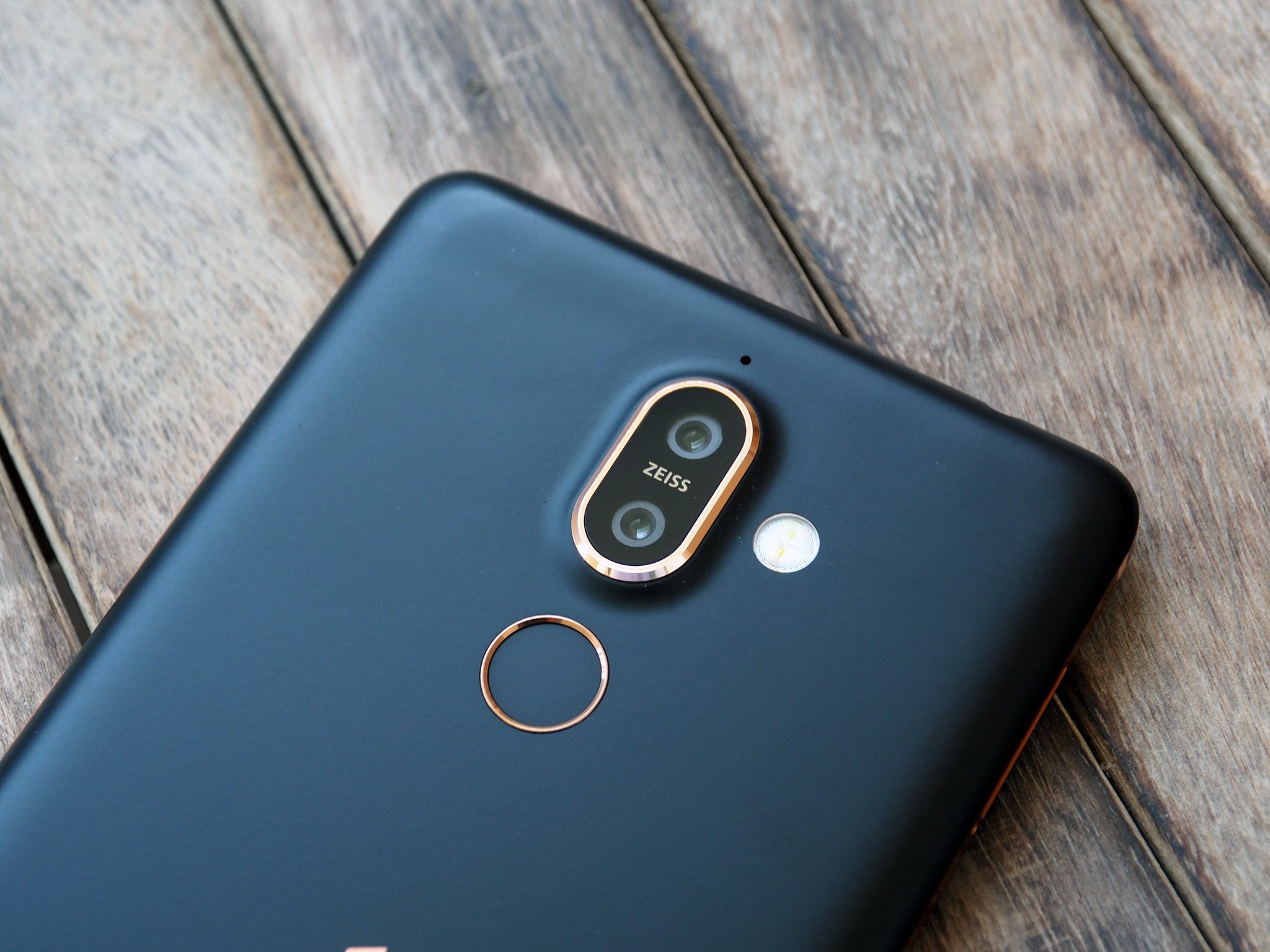
Metal, done very well on the Nokia 7 Plus.
Plenty of phones use a metal band or a faux-metal finish over plastic trim, but there are also plenty that are made of metal. Usually, that means some manner of aluminum alloy that’s very thin and light because the buying public is in love with thin and light. Nobody wants a 3-pound phone built from cold forged steel to lug around all day.
Metal screams premium.
For many, metal equals premium. Seeing an aluminum phone polished or anodized with a crisp finish does make a phone look good, so naturally, a lot of people associate them with high-quality, even if only subconsciously. But this isn’t always the case as aluminum can be cheaper than other materials. Blame our perception here.
A metal phone can be a great phone. It can also be a bad phone. Let’s look at the pros and cons.
Pros
That premium look. As mentioned, a phone that’s well built will always look good with a metal design. Metal is beautiful and we can’t help but feel that anything beautiful is automatically premium. For many, having a premium phone is important.
It’s “modern”. Metal is a big part of the industrial design school of thought. Minimal markings and no extraneous parts to take away from a single piece of metal with a certain shape is a complete design aesthetic, and it often ties in well with a premium look. There are plenty of fans of this type of design.
Heat transfer. That way a cold metal phone feels when you first pick it up provokes a thought. It doesn’t have to be a good thought, but if you ever noticed that your phone felt cold you were thinking about it. Touch is one of our senses, and it’s an important one.
All of these “pros” work together to give the impression that the small metal object you’re holding is simply a superior product. Some people feel differently, but most people can’t say a phone like a Pixel 2 or a Nokia 7 Plus felt bad or was built poorly.
Cons
Bends and dents. Metal deforms fairly easily — especially light, malleable metal like aluminum —and tends to keep its new shape, at least the types used to build phones. We’re not talking about people on YouTube bending phones for a living; we’re talking about sitting on your phone and bending it or dropping it and putting a big dent in that premium shell. (Buy a case?)
RF transmission. This means your LTE, Wi-Fi, and Bluetooth signals. Radio frequencies of the safe variety have a tough time transmitting through dense material. This can mean your phone needs to have antenna lines or glass cutouts for the antennas and probably won’t support wireless charging if it’s made of metal.
Heat transfer. The same thing that makes a metal phone feel solid and cold when you first pick it up will also make it feel hotter after you’ve used it for a while. Heat sinks and heat pipes (also made of metal) try to offset this, but a metal phone will always have a hot spot where the chipset is. And sometimes they can get uncomfortably hot.
The same material that can make a phone feel premium can also stop it from having premium features, like smooth lines without antenna bands or wireless charging. And they look a lot less premium when you dent or bend them.
Plastic
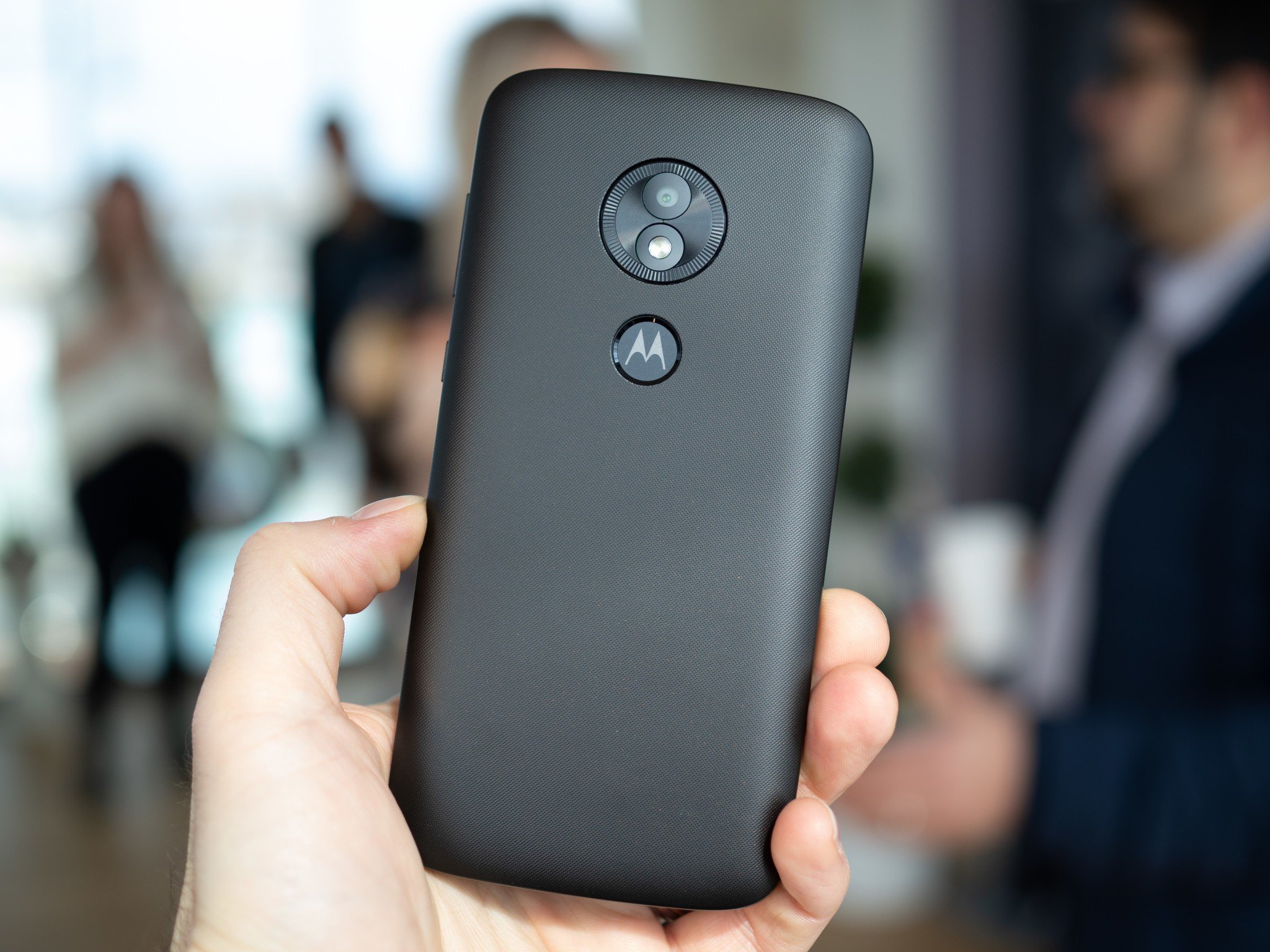
The Moto E5 is one of the few plastic phones you can buy in 2019.
Plastic comes in all shapes, colors, and sizes. Man-made materials have that advantage. That means plastic can also come with a number of different finishes, and phones can feel slimy or even soft when made of plastic. Plastic is also cheap and very workable which means curves and design elements can be used with plastic that isn’t feasible with other materials.
Any shape, any color, and tough as nails.
Some plastic phones look and feel great. Of course, others don’t. Consumers can be influenced by their experience enough to think all plastic phones are a slippery, glossy, slimy mess even when they’re not and the general perception is that plastic phones are cheap. But a plastic phone can be great, too.
Unfortunately, it’s becoming difficult to find phones made of plastic. Even inexpensive brands like Nokia and Motorola are moving on to metal-bodied phones, and that makes me a little sad.
Pros
Cost. Not the cost to the consumer, but the costs of making the phone from beginning to end. Using plastic means manufacturing equipment is easier to tool, which means designers have more freedom to work with the shape, which means phones don’t always have to look like a flat slab and still be reasonably priced. We love things that look nice and things that are reasonably priced. We love it more when they are both.
Resilience. Plastic is tough. Like football helmet tough. You might be able to break plastic but it will take a lot more abuse than metal or glass, and for the most part, it will snap right back into shape if it gets bent or dinged.
RF transmission. Plastic can be designed to be tough but still allow radio waves to pass through with very little signal loss. When you’re building or using a phone, this is important.
Millions of colors. You can make plastic that’s any color imaginable. Companies like Nokia (the Nokia of old, R.I.P.) and Sony have put this to the test and orange, lime, pink, yellow and even brown phones have all been offered and had their fans. Black is also a color for folks who like to keep things tamer.
Plastic gives a manufacturer the freedom to build a phone that’s tough and beautiful. And we’ve seen some very high-end phones from almost every manufacturer that were plastic, and nobody complained that they were plastic.
Cons
They feel bad. At least, they can. One of our favorite phones was LG’s G2. One of the phones we always complained about when it came to the finish of materials was the LG G2. It was the phone that coined our use of slimy when talking about bad plastic. Don’t even get us started on the Galaxy S III.
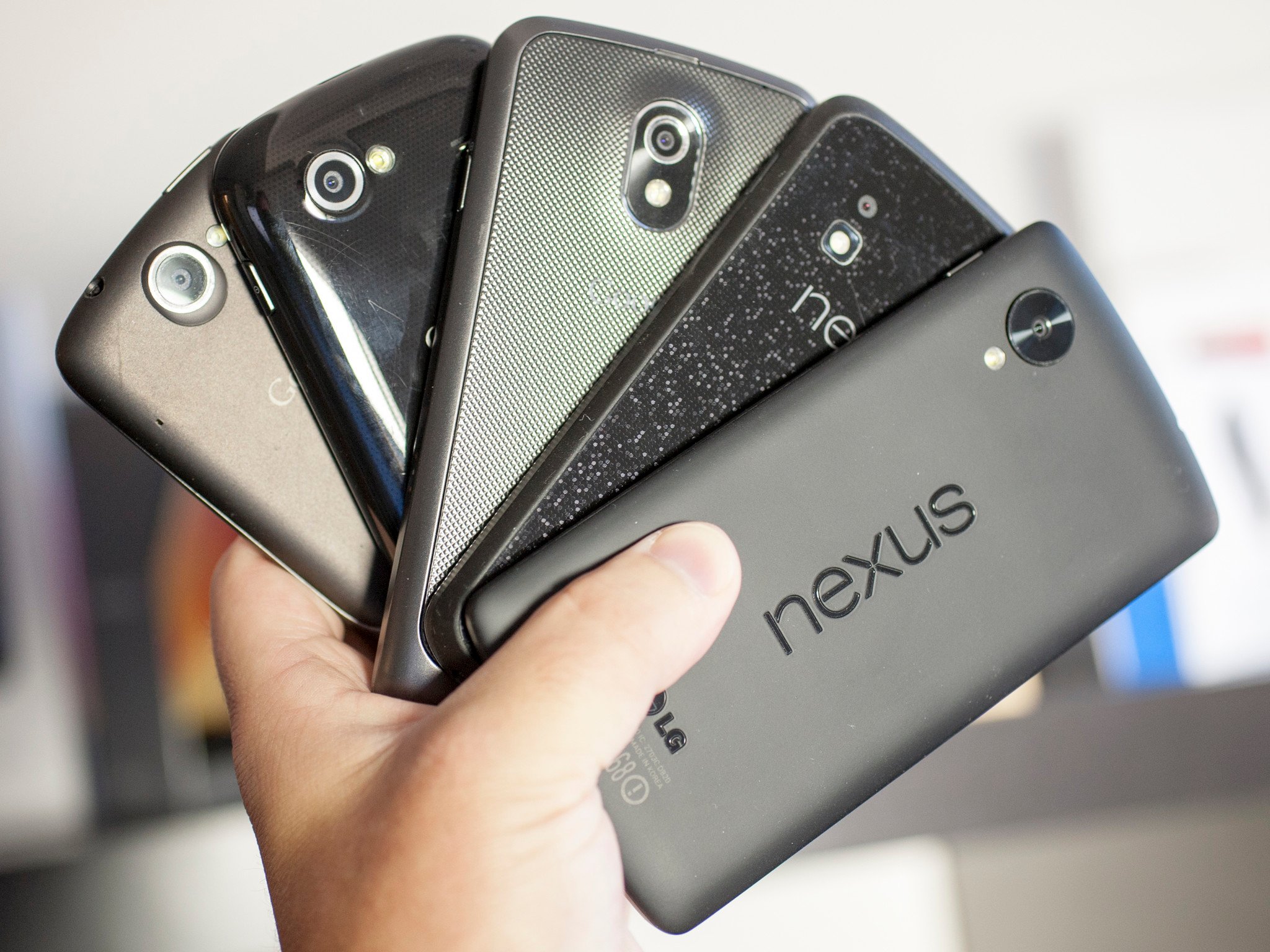
They can stain. The plastic on the phone can be stained by a colorful case or spending too much time in a cup holder in Florida-style weather, and some plastic finishes can stain you or your clothes. Remember the orange red Nexus 5? It did both.
They look cheap. Not all of them, of course. HTC, as well as that Nokia of old, built some gorgeous phones that were plastic. The LG Optimus 3D was not my favorite phone. Not even close. But it was plastic and the body, the build, and the finish were stunning. But for every good plastic phone, you can buy there will be four or five bad plastic phones in equally bad plastic clamshells on a hook at Walmart. That makes people equate plastic with cheap.
All the plastic phones that were tough, looked good and came in a plethora of colors have to compete with the bottom-of-the-barrel plastics used in phones that have none of those qualities. It’s not fair to compare things this way, but you usually won’t find a phone you think is plain ugly or that feels slimy that’s not made of plastic. Stereotypes are sometimes real.
Glass
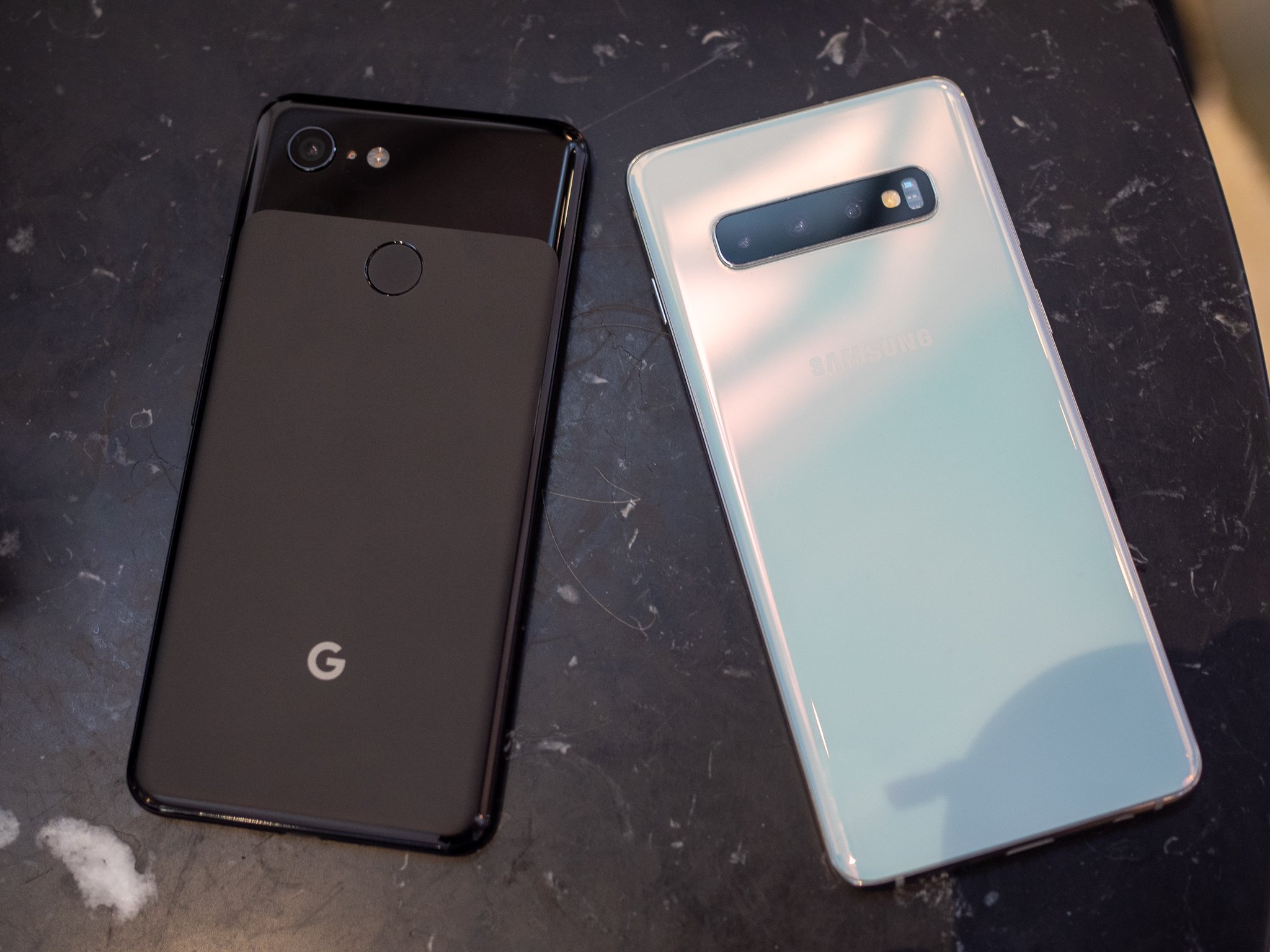
The Google Pixel 3 and Galaxy S10 keep everything under glass.
We started seeing glass phones with the iPhone 4 and Nexus 4. They aren’t completely glass, of course, but there are plenty of phones with full glass backs to go with the full glass front. They can be beautiful and give a look that compliments a great design. They can also be fragile; phone screens break all too often and so do glass backs.
It only looks wet.
Using glass also adds to a phone’s price. Cheap pieces of soda-lime glass you may find at the hardware store aren’t suitable for a phone. Instead, specially made ultra-clear low-expansion glass and composites like Gorilla Glass are used and can add a lot to the final price. Exotic materials like synthetic sapphire can be exceptionally clear for the wavelengths of light a person can see, and very scratch-resistant. They are even more expensive, often prohibitively so.
Pros
RF transmission. Glass is dense, but still allows radio waves to pass through fairly easily. This means your LTE signal, Wi-Fi, and Bluetooth will be stronger without any long antenna cutouts.
They look great. Phones with a glass back can have a feeling of depth if anything is under the glass. Glass can also shimmer and give the illusion of being wet. Both of these effects together can make for a stunning look. Samsung is a total pro at this, and its recent glass-backed Galaxy phones are simply beautiful.
They feel good in your hand. Glass can be polished until it’s very smooth. Because it’s inert it will also feel solid and cold like metal does. When you hold a glass-backed phone in your hand it just feels like a luxury product. Everyone loves luxury products, even if it’s only an illusion.
Cons
Glass breaks. There is nothing any company can do to make thin glass unbreakable. That means when you drop your phone (and you will) you have to worry about breaking both sides.
Glass scratches. Everything will scratch, but glass seems to be the best at doing it. No matter what a company tells us about the Mohs scale or hardened polymers, glass will scratch. Scratches on a phone with the wet and deep illusion like a Galaxy S9 look terrible when they have a big scratch across the back.
Glass is slippery. When your hands are damp, holding a glass phone is like squeezing an ice cube. It can pop right out of your grip and when you consider that glass breaks and glass scratches, you have a recipe for disaster.
Glass-backed phones can look amazing. That silky wet look of a Galaxy S10 or the disco ball look of the Nexus 4 makes for a beautiful looking piece of gear. We want our expensive things to be beautiful.
Unfortunately, glass is also a really risky material to use in a phone. It needs to be thin (glass is heavy!) so when you use hardened treated materials like Gorilla Glass the risk of breaking increases because hardened glass is more brittle. It’s a catch-22 situation that we gladly put ourselves in because of how great it looks.
Ceramic
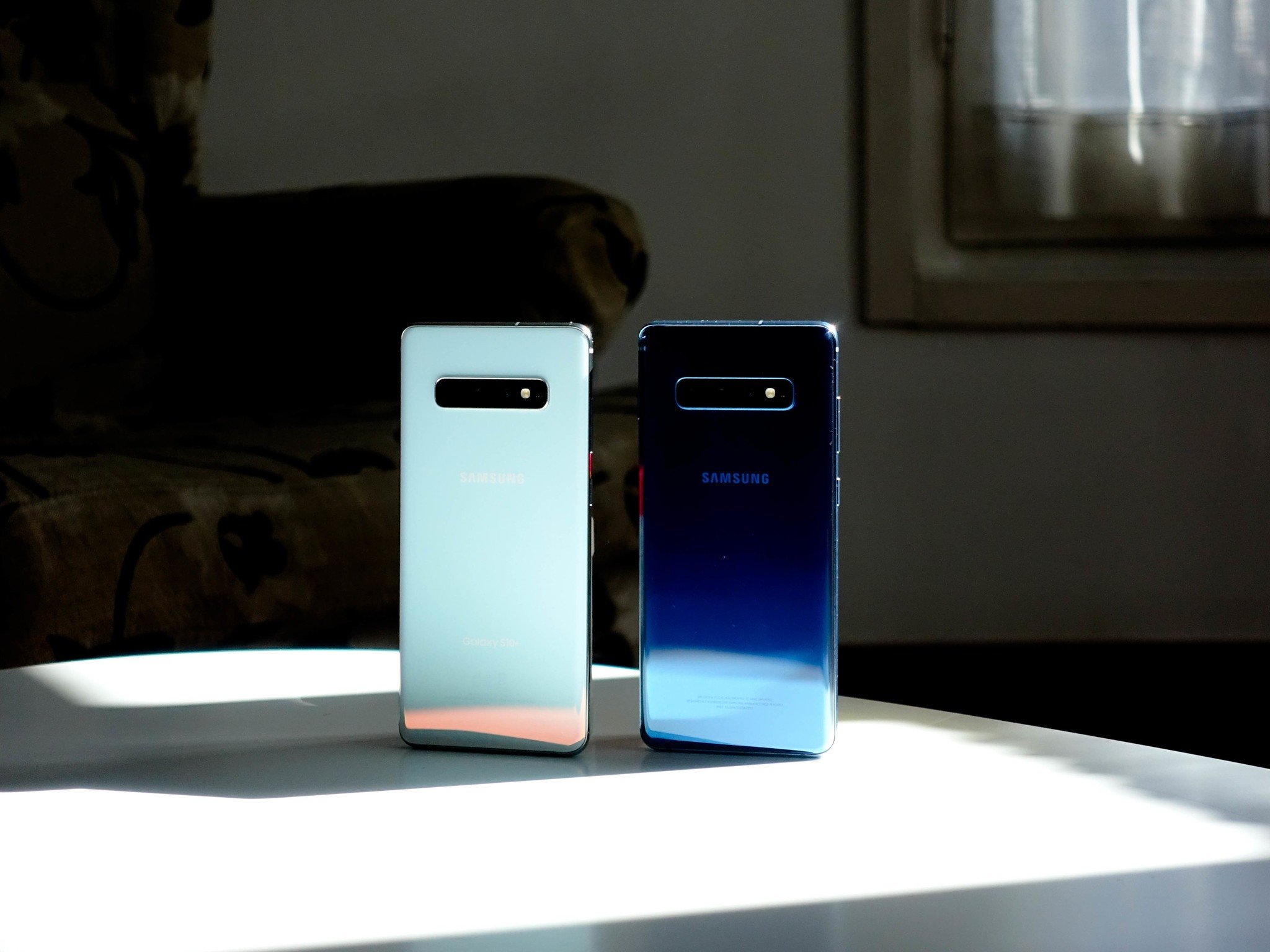
The Galaxy S10+ is beautiful in ceramic, but it’s not the only phone using the material.
Ceramic phones aren’t commonplace in North America, though that’s about to change with the Galaxy S10+. Phones that have used ceramic, like the Essential Phone or Xiaomi’s Mi Mix series, look and feel amazing.
When you think of ceramic you might be picturing your grandmother’s antique china, but that’s not the whole story. Sure, ceramic can look beautiful and delicate but it doesn’t have to be — ceramic is harder than glass or plastic, almost completely corrosion resistant, lighter than metal and it’s an insulator so there is no heat transfer.
Ceramic is also expensive. that’s why we don’t see low-end watches, dishware, or phones made from the material. It’s costly to mine and manufacture because of the special equipment needed, not easily formed like metal or plastic, and requires better handling along the assembly floor to keep the unassembled parts from shattering. Still, once you feel it, there’s no denying it’s nice.
Pros
RF transmission. Like glass, ceramic allows radio waves to pass through fairly easily. This means your LTE signal, Wi-Fi, and Bluetooth will be stronger without any long antenna cutouts.
They stay cool. Ceramic is what your power company uses to insulate the transmissions lines from their metal brackets. that’s because it’s non-conductive in regard to both heat and electricity. your ceramic phone isn’t going to get hot in your hand.
They feel so good. Ceramic can be highly polished after it’s formed to a completely smooth finish, and then take a clear coating to remove every surface line. Without any irregularities that your hand can feel, it’s like holding a piece of ice. Except it’s not cold because it doesn’t absorb or give off any heat dues to the magic of its insulatory properties.
Cons
Ceramic breaks. Ceramic (the type used in something like a phone) is tough, but it’s still breakable. With the right amount of abuse, it will break before metal or plastic will.
The coating can scratch. Ceramic is tough, and so are the polymers used to clear-coat it, but it can scratch. It’s not as easy as scratching glass or even metal, but if it does scratch, you’ll hate feeling even the tiniest blemish on that otherwise baby-smooth finish.
Ceramic is slippery. Wet hands? That might mean an oopsie because smooth ceramic is pretty slippery when your hands are wet or your fingers are cold and hard. Keep that in mind and take a bit of extra care.
Ceramic phones look and feel gorgeous. they also stay nice and cool because of ceramic’s insulatory properties. There is a reason some of the finest watches you can buy are made from ceramic.
The Xperia XZ3 finally adopts the idea of minimizing bezels, even if Sony isn’t going as far as some companies in this endeavor just yet. Still, future owners of the high-end handset will get a 6-inch HDR OLED display with a resolution of 2880×1440 and an aspect ratio of 18:9. There’s no notch here.
Sony’s Xperia XZ3 features 4GB of RAM and 64GB of built-in storage and it supports a microSD card up to 512GB. It’s powered by a Qualcomm Snapdragon 845 processor and it’ll be running Android 9.0 Pie when it arrives later this year. The camera on the back is a 19MP Motion Eye sensor, while the front-facing camera is a 13MP sensor.
Finally, the Xperia XZ3 boasts a 3000mAh battery and a USB-C port for charging, but there is no 3.5mm headphone jack. The Xperia XZ3 will be available in Black White Silver, Forest Green, and Bordeaux Red. Sony says the flagship smartphone will launch in “selected markets” at the end of September.
Sony just announced the Sony Xperia XZ3 at IFA 2018 in Berlin. The announcement was preceded by a few leaks here and there, but overall it’s pretty surprising that Sony is releasing the follow-up to the Sony Xperia XZ2 so soon (that device only launched in February of this year). As one would expect with the launches being so close together, the Sony Xperia XZ3 specs aren’t all too different from those of the XZ2.
You can find the list of Sony Xperia XZ3 specs in the table below:
Sony Xperia XZ3
Display
6-inch OLED
2,880 x 1,440 resolution
18:9 screen ratio
GPS + GLONASS
Wi-Fi Miracast
Bluetooth 5.0
DLNA Certified
NFC
USB Type-C 3.1
SIM
Dual nano-SIM
Software
Android 9.0 Pie
Dimensions and weight
158 x 73 x 9.9mm
193g
Colors
black, white silver, forest green, bordeaux red
Not only are the specs very similar to the XZ2, but the Sony Xperia XZ3 looks a lot like that previous flagship. It seems that Sony’s square, blocky design language is permanently over, as the Xperia XZ3 is all curves. It also still looks a lot like the design languages of Samsung and HTC.
The Sony Xperia XZ3 runs on a Snapdragon 845 chipset, just like with the XZ2. The display is a 6-inch OLED screen with a Quad HD+ resolution of 2,880 x 1,440 in an 18:9 aspect ratio. The display is a little bigger than XZ2’s, but hardly noticeable.
The XZ3 only has one variant so far which comes with 4GB of RAM and 64GB of internal storage. The internal storage capacity can be expanded with the microSD card slot, which can handle another 512GB of space.
Just 4GB of RAM on a flagship this expensive will certainly raise some eyebrows.
Sony increased the battery capacity a bit with the XZ3 as compared with the XZ2. This new battery comes with a 3,330mAh capacity, a nominal increase of 150mAh over the XZ2’s 3,180mAh capacity. That battery can be wirelessly charged and also supports quick charging.
The Sony Xperia XZ3 sticks with a single camera lens on the rear, which is interesting considering the Sony Xperia XZ2 Premium came with a dual-lens setup. The Google Pixel line has single rear cameras exclusively, and those smartphones are constantly praised for their photographic ability, so it’s likely Sony is banking on a similar response to its lack of multiple lenses.
Just like the XZ2, the Xperia XZ3 is water- and dust-resistant with an IP rating of 65/68. That should make users comfortable with getting the device wet — although we would still hesitate to go for a swim with any smartphone.
There’s a fingerprint scanner on the back of the device and a USB Type-C port on the bottom. There is no headphone jack on the Xperia XZ3, but Sony does include a 3.55mm adapter in the box.
Finally, the most significant spec of the Sony Xperia XZ3 is the software: the device will ship with Android 9.0 Pie, making it likely one of the first devices to hit shelves with the newest version of Android out-of-the-box.
Speaking of release, the Xperia XZ3 will go on sale on October 17 for the outrageous price of $899. However, that overly-expensive pricing strategy is par for the course when it comes to Sony.
Sony is also present this week at the annual Consumer ElectronicsShow 2018, in Las Vegas, where it just announced the new Xperia XA2mid-range series smartphones along with a more affordable Xperia L2.
The brand new Xperia XA2 and Xperia XA2 Ultra replaces the XA1 phones from last year, however, if you were expecting phones with an Triluminos display with 18:9 aspect ratio, you wont find it in these ones. It appears that Sony hasnt understood much from the feedback it received from its customers, and will continue to struggle with its Mobile Division. Unless it will adapt and make some radical changes.
The Xperia XA2 feature 16:9 Full HD displays, are equipped with Qualcomm’s Snapdragon 630 CPU, run Android Oreo and pack 23MP main cameras at the back. These are the specs that XA2 and XA2 Ultra share along with a similar design.
Xperia XA2 comes in 3GB RAM + 32GB of internal storage variant, with a 3,300 mAh battery inside and an 8MP selfie snapper at the front, while the Ultra model has 4GB of RAM + 32/64 GB of built-in storage, packs a 3,580 mAh battery, and a dual front-facing camera with 16MP + 8 MP camera sensors for wide-angle selfies.
Xperia L2 is a low-end device equipped with an 5.5-inch HD display, a 3,300 mAh battery, 13MP main camera, 8MP front-facing camera, 3GB of RAM, 32GB of ROM, and it runs Android Nougat.
Sony Mobile hasnt revealed the price tag of these new Xperia phones, all we know so far is that they will become available in late January – early February 2018 in Black, Silver, Gold, Pink colours.
In the past couple years we’ve seen numerous electronic manufacturers dive into the new true wireless earbud market. Most are rolling out their first crack at it, while a select few were early starters and now have second iterations that don’t feel so beta anymore. One of the newest well-known manufacturers that are in the former camp is Sony. The Japanese giant has a well-placed presence in the audio market, not just with general headphones but wireless offerings that boast some of the best active noise-cancellation (ANC) tech thus far. Its over-ear flagship sequel, the WH-1000XM2, has garnered a lot of praise.
But can it deliver a first-gen pair of true wireless earbuds that hold the same excellence as the rest of their headphone line, and not fall victim to the same downsides as the rest? That’s what we’re here to discover. To boot, we’ll say that fitting in ANC into such a small package is darn impressive, and something that others cannot claim.
Design
Unboxing the WF-1000X
One thing we really like about Sony’s designs is that they rarely follow in others’ footsteps. Case in point, the shape of the WF-1000X don’t look like any other true wireless earbuds currently on the market. They bear an L-shape that may initially draw confusion on how to exactly don them. But it quickly becomes apparent as soon as you realize the proper orientation. Grasping the ear tip stems and pointing the other end forward reveals how they insert in your ears. The ear tips are angled to match the shape of your ear canal.
We think the reason for this design is due to all the technology at Sony desired to pack in. So instead of going outward from the ear, they wrap around a bit towards the front. This is clever and in practice, there’s no downside that we found. Despite their size, the earpieces are still exceptionally lightweight. They practically disappear in your ears. This design choice also enables Sony to have great separation between the audio driver and wireless-enabling electronics. We think this is one reason for the WF-1000X’s above average sonics (we’ll talk about the audio quality a little later).
Speaking of the build, it’s all plastic but with a finish on the primary shell that looks metallic. Our “Black” model has more of a reflective dark gray that has an attractive sheen in light. It transitions to a smooth, matte finish on the ear tip end and a small window on the other end (where a wireless receptor is visible).
To reiterate, these earbuds are the in-ear (or in-canal) type, so the seal that the ear tips make in the ear canal are a big proponent of the sound quality. Sony’s ear tips are a firm, bullet-style and they go in pretty deep. We had no problem getting an appropriate seal. In the case that you don’t, Sony includes three different sizes of not just the typical silicone material but also foam.
We didn’t have any issue with the WF-1000X falling out, even while working out (which we don’t recommend because they’re unfortunately not water/sweat-proof). The silicone ear tips have a sticky finish that cling to your ear canals. They are very comfortable and we didn’t get any aches whatsoever.
Included accessories.
The packaging also comes with a USB-A to micro-USB charging cable, user-installable ear fins (for extra support), and a premium-feeling metal carrying case that has a battery within. True wireless earbuds struggle with battery life (the WF-1000X are no exception), so manufacturers typically put a battery in the carrying case to assist. This case has enough capacity to charge the WF-1000X through 3 cycles. This is great to have, but with a measly 3-hour rating, many your sessions will probably be cut short and you’ll have to wait until they charge up before continuing. Sometimes the future feels like we’re going backwards.
The earpieces have their specific Left and Right silos in the case. They have two pins that match up to the magnetic connectors in the case. They click into place nicely, but you do have to make sure that they get seated correctly. One time we thought we did and then ended up with no juice on the right earpiece. There’s a blue and red LED indicators that light up from the transparent portion of the earpieces. Red will shown when they’re charging. A blue flash tells the user that the earbuds are on, but they stop flashing once they’re set in the ears and the Bluetooth connection is stabilized.
Usability
It’s always interesting to see how manufacturers implement the user controls in these little guys, being that there’s not much room to work with. Some try touch controls while others try different button placements. Sony opts for buttons, one on the bottom of each earpiece. The left earpiece controls the power and mode of ANC (Sony has three sound modes: ANC on, ANC on but with audible higher frequencies, and ANC off), and the right earpiece controls playback in the typical method: single press for play/pause, double press for next track, triple press for previous track, and long press to toggle the mobile device’s virtual assistant (i.e. Google Now on Android). The buttons worked well in our use. Finding and pressing them can sometimes rock the seal, but nothing major.
I’m usually the type that likes to just plug and play. So I booted my experience with the WF-1000X by simply taking them out of the case, pairing with Bluetooth on my phone, and playing. I knew that Sony had an app that accompany the earbuds, but meh. Well, I soon found that if you want to access to the full volume capacity, you have to use the app. I was hitting the volume ceiling with just plugging and playing and got super worried for these headphones. The app has an independent volume control, for whatever reason. So what I did was cranked it up from that end so that I can solely have volume control on the Bluetooth end. This is an easy enough fix, but we still don’t agree with it. It’s not intuitive. The app shouldn’t be a necessity. I can picture users returning the WF-1000X upon running into the low volume and not realizing that the app can fix it.
The Sony Headphone app has various feature control for the WF-1000X.
In the app, you can set the ambient mode to automatically switch to suit what you’re doing (sitting, walking, running, or traveling).
Sony includes an equalizer with various presets (but not user-customizable).
Most true wireless earbuds struggle with the Bluetooth connection. It’s understandable, since the receptors must be tiny and the range compromised. The WF-1000X are certainly not exempt from this issue, despite its design to move the receptors further out from the ears. We can’t say if the fault falls on hardware or software. Not to scare anyone, signal drop-age isn’t particularly a whole lot worse than other true wireless earbuds we’ve tried. Typically enough body movement between the source device and earbuds do it. But we have found that the signal can spaz out randomly on the WF-1000X. Usually it’s the right earpiece that gets lost (these earpieces use a master/slave relationship – the left earpiece is the master and the right links to it) and takes a few seconds to recover. Our experience with this is best described as hit or miss. Sometimes it would chug through flawlessly and sometimes it would struggle to recover. Additionally, a few times when we took the earpieces out of the case for a listen, only the left earpiece would play. We would then have to placing them back in the case so they shut off and reset and that did the trick, but annoying.
[Update: Sony has since issued a firmware update that improves the audio/connection stability. We have installed it and can tell that there are less dropouts. Additionally, Sony has linked the volume control with the system, so there’s no longer the separate controls we complained about.]
And alas, there’s the ANC. To first set the stage, we have to caution that the performance of the ANC here is not going to be on the same level as something like the Sony WH-1000XM2 or Bose QC 35. It helps block noise but it’s going to be near dead silent. We’d say it’s about half level of those. It’s up to you if that’s meaningful or not. It is in our opinion. It’s pretty amazing to have ANC at all in something this size and this challenging to engineer. In other words, we’ll take whatever we can get. In practice, you’ll mostly be cancelling out low-end rumbling, like a white noise in an office space or the rumbling of a dishwasher. Same goes for an airplane, but in this case you will pick up the higher frequency whizzing from the engines.
Sound
The WF-1000X easily pair to our Android phone, but Sony includes an NFC receptor on the bottom of the charging case for even quicker setup.
The WF-1000X is not going to rival any headphone in the $200 range for clarity or analytical details. That said, it is no slouch either. Dynamics are stellar, reaching higher than the price would suggest. Soundstage is also a strong suit relative to the competition. This means that the sound isn’t cohesively flat. It’s open, airy, and notes have depth/dimensionality and impact. If you can look past high fidelity, it’s a very enjoyable and engaging sound. Together with the noise-cancellation, it’s easy block out the out the outside world and get lost in the sound. In other words, Sony makes up for fidelity (which is in no way bad) with delivery and noise-cancellation.
Speaking of the frequency response, it’s fairly well balanced. As of late, Sony has been doing a great job getting a nice balance between neutrality and energy. The range upper bass to mid range is wonderfully present and well separated. But sub-bass doesn’t go as deep as you can get up the price chain. Likewise, the treble is appreciably detailed, but it not with standout quality or reach, just decent.
Like most wireless, ANC headphones, the WF-1000X isn’t exempt from low-level hiss. But it’s within the realm of reason. Unless it’s a quiet passage, the music drowns it out.
Final Thoughts
The WF-1000X are an…interesting pair of true wireless earbuds. They have a couple standout highs but also some potentially deal-breaker lows. We’d be able to recommend them, but with a glaring caution based on the iffy wireless signal – but this is significantly better now since the firmware update.
The WF-1000X sound quality is definitely where it should be for the price tag. What puts it over the edge is noise-cancellation, which no other truly wireless earbud can claim. If you value sound above other things, and want absolutely no wires, then the WF-1000X is the best that you can do at the moment.
When you think of Sony smartphones in the modern area, you mainly think of an angular design with excessively wide bezels around the display that, when compared to the competition, looks old-fashioned in the eyes of many. But the wise will pay more attention to Sony’s Xperia smartphones in the coming year, because there are many indications that substantial changes are coming to the Japanese company and its products.
If you use a Sony Xperia smartphone in 2017, people often laugh at you, call you old-fashioned and always ask why you chose a Sony smartphone in the first place. There are so many better smartphones on the market, especially ones with a higher screen-to-body ratio. These arguments are understandable, but you should also look at the hidden advantages. They might be somewhat niche, but Sony smartphones often come with added value that you (often) don’t recognize. I had already gone over some of the advantages in my final report after spending 100 days with the Sony Xperia XZ Premium.
The long hard road to a new Sony Mobile
The historically chaotic state of Sony Mobile in the last few years is reflected in the confusing naming of Xperia smartphones and the equally confusing variety of products. Z, M and E-series with suffixes like Aqua, Plus, Premium and g transitionally became X, X Performance, XA, L plus Ultra, Premium and Compact until finally becoming the XZ, XZ1, XA1, and the L1 series. The nuances became much clearer in 2017. Anything that bears the XZ in its name represents the best that Sony Mobile can deliver in its Xperia smartphones. The XA is the mid-range series and Sony distinguishes the entry-level series below it with the L.
The Xperia XZ line in particular shows the direction that the Japanese company has in mind with its smartphone division. Sony wants to increasingly integrate the technologies of other divisions into its Xperia smartphones. When viewed from the outside, it may seem like a very easy thing to do, but the difficulties of integrating different company areas and their technologies in a smartphone is a challenging undertaking. In any case, the current Xperia XZ Premium sees the launch of a flagship smartphone project that was continued in the XZ1 and, to some extent, the XZ1 Compact as well.
The user will hardly notice any added value when considering the components such as the 4K display, Motion Eye camera, and audio, whether it’s wired or wireless. Rather, the Motion Eye camera is the best example of what Sony has become in 2017. Instead of selling the sensor to other smartphone manufacturers and running the risk of them getting more out of it thanks to better software, the Motion Eye camera has been reserved for its own products. The fact that the Sony camera currently cannot quite keep up with a Pixel 2 or even the Galaxy Note 8 is largely due to the software.
Speaking of software: Have you noticed that Sony’s Xperia smartphones are among the fastest to get updates while Samsung’s Galaxy S8 and S8+ or even the recently launched LG V30 are still stuck on Android Nougat? Sony Mobile launched the XZ1 and XZ1 Compact with Android 8.0 Oreo out of the box, and the update has already been available for a few weeks on the XZ Premium. Admittedly, it probably hasn’t been implemented in a very optimized manner on the XZ1, because problems during testing resulted in annoying crashes here and there, but like I said, 2017 is a transitional year for Sony Mobile.
Sony Xperia 2018: Bigger display, smaller bezels, better software and camera optimization
All these changes in 2017 are hardly relevant for end customers that are looking for a new smartphone. What many end users want is a bigger display, smaller bezels and a smartphone camera that ultimately delivers beautiful pictures in day-to-day situations. There is no doubt, at least in my eyes, that all this and more is on Sony Mobile’s agenda for 2018. You can already see the first signs if you have been following the related rumors concerning Sony smartphones over the past few days. A datasheet has already been spotted that shows that an Xperia smartphone with a 5.7-inch display will be released with a more compact structure than the Sony Xperia XZ Premium.
Sony seems to be working on a new image stabilization feature called “Dynamic Vibration System” for better photos and even better videos. The brand patent application does not mention a word about it, although it is an optical image stabilizer. It would not be like Sony to submit a trademark application just for an optical image stabilizer that is integrated into the lens. Furthermore, I assume that this is a systematic development of the five-axis sensor stabilization controlled by the gyroscope. Since this system achieves a maximum of full HD recordings at 30 frames per second, “dynamic vibration system” could also mean that the upcoming XZ-class Sony Xperia smartphones will support higher resolutions and framerates. We will learn more about it by the time Mobile World Congress 2018 rolls around.
Treat yourself by checking out this collection of gorgeous red phones
The supply of smartphones is never-ending, as hundreds of new smartphones are announced every year. But the majority of these handsets are usually offered in drab black or gray colors. Throw a white version here and there and you’re done!
Fortunately, some device manufacturers like to experiment with colors and seldom produce unique looking models. And since the holiday season is coming right up, we thought you might want to gift yourself or a loved one with a unique looking smartphone. Red is also the color of Christmas, so a fiery handset might make for the perfect gift. We know there are still two months to go before Santa arrives, but it never hurts to start planning early. That’s how you’ll ensure you’ll be able to deliver the right gifts.
So check out some of the hottest red phones right now:
The HTC U11 in Solar Red is an exquisite looking smartphone, although quite prone to smudging. The flagship boasts some seriously capable specs including a Snapdragon 835 processor, 4GB of RAM and 64GB of storage and also takes advantage of a high-rated main singular camera.
As a bonus it includes the quirky pressure sensitive frame Sense Edge which lets you squeeze the smartphone to trigger a pre-set action. The phone is available for $649 or for $28/month for 24 months with HTC Financing.
For the selfie enthusiasts, the ASUS Zenfone 4 Selfie Pro is an interesting proposal. The device takes advantage of a 5.5-inch display with fullHD resolution and a Snapdragon 625 aided by 3/4GB of RAM and 64GB of storage.
It includes a primary 16-megapixel camera with EIS, phase detection autofocus, and dual-LED flash, while on the front it takes advantage of a dual 12-megapixel+8-megapixel camera setup for gorgeous selfies.
The phone should retail $379, but it has yet to launch on the US market. Hopefully, it is coming soon.
In recent days Sony announced the Xperia XZ Premium is getting a new color option dubbed “Rosso” which means Red in Italian.
At launch, the phone will be available in Japan and Malaysia, but a quick look at Sony’s global website reveals this particular color version has been added to the list of available colors. So maybe there’s a chance the phone will make it in select Western markets too.
The Sony Xperia XZ Premium is a high-end phone which boasts a 4K display, Snapdragon 835 processor and a tremendous 19-megapixel camera capable of shooting ultra-slow-motion video footage at 960 fps. The phone is offered for $649.99 a pop.
Want a red phone on the cheap? Xiaomi just unveiled a Red version of the Mi 5X (which served as the blueprint for the Xiaomi’s first Android One phone).
The device comes equipped with a 5.5-inch display with fullHD resolution, a Snapdragon 625, as well as 4GB of RAM and 64GB of storage. It offers the services of a primary dual-camera setup which pairs two 12-megapixel sensors with f/2.2 and f/2.6 respectively, as well as phase detection autofocus, 2x optical zoom, and dual-LED flash.
The device ships out with MIUI instead stock Android and will be sold for approximately $226, but unfortunately, it’s a China-exclusive device.
The Ulefone Gemini Pro is another affordable Chinese Red phone. It rocks the same 5.5-inch display with fullHD resolution like the Xiaomi Mi 5X but relies on a MediaTek Helio X20 instead. It bundles 4GB of RAM and 64GB of built-in storage, as well as a primary dual 13-megapixel camera. You can grab it from Gearbest for around $300.
Crave a red phone with an 18:9 aspect ratio? UMIDIGI has your back. Just check out the sleek S2. The phone comes with a 6-inch bezel-less display and takes advantage of a Mediatek Helio P20 chipset to keep things flowing on board.
Customers can purchase it with a 4GB of RAM + 64GB of storage configuration, but UMIDIGI also offers a version with 6GB of RAM + 128GB storage which is marketed as the S2 Pro. The phone is currently available for $199 (for a limited time) from web stores like Geabest.
This phone is probably coming soon, as an image showing a Red version of the Elephone S8 leaked out a few months ago.
The device takes advantage of a 6-inch display with a QHD resolution and includes a MediaTek Helio X25 chipset, alongside 4GB of RAM and 64GB of internal storage. Online stores like Gearbest currently offer the Black and Blue version, but the Red model doesn’t seem to be available yet.
The Nokia 3310 3G just made it to US shores and it’s available in a bright Red color option too. If you had had it with smartphones and want to relieve the good days of old, the Nokia 3310 is just what you need. Oh, and you’ll be able to play the timeless Snake game on it too! Pre-order it from Best Buy for $59.99.
Compared to last month, several products have been added to our best Android tablets and 2-in-1s list, including Amazon’s new Fire HD 10 tablet, and the Pixelbook, Google’s newest hybrid which was announced next to the company’s new Pixel phones. The Amazon Fire HD 10 tablet is available for purchase as we speak, while the Pixelbook is up for pre-order at the time, but will become available soon. There are quite a few of additional, interesting products listed down below, so read on if you’re interested.
10. Google Pixel C
The Google Pixel C is Google’s very own tablet which was announced back in October 2015. Even though it has been two years since this tablet was announced, it’s still relevant due to the fact how slow the tablet market is these days, and after all, it’s still a rather good tablet, though it’s still quite pricey, it costs $499 over at Amazon at the moment. The device is made out of metal, it sports a 10.2-inch 2560 x 1800 display, and in addition to that, you’re also getting 3GB of RAM and 32GB / 64GB of native storage here. NVIDIA’s Tegra X1 quad-core SoC fuels this device, and Android 6.0.1 Marshmallow comes pre-installed on it, though you will be offered an update to Android 8.0 Oreo when you start using it, as Google did release the latest version of Android for this device.
The Sony Xperia Z4 Tablet is definitely not one of the newer tablets out there, but it’s still quite compelling if you’re looking for a sleek-looking tablet, and are not really looking to get the newest product out there. This tablet is made out of metal and glass, while it sports a 10.1-inch 2560 x 1600 display. The Xperia Z4 Tablet comes with Android 5.0 Lollipop out of the box, but it is upgradeable to Android 7.0 Nougat. This tablet comes in both Wi-Fi and 4G LTE variants, though only the 4G LTE model seems to be available for purchase from Amazon.
The Huawei MediaPad M3 tablet was announced back in September last year, and it’s actually a rather solid offering by this China-based company. The device is made out of metal, and it sports a front-facing fingerprint scanner which doubles as a home key. The MediaPad M3 sports an 8.4-inch 2560 x 1600 IPS LCD display, while it is fueled by the Kirin 950 64-bit octa-core processor. This tablet sports an 8-megapixel camera on both its front and back sides, while Android 6.0 Marshmallow comes pre-installed on it, though you’ll find Emotion UI (EMUI) on top of it. The 32GB storage variant of this tablet is currently priced at $299 at Amazon, while the 64GB storage model costs $347.87.
The Amazon Fire HD 10 tablet was announced in September 2017, and it actually comes in two variants, one variant sports 32GB of storage, while the other one comes with 64GB of native storage. This tablet sports a 10.1-inch 1920 x 1200 display, while you’re also getting 2GB of RAM here. Dolby audio is also a part of the package here, and those of you who are interested in getting the tablet, should also know that it is fueled by a quad-core processor clocked at 1.8GHz. The Amazon Fire HD 10 tablet is currently available over at Amazon in Black, Marine Blue and Punch Red color variants. The 32GB storage model of the Amazon FIre HD 10 is priced at $149.99, while the 64GB storage variant costs $189.99.
The Galaxy Tab S2 might not be the latest or greatest ‘Galaxy Tab S’ tablet at the moment, but it’s considerably more affordable than the Galaxy Tab S3. This tablet comes in both 8 and 9.7-inch variants, while it sports 3GB of RAM. The device comes with a front-facing fingerprint scanner / home key, and it is currently available from Amazon, well, at least its Wi-Fi models are, for both 8 and 9.7-inch tablets. The Galaxy Tab S3 is made out of metal, and it there are two capacitive keys included on its front side, next to the tablet’s home key. The Galaxy Tab S2 comes in Black, Gold and White color variants.
The ASUS Chromebook Flip C302 is one of the newer Chromebooks out there. This device sports a 12.5-inch fullHD (1920 x 1080) display, while it comes with 4GB of RAM. The device is made out of metal, while it is fueled by the Intel Core M3 processor. This Chromebook, much like every other Chromebook which got announced in 2017, is capable of running Android apps, and it is currently priced at $459.99.
The Lenovo Yoga Book sports a 10.1-inch 1920 x 1200 display, while this tablet comes with 4GB of RAM and 64GB of internal storage. Intel’s Atom X5-Z8550 SoC fuels the Lenovo Yoga Book, while Android 6.0 Marshmallow comes pre-installed on this device. Those of you who are interested in getting this tablet should know that it is currently discounted by 32 percent over at Amazon, as it costs $339.99, it is quite a bit more affordable than it originally was.
The Samsung Chromebook Plus and Pro are the two Chromebooks Samsung introduced earlier this year. The Samsung Chromebook Pro is the more powerful of the two, it comes with a fairly more powerful processor, while both devices can run Android apps without a problem, if that’s something you’re looking for. It’s also worth noting that both of these devices come with a touchscreen, so you can, essentially, use them as tablets as well. The Samsung Chromebook Plus can be purchased for $437, while the Samsung Chromebook Pro costs $499.
The Google Pixelbook is Google’s newest Chromebook which was announced next to the company’s Pixel phones. This device is made out of metal, and it is actually quite powerful. The device is fueled by either the Intel Core i5 or Core i7 SoC (two variants are available), while it comes with 8GB or 16GB of RAM and 128GB / 512GB of native storage. The Pixelbook also comes with a stylus, and its display is touch sensitive, so it can be used as a tablet as well. The 8GB RAM model of the device is priced at $1,199 over at Amazon (ships on October 31), while the 16GB RAM model with Core i7 SoC is still not available.
The Galaxy Tab S3 is the most powerful tablet Samsung has to offer at the moment. This tablet is made out of metal, while it sports a front-facing fingerprint scanner. The device sports a 9.7-inch 2048 x 1536 display, 4GB of RAM, and it is fueled by the Snapdragon 820 64-bit quad-core processor. Android 7.0 Nougat comes pre-installed on this tablet, and on top of it, you’ll find Samsung’s custom UI. This tablet comes with an S Pen stylus, and it is currently priced at $498 over at Amazon. The Galaxy Tab S3 is currently one of the more powerful Android-powered tablets out there, if not the most powerful one.
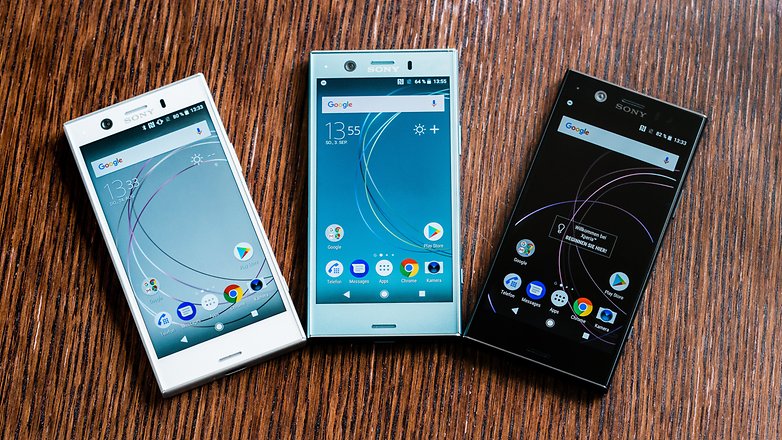
“It’s just the right size!” – the Sony Xperia XZ1 Compact. Little did she know that behind its humble appearance was a tiny beast of a phone – one that had as much processing power as a top-of-the-line Android flagship. And there’s so much more to like about Sony’s latest pocket-friendly handset, but ultimately, is its price of $600 justified? Well, perhaps it is.
Design
Uninspiring with its boxy look, but sturdy and practical.
So yes, as its name suggests, size is a key selling point for the Sony Xperia XZ1 Compact. It easily fits into any pocket and single-handed use is never an issue – traits we can highlight in very few of today’s smartphones. Bonus points go to Sony for throwing in water resistance, and the dedicated camera button on the side acts as a wonderful camera shortcut.
Yet one thing we’d change if we could is the power button – as it is almost flush with the phone’s right side, I can hardly feel its presence underneath my thumb. And that’s important when an otherwise quick and reliable fingerprint scanner is embedded in the said button.
As is the case with recent Xperias, the Xperia XZ1 Compact sold in the US has its fingerprint scanner disabled. In our book, that counts as a major downside given the handset’s price point.
Display
An “okay” screen with sufficient resolution and great outdoor visibility.
Whether you’re looking at it in real life or scrutinously inspecting its specifications, this isn’t a screen that will wow you. After all, a resolution of 720 by 1280 pixels is far from impressive at this point in time. But for a screen measuring only 4.6-inches in diagonal, these are more than enough pixels to produce a sharp, detailed image. Plus, the screen delivers excellent outdoor visibility even on a sunny day.
Colors on the Xperia XZ1 Compact are nice and vibrant, but lean towards the cold side – whites appear more blueish than they should, and you don’t have to be an expert to notice. To compensate for this, I went to the Display Settings menu and manually tweaked the color reproduction until it looked fine to my eyes. There I found a nifty Glove Mode option, but didn’t see a double-tap-to-wake setting or a blue light filter.
Display measurements and quality
Interface and functionality
The latest Android 8.0 Oreo with Sony’s speedy UI on top of it.
Kudos toSony for launching the Xperia XZ1 Compact with Android 8.0 Oreo out of the box. This means that the phone runs the latest, safest, most up-to-date Android software that Google has to provide. Alas, the benefits to having Oreo at launch aren’t immediately obvious, as Android 8 itself isn’t very exciting of an update from a user perspective. But all those under-the-hood improvements, including the better handling of battery-draining apps, are more than welcome.
On the Xperia XZ1 Compact we find Sony’s own custom interface, which is very similar to what you’d see on other current and recent Xperia phones, only smaller. Personally, I didn’t find the default text size comfortable enough to read so increased it up a notch from the Display Settings menu. Speaking of size and text, the on-screen keyboard is physically smaller than those on most other phones, but I found it sufficiently accurate once my fingers got used to its layout. In fact, its size is ideal for single-thumb typing.
Probably the best thing about Sony’s software is that it is fast and responsive. Also, it comes with a number of perks. Sony’s “What’s New” app curator, for example, has an “App of the day” promo where we can download a paid app for free. But some features could have been executed better. For instance, there’s no easy, intuitive way of checking the time or any lock screen content as pressing the power button to wake the phone instantly makes a fingerprint reading and takes us to our home screen. Also, pulling down on the home screen displays a search bar for finding apps, which is redundant, as the Google widget can already do that. Pulling down the notifications shade would have been a much more practical use for this gesture.
Processor, memory, performance
Fast and responsive with any task.
As we mentioned in the beginning, processing power is one thing the Xperia XZ1 Compact has plenty of. Equipped with a Snapdragon 835 – the best chip Qualcomm currently has to offer – the phone runs even the most demanding games without issues. Having a 720p screen instead of a higher-res, Full HD one also helps with maintaining high framerates while engaging in tasks demanding lots of graphics computations. Switching between apps is quick, and side-by-side multitasking is a smooth experience (even though I doubt many would engage in side-by-side activities on such a small display). Overall, we have no complaints as far as performance goes.
The Xperia XZ1 Compact comes with 32GB of built-in storage, but since the operating system eats up a huge chunk of that, only about 22 gigs are available to the user. That is likely to run out before you know it, especially if you take lots of photos and video in 4K, so consider taking advantage of the microSD card slot that is available.
Internet and connectivity
Without going much into details here, you have Chrome set as default browser on the Xperia XZ1 Compact. It is an app most Android users should be familiar with, and a substitute isn’t necessary, in our opinion. Chrome is fast, covers the essentials, and syncs your browsing data across devices for easy access.
On the topic of connectivity, we should clarify that Sony is not launching the Xperia XZ1 Compact through any of the major US carriers. Instead, you may get one through Amazon (that’s where Sony’s official website links to). The Xperia XZ1 Compact being offered is unlocked and compatible with GSM carriers like AT&T and T-Mobile. However, it won’t work on Verizon or Sprint.
Camera
A feature-packed shooter delivers good-looking images and high-res videos.
Camera interface
The 19MP Motion Eye camera we saw on the Xperia XZ1 is present on the Compact, along with all the cool tricks in its arsenal – 960fps slow-motion videos, Predictive Capture, autofocus bursts, and the list goes on. The design of the phone itself makes it a great point-and-shooter: the physical camera button makes for a quick camera shortcut, while the compact size and boxy shape let us pull off epic selfie angles with ease.
Hardly a surprise, image quality is on par with what we saw while reviewing the Xperia XZ1. Daytime photos are sharp and detailed, with pretty colors and lots of contrast. Low light images, however, are considerably noisier and less detailed, presumably because of the camera’s lack of OIS and its tendency to shoot at higher ISOs. Overall, images are perfectly usable and good-looking in general, though don’t expect this camera to outperform high-ends like the iPhone 8 or the Galaxy S8.
Sony made an unconventional choice when picking the XZ1 Compact’s front-facing camera. It is an 8MP wide-angle shooter, and when we say “wide-angle”, we mean a viewing angle of a whopping 120 degrees. This let’s you fit a lot of people in a single shot, but comes with a tradeoff – a considerable amount of distortion, mostly visible near the edges of the photo, which spoils the otherwise good image quality.
Videos are taken at up to 4K resolution. They look good in general and are complemented by clear, loud audio. While there’s no OIS on this camera, software image stabilization is available even in 4K mode, while shooting in 1080p lets you use Sony’s Intelligent Active software stabilization, which produces smoother, more cinematic-looking footage.
And before we move further, we must clarify that Sony’s new 3D Creator feature is present on the XZ1 Compact as well. We gave it a test while playing with the XZ1, and while we can’t deny that it is an impressive showcase of new 3D scanning technology, its practical use is very limited at this time.
Multimedia
Due to its smaller size, the Sony Xperia XZ1 Compact is less than ideal for the purposes of media consumption and digital entertainment. There are many larger, similarly priced devices that can deliver a superior experience, be it when watching video, playing games, or scrolling through your photo collection, simply because they offer more screen estate and greater screen resolution. But this didn’t stop me from watching as much YouTube video and playing as much Minecraft as I usually do. For casual gaming, for watching the occasional “Goats yelling like humans” video, and for other multimedia activities that don’t involve a VR headset, the XZ1 Compact gets the job done.
The Sony Xperia XZ1 Compact comes with a set of front-firing stereo speakers, but their quality is a bit underwhelming. They sound just okay: with clear vocals and sufficient loudness, with audible stereo effect in videos and games, but there’s less highs and lows than what you’d get out of an iPhone 8, for example.
For those who still demand it, a 3.5mm headphone jack is present on the Xperia XZ1 Compact, allowing audiophiles to take advantage of its support for high-resolution audio formats. LDAC and AptX HD formats, both of which allow compatible Bluetooth audio devices to play back sound at a higher bitrate, are also supported.
Audio output
Call quality
As expected, we did not encounter any call quality issues during our testing of the Sony Xperia XZ1 Compact. The earpiece gets sufficiently loud, and our voice arrives with sufficient clarity to the other side of the line.
Battery life
It just keeps going and going.
Don’t let its small size fool you. Even though it holds “only” 2700mAh of charge, the Sony Xperia XZ1 Compact outlasted many high-end phones when subjected to our custom battery benchmark. In real life, I was easily getting between a day and a half and two days of normal usage, without limiting the phone’s performance or functionality in any way.
Charging times are less impressive, however. The stock charger needs over 2 and a half hours to recharge the Xperia XZ1 Compact completely. You may take advantage of the phone’s support for Qualcomm Quick Charge 3.0, as long as you have a compatible charger.
As with previous Xperia phones, you can make the XZ1 last longer by activating Stamina mode. This reduces performance, but saves a significant amount of power – handy for times when you know you’re low on charge and won’t be near a charger anytime soon.
Conclusion
Simply put, the Sony Xperia XZ1 Compact is a remarkable little phone. While it has its flaws and annoyances, while it is undoubtedly a device targeting a niche audience, having it as a daily driver for a week was a genuinely fun and refreshing experience. Indeed, bigger isn’t necessarily better, especially if practicality and convenience are your top priorities when picking a phone.
Should you pick the Sony Xperia XZ1 Compact, currently priced at $600? If you want a phone that’s truly small but uncompromisingly powerful, one that takes good photos and videos, one that lasts long between charges, then yes, this guy should be on your shortlist. Just keep in mind that for another $100 you can get the iPhone 8, which is of the same caliber, but packs a better screen, superior stereo speakers, and a functioning fingerprint scanner.