


The Most Challenging Folds Z Flip 5 vs. Z Fold 5 Repair Battle

The Most Challenging Folds: Z Flip 5 vs. Z Fold 5 Repair Battle – Ultimate Showdown (7 Expert Insights)
Introduction to Foldable Phone Repairs
Foldable smartphones have changed the mobile landscape. However, with innovation comes complexity. The Z Flip 5 vs. Z Fold 5 repair battle highlights just how challenging modern foldable repairs can be. While both devices showcase Samsung’s engineering excellence, they also push repair technicians to their limits.
At Sydney CBD Repair Centre, we’ve seen firsthand how foldables test skill, patience, and precision. These aren’t your everyday slab phones. They’re intricate machines with moving parts, layered displays, and fragile internal components. And yes, repairs can be daunting—but not impossible.
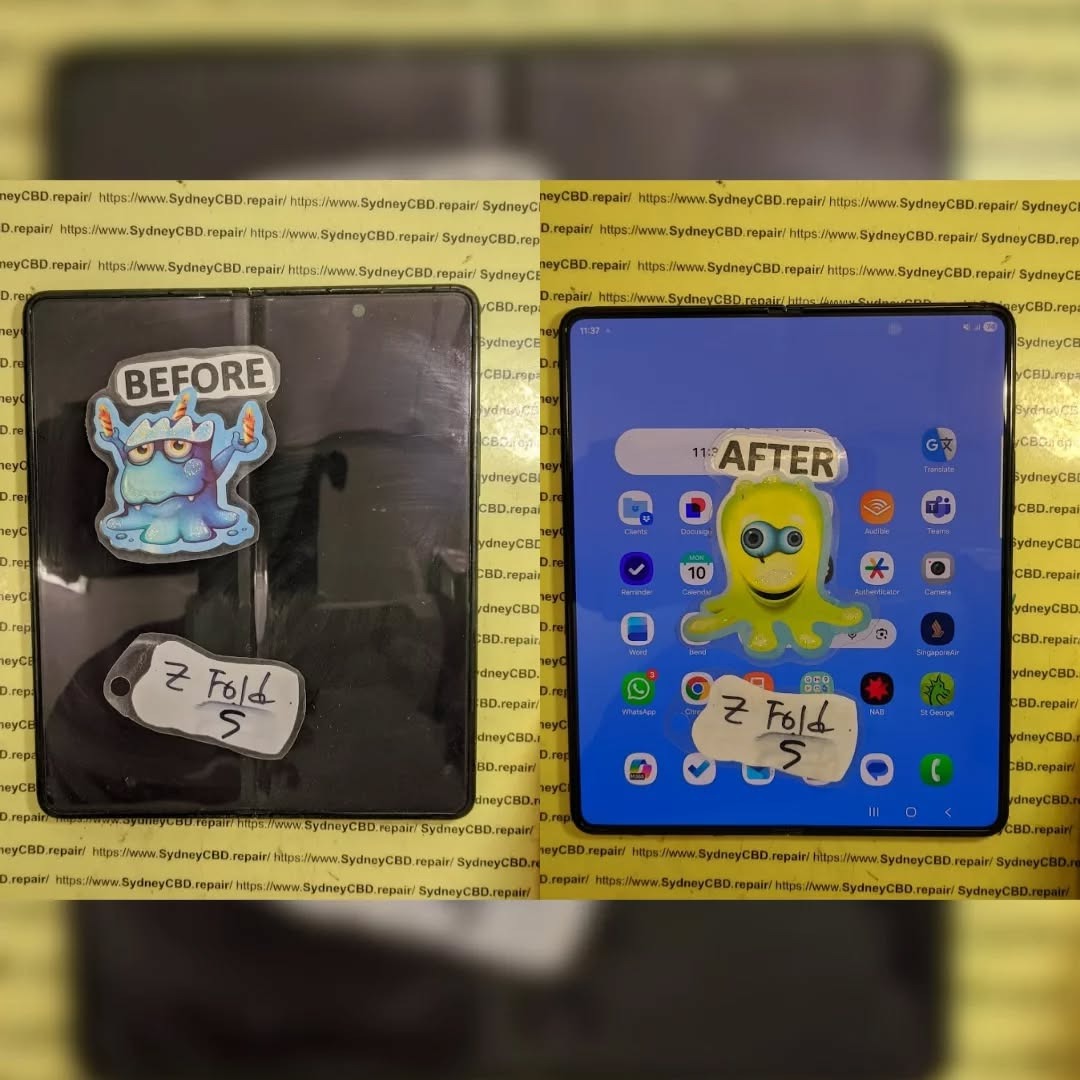
Understanding the Samsung Z Flip 5 Design
The Galaxy Z Flip 5 is compact, stylish, and folds vertically. It’s designed for convenience, but that convenience introduces repair headaches.
Z Flip 5 Hinge and Screen Architecture
The hinge mechanism is smaller than previous models, which sounds great, but it leaves little room for error during repairs. The ultra-thin glass (UTG) display is flexible yet delicate. One wrong move, and the screen’s gone.
Battery placement is split, meaning technicians must disconnect multiple components before even reaching the damaged part. This layered design increases repair time and risk.
Understanding the Samsung Z Fold 5 Design
The Z Fold 5 is essentially a phone and tablet in one. That’s impressive—but from a repair standpoint, it’s a beast.
Z Fold 5 Internal Layout and Complexity
Inside, the Fold 5 features a massive inner display, complex flex cables, and a robust hinge spanning the device’s width. Every component is interconnected. Removing one part often means disturbing several others.
In the Z Flip 5 vs. Z Fold 5 repair battle, the Fold 5 often wins for sheer complexity alone.
Common Damage Scenarios in Foldables
Foldable phones face unique risks:
- Inner screen cracks from pressure
- Hinge failure due to dust ingress
- Battery swelling
- Outer display damage
- Liquid damage spreading through hinge gaps
Unlike traditional phones, damage often cascades, turning minor issues into major repairs.
Z Flip 5 Repair Challenges Explained
The Z Flip 5 may look simpler, but don’t be fooled.
Screen, Battery, and Hinge Repairs
Screen replacements require precise alignment. Battery replacements involve dismantling nearly the entire device. Hinge repairs? Those are among the trickiest, often requiring specialized tools and genuine parts.
In many cases, a simple screen issue can turn into a full assembly replacement.
Z Fold 5 Repair Challenges Explained
The Fold 5 takes everything difficult about the Flip and multiplies it.
Inner Display, Flex Cables, and Frame
The inner display is extremely fragile. Flex cables can tear easily. Frame alignment is critical—if it’s off by even a millimeter, the phone won’t fold properly.
From our experience, the Z Flip 5 vs. Z Fold 5 repair battle often ends with the Fold 5 being more time-consuming and costly.
Z Flip 5 vs. Z Fold 5 Repair Battle: Head-to-Head

| Aspect | Z Flip 5 | Z Fold 5 |
|---|---|---|
| Repair Time | Moderate | Long |
| Parts Cost | High | Very High |
| Complexity | Medium | Extreme |
| Risk Level | High | Very High |
Both are challenging, but the Fold 5 clearly demands more expertise.
Cost Comparison: Flip vs. Fold Repairs
Repair costs vary, but generally:
- Z Flip 5 screen repairs are expensive yet manageable.
- Z Fold 5 inner display repairs can rival the cost of a new phone.
Using genuine parts is essential. According to Samsung’s official repair guidelines (see Samsung Support), foldable repairs must meet strict standards to maintain functionality and warranty.
Durability and Longevity Considerations
Foldables are improving, but they’re still more fragile than standard smartphones. Regular maintenance, proper handling, and professional repairs extend lifespan significantly.
Genuine Parts and Warranty Implications
Using non-genuine parts can void warranties and cause long-term issues. At Sydney CBD Repair Centre, we only use genuine or manufacturer-approved components, ensuring reliability and peace of mind.
Professional Repair vs. DIY Risks
DIY repairs on foldables are risky. Without specialized tools and experience, damage can worsen quickly. Professional repair isn’t just safer—it’s often cheaper in the long run.
FAQs
1. Which is harder to repair, Z Flip 5 or Z Fold 5?
The Z Fold 5 is generally harder due to its larger inner display and complex internals.
2. Are foldable screen repairs worth it?
Yes, when done professionally with genuine parts.
3. How long do foldable repairs take?
Anywhere from a few hours to a full day, depending on damage.
4. Can hinge issues be fixed permanently?
Yes, with proper replacement and calibration.
5. Do foldable repairs come with warranty?
Professional repairs usually include a limited warranty.
6. Is water damage worse in foldables?
Yes, due to hinge gaps allowing liquid spread.
Conclusion: Which Fold Is Harder to Repair?

In the Z Flip 5 vs. Z Fold 5 repair battle, both devices present serious challenges. However, the Z Fold 5 stands out as the more complex, costly, and time-intensive repair. That said, with expert technicians and genuine parts, both can be restored to near-new condition.
Foldables are the future—but when they break, trust matters.
David from Sydney CBD Repair Centre – The Best place to fix mobile phones as 6 Years In A Row! Top Mobile Phone Repair In Sydney. More than 2000 Positive Reviews on Google and Same Day Repairs.
We take pride in delivering exceptional repair services for all major phone brands including Apple, Samsung, Google, and more. Our expert technicians use only genuine parts and offer 90days warranty on repairs. Located in the heart of Sydney CBD, we’re your one-stop solution for all mobile device repairs.
Our commitment to excellence has earned us the trust of thousands of satisfied customers. Whether it’s a cracked screen, battery replacement, or water damage repair, we handle it all with professional care and expertise. Walk in today and experience why we’re Sydney’s #1 choice for mobile phone repairs.
Visit us for:
✓ Same Day Express Repairs
✓ Genuine Parts Guarantee
✓ Professional Technicians
✓ Competitive Pricing
✓ 2000+ 5-Star Google Reviews
✓ 6-Time Award Winner for Best Phone Repairs
Sydney CBD Repair Centre – Where Quality Meets Reliability.
Call : +61280114119
Website: https://SydneyCBD.repair/locate-us



