Huawei‘s newest mid-range phone arrived in China. It’s called the Nova 4 with an all-screen display and a new design to boot. Does the beauty run skin deep and is deemed worthy for a successor?
Design and Construction
If you’ve seen the Nova 3, then the new Nova 4 sports the very same aesthetic, save for noticeable design changes.
Huawei got rid of the notch, and it’s now an all-screen with a cut-out hole at the top-left corner for the 25-megapixel front camera. No call speaker grill here, if you see it from this view. If you’re not down with a hole on your screen, there’s an option to hide it via the settings menu.
The device’s front panel is still a bit flat and is assisted by the arched metal sides and curved glass back for a better hand grip. At the bottom of the phone is the USB Type-C port, a speaker grille, a microphone hole, and two lines that aid in signal reception.
The call speaker grill sits at the topmost edge of the front display, and you’d probably see it better if you look at it from the top. Herein also lies the IR blaster, another microphone hole for noise cancellation, and the 3.5mm audio port. When laid on a flat surface, the protruding rear camera gets in the way.
At the right side of the device are the volume rockers and the power/lock button. Pressing any of these feel well-built and relatively silent. The left side, of the device, on the other hand, houses a dual SIM card tray setup which could be a bummer for some. Sorry folks, no microSD card slot here.
When looked at the back, the phone will remind you of a Nova 3 with the cameras at the corner. This time, a triple module setup of a 20-megapixel, 16-megapixel, and a 2.2-megapixel shooter for depth-of-field, along with the accompanying LED Flash. The fingerprint scanner sits right at the center while the Huawei wordmark is at the lower left part. While it bears an Aurora blue gradient finish, it is a lot lighter in hue compared to the Nova 3 and resembles the one on the Y9 2019.
The glossy finish may leave a few fingerprint smudges and grime from time to time, but its gradient back does a decent job at hiding this. You’d typically enjoy holding an enormous, all-screen phone, but I sometimes find myself uneasy with one-hand operation and use two hands to navigate the device most of the time. The phone also bears a good grip, but its smooth finish may leave one the need to buy some protective gear.
Display and Multimedia
The Nova 4 sports a 6.4-inch Full HD+ IPS display with a 19.25:9 display aspect ratio, amounting to around 398 pixels per inch. While it’s packing a good density, the quality is inconsistent when viewed at different angles. While there are manual options for choosing the color and temperature, it feels a bit lacking compared to what we saw in other Huawei phones with IPS screens.
The punch hole camera sitting at the top-left corner can be a bit distracting at first, especially if you love to watch videos in full screen. If that is the case, you can get it out of the way by enabling the black bar to hide the punch hole.
When it comes to audio, the speaker can fill up a small, quiet room with its 76dB average loudness, and the details are crisp with decent tones and a hint of bass. The included headphones in the package are decent at its best for casual listeners.
Camera
This Nova 4 we have for review has a triple camera setup consisting of the 20MP sensor with f/1.8 aperture for low-light shots, a 16MP secondary, and a 2MP as a third lens. The software offers AI scene detection, 480fps slow motion, a night mode, a portrait mode similar to Apple’s new camera mode, AR lens, 3D panorama, and even light painting, to name a few. The camera can digitally zoom up to 10 times, and also offers ultra-wide angle mode at the rear camera.
Colors are vivid and punchy, images are all sharp, we get a decent amount of brightness and contrast, and its dynamic range is quite okay. You may find yourself struggling a bit with low-light and night photography, though, as shots may tend to work slower than the usual since the built-in AI compiles consecutive shots to create a brighter image.
Videos, on the other hand, offer good details and colors, and its gyro-EIS enables the device to record clips with fewer shakes than the usual. Here’s a sample clip.
The Nova 4’s cameras are good for an upper mid-range phone but are nowhere as good as what you could have with its P or Mate series of phones.
OS, UI, and Apps
As with other Huawei devices, the Nova 4 comes with EMUI 9 based on Android 9 Pie inside. The absence of app drawers makes the smartphone use more straightforward, and constant app organization into home screen folders is a must if you want to keep it clutter-free. As we mentioned in our unboxing video, one thing we liked about the Nova 4 is the more simplified way to record what’s on your screen. A two-knock by a single knuckle instantly captures what’s on your screen, while knocking twice with two activates the phone’s video screen recording function.
The company’s homebrew features are also here. Party Mode lets you join more Nova 4s for an amplified loudspeaker experience, while a mirror app allows you have, well, a mirror with a fancy border — think of it as a more fancied version of the phone’s front camera preview.
With a 128GB internal storage built in, would you need more? The Nova 4 has around 113GB of free space left when we first opened the device, that’s just enough for casual phone users who download a few massive games while upping their selfie game.
Performance and Benchmarks
For a smartphone sporting a 2017-released HiSilicon Kirin 970 chip coupled with 8GB of RAM, we expected a lot. True enough, we played a lot using games such as Tekken 7 and Asphalt 8, and we barely noticed any lags or hiccups during our gameplay. Multitasking is also a breeze, but noticeable warmth is felt at the upper left part when heavily used for prolonged periods.
We tested the Nova 4 with our standard benchmark tests, and here are the scores we got:
For a smartphone packed with such beefy hardware, we’re surprised to know that the device’s AnTuTu score ranks even lower than what the Nova 3 could offer. The score also is at not that far when compared to mid-range smartphones bearing Snapdragon 660 or even Helio P60 chips.
Call Quality, Connectivity, and Battery Life
Calls made on the Nova 4 were great. The noise-canceling microphone at the top aids well in effectively eliminating background noise, while the actual microphone at the bottom relays speech audibly and clearly. Connectivity was not an issue — WiFi connects strongly to approved routers, Bluetooth connects quickly, and mobile Internet connection is excellent with 4G LTE.
Security add-ons are also helpful. The fingerprint scanner can accommodate up to five registered fingerprints and reads them well when used to unlock the phone. Face ID is also okay with recognition well-received on brightly-lit environments, while it struggles in low light.
The phone’s battery life was great, thanks to its 3,750mAh battery. Daily use lasted almost 20 hours with moderate calls, texts, and online activities both via WiFi and 4G. It scored 11 hours and 22 minutes in our PCMark battery test, while our video loop test yielded 14 hours and 16 minutes of playback.
Conclusion
The Huawei Nova 4, coined as the successor to the much-favored Nova 3, is a smartphone that we can say could be an all-screen twin of its predecessor. We sure got an all-screen device with an innovative punch-hole camera, triple camera setup, and long battery life. Those, though, does not justify the fact that we’ve seen more significant downsides than that.
For a smartphone line deemed by many as bang-for-the-buck, this specific Nova phone does not meet the performance expectations at CNY 3,099 or roughly PHP 23,100 when converted. While its daily performance is actually good, the benchmark scores do not sit well for a device that features 8GB of RAM and a 2017 flagship chip. The Nova 3, equipped with the same chipset and a slightly smaller RAM, excelled more if we’re talking about that. I can’t call it a worthy successor myself because the upgrades we’ve seen are just incremental.
Huawei Nova 4 specs:
Specification
Huawei Nova 4
Display
6.4-inch Full HD+ 19.25:9 display @ 2310 x 1080px, ~398 ppi
CPU
HiSilicon Kirin 970 octa-core (4x Cortex A73 2.36GHz + 4x Cortex A53 1.8GHz) CPU
If you liked the look of the Huawei P20 Pro, but didn’t fancy the price, then the Honor 10 is a solid alternative. It packs the same Kirin CPU as the P20, has an excellent FHD+ screen and a premium design that makes it look and feel way more expensive than it is.
Pros
Sleek design
Powerful hardware
Good value
Cons
EMUI Android skin is bloated
Some performance bugs
Key Specifications
5.84-inch 2280p x 1080p FHD+ display
Kirin 970 CPU
4GB RAM
128GB storage
Android Oreo with EMUI
3400 mAh
Rear 24-megapixel and 16-megapixel, f/1.8 dual-camera dual-camera, 24-megapixel front camera
What is the Honor 10?
If you liked the look of Huawei’s uber-swish, triple-camera-packing P20 Pro, then the Honor 10 may well be the phone you’re after.
The Honor 10 is a baby Huawei P20 aimed mid-range phone market. It follows the same tried and tested pattern as the Honor 9, stripping the more expensive aspects of Huawei’s current flagship, while retaining its core design features and hardware to offer a great-value smartphone.
Editors Note: Due to the recent retraction of Huawei’s Android license, future Huawei and Honor phones won’t be able to access Google Play Services and as a result many Android apps including YouTube and Gmail. Both Huawei and Google have confirmed Huawei and Honor phones, like the one in this review, will continue to have access for this time being. Until we know more about the situation we’re leaving the scores on all our Huawei reviews, however as the situation changes we’ll revisit this.
The strategy worked a treat on the Honor 9, which was one of 2017’s best mid-range phones – and it generally still works out for the Honor 10. This phone has a pretty, albeit slightly flashy, mixed metal and glass design, a top-end Kirin CPU and solid battery life.
The only real downside is its slightly buggy EMUI software. However, that’s forgivable given the Honor 10’s cost – you’ll still struggle to do better for the money.
Honor 10 – Design
Honor made a huge deal about the 10’s design during its London launch. Specifically it claims to have achieved the super-polished, ridiculously blue finish by stacking more than 15 layers of glass over each other.
But outside of the ultra-bright colouring, the Honor 10 has a similar mixed metal and glass design to pretty much every other flagship to arrive this year. The phone has metal sides and a shiny 2.5D glass back; were it not for the Honor branding, it could easily be mistaken for a Zenfone 5 or LG G7 ThinQ.
It also has the same ‘notch’ that’s become increasingly common since Apple launched its iPhone X. This is a consequence of the phone’s near-bezel-free design. The notch is a rectangular bump breaking up the top of the screen, where the phone’s front camera is housed.
Android P is set to support using the screen around the notch, but as it stands Honor’s set it to display incoming notifications as well as battery life and network availability. Those who wish to can also turn it off in the phone’s settings leaving a plain black bar.
The only minor difference to those other notched phones is the appearance of a 3.5mm socket, and the absence of a rear-facing fingerprint scanner. Instead Honor’s baked the scanner into the home button just under the screen.
Lack of originality aside, the design is solid and ticks all the right boxes when it comes to functionality. It gives the phone a much more premium feel than your average handset.
Build quality is excellent. The glass back has zero give and a seamless, slightly curved join to the metal sides that makes it comfortable to hold. The bottom fingerprint scanner is also wonderfully reactive, though take Honor’s claims of it being an in-screen scanner with a pinch of salt. The scanner sits at the phone’s bottom, in the same location as the home button. The only difference between it and past handsets is that it’s actually under the glass. It’s also a less essential addition since the Honor 10 has a reliable face unlock feature, which lets you open the phone simply by looking at it after registering your identity to it.
My first issue with the phone’s design is that, like all glass-backed phones, it’s an outright smudge magnet. Within minutes of taking the phone out of the box it was covered in marks. I’m also nervous about dropping it. Though it feels solid, I don’t trust any glass-backed phone to survive even a minor accidental drop scratch- or crack-free without a case.
The more serious issue I have with the design is its slightly lacklustre speaker. This sits on the phone’s bottom and, like most standalone units, is at best functional and a far cry from the boombastic dual-driver setups you’ll find on things like the Razer Phone.
It’s just about good and loud enough for watching the odd YouTube clip and playing a round of PUBG. But max volumes are noticeably lower than on most competing handsets. The low end is also fairly weedy.
Going beyond skin-deep, the 128GB of internal storage will be more than enough for most users.
Honor 10 – Display
The Honor 10’s 5.8-inch IPS display is one of the best you’ll find at this price. Blacks aren’t as deep as on competing AMOLED screens, but colours are nicely calibrated and whites are pristinely clean. Holding it next to the Pixel 2, the Google phone’s whites were horribly yellow by comparison.
Those who prefer cooler or warmer colours can also tweak the colour temperature and contrast in the phone’s settings, though by default I kept it in the out-of-the-box Vivid mode.
Max brightness levels don’t match the quoted 1000 nits brightness of LG’s flagship G7 ThinQ and the Honor 10 isn’t Mobile HDR certified. However, at this price you’ll struggle find a handset that does either, and the screen is more than bright enough. On a sunny day in the park the screen remained legible in everything but direct, very bright sunlight.
The HD+ 2280 x 1080 resolution isn’t noticeably higher than regular FHD, as it’s mainly a move to accommodate the phone’s longer 19:9 aspect ratio. You can get higher-resolution phones at this price point, but I never had any issues with it. Text and icons uniformly look sharp and are readable and in general I had no issues with the Honor 10’s display.
I’m a little less enamoured with the software, however, which I cover in detail on the next page of this Honor 10 review.
Honor 10 – Software
Honor phones use the same EMUI skin as parent company Huawei. In the past EMUI has been a key contributor stopping Honor and Huawei phones from achieving top marks on Trusted Reviews for a variety of reasons.
The first is the sheer number of pointless UI changes and duplicate applications it adds to Android. Key offenses here include removing the app tray and rejigging where certain options sit in the settings menu to the point even seasoned Android users can’t find them straight away.
Being fair to both, the skin has gotten a lot better in recent years and makes it easy for you to do simple things such as re-add the app tray. The settings menu has also been cleared up so it’s now fairly easy to find most options. But the fact is that EMUI is still nowhere near as clean or pleasant to use as vanilla Android.
The UI’s full of duplicate apps for things like music, calendar and email. The company’s also ditched the OS Material Design, replacing the app icons with fairly childish looking equivalents. Since Android Nougat the OS design has been pretty nice and I really wish companies would stop feeling the need to make needless changes like this.
Honor 10 – Performance
EMUI also had a terrible track record for impacting phones’ performance. Early Huawei phones running it were terribly buggy and suffered from serious performance degradation over time, in part because of the Android Skin.
Huawei and Honor have done excellent work addressing these issues over the years, but the Honor 10 does still seem to have a few issues. In general the phone is smooth to use, wonderfully reactive and plays even the most demanding of 3D video games, like PUBG, with zero effort.
But it can on occasion still feel a little buggy. At least once a day I notice a very, very minor chug swapping between menu screens or have an application inexplicably crash. The events aren’t anywhere near frequent enough to be deal breakers, but considering the Honor 10’s powerhouse Huawei Kirin 970, octa-core and more than adequate 4GB RAM, they shouldn’t be happening at all after a week’s use. The CPU is the same one seen in Huawei’s premier P20 and P20 Pro phones.
The Honor 10’s synthetic benchmark scores back up my findings, showing the device is, outside of its minor bugs, a powerhouse performer. You can see how it compares to the P20 and Galaxy S9 in the table below.
The other benefit of the Kirin chipset is its AI camera features. These work pretty much the same way as on Huawei’s latest P20 phones. Specifically, the features mean the cameras can intelligently optimise their settings to capture “500+ scenarios in 22 categories” in real time.
These features aren’t at all unique to Honor or Huawei. Qualcomm’s been making a similar move via its latest line of Snapdragon CPUs, and you’ll struggle to find a mid-to-top-tier handset that’s not boasting something similar. Even the (expected to be) more affordable Asus Zenfone 5, has a similar camera feature set.
The only differentiator is the addition of Huawei’s “Semantic Image Segmentation technology”, which apparently lets Kirin 970 phones recognise more than one object in photos. I’m not sure I’ve seen a radical improvement in recognition over other Snapdragon AI cameras I’ve tested, but the tech works just fine on the Honor 10’s dual lens rear camera.
The only downside I’ve noticed is that, for people eyeing the Honor 10 as an affordable alternative to Huawei’s P20 Pro, the camera hardware doesn’t match its more expensive sibling on specs. The Honor 10 is completely free of Leica branding and features a regular 24-megapixel and 16-megapixel, f/1.8 dual-camera setup which is a far cry from the insane triple setup you’ll find on the P20 Pro.
Image quality, particularly in low, or awkward mixed lighting conditions isn’t as good as a result. But compared to other £400 the rear camera is pretty darned good.
The AI mode does add a little bit of processing time, but for the most part it does a decent job fixing blemishes, improving contrast and adding minor bokeh effects to photos. If it’s not to your taste the camera also automatically saves a non-optimised version of the photo that you can check just by tapping the top AI icon on the top right of the camera app UI.
This is important as in very bright conditions, I have noticed the AI camera can oversaturate photos’ colours, though being fair, a lot of people I showed the before and afters to actually prefered the optimised version.
The only real issue I’ve noticed with the AI cam is that, when viewing photos blown up on the big screen, it is sometimes possible to spot mistakes in the processing. These are generally basic things, like areas where pixels have been sloppily cloned or the fake bokeh has accidentally blurred a section it shouldn’t have. I only noticed the issues when viewing the images on a 55-inch TV but it is something to be aware of.
Low-light performance isn’t best in class, but it’s still a cut above what you’d find on most £400 phones. Noise can creep in and there’s definitely some pixelation when you look at photos blown up on a big screen, but they’re usually usable for social media.
Video works well enough, though the lack of any form of stabilisation means you’ll want to invest in a tripod before shooting to avoid unwanted wobbling. The only downside is that the mic feels underpowered, so captured sound quality is fairly poor.
For the more vain amongst us, the 24-megapixel is more than good enough for selfies. Image quality is generally more than good enough for sharing on social media, and the addition of lighting and an AI Portrait mode mean you can take a usable selfie, even when shooting in a dingy bar.
Honor 10 – Battery life
The Honor 10’s 3400mAh isn’t the biggest around for a phone this size, but after a week with it, I’ve found it’s more than good enough.
Using the Honor 10 as my main work and personal smartphone, the handset usually lasts between one to two days on a single charge. Regular use entails listening to music on my morning and evening commute, regularly checking my social media and email feeds, playing the odd round of PUBG, constantly browsing the internet and streaming some video to my Chromecast during the evening.
More intensive tasks put a more serious drain on the battery, but overall life still held up well on the Honor 10. Looping streaming video the Honor 10 lost an average of 8-12% of its charge per hour, which is solid for a phone this size.
Playing demanding 3D games, like PUBG and Riptide GP2, the phone lost a heftier 15-22%, but again this is a decent result. Other handsets I’ve tested have lost as much as a quarter of their charge per hour running the same processes.
The only downside is that, during prolonged gaming sessions the Honor 10 did heat up, though not to the point I noticed any CPU throttling.
Huawei has seen its smartphone strategy flipped on its head in recent weeks. Despite its issues with the US trade ban, the Huawei P30 Pro is an incredible device which can compete with the likes of the Samsung Galaxy S10 and many other flagship devices we’ve seen this year. The Huawei P30 Pro goes beyond featuring some of the best hardware packed into a smartphone, including optics which redefine expectations for a smartphone camera. But there’s much more than just the lenses to be impressed by.
Huawei P30 Pro Review: Optical Excellence!
SAMSUNG GALAXY S10 plus VS HUAWEI P30 PRO
Huawei P30 Pro vs Samsung S10 Plus vs iPhone XS Max Camera Test Comparison
Hardware and Design
Huawei has been refining the look of its P-series smartphones over the years, improving its screen-to-body ratio, rounding out the hard edges and delivering a device that’s as good to look at as it is to hold. The first thing you’ll notice about the Huawei P30 Pro is the reduction of the notch found on the Mate 20 Pro in favor of a waterdrop design with a smaller footprint. There are fewer sensors packed into the notch, unavoidable given the reduction in space, but It’s a much cleaner and less intrusive design.
The second thing you’ll notice, which is a less attractive feature, is how the P30 Pro preserves fingerprints. While the glass finish on the rear of the device makes for a premium feeling smartphone, it gets grubby very quickly without a case. It’s not so much of a problem if you carry your device with a case or skin, but running it naked will leave a very smudgy layer of prints.
The camera array on the back of the device is a satisfying vertical arrangement but does protrude so will wobble when used flat on a desk. The aluminum frame feels solid in the hand, with the heft of a premium device at 192g with a profile of 158 x 73.4 x 8.4 mm and IP68 water resistance. I’m a big fan of the glass Huawei uses on the P30 Pro and the quality feel this gives the device, but it also does mean that any drop will likely be fatal so I would recommend using a case.
There’s the standard USB Type-C charging port on the bottom of the device along with the SIM card slot that supports either 2 SIM cards or a single SIM and Huawei’s proprietary micro memory card.
Huawei has kept the external buttons to a minimum with just the volume rocker and a single button on the right-hand side of the device. Rather than include a dedicated button to trigger an assistant, like some OEM’s have, Huawei has embedded a trigger to call Google Assistant in the power button itself. Complimented by a red accent, the textured button will call Google Assistant with a single press and then trigger the power options with a long press. It is quite tough to get to the power menu without triggering Google Assistant; I’m pretty sure during my time with the device I never actually succeeded in turning off the device without the inadvertent trigger, but how often do you turn your device off these days?
The Huawei P30 Pro is certainly a head turner and, in my opinion, the perfect blend of maximum screen real-estate without the need for a pop-up camera or a notch that takes up the entire status bar. The device feels very tall and narrow in comparison to, for example, the Galaxy S10+, which some may prefer. It does make one-handed operation pretty impossible without giant hands, but Huawei has included accessibility features as part of EMUI to help with that.
Display and Specs
With a 6.47-inch display, the P30 Pro has an impressive 88.6% screen-to-body ratio with extremely slim bezels and a subtle chin at the bottom of the device. It’s not quite as impressive as the full-screen display on the OnePlus 7 Pro but then there are no mechanical moving parts to have to deal with. While the display is certainly sufficient, the OLED display provides a 1080 x 2340 resolution, which is a step down when compared with the likes of the S10+. It provides sufficient performance and quality with 398 pixels-per-inch but for those who care about the low-level specs of the display, the P30 Pro cannot compete with the flagship competition. The P30 Pro out of the box comes preset to a zoom level that made the images and text on the device appear massive, which personally I found uncomfortable. It meant that only 5 or 6 emails would appear on the screen at once in the Gmail app. Some may prefer this zoomed in look but I found it a waste of the big screen. Thankfully, Huawei allows you to configure this and reduce the text size and screen zoom but the default setting seems more aggressive than other OEM’s.
The P30 Pro is powered by Huawei’s in-house HiSilicon Kirin 980 using the 7nm manufacturing process and paired with either 6 or 8GB of RAM depending on storage configuration, which comes in 128, 256, or 512 GB options. Throughout our use of the P30 Pro, it handled everything we threw at it without hesitation. The experience was not limited by the hardware but rather Huawei’s aggressive memory management that would close background apps in favor of preserving battery life.
The 4200mAh battery, while not the largest on paper, in practice, is an absolute powerhouse. The P30 Pro could easily achieve 2 days of light-medium use and even heavy use would allow me to reach the evening with 40% left. This is in no small part due to the power management employed by Huawei’s software that sacrifices background flexibility to extend battery life. This preservation is intrusive but completely customizable and could be a trade-off that most are willing to make to get this kind of battery performance.
On the topic of battery, despite only really needing to charge every other day, the P30 Pro has 40W fast-charging for quickly topping up the battery when you’re in a hurry and also features 15W wireless fast-charging. The P30 Pro also features reverse wireless charging, which while a novelty and not really practical for charging any significant battery, such as a smartphone, can be helpful to top-up accessories like Bluetooth headphones.
Huawei has continued its fingerprint implementation of positioning the sensor under the display. The optical sensor is equally as unreliable as other implementations but much more accurate than the ultrasonic sensor on the S10+.
Camera
The Huawei P30 Pro is an impressive device with a spec sheet to support a modern flagship even without considering the camera. However, when the DxOMark-topping optics of the Huawei P30 Pro are brought into the mix, the smartphone is elevated to one of the best of 2019.
The P30 Pro comes equipped with a 40-megapixel f/1.6 27mm wide-angle lens with OIS, a 20-megapixel f/2.2 16mm ultra-wide lens, and the pièce de résistance – an 8-megapixel f/3.4 125mm lens capable of 5x optical zoom and up to 50x digital zoom. All of this is paired with a 3D ToF sensor, dual LED flash, and phase-detection autofocus.
The camera app is packed with Huawei’s AI features, which are capable of automatically detecting scenes to optimize the settings for things like food, animals, HDR, and others. This enables even photographic amateurs to capture amazing shots by not having to fiddle with a ton of camera settings. The app itself is well organized, which allows users to easily switch between the wide-angle modes, as well as engaging the 5x and 10x zoom modes.
Overall, there are very few complaints about the images produced by the P30 Pro. Eagle-eyed viewers would notice that the Huawei image processing often made the images look a bit washed out. Detail, on the other hand, thanks to its excellent sensor capabilities are preserved even at 10x zoom thanks to the AI processing and RYYB sensor. Things become a little unstable as you progress through to the maximum 50x and at that highest zoom setting, the images are relatively unusable without a tripod, and even then don’t expect to preserve much detail. Even so, the capabilities of what the camera on the P30 Pro can do completely change the landscape for smartphone photography across the board.
Software
EMUI has progressed significantly over the years and version 9.1, which is based on Android 9.0, is packed full of features but is a stark departure from a stock Android experience. Many will find the software a steep learning curve with Huawei skinning elements throughout, while others will enjoy the larger fonts, lack of app drawer, and rearranged menus.
Historically, the software has been a stumbling block that would detract from the excellent hardware, but EMUI has evolved and can be managed to no longer make it a deal-breaker. Of course, the elephant in the room means the software on the Huawei P30 Pro is at risk and will cease to function as we know it given recent developments. We’ll keep things short and simple in this section since this landscape is set to drastically change in the coming months.
Conclusion
If camera performance is important to you then the Huawei P30 Pro is a no-brainer. The versatility of the hardware means that the camera is capable of performing and yielding impressive results throughout a number of different scenarios and the AI software doesn’t get in the way, instead, helping the user avoid the need to adjust settings for the optimal shot.
EMUI is a tough learning curve, but its nothing a third-party launcher cannot fix and you soon begin to learn the system. The Huawei P30 Pro takes everything that was good about the Mate 20 Pro and bolts an amazing camera on. Make no mistake, the main talking point about this device is the camera. It does that brilliantly while doing everything else just ok. The battery performance is a strong positive of the P30 Pro but this is at the cost of multitasking and memory management.
The P30 Pro is a well-rounded device that I would have recommended to anyone looking for a flagship device, but the recent sanctions placed on Huawei mean that future and current devices are left in a state of limbo. We will have to see how this plays out and what it means for the wider ecosystem before confidently recommending a Huawei device going forward.
The Bottom Line
An excellent device that takes what was good about the Mate 20 Pro and bolts a game-changing camera on the rear. There are still areas of improvement that could make the P30 Pro even better, but will all be overshadowed by the recent developments with Huawei’s relationship with Google and Android.
quad cameras, punch hole displays, and the Kirin 980
A new challenger has entered the battle of the 2019 budget flagships: Honor. The smartphone brand unveiled its latest flagship smartphone duo, the Honor 20 and Honor 20 Pro, at an event in London today. It’s only been a few months since the Honor View20 launch, but the recent flood of impressive-looking budget flagship smartphones like the OnePlus 7, Xiaomi Mi 9, and ASUS ZenFone 6 has prompted Honor to launch new smartphones with significant camera upgrades over the last generation model to stay competitive.
The Honor 20 and Honor 20 Pro have all the hallmarks of a 2019 budget flagship: a speedy processor in the Kirin 980, a nearly bezel-less display, a beautiful design, and multiple cameras on the back. But the same is true for all the other budget flagships, so Honor’s latest devices are no longer in the position that the Honor View20 was when it came to market in January. Honor needs to do more than just check off the list of flagship-tier specifications if they want people to buy their latest smartphones. Let’s cover everything we know about the new Honor 20 series to see how it stands up to the competition.
Honor 20 Pro First Impressions
Check out our first impressions of the Honor 20 Pro from TK Bay on our YouTube channel.
Above: Honor 20. Below: Honor 20 Pro.
Honor 20 Series Design
Display
The Honor 20 Pro with an “All-view” punch hole display.
You’d be hard pressed to tell the new Honor 20 and Honor 20 Pro apart from one another. Unlike “Pro” models from other smartphone brands, the Honor 20 Pro doesn’t have a better display than the Honor 20. Instead, both models have a 6.26-inch “All-view” IPS LCD with a 4.5mm hole punch in the top-left corner.
Honor boasts that their hole punch is still the smallest of its kind, resulting in the two devices having a 91.6% screen-to-body ratio. That means there’s more screen on the front of the phone than on the Xiaomi Mi 9, OnePlus 7, and Samsung Galaxy S10 series, but the ASUS ZenFone 6 and OnePlus 7 Pro have higher screen-to-body ratios at 92% and 93.22% respectively. The ASUS ZenFone 6 and OnePlus 7 Pro achieve such high screen-to-body ratios by moving the front camera to a mechanical flip-top and pop-up camera module respectively, which has their trade-offs in durability and facial recognition speed. On the other hand, the 32MP front camera sensor on the Honor 20 and Honor 20 Pro is located under the display where the hole punch is located.
Back Cover
The Honor 20 Pro in Phantom Blue.
Honor created a great-looking phone in the Honor View20 with its reflective glass back creating a “V-shaped color gradient with a gleaming effect.” Honor is following up on the View20 with an equally impressive design on the Honor 20 series. The company is calling the design on the back their “Dynamic Holographic Design” which employs a two-stage process to create a 3D curved glass back with a “depth-inducing” optical effect.
The Honor 20 series comes in 4 different colors: Midnight Black and Safari Blue for the base model and Phantom Blue and Phantom Black for the higher-end model. Oddly, the Phantom Blue appears greenish in person while the Phantom Black looks purple.
Camera and Fingerprint Scanner Placement
Both the Honor 20 and Honor 20 Pro have 4 cameras on the rear, though as expected the Pro model has slightly better camera hardware. The difference between the two models isn’t as substantial as the difference between the Huawei P30 and Huawei P30 Pro, though, so you’re not missing out significantly by opting for the regular model.
Like the Samsung Galaxy S10e, the Honor 20 series have side-mounted fingerprint scanners embedded in the power button. Honor couldn’t pack an optical fingerprint sensor underneath the display like the Xiaomi Mi 9 or OnePlus 7 because the Honor 20 series has an LCD; the company also likely didn’t go for an ultrasonic under-display fingerprint sensor to save cost. While having an under-display fingerprint scanner is cool, the side-mounted physical sensor is more practical since unlocking happens within 0.3 seconds of placing your finger on the power button. No need to wake the screen before using the fingerprint scanner – you turn on the screen with the power button and unlock the phone at the same time.
Cameras
Although both of Honor’s latest flagships have quad rear cameras, there are a few subtle differences between the two even among the shared image sensors. Here’s a rundown of the camera hardware on both models:
The main difference between the cameras on the Honor 20 and Honor 20 Pro is that the Honor 20’s 2MP Depth Assist sensor is substituted for an 8MP Telephoto sensor with OIS on the Honor 20 Pro. The 48MP main camera on the Honor 20 Pro also has OIS and a wider f/1.4 aperture for better low-light photography.
Honor is bringing back the 48MP AI Ultra Clarity mode from the View20. This mode allows both Honor 20 models to take sharper 48MP photos by combining multiple 48MP shots over a 5-second interval. If you’re not a fan of overly processed images, then you can use the Pro Mode to save in RAW.
Honor’s “AIS Super Night Mode” is also returning, making it possible to take handheld long-exposure shots that aren’t overexposed and still retain a good amount of detail. There are 4 steps in the process: handheld detection, light detection, image processing to compensate for shakes, and image compositing. The “AI” in “AIS” comes from the fact that the Kirin 980 analyzes sensor data from the gravity sensor and gyroscope to compensate for handheld shaking by “moving the lenses in the opposite direction of the motion in the picture.”
Unlike the Huawei P30 which uses auto-focus on its wide-angle lens for macro shots, both the Honor 20 and Honor 20 Pro have a 2MP 4cm fixed-focus Macro lens. Users will have to manually select the Macro mode in the camera app to take photos close to the subject, but Honor is considering adding a recommendation to Master AI to automatically switch to the mode when appropriate. The inclusion of a dedicated Macro lens is interesting since the Huawei Mate 20 and Huawei P30 series both pull off awesome Macro photography without a dedicated lens. Honor is still experimenting with what works, like when they had a TOF sensor on the Honor View20. The idea is to allow users to take photos at all distances. With a wide-angle, telephoto, and macro lens, nothing is too far or too close to take a photo of.
While the wide-angle lens on both smartphones isn’t stabilized, Honor has brought its Super Night Shot camera mode to the wide-angle lens. On the Honor 20 Pro, they’ve also added a 30X digital zoom option and a handheld “moon shot” which, like the Huawei P30 Pro, uses AI to optimize details in photos taken of the moon. The Huawei P30 Pro’s Moon Mode raised suspicions that the camera software was replacing the moon in the image, but Huawei shot down those rumors in a statement to AndroidAuthority.
“Moon Mode operates on the same principle as other master AI modes, in that it recognizes and optimizes details within an image to help individuals take better photos. It does not in any way replace the image – that would require an unrealistic amount of storage space since AI mode recognizes over 1,300 scenarios. Based on machine learning principles, the camera recognizes a scenario and helps to optimize focus and exposure to enhance the details such as shapes, colors, and highlights/lowlights. This feature can be turned on or off easily while taking a photo. While there is a Moon Mode, the shot can still be taken without AI mode because of the periscope lens.” – Huawei spokesperson in response to inquiries about the Huawei P30 Pro’s Moon Mode.
We’re hopeful that Honor is using the same algorithm, but we’ll have to test the Honor 20 Pro’s own moon shot mode to see how it stacks up against the Huawei P30 Pro’s version. We’ll also test the camera quality on the Honor 20 series, and in particular, on the Honor 20 Pro. Famed camera testing lab DxOMark has already rated the Honor 20 Pro with a score of 111 overall (117 for Photo and 97 for Video), tying the OnePlus 7 Pro but barely falling behind the Huawei P30 Pro and 5G Samsung Galaxy S10.
Performance
For high-end performance, Honor has equipped the Honor 20 and Honor 20 Pro with the latest 7nm HiSilicon Kirin 980 SoC. The CPU on the Kirin 980 consists of 2 ARM Cortex-A76 cores @ 2.60GHz, 2 ARM Cortex-A76 cores @ 1.92GHz, and 4 ARM Cortex-A55 cores @ 1.80GHz. The GPU is ARM’s Mali-G76MP10. In raw performance, the CPU is slightly bested by the Qualcomm Snapdragon 855 while falling significantly behind it in GPU performance benchmarks.
Benchmarks don’t tell the whole story, though. Our test of the Honor View20 against the most performance-intensive Android games from Google Play as well as emulators of retro game consoles proved that the Kirin 980 is more than capable of handling whatever you throw at it. Furthermore, the Honor 20 series launches with Magic UI 2.1, a re-branded EMUI 9.1, out of the box. The software, based on Android 9 Pie, comes with an upgraded GPU Turbo 3.0 for faster touch responses and lower energy consumption in supported games. One of those supported games, Fortnite, is getting some special attention by Honor. The company has worked with Epic Games to allow players to run Fortnite Mobile at 60FPS, and they’re also offering another exclusive Fortnite skin.
The available memory and storage capacities will be more than enough to handle your needs. With up to 8GB LPDDR4X RAM, the Honor 20 series can handle multi-tasking between games, documents, music playback, and most importantly, Google Chrome tabs. With up to 256GB, Honor’s new devices have enough storage to hold your photos, videos, documents, and other media files. Sadly, the storage is non-expandable. Honor has yet to support Huawei’s NM Card standard, which would allow the second nanoSIM slot to be used for expandable storage. The storage meets the UFS 2.1 standard which is still plenty fast, but slower than the new UFS 3.0 standard in storage benchmarks. How much of a day-to-day improvement a move to UFS 3.0 storage would make is something we can’t say, however.
Battery Life and Charging
Although both smartphones are the same thickness, the Honor 20 Pro has a slightly larger battery at 4000mAh versus 3750mAh on the standard model. At least charging speeds are equivalent between the two devices, with both supporting 22.5W SuperCharge 1.0. So far, the only Honor smartphone to support the faster 40W SuperCharge 2.0 is the China-only Honor Magic 2.
Audio
Honor has equipped both of its latest smartphones with “Virtual 9.1 Surround Sound.” This allows the user to hear where the sound is coming from, which can be useful if you’re playing a game with directional sound like PUBG Mobile. It requires the use of headphones, though. Honor says most headphones and earphones will work, fortunately. I don’t know if Honor developed this audio technology in-house or if they’re licensing it from a company, but I have heard similar technology in-person so I can say that it’s not a gimmick. Lastly, Honor is introducing what they’re calling “AI frequency compensation” to reduce earphone irritation and fatigue.
The Honor 20 series has a single speaker, but unlike the Honor View20, there’s no 3.5mm headphone jack. You’ll have to use the USB Type-C port or Bluetooth to take advantage of “Virtual 9.1 Surround Sound.”
Software
Honor is shipping both smartphones with its custom Android 9 Pie-based software called “Magic UI 2.1.” Magic UI 2.1 is EMUI 9.1 in all but name as it has the same design, features, and apps. EMUI 9.1 is a minor improvement over EMUI 9.0, which we’ve already reviewed extensively in a two-part review.
EMUI 9.1 offers a few improvements over EMUI 9.0 such as the upgraded GPU Turbo 3.0, a new Assistant power button shortcut, new icons, and other under-the-hood changes. All of EMUI’s best features are there including Easy Projection, full-screen navigation gestures, and Digital Balance.
Updates
Now, this is where things get a little tricky. Days before the Honor 20 launch, Reuters published an explosive report alleging that Google has revoked Huawei’s Android license. Statements made by Google and Huawei strongly suggest that this indeed has happened, though the U.S. Government has given Huawei a 3-month reprieve. We’ve covered all the details of what this means and the latest updates in this article, so be sure to read it thoroughly.
Honor operates as a separate brand under the Huawei Consumer Business Group, so it’s unclear if the restrictions on Huawei apply to Honor as well. If they do, then that puts Honor in a tough spot. Will the company be able to update the Honor 20 to Android Q? Will they be able to roll out timely security updates? As the U.S. trade war with China plays out, we’ll have to see how it affects Honor’s business. If we learn more information about Honor’s software update policy in light of the recent news, we’ll update this article.
Miscellaneous Odds & Ends
Honor is one of the few smartphone brands that still includes an IR blaster in their smartphones, and that’s still true for the Honor 20 series.
Pricing and Availability
The Honor 20 costs 499 Euros for the 6GB RAM + 128GB storage model. On the other hand, the Honor 20 Pro will cost 599 Euros for the 8GB RAM + 256GB storage model. In India, Honor has partnered with Flipkart for sales.
Last year’s Huawei P20 Pro flagship set a new bar for Huawei in terms of photography capabilities and popularity for the company’s new design language. After hitting a stride, the new Huawei P30 Pro takes everything that made the P20 Pro a hit and aims to build on it. The question is whether the new handset does enough to stand out in today’s competitive marketplace.
Photography, design, and performance have all been knocked up a notch this year. The new camera boasts much improved low light and zoom capabilities, there’s a new Kirin 980 SoC onboard, and that awesome looking Amber Sunrise color option. But does the P30 Pro do enough to make it a worthwhile yearly upgrade?
Specs vs specs
The two handsets are similarly sized, though the P30 Pro is slightly larger. The handset offers more screen real estate thanks to its thinner bezels and lack of chin. The P30 Pro offers a 6.47-inch curved OLED with a taller 19.5:9 aspect ratio. The P20 Pro features a 6.1-inch OLED panel with 18.7:9 ratio. As such, the P30 Pro offers 2,340 x 1,080 pixels of resolution versus 2,240 x 1,080.
The heart of the latest Huawei P-series models replaces the Kirin 970 with a faster Kirin 980. That’s the same chip found inside last year’s Huawei Mate 20 Pro. The Kirin 980 also doubles the power of its NPU for AI and machine learning applications, while also providing a faster Cat. 21 LTE modem and better power efficiency thanks to its 7nm manufacturing node.
The chip boasts faster CPU and GPU capabilities too. Numbers point to a 46-percent boost to graphics performance and a 75-percent jump in single-core CPU grunt. If you’re after raw performance, the Huawei P30 Pro certainly trumps the Huawei P20 Pro, although the Kirin 970 is no slouch in day-to-day applications.
Huawei P30 Pro
Huawei P20 Pro
Display
6.47-inch dual-curved OLED display
19.5:9 aspect ratio
2,340 x 1,080 resolution
6.1-inch OLED display
18.7:9 aspect ratio
2,240 x 1,080 resolution
Huawei has beefed up the RAM available in the P30 Pro. Capacity is set at 8GB versus 6GB inside the Huawei P20 Pro. Although both are overkill for Android’s needs and handle multi-task demanding apps without issue.
A bigger win for the P30 Pro can be found in memory. The P20 Pro is available with 128GB of memory and sans any external storage option. That’s a reasonable allowance, but heavy media users will probably want more. The Huawei P30 Pro starts at 128GB and is available in 256 and 512GB. The handset also supports Huawei’s Nano Memory card. Although we would prefer the cheaper and more universal microSD card format.
A 4,200mAh battery powers the new handset, which is a fraction larger than the Huawei P20 Pro’s 4,000mAh cell. Both phones easily take the vast majority of users into a second day on a single full charge. Perhaps more importantly, the P30 Pro boasts the 40W SuperCharge capabilities from the Mate 20 Pro. This can save you up to 40 minutes on a full charge cycle versus the already very fast charging P20 Pro.
Huawei P30 Pro vs P20 Pro cameras
Enough techno-waffle, if you’re interested in a new Huawei phone then you’re probably someone who likes to take the odd picture or two. Quite a lot has changed with their cameras between the Huawei P20 Pro and new P30 Pro, although there are some similarities to the formula.
To recap, the Huawei P20 Pro offered the industry’s biggest sensor in a while, clocking in at 40MP for highly details shots. This was paired up with a 20MP monochrome sensor used to enhance dynamic range and low light detail. Finally, an 8MP 3x telephoto lens offered flexible shooting at a distance. It was a solid package that continues to be one of the best performing smartphone cameras.
Huawei ditched the monochrome sensor in last year’s Mate 20 Pro in favor of the extra shooting flexibility offered by a wide-angle camera. This setup remains in place with the P30 Pro. However, the 40MP main sensor has been revamped with a new RYB design that should improve low-light performance. Huawei was keen to highlight this particular point during its launch presentation. Based on my hands-on time with the phone, well lit shots look much the same as the P20 Pro (although I’m tempted to give the lead to the older model). We’ll have to see how well the phone performs in low light to draw final conclusions.
OIS across all sensors is a big improvement over the P20 Pro, which relied on software stabilization
Another major change is the introduction of a periscope zoom camera in the P30 Pro. This replaces the 3x telephoto lens in the P20 Pro. The newer model boasts a 5x optical zoom, extendable up to 10x with Huawei’s super-resolution Hybrid Zoom technology. Detail at a distance is simply excellent with the P30 Pro, although at medium zoom ranges is a much closer contest. The Huawei P30 Pro also supports a TOF sensor for AR/VR applications and improved bokeh blur. The P20 Pro’s Portrait mode suffers from common edge detection issues with hair and transparent objects. Hopefully, the TOF sensor will iron out these issues.
On paper, the Huawei P30 Pro is certainly the more flexible shooter. But we’ll have to wait and see which of the two is best in terms of quality.
Extra features make the difference
In this P20 Pro user’s option, the biggest differentiator in the Huawei P30 Pro vs P20 Pro battle comes down to the extras. The P20 Pro was arguably lacking many of the little touches that make Samsung Galaxy handsets worth the premium. Fortunately, Huawei has addressed this with the P30 Pro.
Wireless charging is a premium feature that the P20 Pro really missed out on. Competitors including Samsung and LG have been offering this feature for a while, so it’s great that Huawei is finally caught up. The option to use reverse wireless charging to power up your Qi-enabled accessories is another nice touch.
The P30 Pro also boasts a slightly improved IP68 versus IP67 rating for water and dust resistance. The optical in-display fingerprint scanner is also neat. Although the P20 Pro’s capacitive scanner is so fast that some might prefer the older design. Using the display as a speaker is another cool trick right out of LG’s playbook, although there’s nothing wrong with a conventional speaker.
The P30 Pro packs in the the extras, but its improved design is the biggest draw.
Personally, I think the P30 Pro pulls ahead in terms of design. Aesthetically, the rear camera design, notch, and curved display look a lot better than the P20 Pro — and that phone is already a looker. Better still, the curved back and front glass means the P30 Pro sits perfectly in the hand. It’s an even nicer phone to hold and use than the P20 Pro, which already handles better than most other over-six-inch handsets.
The P30 Pro doesn’t get everything perfect. The lack of a headphone jack will be a sore thumb for some, EMUI 9.1 still has a few too many settings just like EMUI 9, and the camera interface could certainly be better. Fortunately, both phones are running Android 9 Pie and Huawei’s software is perfectly serviceable and nippy to boot.
Huawei P30 Pro vs P20 Pro: Which should I buy?
The Huawei P30 Pro price tag starts at 999 euros ($1,130) and can cost up to 1,249 euros ($1,410) for the 512GB model. The 128GB P20 Pro launched at 100 euros cheaper, just 899 euros. The P30 Pro is offering more for your money, but it’s on the expensive side. Especially now that you can grab a P20 Pro for around 500 euros, which is even cheaper than the regular Huawei P30 too.
If you want all the latest tech that Huawei has to offer, there’s no arguing with the value proposition of the new Huawei P30 Pro. Between an excellent camera, high-end performance, and an improved design, buyers won’t be left disappointed. However, the P20 Pro still offers value for those looking for an excellent camera experience in a hardware and software package that still feels up-to-date. Those who already own a P20 Pro probably won’t be feeling the urge to upgrade already.
“Foldable” is clearly the buzz -word of 2019. Well, that and 5G – a rather confusing situation that has been causing some evident confusion among manufacturers. Huawei clearly decided on a Pokemnon, “Gotta Catch ‘EM All” approach to the situation with the Mate X – a truly head-turning device that both rocks a foldable display and what Huawei claims is the faster 5G connectivity around.
Having said that, “rocks” is kind of a misleading way to put things, since the Mate X is far from a finished device ready for end-user markets. In fact, it falls squarely in the prototype category for quite a few reasons. Not only did it stop by and MWC with pretty much no hardware details, but it was also showcased vary sparingly, mostly from a distance and often even in a glass box.
This seems to be a common theme when it comes to this initial batch of foldable display handsets. The Samsung Galaxy Fold got very limited exposure. Clearly the tech just isn’t ready for prime time quite yet – a slightly annoying fact we’ve just had to deal with at MWC 2019.
Having said all thins, it should come as no surprise that the Mate X, in its current form, fas mostly teases from a design standpoint, lacking almost any particulars about hardware. Still, a first look is better than nothing, so read on for a more in-depth look into what could very well be the near mobile future.
Design
We still have a very limited pool of foldable display devices to use as reference points from a design standpoint. The Samsung Galaxy Fold and a few scattered concept devices are hardly anything to go by. Especially seeing how getting some actual hands-on time with any of them is nearly impossible at this stage.
That being said, we feel confident enough in saying that Huawei‘s first approach to the foldable trend is radically different from Samsung’s. If nothing else, Huawei has its panel on the outside surface of the device.
Whether or not that’s a better approach overall still remain to be seen in the long run, but there are some particular details that already stand out. First off, a panel on the outside is clearly more exposed. With this particular design, there will probably be no way of handling the Mate X without you or some potentially harder surface being in contact with a portion of the screen.
No big deal right? Just let Gorilla Glass or whatever flexible alternative there is handle that. Well, there is still little info or any actual practical real-world experience to go by when in comes to the durability of this new breed of foldable displays. From our brief contact with a few our initial impressions are that the surface lack most of that hard glass feeling we have grown used to with Corning’s Gorilla Glass offerings. Instead It feels a bit more “silky”, if that makes any sense. We are hesitant to outright call it plastic, though. But even so, the feeling it gives off is not instantly confidence-inducing.
We’ll just leave it at that for now, but it is worth noting that Huawei will be offering what it calls a “Full cover case” for the Mate X. Whatever one might look like.
Before we move on to the rest of the Mate X‘s body and construction we do have another note to make about its display and particularly the way it looks in person. Even since we laid eyes on the first foldable OLED concepts we have been wondering about visual fidelity, panel quality and especially distortion. From what we saw of the Samsung Galaxy Fold on stage, there was definitely a noticeable seam on its display, even when fully unfolded.
Now, this might be an early prototype unit issue. We sure hope so. But even so, when fully unfolded the Mate X looks almost perfectly flat and nearly distortion-free. Unfortunately, without more extensive access to either device that’s as far as we can take this preliminary comparison.
Introduce any angle of fold and distortions become the main thing that gets displayed on the seam of the Mate X. Hardly surprising. Huawei is clearly aware of this, since the are of the screen right above the fold gets disabled when the Mate X is closed up. Folding phones naturally present challenges beyond the display itself. Purely mechanical ones at that – something the mobile industry had mostly left in the past during the “slab” design era of smartphone. Well, the hinge found its way back on to blueprints and its going to be a very important part of this new breed of devices. Huawei calls its design falcon wing.
It has five joints which deliver pretty fluent motion. There seems to be some built-in lock in the fully open state and although the joint never really appears straight, the display seems to lay almost perfectly flat. Like we already mentioned. When fully folded, the Mate X is held in its compact state by a few small pins on the inside of a groove on what we would call the back of the device?
It’s all rather relative, of course, but the Mate X does have a slightly thicker segment on one end, which houses the camera setup and a type-C port. Probably more less apparent hardware as well. Said segment measures 11mm and exactly represents the total or maximum thickness of the Mate X. Unfolded, the displays are just around 5.4mm thick.
There might just be a power button, plus fingerprint reader combo somewhere on that segment of the phone as well, since Huawei did mention it as one of the few Mate X specs details it shared. The side of the phone appears to have a volume rocker and a fingerprint reader underneath. There is clearly a button beneath the camera arrangement as well, though in an admittedly odd location. Join us on the next page for a run-down of the other hardware details we know about the Mate X.
We’ve been tiptoeing around this in the design section, but the two segments of the Mate X‘s panel are clearly different in size. The smaller one is a 6.38-inch one, with a resolution of 2480×892 and an aspect of 25:9. The other is a 6.6-inch unit, with a resolution of 2480×1148 and a 19.5:9 aspect. When fully unfolded those add up to a total surface area of 8 inches and a resolution of 2480 x 2038 (8:7.1). Quite a respectable tablet-grade work area.
We also feel like we should mention that the panel is of the AMOLED variety. Though in the current state of display tech folding is only achievable with OLED.
Another aspect of the Mate X we’ve already put off talking about for long enough is its 5G connectivity. As per Huawei‘s own PR team, the Mate X hold the title of world’s fastest 5G phone. While on the subject of titles, the same team has also tossed around: “world’s slimmest foldable phone”, as well as the more general: “world’s fasted charging phone”, “best in-class selfies” and “world’s fastest 5G phone”. We’ll get to charging in a bit.
As far as 5G goes, Huawei will have its own Balong 5000 modem inside the Mate X. Apparently thanks to its quad antenna design it can achieve speeds up to 4.6Gbps, while competitors like Qualcomm’s X50 and the Exynos 5100 cap out at around 2.4Gbps. Clearly all this will depend on the quality of the network available. Which, by the way, is still mostly non-existent in most places and won’t really become a thing for some time to come. This leaves us mostly doubting the practicality of this “weird flex”, so to say.
In fact, the thing we are more curious about is whether Huawei has managed or alternatively is planning to attach the Balong 5000 to anything other than the Kirin 980 chipset. Rumors and leaks prior to MWC featured numerous mentions of a familiar Kirin 980 chip. So did Huawei‘s presentation at the event. While not intrinsically bad in any way, it is already rather dated silicon and will only age more before the Mate X gets released.
Moving on to battery, Huawei quoted 4,500mAh for the Mate X. The design incorporates a dual battery design, similar to the Samsung Galaxy Fold. Circling back to the self-awarded “world’s fasted charging phone” title, the Mate X should feature 55W Huawei SuperCharge tech. Huawei says this should be able to pump the battery from empty to a whopping 85% in just 30 minutes. Indeed, SuperCharge is currently the top dog around when it comes to fast charging.
Last, but not least, we should probably address the camera situation on the Mate X and the last of those titles we mentioned earlier. Unfortunately, like most hardware aspects of the phone at this stage, its camera setup is clearly not finalized nor is Huawei offering any details on it. In fact, we spotted the Mate X with a four camera arrangement in some of the company’s renders.
The actual unit we got to see at the Barcelona show floor appeared to have a trio of snappers along with a single flash and the familiar Leica logo. Naturally, there is no dedicated selfie camera. You just use the main one for that, along with a viewfinder on the folded smaller display section.
Final notes
Unfortunately that’s all the hardware info we currently have on the Huawei Mate X. Many potentially important pieces are still missing from the puzzle. Judging by the company’s often vague answers to particular questions and the fact that the unit we was on the show floor was the only unit available, we don’t really expect to many particulars to get cleared up in the immediate future.
Circling back to our original point – everybody is clearly excited about foldable displays, as well as 5G and the possibilities they enable. We don’t wish to sound cynical either – we are very pumped about the new generation of blazing fast and ultra low-latency mobile networks. Even more so about the major upcoming well overdue shift in mobile phone design. We can’t wait to see what manufacturers do with some tried and true old form factors and some new ones that are now achievable.
It’s just that sheer excitement appears to be tampling practicality and market realities and possibilities at the moment. It seems to be a common trend at MWC this year and one that Huawei is participating fully in with the Mate X – the single prototype for a future dream it decided to bring to the Barcelona show.
You can expect initial Huawei Mate X availability in the second half of this year, with an eye-watering price tag of EUR 2299 for an 8GB + 512GB unit.
Smartphones have grown steadily bigger over the years as screens have increased in size and manufacturers have tried to balance things by shrinking down bezels so that our devices are still manageable. This is a trend that can only be pushed so far, and there’s a new design on the horizon that could bring us phones that are easy to handle one-handed and slip into a pocket, but that also fold out to give us more screen space. If folding phones are to herald a new age of creativity for smartphone design, the success of the first two big releases in this category will be paramount.
After teasing for months we finally got a better look at the Samsung Galaxy Fold recently, though it remains behind glass and off limits for hands-on testing. Meanwhile, the Huawei Mate X popped up as an alternative that we were allowed to touch. We don’t know everything about these two folding phones, but we have some details, so let’s take a look at how they measure up.
SPECS
Samsung Galaxy Fold
Huawei Mate X
Size
Unfolded: ? × ? × ?mm, Folded: ? × ? × 17 mm
Unfolded: 161.3 × 146.2 × 5.4 mm, Folded: 161.3 × 78.3 × 11 mm
Weight
TBC
295 grams (10.41 ounces)
Screen size
7.3-inch AMOLED and 4.6-inch AMOLED
8-inch AMOLED folds down to 6.6 and 6.3 inches
Screen resolution
2,152 x 1,536 pixels and 1,960 x 840 pixels
2,480 x 2,200 pixels and 2,480 x 1,148 pixels, 2,480 x 892 pixels
Operating system
Android 9.0 Pie
Android 9.0 Pie
Storage space
512GB
512GB
MicroSD card slot
No
Yes
Tap-to-pay services
Google Pay, Samsung Pay
Google Pay
Processor
Qualcomm Snapdragon 855 (TBC)
Kirin 980
RAM
12GB
8GB
Camera
Triple-lens ultra wide-angle 16-megapixel, standard 12MP with OIS and variable aperture, and telephoto 12MP with OIS rear, 10MP front closed, 10MP and 8MP front open
Quad-lens ultra-wide-angle 16-megapixel, standard 40MP with OIS, 8MP telephoto, and TOF camera rear
Video
2160p at 60 frames per second, 1080p at 240 fps, 720p at 960 fps
2160p at 30 frames per second, 1080p at 30 fps
Bluetooth version
Bluetooth 5.0
Bluetooth 5.0
Ports
USB-C
USB-C
Fingerprint sensor
Yes (side)
Yes (side)
Water resistance
TBC
TBC
Battery
4,380mAhQuick Charge 2.0 (18W)
Qi wireless charging
4,500mAhHuawei SuperCharge (55W)
App marketplace
Google Play Store
Google Play Store
Network support
AT&T, T-Mobile
TBC
Colors
Cosmos Black, Space Silver, Martian Green, or Astro Blue
When Samsung showed off the Galaxy Fold, it didn’t specify the chip inside, merely calling it a 7nm processor, but given that it’s using the Qualcomm Snapdragon 855 in the S10 range, and doesn’t seem to have developed a 7nm chip itself yet, we’re going to assume it’s the Snapdragon 855 here. It goes up against Huawei’s Kirin 980 in the Mate X. These processors offer similar performance, but benchmark tests suggest the Qualcomm chip has a very slight edge and may be a touch better for mobile gaming.
Samsung has also thrown in a whopping 12GB of RAM, which seems excessive until you consider that the Samsung Galaxy Fold has two screens to transition between and enough screen space for you to use three apps simultaneously, as it showed in the demo. Huawei has gone with 8GB of RAM in the Mate X, which will likely be plenty. Both have 512GB of storage, but only the Huawei Mate X has a MicroSD card slot for expansion.
There is only 120mAh difference in the battery sizes, but the bigger Huawei Mate X battery can also be charged up faster thanks to Huawei’s 55W SuperCharge, which can take the battery from zero to 85 percent in just 30 minutes. By contrast, Samsung has stuck with Qualcomm’s older Quick Charge 2.0 standard, which goes up to 18W. When you plug in the Galaxy Fold, it is going to take a lot longer to charge than the Mate X. The Samsung Galaxy Fold does also support Qi wireless charging, though, which is lacking in the Huawei Mate X.
DESIGN AND DURABILITY
The designs of these two folding phones are very different. While Samsung has opted to go for a separate cover display which you will use when the main display is folded up, Huawei has gone with a single folding screen. Both fold down to phone size like a book, but Huawei’s screen is the cover, whereas Samsung’s Infinity Flex display is tucked away inside. This design allows the Huawei Mate X to go from an 8-inch screen with a camera module on the back to a 6.6-inch screen with the camera on the back or a 6.3-inch screen with the camera facing you (the device switches on whatever one you’re looking at automatically). The Huawei Mate X is 11 mm when folded.
Samsung’s design necessitates a notch on the main 7.3-inch display for a dual-lens front-facing camera, then there is a triple-lens camera on the back, and another single-lens camera on the front with the 4.6-inch cover display. The Samsung Galaxy Fold is 17 mm when folded.
These are both expensive, fragile-looking devices, and case manufacturers really have their work cut out, but there’s no obvious difference between them in terms of durability. Neither has any stated IP rating for water resistance.
Not only does Huawei’s design mean more screen real estate, it also seems like a more elegant solution to us.
DISPLAY
You have a 4.6-inch display with a 7.3-inch display inside in the Galaxy Fold or an 8-inch display that folds down to a 6.6-inch display on one side and a 6.3-inch display on the other in the Mate X. Both the Huawei Mate X and the Samsung Galaxy Fold have AMOLED screens with very similar resolutions and the differences in size translate to almost identical pixel densities, so they are both plenty sharp enough. Samsung has an edge in display quality in the smartphone market generally, but it’s not yet clear if this translates to the folding category. Given that the real raison d’être here is a larger display, we think the Huawei Mate X has an obvious edge.
CAMERA
On paper, the Samsung Galaxy Fold has a whopping six lenses, with a triple-lens main camera on the back, a dual-lens front-facing camera in a notch at the top of the main screen, and a single-lens front-facing camera above the cover screen. The main camera looks to be the same as the triple-lens setup in the S10 range which combines a 12-megapixel standard lens with a variable aperture (f/1.5 to f/2.4), an ultra wide-angle 16-megapixel lens with a 123 degree field of view and an f/2.2 aperture, and a 12-megapixel telephoto lens with an f/2.4 aperture that allows for 2x optical zoom.
The Huawei Mate X has one quad-lens camera module that combines a 40-megapixel standard lens, an ultra-wide-angle 16-megapixel lens, an 8-megapixel telephoto lens, and a Time of Flight (TOF) camera that can map depth by measuring the distance between the sensor and objects. We haven’t had a chance to try out the camera suites on either device, so we can’t call a winner here, but both seem to be very well-equipped.
SOFTWARE AND UPDATES
You can expect to find Android 9.0 Pie on both devices, but the Samsung Galaxy Fold will have the One UI on top while the Huawei Mate X features EMUI 9.1.1. Both offer a range of handy extras and some clutter, but we prefer One UI on normal phones. Much depends on how the software handles screen switching and multitasking, which we simply can’t say much about until we get some proper time with these folding phones. The way Android is designed, most apps and games should adapt to the different sizes automatically.
Sadly, both Huawei and Samsung have a poor track record with Android updates and both tend to take quite a few months to update their devices when a new version comes out.
SPECIAL FEATURES
The folding screens are obviously the real standout features, but both manufacturers like to offer a lot of extra value. Samsung showed off the Multi-Active Window with three apps open at once and talked about App Continuity enabling you to switch screens seamlessly. You’ll also get support for the Dex desktop mode, Bixby, Samsung Pay, Knox, Health, and a few other bits and pieces.
Huawei seems to be sticking with Android’s usual split-screen mode, but the Mate X does support Mirror Shooting when folded, enabling subject and photographer to preview shots in real time. There’s also the impressive 55W SuperCharge, which will enable that incredible zero to 85 percent wired charging in just half an hour.
PRICE AND AVAILABILITY
The Samsung Galaxy Fold will come in 4G LTE or 5G versions starting from $1,980. The 5G version will presumably be more expensive. We know that AT&T and T-Mobile will carry it, but other carriers may pick it up. It will be available from April 26 in the U.S. and May 3 in Europe.
The Huawei Mate X will only come in a 5G version costing 2,300 euros (around $2,600). It will be released around the world when carriers and 5G networks are ready, which is likely to be early summer this year. There’s no word on a U.S. release, which is unsurprising given Huawei’s difficulties in the States.
When it comes to offering consumers the most bang for the buck, the OnePlus 6T has proven itself in being untouchable. Few are the phones as compelling as the 6T, which blends high-end specs and excellent performance with affordable cost. Well, that’s until now with the release of the Honor View 20! Huawei’s sub-brand has taken nearly everything found with flagship Huawei smartphones and put it in a phone with a refreshingly new design slapped with an aggressive price point – a formula to give the OnePlus 6T a run for its money. Knowing all of that, who’s going to come out on top?
Design
Put them side by side, and we’d bet that most people would take fancy in the Honor View 20’s design. That’s attributed primarily to the gleaming V-shaped effect on the back of the phone courtesy of the nanolithography technique that Honor has employed, resulting in a hypnotic, irresistible look. The OnePlus 6T continues to feel like a premium smartphone, but its glass-meets-metal construction doesn’t have nearly the same level of pop and style that accompanies the Honor View 20.
Supplementing that too is how the Honor View 20 manages to package in a standard 3.5mm headphone jack and an IR blaster. Yes, the OnePlus 6T’s in-screen fingerprint sensor is neat and forward thinking, but we don’t mind having the finger print sensor on the rear of the Honor View 20. We’ll happily trade that for a headphone jack any day of the week, seeing that it’s still a valuable thing to have in a smartphone for many people!
Front View
6.2 x 2.94 x 0.32 inches
157.5 x 74.8 x 8.2 mm
6.53 oz (185 g) OnePlus 6T
6.18 x 2.97 x 0.32 inches
156.9 x 75.4 x 8.1 mm
6.35 oz (180 g) Honor View20
Side View
6.2 x 2.94 x 0.32 inches
157.5 x 74.8 x 8.2 mm
6.53 oz (185 g) OnePlus 6T
6.18 x 2.97 x 0.32 inches
156.9 x 75.4 x 8.1 mm
6.35 oz (180 g) Honor View20
Display
Most people would agree that the two phones have gorgeous, high-resolution displays that command attention. It’s a 6.4-inch 1080 x 2340 AMOLED display for the OnePlus 6T, while the Honor View 20 sizes up nicely with its 6.4-inch 1080 x 2310 IPS LCD panel.
An aspect we have to consider is how both phones attempt to achieve that all-screen look. We’re basically faced with the OnePlus 6T’s teardrop notch and the Honor View 20’s hole-punch display cutout. In all honesty, there isn’t as much of a disparity here – so we’re content with their respective implementations. We’ll gladly take either over the traditional notches we’ve been getting for the last year.
Display measurements and quality
Interface and functionality
Right away, there’s a clear and defined philosophy with each of the two interfaces. On one hand, we absolutely adore the simplicity and cleanliness of OxygenOS with the OnePlus 6T. It’s no wonder why so many people rave about OnePlus’ interface, since it doesn’t attempt to inundate or overwhelm users with an abundance of redundant features. Power users will still appreciate the experience here, seeing that the core Android features are at their disposal – like side-by-side multitasking.
The OnePlus 6T comes with the familiar OnePlus OxygenOS interface
Magic UI 2.0.1 on the Honor View20
On the flip side, the Honor View 20’s Magic UI doesn’t look as polished on the surface, but it certainly makes it up with its enhanced extended desktop experience. You can attach the phone to an external display, connect a mouse and keyboard, and convert it to a desktop PC of sorts with this mode. Not everyone may end up using this feature, but it’s nonetheless useful and adds to the overall experience. At the core, though, we’ll still give it to the OnePlus 6T for presenting us with the more favorable day-to-day experience.
Processor and Performance
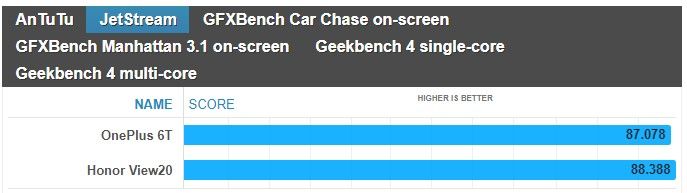
Battling it out for supremacy, the OnePlus 6T is powered by the Qualcomm Snapdragon 845 chipset, while the Honor View 20 leverages the Kirin 980 chipset. Even though the synthetic benchmarks nearly have the two smartphones matching one another, the OnePlus 6T continues to exhibit the more fluid responses with navigation. We can easily notice how instantaneous it is with its actions, like scrolling, which we feel weighs more in the greater scheme of things than those traditional synthetic tests.
Neither phone offers expandable storage, but you can sleep knowing that they’re offered with generous capacities. Starting off with 128GB of storage, there’s also the option of having 256GB of storage as well if you’re the kind to be liberal when it comes to snapping photos, downloading movies, and recording video in 4K resolution.
Performance benchmarks
Camera
Now this is where things really get juicy, given how these two cameras are highly respected. On the OnePlus 6T you have a dual camera on the back: a 16-megapixel main shooter with an f/1.7 lens, a 25mm focal distance and optical image stabilization (OIS), as well as a secondary, 20-megapixel camera used to acquire depth information for bokeh effects. The Honor View 20 features a 48MP 1/2-inch Sony IMX586 stacked CMOS image sensor, with a nearby 3D camera that emits infrared light to measure the distance from the phone to the subject – enabling it to deliver the same portrait and aperture effects found on other dual-camera phones. However, the View20 does not have optical image stabilization. Additionally, both phones are well equipped in the selfie camera department, seeing that the OnePlus 6T sizes up with a 16MP snapper, while the Honor View 20 ups it to a 25MP camera.
Image Quality
For this comparison, we captured samples using the 12MP stills option and AI camera mode set to on with the Honor View 20. As for the OnePlus 6T, the only option we enabled was Auto HDR mode. Under ideal lighting conditions, it’s sometimes difficult to gauge who’s delivering the better shots. At times, one seems to offer better dynamic range, but then in another scene, it’s the other way around. Details capture, too, is for the most part identical between the two.
If you love taking selfies, you won’t be disappointed by either phone because they capture a ton of fine details. We’re talking about skin imperfections, like wrinkles, that are clearly defined with the two. However, we do notice that even with the Auto HDR more set to on with the OnePlus 6T, it tends to be more under exposed. It’s not terrible and doesn’t diminish the overall quality, but the Honor View 20 does a better job of evenly exposing the entire shot.
OnePlus 6T vs Honor View 20
Things become more interesting under low light, which tends to be the main differentiator with most phones. Under the automatic settings, they both do a pretty decent job of minimizing noise – with the slight edge going to the Honor View 20 because shadows are boosted a smidgen more to draw out details. Even though they both have their respective night modes, the Honor View 20 yet again shows its superiority in brightening up the scenery.
Video Quality
Recording video at 4K UHD resolution at 30 FPS, both handle ideal lighting conditions by delivering punchy colors and strong details. The only noticeable difference between the two is in how the OnePlus 6T’s stabilization pales in comparison to the Honor View 20’s EIS. Besides that, the two seem to offer tight exposure adjustment and auto-focus.
Neither are particularly great under extreme low-light situations, given how noisy looking their footages appear. It’s quite distracting, especially when details become muddy. However, the Honor View 20 seems to have a very subtle advantage with exposure. It’s just barely brighter than the OnePlus 6T, but that’s the only defining quality we can pick up from comparing the two.
OnePlus 6T vs Honor View 20
Multimedia
Watching video is a treat on both smartphones, more so when there are no distracting notches to deal with. Their respective implementations allow video to be viewed without any major obstructions, so to that end, we’re happy that clips can be enjoyed using the full real estate.
Adding to its multimedia package, we absolutely appreciate how the Honor View 20 features a standard 3.5mm headphone jack. The convenience of being able to plug in a pair of headphones is invaluable, whereas with the OnePlus 6T, it of course requires the aid of an adapter. Furthermore, the IR blaster of the Honor View 20 doubles the phone as a universal remote – allowing us to quickly control a myriad of home entertainment gadgets.
Call Quality
For the most part, conducting phone conversations won’t be an issue with either smartphone. They’re ideal for casual conversations, exhibiting clear voices and very little distortion in the process.
Battery life
It’s a longevity battle between the OnePlus 6T and Honor Views 20, which respectively feature battery cells of 3700 mAh and 4000 mAh. In our experience, the Honor View 20 seems to have a little bit more juice in the tank by the day’s end. Both are more than adequate in getting us through a full day’s worth of normal usage, but like we said, there’s just still more leftover charge with the Honor View 20.
Over on the recharging side, it’s the OnePlus 6T that effortlessly beats the Honor View 20 with its speedy clocked time of 85 minutes – versus the longer 120 minutes required by the Honor View 20 to be completely full.
Battery recharge
Conclusion
Before we wrap things up, it’s worth noting that the Honor View 20 isn’t commercially available for purchase in the US – so the OnePlus 6T definitely has an advantage in this area by being readily accessible to US consumers. You also get proper 4G LTE support in the US thanks in part to LTE Advanced connectivity with a Category 16 LTE modem on the OnePlus 6T. All in all, it simply means that you won’t have as much of a problem using the OnePlus 6T on your carrier here in the US.
Now comes the defining quality of both devices: the price. The edge still goes to the OnePlus 6T with its starting price of $550 in the US or 550 euro in Europe, but the price gap is next to negligible. Currently, the Honor View 20 can be had for about 570 euro in European markets where it’s being sold. While our sentiments about the OnePlus 6T don’t change at all, being one of the best bang for the buck smartphone deals around, there are still compelling reasons for the Honor View 20. You’re paying only a bit more for the convenience of a 3.5mm headphone jack and an IR blaster, longer battery life, an extended desktop experience mode, slightly better performing cameras, and the more attractive design.
All of those things do add up in giving the Honor View 20 an equally compelling package. The OnePlus 6T, on the other hand, is still the better pick if you prefer a cleaner, smoother software experience out of the box.
Huawei Nova 4 launches with 48MP rear camera and a display hole for the front camera
Huawei has been teasing a new release for a while now and the Huawei Nova 4 is finally here. Leaked photos showed a display hole ala the Samsung Galaxy A8s, and now that it’s finally here it’s confirmed that, yes, there is a display hole on the top left of the device for the camera. Display holes are the next attempt at a fully bezel-less smartphone, with the screen wrapping around the camera instead of a cut out at the top of the display. Functionally, they’re the same as a corner notch, but they don’t look like one which adds to their appeal.
The Huawei Nova 4 isn’t just a device that pioneers a new design we’ll likely see a lot of in 2018. No, it also features flagship specifications including a 48MP triple rear camera, possibly the highest in a smartphone yet. Huawei has really been pushing camera performance as of late, and the Nova 4 is no different. There’s also a Kirin 970 onboard combined with 8GB of RAM.
Is the inclusion of a display hole here an indication of things to come? It’s a lot less unsightly than a notch, and it functions more or less the same. It’s probably the best way to have a bezel-less display on a smartphone without implementing some form of sliding camera mechanism. The earpiece is housed above the display, which is also likely where other sensors are too.
Huawei Nova 4 Specifications
Specs
Huawei Nova 4
SoC
HiSilicon Kirin 970 @ 2.4 GHz
RAM
8GB
Camera
Rear: 48MP (f/1.8) + 16MP (f/2.2) + 2MP (f/2.4), 4k video recording supportFront: 25MP (f/2.0) 1080p video recording
Storage
128GB, expandable to 512GB with a MicroSD card
Display
6.4-inch 2310×1080 IPS LCD
Audio
3.5mm headphone jack, speaker
Battery
3,750mAh with 18W charging (9V, 2A)
Ports
One USB-C port, 3.5mm headphone jack
Miscellaneous
Dual Nano-SIM
Price
3,399 Yuan (~$492) in January 2019 in China, with a release in Europe likely
Huawei Nova 4 Performance
The Huawei Nova 4 packs the HiSilicon Kirin 970 system-on-chip, a chipset heralded for its AI performance. It’s certainly no slouch in day-to-day tasks either and is a contributing factor in what grants Huawei smartphones excellent battery life. It’ll handle basically anything you throw at it, and coupled with 8GB of RAM it should have no trouble holding your applications in memory either. The Kirin 970 has a Mali G72 GPU, which is, admittedly, considerably weaker than the Adreno line of GPUs from Qualcomm. As a result, game performance may be a little bit weaker than what you’re used to. It should still be fine though and should be more than adequate for the job. 128GB of storage with MicroSD card support ensures that you won’t run out of space either. Finally, the Huawei Nova 4 comes with EMUI, which is going to be a little bit heavier on the system than something closer to stock Android like OxygenOS. It’s based on Android Pie, so you’ll get all of the latest and greatest features.
Huawei Nova 4 Display
The display on the Huawei Nova 4 is a 6.4-inch 2310×1080 IPS LCD display. This is ultimately where the biggest change is, with a display hole in place of a notch. As mentioned above, it’s functionally the same as a notch as it can’t really allow a user to make use of more screen real estate, but it arguably looks nicer than a notch and takes up slightly less space.
The display is 1080p, the bare minimum resolution for a flagship display. The lack of AMOLED may be disappointing to some, but it’s not as if that is usually a deal breaker. Flagship IPS displays nowadays are just as good as AMOLED displays, with the only difference being the lack of deeper blacks.
Huawei Nova 4 Camera
Huawei’s cameras in the last year or two have been nothing short of excellent, with the Huawei Nova 4 not looking to buck that trend. The 48MP camera included should allow Huawei to, yet again, work their low light magic. Coupled with that, are two other cameras as well, coming in at 16MP and 2MP. Their exact function is unknown at this time, but it’s impossible to deny that the company is pushing their cameras as defining features of their smartphones. While it’s always best for real-world camera samples to come out before deciding whether this is your next camera-phone, it’s a safe bet to say that this will be one of the best cameras on a smartphone once it launches. Huawei has had no trouble getting it right before, and with better hardware, there’s no reason to assume that they won’t get it right again.
Huawei Nova 4 Battery
Yet another usual win for Huawei, the Huawei Nova 4 should have excellent battery life. That’s thanks to the 3,750 mAh battery in tandem with the power efficient Kirin 970. It should have no trouble getting you through a day of use, and it’ll charge fast as well at 18W (9V, 2A).
Huawei Nova 4 Pricing and Availability
The Huawei Nova 4 is set to launch in China at a price of 3,399 Yuan, around $492. While it hasn’t been announced in Europe yet, it’s expected to launch soon after given that its predecessor did.
Huawei has grown from a local Chinese phone maker known elsewhere for not more than making cellular network equipment to smartphone stardom in a matter of just a few years. And while the company was denied access to the US market, based on suspicions of ties with the Chinese Government, it is taking over the rest of the world with aggressively priced phones with great design.
These days, however, Huawei is no longer interested in selling just affordable devices: its latest Huawei Mate 20 Pro is an all-out premium phone packed with the latest technology including a futuristic in-screen finger scanner, a 3D face recognition system, an ambitious triple-camera, and a fast-charging battery, all encased in a beautiful body. And all of that does not come cheap: it’s right there at about the same price as the iPhone XS series, and it’s more expensive than previous Android price champions like the Samsung Galaxy Note 9.
So… is Huawei ready for prime time with its new Mate 20 Pro? And should you buy one for yourself? Let’s dive in the review to find out.
What’s in the box:
Huawei Mate 20 Pro
40-watt Huawei SuperCharge wall charger
USB-C to standard USB cable
USB-C to 3.5mm audio dongle
Silicon Case
SIM tool
User manuals
Design
All the right curves in all the right places
The Huawei Mate 20 Pro has a surprisingly thin and narrow body for a phone with a 6.4-inch screen. Both the screen and the back are curved at the edges, much like a Samsung Galaxy phone, and there is very little bezel around the side and the bottoms, which has allowed Huawei to make the Mate 20 Pro much narrower than, say, the iPhone XS Max or the Galaxy Note 9. Indeed, the Mate 20 Pro fits very nicely in the palm and is easier to operate with just one hand than the aforementioned two bigger phones. Still, the tall body is not small by any conventional means, and just like with other big phones, you won’t feel very comfortable walking with the Mate 20 Pro in the front pocket of your jeans.
Huawei offers a few different colors for this new Mate: we have the signature Twilight color gradient which looks stunning, but you also have a new “Midnight Blue Hyper Optical” finish that is glass, but treated in a special way so it is better at resisting fingerprint smudges and is not as slippery in the hand. You also have a black version, a Pink Gold one and an Emerald Green model.
All physical buttons on the Mate 20 Pro are located on the right side: you have a power key and volume buttons above it. The buttons are made of metal, just like the side of the phone, and have a good amount of travel and click.
Up at the top, you can find an infrared (IR) blaster, so you can use your Mate as a remote control for a TV, A/C unit, or whatever else you have in your home that uses infrared controls. This works best with the Smart Remote application that comes pre-installed on the phone.
There is no 3.5mm headphone jack on board here (Huawei does provide a USB-C to 3.5mm audio dongle in the box) and instead you are encouraged to use wireless buds or USB-C headphones.
The Mate 20 Pro also features dual speakers, but with a surprising, clever implementation: the secondary speaker is actually embedded in the USB-C port, so audio comes at you from the earpiece and the USB-C port. This means that when your phone is plugged in for a charge, audio will sound a bit muffled, in case you wondered.
One more thing: this phone is also IP68 water protected, which translates into an ability to survive drops in water of up to 6 feet deep for as long as 30 minutes.
In-screen Fingerprint Scanner
The Mate 20 Pro is one of the first phones out there to feature a brand new type of a fingerprint scanner: one embedded in the screen. This new in-screen fingerprint scanner is an optical one, rather than the ultrasonic one that Qualcomm is developing. And you can see how the screen of the phone lights up for a second when you tap your finger against it, so that the phone can get a proper, bright scan of the finger.
How does it work? Mostly well, but… it is not quite perfect. We have gotten used to traditional fingerprint scanners that are lightning quick, where you just tap your finger on the fingerprint area and the phone unlocks instantly. In the case of the Mate 20 Pro there are two things that get in the way: the first one is the fact that there is no physical boundary that would give a tactile indication of where the fingerprint scanner lies, so you need to look down at your phone to nail the exact position where your finger needs to be every time; the second thing is the actual force required to get a proper finger scan, as you need to press a lot firmer and longer than the gentle tap required from a traditional fingerprint reader. If you don’t press as hard, the phone will not unlock and you would need to try again. At the end of the day, you do get used to it, and sure, the accuracy is good enough, but even after hundreds of attempts, the in-screen fingerprint scanner still did not feel as fast and as effortless as a traditional one.
Face Recognition
Thankfully, there is one more way to securely unlock the Mate 20 Pro and it’s called 3D depth-sensing face recognition.
This system is basically a copy of Face ID, which Apple introduced last year on the iPhone X, and it uses a similar array of components: a dot projector, a flood illuminator, an infrared camera and the rest.
How does it work? Quite great, actually! We are happy to report that 3D face recognition on the Mate 20 Pro works at least as fast as Face ID on the iPhone X/XS and can accurately recognize your face as it changes from your puffy-eyed self in the early mornings to your 5 o’clock evening stubble self and to those times when you grow a beard; it’s able to recognize your face during the day and at pitch black conditions at night, with or without a hat, with glasses and so on. We set it up once and never had a problem with it. We also tried fooling it with a photograph and faces of other people, and it wasn’t fooled.
So… all is perfect, right? There is one tiny detail that we have to mention: the almost non-existant raise to wake functionality. While technically raise to wake is present on the Mate 20 Pro, it requires a very swift and well defined hand movement, which we almost never do in real life. This means that for all its worth, raise to wake does not work properly on the Mate 20 Pro and you need to first press the power key before the phone starts recognizing your face. This might sound like just one step, but it’s one step that you do tens, if not hundreds of times every day, and it adds unnecessary complication. Having a raise to wake feature would make using 3D face recognition truly a fluid and intuitive experience, and we hope Huawei listens and brings this to the phone in a future update.
Still, after using the Mate 20 Pro for more than a week now, we are convinced that face recognition is a more effortless security system than the in-screen fingerprint scanner and we have stopped using the in-screen fingerprint scanner completely. Of course, it’s nice having this choice, and it will be up to everyone to find what works best for them, but Huawei has really implemented face recognition in a nearly flawless manner.
Display
Excellent AMOLED screen.
Being a premium phone, it’s no surprise that the Mate 20 Pro sports a beautiful AMOLED screen with lively, rich colors. It’s a 6.4-inch display with a 19.5:9 aspect ratio, the same as on Apple’s iPhones, but with a higher, Quad HD+ resolution of 1440 x 3120 pixels
The screen is slightly curved at the sides and has very thin bezel, which makes for an immersive experience and a screen-to-body ratio of nearly 88%, one of the highest in the industry.
And yes, there is a notch here as well, justified by the complex front camera system required for 3D face recognition. You can hide it via an option in settings (and when you do, system icons at the top still appear in the “ears”, but against a black background).
The screen also gets very bright during the day, and you have the Eye Comfort option for use at night. There is even a Natural Tone mode that adjusts the white balance to the surrounding conditions so you get more natural, warmer white colors at night when you are at home. The Always-on Screen mode is not enabled by default, but it is here and you can turn it on from Settings > Display.
Interface
EMUI 9.0 is cleaner and better, but the gesture navigation needs more polish
The Mate 20 Pro ships with its own interface, Emotion UI, also known as EMUI, in its most refined, 9.0 version on top of the latest Android 9 Pie.
EMUI is in many ways a copy of iOS: there is no app drawer, it uses the same swipe-down home for a quick search shortcut, it even uses copycat icons for apps like Phone, Health, Settings, Calendar, Weather, and others. And yes, that is just shameful, but if you are willing to overlook this, EMUI actually works fairly smoothly.Compared to earlier versions of the interface, there is now way less clutter, and controls for apps are conveniently located on the bottom of the screen, rather than the top, for easier reach.
The Mate 20 Pro is also an Android phone, which comes with the options to customize it fully to your liking (great!), but it also means that you don’t know when future updates will arrive and if they will arrive (not so great!).
There are a few particularities that we have also noted when using EMUI on the Mate 20 Pro: first, there is no way to quickly swipe down to reveal your notifications shortcut. You have to reach all the way to the top, which is definitely not very convenient on such a tall phone. Instead, a swipe down in EMUI brings up an iOS-like search menu. This is an interesting thing to have and makes searching for apps on an interface without an app drawer much easier. If we had to nit-pick, we’d say that we wish the keyboard for this search appeared with less of a delay, but that’s really a minor thing.
The Mate 20 Pro also comes with a brand new gesture navigation. You can either use the old, three-button Android navigation or use gestures and enjoy the full screen, without any buttons taking up space on it. The gestures are the following: swipe up from the bottom to go home, swipe up and hold to see multitasking cards, and swipe sideways from the edge of the screen to go back. This is basically the iOS way of doing gestures, so does it work as well?
It’s not quite perfectly polished, and here are a few examples why: first, bringing up the multitasking cards from home requires a very long gesture and is too hard to pull off. Second, the back gesture requires that you go from the very edge of the screen, and when you are in a hurry, you don’t always get it right. Often you have to repeat it again and again. Third, when you swipe up to go home, apps close with a very jittery animation. And lastly, we wish you did not have to wait for each animation to finish before you could move on to the next swipe or gesture that you are about to do. Those little things pile up, and while overall gesture navigation on the Mate 20 Pro definitely does work, it also definitely does not feel as polished as one would expect on a premium phone.
One thing that we appreciate on the Mate 20 Pro is the dark mode in the interface that you enable by going into Settings > Battery > and here you toggle the “Darken interface colors” option on. This will turn the background in the settings menu and notification shade to black, a color that’s easier on the eyes at night and that contributes to battery savings on phones with OLED screens.
Processor, Performance and Memory
Android’s fastest chip
The Mate 20 Pro is powered by Huawei’s newest in-house Kirin 980 chip. The Kirin 980 is a powerful chip that beats the Qualcomm Snapdragon 845 in benchmarks and the first in an Android phone built on a 7nm manufacturing technology. Huawei says that it has spent years and big money on developing this chip, and it’s impressive how the company has outpaced Qualcomm in the 7nm race and has managed to be the first one to introduce a 7nm Android device.
The Kirin 980 works alongside 6GB of RAM and features the Mali G76 GPU, which is good news for gamers. Huawei, however, is most proud of its new dual neural-engine processor that helps with AI and machine learning, enabling features like the 1,500 different scenes that the Mate 20 Pro camera can recognize and a few cool new tricks in video.
Keep in mind, though, that by default the phone runs in a power-optimized manner, and you would need to enable the Performance mode (go to Settings > Battery > toggle Performance Mode on) in order to use the full power of the chip.
When you look at benchmark results, the Kirin 980 ranks better than the Snapdragon 845, but it is no match for Apple’s A12 chip, the world’s first 7nm chip.
You also have a generous 128GB of on-board storage here with support for a brand new type of memory card that Huawei calls nanoSD. This is done to optimize space as a nanoSD card is about the same size as a nanoSIM card. Here is how it works: you have a new SIM tray that has two slots, but rather than the two slots being one next to the other and take up a lot of space, the slot are one on top of the other. This also means that you can use the Mate 20 Pro as a dual SIM phone or use one nanoSD + one nanoSIM
Internet and Connectivity
Hybrid dual SIM slot and 4G LTE connectivity
The Mate 20 Pro comes packed with 4G LTE bands that ensure that it will work properly on most networks across the globe. Yet still, let us remind you that the phone is not officially sold in the United States, and if you are planning to import it, it would be best to check with your carrier to see whether it would be compatible.
Again, let us reiterate that you can use the Mate as either a dual SIM phone, or use the secondary slot for the new nanoSD card standard, the choice is yours.
In terms of other connectivity options, you also have dual-channel Wi-Fi, Bluetooth 5.0 and NFC support.
Camera
A triple camera with great versatility
The Mate 20 Pro comes with three cameras on its back: we have a main, 40-megapixel f/1.8 shooter, a secondary, 20-megapixel ultra-wide angle, 16mm lens, and a third, 8-megapixel telephoto camera with 3X zoom and optical image stabilization for an equivalent of 80mm focal reach. You also have a pre-set 5X zoom option (135mm), which is an improved digital zoom that uses information from both the main sensor and the telephoto camera.
There are few phones that can go as wide without a third-party lens adapter and none other that can zoom so far away with such a clarity as the Mate 20 Pro, so it’s definitely a very alluring camera phone with unmatched versatility.
Image Quality
So… how do images actually turn out?
Pretty good, in fact. The Huawei Mate 20 Pro captures photos with a wide range of colors and at different focal lengths, but is just a step below the two current leaders in smartphone cameras, the iPhone XS series and the Google Pixel 3 series.
Why? The biggest reason currently lies in the color reproduction. Colors are just a tiny bit too dull and not as lively and dynamic as on the iPhones and Pixels. When you look closer, you would also notice there is a lesser amount of detail and noticeable oversharpening happening on photos from the Mate 20 Pro main camera. Let us clarify: we think that images from the Mate 20 Pro still look excellent and are comparable to something out of the Galaxy Note 9, for example. AThey are definitely a cut above most other phones, but a step short of the very, very best in the industry.
At night, the Mate 20 Pro does a trick that other phones don’t: it sharpens photos by asking you to hold the camera still for much longer than a regular snap. This means snapping photos at night is much slower, but in exchange you get a brighter photo with more detail. Oftentimes, this results in great shots that have a better exposure at night than on rival phones, so good job on this, Huawei!
There are two areas, however, where the Mate 20 Pro truly excels: one is for zoomed-in shots with the telephoto camera and the second is the cool, ultra-wide angle perspective that you cannot get on most other phones.
When comparing images shot using the 3x and 5x zoom modes on the Mate 20 Pro to photos from its rivals, it’s clear that the Mate produces a very clean, noise-free photo that looks great and very rich in terms of detail. Even at 5x, the amount of detail you get in a shot is simply incredible for a smartphone camera.
Video quality
On the video side, you have 4K30 video support, but no 60fps video recording mode.
We found video recording quality to be a bit of a letdown, however. Again, we should clarify that we’re comparing with the very best phones at the top prices, the same tier where Huawei positions its Mate 20 Pro. So, the phone uses electronic means to stabilize the footage, but the implementation leaves a lot to be desired as there is a lot of jitter from the slightest movement and some very weird wobbly artifacts at the edges of the frame when recording video. Using the telephoto lens for video is also not a great idea. Footage is well stabilized at 3x zoom, but the phone often fades in and out of focus. Detail and colors are mostly alright, though.
Huawei introduces a few new video recording modes powered by artificial intelligence. The first one is called AI color and it turns the whole scene black and white, with only the person remaining in color. It’s a very cool effect, and we’re impressed with the accuracy of the Mate 20 Pro and how it’s able to detect a moving person in real time. The other effect is called background blur and it has a person in sharp focus, while the background is left blurred out.
There is also a new cinematic mode with a 21:9 aspect ratio and superb video stabilization, but unfortunately, quality here is limited to 1080p. Still, we enjoyed this mode tremendously, as the videos in it turn out really moody and different.
Sound Quality
Sound quality via the loudspeakers on the Mate 20 Pro is loud and clear. As we’ve already mentioned, one speaker (the weaker one) is in the earpiece and you have a secondary speaker that fires through the USB-C port. This is a clever implementation on Huawei’s part and we like how you have a rich, full sound with a nice amount of oomph to it.
Once again, let us remind you that the Mate 20 Pro does not have a headphone jack. It does come with a dongle, so you can still use wired headphones with it, or just go with USB-C buds or wireless cans.
Call Quality
When it comes to call quality, we had no problems with the Mate 20 Pro. Calls came through crisp, with clarity in the earpiece and a nice amount of volume, so you can hear callers even on a busy street, and the same is true for the other end of the line.
Battery life
Solid battery performer with an impressively fast charging at no extra cost
The Mate 20 Pro sports a massive, 4,200mAh battery inside, bigger than even the battery on the Samsung Galaxy Note 9.
So how about the actual battery life?
In our real-world testing, the Mate lasted a full day with ease, and for most users this would extend to a day and a half, but if you were hoping for a full two days off the charger, we’re not yet there.
Unfortunately, we could not run our proprietary test on the Mate 20 Pro. The reason for this lies in the brightness controls on this phone. Just like many other Huawei and Honor devices, even when you set the brightness to a manual level, it would continue changing, and for our test it is absolutely mandatory that screen brightness remains at the same level.
Turning over to probably the biggest innovation in the Mate 20 Pro, let’s talk fast charging. This new Mate comes with a super powerful 40-watt Huawei SuperCharge wall charger in the box that charges the phone fully in just about an hour and a few minutes.
These are unprecedented charging speeds, and we’re really impressed how quickly the battery on this phone tops up.
The Mate 20 Pro also supports wireless charging with the Qi standard, so you can just leave it on a charger at a desk and not have to worry about cables.
Last but not least, you can use the Mate 20 Pro as a wireless charger to top up other phones that support wireless charging. You need to enable this first: go into Settings > Battery and scroll to the bottom to toggle ‘Wireless reverse charging’ on. It all works just as you’d expect and while it is a bit of a gimmick, it’s a cool one nonetheless.
Price and Alternatives
Huawei has made a phone that goes all out in terms of features, but it sadly does so in terms of price too. The official price for the Mate 20 Pro is set at around 1,050 euro, which is just slightly shy of the iPhone XS price, and the Mate 20 Pro is much more expensive than the Galaxy Note 9, which already costs 800 euro.
Once again, the Mate 20 Pro will not be officially sold in the United States, so there is no US dollar price (the global price translates to some $1200 dollars, in case you were curious).
Your alternatives? Get the Note 9 if you want a cheaper phone with an excellent screen, camera and performance. Get the Pixel 3 if you want the best camera on Android. And consider an iPhone XS if you are after the world’s fastest-performing chip and top cameras. And if you want to save a buck, it would be a wise idea to wait for the OnePlus 6T that is coming soon at about half the price and similar performance.
Conclusion
Summing it all up, the Huawei Mate 20 Pro is a fast Android phone with a beautiful design and a gorgeous screen. It has a solid battery life, super fast charging and one of the most versatile cameras around. And it has a ton of storage on board. Add to that not one, but two innovative secure unlock systems: the optical in-screen fingerprint scanner (which mostly works, but is a bit fiddly), and the fast and reliable 3D face recognition system (which works like a breeze).
There is so much to like about the Mate 20 Pro and it would have been an easy recommendation, if not for the high price. The slightly jittery gesture navigation, the good, but not quite best-in-class camera experience and the unclear software update future make this phone feel a bit overpriced. But if money is not an issue, the Mate 20 Pro is right there with the very best Android phones, and you definitely will not regret using it.





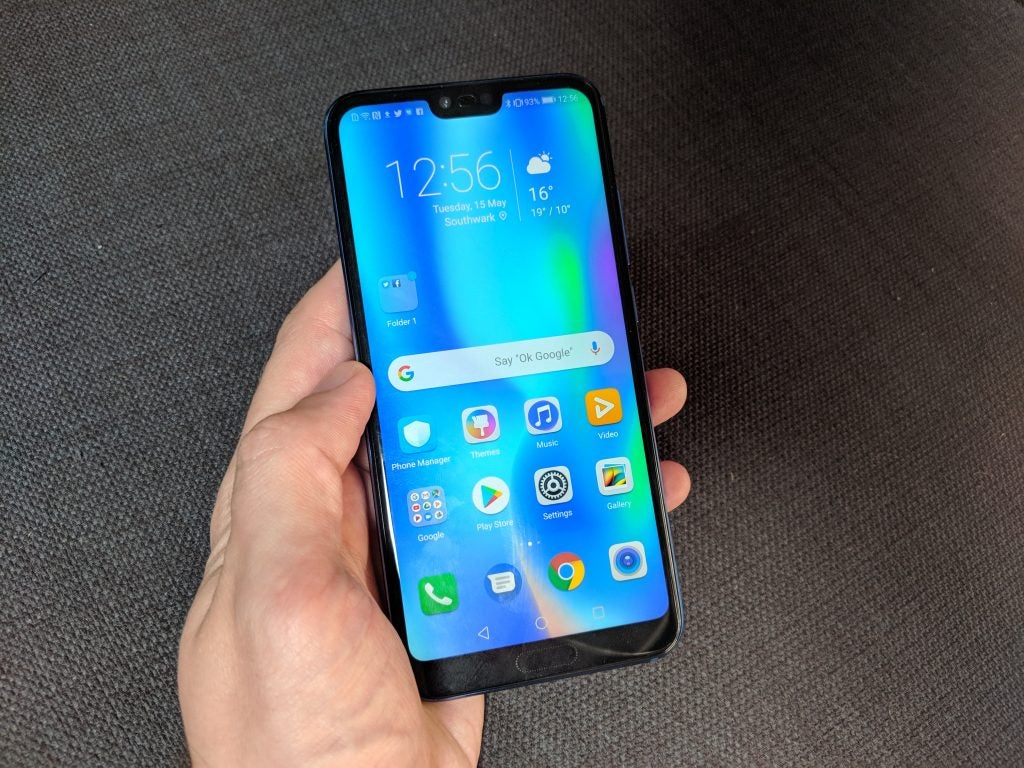


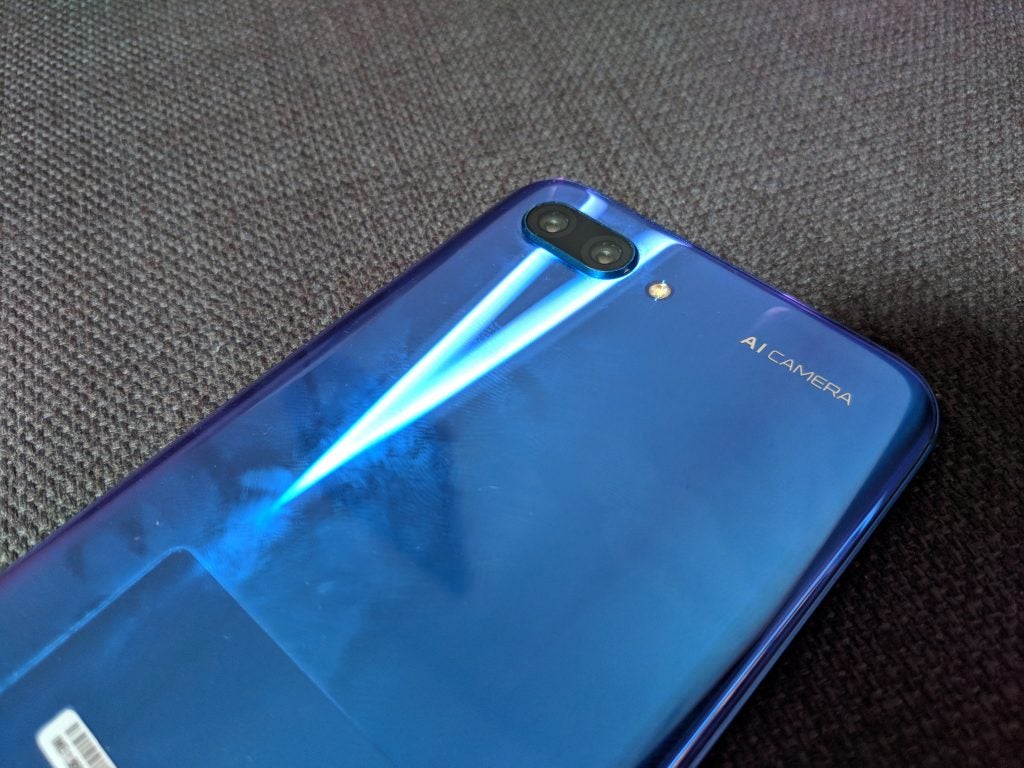


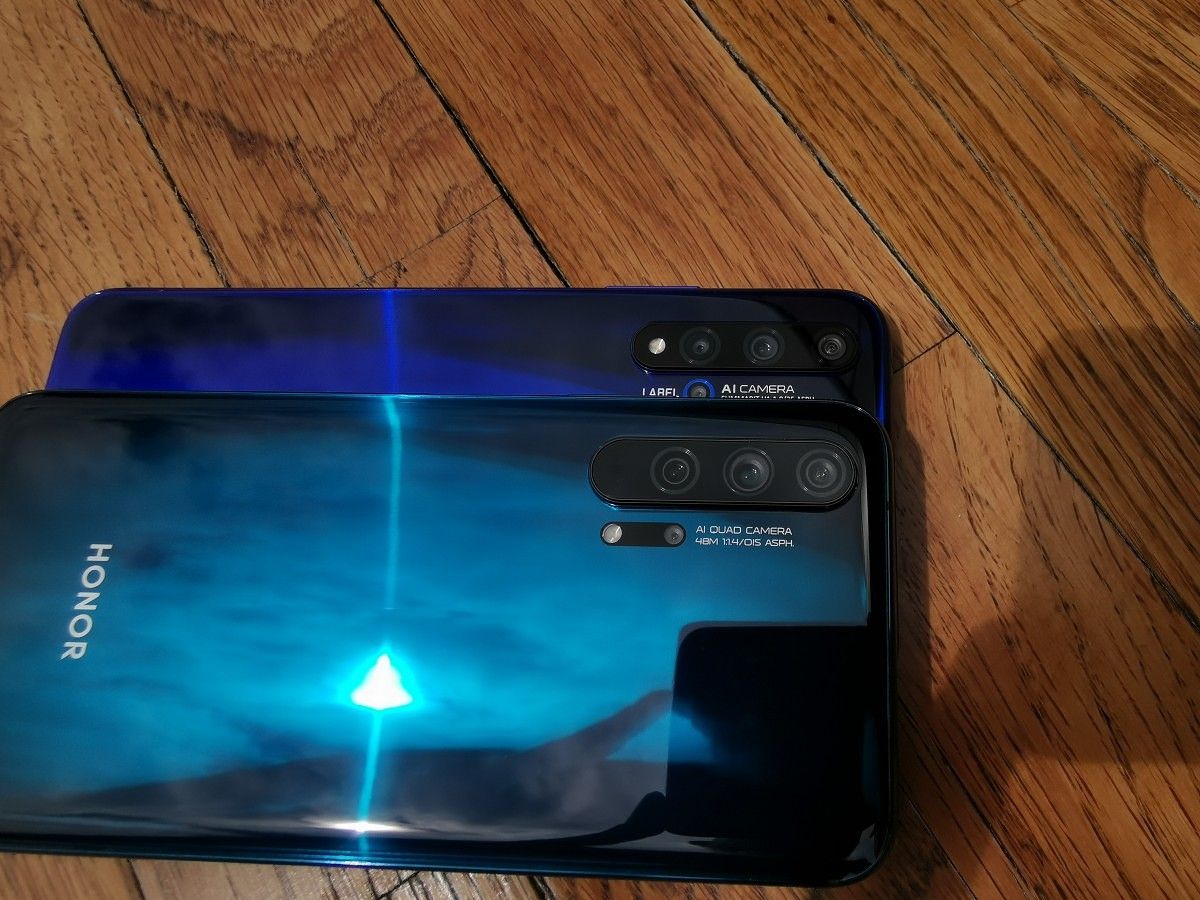



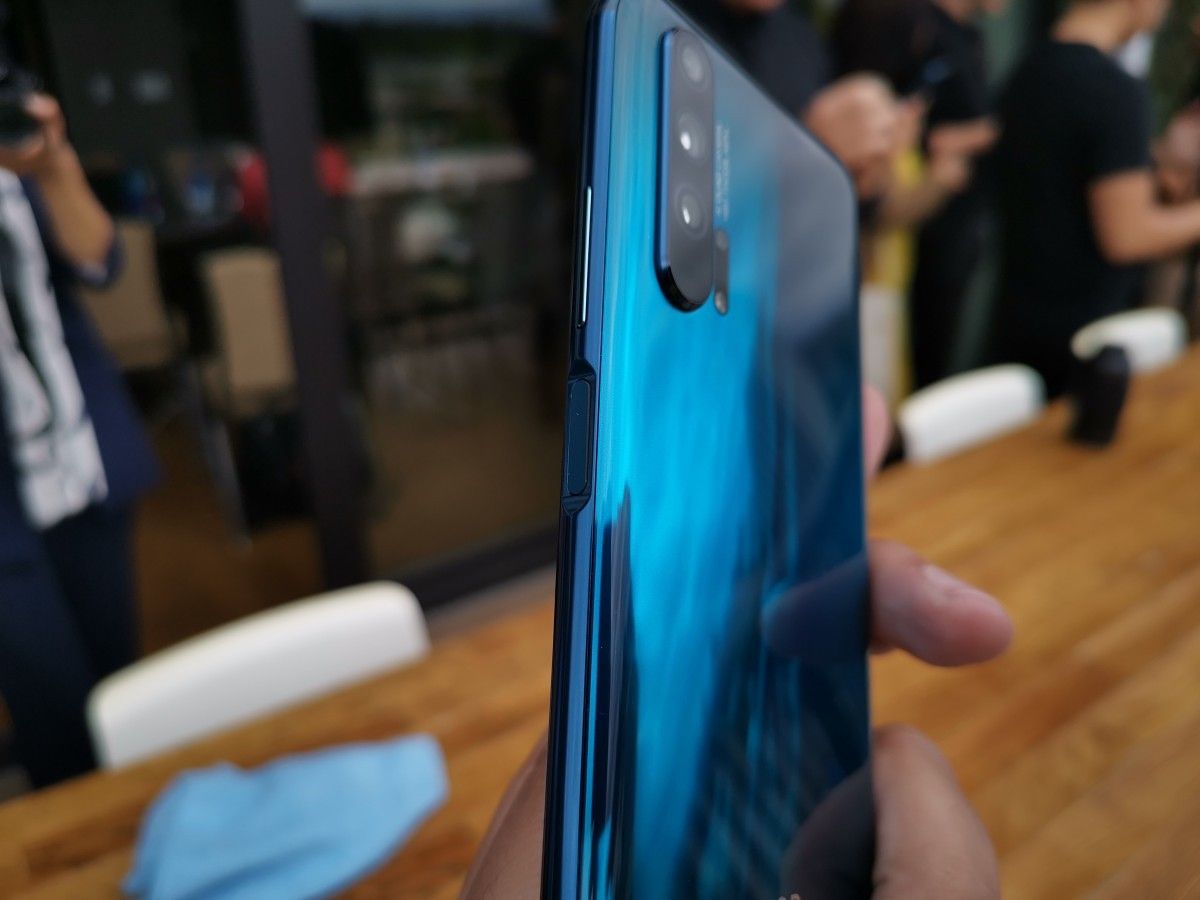
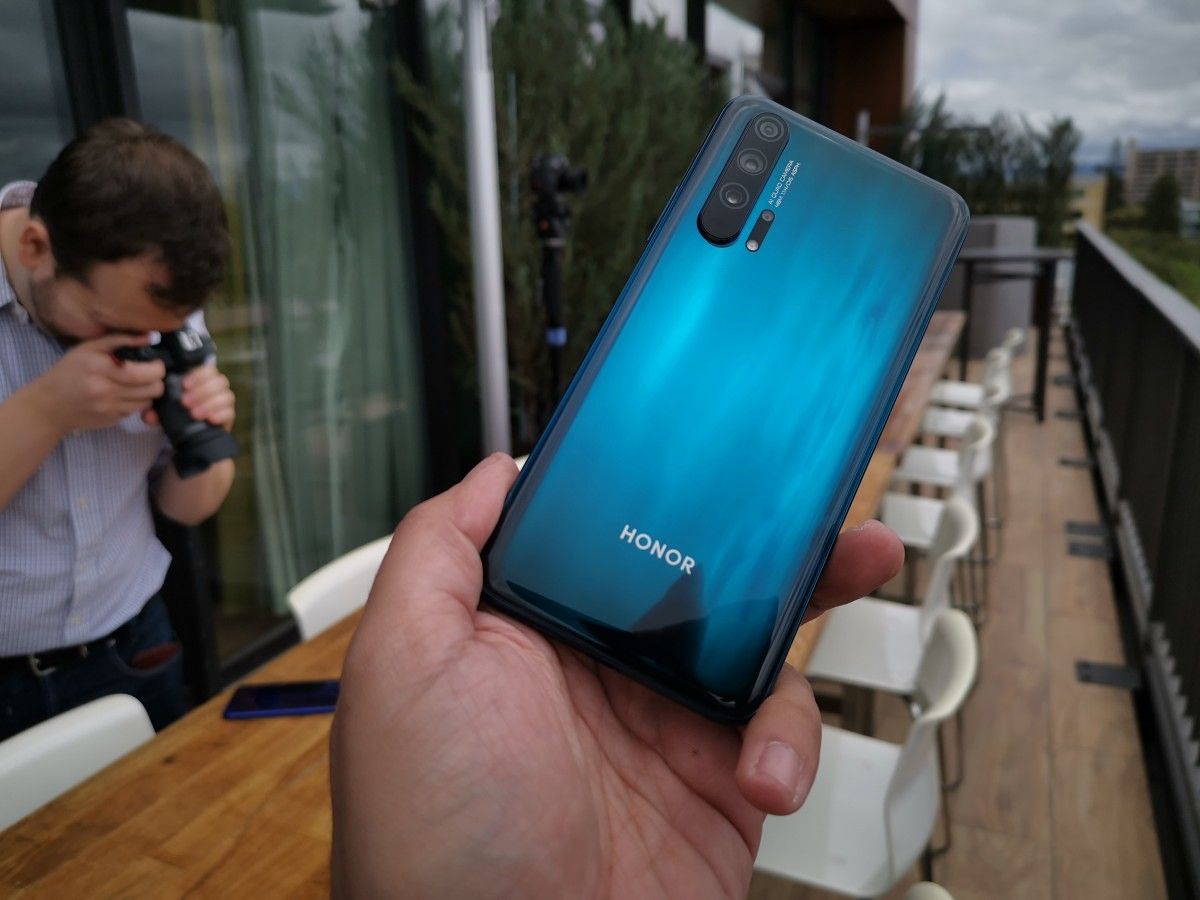
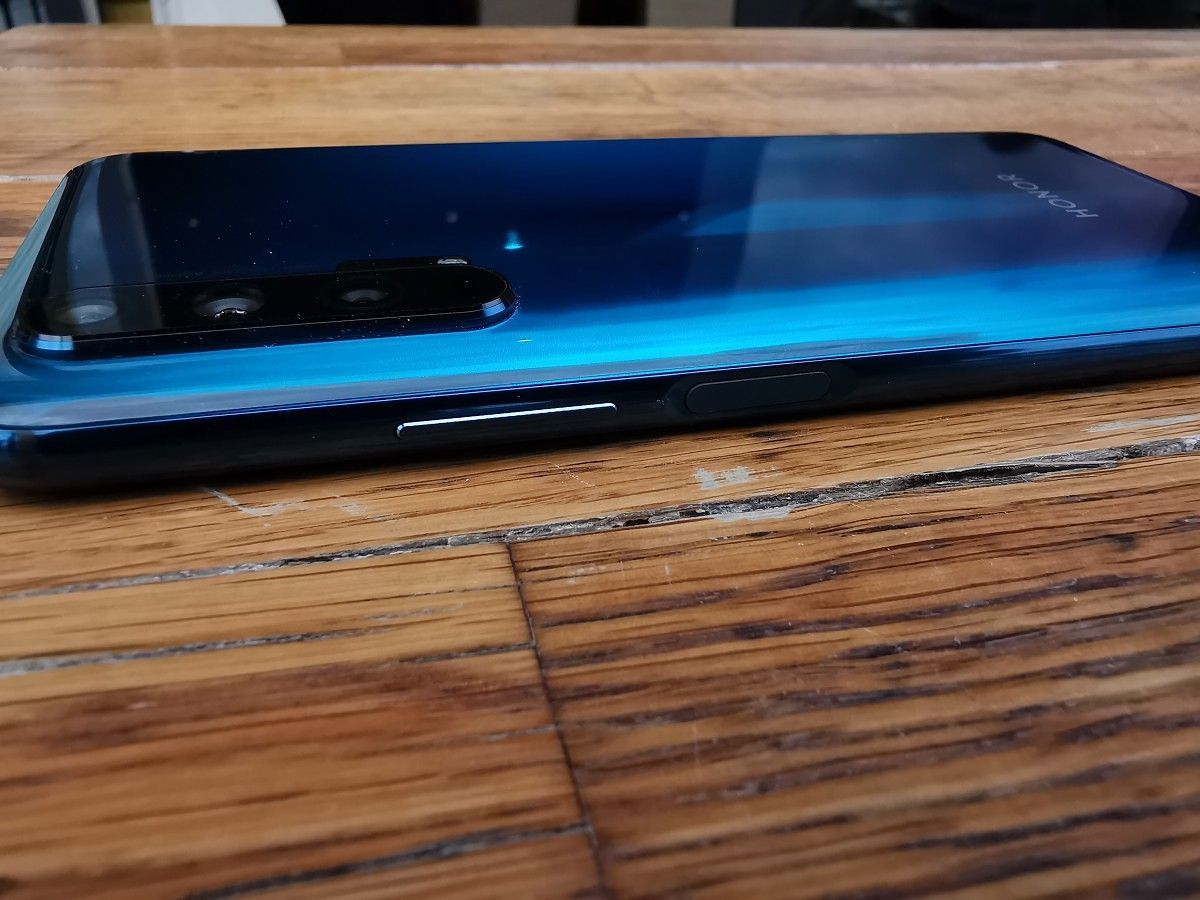


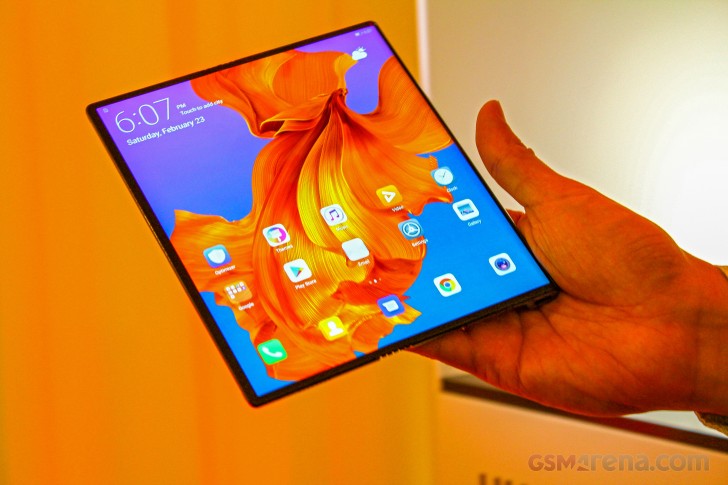
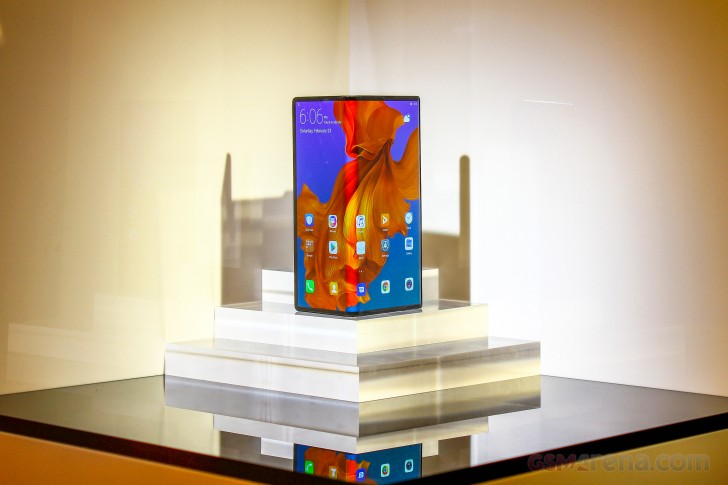
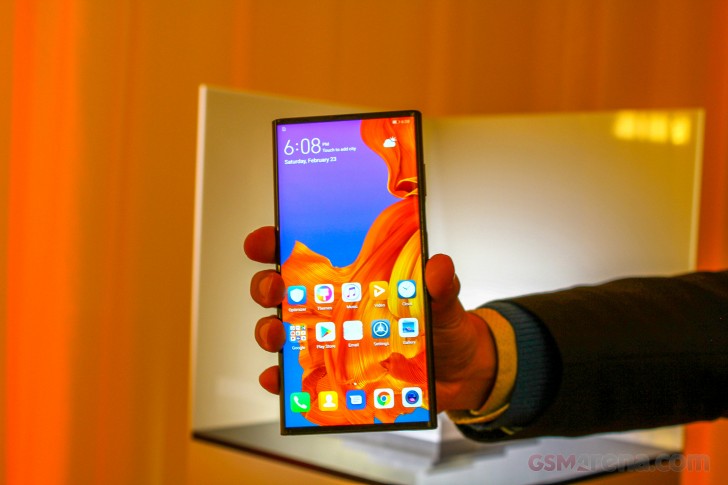
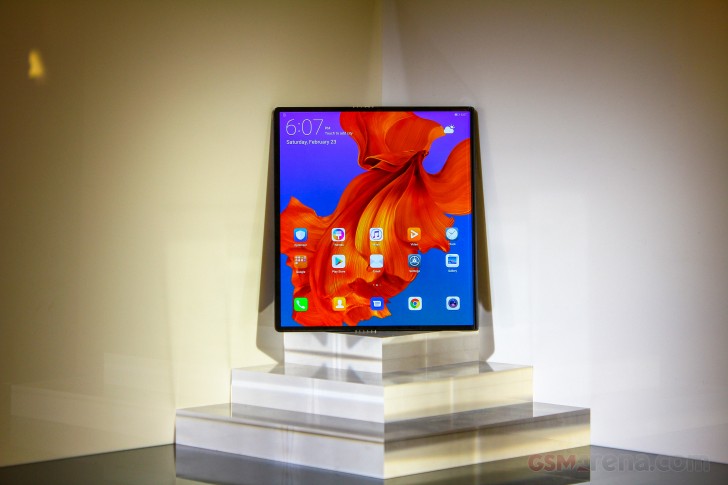
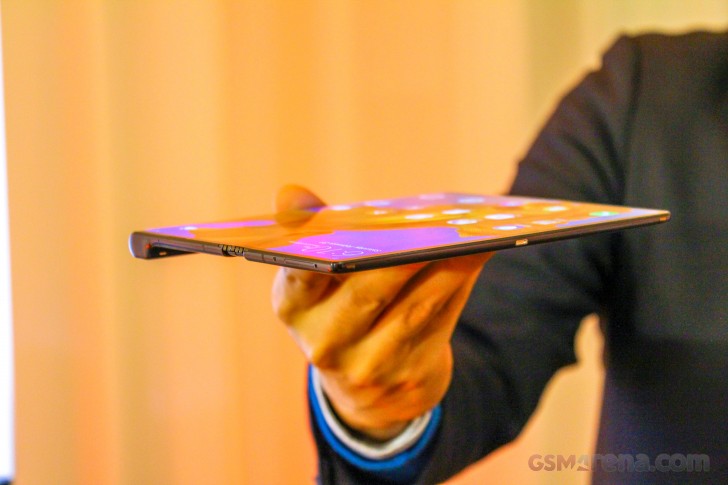
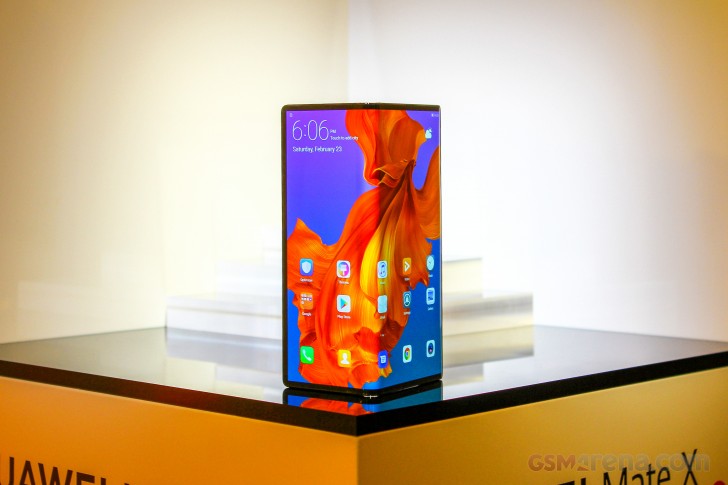
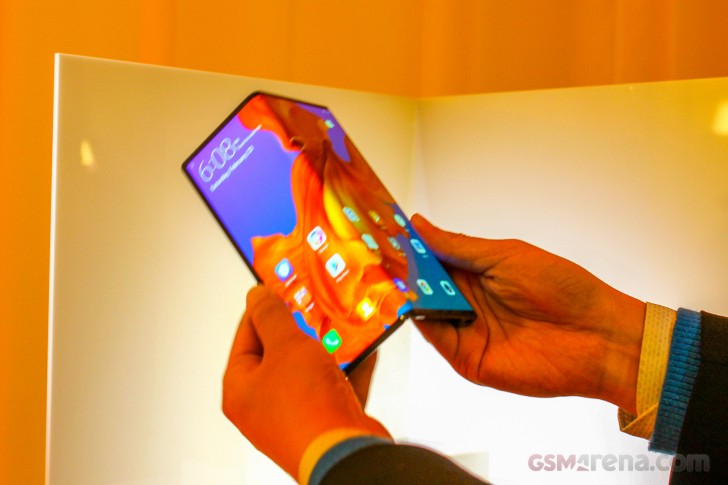

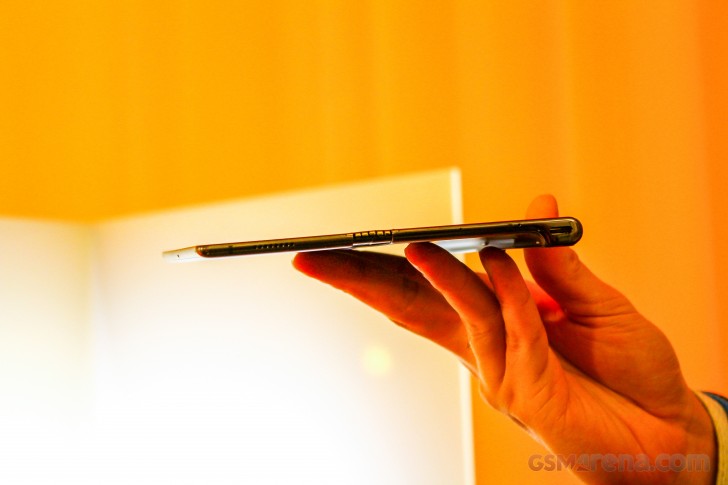
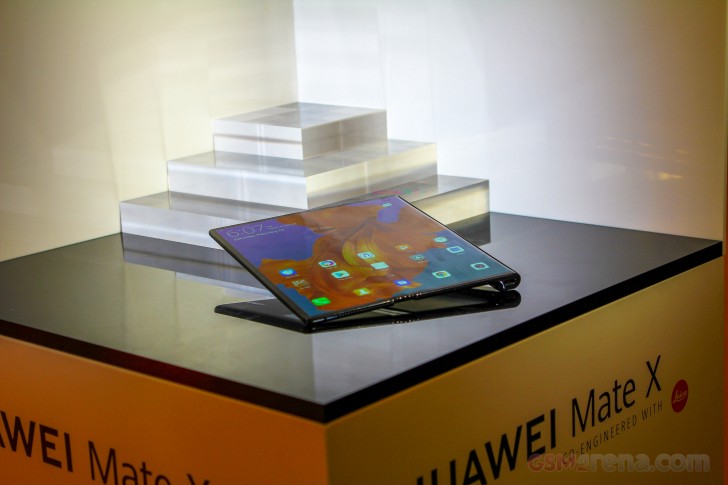
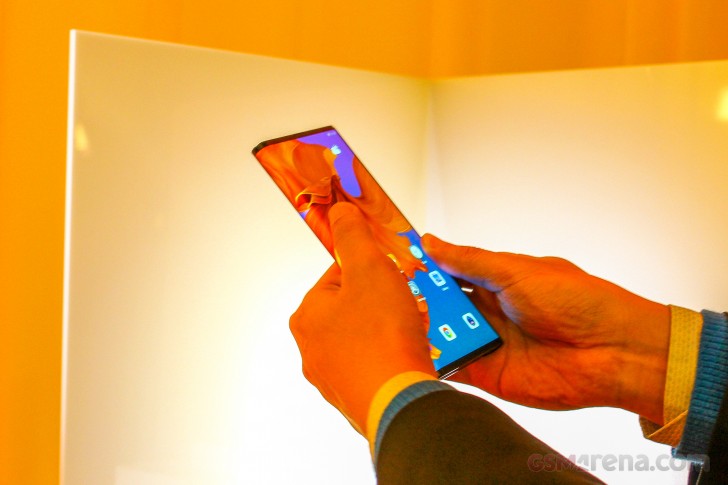
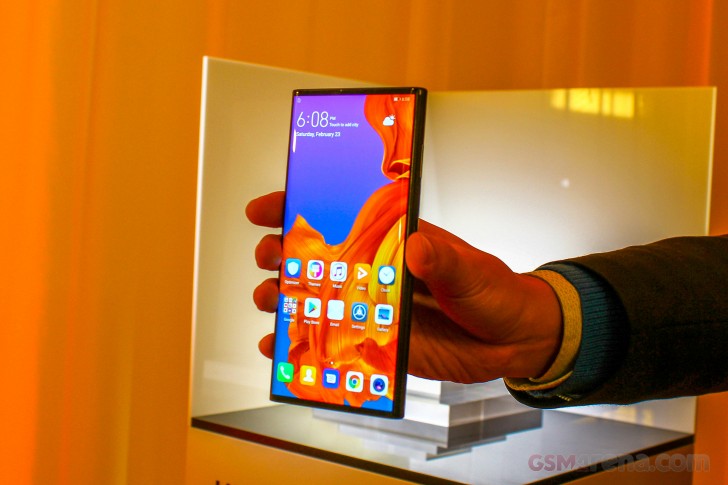
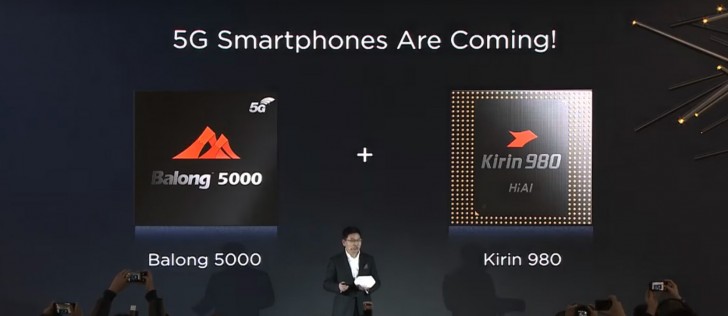
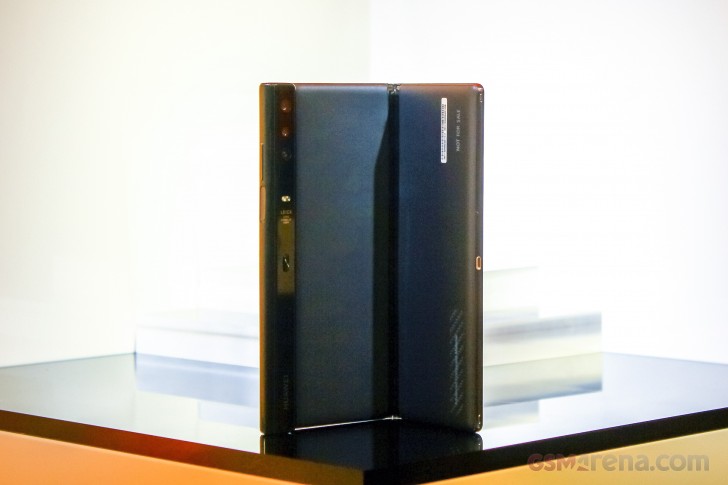
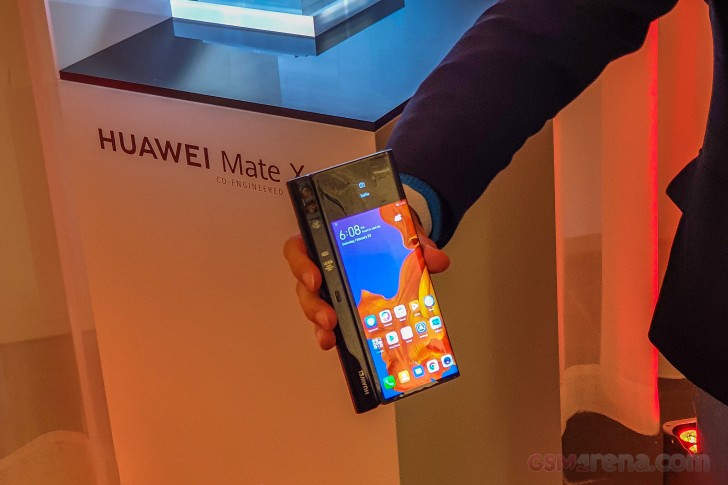
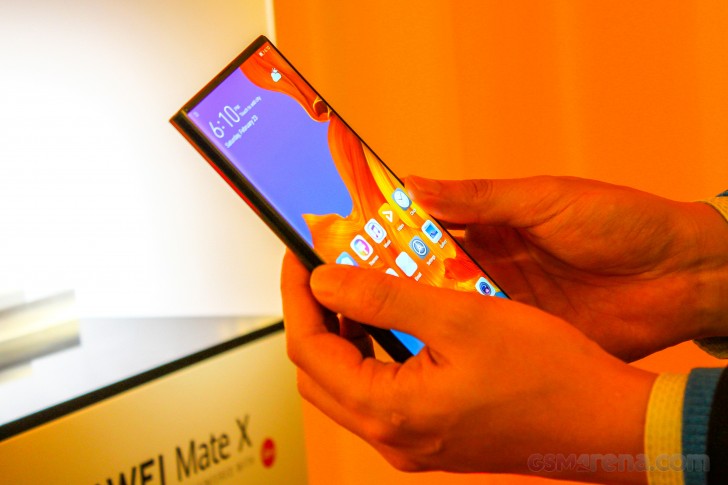
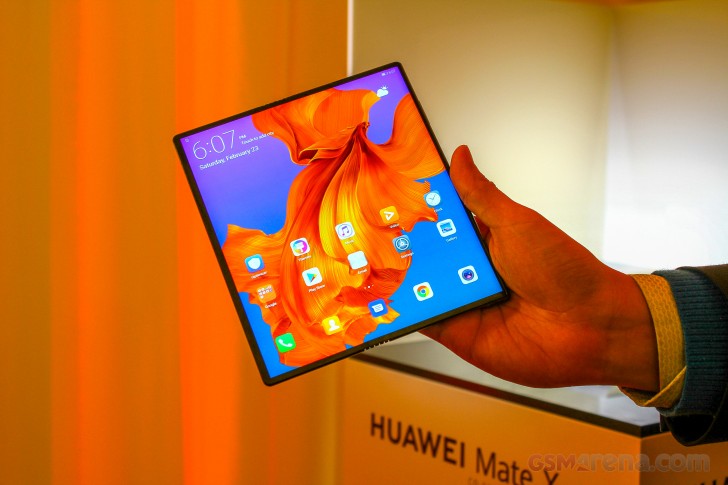
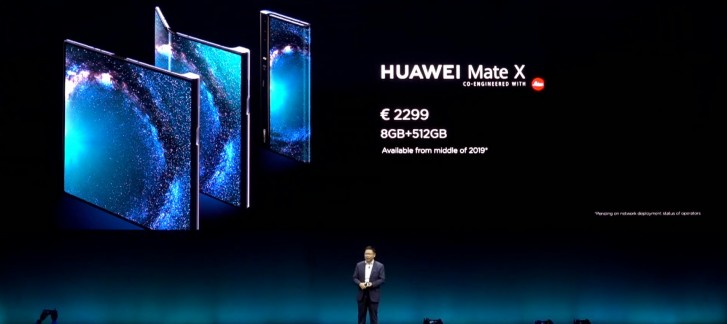


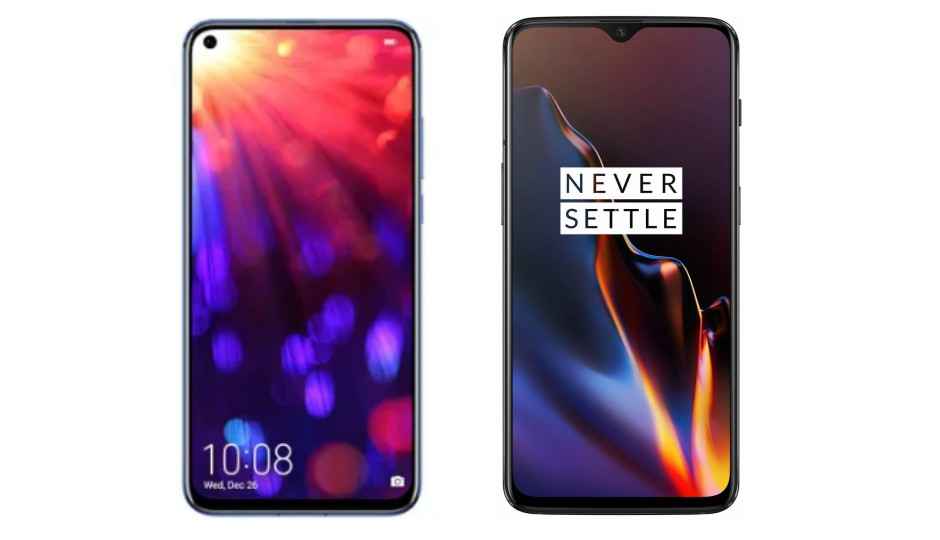


 Magic UI 2.0.1 on the Honor View20