For years, it’s been possible to share a playlist you’ve made on Apple Music with others. However, a new feature allows for shared, editable playlists in iOS 17.2. Here’s how to use Apple Music collaborative playlists.
Two new features come to Apple Music with iOS 17.2 (currently in beta) – collaborative playlists and a new automatic “Favorites” playlist.
To find the latter, you can head to Library > Playlists in Apple Music and swipe down to find the new auto-generated Favorites playlist.
While Spotify has often led Apple Music in terms of social features, it’s great to see collaborative playlists arrive with iOS 17.2, let’s dig into how they work.
How to use Apple Music collaborative playlists
iOS 17.2 is available now in beta – read more on how to install it for free on your device
Running the iOS 17.2 beta, open Apple Music on iPhone or iPad
Choose the Library tab at the bottom, then tap Playlists
Select a playlist that you’ve created (or create a new one – this does not work for now with Apple Music’s playlists that you’ve saved)
Tap the … icon in the top right corner
Now choose Collaborate (second from the top)
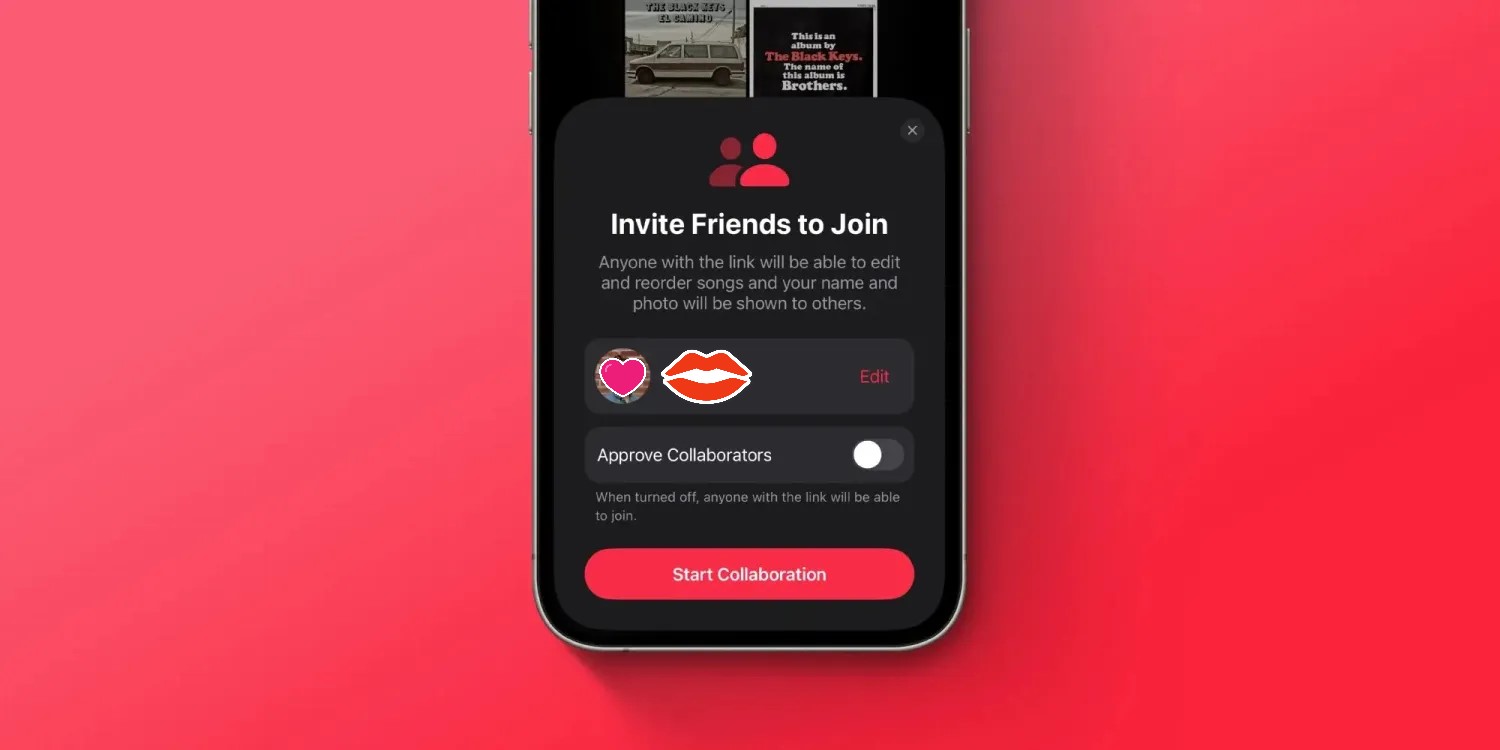
You can choose if collaborators need to be approved or not
Tap Start Collaboration to invite people
You can head back to the playlist and tap the … icon to get the Manage Collaboration option
Here’s how the process looks to use Apple Music collaborative playlists on iPhone:
Now you’ll see the new Collaborate option. Apple notes anyone you share a collaborative playlist link with will be able to edit and reorder songs and change the name and photo of the playlist.
Last month, it was reported that iOS 17.1.1 broke in-car wireless charging for a number of GM drivers with an iPhone 15. In today’s release notes for iOS 17.2, which will be released to everyone next week, Apple says it has solved this problem…hopefully.
A fix for GM drivers
Following my report last month, GM acknowledged the problems in a statement to The Verge. “We are aware of this concern and are investigating. There’s nothing we can confirm at this point,” a company spokesperson said.
Here’s what Apple’s release notes for iOS 17.2 say: “Fixes an issue that may prevent wireless charging in certain vehicles.”
Unfortunately, there aren’t any additional details about the scope of this fix. Apple doesn’t specifically mention that iOS 17.2 addresses the problem for GM drivers, but that feels like a safe assumption to make.
This is the second time Apple has had to address issues in iOS 17 specifically affecting in-car wireless chargers. iOS 17.1.1, released at the beginning of November, included a fix for wireless charging and NFC problems affecting BMW drivers.
iOS 17.2 is currently available in beta for developers and public beta users. It’s expected to be released to the general public in about a week.
iPhone 15 wireless charging apparently broken in many GM cars with iOS 17.1
While iOS 17.1.1 last week was released to fix iPhone 15 wireless charging problems for BMW drivers, the same can’t be said for GM drivers. A number of GM drivers have taken to Reddit and other online forums to report that they are unable to wirelessly charge their iPhone 15 in their car after updating to iOS 17.1.
iPhone 15 wireless charging problems: BMW first, now GM
After mounting complaints, Apple finally acknowledged a bug impacting wireless charging for iPhone 15 users in some BMW cars last month. In these instances, the problem would also temporarily disable NFC features of the iPhone 15, such as Apple Pay. Apple rolled out a fix for BMW wireless charging issues as part of iOS 17.1.1 last week.
In the meantime, however, GM drivers say that they are no longer able to use their in-car wireless charging pads to charge their iPhone 15 after updating to iOS 17.1. There are a number of complaints from GM drivers on Reddit, GM forums, and Apple’s support forums. These issues, however, don’t appear to impact NFC features.
It’s not immediately clear how widespread these problems are, nor is it clear which specific GM cars are affected. There are complaints from Bolt drivers, Silverado drivers, Sierra drivers, and more scattered across the web.
GM drivers say that last week’s iOS 17.1.1 update did not fix their wireless charging problems, nor does the current iOS 17.2 beta cycle. Two different GM drivers say that they spoke to Apple about the problems, and Apple told them to talk to GM about it. The key, however, is that wireless charging for these people worked prior to updating to iOS 17.1, so it’s clearly something tied to that update.
Based on these bizarre wireless charging problems that have affected GM and BMW drivers, paired with experiences using in-car wireless chargers, Starting to question the usefulness of wireless charging in cars. It clearly seems to be a fickle solution in a lot of cases, even though there are some convenience benefits, particularly if you have a car with wireless CarPlay.
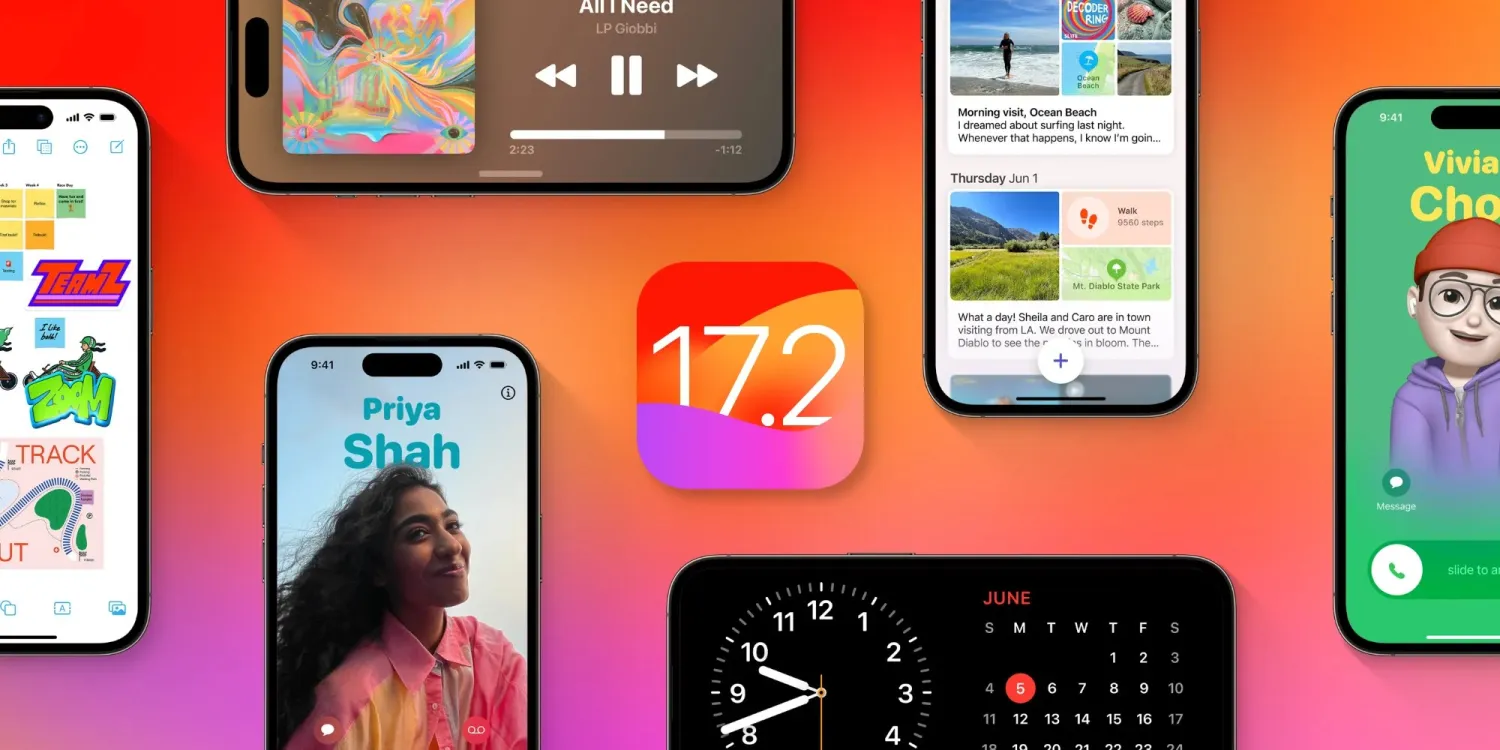
After the release of iOS 17.1 in October, Apple is hard at work on iOS 17.2 with a collection of new features and changes. iOS 17.2 is currently in beta testing with developers and public beta users. Here’s everything new so far.
When will iOS 17.2 be released?
Thus far, Apple has released four betas of iOS 17.2. This leads us to believe that the update will be released to the public sometime within the next several weeks. The update will almost certainly be released before the end of 2023.
Last year, iOS 16.2 was released on December 13 with major new features like Apple Music Sing and the all-new Freeform app.
What’s new in iOS 17.2?
Journal app
The headlining change in iOS 17.2 is the addition of the new Journal app, which Apple first unveiled at WWDC in June. Apple describes the new Journal app as an “all-new way to appreciate life’s moments and preserve your memories.”
At launch, the Journal app is only available on iPhones. There’s no word on when or if Apple plans to expand it to the iPad and Mac.
Collaborative playlists in Apple Music (maybe?)
The first three betas of iOS 17.2 included the ability to create collaborative playlists in Apple Music. This feature was announced by Apple at WWDC in June and teased as coming sometime later this year.
iOS 17.2 beta 4, however, removes the ability to create collaborative Apple Music playlists. Whether or not Apple adds the feature back before iOS 17.2 is released to everyone remains to be seen.
More changes to Apple Music
Also in iOS 17.2, there is a new default playlist called “Favorite Songs” that is automatically generated based on songs you’ve “favorited.” This builds upon the “Favorites” feature that was first introduced in iOS 17.1.
iOS 17.2 can now automatically add songs to your music library when you favorite them. You can find this option by going to the Settings app and then choosing “Music.”
Finally, iOS 17.2 adds the ability to disable Apple Music Listening History when a Focus Mode is on. “Choose if music played will influence recommendations and mixes, appear in Recently Played, or be shown to others on Apple Music,” Apple explains.
This means that when you have a particular Focus mode enabled, you can toggle on the Apple Music Focus Filter to prevent any songs played from affecting your listening data.
Spatial Video recording
With iOS 17.2, iPhone 15 Pro and iPhone 15 Pro Max users can record spatial video for Vision Pro. You can enable the new spatial video toggle by going to the Settings app, choosing the Camera menu, then choosing Formats and toggling the “Spatial Video for Apple Vision Pro” option.
Spatial video is recorded in 1080p resolution at 30 frames per second. Apple estimates that one minute of spatial video takes up around 130MB of storage space.
iOS 17.2 beta 2 enables Vision Pro spatial video capture on iPhone 15 Pro
Apple has allowed some press to view their own spatial videos in Vision Pro, Final Cut gaining editing ability next year
Default notification sounds
At long last, iOS 17.2 adds the ability to change the default notification sound. This comes after iOS 17 changed the default notification sound from “Tri-tone” to “Rebound,” which has proven to be a controversial decision.
In iOS 17.2, you can go to the Settings app and choose “Sounds & Haptics” to find a new “Default Alerts” option. Here, you can change the default sound and haptic feedback for alerts.
Reactions in Messages
Another feature coming with iOS 17.2 is the ability to react to messages using any sticker or emoji in the Messages app. This is done by long-pressing on a message and choosing the new “Add Sticker” option.
Action Button adds “Translate” option
With iOS 17.2, iPhone 15 Pro users can assign their Action button to a new “Translate” option. With this enabled, pressing the Action button initiates an automatic voice-to-text translation between two languages.
Although this capability was first introduced during the announcement of the iPhone 15 Pro in September, it wasn’t added until iOS 17.2.
New widgets
Apple has added three new widgets for the Weather app:
Details: See the chance of precipitation, UV index, wind, and more.
Daily forecast: See the current weather conditions and daily forecast for a location.
Sunrise and sunset: See the upcoming sunrise and sunset information for your location.
For the Clock app, there’s a new “Clock Digital” widget that displays the current time in a digital format rather than analog. This is the first digital clock widget Apple has offered.
‘Local Awareness’ for Emergency Alerts
iOS 17.2 includes a new “Local Awareness” option for Emergency Alerts. “Apple can use your approximate location to improve the timeliness, accuracy, and reliability of emergency,” Apple says.
To enable this option, go to the Settings app, head to Notifications, then choose Emergency Alerts and look for the new “Local Awareness” toggle.
Contact Key Verification
A year ago, Apple unveiled a feature called Contact Key Verification to enhance the security of iMessage. This feature has now been added with iOS 17.2.
Contact Key Verification enables users of iMessage to ensure that their messages are reaching only the intended recipients.
iOS 17.2 adds a new “AirPlay Receiver” option for Vision Pro. “Stream or share content from Apple Vision Pro to your iPhone,” Apple explains.
Vision Pro is currently expected to be released sometime in “early 2024.” The new toggle is in the Settings app under the AirPlay menu.
iTunes Store changes
Bloomberg has reported that Apple plans to phase the dedicated iTunes movie and TV show apps in favor of the TV app. iOS 17.2 lays the groundwork for these changes, including new messaging that redirects users to the TV app.
Software update feature
iOS 17.2 also lays the groundwork for a new feature that will allow iPhones to be updated even if they are still sealed in the box.
For instance, Apple retail employees will be able to update iPhones without taking them out of the box. Currently, iPhones are shipped from the factory with whatever build of iOS was available at that time. This means millions of iPhones out there ship with software that is multiple updates old by the time that phone arrives to the customer.
More changes in iOS 17.2
The new “Sensitive Content Warning” feature in iOS 17 is expanding to stickers in the Messages app and Contact Posters in the Contacts app.
Siri can now tell you your ETA when using Apple Maps and tell you your current altitude.
iOS 17.2 lets users disable inline text predictions without turning off predictive text.
Apple says that iOS 17.2 fixes Wi-Fi slowdowns and connectivity issues.
In the App Store’s “Apps” and “Games” sections, there are new sub-categories that appear along the top for additional filtering options.
There’s a new rainbow text option when designing a Contact Poster in iOS 17.2.
The Apple Books app has added a new “Fast Fade” option for page turning.
Apple has been under pressure in the European Union as the Digital Markets Act antitrust legislation requires the company to allow users to sideload apps outside the App Store to increase competition. The iOS 17.2 beta code that the company is indeed moving towards enabling sideloading on iOS devices.
Update: Apple has published new documentation for the ManagedAppDistribution API on its website confirming that it is primarily intended as an MDM solution. As we suggested in our report, it could still be used for other purposes. You can read the original article below.
What is sideloading
For those unfamiliar, the sideloading process consists of installing apps obtained from third-party sources instead of an official source. When it comes to iOS, the official source (and the only one available to iPhone and iPad users) is the App Store. Apple has never allowed sideloading on iOS, as this would allow apps to bypass the App Store guidelines.
However, the European Union last year passed the Digital Markets Act, or DMA, a new piece of antitrust legislation aimed at big tech companies so that they don’t use their advantages to undermine competition. One of the requirements of the DMA is that users can install any apps they want from third-party sources.
Previous reports revealed that Apple had been doing under-the-hood work on iOS 17 to prepare the system for sideloading in Europe. With the iOS 17.2 beta, internal code suggests this is true.
iOS 17.2 seems ready to allow alternative app stores
iOS 17.2 has a new public framework called “Managed App Distribution.” While our first thought was that this API would be related to MDM solutions for installing enterprise apps (which is already possible on iOS), it seems that Apple has been working on something more significant than that.
By analyzing the new API, we’ve learned that it has an extension endpoint declared in the system, which means that other apps can create extensions of this type. Digging even further, we found a new, unused entitlement that will give third-party apps permission to install other apps. In other words, this would allow developers to create their own app stores.
The API has basic controls for downloading, installing, and even updating apps from external sources. It can also check whether an app is compatible with a specific device or iOS version, which the App Store already does. Again, this could easily be used to modernize MDM solutions, but here’s another thing.
We also found references to a region lock in this API, which suggests that Apple could restrict it to specific countries. This wouldn’t make sense for MDM solutions, but it does make sense for enabling sideloading in particular countries only when required by authorities – such as in the European Union.
When will this happen?
In theory, Apple is required to comply with DMA legislation by March 2024. The company has even admitted in a Form 10-K filing that it expects to make changes that will impact the App Store’s business model.
At the same time, Apple will also appeal to the European Union about including the App Store in the Digital Markets Act, which is no surprise. Apple will likely try everything to preserve the iOS App Store. But ultimately, iOS 17 will be ready for sideloading.
Thank you for using
Themify Popup
This is a sample pop up. Themify Builder or Builder Lite (free) plugin is recommended to design the pop up layouts.