


DIY Screen Swap: Z Flip 6 Touchscreen Fix

DIY Screen Swap: Z Flip 6 Touchscreen Fix – The Ultimate 10-Step Guide
The Samsung Galaxy Z Flip 6 is one of the most impressive foldable phones on the market, but its unique design makes screen damage more common—and more stressful—than with standard devices. If your touchscreen is cracked, unresponsive, or showing lines, you might be thinking about a DIY screen swap to save money. Good news: You can do it, but you’ll need patience, the right tools, and a solid step-by-step guide.
This article covers everything you need to know about a Z Flip 6 touchscreen fix, including a detailed repair process, pro tips, common mistakes, and when to walk away from DIY. Let’s dive in.
Introduction
The Samsung Galaxy Z Flip 6 is one of the most advanced foldable phones available today, but even with its cutting-edge engineering, the touchscreen is still vulnerable to cracks, touch failures, and crease-line issues. When something goes wrong, many users start searching for the fastest and most affordable way to bring their device back to life—and that’s where a DIY screen swap for the Z Flip 6 touchscreen fix comes in.
In this guide, you’ll learn everything you need to know about repairing the Z Flip 6 screen on your own—from essential tools and safety precautions to a step-by-step process designed for beginners and experienced tinkerers alike. While foldable devices are trickier to open compared to traditional smartphones, you’ll find that with the right instructions, patience, and careful handling, you can complete the repair without stressing or damaging your device further.
This introduction sets the tone for a full, detailed walkthrough that helps you understand the device, avoid common mistakes, and decide whether DIY repair is right for you. Let’s explore how you can get your Z Flip 6 looking and working like new again.
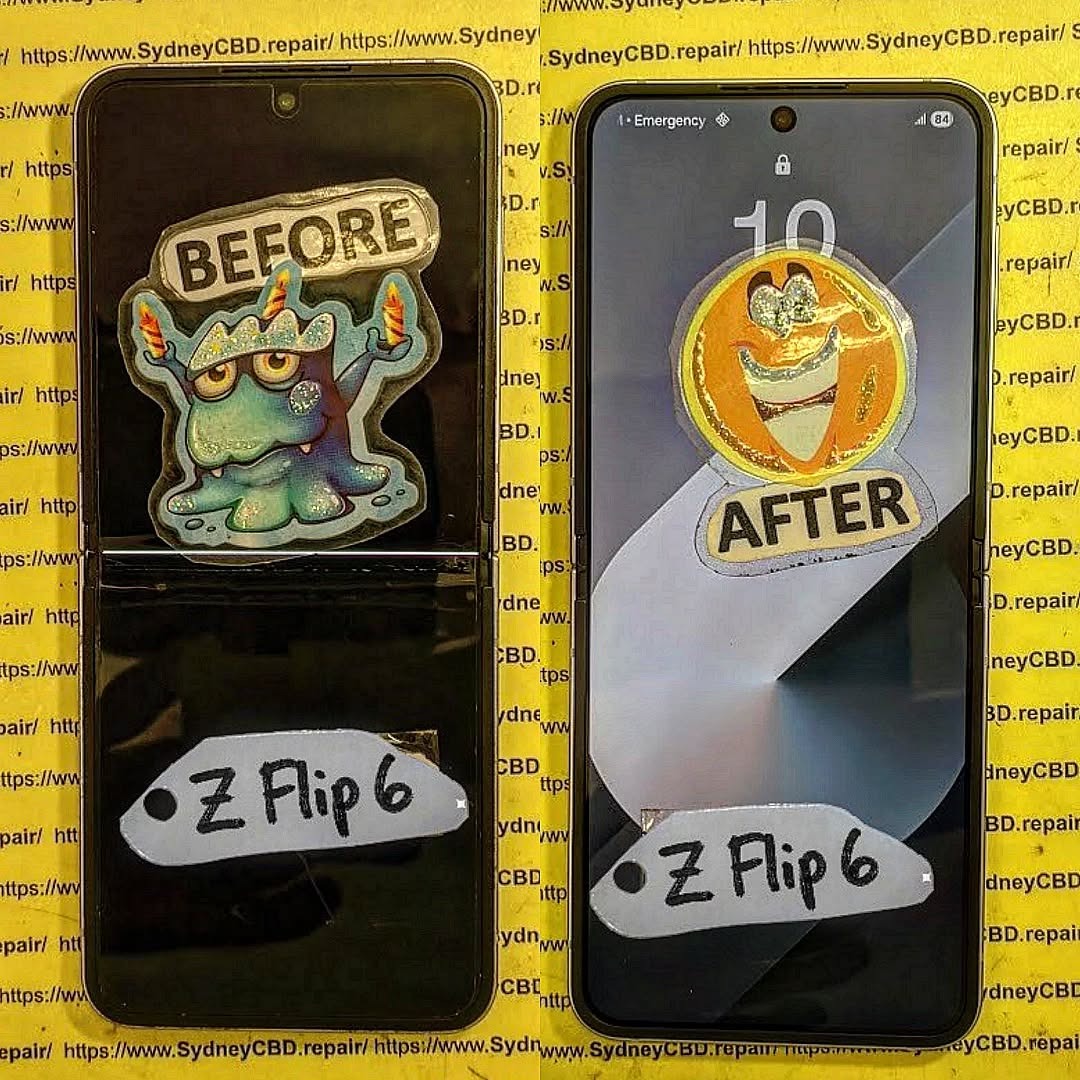
Understanding the Samsung Z Flip 6 Touchscreen Structure
The Z Flip 6 isn’t like your regular slab-style phone. Its folding screen uses ultra-thin glass (UTG) layered with a protective polymer and connected through compact hinge-based wiring. Because of this design, the touchscreen is fragile and sensitive to improper handling.
Why the Z Flip 6 Is Tricky to Repair
Here’s what makes it a challenge:
- The folding AMOLED panel is easy to tear.
- The hinge flex cable is extremely delicate.
- Adhesive strength is higher than previous Flip models.
- You must heat the device evenly to avoid frame warping.
Even seasoned repair techs admit foldables require extra care. But with proper steps and patience, DIY is still possible.
Tools and Materials You’ll Need for a Successful Screen Swap

Before attempting a Z Flip 6 touchscreen fix, gather everything you need:
- Precision screwdriver set
- Fine-tipped tweezers
- Opening picks
- Heat gun or heating mat
- Anti-static gloves
- Adhesive remover
- New OEM or high-quality replacement display
- Double-sided adhesive strips
- Plastic spudger
- Magnetic screws tray
Safety Gear You Shouldn’t Skip
Working on a foldable requires extra caution. You should use:
- ESD-safe gloves
- Eye protection
- Temperature-controlled heat source
- Dust-free workspace
Skipping these increases the risk of component damage.
Step-by-Step Z Flip 6 Touchscreen Fix (10-Step Process)
Below is the full action plan for replacing your Z Flip 6 touchscreen.
Step 1: Power Down and Inspect Damage
Turn off the device fully. Look closely at the hinge, inner fold line, and upper/lower halves of the display. This helps you predict how difficult removal will be.
Step 2: Heat and Lift the Rear Panel
Even heating is crucial to soften the adhesive. Slide an opening pick under the glass back panel while applying gentle pressure. Avoid pushing deeply or you risk slicing a flex cable.
Step 3: Disconnect Battery and Internal Flex Cables
Never skip battery disconnection—it prevents short circuits. Use a plastic spudger to separate:
- Display connector
- Battery connector
- Hinge ribbon cable
Be gentle; these are tiny and sensitive.
Step 4: Safely Remove the Folding Display Assembly
Apply heat again—this time on the front side. Lift the screen starting at the non-hinge edge. The folding section is the most fragile part, so work slowly and don’t bend the screen forcefully.
Step 5: Prep the Device Frame for New Adhesive
Remove old residue using adhesive remover. A clean frame ensures your new touchscreen sits evenly and avoids bubbles or lifting.
Step 6: Install the New Z Flip 6 Touchscreen
Peel the protective film and position the new screen carefully. Make sure the inner fold area aligns perfectly. Foldable displays can crack during installation if twisted even slightly.
Step 7: Reconnect Flex Cables and Battery
Reconnect all cables in reverse order. Ensure each cable “clicks” into place. Loose connectors cause ghost touch and display flickering.
Step 8: Close and Seal the Rear Panel
Reapply adhesive strips around the perimeter. Use controlled heat to reseal the back panel. Press lightly around the edges to secure the seal.
Step 9: Boot Up and Test Touchscreen
Power on the device and check:
- Touch sensitivity
- Smooth folding motion
- Brightness levels
- Hinge flex area responsiveness
Step 10: Run Post-Repair Diagnostics
Use Samsung Members app to test:
- Dead zones
- Color accuracy
- Touch multi-point response
- Frame alignment
Common Mistakes People Make During DIY Repair
Even confident DIYers slip up. Here are common pitfalls:
- Using too much heat and melting plastic
- Damaging the hinge ribbon cable
- Applying uneven pressure on the folding screen
- Over-tightening screws
- Forgetting dust removal before sealing
One mistake can mean buying another display—so take your time.
When Should You Avoid DIY and Go to a Pro?
Avoid DIY repair if:
- You see hinge damage
- The crease shows liquid intrusion
- You lack heat-control tools
- Your screen shows green/purple vertical lines
Professionals have specialized tools that reduce risk significantly.
A trusted specialist like Sydney CBD Repair Centre has advanced foldable repair equipment to ensure accurate screen alignment and genuine replacement parts.
Cost Comparison: DIY vs Professional Repair
| Repair Type | Approx. Cost | Pros | Cons |
|---|---|---|---|
| DIY Screen Swap | $300–$550 | Cheaper; satisfying | Very risky; no warranty |
| Professional Repair | $650–$900 | Safe, quick, guaranteed | Higher cost |
If your phone is still under warranty, always choose professional repair.
FAQs (Before Conclusion)
1. Can I fix the Z Flip 6 touchscreen at home?
Yes, but it requires precision, patience, and proper tools. Foldable screens are fragile.
2. Does a DIY repair void warranty?
Yes, opening the device immediately voids Samsung’s warranty.
3. How long does a screen swap take?
DIY takes 1–2 hours for beginners. Professionals can finish in under 45 minutes.
4. What if my touchscreen works but has lines?
This usually means display-layer damage. Replacement is the only fix.
5. Do I need OEM parts?
OEM is recommended. Third-party panels often have weaker folds and lower brightness.
6. Can I damage the hinge during repair?
Yes, and hinge damage is expensive. Use minimal force and avoid bending the frame.
Conclusion

Fixing a Z Flip 6 touchscreen through a DIY approach is possible, but it’s definitely not beginner-friendly. With its ultra-thin glass, hinge wiring, and strong adhesive, one wrong move can turn a simple repair into a costly mistake. Always move slowly, heat evenly, and double-check each connection before sealing the device.
If you prefer a safer, faster, and guaranteed option, professional repair services like Sydney CBD Repair Centre offer same-day foldable screen replacements with genuine parts and expert precision.
David from Sydney CBD Repair Centre – The Best place to fix mobile phones as 6 Years In A Row! Top Mobile Phone Repair In Sydney. More than 2000 Positive Reviews on Google and Same Day Repairs.
We take pride in delivering exceptional repair services for all major phone brands including Apple, Samsung, Google, and more. Our expert technicians use only genuine parts and offer 90 days warranty on repairs. Located in the heart of Sydney CBD, we’re your one-stop solution for all mobile device repairs.
Visit us for:
✓ Same Day Express Repairs
✓ Genuine Parts Guarantee
✓ Professional Technicians
✓ Competitive Pricing
✓ 2000+ 5-Star Google Reviews
✓ 6-Time Award Winner
Sydney CBD Repair Centre – Where Quality Meets Reliability.
Call : +61280114119
Website: https://SydneyCBD.repair/locate-us

