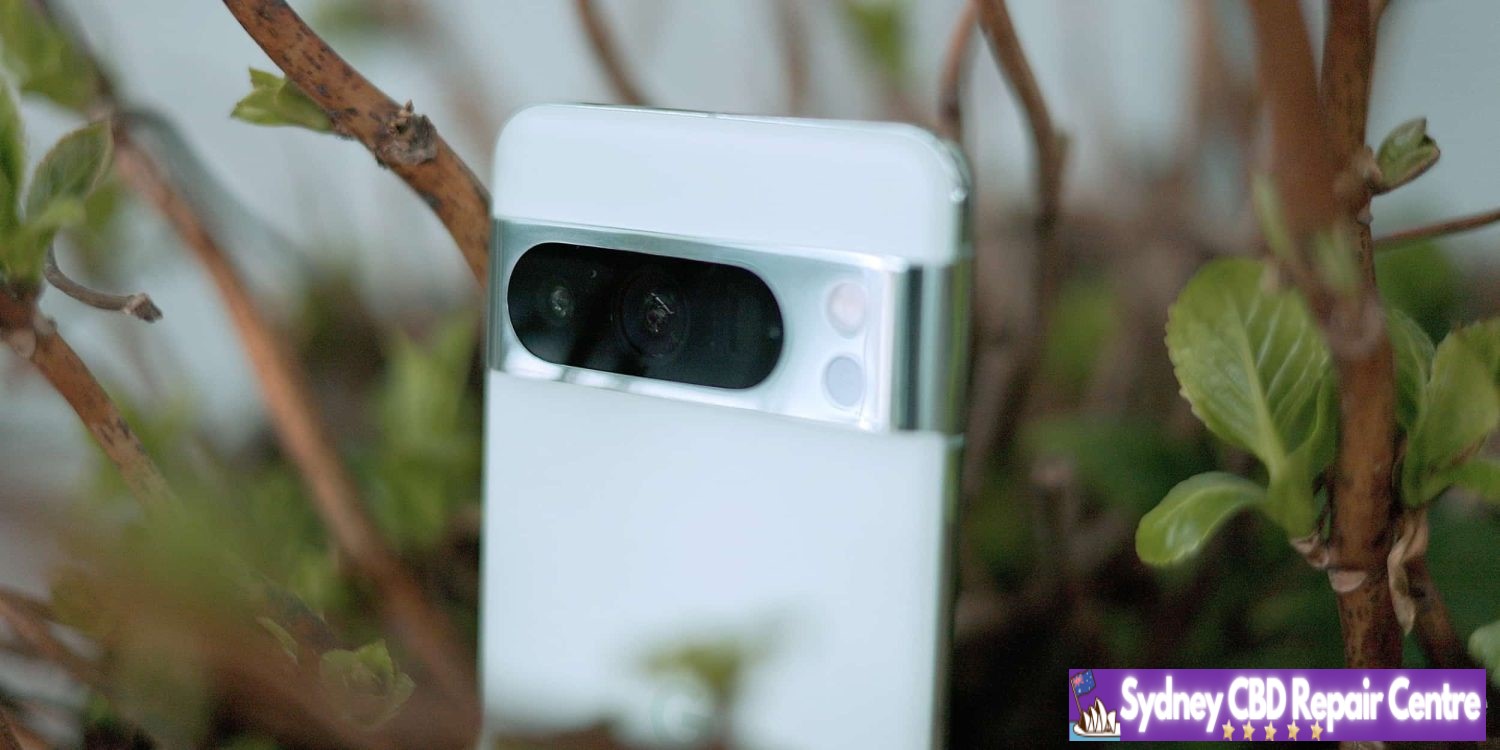
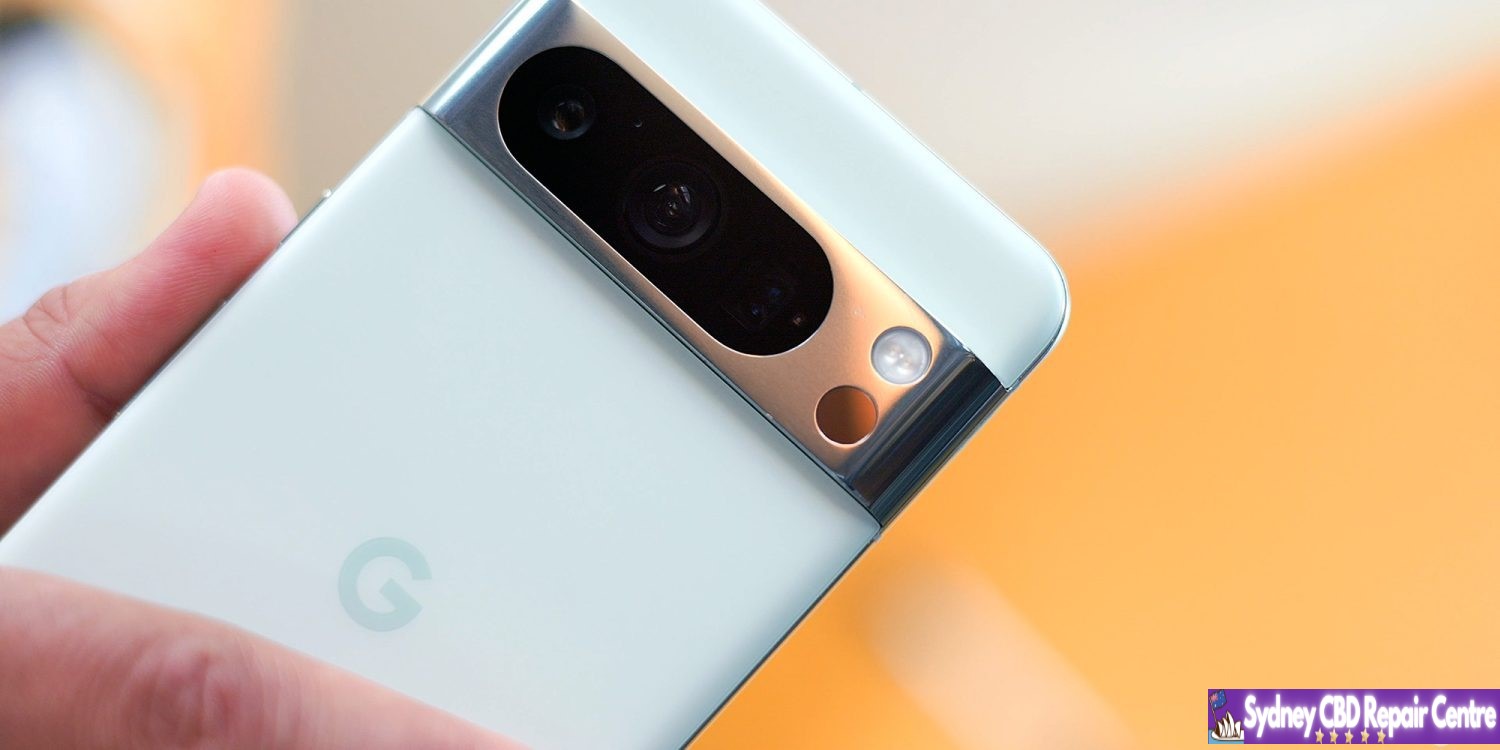
Google’s Pixel 7 Pro and Pixel 8 Pro are well-designed smartphones, but the polished metal finish around the camera module is often easy to scratch and not the best look. Now, though, one Pixel 8 Pro owner took it upon themselves to manually give the metal a brushed look, and it’s really quite nice.
The polished metal around the camera module on Pixel 7 Pro and Pixel 8 Pro is pretty easy to damage even if the phone is in a case. The metal is just easy to scratch, and it doesn’t look all that good when that happens. That’s part of the reason it’s so frustrating that the smaller and cheaper Pixel 7 and Pixel 8 use a matte finish instead, which is considerably more durable.
There are protectors on the market to help with the durability issues, but it’s pretty universally agreed that Google probably should have just gone with some form of a textured metal on these phones.
Reddit user u/the_skinny_drummer took up the challenge of turning the polished metal into a brushed look, and the results are really good! Images shared of the Pixel 7 Pro and Pixel 8 Pro show this new brushed finish which was achieved using Scotch Brite scouring pads.
We definitely would not advise doing this as it likely wouldn’t be viewed kindly by Google in the case of a warranty claim, and you also risk scratching the glass on the back and on the camera lens too (which it seems like may have happened on the 7 Pro). But, still, the cheap and clearly effective mod really does improve the look, especially on Pixel 8 Pro as the camera now more closely matches the matte glass finish.
The much safer solution is to pick up a skin. dbrand includes a camera bar skin with a full package, but there are others who will sell just the camera skin, such as XtremeSkins.
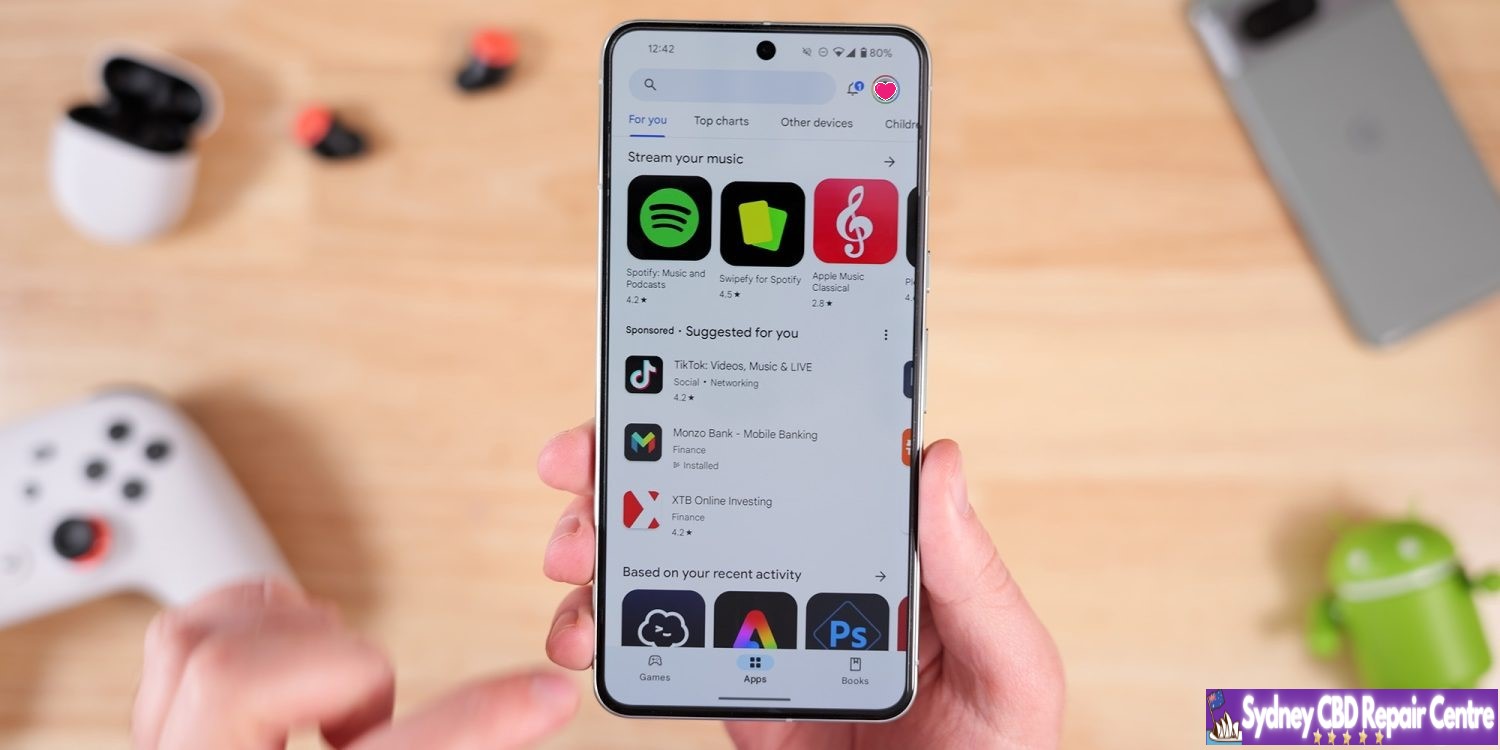
After on and off testing over the past few years, Google looks to have widely rolled out simultaneous app downloads and installs on the Play Store in a nice quality of life improvement.
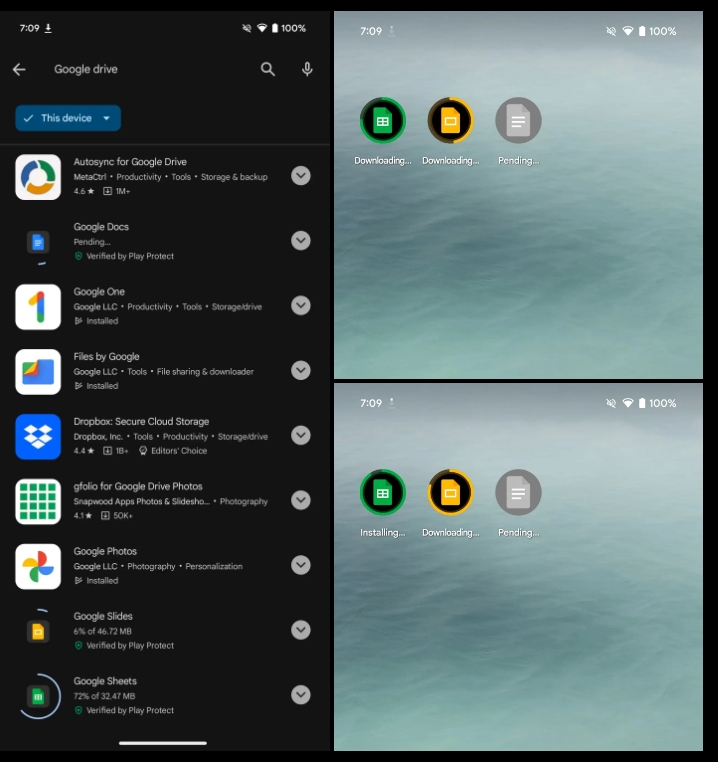
To see it in action, install two apps — pick bigger downloads, like Google Docs, Sheets, and Slides — and see how they download and then install concurrently instead of first waiting for one to complete. You can monitor their progress inside the Play Store and on your homescreen as seen in the screenshots below.
This updated behavior only triggers on new installs, while it just works with two apps at a time. (You can see how a third download remains “Pending” until something from the first pair finishes.) For comparison, the iOS App Store can handle three concurrent downloads and installs.
As of today, Google Play’s simultaneous downloads do not apply to application updates, which would be more useful as updating is more common than fresh installs. Hopefully, this is just a case of Google Play starting small before expanding. Where this change will be useful is when setting up a new Android phone or tablet.
We are seeing this change on several Pixel phones and tablets we tested running Android 14 and version 40.6.31 of the Play Store.
Google is rolling out Android 15 Beta 1.2 only three days after the last patch that addressed the lack of NFC tap-to-pay.
AP31.240322.027 (compared to AP31.240322.023) with the April 2024 security patch is available for all supported devices: Pixel 6, Pixel 6 Pro, Pixel 6a, Pixel 7, Pixel 7 Pro, Pixel 7a, Pixel Tablet, Pixel Fold, Pixel 8, and Pixel 8 Pro.
Fixed an issue that sometimes caused apps to freeze and display an “Application Not Responding” message. (Issue #328865524)
Google has been steadily improving Gemini over the past couple of months, and it seems the Android experience is getting ready for a slew of new upgrades which includes responding in an overlay on top of your current apps.
Gemini on Android replaces Google Assistant when it’s activated, but there are some big downsides to that. Among other things, Gemini opens up all of its responses in a totally new window instead of responding in an overlay like Google Assistant has for years.
It seems that, soon, that may change.
Shared with the folks over at PiunikaWeb, Gemini for Android appears to be working behind the scenes to allow for responses to be available in an overlay. A video demo (see screenshots below, as the video was shared via Google Drive) of the new functionality shows the response appearing on top of the Twitter/X app, never technically causing the user to have to navigate back to the app.
It seems a much more seamless experience overall.
Beyond that, Gemini seems to also be working on some other improvements to its Android app. Shown in another PiunikaWeb post, a “real-time responses” toggle was enabled, enabling Gemini to show data generated as it is available.
Tipster @AssembleDebug also partnered with Android Authority for some other tidbits about what’s going on behind the scenes. This includes the ability for Gemini Advanced subscribers to upload files of any type to Gemini for Android. While the web version supports this already, the Android app is currently limited only to photo files.
The app is also preparing a new “select text” option that would be available alongside the existing “copy text” option.
It’s unclear when any of these new changes will be available, but seeing as they’re already functional, it’s likely they’re not too far away from launch.
7 years of updates. It’s something that’s still borderline unbelievable, but Google set as the new standard for software updates with its latest Pixel releases. But months later, some still seem to not understand what this update promise means?
For a long time, Android phones didn’t have very good commitments for software updates. Some devices would get a couple of major Android updates while others would be months behind schedule if they were updated at all. Over time, that Wild West of updates was tamed, with the industry standard for a while settling on two years of major Android updates and three years of security updates after launch. That crept higher for a while, but Google really changed the game last year with the launch of Pixel 8 and Pixel 8 Pro.
With its latest flagships, Google promised 7 years of updates. That’s a number that not even Apple guarantees.
But what does that promise mean? There seem to be mixed opinions out there.
Some seem to be under the impression that this will mean every single feature Google launches over the next near-decade will be available on the hardware released today. Others are skeptical Google will live up to the promise at all.
But, ultimately, this is incredibly simple.
Google has explained that 7 years of updates will include Android OS updates and security updates for a total of seven years, with Pixel Feature Drops “may or may not” being included in that timeline.
Pixel 8 and 8 Pro will get updates for at least 7 years from when the device first became available on the Google Store in the US. These updates include security, software, and may also include feature drops.
That’s it. You can take that at face value. For the next seven years, Google Pixel 8 and Pixel 8 Pro will get every Android OS version and every monthly security update. They might get new features in those updates too, but it’s not guaranteed. But in terms of keeping the phone usable with modern apps over the next several years and keeping it secure from exploits, it’ll just keep chugging along.
I think it’s a little crazy that there’s been a debate over this, especially when what Google is doing here is almost exactly the same as what Apple has been doing. Apple, without setting a specific timeline on it, has been delivering long-term updates to iPhones for a long time, and it’s not uncommon for a new feature to exclude an older model even though that device got the latest iOS version.
Why is it different when it’s Google?
As we look forward to the Pixel 8a launching soon, presumably with a similar, if not identical promise, there’s nothing to be stressed or worried about. Long-term updates are a win for everyone as long as you don’t expect more than was promised.
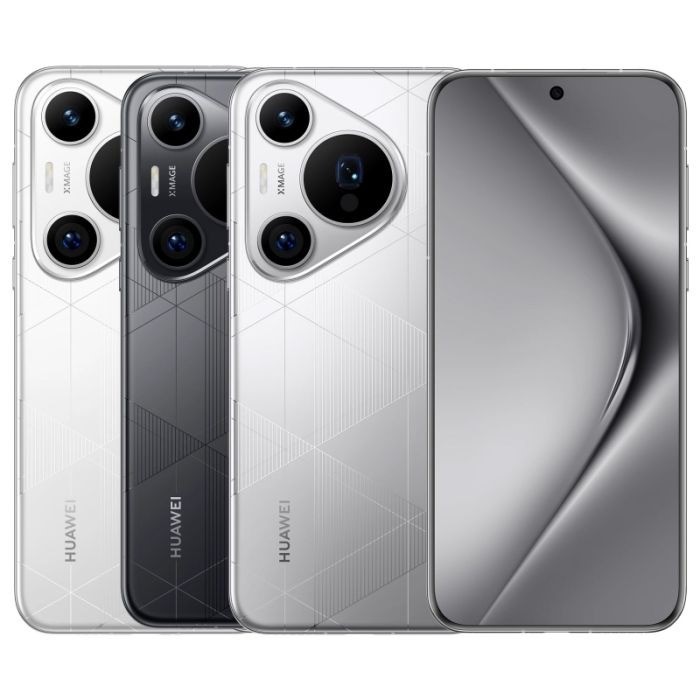
Huawei has come around to release the Pura 70 series, which consists of four individual models. One of the Pura 70 models incorporates a unique camera function that doesn’t make an appearance too often – the motorized retractable camera.
The Huawei P60 is just around a year old, and the company is ready to inject the lineup with new life. This year, Huawei is announcing the Pura 70 lineup (via Android Authority). That series includes the Pura 70 base model, Pura 70 Pro, Pura 70 Pro Plus, and Pura 70 Pura Ultra. The latter is, of course, the most expensive and houses the more expensive tech.
The base model isn’t something to shrug off, as it comes with an LTPO OLED display, a 4,9000mAh battery, and 12GB of RAM with up to 1TB of storage. Huawei doesn’t mention that the SoC is powering any of the four phones, and rumors are inconclusive up in the air.
The Pura Pro and Pura 70 Pro Plus bring marginal improvements over the foundational variant, with very little to distinguish either of them from the other. The main difference between devices is the RAM count, as the Pura 70 Pro Plus carries 16GB of RAM while the Pura 70 Pro only has 12GB of RAM.
Both the Pura 70 Pro and Pro Plus have a 50MP main camera sensor and a 12.5MP ultrawide angle lens with a 48MP telephoto complimenting unit. They both bring a 5,050mAh battery, with 100W wired fast charging and 80W wireless charging.
Huawei Pura 70
Huawei Pura 70 Pro Plus
Huawei Pura 70 Ultra
The Pura 70 Ulta utilizes the same charging structure and speeds with a slightly larger battery at 5,200mAh battery. It also brings the higher 16GB of RAM and 512GB or 1TB of storage.
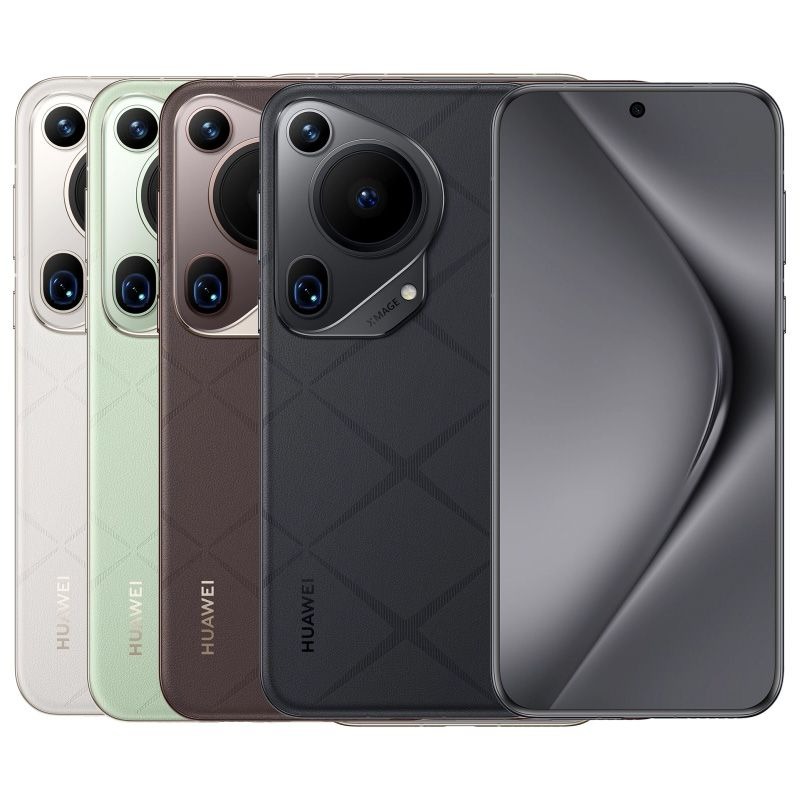
Where the Pura 70 Ultra differs from the entire line is in the camera. The main unit is a 50MP 1-inch sensor, which would normally be incredibly difficult to fit in a thin device. However, Huawei decided to pack the Pura 70 Ultra with a retractable lens that can accommodate that sensor. The larger unit means more light, and according to Huawei, it means you can capture moving vehicles going 300km/h, which sits at 186mph. This would generally require more light on a traditional camera at a higher shutter speed. A larger sensor would accomplish this. The Pura 70 Ultra also brings an ultrawide lens and telephoto camera to complement the massive main unit.
Huawei is only releasing the Pura 70 series in China for the time being, though it’s expected the series may go global at some point. The Pura 70 base model will go for 5,499 yuan, or $760. At the higher end, the Pura 70 Ultra will cost users 9,999 yuan, which is around $1,380
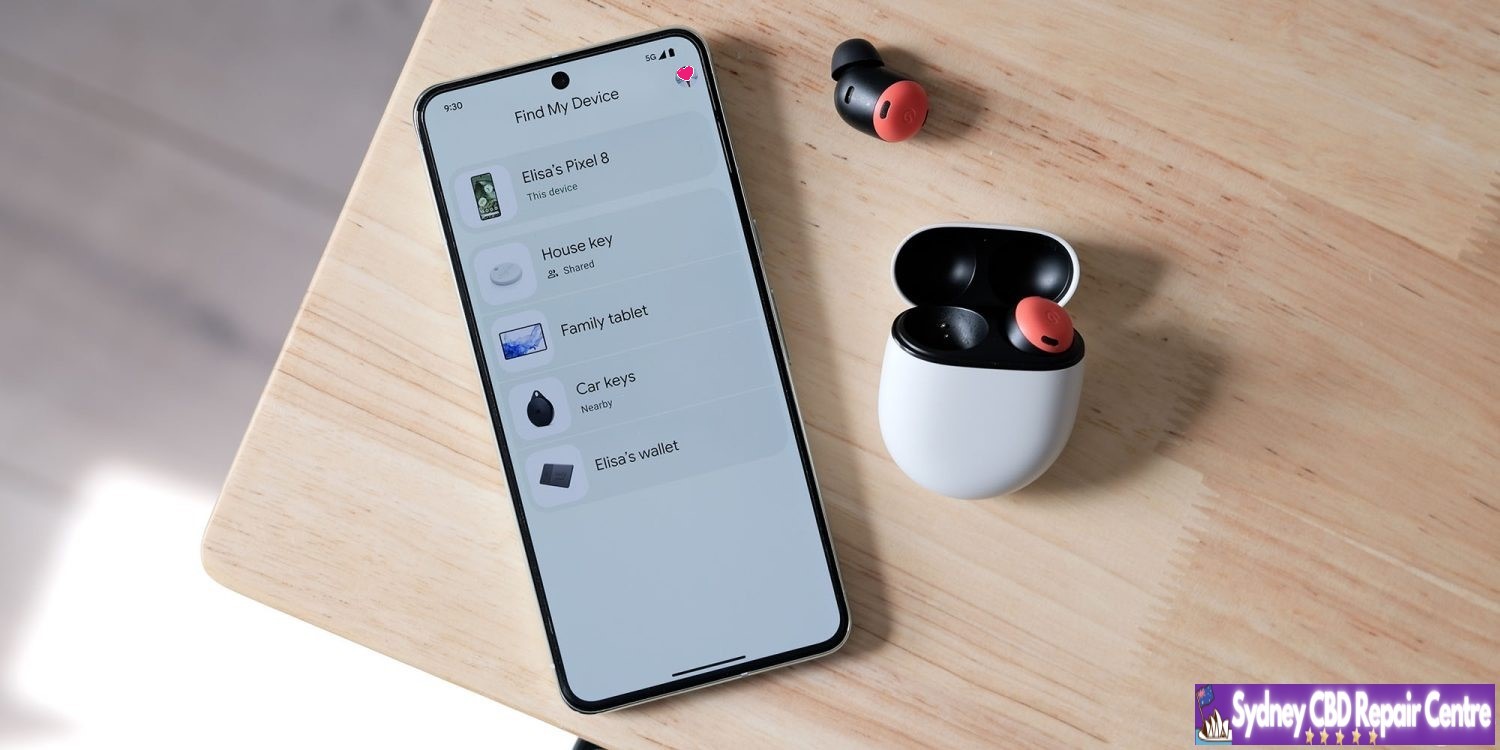
Google is rolling out an expansion to the Find My Device network, which allows your devices to be located even when they’re offline. If that doesn’t seem like something you’re interested in, it can be turned off; this guide will show you how.
What’s new with Find My Device?
Google has long had an app called called Find My Device. It’s very similar to iOS’s Find My app, which allows you to find your phone’s last online location. It even included options that would allow you to lock it up or wipe it completely.
While the app didn’t necessarily have glaring flaws, it was short-sighted simply because devices needed to be connected to the internet for an accurate location.
A new update to Find My Device now changes that, allowing devices to be located even if they’re offline. The update really comes as an infrastructural overhaul – something that has been in the works for a long time. It essentially utilizes other online Android devices to detect where your device is, whether that device is an Android phone like the Pixel 8, trackers, or even headphones.
The reason the rollout took so long is that Google had to work with Apple to develop an industry standard, ensuring the tech couldn’t be used to track individuals against their wishes – a problem Apple faced when it released the Air Tag.
Opting out of the Find My Device network
Even with Google’s security measures in place and encrypted data transfers between devices, you still may wish to opt out of the network. The update brought along options to allow you to do that in a matter of several steps.
On your Android device, open the Find My Device app.
Tap your profile picture.
Hit FInd My Device settings.
Tap Find your offline devices.
Choose what level of access the app has.
Note: This is a per-device setting.
This is where the Find My Device app allows you to tailor your security. There are two options that will limit the service – Off and Without network.
Off means that you’re entirely opting out of Find My Device’s network capabilities to find an offline device. When this is off, every time you open the Find My Device app, it’ll have to request one of your device locations at that moment – it will not store location data while the phone is online.
Without network means Find My Device will store location data for your devices while they’re online, and you’ll be able to see where it last was even if the battery is dead or it has no signal.
Both of these options opt you out of the network, which means your phone will not participate in locating other lost devices or vice versa.
At which level you decide to opt-out is up to you. Google notes that all location data is encrypted from device to device, but the tech might not interest everyone.
According to a new report, Google’s upcoming Pixel hardware including the Pixel 9 series, Pixel Fold 2, and a 5G-connected Pixel Tablet will be getting a new cellular modem, an overdue upgrade.
Since the big Tensor reboot, Google has shifted away from Qualcomm’s proven modems paired with Snapdragon processors over to Samsung modems which work with the Exynos base that Tensor relies on. Google first upgraded the modem paired with Tensor on the Pixel 7 series but leaned on the same modem (albeit a slightly newer refresh of it) on the Pixel 8 series. And while the modem is reasonably sufficient, it still struggles in areas with low connection, and is less power efficient.
Now, it seems Google is planning to equip Pixel 9, and other devices, with an updated modem.
Android Authority reports that Pixel 9, Pixel 9 Pro, and Pixel 9 Pro “XL” will be equipped with a new modem. However, that modem, which will be a part of Tensor G4, will still be provided by Samsung – the new generation is signified 5400, up from the 5300 paired with Tensor G3.
The same modem will apparently be used in the upcoming Pixel Fold 2 as well as a previously unknown 5G-connected Pixel Tablet. In February, it was reported on possible Pixel Tablet 2 codenames, including the “clementine” codename mentioned in this report, confirming that this is in fact a sequel to the Pixel Tablet. The current Pixel Tablet offers no cellular connectivity.
The new modem is reportedly upgraded on the software side, but it’s unclear how the hardware is changing. The only clear upgrade is support for the 3GPP Rel. 17 5G spec which supports satellite connectivity. Technically, the existing modem in Pixel devices does also support satellite, but it’s not yet been used, and it does use an older version of the 5G spec.
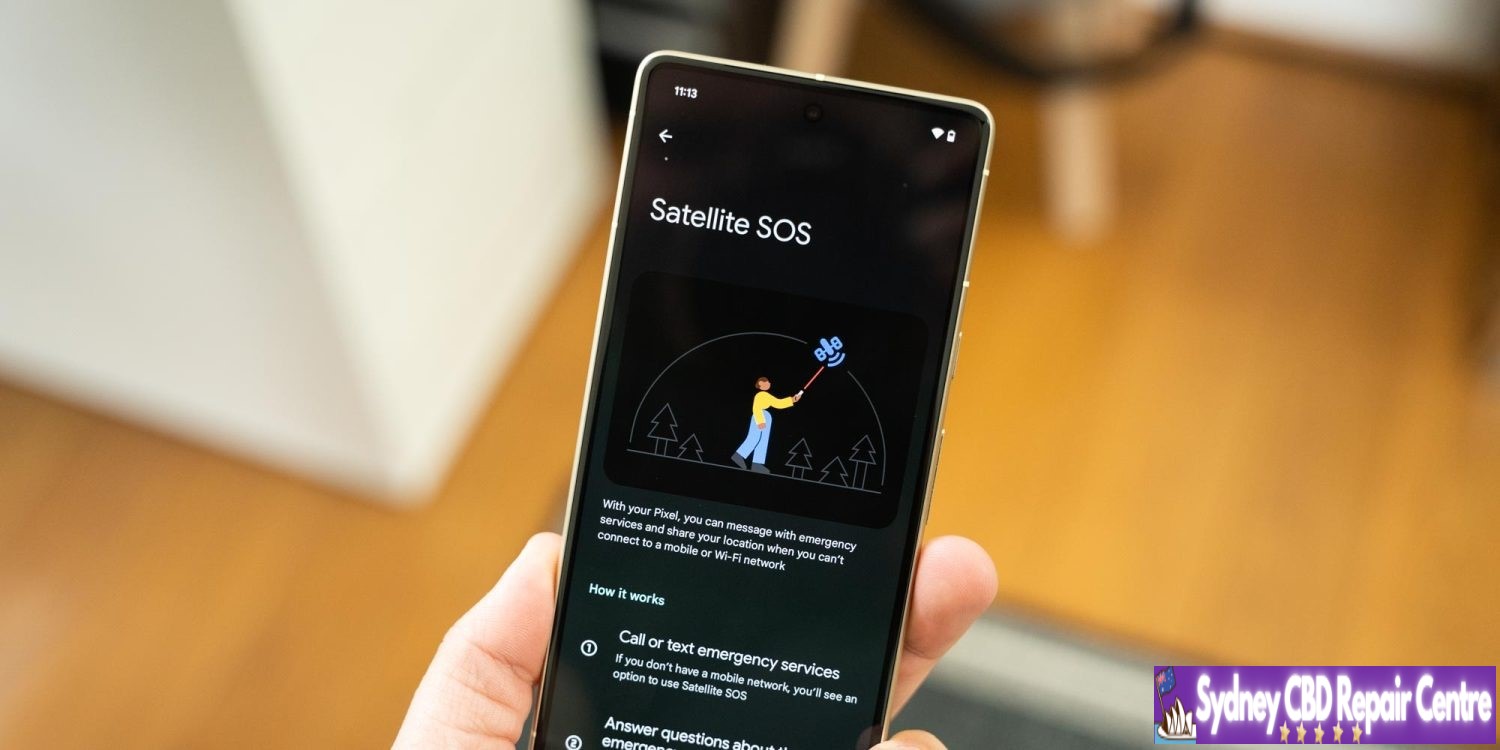
Alongside this added support, Pixels with satellite support would use a “Satellite Gateway” app which, to the user, would be used through Emergency SOS. According to this report, users will be asked basic questions to identify the emergency situation, given a choice to notify contacts, and send messages with emergency services.
Some of the questions, which may have multiple-choice answers, include:
What happened?
[Are you/Are they/Is everyone] breathing?
In total, how many people are [missing/trapped]?
What best describes your situation?
What is on fire?
Are there weapons involved?
What type of vehicle or vessel?
Do any of these apply?
A new preview clip, as seen below, signifies there will be a UI to help align with a satellite.
Code also suggests that Pixel Fold 2 may need to be unfolded to do this.
Google has been working on “Satellite SOS” on Pixel devices as of late, but no functionality is live today.
How this new modem sticks the landing will be interesting, but there’s a pretty low bar for success here. Google is expected to shift to a TSMC-produced Tensor chip in 2025, but it’s unclear if the company will change modems at that point. Tensor G4 is, beyond this modem, expected to be a relatively minor change.
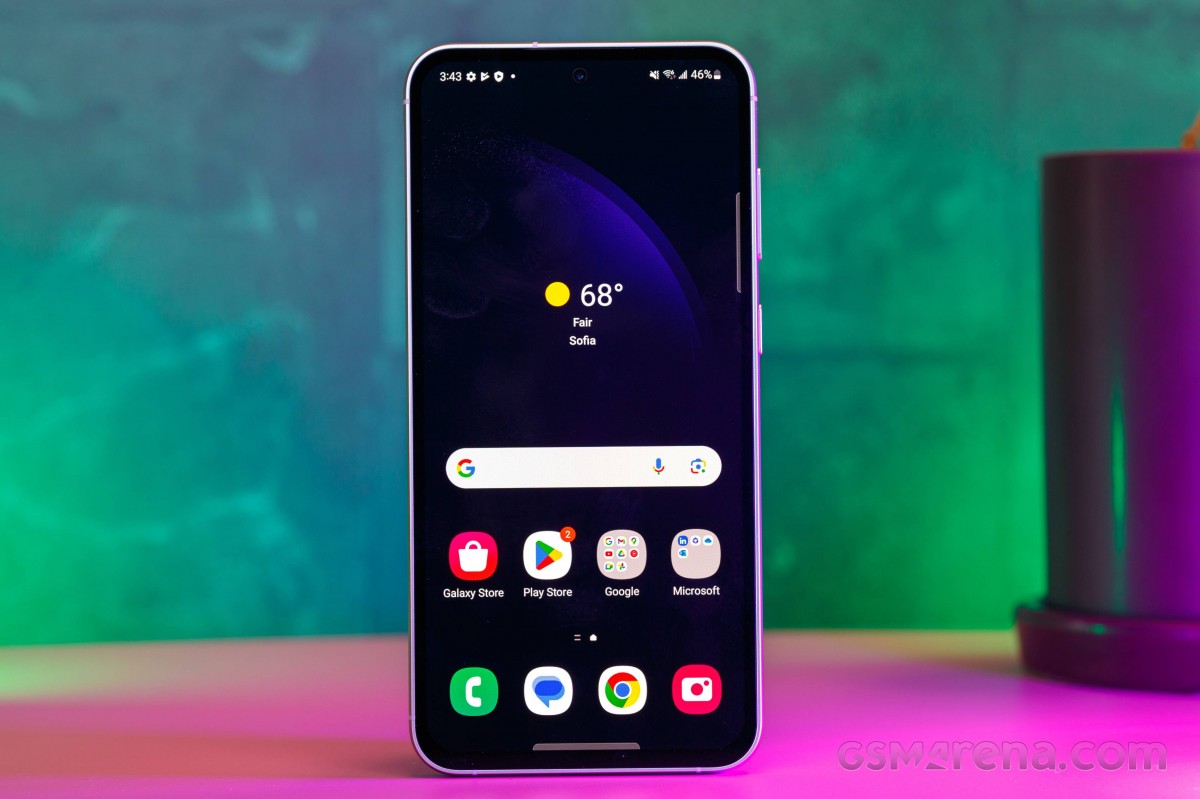
The Fan Edition is no more, yet the FE series live on. Indeed, the new Samsung Galaxy S23 FE is bringing back the beloved affordable flagship vibe, but there is no mention of the original FE meaning, just Standout Features. And the Galaxy S23 FE has plenty of those.
Note:We are reviewing the US version of the S23 FE, which is based on Snapdragon 8 Gen 1 chipset.
Update, Dec. 26,2023: We also got the Exynos-based global model of the Galaxy S23 FE and have added its test results across this review.
The Galaxy S23 FE is a refresh of the rather popular Galaxy S21 FE, improving the design, the performance, and the camera quality. The usual stuff, obviously.
The design is the real standout here, especially our Purple version. It is one of the most strikingly beautiful colorways we’ve seen in years, and we are just in love with it.
The phone is IP68-rated, looks a lot like the Galaxy S23 models, but has a matte frame. It borrows the Galaxy 21 FE display – it’s a 6.4-inch Dynamic AMOLED 2X with 1080p resolution and 120Hz refresh rate.
The chipset upgrade is inevitable, of course. The Galaxy S23 FE jumps one generation ahead with the Exynos 2200 (the Galaxy S22 series SoC), up from Exynos 2100 on the S21 FE. That is for the international version. The US model is powered by the Snapdragon 8 Gen 1, up from Snapdragon 888.
The base model remains 128GB, but the base RAM is now 8GB. There is no microSD expansion, a feature known to be, well, a fan favorite.
Moving on to the camera. The setup on the back is like the one on the S21 FE but with a higher resolution primary camera – it’s now a 50MP OIS main cam, accompanied by an 8MP 3x OIS telephoto and a 12MP ultrawide camera. The selfie camera uses a 10MP imager.
And that’s about it. The rest is the same as on the S21 FE – a pair of speakers, a 4,500mAh battery with 25W fast charging, wireless charging, UD fingerprint scanner. The S23 FE arrives with Android 13 and One UI 5.1.
Disclaimer. We can not guarantee that the information on this page is 100% correct.
The Galaxy S23 FE seems like an affordable premium smartphone with an excellent display, powerful hardware, and a capable camera kit. You can easily tell where Samsung had to cut some corners to keep a decent price – last year’s chip, the low-res tele camera, and even the Gorilla Glass went from Victus down to Glass 5. And yet, the cherrypicked features do make for one well-rounded smartphone, at least on paper.
The updates over the Galaxy S21 FE are not major – next-gen chip and a higher-res main camera, so we doubt the S21 FE owners would find this one intriguing. And this is the only thing we can think of upfront that some may find upsetting.
Unboxing the Galaxy S23 FE
The Galaxy S23 FE arrives in one of those super thin eco-friendly boxes that Samsung has been using for the last couple of years.
The retail bundle includes the S23 FE, a black USB-C-C cable, and a SIM ejection PIN. That’s it.
Alternative offers
The Samsung Galaxy S23 FE is quite the oddball. First, it’s equipped like an overdue Galaxy S22 FE. Then, in some markets, it is priced as the Galaxy S23. Finally, there is the chipset fragmentation we’ve been discussing in detail in this article. It does sound like a hard pass at first, doesn’t it?
Yet, it’s a solid smartphone, one that will be worthy of a recommendation once the price settles down. And we believe this will happen quite soon.
While there is zero chance that both versions would become available in a single market, it is still good to know what differences there are.
The Galaxy S23 FE doesn’t feel exactly like a more affordable alternative to the Galaxy S23+, but the Galaxy S22+. Not that it doesn’t really matter, but it’s just that the Galaxy S23 FE is neither a Fan Edition, nor an S23. More like an S22 FE that is coming extra late for the party.
But the Galaxy S23 FE caters to a certain market niche, which we usually call flagship killers, where it brings flagship-grade features at an affordable price. Even better, it’s smaller than the average phone, so some users would definitely find it a good offer just for its size.
The Galaxy S23 FE launched at $600 in the US and INR 60,000 in India. Then, it went on sale for $500 in the US and INR 49,000 in India, and from what we can see, it’s back to its original pricing. It also launched in Europe at €650.
Having those prices in mind and its compact form factor, we think the first competitor that comes to mind should be the original Galaxy S23 flagship. It has a smaller but brighter screen, a more durable Victus 2 build, a faster chipset, and better telephoto and selfie cameras. The Galaxy S23 has a $800 MSRP in the US, but it can be found for as low as $630 depending on the retailer, which gets it pretty close to the Galaxy S23 FE. It is a similar affair in Europe.
The Nothing Phone (2) also costs the same as the Galaxy S23 FE at launch and it’s a very good alternative. The Glyph UI and the physical design is unique, but the phone also has some impressive specs like the large OLED, a similarly powerful chipset with better stability, and notably faster charging. The rear camera setup consists of two cameras – a high-res primary with high-quality 2x zoom and a high-res ultrawide with great macro photography. There is no zoom camera here, and the selfie camera is inferior to the S23 FE’s. If unique is what you are looking for, or just a larger screen with a clean UI, the Phone (2) will deliver.
Finally, the OnePlus Nord 3, where available, or its nearly identical OnePlus 10T counterpart, are even cheaper offers that deserve a mention here. The Nord 3 is an IP54-rated smartphone with a large Fluid AMOLED with a higher 1240p resolution and fast and more stable Dimensity 9000 chip. The phone has less impressive cameras all around and no zoom one, but it’s a solid offer if your budget is more limited and yet you want a flagship killer phone.
The Samsung Galaxy S23 FE name makes little sense, but the phone has every chance of finding its footing when its price settles down. This late Galaxy S22 FE has an attractive dual-glass design, a great OLED screen, capable hardware, consistently good cameras, superb speakers, and flagship software.
We did appreciate the dual-glass design, and we are fond of the new colorways. We are not fans of the extra weight and the thicker bezels, though – even the 6.6-inch 22+ is smaller and lighter. Still, the S23 FE retains a classic design, and we think many will like it.
The Galaxy S23 FE has a 6.4-inch 120Hz OLED screen with good brightness, sharpness and HDR10+ streaming. Its punch hole is quite tiny, too. And the screen can be nicely color-accurate.
And we very much appreciated the louder and better-sounding speakers.
The camera quality is excellent across the board – main camera, 2x zoom, 3x telephoto, ultrawide, selfie. This applies for photos and videos, any time of the day. Samsung has been consistent with its quality and processing, and while its punchy colors may not be everyone’s cup of tea, they are valued by many.
The chipset is quite powerful and still flagship-grade, but its GPU stability is far from ideal, and gamers should want to consider something else before deciding on this Galaxy. The battery life, especially when it comes to gaming, is below average, too.
Overall, the Galaxy S23 FE is a good all-round smartphone, almost like a flagship-killer, even if it’s a year late. It’s pretty much a hard pass at $600/€650, but at $500/€500 or less – we’d say it’s a good deal that makes sense.
Pros
Beautiful classic design, dual-glass, IP68-rated.
Fast OLED screen, decent brightness, great color accuracy, HDR10+.
Very good stereo speakers.
Flagship-grade performance.
Reliable camera quality across the board.
One UI with DeX support; 4 major Android updates.
Cons
It’s closer related to S22 than S23 and yet it arrives 18 months after the S22 family.
Heavy weight, thick screen bezels.
Unimpressive battery life.
Strong GPU throttling, chipset fragmentation by regions.
Custom Android ROMs aren’t nearly as common as they once were, but many were still useful for getting additional functionality or changing up the experience on the device. “Pixel Experience,” a custom Android ROM that echoed the UI and features of Google Pixel on other devices, is sadly now shutting down.
“Pixel Experience” launched in 2017, around a year after the first Google Pixel smartphone made its debut. The project aimed to copy the UI and best parts of using a Pixel on other Android smartphones. It became one of the more popular custom Android ROMs in recent years, but the project is now shutting down.
In a post today, José Henrique, the founder of “Pixel Experience,” says that active development on the custom ROM is coming to an end. Older builds will continue to be available and the website will remain online, but development is over.
The post explains:
This project has been an incredible journey filled with innovation, collaboration, and unwavering dedication from both the team and the community. From the inception of PixelExperience, our goal has always been to provide users with a seamless, customizable, and feature-rich Android experience, tailored to a wide array of devices.
As we bid farewell to active development, I want to express my deepest appreciation to every member of our community, testers, contributors, and all supporters. Your passion and commitment have been the driving force behind every milestone we’ve achieved.
As it stands today, Pixel Experience is available on Android devices from Asus, Google, Lenovo, Motorola, Nokia, Nothing, Nubia, OnePlus, Razer, Realme, Samsung, Teracube, and Xiaomi. Android 14 builds were made available in beta in late February.