Earlier last week, Apple released iOS 17.5.1 to address a rare problem where deleted photos would reappear on a user’s device after installing iOS 17.5. In the release notes, Apple said this was caused by “database corruption.”
iCloud’s involvement
One question many people had is how images from dates as far back as 2010 resurfaced because of this problem. After all, most people aren’t still using the same devices now as they were in 2010. Apple confirmed to me that iCloud Photos is not to be blamed for this. Instead, it all boils to the corrupt database entry that existed on the device’s file system itself.
According to Apple, the photos that did not fully delete from a user’s device were not synced to iCloud Photos. Those files were only on the device itself. However, the files could have persisted from one device to another when restoring from a backup, performing a device-to-device transfer, or when restoring from an iCloud Backup but not using iCloud Photos.
Photos reappearing on sold devices? Nope.
In a now-deleted post, a Reddit user last week alleged that their photos reappeared on an iPad they sold to a friend, despite them having erased the content of that iPad prior to selling it. Apple tells me that this claim was false.
The company says that after a device has been completely erased using the steps below, all files and content are permanently deleted.
Open “Settings”
Choose “General”
Choose “Transfer or Reset”
Choose “Erase All Content and Settings”
Following these steps, everything is permanently deleted from the user’s device and there is no chance of old photos resurfacing down the line. In the Reddit user’s situation, they likely didn’t follow the correct steps when resetting their device before selling it … or they fabricated the situation hoping to earn some Reddit karma.
A rare problem
Top comment
Liked by 2 people
I actually intended to install iOS 17.5 just want to trigger this bug. I have an old 2018 iPad Pro, never factory reset during my 5 years of use. Used to have some photos that I either deleted or exported but lost forever. Last week I transferred data directly from that 2018 iPad to the new M4 iPad Pro that runs iOS 17.5. Haven’t seen anything yet.
Maybe I should try update my 2018 iPad Pro to 17.5 as well, but according to this article, if the bug appears, the old photos should appear on my new iPad as well.
Apple repeatedly emphasizes that this problem was rare and affected a small number of users and a small number of photos. The company did not and does not access a user’s photos or video.
This is still a disconcerting issue, but there is comfort to be taken in the fact that the photos in question were not stored in iCloud and could not have resurfaced on a device after it was properly erased and sold.
Also to note: iOS 17.5.1 doesn’t automatically re-delete photos that reappeared after updating to iOS 17.5. If you were affected by this problem, you’ll need to go to the Photos app and manually delete those images. The images will then be moved to the “Recently Deleted” album in the Photos app, where they will remain for 30 days. You can choose to immediately delete those images by choosing “Delete from All Devices” in the “Recently Deleted” album.
Last May 22,2024 the Unicode Consortium previewed the new emoji that are expected to be added to Apple’s upcoming OS updates, including iOS and iPadOS 18, watchOS 11, and more. Though the list isn’t finalized yet, it’s likely that everything outlined will be approved and added to the official set of emoji that platform owners like Apple and Google will adopt.
One standout from the list is a new ‘face with bags under eyes’ emoji that makes me feel truly seen. It’s undoubtedly bound to be one of the most popular additions. Other new emoji include a shovel, fingerprint, beet, and more.
New emoji up for approval
Here is the full list of new emoji expected to come to iOS 18:
face with bags under eyes
fingerprint
leafless tree
root vegetable
harp
shovel
splatter
With emoji that represent exhaustion, a barren tree, and a shovel, there seems to be a fairly bleak common theme here.
One important thing to note is that the images above are not representative of what Apple’s finalized emoji art will look like. Unicode creates its own representations of the emoji, but it will be up to Apple’s design team to fashion their own emoji art that’s most consistent with the other emoji on its platforms.
Timeline of emoji being available to users
Apple typically adds new sets of approved emojis to their new release of iOS, so it’s unlikely we’ll see any of these additions in September’s initial iOS 18 release. However, perhaps with 18.2 later in the year, or 18.3 or 18.4 early next year we’ll finally get our hands on the exhausted emoji we all deserve.
For reference, iOS 17.4 was the release that brought the last batch of new emoji.
Apple has officially released iOS 17.5 to the general public. The update brings a handful of new features and changes for iPhone users. Head below for everything we know right now.
iOS 17.5 is now available
iOS 17.5 is now available to the public. You can head to the Settings app on your device, then choose General, then Software Update to install the update.
What’s new in iOS 17.5?
While iOS 17.5 isn’t quite as big of an update as other iOS 17 updates, it still includes its fair share of new features and updates.
Web Distribution in the EU
Within the European Union, the latest iOS 17.5 update introduces the capability to install applications directly from a developer’s website. Apple unveiled this new “Web Distribution” feature last month, explaining that it allows developers to distribute their iOS apps straight from their own websites.
To utilize this functionality, developers must opt into the updated App Store business terms, which requires paying a Core Technology Fee of €0.50 for every first annual installation exceeding one million in the preceding 12 months.
Any application disseminated through the web will still need to adhere to Apple’s notarization guidelines. Apps can only be installed from a website domain that the developer has registered in App Store Connect. Apple will also provide a range of APIs for developers to integrate with system functionality.
New Quartiles game for Apple News+
In the Apple News app, Apple News+ subscribers in the United States and Canada will find a new “Quartiles” word game after updating to iOS 17.5. The game prompts players to select from a grid of tiles to form words.
Quartiles is the third game to come to Apple News+, following the addition of daily crossword and crossword mini-games that were added last year.
iOS 17.5 also adds Game Center integration to all three of the Apple News+ games. With this feature, you can now see leaderboards for each of the three games for Daily Solve Time and Daily Score stats.
Apple News offline
Also for Apple News+ subscribers, iOS 17.5 introduces a new “Offline Mode.” This feature “makes it easy to access the hundreds of magazines, newspapers, narrated articles, and more included in a News+ subscription — no matter where you are,” according to Apple.
Apple News+ subscribers can now enjoy Offline Mode on iPhone and iPad to automatically download Top Stories, Apple News Today audio briefings, full magazine issues and narrated articles from News+ publishers, and puzzles to access later, without Wi-Fi or a cellular connection. When the device is back online, downloaded content will automatically refresh, and downloads will be optimized to maximize space on the device.
Design changes
iOS 17.5 also includes a few small design changes that are worth pointing out:
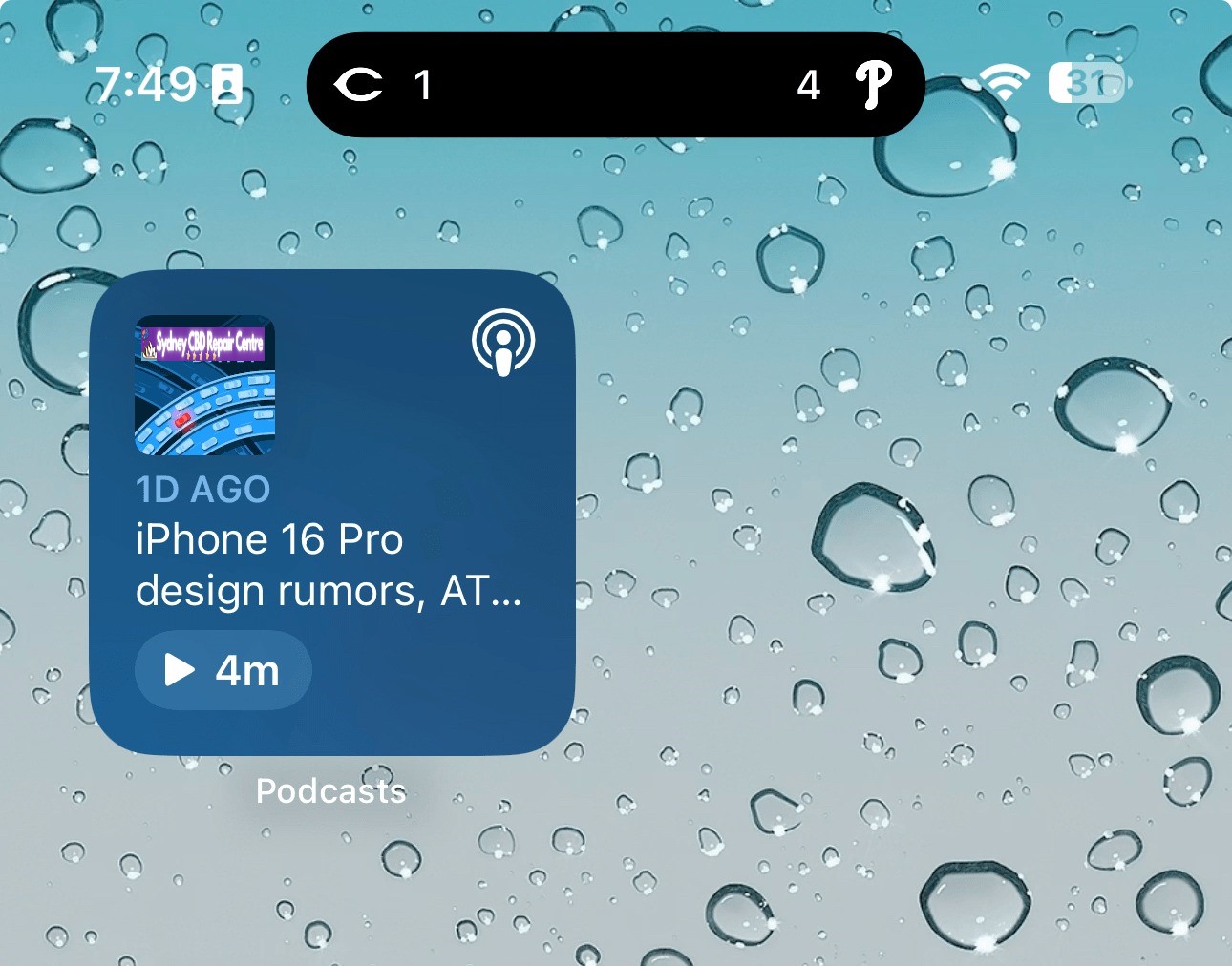
The Podcasts widget has been updated to have a new dynamic color that changes based on the artwork of the podcast you’re currently playing.
In the Apple Books app, Apple has redesigned the “Reading Goal” icon in top navigation bar.
In the Settings app, there is a new glyph for the “Passkeys Access for Web Browsers” menu under “Privacy & Security.”
New Pride wallpaper
iOS 17.5 also includes a new Pride Collection of wallpapers for iPhone and iPad users, as is tradition. The new dynamic wallpapers come as part of Apple’s goal to “champion global movements to protect and advance equality for LGBTQ+ communities.”
As explained by Apple, iOS 17.5 includes a new system centered around anti-stalking capabilities for accessories like AirTags. This development follows Apple’s announcement last year of a partnership with Google to collaborate on a new “industry specification to combat unwanted tracking.”
Strings added to the Find My app reveal that iOS will be able to identify tracking accessories, even those that are not Apple or Find My certified, and assist users in disabling them.
One of the new strings states, “This item lacks certification on the Apple Find My network. You have the option to disable this item and prevent it from sharing its location with the owner. To proceed, follow the instructions provided on a website by the manufacturer of this item.”
These changes come as Google started rolling out its new Find My Device network for Android on April 8.
New ‘Repair State’
Also in iOS 17.5, Apple has added a new “Repair State” feature to Find My. This feature lets users confirm with their Apple ID and password that they’re about to send their iPhone in for a repair. As a result, Apple technicians can confirm that the person owns the iPhone and then proceed with the repair without the need to turn off Stolen Device Protection and Find My.
Essentially, this ensures that users can still track their device using Find My while it’s being repaired. Previous, Apple required users to disabled Find My altogether.
iOS 17.5’s security fixes
Finally, in addition to all the new features and changes, iOS 17.5 also includes 15 notable security patches for iPhone users. Notably, none of the 15 vulnerabilities were reported as previously exploited.
You can find the full list of these changes in our dedicated coverage. Even if none of the new features in iOS 17.5 are tempting for you, we recommend updating as soon as possible for those security fixes.
Apple has dabbled in audio transcription in the past with mixed success. One shining example lately has been Apple Podcasts transcripts; more pessimistically, voicemail transcripts are still subpar. But according to a new report, the upcoming iOS 18 release will unlock a host of new system-wide audio transcription and summary features, all powered by AI.
People familiar with the matter have told us that Apple has been working on AI-powered summarization and greatly enhanced audio transcription for several of its next-gen operating systems. The new features are expected to enable significant improvements in efficiency for users of its staple Notes, Voice Memos, and other apps.
These features appear set to make one of the strongest cases for AI integration into various parts of Apple’s operating systems.
Transcription of audio content, and the ability to receive AI summaries of that content, are two highly practical features that can save users a lot of time.
If everything works well, students will be able to record lectures and quickly, easily revisit key information via a transcript. Recorded business meetings can be summarized as a helpful reminder of what was discussed.
If these things are accomplished with true intelligence, they can provide meaningful improvement to users’ lives. These examples would be a great fit for the iPhone, of course, but I also see them being nice selling points for the AI powers of the M4 iPad Pro.
Verdict
Notes and Voice Memos seem like two perfect apps to integrate these features into, but I’m curious to see where else they land. We love a Shazam-style button in Control Center that listens to your environment and automatically transcribes what it hears—all in the background, with minimal power drain. Perhaps this could even tie into Shortcuts somehow. There are so many possibilities.
We’re just one month away from WWDC, where Apple will unveil all the details about its AI ambitions for iOS 18, iPadOS 18, macOS, and more.
Apple will reveal its AI cards on June 10 at WWDC, and Siri is surely going to be a key component. Generally, people want Siri to get good. You can’t just replace Siri intelligence with generative AI, however, but the two technologies make a powerful combination. What we want to see from an AI-infused Siri is actually simple.
Siri as it exists today is actually good at certain specific things.
We use Siri daily to send messages, make calls, create reminders, add things to my shopping list, play music, control lights, check the weather, check sports scores, start navigation, make voice memos, and much more.
Those are all rock solid. Siri is less reliable at summoning information. When kids ask knowledge questions all the time, and Siri should be the smoothest way to find the answer. We know in our bones that Siri is hit or miss on finding answers.
A simple test for Siri in iOS 18 is if it can eliminate punting to the web for search results as the answer. That’s where large language models excel. LLMs can be like hyper focused search engines that provide answers and not search results.
If Siri can provide more answers and less redirection, We can consider that a solid start.
Some other thoughts on this topic:
Siri is good about sourcing information when it does provide answers.
LLMs, on the other hand, will provide plausible answers that may be inaccurate.
Siri, Amazon Alexa, and Google Assistant competed on feature parity before; now the competition is over how best integrates generative AI.
Humane, the startup behind the Ai Pin hardware, has shown how generative AI should work with a voice assistant.
However, Ai Pin’s limited capabilities around actions shows where Siri + AI can excel.
Separately, the Rabbit R1 bespoke AI hardware has a different approach to actions that looks competitive.
In sum, throwing out Siri and starting over from scratch is not a serious solution. Instead, Siri should maintain its functionality while using generative AI to patch its weak spots.
Last month, Apple announced a new Web Distribution offering for developers in the European Union. On April 16, 2024, the Beta launch of iOS 17.5 beta 2, that feature is now available.
Web Distribution gives developers in the EU the ability to offer their apps for download directly from their website. Here’s how it works.
Web Distribution in the European Union with iOS 17.5
Web Distribution is the third distribution option that developers in the European Union can take advantage of in light of the Digital Markets Act.
To use Web Distribution, developers will have to opt into the new App Store business terms, which means they will pay the Core Technology Fee of €0.50 for each first annual install over one million in the past 12 months.
Any app distributed through the web will still be required to meet Apple’s notarization guidelines. Apps can only be installed from a website domain that the developer has registered in App Store Connect. Apple will also make a number of APIs available for integration with system functionality for developers.
Web Distribution lets authorized developers distribute their iOS apps to users in the European Union (EU) directly from a website owned by the developer. Apple will provide developers access to APIs that facilitate the distribution of their apps from the web, integrate with system functionality, and back up and restore users’ apps, once they meet certain requirements designed to help protect users and platform integrity.
When a user downloads an app from a developer’s website for the first time, they will be prompted with a series of screens explaining what it means to give that developer the ability to install apps from their website.
After authenticating with Face ID to approve giving that developer permission to install apps, the user will then go through a three-step installation process for the app itself. Apple’s Notarization system means that users will see clear information about the app and how it works. This includes things like the app name, developer name, app description, screenshots, and system age rating.
Notably, users only have to give each developer permission to install apps one time.
For example, let’s say Meta ends up supporting the Web Distribution feature in the EU. The first time a user downloads an app from Meta, such as the Facebook app, they will be prompted to give Meta the ability to install apps on their device. Then, going forward, they will only have to approve each app installation itself.
Verdict
The new details provided by Apple give a good look at the actual process of using Web Distribution in the European Union – including how it is balancing security and privacy with convenience.
A viral post on social media last week, boosted by Epic Games CEO Tim Sweeney, claimed that it would take 15 steps to install an app using Web Distribution. With the details provided today, Apple makes it clear that’s not the case.
Congratulations to Apple leadership for designing the worst app installation experience in the history of computing! Because Apple designers are the world’s best, there’s no question that this abomination is a premeditated part of a malicious European DMA compliance strategy. https://t.co/zx4aZicdEA
The first time you install an app from a developer using Web Distribution, it’s essentially an eight-step process to authorize a developer and install the first app. Each subsequent time you install an app from that same developer, it’s a three-step process.
For comparison’s sake, Android uses a one-time permission model when sideloading apps. While Android’s implementation requires fewer taps than Apple’s implementation, Apple provides users with more granular control for each developer. It also offers more details about each app prior to installation.
And, in a funny twist, Apple’s implementation of Web Distribution on iPhone is a significantly easier process than installing and using the Epic Games Store on the Mac.
Apple has officially started beta testing iOS 17.5 with developers and public beta users. The update brings a handful of new features and changes, and is expected to be released sometime next month. Head below for everything we know right now.
When will iOS 17.5 be released?
Based on previous years of iOS updates, I’d expect that iOS 17.5 will be released to everyone sometime in mid-May. Here’s a rundown of previous iOS x.5 update release dates:
iOS 16.5: May 18
iOS 15.5: May 16
iOS 14.5: April 26
iOS 13.5: May 20
What’s new in iOS 17.5?
While iOS 17.5 isn’t quite as big of an update as other iOS 17 updates, it still includes its fair share of new features and updates.
Web Distribution in the EU
Within the European Union, the latest iOS 17.5 update introduces the capability to install applications directly from a developer’s website. Apple unveiled this new “Web Distribution” feature last month, explaining that it allows developers to distribute their iOS apps straight from their own websites.
To utilize this functionality, developers must opt into the updated App Store business terms, which requires paying a Core Technology Fee of €0.50 for every first annual installation exceeding one million in the preceding 12 months.
guidelines. Apps can only be installed from a website domain that the developer has registered in App Store Connect. Apple will also provide a range of APIs for developers to integrate with system functionality.
While the iOS 17.5 beta 1 lays the groundwork for this feature, there are currently no developers offering their apps via this new Web Distribution feature. We don’t anticipate this changing until the public release of iOS 17.5 in May.
Design changes
iOS 17.5 beta 1 also includes a few small design changes that are worth pointing out:
The Podcasts widget has been updated to have a new dynamic color that changes based on the artwork of the podcast you’re currently playing.
In the Apple Books app, Apple has redesigned the “Reading Goal” icon in top navigation bar.
In the Settings app, there is a new glyph for the “Passkeys Access for Web Browsers” menu under “Privacy & Security.”
Find My network updates
Based on code discovered iOS 17.5 seems to incorporate a new system centered around anti-stalking capabilities for accessories like AirTags. This development follows Apple’s announcement last year of a partnership with Google to collaborate on a new “industry specification to combat unwanted tracking.”
Strings added to the Find My app reveal that iOS will be able to identify tracking accessories, even those that are not Apple or Find My certified, and assist users in disabling them.
One of the new strings states, “This item lacks certification on the Apple Find My network. You have the option to disable this item and prevent it from sharing its location with the owner. To proceed, follow the instructions provided on a website by the manufacturer of this item.”
These changes come as Google started rolling out its new Find My Device network for Android on April 8.
iOS 17.5 roundup
iOS 17.5 also includes an update for MDM users: “MDM solutions can now enforce a beta version during automated device enrollment.”
Whether Apple has more changes planned for iOS 17.5 beyond what was launched today remains to be seen. The focus is clearly on the European Union, where Apple continues to adapt to the Digital Markets Act being enforced by the European Commission.
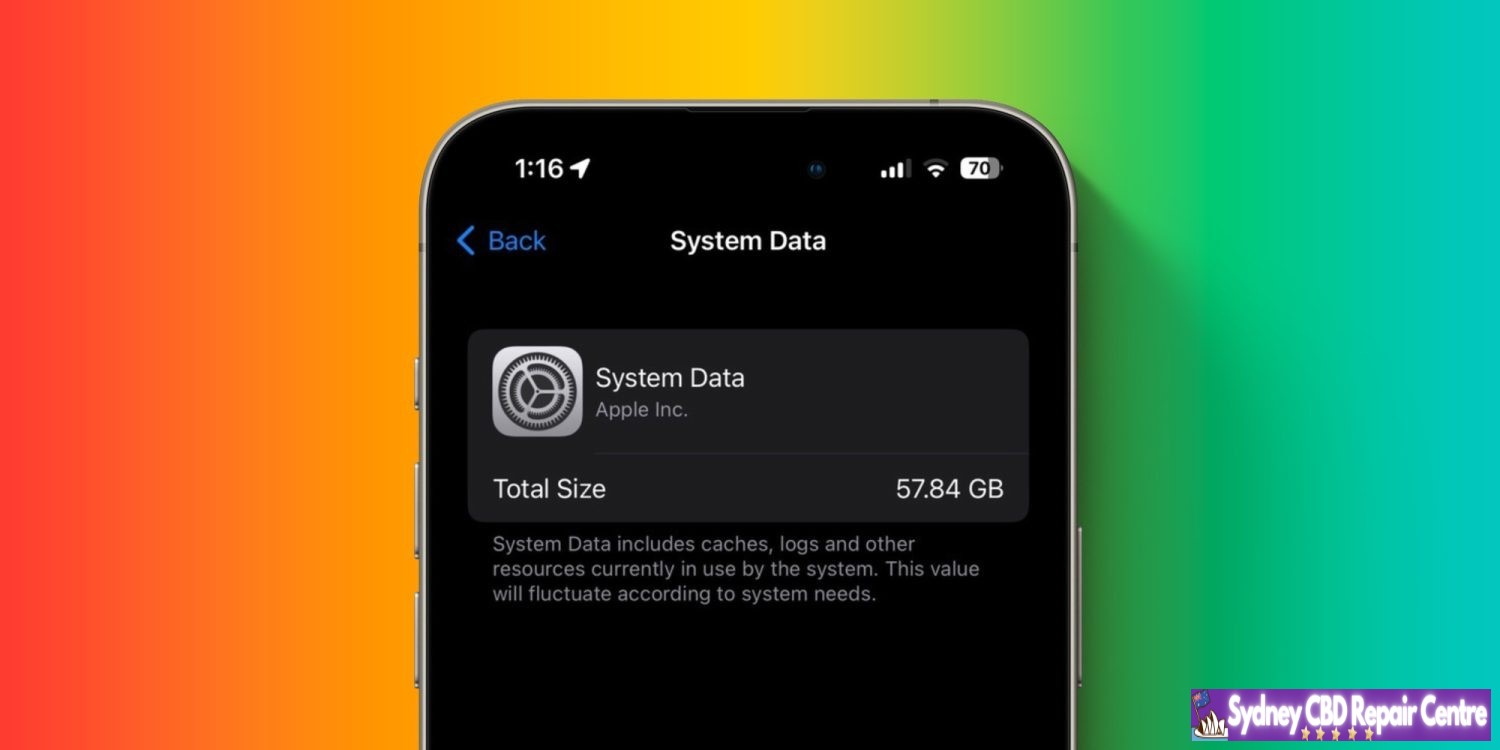
There’s been an iOS bug for years that gobbles up a big percentage of an iPhone’s available storage. The issue persists in iOS 17.4 and 17.5 but fortunately, there are solutions that don’t involve wiping your iPhone. Here’s how to fix the iPhone System Data storage bug.
Across Apple’s Community forums, Reddit, and more, iOS users have complained about the iPhone System Data storage bug for years (some reports date back to iOS 13). I haven’t had trouble with the bug until iOS 17.3-17.5 where I’ve seen up to 60 GB of storage eaten up by iOS System Data.
And it’s not just a reporting bug, the storage used by System Data is unusable. Unlike the cache in individual iOS apps or Apple apps like Safari, there’s no button to quickly empty System Data. Here’s how Apple describes what it’s used for:
System Data includes caches, logs and other resources currently in use by the system. This value will fluctuate according to system needs.
Apple hasn’t offered an official solution to the problem, but there are several ways to resolve the issue. We’ll start from the simplest and quickest option to more involved tactics.
How to fix the iPhone System Data storage bug
You can see how much storage System Data is using on your iPhone by heading to Settings > General > iPhone Storage > Go to the very bottom > System Data
Try powering off and powering on your iPhone
Head back to iPhone Storage > System Data to see if that’s helped
This alone has worked to reduce my System Data by over 50 GB (but sometimes in days or weeks it will inflate again with further restarts helping)
Change iMessage history to keep for 1 year or 30 days instead of Forever
Head to Settings > Messages > Keep Messages > 1 year or 30 Days
Some users report having success with deleting and reinstalling Apple TV to clear the cache and doing the same with apps like Instagram, TikTok, Discord, Slack, etc.
Clear your Safari cache
Settings > Safari > Clear History and Website Data (note: this impacts any sites you were logged into, etc.)
Via Reddit user Vertsix, there is a more complex “date trick” that seems to work reliably to purge iOS System Data – make sure to follow the steps as described to avoid losing iMessages in the process
Above is my before and after power cycling my iPhone – 60.58 GB to 8GB usage for System Data.
Google’s Find My Device (FMD) network was originally supposed to launch in the summer of 2023, but it was delayed until Apple implements unknown tracker alerts. The upcoming iOS 17.5 update is adding that support.
Apple released iOS 17.5 Beta 1 and strings detailing how the iPhone will be able to detect third-party trackers. Once found, iOS will direct users to instructions on how to disable them.
For example: “This item isn’t certified on the Apple Find My network. You can disable this item and stop it from sharing its location with the owner. To do this, follow the instructions provided on a website by the manufacturer of this item.”
As of today’s release, this capability is not yet enabled and there’s no user-facing UI. It might go live with later betas and ultimately be ready when iOS 17.5 hits stable.
Looking at past schedules, iOS 17.5 might launch in May. After that update sees wide adoption, Google’s FMD network will be clear of any obstacles.
Google has been waiting “until Apple has implemented protections for iOS,” so that FMD devices cannot be used to track iPhone owners without warning. This delayed the original summer 2023 launch of the network that will leverage over 1 billion Android to periodically check for nearby devices to crowdsource the location of missing ones. The new Find My Device network can “locate devices that are offline or that don’t have location capabilities.”
Several tracker tags were delayed as a result of Google’s safety stance, while phones and earbuds, like Pixel Buds, have also been prevented from adding these capabilities.
iOS 17.5 to introduce new system to disable unwanted tracking accessories
Apple last year announced a partnership with Google to work on a new “industry specification to address unwanted tracking” after many concerns about stalkers using accessories like AirTags to silently track people. Now it seems that Apple is planning to launch these new anti-stalking features with iOS 17.5.
Detecting and disabling unwanted tracking accessories
As found evidence of these new anti-stalking features in the internal code of iOS 17.5 beta, which was released to developers on Tuesday. Strings added to the Find My app reveal that iOS will identify tracking accessories, even when they’re not Apple or Find My certified, and help users disable them.
“This item isn’t certified on the Apple Find My network. You can disable this item and stop it from sharing its location with the owner. To do this, follow the instructions provided on a website by the manufacturer of this item,” reads one of the new strings.
The feature doesn’t seem to be enabled for beta users for now, but this is strong evidence that it may become available with the official release of iOS 17.5. Companies including Samsung, Tile, Chipolo, Eufy, and Pebblebee have expressed interest in supporting this technology.
At the time, Apple and Google said they would create a new universal system for iOS and Android to detect and alert users about unwanted tracking accessories. Currently, iOS is already able to detect unwanted Bluetooth location-tracking devices, but only when they’re Find My certified. The company also offers an Android app to detect AirTags.
More about iOS 17.5
iOS 17.5 beta 1 doesn’t seem to bring any significant changes, as we’ve only seen a few minor tweaks so far. Apple is likely to release iOS 17.5 to the public next month, as the company is also rumored to launch new iPads and accessories in May.
iOS 17.5 beta 1: Here’s everything new
Apple released iOS 17.5 beta 1 to developers, after a month-long gap with zero beta releases. While iOS 17.5 beta 1 is a relatively minor update, there are a few things worth pointing out. Head below for more.
iOS 17.5 beta details
iOS 17.5 beta 1 features build number 21F5048f. It’s available now to registered developers, who can update via the Settings app by going to “General” and then choosing “Software Update.” We expect iOS 17.4 to be released to public beta testers sometime later this week or next week.
What’s new in iOS 17.5 beta 1?
Web installation
In the European Union, iOS 17.5 enables support for installing apps directly from a developer’s website. Apple announced this new “Web Distribution” feature last month, explaining that it lets developers distribute their iOS apps directly from their website.
To use this feature, developers will have to opt into the new App Store business terms, which means they will pay the Core Technology Fee of €0.50 for each first annual installation over one million in the past 12 months.
Any app distributed through the web will still be required to meet Apple’s notarization guidelines. Apps can only be installed from a website domain that the developer has registered in App Store Connect. Apple will also make a number of APIs available for integration with system functionality for developers.
While iOS 17.5 beta 1 lays the groundwork for this feature, there currently aren’t any developers offering their apps via this new Web Distribution feature. We don’t expect this to change until iOS 17.5 is released to the general public in May.
Design changes
iOS 17.5 beta 1 also includes a few small design changes throughout the operating system.
In the Settings app, there is a new glyph for the “Passkeys Access for Web Browsers” menu under “Privacy & Security.”
The Podcasts widget has been updated to have a new dynamic color that changes based on the artwork of the podcast you’re currently playing.
New unwanted tracking system
According to code found, iOS 17.5 appears to include a new system based around anti-stalking features for accessories like AirTags. This comes after Apple last year announced a partnership with Google to work on a new “industry specification to address unwanted tracking.”
Strings added to the Find My app reveal that iOS will identify tracking accessories, even when they’re not Apple or Find My certified, and help users disable them.
“This item isn’t certified on the Apple Find My network. You can disable this item and stop it from sharing its location with the owner. To do this, follow the instructions provided on a website by the manufacturer of this item,” one of the new strings says.
More
According to Aaron Perris on Twitter, iOS 17.5 also includes an update for MDM users: “MDM solutions can now enforce a beta version during automated device enrollment.”
New in iOS/iPadOS 17.5 and macOS 14.5: MDM solutions can now enforce a beta version during automated device enrollment!
Whether Apple has more changes planned for iOS 17.5 beyond what was launched today remains to be seen. The focus is clearly on the European Union, where Apple continues to adapt to the Digital Markets Act being enforced by the European Commission.
iOS 17.5 will likely be released to the broader public sometime in mid-to-late May. It will be the last iOS 17 update released before Apple unveils iOS 18 at WWDC in June.
A new rumor today reiterates the expectation that iOS 18 will be compatible with all the same devices as iOS 17. For iPadOS 18, however, Apple is planning to drop support for several older generation devices.
iOS 18 device compatibility
Today’s rumor comes after an initial rumor last month offered our first look at iOS 18 device compatibility. At the time, however, we cautioned skepticism because the rumor was posted and quickly deleted, suggesting the source wasn’t confident in their claims.
In what seems to be a more concrete rumor today, shared on social media by a private account with a strong track record, here’s which devices will be compatible with iOS 18:
iPhone 15
iPhone 15 Plus
iPhone 15 Pro
iPhone 15 Pro Max
iPhone 14
iPhone 14 Plus
iPhone 14 Pro
iPhone 14 Pro Max
iPhone 13
iPhone 13 mini
iPhone 13 Pro
iPhone 13 Pro Max
iPhone 12
iPhone 12 mini
iPhone 12 Pro
iPhone 12 Pro Max
iPhone 11
iPhone 11 Pro
iPhone 11 Pro Max
iPhone XS
iPhone XS Max
iPhone XR
iPhone SE (2nd generation)
iPhone SE (3rd generation)
For those keeping track at home, this means that iOS 18 will be compatible with all the same devices as iOS 17.
Other than those changes, iPadOS 18 will be compatible with the same devices as iPadOS 17. This includes the iPad (7th generation), which was first introduced in 2019 and is powered by the A10 Fusion chip.
iPadOS 18 compatibility:
iPad: 2019 and later
iPad mini: 2019 and later
iPad Air: 2019 and later
iPad Pro 2018 and later
This is a bit odd. The iPad Pro (10.5-inch) and iPad Pro (12.9-inch) (2nd generation) are both powered by the A10X Fusion processor, and will reportedly be dropped by iPadOS 18. The iPad (7th generation), meanwhile, is powered by the A10 Fusion and will reportedly support iPadOS 18.