All of the hype around WWDC this year has centred around two letters: AI.
Even though a large portion of Apple’s keynote is expected to highlight AI-related features, there will certainly be a variety of other improvements on deck for iOS 18, visionOS 2, and Apple’s other software platforms.
Mark Gurman reports that one such change will be a redesigned Settings app across the iPhone, iPad, and Mac.
New cross-platform design for Settings app
Last week reported on an expected redesign coming to macOS 15’s System Settings app, but Mark Gurman has confirmed on X that the revision will also impact the Settings app on iPhone and iPad.
A lot of people using macOS 15 and iOS 18 keep mentioning the revamp to Settings. Obviously not a huge deal, but it’s getting a new UI with a reorganized, cleaner layout that’s more simple to navigate. It also has much improved search. There are also updates to Control Center.
Details are scarce, but it sounds like Settings will receive a UI refresh on all platforms, improved search, and perhaps most significantly, a reorganization of its various settings categories.
These updates should ultimately provide a more consistent experience across iOS 18, iPadOS 18, and macOS 15.
Verdict
The biggest change at stake here is how Apple’s Settings app organizes its various categories. On that front, We have a hard time seeing how Apple can create an ideal setup that pleases everyone. We all interact with settings differently based on our different device habits.
As a result, it wouldn’t surprise us if Apple bakes some intelligence into Settings’ layout, offering up certain suggested categories based on your personal use patterns. There’s a lot the system could infer, too, from what you were doing right before opening Settings. For example, if we were using the Music app before opening Settings, there’s a decent chance we want to tweak Music’s settings. Or if we get a pop-up in an app saying Cellular is disabled for that app, surfacing that toggle in the Settings app would be great.
A new rumor today reiterates the expectation that iOS 18 will be compatible with all the same devices as iOS 17. For iPadOS 18, however, Apple is planning to drop support for several older generation devices.
iOS 18 device compatibility
Today’s rumor comes after an initial rumor last month offered our first look at iOS 18 device compatibility. At the time, however, we cautioned skepticism because the rumor was posted and quickly deleted, suggesting the source wasn’t confident in their claims.
In what seems to be a more concrete rumor today, shared on social media by a private account with a strong track record, here’s which devices will be compatible with iOS 18:
iPhone 15
iPhone 15 Plus
iPhone 15 Pro
iPhone 15 Pro Max
iPhone 14
iPhone 14 Plus
iPhone 14 Pro
iPhone 14 Pro Max
iPhone 13
iPhone 13 mini
iPhone 13 Pro
iPhone 13 Pro Max
iPhone 12
iPhone 12 mini
iPhone 12 Pro
iPhone 12 Pro Max
iPhone 11
iPhone 11 Pro
iPhone 11 Pro Max
iPhone XS
iPhone XS Max
iPhone XR
iPhone SE (2nd generation)
iPhone SE (3rd generation)
For those keeping track at home, this means that iOS 18 will be compatible with all the same devices as iOS 17.
Other than those changes, iPadOS 18 will be compatible with the same devices as iPadOS 17. This includes the iPad (7th generation), which was first introduced in 2019 and is powered by the A10 Fusion chip.
iPadOS 18 compatibility:
iPad: 2019 and later
iPad mini: 2019 and later
iPad Air: 2019 and later
iPad Pro 2018 and later
This is a bit odd. The iPad Pro (10.5-inch) and iPad Pro (12.9-inch) (2nd generation) are both powered by the A10X Fusion processor, and will reportedly be dropped by iPadOS 18. The iPad (7th generation), meanwhile, is powered by the A10 Fusion and will reportedly support iPadOS 18.
After launching a big overhaul of the Apple Support app in May and expanding it to Vietnam, Apple has released a small but useful update for the app today that brings more details about nearby locations.
Along with performance improvements and bug fixes, the new feature is store hours, accesssibility details, and specialty services showing up for nearby locations.
Apple Support 5.1 release notes:
Added helpful information about nearby locations, including store hours, accessibility details, and specialty services available
Performance enhancements and bug fixes
This release follows Apple Support 5.0 which launched in May with a new UI, the ability to browse nearby Apple service providers, improvements to managing calls, chats, reservations, and more.
Apple Support app overhauled with new layout, quicker access to nearby providers, more
Apple is rolling out a notable update to the Apple Support app for iPhone and iPad today. The update brings a revamped layout that makes it easier to manage your activity, expands the app to new regions, and more. Head below for the full details.
Apple says that the revamped Apple Support app layout streamlines the process of viewing and managing your support account, including calls, chats, reservations, and more. There’s also a new feature that allows customers to easily browse the providers in their area to find the quickest way to get support and service for their devices.
Today’s update to the Apple Support app also brings the app to Vietnam and adds Vietnamese as a supported language. In total, Apple says the app is now available in 32 languages and 174 regions.
Here is the full changelog:
Browse the providers in your area to see what’s nearby.
New layout makes it easier than ever to view and manage your calls, chats, reservations, and other activity.
Expanded region availability to Vietnam and added Vietnamese as a supported language. The Apple Support app is now available in 32 languages and 174 regions.
Performance enhancements and bug fixes.
The Apple Support app is a useful resource for finding help for any problem you might face with your Apple hardware or your Apple ID. You can download it on the App Store for free. Today’s new update is still rolling out, so you might not see it right away in the App Store on your device.
Apple competitors like Samsung have been trying to push foldable smartphones and tablets for some time. And while this is a niche market, Apple is rumored to have been experimenting with this idea internally. We don’t yet know when, or if, the company will introduce a foldable iPhone or foldable iPad – but read on as we detail what we know so far.
Latest rumors on Apple’s foldable iPhone and iPad
Rumors suggest that the Cupertino-based company is internally developing prototypes of foldable iPhones and iPads, but those devices are far from seeing the light of day. Analysts Ming-Chi Kuo and Ross Young reported that Apple’s first foldable product is expected to be introduced in 2025 “at the earliest.” Details about these devices remain unclear at this point.
This comes as no surprise since Apple has been following a more conservative approach in recent years. Due to the large number of devices the company ships each year, Apple would likely face several supply issues with the launch of a foldable phone at this point, since this technology is still limited and more expensive.
But what would an Apple foldable device look like? People familiar with the matter have been saying that the company has different prototypes inside its campus. One of them looks more like an iPhone that folds – an idea similar to Samsung’s Galaxy Z Flip. Another prototype looks more like an iPad that folds into a phone. Kuo said this year that he believes the foldable tablet will come first.
I’m positive about the foldable iPad in 2024 and expect this new model will boost shipments and improve the product mix. My latest survey indicates that the foldable iPad will feature a carbon fiber kickstand. Carbon fiber material will make the kickstand lighter and more durable.
Last year, Young claimed that Apple was in talks with its suppliers to order 20-inch displays for a foldable laptop. Of course, these are all for experimental prototypes and none of these are product designs that are about to see the light of day. Still, it’s interesting to see that although having a foldable device is not a priority for Apple, the company is not ruling out the idea for the future.
CCS Insight also predicted that Apple’s first foldable device will cost around $2,500, much more expensive than current iPhones. But at the same time, foldable devices from other companies are not cheap either. Samsung’s Galaxy Z Fold 4 starts at $1,799. Google’s new Pixel Fold also comes with a price tag of $1,799.
Are foldable phones worth it?
Some people think foldable devices are nothing more than a gimmick, while others really see the potential in this technology.
Samsung has been doing a great job with its foldable phones, and these devices open up a lot of new possibilities. For some people, it’s all about making large phones fit into a pocket or purse. For others, it’s about new ways to interact with the phone when it’s folded. I had fun taking selfies with my Z Flip without having to hold it or put it on a stand.
At the same time, these devices still look more like prototypes than devices for end users. There’s still the crease where the display bends and they’re still quite fragile. These are things that Apple can change with its own foldable device.
Report rumored: Foldable iPhone pushed to 2025, Apple mulling 20-inch foldable MacBook display
As part of its broader report focused on the growth of foldable smartphone shipments for companies like Samsung, Display Supply Chain Consultants has new details on Apple’s work on a foldable iPhone.
According to DSCC analyst Ross Young, Apple has likely delayed its foldable iPhone until 2025, but it is also investigating the idea of “foldable notebooks.”
First off, based on conversations with supply chain sources, Young says that DSCC has delayed its expectations for a foldable iPhone to 2025. This represents a delay of around two years compared to previously-reported timelines of a foldable iPhone launching in 2023.
We delayed our expectations for Apple entering the foldable smartphone market by two years to 2025 after discussions with our supply chain contacts. The company does not appear to be in a hurry to enter the foldable smartphone market, and it may even take longer than that.
Perhaps more interestingly, DSCC says that Apple is now investigating the idea of a foldable notebook of some sort. The company is reportedly in discussions with suppliers about this category, and while a product is still several years away, its interest is in a 20-inch foldable of some sort.
On the other hand, we are now showing Apple in our roadmap for foldable notebooks. We hear there is interest at the largest size yet, around 20.x”. This size could create a new category for Apple and would result in a true dual use product, a notebook with a full-size keyboard when folded and for use as a monitor when not folded and used with an external keyboard. It may also allow for UHD/4K resolution or even higher at that size. The time frame is likely later than 2025 though, it could be 2026 or 2027.
Even if this product is several years away, DSCC says that this is “good news for the foldable space” in general.
For those unfamiliar, Ross Young is an analyst for Display Supply Chain Consultants. As such, his reporting is usually based on indications from the supply chain similar to analysts such as Ming-Chi Kuo. He’s proven to be extremely reliable over the past year, including being the sole analyst to report that the 2021 MacBook Pros would feature mini-LED displays with ProMotion.
While Android counterparts like Samsung have entered the foldable smartphone industry with full force, Apple has been much more reserved thus far. Samsung has developed its foldable smartphone products in public, with its most recent being the Galaxy Z Flip3. As usual, Apple’s approach has been to develop a foldable iPhone secrecy and release a product only when it’s deemed ready for the public.
Reliable Apple analyst Ming-Chi Kuo has predicted in the past that Apple could sell 20 million units of the first foldable iPhone, whenever it eventually comes to market.
More interesting than the foldable iPhone delay, however, is Young’s claim that Apple is working on a 20-inch foldable MacBook product of some sort. Details here are a bit sparse, but it sounds like an incredibly intriguing product — regardless of whatever form factor it ultimately ships with.
Some find the idea of a foldable MacBook or iPad much more intriguing than a foldable smartphone.
Stage Manager is Apple’s solution for improving (or at least trying to) the iPad’s multitasking system. The feature lets users run apps in windowed mode, but there’s a catch: it only works with the M1 iPad Air and iPad Pro. Apple hasn’t said a word at this point about changing the feature requirements, but we’ve found a way to see how Stage Manager would work on the iPad mini.
How Stage Manager works
First of all, if you haven’t seen Stage Manager in action, it basically brings windows to iPadOS 16. However, there are still some limitations when it comes to resizing and moving apps around the screen. It’s not exactly like what you have on a Mac or Windows PC, but it certainly makes the iPad feel more like a real computer.
Unfortunately, only iPads equipped with the M1 chip support Stage Manager. Apple says it set the M1 chip as a requirement because Stage Manager lets users open up to eight apps simultaneously. Stage Manager also enables full support for an external display up to 6K resolution, and unsurprisingly, Apple claims that other iPads don’t have enough performance for this.
Some users didn’t seem to believe Apple’s statements as some of them are quite controversial. For instance, the company argues that Stage Manager benefits from the fast memory swap that is only available on the M1 chip. However, the 64GB iPad Air 5, which runs Stage Manager, lacks RAM swap.
Stage Manager on the iPad mini
Officially, there’s no way to enable Stage Manager on non-M1 iPads. However, 9to5Mac found a hidden internal mode in the iPadOS 16 code that enables Stage Manager on any iPad running the latest version of the operating system. Since there’s no jailbreak tool available for iPadOS 16, we can’t enable this mode on a real iPad, but we can take a look at it using iOS Simulator – an Apple tool that lets developers test their apps on a Mac.
More interesting than seeing Stage Manager working on the previous generation iPad Pro or iPad Air, I was wondering what the feature looks like on the iPad mini. And this is what I just found out.
Of course, the iPad mini’s display is too small for an advanced multitasking system, but still, Stage Manager can be quite useful for some iPad mini users. I took some screenshots of the iOS Simulator and sent them to my iPad mini so I could get a better idea of Stage Manager’s usability in terms of interface size. Honestly, everything looks good enough for me.
You can open three iPhone-sized apps side by side without compromising usability, which seems perfect for checking multiple social networks while you read something. You can also open a larger window while leaving smaller windows in the background to quickly switch between them, which is great for dragging and dropping items.
Current iPads can already open up to three apps simultaneously with Split View and Slide Over, but the experience is much more limited since you can’t have all three apps side by side.
Will Apple ever change that?
Some users are willing to have a limited version of Stage Manager available for non-M1 iPads, but Apple has never said if it will ever do this.
After seeing Stage Manager working on the iPad mini, I’m convinced that I’d like to have the option to run apps in windowed mode, even with some limitations compared to the M1 iPads. As I once said, having windows is not only about how many apps you can run at the same time, but it’s also about organization.
Stage Manager isn’t exactly perfect, but it certainly improves the iPad’s poor multitasking system – and it’s a shame that Apple wants to keep it for the more expensive iPads.
For now, iPadOS 16 beta remains available exclusively to developers. According to Apple, the first public beta will be released this month, while the official release is expected this fall.
Last week, reliable Apple analyst Ming-Chi Kuo said Apple would support LEO satellite communications with iPhone 13, then, Bloomberg‘s Mark Gurman gave more details about the feature and its implementation.
Now, in his Power On newsletter, the journalist goes a little bit further and says satellite features will be available only in select markets.
“Theemergency features will only work in areas without any cellular coverage and only in select markets. Apple envisions eventually deploying its own array of satellites to beam data to devices, but that plan is likely years away from taking off.”
He also says Apple won’t give the ability for iPhone users to make calls when without cellular coverage.
“Some have asked me if these new features mean that the iPhone can be used as a satellite phone and have the ability to make calls anywhere in the world without cellular coverage. The answer is a big no. That’s not happening now, next year, or anytime in the near future.”
Gurman explains that launching this feature would require hardware that’s not ready yet. Also, it would be “expensive and could cause a revolt from the phone carriers that Apple relies on.”
According to the Bloomberg report from last week, Apple is working on at least two approaches: transmitting short emergency texts and sending SOS distress signals for crises, like plane crashes, or sinking ships, in remote areas.
Apple will apparently integrate emergency satellite messaging into the Messages app, allowing users to contact emergency services and close friends without any cell signal. Bloomberg says emergency messages would appear as gray bubbles, joining the traditional iMessage blue and SMS green. Phone calls may eventually be supported as well.
Connecting to a satellite would require the user to be outside, according to the report. It may take up to one minute to get a signal.
Apple is expected to officially unveil the iPhone 13 at a media event in September. We don’t know yet if Apple will give customers an early sneak peek of the satellite features or not.
Apple Inc. will debut major software updates for the iPhone and iPad at its developers’ conference on June 07,2021 to an audience that has grown increasingly critical of the company’s App Store policies.
The virtual event beginning June 07,2021 will also include software updates for the Mac, Apple Watch and Apple TV as well as tools developers can use to build apps. The company plans to discuss new privacy protections for limiting data collection as well as health-tracking, notifications and messaging features. Executives also will promote significant improvements to iPad software, making the device more capable and appealing to more advanced users.
This year’s conference arrives while Apple is facing criticism from some developers over its App Store policies. The controversy was highlighted by a three-week trial last month of a lawsuit filed by Epic Games Inc., which argued that the iPhone maker’s policies and revenue share of as much as 30% are anticompetitive. Unhappy developers have grown more willing publicly to express discontent, Apple executives have been grilled by U.S. lawmakers and companies such as Microsoft Corp. and Spotify Technology SA have chided Apple.
What to Expect From Apple’s WWDC
The Cupertino, California-based iPhone maker will now try to convince developers that Apple’s platform remains the best place for them to sell software and that it has new features to keep consumers glued to the company’s products. Apple, however, isn’t expected to announce wholesale App Store policy changes next week. The company generated about $22 billion from App Store commission in 2020 alone, according to Sensor Tower estimates.
As part of its continued privacy push, Apple is planning new features to counter overly invasive apps. One major new addition will be a control panel that provides in-depth detail on what data are being collected by each third-party app installed on a user’s device. Earlier this year, Apple rolled out a feature to limit the ability of developers to track users across apps and the web for advertising purposes, irking developers like Facebook Inc.
On the iPhone and iPad software updates, users will now be able to set a status — such as whether you are driving, sleeping, working or don’t want to be disturbed — and have that dictate how incoming notifications are handled. The update will also include a larger focus on auto-replying to messages and a new design for incoming notification banners at the top of the screen.
For the iPad, Apple plans to revamp the home screen and support the placement of widgets — snippets of dynamic information like calendar, weather and stocks — anywhere on the screen. This is a commonly requested feature that will bring the iPad in line with Android rivals. The company also plans an improved multitasking system to make it easier to operate multiple apps at the same time.
The Messages app will receive enhancements on the way toward Apple’s eventual goal to turn it into a more direct competitor to messaging services on social networks like Facebook’s WhatsApp and Messenger, Bloomberg News has previously reported. Apple has also been working on a revamped lock screen for the iPhone and iPad, though some of those changes have been pushed back to a future release and won’t appear this year.
Apple’s planned update to macOS is expected to be somewhat minor after the operating system received an overhaul in 2020, while the Apple Watch is expected to gain some health-tracking and interface improvements. The Apple TV will also get enhanced software after the company released a faster model last month.
WWDC kicks off on Monday June 07,2021 or June 08,2021 3am some part of the world.
Instagram users can already access it from a computer or even iPad through the desktop website, but there’s no option to upload photos, videos, or even stories. However, this is expected to change soon, as the company is now working on an update to its website that will allow users to create posts from there.
As revealed by developer and app analyst Alessandro Paluzzi, the update brings the post creator to the web version of Instagram — which was previously only available on the mobile Instagram website besides the official app.
Paluzzi managed to enable the new option on his profile through undisclosed methods, and he shared some images on Twitter of how Instagram’s post creator will work on the web. The interface has been tweaked with a preview of the content next to the publishing options. Users will also find options to crop the image, apply filters (the same as in the app), and set a description.
While the developer did not mention when this new feature will be available to everyone, this is great news for iPad users. While you can install the Instagram app on the iPad, it just runs as an iPhone app without taking advantage of the entire screen.
Unfortunately, Instagram CEO said last year that an iPad version of the app is not in the company’s plans, but being able to create posts from the desktop website makes things less bad, at least. Posting Stories through the web version, however, should take a bit longer to become a reality.
Apple released iOS 14.5 beta 1 to developers, and as you’ve no doubt heard, it’s quite the update. Headlined by the ability to unlock your iPhone with Apple Watch while wearing a face mask, iOS 14.5 beta 1 brings forth a number of practical improvements and overall enhancements to iPhone. Watch our hands-on commentary as we discuss the top iOS 14.5 beta 1 changes and features.
What’s new in iOS 14.5 beta 1?
Updated Software Update screens
Both the Software Update page in the Settings app and the Watch app have received more informative details regarding updates. Apple now includes a green check mark to indicate that you’re on the latest version of software, along with a message stating that “Your iPhone is up to date with all of the latest bug fixes and security enhancements.” In addition, iOS 14.5 now displays a time stamp that shows the last time you successfully checked for an update.
Unlock with Apple Watch
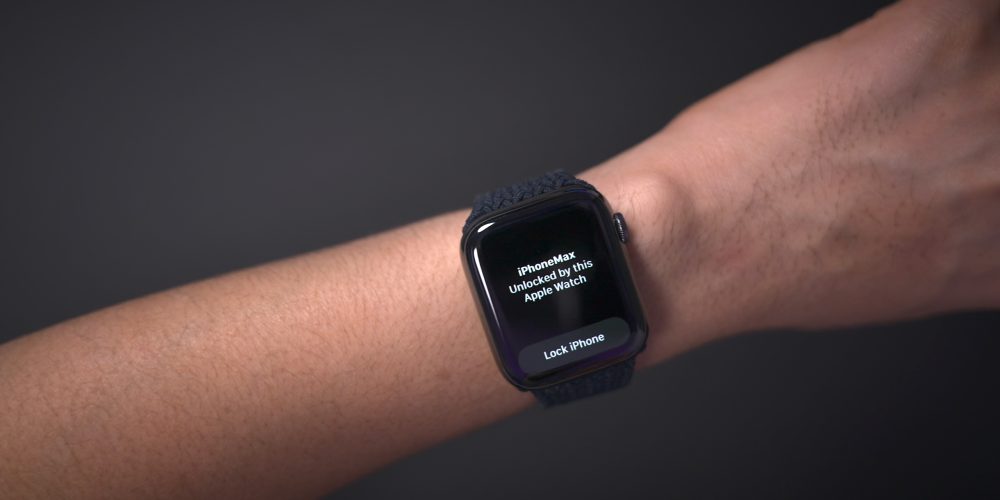
As noted, the biggest feature to come to iOS 14.5 is support for Apple Watch Unlock when Face ID detects a face with a mask. Users must be wearing an unlocked Apple Watch protected by a passcode in order for the feature to work. When attempting to unlock your iPhone using Face ID while wearing a face mask, you’ll feel a vibration on your Apple Watch, along with a notification that your iPhone was unlocked successfully.
Horizontal boot screen iPad
When connected to the Magic Keyboard, iPadOS 14.5 will display the startup Apple logo in horizontal/landscape mode instead of the default portrait orientation. If you restart your iPad when disconnected from the Magic Keyboard, even if you’re holding the device in landscape mode, the startup screen will appear in portrait mode.
As a side note, iPadOS 14.5 now supports emoji search, which iPhone users have been enjoying since iOS 14’s release, but has been inexplicably missing on iPad up until now.
Cellular connectivity updates
One of the biggest changes found in iOS 14.5 is the ability to enable dual SIM functionality while maintaining 5G connectivity. In previous versions of iOS, enabling the iPhone 12’s dual SIM feature would cause cellular connectivity to fall back to standard LTE. With iOS 14.5, users have the option of keeping both connections active simultaneously while still enjoying the benefits of 5G.
In addition to 5G dual SIM support, iOS 14.5 surfaces a new 5G Standalone cellular switch in system settings. Initial 5G implementations piggybacked on existing LTE networks to speed up adoption of 5G, but this method imposes propagation limits based on the LTE limitations. With Standalone (or SA) 5G, the limits of LTE are no longer in play. Keep in mind that your carrier will need to support 5G SA, and Apple warns that enabling SA at this early stage may cause degraded performance.
Apple Music updates
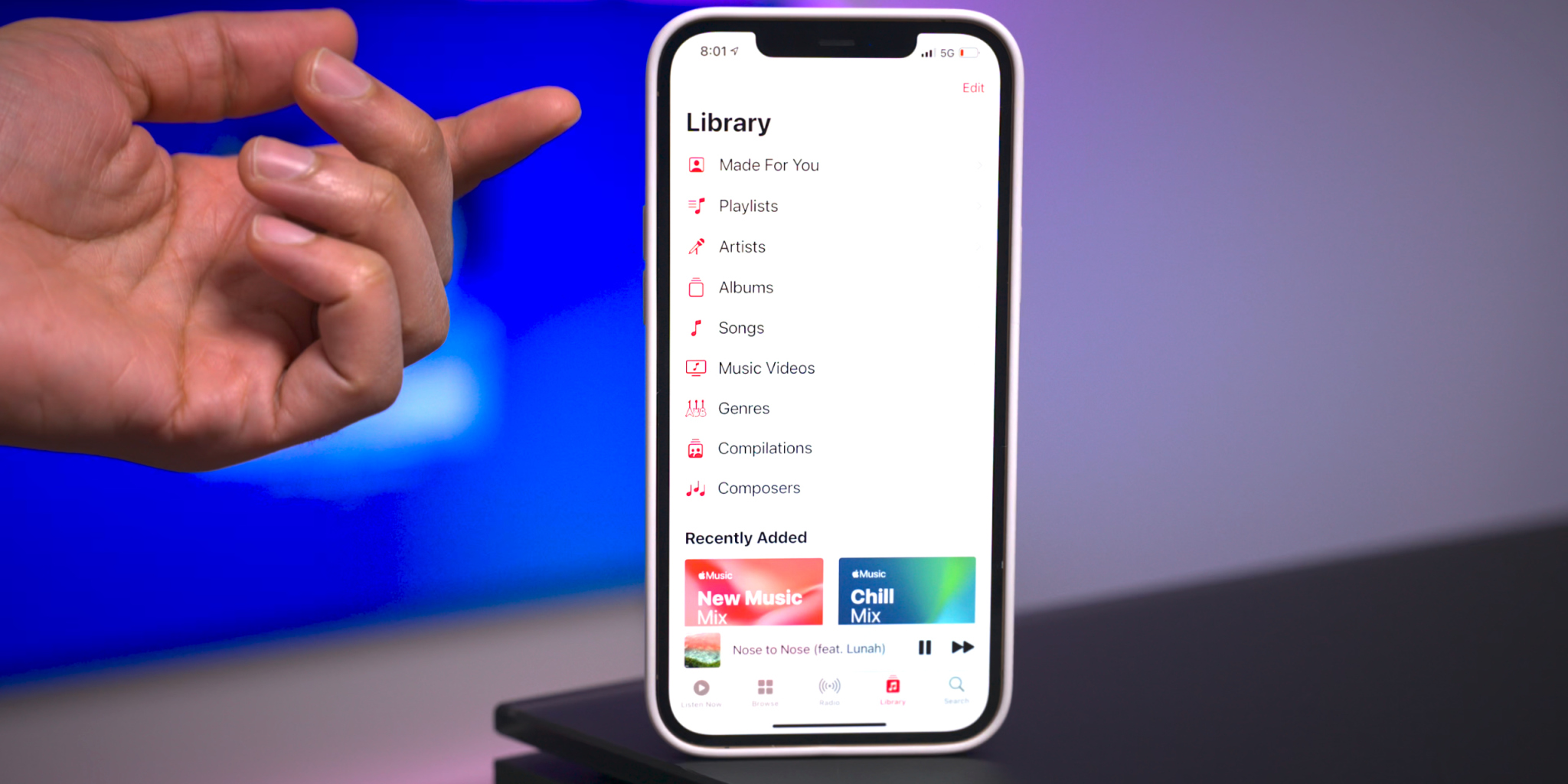
Apple Music gets some noteworthy updates in iOS 14.5, headlined by a new “Made For You” section under the Library tab. Made For You houses all of the algorithmic-curated music suggestions that are normally found within playlists like Favorites Mix, Chill Mix, and New Music Mix within the Listen Now tab.
Another handy feature found in iOS 14.5 is the inclusion of release dates for all music content featured on Apple Music. Prior versions of iOS would showcase release info, but in this latest beta version of iOS, users are treated with the exact release month, day, and year.
Users will also be happy to know that the scrolling metadata view on the Now Playing Lock Screen interface has now returned. This is a big improvement over the truncated metadata view that’s been around in the last few versions.
Reminders app enhancements
It’s crazy that we’ve not been able to sort Reminders based on parameters like modification date or title up until now, but at least we finally receive such features in iOS 14.5. Users can still sort reminder lists manually, but now there are several metadata sorting options, along with ascending and descending preferences.
The ability to directly print a reminders list joins the updated sorting options, allowing users to quickly send a list to a configured AirPrint printer.
Updated Podcast app
The stock Podcasts app gets lots of subtle changes and enhancements alongside a bigger update to the look and feel of the official show page for each podcast. New enhancements include a full-bleed header with color-matched backgrounds and a refreshed Library page with new glyphs.
Apple Fitness+ Workouts AirPlay 2 support
AirPlay 2 compatibility comes to Apple Fitness+ workouts, allowing users to stream workouts directly to an AirPlay 2-compatible set-top box or television. The problem with this method, as opposed to just playing on an Apple TV or iPad, is that you lose on-screen metric support. But that might not be a huge deal since metric details remain readily available on your Apple Watch.
Maps app redesigned guides
Apple has redesigned the Guides feature on the Maps app, which now includes a full-bleed header, redesigned buttons, and beautiful animations when minimizing and maximizing each guide.
PS5 / Xbox Series X controller support
Support for next-generation console controllers, including the Playstation 5 Dual Sense controller and the Xbox Series X controller, is now available in 14.5. Next-gen controller support is a welcome new addition for controller-compatible Apple Arcade games, and for taking advantage of console-centric remote play features.
Dedicated Search tab in News app
Similar to the Search tab in the Music app and TV app, the News app gains a dedicated search interface for quickly finding channels, topics, or stories.
Siri interface updates
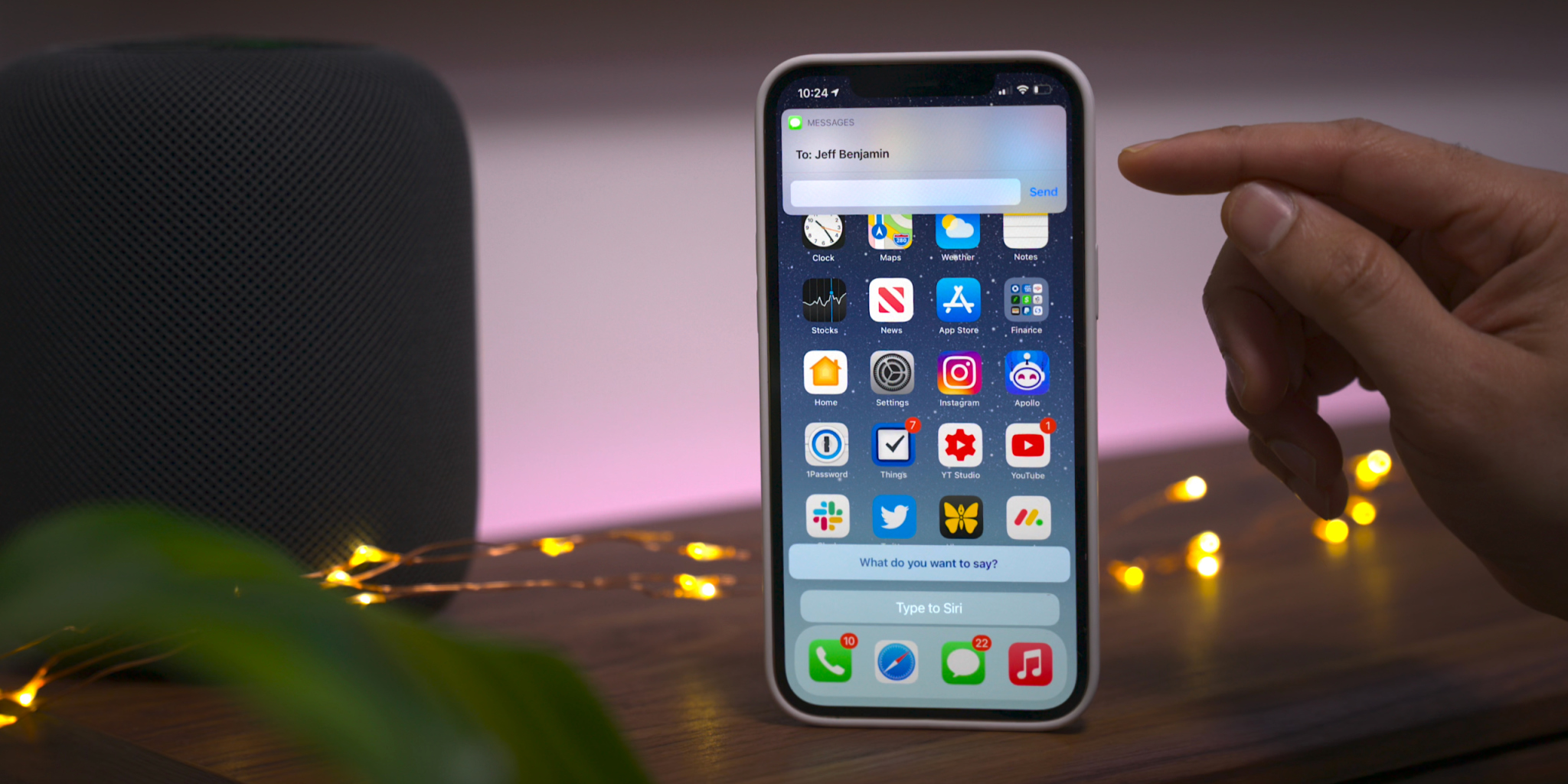
Those using the Type to Siri accessibility option will notice an updated interface that no longer opens to a dedicated Siri screen, allowing the user to maintain context of their current position in iOS. This update is similar to the changes first implemented in iOS 14 when invoking Siri using voice. You’ll also find an updated interface that appears when sending iMessages via Siri.
Apple Card updates
Although these updates are not-yet user facing, we’ve also highlighted a couple of forthcoming changes related to Apple Card:
Apple Card Family feature for multi-user accounts
New financial health features coming to the Wallet app
It’s been two years since we unveiled the list of Apple devices that will receive the next major update. After iOS 13 and then iOS 14, it’s time to talk about iOS 15. On which iPhone, iPod or iPad can we install iOS 15 and iPadOS 15?
If iOS 14 had rolled over the same iPhones and iPads as iOS 13 (like iOS 12 and iOS 11), Apple is expected to remove five models this year, split between smartphones and tablets. Here is a first list of Apple devices that will host iOS 15 beta next June, gleaned once again from our developer friend at Apple and who works in particular on the Plans app. Obviously, needless to say that the iPhone 13 will be delivered directly with iOS 15 and an A15 chip. But for the others, there will be unhappy customers because Apple will have to part with certain models in order to facilitate the deployment of new products and to better unify its fleet.
French publication iPhoneSoft says that the information is coming from within Apple (via Apple Translate):
Here is a first list of apple devices that will host iOS 15 beta next June, once again gleaned from our developer friend at Apple and who notably officiates on the Plans app.
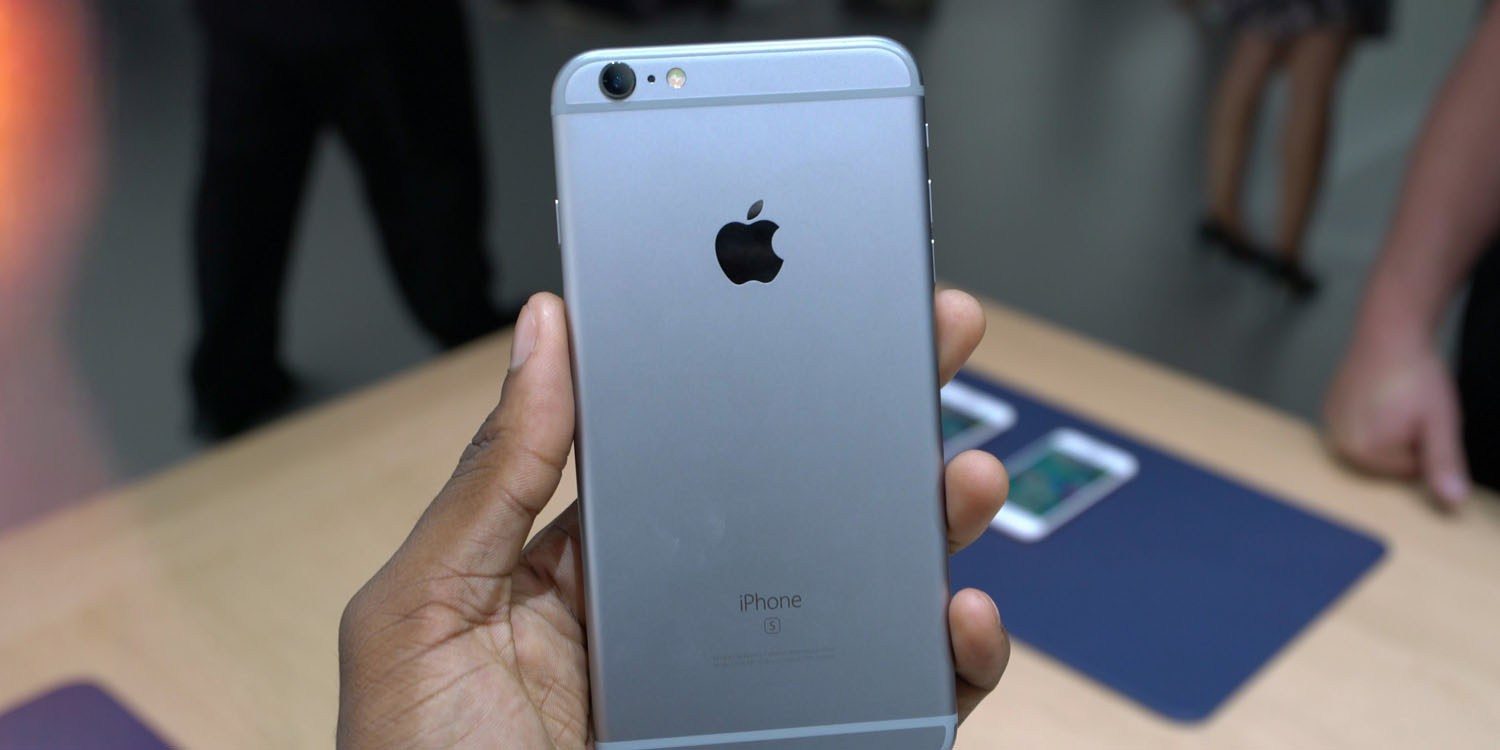
The iPhone 6s and iPhone 6s Plus were originally introduced in September of 2015, followed by the iPhone SE in March of 2016. The devices were incredibly popular and have received over four years of software updates from Apple.
With the iPhone 12 mini and the second-generation iPhone SE, Apple now sells two modern devices that match the form factor of the iPhone 6s design. The second-generation iPhone SE is actually nearly identical to the iPhone 6s in terms of design, but with the modern A13 processor inside. The iPhone 12 mini is physically smaller, but offers a bigger display because of its edge-to-edge design, alongside the A14 processor and an improved camera system.
Not compatible with iOS 15:
iPhone 6s an 6s Plus
iPhone SE 2016
That lines up with the report we saw last November from The Verifier. But going beyond that information, iPhoneSoft says that iOS 15 will also “probably not be available” on:
iPad mini 4
iPad Air 2
iPad 5
Here’s a look at what devices could work with the iOS/iPadOS 15.