Apple is finally bringing the Apple TV app to Android phones and tablets, as reported by Bloomberg. The company is in the process of hiring engineers to help lead the effort and build out the software. Previously, the company has made an app for the Android smart TV platform, but not Android itself.
Until now, the go-to answer for what should Android phone users do if they want to watch Apple TV+ shows, or enjoy MLS Season Pass, was to use the web experience at tv.apple.com. But obviously, a native app is much more compelling and could support features like offline downloads.
The Apple TV app has a lot of functionality, including Apple TV+ originals, other Apple TV channels, the Store to buy and rent movies and shows, and is also the home of Apple’s growing sports offerings like Friday Night Baseball and MLS Season Pass.
Making the TV app available on Android brings it up to parity with Apple’s other major content service, Apple Music. Although Apple Music initially launched on iOS exclusively with iOS 8.4 in 2015, it came to Android later that same year. In contrast, the current incarnation of the TV app debuted in 2019 and — five years on — remains iPhone exclusive so far.
Outside of mobile, Apple has aggressively expanded the availability of the TV app to third-party platforms, motivated by the need to bring more eyeballs to its Apple TV+ streaming service. The TV app is available on Roku, Amazon Fire Stick, PlayStation, Xbox, Xfinity cable boxes and more non-Apple devices. Last year, it even released a native Windows desktop app.
It’s good to hear that the company has finally relented on this matter. It will make it easier for non iPhone users to sign up for and access Apple TV+, for instance. However, it’s unclear how long it will take for the Android version of the TV app to go live. If Apple has only just embarked on its development, it could be a while.
Although it received no special mention at last week’s event, Apple quietly released tvOS 11 yesterday alongside its considerably larger updates to iOS 11 and watchOS 4. While it’s a surprisingly minor update considering the new version number, tvOS 11 does add a few small and interesting improvements that help enhance the Apple TV experience.
Automatic Dark Mode
tvOS 10 introduced a new Dark Mode to the Apple TV — a welcome change in our opinion from the garishly bright white background that heralded the fourth-generation Apple TV UI. We’ve generally been pretty content to use Dark Mode on our Apple TVs all the time, but we can understand some users may want to switch back and forth, using the original Light Mode during the daytime, but switching the more subdued Dark Mode at night, so tvOS 11 now allows for this with a new “Automatic” option.
You’ll be prompted to enable Location Services the first time you switch this on, as tvOS will use your current location to figure out sunrise and sunset times. Once enabled, the Apple TV will switch into Dark Mode at sunset, and back into Light Mode at sunrise.
iCloud Home Screen Sync
It seems that one of Apple’s goals with its new releases this year is to sync even more information via iCloud; iOS 11 users will gain the ability to sync Messages and Siri information between devices using iCloud, and tvOS 11 isn’t left out of the iCloud game either — you’ll be able to store your Home screen layout in iCloud, along with your installed apps, so that this information can be synced across multiple Apple TVs, and restored should you ever have to reset or replace your Apple TV. It was a feature that was kind of conspicuously missing in tvOS 10, so it’s good to see Apple finally addressing it.
The option to enable this can be found in the your iCloud account settings (Settings, Accounts, iCloud) as “One Home Screen,” and is simply an on/off toggle.
AirPlay
The AirPlay Settings now include an additional setting that allows you to decide whether users can stream to your Apple TV via AirPlay from any device within Wi-Fi range, or whether AirPlay devices have to already be joined to the same Wi-Fi network as your Apple TV.
The Security options available will also depend on which Access option you choose: “Same Network” allows you to select “None” as an option, relying simply on your normal Wi-Fi access controls; however if you choose to grant access to “Everyone” then you’ll need to at least require a first-time passcode as the minimum security, to prevent just anybody in the neighbourhood from randomly broadcasting to your Apple TV.
This will make it easier to allow guests and visitors to stream to your Apple TV without having to first join your Wi-Fi network, and we can see this being especially useful in conference room or classroom environments.
Video Playback
The standard video player has received a couple of interesting tweaks. While a single tap on the Siri Remote touchpad brings up the scrubber timeline as before, tapping a second time will now switch to a time-of-day display, showing the current time by the playback position and an estimate of what time the video will finish at the end of the timeline.
You can also now double-tap on the Siri Remote touchpad to zoom in and out when viewing 4:3 or 2.35:1 content, and a triple-tap will toggle subtitles on and off, if available; this could previously be accomplished with an accessibility shortcut, however now it’s built-in and works independently of the accessibility shortcut option, which remains assigned to a triple-click of the Menu button, as before.
Computers
The Computers tvOS app — used for accessing content stored in your local iTunes library — has been something of an anachronism in the Apple TV environment, maintaining a UI that was far more reminiscent of the third-generation Apple TV, with vertical hierarchical menus for navigating content. tvOS 11 finally brings the Computers app into line with the rest of the tvOS experience, adding a top navigation bar for content types such as Music, Movies, TV Shows, Podcasts, and Audiobooks, as well as a new “Search” option. As before, only available content types will be listed here, so if you don’t have any movies in your iTunes library, you won’t see the “Movies” heading.
The Music section basically inherits the style of the Music app redesign from tvOS 10, while the other sections such as Movies and TV Shows now match the style of the TV app and corresponding iTunes apps. Individual movie and TV show items also gain the same type of info screens found in the tvOS iTunes apps.
Music
The tvOS Music app gains the new social features found in iOS 11 and iTunes 12.7, with the ability to search for and follow other Apple Music profiles and see what your friends are listening to.
You can search for other users from the standard search window, and you can access your own profile by swiping up to your profile picture in the “For You” section.
The Music settings (Settings, Apps, Music) gain the additional “Use Listening History” setting, similar to the option found in iTunes 12.7, to allow you to choose whether the music you listen to on your Apple TV will be visible to your followers on Apple Music and influence your “For You” recommendations. If multiple family members listen to your Apple TV music library, you’ll probably want to turn this option off unless each family member normally switches to their own Apple ID before listening.
If you don’t want to use any of the Apple Music sharing services on your Apple TV, the Restrictions settings include a new option to hide music profiles and posts entirely.
TV App
Apple has expanded its TV App internationally with the release of tvOS 11, with Canada and Australia gaining access to the new app this week (albeit with a limited number of content providers thus far), and France, Germany, Norway, Sweden and the UK expected to get the TV app later this year. Beyond the wider availability, the app itself doesn’t appear to have gained any significant enhancements, however.
Apple has released watchOS 4 and tvOS 11 to users with Apple Watch and Apple TV. The new watchOS 4 and tvOS 11 software updates bring a variety of changes and updates to the Apple Watch and Apple TV experience.
watchOS 4 for Apple Watch includes a new Siri watch face, improved activity tracking, a new Music app, and other adjustments and new features.
tvOS 11 includes home screen adjustments for multiple Apple TV devices, the ability to control Apple TV via an iOS device Control Center, new language support, as well as a variety other new features and changes.
watchOS 4 is compatible with all Apple Watch devices, where as tvOS 11 is compatible with the latest Apple TV hardware.
The software updates can be installed via the respective Settings applications on tvOS or the accompanying Apple Watch settings app on a paired iPhone.
Updating to watchOS 4 on Apple Watch
For watchOS 4, open the Apple Watch app on the paired iPhone and then go to the Software Update section to install the latest version available.
Compatible Apple TV hardware can find the tvOS 11 update available in the Settings app Software Update section. Users can also update via iTunes and a computer if desired.
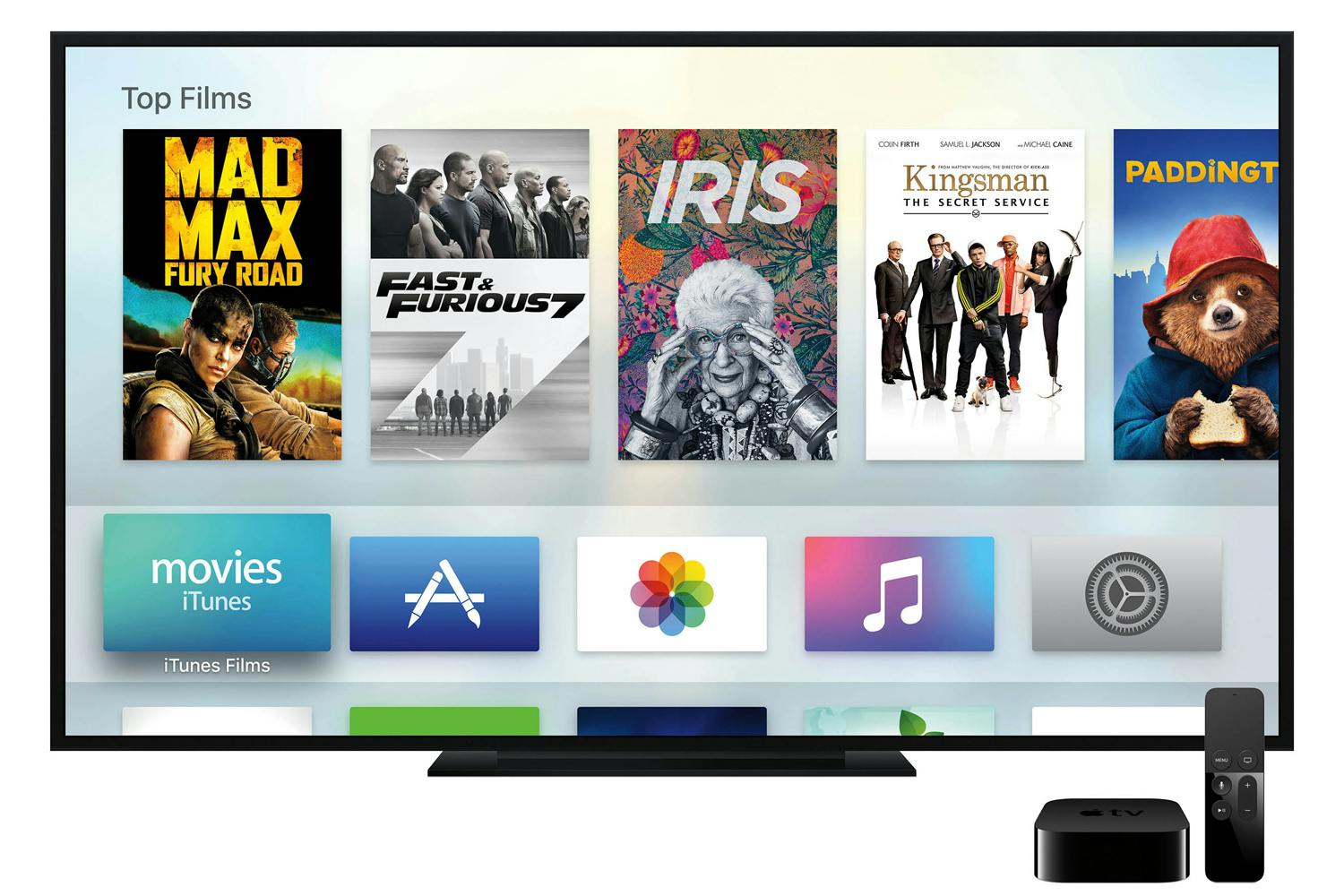
Apple TV 4K delivers a stunning cinematic experience at home, along with an incredible selection of 4K HDR content on iTunes, Netflix and more.
Cupertino, California — Apple today introduced the new Apple TV 4K designed to deliver a stunning cinematic experience at home. With support for both 4K and High Dynamic Range (HDR), Apple TV 4K features unbelievably sharp, crisp images, richer, more true-to-life colors, and far greater detail in both dark and bright scenes. With Apple TV 4K, viewers can enjoy a growing selection of 4K HDR movies on iTunes. iTunes users will get automatic upgrades of HD titles in their existing iTunes library to 4K HDR versions when they become available. Apple TV 4K will also offer 4K HDR content from popular video services, including Netflix and Amazon Prime Video, coming soon.
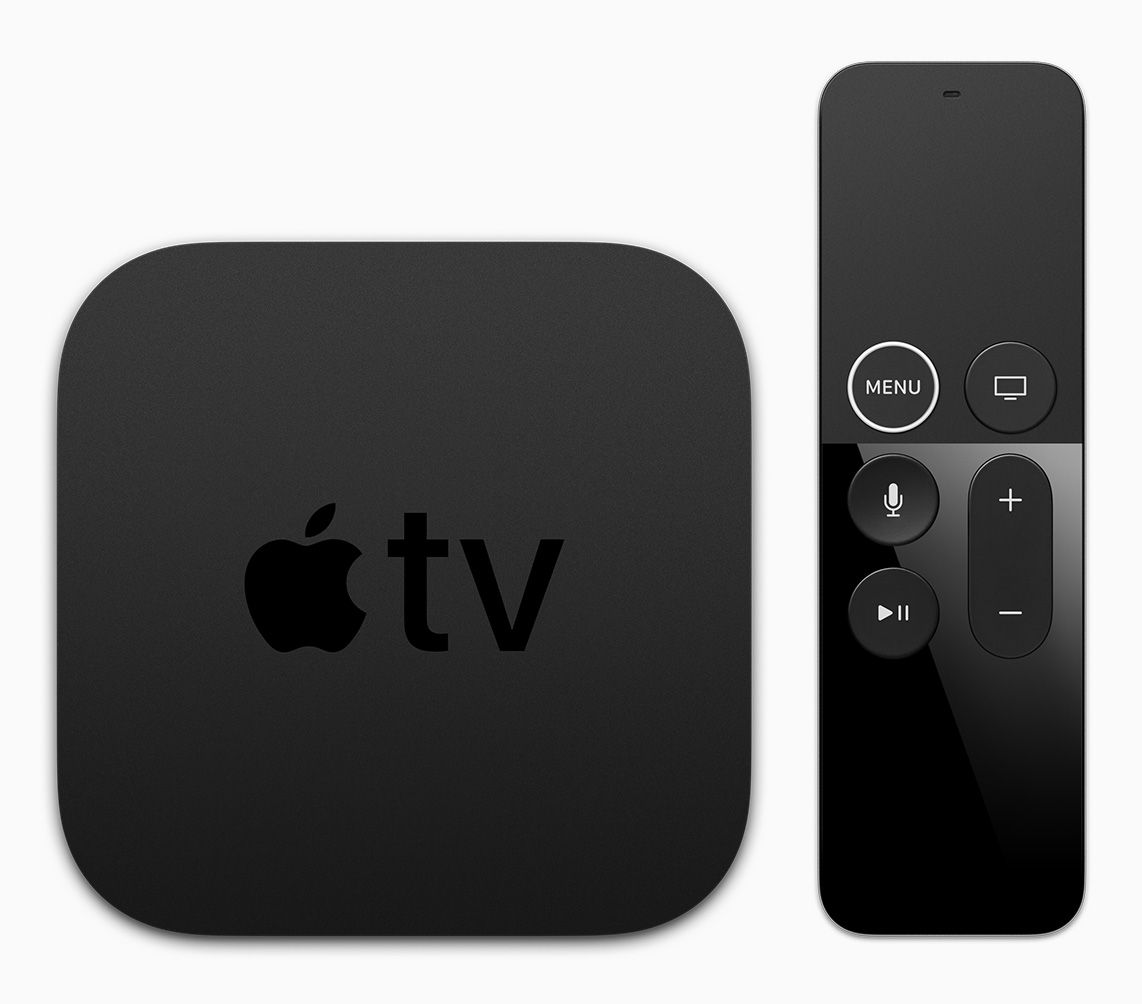
With the introduction of Apple TV 4K, the Siri Remote gets a subtle redesign with a new white circle around the “menu” button.
“Bring the magic of the cinema straight to your living room with the new Apple TV 4K,” said Eddy Cue, Apple’s senior vice president of Internet Software and Services. “Customers will love watching stunning 4K HDR movies from an impressive catalog on iTunes, while also getting automatic upgrades of 4K HDR movies already in their iTunes library and enjoying 4K content on services like Netflix and Amazon Prime Video, coming soon.”
4K and HDR
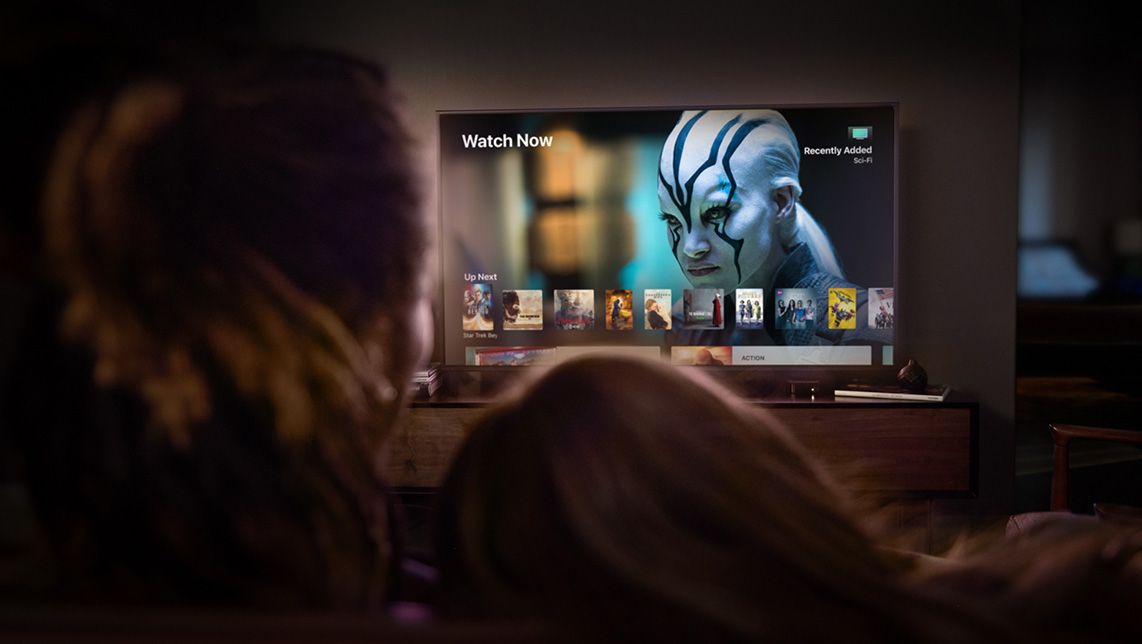
The combination of 4K HDR on Apple TV 4K lets viewers enjoy unbelievably sharp, crisp images, richer, more true-to-life colors and far greater detail in both dark and bright scenes (image for simulation and dramatic effect only).
Built on the groundbreaking A10X Fusion chip — the same chip that powers iPad Pro — the new Apple TV 4Kdelivers a vivid 4K HDR experience.
Support for both Dolby Vision and HDR10 ensures users can enjoy incredible-looking TV shows and movies on any HDR TV.
Built-in high-performance 4K video scaler makes HD content look better than ever on a 4K TV.
Always outputting to the highest resolution possible allows viewers to get the most out of their TV, whether it’s an older HDTV or the latest 4K Dolby Vision OLED.
Automatic detection of a 4K TV’s capabilities optimizes setup for the best quality picture.
Siri and the Apple TV App
The TV app will expand to seven countries by the end of the year, making it easier for viewers to discover and watch TV shows and movies from multiple apps in one place.
Siri and the Apple TV app are easy ways to find and play exactly what you want. The TV app brings all your favorite shows and movies together, and Siri makes it possible to search and access content across Apple TV using just your voice.
The TV app supports over 60 services on Apple TV and iOS devices, with more being added all the time. Whether you’re at home or on the go, it’s easy to discover and watch TV shows and movies from multiple apps in one place.
Siri is smart about 4K HDR, so it’s unbelievably simple to find movies and TV shows in the highest picture quality across your apps (e.g., “Show me movies in 4K”).
Later this year, the TV app is making it easier than ever to watch and get updates about live sports just by saying “Watch the Warriors game” or “What’s the score of the Cubs game?”
Sports fans in the US will be able to track their favorite teams and get on-screen notifications whenever they are playing, as well as see all the teams, leagues and sporting events currently playing through a dedicated Sports tab.2
Starting this month, the TV app will be available in Australia and Canada, in addition to the US. And, by the end of the year, it will expand to France, Germany, Norway, Sweden and the UK.
Apple TV at Home
Apple TV 4K is the perfect big screen companion to iPhone and iPad, bringing family and friends together for an incredible viewing experience.
Apple TV is the perfect addition to any household, with great apps from the App Store on Apple TV, as well as photos, videos, music and more. If you already own an iPhone or iPad, there’s no better choice in the living room than Apple TV.
Users can share recent photos and videos from your iPhone and iPad, including the best Memories, with friends and family on the biggest screen, with iCloud on Apple TV.
It’s also simple to send movies, TV shows, home videos and photos from iPhone or iPad instantly to the TV using AirPlay from your iOS devices.
With support for AirPlay 2, coming later this year, Apple TV can control multiple AirPlay 2-compatible speakers as well as your home theater speakers to create the ultimate home music experience.
Apple TV goes beyond entertainment to help deliver on Apple’s vision of the smart home. Since Apple TV is always at home, it’s perfectly suited to act as a home hub for all of your HomeKit accessories, enabling remote access as well as automated control (e.g., automatically turning on the lights at sunset).
Pricing and Availability
Apple TV 4K starts at $179 (US) for 32GB or $199 (US) for 64GB, joining Apple TV (4th generation) 32GB at $149 (US), available from apple.com and Apple Stores, as well as through select Apple Authorized Resellers and carriers (prices may vary). Customers will be able to order both Apple TV 4K models beginning Friday, September 15, with availability beginning Friday, September 22. For more information, visit apple.com/tv.
Apple revolutionized personal technology with the introduction of the Macintosh in 1984. Today, Apple leads the world in innovation with iPhone, iPad, Mac, Apple Watch and Apple TV. Apple’s four software platforms — iOS, macOS, watchOS and tvOS — provide seamless experiences across all Apple devices and empower people with breakthrough services including the App Store, Apple Music, Apple Pay and iCloud. Apple’s more than 100,000 employees are dedicated to making the best products on earth, and to leaving the world better than we found it.
1 Subscription may be required to access some content. Not all content is available in 4K HDR. 4K resolution requires 4K capable TV. Playback quality will depend on hardware and Internet connection. 2 Live sports are subject to blackout.
Thank you for using
Themify Popup
This is a sample pop up. Themify Builder or Builder Lite (free) plugin is recommended to design the pop up layouts.






 Apple TV 4K delivers a stunning cinematic experience at home, along with an incredible selection of 4K HDR content on iTunes, Netflix and more.