On Thursday, Applereleased iOS 16.5 to the public with new wallpaper choices, updates to Apple News, and more. As it turns out, this update also breaks compatibility with Apple’s Lightning to USB 3 Camera Adapter accessory for iPhone and iPad users.
This dongle connects to an iPhone or iPad via Lightning and has a built-in USB-A port that you can use to connect a myriad of accessories to your iPhone or iPad. There’s also a built-in Lightning port for charging the iPhone or iPad. According to users who rely on this accessory, however, iOS 16.5 breaks compatibility with both of those ports.
In posts on Apple’s Support forums, Reddit, and the MacRumors forums, users say that the Lightning and USB-A ports on this accessory are rendered useless after updating to iOS 16.5. The Lightning port does not passthrough power to charge the iPhone and iPad. Connecting an accessory to the adapter via USB-A results in an error message that says the adapter requires too much power to operate.
While Apple bills this as a “camera adapter accessory,” iPhone and iPad users actually rely on it for connecting a range of USB-A products to their devices. This includes things like Ethernet adapters, digital audio converters, and more.
One affected user explains:
iPhone 13 Pro Max here hitting same issue. I’ve been using the official Apple Lightning to USB 3 Camera Adapter for months to send lossless Apple Music to my DAC, and it’s worked flawlessly and charged my phone at the same time. As soon as I updated to iOS 16.5 this morning, the adapter not only doesn’t communicate to the DAC at all, it doesn’t even charge my phone. When I test plugging in an iPad on a previous OS version, it communicates and charges just fine.
This has to be an issue with iOS 16.5, and I hope it’s resolved quickly – very bad look for an official Apple accessory to be rendered inoperable by a step update of iOS.
Apple support has been unable to help the affected customers. The problem is likely software-related, given that it was tied to the release of iOS 16.5. This means Apple will likely have to release iOS 16.5.1 at some point in the near future to fix compatibility with the Lightning to USB 3 Camera Adapter accessory.
Following the release of the first iOS 16.5 beta to developers on Tuesday, Apple is now rolling out iOS 16.5 beta 1 to users registered in the Apple Beta Software Program. The update comes with some minor improvements, including new Siri commands.
iOS 16.5 beta 1
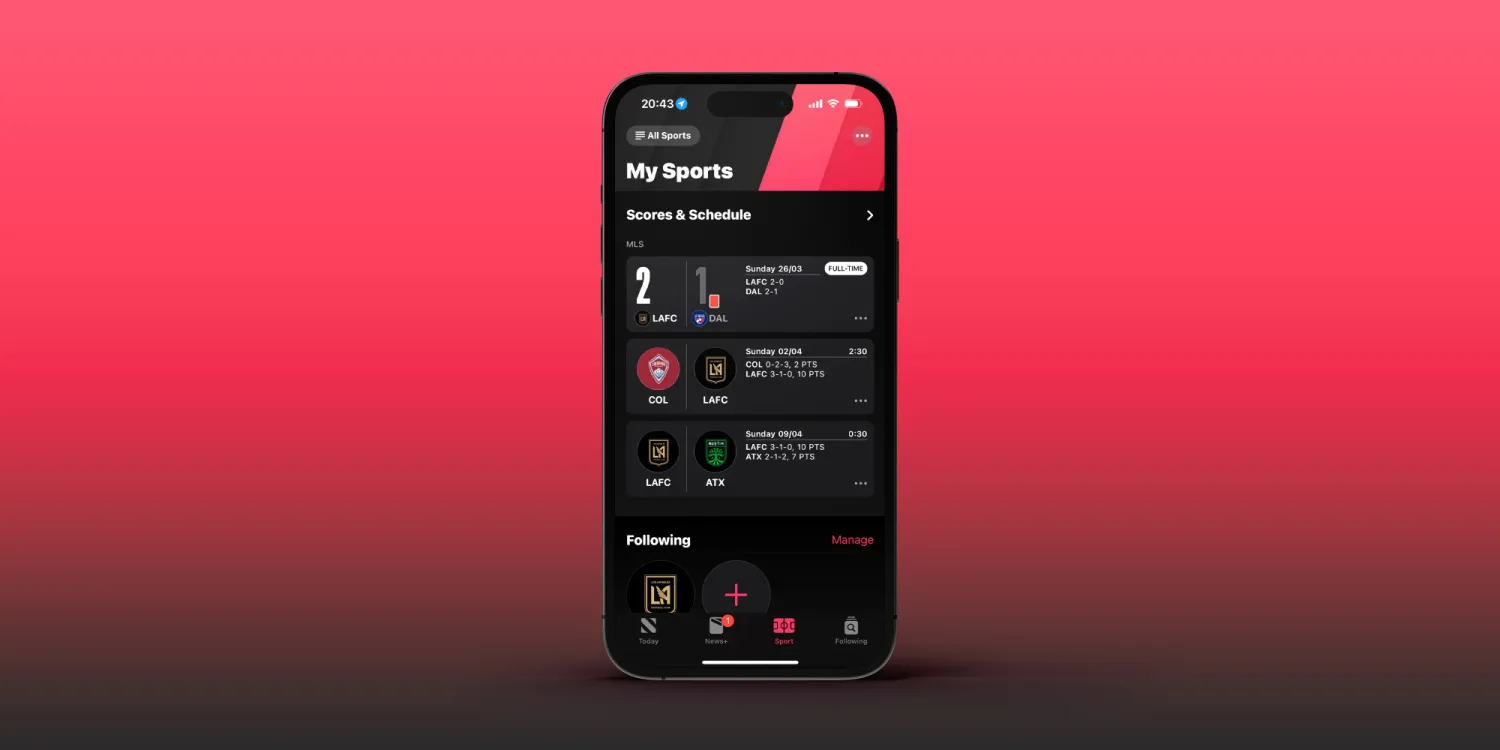
Right now, iOS 16.5 seems more like a minor update focused on fixing bugs and improving the overall stability of the operating system. There are new Siri commands to start or stop a screen recording. Apple is also adding a dedicated Sports tab to the Apple News app with iOS 16.5.
Moreover, code found in iOS 16.5 shows that Apple has been working on a new quad-box Picture-in-Picture mode for streaming sports in the Apple TV app.
Beta testers can install iOS 16.5 by going to the Settings app, choosing General, then choosing Software Update. It’s unclear when Apple plans to make iOS 16.5 available to the public. Today’s build number is 20F5028e.
More updates available
In addition to iOS 16.5 public beta 1, Apple is also rolling out the following updates to users registered in the Apple Beta Software Program:
iPadOS 16.5 beta 1 (20F5028e)
watchOS 9.5 beta 1 (20T5527c)
tvOS 16.5 beta 1 (20L5527d)
macOS Ventura 13.4 beta 1
new iPhone and iPad software features coming this year, according to Apple
While iOS 17 speculation is already in full swing, there is still a few software features that Apple has announced, but not yet released for iPhone and iPad users. Head below as we round up all of the previously announced features still coming for iPhone and iPad…
Apple Card Savings Account
Continuing with the focus on financial services, Apple has also announced it will integrate a high-yield savings account directly into the Wallet application for Apple Card users. This feature was announced in October, with Apple saying it would be available sometime “soon.” Given that Apple Card is only available in the United States, the new savings account will also be limited to the US.
Apple Card Savings Account will allow you to automatically deposit your Daily Cash rewards into the account. It will fully integrate with the Apple Wallet applications, allowing you to track the balance and growth of the account over time and even make additional deposits via a linked bank account.
Apple Card Savings Account will be operated in partnership with Goldman Sachs, which is also Apple’s partner for the Apple Card itself. There’s no word on what exact percentage rate the account will pay out in interest, but Goldman’s existing online savings account offers an annual percentage yield of 3.30%.
Next-generation CarPlay
At WWDC, Apple unveiled what it described as the “next generation of CarPlay.” This is a feature, however, that even Apple acknowledged would not be available for quite a while, despite the initial announcement at WWDC 2022.
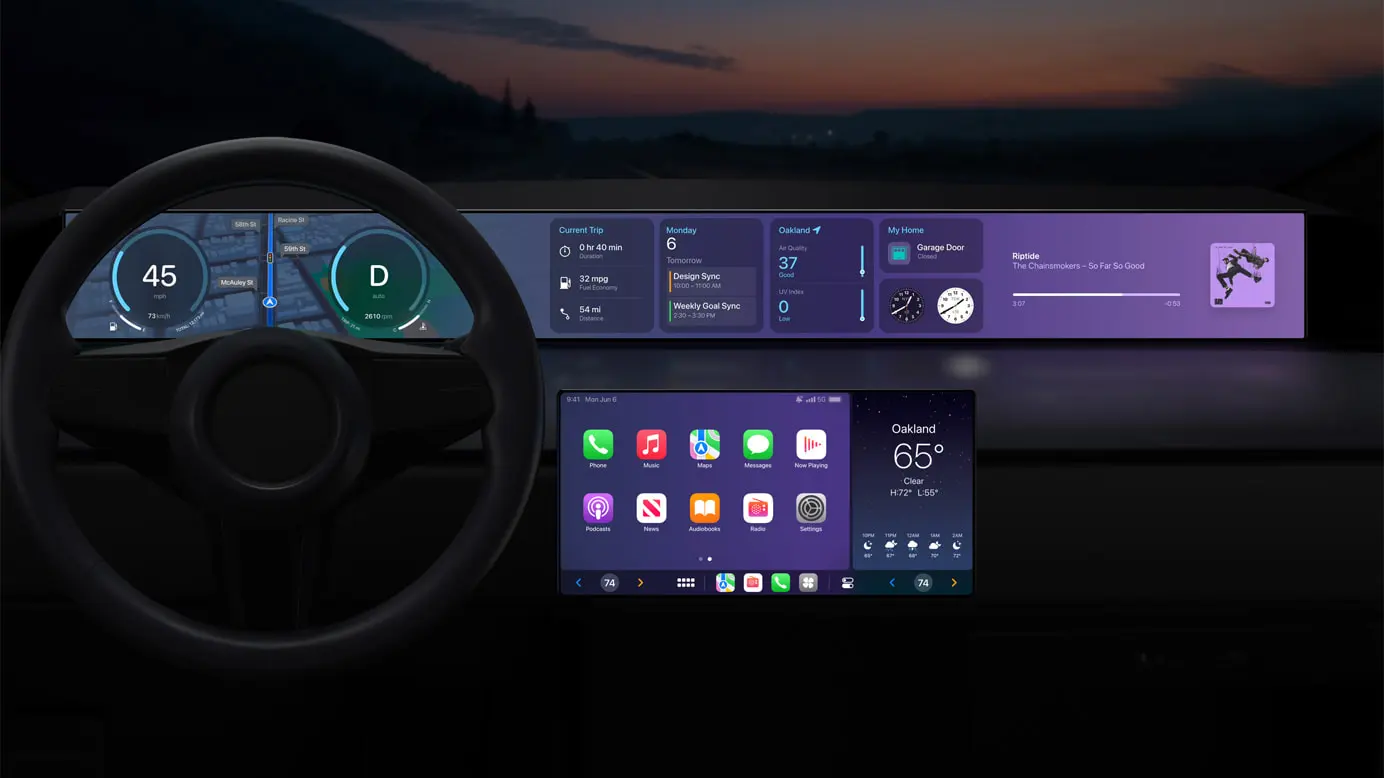
The new CarPlay interface is a dramatic overhaul compared to what is currently offered. It will offer support for multiple screens within your car and be able to deeply integrate with your car’s hardware. Essentially, this new CarPlay design can completely replace the manufacturer’s own digital interfaces:
Speed, fuel level, temperature, and more on the instrument cluster
Control the radio or change the climate directly through CarPlay
Personalize the driving experience by choosing different gauge cluster designs
With widgets, users will have at-a-glance information from Weather and Music right on their car’s dashboard
This is a big undertaking by Apple, and it will require close cooperation with automakers looking to adopt the new CarPlay interface. Apple says that more information will be “shared in the future” and that we can expect the first vehicles with support for the new CarPlay design sometime late this year.
iMessage Contact Key Verification
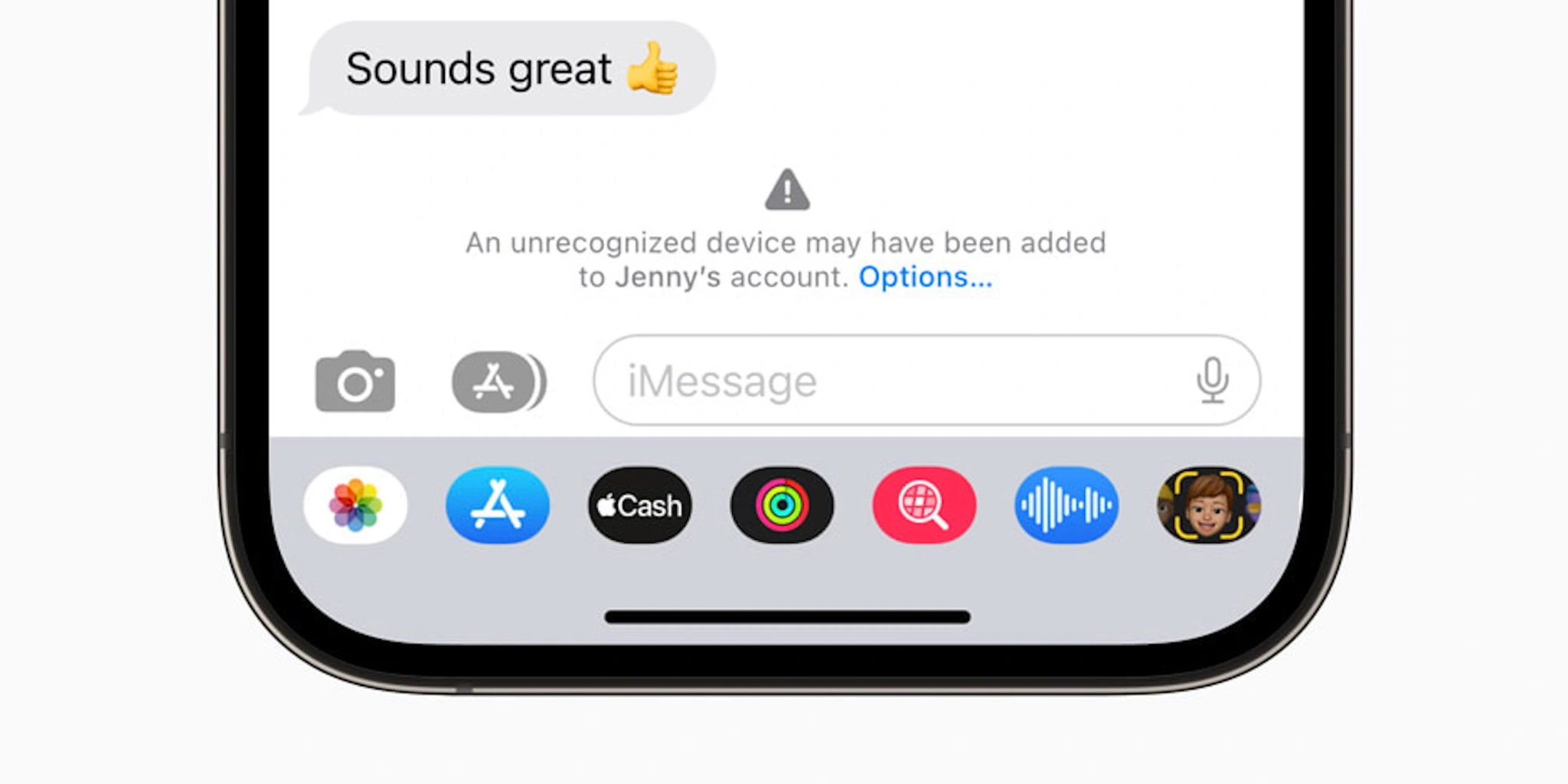
Finally, there’s one security and privacy-focused feature that Apple has already announced is coming sometime this year. iMessage Contact Key Verification is designed for “users who face extraordinary digital threats,” including journalists, human rights activists, and members of government.
The feature works by giving those users a way to further verify that they are messaging with the people they intend. Apple explains:
The vast majority of users will never be targeted by highly sophisticated cyberattacks, but the feature provides an important additional layer of security for those who might be. Conversations between users who have enabled iMessage Contact Key Verification receive automatic alerts if an exceptionally advanced adversary, such as a state-sponsored attacker, were ever to succeed breaching cloud servers and inserting their own device to eavesdrop on these encrypted communications. And for even higher security, iMessage Contact Key Verification users can compare a Contact Verification Code in person, on FaceTime, or through another secure call.
iMessage Contact Key Verification will be available “globally” sometime in 2023, Apple says.
Apple Pay Later [Now available]
Update March 29, 2023: Apple Pay Later has officially started rolling out to users, but it won’t be available to all users for several months, Apple says.
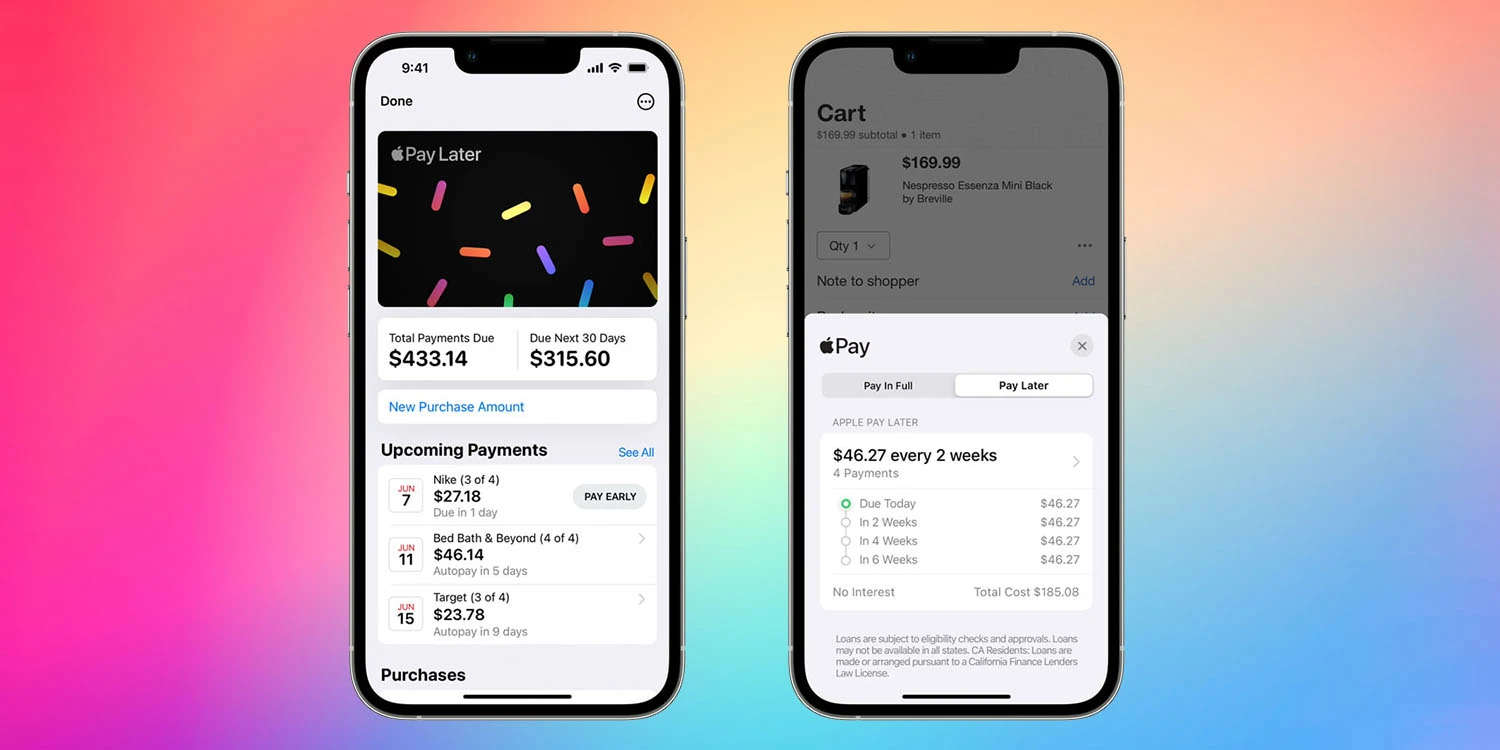
Apple is ramping up its initiatives in the personal finance sector, and one of its most anticipated new features in this category is something called Apple Pay Later. Announced at WWDC 2022, Apple Pay Later will allow you to split Apple Pay purchases into four equal payments with zero percent interest, spread across six weeks.
The Apple Pay Later feature is similar to competitors like Affirm and Klarna, two of the companies leading a modern wave of “buy now, pay later” platforms. Apple, however, touts that its platform will be “seamless and secure,” with integration into the Apple Wallet application and zero fees.
When Apple Pay Later was announced at WWDC 2022, there was no clear timeline for when it would be available to customers. The feature was not included in the initial release of iOS 16 and hasn’t been added with any of the subsequent software updates. Bloombergreported that the feature faced “fairly significant technical and engineering challenges.”
Once it launches, Apple Pay Later will be “available everywhere Apple Pay is accepted online or in-app” to “qualifying applicants in the United States.”
Apple Music Classical [Now available]
Update March 29, 2023: Apple Music Classical is now available to all Apple Music users.
Ah, yes, Apple Music Classical. This isn’t necessarily a feature specific to iOS 16, but it’s something that Apple said would be available in 2022… and wasn’t. Apple acquired the classical music service Primephonic in 2021, immediately removing the app from the App Store and integrating the content into its own Music app.
Apple also promised, however, that it would release a “dedicated classical music app” sometime in 2022, “combining Primephonic’s classical user interface with more added features.” This didn’t come to fruition in 2022, and Apple is silent on when the app will launch.
At this point, we’re starting to question whether Apple Music Classical has been scrapped (or significantly scaled back in scope), given Apple’s silence on the matter. The good news is that references to the service have been spotted in iOS code. Hopefully, we’ll get an update soon.
Web push notifications [Now available]
Update March 29, 2023: More advanced web apps are now available as of iOS 16.4, which can be installed via the Settings app on your iPhone.
Here’s something that has largely flown under the radar since it was officially announced: support for web push notifications for Safari on iOS and iPadOS. This was announced at WWDC last year, with Apple saying that Safari on iPad and iPhone would support push notifications from websites for the first time.
Support for web notifications in Safari has been available on the Mac for several years but has remained notably absent on iPhone and iPhone. What jogged our memory on this feature was a post on Mastodon from Jen Simmons, who works as an Apple Evangelist on the company’s Web Developer Experience team.
In the post, Simmons asked users to share their “favorite web apps” that they’ve added to the Home Screen of their iPhone. This could signal Apple’s continued work on web push notifications for iPhone and iPad, as well as maybe some other improvements to how progressive web apps work on Apple’s platforms.
Apple says that support for web notifications on iPhone and iPadOS will be available sometime in 2023. The feature hasn’t yet materialized in betas of iOS 16.
New Home architecture [Now available]
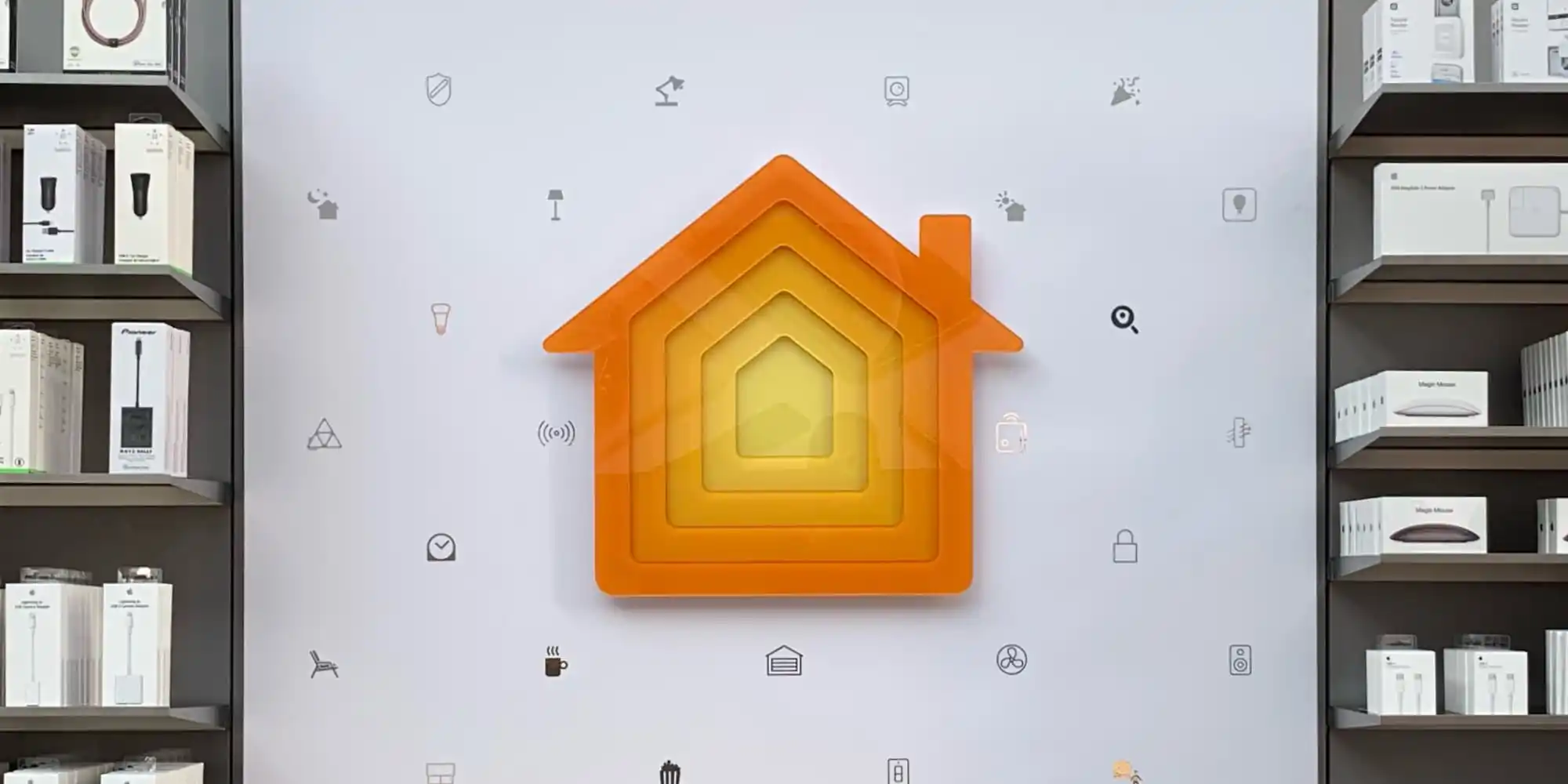
Update March 29, 2023: With the launch of iOS 16.4, the revamped Home architecture is now available to users once again.
Apple says that support for web notifications on iPhone and iPadOS will be available sometime in 2023. The feature hasn’t yet materialized in betas of iOS 16.
In response to the backlash and complaints, Apple ended up pulling the new architecture altogether last month. The company said in a statement:
We are aware of an issue that may impact the ability for users to share the Home within the Home app. A fix will be available soon. In the meantime, we’ve temporarily removed the option to upgrade to the new Home architecture. Users who have already upgraded will not be impacted.
There’s no official word on when Apple plans to re-implement this new HomeKit architecture. Evidence within recent iOS beta releases, however, shows the company is continuing to work on the platform.
iOS 16.4 was released to everyone this past week with a handful of features and changes. Now that this update has been released, Apple has started beta testing iOS 16.5. Unfortunately, it doesn’t look like this update contains any of the features we’re still waiting for Apple to release.
Just one day after the release of iOS 16.4 to everyone, Apple is once again kick-starting the beta testing process. iOS 16.5 beta 1 is rolling out to registered developers starting today, with a public beta likely to follow later this week or next week.
iOS 16.5 beta 1 will be available today to registered developer beta testers. As the update rolls out over the air within the next hour, you’ll be able to install it by going to the Settings app, choosing General, then choosing Software Update. The build number for today’s update is 20F5028e.
We’re still downloading iOS 16.5 onto our devices to check what’s new. There are, however, a few features that Apple has announced but not yet released, as well as features in development under the hood that aren’t yet available.
Apple Card Savings Account
Next-generation CarPlay
iMessage Contact Key Verification
Custom Accessibility Mode
As we approach the announcement of iOS 17 at WWDC in June, however, we expect these iOS 16 point updates to become less and less exciting.
Alongside iOS 16.5, Apple has also released the first betas of tvOS 16.5, HomePod Software Version 16.5, watchOS 9.5, and iPadOS 16.5.
iOS 16.5 beta brings highly-requested ‘My Sports’ tab to Apple News
Apple released the first beta of iOS 16.5 to developers on March 28,2023, just one day after iOS 16.4 was released to the public. And while today’s update doesn’t seem like a big one, it does bring some small changes. For example, the Apple News app now has a tab dedicated to the My Sports feature.
My Sports gets its own tab in the Apple News app
iOS 16 introduced My Sports to Apple News. With this feature, users can easily follow news from their favorite teams and leagues, as well as get live scores, schedules, and more. However, My Sports was originally part of the Today tab of Apple News. Now with iOS 16.5, My Sports has become a dedicated tab within the Apple News app.
The way the tab works is basically the same as before, but now it’s much easier to find, as the tab is located between the Today, News+, Audio, and Following tabs. Here’s how Apple describes My Sports:
In My Sports in the News app , you can follow your favorite sports, teams, leagues, and athletes; receive stories from top sports publications, local newspapers, and more; access scores, schedules, and standings for the top professional and college leagues; and watch highlights.
It’s no surprise that My Sports got its own tab on Apple News, as Apple has been investing more in sports content. Apple TV+ now offers access to MLB’s Friday Night Baseball, while the company also recently launched MLS Season Pass in the Apple TV app.
It’s worth noting, however, that the Apple News app is only available in selected countries. This includes Australia, Canada, the US, and the UK.
More about iOS 16.5
Right now, iOS 16.5 seems more like a minor update focused on fixing bugs and improving the overall stability of the operating system. The only new feature found so far besides the My Sports tab is the addition of new Siri commands to start or stop a screen recording.
Developers with eligible devices can install the beta update by going to the Settings app, choosing General, then choosing Software Update. It’s unclear when Apple plans to make iOS 16.5 available to the public.
iOS 16.5 beta enables screen recording via Siri [Video]
iOS 16.5 developer beta 1 doesn’t appear to contain many new features and changes, but there is at least one new feature that will surely make some users happy – the ability to ask Siri to start a screen recording.
iOS users have been able to request Siri to take a screenshot in previous versions of iOS, but up until now, invoking screen recordings required manual intervention. In iOS 16.5, you can simply say “Hey Siri, start screen recording” and the screen recording will begin.
Unfortunately, it doesn’t look like there’s a dedicated screen recording action for the Shortcuts app yet, but we can presume that such an action will eventually make its way to end users. Until then, you’ll need to either start a screen recording manually via its dedicated Control Center toggle, or ask Siri.
Once you’re finished recording the screen, you can ask Siri to “stop screen recording” and Siri will usually comply. You can watch the brief video embed above to see an example of requesting Siri to start and stop a screen recording on iOS 16.5 in action.
Thank you for using
Themify Popup
This is a sample pop up. Themify Builder or Builder Lite (free) plugin is recommended to design the pop up layouts.