You can now share your car key in Apple Wallet with Android users,
starting with Google Pixel
If you happen to be an owner of one of the very few cars on the market with Car Key support, you are now able to share that car key credential with non-iPhone users for the first time.
Apple is working with the IETF and industry members to standardize cross-platform car key sharing. The first implementation of this support has landed today for Google Pixel owners. Google is working on rolling out support for all Android 12+ devices soon.
The Car Key feature allows Apple Wallet to treat unlocking your car in the same manner as you can conduct contactless payments with Apple Pay: Walk up to your car and then present your iPhone or Apple Watch to unlock it.
You can share car keys by using the Share button inside the Wallet app. You could previously send the key to other iPhone users. On iOS 16.1 or later, the Wallet app generates keys that also work with other supporting platforms, most notably Android users.
Share using the system share sheet with your favorite app like Messages, Mail, and WhatsApp. You can secure the process using an optional one-time code.
At any later time, you can revoke access to a shared car key. Simply open the Wallet app, select your car key and tap on the People icon to manage the current list of shared keys for that vehicle.
Apple’s partnership with the IETF was first announced at this year’s WWDC. The group is still working on a final specification to make publicly available for adoption by anyone. But for now, only Apple and Google have access to the necessary protocols and are working on the respective implementations privately.
It’s a really cool technology that furthers Apple’s goal to replace the wallet in your pocket, alongside other initiatives like Digital ID and Apple Pay. Hopefully, more Car Key compatible vehicles will be available soon.
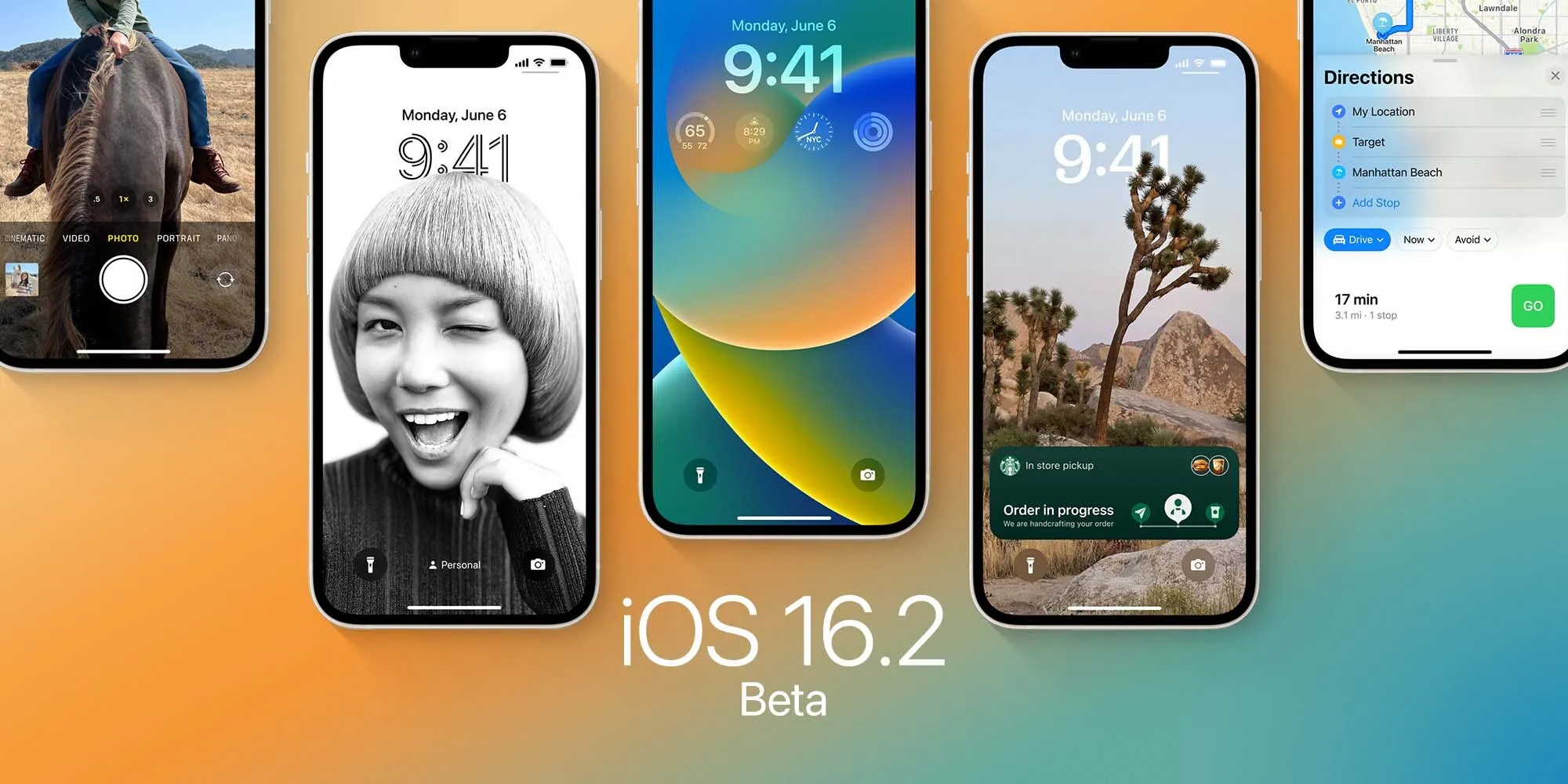
Apple releases iOS 16.2 beta 4 to developers ahead of expected launch this month
Following the release of iOS 16.1.2 to iPhone users on Wednesday, Apple released iOS 16.2 beta 4 to developers on Thursday. Along with iOS 16.2, Apple has also been testing new betas for watchOS 9.2, tvOS 16.2, and macOS Ventura 13.1. Read on as we detail what’s new in these updates.
iOS 16.2 and iPadOS 16.2 include some notable changes. The Freeform collaboration app is now available to iPad, iPhone, and Mac users. There are also changes to the Home app, updates to the Weather app, and more.
On November 28, Apple also released a “Rapid Security Response” update for users running iOS 16.2 beta. Once the feature becomes available to everyone, Apple will be able to quickly fix security exploits without having to release a new version of iOS just for this.
In addition to iOS 16.2 beta 4, Apple has also made the following updates available to all developer beta testers:
Apple this week launched the first betas of its next round of software updates, including iOS 16.2, iPadOS 16.2, and macOS Ventura 13.1. A new report from Bloomberg today indicates that Apple is currently targeting a release date to the public sometime in mid-December for these updates.
iOS 16.2 release date
In the latest edition of his Power On newsletter, Bloomberg’sMark Gurman says while Apple is done with hardware releases for the year, it still has more software updates on the way. “The iOS 16.2 and iPadOS 16.2 updates, which began beta testing this past week, should be released around mid-December,” Gurman says in today’s newsletter.
Gurman also notes that Apple is targeting a release date of sometime between early February and the beginning of March for iOS 16.3 and macOS Ventura 13.3:
I’m told that Apple is aiming to introduce the upgraded models—including M2-based versions of the 14-inch and 16-inch MacBook Pros—in the first quarter of calendar 2023 and has tied the launches to the upcoming macOS Ventura 13.3 and iOS 16.3. Those software updates are expected to debut between early February and the beginning of March.
iOS 16.2 includes a handful of changes, including the new Freeform collaboration app that Apple first showed off at WWDC. As of right now, iOS 16.2 is available to developer and public beta testers.
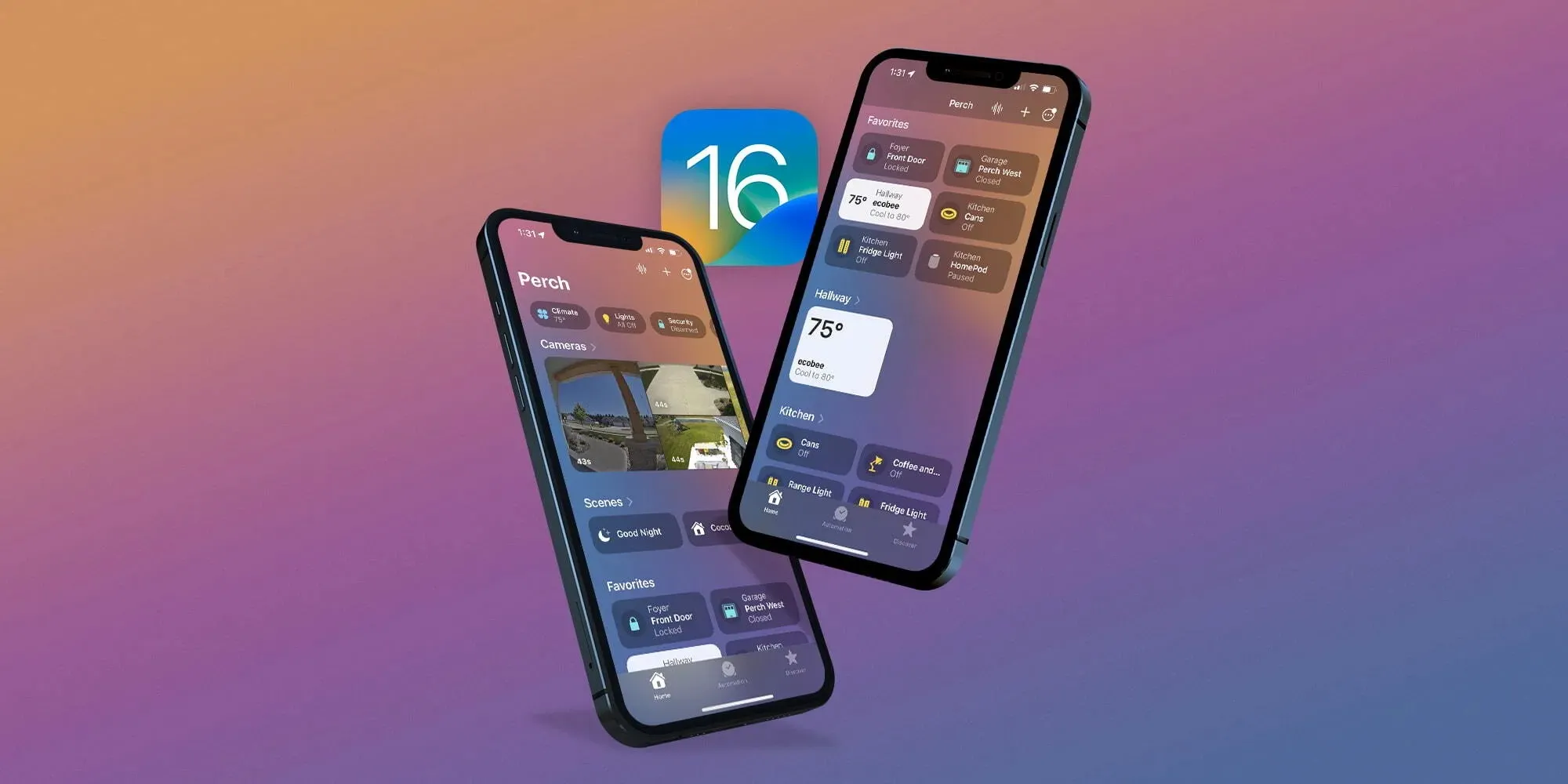
Apple reveals how it approached redesigning the new Home app in iOS 16
One of the valuable updates that arrived with iOS 16 this fall is an overhauled Home app. Additions and changes in the fresh experience include a new UI and iconography, customizable sections, fresh wallpapers, a more seamless experience, and more. Now Apple has shared how it approached the big Home app update in an interview.
Speaking to Parade, Cecelia Dantas who works in Product Marketing at Apple detailed how the goal was to make the new app beautiful and workable for everyone from beginners to HomeKit experts:
“We took the opportunity to rethink and redesign the Home app. It has this fresh new look and it scales beautifully, even for those who are just starting out their smart home with a few accessories or for those who have an advanced setup.”
As I wrote in my detailed hands-on coverage of the new Home app earlier this year, it features a sharp default layout:
New top category buttons
HomeKit cameras are at the top of the app, below are Scenes and Favorites
Then you’ll see your other devices organized by Room
Most of the HomeKit device icons have been either totally updated or given a slight refresh
Other improvements include improved access to Home app settings, customizable sections, new wallpapers, and more.
Dantas also highlighted that while Apple had adopted Matter support with iOS 16.1, it “continues to apply the same lens for privacy that we do across all of our products and services. So all the data is stored using end-to-end encryption. So there’s no way for Apple to read this data. And Appledoesn’t build a profile around what accessories you use, or how you use them.”
As a refresher, Matter is a collaboration between Apple, Amazon, Google, Samsung, the Connectivity Standards Alliance, and many others to make it easy to use any smart home device with better reliability, speed, and performance.
An underlying technology of Matter is Thread. And we’ve already seen a number of smart device companies adopt Thread like Apple with HomePod mini, Belkin, Nanoleaf, Eve, and more.
With the official release of iOS 16.1 this week, Apple introduced Live Activities – a new way for third-party apps to provide useful information right on the iPhone lock screen or Dynamic Island. With the iOS 16.2 beta, which was released to developers on Tuesday, the company is working to let users choose to keep Live Activities updated more frequently.
More Frequent Updates to Live Activities
The new option, which is not yet enabled in iOS 16.2 beta 1, will provide “More Frequent Updates” for Live Activities. Code seen by 9to5Mac confirms that when this option is enabled, Live Activities (and consequently Dynamic Island interactions) will request updates at shorter intervals to show “more real time information.”
At the same time, the same message found in the code warns that enabling More Frequent Updates for Live Activities will also drain the iPhone’s battery faster. Here’s what the message says:
More Frequent Updates
Allowing more frequent updates lets you see more real time information, but can drain your battery faster.
Once available, the new option will be accessible to users in the Settings app. Having more frequent updates can be extremely useful for some apps like Flighty, which now has a Live Activity to show details about an upcoming flight. Delivery and ride apps should also benefit from this option. Presumably Apple will make the feature public before the official release of iOS 16.2.
What’s new with iOS 16.2?
iOS 16.2 comes with some other new features. The update introduces the Freeform app, which was announced back in June at WWDC 2022. Freeform allows users to write and draw together in a collaborative canvas. For iPad users, iPadOS 16.2 enables support for an external display with Stage Manager.
Also coming with iOS 16.2 is a new option to send feedback to Apple when Emergency SOS is mistakenly triggered on the iPhone, plus a new, more reliable architecture for the Home app.
The update is now available for developers and is expected to be released soon for users registered in the Apple Beta Software Program. There’s no word on when it will become available to the public.
If you’re seeing faster battery drain than expected with iPhone 14 or 14 Pro you’re not alone. However, that doesn’t necessarily mean there’s a problem with your phone. Here’s a look at 7 tips and tricks to improve iPhone 14 battery life as well as why you might be seeing spikes in battery use.
The iPhone 14 lineup comes with what Apple says is roughly 1 hour longer battery for each model and the 14 and 14 Pro do feature larger mAh capacities (14 Pro Max capacity is ever so slightly less but battery life is up).
But people with the new iPhone 14 are sharing across Twitter and social media about having a bad experience with battery life so far. Let’s dig into what could be going on and how to improve battery iPhone 14 battery.
What causes battery use spikes?
Restoring a backup on your new iPhone
Things like downloading a large photo/video library are particularly draining
iPhone creates more heat when restoring and uses more battery
High background app activity
Using your new iPhone more than normal checking out new features, cameras, etc.
Combination of new hardware and software with early bugs (first iOS 16 releases)
Third-party apps and even some Apple apps may not be running optimally yet
There are many other factors at play, but these four are notable ones.
A couple of things to consider in the first few days of using your iPhone 14. Even after you’ve restored from a backup, it takes time to fully download your entire photo library, all your apps/data, etc. Your iPhone is working harder and is hotter than normal so it’s using more battery than normal.
In the Photos app, you can pause syncing/downloading with iCloud until evening. If it hasn’t done this automatically, open Apple’s Photos app > Library > All Photos > swipe to the bottom and tap “Pause.” Having that continue when you’re charging in the evening will help save battery.
In my experience, 17% of all battery use in the first four days for my iPhone 14 Pro was from the Photos app.
I’ve also seen much higher background app activity than normal across not just the Photos app but other Apple and third-party apps.
One bug I’ve seen is optimized battery charging with iPhone 14 Pro/iOS 16 has only powered my phone up to ~70% the last few nights. That, of course, makes a big difference if you’re not starting the day with a 100% charge.
You can turn that off by heading to Settings > Battery > Battery Health > Optimized Battery Charging – but keep in mind that may age your battery faster to keep it off permanently. Ideally, with a new iPhone, it will learn your schedule before long so it’s charged to 100% when you normally pull it off the charger.
Hopefully, some of these issues could be addressed with iOS 16.1 or other future updates. And after the first week, you might not be using your iPhone for quite as many hours each day and see your battery lasting longer.
How to improve iPhone 14 battery life
7 options instead of using a battery pack:
1. How are apps using battery?
Head to Settings > Battery to check out the details of your battery usage. “Last 24 Hours” is the default and shows which apps are using the most energy (including Home & Lock Screen and Siri).
Tapping the “Last X Days” toggle on the right-hand side gives you a broader look at what’s eating up your power.
Look for “Background Activity” under an app to learn if it’s been using energy behind the scenes.
Also, take a look at battery life suggestions just above battery usage (near the top). This will give you quick, actionable ways to reduce battery drain.
And, if you like to see the battery percentage on your iPhone – not just the icon –
2. Low Power Mode
Low Power Mode is a quick way to extend battery life. The feature works by suspending mail fetch, background app refresh, auto-downloads, and more with a single button. This isn’t an everyday-use feature, but it is handy.
You can turn on Low Power mode under Settings > Batteryor ask Sirito do it.However, it’s useful to have quick access to Low Power Mode in Control Center. Navigate to Settings > Control Center > Customize Controls, then tap the + icon next to Low Power Mode if it’s not already there.
This is useful to stop all the background activity from apps when you’ve recently set up a new iPhone
3. Auto-Lock, screen brightness, and always-on display
If you notice “Home & Lock Screen” on your battery usage is higher than you’d expect, it’s good to check those settings.
Auto-Lock at 30 seconds will help you preserve the most battery life. Especially with iPhone 14 Pro having an always-on display, 30 seconds can be worth it.
Navigate to Settings > Display & Brightness > Auto-Lock.
Lowering your screen brightness will also help with battery life, but this will come down to personal preference. You can do that in Control Center (swipe down from the top right corner) or Settings > Display & Brightness.
With iPhone 14 Pro HDR brightness now going up to 1600 nits and outdoor peak brightness going to 2000 nits, this is something to keep an eye on to help keep battery life in check.
Always-on display
We don’t have detailed data yet on how much battery the always-on display with the iPhone 14 Pro and Pro Max uses. Ideally, it won’t eat up much as it goes down to a 1Hz refresh rate. But if you’re looking to eke out the most battery, turning it off could help a touch.
Head to Settings > Display and brightness > Always On at the bottom.
4. Hot and cold temps
Applesays the ambient temperature “comfort zone for iPhone is 32° to 95° F (0° to 35° C). Temps above 95° F (35° C) have the potential to “permanently damage battery capacity.”
Outside of keeping your iPhone from extreme heat, it’s good to remove your iPhone case if you notice it gets hot while charging or restoring from a backup.
Meanwhile, temperatures below 32° F (0 ° C) can temporarily reduce battery life. If you live in a climate with cold temps, keeping your iPhone closer to your body in an inside pocket can help extend battery life by keeping it warmer.
5. Background app refresh
Low Power Mode turns off background app refresh across the board, but you can customize which apps use this feature for a more convenient experience as well as improved battery life. Head to Settings > General > Background App Refresh.
You can also opt to only use background app refresh on Wi-Fi in addition to Wi-Fi and Cellular or turn the feature off totally. However, most users will find leaving Wi-Fi and Cellular on while customizing which apps are used for background app refresh to be the best fit.
Turning off Background App Refresh prevents apps that you’re not actively using from updating (until you open them again).
6. Location services
Dialing in your location services settings is another way to extend battery life. (It can reduce cellular data use too). Head to Settings > Privacy & Security > Location Services to update the privileges for your apps.
Look out for any apps that ask to Always use your location and switch to While Using, Ask Next Time, or Never.
7. Push and Fetch
If you choose not to use Low Power Mode, you can manually control Push and Fetch for your email/internet accounts.
Head to Settings > Mail > Accounts > Fetch New Data. One approach is to leave your primary account(s) as push to receive new mail asap, and turn less important accounts to fetch every hour or even set them to manual.
Wrap-up on how to improve iPhone 14 battery life
While it’s no fun to have a bad experience with battery life with a brand new iPhone, hopefully, these tips plus future updates from Apple and third-party apps will reduce battery drain.
Until then, keep an eye on what apps are eating up your battery the fastest, get Low Power mode in Control Center for quick access, and use as many of the settings discussed above as you can without making daily use a hassle.
If you find you’d rather not change many (or any) of the settings, another option is to just pick up a power bank or MagSafe battery pack.
iOS 16 has been available for just about two weeks, and users are continuing to complain that the update has destroyed their iPhone’s battery life. While a temporary hit to battery life is normal after a software update, something different seems to be going on this time around, with iPhone users still complaining two weeks later…
iOS 16 battery life
When you update your iPhone to a new version of iOS, there’s usually a temporary hit to your battery life immediately after installing that update. This is because iOS is doing things in the background like reindexing files, photos, apps, and more. This type of hit to your iPhone’s battery is especially notable with Apple’s yearly flagship software releases, like iOS 16, because they are such massive updates.
In general, this leads to a flood of battery life complaints immediately after a new software version is released. But once all of the background reindexing is complete, the complaints usually subside. This year, however, the complaints have not subsided and many users are convinced that iOS 16 has completely destroyed their iPhone’s battery life.
A quick search on any social media platform, including Reddit, TikTok, and Twitter, will unearth thousands of complaints from iPhone users. These users all say that their iPhone battery life has taken a significant hit since installing iOS 16 two weeks ago. And of course, there are a number of conspiracy theories about Apple purposefully reducing battery life on older iPhones to drive iPhone 14 sales.
In a poll of 63% of iPhone users said their battery life is worse after installing iOS 16. This seems to broadly line up with public sentiment regarding iOS 16’s battery life impact. On Reddit, one user writes:
My battery drain is hugely more than i usually had. I work in the office and dont use my 13 PM that much during the day, nothing has changed in my behaviour. On iOS 15 I mostly came home with between 85% – 90% left. With iOS 16 its between 65% – 75%. That’s in my opinion quite A LOT when almost not using my phone.
Another user:
Battery on 13 pro max drains like crazy. It went from 11-12hrs SOT to just 7hrs and it lags like hell when I do facetime or PiP, it just lags in general. I do know it takes a few days for the phone to be normal again but it’s already been almost a week. I’m contemplating on going back to 15.7 but I might need some opinions first.
Apple hasn’t yet commented on these battery life concerns from iOS 16 users. The company has released iOS 16.0.2 to the public with no mention of battery life improvements. iOS 16.1 is also currently in beta testing.
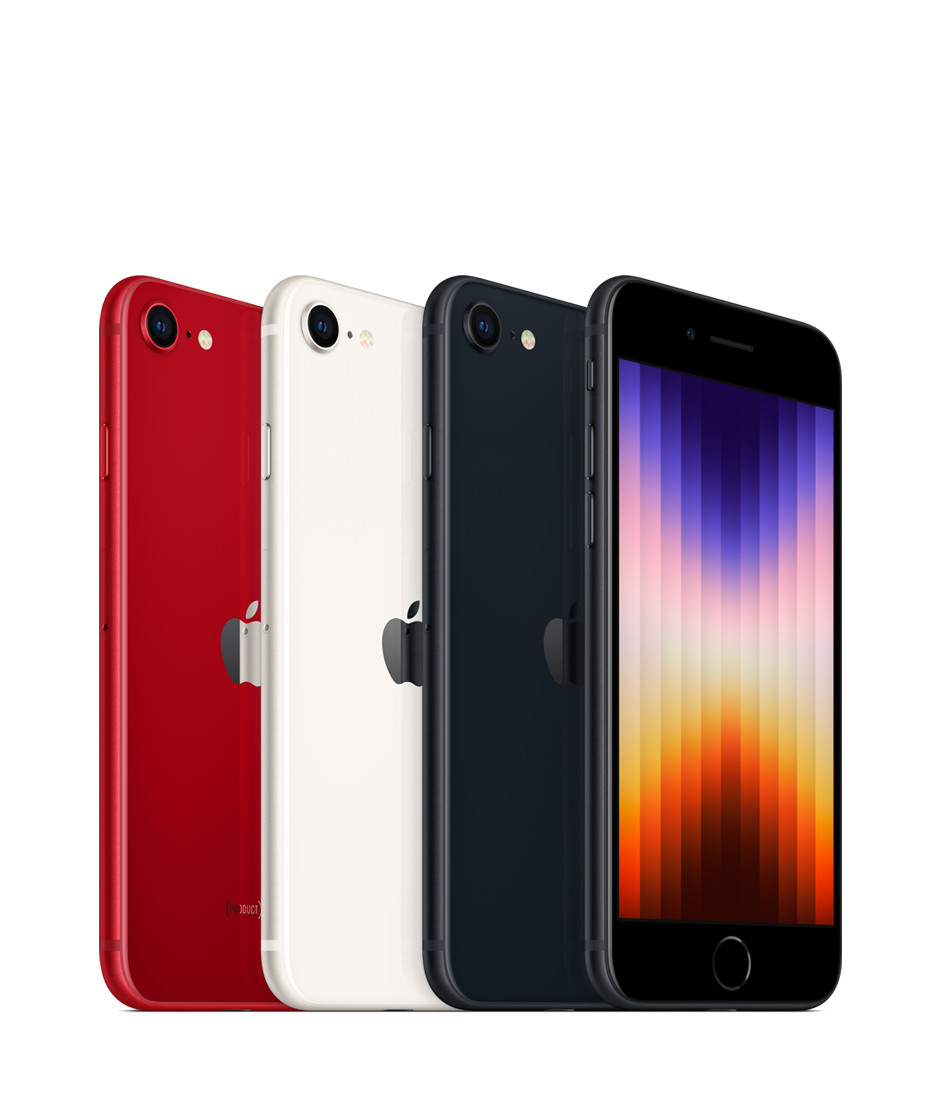
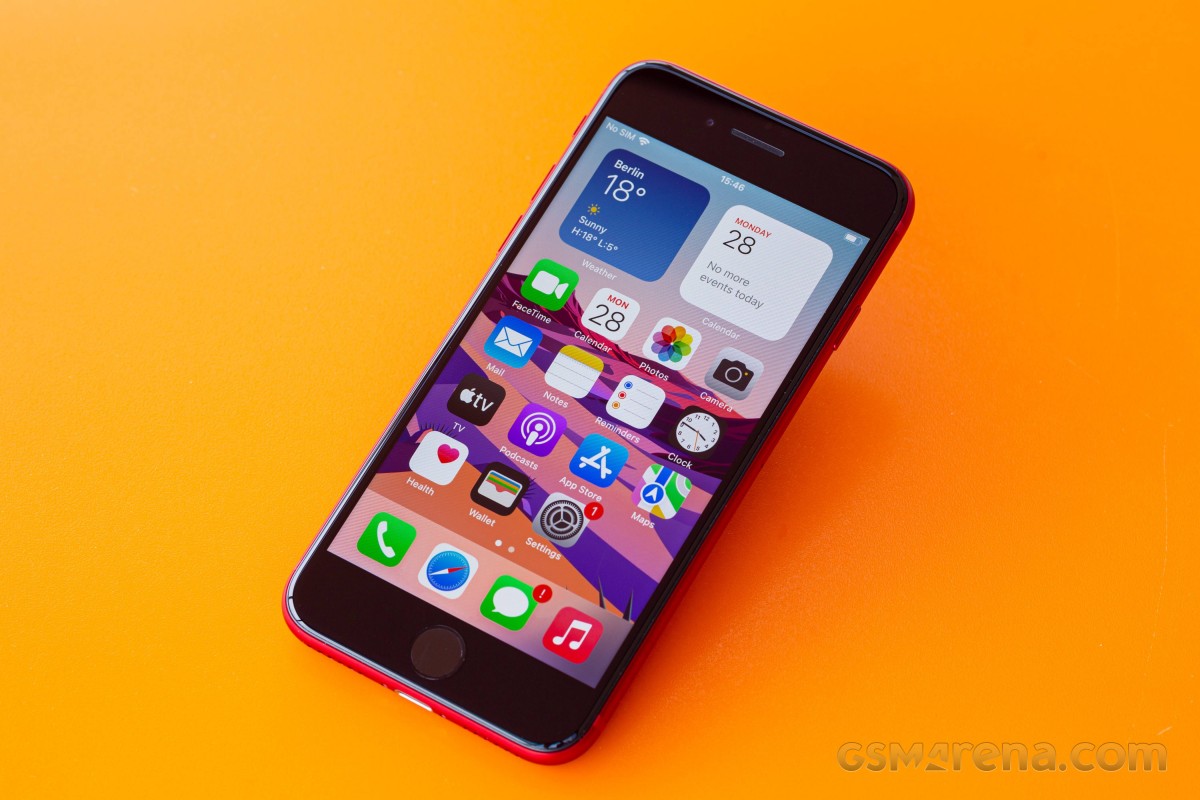
The Special Edition iPhone, also known as the cheapest iPhone, or the retro one, has been refreshed, and is now available for purchase. It’s a very minor refresh of the phone with the same name from 2020, most upgrades stemming from the new chipset and its accompanying 5G modem.
Apple really likes recycling. It is proud of its eco-friendly assembly line, recycled materials, PVC-free packaging, thin retail boxes, smaller and smaller e-waste footprint. But it’s also clearly very keen on recycling design as the third-generation iPhone SE has the same exterior as the second-generation iPhone SE from 2020, and the iPhone 8 from as far back as 2017.
The iPhone SE (2022) also keeps the 4.7-inch Retina LCD screen with 60Hz refresh rate from its predecessors. This means large thick bezels on the top and bottom, but also a Home key and an integrated Touch ID fingeprint sensor.
What’s new in the iPhone SE (2022) is the chipset – it uses the same Apple A15 Bionic as the iPhone 13 flagship line. This probably makes the iPhone SE (2022) the most powerful smartphone in the entire world when considering its small display with fewer pixels than any other high-end or mid-range smartphone. There is more RAM, too, now it’s 4GB, up from 3GB on the previous SE model.
The new chipset has enabled 5G connectivity, more computational power for iOS, and Deep Fusion for the front and rear cameras. It came short of adding night mode, however, perhaps for reasons beyond its control.
The iPhone SE (2022) also comes with a slightly larger battery – it’s now 2,018mAh instead of 1,821mAh. Wireless charging is available, just like before and because the battery capacity is so small it tops up pretty quickly even if the phone’s supported charging speeds are far from the highest on the market.
The rest of the iPhone SE (2022) specs are identical to the 2020 model – there is a 12MP OIS camera at the back and a 7MP camera at the front. You also get stereo speakers, Apple Pay support and IP67 rating for dust and water resistance.
Here’s the iPhone SE (2022) cheat sheet.
Apple iPhone SE (2022) specs at a glance:
Body: 138.4×67.3×7.3mm, 144g; Glass front, glass back, aluminum frame; IP67 dust/water resistant (up to 1m for 30 mins), Apple Pay (Visa, MasterCard, AMEX certified).
Video capture:Rear camera: 4K@24/30/60fps, 1080p@30/60/120/240fps, OIS, stereo sound rec; Front camera: 1080p@30/120fps; gyro-EIS.
Battery: 2018mAh; Fast charging 18W, 50% in 30 min (advertised), Qi wireless charging.
Misc: Fingerprint reader (front-mounted); NFC.
The Apple A15 Bionic is among the most powerful chips in the world and it feels wasteful to pair it to such a small, low-res screen that can’t exceed 60Hz. It’s like putting a Ferrari engine into a VW Polo. But we guess Apple needed to refresh the SE with 5G connectivity and it was just easiest to use the chip it already manufactures in the largest quantities.
Still, we would have preferred a larger OLED screen, even if 60Hz. And MagSafe should have been present, too, in fact we were surprised not to see it on this new SE.
Apple is promising 5 years of updates for the SE, just like on its premium iPhones, so that’s another possible reason why it needed to use the current best chipset.
Enough teasing let’s unbox this iPhone and get this review started.
Unboxing the iPhone SE (2022)
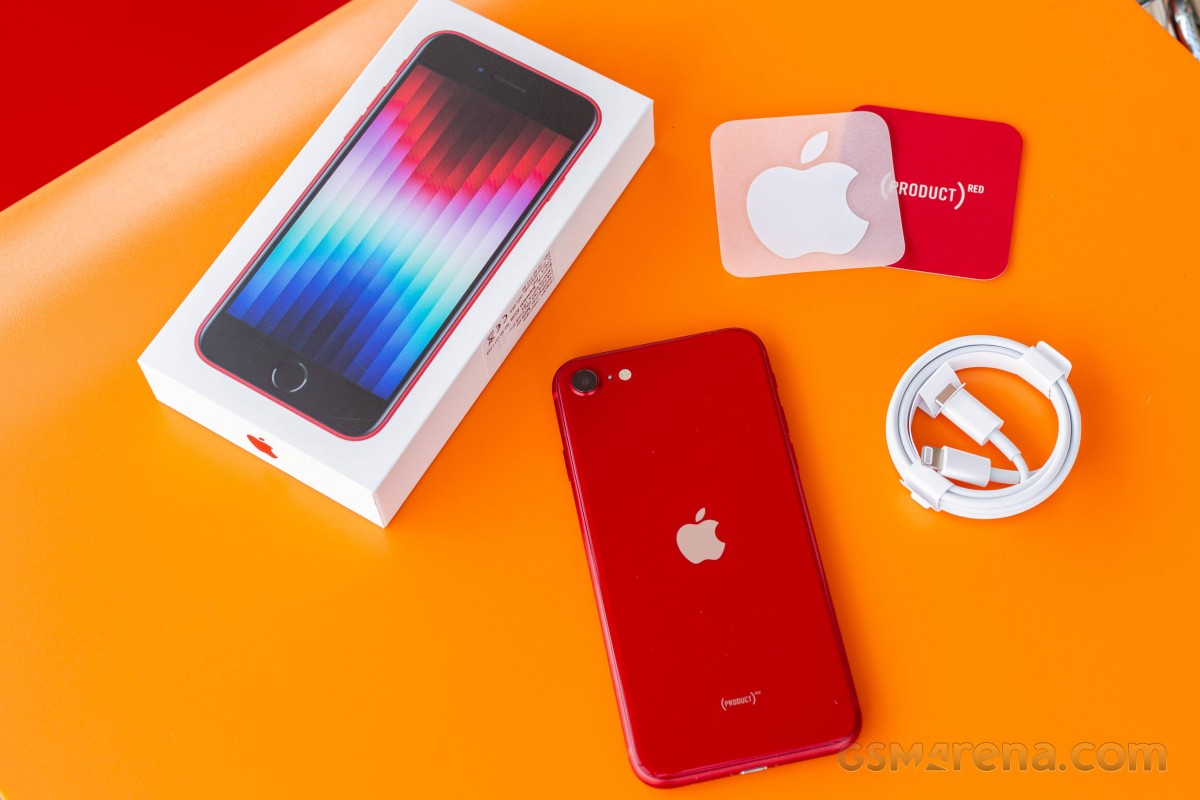
The Apple iPhone SE (2022) has the same box as the flagship iPhones – meaning it’s thin, small and lightweight and it contains the iPhone and a USB-C-to-Lightning cable.
The iPhone SE (2022) supports 20W charging, so if you already have the 20W Apple Power adapter, or a similar USB-C PD one, you should be fine.
And while Apple has dropped most of the box contents, you still get one Apple sticker that most people with throw right away. Not that eco-friendly, is it?
The competition
The iPhone SE (2022) is the cheapest iPhone you can buy from Apple and that’s all that matters to a certain group of buyers. We are not sure those are the people to care about the addition of 5G pr a faster chipset, but it is what they will be getting anyway. The new SE model keeps the iconic even if dated design, it is quite lightweight and waterproof, and offers commendable experience across the board.
Of course, the iPhone SE (2022) is a very minor upgrade over the iPhone SE (2020) so we doubt anyone will be looking to upgrade. In fact, the only major change is the chipset swap and the resulting 5G connectivity. If you do not need 5G, then you’d be perfectly fine with the second-generation iPhone SE. It is literally the same phone, even the color options are identical.
So, while stocks last the previous iPhone SE is the first model to consider. Apple has discontinued the model from its website, but the SE (2020) is still available for purchase across various retailers worldwide. And it costs about €260, which is half the iPhone SE (2022) price, making it incomparably better value.
The iPhone 12 mini is officially available, and its base model can be found at about €680 or €180 more expensive than the iPhone SE (2022). It is a smaller phone yet has a larger OLED screen with faster touch response time, which makes operations look smoother. The 12 mini offers Ceramic Shield glass, it has an extra 12MP ultrawide camera on the back and a better 12MP front camera with 4K video capturing. There is also Face ID and better battery life to consider. If you can stretch your budget that far and care about the user experience we really think the mini is the far better value for money.
We are not including the iPhone 13 mini as it is a further €120 more expensive and doesn’t offer nearly enough upgrades to justify that. Unless perhaps you are looking for 128GB of storage, which is the base for the 13 mini, but an expensive upgrade on the SE (2022) and the 12 mini.
If Apple‘s ecosystem is not a must, maybe you will like the compact Asus Zenfone 8. It is about €100 more expensive than the iPhone SE (2022), but it comes with a 5.9-inch AMOLED with 120Hz refresh rate and a superb dual-camera system on the back. Its front camera is also an excellent choice for its 12MP sensor and AF capabilities.
Finally, last year’s Samsung Galaxy S21 5G is also a good choice for its compact shape, a great 6.2-inch Dynamic AMOLED 2X with 120Hz refresh, powerful hardware, and a triple camera with an ultrawide and a telephoto in addition to the main shooter. It has much better battery life, too, and Samsung’s ecosystem and line of accessory has become as good as Apple’s. The S21 5G is about €80 more expensive than the iPhone SE (2022), still reasonably compact but with a much larger screen.
Apple iPhone SE (2020) • Apple iPhone 12 mini • Asus Zenfone 8 • Samsung Galaxy S21 5G
Our verdict
If you are dead set on buying an iPhone, but want to spend as little as possible the iPhone SE (2022) is your default option and nothing this review says will change your mind. Then again you probably won’t be reading reviews in the first place.
Apple‘s sequels rarely change much to make you jump on the next generation and the iPhone SE (2022) is just another example of that. Despite taking two years to arrive it only has the newer Apple A15 chip with a 5G modem to show for it. The rest is the same, in fact – similar to what the iPhone 8 had back in 2017.
It is not a phone you’ll hate to use, don’t get us wrong. A good if tiny display, excellent speakers, reliable camera, and a very compact body.
The iPhone SE (2022) can do a lot of things well and that might be enough to justify its €520 base price in the eyes of many people.
Of course, it looks retro, and it has a small display of low resolution and slow refresh with huge black bezels. There’s only a single camera on the back and one that hasn’t had a sensor or lens update since 2017 – hence the lack of Night Mode.
So this really is a phone for two groups of people. The first one wants the cheapest entry into the iOS ecosystem. The second are those looking for a powerful compact phone with the same requirement of spending as little as possible. If you fall in either of those the iPhone SE (2022) will perform reliably enough so you won’t regret getting it. In any other case you should either stretch you budget to an iPhone 12 mini or explore the endless Android market instead.
Pros
Solid glass build, IP67-rated, very compact body
Good brightness, decent contrast screen, great color accuracy
Loud stereo speakers, good audio quality
The screen on battery endurance is actually okay
The most powerful chipset; does not throttle much
Dependable photo and video cameras
5G
Touch ID
Cons
Very few upgrades over the iPhone SE (2020), but costs more
No Night Mode.
The display is too small for a lot of tasks
60Hz screen refresh, 60Hz touch sampling rate
No charger in the box
iOS (with its limitations) remains a love it or leave it affair
When the iPhone 14 lineup was announced last week, Apple touted that you can expect improved battery life across the board compared to the iPhone 13. Now, we have more details on the battery inside each iPhone 14 model, including the iPhone 14 Plus… which Apple says has the “best battery life ever in an iPhone.”
iPhone 14 battery sizes
In a filing on the Chemtrec website, Apple has published official details on the battery sizes of each of the iPhone 14 models. As expected, the iPhone 14 Plus battery is particularly impressive. There are also increases for the iPhone 14 and iPhone 14 Pro, while the battery in the iPhone 14 Pro Max is actually slightly smaller.
Here is the watt hour capacity for each of Apple’s iPhone 14 models, compared to their iPhone 13 predecessors:
iPhone 14 – 12.68 watt hours
iPhone 13 – 12.41 watt hours
iPhone 14 Plus – 16.68 watt hours
N/A
iPhone 14 Pro – 12.38 watt hours
iPhone 13 Pro: 11.97 watt hours
iPhone 14 Pro Max – 16.68 watt hours
iPhone 13 Pro Max: 16.75 watt hours
The battery life of an iPhone is impacted by two primary factors: the size of the battery life and the efficiency of the processor inside the iPhone. This year, the iPhone 14 Pro and iPhone 14 Pro Max have switched to a new A16 Bionic process that uses a new 4nm manufacturing process. The iPhone 14 and iPhone 14 Plus use the 5nm A15 Bionic, which is still incredibly efficient but less so than the A16 Bionic.
Shrinking the fabrication process used for chip manufacturing generally results in a boost in efficiency. This will obviously counteract the fact that the iPhone 14 Pro Max features a negligibly smaller battery than the iPhone 13 Pro Max.
Some additional statistics on the iPhone 14’s mAh battery stats have also emerged through a regulatory database in China.
iPhone 14: 3279 mAh
iPhone 13: 3227 mAh
iPhone 14 Plus: 4325 mAh
N/A
iPhone 14 Pro: 3200 mAh
iPhone 13 Pro: 3095 mAh
iPhone 14 Pro Max: 4323 mAh
iPhone 13 Pro Max: 4352 mAh
iPhone 14 battery life: What to expect and how it compares to previous iPhones
Battery life gets a little boost with the iPhone 14 lineup. Follow along for a detailed look at how iPhone 14 battery life compares to iPhone 13, 12, and 11 including what to expect for iPhone 14 battery for video and audio playback.
The four iPhone 14 models feature the same general design as the iPhone 13 and 12 with flat sides. But with the iPhone 12 devices at a thickness of 0.29 inches (7.4 mm) and the iPhone 13 lineup at 0.30 inches (7.65 mm) thick, the iPhone 14 comes in at 0.31 inches (7.8 mm and 7.85 mm for the Pro). That includes a slightly increased battery life along with new camera modules.
iPhone 14 battery life: What to expect
Apple says the iPhone 14 devices offer the “Best battery life ever in an iPhone.”
1 hour longer battery life on iPhone 14 Pro than iPhone 13 Pro for video playback
1 hour longer battery life on iPhone 14 Pro Max than iPhone 13 Pro Max for video playback
1 hour longer battery life on iPhone 14 than iPhone 13 for video playback
7 hours longer battery life on iPhone 14 Plus than iPhone 13 for video playback (no direct predecessor for comparison)
Keep reading for more detailed battery life specs…
Looking more closely, iPhone 14 models offer about the same amount of audio playback as the iPhone 13 lineup. However, iPhone 14 Plus leads all models with 100 hours of audio playback.
Here is iPhone 14 battery versus iPhone 13, 12, and 11 byvideo playback and audio playback (not streamed) based on Apple’s tech specs.
All battery estimates from Apple below feature the “up to” qualifier on all of its specs pages.
Few days from now, Apple will unveil the next generation of smartphones with the iPhone 14 series. While much has been rumored over this year, the week that precedes the Apple event is always full of rumors and last-minute leaks. Here’s everything that we heard about the upcoming iPhone 14 before its release.
Hole-punch + pill cutout will actually be a long pill design
For months other publications have been reporting the new hole-punch + pill cutout for the iPhone 14 Pro series, but a new leak suggests Apple will use a software tweak to make a long pill design. Between Face ID sensors and the front-facing camera, the company is rumored to add privacy labels.
When you’re on a FaceTime call, if Instagram asks for your location, or if someone video calls you on WhatsApp, the iPhone already displays a green, orange, or blue light. These indicators are on the right corner of the iPhone notch. Now it appears they will be between the Face ID and front-facing camera sensors.
iPhone 14 Pro will have a Camera app revamp, thanks to the new design
The Camera app will also have a few tweaks as Apple is planning to redesign the app, where most of the controls will be moved to the top portion of the screen.
Controls such as the flash button and Live Photo button are now positioned in the status bar, while more granular photo and video settings are directly below the display cutouts. This change will give users a larger view of the camera preview by shifting the controls upward and moving some of them into the status bar.
The images above show these changes. They are mock-ups based on the information from our source.
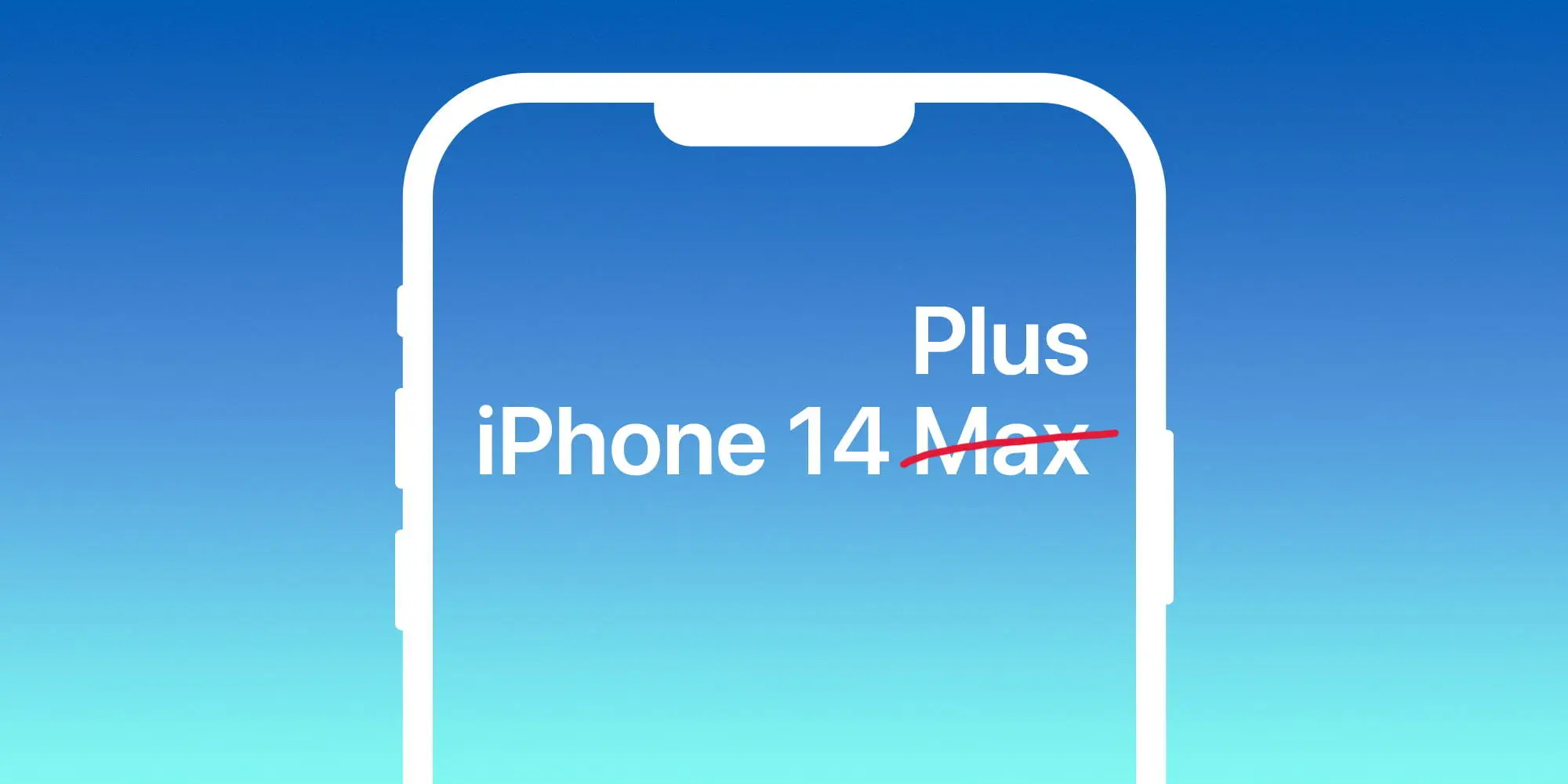
Larger regular iPhone to be called 14 Plus, not Max
Apple is said to ditch the iPhone mini model for a larger version of the regular model. While debates over whether it would be called iPhone 14 Plus or 14 Max, 9to5Mac sources familiar with the matter claimed the name will actually be iPhone 14 Plus.
In addition, at least since July, iPhone case makers have been told to not use the brand iPhone 14 Max as it won’t be the actual name of the product. Plus, 9to5Mac sources corroborated that the regular iPhone 13 case will fit the regular iPhone 14 model. Last but not least, we’ve been told that Apple will push its new 35W adapter as the go-to charger for the iPhone 14 Pro.
Classic battery indicator is making a comeback with iPhone 14 Pro series
According to information shared with MacRumors in its forum, an anonymous leaker claimed that the iPhone 14 Pro with iOS 16 will bring back the classic battery indicator on the status bar. They also shared information as to what this smartphone will look like with the new Always-on Display technology.
With iOS 16 beta 5, Apple added the iPhone’s battery percentage inside the battery icon. While many iPhone models will be able to take advantage of this new look, it seems Apple could be aiming for an exclusive design for the iPhone 14 Pro series by bringing back the classic status bar.
With that, Apple would bring the carrier signal bar to the left while bringing the location toggle and the full battery information on the right (icon and percentage). If this turns out to be true, this would be the first time since the iPhone 8 – apart from the SE series – that Apple adopts this classic design.
iPhone 14 price increase expected, but not as much as we thought
As of now, it seems clear that Apple will increase iPhone 14 prices. With the upcoming recession combined with supply chain constraints, the war, and new technologies, Apple seems to be aiming for new prices for these upcoming smartphones.
A report by TrendForce from this week said that, in the light of a tough economy and a declining smartphone market, it expects Apple to play it safe with smaller increases.
Upgrades such as initial starting memory capacity increasing to LPDDR5 6GB and 256GB, primary camera moving up to 48 million, Face ID Design changes, etc., are expected to raise starting prices. However, under pressure from rising global inflation and foreign exchange rates, Apple is expected to adopt a more cautious pricing strategy so as not to affect its sales performance.
The firm, therefore, predicts more modest iPhone 14 price increases, with starting prices of:
14: $749
14 Max: $849
14 Pro: $1,049
14 Pro Max: $1,149
All iPhone models to have 6GB of RAM, Pro models to start with 256GB of storage
TrendForce analysts are the ones predicting that the iPhone 14 Pro will start with 256GB of storage, which could explain why Apple is aiming for a higher price point for these iPhones. In addition, the publication also expects 6GB of RAM on these models.
Twitter user and leaker ShrimpApplePro shared a Weibo post that said the same. All four models will feature 6GB of RAM. For context, the iPhone 13 and iPhone 13 mini have 4GB of RAM, while the iPhone 13 Pro and iPhone 13 Pro Max have 6GB of RAM. So, if this leak is to be believed, the iPhone 14 will offer more RAM than the iPhone 13, while the 14 Pro will stick with 6GB.
This would mark the third year in a row that the “Pro” model iPhones have had 6GB of RAM. A previous leak suggested that the 14 Pro would jump to 8GB, but the consensus has since settled on 6GB instead.