Google’s Pixel phones have never really held up to the competition in regards to using the latest and greatest specs, but the company has been stepping it up in certain areas. After the debut of “Actua” displays on the Pixel 8 series, Google is reportedly looking to use the same Samsung OLED display in the Pixel 9 series as Apple will use in the iPhone 16 Pro.
The Pixel 8 series saw Google jump from lagging well behind in display quality to putting out what was briefly the best smartphone display in the US market. That was thanks to an OLED panel from Samsung, which offered excellent brightness and colors.
According to a new report, Google will again be turning to Samsung for its display.
ETNews reports that Google will utilize an updated “M14” OLED panel from Samsung. The new panel is said to be brighter and have an improved lifespan. According to the report, Google will be utilizing this new generation of OLED panel in the Pixel 9, Pixel 9 Pro, Pixel 9 Pro XL, and Pixel 9 Pro Fold.
Something worth noting, though, is that Google won’t be alone here. The iPhone 16 Pro lineup is also expected to use this same new panel. Apple has, for the past couple of years, been using Samsung’s top-of-the-line displays in its “Pro” iPhones, with the “M12” being used in previous releases. That same generation will still be used in the base iPhone 16 models, but iPhone 16 Pro and Pro Max will both use “M14” like the Pixel.
Google is set to launch the Pixel 9 series on August 13, way ahead of the company’s usual schedule. Apple, meanwhile, is still expected to launch new iPhones in September.
Google announces early August 13 event for Pixel 9 and Pixel Watch 3
Last June 25, 2024 announced that its annual Pixel hardware event will be taking place on August 13. This is incredibly early for 2024 with Made by Google usually taking place in October.
Instead of New York City, Made by Google 2024 is taking place at the company’s headquarters in Mountain View, California. The first two Made by Google events were held in San Francisco before the East Coast shift.
This year’s keynote starts at 10 a.m. PT, with the invite announcement coming 1.5 months before the actual event. Last year, Google announced the event a month before it took place.
The invite is very telling for highlighting Google AI, Android, and Pixel:
You’re invited to an in-person Made by Google event where we’ll showcase the best of Google AI, Android software and the Pixel portfolio of devices.
Meanwhile, we previously reported on a 41mm and 45mm Pixel Watch 3, with renders confirming how it looks like the first two generations. We also reported on Pixel Buds Pro 2.
iOS 18 offers more customization than ever and one of the new options is the ability to change Lock Screen controls on iPhone. There are over 50 options to replace the Flashlight and Camera buttons. But one trick gives you access to almost unlimited possibilities. Here’s how to change Lock Screen buttons plus some related tips and tricks.
The new iOS 18 option to change Lock Screen controls lets you change the bottom buttons to everything from launching apps, accessibility features, changing settings, and more.
However, the most powerful and flexible way to use the new Lock Screen customization is by placing a Shortcuts button for one or both controls.
That means you can effectively create a button to do anything you can think of with the Shortcuts app.
The new Lock Screen control flexibility is a great addition to Lock Screen widgets and the Action button on iPhone 15 Pro/Max.
How to change Lock Screen controls on iPhone in iOS 18
Make sure you’re running the iOS 18 beta on your iPhone.
Long-press on your iPhone Lock Screen
Tap Customize under the Lock Screen you’d like to change
Now tap Lock Screen
Tap the Flashlight or Camera icon to remove them
Now tap the + icon to add a new Lock Screen control
Tap Done in the top right corner to set your new controls
For those with an iPhone 15 Pro/Max with an Action button, you can find a new Controls option in Settings > Action Buton that includes many of the new Lock Screen button options
If you still want quick camera access but want to change the Camera Lock Screen button, you can still swipe from right to left to instantly launch it (or program your Action button for Camera on iPhone 15 Pro/Max)
Here’s how it looks to change Lock Screen controls on iPhone:
After you tap the Flashlight and Camera with the minus icon, you can tap the + icon to add your new controls.
You can swipe through the 61 options or use the handy search bar at the top.
After you make your choices, tap Done in the top right corner, then tap your Lock Screen one last time, you’re all set!
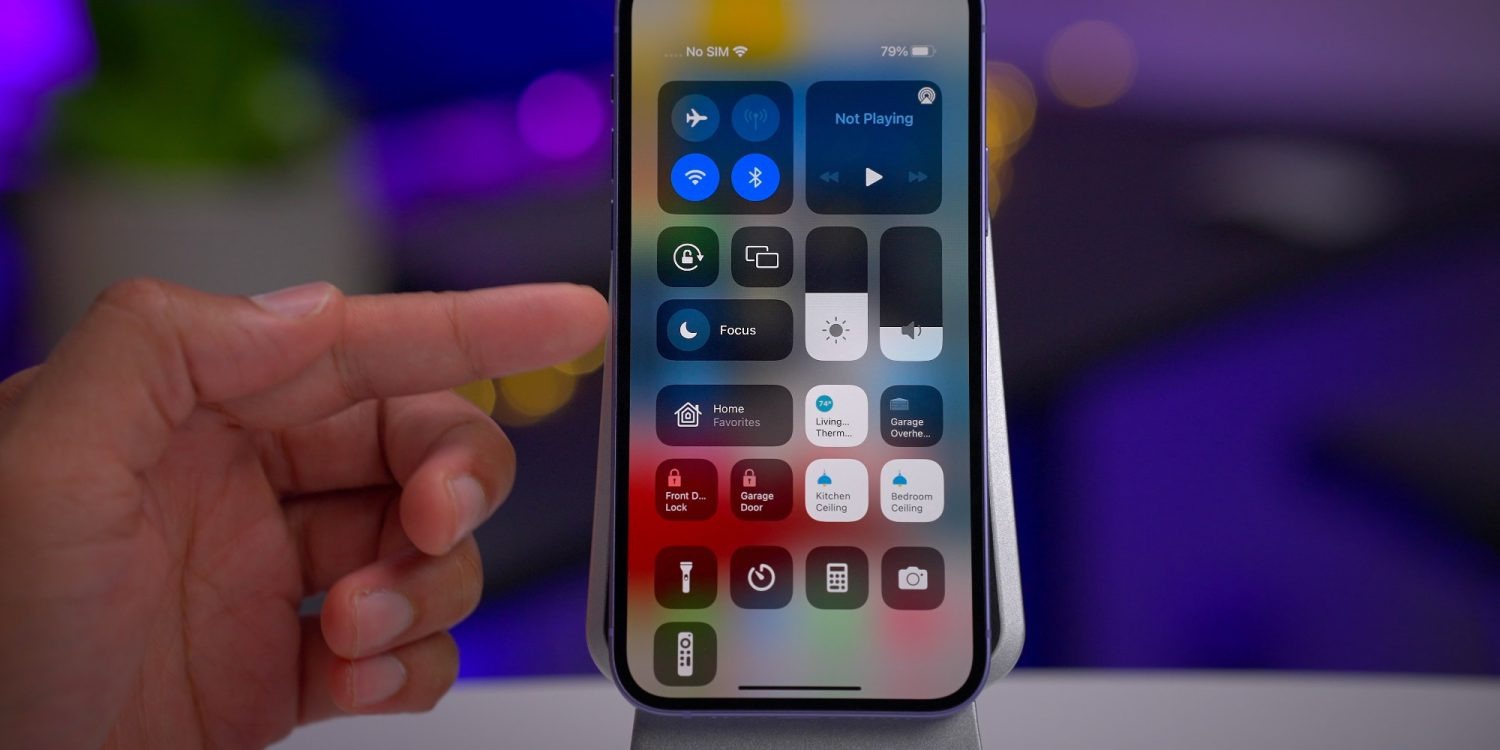
New Control Center in iOS 18 will have multiple pages, here’s what that means for you
iOS 18will be fully unveiled today at the WWDC keynote. According to one of the late breaking rumors, the iPhone update will introduce a redesigned Control Center.
One core feature of the new Control Center is the ability to place controls on multiple separate pages, rather than the single-page view currently available. Here’s what that means for you.
Control Center…will get an updated interface that allows shortcut buttons to be rearranged within the Control Center view itself and placed across multiple pages. It will also have a new music widget and an updated interface for controlling smart home appliances.
All the way back in iOS 10, Apple introduced a version of Control Center that spanned multiple pages. You could swipe between three different sets of controls. Unfortunately, those controls were not at all customizable.
What Apple has planned for iOS 18 will, in a small way, harken back to that long-forgotten design. Mostly though, it will be a brand new thing that’s more powerful than ever.
Creating your own multi-page Control Center in iOS 18
Currently in iOS 17, Control Center has some customization options. You can open Settings ⇾ Control Center and modify which particular controls show up in Control Center. But certain controls can’t be adjusted—elements like the Now Playing, Focus, and connectivity controls are all static. Their location can’t be changed, and they can’t be removed.
In iOS 18, reports like Gurman’s indicate that a lot more customization power is coming to users.
Consider what Apple has done with the iOS widget system over the past few years. Widgets can be placed and organized on your Home screen and Lock screen to provide exactly the controls you care about most.
It sounds like something similar is coming to Control Center.
Like when you enter ‘jiggle mode’ on the iPhone’s Home screen, in iOS 18 you will be able to rearrange, add, and delete controls right from the Control Center interface. No more going into Settings first.
A core component of this newfound freedom will be the ability to create multiple pages of controls. Unlike the static options in iOS 10’s design, with iOS 18 you should be able to create fully customizable pages that suit your needs—just like you can with Home screen pages using apps and widgets.
This additional screen real estate should pair nicely with the reported changes to the Now Playing and Home controls, which could take up more space than before. Apple could also stop hiding extra control layers behind a long-press. This would benefit not only the Now Playing and Home controls, but also Focus, volume controls, and more.
Will third-party apps be able to tap into Control Center?
This may be a bit radical, but it would be amazing to see Apple open Control Center up to third-party developers, too, so apps can offer up their own custom controls there.
Building on the foundation established by widgets, enabling third-party controls makes a ton of sense. It’s very much in line with what the company has done in recent years with widgets.
Wrap-up
I’m really excited about the possibilities for Control Center in iOS 18.
Apple could promote this newly capable, redesigned Control Center as part of a broader push toward greater customization options for iPhone users. You’ll be able to customize your Home screens in more ways than ever in iOS 18, so why not Control Center too?
Report: iOS 18 will tint iPhone app icons in dark mode, allow users to lock apps behind Face ID
On the day before WWDC, we have a couple more reports about some non AI-related iPhone software, which Apple will officially announce tomorrow as part of iOS 18.
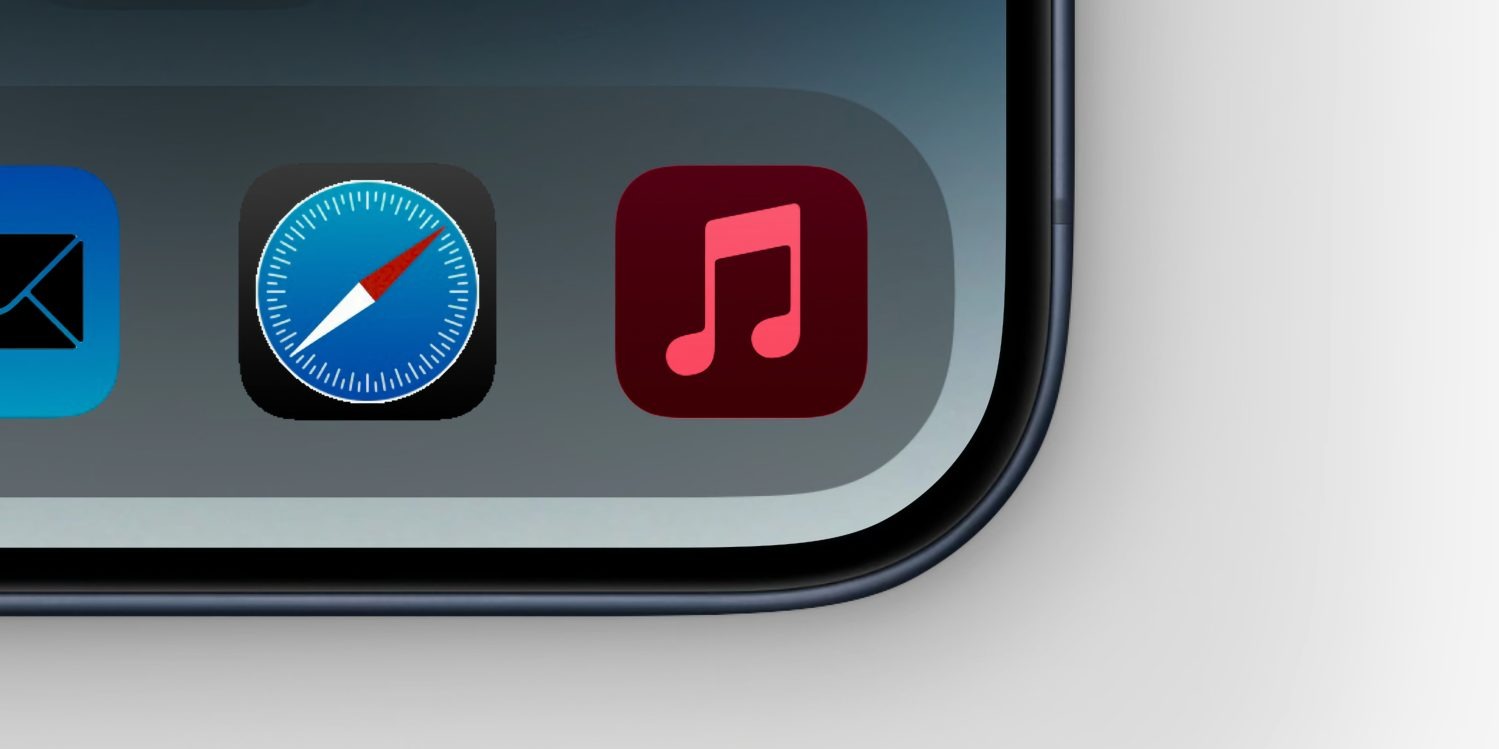
MacRumors reports that app icons will change color in Dark Mode for the first time, with a dark tint to match the darkened system chrome. The site also reports that the system will gain the ability to lock access to apps behind Face ID or Touch ID biometrics, on every app launch.
The idea of recoloring app icons has already been rumored for iOS 18, in the context of it being presented to the user as an option to personalize their device, as part of wider some screen layout changes.
What MacRumors suggests is that apps may also be able to opt-in to automatically changing their icon when the phone is in its Dark Mode appearance. The exact implementation method is not known. Perhaps developers will be able to choose a light icon and a dark icon, and the OS automatically switches when the system Appearance setting changes. Or, maybe the OS uses the single asset and renders a dark theme tint to it programatically, like changing the white background on many app icons to black.
MacRumors talks about the feature in the context of Apple’s app like Music and Mail, but presumably there would also be a way for third-party developers to support the feature as well.
Locking apps behind biometrics authentication or a passcode has been a feature on Android for a long time. It allows people to hand off their unlocked phones to others — perhaps to show them a website or a photo they just took — without fear of prying eyes.
Up to now, Apple has implemented this concept in select apps. For instance, with iOS 17, Private Browsing mode in Safari can prompt for Face ID authentication to access, as well as the ‘Recently Deleted’ and ‘Hidden’ album in the Photos app. Individual notes in Notes can also be locked with biometrics/passcode.
For iOS 18, it sounds like Apple will move on from this piecemeal approach to instead offering a system feature that allows users to choose which apps will require an additional authentication step before they will open. It’s currently unclear if this feature will only work with the built-in Apple apps, or if third-party apps from the App Store will also be able to be locked down.
We’ll know for sure today, when Apple’s WWDC keynote event kicks off at 10 AM Pacific Time ( 3:00 AM Monday, in Sydney NSW, Australia ). Expect iOS 18, watchOS 11, tvOS 18, visionOS 2 and a new version of macOS to be unveiled. A big theme of the event will be AI, with Apple launching a combination of on-device and cloud-powered artificial intelligence features under the collective brand of ‘Apple Intelligence‘.
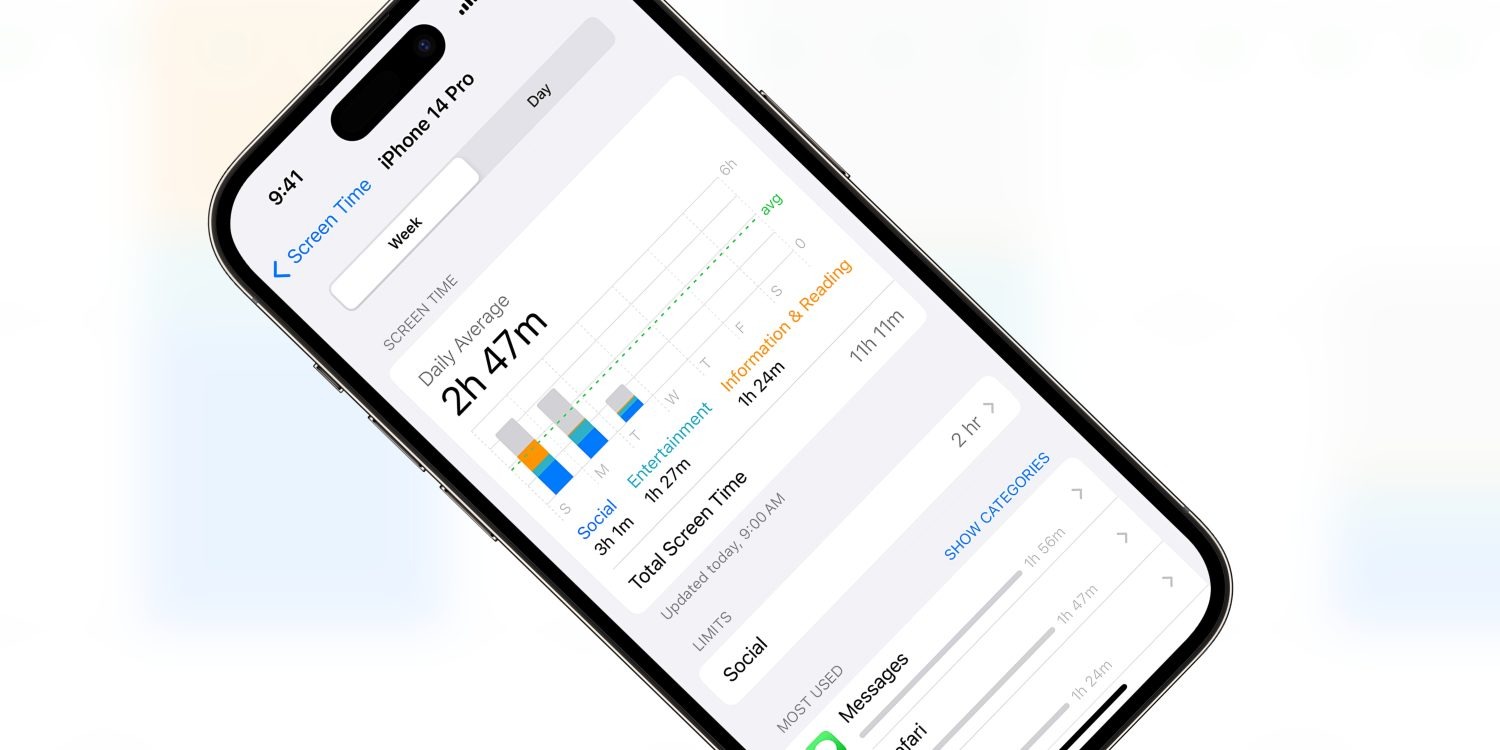
Screen Time promises to allow parents to restrict access to various apps, website and content on their children’s devices. However, ever since Screen Time launched with iOS 12, Apple has been playing whack-a-mole as users discovered new workarounds to avoid the enforced restrictions.
As reported by the Wall Street Journal, Apple will be fixing yet another one of these bugs in the next iOS software update. Security researchers had reported this particular bug to Apple multiple times over the last three years, but Apple had rebuffed or ignored them until now.
In the wake of the Wall Street Journal investigation by Joanna Stern, Apple has now committed to fixing the issue. In a statement, the company said it “takes reports of issues regarding Screen Time very seriously and have been consistently making improvements”, including “substantial Screen Time fixes” in the latest iOS 17.5 release.
However, the fact that Apple has left this escape hatch unaddressed for so long reinforces concerns that Apple does not take Screen Time seriously. For many parents, the features of Screen Time are simply too unreliable to trust in them.
In this particular case, the workaround allowed users to evade web browsing content restrictions, if they had been set. The trick involved typing a series of special characters into the Safari browser URL. It doesn’t seem like this particular trick was well known, unlike some other Screen Time exploits that have blown up on social media sites as children look for ways around their device lockdowns.
Nevertheless, parents who want to enable these restrictions going forward should explore the various Screen Time settings panes in the Settings app.
To manage content restrictions, open ‘Screen Time’ and select ‘Content & Privacy Restrictions’. You can choose preferences for apps, websites and system features like access to location services or the photo library. For web content, devices can be denied access to adult content based on an automatic filter, or choose an explicitly specified list of approved websites.
Earlier last week, Apple released iOS 17.5.1 to address a rare problem where deleted photos would reappear on a user’s device after installing iOS 17.5. In the release notes, Apple said this was caused by “database corruption.”
iCloud’s involvement
One question many people had is how images from dates as far back as 2010 resurfaced because of this problem. After all, most people aren’t still using the same devices now as they were in 2010. Apple confirmed to me that iCloud Photos is not to be blamed for this. Instead, it all boils to the corrupt database entry that existed on the device’s file system itself.
According to Apple, the photos that did not fully delete from a user’s device were not synced to iCloud Photos. Those files were only on the device itself. However, the files could have persisted from one device to another when restoring from a backup, performing a device-to-device transfer, or when restoring from an iCloud Backup but not using iCloud Photos.
Photos reappearing on sold devices? Nope.
In a now-deleted post, a Reddit user last week alleged that their photos reappeared on an iPad they sold to a friend, despite them having erased the content of that iPad prior to selling it. Apple tells me that this claim was false.
The company says that after a device has been completely erased using the steps below, all files and content are permanently deleted.
Open “Settings”
Choose “General”
Choose “Transfer or Reset”
Choose “Erase All Content and Settings”
Following these steps, everything is permanently deleted from the user’s device and there is no chance of old photos resurfacing down the line. In the Reddit user’s situation, they likely didn’t follow the correct steps when resetting their device before selling it … or they fabricated the situation hoping to earn some Reddit karma.
A rare problem
Top comment
Liked by 2 people
I actually intended to install iOS 17.5 just want to trigger this bug. I have an old 2018 iPad Pro, never factory reset during my 5 years of use. Used to have some photos that I either deleted or exported but lost forever. Last week I transferred data directly from that 2018 iPad to the new M4 iPad Pro that runs iOS 17.5. Haven’t seen anything yet.
Maybe I should try update my 2018 iPad Pro to 17.5 as well, but according to this article, if the bug appears, the old photos should appear on my new iPad as well.
Apple repeatedly emphasizes that this problem was rare and affected a small number of users and a small number of photos. The company did not and does not access a user’s photos or video.
This is still a disconcerting issue, but there is comfort to be taken in the fact that the photos in question were not stored in iCloud and could not have resurfaced on a device after it was properly erased and sold.
Also to note: iOS 17.5.1 doesn’t automatically re-delete photos that reappeared after updating to iOS 17.5. If you were affected by this problem, you’ll need to go to the Photos app and manually delete those images. The images will then be moved to the “Recently Deleted” album in the Photos app, where they will remain for 30 days. You can choose to immediately delete those images by choosing “Delete from All Devices” in the “Recently Deleted” album.
We’ve been hearing a lot of rumors about the next generation iPhone SE, which is expected to be announced sometime next year with a major redesign compared to the current model. Of course, one of the main selling points of the iPhone SE is the more affordable price – and there’s some news about that.
Apple rumored to increase iPhone SE price
According to leaker @Revegnus1, the iPhone SE could be around 10% more expensive in the US following the launch of its next generation next year. Currently, Apple sells the iPhone SE 3 for prices starting at $429 for the 64GB version. A 10% increase would take the starting price to around $469.
At the same time, the leaker also claims that Apple wants to keep the price of the new iPhone SE below the $500 mark. There’s also a chance that the company will keep the same $429 price as the current generation.
For comparison, these are the starting prices for iPhones that Apple currently sells:
iPhone SE 3: $429
iPhone 13: $599
iPhone 14: $699
iPhone 14 Plus: $799
iPhone 15: $799
iPhone 15 Plus: $899
iPhone 15 Pro: $999
iPhone 15 Pro Max: $1199
Apple has a history of increasing the price of products when they receive a major redesign. This happened with the entry-level iPad in its 10th generation, which went from $329 to $449. More recently, the company brought the price back to $349.
Verdict
According to the latest rumors, the iPhone SE 4 will have the same design as the iPhone 14, with a 6.1-inch OLED display, flat edges, and Face ID. The current SE model is still based on the iPhone 8 design with a 4.7-inch LCD display and Home Button with Touch ID.
A price increase for the iPhone SE 4 to $469 or even $499 won’t come as a surprise. However, how Apple will differentiate the new SE from the iPhone 14 (which is expected to cost $599 when Apple launches the iPhone 16 later this year) remains unclear. The company could phase out the iPhone 14, for example.
Recent reports have revealed that Apple is working on a new ultra-slim iPhone for 2025 that would cost even more than the current Pro Max model. If that’s the case, we might see higher prices for the entire iPhone lineup next year.
The Information says Apple plans to introduce iPhone SE 4 in spring 2025.
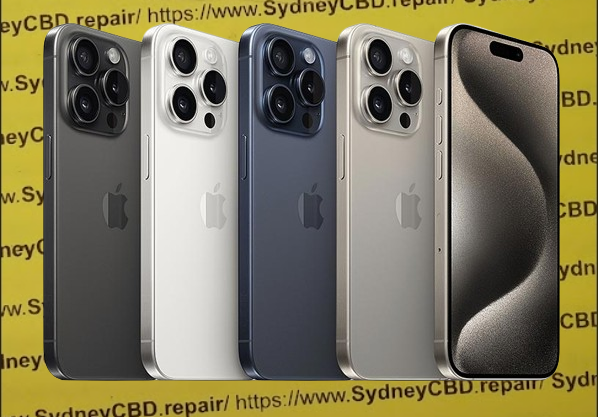
In sum, that would make the new Pro lineup composed of black, white/silver, rose and natural titanium options. For the base iPhone 16 and iPhone 16 Plus, Kuo expects black, white, green, pink, and blue colorways.
These predictions generally match earlier expectations, although there had been some talk of a purple iPhone 16 model. Kuo does not mention purple in his message today.
The iPhone 16 lineup is expected to be officially announced in the fall, likely at a September media event. The phone’s design will mostly resemble their iPhone 15 counterparts, although the screen sizes on the Pro models is getting a smidge bigger. The dual-camera module on the 15 and 15 Plus is changing from a diagonal to a straight ‘traffic light’ arrangement.
The big new feature is expected to be the addition of a Capture Button, which will assist with taking videos and photos. The button is expected to be capacitive and respond to different levels of force pressure as input. For instance, users will be able to focus the camera in the viewfinder with a half-force press, and then press to actually take the camera. This is similar to how a traditional camera behaves.
With summer drawing near, we’re getting closer to the expected September debut of the iPhone 16 lineup. As a result, more details about the phones should start finding their way into the news.
One such update comes today from analyst Ross Young, writing on X in a subscriber post about the start of iPhone 16 display production.
iPhone 16 panels entering production soon
Young notes in his post that panels for the new iPhone 16 lineup are expected to begin in June, which would be on schedule with the timing of last year’s iPhone 15 production.
Display production taking place at the same time as last year means the iPhone 16 is on track to debut at the same time as last year’s iPhone 15, in mid-September.
Out of the full iPhone 16 line, which is expected to include four models yet again, the iPhone 16 and 16 Pro are said by Young to have the highest projected volumes in June, with 16 Plus and 16 Pro Max displays likely ramping up later in the summer.
Also today, dummy units for the iPhone 16 Pro and Pro Max were shared, revealing the expected larger display sizes on this year’s models. This will represent the first notable display size increase in several years, since the iPhone 12 line.
Verdict
With WWDC on the horizon, and Apple needing to produce millions of iPhones ahead of their fall launch, today’s news is unsurprising yet reassuring. Pending any future production issues, potentially from manufacturing new display sizes this year, the iPhone 16 should hit users’ hands around the same September timeframe that we’ve come to expect.
Apple has officially released iOS 17.5 to the general public. The update brings a handful of new features and changes for iPhone users. Head below for everything we know right now.
iOS 17.5 is now available
iOS 17.5 is now available to the public. You can head to the Settings app on your device, then choose General, then Software Update to install the update.
What’s new in iOS 17.5?
While iOS 17.5 isn’t quite as big of an update as other iOS 17 updates, it still includes its fair share of new features and updates.
Web Distribution in the EU
Within the European Union, the latest iOS 17.5 update introduces the capability to install applications directly from a developer’s website. Apple unveiled this new “Web Distribution” feature last month, explaining that it allows developers to distribute their iOS apps straight from their own websites.
To utilize this functionality, developers must opt into the updated App Store business terms, which requires paying a Core Technology Fee of €0.50 for every first annual installation exceeding one million in the preceding 12 months.
Any application disseminated through the web will still need to adhere to Apple’s notarization guidelines. Apps can only be installed from a website domain that the developer has registered in App Store Connect. Apple will also provide a range of APIs for developers to integrate with system functionality.
New Quartiles game for Apple News+
In the Apple News app, Apple News+ subscribers in the United States and Canada will find a new “Quartiles” word game after updating to iOS 17.5. The game prompts players to select from a grid of tiles to form words.
Quartiles is the third game to come to Apple News+, following the addition of daily crossword and crossword mini-games that were added last year.
iOS 17.5 also adds Game Center integration to all three of the Apple News+ games. With this feature, you can now see leaderboards for each of the three games for Daily Solve Time and Daily Score stats.
Apple News offline
Also for Apple News+ subscribers, iOS 17.5 introduces a new “Offline Mode.” This feature “makes it easy to access the hundreds of magazines, newspapers, narrated articles, and more included in a News+ subscription — no matter where you are,” according to Apple.
Apple News+ subscribers can now enjoy Offline Mode on iPhone and iPad to automatically download Top Stories, Apple News Today audio briefings, full magazine issues and narrated articles from News+ publishers, and puzzles to access later, without Wi-Fi or a cellular connection. When the device is back online, downloaded content will automatically refresh, and downloads will be optimized to maximize space on the device.
Design changes
iOS 17.5 also includes a few small design changes that are worth pointing out:
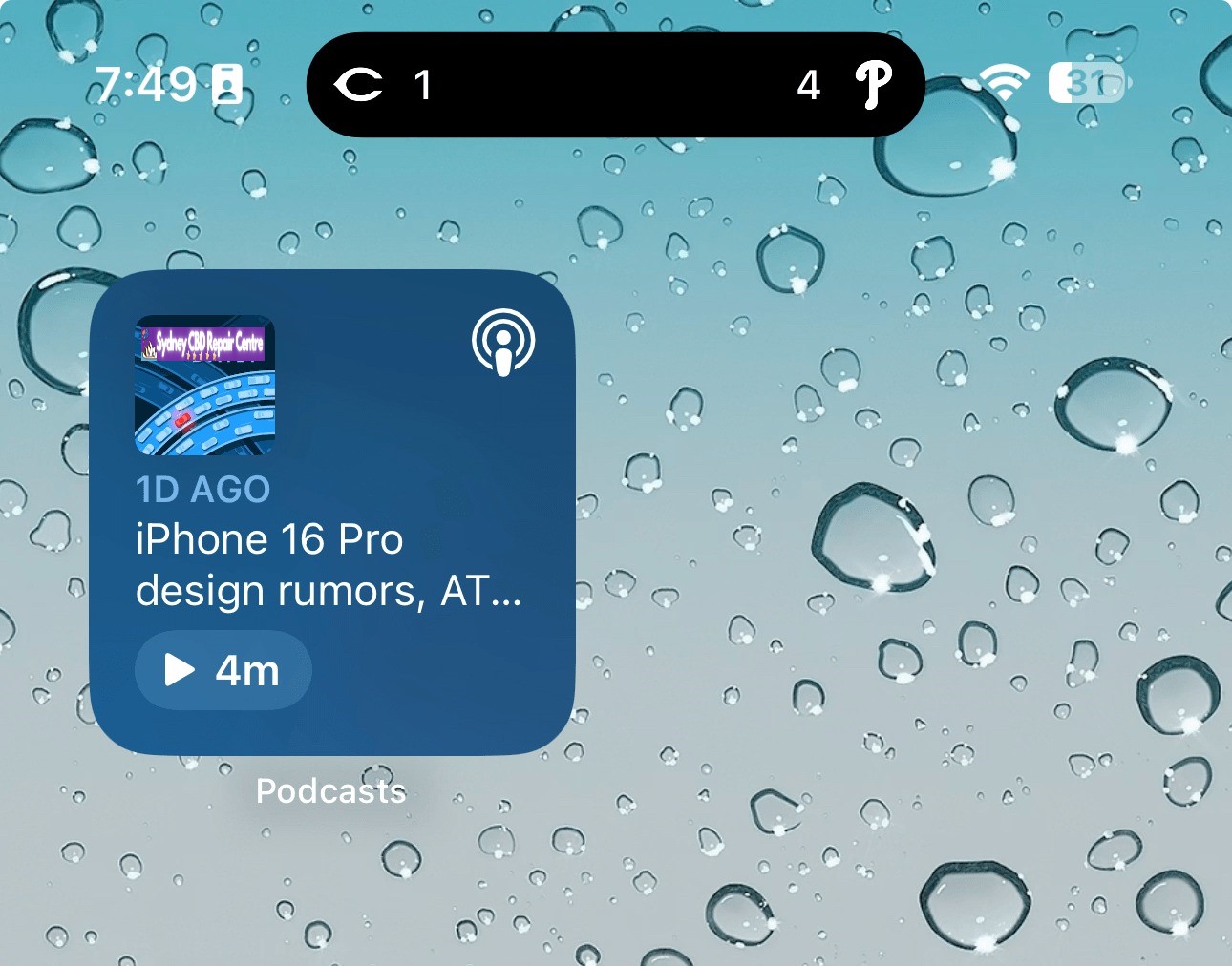
The Podcasts widget has been updated to have a new dynamic color that changes based on the artwork of the podcast you’re currently playing.
In the Apple Books app, Apple has redesigned the “Reading Goal” icon in top navigation bar.
In the Settings app, there is a new glyph for the “Passkeys Access for Web Browsers” menu under “Privacy & Security.”
New Pride wallpaper
iOS 17.5 also includes a new Pride Collection of wallpapers for iPhone and iPad users, as is tradition. The new dynamic wallpapers come as part of Apple’s goal to “champion global movements to protect and advance equality for LGBTQ+ communities.”
As explained by Apple, iOS 17.5 includes a new system centered around anti-stalking capabilities for accessories like AirTags. This development follows Apple’s announcement last year of a partnership with Google to collaborate on a new “industry specification to combat unwanted tracking.”
Strings added to the Find My app reveal that iOS will be able to identify tracking accessories, even those that are not Apple or Find My certified, and assist users in disabling them.
One of the new strings states, “This item lacks certification on the Apple Find My network. You have the option to disable this item and prevent it from sharing its location with the owner. To proceed, follow the instructions provided on a website by the manufacturer of this item.”
These changes come as Google started rolling out its new Find My Device network for Android on April 8.
New ‘Repair State’
Also in iOS 17.5, Apple has added a new “Repair State” feature to Find My. This feature lets users confirm with their Apple ID and password that they’re about to send their iPhone in for a repair. As a result, Apple technicians can confirm that the person owns the iPhone and then proceed with the repair without the need to turn off Stolen Device Protection and Find My.
Essentially, this ensures that users can still track their device using Find My while it’s being repaired. Previous, Apple required users to disabled Find My altogether.
iOS 17.5’s security fixes
Finally, in addition to all the new features and changes, iOS 17.5 also includes 15 notable security patches for iPhone users. Notably, none of the 15 vulnerabilities were reported as previously exploited.
You can find the full list of these changes in our dedicated coverage. Even if none of the new features in iOS 17.5 are tempting for you, we recommend updating as soon as possible for those security fixes.
Every now and then, Apple forces you to choose between more than just size when you’re out for this year’s “best iPhone ever” – there have been instances where the Max one-ups the ‘regular’ Pro in that one line in the camera specsheet. Such is the case with the iPhone 15 Pro which only gets a moderate telephoto camera and not the longer reach of the Pro Max.
But, really – does 3x vs 5x make a world of a difference? Particularly with iPhones, where Apple goes to great lengths to standardize the experience across one generation, but also from one generation going into the next? We reckon not, at least for the sake of this reviewer who opted for a Pro, instead of a Pro Max.
The 15 Pro otherwise gets the same treatment as the 15 Pro Max in all the other key areas – like the titanium in the frame that makes it a lot lighter than last year’s model. This is, in fact, perhaps even more of an important development on the smaller model, and it now makes it a more viable option for those looking for a pocketable Pro iPhone.
Naturally, a chipset upgrade is also part of the generational changes and there the Pro is as Pro as the Pro Max, of course – the 3nm A17 Pro is standard equipment. Not quite so is the storage situation, where the regular Pro’s 128GB base trim level isn’t befitting the name – the Pro Max starts at 256GB and that’s a lot more like it.
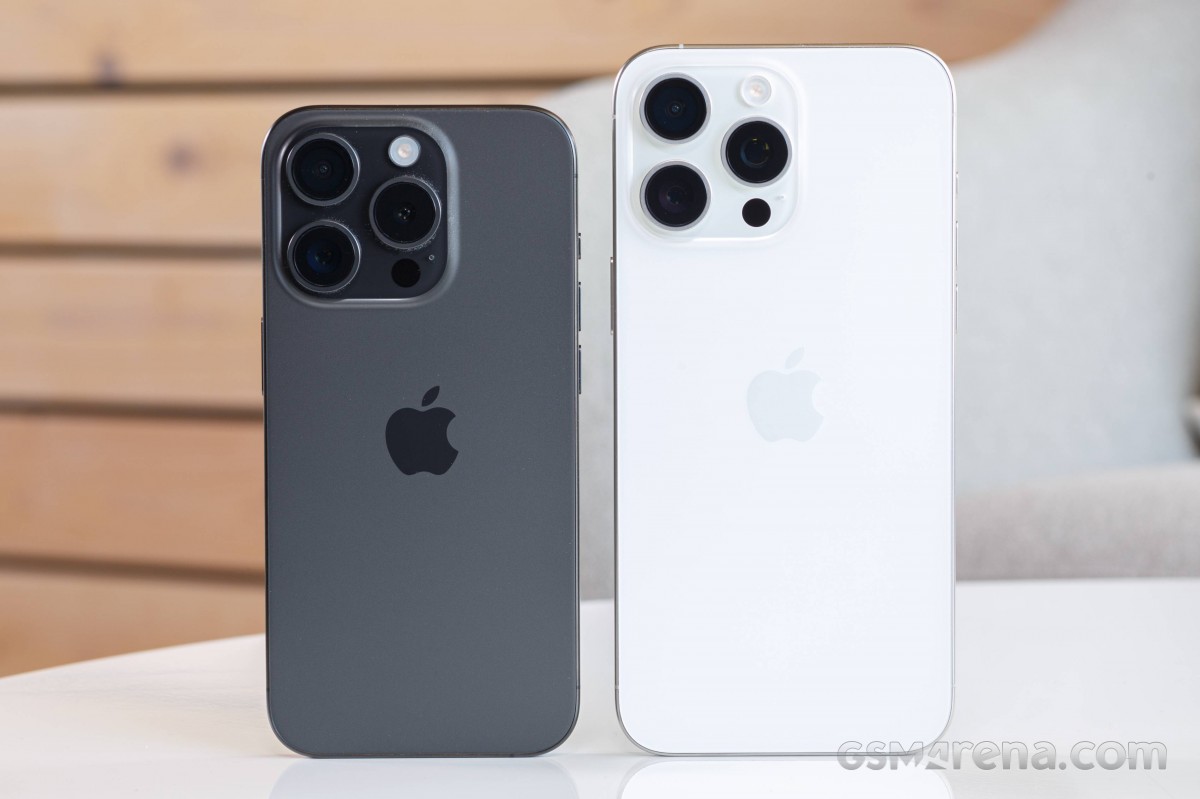
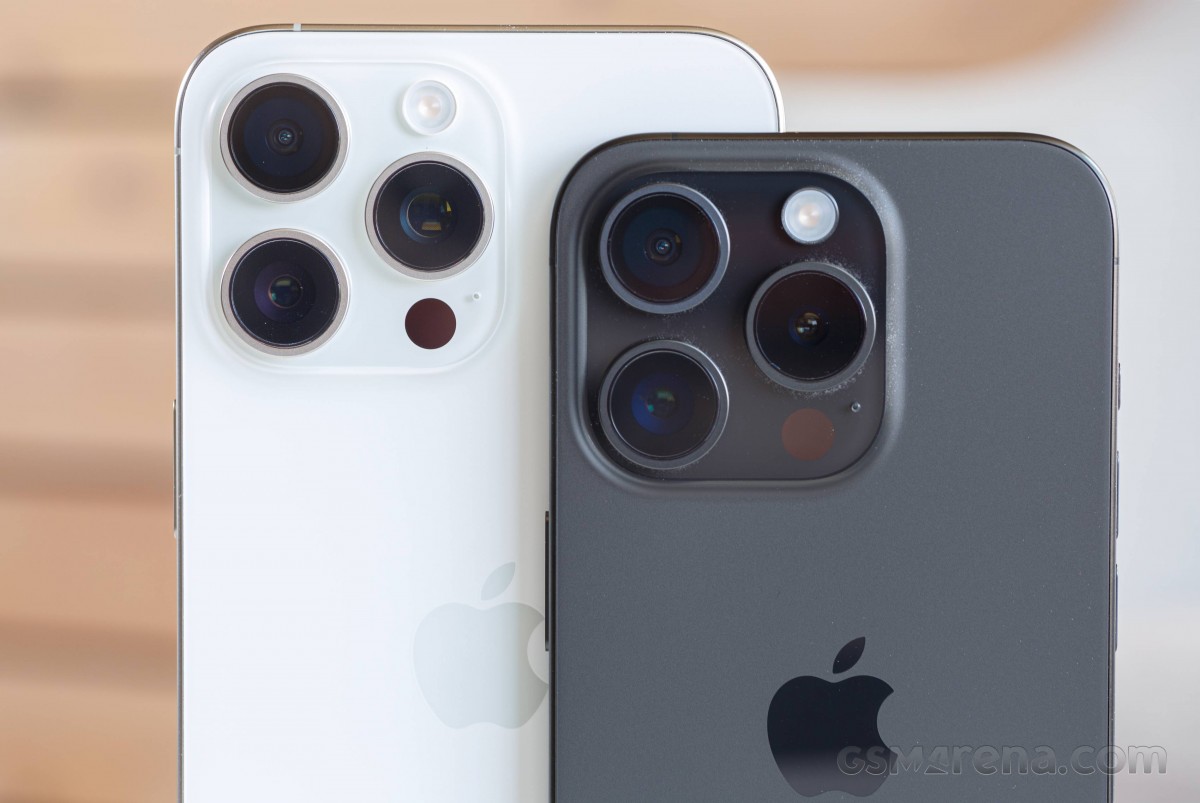
iPhone 15 Pro (left) next to iPhone 15 Pro Max
Circling back to the cameras (because it’s not all about the telephotos), the iPhone 15 Pro also gets the 24MP jpegs (or heifs, if that’s your thing) and the two intermediate pretend-focal lengths – there’s so much more parity in the imaging department than there are differences, after all.
Apple also invented USB-C this year, perhaps nudged in the right direction by the EU, but why not out of their own accord? (Because probably not.) Not strictly a Pro feature this one, since the vanilla iPhone 15 and the 15 Plus also use the industry-standard connector, but a most welcome development either way.
Then there’s some more of the usual stuff, the usual good stuff. The Pro iPhones have some of the best displays in the business, and the one on the 15 Pro is no different – in the same compact 6.1-inch size Apple settled on in 2020 with the 12 generation. While we’d say that underdisplay fingerprint readers should be mature enough for Apple to finally add one into the mix, Face ID remains a solid option for authentication. The autofocusing selfie camera that’s in that same vicinity has proven great in the past too.
iPhone 15 Pro (left) next to iPhone 15 Pro Max
Battery life has been a strong suit of iPhones for a while and we’re seeing little reason why that would change now. We do sense we’ll be complaining about the 15 Pro‘s charging speeds though, as usual. Have a look at this quick rundown of the specs before we tear the paper tabs on that white box.
Disclaimer. We can not guarantee that the information on this page is 100% correct.
Apple iPhone 15 Pro unboxing
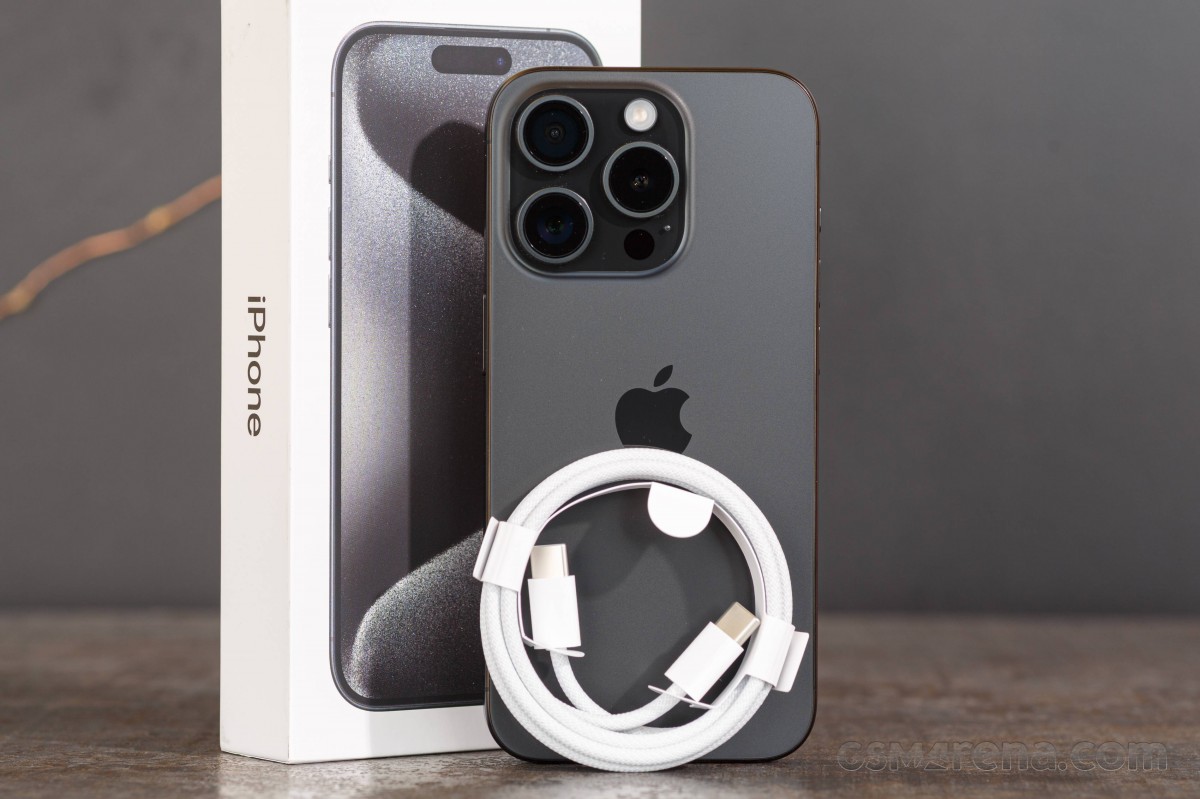
As expected, the iPhone 15 Pro ships in a half-height retail box, with little inside other than the phone itself. The less important bits that are still included are a SIM ejection tool, an Apple sticker, and some documentation.
The one bundled accessory that’s of more practical significance is the new USB cable (C-C) which is now braided. That should help make it last longer than the plain Apple cables of yesteryear, though we’re not sure the white fabric will be looking pristine a few weeks down the road. The cable is also USB 2.0 spec, so if you’re after the fastest possible transfer speeds, you’d need to get a different one. On to the phone itself we go now.
Competition
An iPhone‘s competition most often comprises other iPhones – be they older ones, the other size from the same lineup, or one from the other lineup. In that sense, you need to have your priorities all figured out when picking the right iPhone for you.
iPhone 15 Pro in front of iPhone 15 Pro Max
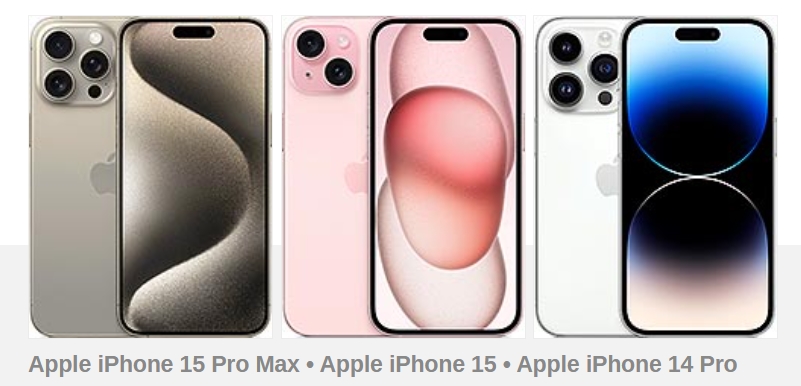
For example, if you want the absolute best iPhone on the market, the 15 Pro isn’t that. The 15 Pro Max will get you a longer-reaching telephoto camera, better battery life and more screen estate, though conversely, it will take up more room in your pocket, and it’s also more expensive (€250/$200).
On the other hand, if you’re looking to save some money (€300/$200), you could give up on the Pro and get the vanilla iPhone 15 – not only is it the same size as the 15 Pro, but it’s tangibly lighter, which can be a priority. The 15 is nowhere as good a cameraphone as the 15 Pro – no telephoto, no AF on the UW, and less fancy main camera.
An interesting middle ground is the iPhone 14 Pro. Apple may have discontinued it, but we reckon there’s ample stock at third-party retailers, and for €150 less you can have almost the same phone as the 15 Pro – minus the USB-C port, the latest intermediate zoom modes, the newest chipset (last year’s is fine), and the titanium frame (which may actually be an advantage for the previous generation).
If you’re OS-agnostic or just like jumping ship every now and then, or you may want something that Apple doesn’t make yet, there are plenty of Android options you could entertain.
Samsung’s two foldables easily come to mind – there’s no bendy iPhone just yet. The Galaxy Z Fold5 is perhaps the best bet if you’re after the ultimate smartphone for productivity, while the Z Flip5 is more of a fashion statement with the benefit of some form of pocketability. If that last bit is a top priority, then the Zenfone 10 just might be able to entice you, while an Xperia 1 V could appeal to the right crowd with its extensive video recording chops.
Verdict
The iPhone 15 Pro is a logical if not quite exciting, evolutionary step for the lineup. Small advancement in key areas go with continued refusal to improve on others, but Apple will be Apple. Perhaps that statement alone explains the fact that the new 5x telephoto only comes on the Pro Max and not the Pro, and we’re bummed about it on principle, even if it’s objectively not a big deal.
The high price, scant retail bundle, iOS quirks, and heavy throttling sound like cons we’ve listed before and will continue to do so. On the other hand, traditional strong points of the iPhone are only getting stronger – like the upmarket build and in-hand feel, spectacular display, versatile camera system and great speakers. We’re more than happy to welcome the USB-C port this year on iPhone too.
Ultimately, the iPhone 15 Pro is what you’d expect it to be – the best one to date in size small. As usual, if you’ve already got an iPhone 14 Pro, there’s no truly compelling reason to get a 15 Pro. However, if you’re on an iPhone 13 Pro or older, or on one of the other branches of iPhone (like a vanilla 14 maybe), the 15 Pro will more easily make a convincing case for itself.
Pros
Exquisite and now lighter design, water-resistant up to 6m deep.
Outstanding OLED display – super bright, color-accurate, Dolby Vision capable.
Superb speaker loudness, balance, sound quality.
Top-notch performance.
Every iPhone comes with at least five years of iOS updates.
Upgraded connectivity across the board, UWB2 too.
USB-C is here, and we love it.
Class-leading video capturing and stabilization, impressive Pro modes.
Superb daylight and nighttime photos from all cameras.
Cons
A lot more expensive than corresponding Android alternatives.
No charger in the box, and charging isn’t particularly fast.
Apple’s iOS restrictions can be off-putting to newcomers to the ecosystem.
The photo processing could benefit from less sharpening at times.
Limiting the 5x telephoto to just the Max feels arbitrary (and so is the 256GB base storage).
The rear glass is reportedly much more shatter-prone than before.