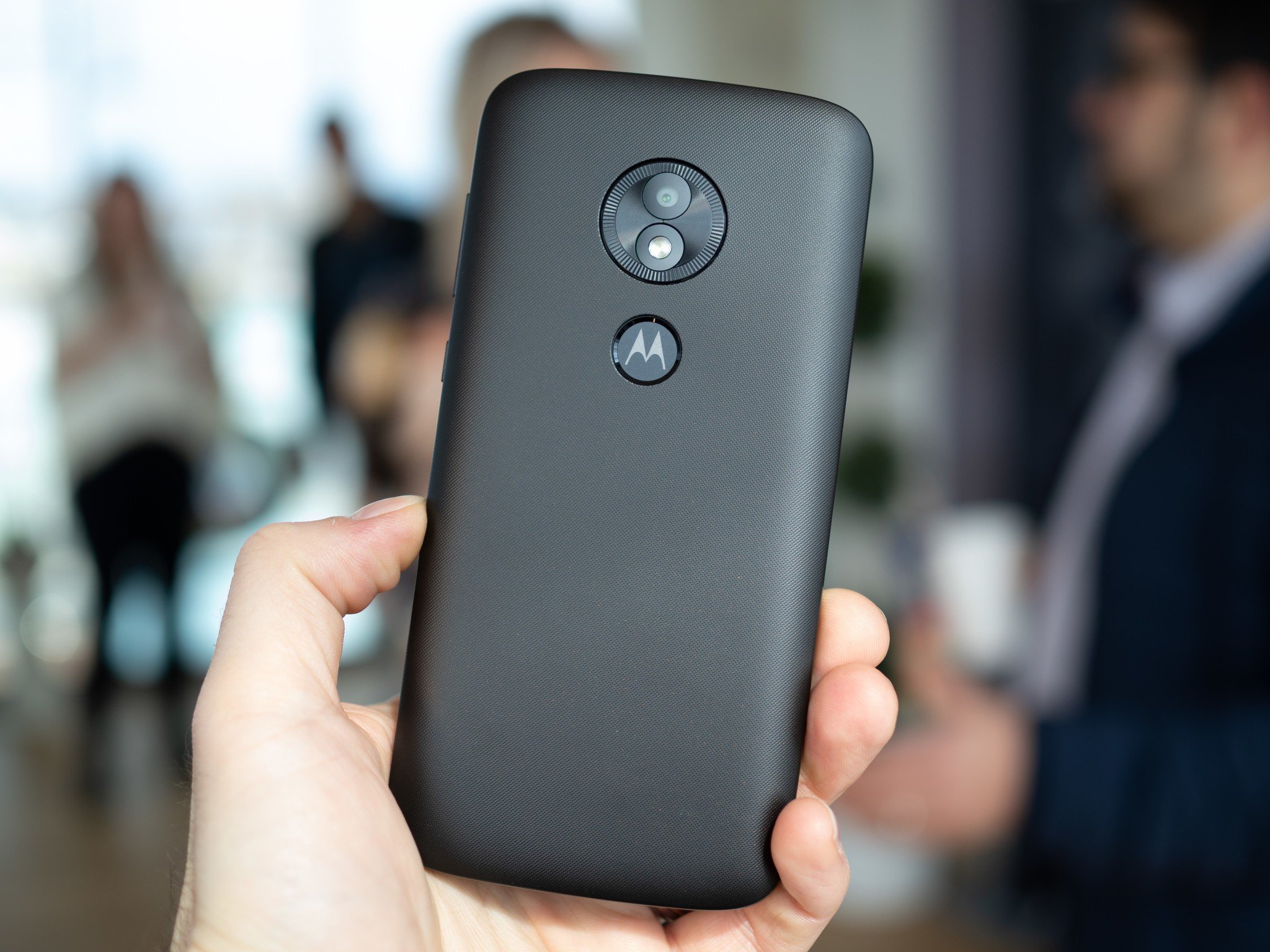
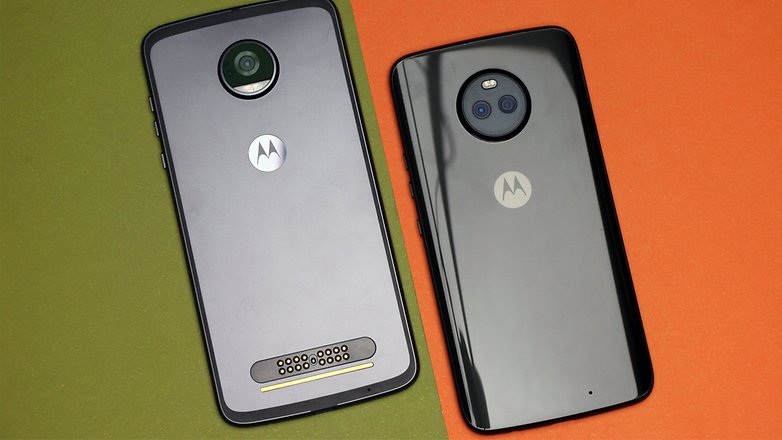
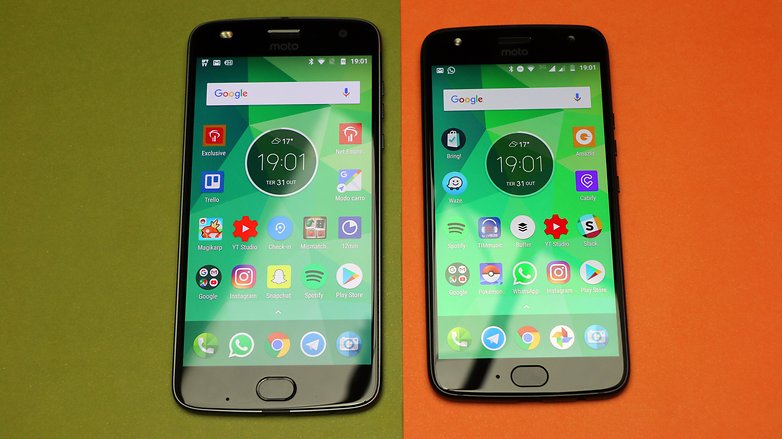
Motorola has announced which of its phones will receive an update to Android 11, along with some of the new features to expect. The list of phones is long; if you purchased a Motorola device in the past 12 months or so, chances are you’re covered.
Here’s the full list:
motorola razr 5G
motorola razr 2019
motorola edge
motorola edge+
motorola one 5G
motorola one action¹
motorola one fusion
motorola one fusion+
motorola one hyper
motorola one vision
moto g 5G
moto g 5G plus
moto g fast
moto g power
moto g pro
moto g stylus
moto g9
moto g9 play
moto g9 plus
moto g9 power
moto g8
moto g8 power
Lenovo K12 Note
According to Motorola, Moto users should expect features like Chat Bubbles, streamlined device and media controls, and improved privacy settings. We also confirmed earlier this month that as part of Motorola’s Android 11 update, some of its phones will support a new Desktop Mode.
It’s unclear which Motorola devices will support the new mode, but we got a brief glimpse at it possibly running on the Moto G 5G Plus. Either that or it was the company’s upcoming Snapdragon 865-powered “nio” handset.
The plan right now is for Motorola to roll out Android 11 “in the coming months.” Unfortunately, we have no exact dates, and Motorola warned that its current plans could change. “This information communicated is not a commitment or an obligation to deliver any product, product feature, software update or functionality and Motorola Mobility reserves the right to change the content and timing of any product, product feature or software release,” Motorola wrote in a blog post.
Motorola said that the rollout of Android 11 is also influenced by partner support. Hopefully, we’ll see Motorola release Android 11 sooner rather than later. There’s a long list of devices expected to get the update, and we’re hoping Motorola can hit every one on the list.
Motorola released a list devices it plans to update to Android 11.
All of the phones on the list came out in either 2019 or 2020.
After all the disappointment 2020 brought with it, you might have hoped a company like Motorola would have tried to end the year on a high note. But that’s not to be the case. The company shared its Android 11 upgrade plans, and they’re no better than anything Motorola has put together over the past couple of years.
As you can see from the list below, if you own a Motorola phone that came out before 2019, don’t expect the company to push the latest version of Google’s operating system to your device. What’s more, even if you own a Moto phone from 2019 or 2020, you may end up waiting a while to get anything. Motorola says it will begin rolling out Android 11 “starting in the coming months, pending partner support.” In other words, expect a potentially long wait, particularly if you don’t own one of the higher-end devices on the list like the Razr 5G or Edge.
If you happen to own a Motorola One Action you bought in North America, you’re also out of luck. Motorola only plans to update the Latin American and European variants of that phone to Android 11 since it’s included in Google’s Android One program in those places. Even by Motorola’s lacklustre support standards, this is not a great showing for the company.
Thankfully, update lists like the one above may become less common in the future. Google and Qualcomm recently announced a partnership to deliver four years of support to future Snapdragon-equipped devices. That pledge is likely to help low-end and mid-range devices the most.
Few brands can boast such a monumental legacy as Motorola – one of the original forefathers and titans on the mobile scene. And it’s not just the brick-like phones of the past that contribute to this special status either. You only need to turn the clock back five years or so from now to see the original Moto G at the forefront of a budget smartphone revolution. One that is continuing to this day, compelling manufacturers to constantly push the envelope on what is possible with a budget device.
Of course, financial turmoils, several buyouts, management and business changes later, these historic Motorola glory days appear to be in the past. But even so, Moto lives on and so does the Moto G. Now in its sixth generation and a sprawling family of three – the G6, G6 Plus and last, but not least, the G6 Play.
All that being said, at $200, the latter can’t really hope for the instant recommendation, many of its predecessors got back in the day. Especially in 2018, with good quality value offers flying in left and right and seriously mounting competition from the likes of Xiaomi, Huawei and even a resurrected Nokia.
Motorola Moto G6 Play
Body: Plastic back; 154.4×72.2x9mm; 175 grams; p2i water repellent nano coating on some markets
Screen: 5.7-inch, 18:9, HD+, IPS LCD, MAX Vision
Rear Camera: 13MP, f/2.0 lens; Secondary 5MP; LED flash; 1080p@30fps video recording
Front Camera: 8MP, 1080p@30fps video recording; LED selfie flash
However, don’t do kicking the Moto G6 Play to the side quite so hastily. The proverbial runt in the Moto G litter still has a lot going for it, besides a legendary reputation. Lenovo managed to cram a massive 4,000 mAh battery, inside the 9mm thin handset and even throw in snappy 15W fast charging support in the mix.
Just like its bigger sibling, the G6 Play has an extra-tall Max Vision display. It’s even complete with rounded corners, for a truly contemporary look. All the while, the Moto G6 Play remains a lot truer to the original Moto G spirit than the rest of the family.
A clean front, with no controls and only on-screen navigation and a the familiar “M” dimple on the back, make for a rather classic experience, that long-time fans of the series might actually prefer. Of course, that’s also complimented by the traditional Vanilla approach to Motorola‘s Android ROMs. Another integral and well-known part of the Moto G mix.
Join us on the following pages, as we explore the new, yet familiar Moto G6 Play in more detail.
Back in the day, the Motorola Moto G had a pretty clear angle going for it. It was the go-to, budget and vanilla Android device of choice for many. Since then, things have become a bit more complicated within the Motorola lineup. Now, there’s a sprawling Moto E family, a growing Moto C and even a Moto E, all filling up the proverbial nooks and crannies of the budget niche as best they can.
While choice is hard to complain about, this new-found market saturation and segmentation do require some involved choices on the user’s end. Thankfully, for the most part, the Moto G6 Play brings a balanced mix of design and features to the table. Just like its older predecessors, the G6 Play is plastic all around and it still works just as well.
There are plenty of advantages to using the relatively light and less dent-prone material. Lenovo has even put in the extra effort to coat the central frame in a metal-like fashion. We’ve seen more believable finishes out there, but still, a good effort.
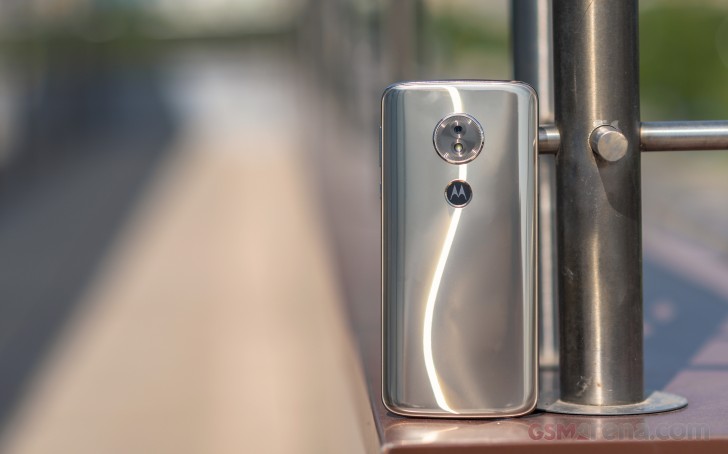
In place of the more traditional unibody approach, Motorola decided to go for a modern look this time around and a glossy, curved back surface. Naturally, just like the rest of the body, it’s plastic as well, but actually does a pretty convincing job of imitating metal.
This could potentially spell out trouble if you tend to bang and slap your phone around a lot. Plus, chances are you’ll never get to see the surface fingerprint-free from the moment you first pick up the Moto G6 Play. Still, it does make for a decent hand feel.
On a more positive note, the signature Motorola splash-resistant nano coating on the electronics inside is still part of the mix. We are kind of hesitant to get the phone deliberately wet to test it out. But then again, that’s missing the point entirely. It’s just meant to be the extra piece of mind in case of rainy weather or an accidental splash of water.
Hardware overview
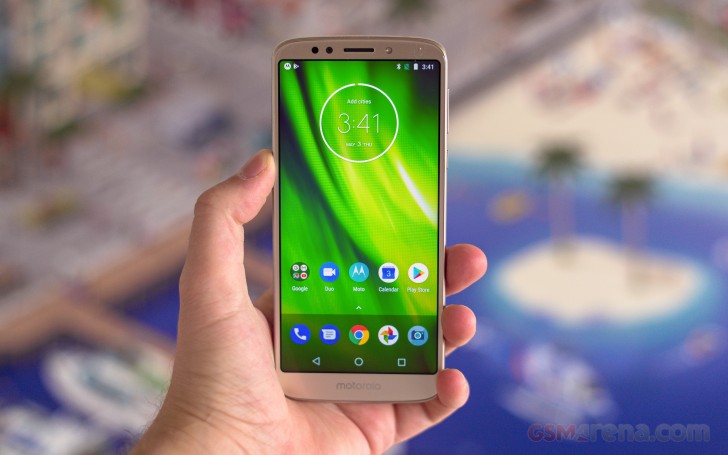
In many ways, the Moto G6 Play has a traditional setup on the front – no capacitive navigation keys or fingerprint reader, a fairly wide bottom chin, with the entire surface covered by an undisclosed version of Gorilla Glass.
At the same time, however, the new Moto G look is trendier than ever, mostly thanks to an extra-tall, 18:9, LCD panel, shared by all three siblings. It even has rounded corners, in keeping with the trends of the day. Just like the regular Moto G6, the G6 Play gets a decently sized 5.7-inch display – fairly large for a “Play” device.
The only real difference in the display department between the two devices is the resolution – it’s 720 x 1440 pixels on the G6 Play. However, fewer pixels mean less strain on the GPU for on-screen rendering task. A bonus that is sure to shine through in the benchmark section of the review.
We can’t fail to mention that Motorola didn’t find it necessary to fit a notification LED on the front of the G6 Play, but there is still an LED selfie flash.
Like we mentioned earlier, the curved back side of the Moto G6 Plus is plastic and thus not necessarily the most sturdy surface out there. We would definitely recommend using the provided case, which also offers the bonus of not having to deal with the almost unnatural amount of dirt and grease the back accumulates.
The camera module protrudes a bit, but it’s nothing major. One would hope so, considering the G6 Play is 9mm thick. It has this watch dial effect going for it and the lack of a second camera module allowed Motorola to go for a vertical arrangement. So, there are no shocked and surprised smiley configurations on this one.
Right underneath the familiar circular camera module is an even more familiar and traditional “M” dimple. Long-term fans will remember the little signature detail was mostly for show back in the day. Now, it also doubles as a home for the fingerprint reader. Getting the dimple once again looks retro fancy in just the right way. Resting your index finger there during calls feels right.
The fingerprint reader itself is pretty reliable, but not exactly what we would consider speedy. It is more versatile than before now that Motorola can use it as an authentication to manage and auto-fill passwords in apps and websites and even log-on to Windows devices.
There’s not a lot to mention about the sides of the Moto G6 Play. The bottom is almost entirely empty, housing only the dated microUSB port and the main microphone. So, where are the speakers then you ask? Well, turns out the phone only has one and it’s the earpiece. It’s pretty quiet as well, but more on that later.
The top is equally barren, with a pair of holes – one for the secondary, noise-canceling microphone and the other the tried and true 3.5mm audio jack. The left-hand side has a single cut-out for the card tray. Motorola could have done a better job slicing it out and then dampening it since it doesn’t really sit flush and rocks in place a little bit when nudged. However, these are all petty complaints that get dwarfed by the fact that the tray has three whole slots (two in the Single SIM models). Two for SIM cards and a dedicated microSD one. That means you don’t have to choose between another phone line and memory – always a plus in our book.
All the buttons sit pretty high up on the right side of the device. Perhaps a bit too high for comfort, if you have smaller hands. Other than that, they are nice and clicky and well-defined. The power button, while on the slim side, even has an edged pattern going for it, so its very easy to feel around.
Overall, as far as controls go, no real complaints. It seems Motorola has handled the transition to a new extra-tall aspect ratio pretty well.
Display
Extra-tall displays are an increasingly common sight on budget devices nowadays. Even though the new aspect ratios typically leave you with less horizontal real estate, it is still hard to complain or argue against the practical benefits of more vertical room for most everyday tasks. Especially, when the deal does not include a notch.
Just like many of its competitors, Motorola decided to hunker down and bring 18:9 to the masses, including as part of the affordable Moto G6 Play package.
Users looking to same a few bucks from the regular Moto G6 won’t have to sacrifice on screen diagonal at all.
The Play does come with a slight bump down in resolution. But, 720 x 1440 pixels and a density rating of 282ppi is still pretty decent for an entry-level phone.
Display test
100% brightness
Black, cd/m2
White, cd/m2
Contrast ratio
Motorola Moto G6 Plus (Max Auto)
0.564
776
1376
Motorola Moto G6 Plus
0.418
610
1459
Motorola Moto G5S (Max Auto)
0.415
582
1402
Xiaomi Redmi 5 Plus
0.548
555
1013
Motorola Moto G6 Play (Max Auto)
0.419
554
1321
Xiaomi Mi A1
0.351
551
1570
Huawei P Smart
0.356
531
1492
Samsung Galaxy A3 (2017) max auto
0
518
∞
LG Q6
0.288
510
1771
Xiaomi Redmi 5
0.378
503
1331
Nokia 6 (Global version)
0.364
484
1330
Samsung Galaxy J7 (2017) Max Auto
0
482
∞
Motorola Moto G6 Play
0.339
476
1404
Huawei Honor 7X
0.236
458
1941
Motorola Moto G5S
0.266
415
1560
Samsung Galaxy A3 (2017)
0
408
∞
Huawei P8lite
0.45
362
802
Samsung Galaxy J7 (2017)
0
348
∞
The IPS LCD panel Moto managed to acquire and fit inside the G6 Play budget is decent, if not particularly impressive. Under normal conditions, its brightness tops off at 476 nits, with respectable enough contrast. Max Auto allows it to shine at up to 554 nits, at the cost of some contrast.
The Moto G6 Play offers a less than stellar experience under strong sunlight, but it’s still usable in most cases.
On a more positive note, color accuracy is surprisingly good, if a few conditions are met. In it’s default mode, the whites on the G6 Play screen have a distinct blue hue. Switching between the Standard and Vivid color modes does little to correct that. The maximum deltaE sits at 6.4, with a maximum of 13.3 in the blue.
However, setting the color temperature from the default setting to Warm does yield tangible results. This way, you can get the color deviation down to a respectable average deltaE of 3.8 and a maximum of 6.5. Almost what we would consider color-accurate.
Moto G6 Play Battery Life
At 9mm thick, the Motorola Moto G6 Play is quite a chunky phone, no question about it. Still, it does compensate for it’s girth, at least to some extent, with a large 4,000 mAh battery. Sure, you could justifiably argue that a lot of the juice end up kind of wasted on the inefficient 28nm Snapdragon chipset. Undoubtedly, something newer, like the Snapdragon 450 would do a better job, with its 14nm node. Failing that, the older and now likely more affordable Snapdragon 625 is tried and true and still a solid choice.
But, we might be getting a bit too picky. The Snapdragon 430 (non-US) review unit, we tested at the office still did a solid job, stretching the 4,000 Mah battery pack to its full extent.
It scored an overall endurance rating of 92 hours – more than respectable.
Looking at the particular numbers in detail, Motorola appears to have done a bang-up optimization job all-around. The near-vanilla Android OS definitely helps a fair bit and as a result, the Moto G6 Play easily breaks the 200-hour barrier in standby.
Even with its older 28nm development process, the Snapdragon 430 and its X6 LTE modem, in particular, manage to clock in over 30 hours of call time. Google’s Chrome browser and File app/video player don’t disappoint either. Both manage to keep pushing content on the HD+ display for over 14hours on a single charge. Overall, while the Moto G6 Play is a bit on the chunky side, it feels quite comfortable away from a power outlet for prolonged periods of time.
Motorola was also considerate enough to include support for its own Turbo power fast charging standard in the Moto G6 Play. It is actually one of the cheapest phones out there, with quick top-off support.
The Moto G6 Play is, theoretically capable of sucking in power at up to 15W. However, we can’t really confirm is a compatible Turbo Power charger will be provided in the box. Package contents frequently differ from market to market and Lenovo has a pretty bumpy track record in this area. So, the best way to go about it is to check with your local retailer of choice.
Loudspeaker
Motorola was definitely generous in the battery department, but the loudspeaker setup is a whole other story. The Moto G6 Play only has a single speaker – the earpiece, above the display. It is powered to pump out some volume and that’s about it.
Speakerphone test
Voice, dB
Pink noise/ Music, dB
Ringing phone, dB
Overall score
Samsung Galaxy J3 (2016)
64.1
65.3
68.5
Below Average
Motorola Moto G6 Play
62.6
68.0
71.0
Average
Moto M
64.5
72.9
72.0
Good
Motorola Moto G6 Play (Dolby audio)
66.1
70.0
76.2
Good
Nokia 2
66.7
70.6
75.0
Good
LG Q6
67.0
69.3
76.1
Good
Xiaomi Redmi 5
66.1
68.4
82.1
Good
Huawei P Smart
65.9
70.8
85.8
Very Good
Huawei Honor 7X
66.4
71.1
85.1
Very Good
Motorola Moto G5S
76.1
72.7
81.0
Excellent
Sony Xperia L2
67.4
72.2
91.6
Excellent
Motorola Moto G5S Plus
91.5
74.9
86.9
Excellent
The G6 Play is a bit quiet, especially in its default mode, with the audio equalizer turned off. Speaking of which, it’s a bit odd that Motorola decided to provide a really in-depth audio equalizer, for the single, underwhelming speaker. It even bears the Dolby audio branding.
Still, we can’t complain too much, unlike most smartphone audio tuning suit, this one did not reduce the overall output volume. On the contrary, it increased it slightly, while also managing to open up the soundstage noticeably. If configured correctly, that is.
If you spend enough time tweaking the sliders and toggles, for your content of choice, you can actually achieve tangible results, like a clearer voice in movies or richer simulated bass, if that’s your thing.
Audio quality
Motorola Moto G6 Play matched the splendid clarity of its Plus sibling in the active external amplifier part of the test. Its loudness fell seriously short though, giving away its lower standing.
Loudness remained below average when we hooked up our headphones too, but the clarity was downright impressive. The Moto G6 Play delivered a performance that would be worthy of a device with a much higher price tag. Unless you have high impedance headphones and the volume is actually a deal-breaker, you really can’t wish for much more than that.
Test
Frequency response
Noise level
Dynamic range
THD
IMD + Noise
Stereo crosstalk
Motorola Moto G6 Play
+0.06, -0.03
-89.0
86.6
0.0052
0.019
-87.3
Motorola Moto G6 Play (headphones)
+0.06, -0.03
-90.5
87.1
0.0054
0.028
-77.3
Motorola Moto G6 Plus
+0.00, -0.03
-93.6
93.5
0.0050
0.011
-94.6
Motorola Moto G6 Plus (headphones)
+0.02, -0.02
-93.5
93.4
0.0067
0.033
-81.0
Oppo F7
+0.01, -0.10
-92.5
92.7
0.0019
0.0077
-91.2
Oppo F7 (headphones)
+0.50, -0.20
-91.4
91.8
0.0079
0.402
-51.5
Nokia 6 (2018)
+0.10, -0.20
-37.5
80.4
0.0018
4.735
-93.3
Nokia 6 (2018) (headphones)
+0.05, -0.03
-94.3
90.2
0.0027
0.019
-58.6
Nokia 7 Plus
+0.02, -0.31
-38.8
81.7
0.0013
4.690
-95.9
Nokia 7 Plus (headphones)
+0.25, -0.23
-93.3
90.4
0.0045
0.227
-53.9
Honor View 10
+0.02, -0.01
-92.6
92.6
0.0021
0.012
-94.4
Honor View 10 (headphones)
+0.17, -0.03
-92.0
92.1
0.0023
0.092
-52.8
Synthetic benchmarks
The Motorola Moto G6 Play was never meant to be a performance powerhouse in any way, shape or forms. Still, in 2018, we are finally a bit past the days when you had to take anything you could get for $200, or so. That being said, we approached the Snapdragon 430, 3GB RAM review unit with clear expectations of a smooth overall experience. Definitely not unreasonable, especially considering the near-stock Moto Android ROM.
To our surprise, however, the Moto G6 Play experiences some noticeable performance dips, even when dealing with everyday tasks.
Frankly, it’s an odd position to find a current Moto G device in. While far from ideal, we know for a fact that the Snapdragon 430 has plenty of power to drive a fluent UI experience, if nothing else. The raw performance numbers out of the Moto G6 Play indicate the same as well. So, we can only surmise, the occasional hiccups and dropped animation frames while browsing the menus and opening apps are due to some odd optimization issue. Hopefully one that gets cleared up quickly.
Before we move on to the actual scores, it is worth noting that certain US carriers and retailers will be offering the Moto G6 Play with an even less-powerful Snapdragon 427 chipset. You should probably stay away from it, if possible. It only has four Cortex-A53 cores and the GPU is downgraded from the Adreno 505 to the Adreno 308. Definitely not ideal.
Speaking of the CPU, the non-US Moto G6 Play, we are testing, has eight Cortex-A53 cores at its disposal, clocked at 1.4 GHz. While that overall configuration is pretty popular in the budget market segment, 1.4 GHz is a pretty low clock.
Single 13MP camera
Unlike its two bigger siblings, the Moto G6 Play doesn’t get the privilege of a fancy dual-camera setup. It is stuck with a single 13MP snapper, with 1.12µm pixels. It sits behind an f/2.0 lens. Nothing really too spectacular. There are still a couple of extras sprinkled in, like phase detection autofocus and a surprisingly decent EIS stabilization for video.
While on the subject, not only does the stabilization work surprisingly well, but it even comes with a real-time preview during capture.
Just like the stills, the 1080p clips, themselves, are actually quite usable. These get recorded in a standard AVC, plus AAC stream, inside an MP4 file, with a bit rate of about 18 Mbps and stereo audio. A bit more detail wouldn’t hurt and the same goes for the dynamic range. Still, we can’t nitpick too much.
Competition
The original Moto G from some 5 years ago was a real game-changer in terms of value and an easy instant recommendation. A lot has changed since then. The legendary American brand has been changing ownership quite a bit over the last few years. Internal turmoil and brand-identity aside, the sprawling budget scene the phone launches on looks quite different in 2018.
There are a lot more options to explore. Perhaps even too many. Even Motorola‘s own lineup now features a trio of Moto G devices. And that’s on top of other viable affordable devices, like the Moto E line. Which brings us to our first couple of contenders – the Moto G5S and G5S Plus. Sure, neither features a trendy new 18:9 display, but other than that, specs-wise the Moto G5S is an almost perfect match to the G6 Play. Its bigger brother – the G5S Plus is even more alluring, complete with a much more-potent and power-efficient Snapdragon 625 chipset, as well as a dual 13MP camera setup.
Samsung has some well-rounded devices up on offer around the $200 mark as well. The budget Galaxy J7 (2017) pairs a sizeable battery, with another battery-efficient chipset – the Exynos 7870 and a Super AMOLED panel – sharp, colorful and also easy on the battery. There are some interesting accompanying options as well, like the option for the more compact and slightly more premium Galaxy A3 (2017) instead. Or even saving a few bucks with the older J7 (2016), which still offers most of the models highlights.
The resurrected Nokia has been soaking up quite a bit of attention lately and rightfully so. HMD is putting a lot of effort into build quality and producing reasonably priced devices with a great bill of material and overall durability. The original Nokia 6 from last year seems to match the Moto G6 Play almost spec to spec even down to the overall clean approach to Android. Price-wise the two aren’t far apart either.
Moto G5S Plus • Samsung Galaxy J7 (2017) • Nokia 6 • Xiaomi Redmi Note 5 Pro • Huawei Honor 9 Lite
Of course, we can’t glance over Xiaomi’s constantly growing lineup for affordable models. The trendy Chinese brand has become amazingly quick in adopting new tech in its products. The most obvious competitor to the Moto G6 Play would be the Android One running Mi A1. A Snapdragon 625 and dual camera setup make for a more potent hardware platform for pretty much the same price tag. The soon-to-hit-markets Mi A2 looks even more enticing but might be a little outside the budget. Currently, the Redmi Note 5 Pro seems to offer the best value for your buck, with a trendy exterior and pretty potent internals.
Last, but not least, Huawei and its Honor sister-brand have a stable finger on the pulse of the market and some really competitive devices to offer. You can pretty much match the Moto G6 Play spec for spec with the new Huawei Y7 Prime (2018) and potentially even save a few bucks in the process. However, devices like the Huawei P smart and the Honor 9 Lite arguably have even more value to offer, within roughly the same budget.
Verdict
It’s really hard to make any noticeable dent in today’s highly-competitive and overcrowded budget smartphone scene. Adapting as you go seems to be the only path to survival and Motorola has been doing plenty of it lately. The company’s excellent reputation backed by Lenovo’s distribution network helps it along its way too.
Pros
Combines a classic Moto control layout with a trendy new extra-tall display on the cheap
There’s a dedicated MicroSD cars slot on the SIM tray, so you can have to SIM cards and and SD at the same time.
Display has decent brightness, contrast and sunlight legibility. It is surprisingly color-accurate, when set propperly. The only thing you are really loosing compared to the regular G6 is resolution.
Great battery endurance at 92 hours. Quick top-offs, thanks to Turbo Power charging support, up to 15W.
Good, clean audio quality through the 3.5mm jack. A bit quiet, though.
A fine blend of vanilla Android and just the right amount of useful proprietary customizations
Good photo and video quality. Full-featured manual mode. LED selfie flash. EIS for video is a great little bonus and it works surprisingly well.
Cons
No notification LED and MotoDisplay isn’t quite like an always on display (not that it automatically renders the LED redundant)
The speaker is not particularly loud or clear. Audio output though the 3.5mm jack is also on the quiet side.
Some noticeable performance dips (skipped transition animation frames and micro-stutters) are observable even while just browsing the UI. Likely an optimization issue that should get fixed, since the Snapdragon 430 can drive a smoother experience.
Video capture is limited to 1080p@30fps.
The selfie fixed focus sweet spot is a bit distant, which resuts in the faces getting blurry at times.
Despite the few minor issues we found with the Moto G6 Play, it definitely won’t steer you wrong. It’s a dependable phone with a nice feature set. However, in this price range you can (and should!) get hardware that provides hiccup-free performance. So if you shop around a bit, there is more value to be had elsewhere. We hope Lenovo sorts things out with the Moto G6 Play performance, otherwise as things stand right now, it’s hard for it to get the recommendation it deserves.
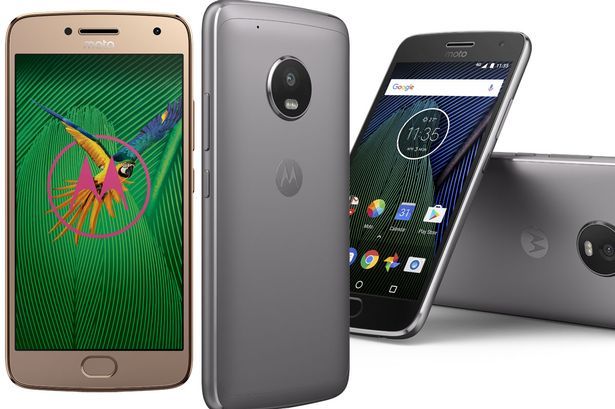
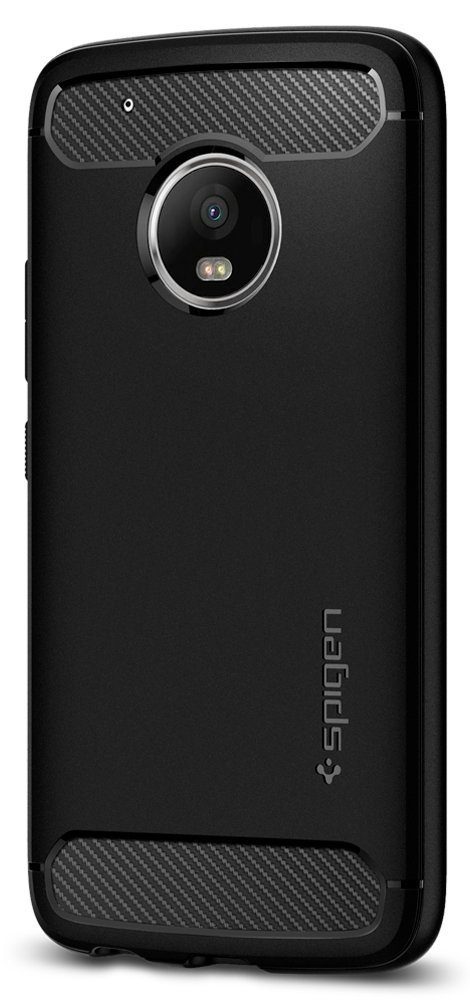
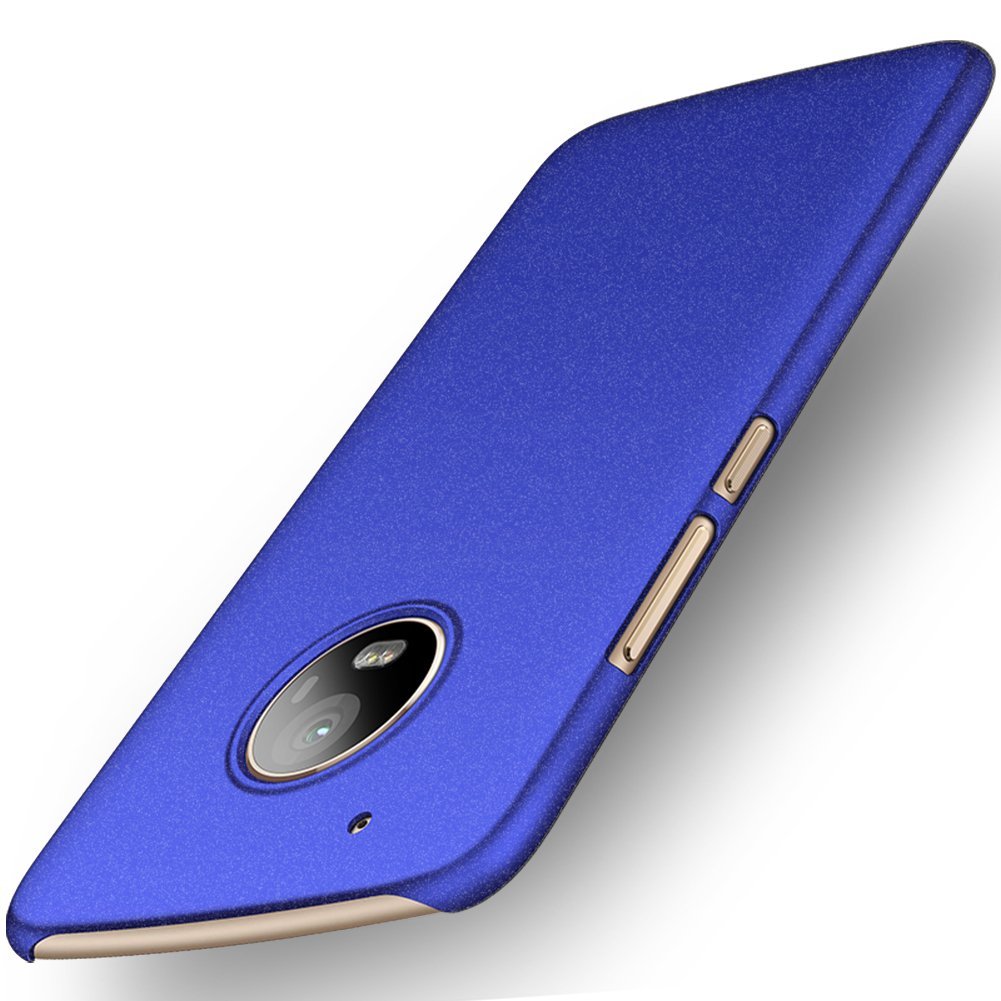
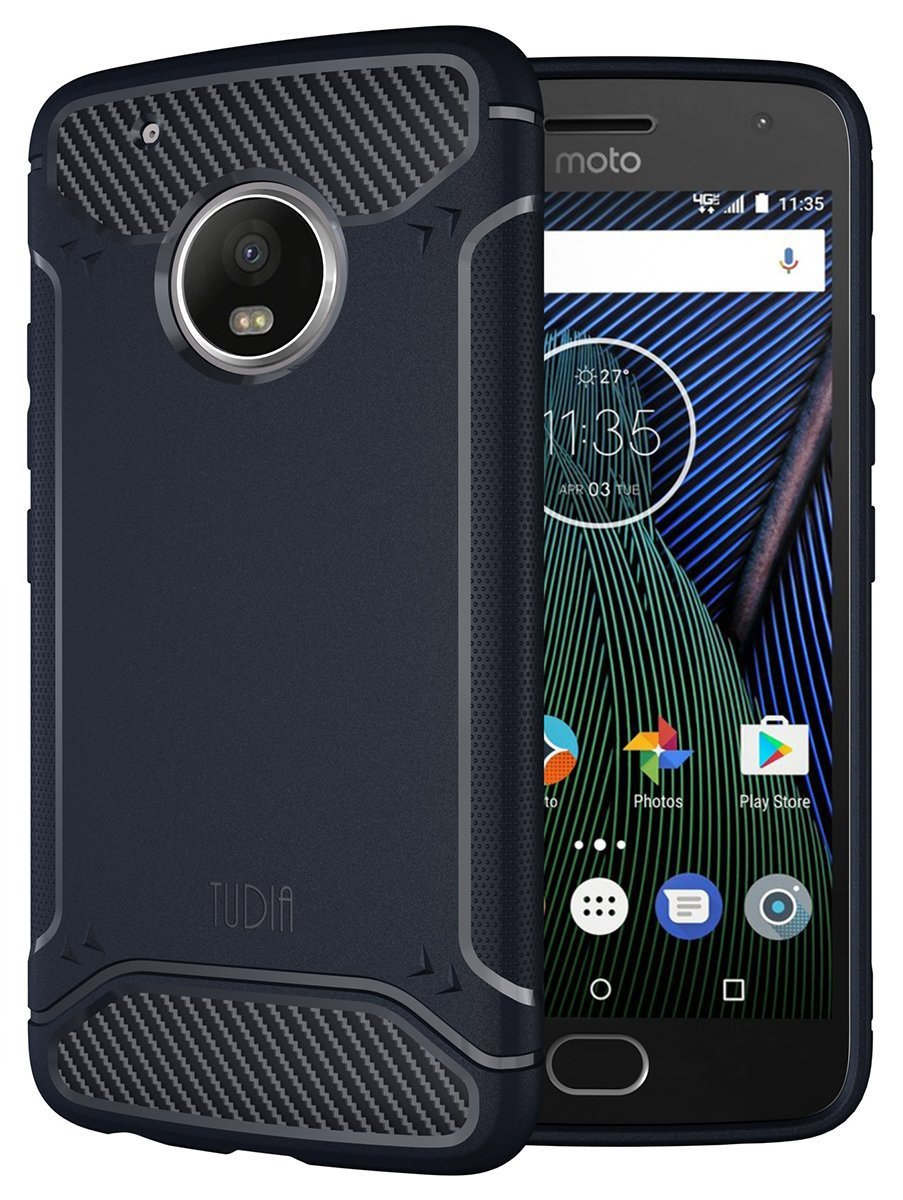
If you recently bought a Moto G5 Plus at a discount, you should reinvest some of that money you saved on a case to keep it in tip-top condition. I’ve rounded up a wide variety of cases here —from heavy duty and rugged to slim and sleek — but I don’t think you can do much better than the exceptional Spigen Rugged Armor.
Spigen Rugged Armor
Spigen’s Rugged Armor lineup offers a great balance between style and functionality without adding a ton of bulk to your phone. This is one of the most popular cases in the world for a reason.
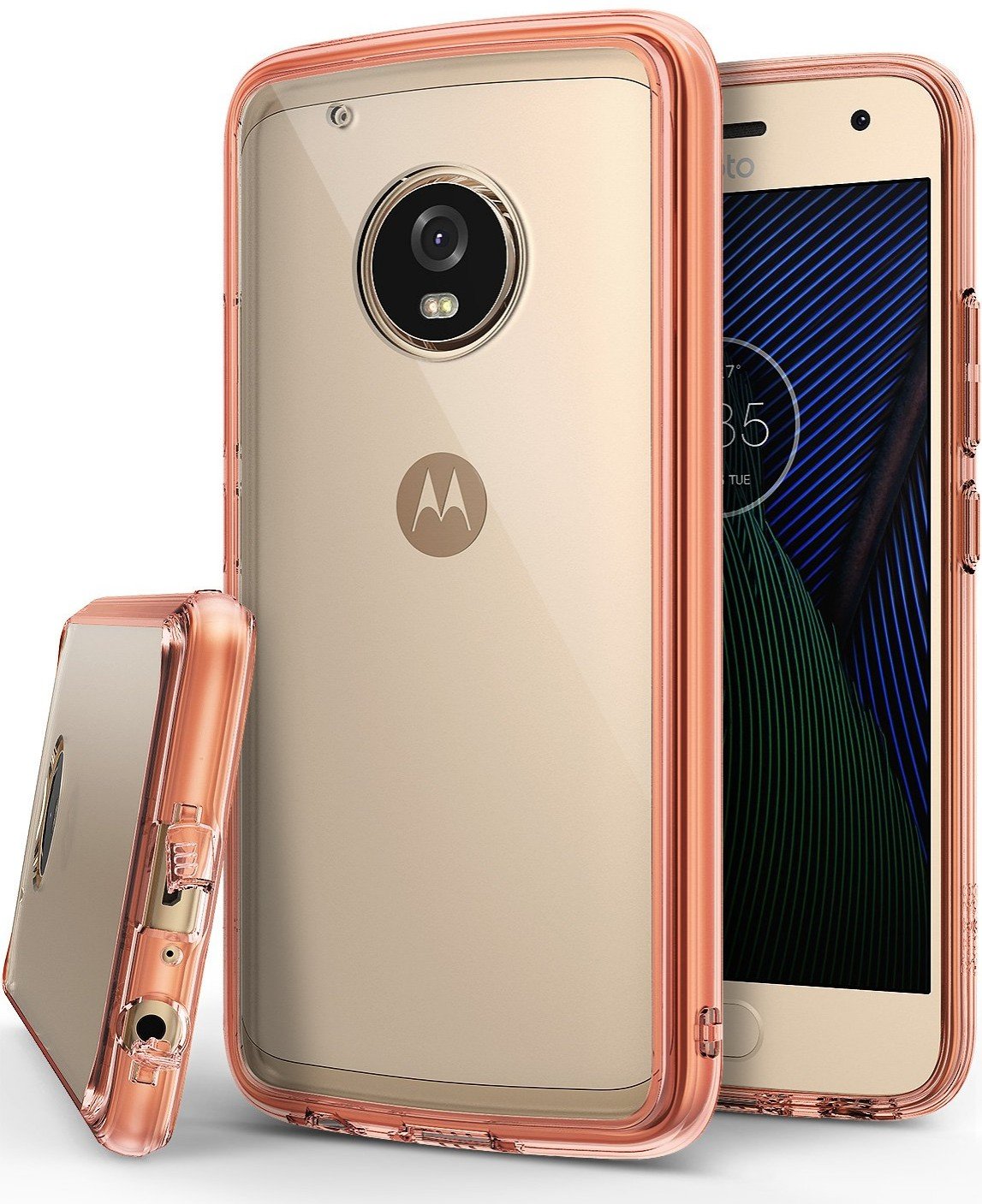
Striking the right balance between protection and thickness, the Ringke Fusion series is one of the most popular for a reason. Get the Moto G5 Plus version in one of three awesome colors: Smoke Black, Rose Gold Crystal, and Clear.
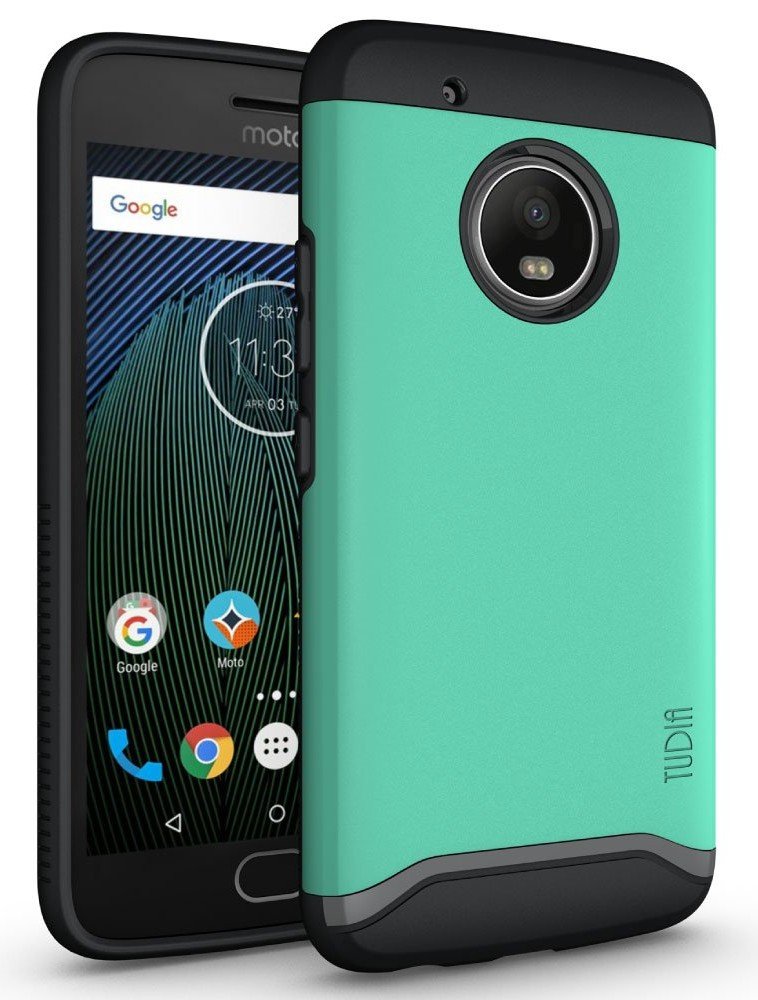
Tudia’s Merge Series may not be the most imaginative style in the world, but it’s dependable, affordable, and offers some distinctive color combos like the grey/green seen here. Get a protective case with personality like the Merge Series.
Supcase Unicorn Beetle Pro with Built-in Screen Protector
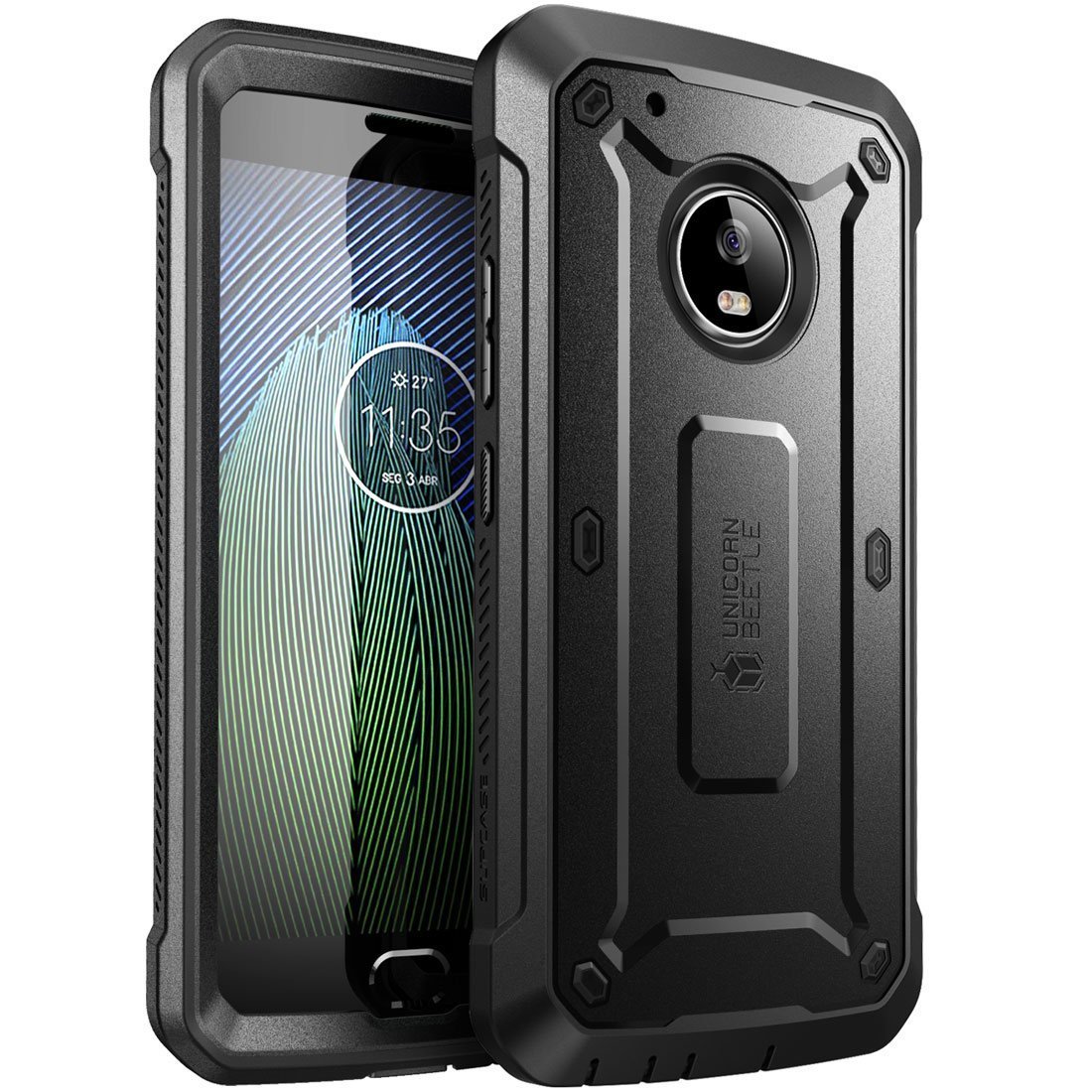
The Supcase Unicorn is thick and bulky for a reason: it’ll protect your Moto G5 Plus from anything life throws at you. It comes with a built-in screen protector, too, so you can protect that shiny metal back and shiny glass back in one complete package.
If you’re looking for a lightweight rugged case, Incipio’s NGP case is the right voice for you. It’s a no-fuss choice that provides considerable protection, specifically around the sides and back. The black is more reserved, but it also comes in hot pink.
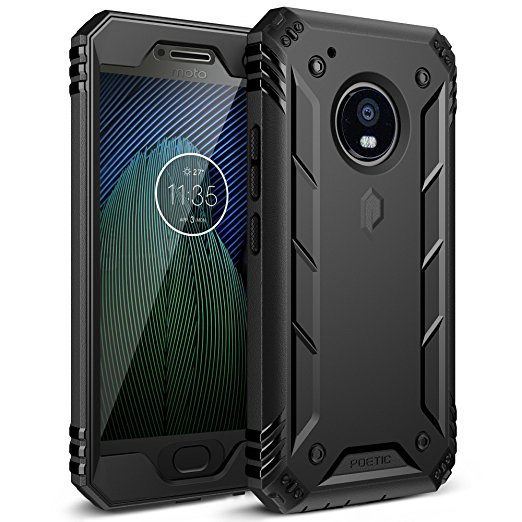
If rugged protection is the name of the game for you, you’ll want to consider this Poetic Revolution case for the Moto G5 Plus. It offers full protection for your phone, including a front plate with a built-in screen protector that also adds water resistance to the mix.
These thin hardshell cases from ORNARTO may not offer as heavy-duty protection as Poetic Revolution, but it will protect that shiny metal finish from scratches while adding a bit of grip and a lot of color. I’m partial to this genie blue, but the green and red pop, too.
While the Moto G5 Plus may not have quite a much room for card carrying as other phones, that doesn’t mean you can’t find a cute folio case that can carry the essentials. Skip the purse and grab this slim magnetic folio in one of six colors instead.
Tudia’s carbon fiber Ultra Slim case is the perfect way to cover your Moto G5 Plus with minimal bulk. A stylish and inexpensive solution for not a lot of money, and it’s available in three colors to give you a choice beyond the Spigen Rugged Armor’s boring black.
The Moto G5 Plus is one excellent-looking all-metal budget phone, but that shiny metal finish is very easily scratched. While all of these choices are fantastic, I really love the Spigen Rugged Armor, which offers the best of all worlds of protection for your phone.
If you want a little more flair in your case, there are still great options out there like the clear-backed Ringke Fusion or the TUDIA Merge Series, which has some muted and bold color options. After all, life’s too short for boring tech, so get a case with some personality to it!
It looks like 2019 is going to be the year of the foldable phone, and we’ve already seen some stunning handsets appear –like the Samsung Galaxy Fold and the Huawei Mate X. After years of rumours and leaks, the tech is finally with us.
Here we’ve collected together the very best foldable phones of 2019, both those that have already broken cover and those that we’re still expecting. Read on for the hottest new devices with screens that can bend.
1. SAMSUNG GALAXY FOLD
Samsung Galaxy Fold
At long last, after endless leaks and rumours, the folding Samsung phone is official: the Samsung Galaxy Fold has a 7.3-inch screen that folds over itself when you’re ready to put it in your pocket.
Out in April 2019, the phone is going to set you back a whopping $1,980 (that’s about £1,515), but at least you get plenty of tech inside: a high-end processor, 12GB of RAM, and 512GB of storage. There’s going to be a triple-lens 16MP+12MP+12MP rear camera, and a 4,380mAh battery split up into two sections (because of that fold).
On the software side, Samsung says you can run three apps alongside each other on the Fold, should you want to. What’s more, any app that you’re running on the front of the device will seamlessly switch to the middle once you open it out.
2. HUAWEI MATE X
Huawei Mate X
The Huawei Mate X got unveiled at MWC 2019, and it folds the other way to Samsung’s device – so the screen wraps around the outside, rather than being hidden away on the inside, when it’s snapped shut.
When opened out, you’ve got a full screen 8-inch tablet; when snapped shut, you’ve got screens front and rear, as well as a grip holding the camera technology. It’s also thinner than you might think, and as well as packing some premium specs (including the Kirin 980 processor) it also offers 5G connectivity. Not a bad package.
This is even pricier than the Samsung Galaxy Fold though: Huawei says the price will be €2,299 (about £2,000) when the Mate X goes on sale in summer 2019. If you like the look of it, you’d better start saving.
3.MOTOROLA RAZR 2019
It looks like Motorola’s rumoured folding phone could be a reborn Motorola Razr (Image credit: Sarang Sheth, Yanko Design)
From the noises that Motorola has been making, it’s not going to be far behind Samsung with a foldable phone, and apparently it’s also going to carry the iconic Motorola Razr branding. It’s going to be a flip phone then, but with a full foldable screen inside when you open it up.
These rumours have been around for a while. It was back in February 2017 that Yang Yuanqing, the CEO of Lenovo (which owns Motorola) told TechRadar: “With the new technology, particularly foldable screens, I think you will see more and more innovation on our smartphone design. So hopefully what you just described [the Motorola Razr brand] will be developed or realised very soon.”
4. LG V50 ThinQ
LG V50 ThinQ
LG never likes to get left too far behind Samsung, and sure enough it’s been one of the busiest companies in developing foldable screen tech – not just for phones but for televisions and other devices (see the image above). In recent months LG has confirmed it’s working on foldable phones, without revealing too many other details.
At the moment it looks like LG‘s foldable will feature just two screens rather than the Samsung Galaxy X’s three: possibly with one of the screens making use of a transparent section, or perhaps with a camera system embedded in the back plate.
Since that original patent filing we’ve seen names like Flex, Foldi and Duplex mentioned in internal LG documents. As for the final design, or the final price, we’re still in the dark – it’s going to be expensive, but LG has promised not to rush the device to market before it’s ready, so a late 2019 launch could be possible.
What we have in the meantime is the LG V50 ThinQ with a Dual Screen accessory – it clips on to add a second screen that you can use for something else, like gaming controls, or watching Netflix.
It’s not really a foldable phone, but it does kind of look like one, and it doubles as a case you can snap shut. It’s also likely to be a lot cheaper than the true foldable phones, so it’s worth looking out for when it launches later this year if you’re after a hinged display on a budget.
5. XIAOMI MIX FLEX
Xiaomi MIX Flex
One of the more recent folding phones to get a teaser reveal is the Xiaomi MIX Flex, a prototype device that was famously shown off on camera by company president and co-founder Lin Bin.
In the video reveal the Xiaomi handset is initially shown in tablet mode, but then both sides of the device are folded inwards at two points, leaving only the middle third of the phone on show.
This design is markedly different to that of the other folding phones so far announced, potentially giving Xiaomi an edge in the folding phone market.
In a message accompanying the video Lin Bin wrote that:
“Xiaomi double folding mobile phone is coming! This symmetrical double-folded form perfectly combines the experience of the tablet and mobile phone, which is both practical and beautiful. Although it is still an engineering machine, it is sent out for everyone to see. If you like it, we will consider making a mass production machine in the future.
“In addition, we want to give this engineering machine a name, what do you think is good? I think of two: Xiaomi Dual Flex, Xiaomi MIX Flex.”
Phones all look the same once you scrape away a few details. They’re rectangles designed to fit (mostly) into one’s hand and a display where we can tap and poke the things we see to find other things poke and tap. You can even make phone calls with them!
It’s those details, though, that makes the difference. Speakers, bevels, buttons and the physical size are the things that make a Galaxy Note different from a Moto E4. They also are a big part of the price and what we use to decide which one is better for our uses. One of those details that’s always a point of discussion, and sometimes a point of detraction is what the body of a phone is made of. Oddities like wood or gold phones aside, you’ll find three different materials are being used to make phones is all sizes: metal, plastic, and glass.
Which one is best?
Metal
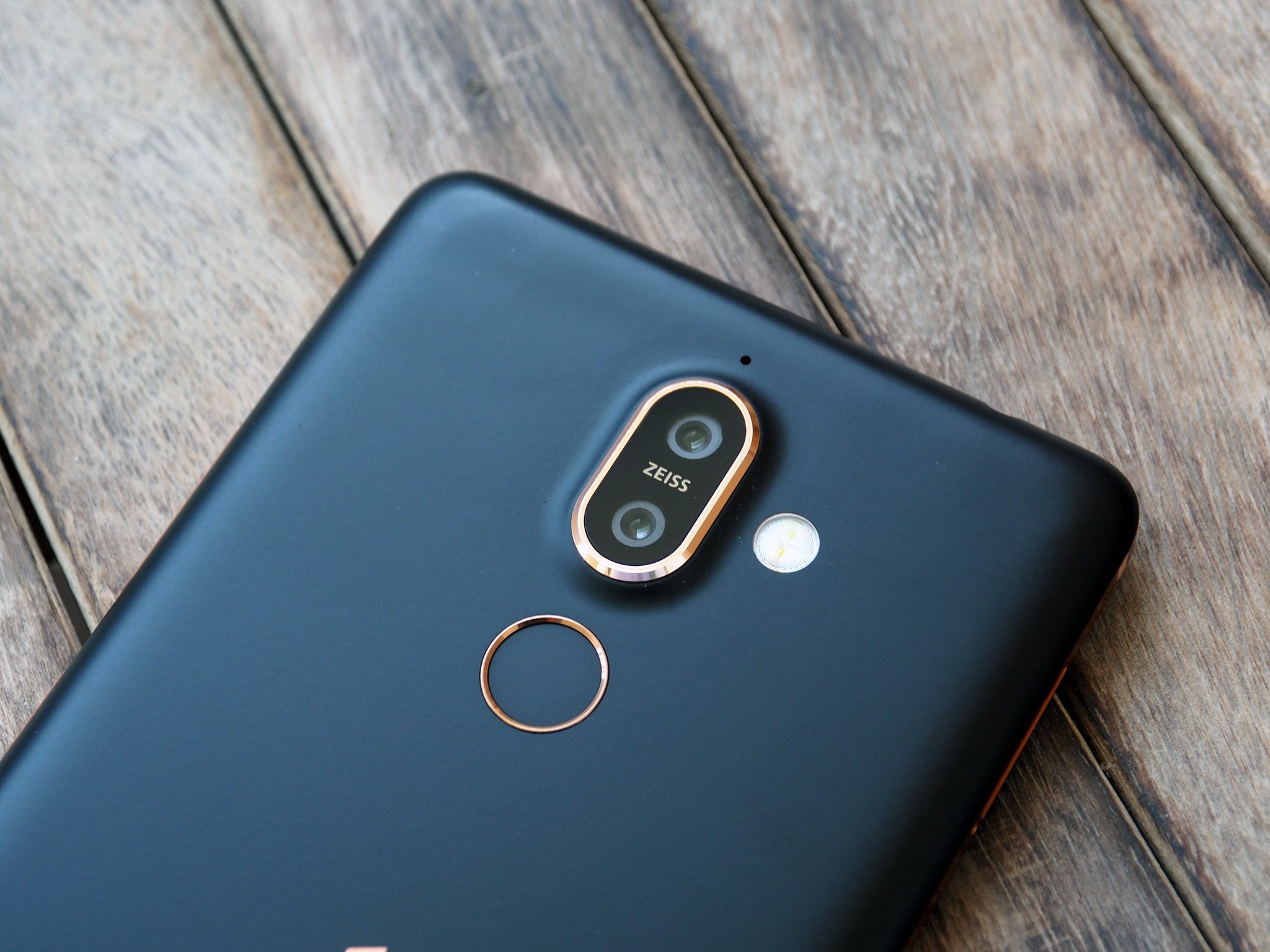
Metal, done very well on the Nokia 7 Plus.
Plenty of phones use a metal band or a faux-metal finish over plastic trim, but there are also plenty that are made of metal. Usually, that means some manner of aluminum alloy that’s very thin and light because the buying public is in love with thin and light. Nobody wants a 3-pound phone built from cold forged steel to lug around all day.
Metal screams premium.
For many, metal equals premium. Seeing an aluminum phone polished or anodized with a crisp finish does make a phone look good, so naturally, a lot of people associate them with high-quality, even if only subconsciously. But this isn’t always the case as aluminum can be cheaper than other materials. Blame our perception here.
A metal phone can be a great phone. It can also be a bad phone. Let’s look at the pros and cons.
Pros
That premium look. As mentioned, a phone that’s well built will always look good with a metal design. Metal is beautiful and we can’t help but feel that anything beautiful is automatically premium. For many, having a premium phone is important.
It’s “modern”. Metal is a big part of the industrial design school of thought. Minimal markings and no extraneous parts to take away from a single piece of metal with a certain shape is a complete design aesthetic, and it often ties in well with a premium look. There are plenty of fans of this type of design.
Heat transfer. That way a cold metal phone feels when you first pick it up provokes a thought. It doesn’t have to be a good thought, but if you ever noticed that your phone felt cold you were thinking about it. Touch is one of our senses, and it’s an important one.
All of these “pros” work together to give the impression that the small metal object you’re holding is simply a superior product. Some people feel differently, but most people can’t say a phone like a Pixel 2 or a Nokia 7 Plus felt bad or was built poorly.
Cons
Bends and dents. Metal deforms fairly easily — especially light, malleable metal like aluminum —and tends to keep its new shape, at least the types used to build phones. We’re not talking about people on YouTube bending phones for a living; we’re talking about sitting on your phone and bending it or dropping it and putting a big dent in that premium shell. (Buy a case?)
RF transmission. This means your LTE, Wi-Fi, and Bluetooth signals. Radio frequencies of the safe variety have a tough time transmitting through dense material. This can mean your phone needs to have antenna lines or glass cutouts for the antennas and probably won’t support wireless charging if it’s made of metal.
Heat transfer. The same thing that makes a metal phone feel solid and cold when you first pick it up will also make it feel hotter after you’ve used it for a while. Heat sinks and heat pipes (also made of metal) try to offset this, but a metal phone will always have a hot spot where the chipset is. And sometimes they can get uncomfortably hot.
The same material that can make a phone feel premium can also stop it from having premium features, like smooth lines without antenna bands or wireless charging. And they look a lot less premium when you dent or bend them.
Plastic
The Moto E5 is one of the few plastic phones you can buy in 2019.
Plastic comes in all shapes, colors, and sizes. Man-made materials have that advantage. That means plastic can also come with a number of different finishes, and phones can feel slimy or even soft when made of plastic. Plastic is also cheap and very workable which means curves and design elements can be used with plastic that isn’t feasible with other materials.
Any shape, any color, and tough as nails.
Some plastic phones look and feel great. Of course, others don’t. Consumers can be influenced by their experience enough to think all plastic phones are a slippery, glossy, slimy mess even when they’re not and the general perception is that plastic phones are cheap. But a plastic phone can be great, too.
Unfortunately, it’s becoming difficult to find phones made of plastic. Even inexpensive brands like Nokia and Motorola are moving on to metal-bodied phones, and that makes me a little sad.
Pros
Cost. Not the cost to the consumer, but the costs of making the phone from beginning to end. Using plastic means manufacturing equipment is easier to tool, which means designers have more freedom to work with the shape, which means phones don’t always have to look like a flat slab and still be reasonably priced. We love things that look nice and things that are reasonably priced. We love it more when they are both.
Resilience. Plastic is tough. Like football helmet tough. You might be able to break plastic but it will take a lot more abuse than metal or glass, and for the most part, it will snap right back into shape if it gets bent or dinged.
RF transmission. Plastic can be designed to be tough but still allow radio waves to pass through with very little signal loss. When you’re building or using a phone, this is important.
Millions of colors. You can make plastic that’s any color imaginable. Companies like Nokia (the Nokia of old, R.I.P.) and Sony have put this to the test and orange, lime, pink, yellow and even brown phones have all been offered and had their fans. Black is also a color for folks who like to keep things tamer.
Plastic gives a manufacturer the freedom to build a phone that’s tough and beautiful. And we’ve seen some very high-end phones from almost every manufacturer that were plastic, and nobody complained that they were plastic.
Cons
They feel bad. At least, they can. One of our favorite phones was LG’s G2. One of the phones we always complained about when it came to the finish of materials was the LG G2. It was the phone that coined our use of slimy when talking about bad plastic. Don’t even get us started on the Galaxy S III.
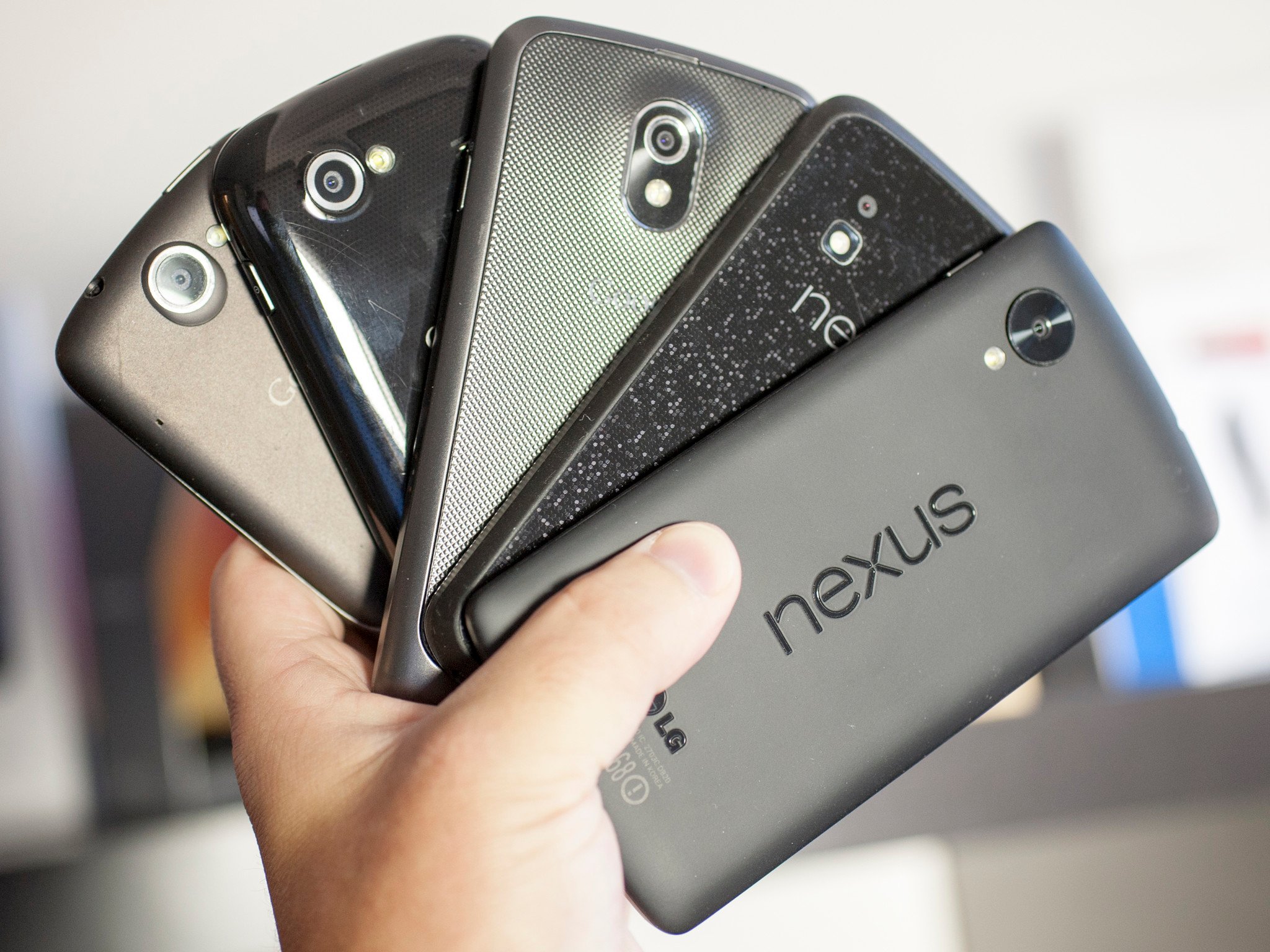
They can stain. The plastic on the phone can be stained by a colorful case or spending too much time in a cup holder in Florida-style weather, and some plastic finishes can stain you or your clothes. Remember the orange red Nexus 5? It did both.
They look cheap. Not all of them, of course. HTC, as well as that Nokia of old, built some gorgeous phones that were plastic. The LG Optimus 3D was not my favorite phone. Not even close. But it was plastic and the body, the build, and the finish were stunning. But for every good plastic phone, you can buy there will be four or five bad plastic phones in equally bad plastic clamshells on a hook at Walmart. That makes people equate plastic with cheap.
All the plastic phones that were tough, looked good and came in a plethora of colors have to compete with the bottom-of-the-barrel plastics used in phones that have none of those qualities. It’s not fair to compare things this way, but you usually won’t find a phone you think is plain ugly or that feels slimy that’s not made of plastic. Stereotypes are sometimes real.
Glass
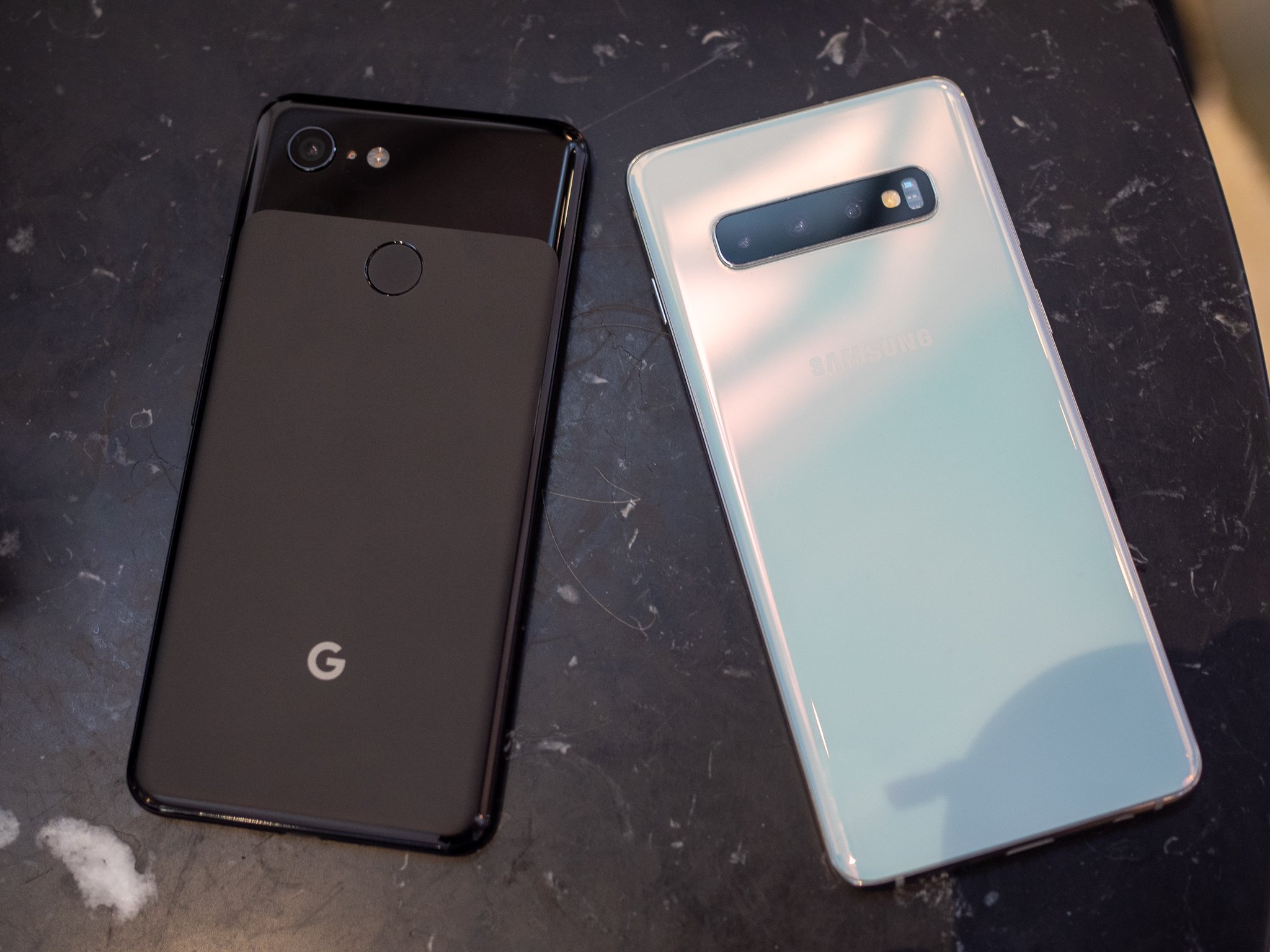
The Google Pixel 3 and Galaxy S10 keep everything under glass.
We started seeing glass phones with the iPhone 4 and Nexus 4. They aren’t completely glass, of course, but there are plenty of phones with full glass backs to go with the full glass front. They can be beautiful and give a look that compliments a great design. They can also be fragile; phone screens break all too often and so do glass backs.
It only looks wet.
Using glass also adds to a phone’s price. Cheap pieces of soda-lime glass you may find at the hardware store aren’t suitable for a phone. Instead, specially made ultra-clear low-expansion glass and composites like Gorilla Glass are used and can add a lot to the final price. Exotic materials like synthetic sapphire can be exceptionally clear for the wavelengths of light a person can see, and very scratch-resistant. They are even more expensive, often prohibitively so.
Pros
RF transmission. Glass is dense, but still allows radio waves to pass through fairly easily. This means your LTE signal, Wi-Fi, and Bluetooth will be stronger without any long antenna cutouts.
They look great. Phones with a glass back can have a feeling of depth if anything is under the glass. Glass can also shimmer and give the illusion of being wet. Both of these effects together can make for a stunning look. Samsung is a total pro at this, and its recent glass-backed Galaxy phones are simply beautiful.
They feel good in your hand. Glass can be polished until it’s very smooth. Because it’s inert it will also feel solid and cold like metal does. When you hold a glass-backed phone in your hand it just feels like a luxury product. Everyone loves luxury products, even if it’s only an illusion.
Cons
Glass breaks. There is nothing any company can do to make thin glass unbreakable. That means when you drop your phone (and you will) you have to worry about breaking both sides.
Glass scratches. Everything will scratch, but glass seems to be the best at doing it. No matter what a company tells us about the Mohs scale or hardened polymers, glass will scratch. Scratches on a phone with the wet and deep illusion like a Galaxy S9 look terrible when they have a big scratch across the back.
Glass is slippery. When your hands are damp, holding a glass phone is like squeezing an ice cube. It can pop right out of your grip and when you consider that glass breaks and glass scratches, you have a recipe for disaster.
Glass-backed phones can look amazing. That silky wet look of a Galaxy S10 or the disco ball look of the Nexus 4 makes for a beautiful looking piece of gear. We want our expensive things to be beautiful.
Unfortunately, glass is also a really risky material to use in a phone. It needs to be thin (glass is heavy!) so when you use hardened treated materials like Gorilla Glass the risk of breaking increases because hardened glass is more brittle. It’s a catch-22 situation that we gladly put ourselves in because of how great it looks.
Ceramic
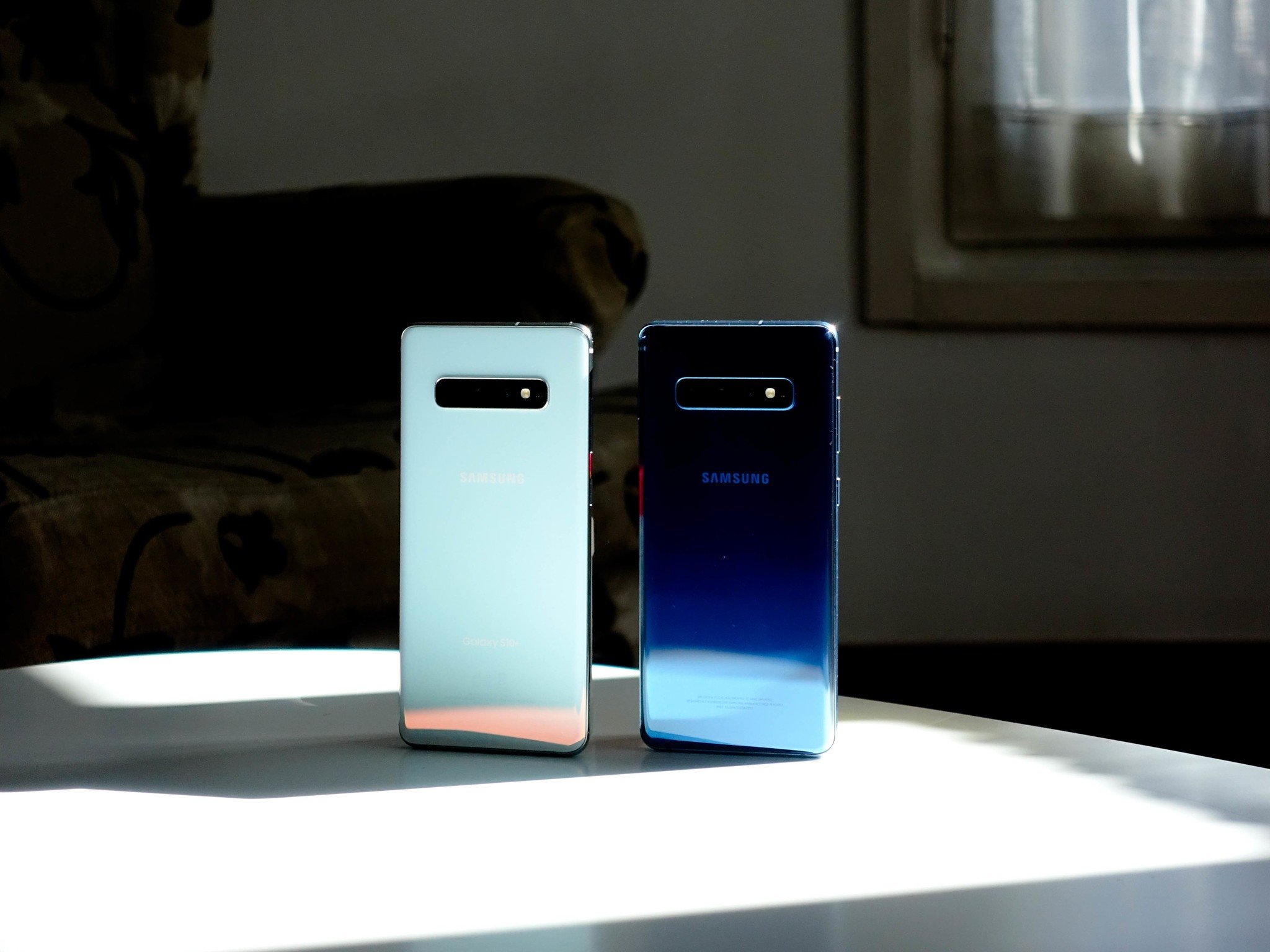
The Galaxy S10+ is beautiful in ceramic, but it’s not the only phone using the material.
Ceramic phones aren’t commonplace in North America, though that’s about to change with the Galaxy S10+. Phones that have used ceramic, like the Essential Phone or Xiaomi’s Mi Mix series, look and feel amazing.
When you think of ceramic you might be picturing your grandmother’s antique china, but that’s not the whole story. Sure, ceramic can look beautiful and delicate but it doesn’t have to be — ceramic is harder than glass or plastic, almost completely corrosion resistant, lighter than metal and it’s an insulator so there is no heat transfer.
Ceramic is also expensive. that’s why we don’t see low-end watches, dishware, or phones made from the material. It’s costly to mine and manufacture because of the special equipment needed, not easily formed like metal or plastic, and requires better handling along the assembly floor to keep the unassembled parts from shattering. Still, once you feel it, there’s no denying it’s nice.
Pros
RF transmission. Like glass, ceramic allows radio waves to pass through fairly easily. This means your LTE signal, Wi-Fi, and Bluetooth will be stronger without any long antenna cutouts.
They stay cool. Ceramic is what your power company uses to insulate the transmissions lines from their metal brackets. that’s because it’s non-conductive in regard to both heat and electricity. your ceramic phone isn’t going to get hot in your hand.
They feel so good. Ceramic can be highly polished after it’s formed to a completely smooth finish, and then take a clear coating to remove every surface line. Without any irregularities that your hand can feel, it’s like holding a piece of ice. Except it’s not cold because it doesn’t absorb or give off any heat dues to the magic of its insulatory properties.
Cons
Ceramic breaks. Ceramic (the type used in something like a phone) is tough, but it’s still breakable. With the right amount of abuse, it will break before metal or plastic will.
The coating can scratch. Ceramic is tough, and so are the polymers used to clear-coat it, but it can scratch. It’s not as easy as scratching glass or even metal, but if it does scratch, you’ll hate feeling even the tiniest blemish on that otherwise baby-smooth finish.
Ceramic is slippery. Wet hands? That might mean an oopsie because smooth ceramic is pretty slippery when your hands are wet or your fingers are cold and hard. Keep that in mind and take a bit of extra care.
Ceramic phones look and feel gorgeous. they also stay nice and cool because of ceramic’s insulatory properties. There is a reason some of the finest watches you can buy are made from ceramic.
The Samsung Galaxy Note 8 is the most complete smartphone ever made. It offers a nice, big, beautiful AMOLED display, a formidable camera system, unique S-Pen features, and sheer, raw power. You will pay a really high price tag for it all, but this is the one phone that may be worth every penny.
For $399, the ZTE Axon 7 is one of the only Daydream VR certified phones on the market., which means it can take advantage of Google’s latest vision for VR. That’s not just marketing speak, either, as Daydream phones have some serious requirements to be called such, the most consistent of which are the inclusion of a Snapdragon 820 chipset, 4GB of RAM, and a 5.5-inch 2560 x 1440 display.
At $99, the ZMax Pro brings an immense amount of value with features like a massive 6-inch Full HD display and even a fingerprint sensor. For horsepower, the phone relies on an octa-core Snapdragon 617 chipset and 2GB of RAM, and a 13MP camera on the rear should do well enough for some casual memory capturing.
The Pixel 2 and Pixel 2 XL are the first smartphones to achieve a score of 98 from DxOMark’s mobile testing labs, beating out the likes of the Galaxy S8 and HTC U11. HTC’s camera takes well-balanced photos with a pleasing color balance, great sharpness and detail, and remarkable low-light performance. Add in Google’s AI-infused enhancements and there’s little that can match it.
The Zenfone 4 Max has one of the biggest batteries available in a smartphone. All that battery makes for a hefty device, but it’s surprisingly thin. Just think of it like a permanent battery case.
The Moto G5 is a great option for kids. The smartphone comes in starting as low as $199, and it has a wide range of features to ensure your child can do whatever you need with it. Specs include a 5-inch 1080p display, a 13-megapixel rear camera and 5-megapixel front camera, and a 3,000mAh battery with Turbo Charging.
The Samsung Galaxy S8 Active may not be the most durable phone on this list, but it certainly is the most well-rounded of the lot. This phone’s tough exterior can withstand more than a punch or 2. At the same time, you don’t have to sacrifice powerful specs, a beautiful display, and a great camera.
The Moto X Pure Edition was a great device for those looking for something with a bit more of a personal touch from a smartphone. However, the device isn’t as young as it once was and with apps getting more resource demanding, you could find the Moto X Pure Edition to be slowing down. Luckily there is a hidden feature that you can change that will instantly speed up your device.
This tip will help speed up your Moto X Pure Edition by reducing the impact of the aging processor and resource hungry apps, as well as the lower processing power in the device, by reducing unnecessary animations that will make it feel the device is quicker. The best bit is there’s nothing extra to install or tons of settings to change, just a simple case of changing a setting with developer options enabled.
The little hack revolves around the animations applied to transitioning between windows and turning the device on or off. By simply turning this off, it contributes to making the device seem extremely snappy and fast by reducing the delay applied to the animation.
First, you’ll need to enable the Developer Options hidden menu. To do this, go into Settings -> About Device and scroll down to “Build Number”. Now, tap on “Build Number” five times and you’ll see a notification saying that “Developer mode has been enabled”.
With that hidden menu now enabled, we can head on into it to begin fastening up our Moto X Pure Edition.
Head on in to Developer Options in Settings.
Scroll down to the Drawing section.
Of interest here is the Window Animation Scale, Transition Animation Scale, and Animator Duration Scale.
Click on them individually to change the scale.
You are able to turn the animations off completely, or set them to 0.5x (default is 1x) so the animations will be double speed for those who would like to retain them.
You’ll notice your Moto X Pure Edition feels substantially quicker without any hacks that affect your software, warranty, or device battery life.
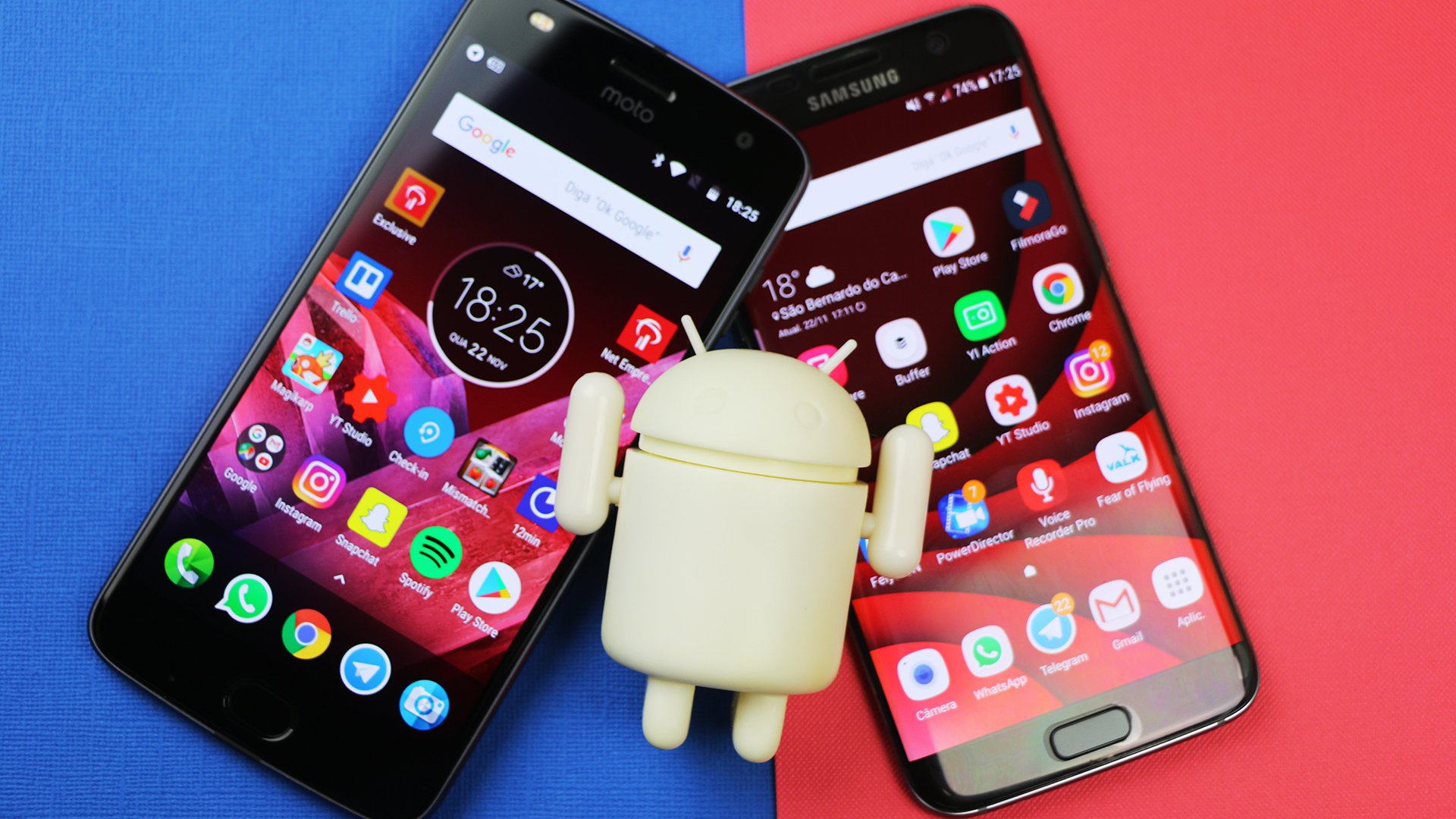
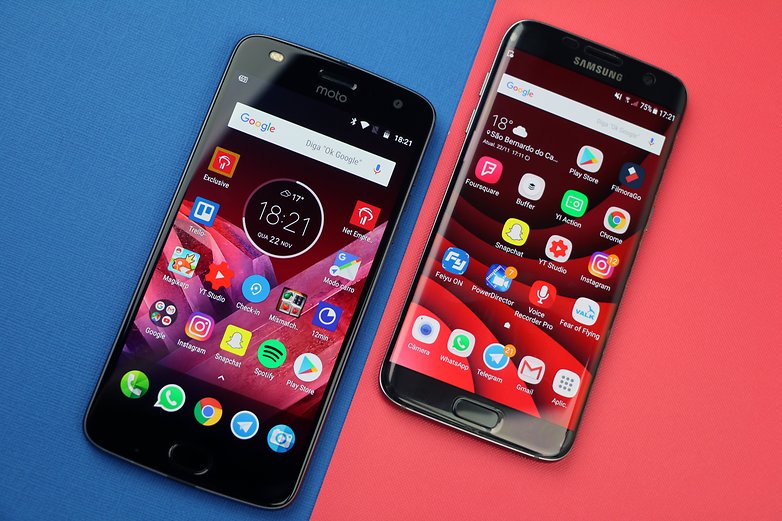
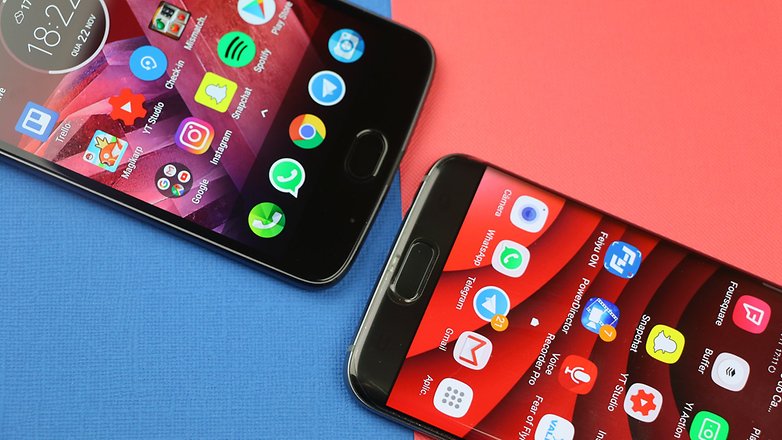
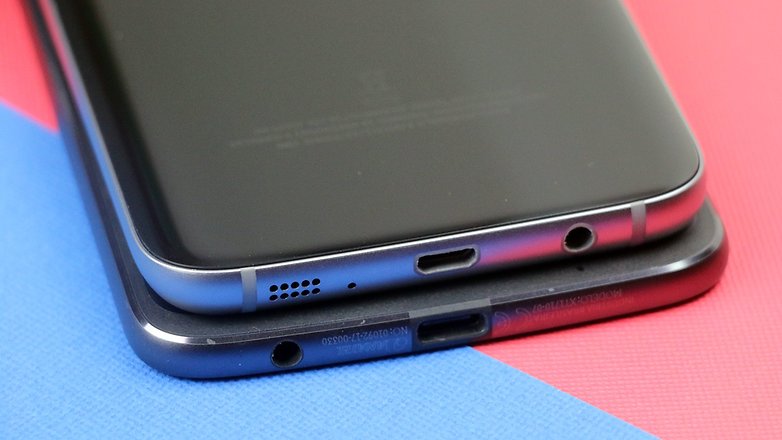
A top-of-the-line from last year or a mid-range from this year? Both are attractive options for the savvy shopper. With the Galaxy S7 Edgeand Moto Z2 Play in hand, I’ll break down the similarities and differences so you can make the right choice.
Galaxy S7 Edge vs. Moto Z2 Play: Design is important
The difference in design between these two models is night and day, but neither of them is ugly. The build of each model plays a big part because it will dictate which you like based on the design.
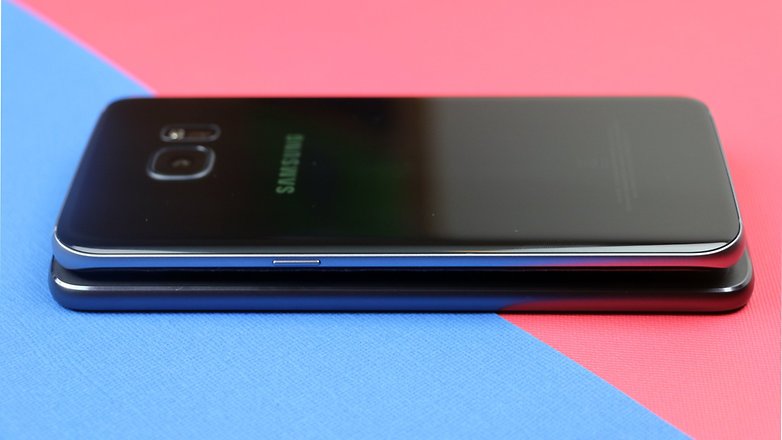
The Galaxy S7 Edge is beautiful, thin and elegant. It’s much better looking than its brother the standard Galaxy S7. It comes with that famous Edge display, with long curves down the sides that give it a smaller and slimmer feel. The backside is entirely made up of glass.
The borders aren’t just easy on the eyes either, they’re actually useful. They have exclusive apps and features that have direct access to notifications when the screen is off. The fingerprint sensor is on the front. Although it does have quite a bit of a bezel on the top and bottom, on the sides, it’s pretty much nonexistent. However, this does end up harming the ease of use since you can easily touch things without meaning to.
Galaxy S7 Edge vs. Moto Z2 Play: Size comparison
MODEL
DIMENSIONS
WEIGHT
MOTO Z2 PLAY
156.2 x 76.2 x 6 mm
145g
GALAXY S7 EDGE
150.9 x 72.6 x 7.7 mm
157g
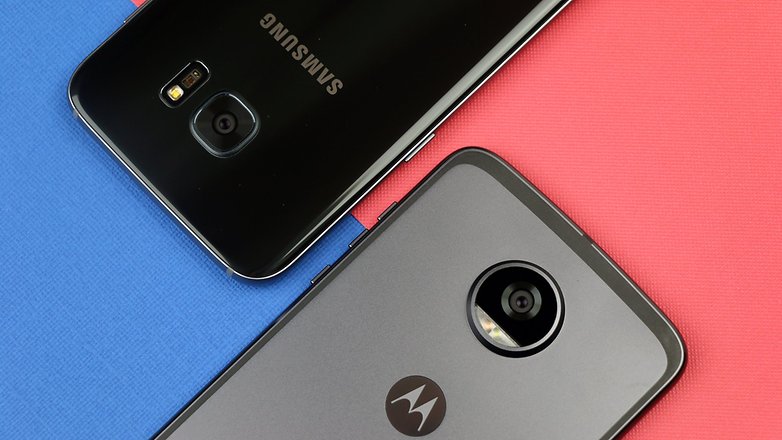
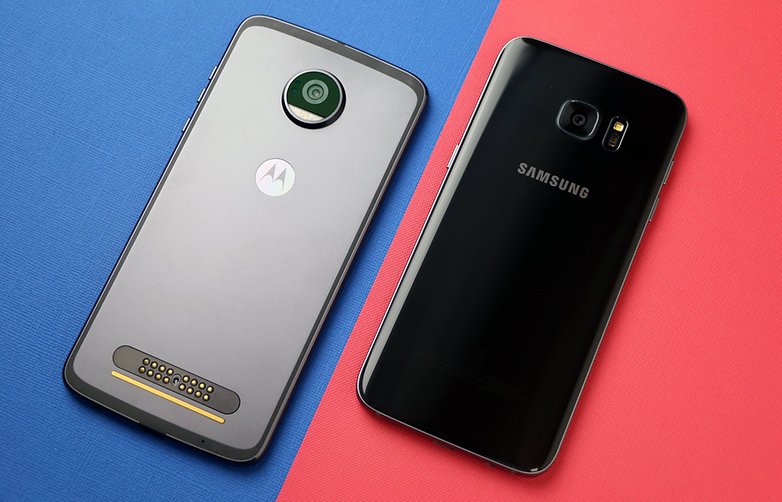
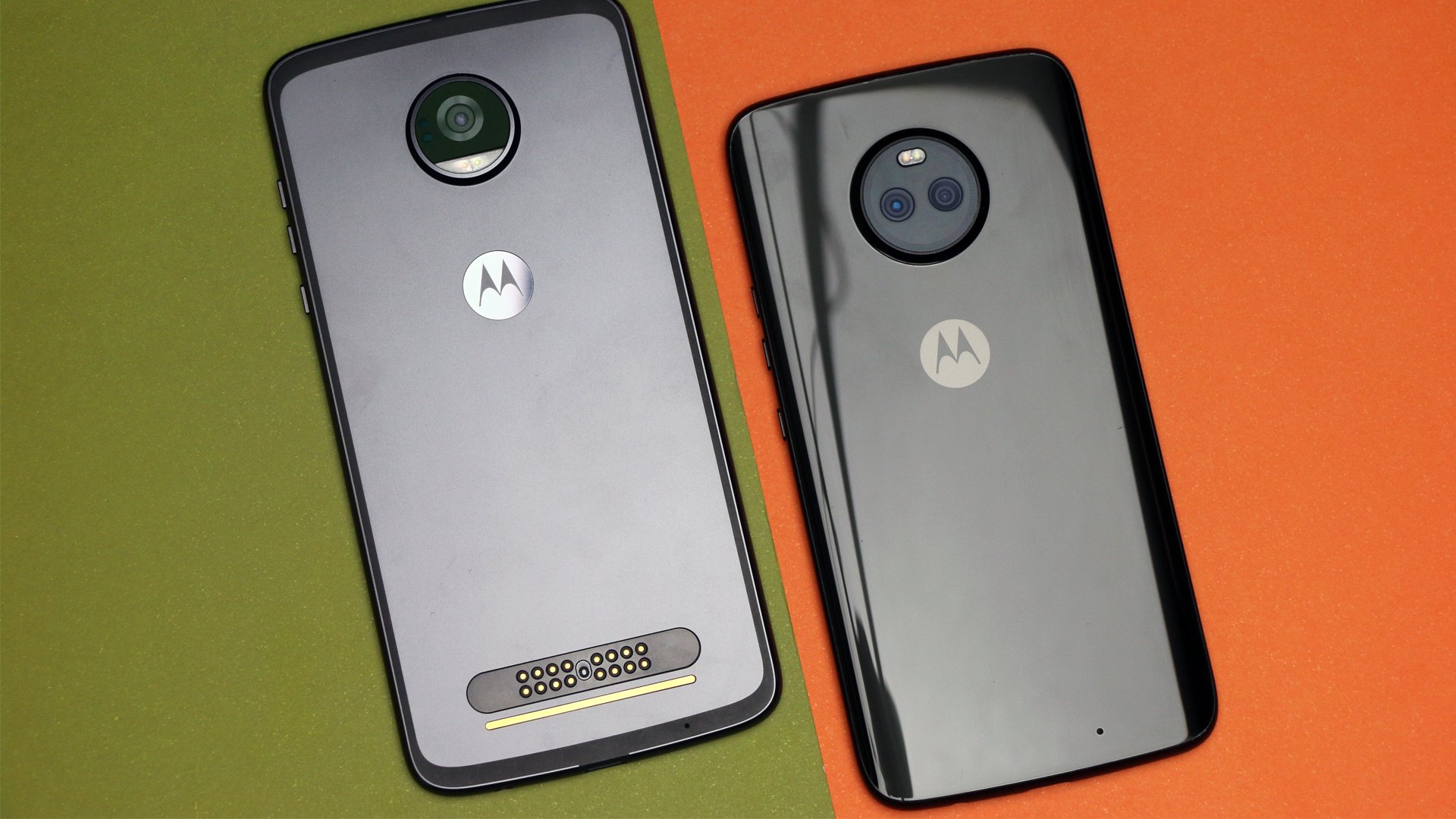
The Moto Z2 Play has a more practical, modern and stripped-down look. It feels solid in your hand, and even though there isn’t much difference in size compared to the S7 Edge, it just looks bigger. The fingerprint sensor is on the front as well, and on the back, the finish is metal with a camera that sticks out quite a lot.
That lump on the back is actually there for a reason. The Z2 Play supports Moto Mods, modular snap-on accessories that connect using magnets on the backside of the device. They can come with different features like a speaker, projector, gamepad, 360º camera, extra batteries and a lot more.
Galaxy S7 Edge vs. Moto Z2 Play: Super AMOLED is king
Once again, the design comes into play here, because although they both have 5.5-inch displays, the Moto Z2 Play seems bigger. Apart from that, as I said above, the screen on the S7 Edge is less user-friendly, but it is better looking, and it comes with more features.
They both have similar displays with Super AMOLED technology since that’s something that more advanced users are looking for. Comparatively, it’s worth it to mention that the colors on the Moto Z2 Play are more balanced, whereas the S7 Edge tends towards slightly bluer hues, but that can be tweaked in the settings menu.
The screen on the Moto Z2 Play seems to be slightly more intense, but if you’re not looking at it straight on, the colors are bit fuzzier than those on the S7 Edge, which maintains excellent definition in that aspect. Both are protected by Gorilla Glass, but the S7 Edge has version 4, where the Z2 Play comes with version 3.
Another difference between them is that the S7 Edge is Quad HD while the Z2 Play is Full HD. To the naked eye, this doesn’t really mean much, but it does make a difference when you look up how much area each one uses. In this, the S7 Edge comes out ahead.
Galaxy S7 Edge vs. Moto Z2 Play: Display comparison
MODEL
DISPLAY SIZE
DISPLAY TECHNOLOGY
MOTO Z2 PLAY
5.5 inches
Super AMOLED, Full HD (1.080 x 1.920 pixels), 16:9, 401 ppi, takes up 70.1% of the display
GALAXY S7 EDGE
5.5 inches
Super AMOLED, Quad HD (2.560 x 1440 pixels), 16:9, 534 ppi, takes up 76.1% of the display
Galaxy S7 Edge vs. Moto Z2 Play: Similar hardware, different cameras
This is the exact reason that we’re comparing a top-of-the-line from 2016 with a mid-range model from 2017. From one year to another, components evolve, and mid-range devices can hold their own against the hardware of last year’s top models.
You can take a look at the specs below, but what we’ve got here is a battle between an Exynos 8890 against a Snapdragon 626. Both with 4GB of RAM which makes this a very even contest. Either device can handle practically anything you throw at it.
We already know that hardware on mid-range models is good enough to compete with high-end models in a lot of different categories, and this is even more evident when it’s compared to last year’s model. They may not be able to run the most demanding games out there, but they’ll do just fine with any other task you can think of.
The Moto Z2 Play is dual SIM, with slots for two chips, whereas the Galaxy S7 Edge is, unfortunately, just a single SIM.
The cameras are also quite a bit different. Although they both have 12MP cameras with f/1.7 aperture on the back, the S7 Edge has the advantage in quality as it has much better post-processing.
Not that the photos on the Z2 Play are bad, they’re actually quite good. But the S7 Edge takes excellent pictures, easily better than a lot of phones launched this year. They both have autofocus with face recognition, but the Z2 Play has dual flash, and the S7 Edge comes with optical stabilizers.
They both can take 4K or Full HD videos with up to 60fps, but the slow-motion camera on the S7 Edge can take up to 240fps whereas the Z2 Play can only take up to 120fps, both in HD. Both front cameras are 5 MP, but the S7 Edge has an aperture of f/1.7 against f/2.2 on the Z2 Play. So, as we can easily see, the camera on the S7 Edge once again, comes out on top.
Samsung Galaxy S7 Edge vs. Moto Z2 Play technical specifications
SAMSUNG GALAXY S7 EDGE
MOTO Z2 PLAY
DIMENSIONS:
150.9 x 72.6 x 7.7 mm
156.2 x 76.2 x 5.99 mm
WEIGHT:
157 g
145 g
BATTERY SIZE:
3600 mAh
3000 mAh
SCREEN SIZE:
5.5 in
5.5 in
DISPLAY TECHNOLOGY:
AMOLED
AMOLED
SCREEN:
2560 x 1440 pixels (534 ppi)
1920 x 1080 pixels (401 ppi)
FRONT CAMERA:
5 megapixels
5 megapixels
REAR CAMERA:
12 megapixels
12 megapixels
FLASHLIGHT:
LED
Dual-LED
ANDROID VERSION:
7.0 – Nougat
7.1.1 – Nougat
USER INTERFACE:
TouchWiz
Stock Android
RAM:
4 GB
4 GB
INTERNAL STORAGE:
32 GB
64 GB
64 GB
REMOVABLE STORAGE:
microSD
microSD
CHIPSET:
Samsung Exynos 8890
Qualcomm Snapdragon 626
NUMBER OF CORES:
8
8
MAX. CLOCK SPEED:
2.3 GHz
2.2 GHz
CONNECTIVITY:
HSPA, LTE, NFC, Bluetooth 4.2
HSPA, LTE, NFC, Dual-SIM , Bluetooth
Galaxy S7 Edge vs. Moto Z2 Play: Battery for more than a day
This aspect, which is very important to all users, is well done on both devices. They aren’t incredible, but in the hands of less demanding users, they should last throughout the day or even more. The Moto Z2 Play was under scrutiny for having a smaller battery than its predecessor, Moto Z Play, which was a massive success in this category.
However, with 3000 mAh, it lasted up to 36 hours with normal use which included an hour of gameplay, two hours of WhatsApp, half an hour of video and an hour of Facebook, among a few other things.
With the same use, the S7 Edge and its 3600 mAh battery last about the same amount of time. It uses a bit more energy because of its more demanding and year-old processor, but it can easily handle a full workday.
The advantage on this one goes to the Moto Z2 Play since it comes with a Turbo charger and in just a few minutes you can have up to 3 more hours of battery life. Plus, it also has the Moto Mods battery option, which adds up to 2200 mAh to the total.
Galaxy S7 Edge vs. Moto Z2 Play Space: A pure system or not?
If space is something that’s important to you, you’ll have plenty of it with these models. The Moto Z2 Play has 64GB, and there are about 48.5GB for you to play with. It doesn’t have the hybrid slot like the Z, but you can have a dual chip and use a microSD card of up to 2TB.
The Galaxy S7 Edge has a microSD slot as well since it’s a single SIM device, and you can add up to 2TB of space as well. One significant advantage here is that there are currently 128GB versions of the S7 on the market, which is more than enough for almost any user.
The Z2 Play brings with it Motorola’s fame of putting the purest version of Android possible on their devices. And, although that is the case here, Motorola still adds some extras like the Moto App.
With that app, all you need to do is shake your device to activate the camera or flashlight. You can even see relevant info when you tap on the display or wave your hand over it, among other features. They’re really cool features, and the system is fluid and light, without being too flashy.
The S7 Edge has TouchWiz, which is Samsung’s modified version of Android. It’s already been heavily criticized, but it’s starting to become cleaner and lighter, as is the case on this device. It’s still full of features, and so it’s perfect for someone who likes to personalize as much as they can on their devices.
TouchWiz is heavier than the Moto App, and it demands a bit more from the processor, but since this device is top-of-the-line, that shouldn’t be a problem. The features on the S7 Edge are really nice and comprehensive, giving users the ability to tinker with a lot of different aspects.
No need to worry either, both will be updated to Android Oreo 8.0. However, they probably won’t go past it.
Galaxy S7 Edge vs. Moto Z2 Play: Which is a better choice for you?
After all that, we’re left with the question: which is a better choice for you? It’s going to depend on what you’re looking for. Let’s recap:
Design: the S7 Edge is better looking and with a glass finish. Plus it uses more of the display while being thinner and with curved edges. The Z2 Play has a better feel, with a metal back and it works with Moto Mods, which opens up a lot of extra possibilities
Display: they both come with solid displays that are practically identical.
Hardware: even though one is top-of-the-line, it’s from last year. Whereas the other is from this year, but it’s a mid-range model. This evens it all out, and the only difference here is if you’re looking for a dual SIM device, then Z2 Play is the one for you.
Camera: The S7 Edge takes this one. That doesn’t mean the Z2 Play is bad, it’s just that the Samsung device is a lot better and it will please anyone looking to take high-quality photos. Pictures on the Z2 Play won’t have any problems on social media, and they both come with manual controls.
Battery: Both can last for more than a day if users aren’t too demanding. With heavier use, you can get up to 18 hours out of them, which really is a decent number.
System: a purer and lighter Android with fewer features or a more modified version with more features and personalization? That’s something that only you can answer.
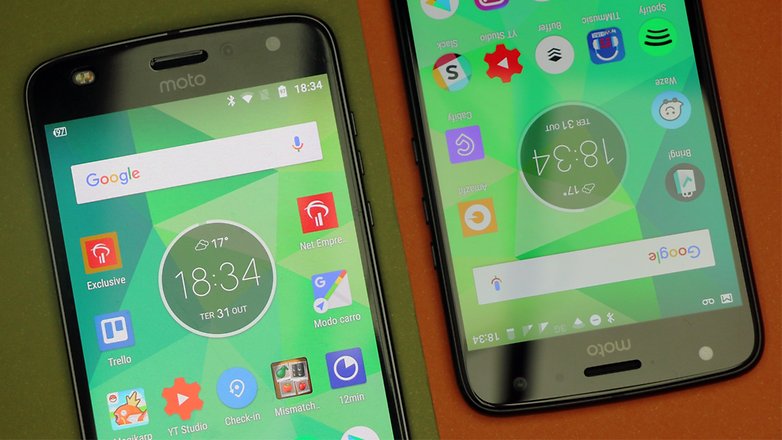
This year Motorola decided to expand its line of smartphones, and now it has so many devices that they’re starting to compete with each other. This is the case with the Moto Z2 Play and the more recently launched, Moto X4, both of which are about $400. But what are the pros and cons of each device when compared to each other? Let’s take a look.
Moto X4 vs Moto Z2 Play: software
Both phones come with Android Nougat and are projected to update to Oreo in the future. Motorola still has one of the purest Android experiences on the market even if in the past few years, they’ve added more apps and changed the interface a bit, especially the icons. There’s not much difference between the two, but the Moto X4 has a slight edge with a couple decent features that Motorola created for especially for it.
Among those is one app that Motorola calls Moto Experience and it gives users the ability to connect their smartphone with up to four Bluetooth devices simultaneously. There’s also a quick screenshot feature which lets you take a picture of the screen by pressing on the display with three fingers at the same time. And lastly, Moto Key, where you can unlock password protected sites, for your phone or laptop, just by touching the multi-functional fingerprint reader. It’s not a massive advantage, but it still sets the Moto X4 apart from the Moto Z2 Play.
Moto X4 vs Moto Z2 Play: display
The display is one of the most significant differences between these two devices. The Moto Z2 Play has a Super AMOLED display while the X4 comes with an IPS LCD display. The screen on the Moto Z2 Play is 5.5 inches, and the Moto X4’s is 5.2 inches. As for resolution, both come with 1,080 x 1,920 Full HD resolution, with a 16:9 aspect ratio. As we all know though, AMOLED displays offer much better brightness than IPS LCDs.
This is one aspect that the Moto X4 might have a slight edge when compared to the Moto Z2 Play, considering it has a dual camera. The rear camera on the Moto Z2 Play does have a few exciting pieces of tech, though: dual autofocus pixels and laser focus, which can reach up to three times as far as the last generation, capturing images at up to 5 meters away. The 5 MP front camera comes with an 85 degree open angle and dual flash with color balancing.
On the other hand, the Moto X4 comes with a smart dual camera on the back, with advanced features such as selective focus, color highlighting, object recognition, all in addition to panoramic selfies with a 16 MP front camera. Among the upgrades that the camera’s software has received is Landmark and Object Recognition, which displays information about the objects that are being shot and shown on the screen.
You can even quickly scan business cards and add them to your contacts. Another sweet feature is the animations and graphic effects, which let you add a layer of design to photos or videos using augmented reality. This is something we’ve seen on other phones from the brand, but it’s still impressive.
The software of the dual rear camera lets you blur the background, similar to that Bokeh-type effect, choose black and white for the first or second plane of the image, or you can even change the background entirely as we saw with the Moto G5S and Moto G5 Plus.
Another update on the Moto X4 is the color highlighting, where you can enhance one of the colors within the photo, leaving the rest black and white. Plus, the camera on the Moto X4 also has dual autofocus pixels for quickly focusing in low-light situations. If the back camera isn’t enough to win you over, then maybe the 16 MP front camera will do the job.
There really isn’t much to say here about the battery. In the end, they both come with a 3,000 mAh battery equipped with TurboPower, which gives you up to six hours of use from only a 15-minute charge.
Moto Z2 Play vs Moto X4: Moto Mods
This might just be the Moto Z2 Play’s secret weapon against the Moto X4, only if you want to spend more money buying mods that is. You’ll only be able to find specific battery and camera accessories for the Moto Z2 Play. You could even get a speaker or portable projector.
Of course, before we wrap this up, we have to take a look at the hardware on both devices. As for the Moto Z2 Play, it comes with a Snapdragon 626, GPU Adreno 506, 4 GB RAM and 64 GB memory, and the Moto X4 comes with a Snapdragon 630, GPU Adreno 508, 3 GB RAM and 32 GB memory.
If you’re worried about having enough storage space on your phone, that’s something that gives the Moto Z2 Play a slight edge. Honestly, the Moto Z2 Play seems to be ahead in almost every category, unless you’re looking for a dual camera and a few new software features. You should probably go with the more recent launch.
Although Motorola does not command a large share of the smartphone market, it is backed by the deep pockets of Lenovo. This means Motorola can pursue some strategies that similarly situated smartphone manufacturers may not be able to do. One of those moves is to make sure they have covered all segments of the market meaning they have an offering for just about any kind of shopper. While top-tier devices generate all of the buzz for companies, being able to provide devices for shoppers who are looking for a phone and do not really care about the latest specs or dropping lots of money on a smartphone can be a nice way to generate some income.
Being able to offer something to buyers at the end of the spectrum opposite the top-tier is where the Moto E4 and Moto E4 Plus come in to play. These budget offerings from Motorola may not knock the socks off in terms of performance or features, but they have extremely favorable price points.
For this review, we spent some time with both devices to see how they might hold up for any prospective buyers in need of a budget smartphone.
Design
The design of the Moto E4 and the Moto E4 Plus is one that should be familiar to anyone who has checked out a Motorola smartphone in the last two to three years. The devices feature a shape that sports some aggressively rounded corners, top and bottom edges that have a hint of an arc to them, and sides that are nicely rounded off to make for a comfortable grip. Both phones offer “home” buttons on the front that double as fingerprint sensors. On the backside, you will find the round camera housing that has become the hallmark of Motorola devices.
While the overall design of the Moto E4 and Moto E4 Plus keeps the phones squarely in the Motorola design camp, that is where the similarities to some of their higher-end devices start to fall away. Both devices are quite thick and heavy compared to other phones. For the Moto E4, this weight comes despite the fact that the back of the device is really a plastic shell that can be popped off to get access to the battery and slots for the SIM card and microSD.
The back of the Moto E4 Plus can also be removed for similar access. However, the backplate is a bit sturdier and features a two-tone design. Interestingly, even though one can get access to the battery in the Moto E4 Plus, Motorola has placed a sticker on the device warning against removal.
As far as colors go, the Moto E4 Plus test unit we had came in the Fine Gold color. The Moto E4 is available in this color as well. Although the gold may not appeal to everyone and I normally would fall into that camp, I was impressed with the look of the device, especially since Motorola made the front facing bezels and the fingerprint the same gold color. The Moto E4 Plus is also available in Iron Gray while the Moto E4 can be purchased in Licorice Black, which was the color of the test unit we had.
Both devices have the power button and volume rockers on the right-hand edge of the device, include a 3.5mm audio jack. They also both use a micro USB port for charging, so USB-C has not gotten to these lower market tier devices quite yet.
Both devices come equipped with a Snapdragon 425 or Snapdragon 427 and just 2GB of RAM. This is a budget-friendly combination of hardware, so it should be no surprise that the phones are not going to be driving the latest games with ease. If you are used to higher end devices, probably the biggest thing that one will notice is that everything seems to be a tick or two slower. This is especially true when opening apps – once loaded the speed of operation seems to be the same as any other phone.
Both devices have LCD screens running at 1280 x 720 resolution. The Moto E4 gets a 5-inch display while the Moto E4 Plus is bumped up to 5.5-inches. The color of the displays seems to be a bit washed out compared to higher-end devices. For typical use, the fact that the displays are only 720p resolution may or may not be noticeable depending on what one is used to. Overall I did not find the lower resolution detracted from the devices.
Battery
Things get a little bit interesting when it comes to batteries for these devices. Starting with the Moto E4 we have a 2800 mAh battery, a size that seems consistent with the budget nature of the device. Although it is on the smaller side, keep in mind it does not have to drive very demanding hardware. This means it is adequate for the task at hand and I had no problem getting through a typical day of usage. Add in Motorola’s rapid charging technology and despite the older microUSB connection, the device can be charged quite quickly. The Moto E4, as noted earlier, has a removable battery so one could find a spare to keep handy and swap it in if needed.
Meanwhile, the Moto E4 Plus gets a monstrous 5000 mAh battery. The Moto E4 Plus can just keep going and going and getting a couple days usage out of it on a single charge is well within the realm of possibility. In one case, I left the phone on a desk for one week in standby mode at 100% charge and when I came back, it was only down to 76% charge, a testament to how finely tuned Qualcomm and manufacturers are getting in the area of energy efficiency.
Software
Despite being budget devices, Motorola does deliver both the Moto E4 and Moto E4 Plus with Android 7.1.1 onboard. Having access to such a recent version of the Android operating system is a nice plus for buyers in this market segment. Whether Motorola goes through the trouble of rolling out Android Oreo to these devices remains to be seen.
Consistent with Motorola’s overall strategy, the operating system and interface are very close to being stock Android. Motorola does not layer on an extra user interface and the few custom apps that do come on the phone are generally considered useful additions, like Moto Assist that enhances accessibility of the phones.
One thing these budget devices do not get compared to some of their siblings is the Motorola Always On display.
Camera
For cameras, both devices share the same 5MP front-facing “selfie” camera with an f2.2 aperture and 74-degree field of vision with support for HDR. On the rear, the Moto E4 gets an 8MP unit while the Moto E4 Plus gets a 13MP unit. Given these are budget phones, the average capabilities of the camera hardware should come as no surprise. The cameras generally work s expected and they can capture adequate shots, but you are probably not going to want to try things like serious zooming or shooting in low light situations as noise in the resulting images will come in fairly soon as you start to push on them. You may note in a couple of the sample shots with the Moto E4 Plus though that focus was an issue despite the conditions not being especially challenging.
In terms of video recording, both devices can capture 1080p video at 30 frames per second.
Moto E4 sample photos
Moto E4 Plus sample photos
Closing
Both the Moto E4 and the Moto E4 Plus reside at what might be described as the bottom end of the market. With prices that are rock bottom, they are not targeting consumers looking for especially capable hardware so it should come as no surprise that performance is not on par with a mid- or top-tier phone.
All that said, the phones work amazingly well. Effectively the hardware in the devices is similar to what flagship phones had about 3 to 4 years ago. Using the phones invoked in me a bit of a sense of time travel as if I had gone back in time and grabbed a smartphone off the shelf. However, buyers today get the benefit of improvements to the Android operating system as well as app developers continuing to streamline and optimize their apps. So although the hardware may feel like a bit of a step back in time, actual operation of the phones leans toward a much smoother, snappier experience.
The Moto E4 sells for full retail at a mere $140 and the Moto E4 Plus goes for $180. With deals available, either device may be available for much less than that. Balancing that cost against the hardware, the devices present a pretty compelling case for the budget phone buyer.