How many of you don’t particularly like have to carry a key fob around for your car? Much like how you can store all of your payment cards in a digital wallet and then make payments on the go with your phone, what if it was possible to leave your car keys at home but still be able to drive off?
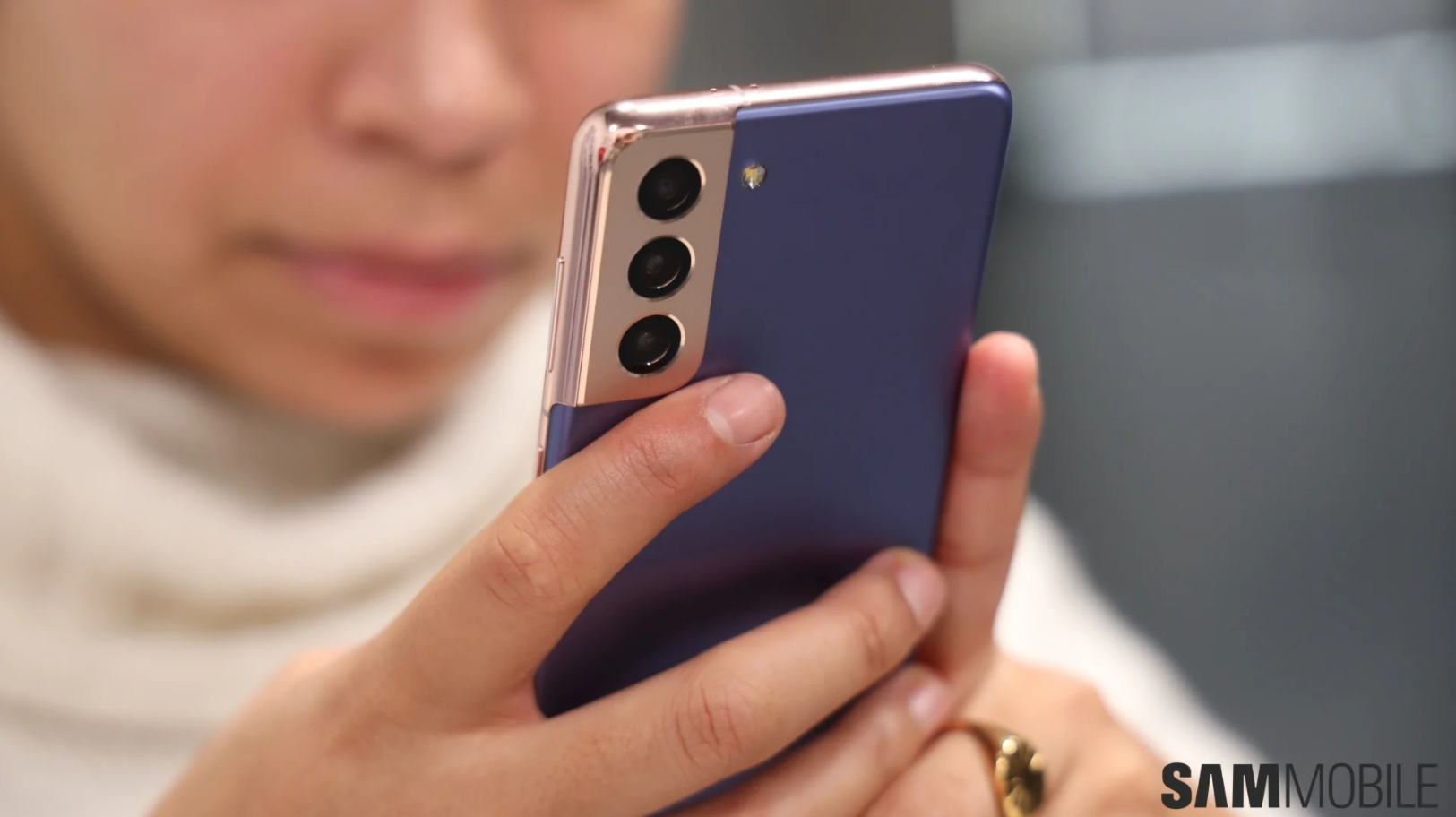
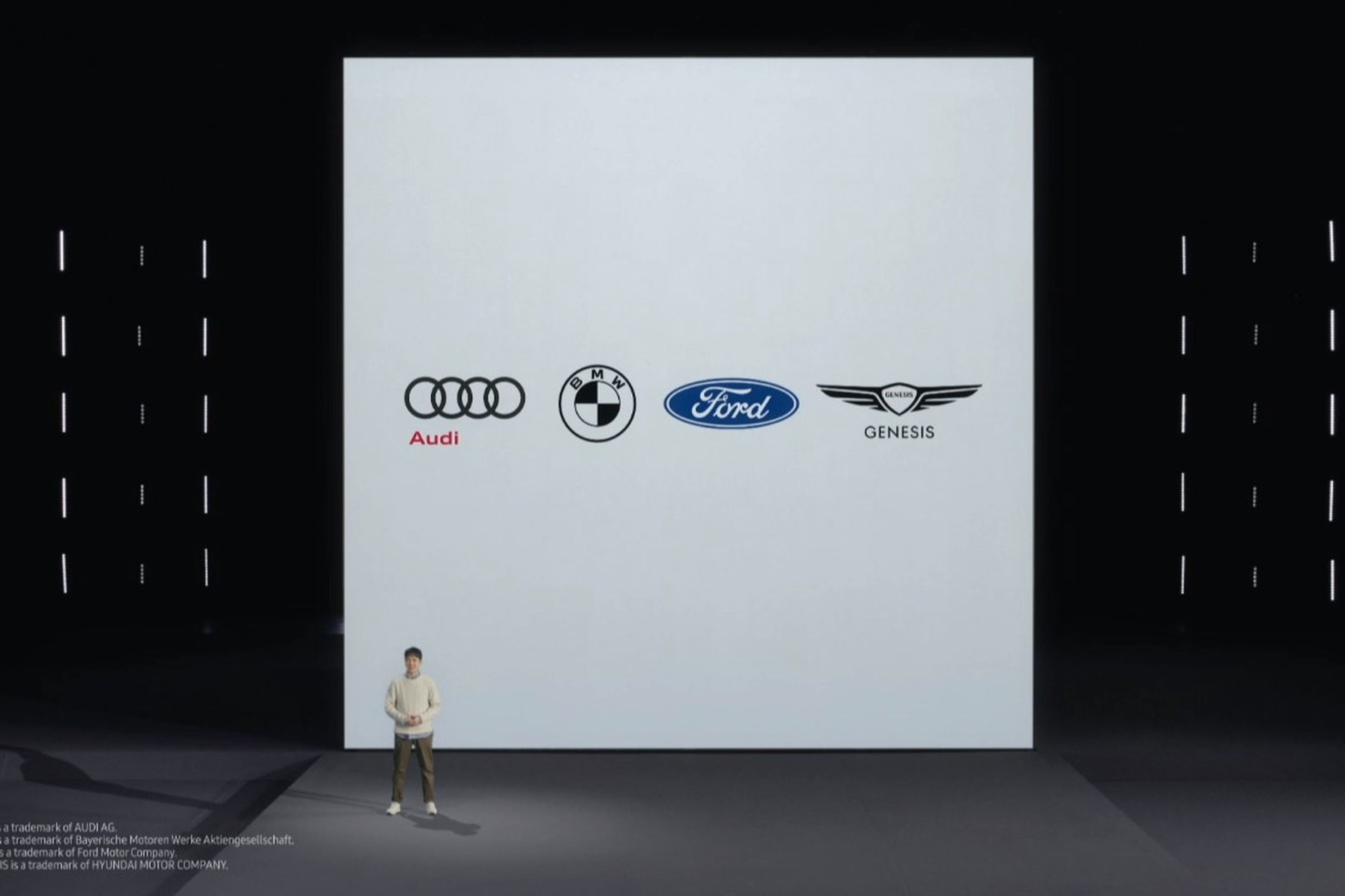
That’s a question that standards bodies like the Car Connectivity Consortium and the FiRa Consortium have been pondering. Samsung wants in on the action as well. It announced new partnerships today which will enable you to unlock your Audi, BMW, Ford or Genesis car with a Galaxy S21.
Samsung is harnessing the power of UWB to get rid of your key fob
Samsung announced during its Galaxy S21 launch event today that the company is working with these auto manufacturers to bring the digital key functionality to the Galaxy S21. The feature is expected to go live later this year.
Since there are industry-backed standards bodies working on the tech, the digital keys will be shareable across smartphones, regardless of the brand or platform. So you could, in theory, share the digital key for your car with a friend who uses an iPhone.
Samsung is also embracing the ultra-wideband technology (UWT) for the digital car keys that will allow cars and phones to communicate with one another.
The company’s description of the feature suggests that it will utilize UWB or Ultra Wide Band technology. The handset would recognize pulses of low-power energy from UWB-equipped cars to unlock the doors exactly when you reach it. NFC would most likely be the fall back and it would require taking the phone out of the pocket and tapping it to the car.
The AR viewfinder for UWB-equipped phones and cars.
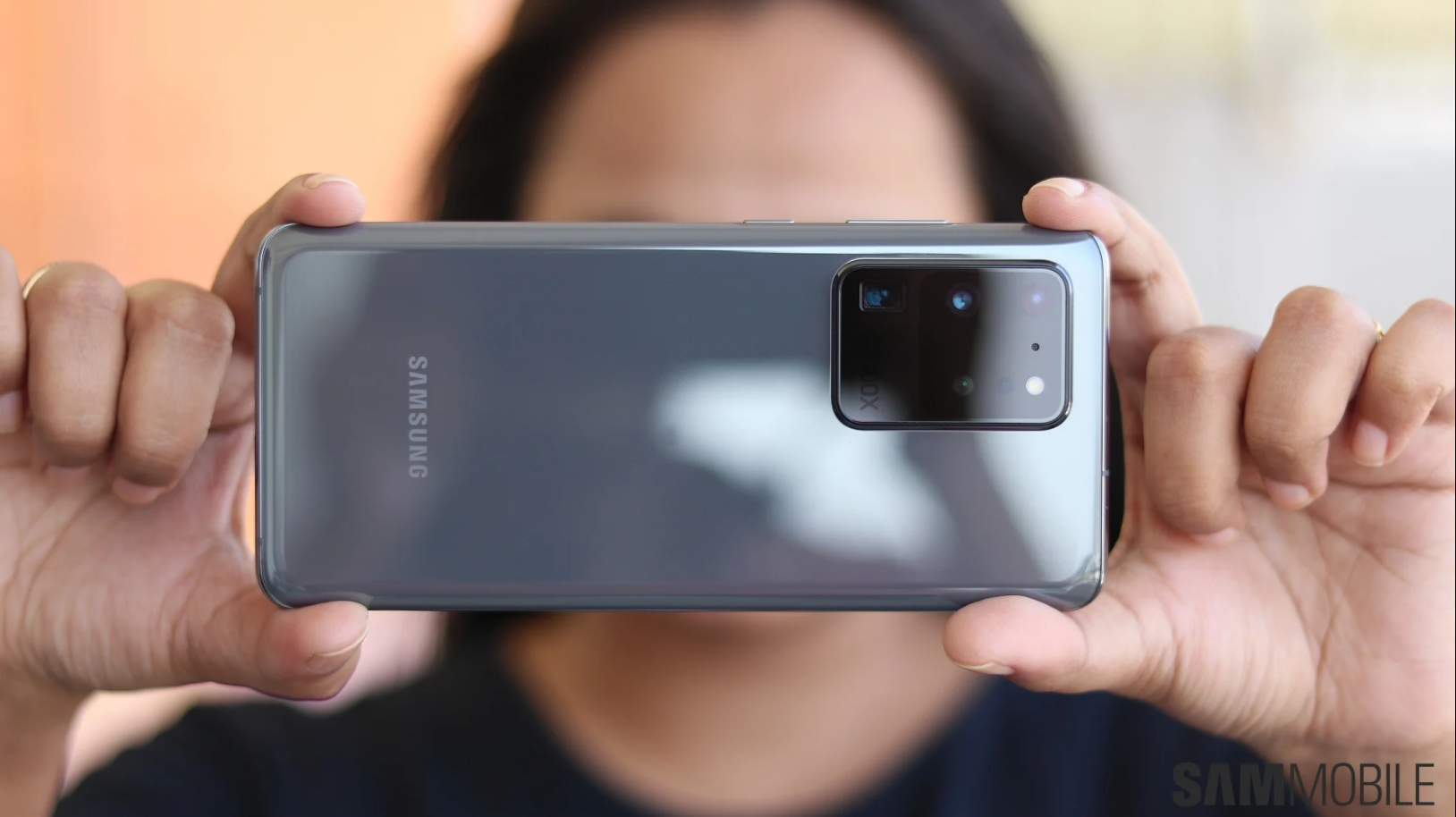
The UWB tech will also make it easier to locate your car in a parking lot, a very useful feature for those who tend to forget where they parked. Samsung is bringing an augmented reality-powered viewfinder to its UWB-equipped devices for this purpose. Samsung’s UWB-equipped phones include the Galaxy S21+ and Galaxy S21 Ultra, the Galaxy Z Fold 2 and the Galaxy Note 20 Ultra.
Samsung has also expanded their SmartThings functionality to cars that allows drivers of compatible vehicles to start and stop their car as well as adjust the climate control system.
During its digitally hosted Galaxy Unpacked event, Samsung announced that it has partnered with Audi, BMW, Ford and Genesis to introduce digital car key feature that allows unlocking of the car door using the Samsung mobile phone. The feature may be available as soon as August 2021.
The digital key can also be shared across mobile devices, regardless of brand of platform. One will be able to share car keys digitally when a friend or family member with just a few taps on the phone.
Near-field communication (NFC) technology used on the devices enables owners to ‘tap’ their phone near the door handle to unlock the car. The electronics company is also embracing the ultra-wideband technology (UWT) for the digital car keys that will allow cars and phones to communicate with one another. The car will unlock itself as soon as the driver reaches the door.
Samsung has also expanded their SmartThings functionality to cars that allows drivers of compatible vehicles to start and stop their car as well as adjust the climate control system. Using the car’s display, drivers can also control smart home functions such as temperature setting, vacuum cleaning and washing machine operation.
As Samsung and Google have worked closely together to improve the Android Auto experience, the in-car interface has become much more enhanced, supporting a whole lot of smart and remote functionalities.
The dream of using your phone to unlock your car door (instead of carrying around a bulging key fob) may be one step closer today: Samsung has announced partnerships with Audi, BMW, Ford, and Genesis to do just that, saying the feature may be available as soon as August 2021. And excitingly, those digital car keys should work with Apple iPhones and across other Android brands, too.
That’s because Samsung is part of multiple standards bodies that are working on the tech, including the the FiRa Consortium and the Car Connectivity Consortium, of which Apple is also a leading member. “You’ll even be able to share your digital key across smartphones, regardless of brand or platform,” Samsung’s Kevin Chung announced during the company’s Galaxy S21 event today.
Samsung says it’s trying to add additional car companies, too: “We’re actively working to expand our automobile partnerships with the goal of offering this feature across a wide variety of car makes and models,” the company added in a statement early this evening.
Unfortunately, it’s not yet clear which automakers will support the coolest, securest version of this tech: UWB. It uses small, standardized beacon-like pulses of low-power energy, preferably from multiple parts of your car at once, to figure out exactly where you are in relation to your car’s handle from a sizable distance away.
Samsung says with the new digital keys, “you’ll be able to unlock your car door when you reach it, no sooner, no later,” but I’m pretty sure it’s only referring to UWB there. The fallback is NFC, where you’d likely need to pull your phone out and tap it to your car, like you do with tap-to-pay NFC transactions today.
Samsung also showed off how the tech can let you find your car in a crowded parking lot, with an augmented reality viewfinder it says it’s bringing to Samsung phones — but the fine print says it only works with UWB-equipped cars and UWB-enabled phones.
Every iPhone 11 and iPhone 12 comes with UWB now, but Samsung says only the Galaxy Z Fold 2, the new S21 Plus and S21 Ultra (so, not the S21?), and the “Galaxy Note 20+” (presumably referring to the Note 20 Ultra, which has UWB) will support the AR viewfinder.
Apple is also waiting for carmakers to adopt UWB and had to roll out its own version of digital car keys with NFC to start, and only on the 2021 BMW 5 Series. But BMW announced earlier today that it’ll support UWB, branded as “Digital Key Plus,” with the electric BMW iX.
Samsung’s also introducing a UWB-based tracking tag for finding your lost gadgets later this year, though — like the car keys — it’s starting off with a less impressive Bluetooth version instead that won’t let you locate them as precisely.
Only four months after officially announcing the One UI 3.0 update, Samsung already brought its custom Android 11 implementation to quite a few of its Galaxy devices. At least compared to the pace of its Android 10-based One UI 2.x deployment efforts which have been ongoing until this very month. And assuming we’re counting Android 11 beta builds, which we are.
As Samsung is expected to begin ramping up the development and release of various One UI 3.0 iterations, this is a fine time for us to start keeping detailed tabs on that endeavor. This would primarily constitute tracking the exact lineups and models that have already been updated, as well as the order in which that happened.
We will be updating this list on a regular basis, so feel free to bookmark it if you’re eager to embrace Samsung’s latest mobile OS ASAP. Our definition of that term is about to change soon, anyway, seeing how the One UI 3.1 update is right around the corner.
One UI 3.0 stable update release schedule for Galaxy devices in Egypt
December 2020
Galaxy S20
Galaxy S20+
Galaxy S20 Ultra
January 2021
Galaxy Note 10
Galaxy Note 10+
Galaxy Note 20
Galaxy Note 20 Ultra
Galaxy S10
Galaxy S10+
Galaxy S10 Lite
Galaxy Z Fold 2
Galaxy Z Flip
February 2021
Galaxy Fold
March 2021
Galaxy A51
Galaxy M21
Galaxy M30s
Galaxy M31
Galaxy Note 10 Lite
Galaxy Tab S7
April 2021
Galaxy A50
Galaxy M51
May 2021
Galaxy A21s
Galaxy A31
Galaxy A70
Galaxy A71
Galaxy A80
Galaxy Tab S6
Galaxy Tab S6 Lite
June 2021
Galaxy A01
Galaxy A01 Core
Galaxy A11
Galaxy M11
Galaxy Tab A
July 2021
Galaxy A30
Galaxy Tab S5e
August 2021
Galaxy A10
Galaxy A10s
Galaxy A20
Galaxy A20s
Galaxy A30s
Galaxy Tab A 10.1
Galaxy Tab Active Pro
This might not be the full list of devices, though, and we see that the Galaxy A50s, Galaxy S10e, and a few other phones are missing from the list. We will update the article when we find more information about the release schedule.
With that said, you can download the latest system images from our firmware archives almost as soon as Samsung makes them available.
Galaxy devices that have received Android 11/One UI 3.x update
Galaxy S10 series (still in beta)
Galaxy Z Fold 2 (still in beta)
Galaxy S20 series
Galaxy Note 20 series
Galaxy Note 10 series (still in beta)
Android 11 is the eleventh major iteration of Google’s mobile operating system. The first developer preview was released in February 2020 with the public beta being scheduled for an announcement at Google I/O 2020 which was supposed to take place on June 3. However, the COVID19 pandemic forced Google to cancel the event and just release the beta online.
Many of our readers will now be curious to learn more about Android 11 for Samsung Galaxy smartphones and tablets. It will take some time before Samsung officially confirms which of its devices will get Android 11. However, we can make an educated guess on the devices that will be updated to the latest iteration of Android.
Samsung will most definitely release Android 11 for its devices with a new version of its One UI custom skin. Since One UI 2.5 will be released with Android 10, there’s a good chance that Samsung will release One UI 3.0 with Android 11.
Best Android 11 features
Google is focusing on enabling users to better take advantage of the latest innovations with Android 11 while also emphasizing privacy and security. There will also be enhancements for 5G, support for new screen types that utilize pinhole and waterfall design elements, machine learning enhancements and more.
New permission options are among the best Android 11 features. Users will be able to grant apps temporary access to sensitive data like microphone and camera with a one-time permission. The app will not be able to access that data once the user moves away from it.
Android 11 is going to simplify conversations with a dedicated conversations section in the notification shade. Bubbles will be used to keep conversations in view while multi-tasking on the phone. If an app supports image copy/paste, it will also be possible to insert images directly into notification inline replies.
A rather useful enhancement is that Airplane mode will no longer disable Bluetooth. This means that people who enable Airplane mode don’t have to open the notification shade again and reconnect their Bluetooth devices.
It’s not exactly easy to see previously dismissed notifications on an Android device. Google is set to change that with Android 11 which will have a Notification History option.
Android 11 on Samsung devices
These are some of the general Android 11 features and enhancements. Many of the user interface changes that Google has introduced to the core OS won’t be available on Samsung phones since the company applies its own custom skin.
There’s no information available right now about the new features and improvements that Samsung will bring with One UI 3.0. Some features that are new to Android 11 like a context-aware Dark mode and a native screen recorder are already present in existing One UI versions.
Android 11 beta for Samsung
Samsung devices don’t get developer preview builds of Google’s mobile operating system. However, the company itself launches a beta program so that it can get the latest Android version and the One UI version that will accompany it out in the hands of testers.
However, it will take some time before such a program is launched. For context, Samsung launched the Android 10 and One UI 2.0 beta in October last year, about a month after Google had released the stable Android 10 firmware for its Pixel smartphones. The Android 11 beta for Samsung can be expected to follow a similar timeframe.
Only Samsung’s latest devices are eligible to take part in the beta. So it will most definitely be open to the Galaxy S20 and Galaxy Note 20 lineups. Samsung also opened up the beta to the Galaxy S9 and Galaxy Note 9 last year so it may do the same for the Galaxy S10 and Galaxy Note 10 this time around.
Which Samsung devices will get Android 11
Samsung releases dozens of smartphones every year for every price segment of the market. Providing software support for all of these phones is no simple task. The company does guarantee two major OS upgrades for all of its smartphones. This means that any Samsung phone that shipped with Android 9.0 and Android 10 will be eligible for Android 11.
The company continues to release security updates for devices even when they have received their two major OS updates. It splits them between the quarterly and monthly release schedules. Samsung also releases security updates for devices older than three years as and when required. It will continue to do so after Android 11 arrives as well.
Check back for more on the Android 11 update for Samsung devices
We still have a few months until the Android 11 update is released for Samsung’s smartphones and tablets. Do keep checking back in with us to learn more about how the Android 11 update landscape for Samsung’s devices is evolving. We’ll continue to provide coverage on this topic and update you as and when there are new developments.
Samsung Galaxy devices eligible for Android 11 update
The devices listed below are currently expected to get Android 11. The list is based on Samsung’s policy of providing two major Android upgrades to all of its devices and three major upgrades for flagship and select mid-range devices, which means your device will probably get Android 11 if it came with Android 9 Pie or Android 10 out of the box.
The confirmation comes from Samsung’s biggest mobile experience store in India, courtesy of an inquiry from Android Authority and a separate reaffirmation from Sammobile. The Opera House store in Bengaluru has said that it will start sales of the devices from January 29th, as stock won’t reach India until the week after the launch. It also says it has begun taking preorders with an ₹2000 ($27) deposit, in return for which it will keep customers updated on availability via WhatsApp. Those leaving a deposit will not need to decide which variant they want until the official announcement. After all, technically, these devices “don’t exist” yet.
The store also confirmed that Indian devices will be powered by the still-unannounced Exynos 2100 chipset, rather than the Qualcomm Snapdragon 888 believed to be under the hood in some other markets. They also confirmed the colors seen in teaser videos – gray, pink, purple, and white for the Galaxy S21, pink, purple, silver, and black for the Galaxy S21 Plus, and silver or black for the Galaxy S21 Ultra.
Yesterday, we got our first look at what’s believed to be the camera array for the range, suggesting a main sensor at 12MP, along with a 12MP ultra-wide lens and a 64MP telephoto lens. The Ultra has a quad-array with 108MP main shooter, 12MP Ultra Wide lens and not one, but two telephoto lens, one of which offers up to 10x optical zoom, the other 3x zoom. One thing that hasn’t been confirmed or denied is the rumor that Samsung won’t be bundling a charger with this year’s flagships, at least in some countries. That’s a surprise yet to come.
In an unexpected turn of events, a regional branch of Samsung revealed the launch date for the Galaxy S21 series before any announcement from its global offices. More specifically, Samsung India confirmed the company’s next-gen flagship series will be debuting on January 14th. It did so in quite a casual statement issued to Android Authority earlier today.
We followed up with Samsung’s local offices and had a company official confirm the development. Not only that, but they actually said Samsung Experience Stores in India are already accepting Galaxy S21 pre-orders in exchange for a token advance fee of Rs. 2,000 (just over $27).
Is Samsung India jumping the gun with these Galaxy S21 pre-bookings?
If that sounds a bit premature, that’s probably because it is. Because it seems these early pre-bookings are completely blind, i.e. they are not accompanied by any concrete pricing or availability details. Yet with Samsung now confirming our October scoop by announcing a definitive Galaxy S21 launch date that falls in the first half of January, those who pre-book them today might already have their new Android flagships by the end of the same month.
Anyone who pays the aforementioned fee will be able to choose from any of the available models once the actual pre-orders open on January 14th before everyone else. Finally, Samsung India also revealed the color options for the entire flagship series, stating that the Galaxy S21 will be available in white, gray, pink, and purple, whereas the Galaxy S21+ will also be offered in purple and pink, in addition to black and silver. Those last two hues will be the only options presented to prospective Galaxy S21 Ultra buyers.
New privacy and security features give users more control to browse freely with true peace of mind
Samsung Electronics today announced a new update to Samsung Internet, its fast, easy and reliable web browser. Samsung Internet 13.0 introduces a series of new features and enhancements designed to offer users a better and safer browsing experience.
“At Samsung, we’re always optimizing our products and services to offer the best experience to our users,” said Du Kim, VP and Head of Web R&D Group, Mobile Communications Business, Samsung Electronics. “Our lives are increasingly lived online, as people try to stay informed and connected, so we wanted to make it easier for everyone to enjoy the best the internet has to offer with peace of mind, knowing you can count on us to keep you safe.”
Protecting You From Prying Eyes
These days, it’s hard to know which website you can trust. Samsung Internet 13.0 offers a new permission request UI that will display a warning message if a website seems malicious and is attempting to trick users into allowing notifications. And since we know how much privacy means to our users, Secret mode allows them to automatically clear their browsing history as soon as all their Secret mode tabs are closed. A new Secret mode icon will also be displayed on the address bar as part of the Samsung Internet 13.0 update, so that it’s easier to know when it’s switched on. For more information about Secret mode, check out the new About Secret mode section.
Permission Request UI – Before (left) and Samsung Internet 13.0 (right)
A Better User Experience
We introduced a series of new features and enhancements to make Samsung Internet even more user-friendly:
You can now use High contrast mode with Dark mode on, to make fonts and other components stand out even more.
Samsung Internet 13.0 also introduces an Expandable App Bar for menus such as Bookmarks, Saved pages, History and Downloads.
Get more screen space by hiding the status bar, to immerse yourself in the content you’re browsing.
When watching a video in full screen with Video assistant, pause it by double tapping the middle of the screen.
Easily edit the title of your bookmarks so that they’re easier to recognize and search.
High contrast mode
Extension API for Developers
New Application Programming Interface (API) modules are now available for Samsung Internet 13.0, including WebRequest, Proxy, Cookies, Types, History, Alarms, Privacy, Notifications, Permissions, Idle and Management. Developers can use these APIs to build extensions and contact the Samsung Internet team to validate, approve and add their extension to the Samsung Internet browser. For more details, please visit https://developer.samsung.com/internet/android/extensions-dev-overview.html
If you’re an existing Samsung Internet user, you will receive a notification telling you a new version is available. You can also download the latest version of Samsung Internet browser on the Google Play Store or Galaxy Store.
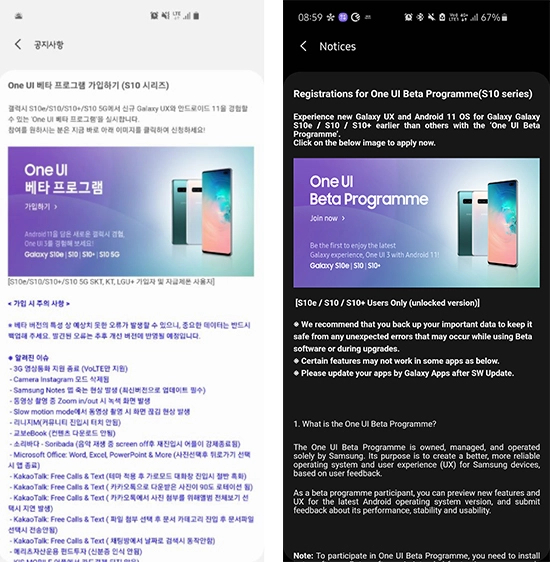
Samsung has released Android 11-based One UI 3.0 beta for the Galaxy S20, Note20 and Z Flip lineups already, and today the Galaxy S10, Galaxy S10+ and Galaxy S10e join them as the company opened the One UI 3.0 beta program for its 2019 flagships.
Samsung had confirmed the One UI 3.0 beta for the S10 lineup a couple of weeks ago, but it was delayed due to battery drain concerns. But now that Samsung has opened the beta program for the S10 trio, you can get a taste of Samsung’s latest custom Android skin by participating in the beta program from the Samsung Members app.
So Android 11 is still officially missing from Samsung Galaxy devices, but the Android 11-based One UI 3.0 beta has offered a preview phase ahead of a global rollout.
Before you enroll in the beta program, make sure you’ve backed up your device, and remember that beta software is not as stable as the final builds and often has bugs that hamper the user experience.
The One UI 3.0 beta program for the S10 trio is currently live in the UK, India and South Korea, but should expand to other countries soon.
It looks like the stable One UI 3.0 could be here within weeks as firstly the One UI 3.0 beta for Galaxy Note 20 series devices has now officially ended in Samsung’s homeland of South Korea. This is a good sign, as the beta ending signifies that testing is complete. The next likely rollout for Galaxy Note 20 devices will be the stable One UI 3.0 update.
Samsung kicked off the One UI 3.0 public beta program for the Galaxy S20 series early last month. A few weeks after the update started rolling out to Galaxy S20 users, the company expanded the beta program to include Galaxy Note 20 series devices. Then, earlier this month, Samsung announced that it would be expanding the One UI 3.0 beta program to more devices, including the Galaxy Z Fold 2, Galaxy Z Flip 5G, the Galaxy S10 series, and the Galaxy Note 10 series. As promised, the company has now opened the One UI 3.0 beta program for the Galaxy S10 series in South Korea, India, and the UK.
Samsung had first unveiled its lifelike artificial humans called NEON earlier this year during CES 2020. Since then, the company has showcased several use cases, including in the banking, news, and retail sectors. Now, the company is hinting that we might get to see NEON on smartphones really soon.
Pranav Mistry, the CEO and President of STAR Labs, has mentioned on Twitter that he is currently using NEON on his smartphone. He also said that the company is testing its artificial humans on smartphones right now, and others can see it before Christmas. So, Samsung may showcase NEON on Galaxy smartphones sometime in December 2020.
There is no clear indication from Samsung if NEONs would one day come pre-installed on Galaxy devices and if they would be available on devices from other brands. NEONs are powered by STAR Labs’ Core R3 and SPECTRA technologies. SPECTRA offers emotions, intelligence, learning, and memory to Core R3, which Samsung claims can pass the Turing test once it is ready.
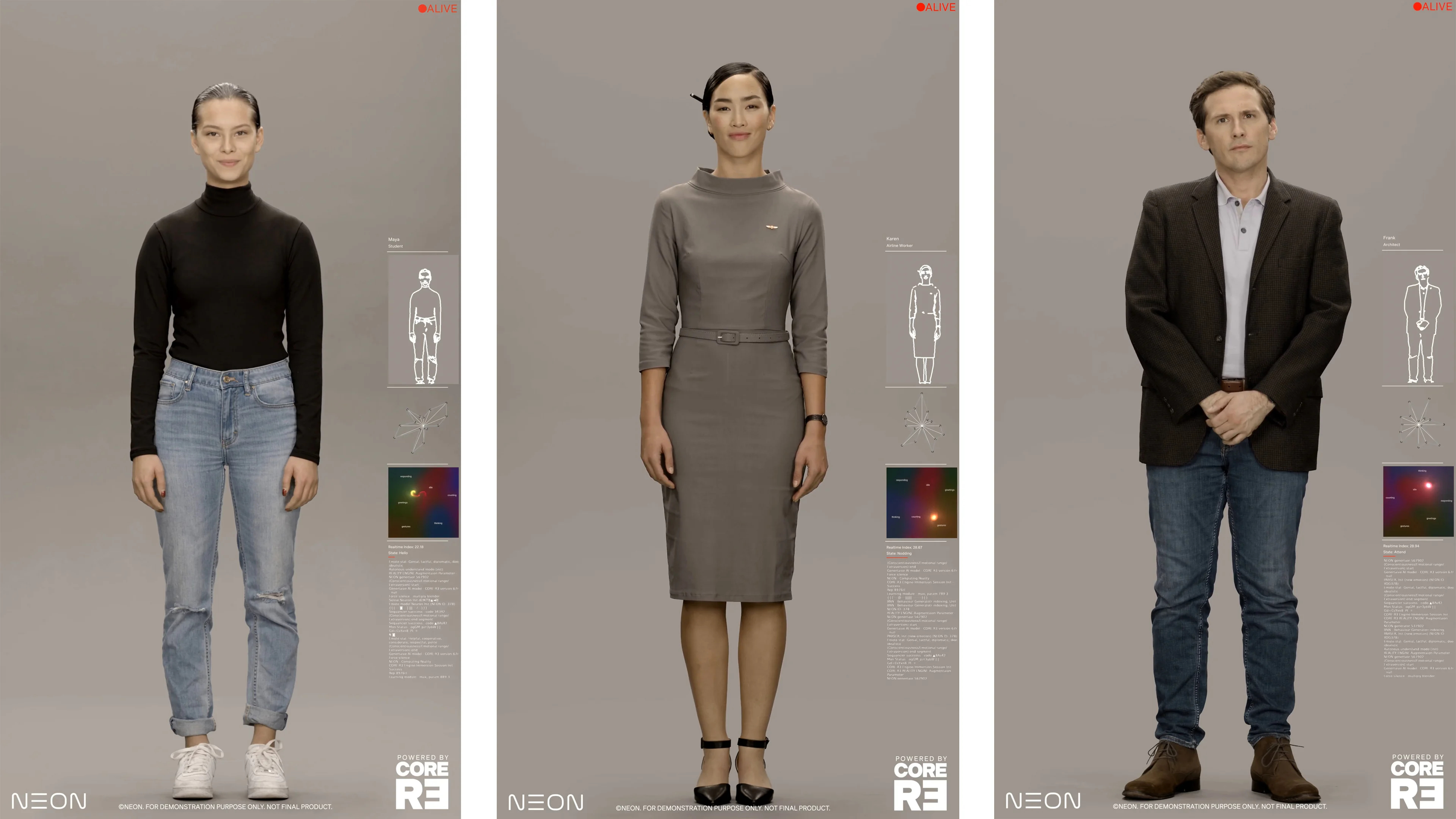
NEONs feature AI-generated virtual avatars that are indistinguishable from human beings, and each one of them has his/her own unique personality. Samsung’s website mentions that the artificial humans can be customized as per the client’s requirement. They can be used as a service representative, financial advisor, concierge, healthcare provider, or just as a virtual friend.
Disappointingly, what has been confirmed via The Verge and through the official teaser images is that the scenarios shown at CES and in promotional content ‘are fictionalized and simulated for illustrative purposes only.’ This likely means that the recently leaked NEON video doesn’t give us much of an insight into what STAR Labs’ ‘artificial human’ is all about or how these avatars will look like. The people shown in that video (and the images below) were actual actors and weren’t computer-generated images or the real ‘NEONs’ as the company calls its virtual avatars.
Samsung NEON will bring lifelike ‘artificial humans’ to your digital screens
It seems Samsung has found a way to bring lifelike ‘artificial humans’ to the masses. The company has been teasing a new product called NEON in recent weeks, and a leaked video showcasing what NEON can do suggests that we could soon be talking to a digital human who looks, talks, and even thinks like a real person.
NEON seems to use motion capture technology to capture an actor’s likeness and voice and then lets AI use that data to let the digital avatars “autonomously create new expressions, new movements, new dialog (even in Hindi), completely different from the original captured data”, according to Pranav Mistry, who is leading the project. Digital humans are not new – they have been seen in movies and video games for decades, but Samsung is suggesting that NEON can take things a step further and enable these digital humans to have unscripted interactions.
NEONs can’t be exact copies of an existing human being. They can share some similarities with humans but a NEON will never be an exact replica. The company claims that ‘each NEON is a unique, individual artificial human, with his/her own unique personality, just like us.’
NEON is a hype vector for now
Checking the official NEON webpage might get you all hyped for the future, but that seems to be by design. However, you don’t need an overly-critical eye to realize that there’s barely any concrete information there. The webpage is filled with buzz phrases such as ‘Inspired by the rhythmic complexities of nature‘ or ‘Virtually, Real. 100% visually real, like you and me. Existing among us from all walks of life.’
The most ambitious statement of all might be that the so-called NEONs are indistinguishable from real humans. ‘Introducing lifelike reality that is beyond our normal perception to distinguish.’ In other words, NEONs can easily pass the Turing test, according to STAR Labs, and that is quite a bold statement to make for a product that, so far, has only been ‘fictionalized and simulated for illustrative purposes only.’
But who knows?! Maybe this really is the beginning of a new era and we will be truly impressed once NEON will be ready for the masses. It’s just that, for now, STAR Labs hasn’t given us enough information to sell us on this rather confusing non-assistant AI concept. For the time being, it looks like NEON is a vision of a future enhanced by AI and powered mostly by hype.
A look at what the NEON artificial human could become
NEONs are supposed to show emotions and intelligence, with each avatar being customizable for different tasks. In STAR Labs’ vision ‘In the near future, one will be able to license or subscribe to a NEON as a service representative, a financial advisor, a healthcare provider, or a concierge. Over time, NEONs will work as TV anchors, spokespeople, or movie actors; or they can simply be companions and friends.’
Idealistically, NEONs are life-like computer-generated AI avatars indistinguishable from human beings. Exactly how they would reach the consumer market is unclear. We don’t know if they will be streamed to your smart devices from the cloud or if they would require prospective customers to purchase special local hardware.
They are, however, powered by STAR Labs’ Core R3 and SPECTRA technologies which remain somewhat of a mystery. But in short, Core R3 is a proprietary technology that can computationally create lifelike reality, while SPECTRA is an upcoming tech that will lend Intelligence, Learning, Emotions, and Memory to Core R3, according to the company. So, SPECTRA – the brain of the AI if you will – is not yet ready, but the company was confident enough to claim that it (together with Core R3) can pass the Turing test.
NEON beta is planned for release by the end of 2020
STAR Labs claims that NEON is ‘fundamentally different from deepfake or other facial reanimation techniques.’ What NEON isn’t, according to STAR Labs, is an AI assistant. It’s not an interface to the internet, not a music player. It’s ‘simply, a friend‘ and it can ‘speak it all, from Spanish to Hindi, from Japanese to English.’ NEON artificial humans are ‘more like us, an independent but virtual living being.’ Just how independent a NEON can be? We don’t know, but we might find out later this year.
It sounds like the technology is not yet ready for deployment and we don’t have a concrete launch date for the time being, but STAR Labs plans to release a beta version of NEON through select partners by the end of 2020.
The Samsung Galaxy S7 is one of Samsung’s decommissioned devices and hasn’t actually received any updates for quite a while. But the Galaxy S7 is still one of the most popular smartphones and is actively used. For S7 owners, Samsung is now surprisingly rolling out an update.
The Galaxy S7 and the Galaxy S7 edge were launched in 2016 and turned out to be a big seller for the South Korean manufacturer. The curved display of the Edge version impressed the technology world. These glorious times are long gone for the former Samsung flagships. And yet, four years after its launch, Samsung is now rolling out an important update for the Galaxy S7.
Galaxy S7 and S7 Edge receive security update
While we’ve been waiting a long time for Samsung to stop quarterly patches for the outdated Galaxy models, an update for the S7 is coming in October. Of course, the two smartphones will not receive a version update – Android 8 was the last update for the Galaxy phones. It is on this version of Google’s operating system that the models still run today.
According to Sammobile.com, Samsung has begun rolling out the September security patch, which is currently being distributed in Canada and the UK and is expected to find its way onto the Galaxy S7 range in these countries as well. The download size of the updates is 70 MB and comes as firmware versions G930W8VLS8CTI1 or G935W8VLS8CTI1, depending on whether you are using an S7 or S7 edge.
Firmware versions for the British versions of the smartphones are G930FXXU8ETI2 and G935FXXU8ETI2. The new software updates also improve device stability, fix some bugs, and improve performance.
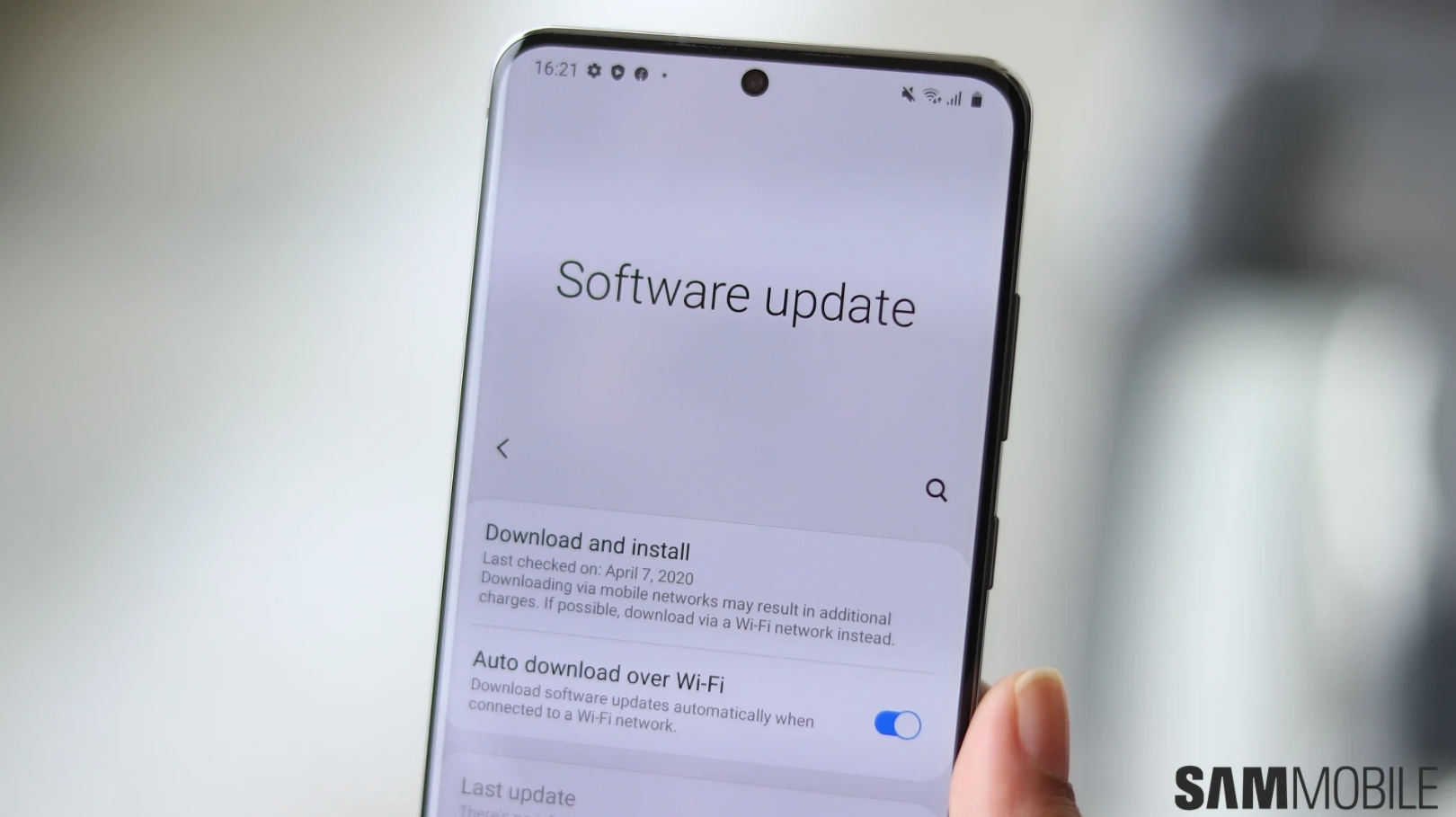
We do not know when the update will be available here in this country. You can manually check on your Galaxy smartphone if the new firmware version has already been pushed in. To do so, navigate to “Settings” and “Software Update”.
The Samsung Galaxy S7 and S7 edge are officially no longer eligible for software updates, and when a security patch was rolled out in March, many thought it was their final one. Luckily for the owner of these two phones, a new update is now being deployed, reports SamMobile.
Galaxy S7 series is receiving the September 2020 security patch
The phones came out back in 2016 with Android 6.0, which makes them nearly five years old. In 2018, they were upgraded to Android 8, which was their last OS upgrade.
Currently, Galaxy S7 and S7 edge users in the UK and Canada are receiving the September 2020 security update. The patch weighs nearly 70MB and will likely make it to other markets soon.
Samsung recently committed to three years of Android updates, but this only applies to recent flagships, some Galaxy A series phones, and foldable handsets.
The company sometimes addresses critical vulnerabilities on unsupported older phones, and this could be the case with the Galaxy S7 and S7 edge too. Nonetheless, it’s still commendable to see Samsung support phones which do not even qualify for quarterly security updates any longer.
Per today’s report, the software update improves performance and device stability, and also irons out some bugs.
If you haven’t received the security update yet, you can check for it manually. Simply go to Settings, then navigate to Software update, and then tap Download and install.
Samsung’s SmartThings Find service, which was showcased by the company at its Unpacked event in August, has finally been officially launched. The new service, which will be available within the SmartThings app, will help users find their connected Galaxy devices.
The service uses Bluetooth Low Energy and ultra-wideband (UWB) to help you locate your misplaced Galaxy phone, tablet, smartwatch, or wireless earbuds. You will be able to use the SmartThings Find even when your Galaxy device isn’t connected to the internet. This is possible as SmartThings users can now choose to use their Galaxy phone or tablet to help other Galaxy device owners locate their devices. Samsung says devices that have been offline for 30 minutes will produce a Bluetooth Low Energy signal that can be received by other Galaxy devices nearby.
Once you report your device as lost in the SmartThings app, nearby Galaxy phone or tablet owners will be able to alert Samsung’s server about the device’s location, which will then notify you. Samsung says all SmartThings Find user data is encrypted to ensure the device location isn’t accessible by anyone except its owner.
To help you find your device easily, SmartThings Find can provide you map directions to the exact location. Once you are close to the device, you can choose to “ring” it or use the AR-based Search Nearby function.
Samsung is rolling out the new service to Galaxy phones and tablets running Android 8 or later as part of a new software update for the SmartThings app. Once you install the update, you will be able to access SmartThings Find by tapping on the banner at the bottom of the home screen in the SmartThings app.
Samsung is now rolling out its new SmartThings Find service globally.
The service helps locate lost Galaxy devices using Bluetooth Low Energy and UWB tech.
It will be available to all Galaxy users through an update to the SmartThings app.
Samsung today announced the launch of SmartThings Find. It’s a new service that uses ultra-wideband (UWB) tech and Bluetooth Low Energy (BLE) to quickly locate your misplaced Galaxy phones, smartwatches, earbuds, or tablets.
SmartThings Find was under beta testing until now. Samsung says nearly six million people have tried it out in the US, UK, and Korea. Samsung says it’s now ready for a global launch.
Starting today, Samsung will roll out a new software update for the SmartThings app with the SmartThings Find service. Once you get the feature, you’ll be able to access it by tapping the banner at the bottom of the home screen in the SmartThings app.
Users will have to complete a brief registration process, after which they’ll be able to locate their Galaxy devices, down to each individual earbud.
“Whether you dropped your Galaxy Note 20 Ultra behind the sofa, can’t remember where you stashed your Galaxy Buds Live, or left your Galaxy Watch 3 somewhere,” Samsung says SmartThings Find will guide you to your lost device with integrated map directions and the ability to ping it.
The service also features an AR-based Search Nearby function that displays color graphics that increase in intensity as you get closer to your lost device. It can even locate offline devices. Once a device has been offline for 30 minutes, it will produce a BLE signal that can be received by other Galaxy devices. If you report your device as lost via SmartThings Find, any nearby Galaxy phone or tablet that has opted to help find misplaced devices will be able to alert the Samsung server about its location.
You can see how SmartThings Find works in the video embedded above.
Availability
The service will be available on Galaxy phones and tablets running Android 8 or later and Galaxy Watch devices running Tizen 5.5 or later. It will also work with the Samsung Galaxy Buds Plus and Buds Live, but not the original Galaxy Buds. The UWB-assisted tracking feature will be available only on the Galaxy Note 20 Ultra and Galaxy Z Fold 2. Other Samsung devices will use Bluetooth-based tracking as they don’t feature UWB tech.
Samsung’s Find My Mobile app is designed to help you remotely locate your device, back up data to Samsung Cloud, delete local data, and block access to Samsung Pay in case of loss or theft. However, the app requires a working network connection to perform all of the aforementioned functions. This means that if your device loses network coverage, there’s no way for you to locate it using the app. Thankfully, Samsung is now rolling out an update for the Find My Mobile app which addresses this issue.
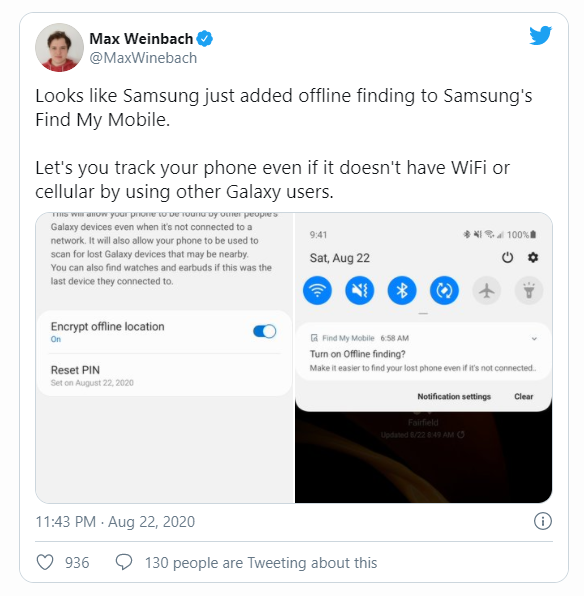
The latest update for the Find My Mobile app (version 7.2.05.44) adds a new ‘Offline finding’ feature that will let you find your phone using someone else’s Galaxy device, even when your device isn’t connected to a network. The feature will also let other users use your phone to scan for lost Galaxy devices that may be nearby. Additionally, the feature will let you find Galaxy Watches and earbuds if they were connected to your device.
The feature was recently spotted by Max Weinbach from our team, who shared the above screenshots. As you can see in the screenshots, your phone will display a notification for the new feature as soon as you receive the latest Find My Mobile update on your Samsung Galaxy device. Tapping on the notification will instantly open up the respective settings page, where you’ll be able to enable the feature by tapping on the toggle in the top right corner. You’ll also be able to encrypt your offline location from the same settings page. Once the feature is turned on, you’ll be able to find your phone even if it’s not connected to a network.
While we can’t confirm how this feature works just yet, it appears that it’s only available in the U.S. and South Korea, according to one user who dug through the SmartThings app.
You can download version 7.2.05.44 of the Find My Mobile app from the Samsung Galaxy Store or from APKMirror. Once we confirm how this feature works, we’ll update this article with those details.
A 5.2-inch Super AMOLED display, 14nm Exynos chipset, a body made out of a glass/metal combo, IP68 certification, 16MP f/1.9 cameras front and back – it sure sounds like Samsung’s next flagship. Only it’s not the flagship we’re talking about, but the Galaxy A5 (2017) premium mid-ranger.
Of course, we are guilty of hand-picking that selection of specs to prove a point, and there are other fields in that spec sheet that would give away the A5’s lower position in the Galaxy universe. Display resolution is one (1080p), and the chipset is another (Exynos 7880). Even though it’s made on a cutting-edge 14nm fabrication process, it’s still only mainstream Cortex-A53 cores inside and not hard-hitting Mongooses or Kryos. And then the cameras lack OIS and 4K video recording, even if they both offer higher resolution than the Galaxy S7.
Connectivity: nano SIM (dual SIM version available); LTE (Cat. 6); Wi-Fi ac; Bluetooth 4.2; FM Radio; USB Type-C; 3.5mm jack
Battery: 3,000mAh
Misc: Fingerprint reader, IP68 certification for dust and water resistance, Samsung Pay
Main shortcomings
Somewhat expensive – the Galaxy S6 can be had for less, the S7 is slightly pricier, but will certainly dip in a couple of months when the S8 comes out.
Android is still Marshmallow, though an update is coming.
No 4K video recording at a price point, where you can find plenty of phones that support it.
It’s not exactly what you call a bargain, the A5 (2017), unfortunately. Its price tag makes a pretty solid case for the Galaxy S6, and why not even the S7 when the time is right? It’s also not looking good that Samsung is putting out a new premium product with good ol’ Marshmallow, and no shiny fresh Grace UX can make up for that.
None of that means we don’t like the premise of a premium full-featured (or thereabout) smartphone positioned a notch below the flagships – quite the opposite. We’ll be looking into just how much the A5 (2017) deserves its place in the world on the following pages, starting (not unusually) with a hardware overview.
The Galaxy A5 (2017) measures 146.1 x 71.4 x 7.9 mm which is standard for a 5.2-inch phone – most other devices with the same diagonal are within a millimeter in each direction
As for weight, the A5 (2017) is on the heavy side of average. Its 157g aren’t really an issue, but the similarly sized Huawei P9, for example, tips the scales at just 144g. The brand new HTC U Play is even a notch lighter at 143g, though admittedly it is severely battery-deprived (2,500mAh).
Hardware overview
If there’s one area where the Galaxy A5 (2017) can stand up to flagship-grade scrutiny it’s build and looks. To a non-discerning eye the A5 can easily pass for an S7 – the aluminum frame, the dual-glass sandwich, the shapes and proportions – it’s all top-shelf material.
What’s been missing on the A-series for a while now and hasn’t made an appearance on the Galaxy A5 (2017) either is a notification LED. That one seems to be a flagship-only feature as of late. The top bezel of the midranger does contain all the other usual stuff though – earpiece, proximity/ambient light sensors, and selfie camera.
More importantly, and unlike any previous non-flagship or non-rugged phone, the A-series for this year have IP68 certification for dust and water resistance.
We do tend to compare the Galaxy A5 (2017) to both the existing S7 and the projected S8 and while the S7 is so last year with its 3.5mm jack, the S8 may be one of the trendsetters to lose it. So there – the Galaxy A5 (2017) is on par with the current top model in this respect, and possibly better than the upcoming one.
The Galaxy A5 (2017)‘s wired interface is in fact more up-to-date than the current flagship S7. The Type-C USB port only made it on a Samsung phone with the Note7, but we all know how that ended. Other than a somewhat obscure C9 Pro, the A-series remain the only Samsung handsets with a Type-C port. Beat that, S7.
One odd design decision sees the loudspeaker placed on the right side of the phone, right above the power button. For ringtones that’s as good as any other position and in a way it’s better for video viewing when holding the display in landscape orientation than the prevalent bottom placement. There are no stereo speakers, but there aren’t any on Samsung flagships either. Not yet, at least.
As with a few other previous A-series models, the A5 (2017) has a couple of card slots. The one on the side accommodates one nanoSIM, while the slot on top takes a microSD card. The latter can also fit an additional nanoSIM card on dual SIM versions of the A5 (2017) and in this case the microSD slot remains available – it’s a dedicated solution and not a hybrid one and we can’t stress enough just how much we prefer it this way.
On the back, the S-series have been having all sorts of sensors, but not the A’s – it’s the bare minimum here with just the camera module and the LED flash.
Your palms will undoubtedly appreciate the curves on the back, which make the A5 a joy to handle. Some people tend to complain that glass is slippery, but we’ve had more issues in this respect with satin-finished aluminum on some phones, so it’s probably down to the individual’s skin properties. What’s not debatable is that on glass backs smudges reign.
Display
The Galaxy A5 (2017) like all self-respecting Galaxies packs a Super AMOLED display. The A5 in particular is smack in the middle between the 4.7-inch A3 (2017) and the 5.7-inch A7 (2017) in terms of diagonal, and its 5.2-inch panel has FullHD resolution. That amounts to a 424ppi density but the Diamond Pixel arrangement makes that less sharp than a competing LCD with equal number of subpixels for each color. It’s still plenty sharp though.
The display can give you that AMOLED punch that’s become synonymous with the tech, at the expense of color accuracy. In Adaptive mode average DeltaE is 5.3 with Red waaay off at 11.2, but also quite inaccurate whites. Switch to basic mode, however, and you’re treated to an excellently calibrated display with an average DeltaE of just 2.0 and a maximum of 3.2. Cinema and Photo modes are somewhere in between – whatever floats your boat.
Maximum brightness is excellent, particularly if you engage the Auto mode, in which case the display gets a healthy boost in bright conditions. That said, last year’s model could pump out more nits in Auto mode. Even so, the A5 (2017)‘s numbers are right up there with the S7 flagship – excellent. Contrast is infinite, it’s Super AMOLED’s treat for you. With a minimum brightness of just 1.8 nits night-time scrolling sessions won’t strain your eyes either.
Display test
100% brightness
Black, cd/m2
White, cd/m2
Contrast ratio
Samsung Galaxy A5 (2016)
0
421
∞
Samsung Galaxy A5 (2016) max auto
0
601
∞
Samsung Galaxy A5 (2017)
0
413
∞
Samsung Galaxy A5 (2017) max auto
0
559
∞
Samsung Galaxy A3 (2017)
0
408
∞
Samsung Galaxy A3 (2017) max auto
0
518
∞
Samsung Galaxy S7
0
391
∞
Samsung Galaxy S7 max auto
0
563
∞
Samsung Galaxy S7 edge
0
392
∞
Samsung Galaxy S7 edge max auto
0
610
∞
Samsung Galaxy S6
0
363
∞
Samsung Galaxy S6 max auto
0
619
∞
Huawei Honor 8
0.34
374
1101
Huawei Honor 8 (Max auto)
0.34
395
1161
Honor 8
0.37
460
1243
Huawei nova
0.25
385
1540
Huawei P9
0.46
500
1094
OnePlus 3
0
433
∞
OnePlus 3T
0
447
∞
As for sunlight legibility, the AMOLED A5 for 2017 is on par with last year’s model, and slightly better than the A3 (2017), but none of them is a match for this or last year’s flagships. In fact, the A5 (2017) sunlight contrast ratio is virtually identical to the budget J7 (2016) – sounds great from that phone’s perspective, not as flattering from the A5’s. That said, only top-of-the-line LCD-equipped phones can post such results (the likes of the iPhone 7 and Xperia XZ), and it’s not them that the A5 is facing, pricey as it may be.
Connectivity
The Galaxy A5 (2017) is well-stocked on connectivity options. Samsung specifies Cat.6 LTE (300Mbps downlink, 50Mbps uplink), with a disclaimer that it may vary by region and carrier, and since the Exynos 7880 itself supports Cat.7 you may want to check locally if the 100Mbps DL speed is of such crucial importance to you (you know who you are).
There are single SIM and dual SIM versions, each of them with two card slots. In each case there’s a dedicated microSD slot as well – on single SIM models (such as the one we had) there’s no cutout for the second SIM in the top slot (presumably, no contacts and hardware, maybe?).
There is also dual-band Wi-Fi a/b/g/n/ac, Bluetooth v4.2 (but no detail on aptX for high-quality audio), NFC and MST (for Samsung Pay, where available), and an FM radio receiver. There is no IR transmitter, though.
A Type-C port is in charge of charging, but only adheres to USB 2.0 spec, so you’re limited to a ‘measly’ 480Mbps theoretical maximum transfer speeds. USB OTG is supported for attaching peripherals, but there’s no MHL support for wired video output. Thankfully, there’s a 3.5mm headphone jack.
Samsung Galaxy A5 (2017) battery life
The Galaxy A5 (2017) is powered by a 3,000mAh battery – oh, look, it’s the same capacity as the Galaxy S7. And this one has fewer pixels to render, plus a chipset that should be more frugal than the thirsty flagship number-crunchers.
Well, indeed it is. The Galaxy A5 (2017) only fell short of the S7’s time in the voice call test, and just by an hour and a quarter. At close to 22h its result is still perfectly acceptable.
It gets better in the screen-on disciplines. It takes 14 and a half hours of our Wi-Fi web browsing test to deplete the A5’s battery – a remarkable feat, even if the smaller A3 (2017) does outlast it by an hour. The S7, on the other hand, can’t even make it to 10h.
In video playback the A5 crosses the 16-hour mark before calling it quits – another superb performance. The flagship is closer here, but still falls short by an hour and a half.
As for standby, we’ve tested the phone both with the Always On Display feature engaged and then turned off. While it does take a massive toll on standby time (and consequently on the overall endurance rating), you should bear in mind that our testing can’t account for the phone turning off the display completely when it’s in a pocket, for example. So, presumably, actual real-world standby with the AOD on should be much better.
The overall endurance rating of 95h is an excellent result and is a testament to the inherent benefits of having a 14nm chipset on board – be it an Exynos or a Snapdragon.
Software
Remember the Note7? The Galaxy flagship phablet (that wasn’t meant to be) introduced a redesigned Samsung user interface called Grace UX. The Note7 being absent, the 2017 A-series are the only phones to come with the updated Android overlay out of the box, but it is also being seeded as we speak with the Nougat update for the S7 and S7 edge. Mind you, in the A5 (2017)‘s case it’s on top of Android 6.0.1 Marshmallow, though a bump to Android 7 is in the works.
This generation of A-series is the first to feature Always On Display (AOD). Three main views are available – Clock, Calendar and Image, with some customization available. Notifications from third-party apps show up (something that didn’t work when the S7 launched, but was added later).
The Always On Display dims when ambient light is low and will shut off when the Galaxy A5 is in your pocket. This saves energy, but you can be more explicit about it and put AOD on a schedule (or it may just be that you don’t like the extra light while you sleep).
The lockscreen can be secured with the fingerprint reader. It’s not the fastest we’ve seen, but it’s no slower than the readers that flagship Samsungs use.
The fingerprint reader can do more than that. Web sign-in remembers the passwords you use for sites and can automatically fill them in when you touch the fingerprint reader. You can also secure your Samsung account (more on that in a bit).
The Homescreen has the Briefing pane on the left (which you can disable) and supports themes and icon packs. More interestingly, it supports sort of a 3D Touch feature, not unlike the one found on the Google Pixel phones – you tap and hold on an app and a contextual menu appears. However, it offers just basic app handling actions and is not tied to the actual functionality of app.
The notification area should be quite familiar as well. A line of quick toggles is available above the notifications. Pulling the shade further down reveals all toggles, a brightness slider and a handy search field (Google prefers to put the search field on the homescreen instead).
We like the idea of the Block notifications button, it allows you to quickly mute notifications from pushy apps (games are often guilty of crying for attention when you haven’t played them in a while). Still, we don’t like the aesthetics of it.
The app switcher is the usual rolodex, but unlike the A3 here it offers split-screen multitasking (standard on Nougat, but this is Samsung’s implementation in Marshmallow). The apps that can go in multi-window have an icon next to the X, and that’s one way of doing it – the other is to hold the task switcher capacitive key.
The App drawer has a search field that looks through the apps you have installed, but also suggests apps from Galaxy Apps (you can search the Play Store if you prefer).
Being a somewhat larger phone than the A3, the A5 also gets a one-handed operation mode. It’s part of the Advanced features menu where you can also enable other actions like double press on the Home button to launch the camera and screenshot capture with a palm swipe.
Secure folder creates a separate zone so sensitive files (photos, documents, etc.) and apps can be locked away from prying eyes. Once you enter the Secure folder, taking a photo with the camera or snapping a screenshot places the file in the Secure folder. To access those from the regular gallery, you’ll first have to move them.
The reason you want to secure your Samsung account with your fingerprint is that you get 15GB of cloud storage for free. Everything from contacts to photos can be synced and you get to choose which files are synced over LTE and which are left for when Wi-Fi is available (contacts, calendar and notes don’t use much data, but photos do).
Camera
The Galaxy A5 (2017)‘s primary camera is based on a 16MP sensor that sits behind a 27mm-equiv. lens with an f/1.9 aperture. It’s lost the optical stabilization, unfortunately – last year’s model had that. Autofocus is also contrast-detect only – or at least no phase detection is being advertised. There is a single-LED flash, but that’s been Samsung’s treatments of its flagships, so why should the A-series be any better.
The camera interface has not received substantial changes. Grace UX has brought only minor refinements like swipe gestures.
As usual for Samsung smartphones, you can launch the camera with a quick double press on the Home key. The viewfinder greets you with only a flash mode toggle and a shortcut to settings.
From here you can swipe down to switch between the front and rear cameras, which is much appreciated even if not very original (LG says hi!). Swiping to the left gives you a panel with color filters, while in the other pane you get access to the shooting modes.
That’s where HDR mode resides – there is no Auto HDR like on flagships and the HDR mode is a swipe and a tap away, instead of just a tap. A Pro mode is present too, though that’s clearly a huge overstatement – you get control over exposure compensation, ISO and white balance presents, plus a metering mode selector, but no manual focus and no manual shutter speed. We gather the ‘pro’ could pass for ‘program’, but not ‘professional’, really.
Image quality is quite good, with low noise and minimal signs of noise reduction. Colors are pleasingly vivid too, without being over the top – in this weather it’s mostly the iPhone graffiti in the second image that can testify to that, but it’s enough (also the Photo compare tool down below). Dynamic range is good, though in extreme cases like the 4th and 5th sample you’re bound to end up with blown highlights.
HDR needs to be engaged manually, there’s no Auto and certainly no live preview like on the flagships. In high-contrast scenarios you might be wise to take a shot in normal and HDR mode, just in case. It does what it promises without much drama – shadows get a modest boost, and some detail in the highlights is salvaged, adding up to a very natural-looking image. Some might prefer a little less subtlety here.
We’ve seen better panoramas than the ones coming out of the Galaxy A5 (2017), but then again, we’ve seen better weather too, though certainly not lately. Anyway, the A5’s panoramas are about 1,800px tall, detail is about average, and stitching is very good, of course provided there are no moving objects.
Selfie camera
The selfie camera on the Galaxy A5 (2017) is another 16MP f/1.9 unit, though naturally not of the same caliber as the rear one with the same numbers. For one, the front-facer lacks autofocus, and you’d think that’s a non-issue for a cam used almost exclusively at arm’s length. It would have been, had the focus distance been tuned to arm’s length shooting, and that’s not the case.
Which is sad, because at the proper distance the results are superb, only that means just your face is in the frame, and presumes some serious interest in your pores. At arm’s length everything’s a blur.
The evenly matched pixel count prompted us to make a comparison between the front and rear cameras, and… well… makes you wonder just how crucial composition needs to be for it to make such a trade-off in quality worth it.
Video camera
The Galaxy A5 (2017) captures video up to 1080p/30fps, so no 4K recording out of this one. We’ve sort of grown used to expecting a phone in this price range to be able to do it – damn you, OnePlus 3.
The A5’s videos are encoded with a 17Mbps bitrate, the usual number, while audio gets a generous 256Kbps, stereo.
The FullHD video output is good, with nice levels of detail and low noise. Colors are rendered quite well too, though once again you’re better off looking at the Video compare tool to get a better idea. Audio, by the way, is surprisingly clear, and it can’t be down to just the bitrate.
Final words
One thing is clear from this review – Samsung has got the alphabet wrong. A has never been as close to S as it is with the A (2017) series. The Galaxy A5 (2017) carries more than a passing resemblance to the reigning Galaxy S7 flagship – let’s just say that if the S7 were to stumble into the A5, they’d take a selfie together.
It’s hard to split the two for looks and build quality, and that includes the IP68 certification. Only now making it outside of a select group of flagship or rugged Samsungs, the dust and water proofing is shared across the entire ‘A’ lineup this year. Same for the Home button with a fingerprint reader, complete with Samsung Pay capabilities, but that’s old news – it was already available on last year’s As.
Another thing to trickle down into the upper midrange is the cutting-edge internals. The 14nm chipset at the heart of the A5 (2017) may not outperform the top-end silicon of the day, but its efficiency is immediately evident – the battery life of the A5 is just marvelous.
The 5.2-inch Super AMOLED display is equally great – gone are the days of dim AMOLEDs with colors all over the place. This one is bright, it can be accurate if you want it to be, and it is well visible in the sun. Flagships retain the QHD resolution as a trump card, but the A5 is perfectly okay with its FullHD.
16MP cameras front and back – we can see smiles lighting up the faces of Samsung’s marketing team. The front cam can be super-detailed, only you need to keep the phone a foot away from your face, and that barely fits our grown-up mugs. We don’t know about you, but that’s not how we like our selfies. The rear camera is a lot more balanced and a capable overall performer. Its images are detailed and exhibit mature detail rendering, pleasing colors, and dynamic range is quite wide.
Samsung Galaxy A5 (2017) key test findings
Build quality and materials are flagship-grade (IP68 rating, too), but the glass back is inevitably prone to fingerprints.
The high-quality Super AMOLED display has excellent maximum brightness and infinite contrast and can put out punchy or spot-on colors depending on your preference. Sunlight legibility is not quite up there with the best, but it’s still better than any LCD.
Battery life is superb – the phone’s endurance rating is 95h, and it posted excellent numbers in all our individual tests.
Grace UX or TouchWiz, Samsung’s interface is functional and feature-rich, now also sleeker. It’s still based on Android Marshmallow, which is less than ideal in 2017.
The Exynos 7880 performs great if you take into account its efficiency. In absolute terms, it’s an average midrange SoC that’s not greatly suited to the most demanding tasks. Then again, Game launcher could help you alleviate that by lowering the resolution at which games are rendered so you get all the special effects.
The loudspeaker posts a Good rating for loudness, it’s nice and clear at maximum volume too.
Image quality from the main camera is good – there’s sufficient detail, colors are nicely saturated, and dynamic range is pretty wide.
1080p video quality is very good, so is the audio that accompanies it.
The 16MP selfie camera produces spectacular results, but its focus is fixed way too close, so you’re forced to choose between narrow coverage or images that are simply not in focus.
The Galaxy A5 (2017) may look like the (still) current flagship S7, but it is the S6 that it will give it the hardest time. The previous-gen top model boasts a higher-grade camera with 4K video recording and OIS, a higher-res display and a superior chipset. We’d even cautiously suggest that the much more versatile 5MP selfie shooter of the S6 wins over the 16MP one of the A5. The A5 (2017) fights back with its IP68 rating (the S6 carries none), a microSD slot, a FM radio and longer battery life, plus a Type-C port if that’s a decider for you.
Oh, we almost forgot – the S6 is one of the best choices if you want to take advantage of Samsung’s Gear VR platform. The A5 (2017) stays quietly in the corner when the big boys talk VR.
Then there are the other As from this year. Maybe you’re eyeing the A3 (2017) for its pocketability, just beware that it’s got a lower-res (and lower pixel density) display, a slower chipset, less RAM and storage and lower-res cameras. It does keep a lot of the important stuff like the microSD slot (though hybrid on the dual-SIM version), IP68 rating, and superb display and battery life. It’s also cheaper, duh.
Or, you could go one up and pick the 5.7-inch Galaxy A7 (2017) if that’s available near you. Much fewer trade-offs here – the hardware is almost identical, only you’d be paying a little more for a larger diagonal and more battery (so possibly better battery life). The one caveat – Samsung won’t be selling the A7 in Europe – a decision which is beyond us.
There’s yet another option that needs to be mentioned, and it’s none other than the Galaxy S7. Of course, it’s considerably more expensive right now, but it’s due for replacement in three months, so if you could wait, the S7 will certainly be a much better deal then. The A5 (2017) has nothing on the flagship – all the advantages over the S6 vanish (alright, there’s the FM radio), and the S7 is hands-down the better phone altogether.
The Xperia X Performance goes for Galaxy A5 (2017) money in most markets. It’s a model that’s close to being a year old if you count from the announcement or half that if you consider the actual launch.
The X Performance is among a select few devices to offer an IP68 rating for dust and water protection, so the A5 has found its match on this front. Not regarding battery life, though – the Sony is nowhere near. It does boast a Snapdragon 820 chipset, which it chooses not to use for UHD video, but its advantages for mobile gaming remain – it’s much better suited to the task than the A5’s Exynos 7880.
Huawei has a couple of phones to compete with the A5 (2017) for your affection. Another flagship due for replacement, the P9 is a bit pricier but has a lovely dual 12MP camera (color+monochrome) on its back and a more powerful chipset (that still doesn’t support 4K video recording, mind you). The A5 is dust and water resistant, though, and makes much better use of its 3,000mAh battery than the P9.
Going for the Huawei nova instead, you’d save a few notes, but still get a premium midranger – this one made of metal. Unlike the P9, the nova has a single rear camera (but then so does the A5), only it can record 4K video. Battery life isn’t half bad, but it’s no match for the marathon runner that the A5 is and the Samsung handset’s display is superior in all respects. Did we mention the A5’s IP68 rating? Well, now we have.
Priced identically to the Galaxy A5 (2017), the OnePlus 3T deserves a spot here. Sure, you can’t find it in a store, and claiming a warranty might be a minor pain in the…hassle, but it’s hard to beat it in bang-for-buck ratio. Packing one of the most powerful chipsets available, the 3T also comes with more RAM and storage. The latest from OnePlus packs 2x16MP cameras too, and both are arguably slightly better than the A5’s, plus the main one can capture 2160p video.
The A5 has its strengths – the 32GB of memory may look modest next to OnePlus’ 64GB or 128GB (has anyone actually gotten one of those), but a 256GB microSD card can easily dwarf that, as the 3T offers no option for expansion. Perhaps you’re tired of reading about the A5’s water-resistance and excellent battery life, but that’s only because no other phone manages to match it on both of those counts, most not even on one. The OnePlus 3T certainly can’t.
Going through the numbers that define the Samsung Galaxy A5 (2017) it’s all too easy to focus on the negative stuff. No 2160p video recording. £400/€430. Android 6.0.1. Even that name is a bit too much – A5 (2017).
Those numbers can easily be countered with a few others that ring much more nicely, but let’s not get so hung up on the digits. The facts are that the Galaxy A5 (2017) is beautifully-built; it will live through a downpour; it packs a screen that’s only bested by flagships, and has battery life to spare. Of course, it’s not ideal, and it’s not cheap, but you’re also unlikely to find a better match for the description in the previous sentence. Well, not unless you dig even deeper into your pocket.