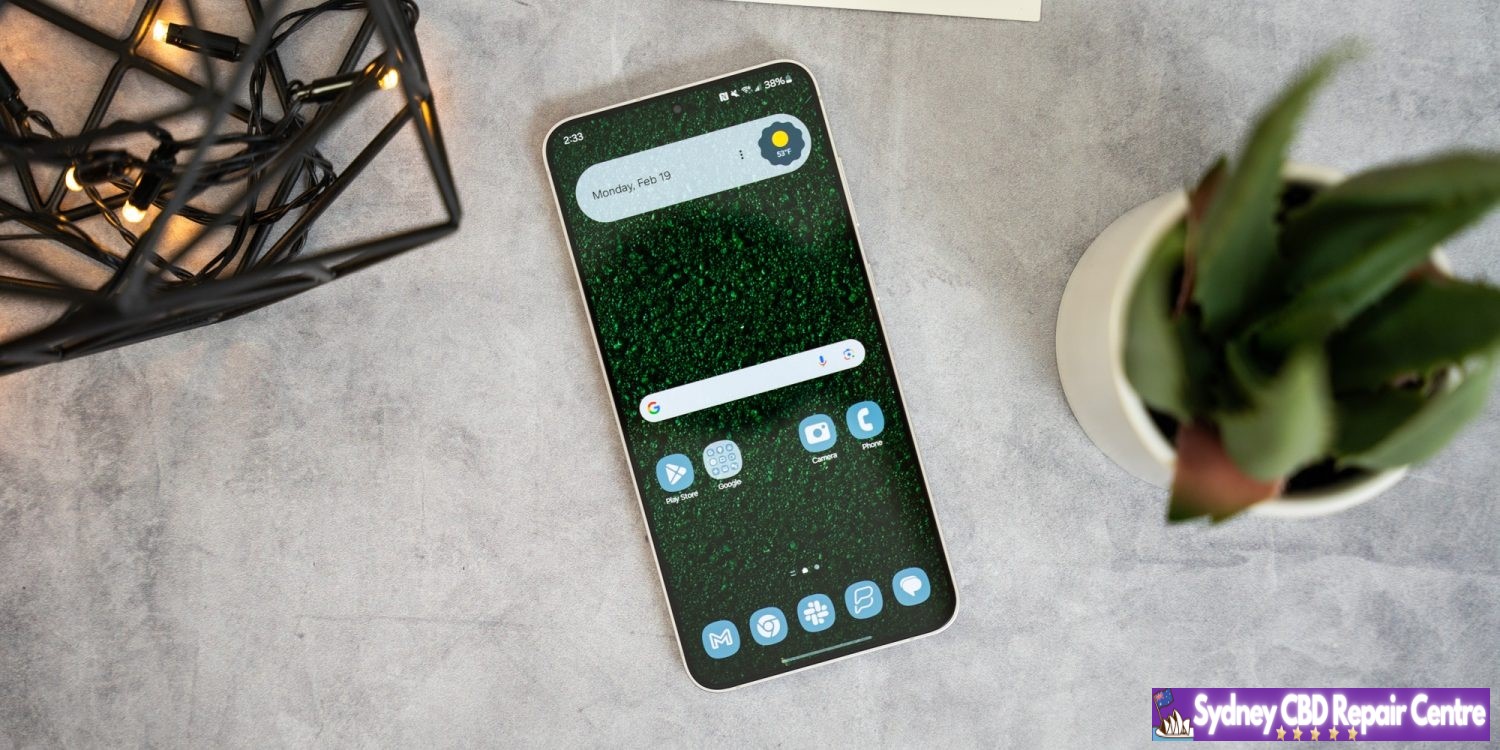
Whether you’re looking to replace a cracked screen, damaged charging port, or any other issue with your Samsung Galaxy S10 Plus, finding the best repair centre in Sydney CBD is essential. After all, you don’t want to risk further damage to your phone by entrusting it to an inexperienced technician. Here are some tips on how to find the best repair service for your Samsung Galaxy S10 Plus in Sydney CBD.
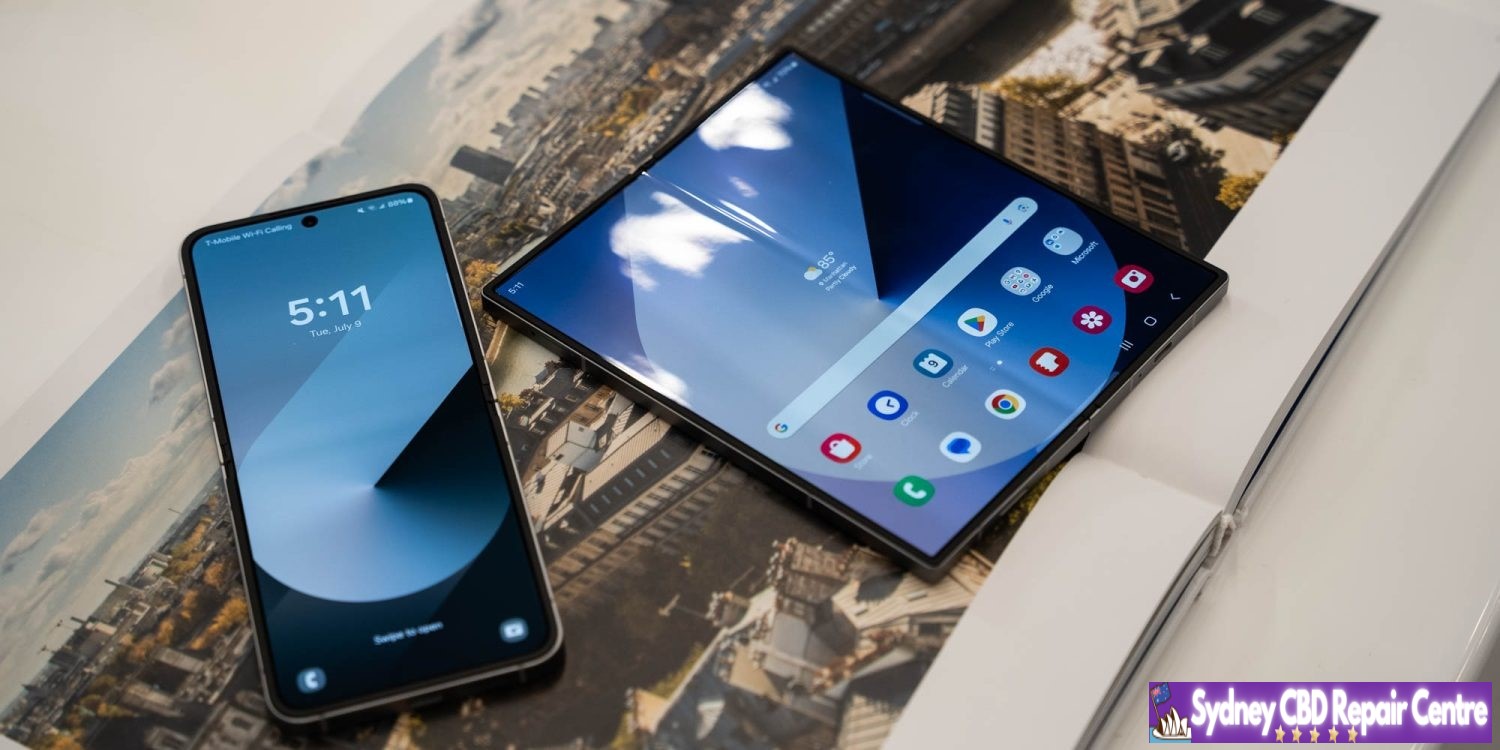
Actual finished repair of a Samsung Galaxy S10+ in Sydney CBD Repair Centre.
1. Consider Your Options
First and foremost, consider your options before deciding on a repair centre. Depending on where you live in Sydney CBD, you may have access to a variety of options – from independent shops offering repairs at competitive prices to authorised repair centres such as Samsung Service Centres or mobile phone retailers that specialise in repairing Samsung devices. Before making a decision, make sure that you compare prices and ask about warranty information and customer service policies at each option.
2. Check Reviews
Once you’ve narrowed down your choices based on cost and services offered, it’s time to check reviews from previous customers. Reviews will give you an idea of how reliable and knowledgeable technicians are at the various repair centres as well as how well they treat their customers. If there are too few reviews for a particular shop or if the reviews are not particularly positive then it may be best to look elsewhere for repairs for your Samsung Galaxy S10 Plus.
When selecting a repair centre for your Samsung Galaxy S10 Plus, it is important that they use genuine parts when making repairs or replacements so that you get the most out of your device after it has been repaired or replaced. Ask potential repair centres what kind of parts they use before committing to any work – this will ensure that if anything else goes wrong with your device after the initial repairs have been made then they can quickly provide replacements with genuine parts so that there is no extended disruption caused by faulty components being used during repairs or replacements.
4. Get Quotes
It can be helpful to get quotes from different repair centres so that you can compare costs before choosing who will carry out any necessary work on your device – this way you can make sure that you’re getting the most cost-effective solution without compromising on quality of service or components used in any repairs or replacements needed for your Samsung Galaxy S10 Plus .
5 . Get Advice
Ultimately , it’s important to choose a reputable repair centre who can provide advice and assistance throughout the entire process , from diagnosing problems with initial inspections through recommendations for fixing them up . If possible , speak directly with technicians who will be working on repairing your phone so that you can get an idea of their level of expertise and trustworthiness before committing yourself financially .
Following these steps should help ensure that not only do find reliable technicians who know their way around repairing smartphones but also make sure that any work done won’t put further strain on already damaged parts while also providing cost-effective solutions which don’t leave gaping holes in one’s wallet either!
When your Samsung A52 needs a charging port replacement, it’s important to choose the right repair centre in Sydney’s CBD to ensure that you get the best service for your device. Unfortunately, many people make common mistakes when selecting a repair centre and end up with substandard results. Here are some of the most common mistakes people make when choosing a repair centre for their Samsung A52 charging port replacement in Sydney’s CBD.
1. Not Checking Reviews
One of the biggest mistakes that people make when choosing a repair centre is not checking reviews from previous customers. It’s important to read reviews from other customers who have had their device repaired at the same place so that you can get an idea of what kind of service they offer. Reading reviews will also help you determine if they specialize in Samsung A52 charging port replacements and if they have any experience with this particular model.
2. Failing to Ask Questions
It’s essential to ask questions when choosing a repair centre for your charging port replacement in Sydney’s CBD, as this will help you understand what services they offer and how much it will cost you. Don’t be afraid to ask questions such as how long the process will take, what parts are needed and what additional costs there may be (e.g., shipping costs). Asking questions can also help you determine whether or not the technician is qualified or experienced enough to work on your device safely and correctly.
3. Not Comparing Prices
Price is always an important factor when selecting a repair centre for your Samsung A52 charging port replacement in Sydney’s CBD, but many people fail to compare prices between different centres before making their decision. Comparing prices between various centres can help you get the best deal possible on your repairs, so don’t forget to shop around before committing to any particular place!
4. Going with Unlicensed Centres
There are plenty of unlicensed centres offering cheap repairs but these places should always be avoided as they often use low-quality parts and may not have qualified technicians working on your device which could result in even more damage being done than was originally intended! Always look for certified technicians who specialize in Samsung devices before making any decisions – this way, you know that your device is being handled by professionals who have been trained specifically on Samsung models like yours!
By following these tips, you’ll be able to find the right repair centre for your Samsung A52 charging port replacement in Sydney’s CBD without making any costly mistakes along the way! Be sure to do some research into each potential option before committing – reading customer reviews, asking questions and comparing prices between different places can all help ensure that you get top-notch service at an affordable price!
While there’s a lot of excitement around the Galaxy S23’s debut in a few weeks, Samsung is also working on launching its better-selling Galaxy A-series devices. Following the launch of the Galaxy A14 at CES 2023, Samsung is now preparing for the Galaxy A54 launch event and release date.
As confirmed on its own website in India, Samsung has a January 18 event scheduled to launch a new Galaxy A-series device. The page never explicitly mentions the Galaxy A54, but it’s pretty easy to connect the dots.
What to expect from Galaxy A34 5G and Galaxy A54 5G?
The Galaxy A34 5G is extremely similar to the Galaxy A33 5G, and it only brings a slightly bigger Super AMOLED display (6.5-inch vs 6.4-inch) with a 90Hz refresh rate and Full HD+ resolution. It is rumored to feature the Exynos 1280 processor, 6GB/8GB RAM, and 128GB/256GB storage. It is expected to feature a 48MP primary OIS camera, an 8MP ultrawide camera, a 5MP macro camera, and a 13MP selfie camera.
The Galaxy A54 5G is expected to have a 6.4-inch Super AMOLED screen with Full HD+ resolution and a 120Hz refresh rate. It could have a 50MP primary camera with OIS, a 12MP ultrawide camera, a 5MP macro camera, and a 32MP selfie camera. It is powered by the Exynos 1380 processor, 6GB/8GB RAM, 128GB/256GB storage, and a 5,100mAh battery.
Both phones are expected to feature an in-display fingerprint reader, stereo speakers, an IP67 rating for dust and water resistance, 5G, GPS, Wi-Fi 5, Bluetooth 5.2, a USB Type-C port, and 25W fast wired charging.
Comparing that with past leaks, it seems to line up closely with what we expect to see from the Galaxy A54. Notably, though, Samsung would be launching this device well ahead of schedule, with the Galaxy A53 having been launched in March 2022. The Galaxy A34 would be the only other device that might fit Samsung’s description, but that lesser device is expected to have a 90Hz display rather than 120Hz.
While Samsung may set the Galaxy A54 launch event and release date in India first, the device will surely be expanding globally quite quickly, as past years have proven just how well the Galaxy A50 series can sell.
Smartwatches are capable of a lot, but you’ll often find that most apps on Wear OS and other platforms focus on simplifying data. Last year, Samsunglaunched a full-fledged web browser for Wear OS that mysteriously disappeared, but now, it’s back.
Samsung Internet launched on Wear OS in 2021 following the launch of the Galaxy Watch 4. In time, the app expanded to all Wear OS smartwatches.
But as SamMobile points out, the app disappeared from the Play Store for a while. The removal seems to have happened about a week ago, with a recent update possibly having caused someissues with the browsers for some users.
Whatever the cause of the removal, Samsung appears to have launched its browser back to the Play Store for Wear OS owners to download. The browser remains available both to Samsung Galaxy Watch 4 and 5 devices, as well as smartwatches from other brands, even on Wear OS 2. The Pixel Watch is also compatible.
The Wear OS app market has been in a bit of flux over the past few months, with some mysterious removals and changes. Google Maps and Google Keep, for instance, briefly broke support for Wear OS 2 smartwatches before quickly reinstating support days later. Many newer apps are also launching solely with support for Wear OS 3 which is only available on select smartwatches.
Samsung Internet is the only well-known web browser forWear OS. Last week, however, it disappeared from the Play Store, leaving people with no option to install a reputed web browser on their smartwatch. Fortunately, Samsung’s web browser for Wear OS is now back on the Play Store. But why did Samsung remove it in the first place?
Well, Samsung hasn’t provided any details why it did that. Did the company remove the web browser from Play Store because it was coming up with a new version of the app? Well, that doesn’t seem to be the case, as the app that’s back on the Play Store is unchanged from the one that was removed from the platform. Maybe it was removed by mistake from the company’s end.
With the launch of the Galaxy Watch 4, Samsung ditched Tizen for its smartwatches in favor of Wear OS. Soon after that, it launched Samsung Internet for the platform. Due to the lack of other web browsers for Wear OS, such as Google Chrome, Samsung Internet has been the only well-known internet browser on the platform.
Initially, Samsung Internet was available only for Samsung’s smartwatches. Later, the company made it available for Wear OS smartwatches from other brands as well. Although it is nowhere as feature-packed as the one for your smartphone or tablet, it at least allows you to browse the web from less than an arm’s length away, literally!
If you own a Wear OS 3-powered Samsung Galaxy Watch or any other Wear OS 3 smartwatch, then you are in for a treat. Google is rolling out updated notes feed for the Google Keep app. Recently, Google Keep picked up three new tiles for sunset, sunrise, and favorite contacts. Also, the Material You makeover was pushed for the app back in September.
Now, with the new update, Google is bringing a richer experience to the notes feed. The first thing that you will notice after installing the latest version of the Google Keep app on your Wear OS 3 smartwatch is the background color or preset image. The Google Keep app will show a reflection of the image that you have set in the phone app. This means no longer boring gray color within the app.
The color of the cards also now reflects the background or preset image you have previously selected in the phone app, though they are a bit subtle. You will see if something was edited, any collaborations, and labels that you have applied to your notes right at the bottom before the Add reminder, Pin, and Archive actions.
That’s not all. The Google Keep for Wear OS 3 also gets an updated text preview feature. You will now get three to four lines instead of just two, allowing you to read a larger part of the notes. However, because of this, you would need to scroll down to see more notes.
Google is rolling out the new updated Google Keep notes feed feature with the app version 5.22.482.00.97 for Wear OS 3 watches, including the Samsung Galaxy Watches. Do note that the new update isn’t widely rolling out yet, but you should keep an eye out on the Play Store. Also, images are broken in this release and do not get previewed in the main feed. Google could resolve this issue before the public rollout.
After launching on Pixel phones earlier this year, Android 13 is now headed to Samsung Galaxy devices outside of a beta program. Here’s what devices have already received their update, and which ones will probably get it over the coming months.
What’s new in Android 13 on Samsung devices?
Android 13 is a pretty small update compared to Android 12 that came before it. Where that update completely reinvented the platform’s design on Pixel phones and introduced “Material You” theming with special colors, this year’s update is much smaller on the whole.
On Samsung smartphones, Android 13 brings a few system-level changes, including more colors for Samsung’s version of Material You, “Color Palette.” Themed icons on the homescreen now support third-party apps, too. There are also various privacy features on the lower levels, but the bulk of what’s new on Galaxy smartphones comes from Samsung.
One UI 5.0 is the latest version of Samsung’s skin on top of Android 13, and it brings a handful of new features. This includes “Privacy Detection” when sharing photos, a new Privacy and Security dashboard similar to the one Google built; a new lockscreen with more customizable features; “Maintenence Mode,” which hides user data when a smartphone is sent in for repair; stackable widgets; and more. The update was supposed to finally bring multi-user support, but Samsung removed it during the beta program.
Android 13 is already available on these Samsung devices
As of October 2022, Samsung has launched Android 13 for three smartphones. On October 24, One UI 5.0 with Android 13 started rolling out to all Galaxy S22 series devices globally, with some delays on carrier models and some regions.
This list will be continuously updated over the coming months with the latest additions marked in bold text. Check back regularly!
Samsung Galaxy S devices with Android 13
In October 2022, Samsung updated three devices to Android 13 as the Galaxy S22, S22+, and S22 Ultra saw updates to the latest version of Android and One UI 5.0. The update was launched globally on October 24, but is still expanding to certain regional variants and carrier models.
In November 2022, Samsung expanded the Android 13 update much further. On November 7, the update was launched on Galaxy S21 and Galaxy S20 series devices. The update started its availability in portions of Europe including Germany and Switzerland and is expected to roll out in other regions soon after. By November 14, the Android 13 update had expanded to the Galaxy S21 in India, Kazakhstan, and Russia, as well as some US carriers.
Galaxy S22 – Available globally
Galaxy S22+ – Available globally
Galaxy S22 Ultra – Available globally
Galaxy S21 – Available in Europe, India, Kazakhstan, Russia
Available in US on AT&T and T-Mobile
Galaxy S21+ – Available in Europe, India, Kazakhstan, Russia
Available in US on AT&T and T-Mobile
Galaxy S21 Ultra – Available in Europe, India, Kazakhstan, Russia
Available in US on AT&T and T-Mobile
Galaxy S20 – Available in Europe
Galaxy S20+ – Available in Europe
Galaxy S20 Ultra – Available in Europe
Galaxy Foldables with Android 13
Samsung has also started rolling out Android 13 to its foldable devices as of mid-November, but in a limited capacity. As of November 11, Samsung has released Android 13 to the Galaxy Z Fold 4 and Galaxy Z Flip 4, but only to those who were previously beta testing the update. The finalized update was launched in the US to unlocked owners, but should expand to other beta testers as well as all other owners fairly soon. By November 17, the update had launched widely to users that weren’t in the beta program, but still in a limited number of countries. The Galaxy Z Fold 3 and Z Flip 3 are also now getting the Android 13 update globally for those who were in the beta program.
Galaxy Z Fold 4 – Rolling out now starting in South Korea and India
Galaxy Z Flip 4 – Rolling out now starting in South Korea
Galaxy Z Fold 3 – Available to One UI 5 beta testers first
Galaxy Z Flip 3 – Available to One UI 5 beta testers first
Samsung Galaxy Note devices with Android 13
As Samsung moves away from the Galaxy Note line, there’s only a handful of Note devices that will ever see Android 13 officially. In fact, it’s really just the Galaxy Note 20 series, which started seeing its update in early November 2022. The Galaxy Note 20 and Note 20 Ultra picked up Android 13 in Switzerland first, and has expanded to the United States as of November 15.
Galaxy Note 20 – Available in Europe and the United States
Galaxy Note 20 Ultra – Available in Europe and the United States
Samsung Galaxy Note 20 Ultra
The Android 13 update is moving quickly, and already available on select Galaxy A series devices. The Galaxy A53 was first in line on November 9 with the update launched in Europe and the UK. The Galaxy A33 was next in line on November 10 in Europe, while the Galaxy A73 came just a day later in Malaysia. The Galaxy A52 was also updated on November 17, the first device from Samsung’s 2021 mid-range lineup to be updated.
Galaxy A53 5G– Available in Europe and UK
Galaxy A33 5G– Avaialble in Europe
Galaxy A73 5G – Available in Malaysia
Galaxy A52 5G – Available in Russia
Galaxy tablets with Android 13
The very first Android tablets to be updated to Android 13 became Samsung’s Galaxy Tab S8 series on November 14. The update started rolling out to 5G versions of each tablet in several countries across Europe, but should expand to other models and regions soon.
Galaxy Tab S8 – Available in Europe, 5G only
Galaxy Tab S8+ – Available in Europe, 5G only
Galaxy Tab S8 Ultra – Available in Europe, 5G only
Other Samsung devices with Android 13
Outside of Samsung’s core product lineups, there are other devices getting Android 13 as well. That includes the rugged XCover 6 Pro, which was updated on November 14 alongside the Galaxy Tab S8 series. On November 15, Samsung released the update for its Galaxy M52 5G and Galaxy M32 5G in select markets.
Galaxy XCover 6 Pro – Available in Europe
Galaxy M32 5G – Available in India
Galaxy M52 5G – Available in Europe
What’s next?
When will my Samsung device get Android 13?
When will Galaxy devices get Android 13? If Samsung’s usual pattern holds up, most modern and supported flagship devices will be updated in a matter of weeks, with budget devices and other regional exclusives getting the update throughout 2023.
Generally speaking, most Samsung smartphones are now guaranteed major Android updates for at least three years after their debut, meaning there’s a pretty huge list of devices set to be updated. You can check the update policy for your Samsung smartphone below.
In a message sent to users in Korea through its Samsung Members app, Samsung has confirmed a preliminary list of devices and a roadmap of when it plans to roll out Android 13. The timeline was also backed up by messages in Malaysia and India. This timeline will likely vary a bit depending on your region and Samsung’s own pace, but it’s a good outline of what to expect.
Samsung Android 13 update schedule
October 2022
Galaxy S22 – October 24
Galaxy S22+ – October 24
Galaxy S22 Ultra – October 24
November 2022
Galaxy Z Fold 4 – November 17
Galaxy Z Flip 4 – November 17
Galaxy Z Fold 3
Galaxy Z Flip 3
Galaxy S21 – November 7
Galaxy S21+ – November 7
Galaxy S21 Ultra – November 7
Galaxy Note 20 – November 7
Galaxy Note 20 Ultra – November 7
Galaxy S20 – November 7
Galaxy S20+ – November 7
Galaxy S20 Ultra – November 7
Galaxy Tab S8 – November 14
Galaxy Tab S8+ – November 14
Galaxy Tab S8 Ultra – November 14
Galaxy Tab S7
Galaxy Tab S7+
Galaxy Quantum3
Galaxy A53 5G – November 9
Galaxy A33 5G – November 10
Galaxy XCover 6 Pro – November 14
December 2022
Galaxy Z Fold 2
Galaxy Z Flip 5G
Galaxy Z Flip
Galaxy S21 FE
Galaxy S20 FE
Galaxy Tab S7 FE
Galaxy Tab S7 FE 5G
Galaxy Tab S6 Lite
Galaxy S10 Lite
Galaxy Note 10 Lite
Galaxy A73 5G – November 11
Galaxy A52s 5G
Galaxy A52 5G – November 17
Galaxy A51
Galaxy A42 5G
Galaxy A32
Galaxy A71
Galaxy A71 5G
Galaxy A Quantum
Galaxy A Quantum2
Galaxy Jump
Galaxy Jump 2
January 2023
Galaxy A13 5G
Galaxy A23
Galaxy A72
Galaxy A52
Galaxy A32
Galaxy A32 5G
Galaxy M33 5G
Galaxy M53 5G
Galaxy M62
Galaxy M52 5G
Galaxy M12
Galaxy Buddy
Galaxy Buddy 2
Galaxy Wide6
Galaxy Wide5
Galaxy XCover 5
Galaxy Tab A8
Galaxy Tab A7 Lite
Galaxy Tab Active 3
February 2023
Galaxy A23
Galaxy A23 5G
Galaxy A12
Galaxy A22
Galaxy A22 5G
Galaxy Tab Active 4 Pro
Galaxy M13
Galaxy M22
Galaxy M23 5G
Galaxy M32
March 2023
Galaxy A03
Galaxy A03s
Galaxy A04s
Galaxy A13 LTE
April 2023
Galaxy A04
Looking at Samsung’s update list from 2022 with Android 12, it’s almost guaranteed that other devices not on this initial roadmap will be added in time, but this gives us a pretty good idea of what to expect.
Last updated 11/18 to add rollouts for Galaxy Z Fold 4, Flip 4, Galaxy A series devices, and further Galaxy S expansions.
Samsung is now bringing Android 13 to the Galaxy S20 FE and the Galaxy S21 FE, starting in select regions.
Following updates to the rest of the Galaxy S20 and Galaxy S21 series, Samsung is now expanding One UI 5 to its pair of “Fan Edition” devices. The Galaxy S20 FE and Galaxy S21 FE are both getting Android 13 now via updates, though only in limited regions.
As SamMobile reports, the Galaxy S20 FE is getting Android 13 in Russia, carrying the version number G780FXXUAEVK3 and weighing in at roughly 2GB. It’s notable, though, that this is the Exynos-based version of the device, rather than the Snapdragon model that’s available in the United States and other regions.
Meanwhile, the Galaxy S21 FE is also getting Android 13 in some regions, including Europe. SamMobile notes the firmware version number G990BXXU2DVK3, and notes that the update is rolling out in some other regions.
As in most cases, Samsung usually starts these updates in select regions before expanding globally. Expect the update in other countries within the next week or two.
Samsung has updated over a dozen different smartphones and tablets to Android 13 so far, with many more to go. The company also launched Android 13 for the Galaxy Note 10 Lite this week in France.
Samsung has begun rolling out the official Android 13 update to owners of the Galaxy S22, bringing the full suite of One UI 5.0 changes.
Android 13 was officially released, starting on Google’s Pixel phones, on August 15, and just days before that launch, Samsung began beta testing the new changes on their Galaxy series phones. After over two months in beta, as spotted by SamMobile, Samsung is now rolling out the full, stable Android 13 release with One UI 5.0, starting with the Galaxy S22 series.
For now, the rollout seems to be limited to Exynos variants of the Galaxy S22 in South Korea and across Europe. Thus far, the Android 13 update has not been made available in the United States, but that is likely to change in the coming days.
To get fans acclimated with the new update and all of the hottest features of One UI 5.0, Samsung has released an official “Introduction Film” highlighting what’s changed. Samsung’s Android 13 and One UI 5.0 video, of course, kicks off with the new lock screen customization, meant to help the Galaxy S22 compete with what Apple brought to iOS 16. Another familiar feature from the iPhone series is the introduction of “Modes,” which quickly set your sound and notification settings to suit your daily activities.
Going beyond matching the iPhone’s feature set, Samsung’s lock screen options allow you to use a video wallpaper or change the artwork periodically. Just like it did for the Pixel series, the Android 13 update for Samsung Galaxy phones gives you multiple vibrant theme options generated from your current wallpaper.
Continuing the theme of customization, Samsung also showcases a new way to “stack” widgets on your homescreen, making them easily scrollable. You can even deeply customize your Galaxy Watch with the Watch Face Studio.
In changes that are less exciting but still quite useful, Samsung’s Android 13 and One UI 5.0 update combines privacy and security settings into one hub. This security and privacy dashboard is designed to be easily read and understood, making it easier to be sure you’re safe in the digital world.
For more on what’s new in the One UI 5.0 update with Android 13, across the Galaxy S22 and the rest of Samsung’s lineup, check out our video from the original beta.
Samsung is on a roll as of late with device updates for a number of handsets. The October 2022 security update is even rolling out for a number of Samsung Galaxy phones and even a few tablets.
Samsung October 2022 security update – here’s what’s new:
No details have been released for the latest Android Security Update Bulletin, but we expect that to change over the coming days as Pixel devices catch up – usually on the first Monday of the month. Samsung has yet to update their own tracker for Galaxy smartphones, but that too will likely be updated very soon.
Some Samsung Galaxy devices are part of the One UI 5.0 beta program, which means that the Android 13 stable should be right around the corner.
Devices with the Samsung October 2022 security update
As is often the case, the Korean tech giant has a fairly consistent approach to updates. It’s usually the latest and greatest Galaxy devices such as the S series get updated first. While it’s not always the case, this seems to be true.
This list will include a note on where the update first debuted and if it is also available in the United States. As usual, the latest additions will be marked in bold.
Galaxy S series
It should come as absolutely no surprise that the Samsung Galaxy S22 series was the very first to receive the October 2022 security update. As Samsung’s flagship non-foldable smartphone, it was expected and likely anticipated. Right at the very end of September, Samsung released the latest security patch for the S22 series in limited regions. The update is likely to head out in more regions as we reach October proper.
Just a few days later carrier-locked versions of the Galaxy S21 series began to be updated. The October 2022 security patch is already hitting Verizon handsets in the United States. Often the latest patches arrive in global markets, so this is a nice change of pace. Those on Xfinity Mobile are also starting to see the Samsung October update on the entire Galaxy S21 series according to SamMobile.
Although technically part of the S21 series, the Galaxy S21 FE was launched just a month before the S22. This means it’s in a strange position of being part of the 2022 cohort while still having a foot in the previous generation. That said, it is still updated promptly with Indian models now starting to get the most recent patch.
Galaxy S21 / S21+ / S21 Ultra — G991USQS5CVI8 (Released first in US)
Galaxy S21 FE — G990EXXU3CVI8 (Released first in India)
Galaxy S22 / S22+ / S22 Ultra — S90xBXXS2AVI7 / S908EXXS2AVI7 (Released first in Europe/Asia)
How to check for the latest OTA on your Galaxy device
If your Samsung device is slated to have been updated already, but the October patch hasn’t arrived for you personally, you can try updating manually. Simply open the Settings app, tap “Software update,” and choose “Download and install.”
It is no secret that Samsung phones are some of the most popular on the market. They are known for their sleek designs, powerful processors, and high-quality cameras. However, like any other type of phone, they are not immune to damage and can require repairs from time to time.
If you find yourself in need of Samsung phone repairs, there are a few things you can do to help keep costs down. Here are a few tips:
1. Check your warranty first
One of the best ways to keep repair costs down is to take advantage of your warranty, if you have one. Many Samsung phones come with a standard one-year warranty that covers manufacturer defects and accidental damage. If your phone is still under warranty and needs repairs, you may be able to get them covered at no cost to you.
2. Use a reputable repair shop
There are many places that offer phone repairs, but not all of them are created equal. When looking for a repair shop, be sure to find one that is reputable and has experience repairing Samsung phones specifically. This will help ensure that your phone is repaired properly and doesn’t end up worse off than it was before. In addition, be sure to ask about pricing upfront so there are no surprises later on.
if you’re feeling daring or just want to save some money, there are some minor repairs that you may be able to do yourself with the right tools and instructions. For example, replacing a cracked screen is something that many people have successfully done on their own with the help of online tutorials (just be sure to use caution as it can be tricky). There are also some software issues that can often be fixed by simply resetting your phone or installing updates (again, check online for specific instructions depending on your issue/phone model). Of course, before attempting any type of repair yourself, weigh the risks versus the rewards – it’s not worth voiding your warranty or damaging your phone further if you’re not confident in your ability to fix it properly!4 Get comprehensive insurance To avoid havingto pay outof pocketfor unexpectedrepairs , consider gettingcomprehensive mobilephone insurance . This typeof insurance will coverdamages such as waterdamage , crackedscreens , theft ,and more . Whileit will likelycostyou amonthlypremiumto have thisinsurance in placethese days ,it could saveyou alotof moneyin the longrun if somethingdoes happen toyour deviceandyou needto getit repairedor replaced quickly .
The Galaxy S21 series will not go gentle into the night. On the contrary, it will produce one last bang before the Galaxy S22 steals the spotlight. The last of the S21 series caters to the true fans of the brand and combines all Galaxy S21 essentials into one powerful no-nonsense smartphone. Yes, this is the Galaxy S21 FE 5G.
Samsung has focused on three fan-favorite features for this Fan Edition – display, performance, and camera. And it has tried to give more of those for less, a job best suited for the flagship-killer kind. We surely are not calling it that, but the S21 FE does sound quite promising as an almost-there-flagship.
The Galaxy S21 FE updates the display with the S21’s screen panel. It offers a 6.4-inch Dynamic AMOLED 2X with native HDR10+ support and a 120Hz refresh rate. The Galaxy S20 FE’s Super AMOLED had no HDR10 capabilities at launch, which was disappointing back then, but these were enabled later in 2021.
Then there is performance – quite expectedly, the Galaxy S21 FE offers the same hardware as the rest of the S21 series – either the Snapdragon 888, or the Exynos 2100 chipset. But the chipset segmentation is reversed here – the international model is the one with the Snapdragon, while Samsung’s silicon is limited to Australia (so far).
Finally, let’s talk about the camera department. It looks like a copy-paste from the Galaxy S20 FE – a 12MP primary, another 12MP camera for ultrawide photos, and an 8MP tele for 3x optical zoom. The selfie imager is likely the same, too, a 32MP one. Samsung is not advertising the hardware as more capable, but it brags with better processing and cool features like Object Eraser – all possible thanks to the new chipset.
The stereo speakers and the UD fingerprint scanner are here to stay, too, but the microSD slot didn’t make the cut. It is one of these fan-favorite features that will not be accepted well among the community, that’s for sure. But on a positive note – the S21 FE now features a proper proximity sensor instead of a virtual one, something that should solve the numerous complaints.
Waterproofing is a vital part of the Galaxy S series, and the S21 FE is IP68-rated for dust and water resistance. Its design resembles the rest of the Galaxy S21 phones, and its build is a match to the vanilla Galaxy S21 flagship – a Gorilla Glass Victus front, an aluminum frame, and a matte plastic back.
Here is a rundown of the specs sheet.
Samsung Galaxy S21 FE 5G specs at a glance:
Body: 155.7×74.5×7.9mm, 177g; Glass front (Gorilla Glass Victus), plastic back, aluminum frame; IP68 dust/water resistant (up to 1.5m for 30 mins).
Front camera: 32 MP, f/2.2, 26mm (wide), 1/2.74″, 0.8µm.
Video capture:Rear camera: 4K@30/60fps, 1080p@30/60/240fps, 720p@960fps, HDR10+, gyro-EIS; Front camera: 4K@30/60fps, 1080p@30/60fps, gyro-EIS.
Battery: 4500mAh; Fast charging 25W, 50% in 30 min (advertised), Fast wireless charging 15W, Reverse wireless charging, USB Power Delivery 3.0.
Misc: Fingerprint reader (under display, optical); NFC; Bixby natural language commands and dictation, Samsung Pay (Visa, MasterCard certified).
The most notable omissions of this new Fan Edition are the 3.5mm jack (not available on the S20 FE) and the microSD slot (available on the S20 FE). We would have liked one of those 10MP AF selfies instead of the 32MP Quad-Bayer snapper, too, but we guess that’s going on the S22 FE wish list instead.
There is no cheaper 4G version of the Galaxy S21 FE, like it was with the S20 FE, which is possibly another bummer for some users. We guess the 5G has become the new norm and cheaper 4G versions in the future are highly unlikely.
Unboxing the Galaxy S21 FE
Apple has started something that Samsung quickly adopted, even though consumers don’t appreciate it. Yes, we are talking about the ‘eco-friendly’ cost-saving retail box, which contains only a cable and some paperwork.
That’s exactly what you get with each Galaxy S21, and that’s what the Galaxy S21 FE 5G retail box contains. The phone supports 25W fast charging, but if you want to enjoy that and you haven’t purchased such an adapter yet, now is a good time to do it.
The good news is that once you buy such a charger, you can use it for your next phone a year or two from now. Plus, it can charge plenty of electronics because of its USB-C port and USB-PD support.
The competition
The Galaxy S21 FE 5G is a well-executed smartphone and a proper sequel to the Galaxy S20 FE. It brings a better display, more powerful hardware, and improved camera performance even if the camera sensors and optics haven’t changed much since the S20 FE. Oh, and we do appreciate the new, S21-like design.
But the one thing that should have been spot-on from the get-go – the price – is all wrong. The Galaxy S21 FE should have offered ‘more for less’ – those are Samsung‘s words, mind you – yet, it’s quite an expensive smartphone at launch with a starting price of €750. And while it arguably offers more over the Galaxy S20 FE and the Galaxy S21, it’s not for less.
Galaxy S21 and Galaxy S21 FE
See, the Galaxy S21 5G retails at about €650, which is €100 less than this new Fan Edition. Yet, the standard S21 offers a more capable display with a 120Hz dynamic refresh rate, more RAM (6GB vs. 8GB). The Galaxy S21 has a different type of 3x zoom, but even if it’s achieved with some trickery, it is pretty good and not drastically different from the FE. We believe many users will happily save €100 and get the Galaxy S21 instead.
Then there is one of our favorite Galaxy phones for 2021 – the Galaxy A52s 5G. It is an equally stylish smartphone, water-resistant as well, with a similar 120Hz AMOLED screen and quite a powerful Snapdragon 778 5G chipset. If you can live without optical zoom and HDR10 support for the paid streaming apps, the 6GB+128GB model of the A52s costs as low as €360 – and compared to the S21 FE’s €750 price – that’s a bargain!
Of course, there are other cool options to consider outside Samsungverse. The Realme GT 5G is €250 cheaper, and it beats the S21 FE with a better AMOLED with a dynamic 120Hz refresh rate (and it supports HDR10). It is not a water-resistant phone and has no zoom camera, but if those are not important, you can spend less and still get what’s important to you.
The Asus Zenfone 8 is €100 cheaper than the FE, but if you are after a more compact Android, you may want to consider this one instead. It has a superb 5.9-inch AMOLED with 120Hz and HDR10+, runs on the same Snapdragon 888 chipset, has powerful speakers, and offers fan-favorite goodies like a 3.5mm audio jack, FM radio, AF for the selfie camera. It may not be rocking a telephoto camera, but its ultrawide shooter has autofocus and can take macro shots. Overall, it’s a great offer worth considering.
Finally, the €480 4G and €530 5G versions of the previous Galaxy S20 FE are still available. They are noticeably cheaper, yet with similar capabilities and identical cameras. If you can live without HDR10 support and put up with the virtual proximity sensor, they are worth considering. Their Snapdragon 865 / Exynos 990 chips are still great performers and part of the flagship crop, plus they run amazingly under 1080p screens. Oh, and they both offer microSD expansion.
Samsung Galaxy S20 FE • Samsung Galaxy S20 FE 5G
Our verdict
The Samsung Galaxy S21 FE 5G is a brilliant smartphone with top-notch features. It excels in the most critical departments – display, performance, camera, speakers, software, even design. For that – it’s a great smartphone.
But it’s not a Fan Edition, not like the S20 FE. For a phone that’s supposed to cater to the fans, ditching the charger and the microSD slot does not make sense. And it doesn’t bring any substantial camera updates, not even AF for selfies or ultrawide, though the improved photo quality could be arguably enough. But these shortcomings are not the Fan Edition’s biggest problem.
The Galaxy S21 FE’s most notable drawback is the launch price. The Galaxy S21 FE 5G costs €750 for its basic 6/128 version and €830 for the 8/256 model. And that’s quite high for the segment the FE’s aiming at.
The Galaxy S21 FE launches mere weeks before the Galaxy S22 premiere, and the expectations are that the regular Galaxy S22 with more powerful hardware and a better screen will retail between €800-€900. And it sure makes sense to wait and see what the Galaxy S22 has in store for us. Meanwhile, there are many phones that are offering similar features for much less, and what’s worse, some of them are Galaxy phones themselves.
So, the Galaxy S21 FE is a powerful and capable smartphone, no two ways about that. But we just cannot recommend it at this price, not without reservations. Once Samsung introduces its first price cut, though, the Galaxy S21 FE should get a spot on the shortlists of everyone looking for a no-nonsense flagship-like smartphone.
Pros
Excellent AMOLED HDR10 screen, 120Hz, superb color accuracy.