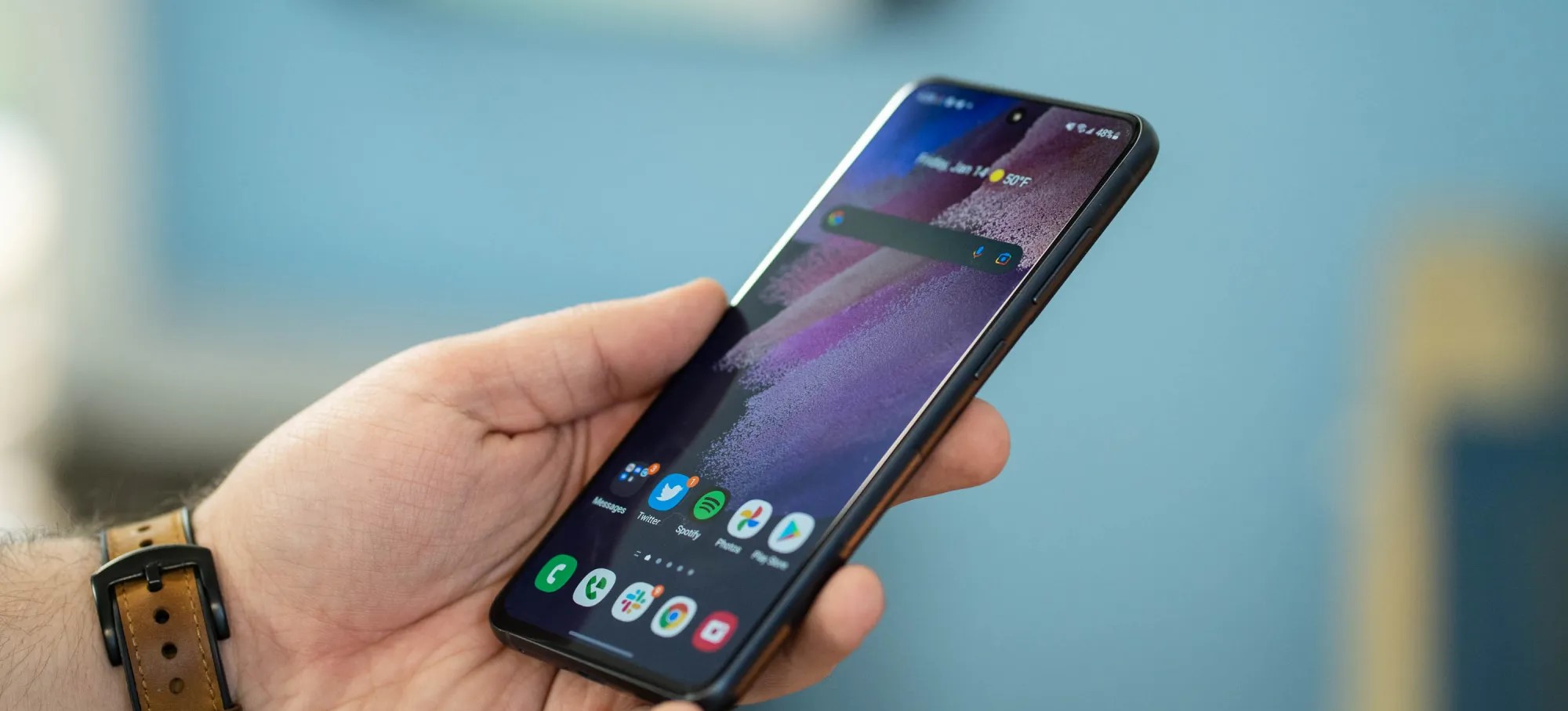
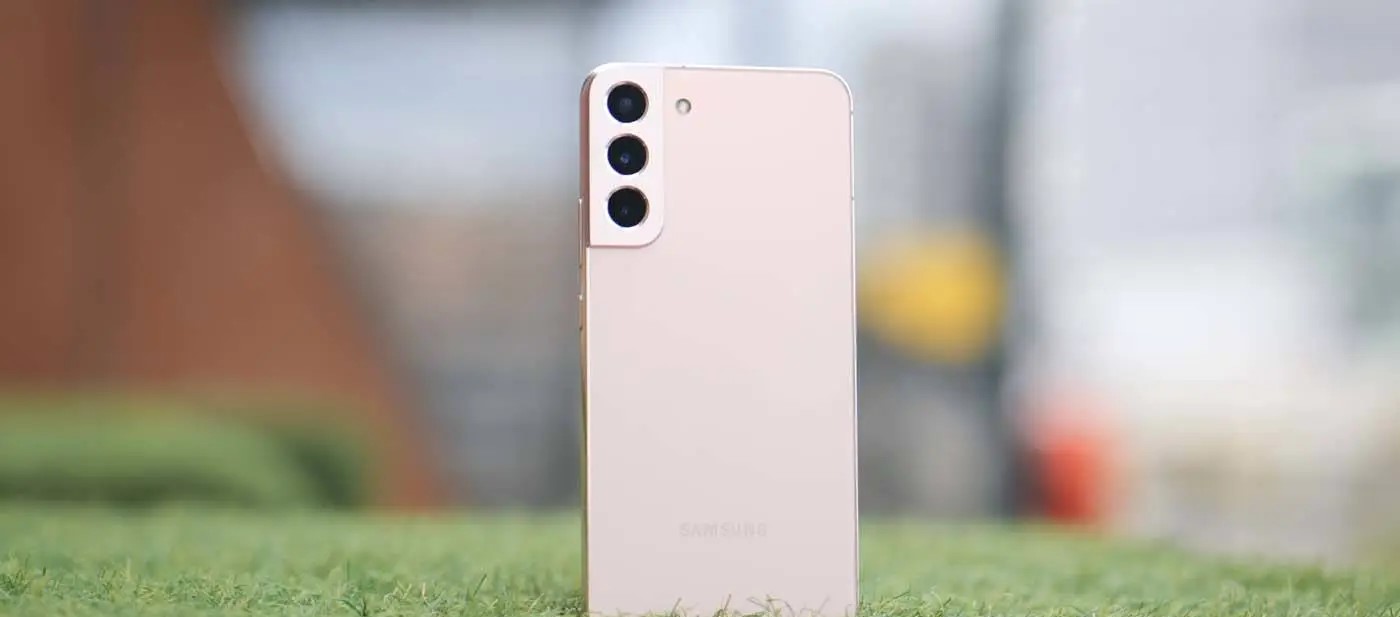
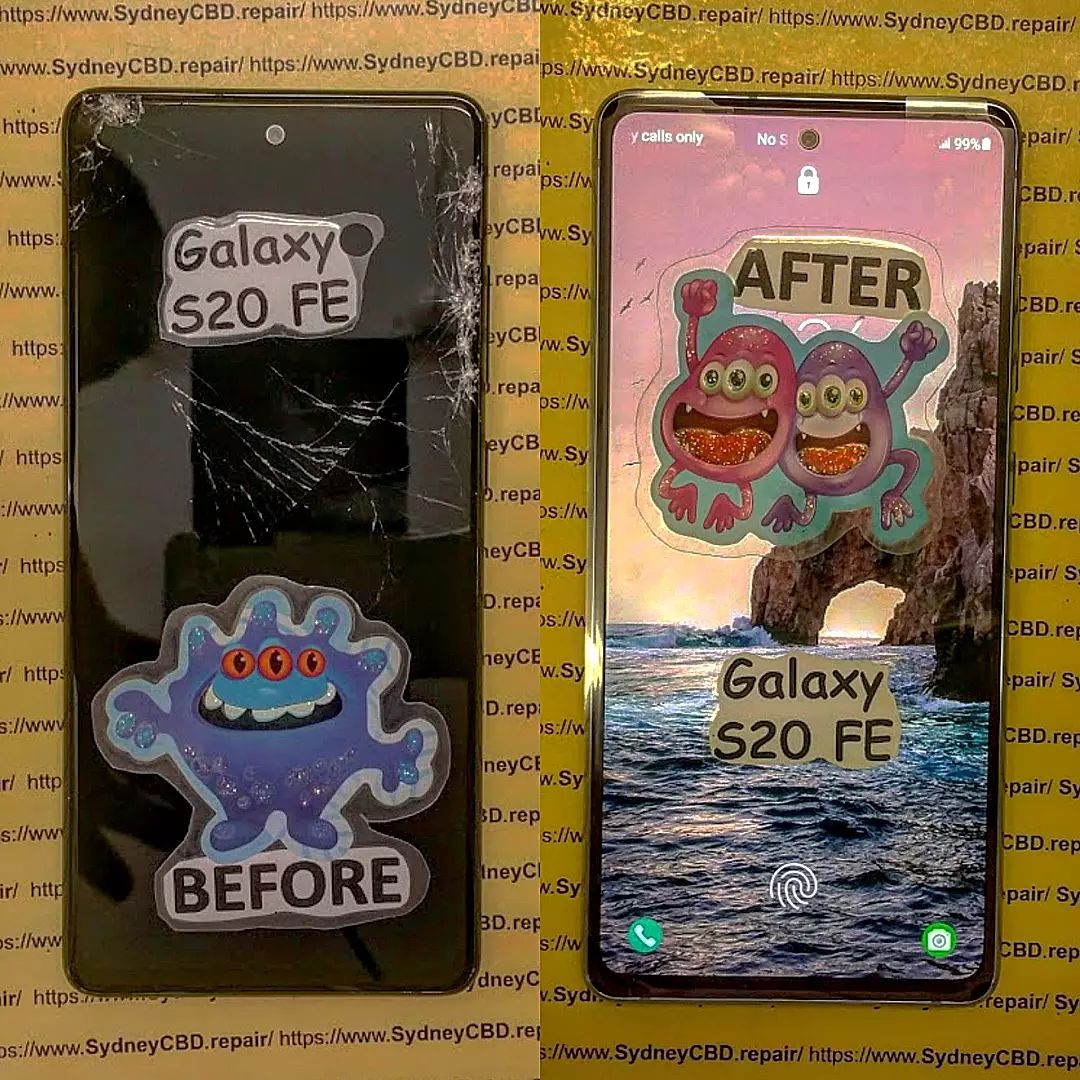
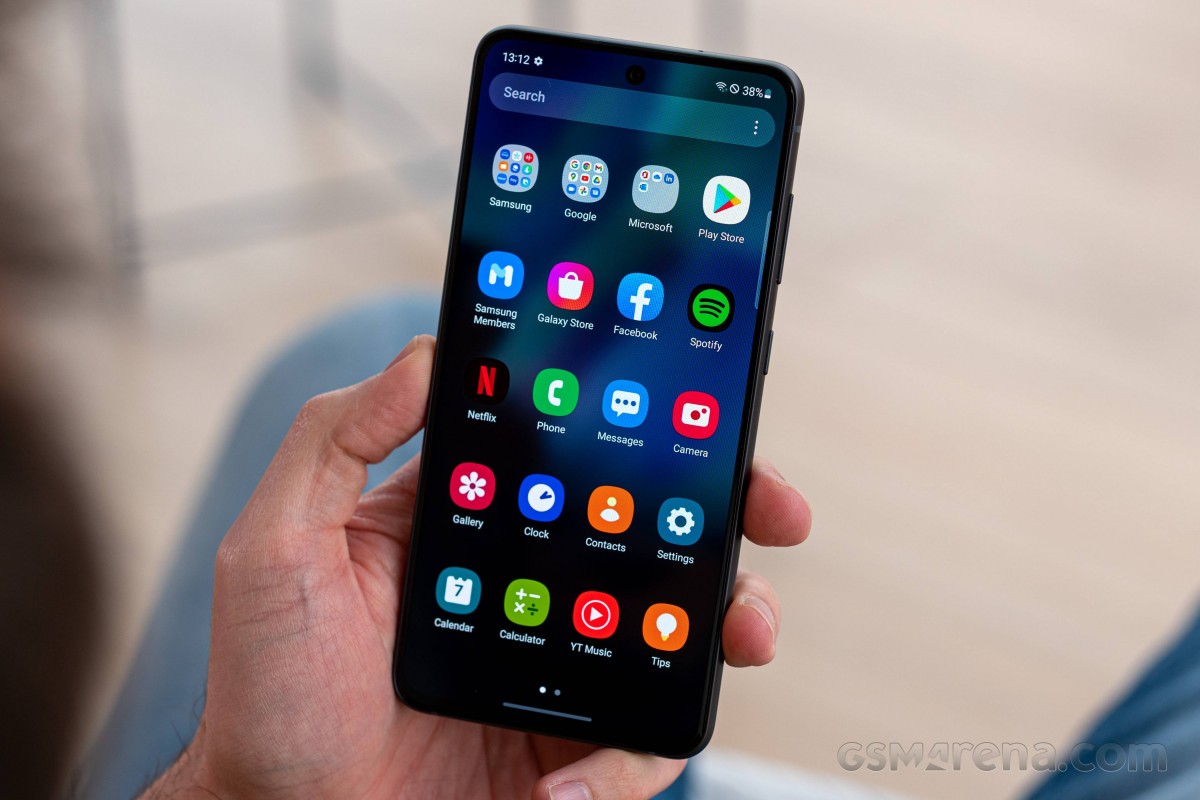
After launching on Pixel phones earlier this year, Android 13 is now headed to Samsung Galaxy devices outside of a beta program. Here’s what devices have already received their update, and which ones will probably get it over the coming months.
What’s new in Android 13 on Samsung devices?
Android 13 is a pretty small update compared to Android 12 that came before it. Where that update completely reinvented the platform’s design on Pixel phones and introduced “Material You” theming with special colors, this year’s update is much smaller on the whole.
On Samsung smartphones, Android 13 brings a few system-level changes, including more colors for Samsung’s version of Material You, “Color Palette.” Themed icons on the homescreen now support third-party apps, too. There are also various privacy features on the lower levels, but the bulk of what’s new on Galaxy smartphones comes from Samsung.
One UI 5.0 is the latest version of Samsung’s skin on top of Android 13, and it brings a handful of new features. This includes “Privacy Detection” when sharing photos, a new Privacy and Security dashboard similar to the one Google built; a new lockscreen with more customizable features; “Maintenence Mode,” which hides user data when a smartphone is sent in for repair; stackable widgets; and more. The update was supposed to finally bring multi-user support, but Samsung removed it during the beta program.
Android 13 is already available on these Samsung devices
As of October 2022, Samsung has launched Android 13 for three smartphones. On October 24, One UI 5.0 with Android 13 started rolling out to all Galaxy S22 series devices globally, with some delays on carrier models and some regions.
This list will be continuously updated over the coming months with the latest additions marked in bold text. Check back regularly!
Samsung Galaxy S devices with Android 13
In October 2022, Samsung updated three devices to Android 13 as the Galaxy S22, S22+, and S22 Ultra saw updates to the latest version of Android and One UI 5.0. The update was launched globally on October 24, but is still expanding to certain regional variants and carrier models.
In November 2022, Samsung expanded the Android 13 update much further. On November 7, the update was launched on Galaxy S21 and Galaxy S20 series devices. The update started its availability in portions of Europe including Germany and Switzerland and is expected to roll out in other regions soon after. By November 14, the Android 13 update had expanded to the Galaxy S21 in India, Kazakhstan, and Russia, as well as some US carriers.
Galaxy S22 – Available globally
Galaxy S22+ – Available globally
Galaxy S22 Ultra – Available globally
Galaxy S21 – Available in Europe, India, Kazakhstan, Russia
Available in US on AT&T and T-Mobile
Galaxy S21+ – Available in Europe, India, Kazakhstan, Russia
Available in US on AT&T and T-Mobile
Galaxy S21 Ultra – Available in Europe, India, Kazakhstan, Russia
Available in US on AT&T and T-Mobile
Galaxy S20 – Available in Europe
Galaxy S20+ – Available in Europe
Galaxy S20 Ultra – Available in Europe
Galaxy Foldables with Android 13
Samsung has also started rolling out Android 13 to its foldable devices as of mid-November, but in a limited capacity. As of November 11, Samsung has released Android 13 to the Galaxy Z Fold 4 and Galaxy Z Flip 4, but only to those who were previously beta testing the update. The finalized update was launched in the US to unlocked owners, but should expand to other beta testers as well as all other owners fairly soon. By November 17, the update had launched widely to users that weren’t in the beta program, but still in a limited number of countries. The Galaxy Z Fold 3 and Z Flip 3 are also now getting the Android 13 update globally for those who were in the beta program.
Galaxy Z Fold 4 – Rolling out now starting in South Korea and India
Galaxy Z Flip 4 – Rolling out now starting in South Korea
Galaxy Z Fold 3 – Available to One UI 5 beta testers first
Galaxy Z Flip 3 – Available to One UI 5 beta testers first
Samsung Galaxy Note devices with Android 13
As Samsung moves away from the Galaxy Note line, there’s only a handful of Note devices that will ever see Android 13 officially. In fact, it’s really just the Galaxy Note 20 series, which started seeing its update in early November 2022. The Galaxy Note 20 and Note 20 Ultra picked up Android 13 in Switzerland first, and has expanded to the United States as of November 15.
Galaxy Note 20 – Available in Europe and the United States
Galaxy Note 20 Ultra – Available in Europe and the United States
Samsung Galaxy Note 20 Ultra
The Android 13 update is moving quickly, and already available on select Galaxy A series devices. The Galaxy A53 was first in line on November 9 with the update launched in Europe and the UK. The Galaxy A33 was next in line on November 10 in Europe, while the Galaxy A73 came just a day later in Malaysia. The Galaxy A52 was also updated on November 17, the first device from Samsung’s 2021 mid-range lineup to be updated.
Galaxy A53 5G– Available in Europe and UK
Galaxy A33 5G– Avaialble in Europe
Galaxy A73 5G – Available in Malaysia
Galaxy A52 5G – Available in Russia
Galaxy tablets with Android 13
The very first Android tablets to be updated to Android 13 became Samsung’s Galaxy Tab S8 series on November 14. The update started rolling out to 5G versions of each tablet in several countries across Europe, but should expand to other models and regions soon.
Galaxy Tab S8 – Available in Europe, 5G only
Galaxy Tab S8+ – Available in Europe, 5G only
Galaxy Tab S8 Ultra – Available in Europe, 5G only
Other Samsung devices with Android 13
Outside of Samsung’s core product lineups, there are other devices getting Android 13 as well. That includes the rugged XCover 6 Pro, which was updated on November 14 alongside the Galaxy Tab S8 series. On November 15, Samsung released the update for its Galaxy M52 5G and Galaxy M32 5G in select markets.
Galaxy XCover 6 Pro – Available in Europe
Galaxy M32 5G – Available in India
Galaxy M52 5G – Available in Europe
What’s next?
When will my Samsung device get Android 13?
When will Galaxy devices get Android 13? If Samsung’s usual pattern holds up, most modern and supported flagship devices will be updated in a matter of weeks, with budget devices and other regional exclusives getting the update throughout 2023.
Generally speaking, most Samsung smartphones are now guaranteed major Android updates for at least three years after their debut, meaning there’s a pretty huge list of devices set to be updated. You can check the update policy for your Samsung smartphone below.
In a message sent to users in Korea through its Samsung Members app, Samsung has confirmed a preliminary list of devices and a roadmap of when it plans to roll out Android 13. The timeline was also backed up by messages in Malaysia and India. This timeline will likely vary a bit depending on your region and Samsung’s own pace, but it’s a good outline of what to expect.
Samsung Android 13 update schedule
October 2022
Galaxy S22 – October 24
Galaxy S22+ – October 24
Galaxy S22 Ultra – October 24
November 2022
Galaxy Z Fold 4 – November 17
Galaxy Z Flip 4 – November 17
Galaxy Z Fold 3
Galaxy Z Flip 3
Galaxy S21 – November 7
Galaxy S21+ – November 7
Galaxy S21 Ultra – November 7
Galaxy Note 20 – November 7
Galaxy Note 20 Ultra – November 7
Galaxy S20 – November 7
Galaxy S20+ – November 7
Galaxy S20 Ultra – November 7
Galaxy Tab S8 – November 14
Galaxy Tab S8+ – November 14
Galaxy Tab S8 Ultra – November 14
Galaxy Tab S7
Galaxy Tab S7+
Galaxy Quantum3
Galaxy A53 5G – November 9
Galaxy A33 5G – November 10
Galaxy XCover 6 Pro – November 14
December 2022
Galaxy Z Fold 2
Galaxy Z Flip 5G
Galaxy Z Flip
Galaxy S21 FE
Galaxy S20 FE
Galaxy Tab S7 FE
Galaxy Tab S7 FE 5G
Galaxy Tab S6 Lite
Galaxy S10 Lite
Galaxy Note 10 Lite
Galaxy A73 5G – November 11
Galaxy A52s 5G
Galaxy A52 5G – November 17
Galaxy A51
Galaxy A42 5G
Galaxy A32
Galaxy A71
Galaxy A71 5G
Galaxy A Quantum
Galaxy A Quantum2
Galaxy Jump
Galaxy Jump 2
January 2023
Galaxy A13 5G
Galaxy A23
Galaxy A72
Galaxy A52
Galaxy A32
Galaxy A32 5G
Galaxy M33 5G
Galaxy M53 5G
Galaxy M62
Galaxy M52 5G
Galaxy M12
Galaxy Buddy
Galaxy Buddy 2
Galaxy Wide6
Galaxy Wide5
Galaxy XCover 5
Galaxy Tab A8
Galaxy Tab A7 Lite
Galaxy Tab Active 3
February 2023
Galaxy A23
Galaxy A23 5G
Galaxy A12
Galaxy A22
Galaxy A22 5G
Galaxy Tab Active 4 Pro
Galaxy M13
Galaxy M22
Galaxy M23 5G
Galaxy M32
March 2023
Galaxy A03
Galaxy A03s
Galaxy A04s
Galaxy A13 LTE
April 2023
Galaxy A04
Looking at Samsung’s update list from 2022 with Android 12, it’s almost guaranteed that other devices not on this initial roadmap will be added in time, but this gives us a pretty good idea of what to expect.
Last updated 11/18 to add rollouts for Galaxy Z Fold 4, Flip 4, Galaxy A series devices, and further Galaxy S expansions.
Samsung is now bringing Android 13 to the Galaxy S20 FE and the Galaxy S21 FE, starting in select regions.
Following updates to the rest of the Galaxy S20 and Galaxy S21 series, Samsung is now expanding One UI 5 to its pair of “Fan Edition” devices. The Galaxy S20 FE and Galaxy S21 FE are both getting Android 13 now via updates, though only in limited regions.
As SamMobile reports, the Galaxy S20 FE is getting Android 13 in Russia, carrying the version number G780FXXUAEVK3 and weighing in at roughly 2GB. It’s notable, though, that this is the Exynos-based version of the device, rather than the Snapdragon model that’s available in the United States and other regions.
Meanwhile, the Galaxy S21 FE is also getting Android 13 in some regions, including Europe. SamMobile notes the firmware version number G990BXXU2DVK3, and notes that the update is rolling out in some other regions.
As in most cases, Samsung usually starts these updates in select regions before expanding globally. Expect the update in other countries within the next week or two.
Samsung has updated over a dozen different smartphones and tablets to Android 13 so far, with many more to go. The company also launched Android 13 for the Galaxy Note 10 Lite this week in France.
Samsung has begun rolling out the official Android 13 update to owners of the Galaxy S22, bringing the full suite of One UI 5.0 changes.
Android 13 was officially released, starting on Google’s Pixel phones, on August 15, and just days before that launch, Samsung began beta testing the new changes on their Galaxy series phones. After over two months in beta, as spotted by SamMobile, Samsung is now rolling out the full, stable Android 13 release with One UI 5.0, starting with the Galaxy S22 series.
For now, the rollout seems to be limited to Exynos variants of the Galaxy S22 in South Korea and across Europe. Thus far, the Android 13 update has not been made available in the United States, but that is likely to change in the coming days.
To get fans acclimated with the new update and all of the hottest features of One UI 5.0, Samsung has released an official “Introduction Film” highlighting what’s changed. Samsung’s Android 13 and One UI 5.0 video, of course, kicks off with the new lock screen customization, meant to help the Galaxy S22 compete with what Apple brought to iOS 16. Another familiar feature from the iPhone series is the introduction of “Modes,” which quickly set your sound and notification settings to suit your daily activities.
Going beyond matching the iPhone’s feature set, Samsung’s lock screen options allow you to use a video wallpaper or change the artwork periodically. Just like it did for the Pixel series, the Android 13 update for Samsung Galaxy phones gives you multiple vibrant theme options generated from your current wallpaper.
Continuing the theme of customization, Samsung also showcases a new way to “stack” widgets on your homescreen, making them easily scrollable. You can even deeply customize your Galaxy Watch with the Watch Face Studio.
In changes that are less exciting but still quite useful, Samsung’s Android 13 and One UI 5.0 update combines privacy and security settings into one hub. This security and privacy dashboard is designed to be easily read and understood, making it easier to be sure you’re safe in the digital world.
For more on what’s new in the One UI 5.0 update with Android 13, across the Galaxy S22 and the rest of Samsung’s lineup, check out our video from the original beta.
Samsung is on a roll as of late with device updates for a number of handsets. The October 2022 security update is even rolling out for a number of Samsung Galaxy phones and even a few tablets.
Samsung October 2022 security update – here’s what’s new:
No details have been released for the latest Android Security Update Bulletin, but we expect that to change over the coming days as Pixel devices catch up – usually on the first Monday of the month. Samsung has yet to update their own tracker for Galaxy smartphones, but that too will likely be updated very soon.
Some Samsung Galaxy devices are part of the One UI 5.0 beta program, which means that the Android 13 stable should be right around the corner.
Devices with the Samsung October 2022 security update
As is often the case, the Korean tech giant has a fairly consistent approach to updates. It’s usually the latest and greatest Galaxy devices such as the S series get updated first. While it’s not always the case, this seems to be true.
This list will include a note on where the update first debuted and if it is also available in the United States. As usual, the latest additions will be marked in bold.
Galaxy S series
It should come as absolutely no surprise that the Samsung Galaxy S22 series was the very first to receive the October 2022 security update. As Samsung’s flagship non-foldable smartphone, it was expected and likely anticipated. Right at the very end of September, Samsung released the latest security patch for the S22 series in limited regions. The update is likely to head out in more regions as we reach October proper.
Just a few days later carrier-locked versions of the Galaxy S21 series began to be updated. The October 2022 security patch is already hitting Verizon handsets in the United States. Often the latest patches arrive in global markets, so this is a nice change of pace. Those on Xfinity Mobile are also starting to see the Samsung October update on the entire Galaxy S21 series according to SamMobile.
Although technically part of the S21 series, the Galaxy S21 FE was launched just a month before the S22. This means it’s in a strange position of being part of the 2022 cohort while still having a foot in the previous generation. That said, it is still updated promptly with Indian models now starting to get the most recent patch.
Galaxy S21 / S21+ / S21 Ultra — G991USQS5CVI8 (Released first in US)
Galaxy S21 FE — G990EXXU3CVI8 (Released first in India)
Galaxy S22 / S22+ / S22 Ultra — S90xBXXS2AVI7 / S908EXXS2AVI7 (Released first in Europe/Asia)
How to check for the latest OTA on your Galaxy device
If your Samsung device is slated to have been updated already, but the October patch hasn’t arrived for you personally, you can try updating manually. Simply open the Settings app, tap “Software update,” and choose “Download and install.”
It is no secret that Samsung phones are some of the most popular on the market. They are known for their sleek designs, powerful processors, and high-quality cameras. However, like any other type of phone, they are not immune to damage and can require repairs from time to time.
If you find yourself in need of Samsung phone repairs, there are a few things you can do to help keep costs down. Here are a few tips:
1. Check your warranty first
One of the best ways to keep repair costs down is to take advantage of your warranty, if you have one. Many Samsung phones come with a standard one-year warranty that covers manufacturer defects and accidental damage. If your phone is still under warranty and needs repairs, you may be able to get them covered at no cost to you.
2. Use a reputable repair shop
There are many places that offer phone repairs, but not all of them are created equal. When looking for a repair shop, be sure to find one that is reputable and has experience repairing Samsung phones specifically. This will help ensure that your phone is repaired properly and doesn’t end up worse off than it was before. In addition, be sure to ask about pricing upfront so there are no surprises later on.
if you’re feeling daring or just want to save some money, there are some minor repairs that you may be able to do yourself with the right tools and instructions. For example, replacing a cracked screen is something that many people have successfully done on their own with the help of online tutorials (just be sure to use caution as it can be tricky). There are also some software issues that can often be fixed by simply resetting your phone or installing updates (again, check online for specific instructions depending on your issue/phone model). Of course, before attempting any type of repair yourself, weigh the risks versus the rewards – it’s not worth voiding your warranty or damaging your phone further if you’re not confident in your ability to fix it properly!4 Get comprehensive insurance To avoid havingto pay outof pocketfor unexpectedrepairs , consider gettingcomprehensive mobilephone insurance . This typeof insurance will coverdamages such as waterdamage , crackedscreens , theft ,and more . Whileit will likelycostyou amonthlypremiumto have thisinsurance in placethese days ,it could saveyou alotof moneyin the longrun if somethingdoes happen toyour deviceandyou needto getit repairedor replaced quickly .
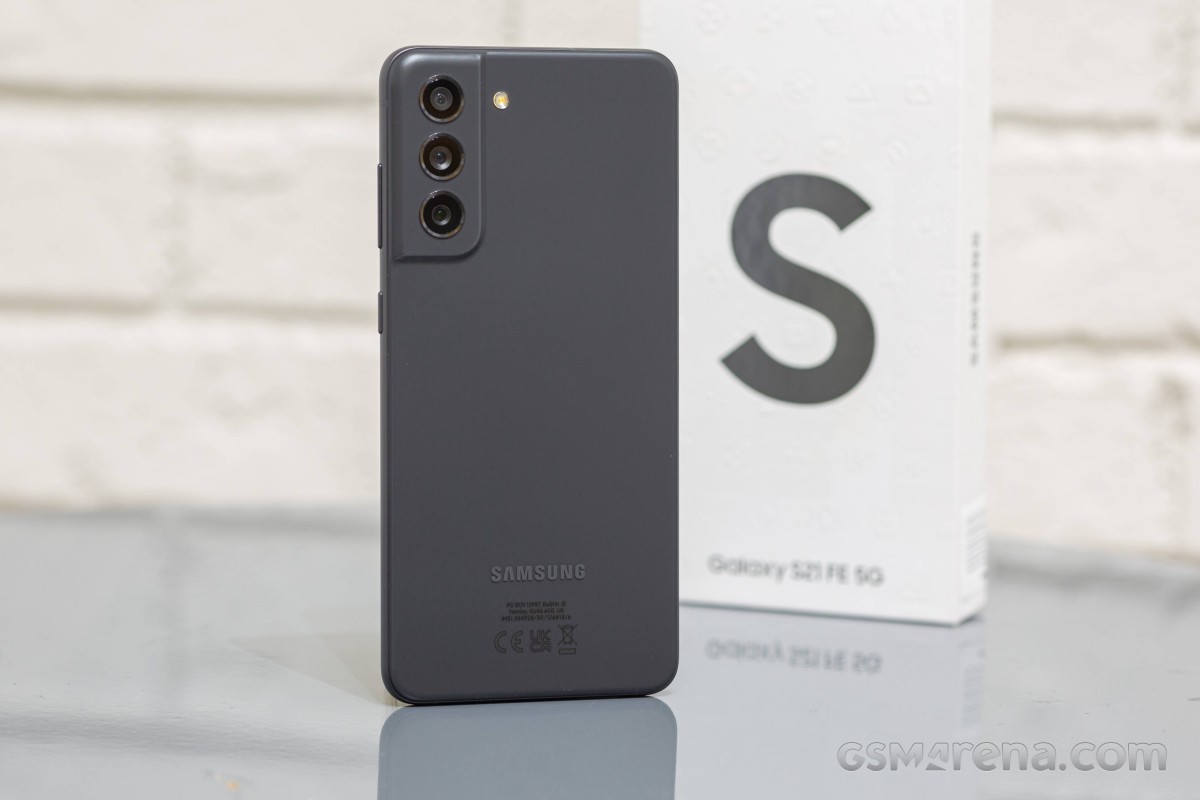
The Galaxy S21 series will not go gentle into the night. On the contrary, it will produce one last bang before the Galaxy S22 steals the spotlight. The last of the S21 series caters to the true fans of the brand and combines all Galaxy S21 essentials into one powerful no-nonsense smartphone. Yes, this is the Galaxy S21 FE 5G.
Samsung has focused on three fan-favorite features for this Fan Edition – display, performance, and camera. And it has tried to give more of those for less, a job best suited for the flagship-killer kind. We surely are not calling it that, but the S21 FE does sound quite promising as an almost-there-flagship.
The Galaxy S21 FE updates the display with the S21’s screen panel. It offers a 6.4-inch Dynamic AMOLED 2X with native HDR10+ support and a 120Hz refresh rate. The Galaxy S20 FE’s Super AMOLED had no HDR10 capabilities at launch, which was disappointing back then, but these were enabled later in 2021.
Then there is performance – quite expectedly, the Galaxy S21 FE offers the same hardware as the rest of the S21 series – either the Snapdragon 888, or the Exynos 2100 chipset. But the chipset segmentation is reversed here – the international model is the one with the Snapdragon, while Samsung’s silicon is limited to Australia (so far).
Finally, let’s talk about the camera department. It looks like a copy-paste from the Galaxy S20 FE – a 12MP primary, another 12MP camera for ultrawide photos, and an 8MP tele for 3x optical zoom. The selfie imager is likely the same, too, a 32MP one. Samsung is not advertising the hardware as more capable, but it brags with better processing and cool features like Object Eraser – all possible thanks to the new chipset.
The stereo speakers and the UD fingerprint scanner are here to stay, too, but the microSD slot didn’t make the cut. It is one of these fan-favorite features that will not be accepted well among the community, that’s for sure. But on a positive note – the S21 FE now features a proper proximity sensor instead of a virtual one, something that should solve the numerous complaints.
Waterproofing is a vital part of the Galaxy S series, and the S21 FE is IP68-rated for dust and water resistance. Its design resembles the rest of the Galaxy S21 phones, and its build is a match to the vanilla Galaxy S21 flagship – a Gorilla Glass Victus front, an aluminum frame, and a matte plastic back.
Here is a rundown of the specs sheet.
Samsung Galaxy S21 FE 5G specs at a glance:
Body: 155.7×74.5×7.9mm, 177g; Glass front (Gorilla Glass Victus), plastic back, aluminum frame; IP68 dust/water resistant (up to 1.5m for 30 mins).
Front camera: 32 MP, f/2.2, 26mm (wide), 1/2.74″, 0.8µm.
Video capture:Rear camera: 4K@30/60fps, 1080p@30/60/240fps, 720p@960fps, HDR10+, gyro-EIS; Front camera: 4K@30/60fps, 1080p@30/60fps, gyro-EIS.
Battery: 4500mAh; Fast charging 25W, 50% in 30 min (advertised), Fast wireless charging 15W, Reverse wireless charging, USB Power Delivery 3.0.
Misc: Fingerprint reader (under display, optical); NFC; Bixby natural language commands and dictation, Samsung Pay (Visa, MasterCard certified).
The most notable omissions of this new Fan Edition are the 3.5mm jack (not available on the S20 FE) and the microSD slot (available on the S20 FE). We would have liked one of those 10MP AF selfies instead of the 32MP Quad-Bayer snapper, too, but we guess that’s going on the S22 FE wish list instead.
There is no cheaper 4G version of the Galaxy S21 FE, like it was with the S20 FE, which is possibly another bummer for some users. We guess the 5G has become the new norm and cheaper 4G versions in the future are highly unlikely.
Unboxing the Galaxy S21 FE
Apple has started something that Samsung quickly adopted, even though consumers don’t appreciate it. Yes, we are talking about the ‘eco-friendly’ cost-saving retail box, which contains only a cable and some paperwork.
That’s exactly what you get with each Galaxy S21, and that’s what the Galaxy S21 FE 5G retail box contains. The phone supports 25W fast charging, but if you want to enjoy that and you haven’t purchased such an adapter yet, now is a good time to do it.
The good news is that once you buy such a charger, you can use it for your next phone a year or two from now. Plus, it can charge plenty of electronics because of its USB-C port and USB-PD support.
The competition
The Galaxy S21 FE 5G is a well-executed smartphone and a proper sequel to the Galaxy S20 FE. It brings a better display, more powerful hardware, and improved camera performance even if the camera sensors and optics haven’t changed much since the S20 FE. Oh, and we do appreciate the new, S21-like design.
But the one thing that should have been spot-on from the get-go – the price – is all wrong. The Galaxy S21 FE should have offered ‘more for less’ – those are Samsung‘s words, mind you – yet, it’s quite an expensive smartphone at launch with a starting price of €750. And while it arguably offers more over the Galaxy S20 FE and the Galaxy S21, it’s not for less.
Galaxy S21 and Galaxy S21 FE
See, the Galaxy S21 5G retails at about €650, which is €100 less than this new Fan Edition. Yet, the standard S21 offers a more capable display with a 120Hz dynamic refresh rate, more RAM (6GB vs. 8GB). The Galaxy S21 has a different type of 3x zoom, but even if it’s achieved with some trickery, it is pretty good and not drastically different from the FE. We believe many users will happily save €100 and get the Galaxy S21 instead.
Then there is one of our favorite Galaxy phones for 2021 – the Galaxy A52s 5G. It is an equally stylish smartphone, water-resistant as well, with a similar 120Hz AMOLED screen and quite a powerful Snapdragon 778 5G chipset. If you can live without optical zoom and HDR10 support for the paid streaming apps, the 6GB+128GB model of the A52s costs as low as €360 – and compared to the S21 FE’s €750 price – that’s a bargain!
Of course, there are other cool options to consider outside Samsungverse. The Realme GT 5G is €250 cheaper, and it beats the S21 FE with a better AMOLED with a dynamic 120Hz refresh rate (and it supports HDR10). It is not a water-resistant phone and has no zoom camera, but if those are not important, you can spend less and still get what’s important to you.
The Asus Zenfone 8 is €100 cheaper than the FE, but if you are after a more compact Android, you may want to consider this one instead. It has a superb 5.9-inch AMOLED with 120Hz and HDR10+, runs on the same Snapdragon 888 chipset, has powerful speakers, and offers fan-favorite goodies like a 3.5mm audio jack, FM radio, AF for the selfie camera. It may not be rocking a telephoto camera, but its ultrawide shooter has autofocus and can take macro shots. Overall, it’s a great offer worth considering.
Finally, the €480 4G and €530 5G versions of the previous Galaxy S20 FE are still available. They are noticeably cheaper, yet with similar capabilities and identical cameras. If you can live without HDR10 support and put up with the virtual proximity sensor, they are worth considering. Their Snapdragon 865 / Exynos 990 chips are still great performers and part of the flagship crop, plus they run amazingly under 1080p screens. Oh, and they both offer microSD expansion.
Samsung Galaxy S20 FE • Samsung Galaxy S20 FE 5G
Our verdict
The Samsung Galaxy S21 FE 5G is a brilliant smartphone with top-notch features. It excels in the most critical departments – display, performance, camera, speakers, software, even design. For that – it’s a great smartphone.
But it’s not a Fan Edition, not like the S20 FE. For a phone that’s supposed to cater to the fans, ditching the charger and the microSD slot does not make sense. And it doesn’t bring any substantial camera updates, not even AF for selfies or ultrawide, though the improved photo quality could be arguably enough. But these shortcomings are not the Fan Edition’s biggest problem.
The Galaxy S21 FE’s most notable drawback is the launch price. The Galaxy S21 FE 5G costs €750 for its basic 6/128 version and €830 for the 8/256 model. And that’s quite high for the segment the FE’s aiming at.
The Galaxy S21 FE launches mere weeks before the Galaxy S22 premiere, and the expectations are that the regular Galaxy S22 with more powerful hardware and a better screen will retail between €800-€900. And it sure makes sense to wait and see what the Galaxy S22 has in store for us. Meanwhile, there are many phones that are offering similar features for much less, and what’s worse, some of them are Galaxy phones themselves.
So, the Galaxy S21 FE is a powerful and capable smartphone, no two ways about that. But we just cannot recommend it at this price, not without reservations. Once Samsung introduces its first price cut, though, the Galaxy S21 FE should get a spot on the shortlists of everyone looking for a no-nonsense flagship-like smartphone.
Pros
Excellent AMOLED HDR10 screen, 120Hz, superb color accuracy.
Foldables for the masses, that’s the direction where we’re headed. Okay, maybe that’s a bit of a stretch, but at $999/€1049 for the base version, the Galaxy Z Flip3 5G is the most affordable smartphone with a bendy display.
In addition to a lower price tag, the Flip3 comes with some meaningful improvements over the previous generation. Since we’re on the topic of generations, the Flip3 is the third installment in the lineup, with the original Flip and the chipset refresh that was the Flip 5G almost making the 3 in the new model’s name make sense.
Anyway, in no particular order, the upgrades include an IPX8 rating for water resistance (the ‘X’ means it’s not rated to be dust-tight), a high-refresh rate on that glorious main Dynamic AMOLED 2X display (the Flip and Flip 5G were 60Hz), and a larger, more useful cover display. There’s also the mandatory chipset upgrade that sees the Snapdragon 888 inside the new Flip.
We’re going to have to take the good with the bad, however, since there are areas where the new generation has stood still, and they are pretty important. It’s mostly the cameras that give us pause. The rear setup is headlined by a small-ish 1/2.55″ sensor that’s a descendant of the one that came in the Galaxy S7 a good while back, the ultrawide has no autofocus, there’s no telephoto of any sort. The selfie camera on the inside isn’t overly impressive either, with a relatively dim lens and no AF either.
The 15W charging capability harks back to even more distant days, though one could argue you don’t need much more with the smallish 3,300mAh battery – some consolation. The new model starts at 128GB of storage, as opposed to the 256GB-only approach of the previous generation – that probably helped with the price tag.
It may sound like more of a conclusion than an intro, but we just had to go over the key specs, and we’ve hardly made up our minds yet, writing these lines. Here are the numbers at a glance, before we get going.
Samsung Galaxy Z Flip3 5G specs at a glance:
Body: 166.0×72.2×6.9mm, 183g; Plastic front, glass back (Gorilla Glass Victus), aluminum frame; IPX8 water resistant (up to 1.5m for 30 mins).
There’s not a lot to unpack here. The Galaxy Z Flip3 arrives in a two-tone gray box that’s half-height – so you know not to expect to find much inside. An oversized ‘Z’ alludes to the phone’s name and its foldable nature.
The Z Flip3 5G rests on top, face-up in its unfolded state. Underneath, there’s a paper sleeve that holds a USB-C cable and SIM ejection pin, and that’s it.
Pre-order bundles in some regions will include a 25W adapter, or a wireless charger, or Samsung store credit of various amounts, or buy-back discounts – in some places more than one of these at the same time to help sweeten the deal. In the very box, however, you only get the bare minimum.
Competition
Samsung‘s foldable surge this year means more people will likely be considering a phone whose display bends in half. It’s no wonder – the company’s advancements in the field mean that foldables can now be made both more robust and more affordable. The Galaxy Z Flip3 5G is the least expensive of the breed to date, but with a list price at launch of $1000/€1050 for a base version, it’s hardly a bargain, even if pre-order bundles or discounts do improve the numbers. What are your options?
Let’s assume you’re hell-bent on getting a foldable. Motorola has the Razr 5G, which has a few things going for it. First is nostalgia – if you’ve ever had a Razr V3 in the mid-noughties, Motorola’s 2020 reincarnation will probably strike a chord with you. The latest Razr’s outer display is larger and a lot more useful too, and the rear-mounted fingerprint sensor makes more sense than the Flip3’s implementation of a side-mounted one. The Moto is a midranger at heart, however, and has an SD765 chipset and only a single rear camera, plus ‘water-repellent design’ isn’t quite an IP rating. There’s also the matter that Motorola isn’t overly keen on selling you one – not with a retail price of $1400/€1500.
The Flip3 is a significant upgrade over the Flip and Flip 5G, but if you can find a deal on one of the older ones, that might make sense if just any foldable will do. You’d be missing out on a much improved main display (a 120Hz refresh rate and 50% more brightness), and you best not get those older Flips wet, plus an old chipset is an old chipset, though you could stand to gain extra battery life in the process. Ultimately, we’d try and snatch a Flip3 with one of the pre-order deals over an older device, but we don’t know the prices in your particular situation.
The numbers are fairly clear when it comes to the Z Fold3 – it’s roughly twice as expensive as the Flip, though carrier subsidies could skew things one way or another. The Fold is arguably twice the phone that the Flip is, though, even if an entirely different beast – essentially a tablet when unfolded, it has nicer cameras, S-Pen support and extra software tricks up its sleeve.
Motorola Razr 5G • Samsung Galaxy Z Flip 5G • Samsung Galaxy Z Fold3 5G
Now, if you are the more sensible type and foldability isn’t a top priority, but you are instead into the Flip3 for its perceived compactness, there are multiple alternatives that will generally save you some money, while also offering more features and/or performance. Starting with the Galaxy S21, you’d be getting a more versatile camera system with zoom capability on the back and AF-ing selfie camera, all of them delivering better image quality. Battery life is also better on the bar phone as is charging speed. Oh, and the S21 can be had for up to $300/€300 less than a Flip3 (though, again, pre-order deals on the Flip can affect these numbers). Ultimately S21 – more pragmatic, Flip3 – way cooler.
That holds true against the next one, the Asus Zenfone 8. It starts at around €400/$400 less than a Flip, and even after all the early-bird discounts on the Galaxy, the Asus will still be notably cheaper. The Zenfone is also more compact, has better cameras all around, lasts longer and sort of charges faster. Has a headphone jack too, but what it doesn’t have is a hinge.
Going even smaller, the iPhone 12 mini is also substantially cheaper than the Flip3 – when was the last time an iPhone had ‘price’ in the Pros list. Similarly equipped in the camera department, the mini is also about as bad at endurance as the Galaxy. This bout is going to be decided on size and OS preferences.
Samsung Galaxy S21 5G • Asus Zenfone 8 • Apple iPhone 12 mini
Verdict
The Galaxy Z Flip3 is being marketed as a fashion statement, and while the looks and relative novelty of the form factor remain its main selling points, it’s not entirely devoid of practicality. When folded, it will fit in places normal phones won’t (though, admittedly it may not be the best for tight-fitting jeans), and when unfolded, it’ll greet you with one of the best displays around, foldable or otherwise. It’s also water resistant and comes with improved materials all around.
No, the Flip3 doesn’t have competitive battery life, it charges slowly, and its cameras are anything but state of the art. It’s also more expensive than a myriad of phones that will do most things better. But they won’t fold in half.
The Galaxy Z Flip3 5G was never meant to be a value proposition in the grand scheme of things. In its more niche foldable scheme, however, Samsung made sure to put an appealing price sticker on it, and if you act quick with the pre-order, the figures are looking even better. The phone is hardly perfect, but the trade-offs almost make sense, and even if they don’t entirely, it’s hard to argue with the Flip’s sheer coolness factor. If you value coolness more than practicality in a phone, then it most certainly deserves our recommendation.
It’s easy to forget that Samsung makes more than $1,000+ flagship phones. After all, handsets like the $599.99 Galaxy A71 5G tend to get overshadowed when the company announces scene stealers like the $2,000 Galaxy Z Fold 2. But you shouldn’t discount these more affordable models just because they aren’t as flashy. In the case of the Galaxy A71, you’re getting a lot for your money, including 5G connectivity, solid performance, a terrific camera, and long battery life. It’s one of the better phones for getting 5G in this price range right now, though the competition is increasing at a rapid clip.
Design, Display, and Durability
The Galaxy A71 5G is flat in the front, with a curved plastic back panel. It measures 6.3 by 3.0 by 0.3 inches (HWD) and comes in at 6.5 ounces. We tested an unlocked model in black with a subtle monochromatic pattern, though Verizon’s version has a more distinct prismatic design.
The front of the phone is dominated by 6.7-inch, 2,400-by-1,080-pixel AMOLED display with a notch for the camera. The screen looks gorgeous, with vibrant colors and inky blacks, and it’s bright enough to see outside. Even the in-display fingerprint sensor is pretty good, though it’s not as fast or accurate as on the iPhone SE or the Pixel 4a.
Top of the phone has a hybrid SIM slot, while a speaker, a USB-C charging port, and a 3.5mm headphone jack sit on the bottom. The left side is bare, across from the volume rocker and multifunction power/Bixby button on the right. The buttons provide a satisfying click when tapped, but are hard to reach with small hands.
The back of the phone features a large rectangular camera stack in the upper left corner and a Samsung logo in the middle. The back panel is constructed of plastic, but it could easily be mistaken for glass if it weren’t for the dull thud it makes when tapped. While the high-gloss finish looks great, it quickly attracts fingerprints.
The phone’s plastic build should be able to handle a few bumps and drops without issue, but the display isn’t likely to fare as well as it’s constructed out of older Gorilla Glass 3. There’s also no IP rating, which is unacceptable once you cross the $500 threshold.
Connectivity and Audio
The Galaxy A71 5G is available unlocked and through every major carrier. AT&T, T-Mobile, US Cellular, and unlocked versions of the phone support sub-6GHz 5G. Verizon offers an Ultra Wideband version that supports millimeter-wave now and will support low-band 5G when it is rolled out later this year.
It’s worth mentioning that 5G is a much different beast than LTE, and you should do your homework before making a purchase. The X52 modem (400MHz) in the Galaxy A71 has half the bandwidth of the X55 (800Mhz) in the pricier Samsung Galaxy 20+, for instance.
We tested the phone on T-Mobile’s 5G network in Philadelphia. Download speeds averaged 146.8Mbps, while uploads clocked in around 38.6Mbps.
Call quality is excellent. At 85dB, the earpiece is loud enough to hear in just about any setting. Our test calls were consistently clear on both ends, and noise cancellation worked well.
Audio quality, on the other hand, is disappointing. The phone has a single bottom-firing speaker that maxes out at 90dB. It’s fine for video calls, but it sounds pretty bad for everything else. On the plus side, Dolby Atmos is supported with wired or Bluetooth headphones.
The phone also supports Bluetooth 5.0, NFC, and dual-band Wi-Fi.
Cameras
On the back, the Galaxy A71 5G sports a 64MP primary camera, a 12MP ultra-wide sensor, a 5MP macro lens, and a 5MP depth sensor. The front-facing camera clocks in at 32MP.
The 64MP quad-pixel lens performs well in all lighting scenarios. Photos are crisp, depth of field is excellent, and color is slightly saturated but looks great. In low light, we noticed minor noise and a slight loss of detail, but the phone managed to surpass the Pixel 4a in a few scenarios. The ultra-wide lens offers similarly good performance.
The 5MP macro sensor is just okay. With a steady hand and good light, you can get a decent shot, but not one that can compare with a true macro lens. That’s not surprising, as we’ve yet to see a spectacular macro lens in this price range.
The front-facing camera shines in all lighting scenarios. In good light, test shots were sharp with excellent detail. Low-light photos were nearly as good, though a few of our images showed minor noise around the edges.
Portrait mode works well on the front and rear cameras. Depth mapping was spot on in nearly all of our test photos, which is no small feat since most phones in this price range struggle with correctly capturing wisps of hair, subjects against monochromatic backgrounds, and accurately mapping the areas around hats and glasses.
Hardware and Performance
The Galaxy A715G ships with a Qualcomm Snapdragon 765 chipset and 6GB of RAM. There’s 128GB of storage, with about 108GB available out of the box. You can add up to an additional 1TB of storage with a microSD card.
Performance is solid for the price. The A71 5G handles multitasking without any problems; we had nearly two dozen apps open simultaneously, as well as 30 browser tabs, and didn’t experience any slowdown.
We tested the phone for over an hour playing Alto’s Odyssey and didn’t experience any lag or skipped frames. The game loaded fast and didn’t have a significant effect on battery life.
Benchmarks underscore our experience. On Geekbech 5, a test that measures raw processor power, the A71 5G earned scores of 609 single-core (SC) and 1,879 multi-core (MC), for a nice lead over the Pixel 4a at 402 SC and 1,618 MC.
See How We Test Phones
The phone is powered by a 4,500mAh battery that will get even the most demanding user through the day. In our battery drain test, which streams HD video over Wi-Fi at full brightness, the phone lasted for 10 hours and 33 minutes. When you find it running out of juice, the A71 5G supports Samsung’s fast charging protocol and comes with a 25W adapter in the box. Wireless charging isn’t supported, however.
Software
The Galaxy A71 5G ships with Android 10 along with Samsung’s One UI 2. While many manufacturers have gravitated toward a more stock Android model over last couple of years, Samsung’s UI continues to offer a very customized user experience.
In One UI 2, navigation buttons are reversed, app icons are changed, and the settings menu looks different than stock Android. It’s not bad by any means, but if you’re used to Android on a non-Samsung phone, prepare to spend a few minutes getting used to it.
The unlocked version of the A71 5G features Samsung’s suite of productivity apps. For the most part they’re Samsung’s version of apps already baked into Android, and for years we’ve considered them redundant, but we’re starting to rethink our stance. This year, Samsung integrated many of its apps with Microsoft Office and improved its cloud platform significantly. The A71 5G is also tightly integrated with many of Samsung’s other smart devices to offer a more seamless user experience.
And the Galaxy A71 5G is one of Samsung’s first handsets confirmed to receive OS upgrades for three years. While there’s no timeline on when Samsung will release these updates, it’s good to know that you’re not buying into a dead end.
Conclusions
The Samsung Galaxy A71 is a good phone for 5G on a (relative) budget, with solid performance all around. It also costs $100 less and has a much better camera than the 5G-capable Moto Edge. That said, we’d like to see better durability for $600, and unless you buy the phone on Verizon, you’re not getting a future-proof 5G experience. And with the $500 Moto One 5G launching on AT&T and Verizon soon, the competition is really heating up. So while the Galaxy A71 gets most things right, you might want to sit tight to see how things shake out before picking one up.
PROS
Solid performance
Excellent camera
Nice display
CONS
Lackluster durability
Poor audio quality
THE BOTTOM LINE
The Samsung Galaxy A71 offers 5G connectivity and solid overall performance for a relatively affordable price.
Just like Google’s Pixel phones, Samsung has equipped Galaxy devices with a special tool for emergency situations. The Samsung mode on Galaxy phones is called “Lockdown,” and it makes unlocking the device even more difficult if you don’t know the PIN or passcode. Here’s how it works.
Lockdown mode is one of those features that we recommend familiarizing yourself with, even though you might never need to use it. The feature sits up there with Emergency SOS as far as importance is concerned.
In essence, Lockdown Mode does a couple of things for your Samsung device. When initiated, the feature will immediately lock your phone. After the Galaxy phone is locked, it will turn off both face recognition and the fingerprint sensor, leaving a PIN or passcode as the only unlock option.
This can come in handy for a variety of reasons – all pretty malicious. There may be circumstances where your fingerprint or face could be used to unlock the device without consent. To combat this, Lockdown mode ensures that any unlock is by intent.
How to enable Lockdown mode on Samsung Galaxy phones
There are a couple of ways you can initiate Lockdown mode on your Samsung phone. Before activating it though, you need to change a couple of settings. By default, Lockdown mode isn’t an option in the Power menu and needs to be turned on.
Here’s how to add Lockdown mode to the Power menu:
On your Samsung phone, head to the settings by swiping down from the homescreen and tapping the settings cog.
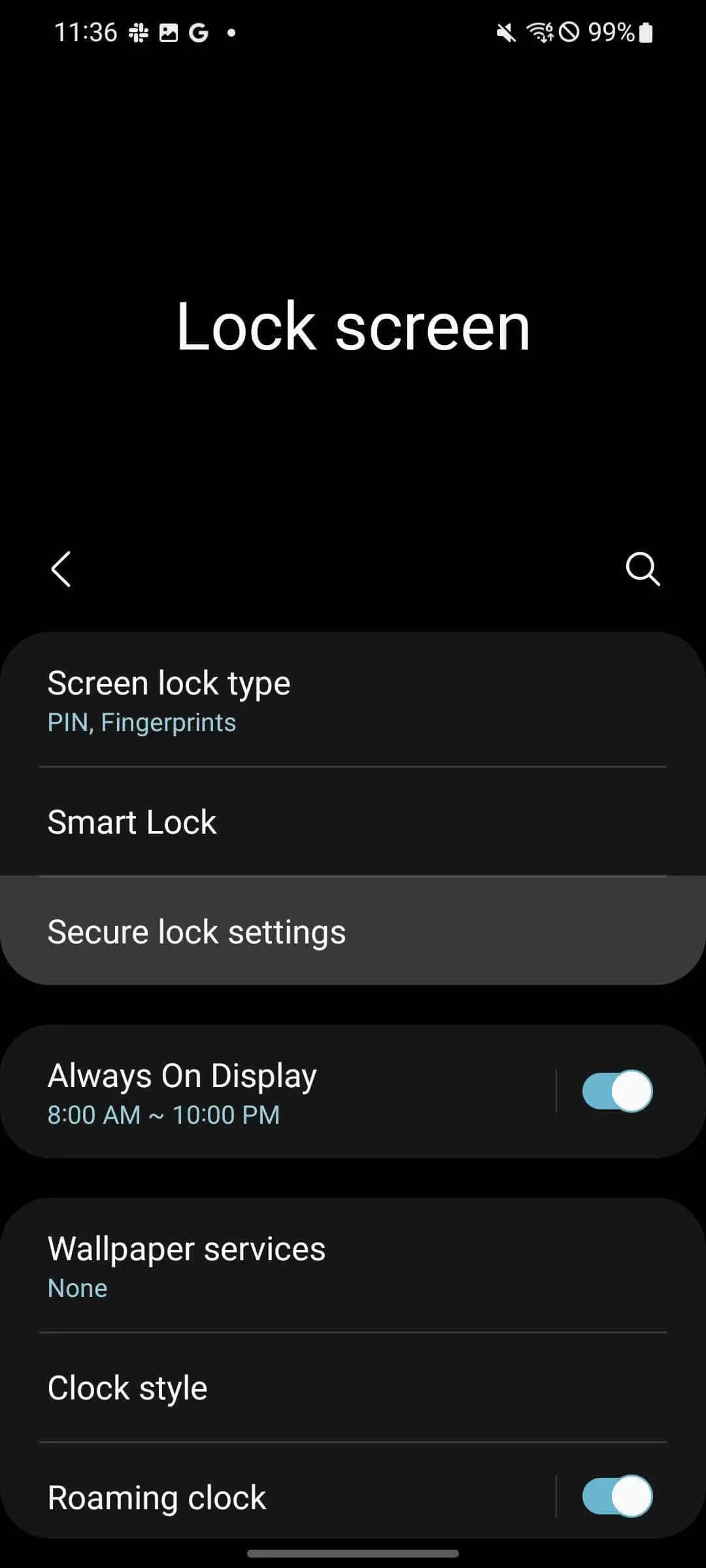
From the settings, find and tap Lock screen.
Tap Secure lock settings.
Enter your PIN or passcode.
Toggle Show lockdown option on.
This process adds Lockdown mode to your Power menu, making it very easy to access in most circumstances. Here’s how to find Lockdown mode on your Samsung phone:
From your homescreen, swipe down twice.
Tap the power icon.
Tap Lockdown.
As mentioned, your phone will instantly lock itself. If you try to open it back up, you’ll find your fingerprint won’t work nor will face unlock. The only way to gain access again is through your PIN or passcode. Once you unlock with your PIN, your Samsung device will deactivate Lockdown and things will go back to normal.
Accessing the Power menu via the side key
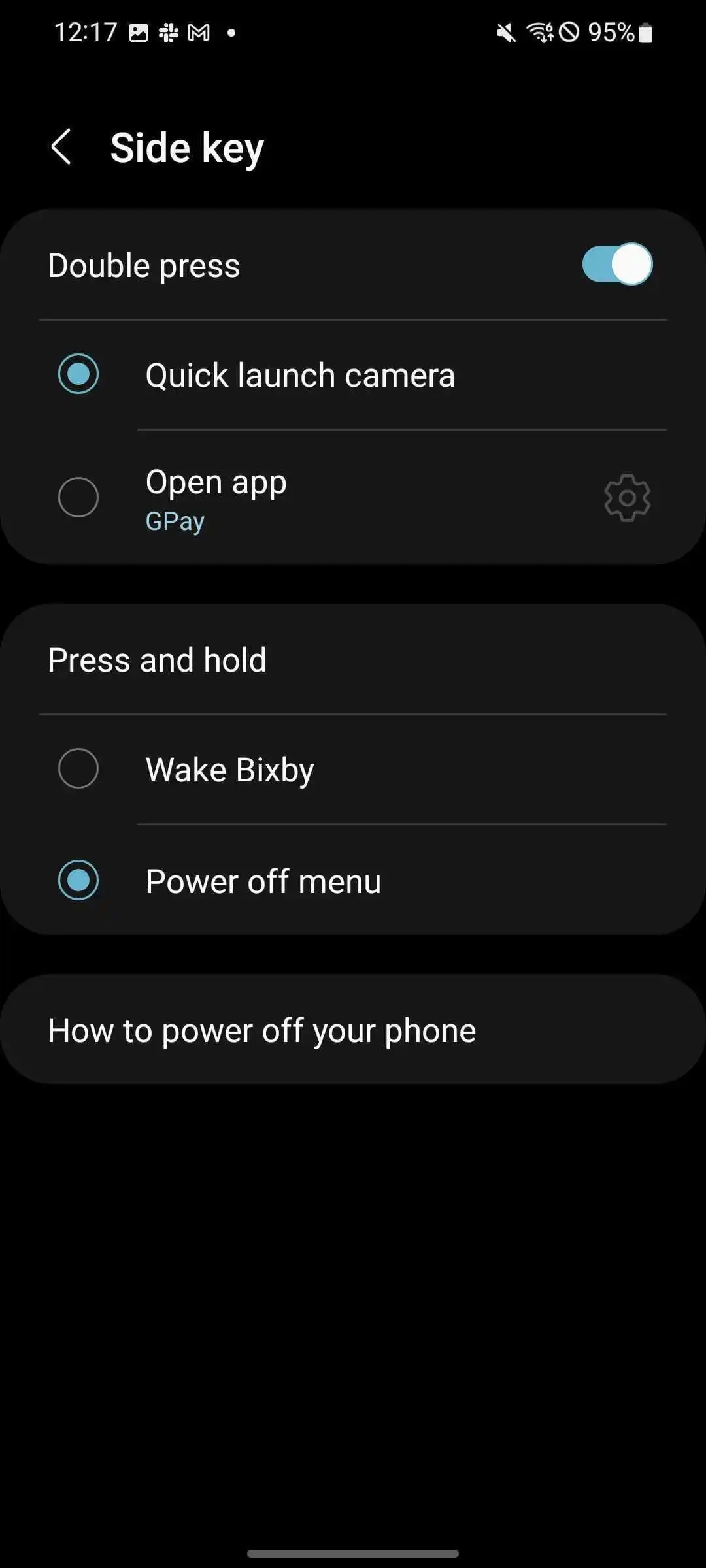
By default, the only way to access the Power menu is through the Quick Setting page above your notifications. You can change this by adjusting what the Side key – or power button – does when held down. Samsung defaults this button’s action to waking Bixby, though it can be used to quickly access the Power menu.
Here’s how to change the side key’s function:
Head to settings by swiping down once from the home screen and tapping the settings cog.
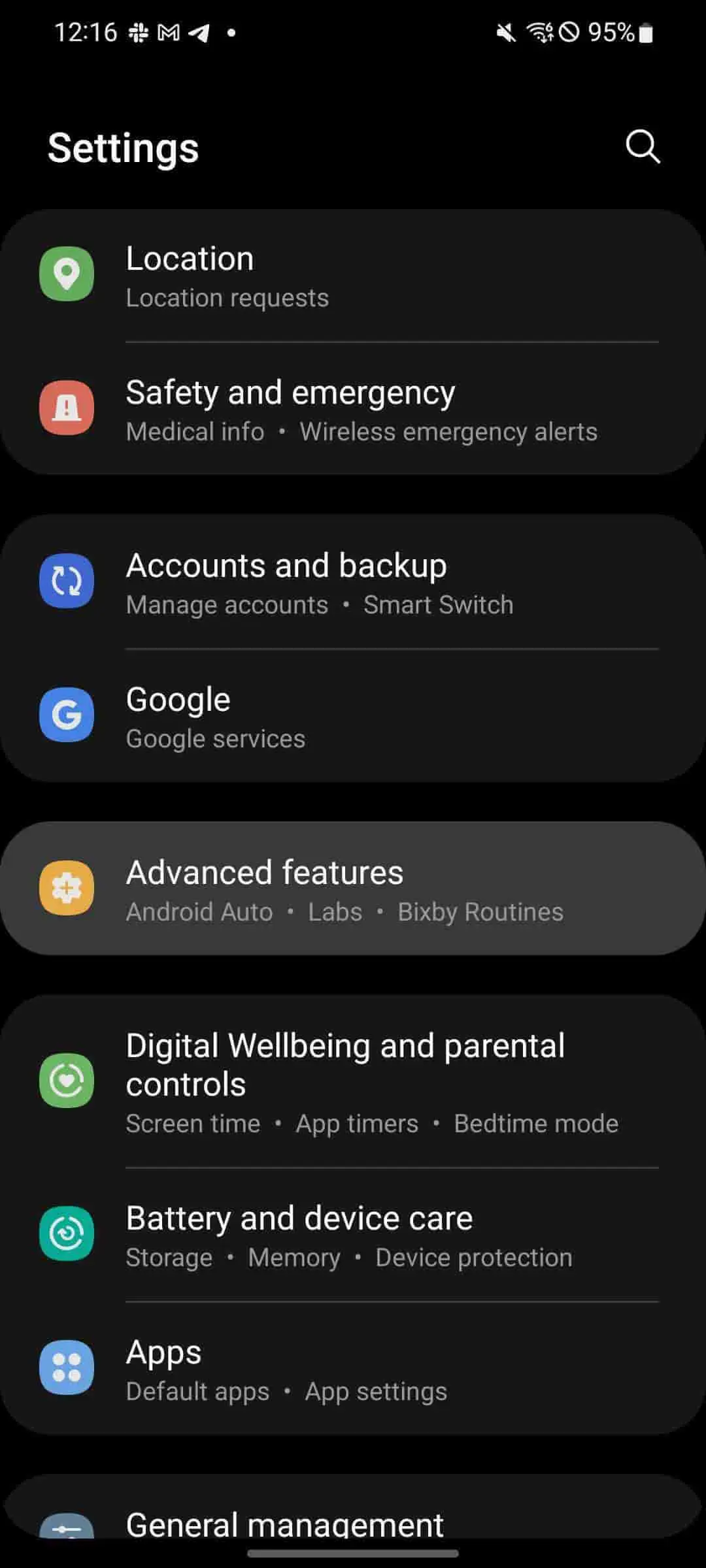
From there, scroll down and tap Advanced settings.
Hit Side key.
Under Press and hold, tap Power off menu.
Once changed, the Power menu will appear when the power button is held down. This makes it a little easier to access the Lockdown option on Samsung phones.
How is Samsung’s Lockdown different from iOS Lockdown Mode?
With iOS 16, Apple introduced a new feature for the company called Lockdown Mode as well. While the name is similar to what Samsung offers for its devices, the feature is a little more robust for iOS. Lockdown Mode for iOS initiates a systemwide security upgrade that focuses on protecting from “sophisticated cyber attacks.” Apps, websites, and other features will function differently with a focus on security rather than performance.
Apple’s Lockdown Mode is much more focused on cybersecurity rather than the physical security that Lockdown for Pixel and Samsung Galaxy devices are.
While we hope Lockdown is never needed in a real circumstance for your Android device, it’s a feature that should be familiar. Samsung’s Lockdown is a great way to protect yourself and your vital data in the case of an emergency, especially since it’s so easy to activate. This feature works great on any Samsung phone, including the Z Fold 4 and Z Flip 4, which both make use of fingerprint sensors and face unlock.
With Unpacked 2022 only a couple of weeks away, we already have a pretty good idea of what the Galaxy Z Fold 4 and Galaxy Z Flip 4 will look like, both inside and out. To put any doubts aside, new official renders have appeared online, showcasing four attractive colorways.
Over the past couple of months, we’ve already seen just about anything there is to see with the upcoming Galaxy Z Flip 4. Generally unchanged from the previous model, the Galaxy Z Flip 4 is set to come in four colorways – black, blue, cream, and purple.
According to Giznext, these colorways are likely to be officially named Graphite, Pink Gold, Bora Purple, and Blue. In an exclusive leak, the site was given official press renders of the Galaxy Z Flip 4 via @onleaks (Steve Hemmerstoffer). The images show off each color and several different angles, giving us a great look at each of them
And this is the #Samsung#GalaxyZFlip4 in all it’s glory and four color options through a set of official press renders! #FutureSquad
While the majority of details look virtually identical to the Galaxy Z Flip 3, there are a couple of small differences. First, the hinge seems to have a tighter tolerance when the device is fully open. To add, the rear display and camera bar seems to stretch out almost entirely from side to side.
On the Galaxy Z Flip 3, it seemed as if the black screen and camera array sat off of the edges a little bit. The new design looks to unify the camera bar and rear of the device. Overall, the Flip 4 has a slightly cleaner look.
Aside from that, there isn’t much more to glean from these Galaxy Z Flip 4 renders until Unpacked 2022 gives us a much better look at the devices. We’re expecting the Galaxy Z Flip 4 to be priced roughly starting at €1,080 for the 8GB/128GB storage model.
Latest Galaxy Z Fold 4 leak pins down storage offerings, ‘Burgundy Red’ color option
Samsung’s Galaxy Z Fold 4 is probably only a month away, and a fresh leak is giving us a better idea of what to expect from the storage, as well as revealing a “Burgundy Red” color option.
Evan Blass today posted a list of Galaxy Z Fold 4 variants that break down the color and storage offerings for Samsung’s upcoming phone.
This list confirms two things. Firstly, it seems the 1TB storage option we previously heard of may not be available after all. Blass’s list shows 128GB, 256GB, and 512GB versions of the Fold 4. It was previously rumored that a 1TB model would also be on the way, but this list implies that won’t be the case. Of course, it’s entirely possible this is a regional restriction – while Blass doesn’t mention it, it seems safe to assume this list is regarding the US market.
Beyond that, we also get a breakdown of the color options for the Galaxy Z Fold 4, including “Burgundy Red.”
This color option was previously mentioned by a display analyst, who claimed the color would be tough to purchase. It is noteworthy that this color option is available exclusively in the higher storage tiers, rather than the base 128GB.
The full breakdown of colors and storage options in Blass’ list can be seen below.
Beige – 128GB/256GB/512GB
Burgundy Red – 256GB/512GB
Gray-Green – 128GB/256GB/512GB
Phantom Black – 128GB/256GB/512GB
Samsung is rumored to be launching the Galaxy Z Fold 4, Flip 4, and its next Galaxy Watch sometime in mid-August.