




Samsung Z Fold 6: Repairing Inner Screens and Safe Battery Disconnect Methods

Samsung Z Fold 6: Repairing Inner Screens and Safe Battery Disconnect Methods – Ultimate Guide with 15 Proven Tips
Introduction to Samsung Z Fold 6 Repairs
The Samsung Z Fold 6: Repairing Inner Screens and Safe Battery Disconnect Methods topic has become increasingly important as foldable smartphones grow in popularity. While these devices offer cutting-edge technology, they also present unique repair challenges.
Unlike traditional smartphones, the Samsung Z Fold 6 features a delicate foldable inner display that demands precision and expertise during repairs. Even a minor mistake can lead to further damage or safety risks.
In this guide, we’ll break everything down into simple, easy-to-follow steps. Whether you’re a technician or a curious user, you’ll learn how to handle inner screen repairs and safely disconnect the battery—without guesswork.
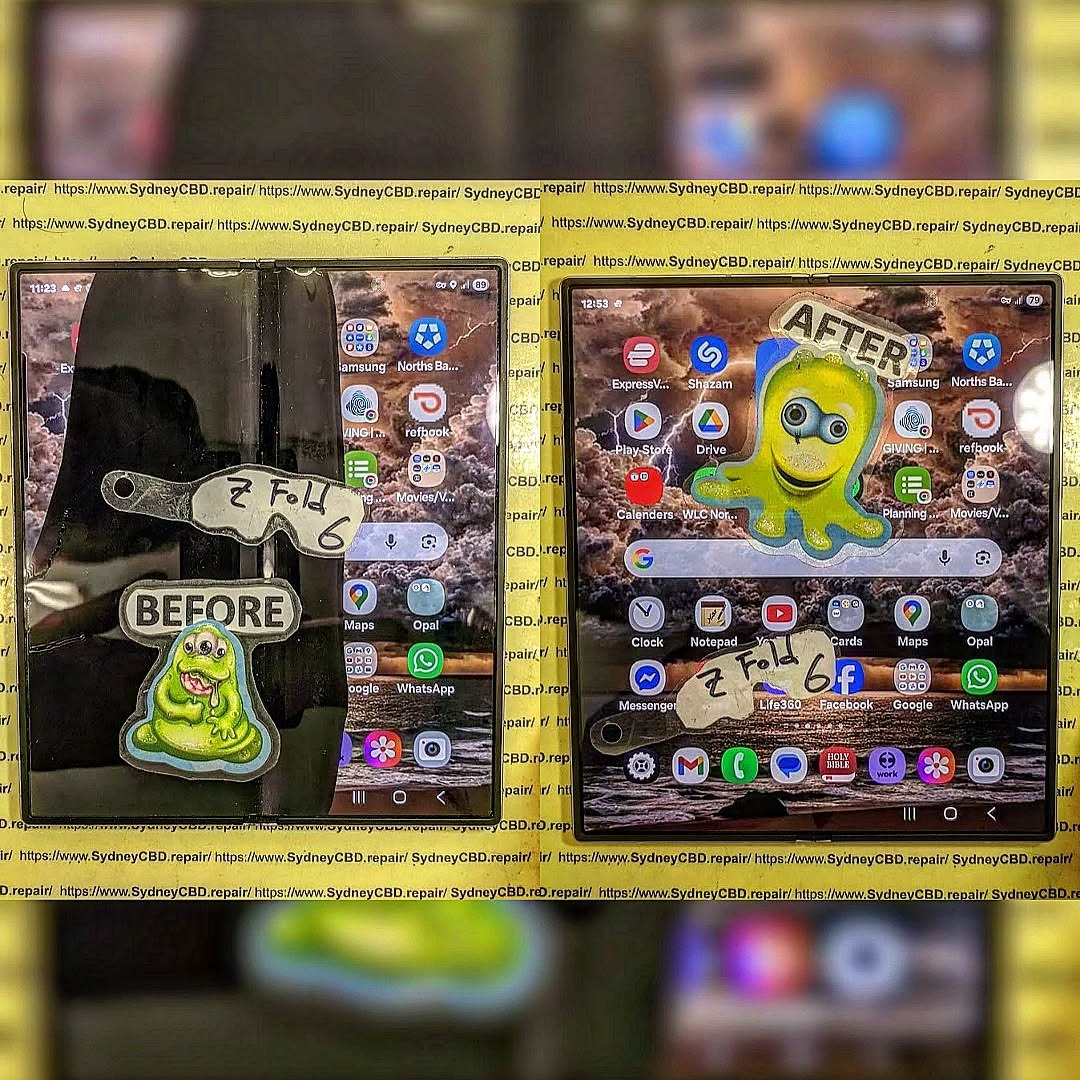
Understanding the Inner Screen Technology
Foldable AMOLED Display Explained
The Samsung Z Fold 6 uses an advanced foldable AMOLED display, designed to bend without breaking. It combines ultra-thin glass with flexible polymers, making it both innovative and fragile.
Key characteristics include:
- Ultra-thin glass layers
- Flexible OLED panels
- Sensitive touch digitizer
- Hinge-integrated design
Because of this complexity, repairing the inner screen isn’t as simple as swapping out a regular display.
Common Causes of Inner Screen Damage
Inner screen issues usually stem from:
- Repeated folding stress
- Dust entering the hinge
- Accidental drops
- Pressure applied to the folded screen
- Manufacturing wear over time
Understanding these causes helps prevent repeat damage after repair.
Tools Required for Samsung Z Fold 6 Repair
Essential Repair Tools Checklist
Before starting, gather the right tools:
- Precision screwdriver set
- Plastic pry tools
- Heat gun or heating pad
- Suction cup
- Tweezers
- Adhesive strips
- Isopropyl alcohol (90%+)
Using improper tools can damage delicate components—so don’t cut corners here.
Safety Equipment You Should Never Skip
Safety isn’t optional. Always use:
- Anti-static wrist strap
- Heat-resistant gloves
- Eye protection
These precautions reduce the risk of electrical damage and personal injury.
Step-by-Step Inner Screen Repair Process

Disassembling the Device Safely
Start by powering off the device completely. Then:
- Apply gentle heat to loosen adhesive
- Carefully remove the back cover
- Disconnect visible flex cables
- Unscrew internal brackets
Take your time—rushing leads to mistakes.
Removing the Damaged Inner Screen
This is the trickiest part:
- Heat the inner display edges evenly
- Use a plastic tool to lift slowly
- Avoid bending the frame
- Disconnect display connectors gently
Patience is key. Even slight force can crack the frame or damage sensors.
Installing the New Display
Now, install the replacement:
- Align the new screen precisely
- Reconnect all display cables
- Apply fresh adhesive
- Press evenly to secure
Before sealing the device, test the screen. It’s easier to fix issues now than later.
Safe Battery Disconnect Methods
Why Battery Disconnection is Critical
In Samsung Z Fold 6: Repairing Inner Screens and Safe Battery Disconnect Methods, battery safety is a top priority.
Failing to disconnect the battery can cause:
- Short circuits
- Component damage
- Fire hazards
Simply put, skipping this step is risky business.
Step-by-Step Battery Disconnect Guide
Follow these steps carefully:
- Locate the battery connector
- Use a plastic spudger—never metal
- Gently lift the connector upward
- Ensure no residual power remains
Always disconnect the battery before touching internal components.
Common Mistakes to Avoid
Avoid these common errors:
- Using metal tools
- Pulling instead of lifting connectors
- Forgetting to power off the device
- Reconnecting battery too early
These mistakes can permanently damage the phone.
Post-Repair Testing and Quality Checks
Display Functionality Testing
After reassembly, test:
- Touch responsiveness
- Brightness levels
- Fold/unfold behavior
- Dead pixels or lines
If anything looks off, reopen and fix it immediately.
Battery and Charging Validation
Next, check:
- Charging speed
- Battery percentage accuracy
- Heat generation
A properly reconnected battery should perform normally without overheating.
Preventive Maintenance Tips
To extend the life of your repaired device:
- Avoid excessive folding
- Keep the hinge clean
- Use protective cases
- Don’t press hard on the screen
Small habits make a big difference over time.
Cost Considerations and Repair vs Replacement
Repairing a foldable phone isn’t cheap. Inner screen replacements can be costly due to:
- Specialized parts
- Labor-intensive process
- Limited availability
Sometimes, replacing the device may be more economical—especially if multiple components are damaged.
Professional vs DIY Repairs
DIY repairs can save money, but they come with risks.
DIY Pros:
- Lower cost
- Immediate action
DIY Cons:
- High risk of damage
- No warranty
- Requires skill
Professional repairs offer:
- Expertise
- Genuine parts
- Warranty protection
If you’re unsure, it’s better to go pro.
FAQs
1. How fragile is the Samsung Z Fold 6 inner screen?
The inner screen is highly delicate due to its foldable design. Even small pressure can cause damage.
2. Can I repair the inner screen at home?
Yes, but only if you have proper tools and experience. Otherwise, it’s risky.
3. Why is battery disconnection so important?
It prevents short circuits and protects both you and the device during repair.
4. How long does an inner screen repair take?
Typically 1–3 hours for professionals, longer for beginners.
5. Is it worth repairing a foldable phone?
It depends on the damage. Minor issues are worth fixing, but major damage may justify replacement.
6. Where can I learn more about phone repair safety?
Visit this helpful resource: https://SydneyCBD.repair/locate-us
Conclusion

The Samsung Z Fold 6: Repairing Inner Screens and Safe Battery Disconnect Methods process may seem intimidating at first, but with the right approach, it becomes manageable.
By understanding the device’s unique design, using proper tools, and following safe battery practices, you can successfully perform repairs without unnecessary risks.
Still, if you’re ever in doubt, professional help is the safer route. After all, protecting your device—and yourself—is always the top priority.
David from Sydney CBD Repair Centre – The Best place to fix mobile phones as 7 Years In A Row! Top Mobile Phone Repair In Sydney. More than 2000 Positive Reviews on Google and Same Day Repairs.
We take pride in delivering exceptional repair services for all major phone brands including Apple, Samsung, Google, and more. Our expert technicians use only genuine parts and offer 90days warranty on repairs. Located in the heart of Sydney CBD, we’re your one-stop solution for all mobile device repairs.
Our commitment to excellence has earned us the trust of thousands of satisfied customers. Whether it’s a cracked screen, battery replacement, or water damage repair, we handle it all with professional care and expertise. Walk in today and experience why we’re Sydney’s #1 choice for mobile phone repairs.
Visit us for:
✓ Same Day Express Repairs
✓ Genuine Parts Guarantee
✓ Professional Technicians
✓ Competitive Pricing
✓ 2000+ 5-Star Google Reviews
✓ 7-Time Award Winner for Best Phone Repairs
Sydney CBD Repair Centre – Where Quality Meets Reliability.
Call : +61280114119
Website: https://SydneyCBD.repair/locate-us

