Replacing a Samsung S22 Screen: A Detailed Comparison

Replacing a Samsung S22 Screen: A Detailed Comparison + 7 Key Factors to Consider
📱 Introduction: Why Replacing a Samsung S22 Screen Requires Caution
The Samsung Galaxy S22 features a 6.1-inch Dynamic AMOLED 2X display—one of the best in its class. But when that stunning display cracks or shatters, choosing the right replacement method becomes crucial. A poorly done repair can compromise touch sensitivity, brightness, or even your phone’s structural integrity.
At Sydney CBD Repair Centre, we specialize in premium screen repairs with genuine parts and same-day service. But let’s explore all available options so you can make the best choice for your needs.
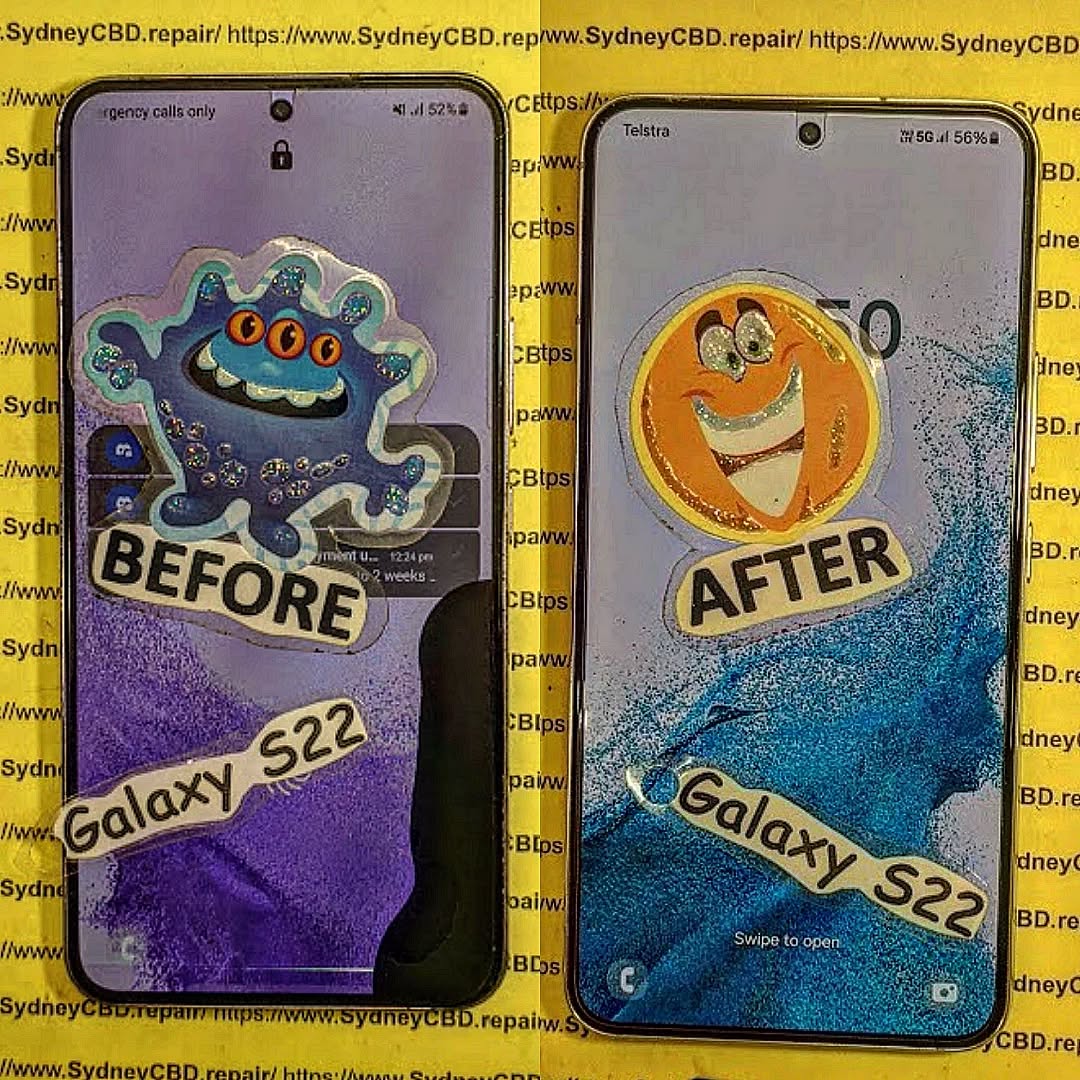
🔍 Samsung S22 Screen Anatomy
Before you repair, it’s important to understand the display you’re working with:
| Component | Details |
|---|---|
| Display Type | Dynamic AMOLED 2X |
| Resolution | 2340 x 1080 pixels |
| Protection | Gorilla Glass Victus+ |
| Refresh Rate | 120Hz |
| Touch Sensitivity | Integrated Digitizer |
It’s a complex screen with multiple layers. This is not a simple glass replacement—the display, digitizer, and glass are fused together.
🛠️ When Should You Replace the Screen?
- Visible cracks across the display
- Touch unresponsiveness
- Display discoloration or dead pixels
- Flickering screen or ghost touches
- Shattered glass exposing inner layers
Minor scratches? A screen protector may help. But major damage demands a full replacement.
🔧 Option 1 – DIY Screen Replacement
Tools Needed:
- Heat gun or hair dryer
- Suction cup and plastic pry tools
- Replacement OLED display assembly
- Precision screwdriver set
- Anti-static wrist strap
Pros:
- Cheapest upfront cost
- Flexibility to repair on your schedule
Cons:
- Risk of damaging internal parts
- No warranty or service guarantee
- Very difficult without professional tools
💡 Warning: Samsung S22 screens are sealed with strong adhesive. DIY methods often result in fingerprint sensor damage or motherboard issues.
🧰 Option 2 – Third-Party Repair Shops
Pros:
- Often more affordable than Samsung
- Faster turnaround times
- Convenient locations
Cons:
- Many use aftermarket or copy screens
- Limited or no warranty
- Screen quality may differ (dull colors, low brightness)
Ask if they use OEM parts—if not, it’s a risk to performance and resale value.
🏢 Option 3 – Official Samsung Service
Pros:
- Guaranteed OEM parts
- Manufacturer warranty support
- Full diagnostics included
Cons:
- Can take 5-10 business days
- Higher price (up to $450 AUD)
- Often requires device drop-off or courier service
🛠️ Option 4 – Sydney CBD Repair Centre

Why We’re Different:
- 90-Day Warranty on Parts & Labour
- Only Genuine Samsung Screens
- 2000+ Google 5-Star Reviews
- Same-Day Express Repairs
- Walk-in Friendly at Heart of Sydney CBD
💬 David Says:
“We don’t just fix phones—we restore peace of mind. Whether it’s an S22 or S22 Ultra, we handle each repair with expert precision.”
💸 Cost Comparison Table
| Repair Option | Estimated Cost | Parts Quality | Turnaround Time |
|---|---|---|---|
| DIY | $150–$220 | Varies / Aftermarket | 2–3 hours (if successful) |
| Third-Party (Low Tier) | $180–$300 | Often Aftermarket | 1–2 days |
| Official Samsung | $400–$450 | OEM | 5–10 business days |
| Sydney CBD Repair Centre | $330–$390 | Genuine Samsung | Same Day |
🔬 Quality Comparison
| Feature | OEM Screen | Aftermarket Screen |
|---|---|---|
| Brightness | Excellent | Moderate |
| Touch Response | Precise | May lag |
| Durability | High | Lower |
| Fingerprint Sensor | Works as intended | Often fails |
| Color Accuracy | True-to-life | Washed out |
⏱️ Time Comparison
| Method | Average Repair Time |
|---|---|
| DIY | 2–3 hours (if done right) |
| Local Shops | 1–2 business days |
| Samsung | Up to 2 weeks |
| Sydney CBD Repair | 1 Hour – Same Day |
⚠️ Risk Factor Comparison
- DIY Repair: High risk of damaging internal components
- Low-Tier Shops: High chance of poor-quality screens
- Samsung: Low risk but high cost and long wait
- Sydney CBD Repair Centre: Low risk, high quality, fast service
🛡️ Warranty Considerations
| Repair Type | Warranty |
|---|---|
| DIY | None |
| Third-Party Shops | Varies (7–30 days) |
| Samsung | Yes (6–12 months) |
| Sydney CBD Repair | Yes – 90 Days |
We proudly stand behind our workmanship and use only genuine Samsung parts.
🙋♂️ FAQs
1. Can I replace only the glass on the Samsung S22?
No. The S22 screen is fused—glass, display, and touch layer must be replaced together.
2. Will I lose data during screen replacement?
Usually not. But it’s always wise to back up your data before repair.
3. Does screen replacement affect water resistance?
Yes—unless reassembled with professional-grade seals, which we provide at Sydney CBD Repair Centre.
4. Is the fingerprint sensor affected by screen changes?
Often yes, especially with non-genuine screens. We ensure full sensor functionality post-repair.
5. Can I repair my S22 screen if it’s still under Samsung warranty?
Yes, but only through authorized Samsung channels. Otherwise, the warranty may be void.
6. What if I tried to fix it myself and it failed?
Bring it to us—we’ve salvaged many DIY attempts with careful rework and diagnostics.
🧠 Final Thoughts
The Samsung S22’s screen is a premium piece of technology that deserves a careful, professional approach when damaged. While DIY and cheap repair options may seem attractive, they carry hidden risks—especially when dealing with flagship hardware.
For those seeking fast, trusted, and warrantied service, look no further than Sydney CBD Repair Centre. We’ve helped thousands of happy customers get back on their phones—fast and worry-free.
📍 Visit Sydney CBD Repair Centre
Sydney CBD Repair Centre – Where Quality Meets Reliability
📞 Call: +61280114119
📍 Address: https://SydneyCBD.repair/locate-us
Walk-ins welcome. Same-day screen repairs available.