Per Verizon, the next GooglePixel update with the January security patch is rolling out tomorrow.
GooglePixel updates typically start rolling out on the first Monday of the month, but that falls on when New Year’s Day is observed this year. It’s coming on Tuesday as a result, according to Verizon, similar to last year:
Pixel 4a last updated 01/03/2023
Pixel 4a 5G UW last updated 01/03/2023
Pixel 5 last updated 01/03/2023
Pixel 6 last updated 01/03/2023
Pixel 6 Pro last updated 01/03/2023
Pixel 6a last updated 01/03/2023
Pixel 7 last updated 01/03/2023
Pixel 7 Pro last updated 01/03/2023
The US carrier refreshed the Device Software Updates list a day early, and the Pixel 4a to 7 Pro is set to receive it on January 3 instead of next week. Given the premature update, the actual changelogs are not live yet.
We’re not expecting anything major since the December Feature Drop with Android 13 QPR1 just arrived, though bug fixes would be welcome. For example, the Home and Wallet shortcuts have a tendency of initially appearing on the always-on display. Rather, the next big update — QPR2 — is coming in March.
Instead, the main update this month should be for Pixel Buds Pro to enable spatial audio, though there could be a phone component.
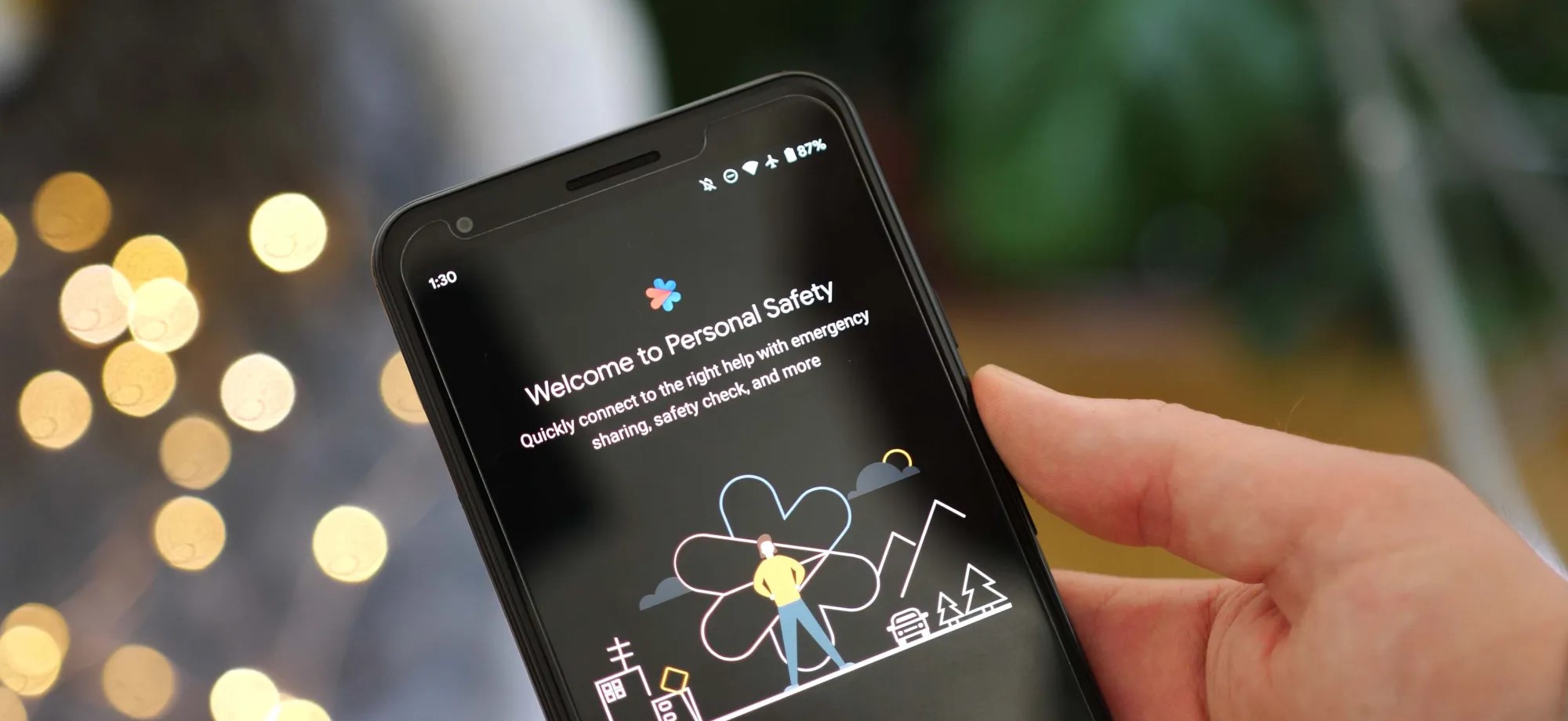
As Android 13 rolls out to more phones, the update is bringing the once Pixel-exclusive Personal Safety app to more devices including those from Sony Xperia and Vivo.
On Pixel phones today, the Personal Safety app includes a full suite of features designed to make sure you’re ready should any type of disaster strike. You can add/edit critical medical information, assign emergency contacts, get alerts for nearby crises, and on some devices even call for help when a car crash is detected.
While this was originally built as an exclusive set of features for Pixel phones, with the release of Android 13, Google has decided to make Personal Safety available as an option for other phone makers. As noted by Mishaal Rahman on Twitter, there is already a small selection of phones that are gaining access to Personal Safety as part of Android 13.
While Samsung certainly has the broadest profile of devices on Android 13 today, no Galaxy phones are currently opted in for Google’s safety suite. Instead, the current list of non-Pixel Android devices with Personal Safety contains phones from Sony Xperia, Vivo, iQOO, and Nothing.
Nothing Phone (1)
Sony Xperia 5 IV
Sony Xperia 1 IV
iQOO 7
iQOO 8 Pro
iQOO 9 SE
iQOO 9 Pro
iQOO 9T
iQOO I2202
iQOO 11
iQOO Neo7
Vivo X80 Pro
Vivo X90
Vivo X90 Pro
The actual experience of using Personal Safety on these phones is straightforward and quite similar to the app’s older (pre Android 13) experience on Pixels. Rather than appearing as a dedicated app in the drawer, you can navigate to Personal Safety through the Settings app, in the “Safety & emergency” section.
From there, as expected, you can manage your emergency information and get enrolled for alerts. However, for all currently supported phones, the Android 13 update does not bring the car crash detection that Personal Safety is best known for.
Google has opened car crash detection to non-Pixel phones, but it requires device makers to implement Android’s “Context Hub.” This feature is designed to let small, ambient programs — such as sensing a sudden stop, in the case of car crash detection — run without using excess power. As adding support for Context Hub would require a system update, it’s not likely that any of these phones will gain car crash detection in Personal Safety any time soon. Despite that, it’s still great to see Google offer some of the Pixel series’ exclusive features to more Android phones.
You can now share your car key in Apple Wallet with Android users,
starting with Google Pixel
If you happen to be an owner of one of the very few cars on the market with Car Key support, you are now able to share that car key credential with non-iPhone users for the first time.
Apple is working with the IETF and industry members to standardize cross-platform car key sharing. The first implementation of this support has landed today for Google Pixel owners. Google is working on rolling out support for all Android 12+ devices soon.
The Car Key feature allows Apple Wallet to treat unlocking your car in the same manner as you can conduct contactless payments with Apple Pay: Walk up to your car and then present your iPhone or Apple Watch to unlock it.
You can share car keys by using the Share button inside the Wallet app. You could previously send the key to other iPhone users. On iOS 16.1 or later, the Wallet app generates keys that also work with other supporting platforms, most notably Android users.
Share using the system share sheet with your favorite app like Messages, Mail, and WhatsApp. You can secure the process using an optional one-time code.
At any later time, you can revoke access to a shared car key. Simply open the Wallet app, select your car key and tap on the People icon to manage the current list of shared keys for that vehicle.
Apple’s partnership with the IETF was first announced at this year’s WWDC. The group is still working on a final specification to make publicly available for adoption by anyone. But for now, only Apple and Google have access to the necessary protocols and are working on the respective implementations privately.
It’s a really cool technology that furthers Apple’s goal to replace the wallet in your pocket, alongside other initiatives like Digital ID and Apple Pay. Hopefully, more Car Key compatible vehicles will be available soon.
Apple releases iOS 16.2 beta 4 to developers ahead of expected launch this month
Following the release of iOS 16.1.2 to iPhone users on Wednesday, Apple released iOS 16.2 beta 4 to developers on Thursday. Along with iOS 16.2, Apple has also been testing new betas for watchOS 9.2, tvOS 16.2, and macOS Ventura 13.1. Read on as we detail what’s new in these updates.
iOS 16.2 and iPadOS 16.2 include some notable changes. The Freeform collaboration app is now available to iPad, iPhone, and Mac users. There are also changes to the Home app, updates to the Weather app, and more.
On November 28, Apple also released a “Rapid Security Response” update for users running iOS 16.2 beta. Once the feature becomes available to everyone, Apple will be able to quickly fix security exploits without having to release a new version of iOS just for this.
In addition to iOS 16.2 beta 4, Apple has also made the following updates available to all developer beta testers:
Most devices have some sort of battery saver mode, while Google’s Pixel lineup comes with an “Extreme Battery Saver.” So what is it, and what makes it extreme? This guide will take you through it.
On most Android devices, battery saver works in a very similar way. Unnecessary processes are turned off in the background, your screen’s refresh rate slows down (even to the point of turning off variable refresh rate entirely), and your phone switches to a dark theme to save energy. You might also experience the lack of certain features, such as the always-on display.
All of these limitations combined significantly improve your batter’s efficiency, and battery saver mode can mean the difference between a dead phone in two minutes or an extra 25 minutes of power, roughly speaking.
So what is the Pixel’s Extreme Battery Saver?
Beyond the regular battery saver, the Pixel’s Extreme Battery Saver is an added layer of battery efficiency. In fact, in order to use the latter, you need to initially have battery saver active.
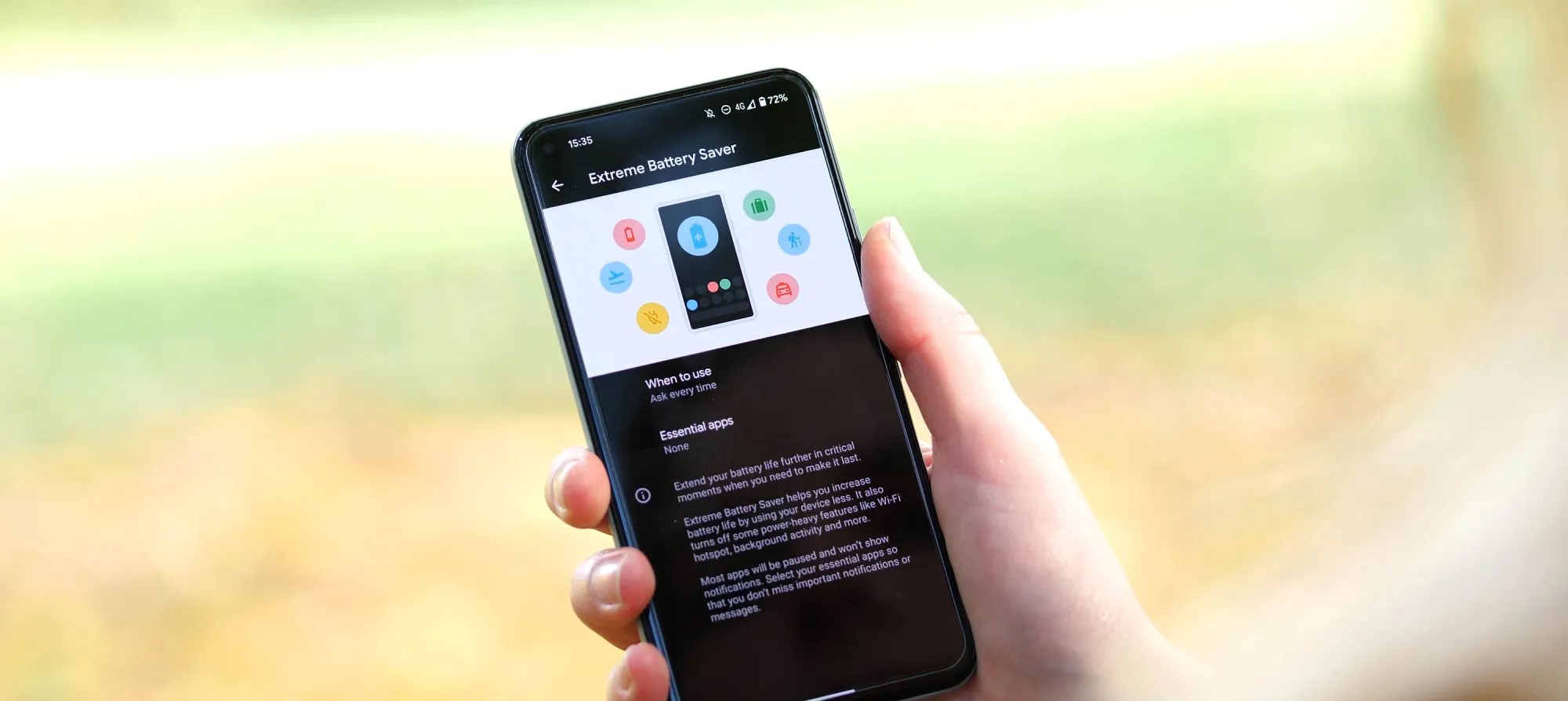
Once it is, you can access the extreme version, which goes beyond turning off a couple of features. Rather, Extreme Battery Saver turns off most of your apps and completely pauses notifications from them. In essence, most nonessential apps completely halt background usage.
This feature is used for pretty dire circumstances and can get you even more battery life when you really need it. While you can’t access most apps during Extreme Battery Saver mode on the Pixel, you can choose to classify some apps as essential. After doing so, those apps become usable while the limitation is turned on.
How to turn it on
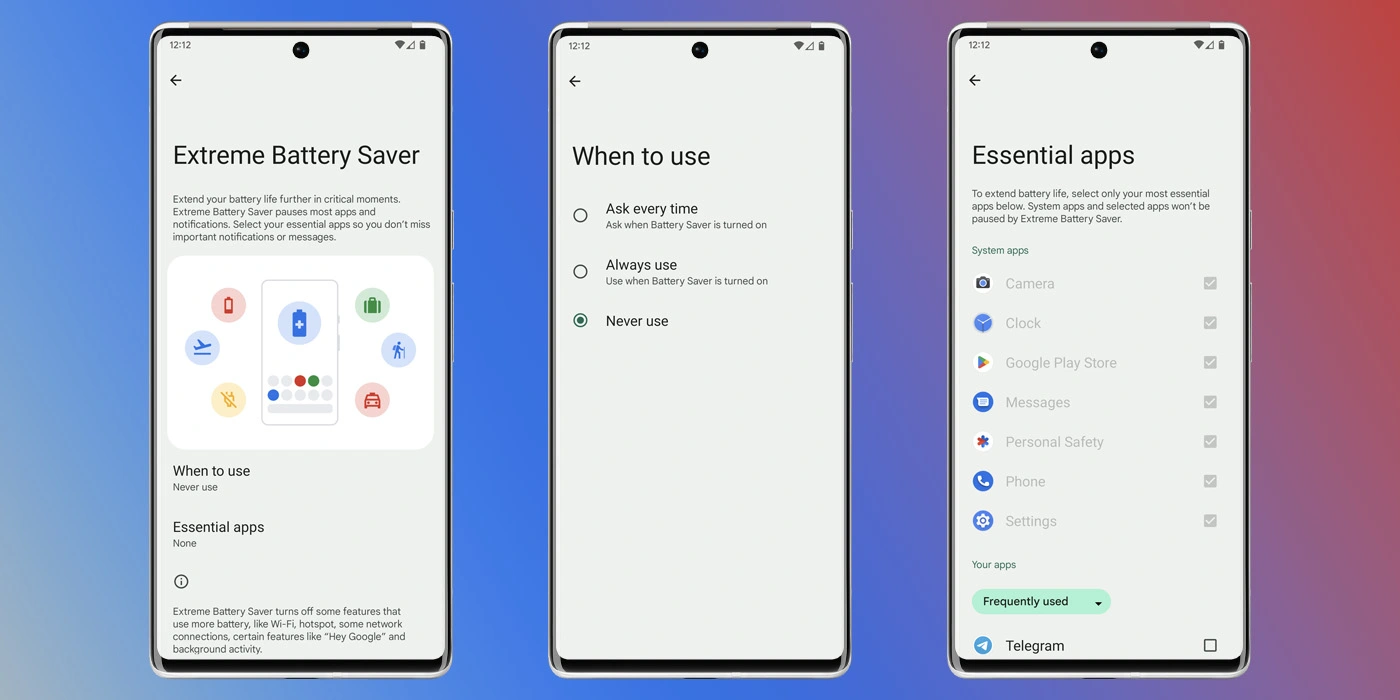
Before turning it on, you need to adjust a couple of settings that specify how you use it.
On your Pixel, head to your settings by swiping down twice and hitting the settings cog.
Tap Battery.
Hit Battery Saver.
Select Extreme Battery Saver.
Choose when to use it – you can choose to have it turn on automatically with regular battery saver or you can have your Pixel ask you first.
Choose your essential apps.
Note: Don’t go wild. The fewer apps you choose, the better your battery life will be.
Once you configure these settings, you can choose to have the extreme mode turn on after battery saver is initiated. The best way to turn the battery saver on is to access your Quick Settings on your Pixel and turn it on from there. We have a great guide on doing just that.
Google is preparing to expand Pixel’s support for showing At A Glance notifications from smart doorbells to also include alerts from Ring products.
About APK Insight: In this “APK Insight” post, we’ve decompiled the latest version of an application that Google uploaded to the Play Store. When we decompile these files (called APKs, in the case of Android apps), we’re able to see various lines of code within that hint at possible future features. Keep in mind that Google may or may not ever ship these features, and our interpretation of what they are may be imperfect. We’ll try to enable those that are closer to being finished, however, to show you how they’ll look in the case that they do ship. With that in mind, read on.
Over the course of this year, Google has put a significant amount of effort into the expansion of the At A Glance widget that is ever present on the homescreen and lock screen of Pixel devices. What originally started as useful reminders from Assistant and Calendar has become an all-in-one hub for things your phone thinks you might want to know immediately.
One such recent improvement was the addition of support for alerts from Nest Doorbells, indicating that someone is at the door and (if recognized by Familiar Faces) who it is. Now it seems Google is preparing to expand At A Glance’s support for smart doorbells to include third-party options.
As spotted in the latest release of Android System Intelligence — “T.5” which is notably the first non-beta update to the app’s Android 13 variant — the At A Glance widget is picking up support for doorbells from Ring. Since 2018, Ring has been owned by Amazon, but the company has been no stranger to Google’s ecosystem, offering full Google Assistant integration.
“Show who’s at the door when your Nest or Ring doorbell rings”
Where the existing integration with Nest is easily possible as the Google Home app is installed by default on Pixel phones, the upcoming Ring doorbell support will require that you have Ring’s app installed. Given the feature has so far only appeared in Android 13 builds of Android System Intelligence, it’s likely this particular integration won’t be launching until much later this year.
At A Glance has steadily expanded over the past year
The new tidbit comes as part of a broader movement by Google to integrate At A Glance with third-party apps and services. In recent weeks, we’ve seen preparation for the widget to support delivery notifications from services like Doordash and ETA alerts from ridesharing apps like Uber and Lyft.
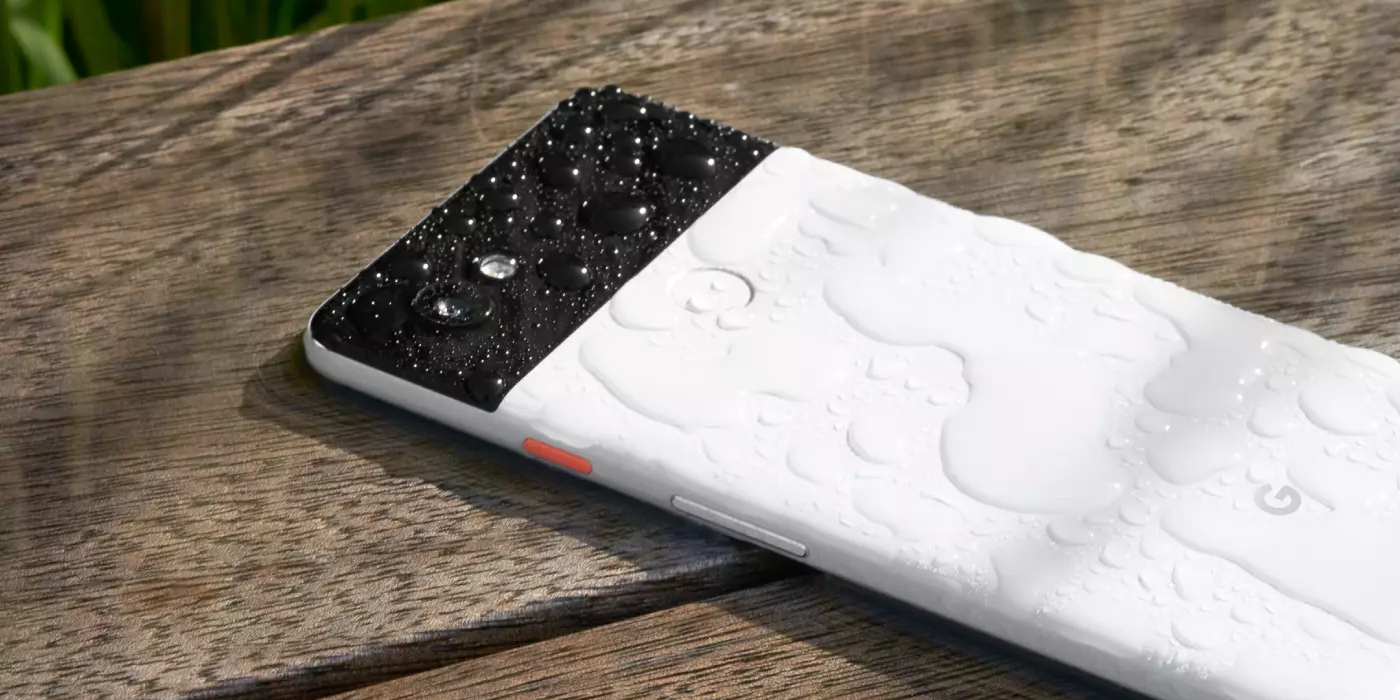
While there is undoubtedly a lot of science that goes into making your Pixel water resistant, the ratings we currently see on our devices are not an exact science. Depending on what rating you see and what you’re told, it can get a little confusing. So is your Google Pixel waterproof or water-resistant? Here’s what you need to know.
What does your IP rating mean?
For every device, a dust and water resistance rating is released with it. It can range anywhere from IP00 to IP69K, with IP00 being unable to resist any dust or water in any capacity at all and the latter being completely water and dust-proof, even under pressure.
When it comes to smartphones, you’ll likely never see an IP00 rating simply because having an enclosure around the internals dictates at least some amount of water and dust resistance. More often than not, you’re looking at ratings around IP67 and IP68. So what does that mean?
Dust and solid object resistance
Well, the IP rating is split into two numbers – the first and second digit. The second number the first number after “IP” is the amount of resistance to dust and hazardous objects, with 6 being the highest. An IP6X rating means that your device is completely resistant to “dust ingress,” which basically means you don’t have to worry about dropping it in dirt and having any particle enter the enclosure of your Pixel. Most of Google’s Pixels have an IP6X rating, so this isn’t so much of a worry.
Water resistance
The second number after “IP” is the rating against liquid. Most devices now rate somewhere between a 6 and 8. If your IP rating is IPX6, your device is able to resist something equivalent to a harsh 12.5mm wide stream of water from any direction; where the line starts to get blurred is at IPX7 and IPX8. A lot of devices fall into one of these categories.
At IPX7, you’re looking for two qualifying resistance factors. The phone is able to withstand being submerged up to 1 meter for less than 30 minutes. At IPX8, your device can withstand more than 1 meter. Unfortunately, this could mean anywhere from 1 centimeter over a meter to 2 meters, with the exact rating being left up to the manufacturer.
Remember, these ratings are intended to represent water resistance, meaning the Google Pixel is not waterproof, only resistant up to a certain degree depending on the rating.
Rule of thumb
Since the latter rating is somewhat left up to the manufacturer to decide, here’s the general rule of thumb we recommend you exercise: if your Google Pixel has an IPX8 water resistant rating, avoid submerging over 1 meter anyways. Since this could mean that your device is protected at 3’1/8″, it’s much better to play it safe and pretend like you only have an IPX7 rating.
Does the IP rating stay the same throughout the Pixel’s life?
No. No, it does not.
Your Pixel’s IP rating, whether that’s IP67 or IP68, will not remain the same the whole time you have the phone – the rating is meant to represent what state the device is in when it left the factory. In fact, there are a few ways that the IP rating could take a dip. Anything from dropping the device to having the Pixel repaired could cause that IP rating to come down a bit.
The bits and pieces that makeup water and dust resistance also happen to be materials that are shock absorbing. This includes silicones and types of glue inside your Pixel. If your device does fall and take a hit, some of that glue could come loose, developing a weak spot in your Pixel’s water resistance rating.
What waterproofing rating is your Pixel?
As mentioned, Google’s line of Pixels usually falls in either the IP67 or IP68 rating, with newer phones being IP68. Unfortunately, Google doesn’t release an IP rating for some “a” series devices, such as the Pixel 4a or 3a. For these devices, it’s better to avoid water and dust altogether. Here’s the rating for your Google Pixel’s waterproofing:
Pixel 6 Pro – IP68
Pixel 6 – IP68
Pixel 5a – IP67
Pixel 5 – IP68
Pixel 4a – N/A
Pixel 4 – IP68
Pixel 4 XL – IP68
Pixel 3a – N/A
Pixel 3a XL – N/A
Pixel 3 – IP68
Pixel 3 XL – IP68
Pixel 2 – IP67
Pixel 2 XL – IP67
Pixel – IP53
Pixel XL – IP53
In all, it’s important to know what your Pixel can handle in terms of water and dust. To be on the side safe, even if your Google Pixel has an IP68 water resistant rating, don’t submerge your phone past 1 meter underwater if you can help it. Also, note that these ratings don’t stand true the whole lifespan of the device and can absolutely degrade over time.