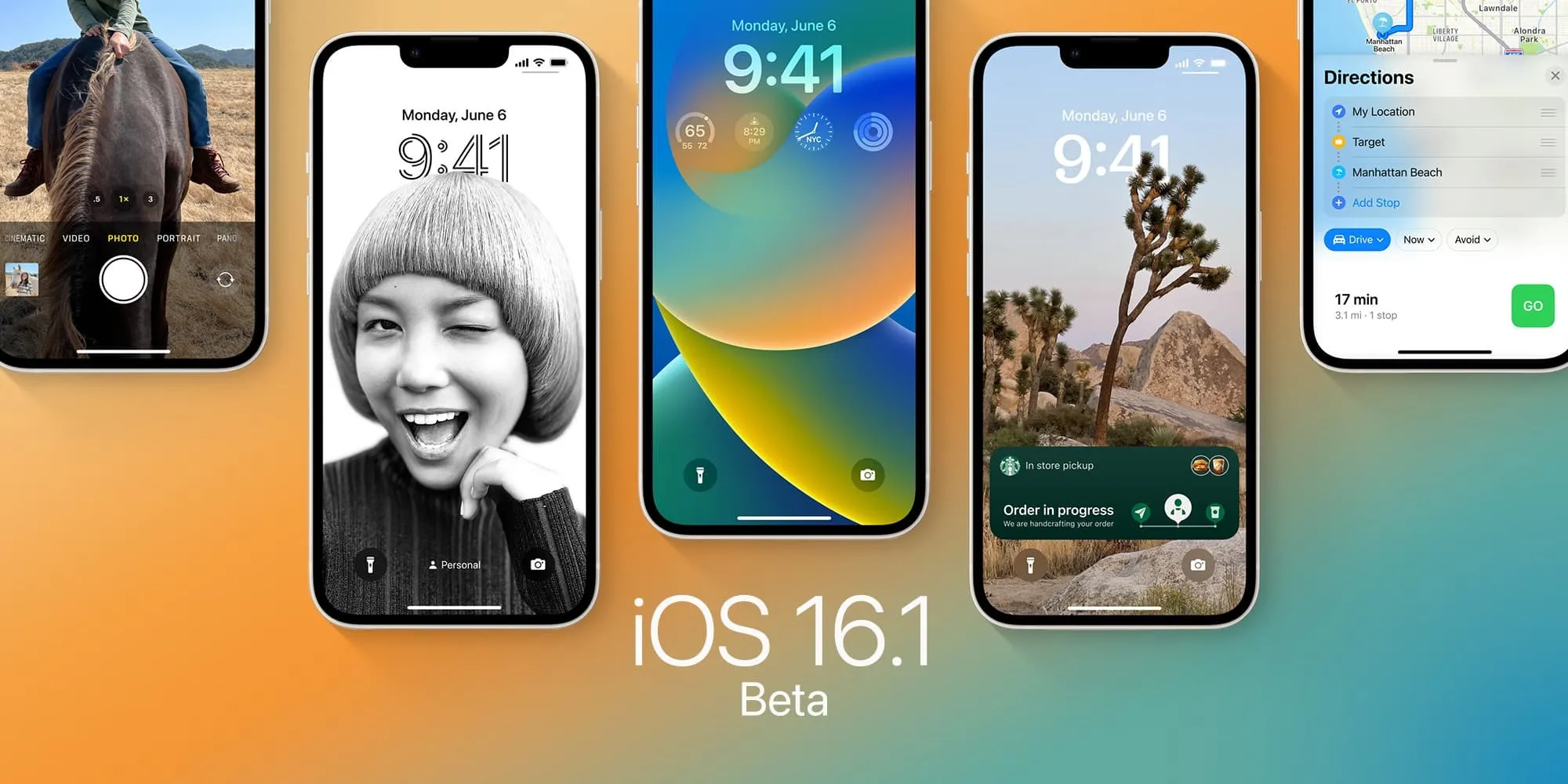
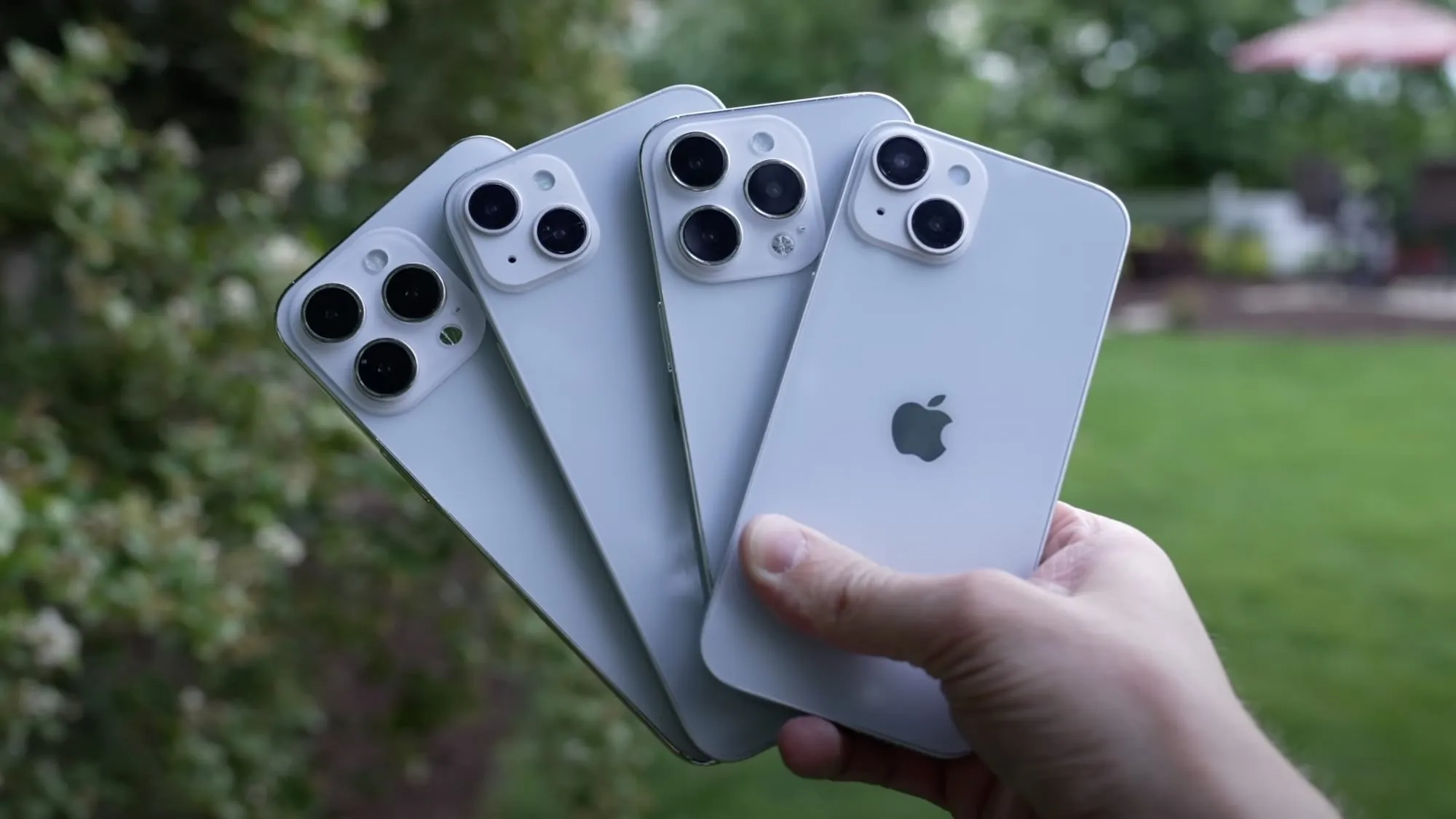
Following the release ofiOS 16.0.3 to all users on Wednesday, Apple is now rolling out iOS 16.1 beta 5 to developers. The new beta update, which adds new features to the iPhone operating system, comes ahead of the official iOS 16.1 release to the public expected later this month.
oday’s build number is 20B5072b, compared to the previous build 20B5064c. Developers and public beta testers can now install the iOS 16.1 beta 5 update by going to the Software Update menu within the Settings app on an iPhone or iPad enabled to get beta updates.
In addition to iOS 16.1 beta 4, here’s what else Apple is rolling out today:
iPadOS 16 beta 12
macOS Ventura beta 11
tvOS 16.1 beta 5
What changes with the update?
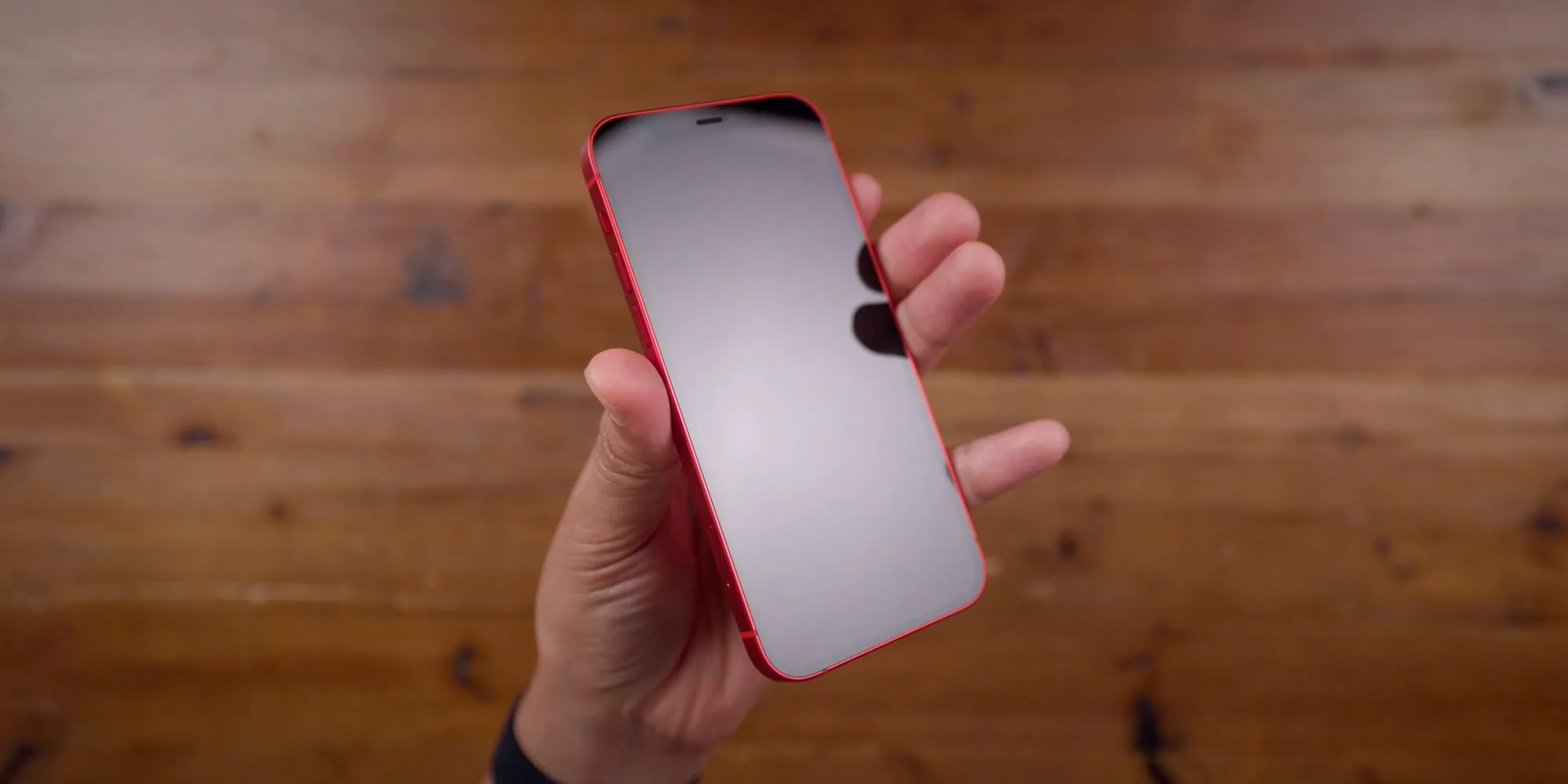
iOS 16.1 enables battery percentage for iPhone XR, 11, 12 mini, and 13 mini. Apple has tweaked the battery indicator so that it now has a dynamic icon when the percentage is enabled. The update also adds a Clean Energy Charging option, Live Activities API, and early support for the Matter protocol. For iPad users, iPadOS 16.1 brings Stage Manager for the 2018 and 2020 iPad Pro.
Here’s a detailed roundup of some of the major changes in iOS 16.1 so far:
Live Activities: Live Activities help you stay on top of things that are happening in real-time, right from your Lock Screen;
Live Activities API: Follow an ongoing sports game, track the progress of your ride, or order with just a glance. Glance at Live Activities from your favorite third-party apps with the new developer API;
Apple Wallet app can be deleted: iOS 16.1 now lets users delete the Wallet app for the first time. As you’d expect, deleting the Wallet app means you won’t be able to use a number of different features, including Apple Pay, Apple Cash, and Apple Card;
Matter support: Matter is a new smart home connectivity standard that will enable compatible accessories to work together seamlessly, across platforms;
iCloud Shared Photo Library: A new way for families to share photos seamlessly with a separate iCloud library that up to six users can collaborate on, contribute to, and enjoy. Users can choose to share existing photos from their personal libraries or share based on a start date or people in the photos;
Clean Energy Charging: Clean Energy Charging aims to decrease the carbon footprint of the iPhone by optimizing charging times for when the grid is using cleaner energy sources.
When will iOS 16.1 be available to the public?
According to a recent report by Bloomberg’s Mark Gurman, Apple plans to release iOS 16.1, iPadOS 16.1, and other software updates to the public the week of October 24. The software updates should come in time for the launch of new products, such as the rumored 10th generation iPad, iPad Pro with M2 chip, and updated MacBook Pros.
Apple is continuing to fix some of the early bugs affecting iOS 16 as well as the iPhone 14 and iPhone 14 Pro. The company is now rolling out iOS 16.0.3, which includes additional bug fixes and performance improvements for notifications, the Camera app, and more.
You can update your iPhone to iOS 16.0.3 by heading to the Settings app, choosing General, then choosing Software Update. The build number for today’s update is 20A392. It’s available for any iPhone that is capable of running iOS 16, which includes the iPhone 8 and newer.
Incoming call and app notifications may be delayed or not delivered on iPhone 14 Pro and iPhone 14 Pro Max.
Low microphone volume can occur during CarPlay phone calls on iPhone 14 models.
Camera may be slow to launch or switch between modes on iPhone 14 Pro and iPhone 14 Pro Max.
Mail crashes on launch after receiving a malformed email.
Today’s update comes after Apple released iOS 16.0.2 toward the end of September. This update addressed the annoying copy-and-paste alerts, the camera shaking problem for iPhone 14 Pro, and more. Apple is also continuing to beta test iOS 16.1 with developers and public beta users, primarily focusing on new features.
One of the biggest things we’re watching for is whether or not iOS 16.0.3 addresses the battery life complaints that are currently flooding in from many iPhone users. As we detailed a couple of weeks ago, iOS 16 has significantly impacted battery life for the majority of iPhone users, including the new iPhone 14 and iPhone 14 Pro models.
If you’re seeing faster battery drain than expected with iPhone 14 or 14 Pro you’re not alone. However, that doesn’t necessarily mean there’s a problem with your phone. Here’s a look at 7 tips and tricks to improve iPhone 14 battery life as well as why you might be seeing spikes in battery use.
The iPhone 14 lineup comes with what Apple says is roughly 1 hour longer battery for each model and the 14 and 14 Pro do feature larger mAh capacities (14 Pro Max capacity is ever so slightly less but battery life is up).
But people with the new iPhone 14 are sharing across Twitter and social media about having a bad experience with battery life so far. Let’s dig into what could be going on and how to improve battery iPhone 14 battery.
What causes battery use spikes?
Restoring a backup on your new iPhone
Things like downloading a large photo/video library are particularly draining
iPhone creates more heat when restoring and uses more battery
High background app activity
Using your new iPhone more than normal checking out new features, cameras, etc.
Combination of new hardware and software with early bugs (first iOS 16 releases)
Third-party apps and even some Apple apps may not be running optimally yet
There are many other factors at play, but these four are notable ones.
A couple of things to consider in the first few days of using your iPhone 14. Even after you’ve restored from a backup, it takes time to fully download your entire photo library, all your apps/data, etc. Your iPhone is working harder and is hotter than normal so it’s using more battery than normal.
In the Photos app, you can pause syncing/downloading with iCloud until evening. If it hasn’t done this automatically, open Apple’s Photos app > Library > All Photos > swipe to the bottom and tap “Pause.” Having that continue when you’re charging in the evening will help save battery.
In my experience, 17% of all battery use in the first four days for my iPhone 14 Pro was from the Photos app.
I’ve also seen much higher background app activity than normal across not just the Photos app but other Apple and third-party apps.
One bug I’ve seen is optimized battery charging with iPhone 14 Pro/iOS 16 has only powered my phone up to ~70% the last few nights. That, of course, makes a big difference if you’re not starting the day with a 100% charge.
You can turn that off by heading to Settings > Battery > Battery Health > Optimized Battery Charging – but keep in mind that may age your battery faster to keep it off permanently. Ideally, with a new iPhone, it will learn your schedule before long so it’s charged to 100% when you normally pull it off the charger.
Hopefully, some of these issues could be addressed with iOS 16.1 or other future updates. And after the first week, you might not be using your iPhone for quite as many hours each day and see your battery lasting longer.
How to improve iPhone 14 battery life
7 options instead of using a battery pack:
1. How are apps using battery?
Head to Settings > Battery to check out the details of your battery usage. “Last 24 Hours” is the default and shows which apps are using the most energy (including Home & Lock Screen and Siri).
Tapping the “Last X Days” toggle on the right-hand side gives you a broader look at what’s eating up your power.
Look for “Background Activity” under an app to learn if it’s been using energy behind the scenes.
Also, take a look at battery life suggestions just above battery usage (near the top). This will give you quick, actionable ways to reduce battery drain.
And, if you like to see the battery percentage on your iPhone – not just the icon –
2. Low Power Mode
Low Power Mode is a quick way to extend battery life. The feature works by suspending mail fetch, background app refresh, auto-downloads, and more with a single button. This isn’t an everyday-use feature, but it is handy.
You can turn on Low Power mode under Settings > Batteryor ask Sirito do it.However, it’s useful to have quick access to Low Power Mode in Control Center. Navigate to Settings > Control Center > Customize Controls, then tap the + icon next to Low Power Mode if it’s not already there.
This is useful to stop all the background activity from apps when you’ve recently set up a new iPhone
3. Auto-Lock, screen brightness, and always-on display
If you notice “Home & Lock Screen” on your battery usage is higher than you’d expect, it’s good to check those settings.
Auto-Lock at 30 seconds will help you preserve the most battery life. Especially with iPhone 14 Pro having an always-on display, 30 seconds can be worth it.
Navigate to Settings > Display & Brightness > Auto-Lock.
Lowering your screen brightness will also help with battery life, but this will come down to personal preference. You can do that in Control Center (swipe down from the top right corner) or Settings > Display & Brightness.
With iPhone 14 Pro HDR brightness now going up to 1600 nits and outdoor peak brightness going to 2000 nits, this is something to keep an eye on to help keep battery life in check.
Always-on display
We don’t have detailed data yet on how much battery the always-on display with the iPhone 14 Pro and Pro Max uses. Ideally, it won’t eat up much as it goes down to a 1Hz refresh rate. But if you’re looking to eke out the most battery, turning it off could help a touch.
Head to Settings > Display and brightness > Always On at the bottom.
4. Hot and cold temps
Applesays the ambient temperature “comfort zone for iPhone is 32° to 95° F (0° to 35° C). Temps above 95° F (35° C) have the potential to “permanently damage battery capacity.”
Outside of keeping your iPhone from extreme heat, it’s good to remove your iPhone case if you notice it gets hot while charging or restoring from a backup.
Meanwhile, temperatures below 32° F (0 ° C) can temporarily reduce battery life. If you live in a climate with cold temps, keeping your iPhone closer to your body in an inside pocket can help extend battery life by keeping it warmer.
5. Background app refresh
Low Power Mode turns off background app refresh across the board, but you can customize which apps use this feature for a more convenient experience as well as improved battery life. Head to Settings > General > Background App Refresh.
You can also opt to only use background app refresh on Wi-Fi in addition to Wi-Fi and Cellular or turn the feature off totally. However, most users will find leaving Wi-Fi and Cellular on while customizing which apps are used for background app refresh to be the best fit.
Turning off Background App Refresh prevents apps that you’re not actively using from updating (until you open them again).
6. Location services
Dialing in your location services settings is another way to extend battery life. (It can reduce cellular data use too). Head to Settings > Privacy & Security > Location Services to update the privileges for your apps.
Look out for any apps that ask to Always use your location and switch to While Using, Ask Next Time, or Never.
7. Push and Fetch
If you choose not to use Low Power Mode, you can manually control Push and Fetch for your email/internet accounts.
Head to Settings > Mail > Accounts > Fetch New Data. One approach is to leave your primary account(s) as push to receive new mail asap, and turn less important accounts to fetch every hour or even set them to manual.
Wrap-up on how to improve iPhone 14 battery life
While it’s no fun to have a bad experience with battery life with a brand new iPhone, hopefully, these tips plus future updates from Apple and third-party apps will reduce battery drain.
Until then, keep an eye on what apps are eating up your battery the fastest, get Low Power mode in Control Center for quick access, and use as many of the settings discussed above as you can without making daily use a hassle.
If you find you’d rather not change many (or any) of the settings, another option is to just pick up a power bank or MagSafe battery pack.
iOS 16 has been available for just about two weeks, and users are continuing to complain that the update has destroyed their iPhone’s battery life. While a temporary hit to battery life is normal after a software update, something different seems to be going on this time around, with iPhone users still complaining two weeks later…
iOS 16 battery life
When you update your iPhone to a new version of iOS, there’s usually a temporary hit to your battery life immediately after installing that update. This is because iOS is doing things in the background like reindexing files, photos, apps, and more. This type of hit to your iPhone’s battery is especially notable with Apple’s yearly flagship software releases, like iOS 16, because they are such massive updates.
In general, this leads to a flood of battery life complaints immediately after a new software version is released. But once all of the background reindexing is complete, the complaints usually subside. This year, however, the complaints have not subsided and many users are convinced that iOS 16 has completely destroyed their iPhone’s battery life.
A quick search on any social media platform, including Reddit, TikTok, and Twitter, will unearth thousands of complaints from iPhone users. These users all say that their iPhone battery life has taken a significant hit since installing iOS 16 two weeks ago. And of course, there are a number of conspiracy theories about Apple purposefully reducing battery life on older iPhones to drive iPhone 14 sales.
In a poll of 63% of iPhone users said their battery life is worse after installing iOS 16. This seems to broadly line up with public sentiment regarding iOS 16’s battery life impact. On Reddit, one user writes:
My battery drain is hugely more than i usually had. I work in the office and dont use my 13 PM that much during the day, nothing has changed in my behaviour. On iOS 15 I mostly came home with between 85% – 90% left. With iOS 16 its between 65% – 75%. That’s in my opinion quite A LOT when almost not using my phone.
Another user:
Battery on 13 pro max drains like crazy. It went from 11-12hrs SOT to just 7hrs and it lags like hell when I do facetime or PiP, it just lags in general. I do know it takes a few days for the phone to be normal again but it’s already been almost a week. I’m contemplating on going back to 15.7 but I might need some opinions first.
Apple hasn’t yet commented on these battery life concerns from iOS 16 users. The company has released iOS 16.0.2 to the public with no mention of battery life improvements. iOS 16.1 is also currently in beta testing.
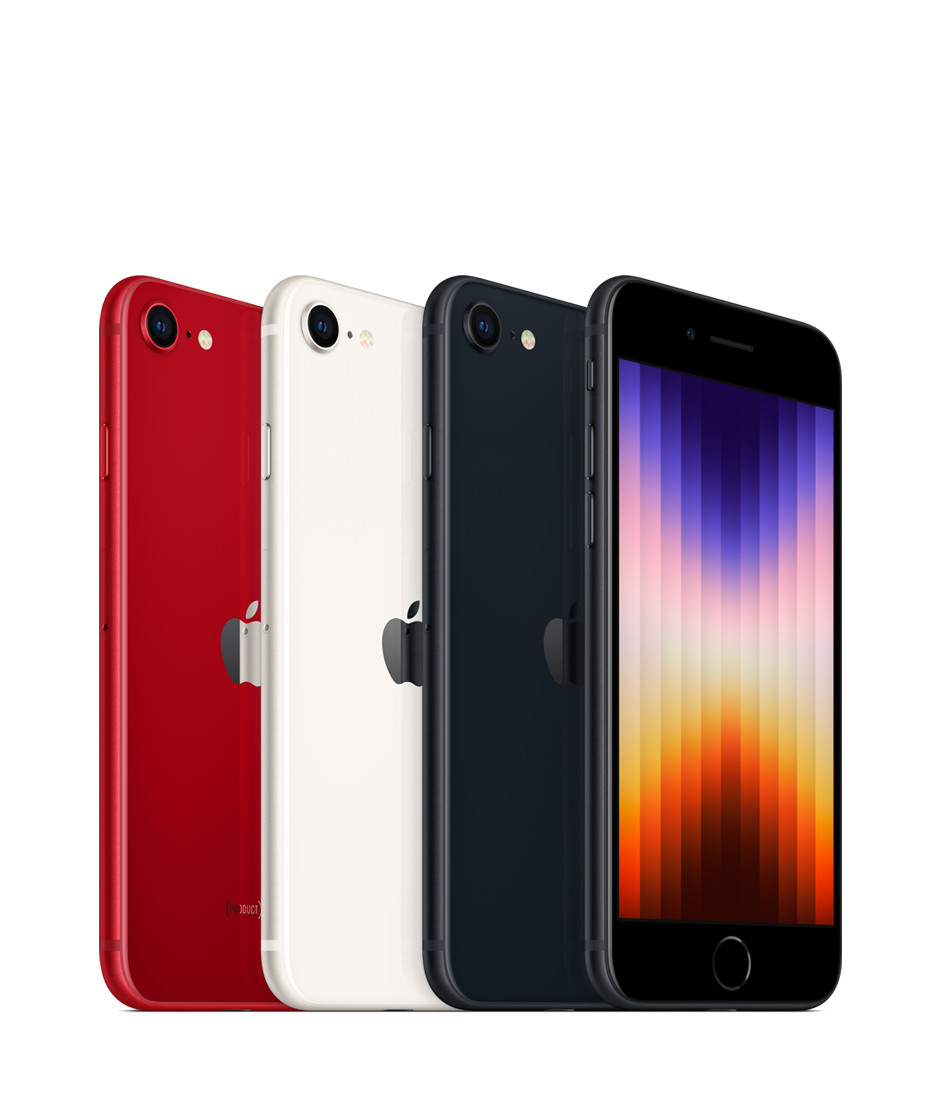
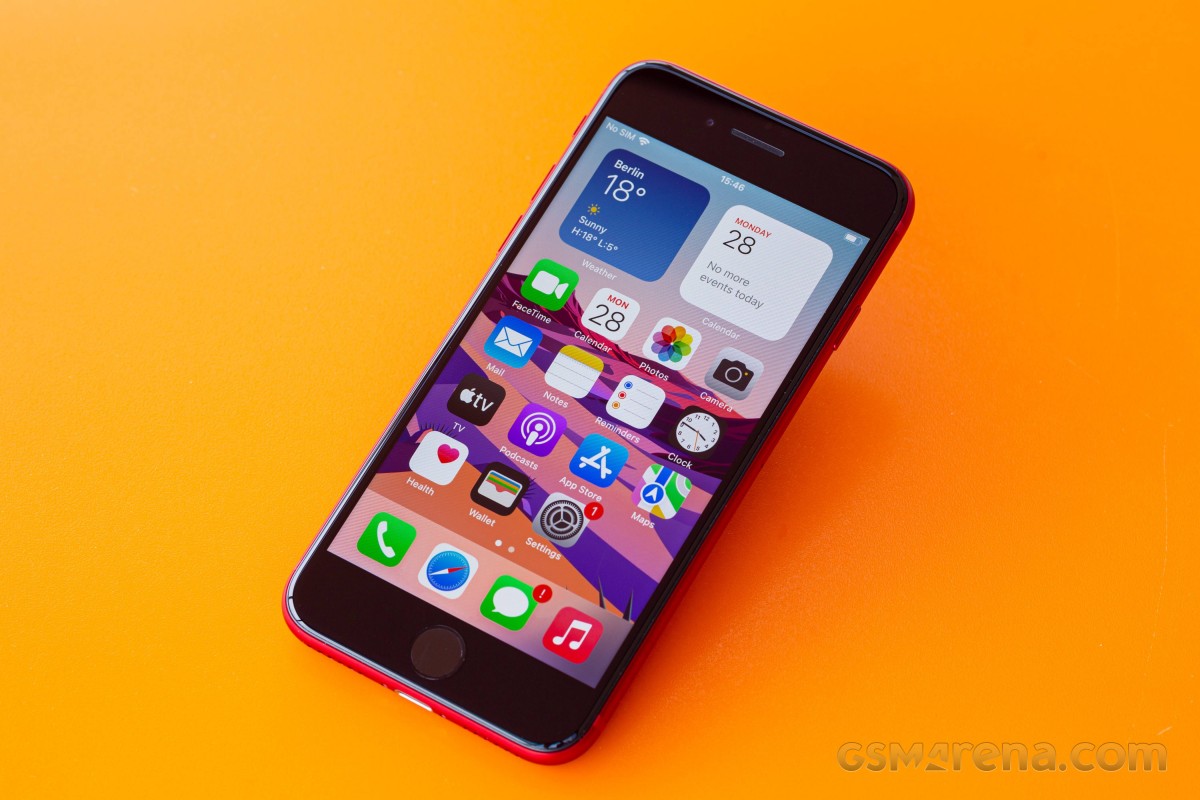
The Special Edition iPhone, also known as the cheapest iPhone, or the retro one, has been refreshed, and is now available for purchase. It’s a very minor refresh of the phone with the same name from 2020, most upgrades stemming from the new chipset and its accompanying 5G modem.
Apple really likes recycling. It is proud of its eco-friendly assembly line, recycled materials, PVC-free packaging, thin retail boxes, smaller and smaller e-waste footprint. But it’s also clearly very keen on recycling design as the third-generation iPhone SE has the same exterior as the second-generation iPhone SE from 2020, and the iPhone 8 from as far back as 2017.
The iPhone SE (2022) also keeps the 4.7-inch Retina LCD screen with 60Hz refresh rate from its predecessors. This means large thick bezels on the top and bottom, but also a Home key and an integrated Touch ID fingeprint sensor.
What’s new in the iPhone SE (2022) is the chipset – it uses the same Apple A15 Bionic as the iPhone 13 flagship line. This probably makes the iPhone SE (2022) the most powerful smartphone in the entire world when considering its small display with fewer pixels than any other high-end or mid-range smartphone. There is more RAM, too, now it’s 4GB, up from 3GB on the previous SE model.
The new chipset has enabled 5G connectivity, more computational power for iOS, and Deep Fusion for the front and rear cameras. It came short of adding night mode, however, perhaps for reasons beyond its control.
The iPhone SE (2022) also comes with a slightly larger battery – it’s now 2,018mAh instead of 1,821mAh. Wireless charging is available, just like before and because the battery capacity is so small it tops up pretty quickly even if the phone’s supported charging speeds are far from the highest on the market.
The rest of the iPhone SE (2022) specs are identical to the 2020 model – there is a 12MP OIS camera at the back and a 7MP camera at the front. You also get stereo speakers, Apple Pay support and IP67 rating for dust and water resistance.
Here’s the iPhone SE (2022) cheat sheet.
Apple iPhone SE (2022) specs at a glance:
Body: 138.4×67.3×7.3mm, 144g; Glass front, glass back, aluminum frame; IP67 dust/water resistant (up to 1m for 30 mins), Apple Pay (Visa, MasterCard, AMEX certified).
Video capture:Rear camera: 4K@24/30/60fps, 1080p@30/60/120/240fps, OIS, stereo sound rec; Front camera: 1080p@30/120fps; gyro-EIS.
Battery: 2018mAh; Fast charging 18W, 50% in 30 min (advertised), Qi wireless charging.
Misc: Fingerprint reader (front-mounted); NFC.
The Apple A15 Bionic is among the most powerful chips in the world and it feels wasteful to pair it to such a small, low-res screen that can’t exceed 60Hz. It’s like putting a Ferrari engine into a VW Polo. But we guess Apple needed to refresh the SE with 5G connectivity and it was just easiest to use the chip it already manufactures in the largest quantities.
Still, we would have preferred a larger OLED screen, even if 60Hz. And MagSafe should have been present, too, in fact we were surprised not to see it on this new SE.
Apple is promising 5 years of updates for the SE, just like on its premium iPhones, so that’s another possible reason why it needed to use the current best chipset.
Enough teasing let’s unbox this iPhone and get this review started.
Unboxing the iPhone SE (2022)
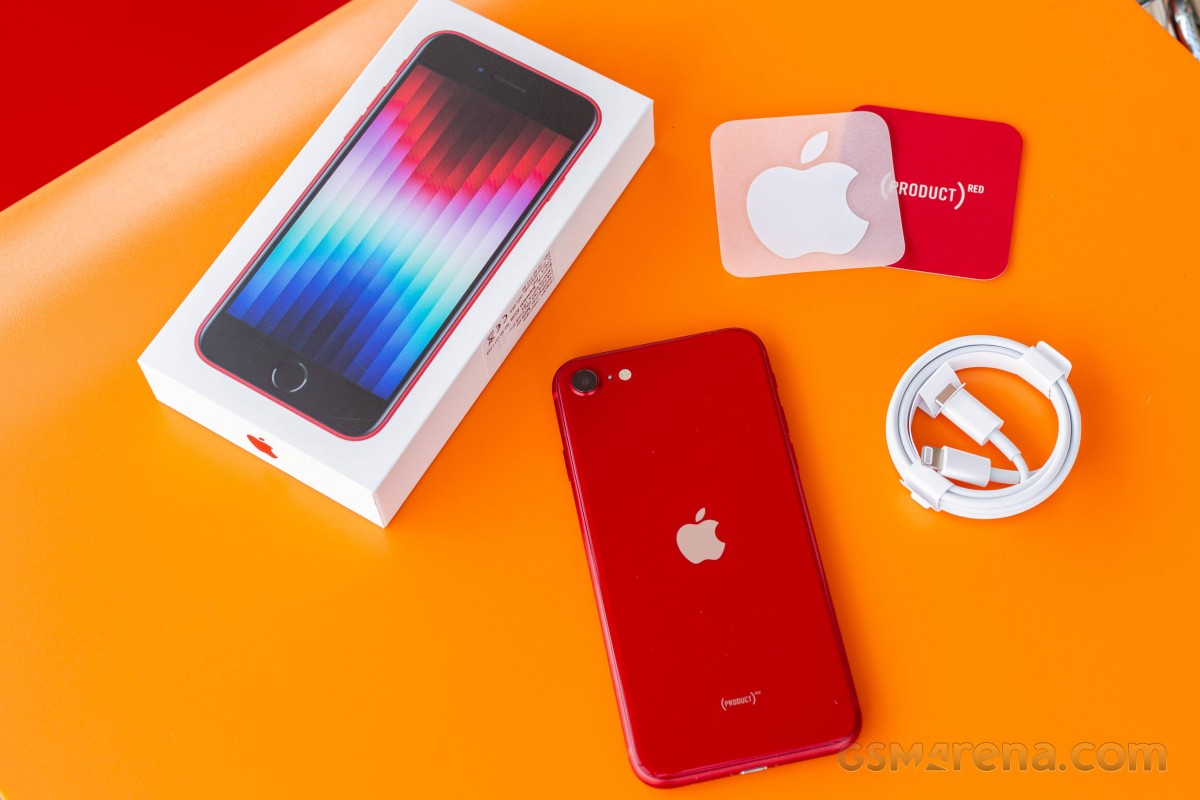
The Apple iPhone SE (2022) has the same box as the flagship iPhones – meaning it’s thin, small and lightweight and it contains the iPhone and a USB-C-to-Lightning cable.
The iPhone SE (2022) supports 20W charging, so if you already have the 20W Apple Power adapter, or a similar USB-C PD one, you should be fine.
And while Apple has dropped most of the box contents, you still get one Apple sticker that most people with throw right away. Not that eco-friendly, is it?
The competition
The iPhone SE (2022) is the cheapest iPhone you can buy from Apple and that’s all that matters to a certain group of buyers. We are not sure those are the people to care about the addition of 5G pr a faster chipset, but it is what they will be getting anyway. The new SE model keeps the iconic even if dated design, it is quite lightweight and waterproof, and offers commendable experience across the board.
Of course, the iPhone SE (2022) is a very minor upgrade over the iPhone SE (2020) so we doubt anyone will be looking to upgrade. In fact, the only major change is the chipset swap and the resulting 5G connectivity. If you do not need 5G, then you’d be perfectly fine with the second-generation iPhone SE. It is literally the same phone, even the color options are identical.
So, while stocks last the previous iPhone SE is the first model to consider. Apple has discontinued the model from its website, but the SE (2020) is still available for purchase across various retailers worldwide. And it costs about €260, which is half the iPhone SE (2022) price, making it incomparably better value.
The iPhone 12 mini is officially available, and its base model can be found at about €680 or €180 more expensive than the iPhone SE (2022). It is a smaller phone yet has a larger OLED screen with faster touch response time, which makes operations look smoother. The 12 mini offers Ceramic Shield glass, it has an extra 12MP ultrawide camera on the back and a better 12MP front camera with 4K video capturing. There is also Face ID and better battery life to consider. If you can stretch your budget that far and care about the user experience we really think the mini is the far better value for money.
We are not including the iPhone 13 mini as it is a further €120 more expensive and doesn’t offer nearly enough upgrades to justify that. Unless perhaps you are looking for 128GB of storage, which is the base for the 13 mini, but an expensive upgrade on the SE (2022) and the 12 mini.
If Apple‘s ecosystem is not a must, maybe you will like the compact Asus Zenfone 8. It is about €100 more expensive than the iPhone SE (2022), but it comes with a 5.9-inch AMOLED with 120Hz refresh rate and a superb dual-camera system on the back. Its front camera is also an excellent choice for its 12MP sensor and AF capabilities.
Finally, last year’s Samsung Galaxy S21 5G is also a good choice for its compact shape, a great 6.2-inch Dynamic AMOLED 2X with 120Hz refresh, powerful hardware, and a triple camera with an ultrawide and a telephoto in addition to the main shooter. It has much better battery life, too, and Samsung’s ecosystem and line of accessory has become as good as Apple’s. The S21 5G is about €80 more expensive than the iPhone SE (2022), still reasonably compact but with a much larger screen.
Apple iPhone SE (2020) • Apple iPhone 12 mini • Asus Zenfone 8 • Samsung Galaxy S21 5G
Our verdict
If you are dead set on buying an iPhone, but want to spend as little as possible the iPhone SE (2022) is your default option and nothing this review says will change your mind. Then again you probably won’t be reading reviews in the first place.
Apple‘s sequels rarely change much to make you jump on the next generation and the iPhone SE (2022) is just another example of that. Despite taking two years to arrive it only has the newer Apple A15 chip with a 5G modem to show for it. The rest is the same, in fact – similar to what the iPhone 8 had back in 2017.
It is not a phone you’ll hate to use, don’t get us wrong. A good if tiny display, excellent speakers, reliable camera, and a very compact body.
The iPhone SE (2022) can do a lot of things well and that might be enough to justify its €520 base price in the eyes of many people.
Of course, it looks retro, and it has a small display of low resolution and slow refresh with huge black bezels. There’s only a single camera on the back and one that hasn’t had a sensor or lens update since 2017 – hence the lack of Night Mode.
So this really is a phone for two groups of people. The first one wants the cheapest entry into the iOS ecosystem. The second are those looking for a powerful compact phone with the same requirement of spending as little as possible. If you fall in either of those the iPhone SE (2022) will perform reliably enough so you won’t regret getting it. In any other case you should either stretch you budget to an iPhone 12 mini or explore the endless Android market instead.
Pros
Solid glass build, IP67-rated, very compact body
Good brightness, decent contrast screen, great color accuracy
Loud stereo speakers, good audio quality
The screen on battery endurance is actually okay
The most powerful chipset; does not throttle much
Dependable photo and video cameras
5G
Touch ID
Cons
Very few upgrades over the iPhone SE (2020), but costs more
No Night Mode.
The display is too small for a lot of tasks
60Hz screen refresh, 60Hz touch sampling rate
No charger in the box
iOS (with its limitations) remains a love it or leave it affair
When the iPhone 14 lineup was announced last week, Apple touted that you can expect improved battery life across the board compared to the iPhone 13. Now, we have more details on the battery inside each iPhone 14 model, including the iPhone 14 Plus… which Apple says has the “best battery life ever in an iPhone.”
iPhone 14 battery sizes
In a filing on the Chemtrec website, Apple has published official details on the battery sizes of each of the iPhone 14 models. As expected, the iPhone 14 Plus battery is particularly impressive. There are also increases for the iPhone 14 and iPhone 14 Pro, while the battery in the iPhone 14 Pro Max is actually slightly smaller.
Here is the watt hour capacity for each of Apple’s iPhone 14 models, compared to their iPhone 13 predecessors:
iPhone 14 – 12.68 watt hours
iPhone 13 – 12.41 watt hours
iPhone 14 Plus – 16.68 watt hours
N/A
iPhone 14 Pro – 12.38 watt hours
iPhone 13 Pro: 11.97 watt hours
iPhone 14 Pro Max – 16.68 watt hours
iPhone 13 Pro Max: 16.75 watt hours
The battery life of an iPhone is impacted by two primary factors: the size of the battery life and the efficiency of the processor inside the iPhone. This year, the iPhone 14 Pro and iPhone 14 Pro Max have switched to a new A16 Bionic process that uses a new 4nm manufacturing process. The iPhone 14 and iPhone 14 Plus use the 5nm A15 Bionic, which is still incredibly efficient but less so than the A16 Bionic.
Shrinking the fabrication process used for chip manufacturing generally results in a boost in efficiency. This will obviously counteract the fact that the iPhone 14 Pro Max features a negligibly smaller battery than the iPhone 13 Pro Max.
Some additional statistics on the iPhone 14’s mAh battery stats have also emerged through a regulatory database in China.
iPhone 14: 3279 mAh
iPhone 13: 3227 mAh
iPhone 14 Plus: 4325 mAh
N/A
iPhone 14 Pro: 3200 mAh
iPhone 13 Pro: 3095 mAh
iPhone 14 Pro Max: 4323 mAh
iPhone 13 Pro Max: 4352 mAh
iPhone 14 battery life: What to expect and how it compares to previous iPhones
Battery life gets a little boost with the iPhone 14 lineup. Follow along for a detailed look at how iPhone 14 battery life compares to iPhone 13, 12, and 11 including what to expect for iPhone 14 battery for video and audio playback.
The four iPhone 14 models feature the same general design as the iPhone 13 and 12 with flat sides. But with the iPhone 12 devices at a thickness of 0.29 inches (7.4 mm) and the iPhone 13 lineup at 0.30 inches (7.65 mm) thick, the iPhone 14 comes in at 0.31 inches (7.8 mm and 7.85 mm for the Pro). That includes a slightly increased battery life along with new camera modules.
iPhone 14 battery life: What to expect
Apple says the iPhone 14 devices offer the “Best battery life ever in an iPhone.”
1 hour longer battery life on iPhone 14 Pro than iPhone 13 Pro for video playback
1 hour longer battery life on iPhone 14 Pro Max than iPhone 13 Pro Max for video playback
1 hour longer battery life on iPhone 14 than iPhone 13 for video playback
7 hours longer battery life on iPhone 14 Plus than iPhone 13 for video playback (no direct predecessor for comparison)
Keep reading for more detailed battery life specs…
Looking more closely, iPhone 14 models offer about the same amount of audio playback as the iPhone 13 lineup. However, iPhone 14 Plus leads all models with 100 hours of audio playback.
Here is iPhone 14 battery versus iPhone 13, 12, and 11 byvideo playback and audio playback (not streamed) based on Apple’s tech specs.
All battery estimates from Apple below feature the “up to” qualifier on all of its specs pages.
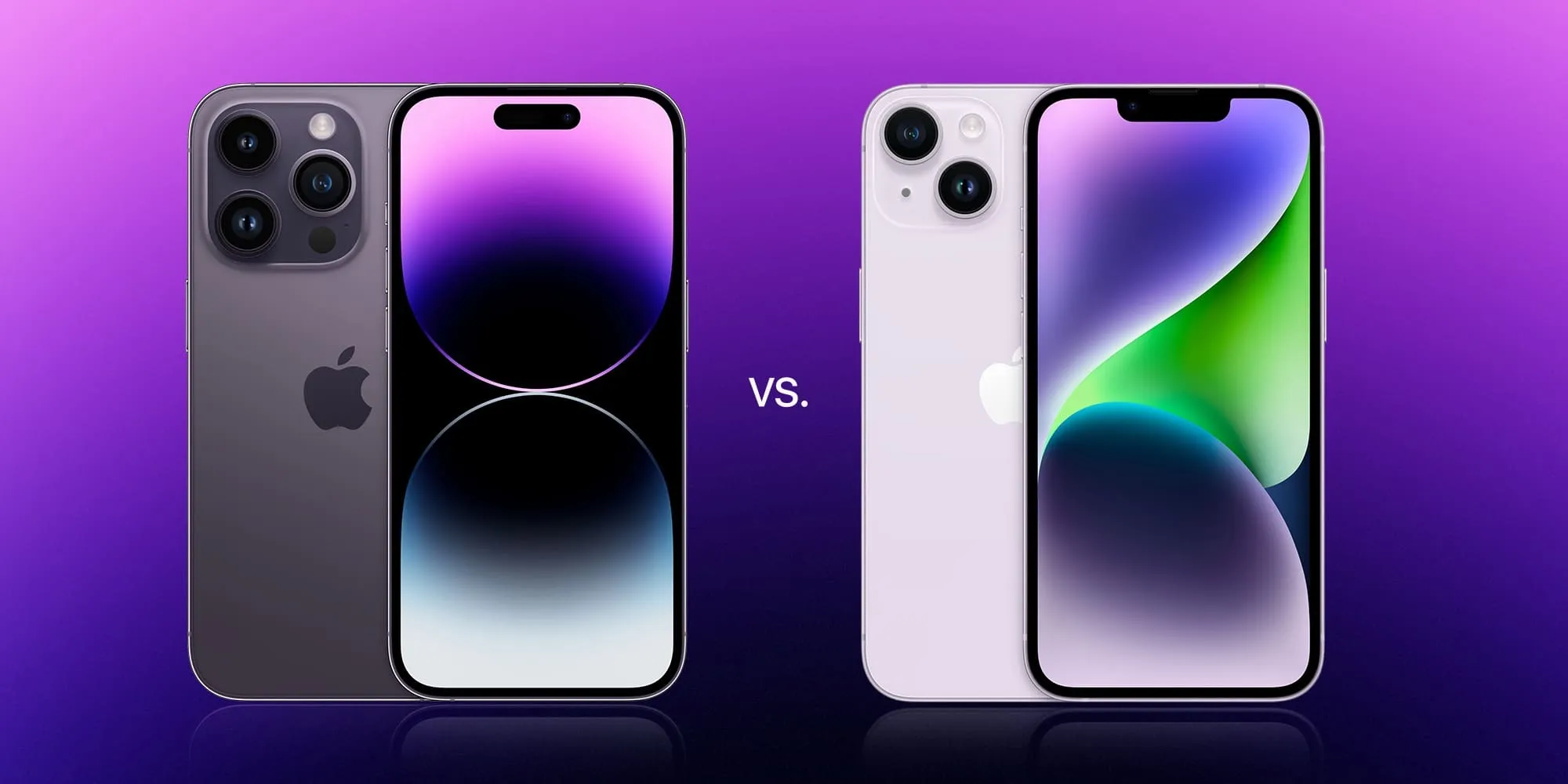
The iPhone 14 and iPhone 14 Pro lineups are officially available to order. The decision between choosing an iPhone 14 model can be tricky. The iPhone 14 Pro is obviously more powerful and capable, but you also have to factor in differences like pricing, battery life, and overall weight. Head below for a deep dive into the iPhone 14 vs iPhone 14 Pro.
iPhone 14 vs iPhone 14 Pro: Screen sizes
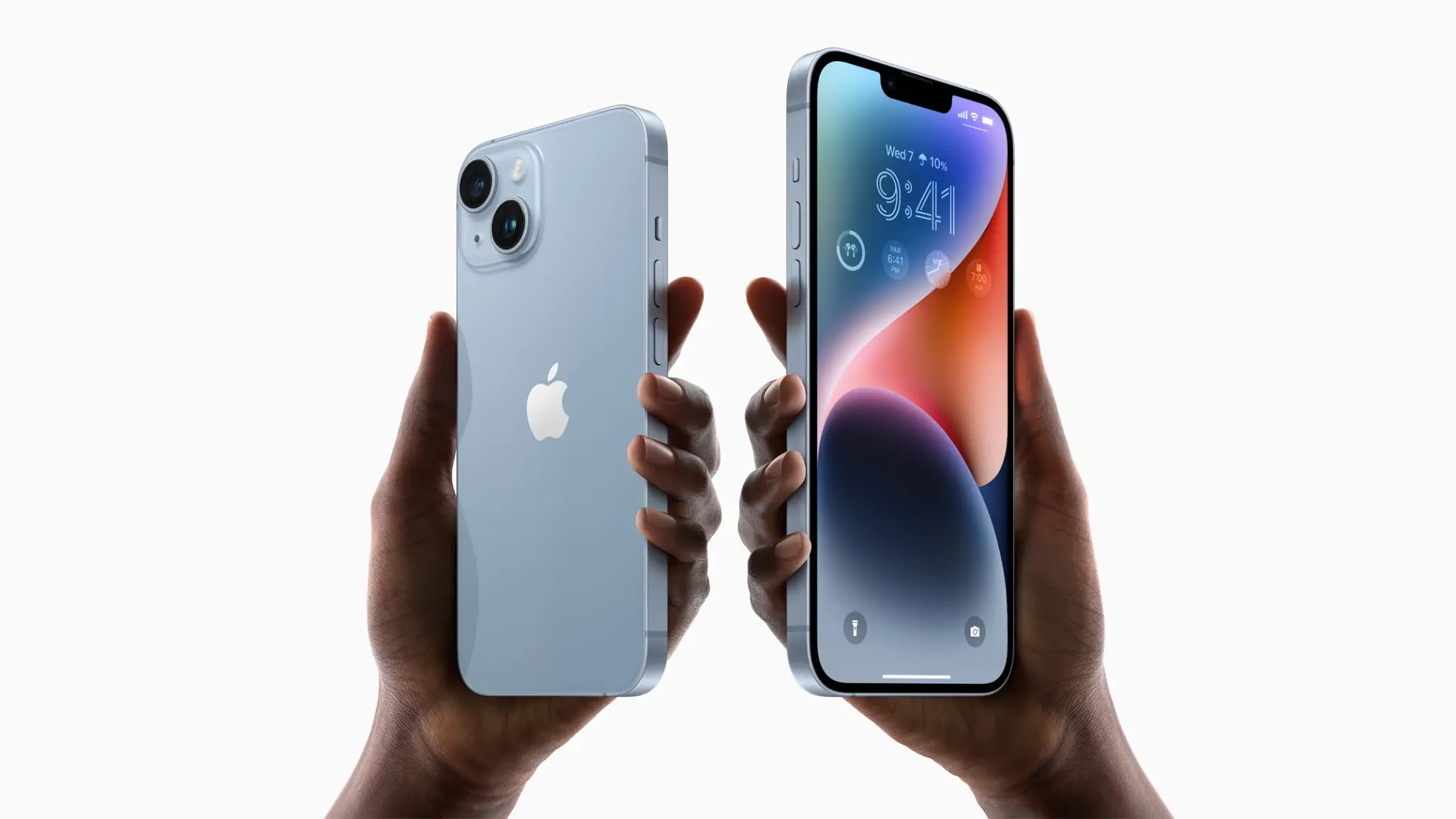
For the first year ever, both the standard iPhone 14 and the iPhone 14 Pro are available in the same screen sizes. Regardless of which family you pick, you have your choice between a 6.1-inch or 6.7-inch screen. This is a major difference compared to the past two years, when the top-tier “Pro Max” was the only choice for those who wanted the largest 6.7-inch screen.
But with that in mind, there are some big differences in terms of the screen technology and features. Namely, the iPhone 14 Pro and iPhone 14 Pro Max offer ProMotion display technology for smoother animations, the new Digital Island that replaces the notch, and the first-ever Always-On display.
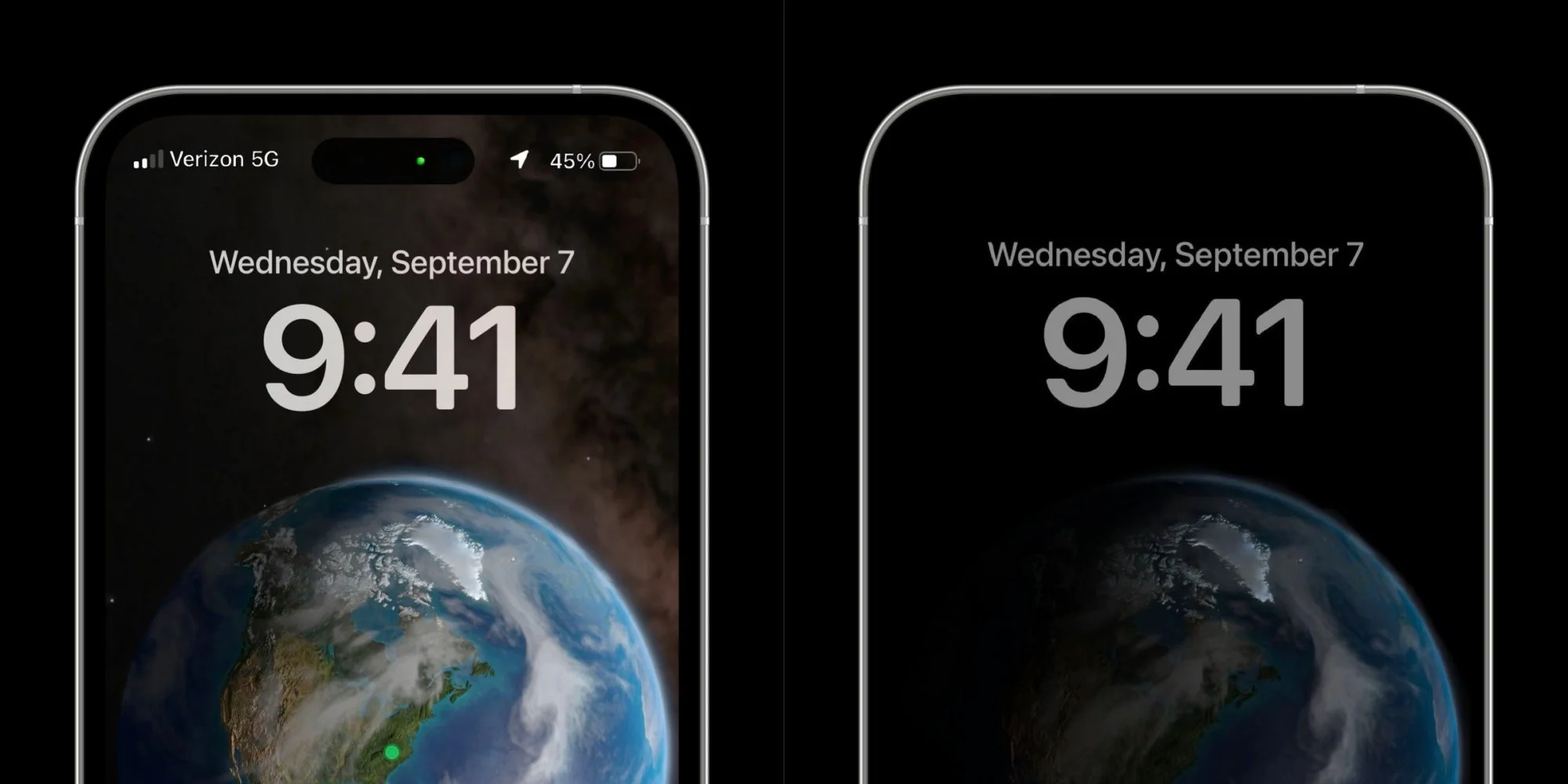
The iPhone 14 Pro’s Always-On display enables the screen to show you your lock screen widgets, the time, and your wallpaper at all times. This is the first time Apple has ever implemented an Always-On display for the iPhone.
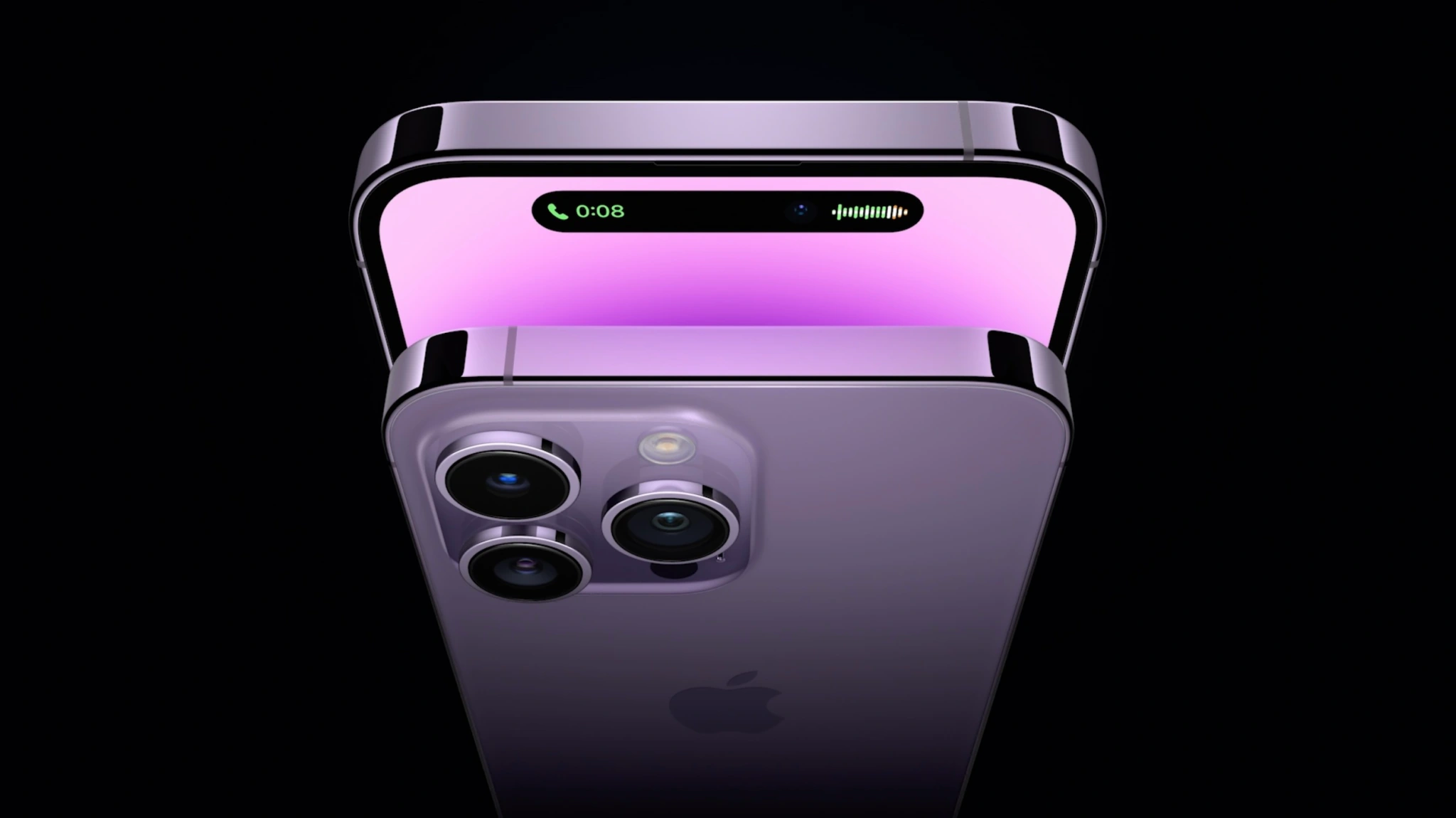
Meanwhile, the Digital Island brings a new level of interactivity in replacement of the notch. You can tap and hold to find more options and controls. The Dynamic Island can show things like album art for content in the Music app, controls for FaceTime, specific background activities, and more. The new Live Activities feature coming iOS 16 also integrates with the Dynamic Island, meaning you can see live notifications directly in the new screen area.
While those are the bigger differences between the displays, there are some other technical details as well. Here’s the full breakdown of the display technology inside the iPhone 14 vs iPhone 14 Pro.
iPhone 14
iPhone 14 Plus
iPhone 14 Pro
iPhone 14 Pro Max
Size
6.1-inches
6.7-inches
6.1-inches
6.7-inches
Resolution
2532×1170-pixels
2778‑by‑1284-pixels
2556‑by‑1179-pixels
2796‑by‑1290-pixel
PPI
460ppi
458ppi
460ppi
460ppi
ProMotion?
❌
❌
✅
✅
Dynamic Island?
❌
❌
✅
✅
Always-on display?
❌
❌
✅
✅
Typical brightness
800 nits max
800 nits max
1000 nits max
1000 nits max
Outdoor brightness
800 nits max
800 nits max
2000 nits max
2000 nits max
HDR brightness
1200 nits max
1200 nits max
1600 nits max
1600 nits max
True Tone
✅
✅
✅
✅
Haptic Touch
✅
✅
✅
✅
Size and design
There are some notable differences in the design and dimensions of the iPhone 14 and iPhone 14 Pro lineups, even though they share screen sizes. There are also differences between the materials used for each model, the weight, and more.
As you can see in the chart below, the rough dimensions of the respective iPhone 14 and iPhone 14 Pro models are the same. The biggest difference is the weight, with the iPhone 14 Pro and iPhone 14 Pro Max weighing noticeably more than the non-Pro counterparts. This is due to the heavier stainless steel edges, the larger camera modules (more on that in a bit), and the larger batteries.
Here’s a rundown of what you need to know.
iPhone 14
iPhone 14 Plus
iPhone 14 Pro
iPhone 14 Pro Max
Height
5.78-inches (146mm)
6.33-inches
(160.8mm)
6.33-inches (140.7mm)
6.33-inches (160.7mm)
Width
2.82-inches
(71.5mm)
3.07-inches (78.1mm)
2.81-inches (71.5mm)
3.05-inches (77.6mm)
Thickness
0.31-inches (7.80mm)
0.31-inches
(7.80mm)
0.31-inches
(7.85mm)
0.31-inches
(7.85mm)
Weight
6.07-ounces
(172 grams)
7.16-ounces
(203 grams)
7.27-ounces
(206 grams)
8.47-ounces
(240 grams)
Durability
IP68 (splash, dust, 6 meters of water up to 30 minutes
IP68 (splash, dust, 6 meters of water up to 30 minutes
IP68 (splash, dust, 6 meters of water up to 30 minutes
IP68 (splash, dust, 6 meters of water up to 30 minutes
Back material
Glossy glass
Glossy glass
Matte glass
Matte glass
Edges
Aluminum
Aluminum
Stainless steel
Stainless steel
Performance
For the first year ever, Apple has split the performance between the iPhone 14 and iPhone 14 Pro. The iPhone 14 models are powered by an upgraded version of the A15 chip used last year (just with an added GPU core). The iPhone 14 Pro models use Apple’s newest A16 Bionic chip, which is Apple’s first 4nm processor.
We’re still waiting on the exact details on iPhone 14 vs iPhone 14 Pro performance. The fact of the matter is, however, that iPhone performance is already overkill for the majority of buyers nowadays.
Here’s a breakdown of the full iPhone 14 vs iPhone 14 specifications:
iPhone 14
iPhone 14 Plus
iPhone 14 Pro
iPhone 14 Pro Max
Processor
A15 Bionic
A15 Bionic
A16 Bionic
A16 Bionic
CPU
6-core: 2 performance + 4 efficiency
6-core: 2 performance + 4 efficiency
6-core: 2 performance + 4 efficiency
6-core: 2 performance + 4 efficiency
GPU
5-core
5-core
5-core
5-core
Neural Engine
16-core
16-core
16-core
16-core
RAM
6GB
6GB
6GB
6GB
Back material
Glossy glass
Glossy glass
Matte glass
Matte glass
Edges
Aluminum
Aluminum
Stainless steel
Stainless steel
Battery life
Battery life is a big factor when deciding which iPhone 14 to order. The battery stats from Apple can be a bit vague, but here’s what we know.
iPhone 14
iPhone 14 Plus
iPhone 14 Pro
iPhone 14 Pro Max
Video playback
20 hours
26 hours
23 hours
29 hours
Audio playback
80 hours
100 hours
75 hours
95 hours
Camera
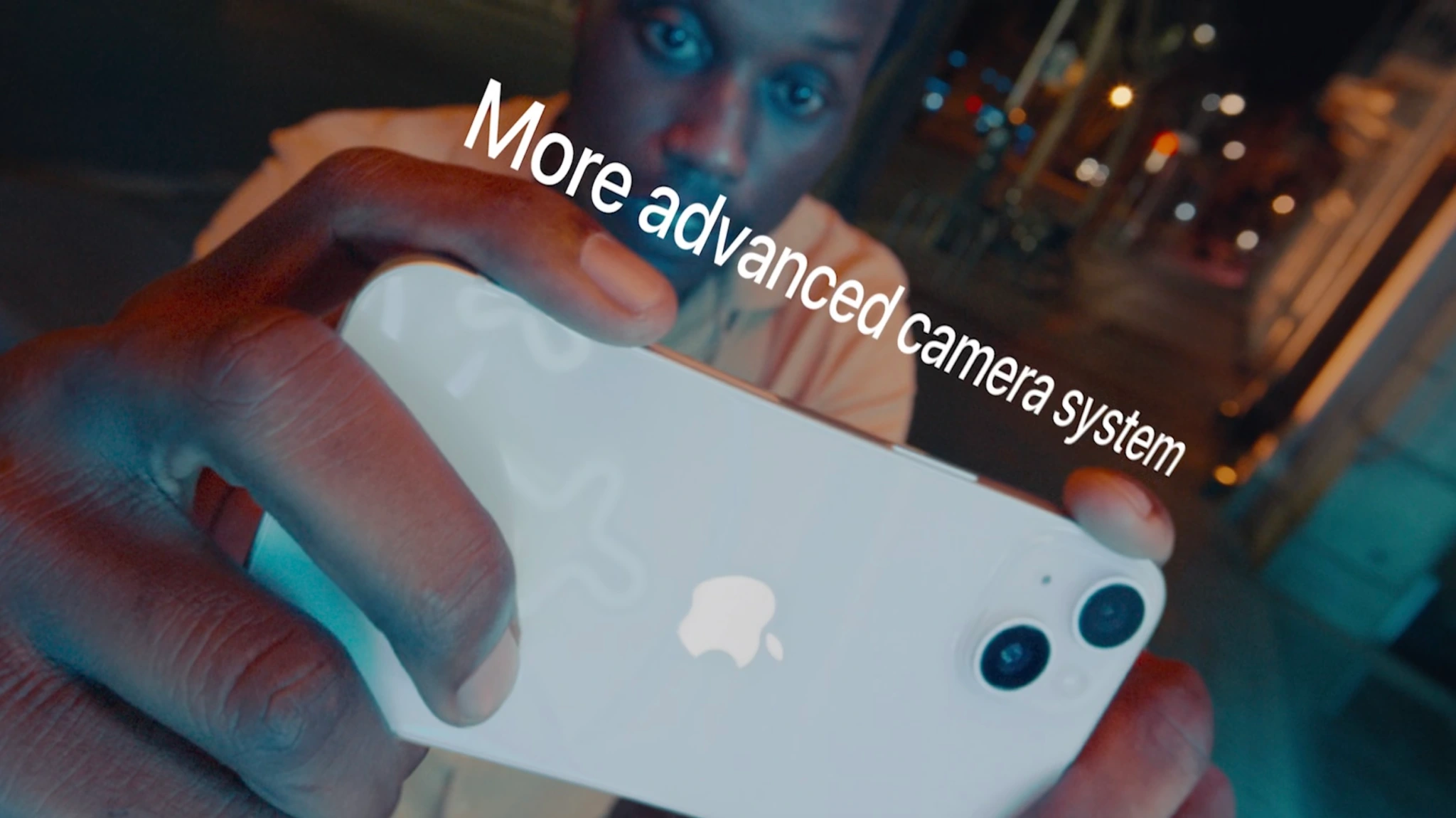
One of the biggest ways the iPhone 14 and iPhone 14 Pro differ is in terms of camera technology. The gap between iPhone 14 and iPhone 14 Pro is even bigger this year than before. Because of the new 48MP camera on the iPhone 14 Pro, the main camera uses quad-pixel technology to adapt to the photo being captured.
Both the iPhone 14 and iPhone 14 Pro also feature a new Photonic Engine. Apple describes this as a new computational photography feature that offers a “giant leap for mid- to low-light performance in photos across all cameras through a deep integration of hardware and software.”
On the iPhone 14, Apple says you can expect improved mid- to low-light performance of up to 2x on the Ultra Wide camera, 2x on the TrueDepth camera, and 2.5x on the Main camera.
On the iPhone 14 Pro, the benefit is even better: up to 2x on the Main camera, up to 3x on the Ultra Wide camera, up to 2x on the Telephoto camera, and up to 2x on the TrueDepth camera.
Here are some more technical details on the iPhone 14 vs iPhone 14 Pro camera systems:
iPhone 14/Plus
iPhone 14 Pro/Max
Main camera
12MP, ƒ/1.5 aperture, 26 mm
2x optical zoom, 5x digital zoom
48MP, ƒ/1.78, aperture, 24 mm
Sensor-shift optical
image stabilization
✅
✅
Ultra Wide
12MP, ƒ/2.4 aperture, 13mm
12MP, ƒ/2.2 aperture, 13mm
Telephoto lens
❌
✅: 48 mm, ƒ/1.78 aperture
Zoom
2x optical zoom, 5x digital zoom
3x optical zoom in,
2x optical zoom out
digital zoom up to 15x
Apple ProRAW
✅
✅
Smart HDR 4
✅
✅
Photonic Engine
✅
✅
Photographic Styles
✅
✅
Panoramas
✅, 63MP
✅, 63MP
Portrait mode
✅
✅
Video recording?
iPhone 14 and iPhone 14 Plus camera technology:
4K video recording at 24 fps, 25 fps, 30 fps, or 60 fps
1080p HD video recording at 25 fps, 30 fps, or 60 fps
720p HD video recording at 30 fps
Cinematic mode up to 4K HDR at 30 fps
Action mode up to 2.8K at 60 fps
HDR video recording with Dolby Vision up to 4K at 60 fps
Slo‑mo video support for 1080p at 120 fps or 240 fps
Time‑lapse video with stabilization
Night-mode Time-lapse
QuickTake video
Sensor-shift optical image stabilization for video (Main)
2x optical zoom out
Digital zoom up to 3x
Audio zoom
True Tone flash
Cinematic video stabilization (4K, 1080p, and 720p)
Continuous autofocus video
Take 8MP still photos while recording 4K video
Playback zoom
Video formats recorded: HEVC and H.264
Stereo recording
iPhone 14 Pro and iPhone 14 Pro Max camera technology:
4K video recording at 24 fps, 25 fps, 30 fps, or 60 fps
1080p HD video recording at 25 fps, 30 fps, or 60 fps
720p HD video recording at 30 fps
Cinematic mode up to 4K HDR at 30 fps
Action mode up to 2.8K at 60 fps
HDR video recording with Dolby Vision up to 4K at 60 fps
ProRes video recording up to 4K at 30 fps (1080p at 30 fps for 128GB storage)
Macro video recording, including slo-mo and time-lapse
Slo‑mo video support for 1080p at 120 fps or 240 fps
Time‑lapse video with stabilization
Night-mode Time-lapse
QuickTake video
Second‑generation sensor‑shift optical image stabilization for video (Main)
Dual optical image stabilization for video (Main and Telephoto)
3x optical zoom in, 2x optical zoom out; 6x optical zoom range
Digital zoom up to 9x
Audio zoom
True Tone flash
Cinematic video stabilization (4K, 1080p, and 720p)
Continuous autofocus video
Take 8MP still photos while recording 4K video
Playback zoom
Video formats recorded: HEVC, H.264, and ProRes
Stereo recording
Selfie camera
Both the iPhone 14 and iPhone 14 Pro lineups offer one of the biggest jumps in front-camera performance we’ve ever seen. Both use a new camera with an ƒ/1.9 aperture that enables better low-light performance for photos and video. It also offers auto-focus for the first time, so it can focus in low light and capture group selfies from farther away.
Full spec sheet for the selfie cameras on the iPhone 14 and iPhone 14 Pro:
12MP camera
ƒ/1.9 aperture
Autofocus with Focus Pixels
Six‑element lens
Retina Flash
Photonic Engine
Deep Fusion
Smart HDR 4
Portrait mode with advanced bokeh and Depth Control
Portrait Lighting with six effects (Natural, Studio, Contour, Stage, Stage Mono, High‑Key Mono)
Animoji and Memoji
Night mode
Photographic Styles
Apple ProRAW
Wide color capture for photos and Live Photos
Lens correction
Auto image stabilization
Burst mode
4K video recording at 24 fps, 25 fps, 30 fps, or 60 fps
1080p HD video recording at 25 fps, 30 fps, or 60 fps
Cinematic mode up to 4K HDR at 30 fps
HDR video recording with Dolby Vision up to 4K at 60 fps
ProRes video recording up to 4K at 30 fps (1080p at 30 fps for 128GB storage)
Slo‑mo video support for 1080p at 120 fps
Time‑lapse video with stabilization
Night-mode Time-lapse
QuickTake video
Cinematic video stabilization (4K, 1080p, and 720p)
Bolded bullets = iPhone 14 Pro/Pro Max only
Colors
The iPhone 14 and iPhone 14 Plus are available in five different colors:
Midnight
Purple
Starlight
(Product)RED
Blue
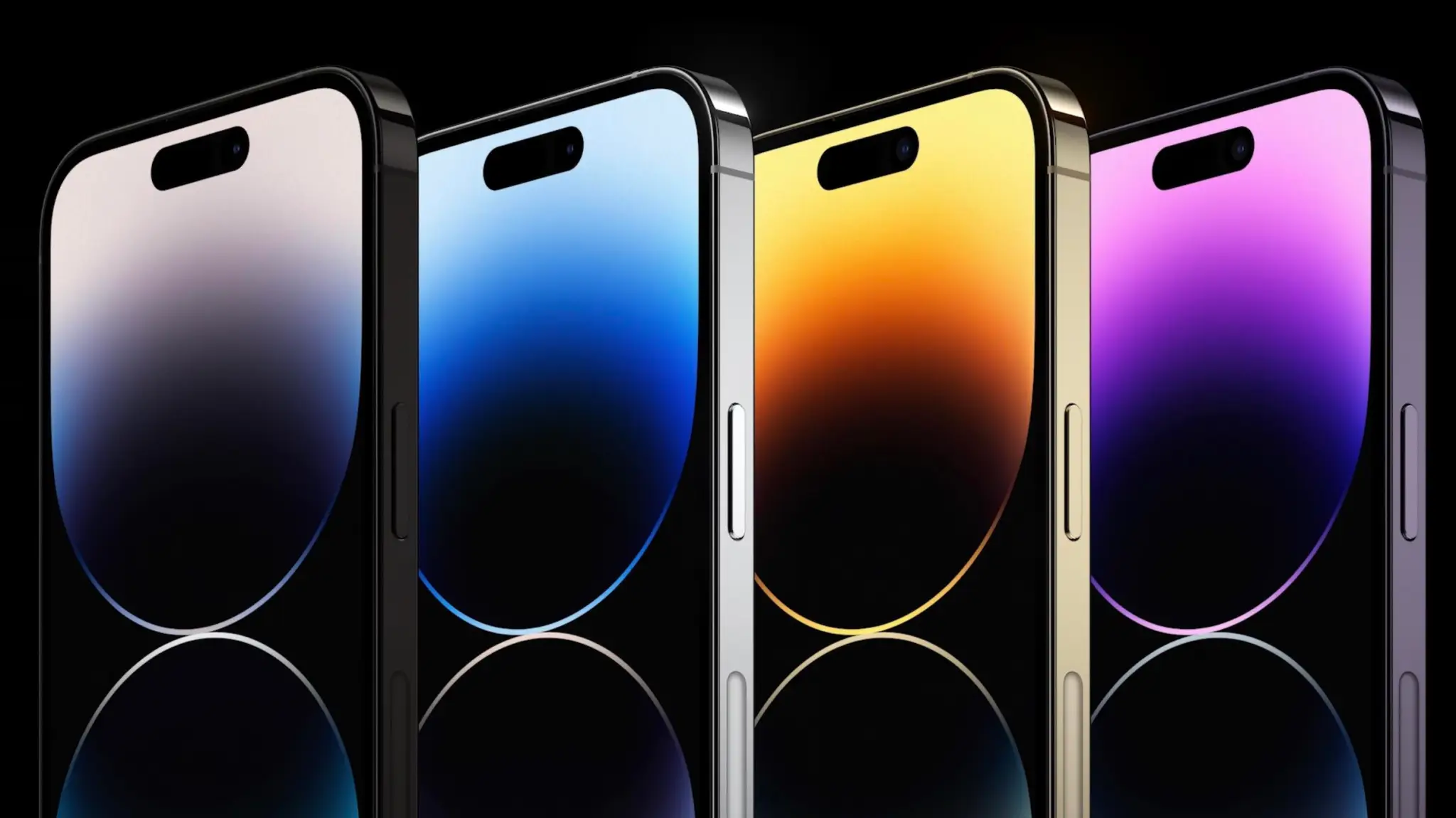
The iPhone 14 Pro and iPhone 14 Pro Max are available in four different colors:
Silver (Updated)
Deep Purple
Space Black
Gold
Storage
iPhone 14 and iPhone 14 Plus:
128GB
256GB
512GB
iPhone 14 Pro and iPhone 14 Pro Max:
128GB
256GB
512GB
1TB
Pricing
iPhone 14:
$799 – 128GB
$899 – 256GB
$999 – 512GB
iPhone 14 Plus:
$899 – 128GB
$999 – 256GB
$1099 – 512GB
iPhone 14 Pro:
$999 – 128GB
$1099 – 256GB
$1299 – 512GB
$1499 – 1TB
iPhone 14 Pro Max:
$1099 – 128GB
$1199 – 256GB
$1399 – 512GB
$1599 – 1TB
Other features
And here are some other features that are offered by both the iPhone 14 and iPhone 14 Pro:
Crash detection that can recognize when you’re in a car accident and call emergency services.
Satellite connectivity for reaching emergency services when you aren’t connected to a cellular or WiFi network.
Action mode for stabilizing video during fast-moving scenarios like running or other sports.
Ceramic Shield front for improved display durability
Included accessories
Citing environmental concerns, Apple is not including headphones or a charging brick in the iPhone 14 box this year. Here are some accessories you might consider picking up to help fill that gap and complement your new iPhone.
Apple is about to hold its next “Far out” special event tomorrow, and the company is expected to introduce a variety of new products. Among them, there’s the entire iPhone 14 lineup, which is supposed to have four different models: iPhone 14, iPhone 14 Plus, iPhone 14 Pro, and iPhone 14 Pro Max.
When it comes to the iPhone 14 Plus and iPhone 14 Pro Max, they’ll share the same screen size, but that’s about it.
New display technologies
It has been a while since Apple has introduced a new iPhone with the “Plus” branding, but that’s about to change. This year, Apple is rumored to discontinue the mini size of the iPhone, so there won’t be an iPhone 14 mini. Instead, Apple is likely to announce the 6.1-inch iPhone 14 and a new 6.7-inch iPhone 14 Plus.
You may have noticed that iPhone 14 Plus will have the same screen size as iPhone 13 Pro Max (and possibly iPhone 14 Pro Max, which is expected to keep the same screen size as the current generation). However, the similarities between these two models end there.
While iPhone 14 Plus will use the same display technology as iPhone 13 with a 60Hz OLED panel, the display capabilities of iPhone 14 Pro Max will go beyond that.
Based on multiple evidence and rumors, iPhone 14 Pro Max will have a new display design without the notch at the top of the screen. Apple will replace the notch with a pill-shaped cutout that houses the Face ID sensors and the new front-facing camera.
More than that, iPhone 14 Pro Max will have a ProMotion display with refresh rates ranging from 120Hz to 1Hz. As a result, the more expensive iPhone model will have an always-on display for the first time, so that it will show some visual elements on the screen even when it’s “off,” just like the Apple Watch.
A16 chip
Every year, Apple introduces new iPhone models with a new, faster chip. However, some iPhone models may not have a brand-new chip this time. As corroborated by 9to5Mac earlier this year, the mid-range iPhone 14 models will be powered by the A15 Bionic, while only the 14 Pro models will have the new A16 chip.
A15 is the chip present in the iPhone 13 lineup. And while rumors point to iPhone 14 having an enhanced version of the A15 Bionic chip with more RAM and perhaps a better GPU, it’s still the same CPU as last year’s iPhone. Consumers who want the best performance on the market will have to pay more for the iPhone 14 Pro or iPhone 14 Pro Max with the A16 chip.
Of course, we’ll have to wait to get our hands on both models to get a better idea of the performance difference between iPhone 14 Plus and iPhone 14 Pro Max in real-life scenarios.
Significant camera upgrades
A recent report suggested that iPhone 14 and iPhone 14 Plus will have minor hardware changes when it comes to the cameras. However, the major upgrades are expected to be exclusive to iPhone 14 Pro and iPhone 14 Pro Max.
For instance, the iPhone 14 Pro models are expected to feature a new 48MP wide lens (versus the current 12MP lens) that will enable new video capabilities, such as 8K video for the first time on an iPhone. Rumors also suggest that the ultra-wide lens on the 14 Pro models will have a larger sensor to capture more light, which should result in better photos and videos in low-light scenarios.
Not to mention that features like ProRAW photos and ProRes videos are exclusive to the Pro models. So if you’re a big fan of photography, you should probably go for the iPhone 14 Pro Max instead of the iPhone 14 Plus.
Wrap-up
So as you can see, although Apple will give less demanding consumers the option of buying a larger screen phone with iPhone 14 Plus, those who want the best hardware will probably end up buying a 14 Pro model.
It’s worth noting that Apple’s “Far out” event begins on 8/9 at 3:00 am AEST. View online at apple.com or on the Apple TV app.
Few days from now, Apple will unveil the next generation of smartphones with the iPhone 14 series. While much has been rumored over this year, the week that precedes the Apple event is always full of rumors and last-minute leaks. Here’s everything that we heard about the upcoming iPhone 14 before its release.
Hole-punch + pill cutout will actually be a long pill design
For months other publications have been reporting the new hole-punch + pill cutout for the iPhone 14 Pro series, but a new leak suggests Apple will use a software tweak to make a long pill design. Between Face ID sensors and the front-facing camera, the company is rumored to add privacy labels.
When you’re on a FaceTime call, if Instagram asks for your location, or if someone video calls you on WhatsApp, the iPhone already displays a green, orange, or blue light. These indicators are on the right corner of the iPhone notch. Now it appears they will be between the Face ID and front-facing camera sensors.
iPhone 14 Pro will have a Camera app revamp, thanks to the new design
The Camera app will also have a few tweaks as Apple is planning to redesign the app, where most of the controls will be moved to the top portion of the screen.
Controls such as the flash button and Live Photo button are now positioned in the status bar, while more granular photo and video settings are directly below the display cutouts. This change will give users a larger view of the camera preview by shifting the controls upward and moving some of them into the status bar.
The images above show these changes. They are mock-ups based on the information from our source.
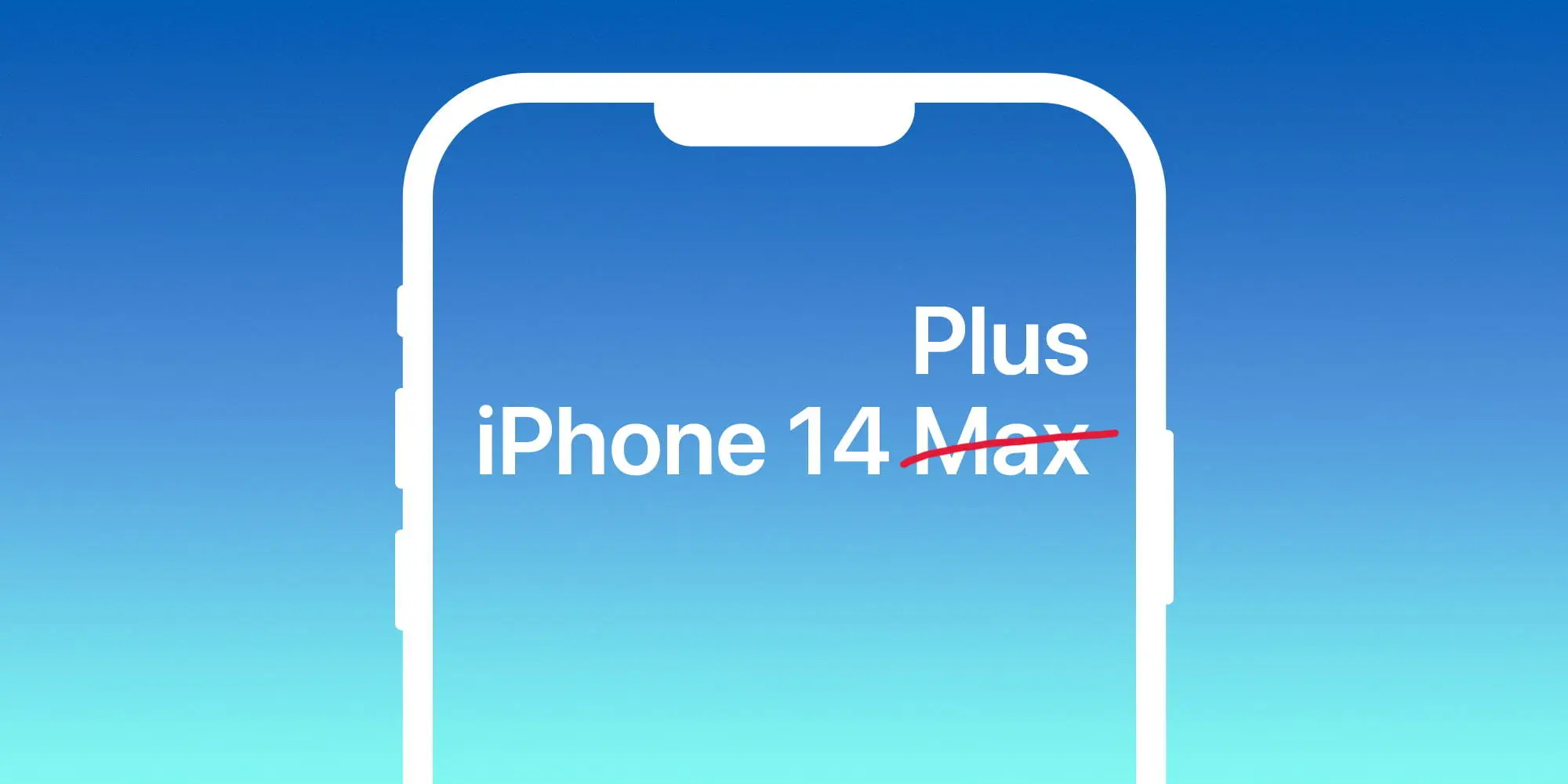
Larger regular iPhone to be called 14 Plus, not Max
Apple is said to ditch the iPhone mini model for a larger version of the regular model. While debates over whether it would be called iPhone 14 Plus or 14 Max, 9to5Mac sources familiar with the matter claimed the name will actually be iPhone 14 Plus.
In addition, at least since July, iPhone case makers have been told to not use the brand iPhone 14 Max as it won’t be the actual name of the product. Plus, 9to5Mac sources corroborated that the regular iPhone 13 case will fit the regular iPhone 14 model. Last but not least, we’ve been told that Apple will push its new 35W adapter as the go-to charger for the iPhone 14 Pro.
Classic battery indicator is making a comeback with iPhone 14 Pro series
According to information shared with MacRumors in its forum, an anonymous leaker claimed that the iPhone 14 Pro with iOS 16 will bring back the classic battery indicator on the status bar. They also shared information as to what this smartphone will look like with the new Always-on Display technology.
With iOS 16 beta 5, Apple added the iPhone’s battery percentage inside the battery icon. While many iPhone models will be able to take advantage of this new look, it seems Apple could be aiming for an exclusive design for the iPhone 14 Pro series by bringing back the classic status bar.
With that, Apple would bring the carrier signal bar to the left while bringing the location toggle and the full battery information on the right (icon and percentage). If this turns out to be true, this would be the first time since the iPhone 8 – apart from the SE series – that Apple adopts this classic design.
iPhone 14 price increase expected, but not as much as we thought
As of now, it seems clear that Apple will increase iPhone 14 prices. With the upcoming recession combined with supply chain constraints, the war, and new technologies, Apple seems to be aiming for new prices for these upcoming smartphones.
A report by TrendForce from this week said that, in the light of a tough economy and a declining smartphone market, it expects Apple to play it safe with smaller increases.
Upgrades such as initial starting memory capacity increasing to LPDDR5 6GB and 256GB, primary camera moving up to 48 million, Face ID Design changes, etc., are expected to raise starting prices. However, under pressure from rising global inflation and foreign exchange rates, Apple is expected to adopt a more cautious pricing strategy so as not to affect its sales performance.
The firm, therefore, predicts more modest iPhone 14 price increases, with starting prices of:
14: $749
14 Max: $849
14 Pro: $1,049
14 Pro Max: $1,149
All iPhone models to have 6GB of RAM, Pro models to start with 256GB of storage
TrendForce analysts are the ones predicting that the iPhone 14 Pro will start with 256GB of storage, which could explain why Apple is aiming for a higher price point for these iPhones. In addition, the publication also expects 6GB of RAM on these models.
Twitter user and leaker ShrimpApplePro shared a Weibo post that said the same. All four models will feature 6GB of RAM. For context, the iPhone 13 and iPhone 13 mini have 4GB of RAM, while the iPhone 13 Pro and iPhone 13 Pro Max have 6GB of RAM. So, if this leak is to be believed, the iPhone 14 will offer more RAM than the iPhone 13, while the 14 Pro will stick with 6GB.
This would mark the third year in a row that the “Pro” model iPhones have had 6GB of RAM. A previous leak suggested that the 14 Pro would jump to 8GB, but the consensus has since settled on 6GB instead.
Curious which iPhones have eSIM support or if your current iPhone has an eSIM you can take advantage of? Read along for a look at the complete iPhone eSIM list for which models have the embedded digital SIM and which ones have dual eSIM support.
iPhone has used a variety of SIMs (subscriber identity modules) over the years. Apple first started iPhone with mini SIM, then moved to micro SIM with iPhone 4 and 4S, and it moved to the nano SIM size with iPhone 5 until today.
However, a convenient option in recent years has been the addition of an eSIM (embedded SIM). This makes it easier for customers to connect with carriers and use two different lines with one iPhone. With it being digital, you don’t need to replace a physical card when changing carrers. Some providers like T-Mobile even let you instantly start a trial with eSIM.
You can quickly check if your iPhone has an eSIM by heading to Settings > Cellular > Add eSIM or Add Cellular plan.
Ok, here’s the full iPhone eSIM list…
iPhone eSIM list: Which models have it?
Note: An Apple News bug may cause the information below to display incorrectly.
iPhone 13 Pro Max eSIM support?
Yes ✅ – eSIM + nano SIM and dual eSIM support (full specs)
iPhone 13 Pro eSIM support?
Yes ✅ – eSIM + nano SIM and dual eSIM support (full specs)
iPhone 13 eSIM support?
Yes ✅ – eSIM + nano SIM and dual eSIM support (full specs)
iPhone 13 mini eSIM support?
Yes ✅ – eSIM + nano SIM and dual eSIM support (full specs)
iPhone SE 3rd gen eSIM support?
Yes ✅ – eSIM + nano SIM and dual eSIM support (full specs)
iPhone battery mAh list: How much capacity does each iPhone model have?
Ever wonder how much battery capacity Apple has put in its iPhones over the years or what size battery your current iPhone has? While the company doesn’t publicly share the information, battery details eventually surface in teardowns. Join along for a look at the complete iPhone battery mAh list for how much battery capacity comes with every iPhone model.
One of the main reasons Apple doesn’t share iPhone battery capacity is iPhone battery life can often outperform the competition like Android phones with a smaller battery capacity. Apple is able to do that as it makes both the hardware and software and precisely fine tunes its devices to perform as efficiently as possible.
Said another way, Apple focuses on what its iPhones can do rather than the specs powering them.
One example of that is sometimes a newer iPhone model has come with a smaller battery capacity than its predecessor as new chips have brought better efficiency.
Before checking out the specs below, can you guess how much battery capacity the original iPhone had? 😁
Ok, here’s the full iPhone battery mAh capacity list…
iPhone battery mAh list: Battery capacity for every iPhone
Note: An Apple News bug may cause the information below to display incorrectly.
iPhone 13 Pro Max battery mAh capacity?
4352 mAh – 16.75 watt-hour
iPhone 13 Pro battery mAh capacity?
3095 mAh – 11.97 watt-hour
iPhone 13 battery mAh capacity?
3227 mAh – 12.41 watt-hour
iPhone 13 mini battery mAh capacity?
2406 mAh – 9.57 watt-hour
iPhone SE 3rd gen battery mAh capacity?
2018 mAh – 7.82 watt-hour
iPhone 12 Pro Max battery mAh capacity?
3687 mAh – 14.13 watt-hour
iPhone 12 Pro battery mAh capacity?
2815 mAh – 10.78 watt-hour
iPhone 12 battery mAh capacity?
2815 mAh – 10.78 watt-hour
iPhone 12 mini battery mAh capacity?
2227 mAh – 8.57 watt-hour
iPhone SE 2nd gen battery mAh capacity?
1821 mAh – 6.96 wat-hour
iPhone 11 Pro Max battery mAh capacity?
3969 mAh – 15.04 watt-hour
iPhone 11 Pro battery mAh capacity?
3046 mAh – 11.67 watt-hour
iPhone 11 battery mAh capacity?
3110 mAh – 11.91 watt-hour
iPhone XR battery mAh capacity?
2942 mAh – 11.24 watt-hour
iPhone XS Max battery mAh capacity?
3174 mAh – 12.08 watt-hour
iPhone XS battery mAh capacity?
2658 mAh – 10.13 watt-hour
iPhone X battery mAh capacity?
2716 mAh – 10.35 watt-hour
iPhone 8 Plus battery mAh capacity?
2691 mAh – 10.28 watt-hour
iPhone 8 battery mAh capacity?
1821 mAh – 6.96 watt-hour
iPhone 7 Plus battery mAh capacity?
2900 mAh – 11.10 watt-hour
iPhone 7 battery mAh capacity?
1960 mAh – 7.45 watt-hour
iPhone SE battery mAh capacity?
1624 mAh – 6.21 watt-hour
iPhone 6S Plus battery mAh capacity?
2750 mAh – 10.45 watt-hour
iPhone 6S battery mAh capacity?
1715 mAh – 6.55 watt-hour
iPhone 6 Plus battery mAh capacity?
2915 mAh – 11.1 watt-hour
iPhone 6 battery mAh capacity?
1810 mAh – 6.91 watt-hour
iPhone 5S battery mAh capacity?
1560 mAh – 5.92 watt-hour
iPhone 5C battery mAh capacity?
1510 mAh – 5.73 watt-hour
iPhone 5 battery mAh capacity?
1440 mAh – 5.45 watt-hour
iPhone 4S battery mAh capacity?
1432 mAh – 5.3 watt-hour
iPhone 4 battery mAh capacity?
1420 mAh – 5.25 watt-hour
iPhone 3GS battery mAh capacity?
1219 mAh – 4.51 watt-hour
iPhone 3G battery mAh capacity?
1150 mAh – 4.12 watt-hour
Original iPhone battery mAh capacity?
1400 mAh – 5.18 watt-hour
iPhone RAM list: Here’s how much memory each iPhone model has
Curious how much RAM Applehas put in its iPhones over the years or how much memory your current iPhone has? While the company doesn’t publicly share the information, memory details surface in teardowns and from other sources like Apple’s supply chain. Read along for a look at the complete iPhone RAM list for how much memory comes with every iPhone model.
Apple doesn’t publish or put any focus on iPhone RAM for a number of reasons. One of the biggest is iPhone performance outpaces the competition like Android phones with less RAM. Apple is able to do that as it makes both the hardware and software and precisely fine tunes its devices to perform as efficiently and powerfully as possible.
So in the big picture, Apple focuses on what its iPhones can do rather than the specs powering them.
One example was in 2019 when the iPhone 11 Pro Max with 4GB RAM beat out the Samsung Galaxy Note 10+ which has 12GB RAM in a speed test. That’s right, the tight integration between iPhone hardware and iOS made up more than an 8 GB memory difference. The same is usually true for iPad and Mac vs Android tablets and PCs too.
Before you look, can you guess how much RAM the original iPhone had? 😁
Ok, let’s dig into the full iPhone RAM list…
iPhone RAM list: Memory specs for every iPhone
Note: An Apple News bug may cause the information below to display incorrectly.
iPhone 13 Pro and 13 Pro Max RAM?
6 GB (LPDDR4X)
iPhone 13 and 13 mini RAM?
4 GB (LPDDR4X)
iPhone SE 3rd gen RAM?
4 GB (LPDDR4X)
iPhone 12 Pro and 12 Pro Max RAM?
6 GB (LPDDR4X)
iPhone 12 and 12 mini RAM?
4 GB (LPDDR4X)
iPhone SE 2nd gen RAM?
3 GB (LPDDR4X)
iPhone 11 Pro and 11 Pro Max RAM?
4 GB (LPDDR4X)
iPhone 11 RAM?
4 GB (LPDDR4X)
iPhone XR RAM?
3 GB (LPDDR4X)
iPhone XS and XS Max RAM?
4 GB (LPDDR4X)
iPhone X RAM?
3 GB (LPDDR4X)
iPhone 8 Plus RAM?
3 GB (LPDDR4X)
iPhone 8 RAM?
2 GB (LPDDR4X)
iPhone 7 Plus RAM?
3 GB (LPDDR4)
iPhone 7 RAM?
2 GB (LPDDR4)
iPhone SE RAM?
2 GB (LPDDR4)
iPhone 6S and 6S Plus RAM?
2 GB (LPDDR4)
iPhone 6 and 6 Plus RAM?
1 GB (LPDDR3)
iPhone 5S RAM?
1 GB (LPDDR3)
iPhone 5C RAM?
1 GB (LPDDR2)
iPhone 5 RAM?
1 GB (LPDDR2)
iPhone 4S RAM?
512 MB (LPDDR2)
iPhone 4 RAM?
512 MB (LPDDR)
iPhone 3GS RAM?
256 MB (LPDDR)
iPhone 3G RAM?
128 MB (LPDDR)
Original iPhone RAM?
128 MB (LPDDR)
iPhone display list: Size, resolution, ppi, brightness for every model
Curious what display Apple has put in its iPhones over the years or the specs your current iPhone display has? Follow along for a look at the complete iPhone display list for the size, resolution, pixels per inch (ppi), brightness, and more that’s found on the screen of every iPhone model.
iPhone has seen quite the evolution over the years when it comes to displays. While Apple initially resisted using larger screens on its smartphones that were more difficult to use one-handed, it followed Samsung and gave everyone what they asked for, larger and larger displays.
And with the iPhone 14 lineup, we’re expecting to see the largest smartphone screens from Apple yet.
Before checking out the specs below, do you know the display size of the original iPhone? 😁
Note: An Apple News bug may cause the information below to display incorrectly.
iPhone 13 Pro Max display?
6.7-inch – 2778 x 1284 resolution – 458 ppi – 1,000-1,200 nits – Super Retina XDR OLED with ProMotion
iPhone 13 Pro display?
6.1-inch – 2532 x 1170 resolution – 460 ppi – 1,000-1,200 nits – Super Retina XDR OLED with ProMotion
iPhone 13 display?
6.1-inch – 2532 x 1170 resolution – 460 ppi – 800-1,200 nits – Super Retina XDR OLED
iPhone 13 mini display?
5.4-inch – 2340 x 1080 resolution – 476 ppi – 800-1,200 nits – Super Retina XDR OLED
iPhone SE 3rd gen display?
4.7-inch – 1334 x 750 resolution – 326 ppi – 625 nits – Retina HD LED-backlit LCD
iPhone 12 Pro Max display?
6.7-inch – 2778 x 1284 resolution – 458 ppi – 800-1,200 nits – Super Retina XDR OLED
iPhone 12 Pro display?
6.1-inch – 2532 x 1170 resolution – 460 ppi – 800-1,200 nits – Super Retina XDR OLED
iPhone 12 display?
6.1-inch – 2532 x 1170 resolution – 460 ppi – 625-1,200 nits – Super Retina XDR OLED
iPhone 12 mini display?
5.4-inch – 2340 x 1080 resolution – 476 ppi – 625-1,200 nits – Super Retina XDR OLED
iPhone SE 2nd gen display?
4.7-inch – 1334 x 750 resolution – 326 ppi – 625 nits – Retina HD LED-backlit LCD
iPhone 11 Pro Max display?
6.5-inch – 2688 x 1242 resolution – 458 ppi – 800-1,200 nits – Super Retina HD OLED
iPhone 11 Pro display?
5.8-inch – 2436 x 1125 resolution – 458 ppi – 800-1,200 nits – Super Retina HD OLED
iPhone 11 display?
6.1-inch – 1792 x 828 resolution – 326 ppi – 625 nits – Liquid Retina HD LED-backlit LCD
iPhone XR display?
6.1-inch – 1792 x 828 resolution – 326 ppi – 625 nits – Liquid Retina HD LED-backlit LCD
iPhone XS Max display?
6.5-inch – 2688 x 1242 resolution – 458 ppi – 625 nits – Super Retina HD OLED
iPhone XS display?
5.8-inch – 2436 x 1125 resolution – 458 ppi – 625 nits – Super Retina HD OLED
iPhone X display?
5.8-inch – 2436 x 1125 resolution – 458 ppi – 625 nits – Super Retina HD OLED
iPhone 8 Plus display?
5.5-inch – 1920 x 1080 resolution – 401 ppi – 625 nits – Retina HD LED-backlit LCD
iPhone 8 display?
4.7-inch – 1334 x 750 resolution – 326 ppi – 625 nits – Retina HD LED-backlit LCD
iPhone 7 Plus display?
5.5-inch – 1920 x 1080 resolution – 401 ppi – 625 nits – Retina HD LED-backlit LCD
iPhone 7 display?
4.7-inch – 1334 x 750 resolution – 326 ppi – 625 nits – Retina HD LED-backlit LCD
iPhone SE display?
4-inch – 1136 x 640 resolution – 326 ppi – 500 nits – Retina HD LED-backlit LCD
iPhone 6S Plus display?
5.5-inch – 1920 x 1080 resolution – 401 ppi – 500 nits – Retina HD LED-backlit LCD
iPhone 6S display?
4.7-inch – 1334 x 750 resolution – 326 ppi – 500 nits – Retina HD LED-backlit LCD
iPhone 6 Plus display?
5.5-inch – 1920 x 1080 resolution – 401 ppi – 500 nits – Retina HD LED-backlit LCD
iPhone 6 display?
4.7-inch – 1334 x 750 resolution – 326 ppi – 500 nits – Retina HD LED-backlit LCD
iPhone 5S display?
4-inch – 1136 x 640 resolution – 326 ppi – 500 nits – Retina HD LED-backlit LCD
iPhone 5C display?
4-inch – 1136 x 640 resolution – 326 ppi – 500 nits – Retina HD LED-backlit LCD
iPhone 5 display?
4-inch – 1136 x 640 resolution – 326 ppi – 500 nits – Retina HD LED-backlit LCD
iPhone 4S display?
3.5-inch – 960 x 640 resolution – 326 ppi – Retina HD LED-backlit LCD
iPhone 4 display?
3.5-inch – 960 x 640 resolution – 326 ppi – Retina HD LED-backlit LCD
iPhone 3GS display?
3.5-inch – 480 x 320 resolution – 163 ppi – LCD
iPhone 3G display?
3.5-inch – 480 x 320 resolution – 163 ppi – LCD
Original iPhone display?
3.5-inch – 480 x 320 resolution – 163 ppi – LCD
iPhone camera list: Here are the lenses found in every model
Curious what cameras Apple has put in its iPhones over the years or what cameras your current iPhone has? Read along for a look at the complete iPhone camera list for what camera system comes with every iPhone model.
iPhone has seen an impressive evolution over the years when it comes to cameras. Apple doesn’t focus as much on the tech specs of its cameras for marketing but spends more energy on helping customers know what they can do with them.
And with the iPhone 14 lineup, we’re expecting to see some big improvements to the camera system, particularly the front-facing TrueDepth lens
Before checking out the specs below, do you know the camera that came with the original iPhone? 😁
Ok, here’s the full iPhone camera list…
iPhone camera list: Lens specs for every model
Note: An Apple News bug may cause the information below to display incorrectly.
iPhone 13 Pro Max cameras?
12 MP wide ƒ/1.5, ultra wide ƒ/1.8, and telephoto ƒ/2.8 rear lenses, 12 MP TrueDepth ƒ/2.2 front camera (full camera specs)
iPhone 13 Pro cameras?
12 MP wide ƒ/1.5, ultra wide ƒ/1.8, and telephoto ƒ/2.8 rear lenses, 12 MP TrueDepth ƒ/2.2 front lens (full camera specs)
iPhone 13 cameras?
12 MP wide ƒ/1.6 and ultra wide ƒ/2.4 rear lenses, 12 MP TrueDepth ƒ/2.2 front lens (full camera specs)
iPhone 13 mini cameras?
12 MP wide ƒ/1.6 and ultra wide ƒ/2.4 rear lenses, 12 MP TrueDepth ƒ/2.2 front lens (full camera specs)
iPhone SE 3rd gen cameras?
12 MP wide ƒ/1.8 rear lens and 7 MP ƒ/2.2 front lens (full camera specs)
iPhone 12 Pro Max cameras?
12 MP wide ƒ/1.6, ultra wide ƒ/2.4, and telephoto ƒ/2.2 rear lenses, 12 MP TrueDepth ƒ/2.2 front lens (full camera specs)
iPhone 12 Pro cameras?
12 MP wide ƒ/1.6, ultra wide ƒ/2.4, and telephoto ƒ/2.0 rear lenses, 12 MP TrueDepth ƒ/2.2 front lens (full camera specs)
iPhone 12 cameras?
12 MP wide ƒ/1.6 and ultra wide ƒ/2.4 rear lenses, 12 MP TrueDepth ƒ/2.2 front lens (full camera specs)
iPhone 12 mini cameras?
12 MP wide ƒ/1.6 and ultra wide ƒ/2.4 rear lenses, 12 MP TrueDepth ƒ/2.2 front lens (full camera specs)
iPhone SE 2nd gen cameras?
12 MP wide ƒ/1.8 rear lens and 7 MP ƒ/2.2 front lens (full camera specs)
iPhone 11 Pro Max cameras?
12 MP wide ƒ/1.8, ultra wide ƒ/2.4, and telephoto ƒ/2.0 rear lenses, 12 MP TrueDepth ƒ/2.2 front lens (full camera specs)
iPhone 11 Pro cameras?
12 MP wide ƒ/1.8, ultra wide ƒ/2.4, and telephoto ƒ/2.0 rear lenses, 12 MP TrueDepth ƒ/2.2 front lens (full camera specs)
iPhone 11 cameras?
12 MP wide ƒ/1.8 and ultra wide ƒ/2.4 rear lenses, 12 MP TrueDepth ƒ/2.2 front lens (full camera specs)
iPhone XR cameras?
12 MP wide ƒ/1.8 rear lens and 7 MP TrueDepth ƒ/2.2 front lens (full camera specs)
iPhone XS Max cameras?
12 MP wide ƒ/1.8 and telephoto ƒ/2.4 rear lenses, 7 MP TrueDepth ƒ/2.2 front lens (full camera specs)
iPhone XS cameras?
12 MP wide ƒ/1.8 and telephoto ƒ/2.4 rear lenses, 7 MP TrueDepth ƒ/2.2 front lens (full camera specs)
iPhone X cameras?
12 MP wide ƒ/1.8 and telephoto ƒ/2.4 rear lenses, 7 MP TrueDepth ƒ/2.2 front lens (full camera specs)
iPhone 8 Plus cameras?
12 MP wide ƒ/1.8 and telephoto ƒ/2.8 rear lenses, FaceTime 7 MP ƒ/2.2 front lens (full camera specs)
iPhone 8 cameras?
12 MP wide ƒ/1.8 rear lens and FaceTime 7 MP ƒ/2.2 front lens (full camera specs)
iPhone 7 Plus cameras?
12 MP wide ƒ/1.8 and telephoto ƒ/2.8 rear lenses, FaceTime 7 MP ƒ/2.2 front lens (full camera specs)
iPhone 7 cameras?
12 MP wide ƒ/1.8 rear lens and FaceTime 7 MP ƒ/2.2 front lens (full camera specs)
iPhone SE cameras?
12 MP wide ƒ/2.2 rear lens and FaceTime 1.2 MP ƒ/2.4 front lens (full camera specs)
iPhone 6s Plus cameras?
12 MP ƒ/2.2 rear lens and FaceTime 5 MP ƒ/2.2 front lens (full camera specs)
iPhone 6s cameras?
12 MP ƒ/2.2 rear lens and FaceTime 5 MP ƒ/2.2 front lens (full camera specs)
iPhone 6 Plus cameras?
8 MP ƒ/2.2 rear lens and FaceTime 1.2 MP ƒ/2.2 front lens (full camera specs)
iPhone 6 cameras?
8 MP ƒ/2.2 rear lens and FaceTime 1.2 MP ƒ/2.2 front lens (full camera specs)
iPhone 5s cameras?
8 MP ƒ/2.2 rear lens and FaceTime 1.2 MP ƒ/2.4 front lens (full camera specs)
iPhone 5c cameras?
8 MP ƒ/2.4 rear lens and FaceTime 1.2 MP front lens (full camera specs)