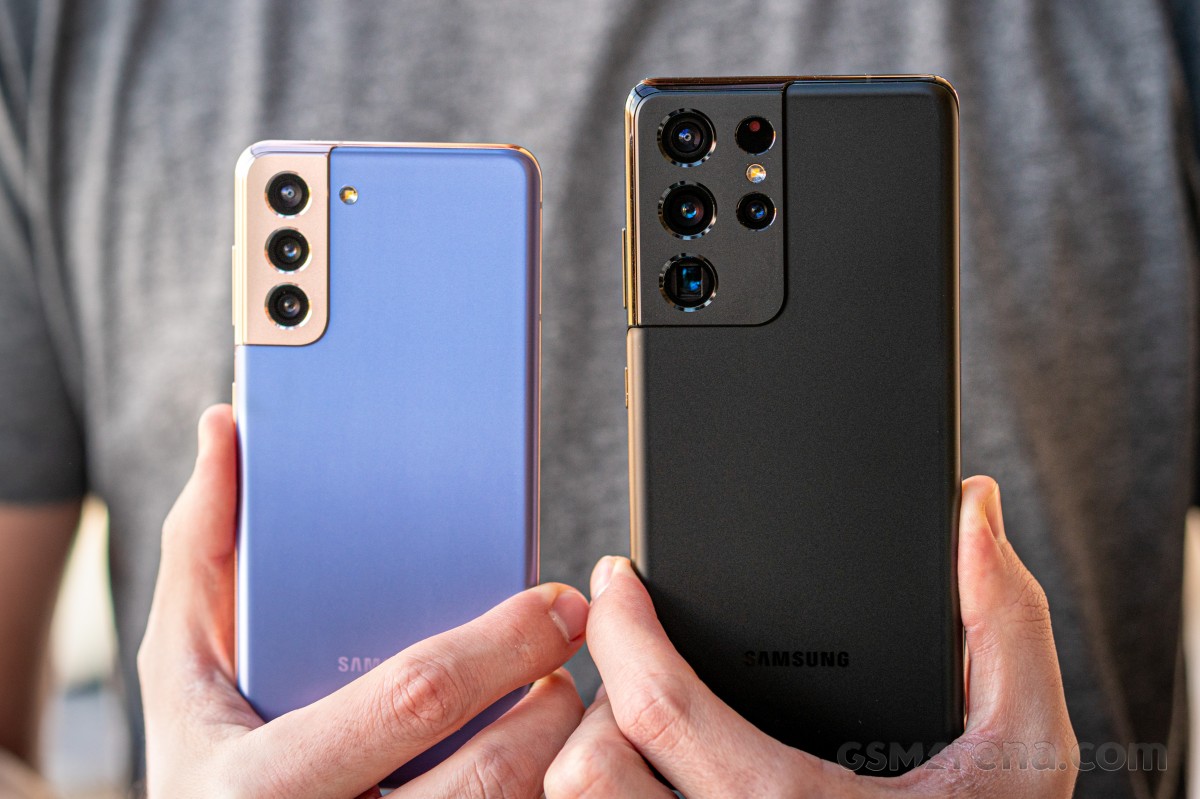
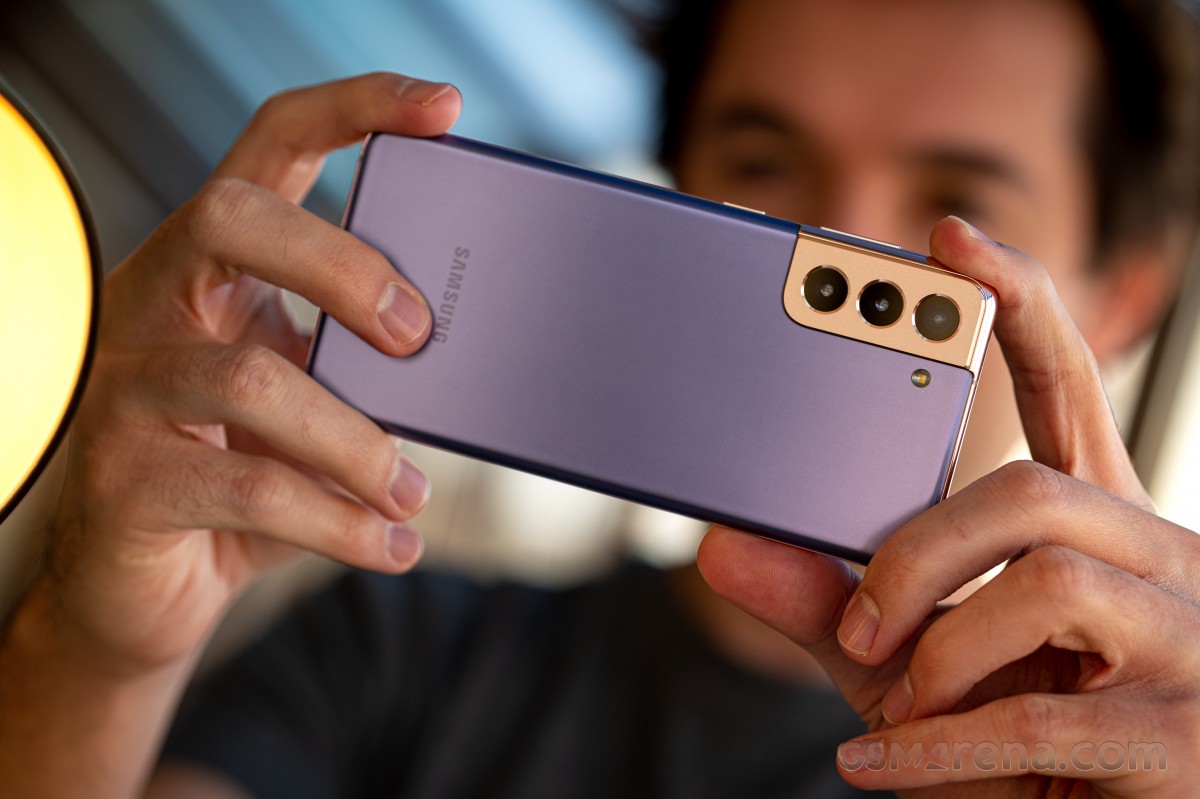
Unpacking 2021 with a bang, we have the Samsung Galaxy S21 5G for you today. Samsung has rearranged its yearly release schedule to pull its high-end S-series reveal for January, and could there be a better way to kick off the year?
We did say ‘bang’, but it’s hardly the most thunderous of those – out of the trio of Galaxy S21 5G phones announced, we’ll now be presenting you the smallest, vanilla one. We also have the Ultra at the office, but you’ll need to wait a bit more for that – no event starts off with the headliner anyway.
For the second year in a row, Samsung unveils three phones as part of the spring flagship roster (even though it’s very much winter this time around, at least where we are). And, much like last time, there’s a very clear divide between the ultimate uncompromising Ultra and the two more restrained and down-to-earth ‘regular’ S phones. If anything, the gap has even widened.
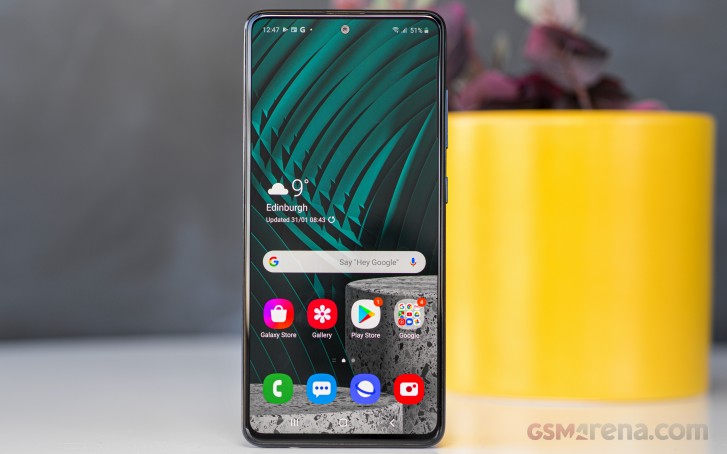
The examples are plenty, some of them more significant than others. Take the displays for example. Unlike last year when all three phones had 1440p resolution panels, now only the Ultra gets the higher resolution, the ‘mainstream’ S21s stand at 1080p. All three screens were curved in 2020, now it’s just the Ultra. All three S20s had the same high-refresh rate implementation, now the Ultra gets a more advanced Adaptive mode than the other two.
How about the cameras? The S20 Ultra had a vastly superior setup than the other two, regardless of issues it might have had with realizing the full potential of all of its impressive hardware. Well, the S21 Ultra builds on top of that and comes with further improved internals in the imaging department. The S21 and S21 Plus, meanwhile, reuse last year’s bits. Hmm.
But there’s more. In the case of the small Galaxy S21 we have here, a final blow hurts the most – it’s got a plastic back. It’s hardly the end of the world, and we’ll go on to rationalize how that’s actually a good thing on the next page. But it goes to emphasize the further differentiation between the one true flagship and the others that stand below it. And then further down below it.
Some genes are shared among all in the family, after all. The chipset is the same on all three (still different from region to region, but that’s a whole other topic), all have the second-gen ultrasonic fingerprint reader from Qualcomm, as well as stereo speakers and IP68 rating for dust and water resistance. And no, none of them has a microSD slot, that one was most surprising.
Samsung Galaxy S21 5G specs at a glance:
Body: 151.7×71.2×7.9mm, 169g; Glass front (Gorilla Glass Victus), plastic back, aluminum frame; IP68 dust/water resistant (up to 1.5m for 30 mins).
Video capture:Rear camera: 8K@24fps, 4K@30/60fps, 1080p@30/60/240fps, 720p@960fps, HDR10+, stereo sound rec., gyro-EIS; Front camera: 4K@30/60fps, 1080p@30fps.
Battery: 4000mAh; Fast charging 25W, USB Power Delivery 3.0, Fast Qi/PMA wireless charging 15W, Reverse wireless charging 4.5W.
Misc: Fingerprint reader (under display, ultrasonic); NFC; FM radio (Snapdragon model only; market/operator dependent); Samsung DeX, Samsung Wireless DeX (desktop experience support), Samsung Pay (Visa, MasterCard certified), ANT+, Bixby natural language commands and dictation.
Samsung Galaxy S21 5G unboxing
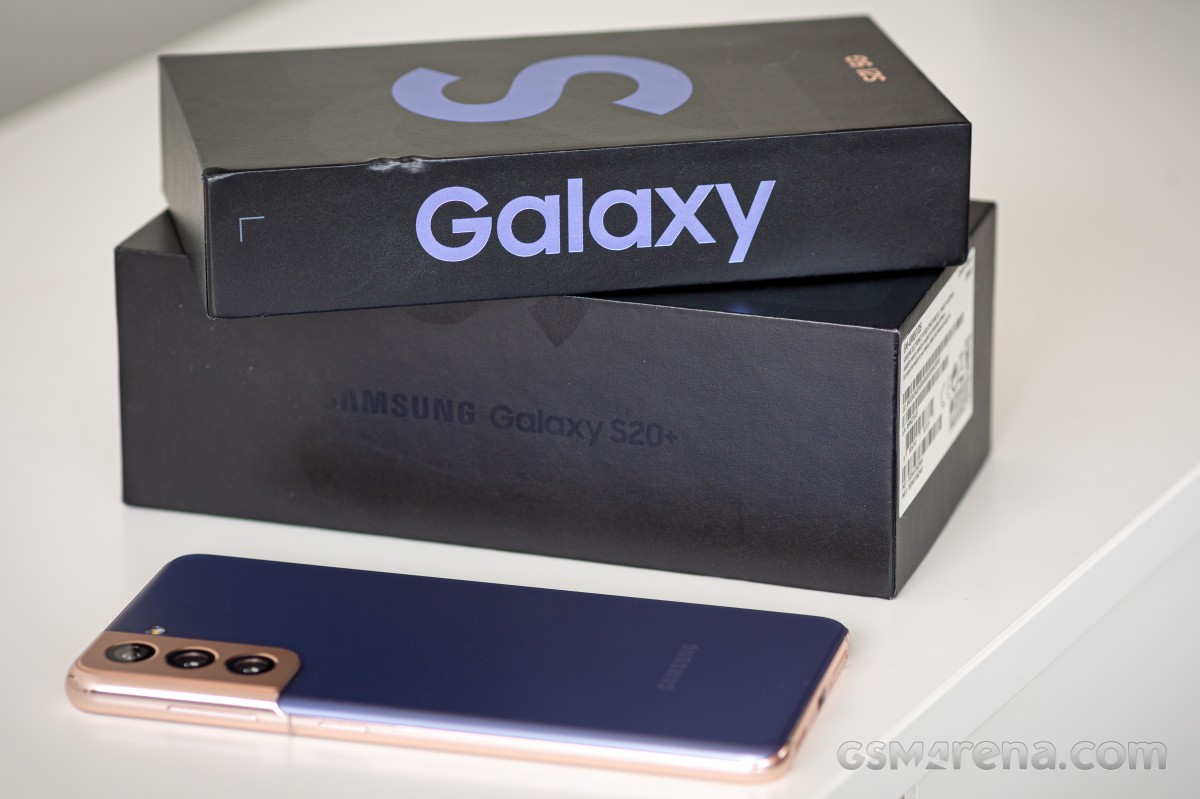
Here it is, the high-end Galaxies’ new and improved (read ‘smaller’) retail box. Following in the footsteps of Apple, Samsung has chosen to remove the charger and headphones from the retail bundle, resulting in a more compact box.
Yes, yes, you’re supposed to already have chargers at home, so not including one with every phone should help reduce waste, plus the decreased shipping volume will lower the carbon footprint along the logistics chain. It’s a noble concept though somehow saving the environment still doesn’t feel like the key driving factor.
Having said that, at the S21 keynote, Samsung mentioned that adapters will now be sold at a reduced price, and this seems like a step in the right direction.
Anyway, what you are getting in the box is the phone itself and a USB-C-to-C cable. That sort of means you need to have a moderately contemporary USB PowerDelivery charger lying around, or a USB-A-to-C cable if you intend to use an adapter that doesn’t have a Type C out.
As it came to light around the iPhone 12 launch days, local regulations in France specifically mandate that all phones sold in the country come with a headset. So S21s in France will indeed ship with the usual set of AKG-branded earbuds we’ve gotten used to from Galaxies in recent years. Still no charger, though.
Competition
Galaxies like to compete with iPhones but with the ever-growing Apple lineup, which is the correct counterpart? Let’s say you like the smallest S21 5G for its size in particular – then perhaps the iPhone 12 mini could be even better being a full 2cm shorter and 30+ grams lighter, not to mention actually cheaper (by $70/€50/£70 for base storage).
Too diminutive? Then the iPhone 12 proper, at virtually the same size and weight as the S21, is a bit more expensive (€50/£30, actually the same price in the US). Now, at these prices, the iPhones will come with half the storage and one rear camera short but with a more powerful chipset. For most other things, it’ll be a toss-up.
Which is where the 12 Pro comes in, adding a zoom camera and matching the Galaxy for base storage. There’s but a nominal price premium to be paid over the Galaxy, to the tune of $200/€300/£230 – nah, we didn’t think so either.
Galaxy S21 5G money can buy you a OnePlus 8 Pro, and that’s looking like a solid deal if you can live with the added bulk – the OP is a full-size offering. Going that way, you’ll obviously get a bigger display, but also a superior ultra-wide camera and blazing fast charging (with adapter in the box too) and you really won’t be sacrificing anything.
Normally, around this time of the year, we’d be advising that you wait for whatever P-series handset Huawei might have in store, but at the present time, it’s telephona-non-grata in the Western world, so that’s a no-go. Google practically exited the smartphone master race with the Pixel 5, which is pretty much LG’s standing too.
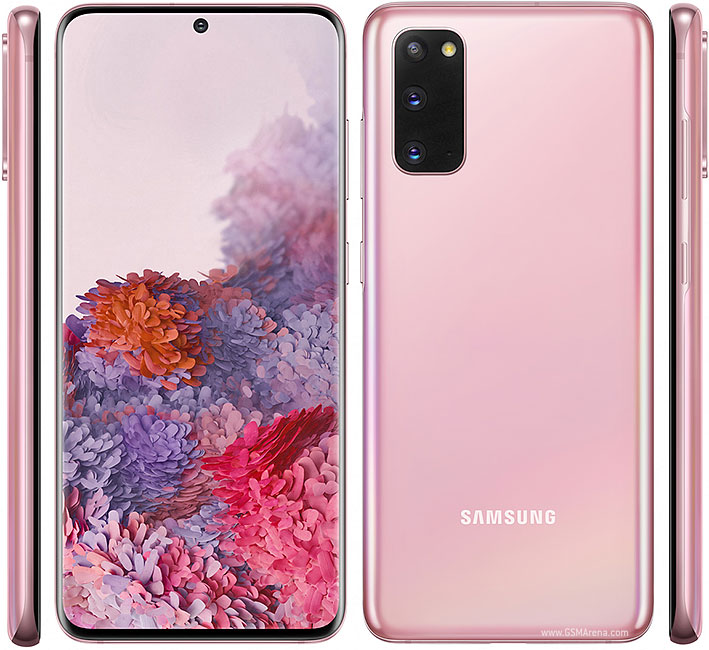
That’s not really the end of the list, though. We’d argue that at this point, a Galaxy S20, not S21, is the one to get. A year older chipset is still easily powerful enough, the cameras are virtually the same, and its display is, in a way, better. The S20 got the latest Android/OneUI combo too, so it’s not trailing in this respect. It’s better in other ways, too – it’s got a microSD slot and a non-plastic back. Perhaps in day-to-day use, the S21 could return marginally better battery life, but the S20 comes with a charger, doesn’t it? Ah, it also comes with a 15-20% lower price tag, maybe even cheaper depending on where you are and how lucky you get.
S21 5G proper, the S-series Galaxy for compact phone lovers is predictably a very nice package. It’s got a display that’s hard not to love, battery life that won’t keep you tied to an outlet, and cameras that capture great images, all of it packaged in what’s Samsung‘s most daring design lately. Seemingly, however, that’s no longer enough.
It’s not that we don’t like the Galaxy S21 5G. On the contrary, we’re quite fond of its looks, and there’s proven substance beneath them. But maybe that’s the issue – it’s a little too proven. Last year’s S20 is in many ways superior, and even though the S21 launches at a lower MSRP, the year-old S20 can still be found for less while arguably offering more.
Pros
Nice color options, standout design, IP68 rating.
A fairly compact high-end device, not too many of those out there.
Bright AMOLED display with adaptive refresh rate handling.
Very good battery life.
Versatile triple camera setup (though essentially the same as last year’s).
Improved selfie camera performance.
Cons
Scant retail package – no charger or headphones.
Plastic back is at odds with the upmarket position.
Flat screen and thicker bezels lack a premium vibe, though some of you may find ergonomic benefits in them.
Benchmark numbers from the new chipset leave us wondering, we’ll need a 2021 Snapdragon for context.
No generational advancements in the camera department – lack of AF on the ultra wide stands out in particular, since the S21 Ultra has that.
A recent trend we’re seeing with flagship phones is that they now come in threes. So whereas in the past a Plus model was the best of the litter, now it’s either a Max or in the case of the S20 – an Ultra. We already reviewed this one and now it’s time for the S20 Plus which is the middle option for a high-end Samsung in 2020.
Being a middle option, it misses out on the Ultra’s unique camera system and shares the same setup with the vanilla S20 – okay, the Plus adds a ToF module. Other than that small detail, the S20 Plus is essentially the same phone as the S20, only bigger.
Which isn’t a bad thing – if you’re a fan of large screens and find the S20 too small but the Ultra too expensive and camera focused, the Plus is here for you. At 6.7 inches in diagonal, it’s closer in size to the ultimate flagship than it is to what could be called the ‘compact’ 6.2-inch S20.
With the bigger display, a bump in battery capacity is another difference in the S20 Plus vs. S20 specsheets – not many of these, but the ones that are there matter.
Here’s a quick refresher on the hardware and some of the key features of the S20 Plus before we move on.
Samsung Galaxy S20 Plus Specs
Body: 161.9×73.7×7.8mm, 186g; curved Gorilla Glass 6 front and back, metal frame; IP68 rating; Cosmic Grey, Cloud Blue, Cloud Pink, Cloud White, Aura Red color schemes.
Video recording: Rear camera: 8K 4320p@24fps, 4K 2160p@30/60fps, FullHD 1080p@30/60/240fps, 720p@960fps. Front camera: 4K 2160p@30/60fps, FullHD 1080p@30/60fps.
Battery: 4,500mAh, 25W fast charging support over Power Delivery 3.0 (25W charger supplied in the box).
Misc: Fast Qi/PMA wireless charging 15W; Power bank/Reverse wireless charging 9W; Ultra-sonic under-display fingerprint reader; NFC; FM radio (USA & Canada only); Stereo loudspeakers; Samsung DeX support (desktop experience).
As is commonly the case, we’re reviewing the Exynos version of the Galaxy S20 Plus. It’s also in 4G-only spec – a 5G-capable variant is also available, but since we don’t have access to a 5G network anyway, it makes little difference to us and to the findings in this review.
Samsung Galaxy S20 Plus unboxing
The Galaxy S20 Plus comes in the standard Samsung flagship-grade packaging. That means a sturdy black box with not much in terms of frills. There is a bold S20, spilling over to the sides if that counts as an accent.
What certainly counts are the contents. You get a 25W charger that is USB PowerDelivery compliant and a USB-C-to-C cable to go with it. A headset is also included and it too has a USB-C port – there’s no 3.5mm jack on this Samsung.
We were pleasantly surprised when we unboxed the Galaxy S20 Ultra to find a silicone protective case. Well, that’s not the case with the S20 Plus, as it wasn’t with the S20 proper – you’ll need to provide your own protection.
Competition
In this year’s Samsung high-end trio, the Ultra is the no-compromise option with a camera system unlike any other on the market. At the same time, the other two S20s downgrade to a different setup but keep virtually everything the same. In these new circumstances where it isn’t the absolute best, the S20 Plus has little more than sheer size going for it over the S20 so your choice boils down to screen size preference.
At some €100 more than the vanilla model, the Plus’s better battery life, and the larger display may well be worth it for the right audience. The Ultra, on the other hand, would require a significant stretch of your budget compared to the S20 Plus – some €300+ extra will buy you the ultimate camera setup, and… that’s about it. And €300 can get you an extra phone – a pretty good midranger at that.
Samsung Galaxy S20 Ultra 5G • Samsung Galaxy S20
Looking outside of the S20 family, it’s probably the iPhone 11 Pro Max that is the S20 Plus‘s immediate competitor. Of the things you can objectively compare between the two, the Galaxy has the better display, leads in the camera department, is more compact and lighter, and is less expensive by about 20% (in Europe and most of the world, but not in the US, where prices are mostly comparable). Going into the intangibles, the iPhone’s software experience and the ability to command a certain brand loyalty can overcome all of the above.
Two important new releases are due any day, which will likely increase the S20 plus‘s competitor count. One of these is the Huawei P40 Pro (maybe even Pro Premium) – it will be missing Google support, and that’s its major drawback from a western perspective, but you’re not reliant on the Google suite for one reason or another it could be a viable alternative. The other would-be rival is the OnePlus 8 Pro, which we’re expecting to feature similar hardware to the Galaxy S20 Plus but at a lower price.
Verdict
Samsung‘s 2020 flagship roster seems easy to figure out. If you want the ultimate phone and money is no object, you go for the Galaxy S20 Ultra. If you’re looking to spend a more sensible amount of money and you can live with an excellent camera, yet knowing there’s a better one, the Galaxy S20 is your phone. The S20 Plus doesn’t appear to fit into any of these straightforward recommendations.
After a little extra consideration, the Plus can still make a compelling case for itself against the S20. The significantly larger display may be enough for the right customer, while carrier subsidies could shrink the price difference from the nominal $200/€100 to something more appealing. And as is usually the case, if you’re not in a hurry, you could wait for a month or two, and the prices are very likely to come down a little, perhaps the Plus more so than the
Pros
Excellent build quality and bill of materials. IP68 rating.
Familiar, yet modernized design and control layout.
Superb 120Hz AMOLED display.
Best battery life of the trio, speedy charging solutions, incl. a 25W charger in the box.
Very good stereo speaker setup.
Excellent flagship performance.
Versatile triple camera setup, with impressive image quality and consistency.
Cons
The fingerprint sensor performance is behind the competition.
The body gets hot under load and the CPU throttles considerably.
Zoom camera is not as sharp as the S20 Ultra’s at 4x or 10x.
Last year’s Galaxy Note9 wasn’t the big upgrade everyone expected it and it was even considered as a boring upgrade over the Note8. Despite that, the phone was well-received because it went by the Note series’ mantra of zero compromises. Don’t fix if it ain’t broken, right? This year’s Galaxy Note 10 and the Note10 Plus, however, are a big departure from what we are used to seeing from Samsung’s flagships, which in turn has stirred up some controversy.
And it’s mostly because of the 3.5mm jack. Yes, that’s right, Samsung seems to be one of the last OEMs to abandon that ship and it’s going jack-less with both phones – the vanilla Note 10 and the Plus-sized version. Luckily, the Note 10 Plus retains the microSD card slot.
Aside from that, we expect the Note10 Plus to be a significant upgrade in almost every aspect – battery life, display, camera performance, charging speed and as per tradition, the S-Pen brings over a couple of new features to the table as well.
Samsung Galaxy Note10 Plus
Body: 162.3 x 77.2 x 7.9 mm, 196 grams, curved Gorilla Glass front and back, metal side frame.
Front camera: 10 MP, f/2.2, 26mm (wide), 1.22µm, Dual Pixel PDAF; 2160p@30fps video recording.
Battery: 4,300 mAh, 45W fast charging over Power Delivery 3.0 (25W charger supplied in the box).
Misc: microSD card slot up to 1TB support; Fast Qi/PMA wireless charging 15W; Power bank/Reverse wireless charging 9W; S-Pen stylus; Ultra-sonic under-display fingerprint reader; NFC; FM radio (USA & Canada only); Stereo loudspeakers; Samsung DeX support (desktop experience).
As you can see, one of the most noticeable changes is the screen size and the camera cutout. Samsung was able to fit a fairly big screen in the body thanks to the curved edges and trimmed bezels and OCD freaks will be pleased to see the punch-hole camera centered instead of being pushed to the edges like the S10 series. It begs the question, though, is it really better than a standard notch?
And even though the Note10 Plus disappointed some die-hard Note fans (at least according to our polls), there’s no denying that the handset is an absolute powerhouse and keeps up with the 2019 trends, although not necessarily the right ones. Let’s see how it fares in our tests and day-to-day usage before we make any conclusions.
Unboxing the Samsung Galaxy Note10 Plus
The phone comes in a premium-looking black box containing almost everything you’d expect. We say almost because there’s no sight of the USB-C to audio jack dongle, meaning you will have to buy it separately.
Otherwise, you will be greeted with a USB-C to USB-C cable supporting Power Delivery 3.0 along with a 25W charger, again complying to the PD 3.0 standard. There’s also a pair of nice-sounding AKG earbuds with braided cables – a nice touch as always.
Our only complaint would be the lack of 3.5mm audio dongle. For the asking price, one would expect a $5 worth dongle inside but it is what it is. Oh, and if you want to take full advantage of the highest possible charging speeds, you will have to shell out for the faster 45W charging brick.
The competition
Right now, the Galaxy Note10 Plus is in a very favorable position. Most of its direct rivals are a month or two away from being released so it has very few big-screen alternatives out there. The new iPhone XS Max successor should be out in a month, the Pixel 4 XL and the Mate 30 Pro are expected in October and the Huawei P30 Pro isn’t in the same price range nor does it have a screen as big as the Note10 Plus‘s.
So if you are strictly looking for a Samsung device but the S-Pen isn’t of great importance, the Galaxy S10+ appears to be a pretty good alternative. Of course, the screen is smaller and has a larger off-centered cutout but you’d get pretty similar experience. The camera experience is virtually the same, the chipset’s raw performance matches the Note10 Plus‘s Exynos 9825 and if the Snapdragon versions are available in your area, there won’t be any difference at all. And you stand to gain the trusty old 3.5mm audio jack that was eliminated on the Note10 Plus. So it all boils down to screen size, the S-Pen, marginally better battery life and that sweet fast charging. Those are the main key selling points of Samsung’s newest flagship. Otherwise, you’d be spending less for the Galaxy S10+ even if memory configurations are matched.
So if you are strictly looking for a Samsung device but the S-Pen isn’t of great importance, the Galaxy S10+ appears to be a pretty good alternative. Of course, the screen is smaller and has a larger off-centered cutout but you’d get pretty similar experience. The camera experience is virtually the same, the chipset’s raw performance matches the Note10 Plus‘s Exynos 9825 and if the Snapdragon versions are available in your area, there won’t be any difference at all. And you stand to gain the trusty old 3.5mm audio jack that was eliminated on the Note10 Plus. So it all boils down to screen size, the S-Pen, marginally better battery life and that sweet fast charging. Those are the main key selling points of Samsung’s newest flagship. Otherwise, you’d be spending less for the Galaxy S10+ even if memory configurations are matched.
Samsung Galaxy S10+ • Oppo Reno 10x zoom • Sony Xperia 1 • OnePlus 7 Pro
Sony’s Xperia 1 deserves a mention here despite its bizarre screen aspect ratio. Sure, the screen is smaller but makes up with higher pixel density and arguably better multimedia capabilities due to its cinematic 21:9 aspect. For the first time in generations, we can finally compare the Xperia’s camera quality to the Note10 Plus‘s. However, the former falls short in fast charging and battery life. The Xperia 1 is a very niche device, just like the Note10 Plus so it makes it harder for us to recommend one over the other universally. Each has specialty features that might swing the scales in a particular direction regardless of the overall feature mix.
Finally, the runner-up, the OnePlus 7 Pro. It’s actually the only big-screen alternative to the Note10+ right now and it makes a strong case as a competent rival. It does a lot of things as good as the Note10+ or better – it has great battery life, fast charging, an excellent screen with a 90Hz refresh rate (something the Note10+ lacks), a full-screen design without cutouts (again lacking in the Note10+) and to our surprise, the 7 Pro’s main camera takes better night shots. Daytime both cameras are pretty much neck and neck. The biggest selling point here is the almost pure Android experience and the price. The former is strongly a subjective matter but even if we match memory configurations on the two devices, the 7 Pro is considerably cheaper. Then again, you might be able to snatch a good carrier deal on the Note10+ and if you are willing to wait a couple of months, the price difference between the two devices will be negligible.
Verdict
As we’ve already pointed out, the Note10 Plus is in favorable market position as it doesn’t have to deal with a lot of direct rivals for the time being. Things are bound to change in two- or three-months time, of course.
But enough about the competition. Let’s reflect on how the Note-series has grown compared to the previous generations. Some die-hard Note fans are unhappy with some of the changes like the punch-hole camera and the lack of 3.5mm audio jack. The Note family used to be the embodiment of zero-compromise enthusiast’s phone which has everything and the kitchen sink. The new Note10-series is a departure from that and it’s introducing more than one trade-off. And after spending enough time with the handset, we have a couple of small complaints too. The ultra wide-angle camera still needs autofocus, the fingerprint scanner, although better than most under-screen solutions out there still needs some tweaking. And we think it’s mostly due to the unlocking animation Samsung is using. The small fingerprint area isn’t helping with accuracy and consistency either. Most of the issues we had with the fingerprint are software-related and Samsung could potentially tackle them with future updates.
Additionally, the ergonomics of the device aren’t stellar. The sharp edges and corners make it harder to use with one hand and had us constantly fear dropping the device. And don’t get us started on the controversial power button placement.
As you may have gathered by now, most of our complaints are of the nitpicking kind. Otherwise, the Note10 Plus introduces a handful of improvements over its predecessor – better camera experience, more camera and S-Pen features, better screen, more screen in the same size, thinner bezels for that 2019 look, better battery life, more convenient fingerprint reader placement and more importantly – fast charging that can go head-to-head with the best in the industry.
The high price makes it hard to sell, however, but if you get a good carrier-subsidized deal or wait a couple of months, you might get it at the price of a 7 Pro, for example. In the end, as always, it all boils down to the S-Pen and its unique features. If you are a fan of the stylus, that’s pretty much your only option on the market.
Pros
S-Pen is more versatile than ever.
Bright OLED screen with small hole and razor-thin bezels.
Excellent battery life.
Great-sounding stereo loudspeakers.
Fast battery charging, supports even faster speeds with another wall charger.
Nice camera experience all-around, with small exceptions.
S-Pen with tons of unique features.
Surprisingly compact and slim body given the hardware and screen size.
Retains the microSD card support and adopts fast UFS 3.0 storage.
Base model has a generous 256GB/12GB storage and memory configuration.
Cons
No 3.5mm audio jack.
Controversial power button placement.
The in-display fingerprint needs more optimization (mostly software-wise).
A high-refresh rate screen would have made it a lot more competitive.
It’s Galaxy Note season and this year the best one is the Ultra. Samsung‘s mixed things up a bit atop the lineup and the one you want in 2020 is the Galaxy Note 20 Ultra. We have it right here.
Last year, in a one-off effort, Samsung put out the Note10 and Note10 Plus – a relatively closely-specced pair where size was really the key factor for picking one over the other. Not so this time around. The Note 20 Ultra and Note20 are both big and feature parity is out the door – in a similar fashion to how the S20 Ultra is above and beyond the S20+, only even more so.
Pounding on the Note20 in absentia isn’t what we’re here for and we’ll deal with its shortcomings and limitations when one shows up at our doorstep. For now, let’s focus on the Ultra.
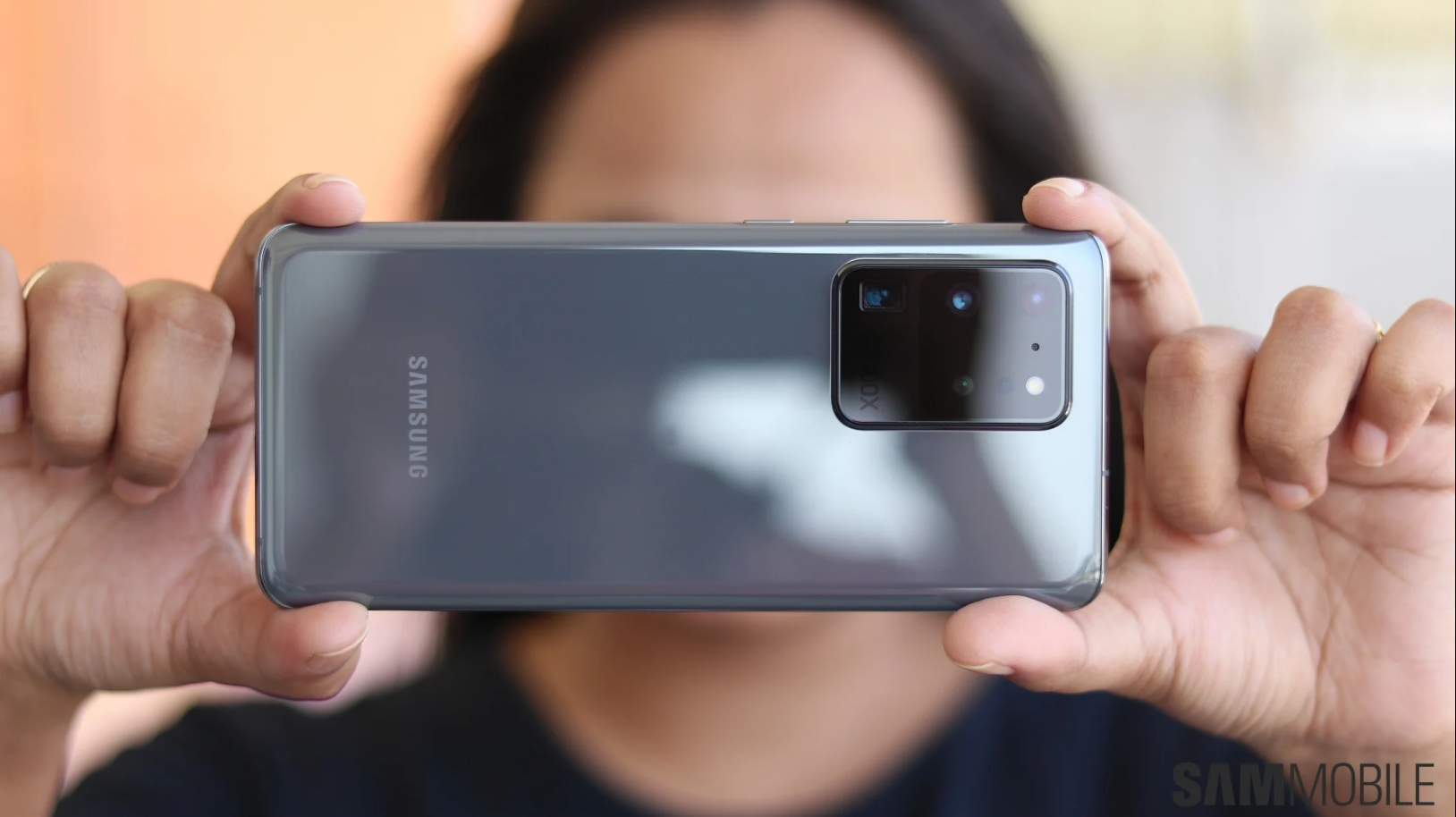
First appearing on the other S20 Ultra, the oversized camera hump makes a return on the Note 20 Ultra. Most of the bits inside are the same, including the main 108MP cam and the 12MP ultra wide. But the periscope telephoto that’s in part responsible for the sheer size of the assembly is now 12MP, swapping out the 48MP unit of the S-series phone – we’ll have to see about that.
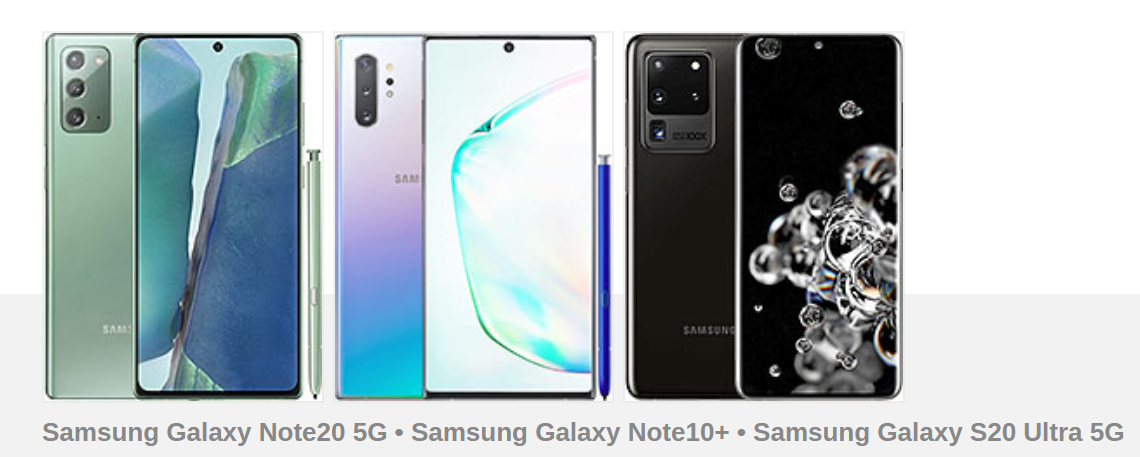
Galaxy family shot: S20 Ultra • Note20 Ultra • Note10 Plus
The display is a nice marriage of Note-style geometry with some high refresh rate coming in from the S20s, now supposedly made even better with an adaptive refresh rate adjustment. Oh, and spoiler – it’s the brightest AMOLED screen we’ve seen to date.
The S Pen is here, of course, now relocated to the left side. It’s improved too, getting a 9ms latency (down more than 4 times compared to the Note10), system-wide Air actions, and a Notes app to make you forget Google Keep.
All this comes in a redesigned package featuring a stainless steel midframe where once was aluminum and the brand new Gorilla Glass 7 (aka Victus) for improved durability. For improved looks, the matte finish on the back will ward off fingerprints, though only the Mystic Bronze color option gets that treatment, sadly. The Mystic Black is all shiny.
Samsung Wireless DeX (desktop experience support)
ANT+
Bixby natural language commands and dictation
Samsung Pay (Visa, MasterCard certified)
Ultra Wideband (UWB) support
BATTERY
Type
Li-Ion 4500 mAh, non-removable
Charging
Fast charging 25W
USB Power Delivery 3.0
Fast Qi/PMA wireless charging 15W
Reverse wireless charging 4.5W
MISC
Colors
Mystic Bronze, Mystic Black, Mystic White
Models
SM-N985F, SM-N985F/DS
SAR
0.57 W/kg (head) 1.02 W/kg (body)
SAR EU
0.32 W/kg (head) 1.47 W/kg (body)
Price
$ 1,044.99
Some other points on that list raise questions, however. Like the battery capacity that’s less than on the S20 Ultra, and the axing of the 45-watt charging support. The increasing gap between the Snapdragon and Exynos platforms is another less than ideal reality that users in half the world need to come to terms with.
Speaking of, we’ll be reviewing the Exynos version of the Galaxy Note 20 Ultra, in 5G spec. That’s one of few times you’ll hear 5G mentioned in the review, however, as we’ll be dropping it for the sake of brevity.
Samsung Galaxy Note 20 Ultra unboxing
A rather typical Samsung presentation, the Galaxy Note 20 Ultra‘s two-piece black cardboard box features the S Pen printed on the lid. A slightly glossy ‘N20’ contrasts against the matte material while the side edges of the top surface have striped patterns to allude to the curved display inside.
As part of the package, you’d be getting a 25-watt charger that adheres to USB PowerDelivery with the PPS bit of the standard supported as well. A USB-C-to-C cable is included, naturally. A pair of AKG-branded in-ear headphones are in there too, if you’re not getting a pair of Galaxy Buds Live as part of some pre-order bundle.
This being a review unit and not strictly a retail-ready package, it was missing the usual spare S Pen tips and the tool for replacing them. Different sizes of tips for the earbuds were nowhere to be found either. We can’t imagine Samsung‘s skipping either of these things and commercially available units will likely have them.
Competition
If you want the ultimate smartphone with a stylus available now, the Galaxy Note 20 Ultra has no competition even at its steep price of $1300/€1300, it’s simple as that. If you’re willing to compromise in one direction or another, a world of options opens up to you.
If you’re dead set on the S Pen, but the Ultra is too expensive, you have a couple of options – a plain Note 20 or a Note10 Plus. The newer model will get you a next-gen processor and camera setup as well as longer software support. It will come in at $1000/€1000, however, and you won’t be getting a high refresh rate display in the process, and we’re not yet ready to forgive it for its plastic back either.
The Note10+ is glass on both sides all right, and while it too refreshes at 60Hz, at least it’s got the 1440p resolution unlike the Note 20. The Note10 Plus is, admittedly, a generation behind in camera technology, but it still has an easily good enough tri-set. Best bit about it is the price, though that does vary wildly from region to region – a little over half the Note 20 Ultra in Europe at about €800, but a less enticing $1100 in the US. It’s actually more expensive than the Note20 in India at current rates, so that’s easily settled there.
Pick a Note: 20 Ultra or 10 Plus
If, on the other hand, the S Pen is little more than a nice-to-have to you and you’re willing to sacrifice that, but want to keep the camera system, the Galaxy S20 Ultra is just the one for you. If you’re in Europe that is – while the S20U is a good €250-300 less than the N20U there, for some reason it is $100 more in the US and about the same price as the Note in India. A minor hit in battery life is also part of the deal in the Eurozone, but it’s hardly consequential and you’ll probably live just fine with the S20 Ultra’s ‘only’ 1200nits of peak brightness instead of the Note’s 1500nits.
That’s just the Samsungs, though. Oppo will sell you a Find X2 Pro for €1100 through official channels and a case could be made it’s the better deal. It’s a different camera system on the Oppo with its own pros and cons, but it’s a very capable one nonetheless and offers similar coverage, plus the all-important (if only to select few) autofocus on the ultra wide cam. It’s mostly a tie in battery life with the Find charging twice as fast. The Find’s display is nearly as good as the Note’s too – arguably even better in a way because it can run in 1440p at 120Hz. You’ll be sacrificing memory expansion (is it an issue with 256GB of base storage on the Oppo?) and the selfie cam tops out at 1080p30 which could be limiting if you’re one to vlog.
Another entrant from China is the Xiaomi Mi 10 Pro – since Xiaomi’s Ultra isn’t leaving its home market. We’re seeing deals for the Mi 10 Pro for as low as €800, and the €500 that you’ll get to keep in your pocket can justify a lot of trade-offs – not that you’d have to make a ton. The Mi’s display isn’t quite up there with the Note’s but refreshes at a sensible 90Hz and is as bright as a Galaxy from the spring. A true quad-cam setup can give the Note 20 Ultra a hard time in most conditions, but this one too is underpowered on the selfie video front. Perhaps the Mi’s biggest downside is the lack of an IP68 rating.
If you’re eyeing the Note 20 Ultra for its zoom power, maybe Huawei could interest you in a P40 Pro+ that can do 10x optically (sort of). That one has no Google services and no stereo speakers, yet is even pricier, though at this point does an extra €100 really count? It matches the Note 20 Ultra for selfie video capture, for a change, adding 3D face mapping in the process. Battery life is a toss up, the display is very good on the Huawei if not quite as good and the 990 Kirin is a bit behind the 990 Exynos. But 10x zoom, though. Okay, 8.5x, technically, but still 8.5>5.
Verdict
With the bulk of smartphones at most price points, some careful examination is needed to establish if they are a good deal or if the competition offers better bang for your buck. It’s rarely so when it comes to Galaxy Notes thanks to the lineup’s practically exclusive feature set – yes, the S Pen is a big chunk of that, but it’s about the entire full-featured package. Taking that a level up to Ultra in 2020, the concept of value-oriented deal almost becomes irrelevant.
The Galaxy Note 20 Ultra is not twice as good a smartphone as the Note10+ that you can find for half its price in some parts of the world. Dropping this much money on a phone in these… unusual times is irresponsible. This phone or that phone will give you 90% of the experience at 60% of the price – or randomly cooked-up numbers of the sort. The Note 20 Ultra itself isn’t perfect, not to mention it’s even less perfect in half of the world.
Perhaps all of that is true. But the Note 20 Ultra is the most complete Galaxy and very likely the most complete smartphone you can buy right now. If your latest bank statement signs off on it, so do we.
Pros
The best display on the market.
Surprisingly good battery life for the display/battery combo.
S Pen is a joy to use, wireless DeX is a nice addition.
Incredibly versatile and well-performing camera system.
Cons
The camera bump could be unsightly depending on who you ask.
Performance divide between versions, Exynos variant isn’t up to the same standard.
Charging speed is not competitive.
Either 120Hz or 1440p, why not both? Also Adaptive refresh rate mode has a questionable effectiveness.
Ultra – that’s where you end up when you one-up your usual Plus. In other words, Samsung‘s outdone itself this year and has gone above and beyond its S20+ to give us the Galaxy S20 Ultra.
Leading the spring-time roster this year, the Ultra marks a shift compared to the 2019 lineup. Where last year we had the similar in most ways S10 and S10+, and then the S10e positioned below them, this time around there’s a model above the mainstream S20 and S20+ – the new moniker makes all the sense then.
And it’s ultra alright. Sure, it’s got an even bigger display and packs a larger battery with faster charging than the other S20s, plus you can have it with up to a ridiculous 16GB of RAM, while the non-Ultras top out at a modest 12GB. But that’s not it.
It’s the camera – likely the most extraordinarily all-out setup we’ve seen to date. The primary cam uses a sizeable 108MP sensor which combines 9 tiny pixels into one big one with processing designed to make use of the extra data being gathered – Nonacell as Samsung calls it.
Then there’s the telephoto shooter – it’s got an unmatched combination of a big 48MP imager and a periscope lens offering 4x optical zoom over the main. Samsung has ‘100X space zoom’ branding on the back of the phone and we’ll be sure to check by just how much it misses the moon, but in any case it’s a spectacularly impressive tele camera on paper.
The ultra wide isn’t quite there. While it is a new unit with a big sensor and large pixels, it’s still missing a vital part of what makes a truly good camera – autofocus.
Over on the front, there’s yet another ultra camera touch – Samsung‘s fitted a 40MP selfie module to set it apart from the so familiar 10MP units on the regular S20s. It’s going to be one lengthy camera section.
Samsung Galaxy S20 Ultra 5G
Body: 166.9×76.0x8.8mm, 222g (220g for the non-5G); curved Gorilla Glass 6 front and back, metal frame; IP68 rating; Cosmic Grey, Cosmic Black color schemes.
Front camera: 40 MP, f/2.2, 26mm (wide), 0.7µm, PDAF.
Video recording: Rear camera: 8K 4320p@24fps, 4K 2160p@30/60fps, FullHD 1080p@30/60/240fps, 720p@960fps. Front camera: 4K 2160p@30/60fps, FullHD 1080p@30/60fps.
Battery: 5,000mAh, 45W fast charging support over Power Delivery 3.0 (25W charger supplied in the box).
Misc: Fast Qi/PMA wireless charging 15W; Power bank/Reverse wireless charging 9W; Ultra-sonic under-display fingerprint reader; NFC; FM radio (USA & Canada only); Stereo loudspeakers; Samsung DeX support (desktop experience).
Mind you, we’re reviewing the 5G version of the Galaxy S20 Ultra, while an LTE-only variant will apparently also be in existence. It’s not a hugely important distinction for the purposes of this review, as we have little along the lines of 5G networks in our neck of the woods anyway. We’ll be omitting the ‘5G’ for the remainder of the article. Another clarification due here is that we’re reviewing the Exynos version of the handset, as is typically the case.
Samsung Galaxy S20 Ultra 5G unboxing
The Galaxy S20 Ultra 5G ships in what’s become the standard Samsung box for high-end models – black, not very flashy at all. The visuals have changed slightly and now there’s an outline of the phone on the lid, with the ‘S20‘ so big it spills over to the sides.
Inside, there are few surprises. You get the 25W charger as opposed to the 45W one, even though the phone supports the higher wattage, and there’s a USB-C cable to complete the link. The pair of AKG branded earbuds ending in a USB-C connector are also a familiar sight from the Note10 bundle. Perhaps the only slightly unusual bit is the clear silicone case you’ll find in the paper sleeve you need to pry out of the lid of the box.
Competition
Let’s face it, if you’re considering spending $1400/€1350 on a phone, you’re probably not driven entirely by reason. Impulsive and/or compulsive buyers as we may be ourselves, the numbers in that first sentence still command some deliberation, even in a money-is-no-object context.
The way we see it, that much cash buys you a Galaxy Z Flip and the flippy Samsung will certainly catch more jealous stares than the ultra Samsung. The Flip is more fragile, it has a much less impressive camera setup and a plebeian 60Hz display (which is also kinda plastic), and not a whiff of 5G. But which one is cooler though?
Funnily enough, for S20 Ultra money you can get almost two Galaxy Note10s in Europe, though that doesn’t seem to be the case in other places. Still, if you do the sane thing and opt for a single Note, maybe even a Plus, you stand to save a lot wherever in the world you are and gain an S Pen in the process. However, Note10s only zoom half the way the Ultra can, and S20s can refresh their displays twice as many times a second as Note10s do.
Or maybe get an iPhone, that’s always an option. A sensible 256GB 11 Pro Max will leave you with $150 in the bank if you’re in the US and save you all the trouble of having to figure out when you’ll be recording with which camera on the Ultra – the iPhone can record with all of them at the same time. Of course, the Ultra’s 4x and 120Hz trump cards remain. There’s a tiny caveat that with Apple’s pricing, the iPhone will actually cost a few dozen Euros more around here, and a cool 30% more in India. So if you’re in India, get the Ultra over the iPhone, obviously.
Seriously, though, the regular Galaxy S20s that we’re still waiting to get our hands on, could end up being the best value S20. Latest chipsets, 120Hz screens too, interesting cameras in their own right, easily more pocketable than the Ultra even if you go for the Plus, and available in moderately interesting colors.
Verdict
The Galaxy S20 Ultra is not without potential. But the overenthusiastic marketing and the sheer size of that camera bump had us expecting the next big thing – instead, space zoom it isn’t and Nonacell is nona-mazing, at least for now.
Yes, the periscope telephoto is great and it’s superior in every way to that other similar periscope telephoto that came a year earlier, but we are a year later now and that’s expected. Yes, the Ultra’s got a big-sensor primary camera which could probably do great things eventually but we didn’t see magic over the past couple of weeks. Yes, it’s the best display Samsung‘s put out, but why can’t we get the refresh rate and the resolution all at the same time? Hmm…
At the Ultra’s asking price, you deserve to be spoiled, and you deserve to be getting magic. And since that’s apparently not the case, we’d advise you to check out the more affordable Galaxy S20s this spring. And, if you think you could keep your sharp fingernails away from it, might as well consider the Z Flip.
Pros
Big, bright and beautiful 120Hz AMOLED display.
The great periscope telephoto cam offers versatile zoom options.
The new gen chipset is a solid upgrade performance-wise.
Stereo speakers are nice and loud.
Charging is very fast.
Cons
Ultra expensive.
Underwhelming battery life with 120Hz refresh rate.
108MP Nonacell camera fails to live up to the hype.
‘Space zoom 100x’ is just for marketing.
Fingerprint sensor performance is way behind the competition.
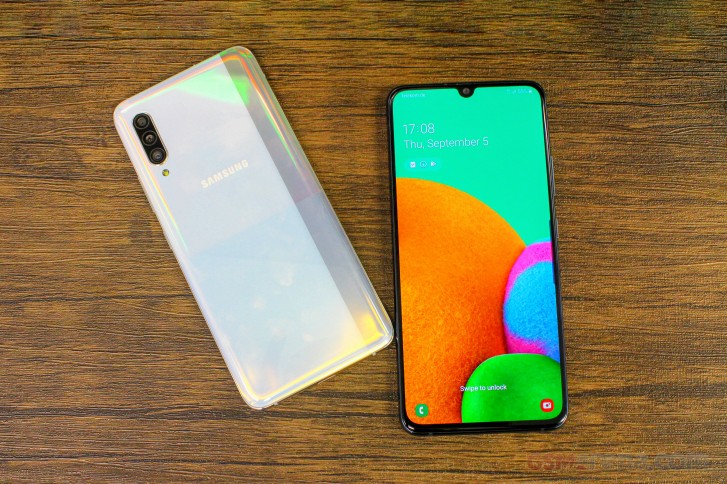
The Galaxy A-series have grown so much in the last couple of years and Samsung is keeping the family afloat with a couple of successful models despite the fierce Chinese competition in the mid-range. Well, it appears that the Galaxy A lineup is mature enough to introduce a flagship smartphone of its own – the Galaxy A90.
What makes a flagship device flagship-worthy? Good screen, performance, cameras and features are all integral part of a true flagship device and the Galaxy A90 appears to have most of them in its checklist. So in a sense, it’s a flagship Galaxy A smartphone by mid-range standards.
Of course, Samsung isn’t trying to sell you a flagship phone with the Galaxy A90 but instead, it’s trying to bring 5G to the masses. As of now, not many SoCs support 5G and all of them are high-end chips so the best way to do it is to put one of them in a ready and somewhat successful mid-range formula – in this case the Snapdragon 855 in a Galaxy A70.
As you go across the specs sheet real quick, you will see that the Galaxy A70 is an almost identical device to the Galaxy A90 5G. The only difference is in the chipset and the main camera – the Galaxy A90 gets the popular 48MP sensor while the A70 settles for the 32MP one.
Samsung Galaxy A90 specs
Body: Gorilla Glass 6 front and back panel, aluminum side frame
Screen: 6.7″ Super AMOLED, 1080x2400px resolution, 393 ppi.
But we can’t shake off the feeling that the it’s a bit early for this phone. The 5G adoption is too small for now and anyone looking to be an early adopter will be aiming for the premium segment anyway. And besides, the Galaxy S10 is selling for roughly the same price, which is a true flagship phone, minus the 5G.
Design
Expectedly, there’s virtually no difference between the Galaxy A70 and A90 in terms of design. Since the screen measures 6.7″ in diagonal, it’s easy to assume that it’s unwieldy, to say the least. It’s one of the biggest Galaxies around so users will small hands will struggle.
The curved back and the thin side bezels do help with the overall handling while the top and the bottom bezels are considerably slim too. It does give the impression of a high-end smartphone when looking at it from the front.
Interestingly, the Galaxy A90 uses glass for its back instead of plastic like its cheaper sibling, the Galaxy A70. The glass panel features geometric patterns giving it a more distinct look and the available colors are Black and White. The patterns themselves do look a lot different from what we’ve seen before.
The glass back is also a home to the triple-camera setup tucked away in the upper-left corner. It’s vertically stacked but the bump isn’t as prominent as one would expect. Perhaps it’s because the Galaxy A90‘s chassis is 0.5mm thicker than the A70’s making the camera bulge less prominent.
Unfortunately, we don’t have any information regarding the device’s frame but since Samsung didn’t say anything specific about it, we’d assume it’s plastic.
Hardware and features
This is not the first smartphone we’ve seen with Snapdragon 855 so we know what to expect in terms of performance. The SoC is paired with 6GB of RAM and 128GB of internal storage as a base offering and you can upgrade to the 8GB/128GB configuration. Strangely, microSD card support applies only to the 6GB model. The modem inside is Qualcomm’s X50, which is also found on the range-topping Galaxy S10 5G.
The device is built around a 6.7-inch Super AMOLED panel with a U-shaped notch. An extra tall 20:9 aspect ratio (1080 x 2400px resolution) makes the phone ideal for videos, web browsing and multi-tasking. It’s just a few pixels shy of the 21:9 cinematic experience offered on some phones.
On the camera front, we’ve got a 48MP main one with a rather small f/2.0 aperture and PDAF, 8MP ultra wide-angle lens with f/2.2 and a 5MP depth sensor. The notch houses a 32MP shooter and just like the main one, it supports native quad-pixel technology and outputs 8MP images.
This is one of the few Samsung devices with the 48MP sensor and our two main complaints are the narrow f/2.0 opening of the lens – rarely can you find even a midranger with a smaller than f/2.0 aperture – and the lack of OIS. The exact same camera can be found on the Galaxy A80.
Then again, the more advanced ISP on the Snapdragon 855 chipset could mean some minor improvements here and there. Speaking of the Snapdragon 855, it brings a couple of camera-related features that are only available on the Galaxy flagship handsets. Thus, the Galaxy A90 can shoot Super Steady videos (like the S10s and the Note10s), makes use of the Scene Optimizer and Flaw Detector. Of course, 2160p video recording in 30fps is also possible.
Additionally, for the first time, Samsung is bringing DeX support for its mid-range A-series with the Galaxy A90. Most probably hardware limitations have kept the PC-like experience away from the series but with the Snapdragon 855, DeX is now available over the USB-C connector.
While on the subject of connectors, the Galaxy A90 seems to be missing the 3.5mm audio jack from the equation. Strangely, the Galaxy A70 has one.
Lastly, the whole hardware sips from a generous 4,500 mAh battery supporting 25W fast charging in compliance with the Power Delivery standard. But don’t hold your breath for that one because the Galaxy A70’s charging times were far from the ones we got when testing the Galaxy Note10+.
Battery life should be stellar, given that the Snapdragon 855 has proven to be a remarkably efficient SoC and should be in the same ballpark as the Galaxy A70. However, when 5G is involved, since the Snapdragon 855 doesn’t have an integrated modem, the X50 is expected to draw more power too.
Wrap-up
As we already pointed out, Samsung isn’t aiming at the premium-seeking users with the Galaxy A90 but instead, it tries to deliver a semi-flagship experience with 5G connectivity at a more reasonable price point, as far as 5G phones go. It’s by far the cheapest 5G option out there and it’s already out in Korea for roughly €685.
The price is surely steep and it begs the question of how bad you want to be an early 5G adopter? For the same price (even a few bucks less), you can snatch a full-fledged flagship like the Samsung Galaxy S10 or the considerably cheaper S10e. Of course, both are limited to 4G support and have considerably smaller screens. If 5G and big screen are a necessity for you, the A90 is the only option you have and that’s what Samsung is aiming for.
The confirmation comes from Samsung’s biggest mobile experience store in India, courtesy of an inquiry from Android Authority and a separate reaffirmation from Sammobile. The Opera House store in Bengaluru has said that it will start sales of the devices from January 29th, as stock won’t reach India until the week after the launch. It also says it has begun taking preorders with an ₹2000 ($27) deposit, in return for which it will keep customers updated on availability via WhatsApp. Those leaving a deposit will not need to decide which variant they want until the official announcement. After all, technically, these devices “don’t exist” yet.
The store also confirmed that Indian devices will be powered by the still-unannounced Exynos 2100 chipset, rather than the Qualcomm Snapdragon 888 believed to be under the hood in some other markets. They also confirmed the colors seen in teaser videos – gray, pink, purple, and white for the Galaxy S21, pink, purple, silver, and black for the Galaxy S21 Plus, and silver or black for the Galaxy S21 Ultra.
Yesterday, we got our first look at what’s believed to be the camera array for the range, suggesting a main sensor at 12MP, along with a 12MP ultra-wide lens and a 64MP telephoto lens. The Ultra has a quad-array with 108MP main shooter, 12MP Ultra Wide lens and not one, but two telephoto lens, one of which offers up to 10x optical zoom, the other 3x zoom. One thing that hasn’t been confirmed or denied is the rumor that Samsung won’t be bundling a charger with this year’s flagships, at least in some countries. That’s a surprise yet to come.
In an unexpected turn of events, a regional branch of Samsung revealed the launch date for the Galaxy S21 series before any announcement from its global offices. More specifically, Samsung India confirmed the company’s next-gen flagship series will be debuting on January 14th. It did so in quite a casual statement issued to Android Authority earlier today.
We followed up with Samsung’s local offices and had a company official confirm the development. Not only that, but they actually said Samsung Experience Stores in India are already accepting Galaxy S21 pre-orders in exchange for a token advance fee of Rs. 2,000 (just over $27).
Is Samsung India jumping the gun with these Galaxy S21 pre-bookings?
If that sounds a bit premature, that’s probably because it is. Because it seems these early pre-bookings are completely blind, i.e. they are not accompanied by any concrete pricing or availability details. Yet with Samsung now confirming our October scoop by announcing a definitive Galaxy S21 launch date that falls in the first half of January, those who pre-book them today might already have their new Android flagships by the end of the same month.
Anyone who pays the aforementioned fee will be able to choose from any of the available models once the actual pre-orders open on January 14th before everyone else. Finally, Samsung India also revealed the color options for the entire flagship series, stating that the Galaxy S21 will be available in white, gray, pink, and purple, whereas the Galaxy S21+ will also be offered in purple and pink, in addition to black and silver. Those last two hues will be the only options presented to prospective Galaxy S21 Ultra buyers.
A 5.2-inch Super AMOLED display, 14nm Exynos chipset, a body made out of a glass/metal combo, IP68 certification, 16MP f/1.9 cameras front and back – it sure sounds like Samsung’s next flagship. Only it’s not the flagship we’re talking about, but the Galaxy A5 (2017) premium mid-ranger.
Of course, we are guilty of hand-picking that selection of specs to prove a point, and there are other fields in that spec sheet that would give away the A5’s lower position in the Galaxy universe. Display resolution is one (1080p), and the chipset is another (Exynos 7880). Even though it’s made on a cutting-edge 14nm fabrication process, it’s still only mainstream Cortex-A53 cores inside and not hard-hitting Mongooses or Kryos. And then the cameras lack OIS and 4K video recording, even if they both offer higher resolution than the Galaxy S7.
Connectivity: nano SIM (dual SIM version available); LTE (Cat. 6); Wi-Fi ac; Bluetooth 4.2; FM Radio; USB Type-C; 3.5mm jack
Battery: 3,000mAh
Misc: Fingerprint reader, IP68 certification for dust and water resistance, Samsung Pay
Main shortcomings
Somewhat expensive – the Galaxy S6 can be had for less, the S7 is slightly pricier, but will certainly dip in a couple of months when the S8 comes out.
Android is still Marshmallow, though an update is coming.
No 4K video recording at a price point, where you can find plenty of phones that support it.
It’s not exactly what you call a bargain, the A5 (2017), unfortunately. Its price tag makes a pretty solid case for the Galaxy S6, and why not even the S7 when the time is right? It’s also not looking good that Samsung is putting out a new premium product with good ol’ Marshmallow, and no shiny fresh Grace UX can make up for that.
None of that means we don’t like the premise of a premium full-featured (or thereabout) smartphone positioned a notch below the flagships – quite the opposite. We’ll be looking into just how much the A5 (2017) deserves its place in the world on the following pages, starting (not unusually) with a hardware overview.
The Galaxy A5 (2017) measures 146.1 x 71.4 x 7.9 mm which is standard for a 5.2-inch phone – most other devices with the same diagonal are within a millimeter in each direction
As for weight, the A5 (2017) is on the heavy side of average. Its 157g aren’t really an issue, but the similarly sized Huawei P9, for example, tips the scales at just 144g. The brand new HTC U Play is even a notch lighter at 143g, though admittedly it is severely battery-deprived (2,500mAh).
Hardware overview
If there’s one area where the Galaxy A5 (2017) can stand up to flagship-grade scrutiny it’s build and looks. To a non-discerning eye the A5 can easily pass for an S7 – the aluminum frame, the dual-glass sandwich, the shapes and proportions – it’s all top-shelf material.
What’s been missing on the A-series for a while now and hasn’t made an appearance on the Galaxy A5 (2017) either is a notification LED. That one seems to be a flagship-only feature as of late. The top bezel of the midranger does contain all the other usual stuff though – earpiece, proximity/ambient light sensors, and selfie camera.
More importantly, and unlike any previous non-flagship or non-rugged phone, the A-series for this year have IP68 certification for dust and water resistance.
We do tend to compare the Galaxy A5 (2017) to both the existing S7 and the projected S8 and while the S7 is so last year with its 3.5mm jack, the S8 may be one of the trendsetters to lose it. So there – the Galaxy A5 (2017) is on par with the current top model in this respect, and possibly better than the upcoming one.
The Galaxy A5 (2017)‘s wired interface is in fact more up-to-date than the current flagship S7. The Type-C USB port only made it on a Samsung phone with the Note7, but we all know how that ended. Other than a somewhat obscure C9 Pro, the A-series remain the only Samsung handsets with a Type-C port. Beat that, S7.
One odd design decision sees the loudspeaker placed on the right side of the phone, right above the power button. For ringtones that’s as good as any other position and in a way it’s better for video viewing when holding the display in landscape orientation than the prevalent bottom placement. There are no stereo speakers, but there aren’t any on Samsung flagships either. Not yet, at least.
As with a few other previous A-series models, the A5 (2017) has a couple of card slots. The one on the side accommodates one nanoSIM, while the slot on top takes a microSD card. The latter can also fit an additional nanoSIM card on dual SIM versions of the A5 (2017) and in this case the microSD slot remains available – it’s a dedicated solution and not a hybrid one and we can’t stress enough just how much we prefer it this way.
On the back, the S-series have been having all sorts of sensors, but not the A’s – it’s the bare minimum here with just the camera module and the LED flash.
Your palms will undoubtedly appreciate the curves on the back, which make the A5 a joy to handle. Some people tend to complain that glass is slippery, but we’ve had more issues in this respect with satin-finished aluminum on some phones, so it’s probably down to the individual’s skin properties. What’s not debatable is that on glass backs smudges reign.
Display
The Galaxy A5 (2017) like all self-respecting Galaxies packs a Super AMOLED display. The A5 in particular is smack in the middle between the 4.7-inch A3 (2017) and the 5.7-inch A7 (2017) in terms of diagonal, and its 5.2-inch panel has FullHD resolution. That amounts to a 424ppi density but the Diamond Pixel arrangement makes that less sharp than a competing LCD with equal number of subpixels for each color. It’s still plenty sharp though.
The display can give you that AMOLED punch that’s become synonymous with the tech, at the expense of color accuracy. In Adaptive mode average DeltaE is 5.3 with Red waaay off at 11.2, but also quite inaccurate whites. Switch to basic mode, however, and you’re treated to an excellently calibrated display with an average DeltaE of just 2.0 and a maximum of 3.2. Cinema and Photo modes are somewhere in between – whatever floats your boat.
Maximum brightness is excellent, particularly if you engage the Auto mode, in which case the display gets a healthy boost in bright conditions. That said, last year’s model could pump out more nits in Auto mode. Even so, the A5 (2017)‘s numbers are right up there with the S7 flagship – excellent. Contrast is infinite, it’s Super AMOLED’s treat for you. With a minimum brightness of just 1.8 nits night-time scrolling sessions won’t strain your eyes either.
Display test
100% brightness
Black, cd/m2
White, cd/m2
Contrast ratio
Samsung Galaxy A5 (2016)
0
421
∞
Samsung Galaxy A5 (2016) max auto
0
601
∞
Samsung Galaxy A5 (2017)
0
413
∞
Samsung Galaxy A5 (2017) max auto
0
559
∞
Samsung Galaxy A3 (2017)
0
408
∞
Samsung Galaxy A3 (2017) max auto
0
518
∞
Samsung Galaxy S7
0
391
∞
Samsung Galaxy S7 max auto
0
563
∞
Samsung Galaxy S7 edge
0
392
∞
Samsung Galaxy S7 edge max auto
0
610
∞
Samsung Galaxy S6
0
363
∞
Samsung Galaxy S6 max auto
0
619
∞
Huawei Honor 8
0.34
374
1101
Huawei Honor 8 (Max auto)
0.34
395
1161
Honor 8
0.37
460
1243
Huawei nova
0.25
385
1540
Huawei P9
0.46
500
1094
OnePlus 3
0
433
∞
OnePlus 3T
0
447
∞
As for sunlight legibility, the AMOLED A5 for 2017 is on par with last year’s model, and slightly better than the A3 (2017), but none of them is a match for this or last year’s flagships. In fact, the A5 (2017) sunlight contrast ratio is virtually identical to the budget J7 (2016) – sounds great from that phone’s perspective, not as flattering from the A5’s. That said, only top-of-the-line LCD-equipped phones can post such results (the likes of the iPhone 7 and Xperia XZ), and it’s not them that the A5 is facing, pricey as it may be.
Connectivity
The Galaxy A5 (2017) is well-stocked on connectivity options. Samsung specifies Cat.6 LTE (300Mbps downlink, 50Mbps uplink), with a disclaimer that it may vary by region and carrier, and since the Exynos 7880 itself supports Cat.7 you may want to check locally if the 100Mbps DL speed is of such crucial importance to you (you know who you are).
There are single SIM and dual SIM versions, each of them with two card slots. In each case there’s a dedicated microSD slot as well – on single SIM models (such as the one we had) there’s no cutout for the second SIM in the top slot (presumably, no contacts and hardware, maybe?).
There is also dual-band Wi-Fi a/b/g/n/ac, Bluetooth v4.2 (but no detail on aptX for high-quality audio), NFC and MST (for Samsung Pay, where available), and an FM radio receiver. There is no IR transmitter, though.
A Type-C port is in charge of charging, but only adheres to USB 2.0 spec, so you’re limited to a ‘measly’ 480Mbps theoretical maximum transfer speeds. USB OTG is supported for attaching peripherals, but there’s no MHL support for wired video output. Thankfully, there’s a 3.5mm headphone jack.
Samsung Galaxy A5 (2017) battery life
The Galaxy A5 (2017) is powered by a 3,000mAh battery – oh, look, it’s the same capacity as the Galaxy S7. And this one has fewer pixels to render, plus a chipset that should be more frugal than the thirsty flagship number-crunchers.
Well, indeed it is. The Galaxy A5 (2017) only fell short of the S7’s time in the voice call test, and just by an hour and a quarter. At close to 22h its result is still perfectly acceptable.
It gets better in the screen-on disciplines. It takes 14 and a half hours of our Wi-Fi web browsing test to deplete the A5’s battery – a remarkable feat, even if the smaller A3 (2017) does outlast it by an hour. The S7, on the other hand, can’t even make it to 10h.
In video playback the A5 crosses the 16-hour mark before calling it quits – another superb performance. The flagship is closer here, but still falls short by an hour and a half.
As for standby, we’ve tested the phone both with the Always On Display feature engaged and then turned off. While it does take a massive toll on standby time (and consequently on the overall endurance rating), you should bear in mind that our testing can’t account for the phone turning off the display completely when it’s in a pocket, for example. So, presumably, actual real-world standby with the AOD on should be much better.
The overall endurance rating of 95h is an excellent result and is a testament to the inherent benefits of having a 14nm chipset on board – be it an Exynos or a Snapdragon.
Software
Remember the Note7? The Galaxy flagship phablet (that wasn’t meant to be) introduced a redesigned Samsung user interface called Grace UX. The Note7 being absent, the 2017 A-series are the only phones to come with the updated Android overlay out of the box, but it is also being seeded as we speak with the Nougat update for the S7 and S7 edge. Mind you, in the A5 (2017)‘s case it’s on top of Android 6.0.1 Marshmallow, though a bump to Android 7 is in the works.
This generation of A-series is the first to feature Always On Display (AOD). Three main views are available – Clock, Calendar and Image, with some customization available. Notifications from third-party apps show up (something that didn’t work when the S7 launched, but was added later).
The Always On Display dims when ambient light is low and will shut off when the Galaxy A5 is in your pocket. This saves energy, but you can be more explicit about it and put AOD on a schedule (or it may just be that you don’t like the extra light while you sleep).
The lockscreen can be secured with the fingerprint reader. It’s not the fastest we’ve seen, but it’s no slower than the readers that flagship Samsungs use.
The fingerprint reader can do more than that. Web sign-in remembers the passwords you use for sites and can automatically fill them in when you touch the fingerprint reader. You can also secure your Samsung account (more on that in a bit).
The Homescreen has the Briefing pane on the left (which you can disable) and supports themes and icon packs. More interestingly, it supports sort of a 3D Touch feature, not unlike the one found on the Google Pixel phones – you tap and hold on an app and a contextual menu appears. However, it offers just basic app handling actions and is not tied to the actual functionality of app.
The notification area should be quite familiar as well. A line of quick toggles is available above the notifications. Pulling the shade further down reveals all toggles, a brightness slider and a handy search field (Google prefers to put the search field on the homescreen instead).
We like the idea of the Block notifications button, it allows you to quickly mute notifications from pushy apps (games are often guilty of crying for attention when you haven’t played them in a while). Still, we don’t like the aesthetics of it.
The app switcher is the usual rolodex, but unlike the A3 here it offers split-screen multitasking (standard on Nougat, but this is Samsung’s implementation in Marshmallow). The apps that can go in multi-window have an icon next to the X, and that’s one way of doing it – the other is to hold the task switcher capacitive key.
The App drawer has a search field that looks through the apps you have installed, but also suggests apps from Galaxy Apps (you can search the Play Store if you prefer).
Being a somewhat larger phone than the A3, the A5 also gets a one-handed operation mode. It’s part of the Advanced features menu where you can also enable other actions like double press on the Home button to launch the camera and screenshot capture with a palm swipe.
Secure folder creates a separate zone so sensitive files (photos, documents, etc.) and apps can be locked away from prying eyes. Once you enter the Secure folder, taking a photo with the camera or snapping a screenshot places the file in the Secure folder. To access those from the regular gallery, you’ll first have to move them.
The reason you want to secure your Samsung account with your fingerprint is that you get 15GB of cloud storage for free. Everything from contacts to photos can be synced and you get to choose which files are synced over LTE and which are left for when Wi-Fi is available (contacts, calendar and notes don’t use much data, but photos do).
Camera
The Galaxy A5 (2017)‘s primary camera is based on a 16MP sensor that sits behind a 27mm-equiv. lens with an f/1.9 aperture. It’s lost the optical stabilization, unfortunately – last year’s model had that. Autofocus is also contrast-detect only – or at least no phase detection is being advertised. There is a single-LED flash, but that’s been Samsung’s treatments of its flagships, so why should the A-series be any better.
The camera interface has not received substantial changes. Grace UX has brought only minor refinements like swipe gestures.
As usual for Samsung smartphones, you can launch the camera with a quick double press on the Home key. The viewfinder greets you with only a flash mode toggle and a shortcut to settings.
From here you can swipe down to switch between the front and rear cameras, which is much appreciated even if not very original (LG says hi!). Swiping to the left gives you a panel with color filters, while in the other pane you get access to the shooting modes.
That’s where HDR mode resides – there is no Auto HDR like on flagships and the HDR mode is a swipe and a tap away, instead of just a tap. A Pro mode is present too, though that’s clearly a huge overstatement – you get control over exposure compensation, ISO and white balance presents, plus a metering mode selector, but no manual focus and no manual shutter speed. We gather the ‘pro’ could pass for ‘program’, but not ‘professional’, really.
Image quality is quite good, with low noise and minimal signs of noise reduction. Colors are pleasingly vivid too, without being over the top – in this weather it’s mostly the iPhone graffiti in the second image that can testify to that, but it’s enough (also the Photo compare tool down below). Dynamic range is good, though in extreme cases like the 4th and 5th sample you’re bound to end up with blown highlights.
HDR needs to be engaged manually, there’s no Auto and certainly no live preview like on the flagships. In high-contrast scenarios you might be wise to take a shot in normal and HDR mode, just in case. It does what it promises without much drama – shadows get a modest boost, and some detail in the highlights is salvaged, adding up to a very natural-looking image. Some might prefer a little less subtlety here.
We’ve seen better panoramas than the ones coming out of the Galaxy A5 (2017), but then again, we’ve seen better weather too, though certainly not lately. Anyway, the A5’s panoramas are about 1,800px tall, detail is about average, and stitching is very good, of course provided there are no moving objects.
Selfie camera
The selfie camera on the Galaxy A5 (2017) is another 16MP f/1.9 unit, though naturally not of the same caliber as the rear one with the same numbers. For one, the front-facer lacks autofocus, and you’d think that’s a non-issue for a cam used almost exclusively at arm’s length. It would have been, had the focus distance been tuned to arm’s length shooting, and that’s not the case.
Which is sad, because at the proper distance the results are superb, only that means just your face is in the frame, and presumes some serious interest in your pores. At arm’s length everything’s a blur.
The evenly matched pixel count prompted us to make a comparison between the front and rear cameras, and… well… makes you wonder just how crucial composition needs to be for it to make such a trade-off in quality worth it.
Video camera
The Galaxy A5 (2017) captures video up to 1080p/30fps, so no 4K recording out of this one. We’ve sort of grown used to expecting a phone in this price range to be able to do it – damn you, OnePlus 3.
The A5’s videos are encoded with a 17Mbps bitrate, the usual number, while audio gets a generous 256Kbps, stereo.
The FullHD video output is good, with nice levels of detail and low noise. Colors are rendered quite well too, though once again you’re better off looking at the Video compare tool to get a better idea. Audio, by the way, is surprisingly clear, and it can’t be down to just the bitrate.
Final words
One thing is clear from this review – Samsung has got the alphabet wrong. A has never been as close to S as it is with the A (2017) series. The Galaxy A5 (2017) carries more than a passing resemblance to the reigning Galaxy S7 flagship – let’s just say that if the S7 were to stumble into the A5, they’d take a selfie together.
It’s hard to split the two for looks and build quality, and that includes the IP68 certification. Only now making it outside of a select group of flagship or rugged Samsungs, the dust and water proofing is shared across the entire ‘A’ lineup this year. Same for the Home button with a fingerprint reader, complete with Samsung Pay capabilities, but that’s old news – it was already available on last year’s As.
Another thing to trickle down into the upper midrange is the cutting-edge internals. The 14nm chipset at the heart of the A5 (2017) may not outperform the top-end silicon of the day, but its efficiency is immediately evident – the battery life of the A5 is just marvelous.
The 5.2-inch Super AMOLED display is equally great – gone are the days of dim AMOLEDs with colors all over the place. This one is bright, it can be accurate if you want it to be, and it is well visible in the sun. Flagships retain the QHD resolution as a trump card, but the A5 is perfectly okay with its FullHD.
16MP cameras front and back – we can see smiles lighting up the faces of Samsung’s marketing team. The front cam can be super-detailed, only you need to keep the phone a foot away from your face, and that barely fits our grown-up mugs. We don’t know about you, but that’s not how we like our selfies. The rear camera is a lot more balanced and a capable overall performer. Its images are detailed and exhibit mature detail rendering, pleasing colors, and dynamic range is quite wide.
Samsung Galaxy A5 (2017) key test findings
Build quality and materials are flagship-grade (IP68 rating, too), but the glass back is inevitably prone to fingerprints.
The high-quality Super AMOLED display has excellent maximum brightness and infinite contrast and can put out punchy or spot-on colors depending on your preference. Sunlight legibility is not quite up there with the best, but it’s still better than any LCD.
Battery life is superb – the phone’s endurance rating is 95h, and it posted excellent numbers in all our individual tests.
Grace UX or TouchWiz, Samsung’s interface is functional and feature-rich, now also sleeker. It’s still based on Android Marshmallow, which is less than ideal in 2017.
The Exynos 7880 performs great if you take into account its efficiency. In absolute terms, it’s an average midrange SoC that’s not greatly suited to the most demanding tasks. Then again, Game launcher could help you alleviate that by lowering the resolution at which games are rendered so you get all the special effects.
The loudspeaker posts a Good rating for loudness, it’s nice and clear at maximum volume too.
Image quality from the main camera is good – there’s sufficient detail, colors are nicely saturated, and dynamic range is pretty wide.
1080p video quality is very good, so is the audio that accompanies it.
The 16MP selfie camera produces spectacular results, but its focus is fixed way too close, so you’re forced to choose between narrow coverage or images that are simply not in focus.
The Galaxy A5 (2017) may look like the (still) current flagship S7, but it is the S6 that it will give it the hardest time. The previous-gen top model boasts a higher-grade camera with 4K video recording and OIS, a higher-res display and a superior chipset. We’d even cautiously suggest that the much more versatile 5MP selfie shooter of the S6 wins over the 16MP one of the A5. The A5 (2017) fights back with its IP68 rating (the S6 carries none), a microSD slot, a FM radio and longer battery life, plus a Type-C port if that’s a decider for you.
Oh, we almost forgot – the S6 is one of the best choices if you want to take advantage of Samsung’s Gear VR platform. The A5 (2017) stays quietly in the corner when the big boys talk VR.
Then there are the other As from this year. Maybe you’re eyeing the A3 (2017) for its pocketability, just beware that it’s got a lower-res (and lower pixel density) display, a slower chipset, less RAM and storage and lower-res cameras. It does keep a lot of the important stuff like the microSD slot (though hybrid on the dual-SIM version), IP68 rating, and superb display and battery life. It’s also cheaper, duh.
Or, you could go one up and pick the 5.7-inch Galaxy A7 (2017) if that’s available near you. Much fewer trade-offs here – the hardware is almost identical, only you’d be paying a little more for a larger diagonal and more battery (so possibly better battery life). The one caveat – Samsung won’t be selling the A7 in Europe – a decision which is beyond us.
There’s yet another option that needs to be mentioned, and it’s none other than the Galaxy S7. Of course, it’s considerably more expensive right now, but it’s due for replacement in three months, so if you could wait, the S7 will certainly be a much better deal then. The A5 (2017) has nothing on the flagship – all the advantages over the S6 vanish (alright, there’s the FM radio), and the S7 is hands-down the better phone altogether.
The Xperia X Performance goes for Galaxy A5 (2017) money in most markets. It’s a model that’s close to being a year old if you count from the announcement or half that if you consider the actual launch.
The X Performance is among a select few devices to offer an IP68 rating for dust and water protection, so the A5 has found its match on this front. Not regarding battery life, though – the Sony is nowhere near. It does boast a Snapdragon 820 chipset, which it chooses not to use for UHD video, but its advantages for mobile gaming remain – it’s much better suited to the task than the A5’s Exynos 7880.
Huawei has a couple of phones to compete with the A5 (2017) for your affection. Another flagship due for replacement, the P9 is a bit pricier but has a lovely dual 12MP camera (color+monochrome) on its back and a more powerful chipset (that still doesn’t support 4K video recording, mind you). The A5 is dust and water resistant, though, and makes much better use of its 3,000mAh battery than the P9.
Going for the Huawei nova instead, you’d save a few notes, but still get a premium midranger – this one made of metal. Unlike the P9, the nova has a single rear camera (but then so does the A5), only it can record 4K video. Battery life isn’t half bad, but it’s no match for the marathon runner that the A5 is and the Samsung handset’s display is superior in all respects. Did we mention the A5’s IP68 rating? Well, now we have.
Priced identically to the Galaxy A5 (2017), the OnePlus 3T deserves a spot here. Sure, you can’t find it in a store, and claiming a warranty might be a minor pain in the…hassle, but it’s hard to beat it in bang-for-buck ratio. Packing one of the most powerful chipsets available, the 3T also comes with more RAM and storage. The latest from OnePlus packs 2x16MP cameras too, and both are arguably slightly better than the A5’s, plus the main one can capture 2160p video.
The A5 has its strengths – the 32GB of memory may look modest next to OnePlus’ 64GB or 128GB (has anyone actually gotten one of those), but a 256GB microSD card can easily dwarf that, as the 3T offers no option for expansion. Perhaps you’re tired of reading about the A5’s water-resistance and excellent battery life, but that’s only because no other phone manages to match it on both of those counts, most not even on one. The OnePlus 3T certainly can’t.
Going through the numbers that define the Samsung Galaxy A5 (2017) it’s all too easy to focus on the negative stuff. No 2160p video recording. £400/€430. Android 6.0.1. Even that name is a bit too much – A5 (2017).
Those numbers can easily be countered with a few others that ring much more nicely, but let’s not get so hung up on the digits. The facts are that the Galaxy A5 (2017) is beautifully-built; it will live through a downpour; it packs a screen that’s only bested by flagships, and has battery life to spare. Of course, it’s not ideal, and it’s not cheap, but you’re also unlikely to find a better match for the description in the previous sentence. Well, not unless you dig even deeper into your pocket.
One of the first phones with five cameras on board and, several months after the announcement, still the only one with four on the back – it’s the Samsung Galaxy A9 (2018). We set out to discover how well the impressive specsheet translates into real world performance.
Sitting on top of the ever-confusing Galaxy A-series, the A9 leaves no doubt it’s the best-equipped of the bunch. Of course, it’s got more cameras than any other – it adds a telephoto module to the A7’s regular/wide/depth configuration. There’s ‘only’ a single cam on the front – the 24MP selfie shooter doesn’t get a depth sensor of its own.
It’s not just the camera count that sets the A9 apart from the rest of the 2018 midrange Galaxy models – it’s also got the most powerful chipset. Its Snapdragon 660 outclasses the Exynos chipsets of its lesser brethren and only falls short of the recently announced A8s (which lacks a year designation, so it doesn’t really count).
The largest display of the A-series is also to be found on the A9 (2018), its 6.3-inch diagonal only bested by that pesky A8s that came out as we were doing the A9’s review, so we had to reword stuff here and there. Anyway, the A9 (2018) feature set continues with more RAM than you could possibly need, 128GB of storage that you can also expand with a dedicated microSD slot, and ample battery capacity complete with Samsung’s sort-of fast charging – yup, the A9’s spec sheet has all the right boxes checked.
Samsung Galaxy A9 (2018) specs
Body: Glass back, metal frame; 162.5 x 77 x 7.8mm, 183g; Caviar Black, Lemonade Blue and Bubblegum Pink color schemes;
Memory: 6GB/8GB (market dependent) of RAM, 128GB of storage; dedicated microSD slot for expansion.
Battery: 3,800 mAh Li-Po (sealed); Samsung Adaptive Fast charging.
Connectivity: Dual SIM; LTE Cat. 9 (450Mbps download/50Mbps upload); USB 2.0 Type-C port; Wi-Fi a/b/g/n/ac; GPS, GLONASS, BDS, GALILEO; NFC; Bluetooth 5.0; FM radio.
Misc: Rear-mounted fingerprint reader; Samsung Pay; single speaker on the bottom; 3.5mm jack.
Well, we would have preferred Android Pie instead of last year’s Oreo, but in a world where the Note9 doesn’t have v9.0 of the OS yet, and the S9 only got it as a post-Christmas present, we didn’t actually expect it of the A9, of all models.
And while we usually avoid thinking in price-vs-performance terms before evaluating a phone on its merits, the number Samsung is asking for the Galaxy A9 (2018) raised a few eyebrows around the office as soon as the phone got in through the door. We’ll be quick to go over the lab test results, but not before we have a look at the A9’s design.
Design and 360-degree spin
The Galaxy A9 (2018) is immediately recognizeable – after all, there’s no other smartphone with 4 cameras on the back, as we established. The quad-cam array is positioned in the top left corner and is remarkably less intrusive than we would have thought – or is it just us getting used to multi-camera setups?
The four modules are arranged in a row, instead of a 2×2 square and it’s perhaps this setup that makes them less in-your-face. It also helps that they all peek at you from one shared window instead of, say, Huawei’s 2+1 configuration on the P20 Pro. Even so, Samsung didn’t find room in there for the flash and it’s outside of the camera cluster.
Instead of the Galaxy A7 (2018)’s one-off side-mounted fingerprint reader, the one on the A9 is placed more conventionally on the back. If you’re switching from a smaller phone, this reader may seem a bit high, but if you’re coming from another 6+-inch phone it’s exactly where you’d expect it to be. A word of praise to Samsung for having no text other than the company logo to spoil the look of the back.
The front is very clean too – the 6.3-inch Super AMOLED takes center stage, naturally, with thin sides and meatier, though not excessive, top and bottom bezels. Samsung still calls it Infinity Display even though it’s less ‘infinity’ than on the S9s and the Note9s of this world. Some folks will prefer it that way – if you’re into large screens, but like them flat, the A9’s the way to go in Samsung’s lineup.
The top bezel houses the usual elements you’d expect to find there. The earpiece is in the middle, the selfie camera is to its right, while the ambient light and proximity sensors share a cutout on the left. There’s nothing below the display.
The Galaxy A9 (2018)‘s frame is made of metal, keeping together the glass sandwich. Down on the bottom, there’s a USB-C port (we still can’t forgive Samsung for pairing the A7 with a microUSB port in 2018), a good old 3.5mm jack, the single loudspeaker, and the primary mic.
Up top you’ll find the secondary mic pinhole and the card slot. That card slot is our favorite type – it takes two nanoSIMs and a microSD card, so you’re not forced to choose between dual SIM versatility and extra storage.
Samsung’s messed things up a bit with the control scheme on the A9 (2018) and moved the volume rocker to the right, above the power button. It used to be a given that your Samsung will come with a power-on-the-right-volume-on-the-left setup, but that’s no longer the case. There still is a button on the left of the A9 – that one’s for Bixby. Even though we find the arrangement unorthodox for a Galaxy, we had no issues with actually using the buttons, so the above are just pointless musings. The click action is good too.
The Galaxy A9 (2018) measures 162.5x77x7.8mm, which is about right for its display size. The 6.4-inch Note9, in fact, has a marginally smaller footprint, but its curved screen helps with the numbers. And then the A9 is actually a full millimeter thinner than the flagship. The A9 (2018) is also reasonably light for the combination of display size and battery capacity, and its 183g won’t be a burden on your jeans pocket.
Competition
A large-screened smartphone with upper mid-range internals and a bunch of cameras – who else makes those? Practically everyone, though as we’ve established, not one of them can beat the Galaxy A9 (2018) for the sheer number of its rear cameras. Then again, having many cameras on board hasn’t translated into great image quality for the Galaxy, so let’s explore what other options you can get for the same amount of cash.
OnePlus 6T • Xiaomi Pocophone F1 • Huawei P20 Pro • Samsung Galaxy S9+
The OnePlus 6T is the first that comes to mind. Just like the A9, it has one useless camera on the back, but the one that it does use, it uses a whole lot better than the Galaxy. It’s also got a more powerful high-end chipset and overall more streamlined software experience.
The Pocophone F1 caused quite the stir and for a reason – it packs some flagship-grade internals at a fraction of a flagship’s price. It’s also a lot cheaper than the A9, and it also has the Snapdragon 845 of the OP6T, which easily beats the A9’s 660. And the Pocophone isn’t really behind this particular Galaxy in any meaningful way either.
Now, if you want some of that actual flagship feel, the Huawei P20 Pro can be had for about as much as the Galaxy A9 (2018), and it is a superior phone all around, particularly in the camera department where the A9’s chops lie on paper.
The curious thing, however, is that you could be getting a better phone while remaining loyal to Samsung and without spending much more than you’d shell for the A9. The Galaxy S9+ is a couple of months from its due replacement and depending on where you are, deals are to be scored any day now.
Verdict
Conceptually, the Galaxy A9 (2018) shows the direction the industry is headed – single device, all the cameras. In practice, however, it’s precisely these cameras that let it down. Of course, we can’t expect Samsung to make a better cameraphone in the midrange than its current top models, but the A9’s image and video quality is as if it’s coming from another era and it’s not the future we are talking about.
Which is sad, because it’s otherwise a capable phone. All the rest of the important stuff is there – a high-quality display, battery life to spare, a powerful chipset, more RAM and storage than you know what to do with – these are all covered. You know, except for the camera.
The prohibitively high price doesn’t help its case either. We’d understand it if there were no major dealbreakers, but with a camera like this, it’s not really so, is it?
Let’s put it this way – if you’re after the bragging rights for having the world’s only quad-rear-cam phone, well, the Galaxy A9 (2018) is the rather obvious choice. But if you are after taking nice pictures with your phone regardless of the number of cameras it has – well, there are better options out there.
Pros
Excellent display all around.
Very good battery life.
Powerful chipset, a ton of RAM, boatloads of storage and a dedicated microSD slot – it’s hard to beat the A9 when it comes to the essentials.
Cons
Really disappointing image quality, particularly for a phone that’s advertised for its camera prowess.
Old OS version, Pie update is going to take a while if it arrives at all.
If 2019 taught us anything it’s that Samsung‘s A-series span pretty much the entire spectrum of feature sets and price brackets short of a true flagship. The 2020 roster is only beginning to unfold and the company kicked things off by adding 1s to product names in the mid-tier – thus the Galaxy A51 was born.
That 1 means a lot when you look at the A51 and A50 side by side. For starters, there’s 1 more camera on the new model – a close-focusing 5MP shooter. The chipset is also “1” better – the A51 is powered by the Exynos 9611 as opposed to the 9610 in last year’s phone. And then a 0.1-inch increase in screen diagonal continues the theme albeit at a lower order of magnitude.
Let’s put our lame attempts at numerology to the side, and mention the other upgrades that the Galaxy A51 brings – almost exclusively in the camera system. There’s a 48MP Quad Bayer primary unit now replacing the 25MP conventional module of the A50 and the ultra wide-angle cam’s sensor has grown in pixel count – it now stands at 12MP as opposed to the A50’s 8MP, still with 123-degree coverage.
And you be the judge if this counts as an upgrade, but the selfie camera now sits in a cutout in the top center of the display, unlike the A50’s notch. Infinity-O replaces Infinity-U. The camera itself should, indeed, qualify as an upgrade – a 32MP Quad Bayer unit where the A50’s 25MP snapper used to sit.
Samsung Galaxy A51 specs
Body: Glass front (Gorilla Glass 3), polycarbonate back and frame.
Screen: 6.5-inch Super AMOLED, 20:9, FHD+ (1080x2400px), 405ppi.
Misc: Under-display fingerprint reader, single bottom-firing loudspeaker.
Samsung Galaxy A51 unboxing
There’s no ‘New year, new me’ when it comes to the A-series presentation and the Galaxy A51 arrives in a familiar white box with a glossy print of the phone on top, a cutout with the model numbers helping identify what’s inside.
And inside, sure enough, you’ll find the Galaxy A51. Besides the phone, you’ll be getting a 15W power adapter – the tried and tested QC2.0-based Samsung Adaptive Fast Charging unit, plus a USB-A-to-C cable to complete the link. A basic set of earbuds is also part of the bundle, but there’s no protective case – other makers take the exact opposite approach, and we’d probably pick a case instead of a headset, but to each their own.
Design
The Galaxy A51 and A71 that got announced at the start of the year usher in Samsung‘s new language when it comes to rear camera design. Like it or not, oversized rectangular clusters in the top left corner that group all shooters under the same roof is how the company’s phones will adapt to the ever growing number of modules. The Galaxy A51 we have here, packs a total of four cameras on its back.
The assembly is raised by about a millimeter, but that doesn’t make it particularly prone to wobbling, if that’s a concern to you. The flash also found room with the cameras, and with a fingerprint reader missing on the back, the camera bump is the one thing that breaks the back panel’s continuity.
Samsung designers figured an accent is then in order, and spiced things up with a rather unique finish. A seemingly arbitrary diagonal line separates a fine-striped bottom part from the solid top, while another diagonal line divides the back into a darker and a lighter portion. The two diagonals intersect, forming an ‘X’ of sorts with four different resulting quadrants.
And that’s before the phone starts playing with light. Our Prism Crush Black review unit explodes in an entire rainbow of colors if you look at it under the right angle. Going by the official renders, we can see a hint of that rainbow regardless of the colorway. We do like the look, though if it were up to us, we’d pick one of the brighter colors.
For all its good looks, the Galaxy A51‘s back panel is made of plastic, so we wouldn’t trust it to be too durable – a sheet of Gorilla Glass would have inspired a bit more confidence. The front does get some of Corning’s 3rd-gen glass, so at least your display should be safer.
It’s an Infinity-O panel that sits on the A51‘s front, meaning a mostly bezelless and notchless display, but with a tiny circular cutout for the selfie cam. It’s a look that we’re familiar with from the Note10s of this world and it’s apparently another one of the company’s signature touches for the time being.
As for the bezels, the A51 is a noticeable step up from the A50, with the chin now being a lot thinner. The top and the sides are even slimmer, but more importantly they’re the same thickness too, which should please those of you that pay attention to small details. As was the case with the A50, the Galaxy A51 has a slit up top for the earpiece, carved into the glass.
The phone’s frame is made of plastic, same as last year, and much like the A50, the A51‘s physical buttons are all on the right – what was the point of the whole ‘buttons on the left’ switcheroo we saw on the Note10? The buttons themselves have decent travel, but they do click a bit less satisfyingly if you press them off-center.
On the left side of the phone, way up towards the top, you’ll find the card tray. On our dual SIM review unit, it’ll take two nano SIMs and a microSD all at the same time so you don’t have to pick between extra storage and an extra SIM.
Down on the bottom, there’s the USB-C port in the center. A headphone jack sits on one side, the loudspeaker and the primary mic on the other. Up top there’s another mic and that’s about it.
The Galaxy A51 measures 158.5×73.6×7.9mm and weighs 172g making it one of the more pocketable offerings in the segment. It’s thinner and narrower than the Realme X2 and competing Xiaomis (the Mi 9T and Redmi Note 8 Pro, to name a couple) and it’s also lighter while still packing a 4,000mAh battery. It is, in fact, surprisingly slim and light in the hand.
6.5-inch Infinity-O Super AMOLED
The Galaxy A51 has a 6.5-inch Super AMOLED display with 1080 by 2400 pixels in a tall-for-a-Samsung 20:9 aspect ratio. It’s an Infinity-O panel, meaning it’s got a punch hole for the selfie camera, as opposed to a notch of any sort or shape. The A51 and A71 were the first non-flagships in the company’s lineup to adopt that approach, with the Lite S10 and Note10 following.
Infinity-O or otherwise, it’s still a Samsung OLED display and behaves in much the same way we’ve come to expect from those. We measured a maximum brightness of 636nits when the Adaptive brightness toggle was engaged and 413nits if you take over control of the slider. Minimum brightness was 1.8nits.
Display test
100% brightness
Black,cd/m2
White,cd/m2
Contrast ratio
Samsung Galaxy A51
0
413
∞
Samsung Galaxy A51 (Max Auto)
0
636
∞
Samsung Galaxy A50
0
424
∞
Samsung Galaxy A50 (Max Auto)
0
551
∞
Xiaomi Mi 9T
0
449
∞
Xiaomi Mi 9T (Max Auto)
0
646
∞
Realme X2
0
432
∞
Xiaomi Redmi Note 8T
0.331
450
1360:1
Xiaomi Redmi Note 8T (Max Auto)
0.453
600
1325:1
Xiaomi Redmi K30
0.399
550
1378:1
Xiaomi Redmi K30 (Max Auto)
0.527
714
1355:1
Xiaomi Redmi Note 8 Pro
0.347
460
1326:1
Xiaomi Redmi Note 8 Pro (Max Auto)
0.486
640
1317:1
Nokia 7.2
0.371
498
1342:1
Nokia 7.2 (Max Auto)
0.421
585
1390:1
Honor 9X
0.361
464
1285:1
Motorola Moto G8 Plus
0.317
477
1505:1
Motorola Moto G8 Plus (Max Auto)
0.395
581
1471:1
Color rendition is handled familiarly – the Natural/Vivid approach Samsung introduced recently. Natural aims to reproduce sRGB content truthfully, and we measured a very good average deltaE of 1.8, though 100% Green was particularly off with a deviation of 5.4.
The Vivid mode offers a 5-position cool-to-warm slider, and we were particularly impressed with the spot-on whites and grays at the warmest setting, which yielded an overall average deltaE of 2.7 when examining color swatches against their DCI-P3 targets. The mid-point on the slider will get you slightly worse average deltaE of 3.3 and not as accurate whites – moderately shifted towards blue to the tune of a deltaE of 4.
Samsung Galaxy A51 battery life
The Galaxy A51 has a 4,000mAh battery inside, same capacity as the model it replaces and pretty much par for the course in the segment. Despite using the same chipset, the A51 does come with a slightly larger display and a different OS, so we expected at least some difference in the battery life, and indeed that’s what we got.
We clocked 13 and a half hours on the web over Wi-Fi, a full hour more than what the A50 managed. Then again, we’re witnessing an hour and a half drop in video playback to 14:22h – still a respectable number. The 22-hour call time isn’t spectacular, but it’ll do. In the end, the Galaxy A51‘s overall Endurance rating adds up to 86 hours.
Using the supplied adapter, the Galaxy A51 charges from flat to full in 2:14h, which won’t win it any contests, but is fairly decent. At the 30-minute mark, we were looking at 35%, and that too isn’t praiseworthy.
Audio quality
Next up – testing the quality of the output through the audio jack. The Samsung Galaxy A51 put in a spirited performance with an active external amplifier, getting top marks while maintaining downright impressive loudness.
The volume remained high with headphones, and we got a bit of extra distortion and a moderate amount of stereo crosstalk. All things considered, it’s an excellent showing by the mid-ranger, though.
Test
Frequency response
Noise level
Dynamic range
THD
IMD + Noise
Stereo crosstalk
Samsung Galaxy A51
+0.03, -0.05
-93.1
93.1
0.024
0.041
-87.3
Samsung Galaxy A51 (headphones)
+0.13, -0.19
-93.2
93.2
0.131
0.193
-53.8
Samsung Galaxy M30s
+0.03, -0.05
-93.7
93.5
0.0008
0.0078
-93.2
Samsung Galaxy M30s (headphones)
+0.17, -0.26
-93.0
92.9
0.075
0.248
-54.9
Redmi Note 8
+0.02, -0.02
-94.0
94.0
0.0019
0.0067
-93.3
Redmi Note 8 (headphones)
+0.35, -0.26
-91.3
90.9
0.015
0.445
-45.4
Motorola Moto G8 Plus
+0.02, -0.01
-93.2
93.2
0.0017
0.051
-94.2
Motorola Moto G8 Plus (headphones)
+0.02, -0.01
-93.1
93.0
0.0035
0.037
-83.8
Realme X2
+0.03, -0.06
-92.6
92.6
0.0020
0.0080
-88.1
Realme X2 (headphones)
+0.30, -0.37
-87.2
91.0
0.0081
0.356
-48.4
Android 10 and One UI 2 out of the box
The Galaxy A51 is one of the first Samsung phones to boot Android 10 out of the box, complete with the latest custom One UI 2.0. It’s nice to see that new models are launching with their software already up to date, as opposed to having to wait several months for an OTA.
We’ve already seen the 10/2.0 combo on several flagship Galaxies, where it arrived as an update. On top of that, the second version of One UI isn’t all that different from the original, save for the new take on gesture navigation. Even so, the A51‘s build comes with a small surprise – you get Edge screen.
Previously reserved for the flagships where they would go together with the curved edge displays, the Edge screen set of features have made their way to the mostly flat-screened Galaxy A51. Edge panels is a well-known, long-standing feature that gives you quick access to apps, actions, tools, etc. with a single swipe from the side. You can choose which side the handle is located on, as well as adjust its position along the edge of the phone. In the Edge screen sub-menu, you will also find Edge lighting – it’s a feature that can light up different types of peripheral glow for notifications, and as you’ve probably guessed, there are tons of options and styles to choose from.
Gesture navigation is also available, and you get to pick between the One UI 2 set of actions or go back to the One UI 1 way of doing things. The former is similar to the current native Android 10 approach with a swipe-in from the sides for ‘Back’ and swipe-up from the bottom for Home or task switcher. The old way is by swiping up from three separate areas on the bottom that do what the on-screen buttons before them used to do. If you can’t be bothered with gesturess, the conventional onscreen nav bar remains an option too.
Other cool recent developments have made their way to the A51, including Dark mode. It skins UI elements in black and shades of dark gray and also invokes the dark modes of supported apps, which include the in-house ones as well as the Google suite (not Maps, though, not yet).
Biometrics on the Galaxy A51 include an optical fingerprint reader and basic camera-only face detection. The fingerprint reader experience is trouble-free, with the usual multi-step setup feeling a bit tedious but rewarding when it comes to accuracy afterwards.
It’s not the fastest of sensors and feels more like Samsung‘s ultra-sonic units in the flagships as opposed to a good, nearly-instant optical one, and the laggy animation doesn’t help with perceived speed, but it’s mostly a usable reader that doesn’t get in the way.
Other than that, the Galaxy A51‘s UI is One UI as we’ve come to enjoy. The shift of actionable UI elements towards the bottom for easier reach has been widely praised, and we’re also digging the iconography.
Synthetic benchmarks
The Galaxy A51 is powered by the in-house Exynos 9611 chipset – a minor refresh on the 9610 found in last year’s model, and a refresh that only addresses high-res camera support. In fact, we did see an uptick in performance on the M30s, which uses the 9611 too, so there’s probably more than meets the eye in the specsheets.
Anyway, this particular Exynos is built on a 10nm process and packs an octa-core CPU in a classic 2×4 configuration – 4×2.3GHz Cortex-A73 & 4×1.7GHz Cortex-A53. The GPU is Mali-G72 MP3. Three RAM/storage versions are in existence – 4/64GB, 4/128GB, and 6/128GB, with our review unit being the mid spec.
In our benchmarking session, the Galaxy A51 proved it’s not up to the standard set by competitors in the price range. The Snapdragon 730 present in the Realme X2 and the Xiaomi Mi 9T is significantly more powerful in all applications, be it CPU- or GPU-intense. The Huawei Nova 5T that relies on the once flagship Kirin 980 SoC is in a class of its own, yet fits the budget. The A51 is keeping company to the Nokia 7.2 in terms of CPU performance, but even that ancient Snapdragon 660 in the 7.2 has better graphics than the Galaxy.
NETWORK
Technology
GSM / HSPA / LTE
LAUNCH
Announced
2019, December 12
Status
Available. Released 2019, December 16
BODY
Dimensions
158.5 x 73.6 x 7.9 mm (6.24 x 2.90 x 0.31 in)
Weight
172 g (6.07 oz)
Build
Glass front (Gorilla Glass 3), plastic back, plastic frame
SIM
Single SIM (Nano-SIM) or Dual SIM (Nano-SIM, dual stand-by)
Samsung‘s never going to have it easy in the midrange, with great value handsets coming from the likes of Xiaomi and Realme. The brand image is one thing, but can the Galaxy A51 stand up to the competition for the brand-agnostic buyer?
At €300, the Realme X2 is some 10-15% cheaper than the Galaxy A51‘s €340-ish for a matching 128GB storage level, though the Realme will come with twice as much RAM (8GB vs. 4GB). The Realme has a vastly more powerful chipset across the board and delivers longer battery life. The A51‘s ultra-wide and macro cameras are better, while the X2’s main shooter makes a compelling case for itself, and there aren’t bad displays between these two. We’d call the Realme a winner here, if you don’t mind that people around the table may need some explaining where your phone comes from.
Xiaomi’s lineup is particularly tough to navigate, with numerous mid-tier models available, but certainly not all of them everywhere. A Mi 9T is a reasonably global player (known in some markets as Redmi K20), and it retails for about as much as the Galaxy A51 for comparable storage tiers. The Galaxy walks into this underpowered again, with the Xiaomi packing a brawnier chipset and Infinity-O as it may be, the A51‘s display still has a hole in it, unlike the Xiaomi with its retractable selfie cam. The 9T/K20 also has a telephoto camera, to which the Galaxy has no answer. Again, it’s only the brand that can have you going Galaxy instead of Mi.
A Huawei Nova 5T (or its Honor 20 cousin) could be a viable option in the Galaxy A51‘s price bracket if you want some of that Huawei goodness from the pre-trade war times when Huaweis had Google support. The Kirin 980 inside the Nova is a proper beast compared to the Exynos in the Samsung, while battery life is comparable between the two phones, but we’d pick the A51 when it comes to displays.
Realme X2 • Xiaomi Mi 9T • Huawei nova 5T
Verdict
The Galaxy A51 offers a sensible package of features and performs well in most key areas. It’s one of the lightest handsets in the segment while still having a big display and doesn’t sacrifice battery life in the process. Typically for a Samsung, the A51‘s display leaves little to complain about too. A thorough upgrade in the camera department means good daylight photos from all cameras, with particularly great portraits and a ‘macro’ cam that’s hard to beat. The up to date software at launch, complete with added features which used to be reserved for the flagships until only recently, rounds up a compelling list of pros.
The thing is, though, competitors have all these boxes checked too, and then some. Pretty much every phone for the money will come with a more powerful chipset, and you’ll especially appreciate it if you’re into gaming, but future-proofing is also a valid concern. Samsung‘s not too keen on making its midranger cameras shoot too great in the dark, while others don’t necessarily pull their punches quite as much.
More importantly, key rivals come at a lower price, with few objective trade-offs. With that in mind, we can’t wholeheartedly recommend the Galaxy A51 at the current price. If you absolutely must have a Samsung (which is a sentiment we can understand), this one isn’t bad to spend the brand-related premium on. A carrier subsidy could also sweeten the Galaxy deal, and that you may not be able to get on the Xiaomis and Realmes of the world. But if we are buying at full retail price, our money wouldn’t be on the A51 judging strictly on its merits.
Pros
Compact and light for the display size and battery capacity, standout design.
Dependable battery life, reasonably fast charging.
Super AMOLED display that’s plenty bright and good with colors.
Superb portraits, better than average closeups, generally good daylight image quality from all cameras.
Android 10 out of the box, One UI 2 has plenty going for it.
Cons
Chipset isn’t as powerful as what the competition has to offer.
Camera performance is lacking in low light.
No video stabilization in 4K, no 60fps mode in 1080p.