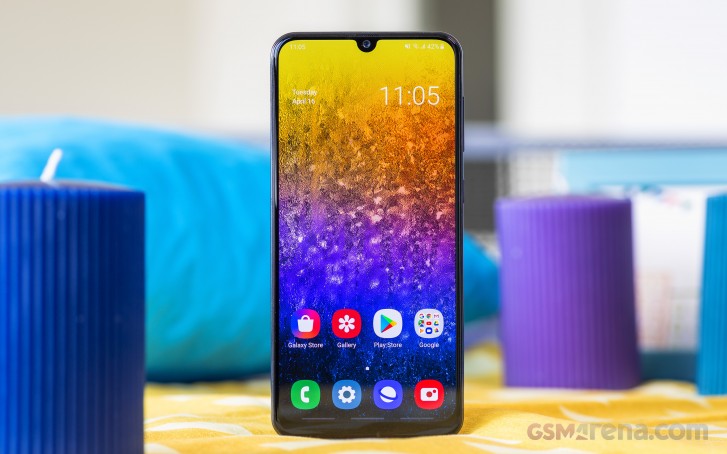
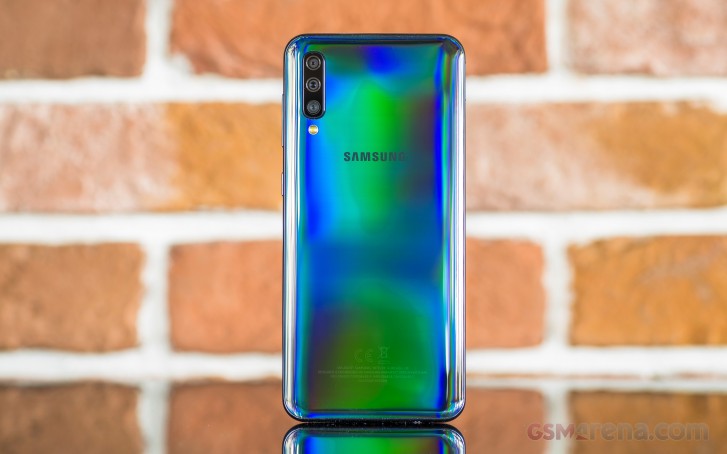
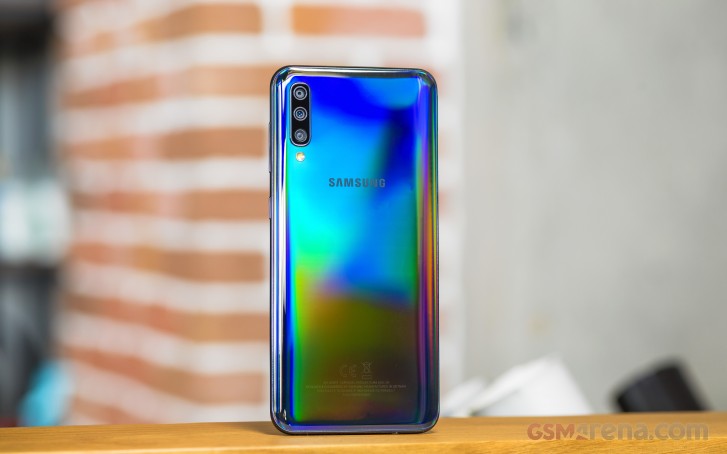
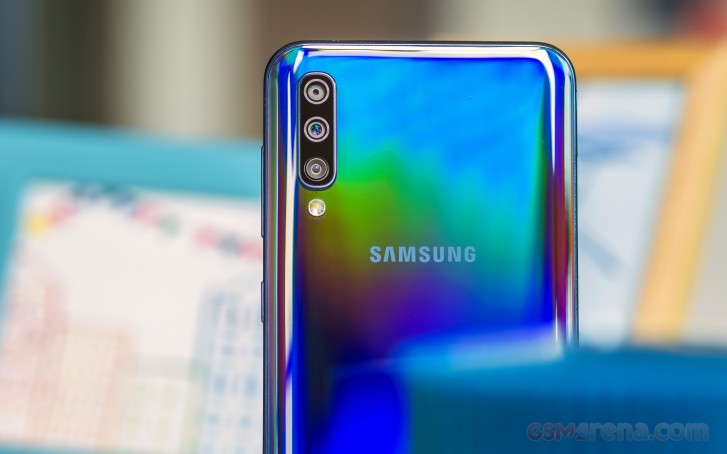
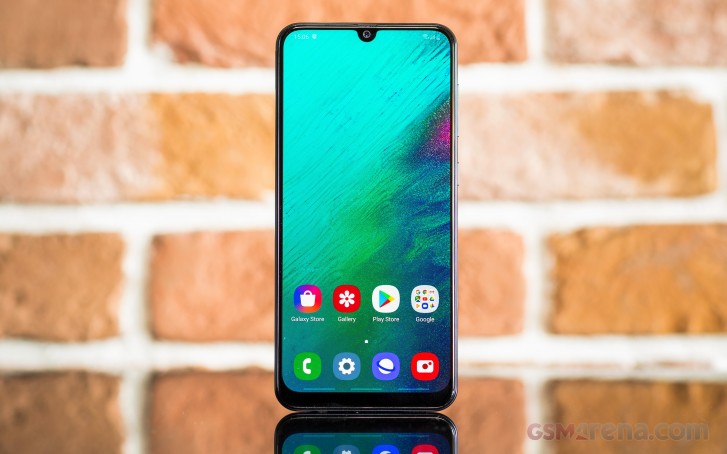
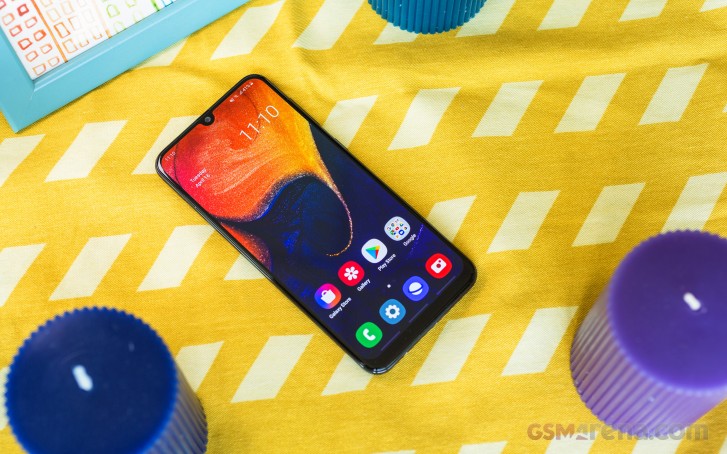
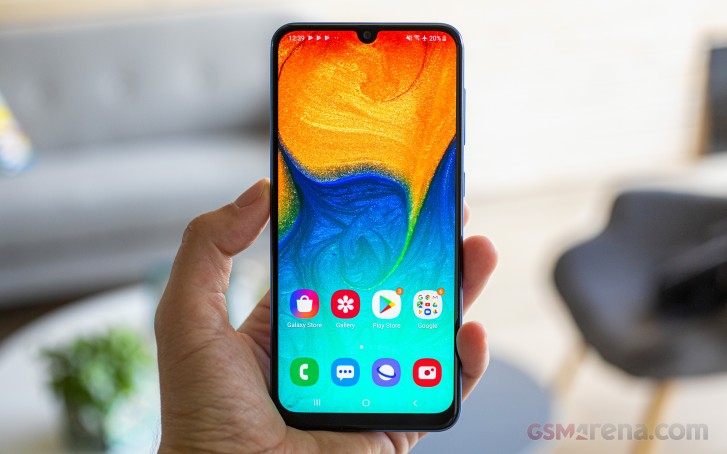
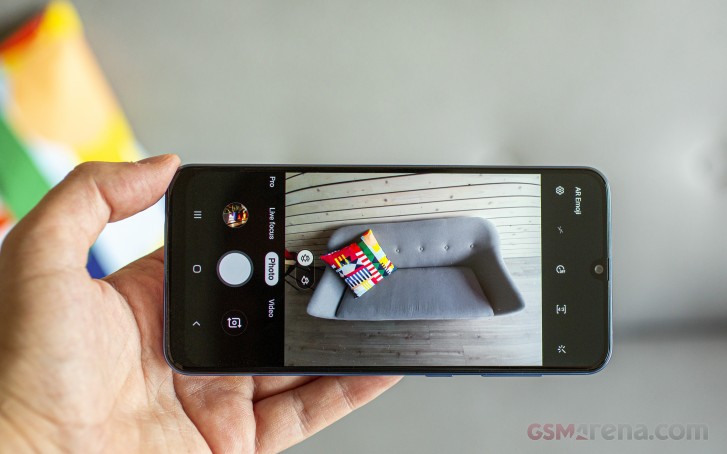
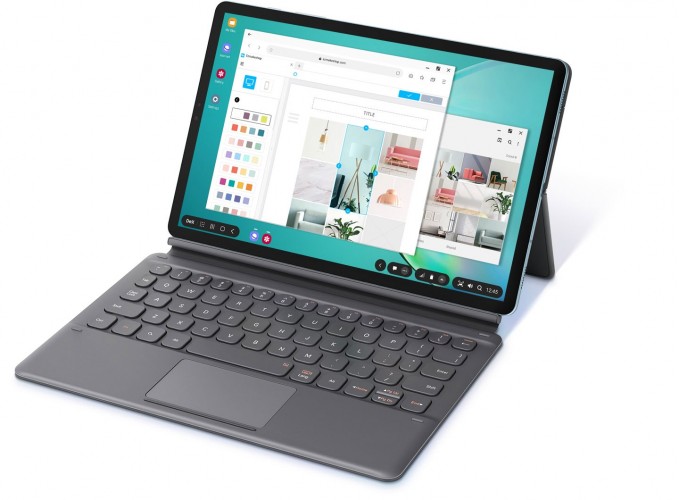
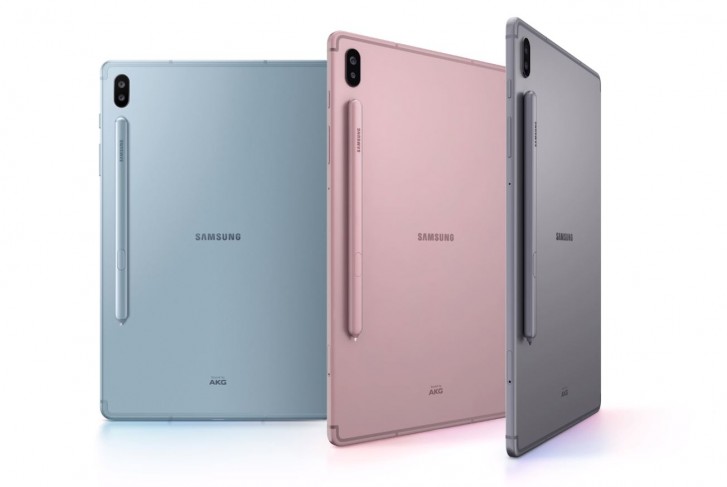
The Galaxy A refresh has begun and the A51 and A71 are headliners of this new generation. Punch-hole appears to be the buzzword in this new series, though you should expect updated chipsets and cameras as well. And the Galaxy A71 has all these, topped with new Android and One UI.
Indeed, the Galaxy A71 seems to be packing just enough to warrant its upgrade status over the A70 – a smaller notch, a newer chip, a higher-res and higher-count camera setup, and newer Android and One launcher.
On the other hand, Glasstic is still the way forward for the Galaxy A lineup, and waterproofing is still not in the cards. The large 4,500 mAh battery and fast charging are going nowhere, so that’s good.
The Snapdragon 730 has become somewhat of a celebrity in the midrange and the new Galaxy A71 has it, so as far as gaming – Samsung has you covered. Then the 64MP camera, which seems to be the next big thing, is now on the A71, too. Oh, and a macro snapper, one of the hottest features right now (not), is now part of the A71 as well.
Samsung Galaxy A71 specs
Body: Glass front (Gorilla Glass 3), polycarbonate back and frame.
Screen: 6.7-inch Super AMOLED, 20:9, FHD+ (1080x2400px), 393ppi.
Misc: Under-display fingerprint reader, single bottom-firing loudspeaker.
We do appreciate the smaller notch on the AMOLED screen, but an HDR10 certification would have made the upgrade far more meaningful than a handful of pixels. Then, that Snapdragon could have been the 730G model, too. And that macro camera – without autofocus it’s useless and we won’t get tired of saying that.
Good or bad, we won’t know until we unbox that Galaxy A71, so here we go.
Unboxing the Samsung Galaxy A71
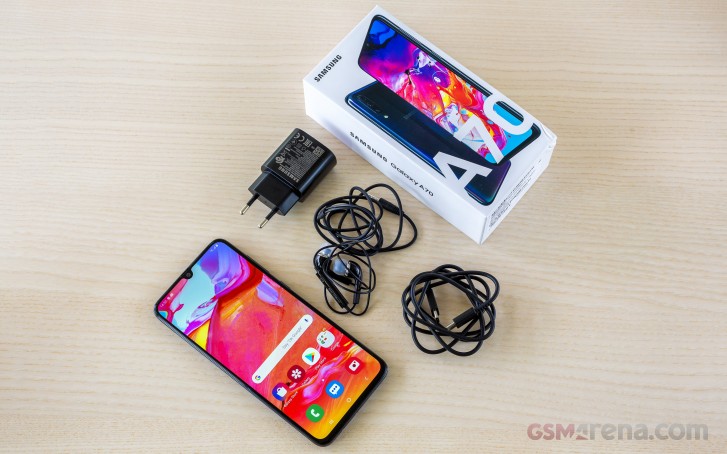
The Galaxy A71 comes in a compact paper box, but it’s full of stuff. In addition to the phone itself, you will also find a 25W charger, a USB-C-to-C cable, and a pair of in-ear Samsung headphones with a mic.
The A70 was the first Galaxy to use a USB-PD charger and it’s going to stick around, apparently. If you are looking for the SIM ejection pin, look no further than the box cover – just flip it and you’ll see it on the inside.
Design
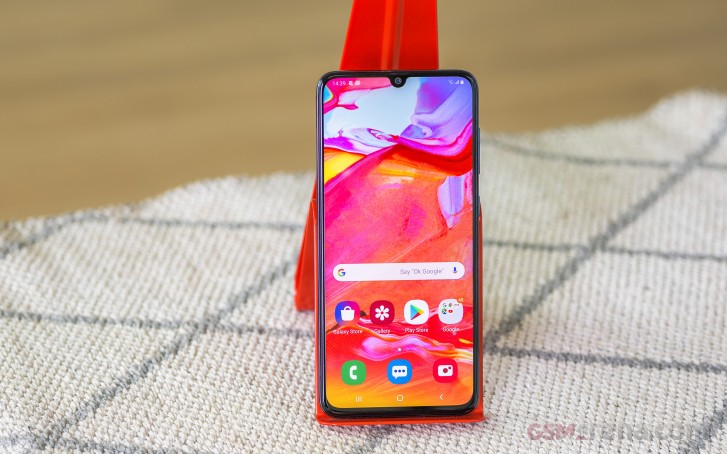
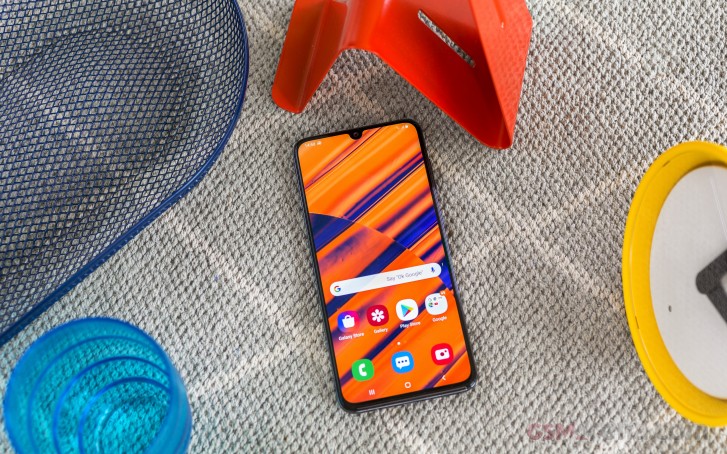
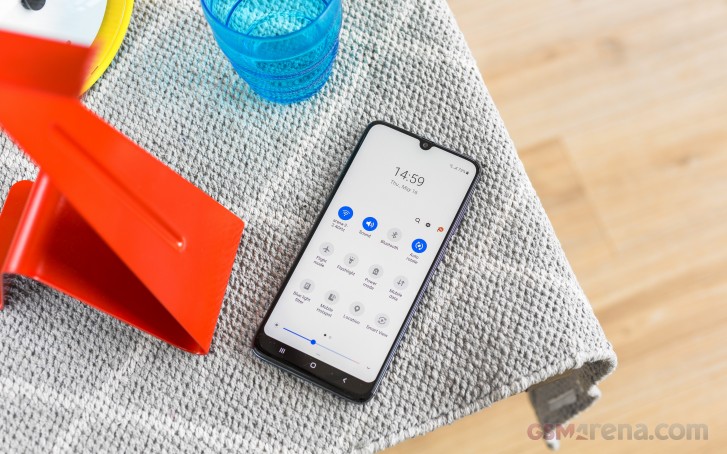
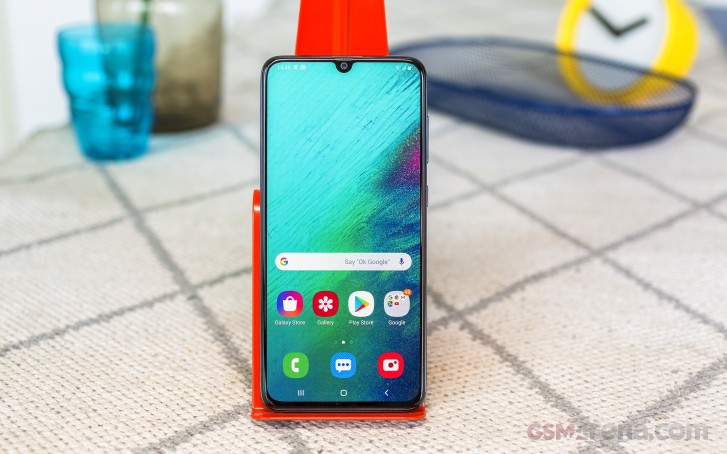
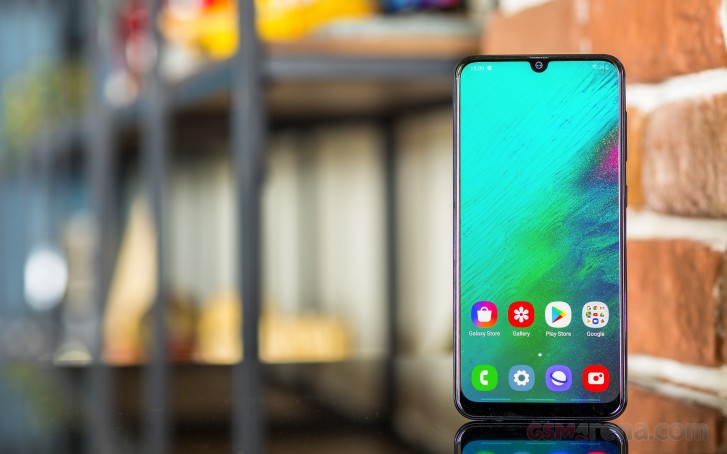
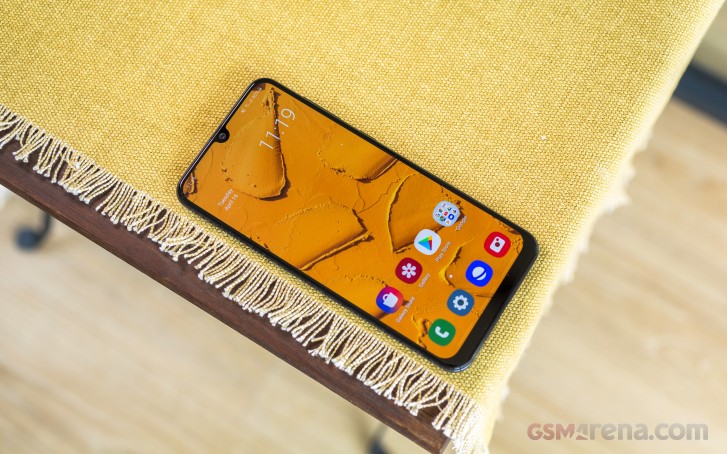
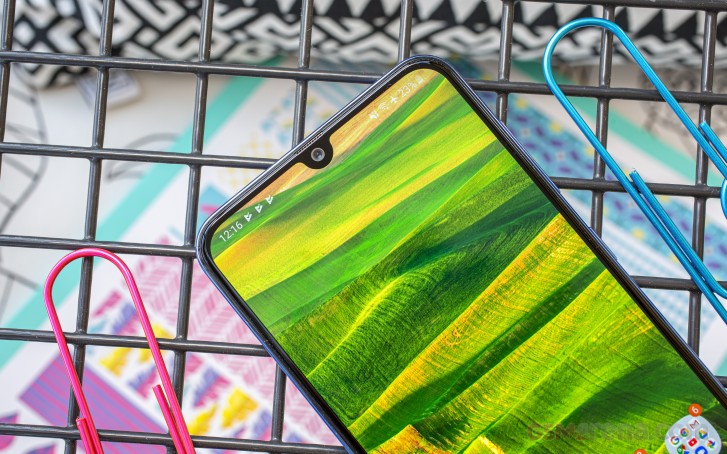
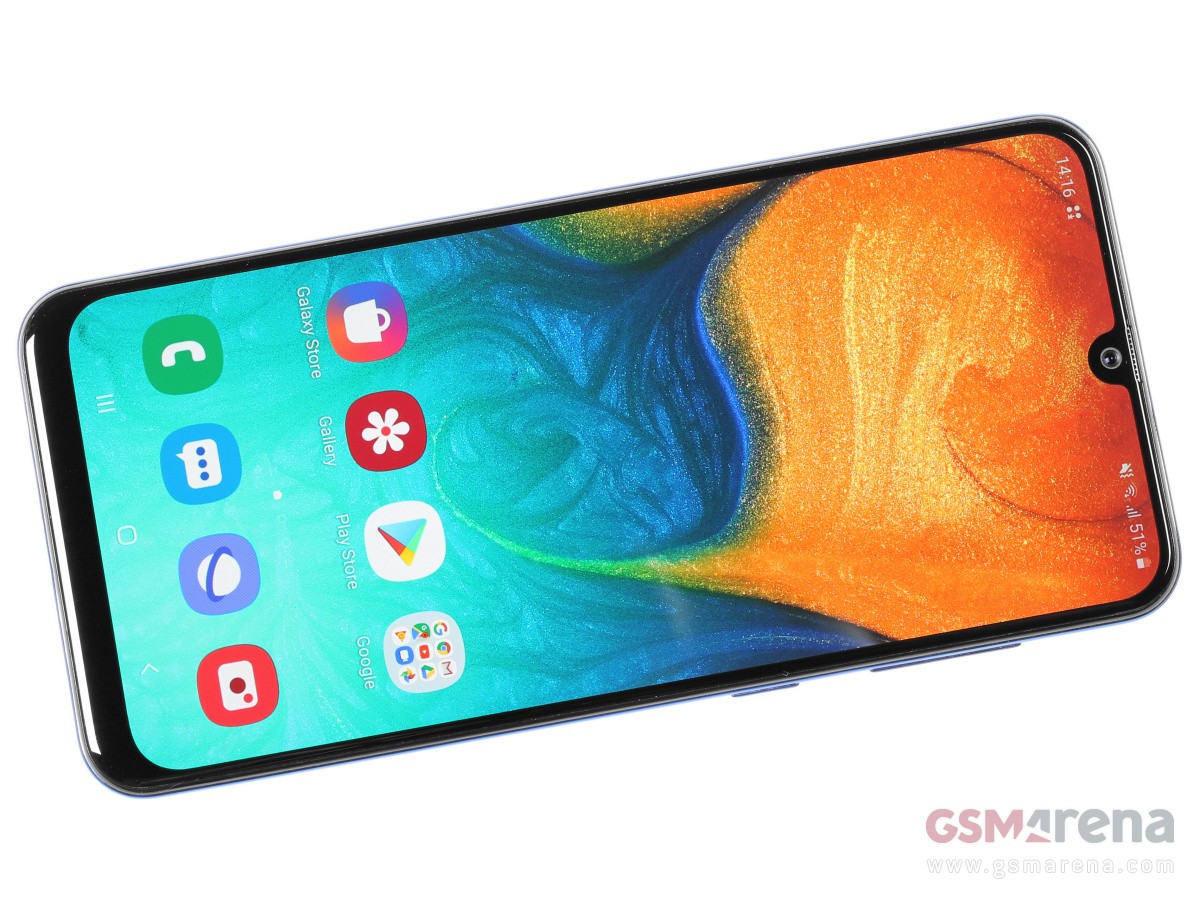
A large phone with an ample screen and slim profile – that’s what the Galaxy A71 is all about. Indeed, it has the biggest screen a modern Galaxy can offer these days, and the minimum of notches – the punch-hole kind.
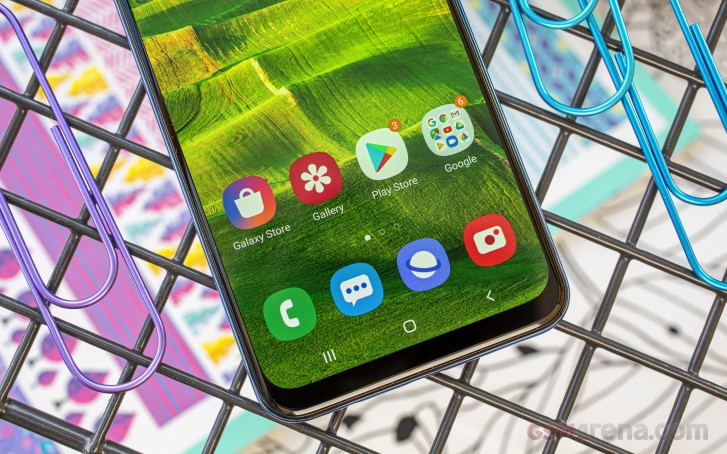
The Samsung Galaxy A71 is yet another “Glasstic” phone and that’s easy to decipher – it’s made of both glass and plastic that looks like glass. The 6.7″ Super AMOLED has Gorilla Glass 3 protection – hence the glass part, while the thin frame and dazzling back are made of nicely polished plastic.
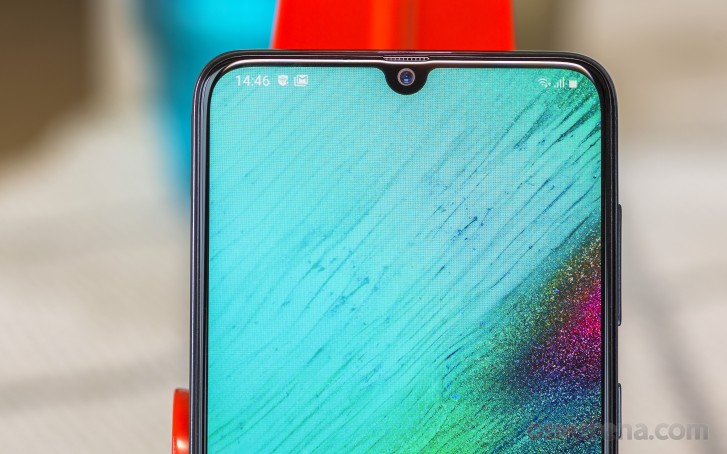
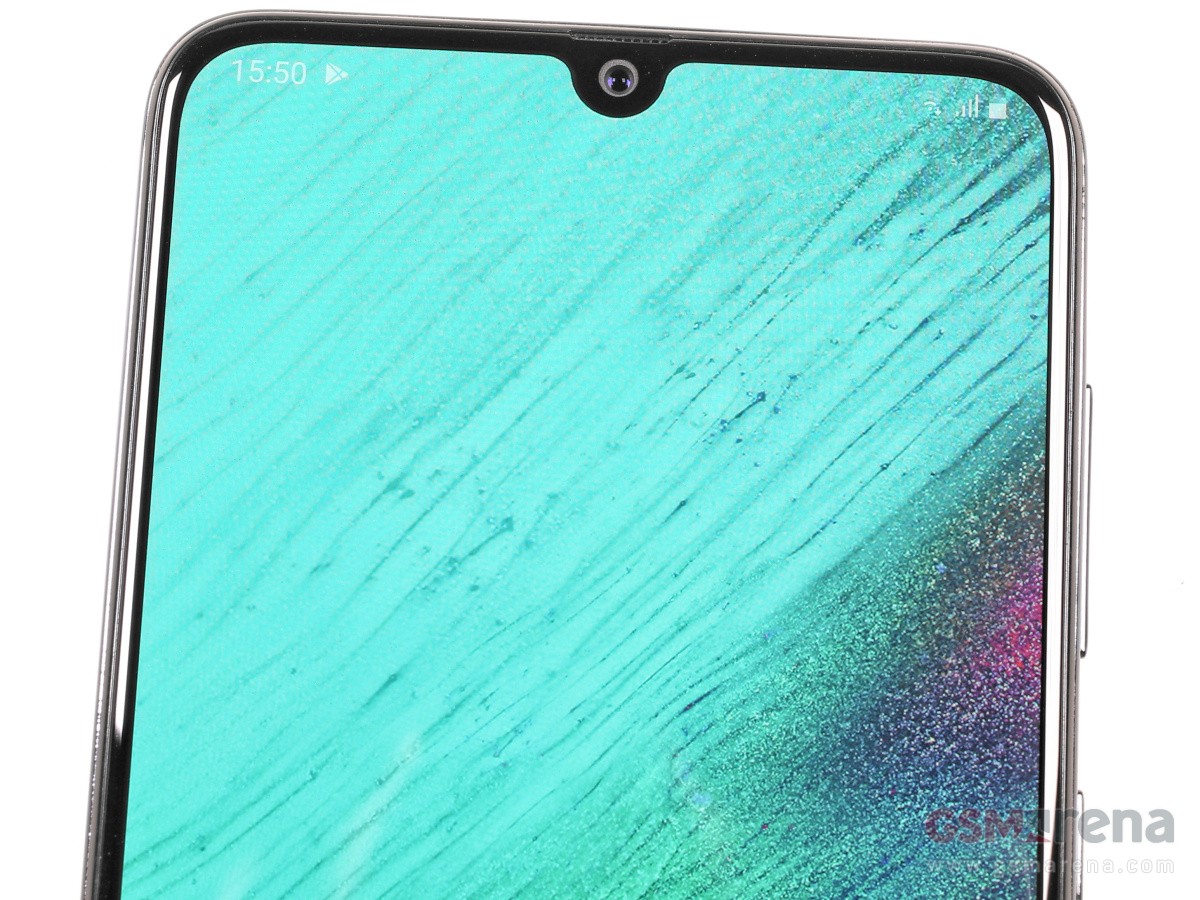
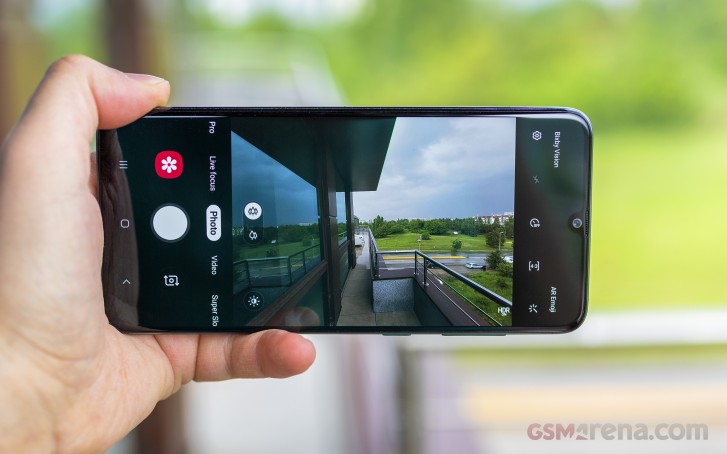
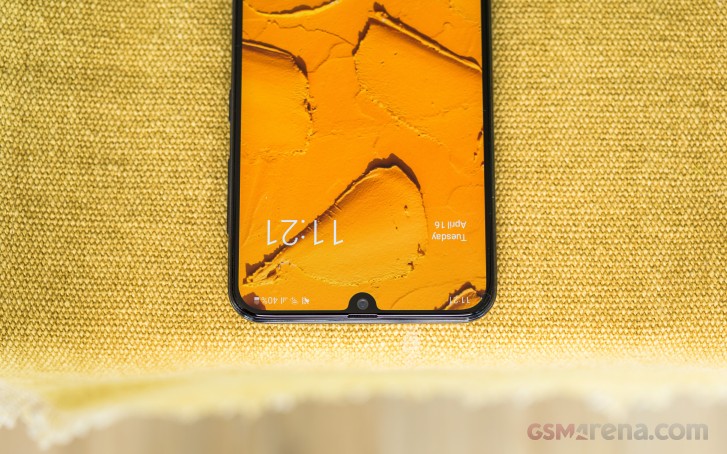
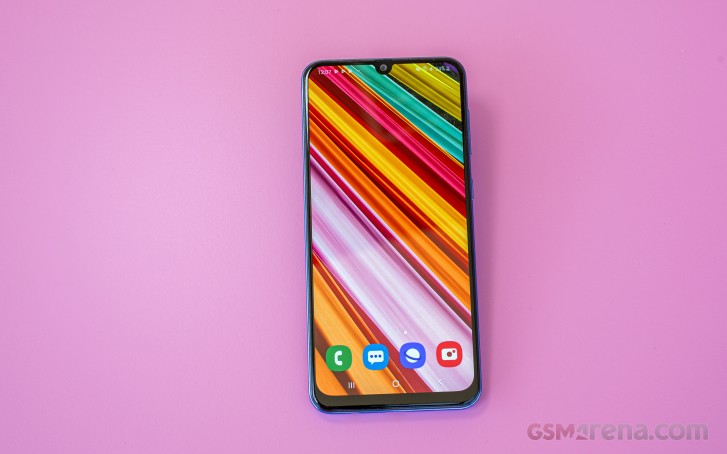
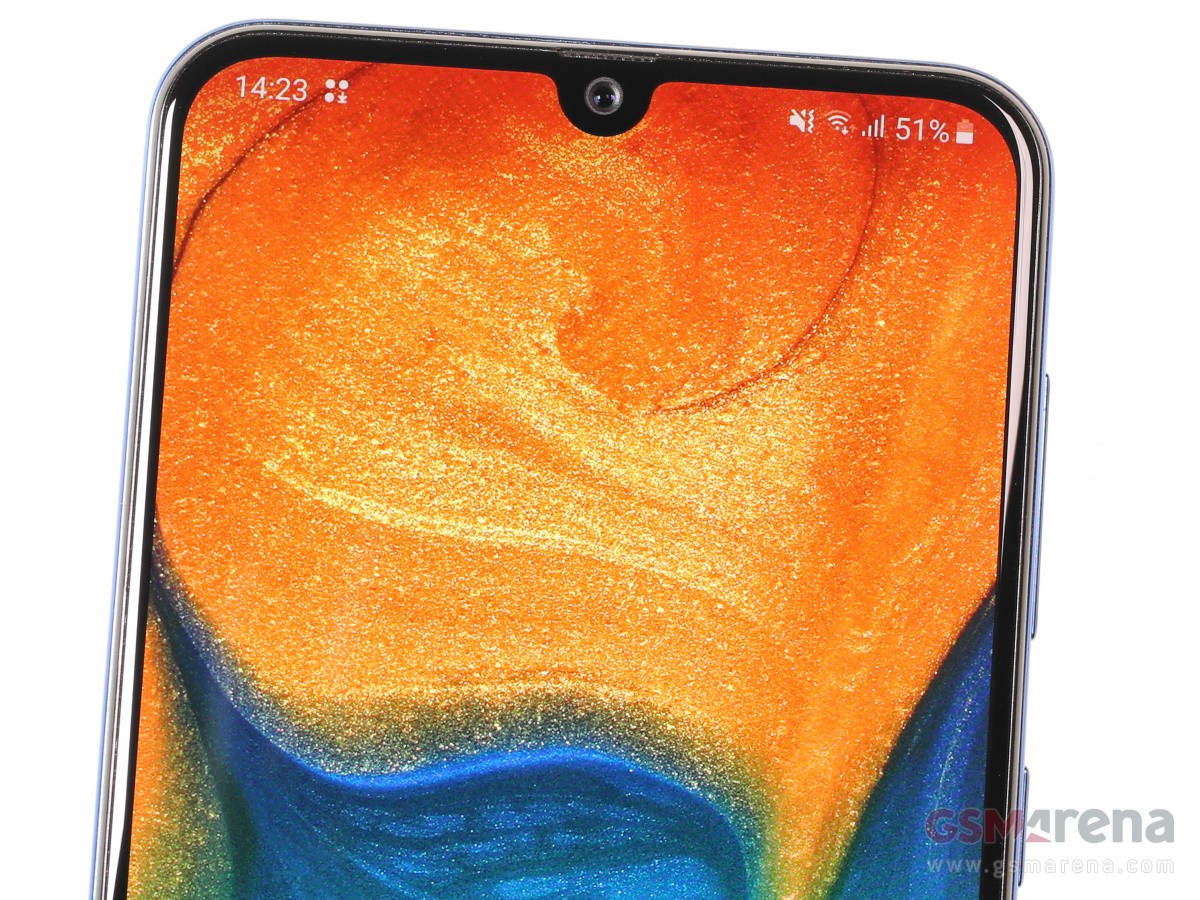
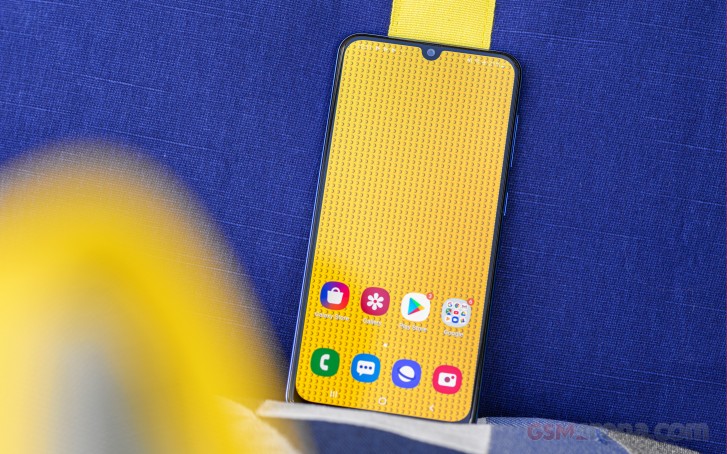
The AMOLED panel is probably the same we saw on the Galaxy A70 – a 6.7″ in diagonal with extended 1080p resolution and rounder corners. But instead of droplet-shaped cutout for the front camera, the 32MP selfie shooter now sits into a punch-hole.
The Gorilla Glass 3 is mostly flat though it ends very subtly on a cool 2.5D edge and thus avoids feeling sharp when handled. The ambient light sensor is behind the screen, while the earpiece grille is so thin – etched between the frame and the screen, so it’s almost invisible.
There is no notification LED around, but the Galaxy A71 supports Always-On Display. The cost is reduced battery life, of course.
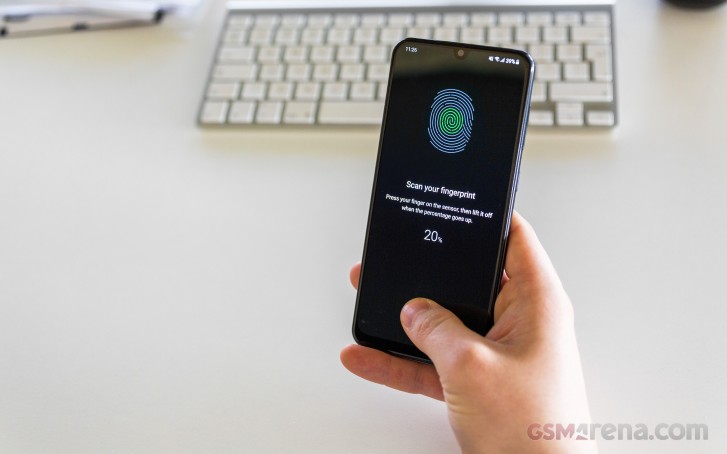
An optical fingerprint sensor placed under the screen takes care of your security and privacy. It’s neither the fastest around nor the more accurate. And on top of these – the software implementation is far from peachy. Sure, usable it is, but far, far from perfect.
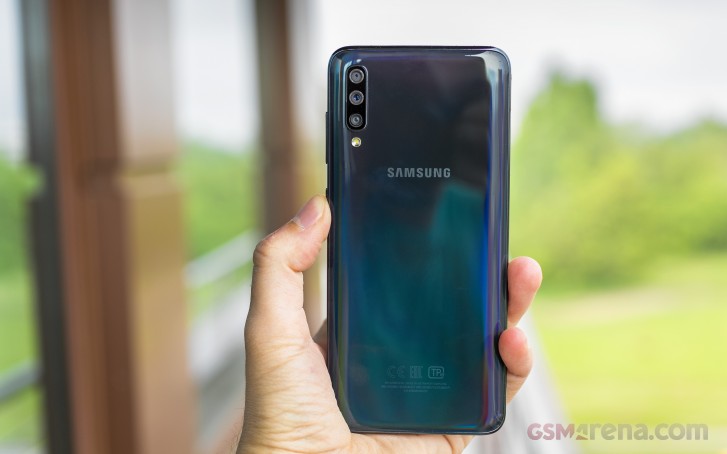
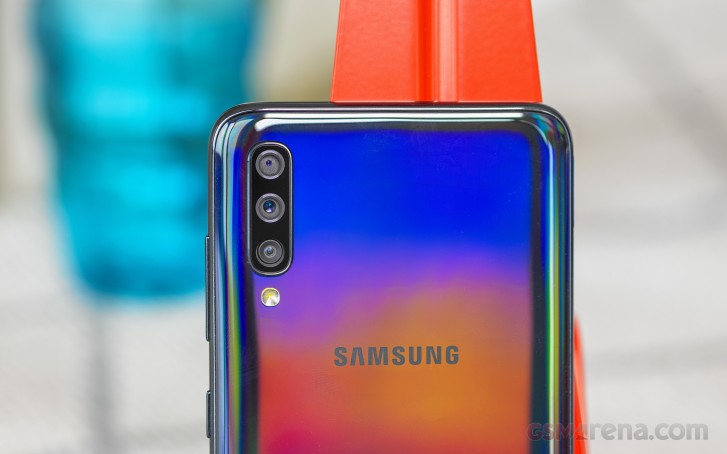
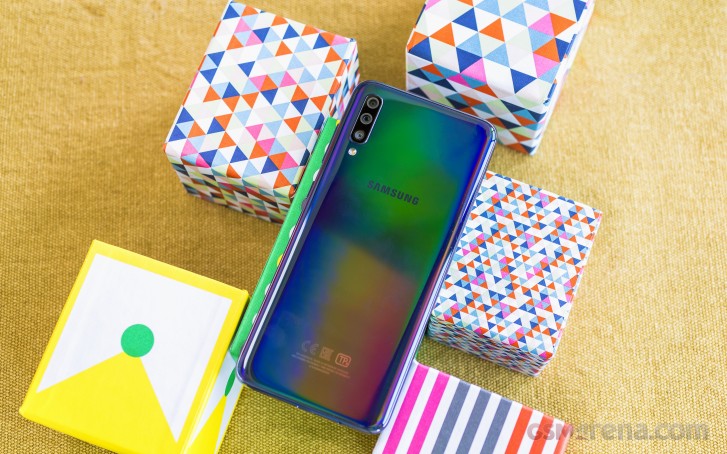
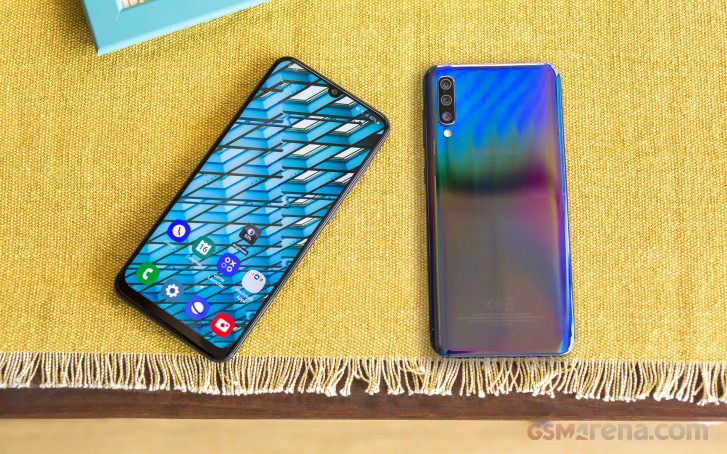
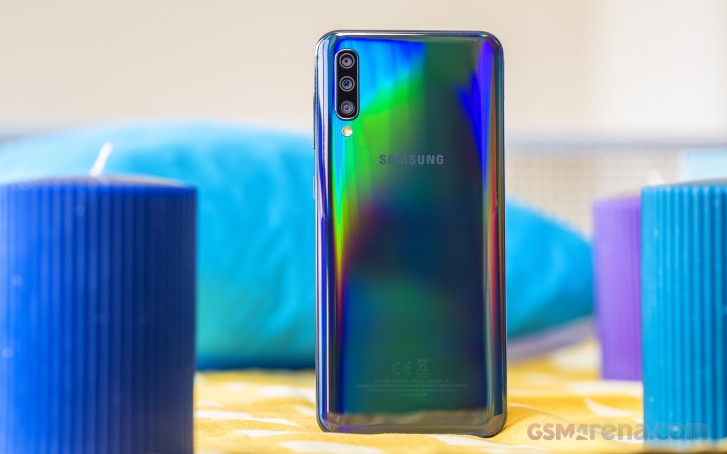
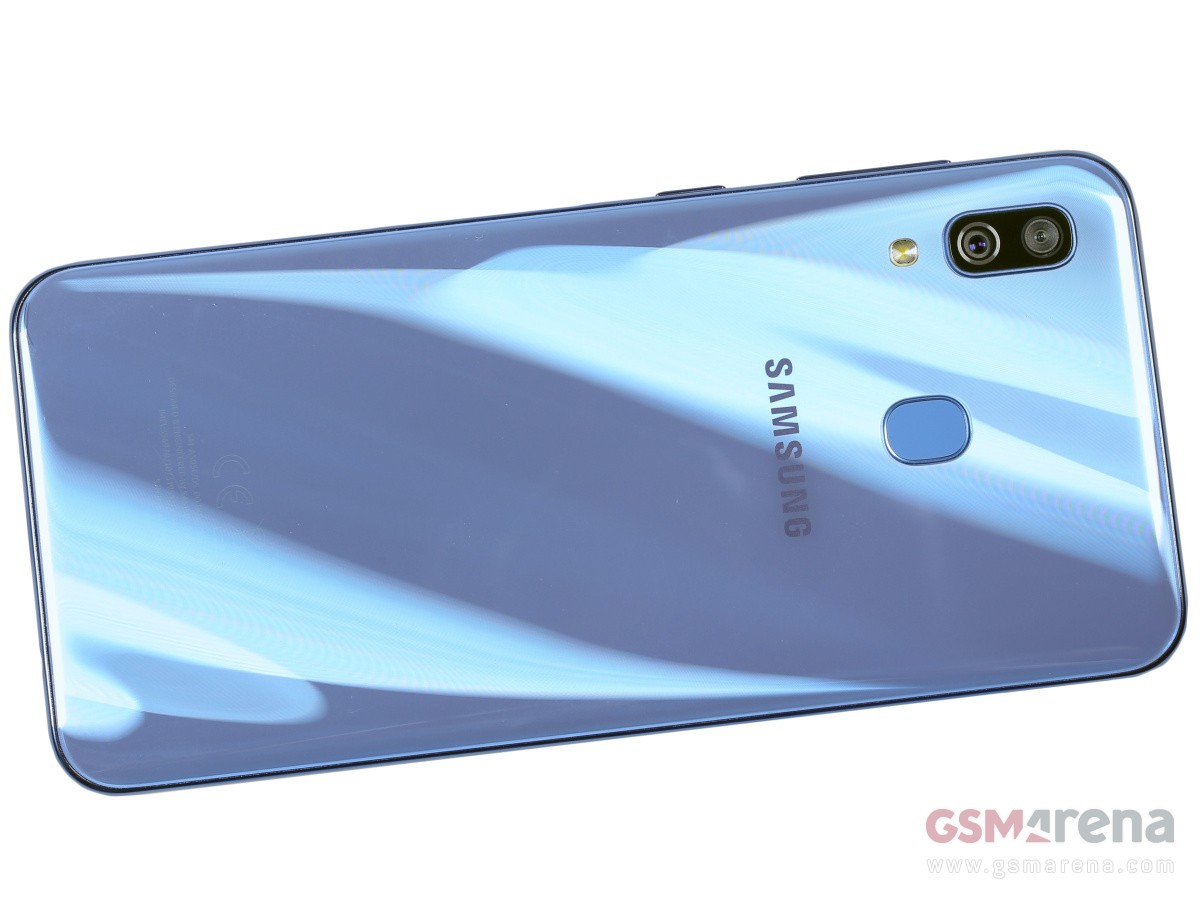
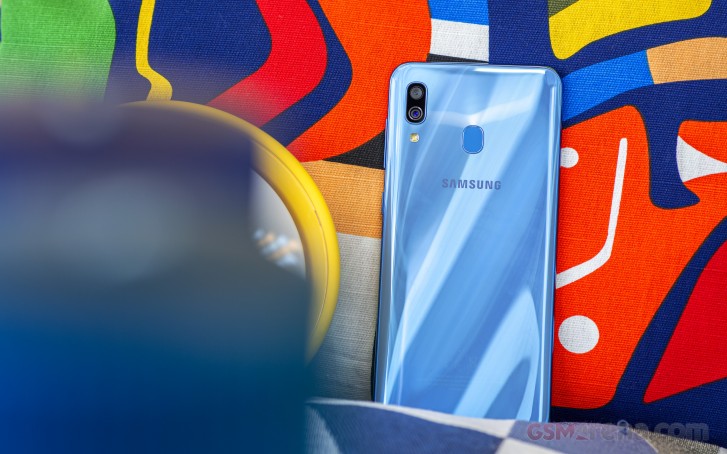
The back is where you will find trendy curves, but also the must-have originality that by today’s standards means unique hues and patterns mostly. Oh, and camera decks, of course – ever since Apple went completely asymmetrical with the iPhone 11s – all bets are off now and Samsung seems to be very comfortable with that.
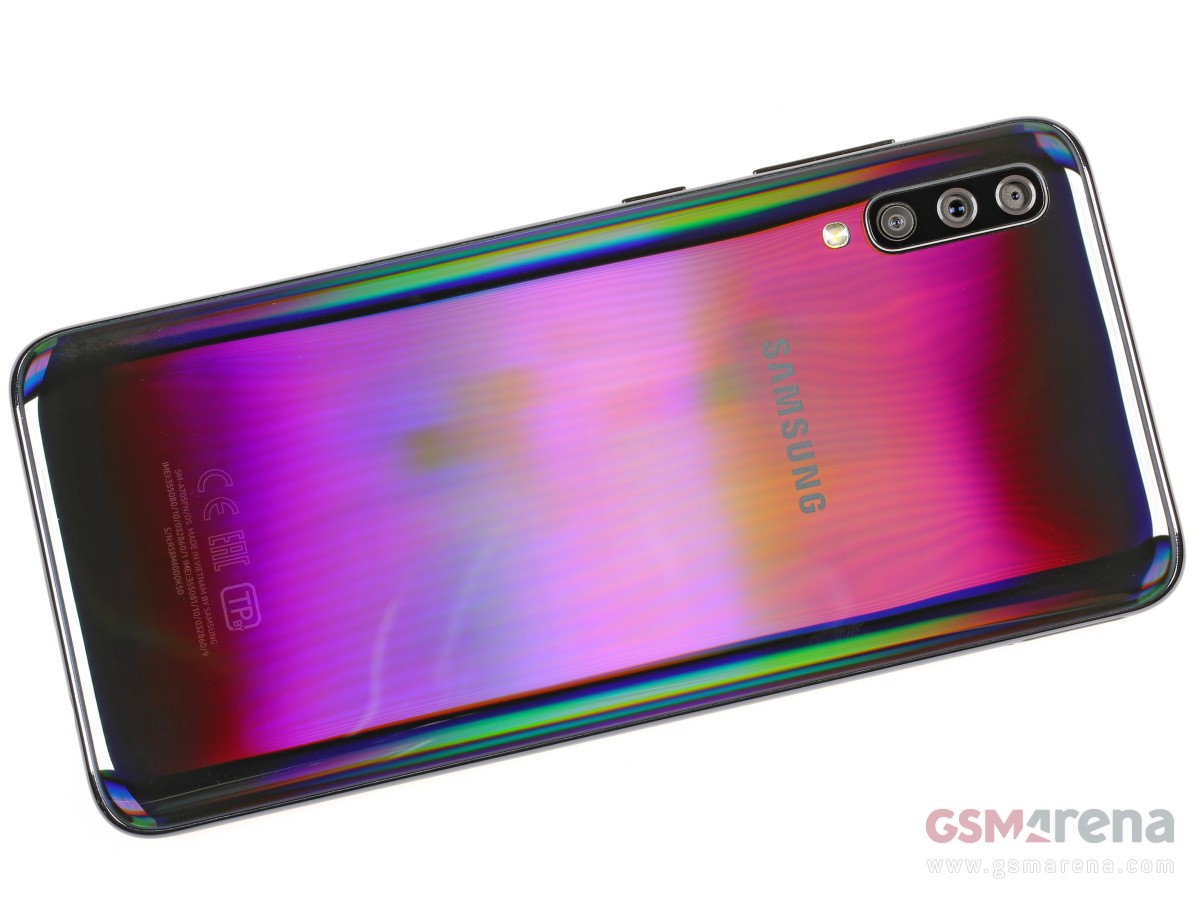
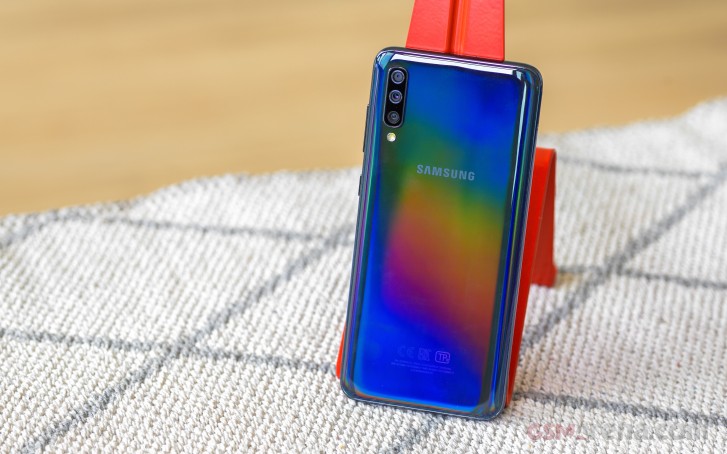
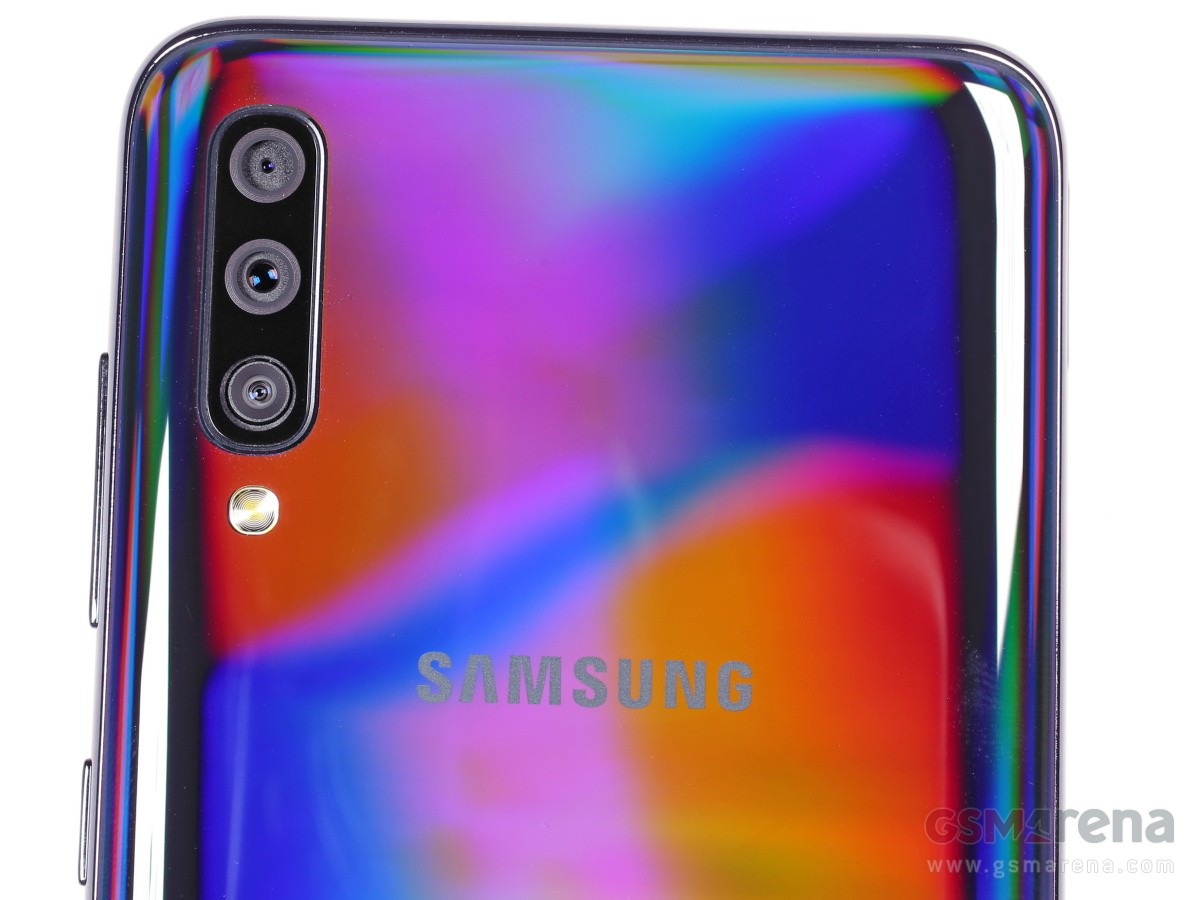
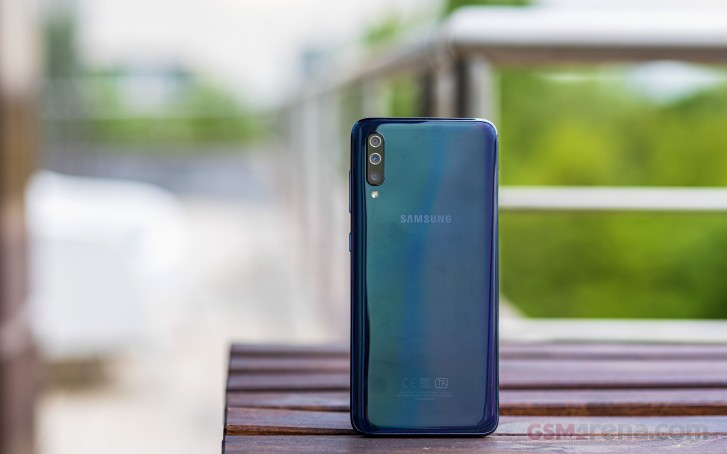
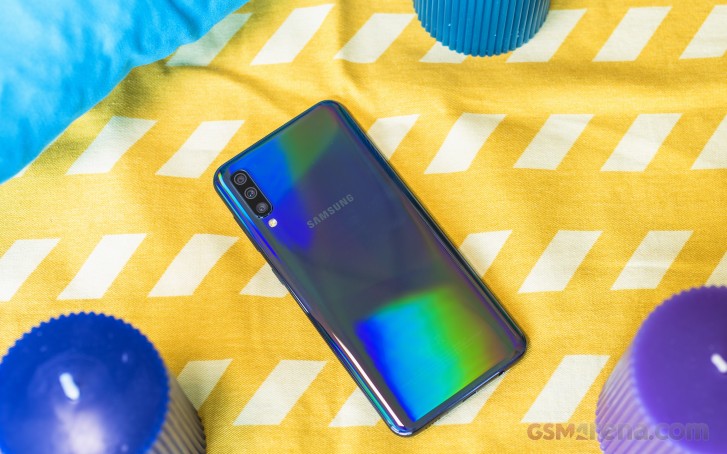
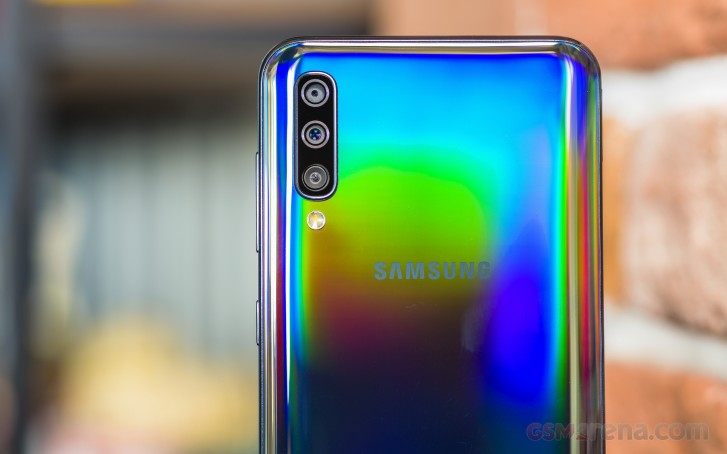
So, the Prism Crush Black model we have here is, well, crushingly beautiful. The rear panel looks like glass, feels like glass, and shines like glass, meaning it can certainly fool everyone. It has this subtle stripe pattern that’s disturbed only by a few diagonal lines. So far, so good. But wait until it captures some light and then you’ll be treated to a captivating blast of colors and shades. It’s a stunning view for sure!
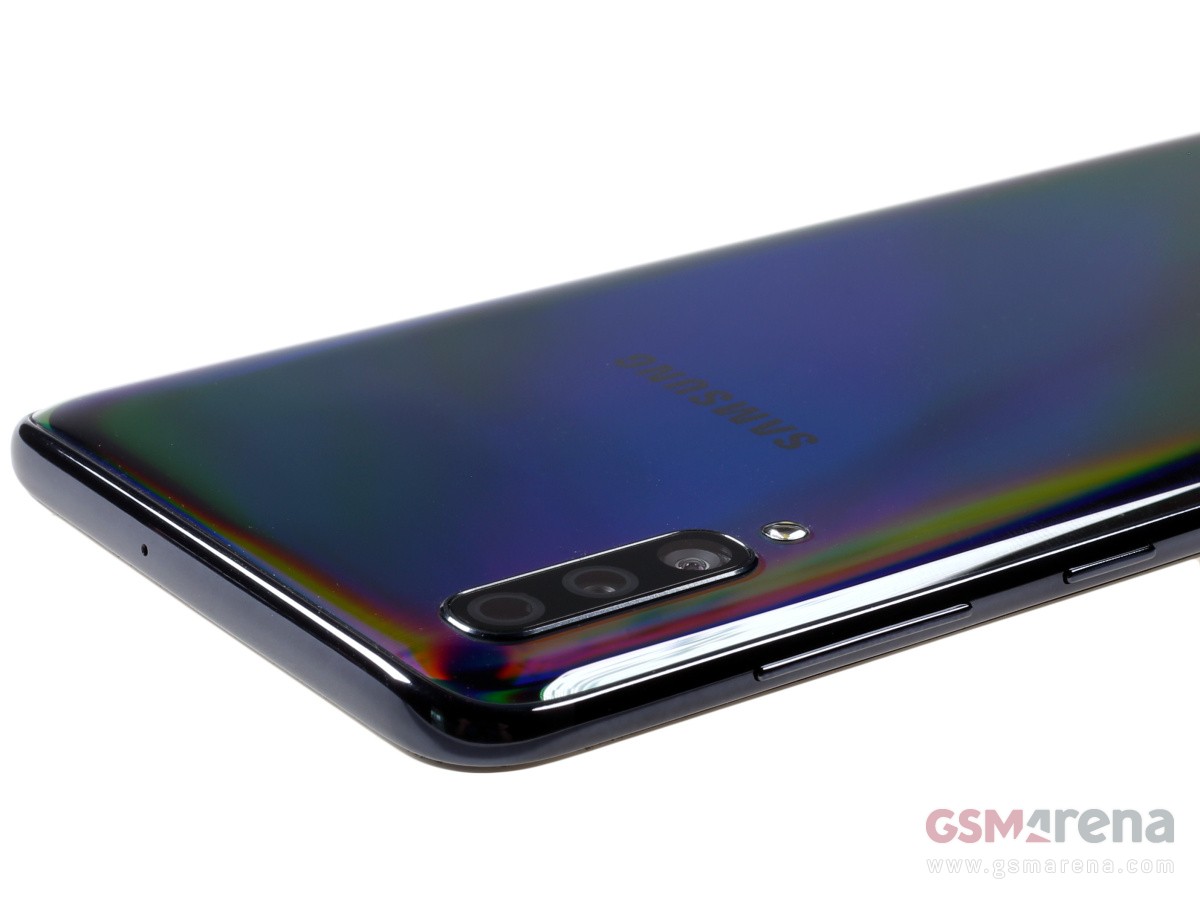
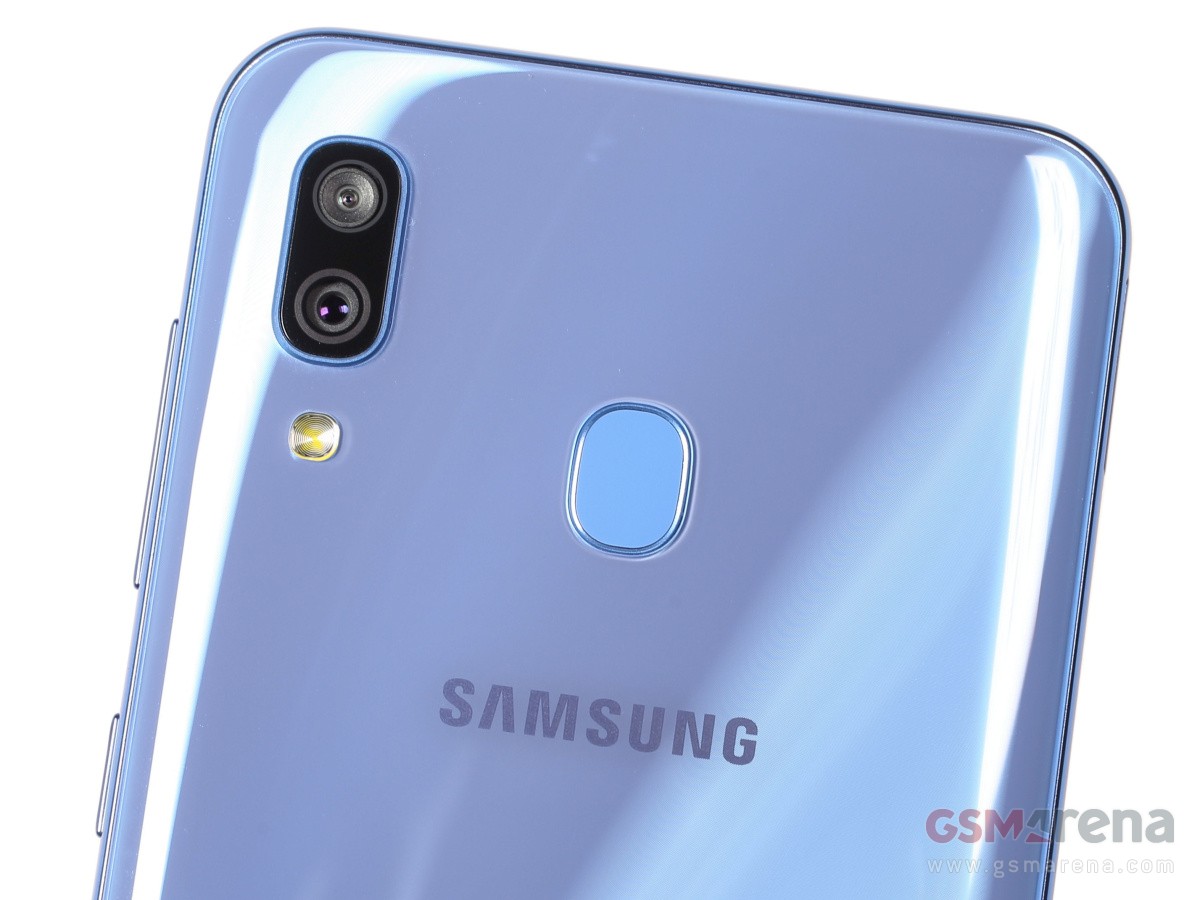
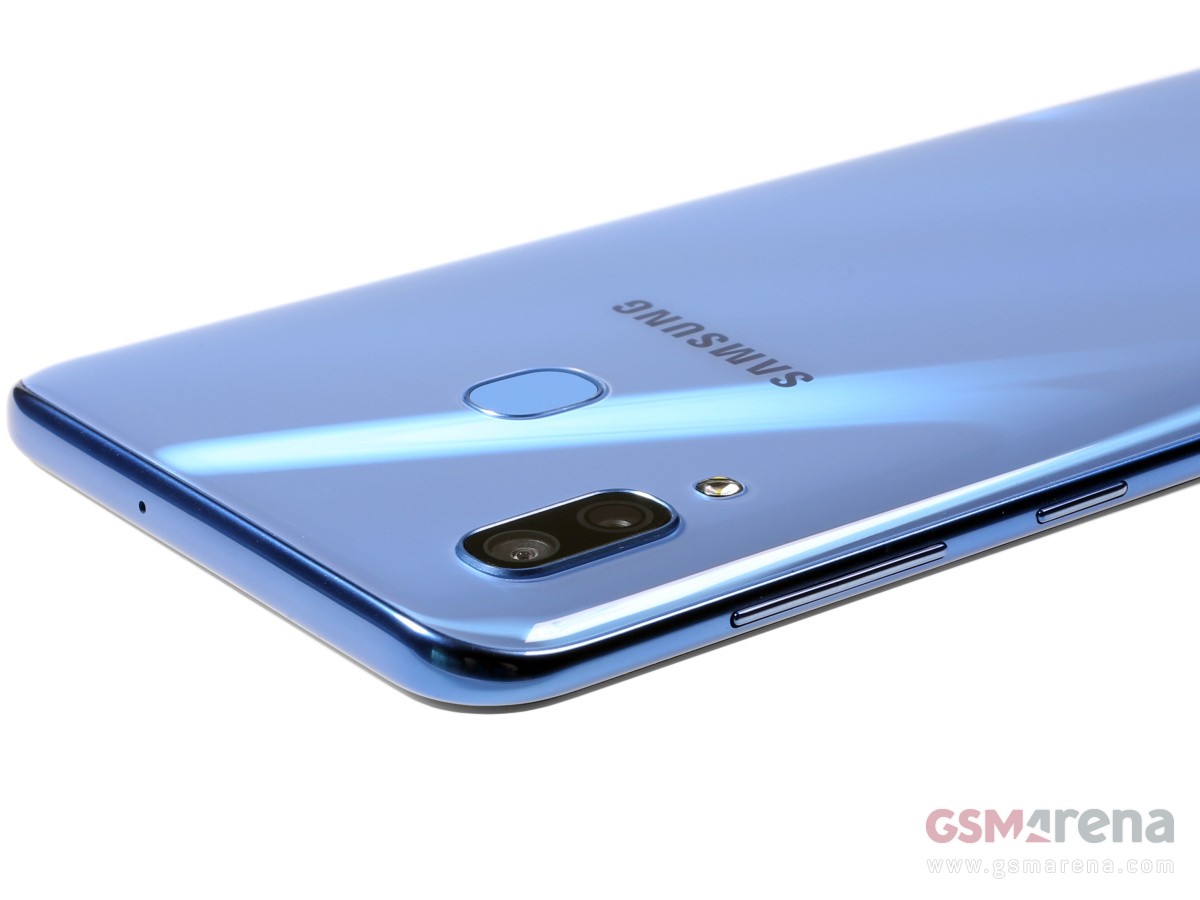
The rear camera design is new to this generation and apparently once you go in berserk camera mode – you can get away with anything. All four snappers – main, ultrawide, macro, and depth – are placed on this black deck, as well as the LED flash. The setup is bulging a little bit, and it is also the only exterior element you’ll find metal on – a tiny aluminum frame keeps the camera glass safe.
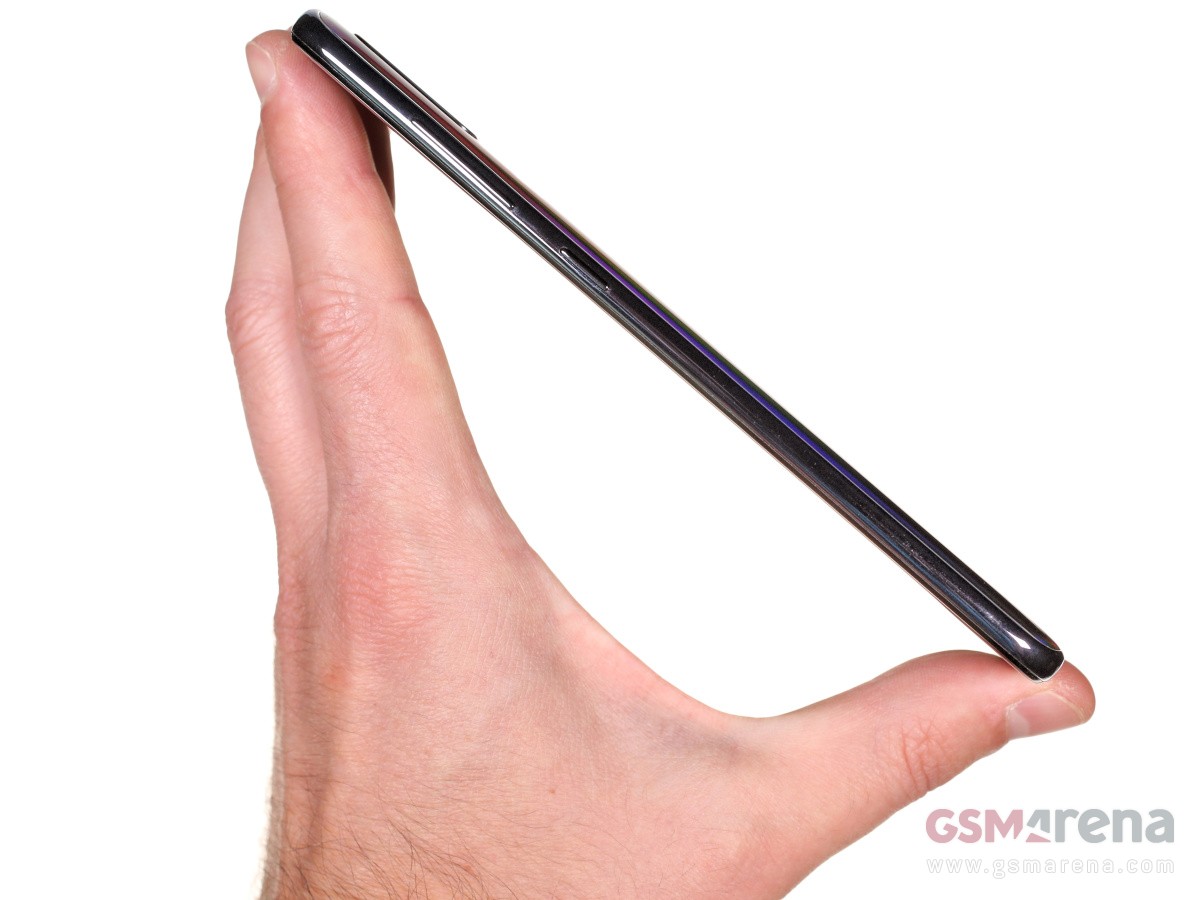
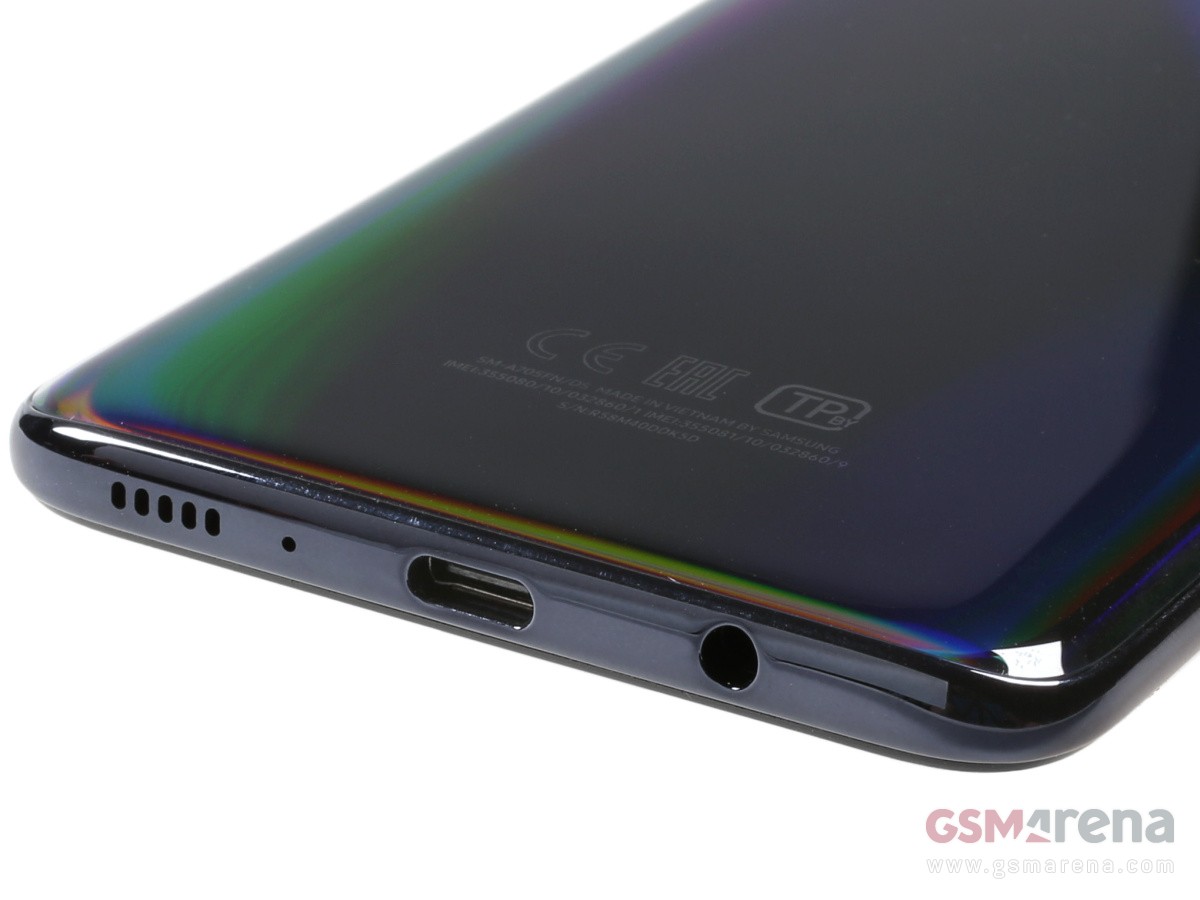
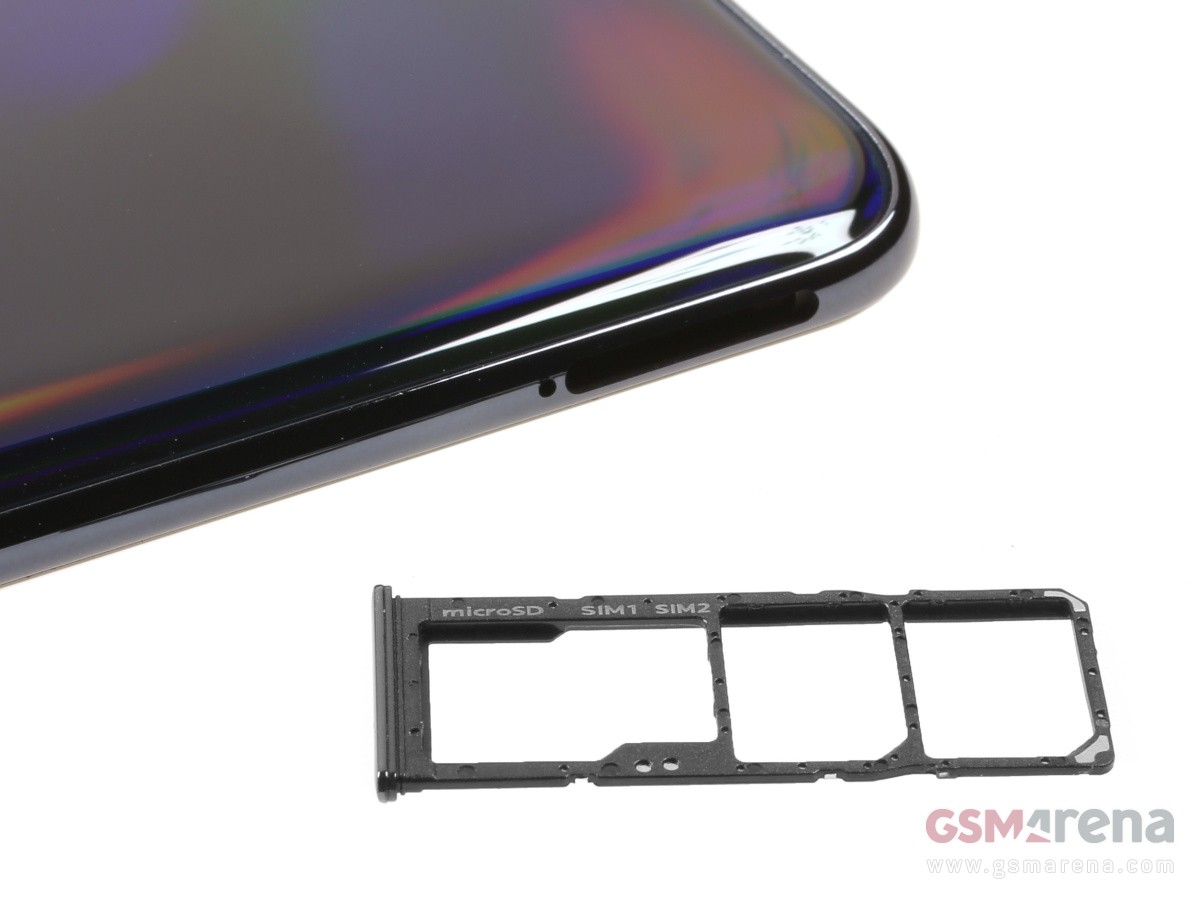
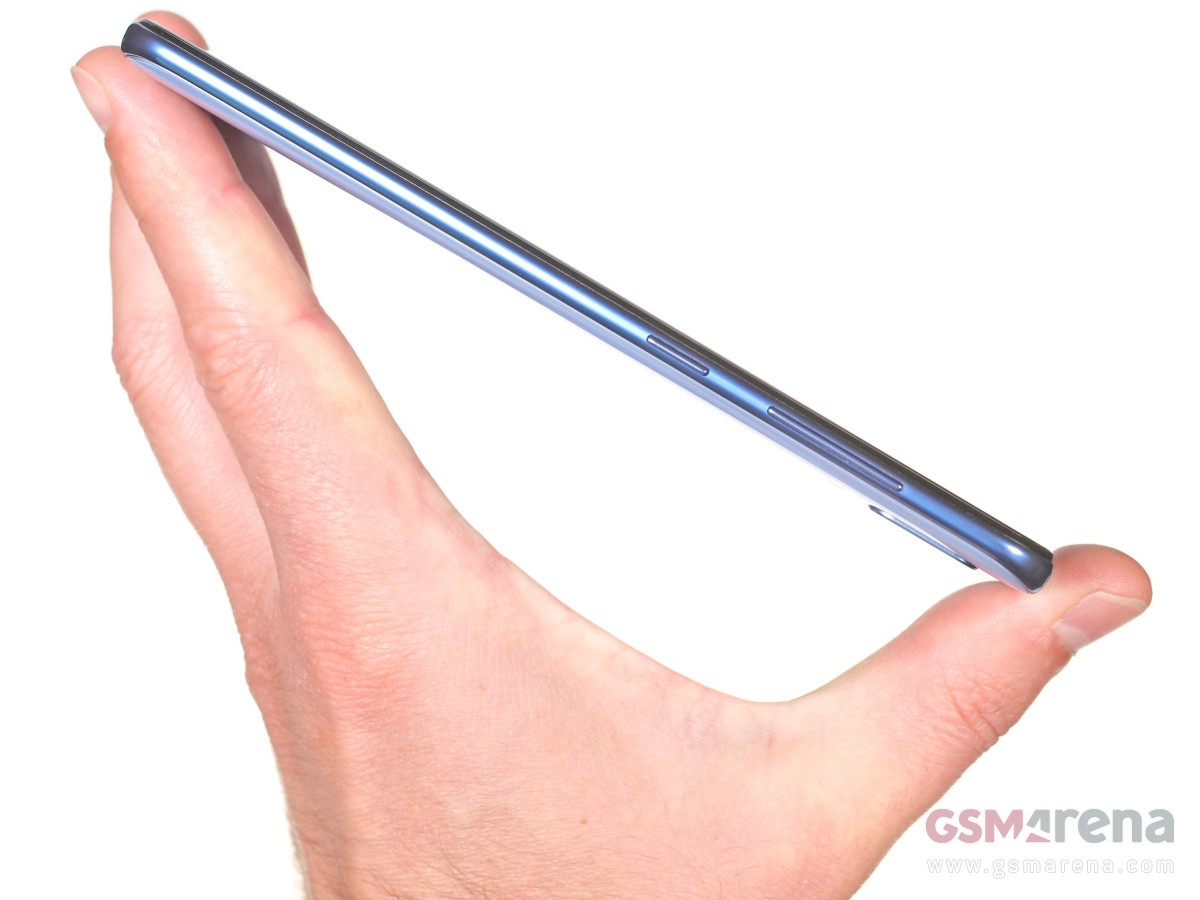
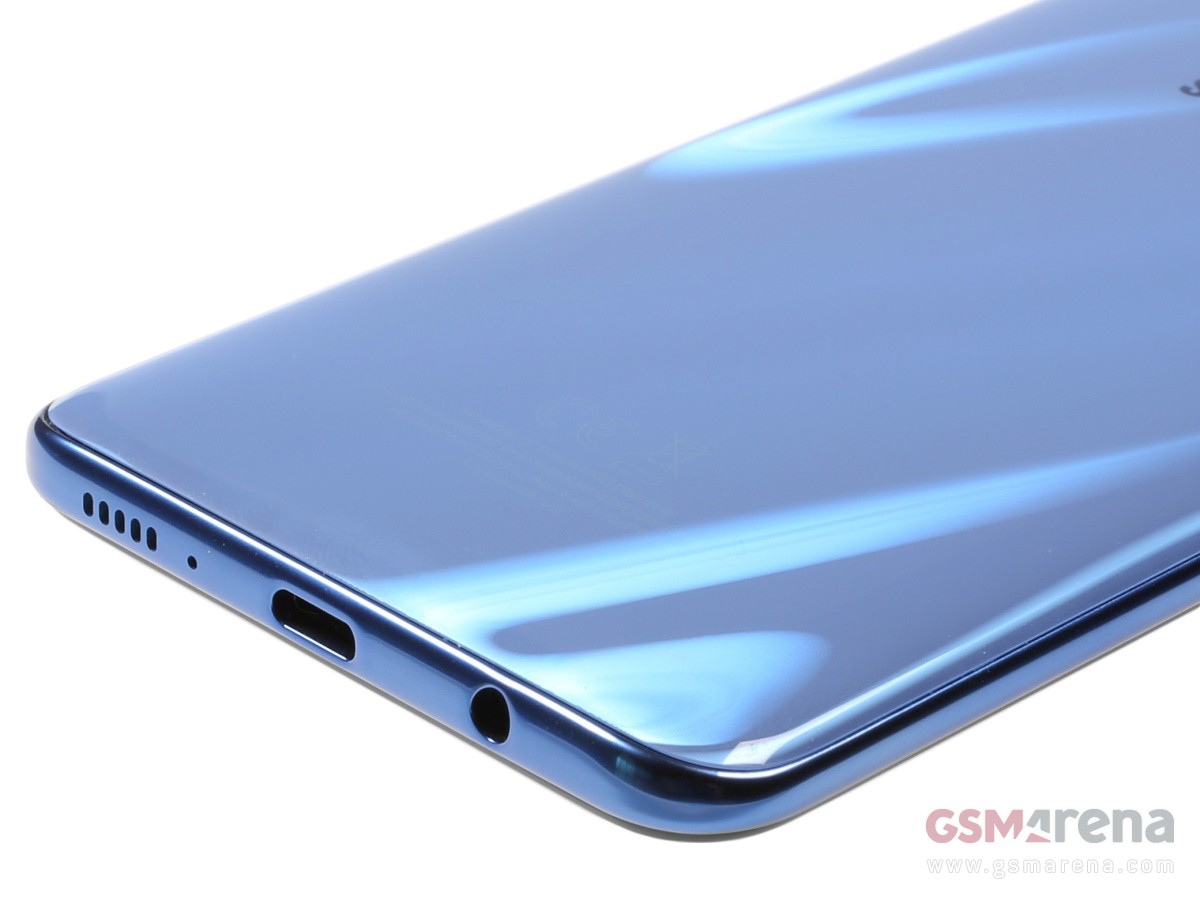
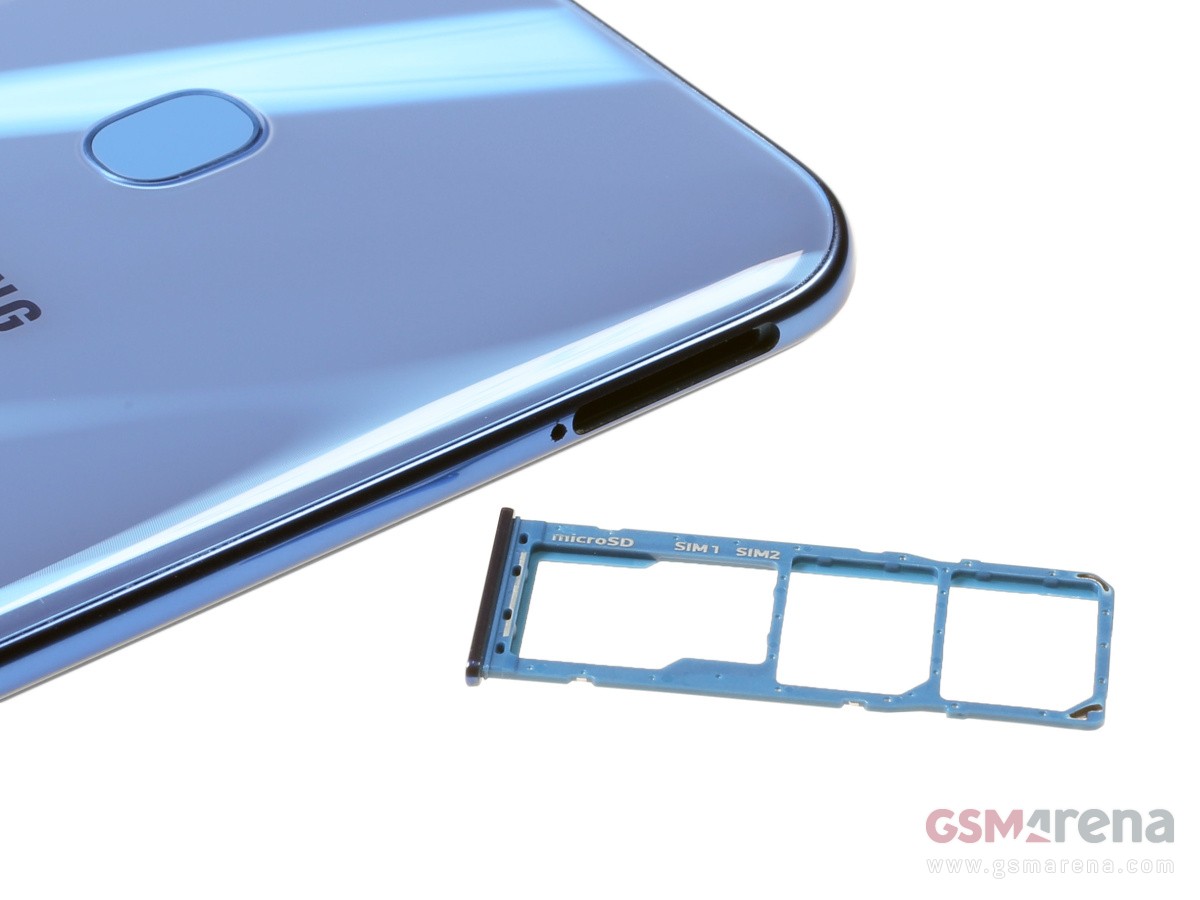
The Galaxy A71 has a glossy plastic frame, quite thin and somewhat grippy despite the excessive polish. On its left you will find a tri-card tray for two SIMs and a memory card, on the right are the volume and power keys, and the bottom has the audio jack, USB-C port, the mouthpiece and the speaker.
The new Galaxy A71 is indeed a big smartphone but it manages to stay quite slim and lightweight (by today’s standards). The A71 is just 7mm thin and weighs 179g, making it a hair thinner and lighter than the A70!
It is a pleasure to hold, handle, and use as a daily driver – its frame provides just enough grip to make it secure in hand, while the slim profile helps in keeping it pocket and one-hand friendly, believe it or not. It lacks ingress protection, but other than that – the A71 is a very well-built smartphone, beautiful and easily likable.
One big display, but no HDR
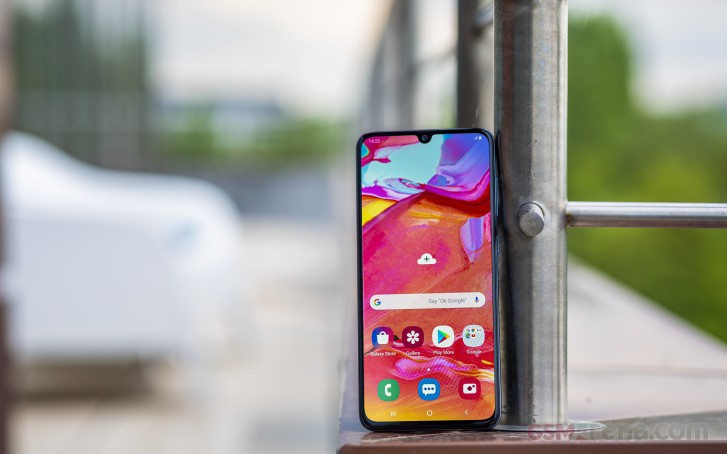
The Samsung Galaxy A71 has the same screen as the Galaxy A70’s but the notch is a bit different. While the A70 had the 2019’s waterdrop-shaped cutout, the A71 joins the ’20 trend with a punch-hole for the selfie camera. Sure, it’s not as small as the one on Note10 Lite, but it’s a hole alright.
Super AMOLED eye-candy – A71, S10 Lite, Note10 Lite
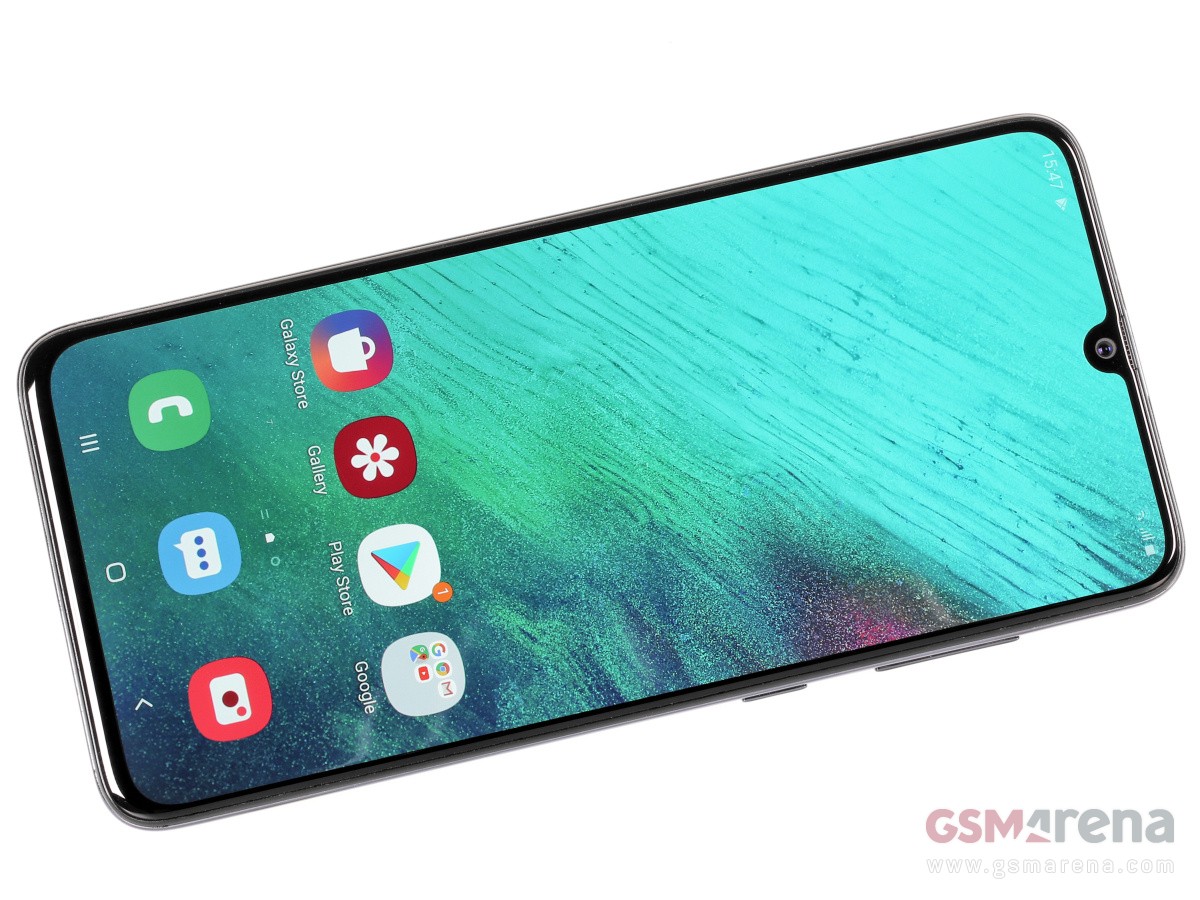
So, the Super AMOLED screen is 6.7″ in diagonal, with rounder corners and punch-hole for the front camera. It has a resolution of 2,400 x 1,080 pixels that makes for a 20:9 aspect ratio and 393ppi density. The display is protected by a Gorilla Glass 3 piece for some extra peace of mind.
The screen omits HDR10 certification and thus you won’t be able to enjoy premium HDR content over at Netflix, Amazon Prime, HBO, or similar streaming services. The only app that allows for HDR streaming is YouTube and we noticed the brightness boost when playing such clips, but we are not sure exactly what type of HDR is that.
Having said that, the screen does very well when it comes to brightness. Maxing out the brightness scrubber we measured 410 nits, while the Adaptive Brightness can give you an additional kick up to 515 nits.
We also measured a minimum brightness of 1.7nits – an excellent result.
Display test
100% brightness
Black,cd/m2
White,cd/m2
Contrast ratio
Samsung Galaxy A71
0
398
∞
Samsung Galaxy A71 (Max Auto)
0
515
∞
Samsung Galaxy A51
0
413
∞
Samsung Galaxy A51 (Max Auto)
0
636
∞
Realme X2 Pro
0
500
∞
Realme X2 Pro (Max Auto)
0
708
∞
Xiaomi K20 Pro/Mi 9T Pro
0
453
∞
Xiaomi K20 Pro/Mi 9T Pro (Max Auto)
0
643
∞
Xiaomi Redmi K30
0.399
550
1378:1
Xiaomi Redmi K30 (Max Auto)
0.527
714
1355:1
Samsung Galaxy A70
0
407
∞
Samsung Galaxy A70 (Max Auto)
0
607
∞
Xiaomi Redmi Note 8 Pro
0.347
460
1326:1
Xiaomi Redmi Note 8 Pro (Max Auto)
0.486
640
1317:1
As it usually happens with Samsung’s Super AMOLEDs, the one on the Galaxy A71 is capable of accurately reproducing different color spaces depending on content and selected display mode. The Natural screen mode stays accurate to sRGB with an average DeltaE of 1.7, while Vivid adheres to the DCI-P3 color space with an average DeltaE of 3.3 (though by opting for Warmer White Balance you can lower it down to 2.7). No other screen modes are available.
Battery life
The Galaxy A71 has the same large battery as the A70 – it’s a 4,500 mAh Li-Ion cell. The phone supports fast charging and it comes bundled with the appropriate 25W plug. Using the charger, you will be able to replenish about 51% of its empty battery in half an hour, and it takes 81 minutes for a full charge.
The results from our battery life test are in and the Samsung Galaxy A71 scored an excellent mark! The phone lasted north of 13 hours on our web browsing test, more than 17 hours when playing videos, and 30+ hours on 3G talks. Finally, when we added the very good standby performance, we got an overall Endurance Rating of 102 hours.
Audio quality
When it comes to the output through the 3.5mm jack, the Samsung Galaxy A71 is a solid performer. When hooked to an active external amplifier it reproduced the test track perfectly at volume levels well above the average.
Headphones brought a moderate increase in stereo crosstalk and a tiny bit of intermodulation distortion, but no other damage whatsoever. Audiophiles should rest assured – the Galaxy A71 will play your tracks the way they were meant to sound.
Test
Frequency response
Noise level
Dynamic range
THD
IMD + Noise
Stereo crosstalk
Samsung Galaxy A71
+0.04, -0.03
-93.5
93.6
0.0013
0.0075
-92.6
Samsung Galaxy A71 (headphones)
+0.07, -0.28
-92.4
92.4
0.072
0.184
-54.2
Samsung Galaxy A51
+0.03, -0.05
-93.1
93.1
0.024
0.041
-87.3
Samsung Galaxy A51 (headphones)
+0.13, -0.19
-93.2
93.2
0.131
0.193
-53.8
Redmi Note 8
+0.02, -0.02
-94.0
94.0
0.0019
0.0067
-93.3
Redmi Note 8 (headphones)
+0.35, -0.26
-91.3
90.9
0.015
0.445
-45.4
Motorola Moto G8 Plus
+0.02, -0.01
-93.2
93.2
0.0017
0.051
-94.2
Motorola Moto G8 Plus (headphones)
+0.02, -0.01
-93.1
93.0
0.0035
0.037
-83.8
Realme X2
+0.03, -0.06
-92.6
92.6
0.0020
0.0080
-88.1
Realme X2 (headphones)
+0.30, -0.37
-87.2
91.0
0.0081
0.356
-48.4
Wrap-up
The Galaxy A71 is a thoughtful refresh over the Galaxy A70 even though it won’t make any A70 owners jump ship, let alone those who bought the A70s. But it does pack more gaming punch and more camera pixels, so it does pass as an update.
The Galaxy A71 adopts the punch-hole notch design, but the actual hole is not as discrete as on the more expensive S and Note models. Still, it’s a statement for the premium status of the A-series as is the massive multi-camera setup on the back.
At the end of the day – the Galaxy A71 seems like a job well done and is an attractive and powerful smartphone worth buying. But the competition always has the last say.
The competition
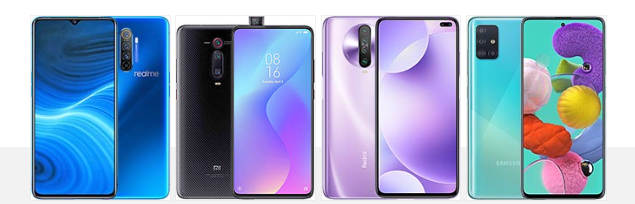
And the competing offers are plenty. Take the Realme X2 Pro for example. It packs a similarly large Super AMOLED screen, but impresses with a mighty Snapdragon 855 chip and has a more meaningful telephoto snapper instead of a macro shooter. Its 6+64GB version (€389) is cheaper than the A71, while the 8+128GB is a close match (€439).
The Xiaomi Mi 9T Pro has a smaller 6.39″ Super AMOLED, but it is a cutout-free one. A flagship-grade Snapdragon 855 chip is in charge of everything, while its quad-camera, just like the Realme X2 Pro, has a zoom shooter instead of macro.
If we are to match the Galaxy A71 specs, we could look at the Redmi K30, which is a lot cheaper in markets where both A71 and K30 are officially available. The Redmi K30 has a dual punch-hole on its large 6.67″ screen, matches the Snapdragon 730 chip (well, its 730G actually), and has an identical 4-camera arrangement at the back. The K30 brags with an IPS LCD screen with 120Hz refresh rate though, and the benefits of that will be obvious in the day to day experience.
Or maybe, if €480 or so are too much for you, but Samsung is your preferred brand, maybe you can give the Galaxy A51 a chance. It’s at least €130 cheaper but still offers a 6.5″ Super AMOLED and the same camera experience on both ends. Performance is where the A51 loses to the A71, but if you are not an avid gamer then you won’t have a problem with that.
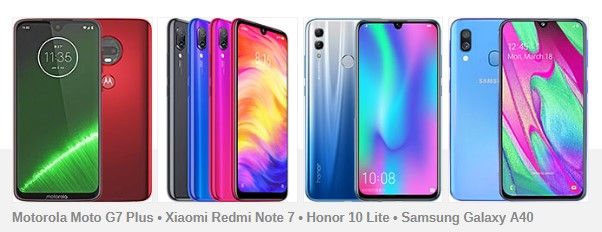
Realme X2 Pro • Xiaomi Mi 9T Pro • Xiaomi Redmi K30 • Samsung Galaxy A51
The verdict
The Galaxy A71 is a tangible upgrade over the A70 – it has a smaller screen cutout, faster performance, better all-round camera, and newer Android and One UI. But like other Galaxy A phones to come before it, the A71 is neither cheap nor competitively priced.
With Xiaomi and Realme aggressively launching phones with flagship-grade specs, it’s a tough job being a mid-ranger these days. We do believe the A71 has a bright future though, as its price will soon go down, while many carriers will subsidize it enough to make it an attractive purchase.
Pros
The A71 is a slim and well-built phone
The large 6.7″ AMOLED is a treat for multimedia and gaming
The Snapdragon 730 is the smart mid-range choice and excels in any job
Excellent battery life
All-round camera setup with good image and video quality
Android 10, One UI 2
Cons
The screen is not HDR10-compliant
The macro camera is limiting and uninspiring in quality
The S20 and S20+ are so incredibly similar that the choice between the two comes down to size preference. Especially if you are in no rush to hop on the 5G early-adopter bandwagon since the vanilla S20 is available in a 4G configuration and an incomplete 5G one (Sub-6 only).
Similarly, if you are not a photography buff, or the type of person to always go for the best out there, the S20 Ultra isn’t the sensible choice.
Samsung Galaxy S20
Body: 151.7 x 69.1 x 7.9 mm, 163g; curved Gorilla Glass 6 front and back, metal frame; IP68 rating; Cosmic Grey, Cloud Blue, Cloud Pink, Cloud White, Aura Red color schemes.
Video recording: Rear camera: 8K 4320p@24fps, 4K 2160p@30/60fps, FullHD 1080p@30/60/240fps, 720p@960fps. Front camera: 4K 2160p@30/60fps, FullHD 1080p@30/60fps.
Battery: 4,000mAh, 25W fast charging support over Power Delivery 3.0 (25W charger supplied in the box).
Misc: Fast Qi/PMA wireless charging 15W; Power bank/Reverse wireless charging 9W; Ultra-sonic under-display fingerprint reader; NFC; FM radio (USA & Canada only); Stereo loudspeakers; Samsung DeX support (desktop experience).
The S20 Ultra has been getting all the attention lately. It’s inevitable – Samsung announces a new flagship lineup, and not long after, tech blogs are all preoccupied with picking apart the very best in the new litter. That comes with some unfortunate consequences like inflated focus on a particular device that is either too extravagant or expensive to be a viable option for the average buyer. Yes, we are referring to both the ever-growing average price point of modern flagships and the disproportionate attention towards the S20 Ultra gets.
Well, we are about the fix the latter point by turning our attention to the Galaxy S20 instead – a great compact phone for those of you looking to downsize.
Samsung Galaxy S20 in official photos
Armed with that in mind, join us on the following pages as we take a deeper look at the vanilla Samsung Galaxy S20. Most of our findings for it will apply to its bigger S20+ sibling as well.
Unboxing
First, we’ll take a few brief moments to unbox the S20. The packaging is a standard affair – a perfectly sturdy, two-piece box with a nifty cradle inside. Unfortunately, you don’t get a case with the S20. On the flip side, you do get the same 25W PD, PPS-enabled charger. The exact same one, like with the S20+ and S20 Ultra. The PPS part is rather important,so definitely hold on to the wall adapter. Plus, since it is Power Delivery and uses a Type-C interface, it is pretty versatile, as far as current device charging trends go.
You also get a nice, thick Type-C to Type-C cable. We should stick to using it as well since not all Type-C cables are created equal, both in actual conductor quality and current rating, as well as internal circuitry (e-marking and such).
Last, but not least, Samsung also throws in a pair of Type-C AKG earbuds. Nothing too fancy, but definitely well made.
Design
Refinement has pretty much been the name of the game in camp Samsung, as far back as the Galaxy S8. That flagship, in a broad sense, introduced the curvy design and footprint the Korean giant has been refining and experimenting with over the last few years. With only a few notable deviations, here and there, of course. The Galaxy S20 is not one of them, though. There is no major redesign to speak of here, apart perhaps from the new bigger camera bump. And out of the entire family, that is the least pronounced on the entry-level S20. All the other changes to the familiar body shape and overall silhouette are minor and aren’t really debuting on the S20.
Quickly looking back at the Galaxy S10 and S9, that precedes it, we can easily spot a steady vertical expansion of the display, accompanied by a reduction in the top and bottom chins, or bezels, if you prefer that term.
With the S20, the panel looks almost pushed-up flush with the top of the device. Combined with the center-positioned and narrower punch hole for the selfie camera and the overall taller 20:9 aspect ratio, it all makes for a slicker, more futuristic, and somehow more symmetric look.
Having less empty space on the bottom chin can be troublesome from an ergonomic standpoint, since it means less space for thumb-resting and more heavy-lifting for the palm rejection algorithms. However, we didn’t find that to be much of a concern on the Galaxy S20, in large part owing to Samsung’s increased attention to UI placement, introduced with OneUI 2.0.
While still on the topic of the front and its ergonomics, we feel like we need to bring-up another subtle but important tweak Samsung implemented. Namely, a slight decrease in both the intensity and the surface area of the curved display part, compared to previous Galaxy S generations. While that might sound counter-intuitive at first, since it makes the effect of the curved display a lot less striking, it goes a long way in improving actual handling and swiping over said curved areas. These are no longer at a weird angle and often burrowed within your palm. Which, in turn, makes for less accidental touches and inputs.
On the flip side, both literally and as a juxtaposition of this reduced “flamboyance” of the curved display, for lack of a better word, the S20 has a slightly tweaked back glass and metal frame. This is yet another change that is hard to catch without actually looking at a few of Samsung’s recent devices side by side, but the short version is that the S20 line uses the new curvier and thinner approach, as seen on the Galaxy Note10.
The change is two-fold. For one, compared to the S10m the exposed part of the metal frame on the S20 is noticeably thinner. This is most apparent in the area where the power button and volume rocker are housed since that part of the bezel had to be widened a bit. All that extra space on the sides gets taken up by a wider and more aggressive curve on the back glass.
Thankfully, this doesn’t have any major effect on handling. That is to say, Gorilla Glass is just as slippery and prone to smudges. The curvature, itself, doesn’t really help with grip from a flat surface, but once in hand, it fits very snug.
Speaking of dimensions, the Galaxy S20 might trick the eye into seeing a thinner profile, but at 7.9mm thick, it is not that different from most of its siblings. The same goes for weight, with the S20 tipping the scale at 163 grams. For reference, the Samsung Galaxy Note10 weighs in at 168 grams and has almost identical dimensions to the Galaxy S20 – 151 x 71.8 x 7.9 mm on the Note10 and 151.7 x 69.1 x 7.9 mm for the S20.
As far as weight goes, we really can’t complain, seeing how the S20 packs 4,000 mAh worth of battery, alongside pretty-much all the flagship internals of its siblings, minus a 5G antenna setup. Just a couple of years ago, the Galaxy S9 had to be both thicker at 8.5mm and weigh the same to just cram 3,000 mAh. Granted, it had a noticeably smaller footprint at 147.7 x 68.7 x 8.5 mm.
This leads us to a broader point about the Galaxy S20 and phones in general. They are getting bigger and bigger and specifically taller, in most cases. Like we already mentioned, the S20 is pretty much identical in size to the Note10. And while the jump from an S10 (149.9 x 70.4 x 7.8 mm, 157 grams) to the new S20 might not be extreme, people on a two-year update cycle, hopping-over from a Galaxy S9 (147.7 x 68.7 x 8.5 mm, 163 grams), will feel an extra bulge in their pockets.
What we are getting at here is that the Galaxy S20 is only a “compact” flagship in the context of its two siblings and the current state of the industry and 2020 trends.
You can consider that the S20 is a true flagship that fits pretty-much everything its bigger sibling S20+ has in a smaller body, without skimping on important details. From a simply exterior standpoint, beyond the identical design, you also get the same IP68 dust/water resistance rating. The same stereo speaker setup. And on the inside, things like the big battery, we already mentioned, 15W Qi fast charging, and FM radio, NFC, and a full array of sensors. All things that could have easily been compromised on in the name of shrinking the S20 further. And speaking of feature parity across the S20 family, that’s just scratching the surface.
Before we move on to tests, a few quick words on controls are in order. Nothing major has changed in this department. The power button and volume rocker on the right-hand side and an empty bezel on the opposite end. Bottom-firing speaker on the bottom, which is accompanied by the amplified earpiece to achieve stereo output. Next to that – a Type-c connector and behind it – a fully-featured, fast USB 3.2 connection. On the top bezel – your typical dual Nano-SIM card tray, with one of the slots doubling as a caddy for a microSD card.
The under-display fingerprint reader is the same as on the Note 10 and the S10 before that. It’s made by Qualcomm and still uses ultrasonic technology, instead of the faster optical alternative which the competitors use. Its accuracy is far from stellar, and we think it doesn’t deliver a user experience fitting for a flagship phone.
Last and probably least, since we are sure it is going to come up, there is no status LED on the Galaxy S20. Instead, Samsung expects users to rely on ambient display.
6.2-inch Dynamic AMOLED 2X display
Samsung’s current display technology branding hardly rolls off the tongue. Still, that’s about the only bad thing we can say about Dynamic AMOLED 2X as a whole and the incredibly crisp 6.2-inch unit found in the Galaxy S20. With a native resolution of 1440 x 3200 pixels, just like its bigger siblings and the smallest diagonal, it is technically the sharpest of the bunch, at around 563 ppi. Not that a few integer points of difference can really make any difference at this resolution and size, but we still like pointing this out.
The spotlight feature of this new generation of OLED panels is, of course, the 120Hz refresh rate. A feature that Samsung could have easily gotten away with skipping on the vanilla S20. But we are so glad this isn’t the case. If you haven’t experienced anything beyond 60Hz on a display yet, then 120Hz will feel like a major shift it perceived speed and performance. Honestly, it’s hard to go back.
As the Settings menu would be quick to tell you, a higher refresh rate does put a bigger strain on the battery. You can read more about that in the battery section of the review. That’s probably the reasoning behind Samsung’s rather infamous decision of disabling 120Hz at the full 1440 x 3200-pixel resolution of the phone. There are rumors that the limitation will be lifted with an update at some point, but that won’t make using the mode any less straining on the hardware. Plus, honestly, the FullHD+ mode, which is Samsung’s default setting, looks perfectly sharp enough. But we digress.
Display test
100% brightness
Black,cd/m2
White,cd/m2
Contrast ratio
Samsung Galaxy S20 Ultra 5G (Max Auto)
0
894
∞
Samsung Galaxy S10 (Max Auto)
0
820
∞
Samsung Galaxy S20 (Max Auto)
0
814
∞
Apple iPhone 11 Pro
0
805
∞
Samsung Galaxy Note10 (Max Auto)
0
789
∞
OnePlus 7T (Max Auto)
0
743
∞
Samsung Galaxy S9 (Max Auto)
0
658
∞
Huawei P30 Pro (Max Auto)
0
605
∞
Xiaomi Mi Note 10 (Max Auto)
0
597
∞
Realme X50 Pro sRGB
0
592
∞
Huawei P30 Pro
0
571
∞
OnePlus 7T
0
525
∞
Realme X50 Pro DCI-P3
0
519
∞
Xiaomi Mi Note 10
0
427
∞
Google Pixel 4
0
423
∞
Samsung Galaxy S20 Ultra 5G
0
398
∞
Samsung Galaxy S20
0
397
∞
Samsung Galaxy S10
0
396
∞
Samsung Galaxy S9
0
370
∞
Samsung Galaxy Note10
0
366
∞
As far as performance on the Dynamic AMOLED 2X goes, Samsung has managed, yet again, to push another small, incremental, generational increase in numbers. The S20 didn’t quite reach the impressive 894 nits of its S20 Ultra, and it maxed out at 814 nits. This figure was achieved in the default Vivid color mode, with automatic brightness enabled and in very bright ambient light.
Our test pattern is standardized at 75% screen area utilization. With a smaller white pattern, the S20 display can probably reach more than 1000 nits.
Disabling auto brightness and going with 100% on Vivid instead, only nets around 397 nits. Just in case you were wondering, setting the color mode to Natural, lowers the maximum brightness slightly (30 nits or so).
Speaking of color modes, the Natural moe is what you definitely want if you are after the most accurate DCI-P3 pallet. At a 100% brightness, in this mode, the S20 managed an average deltaE of 2 and a maximum of just 3.3. That is considered color-accurate. In Vivid mode, which is what most users will likely favor, due to the familiar and desirable OLED “pop,” the S20 managed an average deltaE of 4.9 and a maximum of 11.2. The latter attributed to an over-saturated red channel. Again, it might be wrong from a color-grading perspective, but it just appeals to most of us better. The S20 does also offer manual white point adjustment, but you probably can’t do any better than the Natural profile even if you tried.
All that brightness, technically infinite contrast and color-prowess are put to good use with HDR10+ support. This hardly comes as a surprise on a top-dog flagship from Samsung. HDR support here is as real as they come. Also, there are no concerns regarding content availability, Widevine levels, and the like. Netflix, Amazon Prime Video, YouTube – they all work great with the S20 detecting the HDR stream and adjusting accordingly.
Speaking of the general multimedia experience, the only thing we found slightly distracting at times, jumping from one service to another, was the different way some of the apps handled expanding and cropping the content to the entire display. Notably, Netflix insists on treating the area where the selfie cut out is as a taskbar and not expanding over it. YouTube does the opposite. This can be tweaked if it bothers you. As for which one is better, it all comes down to personal preference, but you have to work around the cut-out both figuratively and literally one way or another.
Samsung Galaxy S20 battery life
The Samsung Galaxy S20 packs a pretty beefy 4,000 mAh battery compared to past Samsung flagships. A rather impressive boost, if we make a direct comparison to the Galaxy S9, with its 3,000 mAh, and the S10, at 3,400 mAh.
We went into the battery test with a sort of mixed feelings and expectations, though, mainly because the Exynos chipset uses a less-efficient external Exynos Modem 5123 even for our LTE-only review unit.
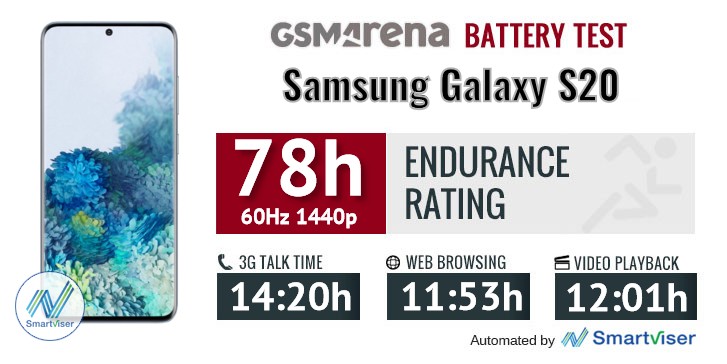
The actual numbers we got out of the Galaxy S20 are a mixed bag. With a combined endurance score of 78 hours, the S20 falls in line with its S10 and S9 predecessors. That, however, isn’t really the bar to strive towards. And that’s especially considering the increased battery capacity.
While standby numbers aren’t extremely bad, call endurance is the thing really dragging the S20 battery life down. As for Wi-Fi web browsing and offline video watching – things really aren’t that bad, with solid numbers across the board. This particular S20 scorecard can be viewed as a good thing, especially if, like many modern users, your particular usage pattern does not include that many calls. In fact, this seems like the perfect opportunity to remind you of a much-ignored tool on out site, which you can use to tune-in your usage and get more accurate, personal battery numbers for devices we review.
Bumping the refresh rate up to the new 120Hz setting takes its toll on the battery even more. Frankly, we expected even worse degradation. What this means in practice is that you should be able to comfortably go through a lengthy high refresh rate gaming session on a single charge, or, alternatively, a day of regular use (fingers-crossed).
The S20 does do its best to redeem the imperfect battery endurance situation with an array of charging options, as well as improved speeds. Just like its two bigger siblings, it ships with a 25W, Type-C, Power Delivery charger, right in the box. Like we already mentioned in the unboxing section, this fairly versatile charger does differ from most mass-market options with the support of PPS, so you should probably hold on to it for the best results.
For actual charging speeds, we tested the S20 from a fully-depleted off state, for the best possible charging scenario. In just 10 minutes, it managed to pump 23% of juice inside the 4,000 mAh pack. The half-hour mark had 55% in the tank, with a full top-off taking just around or a couple of minutes over an hour. Pretty neat.
In case you don’t have your S20 charger with you for some reason, it is also great to know that Samsung’s old Adaptive Fast Charging adaptors still work with the S20 at their full capacity. That is to say, right around 12W. The S20 still says it is charging fast with one of these attached, but ideally, you would still be better off with a higher wattage Power Delivery source. Even one without PPS.
The final option for charging the phone is Qi/PMA wireless charging at up to 15W. And the S20 is even kind enough to act as a power bank for reverse charging – wirelessly, for accessories like the Galaxy Buds and wired for anything else, at up to 9W of output.
Speaker test
Just like its two bigger siblings, the vanilla Galaxy S20 has a stereo speaker setup. It is what you call a hybrid one, with the earpiece doubling as one of the channels. Even so, the overall loundess it is impressive both in terms of loudness and its frequency response curve.
Thanks to our new test and the accompanying widget, you can hear and judge for yourself. The vanilla S20 managed to score just a tab below the S20 Ultra in terms of loudness, but still within the “Very Good” grade. Makes sense, even just considering the bigger body of the Ultra. It’s an upgrade over the Galaxy Note10 as well and manages to be a bit louder than the iPhone 11 Pro.
In terms of frequency response, the S20 expectedly comes quite close to the S20 Ultra. Since we already mentioned Apple’s flagship, it is worth noting that its sound reproduction is noticeably different, with better bass reproduction probably standing out as a prominent point.
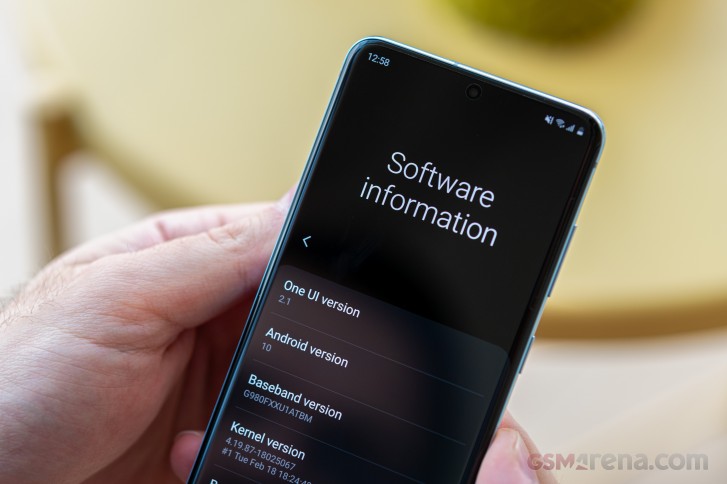
OneUI 2.1
Frankly, we’re not exactly sure where Samsung is going with this new-found numbering convention of its. Honestly, it doesn’t really matter all that much, since OneUI has maintained a pretty impressive level of consistency. Even the “major” redesign that 2.0 brought about remained mostly familiar in terms of general layout and even muscle-memory friendly. It just polished everything up nicely, all the while bumping the UI size up just a slight bit, for extra comfort.
All of this is very much true for OneUI 2.1. The decimal version change, as you can imagine, translates into very slight actual UI changes. Honestly, the most major tweaks we noticed are an extra-large Dark mode setting, now on the top of the Display setting menu and a quick shortcut to the power menu in the quick toggles area.
OneUI 2.0 brought in gesture navigation options for Samsung devices. There are a few different variations to choose from – the newer method has a swipe-in from the sides act as ‘Back’ and a swipe up from the bottom take you Home. You can also choose to swipe up from the left, middle, and right sides of the bottom of the screen to mimic the respective buttons that would have otherwise been there with traditional navigation. Which, by the way, is still an option you can opt for if you prefer the old-school nav bar better. The latter does feature a quick keyboard swap shortcut, which is missing from the gesture schemes.
Biometric security on the S20 comes in one of two variants – fingerprint authentication and facial recognition. We mentioned our subpar experience with the ultrasonic fingerprint reader, but let’s just say that it if doesn’t work for you, the face recognition will offer a more convenient (if not as secure) access to your home screen.
The basics of the UI are the same as on any other Samsung rocking One UI 2 and very similar to One UI One ones. We couldn’t help but notice the recent relocation of the all-important option of having the brightness slider visible on the first pull of the notification shade to the ‘Quick panel layout’ menu inside the toggle settings. The brightness settings screen remains unused as seen on the last screenshot below.
Gone are the days of good multi-window UI with Android Pie ruining it for everybody by requiring extra taps for something that used to take a long press on the task switcher button. Anyway, Samsung’s trying to find a working solution and between v2.0 and v2.1 has relocated the menu next to the app icon you need to tap anyway – it’s on the bottom of the screen in the previous version of the UI. Neither is great.
‘Edge panels’ is a well-known, long-standing feature that’s gotten a minor redesign for the S20s, getting more rounded corners, but it still offers the same functionality. It gives you quick access to apps, actions, tools, etc. with a single swipe from the side. You can choose which side the handle is located on, as well as adjust its position along the edge of the phone. In the Edge screen sub-menu, you will also find Edge lighting – a feature that can light up the outline of the UI in an ever-growing selection of glow types to gently alert you of any new notifications.
Some small changes in software include the addition of Google Duo to the Phone app, letting you initiate video calls straight from the dialer. Quick Share is Samsung’s latest name for the company’s sharing solution based around Bluetooth for device discovery and Wi-Fi direct for actual data transfer that works with Samsungs only (all the way to the Note 3 we had on hand, where it’s called Quick Connect).
One of the more intriguing ‘sharing’ options brought by the S20 is Music share. Enabled by Bluetooth 5, it lets you connect the S20 to a BT speaker and use the phone as a hub for other phones to connect to the speaker. Yet another example of a feature that could have easily slipped under the radar on the vanilla S20, but Samsung went the extra mile to include it as well. To reiterate – great job on the feature parity.
Synthetic benchmarks
As per the typical Samsung flagship setup, the S20 is available in two distinct chipset flavors – one courtesy of the Korean giant, while the other – a Qualcomm product. The latter is most commonly found in the US, while the former gets the Global badge and worldwide availability. In this particular case, just like its bigger siblings, the vanilla S20 comes equipped with either an Exynos 990 chipset or a Snapdragon 865. Both made on an efficient 7nm+ process, but, on the flip side, both also hooked-up to external cellular modems and lacking internal ones.
This does hurt battery efficiency quite a bit. The unit we ended up testing has the Exynos 990. We would have loved to check out the Snapdragon 865 instead, but it seems that we will have to wait for another day. That doesn’t mean, however, that the particular Exynos 990 setup inside this Galaxy S20 is boring since it is identical to the one inside the S20 Ultra, we already rested. The similarities are there and overwhelming, but there is the small matter of the particular modem setup, since, unlike the S20+ and the S20 Ultra, the regular S20 is not available in a “true” 5G version. Meaning Sub6 support only and no mmWave. There is also a 4G-only S20 version. This definitely raises questions as to its network modem and antenna setup.
We did quite a bit of snooping around on that front, and frankly, the clues were already there, but we can now say with a fair amount of confidence that the Galaxy S20 is equipped with the exact same Exynos Modem 5123, as found in the S20+ and S20 Ultra. The modem is very-much capable of full-featured 5G, but disassembling the S20 reveals that it is definitely lacking some of the bulky and expensive 5G antenna hardware. In other words, Samsung’s approach to delivering a 4G-only Galaxy S20, with an Exynos 990, was to use the same modem, just for its 4G LTE connectivity. Definitely a sensible approach in terms of overall development costs, but not really ideal, given the lower power efficiency of an external modem solution. Which, in the particular case of the LTE S20 we are testing, is devoid of the potential 5G benefits. That being said, we can only assume that using the Exynos Modem 5123 in LTE mode, as opposed to 5G mode is a less power-hungry setup. But, even so, we can’t help but feel a little annoyed that from an internal engineering standpoint, this solution is not the optimal one in power or space efficiency.
The flip side to that argument is that you are still getting the cream of the crop of Exynos chipsets right now in every Galaxy S20. If Samsung had, say, decided to step down to the Exynos 980 instead, for the sake of its integrated modem, it would also mean stepping down to slower LPDDR4X RAM speeds, a noticeably less-potent GPU (Mali G76 MP5, instead of the Mali G77 MP11) and forego the two customized high-performance Exynos M5 cores, clocked at 2.73GHz. Just to name a few potential compromises. Make of that as you will.
One thing that needs to be noted, though, is that the Galaxy S20 has a tendency to get toasty under load. A bit toastier than its S20 Ultra sibling, which isn’t exactly cool under pressure either. Not a huge surprise, considering the size difference.
Running a throttling test on the S20 showed that its throttling behavior is far from the worst we have seen and follows a gradual and controlled decline. Remember, every passively-cooled smartphone will eventually thermal-throttle. What separates the overachievers from the rest is how gradual that effect is going to be on frequencies and, conversely, things like real-world gaming experience during prolonged sessions. We have little beef with the S20 in this regard. Samsung did its best to cool its internals within the given size limitations, which also meant driving away a bit more heat from the components and to the surface of the unit. The unfortunate consequence being hotter hands.
A brand new triple camera setup
As the proverbial “runt” of the S20 family, the vanilla model, naturally, has to settle with the smallest camera count of the bunch. Its setup consists of two 12MP snappers and a 64MP one. That being said, the S20+ only adds a “DepthVision Camera” on top of that, with the sole purpose of improving portrait shots and bokeh performance. We would consider the latter nice to have, rather than a major upgrade. So, unless the S20 Ultra is on the table at all, you can definitely curb your fear of missing out, seeing how the S20 really doesn’t skimp on anything important the camera department.
Looking at this new camera setup on a surface level doesn’t really excite all that much. Comparing it to Samsung’s last generation array in something like the Galaxy Note10, a bump in the telephoto resolution does stand out, but also the decrease in the megapixel count for the ultrawide and the absence of Samsung’s signature dual aperture tech for the 12MP main snapper.
Of course, we need to look a bit deeper than that to notice the upgrades in this new generation camera. Starting with the main Samsung S5K2LD 12MP sensor, behind an f/1.8 aperture lens. What you get with this snapper are nice and big 1.8µm pixels, adding up to a 1/1.76″ sensor. Quite a decent upgrade over the last generation 1.4µm pixels and type 1/2.55″ sensor. And in terms of other extras, this new SAMSUNG ISOCELL sensor still has Dual Pixel PDAF tech and OIS.
The 12MP, f/2.2, Samsung S5K2LA ultrawide camera has also grown in size for this generation of Samsung flagships. A pixel size of 1.4µm doesn’t sound nearly as impressive as the one on the main camera, but compared to the Galaxy Note10 and its 1.0µm, it still constitutes a big upgrade. Just like last year, the ultrawide is the S20’s first choice when it comes to capturing its rather impressive Super Steady video. But, more on that later.
Finally moving on to what is likely the most interesting new addition to the S20 and one already striking-up controversy left and right due to Samsung’s marketing, as well as a bit of confusion. The 64MP, f/2.0 Samsung Bright S5KGW2 sensor, with its 1/1.72″ size and 0.8µm pixels is the hardware behind Samsung’s “3x hybrid optical zoom” marketing for the S20. Sounds good enough on the surface, but as it turns out, the actual optical zoom level the lens provides is practically insignificant, compared to the main 12MP camera. This means that Samsung is using cropping, combined with some advanced processing algorithms, to pull off its “hybrid optical zoom”, up to an impressive-sounding 30x magnification. Using “optical” in the name is hence technically correct, but understandably a bit deceitful. Even so, like the saying goes – if it works, it is not stupid. So, we definitely approached the zooming capabilities on the S20 with an open mind, giving the tech the benefit of the doubt in our tests. Plus, the Samsung Bright S5KGW2 does sound interesting with its OIS.
Camera hardware, experience and features
Before we move on actual camera and video samples and quality discussions, we want to mention a few things regarding the current state of Samsung’s camera interface. Honestly, it has been a rather mixed bag for us. One the one hand, certain things have definitely been simplified, like the removal of manual HDR toggles from the main UI. Instead, it’s either AutoHDR or nothing.
On the other hand, the camera UI still feels a bit cluttered and clunky in many areas. For instance, the quick aspect toggle on the left-hand side, not only switches between the already rather confusing 4:3, 1:1, 16:9 and Full modes, but in the particular case of the S20, you can also select a 64MP mode from here. The latter flips over from the main 12MP camera to using the new 64MP camera for stills. A great feature, but probably one that could have been positioned a bit better. And in video capture mode this menu is equally as confusing, offering options for – 1:1, 16:9, Full and then 16:9 8K, with no actual indication of what resolution the other modes are using. Again, not a major deal and we do understand why Samsung decided to do things this way, but we still find mixing aspects and resolutions in a single toggle an imperfect solution. Plus, things get more confusing still when you add zooming into the mix, but more on that in a bit.
What we will say about Samsung’s actual zooming controls is that while these do end up having a few confusing aspects to them, their overall execution is clean and makes sense, for the most part. You get convenient toggles for zoom levels on the right, with the maximum level depending on your current shooting mode. Stills can go up to 30x in regular mode and 10x in night mode and video goes up to 12x. Of course, since Samsung is achieving this zoom via cropping, any setting in between these levels is also possible, works just as well and can be achieved by pinch zooming the UI.
Beyond the main camera UI, there is the settings menu, which is pretty well laid out. Nothing really stands out as being confusing or hard to understand. The more advanced and some times experimental things, like HDR10+ video capture are confined within their own Advanced menu, which is a nice touch. The Zoom-in mic is enabled by default.
Video resolution selectors are pretty intuitive and generally do a decent job of disabling options that are not available in a given moment. For example, neither the 64MP camera or the ultrawide can capture video at 60 fps. Hence, when you switch to the ultrawide, the 4K and FullHD 60fps options in the resolution selector menu get grayed-out. By the same logic, if you first go into settings and select a 60-fps capture mode, the zoom toggles get disabled. This is done since the S20 uses its main 12MP camera to shoot regular videos, but flips over to the 64MP one if you want to do a zoom-in video or 8K.
There is a workaround if you really want to capture zoom videos at 60fps. You need to select a 30fps mode first, then zoom in and then go in the settings again and flip over to 60fps. The camera will actually remember your zoom settings across most settings changes. Hence, you will end up with a zoomed-in 60fps mode, but it will be cropped from the main 12MP camera and the results look quite disappointing. Still, if you really want to, the option is kind of there.
Super Steady video capture is only available at FullHD resolution, which is no surprise. That is also the case on the S20 Ultra. What is surprising to see on the S20, in particular, is that unlike the ultra, which uses the ultrawide for both Super Steady zoom levels, the vanilla S20 actually leverages its regular camera for the zoom mode. Hence, you still get the benefits of autofocus from it.
Finishing some of the advanced settings options off, we have a nifty interface to fine tune the overall selfie skin tone you would like to see from the 10MP front snapper. You also ger more than a few additional shooting modes, hidden away under “More” in the camera UI, by default. You can freely pick and rearrange the options in this menu as you see fit.
Single Take is a new feature, which is great if you find all these camera options a bit overwhelming or too much for your taste. What it does is actually capture both photo and short clips from all of the phone’s cameras simultaneously, all the while encouraging you to try different angles and pan around. After that, you get an Ai-curated album full of the best shots out of the bunch from the different cameras, including some stylized ones, animated gifs and short videos. It works surprisingly well and is naturally best suited for capturing dynamic moments and subjects that move around, like kids and pets or even both together. We kind of get why Samsung has found a place for Single Take on the main camera mode selector.
If you just want a short clip with your stills, the much simpler Motion photo is still present. So are filters, for that extra flare. The camera app actually includes a nifty feature for creating custom filters, based on the look of any photo you feed into the algorithm. Not a bad idea.
Of course, a full-featured Beauty mode is also present, with all the Sims-like sliders your heart desires.
And to spice up your videos in particular, Samsung has some of its older generation headlining features, or gimmicks, depending on how you look at things still present. Like the ability to craft and overlay an animated avatar in AR mode or simply draw something that maintains its place within the frame.
12MP Main camera quality
Kicking things off with the 12MP primary camera of the Galaxy S20, we find an all-round competent flagship snapper. Not that we expected anything less from Samsung.
Resolved detail is on point, so is noise suppression. Auto HDR is kicking in just right and helping with things like the sky. Although, we do wish Samsung had tuned it to recover shadows just a bit more aggressively. While definitely a bit on the “sharper” side, as per Samsung tradition, the S20 definitely does not go overboard in terms of processing. We would definitely call it mature, especially in scenes with plenty of light and easily recognizable subjects, so the scene detection AI can really do its thing. Colors have a bit of extra “pop”, for the lack of a better word, here and there, but are never really oversaturated. Samsung has definitely honed their particular photo look that appeals to its customers over the years and is not really doing any drastic changes to it.
In fact, while shooting samples with the Galaxy S20, we also went the extra mile and brought the Galaxy S20 Ultra along with us for comparisons, to see just how much of the camera experience you are theoretically missing out on, going for the cheaper flagship. We also took some shots with the Galaxy Note10, as a representative of Samsung’s 2019 flagship camera setup. Here you can see their 12MP main camera stills in action, keeping in mind that the S20 Ultra uses its new nona-cell 108MP snapper to capture these.
The Galaxy S20‘s photos are almost indistinguishable from those by the Note10. And while the S20 Ultra has some different processing, the colors there are identical as well – some details are rendered better by the S20 while other are captured better by the S20 Ultra so this comparison is really a tie.
But taking photos of buildings on a bright sunny day is hardly a challenge for any modern smartphone, let alone these flagships.
12MP Ultrawide camera quality
So let’s see how the ultrawide camera performs. The Samsung S5K2LA ISOCELL sensor, behind an f/2.2 lens, is shared across the S20 family, all the way to the Ultra.
As you can expect, performance is shared as well. It is definitely not the most impressive ultrawide we have seen to date but is still solid. In relative terms, of course. That is to say, you will still notice a distinct lack of detail throughout the shot and a fairly good, but not great dynamic range. That’s just how things generally are with ultra wides right now.
Colors are nice and punchy, which we do like. Also, the camera software does a pretty decent job of correcting for barrel distortion out of the box. If you are willing to sacrifice a bit of the frame, there is a toggle in the settings to get even straighter lines. Some shots did end up a bit too noisy for our taste, which seems to be the result of the noise suppression algorithms and some sharpening. It’s nothing too disappointing though.
And once again, here are the same shots captured with the S20 Ultra and the Note10 for comparison.
The Galaxy S20‘s ultra-wide camera produces sharper images than the Note 10’s, with less noise, better geometric adjustment and less purple fringing in the extreme corners (though the fringing is not thoroughly absent either).
The Galaxy Note10 is rocking a different ultrawide, with a higher 16MP resolution, but smaller pixels, at 1.0µm , compared to 1.4µm in the S20 and S20 Ultra. Just so you don’t have to look that up.
64MP Telephoto camera quality
Like we already mentioned, the Samsung Bright S5KGW2, 64MP, ISOCELL snapper is probably the most intriguing of the bunch of cameras on the Galaxy S20. Hopefully, we already addressed the whole “telephoto” and “hybrid optical” zoom situation enough in the previous camera section. Optical zoom-wise, if you do the math, the difference between the focal length of the 64MP camera and the main camera’s works out to just 1.07x. So much for optical zooming. What they are clearly doing is cropping either the full 64MP image or reducing the active capturing area of the sensor. Either way, if they are not upscaling to a higher resolution after that, we can agree they are providing a lossless zoom.
Before we get to zoom samples, though, let’s just take a step back and examine the 64MP camera in its full native resolution. Shooting in 64MP sounds counter-intuitive because we’ve kind of gotten used to seeing a Bayer pixel arrangement on the currently popular 48MP and 64MP sensors. This one, however, is RGB and hence should have no issues with shooting in its full native resolution.
Surprisingly enough though, not only can you do so on the Galaxy S20, but the camera app actually actively encourages you to do so with on-screen prompts to switch over to 64MP and get more detail in the shot.
Honestly, we were skeptical at first too, but the 64MP snapper in its native mode produces some really impressive shots in daylight conditions. Perhaps just a bit noisier and slightly more processed than what you get with the 12MP main camera, also with just a tad narrower dynamic range, but definitely impressive.
The 64MP snapper starts sounding even more impressive when you realize it is actually both the backbone behind the S20’s zooming functionality and its 8K video capture. It raises the question as to why Samsung even bothered to include the 12MP main camera in the first place since the 64MP one is such a heavy lifter. Well, as good as the 64MP snapper is, it really isn’t on the same level as the main camera and definitely starts to struggle in sub-optimal light conditions. The focusing, in particular, takes a hit in low light.
But back to zooming. Optical, hybrid or otherwise, the S20 has plenty of options and offers a surprisingly wide range of zoom levels. Of course, that is definitely not to say that the end results will be great across the entire range. Still, the options are there.
Like we already mentioned in the camera software section, Samsung did put some hard limits to the amount of zoom you can apply, depending on your shooting mode. Regular shots can go up to 30x on the S20, while night mode is capped at 10x and video goes up to 12x. Aside from the settings trick we already discussed, generally, this entire range is handled by cropping and manipulating parts of the 64MP frame. There are some presets, in case you are wondering (0.5x, 1x, 2x, 3x, 4x, 10x, 12x for video, 20x, 30x), but you can also pinch to zoom on any intermediate level.
In good light photos remain usable up until 10x, where they are good enough for use on social networks. For anything else, we would limit ourselves to 4x at the most. At the maximum 30x, the resulting shots are mostly good only for checking out remote objects. And that’s in great lighting conditions. If you want to see modern art interpretations of what the algorithm thinks is in the frame, flip on over to the low-light zoom section.
And, once again, for your quick and easy comparison convenience, we are including the same scenes, as captured by the 48MP periscope telephoto camera on the S20 Ultra and the 12MP one on the Galaxy Note10. Keep in mind that the former has a native optical zoom of 4x, which we conveniently matched up with one of the zoom levels of the S20 samples we took. The Note10, on the other hand, has a native optical zoom of 2x. There is a direct set of comparison shots for it, as well.
The 4x and the 30x photos by the Galaxy S20 Ultra are much sharper than the S20’s simply because the Ultra makes use of a real 4x telephoto lens whereas on the S20 crops the output from its 64MP camera with a meager 1.07 zoom.
The 2x comparison between the Galaxy S20 and the Note 10 surprisingly gives the upper hand to the S20 as the photos have more fine detail when inspected from up close. There is visible noise on its photos, though, whereas the Note10’s camera proficiently wipes any traces of it.
LaSt, but not least, before we move on the low-light samples and more comparisons with the S20 Ultra and Note10, we also shot out test patterns with the S20. Both using its main 12MP camera and the 64MP one.
Video capture quality
The Samsung Galaxy S20 is a pretty capable video capture device. Something understandably aggressively advertised by the Korean giant. Especially the 8K recording part.
Before we go into deeper detail about the S20’s 8K video recording, we should go over some of the capabilities and reiterate a few specifics of the S20 video capture in the lower resolutions.
The S20 offers a surprisingly versatile selection of recording options. First off, you can choose between two zoom levels in the UI, just like on the S20 Ultra.
Beyond the choice of which camera to use, you also get a fairly versatile set of recording resolutions. Besides the rather odd, 1:1 (1440 x 1440 pixels) and Full (2400 x 1080 pixels), there are also 720p@30fps, 1080p@30fps, 1080p@60fps, 2160p@30fps, 2160p@60fps and of, course – 8K, 4320p@24 fps. The latter merits some dedicated attention of its own.
By default, the S20 captures videos in AVC format, alongside a two-channel, AAC, 48 kHz audio stream. Pretty standard stuff. You can also opt to use the more efficient HEVC codec and save some space. The difference in quality between the two isn’t really noticeable without pixel-peeping, so doing so does make sense. Still, as per our usual practices, we opted to stick with the default MP4 container and AVC, plus AAC setup, to ensure the best possible results.
Dropping the resolution down to 1080p still left us with perfectly usable footage. Flagship-grade, if you prefer that designation. We also experimented with the two 60fps modes available. Those don’t really result in a doubling of the capture bit rate, though. Instead at 1080p, it goes from around 14Mbps to 21Mbps. 4K has it a bit better, with 30fps at around 38Mbps and 60fps at 69Mbps. Hence, you are still, technically, losing a bit of quality opting for the higher frame rate. But, it is hardly noticeable in practice and there is no other substitute for the effect. If that is what you are after.
The ultrawide can also switch between 1080p and 4K. It has no option for 60fps capture, which is traditionally the norm with ultrawide snappers. It seems these simply can’t be read from at such a high rate. The level of consistency in colors and general processing across the regular camera and the ultrawide is pretty impressive. The latter does appear to have a slightly narrower dynamic range and shows signs of corner softness. Even, so, the clips it produces are impressive.
Zoom video capture quality
Zoom video capture is definitely something you can do on the Galaxy S20. In fact, the zoom can go up to the impressive 12x. You also get the familiar set of presets, including 2x, 4x, 10x and 12x. Just like in photo mode, there is a “hidden” 3x preset as well, accessed by simply pressing the tree icon in the camera app. We really do wish Samsung organized these in a more coherent manner.
Then again, just like with stills, all of these video zoom levels are simply handled by the 64MP, technically telephoto snapper, via cropping and while making good use of both its OIS and some additional EIS stabilization. Especially at higher zoom levels.
Just like the ultrawide, the 64MP camera can’t really do 60fps capture. So, you are limited to 30fps, with the other options conveniently grayed-out in settings when you toggle a zoom mode. Another, less logical limitation, is that there is no apparent, easy way we managed to find to shoot “un-zoomed” 4K video via the 64MP camera as you can do with stills. The best you can do is to use just the tiniest bit of pinch zoom until you see the viewfinder flip from the 12MP camera to the 64MP one. Doing this, you still get a crop from the 64MP, so it’s not exactly what we are after.
Super steady video capture quality
Samsung has already chewed through a few iterations of its Super steady video technology and the improvements definitely show. What you end up is footage which is surprisingly visually-similar to what you’d get with a gimbal stabilizer, complete with plenty of “floaty” movement and the occasional controlled shift in framing.
The nice thing is you don’t have to record only with the default ultra-wide camera. There is a toggle to switch to the main camera too, where you even get auto focus. It’s inevitable that the field-of-view is slightly cropped as the SuperSteady mode relies on digital stabilization.
8K video capture quality
8K video recording across the Galaxy S20 family is definitely one of the spotlight features, as per Samsung PR. And PR plays an important role here as it’s probably the sole reason for this particular push to 8K. Before you light your torches and head to the comment section, with discussion about the usefulness of 8K in general, though, we should clarify that this is not what we are referring to here.
The 8K videos captured by the Galaxy S20 looks pretty great. In terms of overall quality and processing, there is no immediately apparent compromise to point out, compared to 4K capture. The dynamic range looks comparable, even if not exactly identical, which does make sense, considering that 8K footage comes from the 64MP camera, not the primary 12MP one.
There even seems to be a more fine detail in the 8K footage. However, that difference isn’t really earth-shattering. The more cinematic look, which comes about as an unintentional consequence of the 24fps cap of the 8K clips, does make for a slightly different look of pans and moving objects. So there is that.
But is 8K four times better than 4K as the difference in resolution suggests? Why isn’t it at least twice as good? Well, there really is no simple answer to that, unfortunately. Looking at the metadata in an S20 8K clip, a few things stand out. The resolution of 7680 x 4320 pixel is definitely there – it sounds amazing that a single frame has a resolution of 33MP.
Looking over at the actual bitrate of the video, we find it hovering just shy of the 80Mbps mark. Inspecting a 4K@30fps clip from the S20, also captured in HEVC gives us a bitrate of 22Mbps. So, quick napkin math – 8K is four times the number of pixels of 4K, plus accounting for the 6 frames per second, or so, less in the 8K feed, the bitrate multiplication numbers, actually, kind of check out. That being said, while there is no official goal or yardstick to aim for when it comes to video bitrates, 80Mbps still sounds a bit low for 8K. An estimate, courtesy of the folks at the 2019 8K Video Summit puts desirable bitrates at a minimum of 84Mbps and a recommendation of 120Mbps.
At the end of the day, however, none of these numbers strike as particularly outrageously bad or insufficient. The simple fact is that without a proper, functioning 8K screen, we can’t really say whether we are pushing against some limit of diminishing returns or not. Even the S20 family, with its PR focus on 8K doesn’t have native 8K displays to playback these 8K videos. Samsung’s current idea of how to make use of your 8K footage involves, ideally in their mind, shelling out for a Samsung 8K TV and then consuming the content locally.
To be fair, progress is progress and every step along the way is important. Plus, strides are already being made all around the place. For example, we had practically no issue uploading the S20 8K samples you YouTube and having these streamable to you.
But from a subjective point of view – 8K videos don’t look any different than 4K videos when played back on the phone’s screen. They don’t look any different when watched on a 1080p computer monitor either. The only difference comes through when you zoom in the video player but who does that? Not to mention that our computer coughed its lungs trying to playback the huge video file. So yes, we’re all in for progress and technical innovation but if you ask us, 8K videos are still a gimmick.
Samsung Galaxy S20 low-light video capture quality
Since we already went all-out for the camera section of the S20, we definitely couldn’t skip on some low-light video samples.
The Galaxy S20 definitely keeps its cool and produces pleasant results. There is no extra “magic” going on behind the scenes either to account for the lack of light. 4K video still leverages the main 12MP camera, while 8K switches to the 64MP one, for its extra resolution.
There are some notable differences between the clips produces from the two. The 8K footage seems to be a bit noisier and struggles slightly more with dynamic range, especially when both very bright light sources, like headlights, and very dark spots are present in the frame. The 64MP camera also seems to blow-out light sources a bit more. All of these are merely observations and minor nitpicks on what is otherwise impressive footage, through and through.
Competition
The Galaxy S20 positions itself as a compact flagship offering on the current smartphone scene. With the average screen size experiencing a steady growth spurt in recent years, like it or not, the S20 is what is now considered a pocket-friendly powerhouse.
The combination of the relatively compact size and the powerful internals means that it’s a hard task singling competing phones that match what the S20 offers. In fact, the only other compact phone that can rival it is perhaps the Apple iPhone 11 Pro. It delivers a comparable, even if vastly different user experience. It’s worth noting that the S20 has a bigger and faster display, a bigger battery, and more charging options (faster, too). On the flip side, though, the iPhone 11 Pro almost certainly outshines the S20 in the camera department and offers noticeably better battery life.
Verdict
Delivering an industry-leading flagship user experience while juggling tech innovations, marketing strategy and pricing at the same time is a daunting task. It is no longer enough to put out a solid phone – you have to present it to the world just right and you have to price it accordingly. The S20 Ultra is a fine example where the overly-ambitious marketing and the eye-watering price tag resulted in a disappointment.
The S20 avoids that pitfall. Samsung’s marketing has been quite straightforward in describing the upgrades it brings and the phone manages to deliver a solid and consistent experience all at more palatable pricing. In fact, the exuberant pricing on the Ultra makes the S20 look a pretty good deal in comparison. Which may have been the strategy all along.
But even with all the clever marketing psychological tricks in the world, once you actually stop and think about it, EUR 900 is not cheap by any standard.
But when you consider that the Galaxy S20 delivers the same specs as the more expensive S20+ and that this price will inevitably go down in a few month’s time and we think it may very well be the best seller in the Galaxy S20 trio.
Pros
Excellent build quality and bill of materials. IP68 rating.
You get all the flagship features the S20+ has
Familiar, yet modernized design and control layout.
Superb 120Hz AMOLED display.
Speedy charging solutions, incl. a 25W charger in the box
Very good stereo speaker setup.
Excellent flagship performance.
Versatile triple camera setup, with impressive image quality and consistency.
Cons
The fingerprint sensor performance is behind the competition.
The S20 gets toasty under load but even then, CPU throtling is inevitable.
Unimpressive battery endurance.
Zoom camera is not as sharp as the S20 Ultra’s at 4x or 10x.
At this point, Samsung has already established that its 2019 A-series of smartphones will represent its entry-level and mid-range offerings. One of them is the Galaxy A20. Priced at under $200, is this worth considering given the competition. Find out in our full review.
Design and Construction
As stated in my hand-on and first impressions, the Galaxy A20 shares the design language of its other A-series siblings. The glossy polycarbonate material which Samsung calls Glastic (a plastic material which looks like glass) looks premium and classy, especially with its black color. If you don’t like black, it comes in red and blue as well.
At the front, we get a notch design that the company calls the Infinity-V display. This component houses the 8MP front camera while on top is the call speaker. Unfortunately, there’s no LED notification light here so you’ll have to check your phone now and then manually. Looking at the 6.4-inch screen, we get a pretty slim top and side bezels which look sexy; however, any thinner than that will not allow us to hold the phone more securely.
The right side houses the typical volume rocker and power button which are both clicky. Its placement is also just proper for my thumb to reach which is a plus.
Looking to the left will show you the lone tray that houses the Dual-SIM card slots and a dedicated micro SD card slot.
On top is the noise-canceling microphone while at the bottom are the 3.5mm audio port, primary microphone, loudspeaker, and a USB Type-C port. Props to Samsung for equipping the Galaxy A20 with a Type-C port as this delivers faster file transfer speeds than micro USB ones.
At the back are the dual 13MP and 5MP shooters with LED notification light. Right on the middle is an oblong-shaped fingerprint scanner with silver accents which always looks premium.
Holding the Galaxy A20 feels like you’re carrying any other Galaxy A-series smartphones thanks to its design, weight, and thickness. Just as any Glastic designs, it is always a problem for me when a phone has a glossy back since it is prone to fingerprint marks and smudges. Overall, it feels premium and durable, even for an entry-level device.
Display and Multimedia
This phone, despite its big size and Super AMOLED panel, only has an HD+ resolution which made me quite disappointed. I’m pretty used to the 1080p displays, so I know that looking at it is not the same as with other phones. Add to the fact that it only has a 269-pixel density which is relatively low.
Regardless, the viewing experience is still lovely with punchy colors, decent viewing angles, and slim bezels. I can also use the Galaxy A20 even under direct sunlight even at 80% brightness, so that’s a plus. Playing videos on Youtube and Netflix can only go up to 720p, so that’s a bummer.
Its audio is substandard which is pretty standard for smartphones given that it doesn’t have any bass. Don’t get me wrong though, it has loud and crisp sounds, but the main problem is the whole listening experience, so I suggest that you use earphones or any Bluetooth speakers as this device has a built-in Dolby Atmos feature.
OS, UI, and Apps
Running the Galaxy A20’s OS department is the Samsung OneUI based on Android 9 Pie. I like this interface more than the discontinued Samsung Experience UI mainly due to its simplicity. By default, it would look like that it has no app drawer; however, swiping up or down the home screen will reveal it. Pre-installed apps include the Samsung apps like the Galaxy Store, Samsung Notes, and Samsung Health. The device also has Spotify, Netflix, Office Mobile, OneDrive, LinkedIn, Samsung Members, Samsung 321, Smart Tutor, Facebook, and the default Google applications.
Out of its 32GB storage, this phone gets 23.1GB of free space which is plenty if you are an average user that regularly stores files like videos, music, documents, photos, and even games.
Camera
Running the camera department are the 13MP + 5MP dual rear cameras and a single 8MP front shooter. The interface is simple and pretty straightforward with the Settings, Flash, Timer, Resolution, and Effects located at the top while the modes such as Panorama, Pro, Live Focus, Photo, and Video (for the rear) placed below the display. You can also see that under Photo and Video, you can shoot with a great wide-angle lens.
First, the rear shooter provides an excellent quality of photos with decent sharpness and good color accuracy under sufficient natural lighting. For low-light shots, I find the images usable as the lights were not blown out with minimal noise. I advise that you shouldn’t use the wide-angle lens at night time as photos will be grainy and muddy.
For the selfie shooter, I can’t help but feel like the photos are too artificial in terms of the highlights even on right lighting conditions. At night time, the front lens finds it hard to recognize the details on my face like the redness of my nose and pimples.
The Galaxy A20 can record videos up to 1080p 30fps. I’m quite satisfied with the details and color accuracy of the video; however, it doesn’t have stabilization, so I suggest using a tripod when you want to shoot using this phone.
Performance and Benchmarks
Running the performance department is a Samsung Exynos 7884 chipset with a Mali-G71 MP2 GPU and 3GB of RAM. At first, I thought it was just a typo for the Exynos 7885 in which the Galaxy A8 (2018) series used, but it’s not. The performance is not that bad, but not great either. It’s smooth on basic navigations and quick when loading apps. However, I felt some delays and lags with its performance especially when I’m trying to search for something in its settings or the Google PlayStore. There are no significant issues like the phone stalling, so overall, it’s still decent. I also noticed that the fingerprint scanner is slow to unlock if the Galaxy A20’s display isn’t turned on. It would take approximately 1 to 2 seconds before it recognizes my fingerprint whereas when you press the power button first and do a scan, it will unlock at around 0.5 seconds.
Here are its benchmark scores:
Antutu v7 – 95,945
3D Mark – 520 (SSE – OpenGL ES 3.1), 599 (SSE – Vulkan)
Playing games such as Mobile Legends or PUBG Mobile are a breeze as it runs smoothly even at the highest settings. My problem with the former; however, is that it doesn’t have a high fps mode, so that’s quite a bummer. The phone builds up temperature around the camera area as you play for longer durations, but it won’t reach to uncomfortable levels.
Connectivity and Battery Life
The Galaxy A20 has the basic connectivity features such as 4G LTE, dual-SIM support, WiFi, Bluetooth, and NFC. Checking out it sensors, though, shows that it doesn’t have a Light Sensor which helps in adapting the brightness level of the screen according to the external environment.
The phone carries a 4,000mAh battery with a 15W fast charging which is significant given that most of the smartphones under this price point don’t have this technology. Testing its battery life on PC Mark’s battery test yielded a time of 12 Hours and 16 Minutes while our video loop test (1080p movie, 50% sound, 50% brightness, airplane mode, w/ earphones) got around 23 Hours of playback which is excellent. When it comes to charging, it reached 100% in 1 Hour and 45 Minutes from 20% which is faster than other smartphones with the same or higher battery capacity.
Conclusion
The Samsung Galaxy A20 is a capable entry-level smartphone overall. It has a large display with decent performance, large RAM, great cameras, long battery life, and it also comes with a USB Type-C port with fast charging technology. In the end, I don’t like its fingerprint and smudge magnet design and HD+ resolution. It also has a weird fingerprint unlocking when the display is turned off, but, if you don’t mind these cons, then you can opt for this phone.
One big problem is that Samsung may have a hard time selling this device especially in terms of overall performance. Phones like the Realme 3 and Redmi Note 7 already dominates the below $200 price segment. With the Galaxy A20 sitting at under $200, the only fighting chance that it will have is its cameras and battery life. In the end, I won’t be suggesting this phone unless you are picky on the brand or if you are more into longer battery life and viewing experience.
Samsung Galaxy A20 specs :
6.4-inch HD+ (1560 x 720) Super AMOLED Infinity-V display, 268ppi
The Samsung Galaxy A70 raises the bar within the new A series – a completely reimagined lineup to lead a full-scale war in the midrange kingdom. And the rule of the Chinese makers is very much threatened, having already seen what the A40 and A50 are capable of.
The Galaxy A series are not what they used to be, thank whoever is in charge. Now they are not only affordable AMOLED-bearers, they are also jam-packed with trendy features and come priced very competitively. In fact, it’s been quite a while since we could recommend a Galaxy amidst midrangers, but now we can easily name a few.
The Galaxy A70 builds on the very balanced tri-eyed mid-ranger Galaxy A50 by enlarging its AMOLED screen and employing a higher-end chipset with a better processor. Then the camera setup on the back might be keeping its logic (wide/ultra-wide/depth) but the main snapper is now a 32MP one and it can capture 4K videos.
Finally, the Galaxy A70 has one beefy 4,500 mAh battery capable of up to 25W fast charging courtesy of USB-PD technology – a departure from the Samsung‘s Adaptive Charging that’s been around since the Galaxy S5.
Indeed, there are a ton of interesting bits within the Galaxy A70, but here are the most important ones.
Samsung Galaxy A70 specs
Body: 164.3 x 76.7 x 7.9 mm, 3D Glasstic back, plastic frame.
Screen: 6.7″ Super AMOLED, 1080x2400px resolution, 393 ppi.
Main camera: Primary: 32MP, f/1.7, PDAF; Secondary: 8MP, f/2.2, 12mm ultra-wide, fixed focus; Depth camera: 5MP f/2.2; LED flash; 1080p@30 video recording.
Selfie camera: 32MP f/2.0, 1080p video
Battery: 4,500mAh; 25W fast charging
Connectivity: Dual-SIM; LTE Cat.12 (600Mbps) download / Cat.6 upload (50Mbps), Wi-Fi a/b/g/n, GPS; Bluetooth 5.0, A2DP, LE, USB-C 2.0.
Misc: Under-display fingerprint reader, down-firing loudspeaker, 3.5mm audio port
The most prominent omission is the ingress protection that was present on all older Galaxy A phones. The new A series has neither dust nor water protection. This is the price for all those cool specs, including the high-end OLEDs. And we will gladly pay it.
Unboxing the Samsung Galaxy A70
The retail box contains everything your new Galaxy A70 may need but a case. Inside, you will find a 25W-rated USB-PD charger and a USB-C to C cable – this is the first time Samsung uses this combo, but we get the feeling we will continue seeing it onwards.
Finally, Samsung is also bundling an in-ear headset ending on a 3.5mm plug.
Design
The Galaxy A70 is one of the biggest Galaxies we’ve seen so far, as large as the notch-less Galaxy A80 that’s about to come any day now. The A70 has been built around a 6.7″ Super AMOLED screen with a dewdrop-shaped notch – same size as the behemoth screens on the Galaxy S10+ 5G and the Galaxy A80.
But we’re dealing with an A series device here so the choice of materials is not so premium. Instead of glass, the back is made of shiny plastic which Samsung likes to call ‘3D Glasstic’. The frame is also plastic and not metal. But hey, at least both pieces look that part and you would have a hard time recognizing them for what they are. As the name suggests, the Glasstic material can easily be mistaken for glass, especially with its shifting hues, which are very attractive.
Back to the front. Obviously, it’s mostly screen with bezels as thin as those on the iPhone XS. Inside the notch are a 32MP selfie camera and one barely noticeable earpiece grille just above it. There is no notification LED on the A70.
The front glass doesn’t have the edge curves the recent Galaxy S phones have, and we are glad for that. We are not fans of those, call us old-fashioned, but too many curves completely ruin the grip and don’t let us start on the ghost touch issues. So, yes, the A70 has a flat front, and we like it as it is.
Just like the Galaxy A50 and A80, the A70 has an under-display fingerprint scanner – an optical one. The sensor is around the bottom, making it easy to reach. Its setup is straightforward, and from what we experienced, the thing is mostly reliable. Its accuracy is good and while it takes a second to recognize your finger – it’s not a sluggish process.
You don’t need to wake up the phone, just place your finger around the spot (you will get used to this within minutes) and the sensor will light up immediately and will take you to the homescreen upon a successful recognition. Sure, the experience is not as fast as with the conventional scanners, but it’s acceptable – that is as long as you are applying a proper pressure. Gentle touches won’t do it, and it will take a few tries to get used to it.
The back of the Galaxy A70 looks stunning thanks to the color-shifting paint job. Depending on the viewing angle, you will see purple, blue, green, or gradients of those three. Samsung calls this chameleon hue Black, but the only time you can see it black-ish is when you are looking at the back at nearly 180-degree angle.
While many other makers are using such gradient paint jobs, Samsung‘s still feels unique and easily recognizable. You can never pinpoint an exact color, and that’s probably the reason why the Koreans called it Black in the end.
The rear glass is bent towards the long edges as we’ve seen it on many smartphones, which makes the A70 look thinner and prettier. There is no sharp transition to the frame, which has some curves too, and the overall grip isn’t that good.
But while the plastic frame is glossy, Samsung has added something to the paint that makes it sticky, and the grip is quite okay.
The triple-camera setup on the back is humping by just 1mm or less, and it won’t make the phone wobble on a flat surface. The top snapper is the 5MP depth sensor, followed by the 32MP main camera, and the final one is the 8MP ultra-wide-angle shooter. Outside of the setup sits the single-LED flash.
The Galaxy A70 has all the necessities on its sides – there is a tri-card slot on the left, the volume and power keys on the right side, while the audio jack and the speaker grille are at the bottom.
Samsung Galaxy A70 measures 164.3 x 76.7 x 7.9 mm – that’s 6mm taller and 2mm wider than the Galaxy A50. It weighs 183g – that’s 17g heavier than the A50, but the phone does have a larger screen and battery, so nobody should be thinking of it as overweight.
The Galaxy A70 is big and one-handed use is almost impossible, despite the One UI optimizations. But it was never intended to be pocket-friendly but immersive-friendly. And with that 6.7″ AMOLED it sure is shaping to be. On top of that, the A70 is enjoyable when handled as it’s not as slippery as it looks. Plus, the curved sides make it feel somehow smaller in hand, and that’s something.
Display
The Galaxy A lineup has been known for its AMOLEDs (A for AMOLED, get it?) and the Galaxy A70 is no different. But the A70 not only has the cool panel, but it’s also impressively large with a 6.7″ diagonal – the biggest screens on a Galaxy this year and the same size as A80’s and S10+ 5G’s.
The A70 packs the so-called Infinity-U panel, meaning it has a U-shaped cutout at the top for the selfie camera. But notch or not, the Super AMOLED screen is of the usual high-quality we’ve grown to like. We measured about 407 nits of maximum brightness in manual mode, and 607nits in Auto brightness with the ambient light sensor is exposed to bright light.
We also measured a minimum brightness of 1.8nits – a pretty great result.
Display test
100% brightness
Black, cd/m2
White, cd/m2
Contrast ratio
Samsung Galaxy A70
0
407
∞
Samsung Galaxy A70 (Max Auto)
0
607
∞
Samsung Galaxy A50
0
424
∞
Samsung Galaxy A50 (Max Auto)
0
551
∞
Samsung Galaxy A40
0
410
∞
Samsung Galaxy A40 (Max Auto)
0
548
∞
Realme X
0
448
∞
Realme 3 Pro
0.285
508
1782
vivo V15 Pro
0
429
∞
vivo V15 Pro (Max Auto)
0
435
∞
Xiaomi Redmi Note 7
0.358
479
1338
Motorola One Vision
0.39
464
1190
Motorola One Vision (Max Auto)
0.446
486
1090
Huawei P30 Lite
0.39
480
1231
Realme 3 Pro
0.285
508
1782
Nokia 7.1
0.377
490
1300
Nokia 7.1 (Max Auto)
0.465
600
1290
As we’ve come to expect from Samsung Super AMOLEDs, the display on the Galaxy A70 is capable of accurately reproducing different color spaces depending on content and selected display mode. The Natural mode stays accurate to sRGB with an average DeltaE of 1.8, while Vivid adheres to the DCI-P3 color space with an average DeltaE of 3.9. There is no Adaptive mode as before, nor are there the AMOLED Photo and Cinema. The Vivid option do offer manual control over the red, green, and blue hues.
Battery life
The Galaxy A70 has a large 4,500mAh battery inside, an increase over the 4,000mAh cell inside the A50. It supports 25W fast charging thanks to USB Power Delivery, and the provided charger replenishes 42% of the depleted battery in 30 mins.
In our testing, the Galaxy A70 achieved excellent results. We clocked 13+ hours on our Wi-Fi web browsing script and 17+ hours of looping videos in airplane mode. The 3G talk time is over a day and a half – an excellent score as well.
Adding to the mix the very good standby performance the Galaxy A70 posted an overall Endurance rating of 103h.
Speaker
The Galaxy A70 has a single loudspeaker located on the bottom. It scored a ‘Very Good’ mark in our three-pronged test when it comes to loudness, but it’s sound quality is rather average – not as poor as A50’s, but not as rich and clean as the best in the class.
Speakerphone test
Voice, dB
Pink noise/ Music, dB
Ringing phone, dB
Overall score
Samsung Galaxy A40
66.2
68.3
73.6
Good
Realme 3
66.0
71.8
81.2
Good
Samsung Galaxy A70
68.5
69.5
81.7
Very Good
Realme X
67.9
73.5
80.4
Very Good
vivo V15 Pro
65.0
74.1
83.6
Very Good
Samsung Galaxy A50
68.9
71.3
82.7
Very Good
Huawei P30 Lite
71.5
73.8
83.1
Excellent
Motorola One Vision
73.5
71.3
85.8
Excellent
Xiaomi Redmi Note 7
69.8
71.5
90.5
Excellent
Realme 3 Pro
67.5
73.8
90.5
Excellent
Audio quality
The Samsung Galaxy A70 delivered an output of perfect accuracy when hooked to an active external amplifier test as is to be expected from any half decent phone these days. When headphones came into play, we got some intermodulation distortion and an average amount of stereo crosstalk.
Loudness was just above average in both cases so all in all we’d say the audio output won’t win the Galaxy A70 many new fans, but it won’t be held against it either.
Test
Frequency response
Noise level
Dynamic range
THD
IMD + Noise
Stereo crosstalk
Samsung Galaxy A70
+0.03, -0.07
-93.5
93.3
0.0020
0.0079
-92.4
Samsung Galaxy A70 (headphones)
+0.04, -0.40
-88.1
89.0
0.094
0.239
-56.6
Samsung Galaxy A50
+0.03, -0.06
-93.4
93.2
0.0009
0.0082
-92.3
Samsung Galaxy A50 (headphones)
+0.30, -0.12
-92.0
91.9
0.102
0.231
-47.0
Huawei P30 lite
+0.03, -0.01
-94.4
94.2
0.0015
0.0076
-71.2
Huawei P30 lite (headphones)
+0.12, -0.06
-93.6
93.4
0.0032
0.097
-56.8
Sony Xperia 10
+0.04, -0.04
-92.2
91.9
0.0032
0.015
-97.1
Sony Xperia 10 (headphones)
+0.05, -0.03
-96.1
91.6
0.0033
0.024
-56.4
You can learn more about the tested parameters and the whole testing process here.
One UI is the way forward
The Galaxy A70 boots the brand new One UI based on Google’s Android Pie. It premiered on the Galaxy S10 phones a couple of months ago and is shaping as a promising replacement of the previous Samsung Experience UX. Just as expected, it packs heavy customizations and tons of old and new features but presented in a cleaner and simplistic way.
If you’ve used Samsung UX over the past few years, you will probably work your way around easily. However, there are a couple of major revamps that may seem strange or even uncomfortable at first, but we think it’s for the best.
Aside from the colorful new icons that might not be to everyone’s taste (you can swap the default ones with another icon pack), Samsung has implemented numerous changes towards more effective and comfortable one-handed use. Now all system menus, including the drop-down menu with all the quick toggles, are located on the bottom half of the screen, so they are within reach of your thumb. It takes some time getting used to, but we think it’s a pretty smart solution.
Speaking of one-handed use, there are still some small tidbits that Samsung forgot about. For example, the app folders still open in full-screen with the icons placed on the upper half of the display, which means you’ll have to use your other hand to reach them.
And just like everyone else, Samsung has its own way of implementing Google’s new gesture-based navigation. They work as conventional buttons – swiping from the bottom-left brings out the recent apps menu by default and swiping from the bottom-right takes you a step back. You can swap them in the settings menu, but the home button remains as a single swipe from the bottom-center. If you swipe and hold, it will summon Google’s Assistant.
In the end, Samsung saved a couple of pixels on the bottom, but the gestures still feel half-baked.
What doesn’t feel half-baked, however, is the Always On Display feature. It gives you plenty of options although not as many as on the Galaxy S10 phones (there is no brightness setting or wallpaper option here). You can choose different clock styles and font colors, what notifications to be displayed, and when the AOD to be shown – on tap, always, or scheduled.
In line with the rest of the UI changes, the general Settings menu has been revamped too. It’s pretty compact, and some of the settings you might be looking for have ended up elsewhere. For example, the Device care sub-menu now accommodates the Battery settings and information, storage and memory management and the security features. Tapping on the Battery icon will open up the familiar battery menu full of settings and adjustments. Aside from the usual info and features which you’d find on pretty much every other Android handset, Samsung has added a couple of additional options.
You have three power modes – Optimized, Medium-power saving and Maximum power saving. Optimized is the default one with performance cranked up to the maximum. In the upper right corner of the battery menu sits another sub-menu giving you more granular control over your power consumption.
Speaking of granularity, the Advanced menu gives you the option to set notifications to pop-up in a small view with which you can interact.
Google’s push for the so-called Digital well-being has reached Samsung‘s One UI too. If you were ever wondering how much time you spend on your phone and which apps you mostly used, the Digital well-being sub-menu would give you the details. It’s cool, but it will probably stay unused by most users.
As before, Samsung‘s own take on the custom Android is full of features and pre-installed apps. We are overwhelmed, and it’s hard to go over every one of them. And besides, there are plenty of carry-overs from the previous software versions. Some users may be annoyed with the heavy customization and set of pre-installed apps, especially if you are coming from a vanilla Android.
For multimedia you have the new Gallery app by Samsung for browsing photos and videos, while Play Music handles well, your music. There is also an FM radio app on board, a proprietary My Files file manager app, Bixby assistant, among others.
And although not perfect, we kind of like where Samsung is going with this. It’s addressing an issue that’s been overlooked for quite some time since the new wave of huge smartphone displays. One-handed operation on the One UI is much more pleasant and comfortable. Oh, and the inclusion of the Night mode was a long-awaited feature for more than just a few users. Only using the phone’s UI as a daily driver will help establish a more objective opinion but we like what we see so far.
Performance and benchmarks
The Samsung Galaxy A70 is only the third smartphone we meet powered by the Qualcomm’s Snapdragon 675 chipset. The SoC has an octa-core CPU with 2x Kryo 460 Gold cores (Cortex-A76 derivative) clocked at 2.0 GHz and 6x Kryo 460 Silver cores (Cortex-A55 derivative) ticking at 1.7 GHz. The GPU inside is Adreno 612.
The SoC is manufactured on the cost-efficient 11nm node but more advanced than most chips from the previous gen 14nm Snapdragon 600-series. The 11nm (11LPP) process has been developed by Samsung as a mixture between the company’s 14nm and 10nm nodes and that may be one of the reasons for opting for this Snapdragon instead of some of the in-house Exynos chips.
The Snapdragon 675 may have just two high-performance A76-derived cores, but those were enough to put it well ahead of the competition that uses A73 cores. The single-core score is amazing, as is the multi-core performance. The Snapdragon 675 offers enough processing superiority over the Galaxy A50’s Exynos 9610 to make a difference.
The GPU scores aren’t that impressive though. The Adreno 612 GPU isn’t bad, not at all, it’s just about 15% less capable than the Exynos 9610’s Mali GPU meaning the cheaper Galaxy A50 is actually better suited for games, at least in theory. Then again 15% or less of a difference won’t be felt in real life scenarios at all, so there is no cause for concern.
Finally, the one-number-to-rule-them-all AnTuTu 7 puts the Galaxy A70 ahead of the competition, but a little bit behind its S675 peers – the vivo V15 Pro and Redmi Note 7 Pro.
The Galaxy A70 has more than enough power punch for its price. It is a very dependable performer thanks to the Snapdragon 675 chip. It’s as great for gaming as it is for daily operations and browsing the social media. The Android OS and One UI are fast and fluid on this hardware, although once you populate apps with personal content you may notice some prolonged loading times.
We didn’t notice any hot points around the Galaxy A70 even when running those benchmarks for longer duration and there was no throttling at all. Overall, the A70 offers great performance for the class and nobody should be experiencing major hiccups.
Another tri-eyed camera
Just like the Galaxy A50, the A70 has a triple camera on its back featuring a larger main sensor. The primary cam is now a 32MP f/1.7 snapper with PDAF, joined by a familiar 8MP fixed-focus, f/2.2 ultra-wide and a 5MP, fixed-focus, f/2.2 depth sensor. There is also a single LED flash around.
The 5MP isn’t a standalone module that you can take actual pictures with – instead, it’s a ‘Depth Camera’, to be used for ‘Live Focus’, in Samsung‘s own terms.
So, the primary shooter has a 32MP resolution sensor behind a fast f/1.7 lens with a focal length that’s reported as 26mm. Then, there is the 8MP sensor behind an f/2.2 aperture lens that delivers a 120-degree field of view. The EXIF data reports 12mm equivalent focal length for this one.
The camera app is very much the same as on any current Samsung, only with more icons in the viewfinder to control which camera is being used. The icon with 3 trees means ultra-wide-angle cam, while 2 trees denote the regular camera.
Basic operation is business as usual with side swipes for cycling through modes and an up/down action for toggling between the rear and front cameras. There’s an AI-powered Scene optimizer mode that should recognize certain types of scenes and adjust parameters accordingly. We kept it off, as it doesn’t make that much of a difference, plus we tend to prefer to add the effects after. The shown modes, as well as their arrangement, can be tweaked in settings.
Live focus mode is present, naturally, with all so many cameras and a dedicated depth sensor. There’s also a Pro mode, but there’s hardly anything pro about it – you can only choose ISO (in the 100-800 range), exposure compensation (-2/+2EV in 0.1EV steps), and white balance (presets, but no light temperature).
Image quality
The Galaxy A70 by default shoots in 12MP, but this can be changed from the aspect settings – 3:4 corresponds to 12MP, while 3:4H means 32MP. When shooting in 32MP you can’t use Auto HDR or any HDR for that matter, and capturing photos takes a second or two, but those are pretty much the only caveats.
Let’s start with the high-res images – this is NOT the default mode, and it takes a couple of seconds for a shot. The detail levels aren’t what you’d expect from the 32MP number though they are not necassarily bad. We already observed a similar thing in previous Samsung mid-rangers such as the last Galaxy A9 and A50.
So, the photos are a bit soft but the processing tries to compensate for that with sharpening. This works to some extent for the foliage but you can notice sharpening halos and jaggies elsewhere.
Still, the colors turned out pretty accurate, the contrast is very good, and the dynamic range rather high even though no HDR was involved.
The A70 camera saves 12MP photos by default using pixel binning, and those shots are much faster to capture. The images aren’t that impressive though – sure, those look sharp and have enough detail, but we’ve seen other midrangers do better with fewer pixels to work with. The colors and contrast are pretty good, though, while the dynamic range is consistently excellent.
The thing is we were able to get slightly better images by just downsizing the 32MP shots on a computer. Maybe the processing algorithm makes a few compromises on the way caused by insufficient hardware resources, or maybe it is something else.
So, while the 12MP default photos excel in colors and dynamic range, but they are just average in detail.
The A70 has the Auto HDR turned on by default. If HDR is involved, the photos often look a bit better with even exposure, and some of the blown highlights get rescued.
The ultra-wide camera produces heavily distorted 8MP images as there is no distortion correction applied. This is hardly an issue as the purpose of the wide-angle snapper is to fit as much as possible into a 4:3 image and that’s the price to pay. Pixel level quality isn’t great, but the colors and contrast are excellent, and the dynamic range is often improved by the Auto HDR without hurting the color presentation of detail levels. Overall, those images should be enjoyed for what they are – exaggerated perspective shots or trick shots on the cheap.
Moving on to low-light performance. The 32MP low-light photos are hardly worth showing. The 12MP shots have a good color saturation, but all highlights are clipped due to the camera’s tendency of overexposing dark scenes. On closer inspection, the level of detail is poor, and the images are way softer than we’d have liked them. We’ve seen much better low-light photos from budget phones, so Samsung must improve in this field for sure.
Using HDR will restore most of the blown highlights and balance the exposure – these at the expense of one extra second needed to snap the photo. The result is far from ideal, but still better than the regular non-HDR photos. We’d say the extra wait is worth it if the closer inspection didn’t reveal rather uneven sharpness across the frame and even extra softness possibly due to the imperfect photo stacking.
There is no Night Mode on the Galaxy A70, so you can’t get anything close to Huawei’s low-light shots. And this is mostly felt in the ultra-wide-angle photos, which are unusable without any software enhancements.
And once you’re done looking at real-life samples, don’t forget to head over to our Photo compare tool to check out how the Galaxy A70 deals with our studio charts.
Portraits
The Galaxy A70 has a standalone 5MP camera to capture depth information and should be producing some good portrait shots. Those are saved in 12MP, and indeed they turned out impressive, especially when coming from a low-tier mid-ranger. The separation is excellent – there are no abrupt transitions. Sure, the photos aren’t perfect, but we’ve seen flagships do way worse and we got more than we hoped for from a budget mid-ranger.
The bad news is that when the light isn’t perfect, the portraits become blurry and the focus is often inaccurate.
Selfies
The Galaxy A70 comes with a high-res 32MP selfie camera, which may or may not be the same as the main 32MP one. If you get the distance right, and if there’s plenty of light – you can get some detailed shots. Colors are spot on too.
Just like the main 32MP snapper, the selfie one shoots in 12MP by default, unless you opt for 32MP. The Auto HDR is available only in the 12MP mode. And if it fires, it rescues blown highlights. Other than that – the images are very detailed and have excellent colors.
By the way, the selfie camera offers normal (wide) and close (zoomed) mode, though with just one front camera, the “zoom” is achieved by cropping the center from the 12MP shot and the result is a “zoomed” 8MP photo. That’s a neat trick we first saw Samsung do with the Galaxy S10 series.
Portrait mode is available on the selfie camera as well, with just the one camera. The portraits are softer than regular selfies, while the subject separation is s mostly good unless you have a pair of headphones on your head, or a cap or if your hair is curly like our Angie’s. Auto HDR works here when needed, too, and does an excellent job.
Video recording
The Galaxy A70 records video up to 4K at 30fps, while both 30 and 60 fps are available at 1080p mode. You can also use the ultra-wide-angle snapper for videos, but it supports only one resolution – 1080p at 30fps. The audio is always recorded in stereo at 256kbps.
Electronic stabilization is not available, though.
The Galaxy A70 captured nicely detailed 4K videos for a mid-ranger, with excellent contrast and dynamic range. The color presentation is accurate and overall – we are happy with what we got.
The A70 excels on 1080p video capture both at 30 and 60 fps – the clips are highly detailed, sharp and with little noise. Dynamic range is good too, and the colors are spot on.
The footage from the ultra-wide-camera doesn’t have award-winning detail, but it’s decent as ultra-wide videos go.
Here’s a glimpse of how the Galaxy A70 compares to rivals in our Video compare tool. Head over there for the complete picture.
The competition
The Galaxy A70 has the largest AMOLED screen on the market right now. Combine that with the very attractive sub €400 price in most markets, and you have a real winner here. Users who value large displays and the immersive experience they offer have scarce options outside Samsung‘s camp.
Xiaomi Mi Max 3 is probably the only offer to beat the Galaxy A70 in terms of screen estate and price, but it’s already a year old, it has a feeble chipset and can’t match the overall camera experience. Still, it’s at least €120 cheaper and doesn’t have a notch (or OLED screen for what’s worth), so maybe you want to check this one out.
Then there is the Galaxy A80, which offers same the size of AMOLED but notch-free. The primary camera is on a motorized pop-up, which also rotates to serve as a selfie shooter. Another upgraded bit is the new Snapdragon 730 chipset, which should be offering flagship-grade performance. Those are some costly features though as the price hikes north of €600, and that’s almost within flagship territory.
Then there is the vivo V15 pro, which has an uninterrupted 6.4″ AMOLED thanks to a pop-up selfie camera and the same Snapdragon 675 chipset. The phone is limited to a couple of markets but has some very nice looks and capable snappers.
Then there is the Galaxy A50, which is about €90 cheaper and yet offers the same experience on a slightly smaller 6.4″ Super AMOLED. If the 6.7″ diagonal isn’t a must, then the A50 is an even better offer altogether.
The Huawei P30 Lite is another exciting proposition with a lower price. It has a smaller 6.15″ LCD screen but offers similar gaming experience and battery longevity. The P30 Lite’s main camera is similar to A70‘s, but it has Huawei’s excellent Night Mode, and that’s a massive advantage camera-wise. Huawei ongoing turmoil shouldn’t affect the P30 Lite much aside from the absence of a future Android Q upgrade.
If Realme X is available in your country, it’s probably the phone you should try before going for the A70. The Realme X has a notch-less 6.53″ AMOLED, the Snapdragon 710 chipset, and similarly capable snappers on both ends (the selfie is a pop-up), though there is no ultra-wide-angle cam. The Realme X is much cheaper, and that’s another reason we are excited about the X.
The verdict
The Samsung Galaxy A70 is a very balanced mid-ranger, and we enjoyed using it. But it all boils down to the fact that A70 is more or less a stretched Galaxy A50. And if 0.3″ difference in the screen diagonal aren’t that of a big deal for you, you can easily save yourself about €100 by going for the A50.
But if every single millimeter of screen estate counts, and you want the biggest Super AMOLED on the cheap, then the Galaxy A70 is your go-to phone. It’s one very capable mid-ranger (we guess we’ve already said that a bunch of times), and its only weakness is the night-time photography.
Pros
Bright, vivid, and large Super AMOLED
Triple card slot, audio jack, FM radio
Excellent battery life, USB-PD fast charging
Dependable performance
Consistently good camera experience in daylight
Very nice selfies
One UI is great
Cons
No ingress protection
Unimpressive low-light camera performance, no Night mode
The Galaxy A series has become even more diversified this year. Samsung has already introduced the Galaxy A10, A20, A30, A40, A50, A70, and A80 smartphones with the focus being on new AMOLED screens and premium camera skills. And our guest of honor – the Galaxy A50 – has plenty to show of both.
The Galaxy A series has always been comprised of premium midrangers. But Samsung’s strategy for it has come through several transformations. From all-metal phones and water-resistant designs, through a couple of odd experiments, and lately – pioneering trendy features like notched AMOLEDs and ultra-wide-angle snappers.
The Galaxy A50 is a well-rounded smartphone packing as many cool specs as possible. Start with the slim design with the gradient paint job, move to 6.4″ the Infinity-U Super AMOLED screen with a premium fingerprint scanner underneath, then there is a powerful Exynos chip, and a triple camera on the back. The large battery and the latest Android Pie with the clean One UI are hard to miss, too.
The Galaxy A50 is obviously positioned between the lower-tier of As with HD AMOLEDs and less-impressive snappers, and the higher-tier A70 and A80 with larger screens, more powerful chips, and even more premium snappers. And that’s exactly what makes it so special – having the best from both worlds – cool specs on a lower price.
Samsung Galaxy A50 specs
Body: Gorilla Glass 3 front, plastic frame and back;
Screen: 6.4″ Super AMOLED; 19.5:9 aspect ratio; FullHD+ (1080 x 2340 px)
Memory: 4GB of RAM + 64GB storage / 6GB of RAM + 128GB storage; Up to 512GB microSD card support
OS: Android 9.0 Pie; Samsung One UI on top
Battery: 4,000mAh Li-Ion; 15W quick charge
Connectivity: Dual-SIM/ Single-SIM options available; LTE; USB 2.0 Type-C; Wi-Fi a/b/g/n/ac; GPS + GLONASS + BDS; Bluetooth 5.0; NFC
Misc: Single bottom-firing speaker, Under-display fingerprint reader
One notable omission of the 2019 Galaxy A phones is the lack of water-protection. Samsung has changed its mind yet again, and this mid-range lineup won’t feature any ingress protection. Giving something and then taking it away isn’t the best move for sure, but we, and probably Samsung too, hope to the A50 will have enough of niceties to make up for that.
Design
Samsung has invented a whole new word for the design of the new Galaxy A phones – 3D Glasstic. While it may sound pretentious, it’s actually a clever combination of words as the A50 has both glass and plastic on its body and the latter looks more like glass than plastic.
But what’s also important is that the Galaxy A50 looks stunning courtesy of its dazzling paint job. In fact, the back is so shiny and has so much light reflection and refraction that it was almost impossible to get a proper shot of it. All color options – Black, White, Blue (ours), and Coral – display massive flares when exposed to a bit of light.
And this is for what the whole 3D Glasstic term was invented for. It’s not Gorilla Glass, sure, but it made us talk about it, so we can consider it a success.
And while we are at the back, the Galaxy A50 has a triple-camera setup here. Don’t get too excited yet, as it’s far away from Huawei’s trifecta. The A50 has a main 25MP camera, a secondary 8MP snapper with fixed-focus and 13mm ultra-wide-angle lens, and a 5MP sensor for depth information. There is also a LED flash around. The camera is humping just a tiny little bit and thankfully, it doesn’t wobble when put on a flat surface.
The whole front of the A50 is taken by the large 6.4″ Infinity-U Super AMOLED screen. It has a U-shaped notch at the top for the 25MP selfie camera, while the earpiece so thin that’s it is almost invisible above it.
The screen has minimal bezels on its top and longer sides, but there is a noticeable chin at the bottom for the screen controller. The flagship models are currently the only ones not having that chin but the jury is still out whether this is good in usability terms or not.
There is an under-display fingerprint scanner on the A50 and the experience is similar to what we saw on the Galaxy S10 phones. It is positioned around the bottom and is easy to set up, but the experience is equally unreliable. One day it works just fine, the next day it’s a hit and miss between considering our presses too short or too light, or just the opposite. Hopefully, a software fix is on the way for the A50 as well.
Update: June, 2019:Samsung has already released a firmware update that improves the fingerprint scanner experience. Indeed, the sensor is now more responsive and accurate. The while unlocking routine seems to be quicker, as well. And this is also the reason, why the fingerprint scanner was removed from the Cons list at the end of this review.
With a diagonal of 6.4 inches, the screen is a pretty close match to the one on the S10+ size-wise, of course. It also supports HDR10+ and has fancy curved sides. It is 1080p in resolution and has a different aspect with 19.5:9 ratio.
The Galaxy A50 measures 158.5 x 74.7 x 7.7 mm, which makes it almost identical to the S10+ footprint. It weighs 9g less though at 166g.
The frame is made if plastic, just like the back of the A50, and is as glossy and shiny. It’s also very thin on its longer sides. There is a triple-card slot on the left, while power and volume keys are on the right. The essentials are at the bottom – the USB-C and audio ports, as well as the single loudspeaker.
At the end of the day we didn’t really mind the plastic frame on the Galaxy A50. As long as it is reasonably durable, it’s a perfectly fine alternative to the popular “glass sandwich” design.
Handling the Galaxy A50 is a pretty familiar feeling if you have any experience with a recent Samsung phone. The sides taper in a very familiar way and make for a fairly slim edge. It is super prone to fingerprints and smudges, but in spite of all that glossiness, the phone didn’t feel as slippery as it looks and that’s probably a first.
Display
All Galaxy A phones have always had one thing in common and that’s the Super AMOLED screen. The A50 isn’t a combo breaker either and it also packs a large 6.4″ Super AMOLED screen of 1080p+ resolution. The actual pixel count is 2,340 x 1,080 making the aspect ratio quite wide at 19.5:9 and the pixel density is more than enough at 403ppi.
The A50 features the so-called Infinity-U panel, meaning it has a U-shaped notch at the top for the selfie camera. Samsung was one of the few makers to stay away as long as possible from the screen cutouts but eventually it caved in. We guess this makes Sony the last defender of the notch-free screens.
Anyway, notch or not, the Super AMOLED screen is of the usual high-quality we’ve grown to like. We measured about 420 nits of maximum brightness in manual mode and 550nits in auto with the ambient light sensor is exposed to bright light. We measured a minimum brightness of 1.8nits – pretty great result.
Display test
100% brightness
Black, cd/m2
White, cd/m2
Contrast ratio
Samsung Galaxy A50
0
424
∞
Samsung Galaxy A50 (Max Auto)
0
551
∞
Samsung Galaxy A40
0
410
∞
Samsung Galaxy A40 (Max Auto)
0
548
∞
Samsung Galaxy A9 (2018)
0
399
∞
Samsung Galaxy A9 (2018) (Max Auto)
0
606
∞
Samsung Galaxy S10+
0
385
∞
Samsung Galaxy S10+ (Max Auto)
0
793
∞
Xiaomi Redmi Note 7
0.358
479
1338
Huawei Honor 10 Lite
0.344
441
1282
Oppo F11 Pro
0.316
440
1392
Nokia 7.1
0.377
490
1300
Nokia 7.1 (Max Auto)
0.465
600
1290
Motorola Moto G7 Plus
0.332
473
1425
Motorola Moto G7 Plus (Max Auto)
0.469
590
1258
Samsung Galaxy A8 (2018)
0
390
∞
Samsung Galaxy A8 (2018) (Max Auto)
0
590
∞
Sony Xperia 10
0.362
549
1517
Sony Xperia 10 Plus
0.381
583
1530
Xiaomi Mi 9
0
428
∞
Xiaomi Mi 9 (Max Auto)
0
620
∞
As we’ve come to expect from Samsung Super AMOLEDs, the display on the Galaxy A50 is capable of accurately reproducing different color spaces depending on content and selected display mode. The Basic mode stays true to sRGB (average DeltaE of 1.7), AMOLED Photo is for Adobe RGB applications (average DeltaE of 1.8), while AMOLED Cinema adheres to the DCI-P3 color space (average DeltaE of 2.0). Of course, the default Adaptive mode makes no claims for accuracy and posts an average DeltaE of 3.3 against a DCI-P3 target with a maximum deviation of 8.8.
Battery life
The Galaxy A50 has a large 4,000mAh battery inside, quite like them Redmi Notes. It supports 15W charging but we didn’t get a retail box so we can’t provide you with any charging stats.
In our testing, the Galaxy A50 achieved more than respectable results. We clocked north of 12 hours on our Wi-Fi web browsing script and almost 16 hours of looping videos in airplane mode. The 3G talk time is over a day – an excellent score as well.
Adding to the mix the excellent standby performance the Galaxy A50 posted an overall Endurance rating of 98h. And we now know what to expect from any future Exynos 9610-powered smartphone.
Speaker
The Galaxy A50 has a single loudspeaker located on the bottom. It scored a ‘Very Good’ mark in our three-pronged test when it comes to loudness, but the good news stops here. The output is rather poor and lacks big time in the high frequency. So, as far as quality is concerned – the A50 has a loud sound, but not that clean or rich.
Speakerphone test
Voice, dB
Pink noise/ Music, dB
Ringing phone, dB
Overall score
Realme 3
66.0
71.8
81.2
Good
Samsung Galaxy A9 (2018)
69.5
72.4
77.8
Very Good
Oppo F11 Pro
67.6
72.3
80.5
Very Good
Samsung Galaxy A8 (2018)
69.2
70.6
81.6
Very Good
Moto G7 Plus (Music)
70.5
73.6
78.4
Very Good
Samsung Galaxy A50
68.9
71.3
82.7
Very Good
Xiaomi Mi 9
70.1
74.2
81.6
Very Good
Sony Xperia 10
68.7
73.0
87.8
Excellent
Huawei Honor 10 Lite
70.0
73.8
87.0
Excellent
Xiaomi Redmi Note 7
69.8
71.5
90.5
Excellent
Samsung Galaxy S10+
74.4
74.2
83.6
Excellent
Sony Xperia 10 Plus
68.5
73.2
90.7
Excellent
Nokia 7.1
75.6
76.0
81.1
Excellent
Audio quality
The Samsung Galaxy A50 delivered a stellar performance when tested with an external amplifier with high volume levels and perfect clarity marks.
Hеadphones markedly degraded the reproduction accuracy – some intermodulation distortion crept in while stereo crosstalk shot up markedly. The harmonic distortion reading was also a bit worse than usual, adding up to output that’s average at best. On the upside the loudness was just as high as in the first part of the test and certainly among the best in the mid-range market.
One UI and Android Pie
The Galaxy A50 is among the first mid-rangers to come with the brand new One UI based on Google’s latest Android Pie. It premiered on the Galaxy S10 phones a couple of weeks ago, but it’s a promising replacement of the previous Samsung Experience UX. Just as expected, it packs heavy customizations and tons of old and new features but presented in a cleaner and simplistic way.
If you’ve used Samsung UX over the past few years, you will probably work your way around easily. However, there are a couple of major revamps that may seem strange or even uncomfortable at first, but we think it’s for the best.
Aside from the colorful new icons that might not be to everyone’s taste (you can swap the default ones with another icon pack), Samsung has implemented numerous changes towards more effective and comfortable one-handed use. Now all system menus, including the drop-down menu with all the quick toggles, are located on the bottom half of the screen, so they are within reach of your thumb. It takes some time getting used to, but we think it’s a pretty smart solution.
Speaking of one-handed use, there are still some small tidbits that Samsung forgot about. For example, the app folders still open in full-screen with the icons placed on the upper half of the display, which means you’ll have to use your other hand to reach them.
And just like everyone else, Samsung has its own way of implementing Google’s new gesture-based navigation. They work as conventional buttons – swiping from the bottom-left brings out the recent apps menu by default and swiping from the bottom-right takes you a step back. You can swap them in the settings menu, but the home button remains as a single swipe from the bottom-center. If you swipe and hold, it will summon Google’s Assistant.
In the end, Samsung saved a couple of pixels on the bottom, but the gestures still feel half-baked.
What doesn’t feel half-baked, however, is the Always On Display feature. It gives you plenty of options although not as many as on the Galaxy S10 phones (there is no brightness setting or wallpaper option here). You can choose different clock styles and font colors, what notifications to be displayed, and when the AOD to be shown – on tap, always, or scheduled.
In line with the rest of the UI changes, the general Settings menu has been revamped too. It’s pretty compact, and some of the settings you might be looking for have ended up elsewhere. For example, the Device care sub-menu now accommodates the Battery settings and information, storage and memory management and the security features. Tapping on the Battery icon will open up the familiar battery menu full of settings and adjustments. Aside from the usual info and features which you’d find on pretty much every other Android handset, Samsung has added a couple of additional options.
You have three power modes – Optimized, Medium-power saving and Maximum power saving. Optimized is the default one with performance cranked up to the maximum. In the upper right corner of the battery menu sits another sub-menu giving you more granular control over your power consumption.
Speaking of granularity, the Advanced menu gives you the option to set notifications to pop-up in a small view with which you can interact.
Google’s push for the so-called Digital well-being has reached Samsung’s One UI too. If you were ever wondering how much time you spend on your phone and which apps you mostly used, the Digital well-being sub-menu would give you the details. It’s cool, but it will probably stay unused by most users.
As before, Samsung’s own take on the custom Android is full of features and pre-installed apps. We are overwhelmed, and it’s hard to go over every one of them. And besides, there are plenty of carry-overs from the previous software versions. Some users may be annoyed with the heavy customization and set of pre-installed apps, especially if you are coming from a vanilla Android.
For multimedia you have the new Gallery app by Samsung for browsing photos and videos, while Play Music handles well, your music. There is also an FM radio app on board, a proprietary My Files file manager app, Samsung Health app, Bixby assistant, among others.
And although not perfect, we kind of like where Samsung is going with this. It’s addressing an issue that’s been overlooked for quite some time since the new wave of huge smartphone displays. One-handed operation on the One UI is much more pleasant and comfortable. Oh, and the inclusion of the Night mode was a long-awaited feature for more than just a few users. Only using the phone’s UI as a daily driver will help establish a more objective opinion but we like what we see so far.
Performance and benchmarks
The Galaxy A50 is the first smartphone we meet powered by the Exynos 9610 chip designed by Samsung. Contrary on what the model number suggests, the 9610 SoC is part of the mid-range Exynos 7 Series, so you shouldn’t hope for flagship-grade speeds.
Still, the Exynos 9610 seems rather well-packed with processing punch. There is an octa-core processor with four A73 cores running at 2.3GHz and four A53 ones ticking at 1.7GHz. Those should be more than enough to handle even the most demanding tasks today.
Then there is the Mali-G72 MP3 (read tri-core). We’ve already seen three G72 cores in action as part of the Helio P60 and P70 chips, and those turned out to be enough for a balanced gaming experience on a budget.
Finally, the A50 comes with either 4GB or 6GB of LPDDR4x RAM depending on the market and base storage.
And now let’s run some benchmarks, shall we?
As usual, we’ll start our benchmark tests with Geekbench. In single-core performance the Cortex-A73 cores matche the Kryo 260 Gold in the Snapdragon 660 (Redmi Note 7), and beat everything but the Kryo 360 Gold within the Snapdragon 710 (Xiaomi Mi 8 SE).
Multi-core operations are an easy task for the Galaxy A50. It does as well as the S660 chip, close to the S710 performance, while the Helio P70 that has the same CPU configuration is a bit faster because its CPU cores have a higher clock.
The tri-core Mali-G72 is a solid performer – and in this price range it’s among the best GPUs you can get in a 1080p smartphone. It is only beaten by the Adreno 616 within the Qualcomm’s Snapdragon 710 (Mi 8 SE).
The Galaxy A50 is plenty fast for its asking price. It is a very dependable performer thanks to its Exynos 9610 chip. It’s as great for gaming as it is for daily operations and browsing the social media. The Android OS and One UI are fast and fluid on this hardware, although once you populate apps with personal content you may notice some prolonged loading times.
We didn’t notice any hot spots around the Galaxy A50 even when running those benchmarks for longer duration and there was no throttling at all. Overall, the A50 offers great performance for the class and nobody should be experiencing major hiccups whatever the tasks at hand.
A triple-camera on the back
The Samsung Galaxy A50 has a triple camera on its back – the main 25MP PDAF f/1.7 snapper is joined by an 8MP fixed-focus, f/2.2 ultra-wide and a 5MP, fixed-focus, f/2.2 depth sensor. There is also a single LED flash around.
The 5MP isn’t a standalone module that you can take actual pictures with – instead, it’s a ‘Depth Camera’, to be used for ‘Live Focus’, in Samsung’s own terms.
So, the primary camera has a 25MP resolution sensor behind a fast f/1.7 lens with a focal length that’s reported as 27mm. Then the 8MP sensor behind an f/2.2 aperture lens that delivers a 120-degree field of view. The EXIF data reports 13mm focal length.
The camera app is very much the same as on any current Samsung, only with more icons in the viewfinder to control which camera is being used. The icon with 3 trees means ultra-wide-angle cam, while 2 trees denote the regular camera.
Basic operation is business as usual with side swipes for cycling through modes and an up/down action for toggling between the rear and front cameras. There’s an AI-powered Scene optimizer mode that should recognize certain types of scenes and adjust parameters accordingly. We kept it off, as it doesn’t make that much of a difference, plus we tend to prefer to add the effects after. The shown modes, as well as their arrangement, can be tweaked in settings.
Live focus mode is present, naturally, with all so many cameras and a dedicated depth sensor. There’s also a Pro mode, but there’s hardly anything pro about it – you can only choose ISO (in the 100-800 range), exposure compensation (-2/+2EV in 0.1EV steps), and white balance (presets, but no light temperature).
Image quality
The Galaxy A50 by default shoots in 12MP, but this can be changed from the aspect settings – 3:4 corresponds to 12MP, while 3:4H means 25MP. When shooting in 25MP you can’t use Auto HDR or any HDR for that matter, but that’s pretty much the only caveat.
Let’s start with the high-res images. The detail levels aren’t what you’d expect from the 25MP number but that wasn’t a surprise. We already observed similar lack in detail in previous Samsung mid-rangers such as the last Galaxy A9.
So, the photos are overall soft, but you can notice the processing tried to compensate for that with sharpening, but it is often too aggressive and there are noticeable sharpening halos in the pictures.
And now the good news – the colors turned out pretty accurate, the contrast is excellent, while the dynamic range is about the average – quite expected given no HDR mode was involved.
If HDR is involved, the photos often look a bit better with even exposure and some of the blown highlights get rescued. But there are times where the colors are presented unrealistic with a noticeable greenish tint.
The ultra-wide camera produces heavily distorted 8MP images as there is no distortion correction applied. This is hardly an issue as the purpose of the wide-angle snapper is to fit as much as possible into a 4:3 image and that’s the price to pay. Pixel level quality isn’t great, but the colors and contrast are excellent, and the dynamic range is often improved by the Auto HDR without hurting the color presentation of detail levels. Overall, those images should be enjoyed for what they are – exaggerated perspective shots on the cheap.
The 25MP low-light photos from the Galaxy A50 are a huge mess, lacking in detail, noisy, soft, and a bit blurry. We suspect the 25MP wasn’t intended for low-light at all. This is where the 12MP default option actually comes in handy. We suspect the camera does some pixel-binning but only in low-light, and thus produces much better 12MP low-light images. Far from impressive or even competitive, though.
The 12MP shots have very good color saturation although, highlights will get clipped. On closer inspection, the level of detail is underwhelming and there’s prominent noise across the board even for this price range.
There is no Night Mode on the Galaxy A50, so you can’t get anything close to Huawei’s low-light shots. And this is mostly felt in the ultra-wide-angle photos, which are rather abysmal without any software enhancements.
And once you’re done looking at real-life samples, don’t forget to head over to our Photo compare tool to check out how the Galaxy A50 deals with our studio charts.
Portraits
The Galaxy A50 has a standalone 5MP camera to capture depth information and should be producing some good portrait shots. Those are saved in 12MP and indeed they turned out impressive, especially when coming from a low-tier mid-ranger. The separation is excellent, there are no abrupt transitions, and the algorithm is smart enough not to get fooled by objects close to the face. Sure, the photos aren’t perfect, but we’ve seen flagships do way worse and we really got more than we hoped for from a budget mid-ranger.
Selfies
The Galaxy A50 comes with a high-res 25MP selfie camera, which may or may not be the same as the main 25MP one. If you get the distance right, and if there’s plenty of light – you can get some detailed shots. Colors are spot on too.
Just like the main 25MP snapper, the selfie one shoots in 12MP by default unless you opt for 25MP. The Auto HDR is available only in the 12MP mode. And if it fires, it rescues blown highlights. Other than that – the images are very detailed and have excellent colors.
Portrait mode is available on the selfie camera as well, with just the one camera. The portraits are softer than regular selfies, but surprisingly – with the same meticulous subject separation as seen on the regular portrait photos. And HDR works here when needed, too, and does an excellent job.
Video recording
The Galaxy A50 records video up to 1080p at 30fps – no 4K, and no 1080/60 either. Electronic stabilization is available though and it’s always-on – there is no option to turn it off. The bit rate of 1080p videos is average at 17Mbps while audio is recorded in stereo at 256kbps.
Taking in consideration the very windy weather around here that is felt in both picture and sound, the A50 still excels om 1080p video capture – the clips are highly detailed and with little noise. Dynamic range is good too and the colors are spot on. We’d rank the A50‘s 1080p clips among the better ones we’ve seen, not just in its class, but overall.
The footage from the ultra-wide-camera doesn’t have award-winning detail, but it’s decent as ultra-wide videos go.
Electronic stabilization is available on both regular and wide-angle camera and it does a stellar job.
In theory the Exynos 9610’s ISO should support 4K video recording, which however is not available on the A50. We’ve encountered similar oddities with some cheap Redmis, so we suspected we could get 4K clips with a third-party app since Samsung is using a standard camera APIs. So, we just downloaded the OpenCamera app from the PlayStore and bingo! 4K@30fps. So, if you want 4K on the A50, you can have it, in pretty good quality at that.
Competition
This year Samsung has completely revamped its Galaxy A-series and once again shifted their position on the market. The Galaxy A50 is a rather obvious offer meant to keep the budget low yet bring some cool features from the higher-tier devices – like a large Super AMOLED, snappy chip and a multi-camera setup.
And things did turn out for the better – the Galaxy A50 has the looks to impress, a very colorful AMOLED screen with an under-screen fingerprint scanner, a very capable camera on both ends, a gaming-friendly chipset, and a beefy battery that will keep the lights on for quite some time. But the best part – the price of €280 is quite reasonable and competitive.
Compromises had to be made for making such a good deal – the A50 isn’t water-resistant – something the old Galaxy A series has been known for. But that’s probably the only beef a long-time Samsung fan may have with the A50.
Let’s take a peek at the competition. Motorola is selling the Moto G7 Plus at about the same price, but it’s an inferior phone in every way – the screen is an LCD, the chipset is feeble, the camera – less impressive although it can do 4K, and the battery life was disappointing.
The Redmi Note 7 is at least €60 cheaper, and it is ready to fight back big time. The Xiaomi’s most popular mid-ranger is as stunning and as fast as the A50, while it’s 6.3″ display is of the same resolution, but it’s the IPS LCD kind. It has no wide-angle camera, but it can still excel in photos, and it even offers a Night Mode. If you aren’t all about OLEDs and One UI, you may want to give it a try.
The Honor 10 Lite also impresses with a dazzling body and a large IPS LCD screen, while its Kirin 710 chip is of the same league as the Exynos 9610. The Honor omits a wide-angle snapper but makes up for that with a Night Mode by Huawei. Finally, the Honor 10 Lite costs about €80 less than the Galaxy A50 – probably the biggest reason to check this one out.
And back to Samsung – if the A50 is too large for you, then the A40 is a very good option. It is a very compact and lightweight smartphone, with a 5.9″ nearly bezel-less 1080p AMOLED, a good enough Exynos 7885 chip, and a solid 3,100 mAh battery for that size. The A40 has a dual-camera on the back with a 16MP main snapper and a 5MP ultra-wide cam, it lacks a depth sensor and thus the not-so-accurate portraits. The A40 is a bit cheaper (€40), so there is that.
The Verdict
Samsung got a lot of things right in the Galaxy A50 – the design and color options, the screen, the performance, and the battery life. The still images, while not impressive in detail, are of high-resolution and dependable as long as there’s sufficient light. Nighttime photos turn out with poor dynamic range, fuzzy and noisy. Most of the competitors perform much better in low-light situations. The 1080p videos, on the other hand, are impressive.
The addition of the One UI is welcome on a midranger, and we like the direction where it is going. Yes, the Galaxy A50 isn’t water-resistant as its predecessors, but it excels elsewhere and makes up for all omissions with a very competitive price. We liked it for sure, and we’d recommend checking it out if it fits your budget bracket.
Pros
Solid build and stunning paintjob
Excellent 6.4″ AMOLED
Gaming-friendly Exynos 9610 chip
Versatile camera that does the job well during the day
Great portraits, nice selfies, excellent 1080p videos with stabilization
Dependable battery life
Cons
Lacks water-resistance
The speaker quality is poor
Unsatisfactory low-light camera performance
The detail in the daylight photos could have been higher
The new Samsung Galaxy A series has proven to be an excellent lineup of offers starting from the budget A10 and going all the way to the upper-midrange A80. We already reviewed a bunch of those As, but we are far from done yet – there are still so many of them left. And today it’s the Galaxy A30‘s turn – an intriguing mixture of A40’s internals and A50’s display.
The Galaxy A (2019) smartphones have a couple of common features, and the A30 is no different – it has a glasstic body, a Super AMOLED screen, and a multi-camera setup on the back that includes an ultra-wide-angle snapper. But this phone is sort of an oddball.
We guess at some point Samsung had this plan to arrange those models by price, but the Galaxy A30 does not fall into the ranks so well as it is more expensive than the A40 model. And it makes sense to be that way since the Galaxy A30 packs a larger AMOLED and a beefier battery compared to the A40.
So, the Galaxy A30 is jam-packed with nice hardware – the 6.4″ Infinity-U AMOLED is among the best screens in the entire midrange class, there is a snappy enough Exynos chipset, a dual-camera on the back, a huge 4,000 mAh battery, and Samsung‘s latest One UI on top of Pie OS.
Samsung Galaxy A30 specs
Body: Gorilla Glass 3 front, plastic frame and back;
Screen: 6.4″ Super AMOLED; 19.5:9 aspect ratio; FullHD+ (1080 x 2340 px)
Memory: 4GB of RAM + 64GB storage / 3GB of RAM + 32GB storage; Up to 512GB microSD card
OS: Android 9.0 Pie; Samsung One UI on top
Battery: 4,000mAh Li-Ion; 15W quick charge
Connectivity: Dual-SIM/ Single-SIM options available; LTE; USB 2.0 Type-C; Wi-Fi a/b/g/n/ac; GPS + GLONASS + BDS; Bluetooth 5.0; FM radio
Misc: Single bottom-firing speaker, rear-mounted fingerprint reader
What’s missing? Just water-resistance. Indeed, water-resistance was the cornerstone for the Galaxy A series, but not anymore. None of the latest A phones comes with ingress protection, but they are not losing any slots or jacks, so it’s a silver lining of a sorts.
Unboxing the Galaxy A30
The Galaxy A30 retail box contains the usual bunch – a USB-C cable, a rather cheap-looking pair of headphones with a mic, and a charger.
The A30 supports 15W fast charging, Samsung‘s Adaptive Fast Charging to be specific, and get the corresponding charger bundled with each A30.
Finally, there is a factory-applied screen protector on the Galaxy A30. It’s a very thin and rather easy to peel off, but it’s still useful, and we appreciate it.
Design
Samsung came up with the Glasstic term to best describe the material used for the backs of its new Galaxy A series, and it contains the rather obvious answer – glass and plastic. Indeed, the Galaxy A30, just like the A40 and the A50, has a body made of those two materials.
Both the frame and back are made of plastic but one that looks more like glass than plastic. If you’ve seen one Glasstic phone, then you’ve seen them all. But if not, then you probably have no idea what exactly Glasstic is, have you?
The screen is covered by a piece of Gorilla Glass 3 by Corning. The A30 has a proper Super AMOLED at its front. And it seems to be the same panel we saw on the Galaxy A50 – a 6.4″ 1080p unit with a U-shaped notch that houses the 16MP selfie snapper.
The earpiece is just above the selfie cam, but it is so small and thin that’s it is almost invisible.
The AMOLED panel is premium hardware, but the high-quality stuff ends with it. The side bezels are tiny, but the chin is pretty big. Then there is this visible screen enclosure between the glass and the frame, which is very sharp around the bottom of the phone. Those are common among the cheap phones though and are not exclusive to the Galaxy.
The frame is very thin, curvy, and glossy, meaning it’s pretty in the few seconds when it’s not covered in fingerprint smudges, and is also hard to get a nice grip on.
The tri-card slot, the volume and power keys are on the right, while the speaker, USB-C port and audio jack are at the bottom of the Galaxy A30.
The Glasstic piece covering the back is flashy and dazzling. No matter if you opt for the blue, red, or black model, the color-changing effect be present on all of them. The piece is bent towards the longer sides and this may not be helping the grip but makes up for a thinner profile and a dash of premium feel.
The dual-camera is on the back humping just a tiny little bit and it won’t wobble on a flat surface. The setup has the secondary 5MP ultra-wide snapper on the top and the 16MP main eye at the bottom. A single LED lash sits outside of this tiny hump.
The fingerprint scanner is also on the back and it’s of our favorite kind – always on and blazing-fast. Its recognition is very accurate, too, and performance doesn’t seem to be affected by smudges.
The Galaxy A30 measures 158.5 x 74.7 x 7.7 mm, which is exactly the same as the Galaxy A50. The A30 weighs 165g, a gram less than the A50.
Handling the Galaxy A30 is business as usual. The phone feels more like made of glass than plastic, which is nice but is easy to smudge and eventually it becomes a mess. It’s not as slippery as the looks suggest though, and even if the profile is slim and not that grippy, we didn’t have any major issues while handling it.
Display
Beyond any doubt, the huge Super AMOLED screen is the Galaxy A30‘s main selling feature. It’s the same large 6.4″ Super AMOLED screen of 1080p+ resolution as seen on the A50. The actual pixel count is 2,340 x 1,080, making the aspect ratio quite tall (19.5:9). The pixel density is more than enough at 403ppi.
The A30 has the so-called Infinity-U panel, meaning it has a U-shaped notch at the top for the selfie camera. The screen is of the usual high-quality we’ve grown to like. We measured about 430 nits of maximum brightness in manual mode and 550nits in Auto when the ambient light sensor exposed to bright light. We measured a minimum brightness of 1.9nits.
Display test
100% brightness
Black, cd/m2
White, cd/m2
Contrast ratio
Samsung Galaxy A30
0
433
∞
Samsung Galaxy A30 (Max Auto)
0
548
∞
Samsung Galaxy A40
0
410
∞
Samsung Galaxy A40 (Max Auto)
0
548
∞
Samsung Galaxy A50
0
424
∞
Samsung Galaxy A50 (Max Auto)
0
551
∞
Samsung Galaxy M30
0
437
∞
Samsung Galaxy M30 (Max Auto)
0
641
∞
Xiaomi Redmi Note 7
0.358
479
1338
Huawei Honor 10 Lite
0.344
441
1282
Nokia 7.1
0.377
490
1300
Nokia 7.1 (Max Auto)
0.465
600
1290
Sony Xperia 10
0.362
549
1517
Sony Xperia 10 Plus
0.381
583
1530
Oppo F11 Pro
0.316
440
1392
Realme X
0
448
∞
Motorola Moto G7 Plus
0.332
473
1425
Motorola Moto G7 Plus (Max Auto)
0.469
590
1258
As we’ve come to expect from Samsung Super AMOLEDs, the display on the Galaxy A30 is capable of accurately reproducing different color spaces depending on content and selected display mode. The Basic mode stays true to sRGB (average DeltaE of 1.6), AMOLED Photo is for Adobe RGB applications (average DeltaE of 1.8), while AMOLED Cinema adheres to the DCI-P3 color space (average DeltaE of 2.2). Of course, the default Adaptive mode makes no claims for accuracy and posts an average DeltaE of 3.4 against a DCI-P3 target with a maximum deviation of 9.
Battery life
The Galaxy A30 has a large 4,000mAh battery inside, just like the A50’s. It supports 15W charging, and the supplied charger will refill about 30% of the A30‘s depleted battery in half an hour.
In our testing, the Galaxy A30 achieved some respectable results. We clocked north of 11 hours on our Wi-Fi web browsing script and 14 and half hours of looping videos in airplane mode. The 3G talk time is over a day – an excellent score as well.
Adding to the mix the very good standby performance the Galaxy A30 posted an overall Endurance rating of 92h.
Loudspeaker
The Galaxy A30 has a single loudspeaker located on the bottom. It scored a Below Average mark in our three-pronged test when it comes to loudness, and it is very quiet – it’s been a while since we’ve seen a phone rank this low. The output is okay for the class but won’t impress with rich sound.
Speakerphone test
Voice, dB
Pink noise/ Music, dB
Ringing phone, dB
Overall score
Samsung Galaxy A30
65.9
66.6
68.4
Below Average
Samsung Galaxy M30
65.6
66.2
70.4
Average
Samsung Galaxy M20
67.0
66.8
68.6
Average
Samsung Galaxy A40
66.2
68.3
73.6
Good
Samsung Galaxy M10
66.2
71.7
80.0
Good
Realme 3
66.0
71.8
81.2
Good
Samsung Galaxy A50
68.9
71.3
82.7
Very Good
Sony Xperia 10
68.7
73.0
87.8
Excellent
Realme 3 Pro
67.5
73.8
90.5
Excellent
Xiaomi Redmi Note 7
69.8
71.5
90.5
Excellent
Nokia 7.1
75.6
76.0
81.1
Excellent
Moto G7 Power
75.8
75.2
82.5
Excellent
Audio quality
The Samsung Galaxy A30had a fine performance in the first part of the audio test. With an active external amplifier, it posted excellent scores and had above average volume levels .
While the loudness didn’t suffer when we plugged in headphones, a few of the scores took a hit – most notably the stereo crosstalk and to a lesser extent intermodulation distortion and frequency response. The overall performance was very close to the Galaxy M30, suggesting a shared audio chip, but the A30 comes just behind its sibling likely due to slightly different wiring.
Test
Frequency response
Noise level
Dynamic range
THD
IMD + Noise
Stereo crosstalk
Samsung Galaxy A30
+0.03, -0.05
-93.3
93.0
0.0068
0.012
-88.9
Samsung Galaxy A30 (headphones)
+0.23, -0.25
-90.8
91.2
0.015
0.266
-48.0
Samsung Galaxy M30
+0.03, -0.05
-90.5
90.4
0.0057
0.016
-90.0
Samsung Galaxy M30 (headphones)
+0.26, -0.20
-92.9
92.4
0.095
0.249
-59.1
Sony Xperia L3
+0.07, -0.01
-91.9
91.8
0.0013
0.009
-89.3
Sony Xperia L3 (headphones)
+0.50, -0.50
-90.6
90.8
0.0049
0.392
-52.3
Realme 3
+0.07, -0.04
-93.5
93.4
0.0010
0.0067
-91.6
Realme 3 (headphones)
+0.50, -0.17
-92.1
92.2
0.011
0.401
-52.0
Motorola Moto G7 Play
+0.07, -0.01
-90.0
90.1
0.0019
0.015
-92.9
Motorola Moto G7 Play (headphones)
+0.16, -0.10
-92.3
92.5
0.0069
0.164
-64.8
Android Pie and One UI
The Galaxy A30 comes with the new One UI based on Google’s latest Android Pie. It premiered on the Galaxy S10 phones, and it’s a promising replacement of the previous Samsung Experience UX. Just as expected, it packs heavy customizations and tons of old and new features but presented in a cleaner and simplistic way.
If you’ve used Samsung UX over the past few years, you will probably work your way around quickly. However, there are a couple of major revamps that may seem strange or even uncomfortable at first, but we think the changes are for the better.
Aside from the colorful new icons that might not be to everyone’s taste (you can swap the default ones with another icon pack), Samsung has implemented numerous changes towards more effective and comfortable one-handed use. Now all system menus, including the drop-down menu with all the quick toggles, are located on the bottom half of the screen, so they are within reach of your thumb. It takes some time getting used to, but we think it’s a pretty smart solution.
Speaking of one-handed use, there are still some small tidbits that Samsung forgot about. For example, the app folders still open in full-screen with the icons placed on the upper half of the display, which means you’ll have to use your other hand to reach them.
And just like everyone else, Samsung has its own way of implementing Google’s new gesture-based navigation. They work as conventional buttons – swiping from the bottom-left brings out the recent apps menu by default and swiping from the bottom-right takes you a step back. You can swap them in the settings menu, but the home button remains as a single swipe from the bottom-center. If you swipe and hold, it will summon Google’s Assistant.
In the end, Samsung saved a couple of pixels on the bottom, but the gestures still feel half-baked.
What doesn’t feel half-baked, however, is the Always On Display feature. It gives you plenty of options although not as many as on the Galaxy S10 phones (there is no brightness setting or wallpaper option here). You can choose different clock styles and font colors, what notifications to be displayed, and when the AOD to be shown – on tap, always, or scheduled.
In line with the rest of the UI changes, the general Settings menu has been revamped too. It’s pretty compact, and some of the settings you might be looking for have ended up elsewhere. For example, the Device care sub-menu now accommodates the Battery settings and information, storage and memory management and the security features. Tapping on the Battery icon will open up the familiar battery menu full of settings and adjustments. Aside from the usual info and features which you’d find on pretty much every other Android handset, Samsung has added a couple of additional options.
You have three power modes – Optimized, Medium-power saving and Maximum power saving. Optimized is the default one with performance cranked up to the maximum. In the upper right corner of the battery menu sits another sub-menu giving you more granular control over your power consumption.
Speaking of granularity, the Advanced menu gives you the option to set notifications to pop-up in a small view with which you can interact.
Google’s push for the so-called Digital well-being has reached Samsung‘s One UI too. If you were ever wondering how much time you spend on your phone and which apps you mostly used, the Digital well-being sub-menu would give you the details. It’s cool, but it will probably stay unused by most users.
As before, Samsung‘s own take on the custom Android is full of features and pre-installed apps. We are overwhelmed, and it’s hard to go over every one of them. And besides, there are plenty of carry-overs from the previous software versions. Some users may be annoyed with the heavy customization and set of pre-installed apps, especially if you are coming from a vanilla Android.
For multimedia you have the new Gallery app by Samsung for browsing photos and videos, while Play Music handles well, your music. There is also an FM radio app on board, a proprietary My Files file manager app, Samsung Health app, Bixby assistant, among others.
And although not perfect, we kind of like where Samsung is going with this. It’s addressing an issue that’s been overlooked for quite some time since the new wave of huge smartphone displays. One-handed operation on the One UI is much more pleasant and comfortable. Oh, and the inclusion of the Camera Night mode was a long-awaited feature for more than just a few users.
Performance and benchmarks
The Samsung Galaxy A30 is powered by Samsung‘s Exynos 7904 chipset, which is essentially a downclocked 7885 and we already met it within the Galaxy A40. The SoC packs an octa-core processor with 2x high-performance Cortex-A73 cores clocked at 1.77 GHz and 6x power-efficient and smaller Cortex-A53 cores ticking at 1.59 GHz. For graphically intensive tasks, the Exynos 7904 relies on the Mali-G71 MP2 GPU.
When it comes to memory, the phone comes either with 3GB or 4GB of RAM depending on the model’s base storage – 32GB or 64GB. The one we got for this review has 4GB/64GB.
We kick things off with the usual CPU testing to see where the Exynos 7904 stands. The scores aren’t showing a winner, but nobody really expected a chart-topper. One A73 core ticking at 1.77GHz is powerful enough and would beat any A53 one, while it’s not that far from the A73s clocked at 2.2GHz or similar.
A dual-camera on the back
The Samsung Galaxy A30 has two snappers on its back – the main 16MP PDAF f/1.7 snapper is joined by a 5MP fixed-focus, f/2.2 ultra-wide and there is also a single LED flash around. There is no depth cam on the A30, but it can do portrait photos with defocused backgrounds just fine – Live Focus as Samsung calls the mode.
So, the primary camera has a 16MP resolution sensor behind a fast f/1.7 lens with a focal length that’s reported as 26mm. Then the 5MP sensor behind an f/2.2 aperture lens that delivers a 120-degree field of view. The EXIF data reports 13mm focal length.
The camera app is very much the same as on any current Samsung, only with more icons in the viewfinder to control which camera is being used. The icon with 3 trees means ultra-wide-angle cam, while 2 trees denote the regular camera.
Basic operation is business as usual with side swipes for cycling through modes and an up/down action for toggling between the rear and front cameras. There’s an AI-powered Scene optimizer mode that should recognize certain types of scenes and adjust parameters accordingly. We kept it off, as it doesn’t make that much of a difference, plus we tend to prefer to add the effects after. The shown modes, as well as their arrangement, can be tweaked in settings.
There’s also a Pro mode, but there’s hardly anything pro about it – you can only choose ISO (in the 100-800 range), exposure compensation (-2/+2EV in 0.1EV steps), and white balance (presets, but no light temperature).
Image quality
The photos we snapped with the main camera in broad daylight turned out very good, keeping in mind the A30‘s price. The stills have plenty of fine detail, generally realistic colors, and excellent contrast. The dynamic range is above average and Auto HDR triggers extremely rarely – only in very demanding scenes. That said, just like on the M30, there were instances when it could have helped, and the phone didn’t engage it, so keep an eye on that.
There is some noise in areas of uniform color, and the grass presentation could have been better, but the A30 is a budget phone, and it offers more than enough for its class.
The ultra-wide-angle camera relies on a 5MP sensor with fixed focus. There is no lens correction available, so distorted buildings are expected.
During the day this tiny camera produces pleasant photos, which may not be filled with much detail, but they do have a super-wide field of view. The colors are more popping than what we experienced on the 16MP regular stills, but probably Samsung has tweaked it this way to create livelier images and enough distraction from the inferior quality. And indeed, it does.
The low-light photos from the main 16MP camera are nothing impressive as expected. They do have good color saturation, a step up from the M30’s low-light images, but highlights will get clipped, just like on the other phone. The level of detail is underwhelming, and there’s prominent noise across the board.
There is no Night Mode on the Galaxy A30, so you can’t get anything close to Huawei’s low-light shots. And this is mostly felt in the ultra-wide-angle photos, which are rather abysmal without any software enhancements.
Once you’re done looking at the real-life samples, don’t forget to head over to our Photo compare tool to check out how the Galaxy A30 deals with our studio charts.
Live Focus
The ultra wide-angle camera isn’t used for depth information, so the software does all the heavy lifting and does the edge separation on its own. The Live Focus photos surprised us with very good separation and very smart detection. You can adjust the strength of the bokeh in real time or later on in the gallery with the slider below.
The Live Focus photos are saved in 8MP resolution.
Selfies
The 16MP selfies are soft and average in detail, but they do offer excellent contrast and punchy colors. The Auto HDR fires here more often than not, but it does an excellent job in restoring the clipped highlights.
If you get the distance right, and if there’s plenty of light – you can get some nice shots.
Portrait mode is available on the selfie camera as well, with just the one camera. The portraits are softer than regular selfies, while the edge detection is far worse than on the main camera. The processing tries to mask the defects and artefacts with extra blur, mostly unsuccessful though. The Auto HDR works here when needed and does an excellent job.
Video recording
The main camera can only record up to Full HD at 30fps, and the same goes for the wide-angle unit. There is no electronic stabilization on any of the snappers.
But if you’d like 4K video recording, the good news is that you can download Open Camera or another third-party camera app from Play Store and enjoy 2160p recording. Be aware though, that the snapper is limited to 4K capturing at 20fps and the clips will be choppy.
If all else fails, the 1080p videos (17Mbps bitrate) from the main camera are excellent, if not class leading. Those are highly detailed, with little noise and true-to-life colors. Dynamic range is good too. We’d rank the A30‘s 1080p clips among the better ones we’ve seen, not just in its class, but overall. And their stereo audio is top-notch, too, captured with 256kbps bitrate.
The footage from the ultra-wide-camera doesn’t have award-winning detail, but it’s decent as ultra-wide videos go.
Galaxy Tab S6 enriches the mobile experience by enabling people to express their ideas and get more done.
Samsung Electronics today announced Galaxy Tab S6 – a new tablet that allows people to create and connect, enjoy immersive entertainment, and accomplish their goals wherever they go. Built for those who need to satisfy their curiosity and express their creative flair, the Galaxy Tab S6 lets users do more than they could on any tablet before.
“Today’s inspiration comes at a moment’s notice and creatives and professionals need a device able to keep up with insatiable imaginations while complementing their busy, on-the-go lifestyles,” said DJ Koh, President and CEO of IT & Mobile Communications Division at Samsung Electronics. “Galaxy Tab S6 enables consumers to unlock their creativity, while delivering the top-quality productivity features and advanced technology they have come to expect from Samsung tablets.”
Samsung has unveiled its newest flagship tablet under the Tab S series, the Galaxy Tab S6, that comes with new and updated features.
The Galaxy Tab S6 sports a 10.5-inch WQXGA Super AMOLED display, Qualcomm Snapdragon 8150 chipset, 6GB or 8GB of RAM, 128GB or 256GB of storage, 13MP + 5MP dual rear cameras, 8MP front camera, and 7,040mAh battery.
The device also comes with AKG speakers w/ Dolby Atmos, a built-in magnet case for the new S-Pen that has a built-in BLE remote control, Air Gestures, 10 hours of battery life with 10 minutes of charge time.
You can also dock it in the new version of the Samsung DeX or put a Book Cover keyboard for typing purposes.
The Samsung Galaxy Tab S6 is priced at USD 649 for the 6GB + 128GB variant while the 8GB + 256GB costs USD 729
Redesigned S Pen Boosts Creativity and Productivity
Samsung’s signature S Pen began as an instrument for writing and drawing, but it has evolved to become the ultimate creativity and productivity partner. Now with remote control functionality and wireless charging capabilities, S Pen on Galaxy Tab S6 puts even more power and control in users’ hands. With built-in BLE remote control features1 including a gesture function called S Pen Air actions, S Pen lets you intuitively take selfies and videos, or control the multimedia content you create even when the tablet is not in your hands. Plus, S Pen features wireless charging that delivers up to 10 hours of battery life2 after just ten minutes’ charge time.
Galaxy Tab S6 makes taking notes with S Pen a breeze. Handwritten Samsung Notes can be converted to digital text and exported to formats like Microsoft Word with just one click. You can also jot down quick notes or sketches while watching a video on the same screen by adjusting the Samsung Notes’ window transparency—perfect for effortless multitasking.
A new-and-improved version of Samsung DeX3 is also packed into the Galaxy Tab S6, enabling you to seamlessly transition to a PC-like experience, so you can easily multitask and optimize your viewing experience. With a DeX function key added to the Galaxy Tab S6’s new dedicated Book Cover Keyboard, you can launch and close DeX with the tap of a key. The keyboard has been fine-tuned for better functionality, including an S Pen holder, free angle stand, touch pad and new function keys.
Advanced Technology for Everyday Convenience
Galaxy Tab S6 packs new enhancements to its camera, including Samsung’s first dual camera with Ultra Wide camera on a tablet, within a compact 5.7mm slim body that is both lighter and more portable. The Ultra Wide camera allows users to capture the scenery and landscapes just as they see them with a 123-degree field of view, as wide as the human eye. Meanwhile, the Neural Processing Unit lets you take professional photos through enhanced effects to your subjects, so your photos look like they were taken by a pro.
Samsung is also bringing the on-screen Fingerprint Scanner to its tablet for the first time with Galaxy Tab S6, so that accessing your tablet is more convenient than ever. This ease and convenience are further protected by Samsung Knox, Samsung’s defense-grade security platform. Additionally, you can easily wake your Galaxy Tab S6 by tapping on the screen twice, allowing you to log in and start your day quickly.
As a part of Samsung’s Galaxy Ecosystem, the Galaxy Tab S6 becomes a hub of your connected experience to manage your appliances with SmartThings. Together with Bixby, you can easily control your devices via voice commands.
Uncompromised Entertainment
Whether you are enjoying a new game or binge-watching your favorite TV show, Galaxy Tab S6 delivers an amazing viewing experience. Its 10.5” Super AMOLED display, paired with quad speakers sound by AKG and Dolby Atmos®, keeps you immersed in the action.
Galaxy Tab S6 enables high-quality, captivating gaming through a combination of graphics, sounds, and intelligent hardware and software, bolstered by partnerships with leading game platforms like Unity and Unreal Engine. A powerful processor and Game Booster with AI capabilities enhance the gaming experience on Galaxy Tab S6 through optimized FPS, screen lag, loading time and more.
With Galaxy Tab S6, you can enjoy more of your favorite content. You can easily browse Netflix content on the device’s Finder, enjoy your favorite music on Spotify with three months of free Spotify Premium, or watch your favorite YouTube videos ad-free, offline, and on-the-go with four free months of YouTube Premium4.
Galaxy Tab S6 comes in Mountain Gray, Cloud Blue and Rose Blush colors. It will be available in stores and online beginning late August in select markets.
Designed for digital natives who want to interact, play and share in the moment
Samsung Electronics reveals the new Galaxy A80 – a smartphone created for the way people are engaging in the Era of Live. People are increasingly using their smartphones to share live interactions – capturing spontaneous photos, streaming live video and connecting over shared experiences that are happening right now. We are moving from the ‘era of the selfie’ to the ‘era of live’, where people are fostering more genuine and meaningful connections. Built to drive this evolution, the Galaxy A80 offers compelling innovations: a captivating, full-screen display, Samsung’s first revolutionary rotating camera and an intelligent battery.
“Consumers are at the center of everything we do and they search for devices personalized to their specific lifestyle. Armed with our expertise, global capabilities and rich consumer insights, Samsung is uniquely positioned to provide innovations for everyone,” said DJ Koh, President and CEO of IT & Mobile Communications Division at Samsung Electronics. “The Galaxy A Series provides a range of models so everyone can choose a device that fits their unique needs and enables them to pursue their passions. The Galaxy A80 offers premium features for digital natives who want to fully engage in the Era of Live.”
Capture the World as You See It
Created with Samsung’s first rotating camera, the Galaxy A80 lets people seamlessly capture the world around them. When users select the selfie mode in the camera app, the three cameras automatically pop-up from the back of the phone and rotate. The innovative camera mechanism delivers the same extraordinary triple camera experience with the same high-resolution lens, front and rear, so you never have to sacrifice on quality.
With the 48MP main camera, users can now shoot vivid images day and night. The Galaxy A80’s 3D Depth camera offers Live Focus videos by scanning objects for measurement and depth. Built with an Ultra Wide angle lens with the same viewing angle as the human eye, so your favorite views can be shared with less panning.
The Super Steady video mode helps you effortlessly capture content by reducing video shake to ensure smooth, pro-level action videos. And with other intelligent camera features such as Scene Optimizer that can recognize and enhance up to 30 scenes, and Flaw Detection that automatically identifies glitches before you click, you’ll never miss the perfect shot.
Enjoy Immersive Multimedia Experiences
Enabled by the rotating camera, people can experience an uninhibited view with Samsung’s first New Infinity Display. Featuring the 6.7-inch FHD+ Super AMOLED screen, Galaxy A80 brings you content in vivid detail, letting you get fully immersed in every game, video, photo and story.
Galaxy A80’s Dolby Atmos lets you lose yourself in the sound with a 360-degree audience experience when using earphones or Bluetooth speakers.
Stay Connected for Longer
The Galaxy A80’s 3,700mAh battery and its Super-Fast Charging at 25W capabilities keep you connected for longer and gives you more freedom by allowing you to charge your phone quickly – so you don’t miss a beat.
The Galaxy A80 also features an intelligent battery which learns your daily routine and app usage patterns to optimize your phone’s power consumption. The Adaptive Power Saving Mode enables users to be reassured knowing the smart battery is running most efficiently for the best performance needed.
Access What You Need, When You Need It – Safely and Securely
The Galaxy A80’s Intelligent Performance Enhancer provides AI-powered performance optimization software, which adjusts the battery, CPU and RAM of your device based on your unique usage, helping your phone work harder and launch apps faster when you need them.
Bixby Routines helps keep you on track by learning your app usage patterns and analyzing your habits so that it knows which features you need, when you need them. Bixby Routines automates your everyday tasks and apps based on your routine, such as driving or being at work.
Fortified by Samsung Knox, Samsung’s defense-grade security platform designed to protect from chipset to software, people can enjoy the freedom of connection safely on Galaxy A80. This allows people to use Samsung Pass to access apps and websites by using biometric authentication. To increase ease-of-use, a fingerprint scanner was embedded on-screen so people can intuitively unlock their phone.
To complement people’s active lifestyles, Galaxy A80 includes button-activated or hands-free Bixby so that users can get connected to the information needed more conveniently. Users can also easily access other features such as Bixby Vision, Bixby Home, and Reminder while on-the-go. The Galaxy A80 also features key Galaxy experiences including Samsung Health, Samsung Pay* and more.
Express Your Style with an Elegant Design
The Galaxy A80 is available in three colors: Angel Gold, Ghost White and Phantom Black. The Angel Gold color includes elements of pink, while the Ghost White option combines some blue characteristics, so these colors look different depending on light direction and reflection.
The Galaxy A80’s sleek design and comfortable, ergonomic grip ensures it fits comfortably in your hand – so it’s easy to use when on-the-go.
6.7-inch FHD+ (1080×2400) Super AMOLED,
New Infinity Display
Camera
Front/ Rear
Main: 48MP, F2.0
Ultra Wide: 8MP, F2.2 (123°)
3D Depth
.
Rotating Camera
Body
165.2 x 76.5 x 9.3 mm
AP
Octa Core (2.2GHz Dual + 1.8GHz Hexa)
Memory
8 GB RAM
128 GB Internal Storage
Micro SD
Not Supported
Battery****
3,700mAh (typical)
25W Super Fast Charging
OS
Android 9.0 (Pie)
Biometric Authentications
On-Screen Fingerprint
Color
Phantom Black, Angel Gold, Ghost White
Design
3D Glass + Metal Frame
*Availability may vary by market **All functionality, features, specifications and other product information provided in this document including, but not limited to, the benefits, design, pricing, components, performance, availability, and capabilities of the product are subject to change without notice. ***Screen measured diagonally as a full rectangle without accounting for the rounded corners. ****Typical value tested under third-party lab condition. Rated (minimum) capacity is less. For more information, please visit www.samsung.com.
Samsung will launch the Galaxy Tab A 10.1 (2019) and the Galaxy Tab S5e in the United States on April 26, it has been revealed. The former, which is the more basic of the two, will retail for $230; while the latter will command a steeper $400 and come packaged with a free SmartThings Hub.
The SmartThings Hub won’t be included with all orders, however — Samsung’s offering it to customers who pre-order the Galaxy Tab S5e through its website from Friday, April 12 through Thursday, April 25, but not the lower-end Galaxy Tab A 10.1 (2019) due to its more budget nature.
For those in need of a refresher, the Galaxy Tab S5e sits beneath the top-of-the-line Galaxy Tab S4, bundling a 10.5-inch Super AMOLED screen (1600 x 2560 pixels), a Qualcomm Snapdragon 670 CPU, 6GB of RAM, a 13MP rear-facing camera, an 8MP front-facing camera and a 7040mAh battery.
GALAXY TAB S5E SM-T720 SPECIFICATIONS
Samsung‘s Galaxy Tab S5e SM-T720 specifications and features: this is a 10.5” (266.7mm) device with a WQXGA 1600 x 2560 screen resolution. The phone is powered by the Qualcomm Snapdragon 670 soc with a Dual Core 2.0 GHz & Hexa Core 1.7 GHz configuration. Memory is 4GB, 6GB, with the device offering 64GB, 128GB internal storage and up to 512GB of external memory. The Galaxy Tab S5e features Accelerometer, Fingerprint Sensor, Gyro Sensor, Geomagnetic Sensor and Hall Sensor. Notable features include Bixby 4 speakers sound by AKG, Dolby Atmos. The device measures 245.0 x 160.0 x 5.5mm and weighs 400g.
The Samsung Galaxy Tab S5e price is $399 (around £300, AU$560) placing it firmly next to the Apple iPad 9.7 and Microsoft Surface Go, which carry similar price tags.
The Samsung Galaxy Tab S5e release date is set for Q2 2019 (Apr-Jun) for the US, Germany and more, but no clearer data has been revealed just yet. We’ll update this hands on review as soon as we know more.
Design and display
As we’ve already mentioned, one of the big selling points for the Samsung Galaxy Tab S5e is its portability.
We were genuinely surprised just how lightweight this tablet is when we first picked it up, and it’s something you can easily slip into a bag and forget it’s even in there.
It low weight also means the Galaxy Tab S5e is easy to hold for extending periods of time, and is less taxing on the wrist – movie and gaming marathons on the move are very much a possibility here.
The Galaxy Tab S5e tips the scales at 400g, which is comfortably lighter than the 469g iPad 9.7 2018. It also measures 245 x 160 x 5.5mm, making it one of the thinnest slates on the market – however it comes at the expense of losing the headphone jack.
You do get an adapter in the box however, allowing you to plug in your wired headphones via the USB-C port.
The only ports on the Galaxy Tab S5e are a USB-C opening and a POGO pin connector for attaching a smart keyboard.
The power/lock key is located towards the top of the right side of the tablet (when held in portrait) and it has a fingerprint scanner built into it.
This means there’s no need for a button on the front of the tablet, which has allowed Samsung to reduce the size of the bezels on the Galaxy Tab S5e. They’re still noticeable, but offer a good space to place your thumb when holding the slate.
Below the fingerprint scanner is the volume rocker, and both keys are relatively easy to hit, although you’ll need to employ both hands to use them if the tablet isn’t resting on a surface.
While the metal unibody of the Galaxy Tab S5e provides a premium feel, there’s no escaping the fact the rear of the tablet looks rather bland. It reminds us a little of budget tablets from a couple of years ago, and fails to command the same pleasing aesthetics as Apple’s iPad range.
Rounding off the design are the four stereo speakers tuned by AKG, two located at each end of the tablet. We weren’t able to listen to them in the noisy hands on area at Samsung’s Unpacked event though, so you’ll have to wait for our full review to find out how they sound.
Shifting our attention to the screen, and the Samsung Galaxy Tab S5e has an impressive 10.5-inch QHD Super AMOLED display which delivers excellent clarity and vibrancy.
If you’re looking for a tablet to use as a media device, the Tab S5e could well fit the bill.
Specs and performance
With a Snapdragon 670 chipset and 4GB of RAM at its heart, the Samsung Galaxy Tab S5e is relatively well-equipped to deliver a solid Android experience
The Galaxy Tab S5e runs Android 9 Pie with Samsung‘s interface on top, and from our brief time with the tablet it seemed to run well, although it lacked the zip of the more powerful Galaxy Tab S4 and its iPad rivals.
There’s 64GB of storage onboard, but if that’s not enough the Tab S5e also comes with a microSD slot which supports cards up to 512GB in size, giving you plenty of flexibility.
Samsung is also making a 6GB of RAM with 128GB of storage variant of the Galaxy Tab S5e, but it’s currently unclear which markets this will be available in and how much it will cost.
In terms of productivity, Samsung is primarily touting the Galaxy Tab S5e as its first tablet with the Bixby digital voice assistant installed. The feature will use the tablet’s far-field microphones for voice commands aimed at saving time and keeping you organized, like Google Assistant does.
However, the far more important feature as far as productivity is concerned is DeX, which adds features like side-by-side app view. This, and a Samsung Account feature that will allow for remote access to a paired Samsung smartphone, is what will drive the majority of the tablet’s appeal against the Surface Go and iPad.
Inside the metal body of the tablet is a huge 7,040mAh battery which should deliver some solid usage from a single charge (Samsung claims 14.5 hours), but you’ll have to wait for our full review to find out how it performs.
There are cameras on the front and back of the Galaxy Tab S5e, but as is often the case with snappers on tablets they’re average at best.
We managed to take a few shots with both during our hands on time, and found shutter speed to be a little slow and image quality lacking detail (especially when you compare it to mid-range smartphones of a similar price).
There’s a 13MP rear camera on the Galaxy Tab S5e along with an 8MP selfie snapper, if you are thinking about buying this for the photography capabilities – for field work, for instance.
Samsung has revealed that it’s scrapping the Galaxy J series of smartphones, and is replacing it with the Galaxy A series. The confirmation comes through Samsung Malaysia’s official YouTube channel in the form of a promotional video for the recently-launched Galaxy A30 and Galaxy A50.
Goodbye Galaxy J
Samsung’s Galaxy J series of smartphones hold a large share of the budget segment in markets such as India. However, stiffer competition from the likes of Xiaomi prompted the Korean company to bring something new to the table. And there happened the revamped Galaxy A series to axe the J series. Samsung had been evaluating this step since September last year, and has finally confirmed it.
We already have the Galaxy A10, A20, A30, A50 and A70 in the new A series, with more phones launching on April 10. And unlike the Galaxy J series phones, which were turning out to be overpriced when compared to the competition, Samsung is pricing the Galaxy A series phones aggressively. With features like triple rear cameras, in-display fingerprint sensor, and Infinity AMOLED display in the sub-Rs 20,000 (~$350) price segment, Samsung’s new A series make for an alluring package. The new devices also pack bigger batteries and come with fast charging support.
Samsung now looks all set to launch the Galaxy A90 on April 10. This device is rumored to introduce a whole new form factor for Samsung devices. Various leaks have pointed out that the device will come with a pop-up rotating camera. Come April 10, and we will know what’s next for Samsung’s new Galaxy A series.