Beyond Cracked: Unresponsive Z Flip 6 Screen, No Visible Damage

Beyond Cracked: Unresponsive Z Flip 6 Screen, No Visible Damage + 10 Expert Solutions
Introduction to Z Flip 6 Screen Issues
Samsung’s Z Flip 6 is a marvel of foldable technology, boasting a stunning AMOLED display and cutting-edge design. Yet, one of the most frustrating problems users face is an unresponsive screen despite the absence of visible damage. Whether you rely on your Z Flip 6 for work, social media, or gaming, a frozen or unresponsive screen can disrupt daily activities significantly.
Many users assume a cracked screen is the only cause of touchscreen problems, but with foldable devices like the Z Flip 6, the issue can be subtle: internal hardware misalignment, software glitches, or hidden damage from dust, moisture, or minor impacts. This guide explores 10 expert solutions to bring your Z Flip 6 back to life, covering both software and hardware approaches.
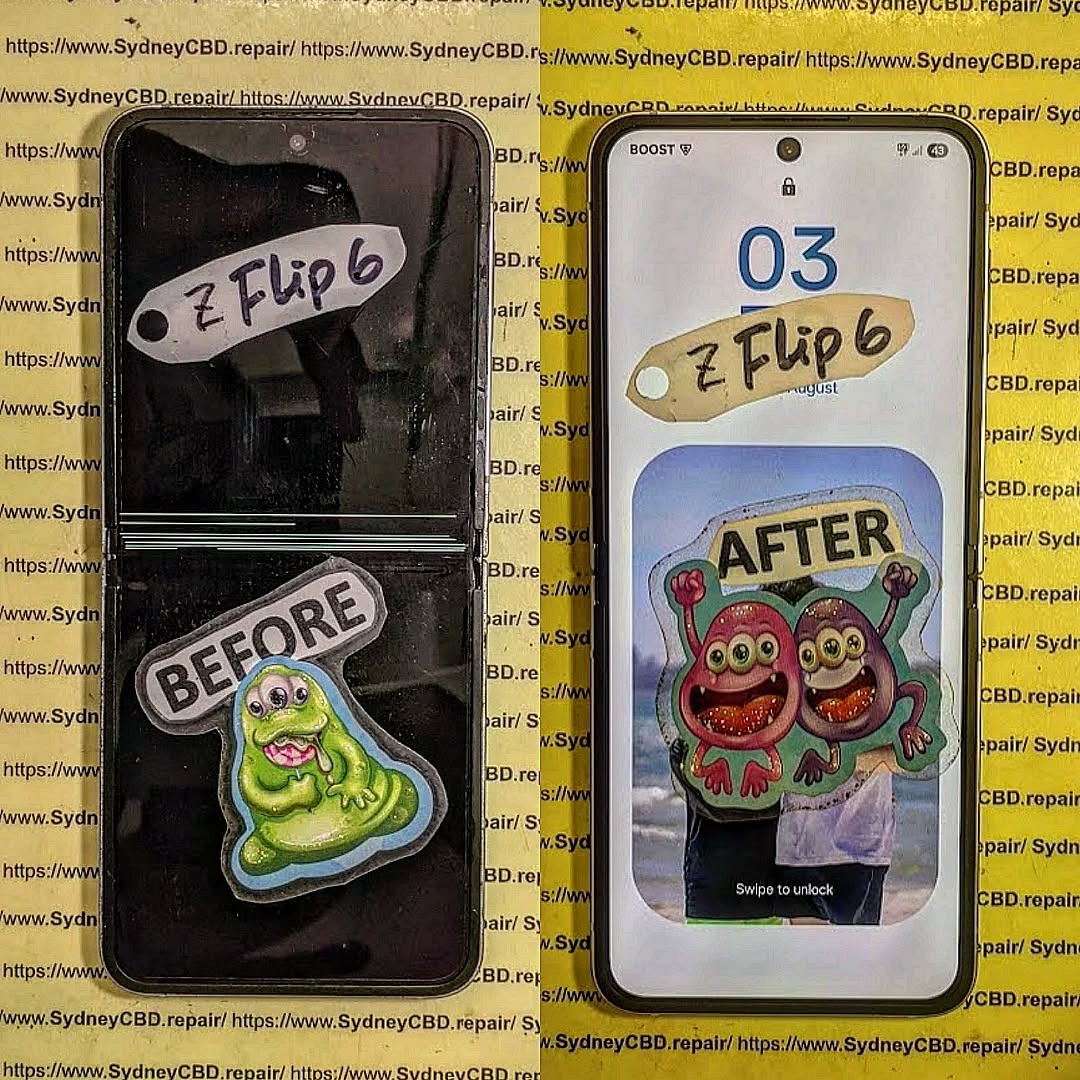
Understanding the Z Flip 6 Display Technology
The Z Flip 6 uses an advanced foldable AMOLED panel that combines flexibility and clarity. While this technology is revolutionary, it also introduces vulnerabilities unseen in traditional smartphones. Understanding how it works helps diagnose and prevent unresponsiveness.
The Foldable Screen Mechanism
Unlike rigid smartphones, foldable phones rely on a flexible substrate layered with OLED pixels. The hinge mechanism allows folding without breaking, but repeated stress or uneven pressure can damage delicate circuits beneath the surface. Even if there’s no visible crack, microscopic fractures can interfere with touch sensitivity.
Common Vulnerabilities in Foldable Screens
- Pressure Points: Excessive force at the hinge or folds can disrupt internal sensors.
- Liquid Intrusion: Sweat, rain, or condensation can seep into the screen’s edges.
- Temperature Sensitivity: Extreme heat or cold can cause temporary unresponsiveness.
- Software Conflicts: Apps or firmware issues can mimic hardware failure.
Understanding these factors helps narrow down whether the unresponsive screen is a software problem or a hidden hardware fault.
Diagnosing an Unresponsive Z Flip 6
Before diving into solutions, accurately diagnosing the cause is crucial. Misdiagnosis could lead to unnecessary repairs or data loss.
Software vs Hardware Problems
Software Symptoms:
- Screen responds intermittently.
- Touch works in safe mode.
- Device freezes after specific app usage.
Hardware Symptoms:
- No response across the entire screen.
- Unresponsive only in folded or unfolded states.
- Visible display issues like flickering or dead pixels.
Tools for Screen Diagnosis
Several tools can help:
- Samsung Members App: Runs built-in diagnostics.
- Third-Party Apps: Touchscreen test apps show response areas.
- Multimeter/Service Tools: For professionals, checking voltage to screen sensors.
Using these tools first prevents unnecessary repair costs and identifies whether software troubleshooting could resolve the issue.
10 Proven Solutions to Fix Unresponsive Screens

Here are ten effective solutions, arranged from easiest to more technical interventions:
1. Soft Reset and Reboot
Often, unresponsiveness stems from minor software glitches.
Steps:
- Hold the power button and select “Restart.”
- Wait 30–60 seconds for the device to reboot.
- Test the touchscreen responsiveness.
This simple fix resolves up to 30% of Z Flip 6 unresponsive cases.
2. Safe Mode Troubleshooting
Safe Mode disables third-party apps, helping isolate software-related issues.
Steps:
- Press and hold the Power button.
- Tap and hold “Power Off” until Safe Mode appears.
- Test touchscreen functionality.
If the screen works in Safe Mode, a recently installed app is likely the culprit.
3. Clear Cache Partition
Cached system files can become corrupted and affect touch responsiveness.
Steps:
- Turn off the device.
- Press and hold Volume Up + Power buttons until Samsung logo appears.
- Navigate to Wipe Cache Partition using volume buttons.
- Confirm and reboot.
This approach clears temporary files without deleting personal data.
4. Update Software & Security Patches
Outdated firmware can cause glitches.
Steps:
- Go to Settings > Software Update > Download & Install.
- Ensure the device is connected to Wi-Fi and has sufficient battery.
- After updates, restart the phone and test the screen.
Samsung frequently releases patches for screen responsiveness, especially for foldable devices.
5. Screen Calibration and Touch Sensitivity Settings
Sometimes, sensitivity settings interfere with touch recognition.
Steps:
- Open Settings > Display > Touch Sensitivity.
- Enable Increased Touch Sensitivity.
- Test the screen with a case on and off.
Proper calibration ensures the screen detects even light touches accurately.
6. Inspect for Hidden Damage
Even if your Z Flip 6 looks fine, microscopic damage can affect touch functionality.
Tips:
- Use a flashlight to check for liquid or dust near the hinge.
- Press gently along the fold and hinge to detect loose areas.
- Consider professional diagnostic tools for internal micro-cracks.
Hidden issues often require a professional assessment to avoid further damage.
7. Factory Reset (With Backup)
If software corruption persists, a factory reset can restore functionality.
Steps:
- Back up all data using Samsung Cloud or Google Drive.
- Go to Settings > General Management > Reset > Factory Data Reset.
- Confirm and wait for the device to reboot.
This erases all personal data but resolves deep software problems.
8. Professional Repair Options
When DIY fixes fail, certified technicians are your best option.
Services to consider:
- Samsung Authorized Repair Centers.
- Reputable local repair centers with foldable experience.
At Sydney CBD Repair Centre, expert technicians inspect Z Flip 6 screens, detect hidden damage, and ensure safe repairs using genuine parts.
9. Replacement Screen Solutions
Sometimes, the only solution is replacing the foldable display.
Considerations:
- Screen replacement costs can be high due to AMOLED foldable technology.
- Ensure genuine parts are used to avoid recurring problems.
- Professional installation is essential to maintain hinge integrity.
10. Preventive Measures for Foldable Phones
Prevent future issues with proactive steps:
- Avoid bending the device forcefully.
- Use a protective case and screen protector.
- Keep away from liquids and extreme temperatures.
- Regularly update software and perform soft resets.
Prevention is always cheaper than repair and prolongs the life of your Z Flip 6.
Common Myths About Unresponsive Screens
- “Cracked screens are the only cause.” False – software glitches and hidden damage are frequent causes.
- “Screen protectors cause unresponsiveness.” Usually false unless poorly fitted.
- “DIY replacements always work.” Risky – improper handling can worsen the issue.
- “All touch issues are permanent.” Many can be fixed with software or professional service.
Debunking myths helps users avoid unnecessary panic and costly mistakes.
Frequently Asked Questions (FAQs)
1. Why is my Z Flip 6 unresponsive even though it looks fine?
Unresponsiveness can result from software glitches, hidden damage, or micro-cracks not visible externally.
2. Can I fix an unresponsive screen at home?
Yes, soft resets, safe mode, and cache clearing often resolve minor issues. For hardware faults, professional service is recommended.
3. Does temperature affect my Z Flip 6 screen?
Yes, extreme heat or cold can temporarily disable touch sensitivity. Avoid exposing your device to harsh conditions.
4. How much does a Z Flip 6 screen replacement cost?
Genuine foldable screens can be expensive, typically ranging from $450–$650, depending on service provider and region.
5. Will a factory reset delete my data?
Yes. Always back up contacts, photos, and important files before performing a reset.
6. Can I prevent future unresponsiveness?
Regular software updates, careful handling, and avoiding moisture or pressure on the fold can prevent most problems.
Conclusion

An unresponsive Z Flip 6 screen without visible damage doesn’t always mean disaster. From simple soft resets and software updates to professional inspections and screen replacements, multiple solutions exist to restore full functionality. Understanding the underlying cause—software or hidden hardware—ensures the right approach and avoids unnecessary expenses. Following preventive measures also extends the device’s lifespan, keeping your foldable phone functional and reliable for years.
David from Sydney CBD Repair Centre – The Best place to fix mobile phones as 6 Years In A Row! Top Mobile Phone Repair In Sydney. More than 2000 Positive Reviews on Google and Same Day Repairs.
We take pride in delivering exceptional repair services for all major phone brands including Apple, Samsung, Google, and more. Our expert technicians use only genuine parts and offer 90days warranty on repairs. Located in the heart of Sydney CBD, we’re your one-stop solution for all mobile device repairs.
Our commitment to excellence has earned us the trust of thousands of satisfied customers. Whether it’s a cracked screen, battery replacement, or water damage repair, we handle it all with professional care and expertise. Walk in today and experience why we’re Sydney’s #1 choice for mobile phone repairs.
Visit us for:
✓ Same Day Express Repairs
✓ Genuine Parts Guarantee
✓ Professional Technicians
✓ Competitive Pricing
✓ 2000+ 5-Star Google Reviews
✓ 6-Time Award Winner for Best Phone Repairs
Sydney CBD Repair Centre – Where Quality Meets Reliability.
Call : +61280114119
Website: https://SydneyCBD.repair/locate-us