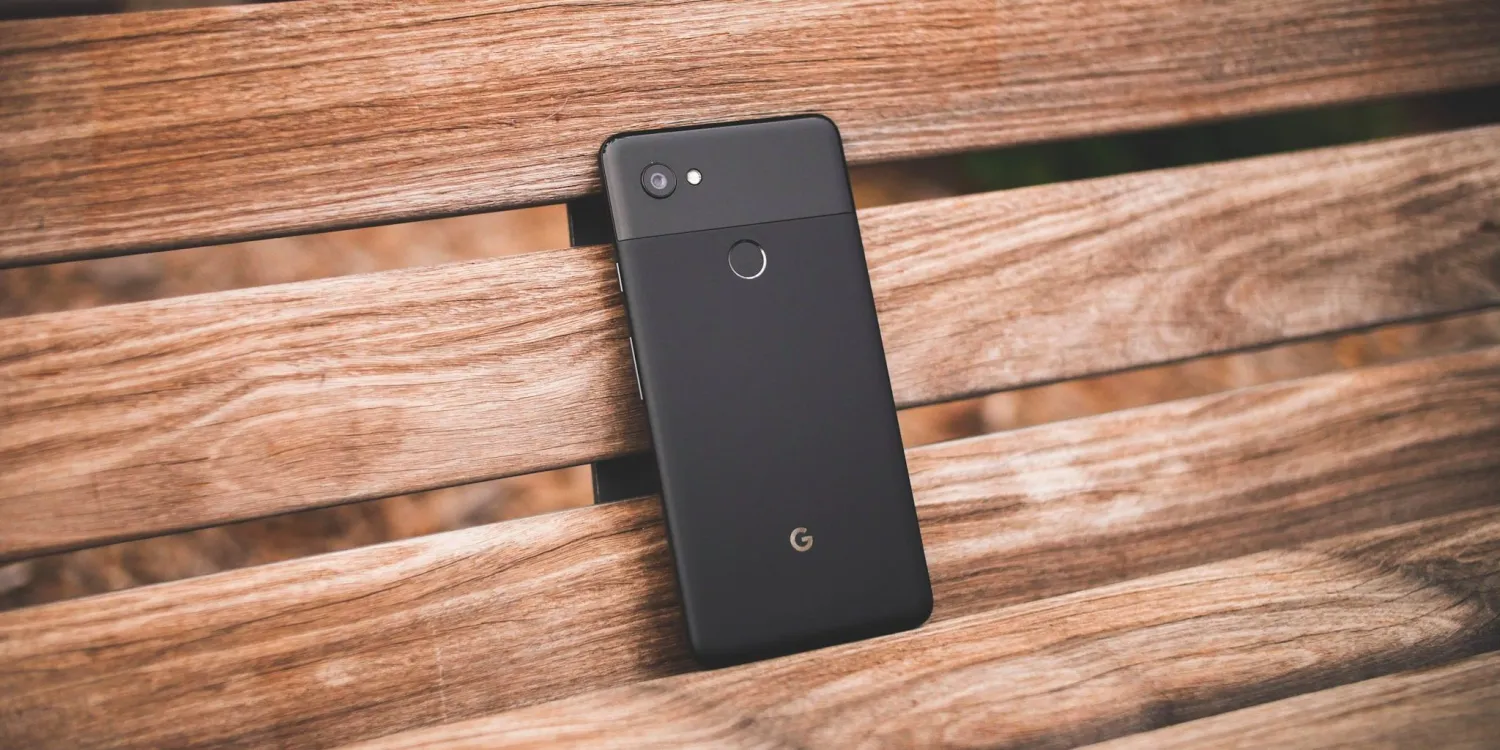
In November, Google started the Android 14 QPR2 preview earlier than expected, and Beta 2 is now rolling out for Pixel phones, Fold, and Tablet.
Following the launch of QPR1 at the start of December, QPR2 is expected to hit stable in March. The preview program for that next release and Pixel Feature Drop should have kicked off this month. Instead, it started in mid-November and was followed by a .1 patch less than a week later.
QPRs are relatively stable and launch as betas rather than developer previews. Google officially says they are “suitable for general use.” Known issues include:
Sometimes when a user unlocks the device using their fingerprint, there is no haptic feedback.
For Pixel Fold devices, sometimes after a user unlocks the device while it’s folded, the inner display doesn’t turn on after unfolding the device.
The Assistant At a Glance widget sometimes displays weather information for the wrong location.
Google identifies the following fixes in AP11.231117.006 with the December 2023 security patch:
Fixed an issue where battery usage information that was reported in system settings was sometimes incorrect. (Issue #312121998)
Fixed an issue where the fingerprint icon on the lock screen would sometimes display before other information had loaded in always-on display mode. (Issue #311265905)
Fixed an issue that sometimes caused the biometric prompt to crash, causing it to be dismissed before a user could interact with it.
Fixed an issue that sometimes caused the Internet Quick Settings tile to indicate that there was no Wi-Fi connection, even when the device was connected to a Wi-Fi network.
The Android Beta Feedback app is available on Pixel devices to submit bugs. You can access it from the app drawer or via Quick Settings to file bugs in the Google issue tracker, while the Android Beta community is on Reddit.
Android 14 QPR2 Beta 2 is available for the Pixel 5a, Pixel 6, Pixel 6 Pro, Pixel 6a, Pixel 7, Pixel 7 Pro, Pixel 7a, Pixel Tablet, Pixel Fold, Pixel 8, and Pixel 8 Pro, as well as the Android Emulator.
Most people will install it via the Android Beta Program, but you can also flash or sideload the update.
Samsung has officially launched its Android 14 update, One UI 6, with new features, updated design, and more. Here’s everything that’s new, a list of Samsung Galaxy devices getting Android 14, and everything else you’ll need to know.
What’s new in Android 14 on Samsung Galaxy?
Android 14 is, in itself, a not-so-major update, but it does bring some key changes to the world’s most popular smartphone operating system. Those changes, which we’ve previously detailed, include additions such as support for UltraHDR, improvements to the share menu, lockscreen changes, official support for flash notifications, and more.
Many of the features new on Pixel phones, though, have been in place already on Samsung smartphones, such as the new lockscreens. So what’s new on Galaxy?
One UI 6 is Samsung’s latest Android skin, and built on top of Android 14 it brings some notable changes such as the new “Quick Panel” design for Quick Settings, an option to change the wallpaper based on the time of day or certain modes, expansions to the lockscreen customization options, a new camera widget, new weather widgets, as well as new emoji and a new default system font.
Samsung devices with Android 14 – The full list
On October 30, 2023, Samsung officially launched its Android 14 update to its current flagship phones, just 26 days after Google Pixel devices were updated. That’s six days after last year’s release, but much faster given Pixels were updated much earlier in 2022.
Here’s the full list of Samsung Galaxy devices that currently have Android 14.
This list will be continuously updated over the coming months with the latest additions marked in bold text. Check back regularly!
Galaxy S devices with Android 14
In October 2023, Samsung started pushing One UI 6 to the Galaxy S23, S23+, and S23 Ultra in select countries across the globe. This primarily started in Europe, but has since expanded globally including the United States. In mid-November, Samsung expanded the update to the Galaxy S22 series, as well as to the newly-released Galaxy S23 FE, but only on Exynos models, and the update has also shown up on Galaxy S21 devices.
Galaxy S23 – Available globally
Galaxy S23+ – Available globally
Galaxy S23 Ultra – Available globally
Galaxy S23 FE – Exynos models only
Galaxy S22 – Available globally
Galaxy S22+ – Available globally
Galaxy S22Ultra – Available globally
Galaxy S21 – Available in Europe
Galaxy S21+ – Available in Europe
Galaxy S21 Ultra – Available in Europe
Galaxy S21 FE – Available in Europe, US carriers
Galaxy Foldables with Android 14
On November 21, Samsung started rolling out Android 14 to its latest foldables, the Galaxy Z Fold 5 and Galaxy Z Flip 5, but only on Verizon Wireless in the US so far.
The first Galaxy A series device to get the One UI 6 update was the Galaxy A54, which picked up the update on AT&T in the US on November 21. A day later, the Galaxy A73 was updated in Iran, and the super-affordable Galaxy A34 and Galaxy A14 5G weren’t too far behind. Samsung has also since released Android 14 for the Galaxy A24 and Galaxy A53.
Galaxy A54 – Available on AT&T US
Galaxy A53 – Available in UK
Galaxy A34 – Available in Europe
Galaxy A24 – Available in Middle East, North Africa
Galaxy A14 – Available globally
Galaxy A73 – Available in Iran
Meanwhile, in Samsung’s Galaxy M series, the Galaxy M53 has been updated in Germany thus far.
Galaxy M53 – Available in Germany
Galaxy Tablets with Android 14
On November 22, Samsung released its first Android 14 update for a tablet, with the Galaxy Tab S9 series now eligible to be updated in most countries, as is the Galaxy Tab S8 series in select regions.
In December, Samsung has also released the One UI 6 update for its newest tablets, the Galaxy Tab S9 FE and Tab S9+ FE, as well as expanding it to other regions on Tab S8.
Galaxy Tab S9 – Available in Europe, US, Canada
Galaxy Tab S9+ – Available in Europe, US, Canada
Galaxy Tab S9 Ultra – Available in Europe, US, Canada
Galaxy Tab S9 FE – Available in Europe
Galaxy Tab S9+ FE – Available in Europe
Galaxy Tab S8 – Available in Europe, US, Korea
Galaxy Tab S8+ – Available in Europe, US, Korea
Galaxy Tab S8 Ultra – Available in Europe, US, Korea
Will my Galaxy device get Android 14?
Of course, not every Samsung smartphone or tablet will get Android 14. The update is being provided in line with Samsung’s current update policy. That means any flagship released since 2021 is eligible, as they all have at least four major Android OS updates. The 2020-released Galaxy S20 series, Galaxy Note 20 series, Galaxy Z Fold 2, and Galaxy Z Flip/5G however, will not be updated as Samsung has confirmed following a slip-up on the company’s part.
Generally speaking, any Samsung smartphone or tablet released in the past two years will be updated to Android 14. For slightly older devices, the update will still be available, but only to the more expensive hardware such as the Galaxy S, Galaxy Z, and Galaxy Tab S lineups.
Samsung Android 14 update schedule
The state of Samsung’s official schedule for Android 14 and One UI 6 updates has been a little hit or miss, with one schedule being removed early on. But, in November, the company posted a pretty official-looking schedule to its Samsung Members app in some countries, which gives us a good idea of what to expect.
The list below is based on Samsung’s official Android 14 schedule, and we’re constantly updating it as new devices are updated.
If last year’s Android 13 update is anything to go by, Samsung will likely blow through its core lineup well before 2024 rings in.
After a week off, Samsung is expanding its Android 14 update yet again, with OTAs hitting several Galaxy A devices as well as the Galaxy Tab S9 FE and Galaxy S21 FE.
Samsung has already launched Android 14 and One UI 6 for over a dozen devices, with more and more to come. This week that includes several more affordable devices, starting with the recently launched Galaxy Tab S9 FE.
The Galaxy Tab S9 FE series is seeing updates across both the smaller and larger Tab S9+ FE models, but only in Europe so far. Cellular models and other regions are sure to follow in the weeks to come.
Meanwhile, Samsung is giving another Fan Edition device a boost with Android 14, specifically with the Galaxy S21 FE getting One UI 6 this week. The update has appeared on the Verizon-specific Galaxy S21 FE in the US, with unlocked models and other regions likely around the corner as well.
Also, a bunch of Galaxy A devices are being updated. The Galaxy A52s is being updated in select European countries, as is the Galaxy A33. Following its 5G sibling getting the update in recent weeks, too, the Galaxy A14 LTE is now getting One UI 6 in Kazakhstan.
Samsung‘s journey toward updating all eligible Galaxy devices to One UI 6.0 continues, and the company has just added two new tablets to the list. The Galaxy Tab S9 FE and Tab S9 FE+ are now getting One UI 6.0.
The Android 14-based update is available for the Fan Edition tablets in Europe. Users can identify the update by firmware versions X516BXXU1BWK9 and X616BXXU1BWK9. The new release includes the November 2023 security patch.
The Galaxy Tab S9 FE and Tab S9 FE+ are Samsung’s first Fan Edition tablets in more than two years. They went on sale in October with Android 13 and One UI 5.1 out of the box, and One UI 6.0 is the first major OS update of the promised four.
The Fan Edition tablets barely got any use out of One UI 5.1
Samsung released its new tablets at an awkward moment in time, when One UI 5.1 was on its way out, and One UI 6.0 was readying for a widespread public release. It almost feels like one of the four promised OS upgrades went to waste. Nevertheless, One UI 6.0 is here and should enable an improved user experience.
One UI 6.0 brings better multi-tasking and redesigns some UI elements, such as the quick toggle area. Many Samsung apps have new features or slight UI enhancements.
If you own the Galaxy Tab S9 FE or Tab S9 FE+ in Europe, you should be able to download the One UI 6.0 update via the Settings app on the tablet. Navigate to “Software update” and tap “Download and install.” You can also download the official firmware files from our website and install the update manually using a PC.
The Pixel 8 Pro brings an updated camera system, an impressive display, a new and improved chipset, the promise of 7 years of software support, and an unexpected design change – what is Google’s flagship phone for 2023 all about and should you get one?
The bread and butter of Pixel phones has been their camera, and the 8 Pro has no shortage of improvements in that field. Key among those is the ultrawide on the back, which gets a new, larger sensor, while the main camera and the telephoto get revamped optics. It may not sound like a lot, but evolutionary steps can mean a lot when they add up.
Super Actua display is Google’s branding for the new panel on the Pixel 8 Pro that should go as bright as 2400nits – while we didn’t quite get that, we measured some remarkable numbers elsewhere. The Tensor G3 chipset’s performance in the things Google deems important is more difficult to measure, but it’s undoubtedly an upgrade over the previous generation in the things we can quantify. Putting a number on software support is also somewhat difficult, but 7 does sound remarkable – years of updates, that is.
And while the Pixel design language has been mostly dialed in these last couple of years, it turned out that 2023 did still have something new to bring – or, rather, the well-forgotten old flat display. Time is a flat circle and all that.
Here’s a quick refresher on the key specs of the Pixel 8 Pro before we move forward with the unboxing.
Disclaimer. We can not guarantee that the information on this page is 100% correct.
Google Pixel 8 Pro unboxing
Not that there’s a whole lot of unboxing to be done, really. The Pixel 8 Pro shows up in a rather standard half-height white cardboard box with a likeness of the phone printed on the lid.
Inside, the list of accessories is pretty short – you get a USB-C cable and a USB-A-to-C adapter to facilitate data transfer from as many types of older phones as possible. Sure, there’s also a SIM eject pin and some paperwork, but nothing all that useful, like a charger.
Competition
Being the company’s ultimate smartphone, the Pixel 8 Pro only competes with similarly top-tier offerings from rival brands. And with the increased price this year (€1,100/$1,000), looking at it from the perspective of a value proposition isn’t quite as justified as before.
A Galaxy S23 Ultra costs about as much as the Google flagship and has a lot going for it – the S Pen is essentially a one-of-a-kind feature, battery life is better on the Galaxy, the Samsung cameras are about as close to the Pixel’s in versatility as it gets. The Pixel 8 Pro does counter with unique features of its own (in supported regions), the longest software support in the industry, and, if we have to admit it – a camera experience which, if you’re a fan of, you can’t really be entirely happy with a Galaxy.
Pixel 8 Pro (left) next to Galaxy S23 Ultra
Another similar comparison is against the iPhone 15 Pro – that non-tangible and very subjective ‘it’s about how it makes you feel’ debate. On the objective side of things, we have the iPhone’s generally superior video quality and notably longer battery life, which the Pixel counters with €350/$200 of savings, though the situation gets trickier if the 15 Pro non-Max joins the discussion. We’d be happy to leave this dilemma to ecosystem considerations and personal preference.
Pixel 8 Pro (right) next to iPhone 15 Pro Max
Less obvious alternatives can be found too. For example, the OnePlus 11 can save you several hundred Euros or dollars (depending on who you ask and when, but around €300/$300), and it’s only going to be a significant compromise if you’re after long reach with your camera. Or, of course, the Google software, but that’s a concession you might be forced to make anyway.
An unorthodox option could be a Xiaomi 13 Pro – we’d consider the Ultra, but that could prove difficult to track down. For about Pixel 8 Pro money, you could get a higher-specced 13 Pro with a 1-inch sensor main camera and a unique close-focusing telephoto – it’s not the Pixel’s camera system, but it’s a hugely capable camera system that may align more closely with your wants and needs.
Last, but not least, why not an Xperia 1 V? It’s about as Pixel-like as you’d get in this bunch when it comes to software, before you get to its myriad camera apps, and those can open a world of possibilities for your photo and video capture. And the Sony also has quite remarkable imaging hardware, even if not all of it translates into real-world image quality. It does also feature a microSD slot and a headphone jack, if you’re that kind of person.
Samsung Galaxy S23 Ultra • Apple iPhone 15 Pro Max • OnePlus 11 • Xiaomi 13 Pro • Sony Xperia 1 V
Verdict
With the Pixel 8 Pro Google has made strides to address a host of the complaints we had about the previous generation. No longer is the selfie camera a hit-and-miss affair, and the new ultrawide is also miles better than before. The improvement in charging speed didn’t go unnoticed either, but the Pixel had so much to catch up here that it couldn’t all happen in one generation.
Some of the old pain points remain, however, key among them is the battery life that’s a bit below average. The in-house chipset isn’t quite up to the standard of the day in absolute performance and doesn’t handle sustained load with much grace. The limited regional availability of the exclusive software features also rubs us the wrong way, though a valid counterargument is that if Google doesn’t sell it in your country, you can’t expect it to work to its fullest in your country.
Moving to the good stuff, it’s not just that the ultrawide camera is no longer a source of grievances, but the telephoto has been improved too. So, with both flanks of an already great main camera now covered, the normally excellent cameraphone is now somehow even better.
The brand-new display is now up there with the leading efforts in the industry – not that the old one was bad, it’s just that this Super Actua panel is more deserving of high praise, than a simple ‘yeah, that’s good enough’. Similarly, the already stellar software support gets promoted to best-in-business – we’ll see how quickly Google will forget about that 7-year promise, but right now, it sounds really nice.
When first introduced, the visor on the back of the Pixel 6 Pro was quite polarizing, but two years later, it’s evolved into a somewhat appealing trademark design element. This year Google has also fitted a thermometer in there – we’re not quite sure just how useful it is yet, but if no one else has one, it has to be a plus for the Pixel 8 Pro. What we find to be another welcome development is the flat display – even one of the biggest supporters of curves in this office has grown to appreciate screen protectors and truly trouble-free handling.
In the end, we think the Pixel 8 Pro is the evolutionary upgrade you’d expect it to be and then some. Google could have done less this generation and still charged the extra $100/€200, but instead, they actually did bring some meaningful improvements that move the series forward. We approve.
Pros
Always evolving, the visor still makes for a recognizable design; the flat screen helps with usability and screen protectors.
Spectacularly bright display, but also sharp, color-accurate, and with a competent adaptive refresh rate.
Android from the source, exclusive feature set, 7 years of software support.
Great camera quality overall.
There’s a thermometer on board?
Cons
Battery life is not competitive.
While improved, charging speed is still behind the curve.
Some software features are limited to certain countries.
The Tensor G3 chipset doesn’t compare well in raw performance or stability under load.
AI has taken over just about every new tech product, and Samsung is officially joining in with “Gauss,” a generative AI model that will run on-device starting with the Galaxy S24 series.
Announced today in Korea, Samsung “Gauss” is a generative AI model that, as reported by The Korea Times, will launch the Galaxy S24 series in the “first half of 2024. The AI model was developed by Samsung Research and includes image generation alongside typical text generation, with use cases including editing photos, composing emails, and summarizing documents.
Samsung explains that the AI would be used for “core functions.”
We plan to apply generative AI to core functions used by customers daily. This is aimed at providing more meaningful and innovative experiences based on individual usage patterns and preferences starting from 2024.
The name “Gauss,” Samsung explains in a blog post, is inspired by Carl Friedrich Gauss, the “legendary mathematician who established normal distribution theory, the backbone of machine learning and AI.”
Where Samsung’s generative AI differs from the likes of Google Bard is in that, at least in part, it can run on-device for tasks such as summarizing small portions of text, correcting grammar, and more. “Gauss” would also be applied outside of smartphones, with Samsung saying it “will be expanded to a variety of Samsung product applications to provide new user experience in the near future.”
Samsung is expected to put a heavy focus on AI as a selling point of the Galaxy S24 series, with its own Exynos 2400 chip as well as the “Snapdragon 8 Gen 3 for Galaxy” touting stronger AI capabilities. This also comes after Google’s debut of the Pixel 8 series, which ships with a large list of AI features and more on the way. Many of Google’s AI features run through the cloud, but the company is set to expand on-device offerings.
The Samsung Galaxy S24 series is expected to debut in mid-January 2024.
Samsung Galaxy S24 series reportedly launches on January 18
Samsung might be moving up the release date of its next flagship, the Galaxy S24 series, to January of next year.
Over the past several years, Samsung’s launch events for Galaxy S flagships have moved around a lot. Prior to the COVID-19 pandemic, the launch events were largely in March, but have creeped up earlier in the year every year. Following last year’s Galaxy S23 series debuting in mid-February 2023, the Galaxy S24 series will apparently move into the earliest release date yet.
Ice Universe reports on Weibo that Samsung is aiming for January 18 as the release date (or at least the rough timing for the launch event) for the Galaxy S24 series. That’s a month earlier than last year, and a couple of weeks earlier than the last January launch for Samsung, the Galaxy S21 series.
Why the early date? Really, that’s not clear, but it is worth remembering that Samsung moved up the launch of the Galaxy Z Fold 5 and Galaxy Z Flip 5 by a few weeks to land in July, where the company’s foldables have traditionally debuted in August. Notably, this early date still doesn’t put Samsung within the timing of the annual Consumer Electronics Show (CES) in Las Vegas, which in 2024 will run from January 9 through January 12, but that doesn’t really come as a surprise – CES hasn’t really ever been about phones.
Translated Weibo post
Also rumored to launch with the Galaxy S24 series is the “Galaxy Ring” health tracker, and the event also presents Samsung with a fresh opportunity to show off its anticipated XR headset.
With the November security patch, Google today is rolling out the first update to Android 14 since launch for the following Pixel devices: 4a 5G, 5, 5a, 6, 6 Pro, 6a, 7, 7 Pro, 7a, Tablet, Fold, 8, and 8 Pro.
There are 17 security issues resolved in the Android 14 November patch dated 2023-11-01 and 22 for 2023-11-05. Vulnerabilities range from high to critical. The dedicated bulletin for Google devices lists eight additional security fixes. As of today, there are just global builds.
Google lists seven fixes across Display & Graphics, NFC, System, User Interface, and Touch.
Of note, the 4a 5G and 5 are still seeing updates. While the Pixel 5 technically met its “guaranteed security updates” date in October, the 4a 5G doesn’t hit it until November. Google might as well update both. The Pixel 4a also sees another Android 13 ipdate.
Monthly Pixel security bulletin now includes changelog of ‘Functional updates’ & fixes
Several months ago, Google added a section in the main Android Security Bulletin that listed patches specific to Pixel and Nexus devices. For October, that list was broken out into a dedicated “Pixel / Nexus Security Bulletin.” With the November patch, Google has added a section detailing “Functional updates” like bug fixes for its devices.
After listing the various security issues that have been patched for Pixel/Nexus devices, Google displays a new section called “Functional updates” or “issues not related to the security of Pixel devices.”
These updates are included to address functionality issues not related to the security of Pixel devices. The table includes associated references; the affected category, such as Bluetooth or mobile data; and a summary of the issue.
Notably, it only references “Pixel devices,” though this changelog of sorts does not specifically identify any particular phone or tablet, leaving the original Pixel, Pixel 2, and Pixel C as possible recipients of these fixes.
Each entry includes a description of the “Improvements” and a category, like Audio, Bluetooth, Camera, Mobile data, and Stability. There are also reference numbers, though it does not correlate to any publicly accessible bug tracker.
In November, 12 items are listed, with the bulk related to Bluetooth, including resolving issues related to cars and general pairing.
This is a very good step towards transparency and provides a centralized repository to list what has been resolved. In the past, Google has relied on posts in the User Community. This comes as the Pixel 2 and Pixel 2 XL are due for a slate of fixes for display issues, high-pitched noises, and clicking sounds.
One UI 6 is finally available for some users in full, bringing a list of changes to the OS. One change is the addition of a new security tool called “Auto Blocker” which acts as additional security for Samsung Galaxy phones.
According to Samsung, Auto Blocker is intended to be somewhat of an expansion of additional and optional security tools at your disposal. Heading into the settings with bring you to a new page with a suite of options that are entirely a matter of preference, similar to how some would use malware protection on a computer.
One security option on this page is the familiar “Block app installation from unauthorized sources” feature. Normally, that option would be on a different page, but has since moved with One UI 6/ The option is now also off by default, which is a big change from previous versions of One UI where the first time users tried to sideload an app, it was blocked.
Now, users can sideload as much as they want with the knowledge that it’s not always entirely safe. The option will act as a prevention tool whenever apps are not being sideloaded intentionally.
Auto Blocker also brings app security checks to keep third-party programs in check, as well as a blocker for USB commands. Turning Samsung’s Auto Blocker on with the toggle at the top of that page looks to enable all three of these features at the same time. Below is an “Advanced” section with more tools that can be turned on and off individually, like Message Guard, to protect users from Zero Click attacks and malicious code in direct messages.
Auto Blocker is available for every Samsung Galaxy device running One UI 6, which is rolling out globally now.
Samsung confirms a list of over 20 Galaxy smartphones that will get Android 14
Earlier today Samsung officially announced that its Android 14 update is now rolling out to the Galaxy S23 series, and the company has also confirmed the first few Galaxy smartphones that will be eligible for Android 14 in the coming months.
Android 14 for Samsung devices comes in the form of One UI 6.0, an update that delivers platform improvements from Google as well as updates to Samsung’s skin. Those updates include a bunch of new camera features, updated emoji, and more. But, to start, it’s all exclusive to the Galaxy S23 series which is getting the update now.
What comes next?
According to a small list that Samsung has provided, other Galaxy smartphones getting Android 14 will begin with the past few years of flagships, foldables, and a couple of A-Series devices.
In talking about the new features coming to “Enhance-X,” Samsung also confirmed over 20 devices that will be updated to One UI 6.0, many of which come as no surprise. That initial list includes devices released in 2020 and newer, starting with Galaxy S series devices.
Galaxy S23 series
Galaxy S22 series
Galaxy S21 series
Galaxy S20 series
Beyond that, almost every Samsung foldable is going to get One UI 6.0 except for the original Galaxy Fold.
Galaxy Z Fold 5
Galaxy Z Fold 4
Galaxy Z Fold 3
Galaxy Z Fold 2
Galaxy Z Flip 5
Galaxy Z Flip 4
Galaxy Z Flip 3
Galaxy Z Flip 5G
Galaxy Z Flip
And, finally, Samsung has also confirmed that Galaxy Note 20, Galaxy A54, and Galaxy A53 will all be eligible, as well as some M-series devices.
Galaxy Note 20 series
Galaxy A54
Galaxy A53
Galaxy A34
Galaxy A33
Galaxy M54
Galaxy M53
Galaxy M34
Galaxy M33
Update: To address the elephant in the room, the Galaxy S20 series, Note 20 series, Flip/5G, and Fold 2 were not expected to get One UI 6.0, but Samsung’s wording here is pretty clear. The quote below is a footnote on Samsung’s blog post and refers to a new camera feature which requires One UI 6.0 or higher, meaning that the devices listed would need to be getting the update.
Available on Galaxy S23 series, S22 series, S21 series, S20 series, Note20 series, Z Fold5, Z Flip5, Z Fold4, Z Flip4, Z Fold3, Z Flip3, Z Fold2, Z Flip 5G and Z Flip LTE, A54, A53, A34, A33, M54, M53, M34, M33 devices operating on One UI 6.0 or above.
We have reached out to Samsung for comment on the status of 2020 device updates.
These devices will all get One UI 6.0 in time, and likely pretty quickly if last year’s Android 13 rollout serves as any indication. For now, though, we’re still waiting on Samsung to release Android 14 to the Galaxy S23 series in the US, which is coming “soon.”
This initial list, notably, is by no means complete. Samsung’s current policy for software updates means that many more smartphones and tablets will be updated to Android 14, but the company has not officially confirmed anything outside of this initial list.
Depending on the device, this issue can result in the primary user being unable to access media storage. Alternatively, the issue can reboot the device with a “Factory data reset” message. If this message is accepted, data that is not backed up can be lost, and if it is declined, the device repeatedly reboots with the “Pixel is starting” message.
Google starts by saying that this storage issue impacts the “Pixel 6 and later models” that “have both received the Android 14 update and have multiple users (other than the primary user) set up.” This includes “users, guests, restricted profiles, and child users,” but not simply having more than one Google Account signed in “within the primary user or work profiles.”
The company has already rolled out a Google Play system update to “help prevent this issue from being triggered on additional devices.” To install, open Settings > Security & privacy > System & update > Google Play system update. The latest version we’re seeing today is October 1, 2023.
For those currently “unable to access media storage,” Google is working on a system update that “will repair the issue and restore access to media files without requiring a factory reset.”
Google is also “investigating methods that may be able to recover some data” for devices in a “Pixel is starting” boot loop. However, this seems more tentative: “We’ll provide more information as soon as it is available.”
For all other users, including those that factory reset their device, Google says to avoid “creating or logging into a secondary user on the device until the OTA update is available.”
Google ends with an apology:
We’re sorry for the inconvenience this has caused, and we appreciate your patience.
Android 14 breaks storage on Pixel 6 phones with multiple user profiles
Android 14 is a solid update to Google’s smartphone OS, but the update does seem to be causing some significant issues regarding user profiles on Pixel 6 series devices.
Following the update to Android 14 that rolled out earlier this month, some Google Pixel 6, Pixel 6 Pro, and Pixel 6a owners are seeing some considerable issues with their devices, specifically around storage becoming unusable. A growing number of users across Google’sforums, Reddit, and elsewhere reporting that their Pixel 6 and Pixel 6 Pro devices are drastically hindered, to the point of breaking most tasks users would perform on their devices.
The storage problem takes effect if the user, before installing Android 14, had multiple profiles on the device.
Following the installation of Android 14, the main profile on a Pixel 6 series device seems to lose access to storage, which prevents users from taking photos or videos, downloading files, and both installing or uninstalling applications. However, on the second profile, things seem to work as expected.
Other limitations include that apps report the device as having no available storage, Google Photos can’t refresh a user’s library (only showing low-quality previews), and files can’t be accessed via USB from a connected PC, as one of our readers explained in an email.
Given that Android’s user profiles are more of a niche feature on smartphones (primarily used for personal and work profiles), this issue doesn’t appear excessively widespread, but the symptoms of the problem are affecting users pretty consistently.
Google has, so far, not offered any solution for this issue or public statement.
As was first announced at the Made by Google event at the beginning of the month, you can now use the Google Assistant to ask if an incoming call from a contact is urgent.
For years now, Pixel phones have offered an option to “Screen call,” allowing the Google Assistant to speak to an incoming caller on your behalf to find out who they are and what they want. This method is surprisingly effective for filtering out unwanted calls from unknown numbers, as many spam callers will hang up automatically, but it’s much less useful when you know who’s calling.
If someone in your contact list calls, you have the same option to screen their call and have the Assistant ask for more information. You can ask anyone who’s ever accidentally used the Assistant to screen a call from a family member why this is a terrible idea.
To address that, the Google Assistant call screening has gained a new option that only appears for people who are on your contact list. Appearing in the incoming call screen as “Ask if urgent,” tapping the option gives your friend or family member a somewhat friendlier greeting from the Google Assistant.
Hi I’m a Google virtual assistant on a recorded line. The person you are trying to reach wanted me to check is it urgent?
As before, Assistant transcribes and displays what the caller says in response, while the Phone app offers tappable options to ask for more information.
The feature was first demonstrated at the Pixel 8 unveiling event, with the company confirming the feature would be rolling out soon. As noted by Mishaal Rahman on X, the rollout has begun and includes older Pixel phones, not just the newly released Pixel 8 and Pixel 8 Pro. We’ve confirmed the new “Ask if urgent” option appeared on a Pixel 7 Pro over the weekend, but let us know in the comments if it appears on your older Pixel phone too.
I guess when Google said "soon" they meant "immediately" then. At least it's good to know this isn't exclusive to the Pixel 8, since my tipster saw this on their Pixel Fold.
Google brings Action Blocks customization to all Assistant Routines
Google is rolling out a number of new accessibility features, including the ability to use Action Blocks as Assistant Routine shortcuts on your Android homescreen.
Today, going to Assistant Settings > Routines lets you select one and add it to your homescreen as an app icon-sized shortcut that can start the macro.
Google will soon let you have Routines appear as “Custom rounded” or “Custom rectangle” widgets on your homescreen, with the old icon shortcut still supported. Besides being resizable, these Google Assistant Routine widgets support custom images and text without having to download the dedicated Action Blocks app.
Research has shown that this personalization can be particularly helpful for people with cognitive differences and disabilities and hope it will bring the helpfulness of Assistant Routines to even more people.
Google Maps Live View last year added the ability to search for nearby places, like restaurants, shops, transit stations, and ATMs, within the AR interface. Available in select cities, this feature is adding screen reader support starting today on iOS, with Android following “later this year.”
If your screen reader is enabled, you’ll receive auditory feedback of the places around you with helpful information like the name and category of a place and how far away it is.
Google Maps and Search business listings are gaining support for a “new identity attribute for the disability community.”
Google Maps is rolling out wheelchair-accessible walking routes. These stair-free routes can also be helpful for “people traveling with things like luggage or strollers.” This will be available “globally on iOS and Android wherever we have data available.”
Similarly, wheelchair accessibility information will be surfaced in the Android Auto and Automotive apps to find step-free entrances, as well as locations that have accessible parking, seating, and restrooms. Look for a wheelchair icon next to the search results.
Chrome on desktop can already “detect URL typos and suggest websites based on the corrections.” This is now coming to the Android and iOS browsers. It’s especially meant for people with “dyslexia, language learners, or anyone who may have typos.”
Finally, there’s the new Magnifier app for Pixel phones that Google designed in collaboration with the Royal National Institute of Blind People and the National Federation of the Blind.
Oppo and OnePlus have been sharing more and more in common over the past few years, and there’s nowhere that’s no apparent than the OnePlus Open and Oppo Find N3 foldables, which quite literally are the same device.
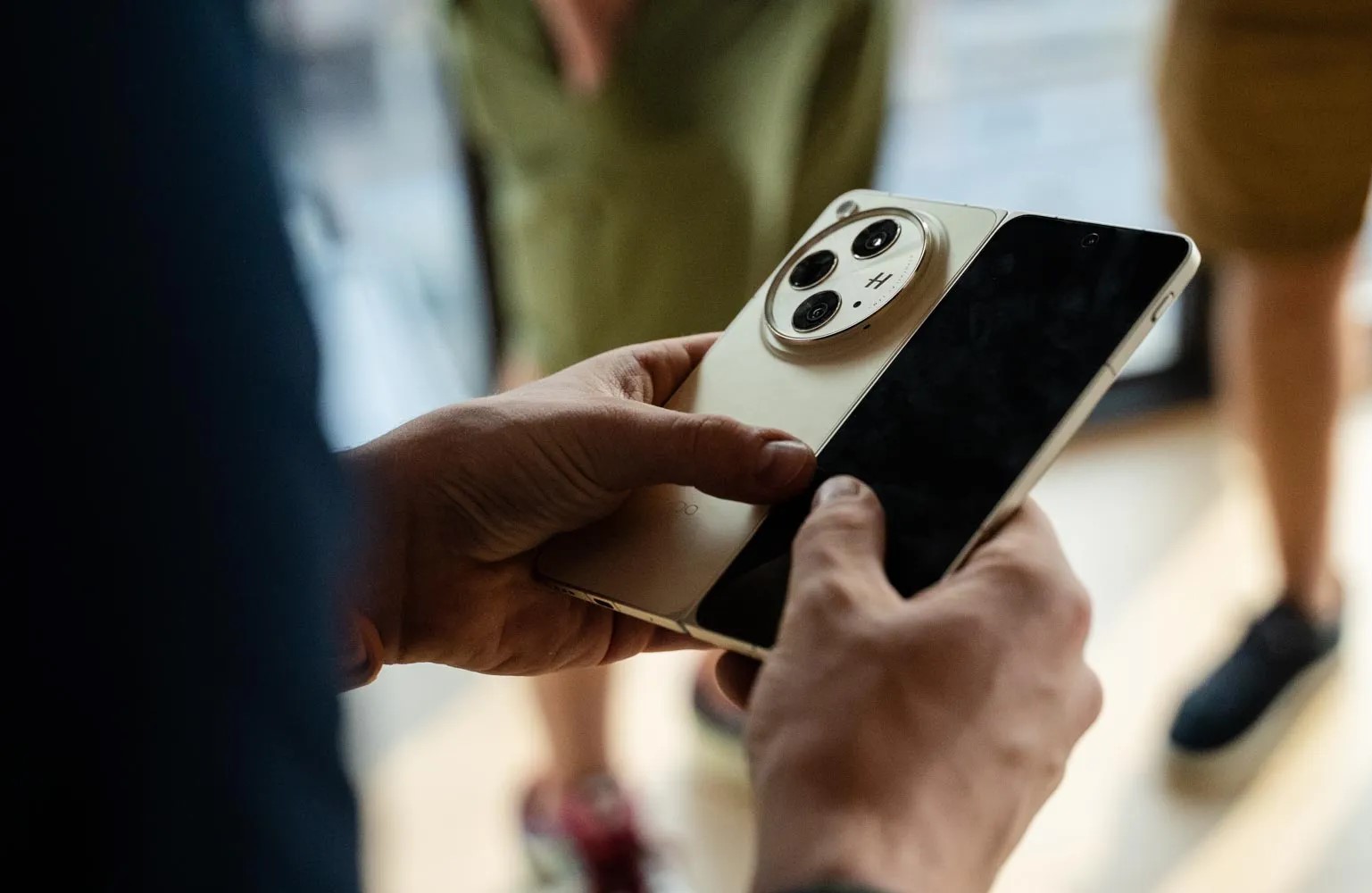
The Oppo Find N3 and OnePlus Open share basically everything. The same specs, the same cameras, the same hinge, the same displays. It’s all the same, and you can tell in person. Over the summer, 9to5Google got a brief early chance to spend a few minutes with the Find N3, and it is indeed the same device we ended up getting in the OnePlus Open.
At the time, Oppo even said that the OnePlus Open is essentially the “global version” of the Find N3.
That’s certainly good news, as Oppo’s book-style foldables have never launched outside of China. The Find N and Find N2 both never made it to global markets, and from the looks of it, the Find N3 technically won’t either unless it’s called the OnePlus Open.
The only real differences come down to the software and the fit and finish. The Find N3 is sold in gold, red, and some other colors, while the Open is only available in black and green. The Find N3 has ColorOS, and the Open has OxygenOS (not that those are different).
The only real difference is the logo on the back.
So, yeah. These are the same phones, just for different markets. Will that continue into future releases? We’ll see! If it’s for flip phones, I hope that we see more crossover, but I would prefer if OnePlus’ main flagships retain at least some personal identity.