The Oppo Find X2 Pro flaunts a chunky camera assembly on its back, compromises and gets a punch hole in the display, and limits its moving bits to just the vibration motor. So it must have lost all the charm that the Find X from mid-2018 had – its elevating camera assembly was plenty cool on its own, but it also kept the back flush and the display cutout-free, only whirring up swiftly when needed. Ah, but it’s a different kind of charmer the Find X2 Pro.
For this generation, Oppo has shuffled up the priorities, and we don’t mind the new ones. For starters, an all-around impressive camera setup with big sensors and capable lenses, entirely unique to the Find X2 Pro, beats the Find X’s limited (if good for what it was) stow-away outfit. You get a 48MP 1/1.43″ f/1.7 primary cam and another 48MP 1/2.0″ f/2.2 ultra-wide, each outspeccing competitors’ offerings in one way or another. And the cherry on top of all that is the 13MP telephoto cam with a 5x periscope lens that beats the Galaxy S20 Ultra in zoom power, if not in resolution and sensor size.
Keeping the cameras static has meant a hole in the display, which isn’t ideal, particularly when the previous generation had no such blemishes. But what a display it is, indeed – high resolution, high refresh rate, high brightness, high dynamic range, high color fidelity – high everything. We’d take all that and live with the punch hole.
And that is one of very compromises on the Find X2 Pro. It doesn’t have wireless charging, but that’s not really a make or break feature, the lack of a headphone jack is hardly news at this point, and who is really going to lament the missing microSD card slot with half a terabyte of built-in UFS 3.0 storage?
The Find X2 Pro also has an IP68 rating, the ‘8’ being a first for Oppo with water and dust protection quite rare in the company’s lineup to begin with. Stereo speakers get a check mark in the specsheet too and the 65 watts in the charging section are among the most watts you can get on a phone these days.
Oppo Find X2 Pro unboxing
You get the fast charger needed to make use of all the 65W inside the box too, not at an extra cost. The adapter is quite the chunky unit, but power goes together with size. Mind you, it’s not 65 watts of PowerDelivery-compliant output, so you won’t be using that to power your laptop, nor can you expect your 65W PD charger to pump 65 watts to the Find X2 Pro. It’s a proprietary SuperVOOC 2.0 solution and you need both the adaptor and the supplied cable to achieve the full power. With another phone, it’ll do 10W max, while the Find X2 Pro itself can draw 18W from QuickCharge/PowerDelivery bricks.
The bundle includes a set of earbuds ending in a USB-C connector. Another welcome sight is the silicone case, though you may not be so keen to opt for that cheap-ish feel as opposed to the handset’s own finish, be it Vegan leather or Ceramic.
Competition
The Oppo Find X2 Pro goes for €1200 in Europe, and that’s not a modest amount of money. The all-out Galaxy S20 Ultra runs for €1350, and that relative price difference is mostly the same in other markets where the two are available. Despite the premium for the Ultra, we still feel it’s the Find X2 Pro’s main competitor.
The number above is for 128GB storage version Ultra (as others don’t seem to be in stores just yet) versus a 512GB Find, which makes it look like an even worse deal though the Galaxy does come with the option to expand that storage with a microSD card. Battery life is hardly a differentiator, with neither managing to impress, though the Find’s 36 minutes to a full charge could be key to the right buyer. Oppo‘s display is no worse than Samsung’s, which is saying something, and it even outdoes it by offering 120Hz at 1440p (the Galaxy is capped at 1080p at the HRR). The software could decide it for you as both custom jobs have their own quirks, but Samsung’s is arguably more polished.
Ultimately though, it’s the camera that sets the Ultra apart and warrants the extra money. The two are closely matched in this respect upon first glance, but the Galaxy tends to outperform the Find in most areas, with a particular advantage in low light. The Find’s ultra wide-angle cam isn’t quite the beast we hoped it to be, but even so, it, in particular, could sway you into the Oppo direction if you’re adamant about autofocus.
Other alternatives are available as well. The iPhone 11 Pro Max comes to mind, and even though it’s already more expensive in its base 64GB trim, there’s something that will justify its price to brand loyalists. The iPhone doesn’t have a periscope telephoto, but you can hardly call it a bad cameraphone. It’s missing a high refresh rate on its screen and has a notch the size of a continent, but those two aside, it’s one of the best panels you can buy. The Pro Max will outlast the Find in an endurance race, and that’s probably the one objective victory it can snatch here.
A few upcoming phones may be worth waiting for before you jump up for Find X2 Pro. The OnePlus 8 Pro should be quite intriguing if rumored specs are anything to go by, plus we can’t imagine it’ll be quite as expensive as the Find. Huawei’s P40 Pro family is the pipeline too, with a Pro (or a Pro Premium?) posed to be a fine Find alternative if you can learn to live without Google services. And an already real Xiaomi Mi 10 Pro is offering competitive specs at a little over the Find X2 Pro‘s price – this one can’t arrive at the office soon enough.
A lot of people may have bought the original Find X from 2018 simply for its one-of-a-kind elevating camera even though it wasn’t spectacular as an actual camera for its time. The Find X2 Pro from 2020 takes a whole different approach and makes for a winning combination of top-level hardware in a conventional body.
While it can’t quite compete with the Galaxy S20 Ultra in absolute image quality at the long end of its triple-cam setup, in most other cases, it delivers images and video that are hard to beat. And if we take that same Galaxy as a reference, the Find X2 Pro can teach the Ultra a thing or two.
If you’re looking for a high-end device today, we reckon you can’t go wrong with an Oppo Find X2 Pro.
Pros
Standout design, particularly if you opt for the Vegan leather version. IP68 rating is a welcome addition.
Possibly the best display on the market.
Class leading charge times, battery life you can live with.
Several users have taken to social media to report that the Google app on their Android phone is constantly crashing. While there’s no clear reason why this is happening, a new update seems to be causing the problem.
The issue doesn’t seem to be limited to just one version of the app. I faced the problem with version 12.23.16.23 on my Redmi K20 Pro whereas one of our tipsters experienced it with the beta version 12.24.7.29. Lens, Podcasts, and the Assistant are also affected by the crashes as they’re bundled into the Google app.
Google‘s Twitter account has suggested a soft reboot to fix the issue, and it seems to be working for some users. However, the fix isn’t universal and you might need to resort to other steps to stop the crashes. For me, uninstalling the update via the Google Play Store did the trick, but you could also try clearing cache and data.
A similar problem with tons of crashing apps plagued Android phones back in March, though that time around, the Android System WebView was the culprit.
If you’re experiencing a bunch of apps suddenly crashing on your recent Samsung phone, you’re not alone. This afternoon US time, reports from dozens, then hundreds of users on the Samsung subreddit started coming in, complaining of apps crashing on their phones, constantly and seemingly at random. It’s causing some major headaches. You can quickly fix the problem by disabling the Android System WebView app, or updating it via the Play Store or APK Mirror.
Users of recent Samsung phones—Galaxy S20 and S21, Note 20, A50 and A70 series, among others—seem to be the most heavily affected. There are scattered reports of the same problem happening to Pixel, Motorola, and OnePlus phones, though those may be coincidental issues unrelated to the primary problem. Owners of some older Samsung devices, including one J7, are reporting similar issues. The app crashes aren’t limited to any specific subset: applications with more or less any function, from any developer, are crashing repeatedly and without warning.
A few users have reported success with a relatively simple method: uninstalling the latest version of Android System WebView, a small tool that allows apps to render a web page using Chrome without leaving the application. It’s used in a lot of different ways, including secure logins and viewing support documentation. Reddit user /u/WatfordHert detailed their method, which is fairly straightforward.
How to Fix the Recent App Crashes
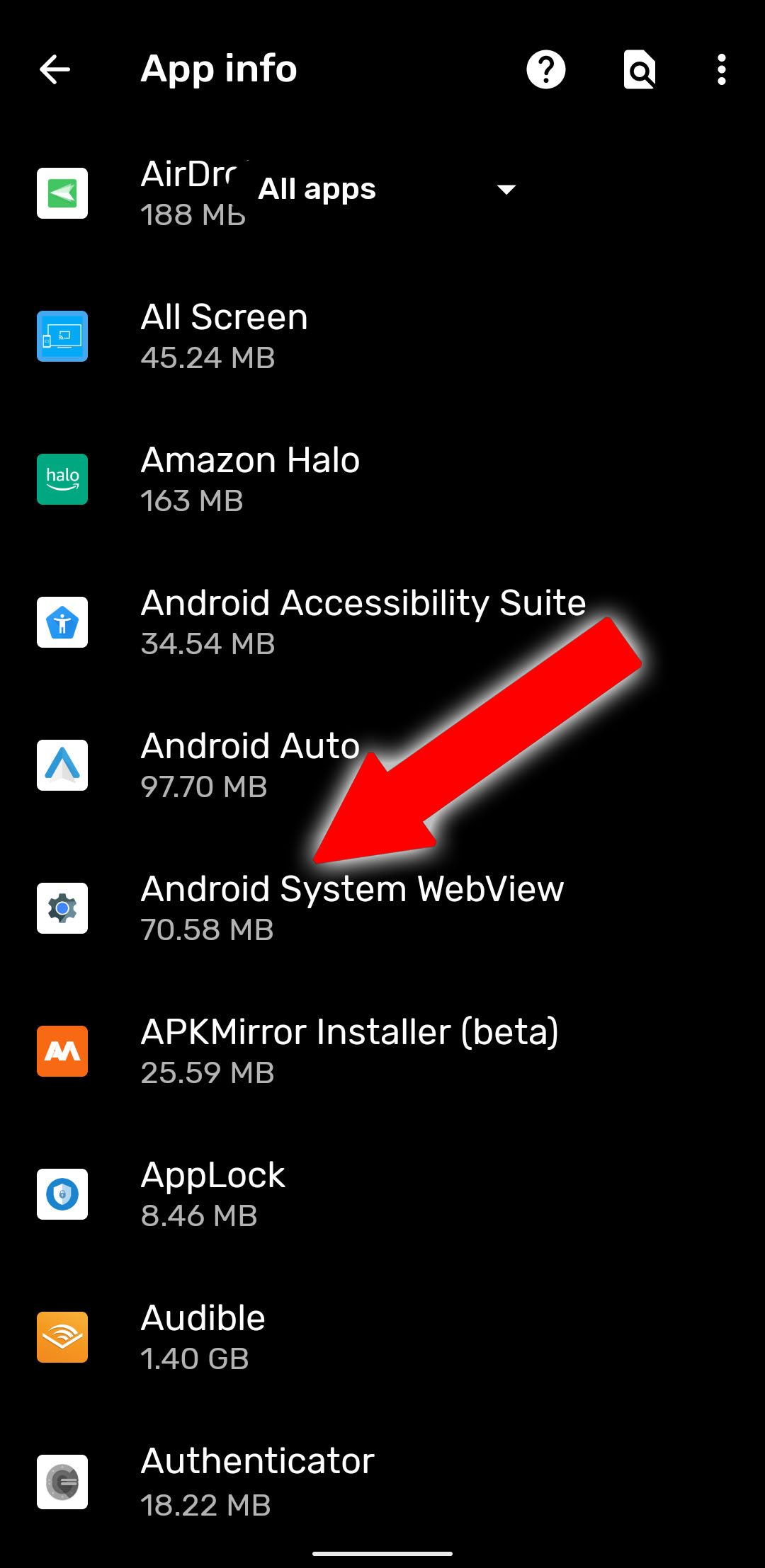
To use WatfordHert’s method, go to the main Android Settings menu, then tap “Apps & Notifications” (just “Applications” on some phones). Find Android System WebView in the list and tap it. (If you can’t see the app, check the three-dot menu and tap “show system apps.”) Do not disable the app.
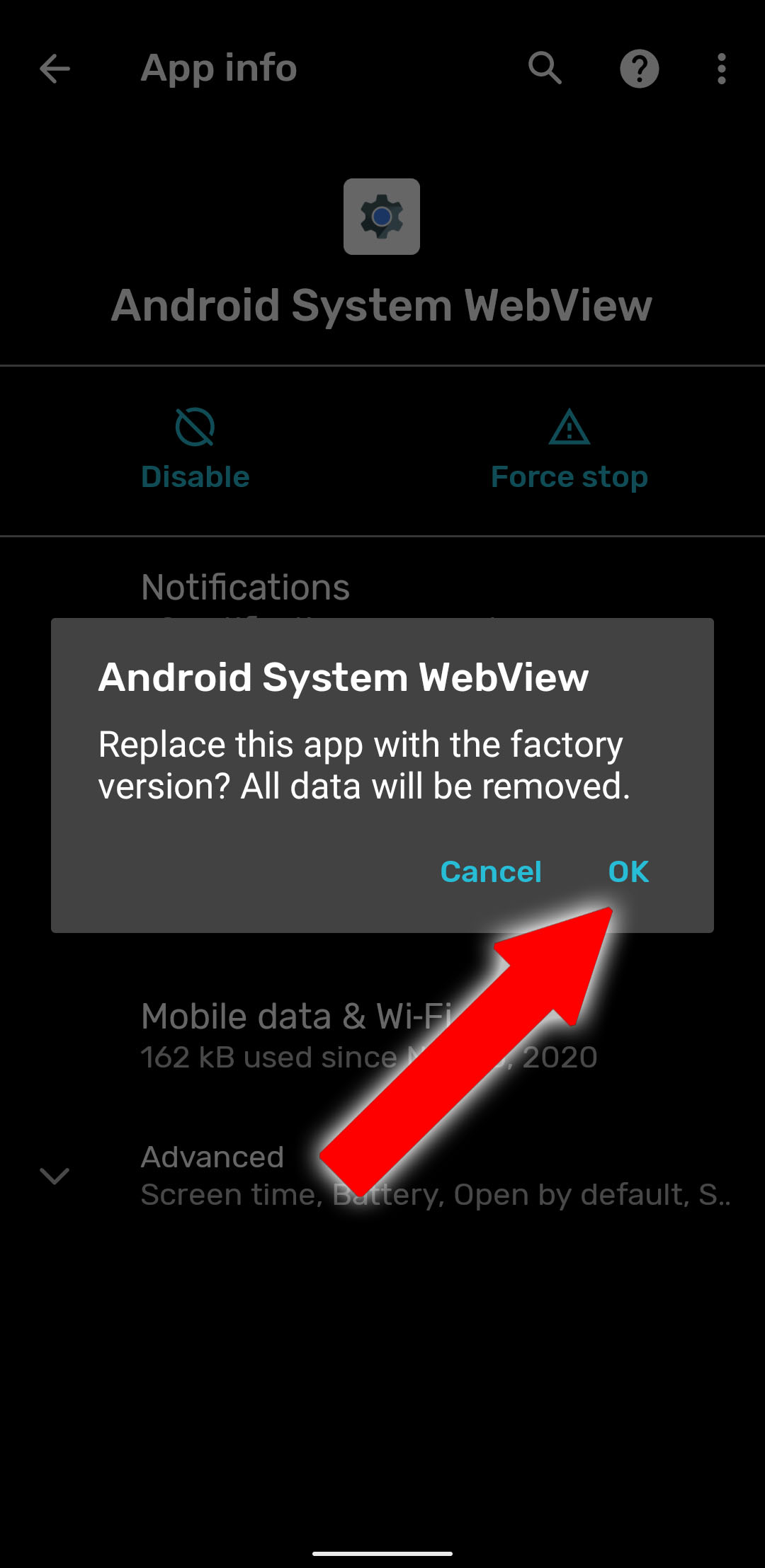
Tap the three-dot menu at the top right of this screen, then select “Uninstall updates.” This won’t uninstall Android System WebView completely—it’s an essential component, and many apps will cease to function without it. Instead, it will remove the updates installed from the Play Store and restore it to the version that came with your phone. This isn’t ideal, but it’s better than having a phone that can’t go thirty seconds without an app crash.
Tap “OK” on the warning that pops up, and you should be done. If you’re still seeing constant app crashes, try a reboot of your phone.
We can’t personally test this method on all the phones being affected, but multiple Reddit users are reporting that it’s working for them. If you see the app crashing problem return, try repeating the steps above—the Play Store may have automatically updated the app without alerting you. According commenters like Jorell, this method may not work on devices running older versions of Android—try uninstalling the updates from the Chrome browser itself instead.
Update Android System WebView
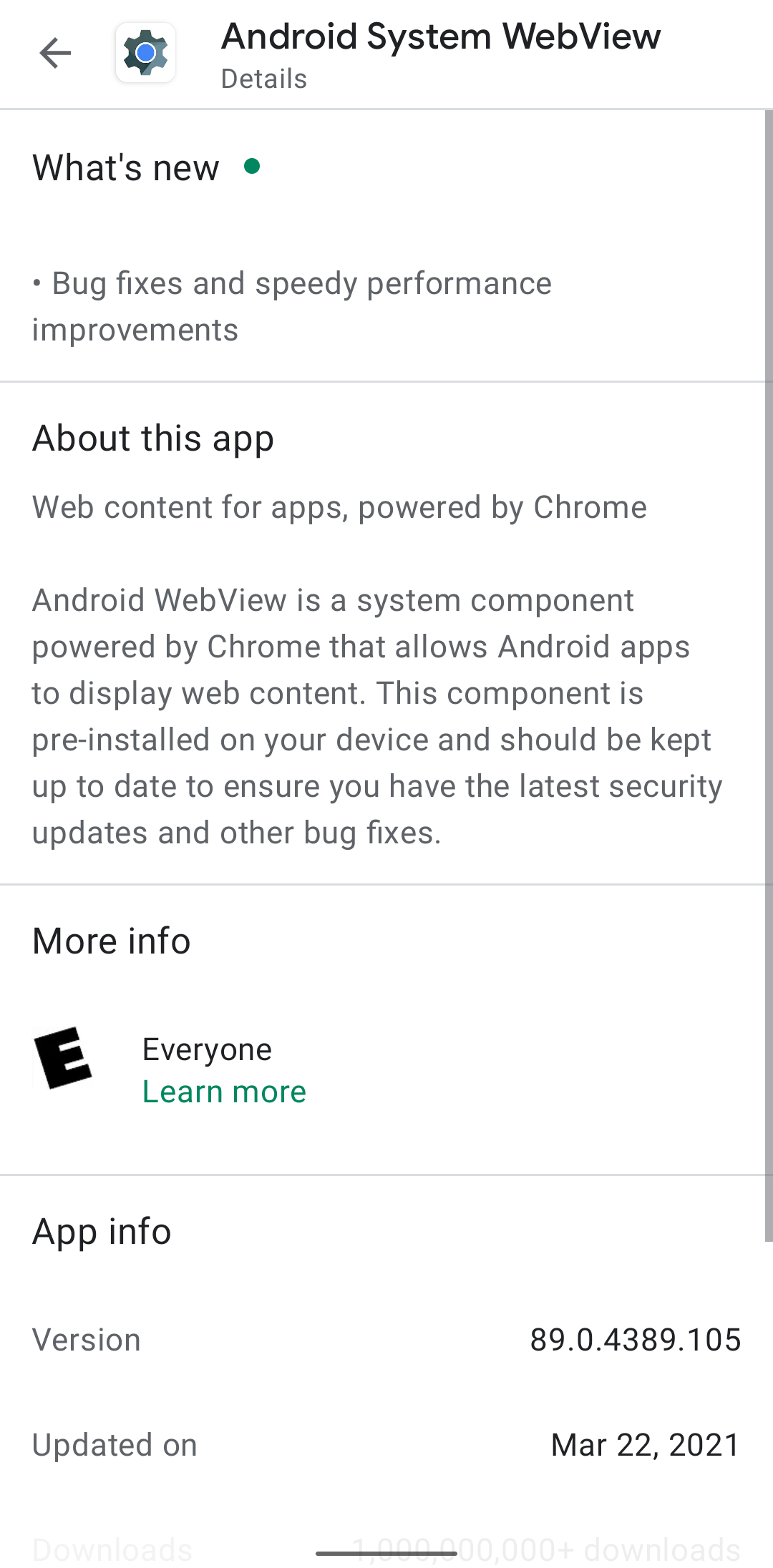
If you want a more permanent solution, Google quickly issued an update to the Android System WebView application in the early hours of March 23rd. It should be rolling out on the Play Store right now, but if you don’t want to wait, it’s available on APK Mirror as a direct download. The version number you’re looking for is 89.0.4389.105.
According to a service update posted to the Google Workspace Status Dashboard, this version of the app should fix the problems with other reliant apps crashing. Note that users who are already on the developer previews for Android 12 shouldn’t need this—they’re already running early versions of Chrome 90, and WebView gets updated along with its.
Android 11 brings much-needed privacy and security features alongside exciting UI changes.
Android 11 continues to push Google’s vision of Android forward. With Android 11, Google is making a few tweaks to refine the platform instead of making wholesale changes. Privacy is a big focus with Android 11, with Google introducing one-time permissions and granular control over what sort of data you share.
There are new features to get excited about as well — the power button menu picked up a massive overhaul, the Conversations view does a great job highlighting your messages, and there are little tweaks throughout the interface that give it an added polish.
Android 11 is powering the best Android phones of 2021, and manufacturers are doing a better job rolling out the update to their 2020 phones. So here’s everything you need to know about all the new features in Android 11, and when your phone will receive the update. We also highlight what’s on the horizon with Android 12; Google just rolled out the first public beta, introducing a radical new UI and exciting new features.
Is Android 11 available for my phone?
Following months of Developer Previews and Betas, Google launched the final build of Android 11 on September 8, 2020. The update was available for Pixel phones on day one as per usual. This year, Android 11 was also available on the same day for select handsets from the likes of OnePlus, Xiaomi, OPPO, and Realme.
That’s a big step forward for Android updates as a whole, but there’s also still plenty of work that’s left to be done. Samsung is now rolling out One UI 3.0 based on Android 11 to its flagships and mid-range devices, but the likes of Motorola, Nokia, Sony, and others are yet to roll out the update.
While that’s certainly annoying, we’re making things as easy as possible for you by tracking any and all Android 11 updates as we learn more about them.
What’s going on with Android 11 on non-Pixel phones?
As noted above, this year’s Android update rollout was a bit different compared to past releases. Instead of Pixels being the only phones treated to the new software, handsets from other select manufacturers were also treated to Android 11 in some form.
Let’s first look at Samsung, which is marketing its Android 11 update as One UI 3.0/3.1. Most of the core design principles remain in place, but there is a lot that’s new to check out. Samsung’s touting things like an improved lock screen, a more customizable always-on display, new accessibility tools, and more.
Samsung has already delivered the Android 11 update to most of its 2020 phones, and is now working its way down the list to its 2019 phones. It shifted to the One UI 3.1 build in recent months that debuted on the Galaxy S21 series.
We should also mention OxygenOS 11, which is the Android 11 update for OnePlus phones. OxygenOS 11 introduced a major design shift for OnePlus, with the company moving away from its stock Android aesthetic and embracing design elements found in Samsung’s One UI interface. OnePlus rolled out the OxygenOS 11 stable build with the 8T, and the Android 11 update is now available for the OnePlus 8 series, 7 series, and set to make its way to the 6/6T. The stable build is also making its way to the Nord shortly.
Nokia has also kicked off its Android 11 update rollout, with the Nokia 8.3 5G picking up the stable update starting February 8. HMD has lagged behind in this area over previous years, but with the Nokia 8.3 now on Android 11, we should see the update rolling out to other Nokia devices in the coming months.
Then there’s Xiaomi. The stable MIUI 12 update based on Android 11 is now rolling out to the Mi 10 series and Redmi Note 9 devices and should make its way to other Xiaomi phones very soon. We’ve rounded up Xiaomi’s Android 11 rollout timeline to make it easier for you to learn when your phone will get the update.
Motorola has kicked off the Android 11 update to the foldable Razr 5G starting April 15. LG has also started to roll out the Android 11 update, with the V60 and the Velvet receiving the stable build. Although LG will no longer make phones, it has stated that it will deliver the Android 12 and Android 13 updates to its current portfolio.
Lastly, we have ColorOS — the custom Android interface used on OPPO smartphones. ColorOS 11 is rolling out now to OPPO devices, and it offers a lot of exciting improvements. In addition to the usual Android 11 goodies, some other highlights include a customizable dark mode, a power-saver mode to extend battery life, and a new feature called OPPO Relax 2.0 that aims to help you unwind and fall asleep at night.
Where can I learn more about Android 11?
We’ll dive into some of Android 11’s biggest features below, but before we do any of that, we should address the elephant in the room — is Android 11 any good? The short answer, yes — it is very, very good, as per our Android 11 review.
Understandably, some people may find Android 11 boring or not very different from Android 10, but the fact of the matter is that Android no longer needs massive overhauls every year the way it used to. The core Android experience is darn good, and Android 11 elevates it even more. All of the conversation improvements are great for streamlining notifications, more powerful permissions are always something we’re happy to see, and the new power button menu adds a ton of extra functionality.
There are a couple of changes we aren’t completely in love with (namely the new multitasking window and Suggested Apps feature for the home screen), but those things are easy to overlook. The vast majority of what Google did with Android 11 was for the better, and the result is software that’s more functional and enjoyable to use.
How do Android 11 chat bubbles work?
As mentioned above, there isn’t one single overhaul or massive change found with Android 11. Instead, it’s a mix of many small tweaks here and there. A few of them focus on improving your messaging experience, with Google offering a lot in this department.
First on the list, we have chat bubbles. Similar to what Facebook’s offered for years with its Messenger app on Android, chat bubbles in Android 11 hide your ongoing conversations in little bubbles on the side of your screen. You can move the bubbles around, and tapping on them reveals that specific conversation. The Bubbles API is available for all messaging apps, with Google encouraging developers to adopt it.
In another effort to make sure you can get to your messages as quickly as possible, Android 11 introduces a dedicated conversation section in your notification shade that offers instant access to any ongoing conversations you have. It also makes it easier for your messaging notifications to stand out from others, ensuring you never miss an important text ever again.
Speaking of messages and notifications, Android 11 makes it possible to send images directly from the notification shade when replying to a message.
What’s new with permissions in Android 11?
Looking back on Android 10, one of its highlights was its improved handling of app permissions. Android 10 gave users more control over applications and what they could access, and Android 11 keeps this train rolling with a wonderful new addition.
Now, when an app asks for permission to use sensitive features like your location, microphone, or camera, you can choose to only grant it access on a one-time basis. The app will be able to use that permission during that instance of you using the app, but the permission is revoked as soon as you leave it. The next time you use the app, and it wants to use that permission, it needs to be granted access again.
Giving apps permission to these aspects of your phone should not be taken lightly, so we’re thrilled to see Google giving users more control over their data like this.
Does Android 11 have a built-in screen recorder?
For the past few Android releases, we’ve been patiently waiting for Google to add a built-in screen recorder. It’s not something you’ll use every day (if ever for some people), but the fact that such a basic function isn’t baked into Android at its core is getting annoying.
Thankfully, Android 11 finally changes that. This Android version does include the feature, accompanied by a clean UI and toggles for recording audio and showing touches with your recording.
There’s not much else to say about this, other than the fact that we’re glad we can finally put this feature request to bed.
Is Android 11 compatible with folding phones?
If there’s been a place of notable advancement in the Android space, it’s been with displays. Companies are doing what they can to offer the best and most exciting smartphone screen possible, and as great as this is, Android needs to catch up with better support for all of these advancements.
Folding phones are proving to be quite popular so far, and especially with devices like the Galaxy Z Flip and Motorola RAZR that have the “flip phone” folding design, Android 11 adds the “hinge angle sensor API” so apps can easily detect the hinge of these folding phones. With this information, developers can adapt their apps to work around the hinge and create unique experiences because of that (like how Google Duo changes its UI when you do a half-fold on the Z Flip).
The other big upgrade displays have seen has to do with faster refresh rates. It’s no longer uncommon for phones to ship with screens that refresh at 90Hz or 120Hz, and Android 11 allows developers to take better advantage of these powerful displays. Developers can select which refresh rate their services should run at, and if the developer determines their app looks best at 90Hz or 60Hz, they can make that decision and have the phone’s display change its refresh rate accordingly when using that app.
How does Android 11 work with 5G?
5G is finally starting to make its way to people, and more and more folks have started connecting to the next generation of wireless data. To ease the transition, Android 11 adds a very important “Dynamic Meterdness API.”
That may not sound very exciting on paper, but it essentially allows phones to take full advantage of all the power 5G brings.
If the API detects that you’re connected to an unlimited 5G signal, you’ll access the highest possible quality for videos and graphics. The potential for 5G is pretty darn cool, and this API ensures you take full advantage of the speeds available to you.
What phone should I get for the best Android 11 experience?
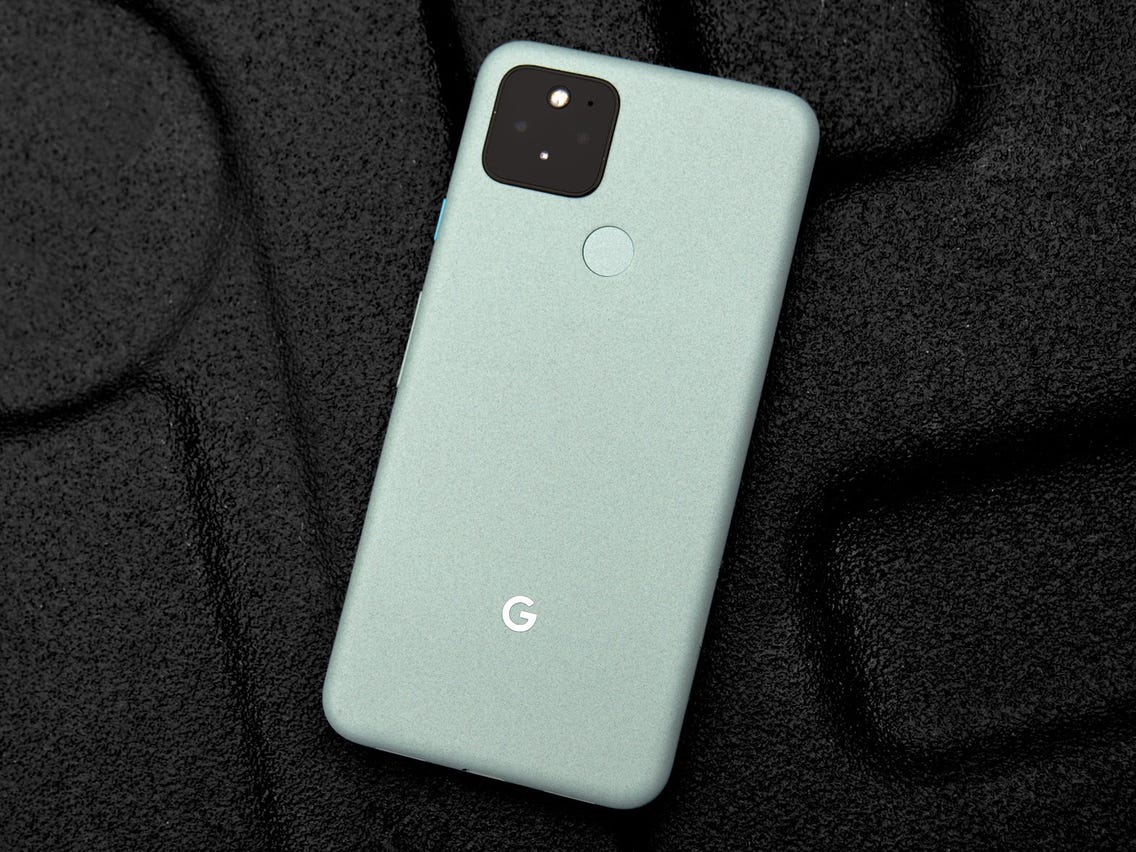
Whether you want to be among the first to get Android 11 or experience it the way Google intended, the Pixel 5 is the phone for you. It’s the newest flagship Pixel currently available, and if you prefer metal over plastic or glass, it’s a hard phone to ignore.
The Pixel 5 is all about delivering a flagship-quality Android experience for a relatively low price, and in these regards, it succeeds tremendously. Google crammed a lot into the Pixel 5, including phenomenal cameras, an OLED display, good performance, long battery life, and more. The design is a little plain, but the phone’s also a great size for one-handed use.
Best of all, the Pixel 5 and other Pixel devices get quarterly Feature Drops from Google, bringing new features to the Android 11 experience without requiring a full-scale platform update.
When is Android 12 coming?
The Android 12 public beta is now live, and the OS is the biggest visual change in Android’s history. Google is rolling out the new Material You design aesthetic, giving you much better customizability and new privacy features.
The key highlight is that you now have a color palette that lets you change system-wide colors to your liking, including the notification shade, volume controls, lock screen, and more. The notification shade has a cleaner design, and there’s a dedicated snooze button that lets you mute notifications with ease.
Android 12 is also set to add scrolling screenshots, but the feature isn’t quite live at this moment. And while the home screen UI itself is unchanged from Android 11, there’s now an option to set a 4×5 grid. You can also easily share Wi-Fi with Nearby Share, making it easier for others to connect to your Wi-Fi network.
This year’s Android 12 update is shaping up to be Google’s biggest release in years, judging by all the cool new features we’re finding. Earlier today, XDA Recognized Developer and friend of the site Quinny899 gave us our first look at Android 12’s hidden Conversation widget, but that’s not the only feature he enabled. Thanks to some reverse engineering, he managed to get Google’s hidden Gaming Dashboard feature working. It’s currently extremely barebones and only has a floating toolbar with two non-functional buttons, but it’s our first look at yet another unreleased Android 12 feature.
As you can see in the screenshot below, two icons are overlaid on top of the screen: A record icon and a controller icon.
According to the code for Gaming Dashboard contained within Android 12’s SystemUI, the record button simply starts a screen recording session. That’ll be useful when you want to record your screen without interrupting gameplay by pulling down the Quick Settings panel. As for the button with the controller icon, we don’t know what it’ll do because it doesn’t work and there’s no obvious functionality tied to it in the code.
The Gaming Dashboard classes are part of the com.google.android.systemui namespace rather than com.android.systemui, which suggests this feature may be Pixel-exclusive. However, many OEMs already have their own Gaming Mode features, and there’s nothing about this version that stands out right now. Before the first Developer Preview dropped, we learned that Google is working on a game mode for Android 12. We don’t know if this new Gaming Dashboard and the Game Mode we heard of are one and the same, or if the former is simply a feature built on top of the new GameManager service. We’ll probably learn more information from subsequent Android 12 Developer Previews, though.
The Android 12 beta contains a hidden game mode within Digital Wellbeing.
This feature will allow mobile gamers to take screenshots, record gameplay, live-stream, and more.
We first heard murmurings in February that Android 12 could support a game mode, following in the footsteps of a ton of OEMs that already offer this feature. Now, it looks like the Android 12 beta does indeed have a game mode hidden away.
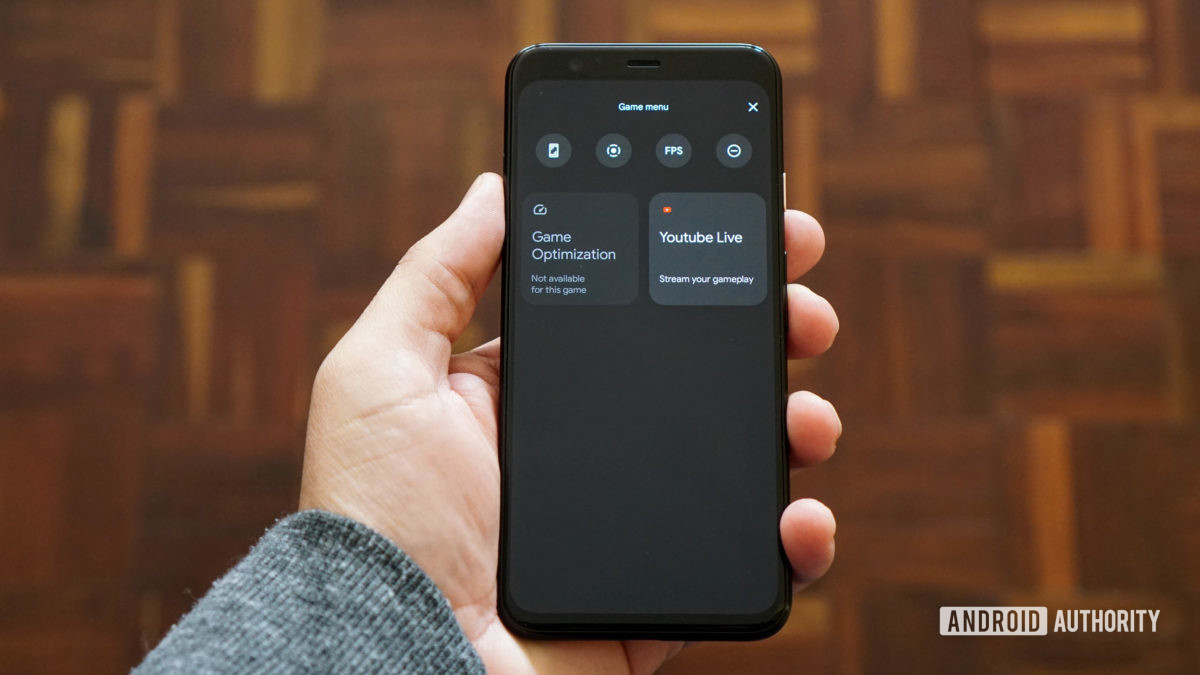
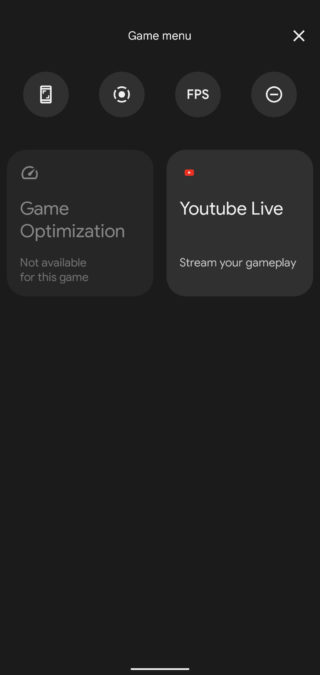
Redditor Kilarasx discovered the game mode by tapping Settings > Digital Wellbeing > Do Not Disturb > Schedules. Alongside the expected “sleep” and “event” schedules for Do Not Disturb functionality, there’s a “Game Mode” schedule. We were able to find this on our Pixel 4 running the Android 12 beta — check out the screenshots below and the featured image above.
It looks like this is near-identical to the menu found by XDA with the third Android developer preview. Tapping the gear icon takes you to the game mode menu (image on the right), showing six options in total. The four options at the top are taking a screenshot, recording the screen, presumably viewing the frames per second, and activating/deactivating Do Not Disturb.
All these options bar the FPS toggle seem to work right now, with the screen recorder tool also letting you choose the audio you’d like to record (microphone, device audio, or both) and whether you want touches to be displayed.
Meanwhile, the bottom two options allow you to optimize the game you’re currently playing or stream your session via YouTube Live. The former doesn’t appear to work right now, and I didn’t meet YouTube’s requirements for mobile live streaming.
Presumably you won’t have to dig to find the game mode in the final version of Android 12, as this would be a very inconvenient departure from manufacturer implementations. Many manufacturers automatically display a game mode/tools via a small screen overlay, floating toolbar, or in the notification shade when you’re playing a game.
XDA-Developers previously posted an early Android 12 screenshot showing a floating toolbar for games, so it seems like Google is/was thinking about a similar approach as OEMs.
Asus Zenfone 3 Deluxe is a much better Android phone than its predecessor thanks to its full metal body design and, for the price, leading specs, including 6GB of RAM, 64GB of storage and a 23MP camera. It also now has the Android Oreo update.
FOR
6GB of RAM onboard
Slick antenna-less metal design
Starts at 64GB of storage
AGAINST
Hidden cost: Snapdragon 821 version
1080p display unfit for VR
Single, bottom-firing speaker
Zenfone 3 Deluxe represents a major upgrade to Asus‘ spelling-challenged smartphone series with a component design and specs you won’t find on many other Android phones at this price range.
Update: Although the Asus Zenfone V is the newest Asus phone you can buy, the you can still find the Asus Zenfone 3 Deluxe on Amazon for cheap, and it’s been updated with Google’s new Android Oreo software. Here’s our updated Zenfone 3 Deluxe review.
The smartphone is made a name for itself at Computex 2016 with 6GB of RAM. All but one (the OnePlus 3T) of our best phones ended 2016 with 4GB of RAM, which prevents slowdown with multiple apps open.
This phone also debuted the Snapdragon 821 chipset worldwide (though the Google Pixel and Pixel XL launched with the chip first in the West) and starts with 64GB of internal storage (going up to 256GB).
Of course, there’s also a more reasonably priced Snapdragon 820 version – the one we tested – but you wouldn’t know that from Asus’s 821-touting product page. The 820 is in fine print.
The Zenfone 3 Deluxe camera puts big numbers on the specs sheet, too, with a 23MP sensor, and so does the 5.7-inch display and it dual SIM/microSD card unlocked phoned capabilities.
But do these specs compute into anything meaningful now that it runs Android Oreo? Let’s explore this ‘fone.’
the design of this all-metal, 5.7-inch phone. Asus has done some clever engineering to hide the antenna lines and the result is a clean-looking metal device. The phone’s display is bright and vibrant. As for the Deluxe‘s charging lifespan, I’m pleased to report the embedded 3,000mAh battery is more than sufficient to last you a full day’s use and then some. In our video looping tests, the phone lasted 13 hours 55 minutes.
Now for the negatives. While the diagnostic benchmark scores were pretty good — thanks to the Qualcomm Snapdragon 820 processor — actual day-to-day performance can be laggy. My best guess is that bloatware (a lot of preloaded apps) uses up precious memory and slows everything down, especially keeping all those apps updated in the background. In addition, I find the keyboard unwieldy. It keeps the settings button where the number switch key is usually located, and also has the worst autocorrect feature I’ve come across. You’re better off downloading and installing Google’s keyboard (which I did, after struggling for 2 hours with the Asus keyboard).
The rear 23-megapixel camera does a wonderful job snapping pictures when there’s enough light, but low-light situations are a bit hit and miss. The default auto mode keeps the shutter open longer for a brighter image, but if your subjects are constantly moving (like my cat), then all you get is a bright but blurry shot. Check out the test shots gallery below for a more in-depth look at the camera.
Laser/phase detection autofocus, OIS (4-axis), fingerprint doubles as shutter button
Notifications toggle, dual-SIM, Dash Charging
Price off-contract (USD)
$500
$249
$439 (16GB), $479 (128GB)
Price (GBP)
Converts to £410
Converts to £170
£399 (16GB), £439 (128GB)
Price (AUD)
AU$735
Converts to AU$350
Converts to AU$590 (16GB), AU$650 (128GB)
The GoodAll-metal body looks premium; sleek design feels great. Has a whopping 6GB of RAM. Battery life is fantastic.
The BadRear camera can be sluggish in low light. Performance can be laggy. The cluttered user interface and bloatware make it a pain to use.
The Bottom LineThe Asus ZenFone 3 Deluxe has a luxurious build that’s overshadowed by bloatware and poor performance — you’re better off with the OnePlus 3T or a cheaper ZenFone 3.
The stable version of Android 11 was released a few months ago, and while it isn’t the most revolutionary update we’ve ever seen, there are plenty of reasons to get excited about it. Whether you’re looking forward to the new conversation notifications, chat bubbles for messaging apps, or the upgraded permission handling, it may be a while before you can actually start messing around with all of these software goodies.
The update is available for the Pixels and selects OnePlus phones, while the Galaxy S20 and Note 20 lineups have also received their One UI 3.0 update which is based on Android 11. We’ve rounded up all of the current info to help give you a better idea of when Android 11 will arrive on your device.
The timelines change based on manufacturer and region, but the list below should give you a broad overview of if and when you will get the Android 11 update on your phone.
The phrase “fast Android updates” is usually an oxymoron, but Google‘s lineup of Pixel phones is the exception to that rule. Whenever a new update or security patch is released, Pixels are the first-in-line for that software — making this one of the biggest benefits of owning a Pixel in the first place.
The Android 11 stable update is now available to download on all Pixels starting with the Pixel 2 series. Here’s the full list:
Samsung used to be one of those manufacturers that you couldn’t rely on for good software support, but within the last year, it’s improved significantly. Samsung announced that it’s now committed to three years of major OS updates for all of its flagship phones, starting with the Galaxy S10 series.
The company has been on a tear as of late, releasing the final version of One UI 3.0 (based on Android 11) to the likes of the Galaxy S20, Note 20, and even the Galaxy Z Flip 5G. A few other devices are seeing the update as well that weren’t exactly expected as soon as they have arrived.
We can look forward to all of the following phones to get an Android 11 update:
Galaxy S10
Galaxy S10+
Galaxy S10e
Galaxy S10 Lite
Galaxy S20
Galaxy S20+
Galaxy S20 Ultra
Galaxy S20 FE
Galaxy S21
Galaxy S21+
Galaxy S21 Ultra
Galaxy Note 10 Lite
Galaxy Note 10
Galaxy Note 10+
Galaxy Note 20
Galaxy Note 20 Ultra
Galaxy Fold
Galaxy Z Fold 2
Galaxy Z Flip 5G
Galaxy A52 / A52 5G
Galaxy A72 / A72 5G
Galaxy A32 5G
Galaxy A71
Galaxy A51
Galaxy M21
Galaxy M31 / M31s
Galaxy M42
The Galaxy S9 series should be able to run Android 11, but Samsung revealed its roadmap for which devices would see the update. Sadly, the S9 was not on the list. However, the company did commit to bringing security updates to these devices for at least the next year.
As for the speed at which Samsung will roll out Android 11 to its phones, we’re anticipating the update to drop within a few months of the initial launch. Google introduced Android 10 on September 3, 2019. The Galaxy S10 and Galaxy S9 got the update in December and January, and Samsung has been following the same trajectory with Android 11 for its enormous lineup of smartphones, with many devices being updated in late December 2020 or throughout January and into February 2021.
What started out as a small enthusiast brand has transformed itself into a mainstream player in the U.S. smartphone space. OnePlus kicks out some of the best Android phones, and thankfully, it’s quite good when it comes to updating them to new software builds.
OnePlus is rolling out the Android 11 stable update to the OnePlus 8 and OnePlus 8 Pro. There’s a new visual layout in OxygenOS 11, along with a host of exciting features.
Despite seeing a few issues with the official OxygenOS 11 rollout for the OnePlus Nord, it seems that everything is back on track.
Here are the OnePlus devices that will make the switch to Android 11:
OnePlus 9
OnePlus 9 Pro
OnePlus 9R
OnePlus 8T
OnePlus 8 Pro
OnePlus 8
OnePlus Nord
OnePlus 7T Pro McLaren Edition
OnePlus 7T Pro
OnePlus 7T
OnePlus 7 Pro 5G
OnePlus 7 Pro
OnePlus 7
OnePlus 6T McLaren Edition
OnePlus 6T
OnePlus 6
With the OnePlus 9 and OnePlus 9 Pro making their arrival, that adds a couple of more devices that are running Android 11. Plus, both of those devices will see the update to Android 12 and at least Android 13. Which is more than we can say about the OnePlus Nord N10 5G and Nord N100 which are slated for only one major Android release. Meanwhile, those are still running Android 10, and the company has not given any indication as to when Android 11 will come to the budget-friendly handsets.
OnePlus 6 and OnePlus 6T owners who have been waiting patiently for the arrival of Android 11 will have to keep waiting a little bit longer. The company has confirmed that the Android 11 update won’t be arriving until after the release of Android 12, which is currently slated to launch this fall.
Xiaomi is one of the world’s largest phone manufacturers, and the brand has turned its attention to Western markets in the last two years. Xiaomi sells phones from $100 all the way to $1,200, and it has made a name for itself as the go-to player for value.
The company has already pushed the Android 11 update live for owners of the Xiaomi Mi 10 and has turned its focus onto the Mi 10T and Mi 10T Pro. A new beta program has opened for these devices, as Xiaomi continues to bring the latest version of Android to its vast lineup of smartphones.
Based on a post that showed up on Xiaomi‘s MIUI community forums, the Android 11 update will be going out to 30 models across Xiaomi, POCO, and Redmi product lines. More phones will be added to the list, but for now, these are the Xiaomi phones that will be updated to Android 11:
OPPO is also turning its attention to Western markets. The Chinese manufacturer made a lot of changes to its ColorOS interface over the last 12 months, making it more palatable to a global audience.
OPPO has introduced ColorOS 11 based on Android 11 in closed beta for the Find X2 series and the Reno 3 Pro series, with a stable update slated to arrive before the end of the year.
We have a tentative timeline for when OPPO phones will get the ColorOS 11 beta based on Android 11. These are the OPPO devices that have already received the update to ColorOS 11:
A94 5G
A93 5G
A74 / A74 5G
A54 5G
Find X2 / X2 Pro
Find X3 Pro
Ace2
A9
Reno 2 F
Reno3
Reno3 Pro
Reno 4 5G
Reno 4 Pro 4G / Pro 5G
Reno 5 Lite
Reno 5 Pro+
Reno 5 Pro 5G
Reno 5 Z
F15
F17 Pro
F19
Note that these are the expected timelines for the beta builds and not the stable update:
From October: Reno 4 Pro 5G
From November: Reno 4 5G, Reno 4 Pro 4G
From December: Reno 4 4G, F11, F11 Pro, F11 Pro Avengers Edition, A9, A92, A72, A52, Find X2 Pro Automobili Lamborghini Edition
From Q1 2021: Reno 10x Zoom, Reno 2, Reno 2F, Reno 2Z, Reno 3 Pro 5G, A91, F15
From Q2 2021: Reno, Reno Z, A5 2020, A9 2020
When will my Realme phone get Android 11?
Realme is also doing a closed Android 11 beta based on Realme UI 2.0 for the X50 Pro. Realme UI 2.0 comes with a host of new features, but at this moment, there’s no indication of when the stable build will be made available.
We don’t know how many Realme phones will be updated to Android 11, but most devices released in the last 18 months should qualify for the update. Here’s the list:
Although Huawei phones aren’t very common/popular in the United States, the manufacturer gets a lot of attention in other parts of the world.
Huawei‘s Android 11 update will take the form of EMUI 11, and the company has finally shared its roadmap for what devices will receive this update. The list is surprisingly long, with even some tablets getting in on the Android 11 action.
There are a lot of Huawei phones we expect to get Android 11/EMUI 11, including:
Huawei Mate 40 series
Huawei P40 series
Huawei P30 series
Huawei Mate 30 series
Huawei Mate 20 series
Huawei Mate X/Xs
Huawei Nova 5T
Regarding how fast those updates will be pushed out, you’ll likely have to wait a few months. The Huawei P30 and P30 Pro received Android 10 in mid-November, shortly followed by the Mate 20 series.
This past year has been an exciting one for Motorola. The company is still churning out high-quality budget devices, and alongside those, we’re seeing Moto‘s return to the flagship space. However, it’s still straggling behind in an area that’s been a pain point for years — software updates.
After staying mum for a little while, Motorola finally revealed which of its latest devices will be receiving an update to Android 11, and the list is as follows:
Motorola Edge+
Motorola Edge
Motorola RAZR / RAZR 5G
Moto G Stylus
Moto G Power
Moto G Fast
Moto G 5G / 5G Plus
Moto G Pro
Motorola One Fusion / Fusion+
Motorola One Hyper
Motorola One Zoom
Motorola One Action
Motorola One Macro
Motorola One 5G
Moto G8
Moto G8 Plus
Moto G8 Power
Moto G10
Moto G40 Fusion
Moto G50
Moto G60
Moto G100
Moto G9
Moto G9 Play
Moto G9 Plus
Moto G9 Power
Lenovo K12 Note
That’s a solid list at first glance, but it comes with a big caveat. For every phone but the Edge+ and RAZR, Android 11 is the one and only software update they’ll receive. There’s also the fact that Motorola took its time with the Android 10 update, with the platform version not coming to the Moto G7 until May 11, 2020.
Keeping with the theme of manufacturers that often drop the ball for software updates, we have LG. With no update roadmap in place, here are the devices we think will get Android 11:
LG Wing
LG Velvet
LG G8
LG G8X
LG V60
LG V50
LG V50S
Android 10 was made available for the LG G8 in December 2019, with the LG V50 starting its Android 10 update in February 2020. We don’t consider that to be a fast turnaround time, but it is better than what we usually see from LG.
Our fingers are crossed that LG gets even faster with rolling out Android 11, but we’ll have to wait and see if that pans out.
Nokia has announced its Android 11 update schedule, with the first slate of devices set to receive the update by the end of 2020. While Nokia’s devices fall under the Android One initiative, phones like the Nokia 7.2 and Nokia 9 PureView won’t get the Android 11 update until Q2 2021.
After officially rolling out Android 11 to the Nokia 8.3 5G, the company’s Chief Product Officer took to Twitter, suggesting that the rollout would be coming much quicker than expected for the rest of Nokia’s devices. Only time will tell if that’s to be believed, but Nokia seems to be sticking to its timeline that was laid out late in 2020.
The Samsung Galaxy A11 is a budget-friendly smartphone that features a 6.4-inch HD+ “Infinity-O” display, 13MP + 5MP + 2MP triple rear cameras, and a single 8MP punch-hole selfie camera.
It runs on a Qualcomm Snapdragon 450 chipset with 3GB of RAM and Android 10 OS. There’s also a rear-mounted fingerprint scanner, dual-SIM 4G LTE connectivity, and 32GB of expandable storage.
A 4,000mAh battery powers the device with support for 15W fast charging via USB Type-C.
SPECS
Chipset
Snapdragon 450
Display
6.4″ 720×1560 LCD
RAM
2GB LPDDR3
Storage
32GB, with microSD expansion
Battery
4,000mAh
Rear cameras
13MP f/1.8 main
5MP f/2.2 wide-angle
2MP f/2.4 depth camera
Front camera
8MP f/2.0
Connectivity
802.11 a/b/g/n/ac Wi-Fi (dual-band), USB Type-C, Bluetooth 4.2, 3.5mm headphone jack, Fingerprint sensor
Dimensions
163.1 x 76.3 x 8.0, 177g
Price
$179.99
Samsung has so many budget phones that it can be hard to keep track of them all. One of the company’s more recent releases is the Galaxy A11, a low-end device with an MSRP of $179.99. However, the sub-$200 price bracket is a highly competitive one, and the Galaxy A11 is fighting the new Moto E, Nokia 2.3, and even other Samsung-made phones for your hard-earned cash.
The Galaxy A11 sits near the bottom of Samsung‘s phone lineup in the United States, alongside last year’s Galaxy A10e and the Galaxy A01. It’s a capable smartphone, but depending on what features you care about, there are better options out there.
Design, hardware, what’s in the box
Samsung‘s budget phones mostly look the same, and the Galaxy A11 is no exception. The device has a plastic exterior, coated with a glossy finish that easily attracts smudges and dirt. I get that the idea is to emulate the look and feel of glass, but I would have really preferred a simple matte coating.
The rear cover attracts fingerprints and dust very easily
The back of the phone also has a fingerprint sensor near the top, which worked just fine in my testing. There are also three rear cameras, including a main 13MP lens, a 5MP wide-angle camera, and a 2MP depth sensor. A flash is located to the right of the camera array.
The Galaxy A11 has a 3.5mm audio jack on the top, which is (thankfully) common in phones around this price, but what isn’t common is the A11’s modern USB Type-C port for charging. There are still plenty of sub-$200 phones in the United States using the older microUSB connector, so Samsung gets brownie points there.
At 6.4 inches across, the Galaxy A11‘s screen slightly larger than the display on the Galaxy S20 (6.2″), but smaller than the screen on the Galaxy S20+ (6.7″). While the A11’s panel isn’t full HD, at only 1560×720, the screen looks decent enough watching for YouTube videos and scrolling through social media. There’s no massive notch for the camera, like on the Galaxy A10e or A01 — just a hole on the top-left of the display.
Powering the phone is a Snapdragon 450 chipset, paired with 2GB RAM and 32GB of storage. That’s not a lot of memory to work with, and the Snapdragon 450 is three years old at this point. Even though the chipset is capable of operating in 64-bit mode, Android on the Galaxy A11 runs in 32-bit mode to reduce memory usage. That means no Pokémon Go.
The Galaxy A11 is also missing NFC, so you can’t use Google Pay, Samsung Pay, or any other contactless payment applications. It’s still rare for sub-$200 phones in the United States to come with NFC support, but that doesn’t make the omission any less frustrating. The Google Nexus S from 10 years ago had NFC — it should be basic functionality in every smartphone now.
Software, performance, battery
The Galaxy A11 comes with Samsung‘s custom version of Android 10, also known as One UI 2.1. That means the software experience is fairly similar to what you get on flagship Galaxy S and Note smartphones, minus the features that require specific hardware. There are all the usual Android 10 features (full-screen navigation, improved notifications, system-wide dark theme, etc.), plus the functionality Samsung adds on top.
If you’ve used a Samsung phone at any point in the past few years, you’ll feel right at home on the Galaxy A11. Samsung still makes duplicates of Google’s applications that you can’t fully remove (or even disable, in some cases), and you can’t use third-party launchers with the new gesture navigation, but overall I don’t have many complaints with One UI.
However, if you buy the Galaxy A11 from a carrier, prepare for a lot of bloatware. My review unit came from Boost Mobile, and over 15 third-party apps were automatically installed out of the box. Some of them, like Boost’s FastNEWS app, were even sending spam push notifications.
The Galaxy A11‘s performance is about what you would expect for a cheap phone. Apps can take a few seconds to start up, and there are slowdowns when the phone is waking from sleep, but day-to-day use isn’t outright horrible. Battery life, at least, is excellent — the large 4,000mAh battery should last most people over two days.
THE GOOD
Software
Samsung’s One UI software might not be to everyone’s liking, but it does provide plenty of features over stock Android. Some carriers are adding lots of pre-installed apps on the A11, though.
USB Type-C
A USB Type-C port isn’t too common on sub-$200 phones, at least in the United States.
THE NOT SO GOOD
Design
The glossy plastic rear cover is gross.
No NFC
The Galaxy Nexus from a decade ago had NFC, not having it in any Android smartphone more than $50 is just ridiculous at this point.
Availability
The US version of the Galaxy A11 doesn’t seem to be available unlocked, so you’re stuck using carrier models.
The Galaxy Note 20 series is finally official. Samsung introduced the Note 20 and Note20 Ultra last night and now we’re going hands-on with the ultimate S-Pen-packing Galaxy for 2020.
Similarly to the S20 family from the spring, the Ultra comes with exclusive all-out hardware not available on the vanilla model. In a somewhat bizarre turn of events that includes the 120Hz 1440p+ display, while the Note 20 has a plain 60Hz 1080p panel. Earlier this year even the smaller S20 had the high refresh rate and the extra pixels.
The Galaxy Note20 Ultra retains exclusivity on some of the camera bits too. The periscope telephoto, is something you won’t be able to get on the Note 20, though it’s a different module than the one on the S20 Ultra. For zooming in, the Note 20 has the same 64MP non-telephoto telephoto that stirred some controversy on the S20 and S20+ for the way it was marketed.
The 108MP Nonacell primary cam is also an Ultra-only feature and this appears to have been carried over from the S20 Ultra. Same thing with the smaller Note’s 12MP main shooter that you can find on the S20 and S20+.
Samsung Galaxy Note20 Ultra 5G specs
Body: 164.8×77.2×8.1mm, 208g; Glass front (Gorilla Glass Victus), glass back (Gorilla Glass Victus), stainless steel frame; IP68 dust/water resistant (up to 1.5m for 30 mins); Colors: Mystic Bronze, Mystic Black, Mystic White.
Front camera: 10 MP, f/2.2, 26mm (wide), 1/3.2″, 1.22µm, Dual Pixel PDAF; Dual video call, Auto-HDR.
Video capture:Rear camera: 8K@24fps, 4K@30/60fps, 1080p@30/60/240fps, 720p@960fps, HDR10+, stereo sound rec., gyro-EIS & OIS; Front camera: 4K@30/60fps, 1080p@30fps.
Battery: 4500mAh; Fast charging 25W, USB Power Delivery 3.0, Fast Qi/PMA wireless charging, Reverse wireless charging 9W.
Misc: Fingerprint (under display, ultrasonic), accelerometer, gyro, proximity, compass, barometer; NFC; FM radio (Snapdragon model only; market/operator dependent); Samsung Wireless DeX (desktop experience support), ANT+, Bixby natural language commands and dictation; Samsung Pay (Visa, MasterCard certified); S Pen Stylus, 9ms latency (Bluetooth integration, accelerometer, gyro).
The Ultra is protected by the brand new Gorilla Glass Victus front and back and both phones get a stainless steel frame – that’s a first on a Samsung smartphone. Oddly enough, the Note 20 comes with a plastic back – that one we hadn’t seen in a while on a high-end Samsung handset.
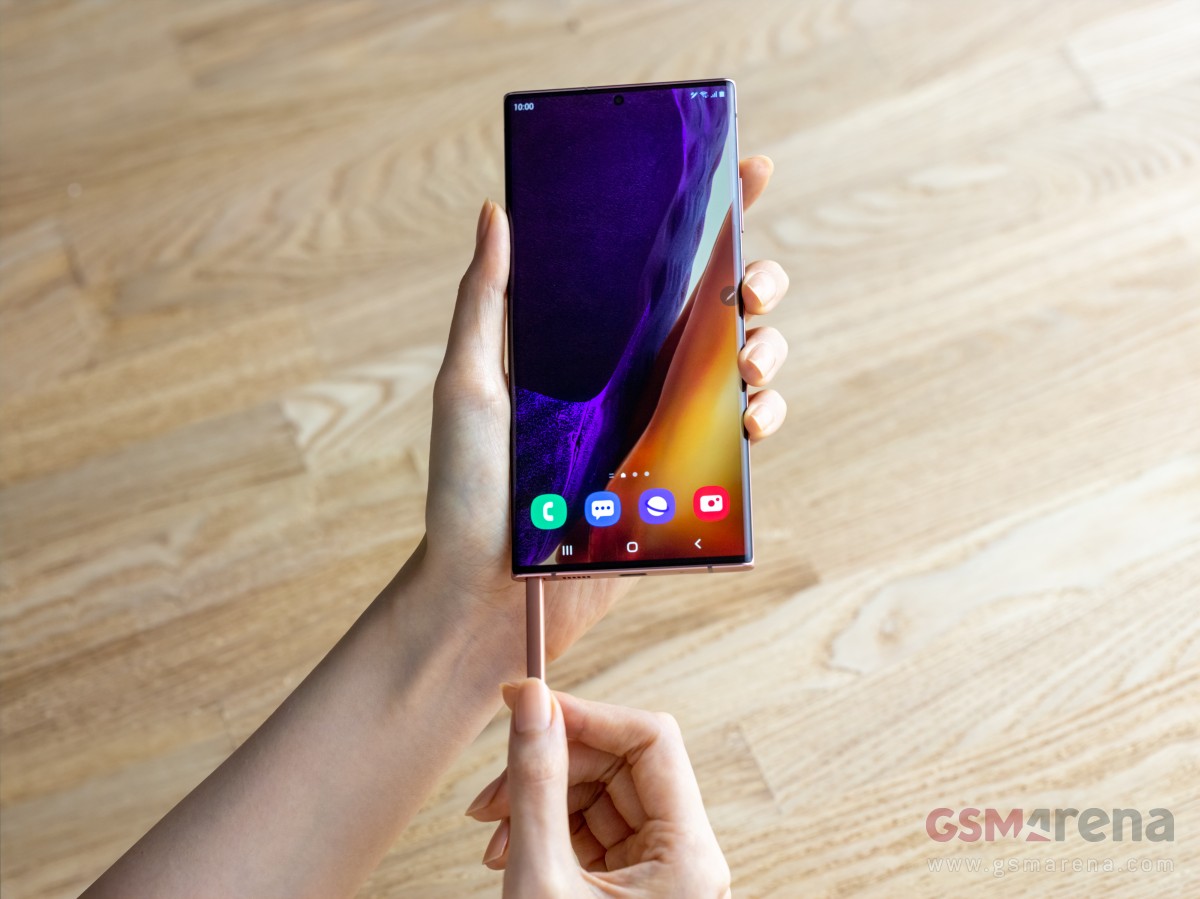
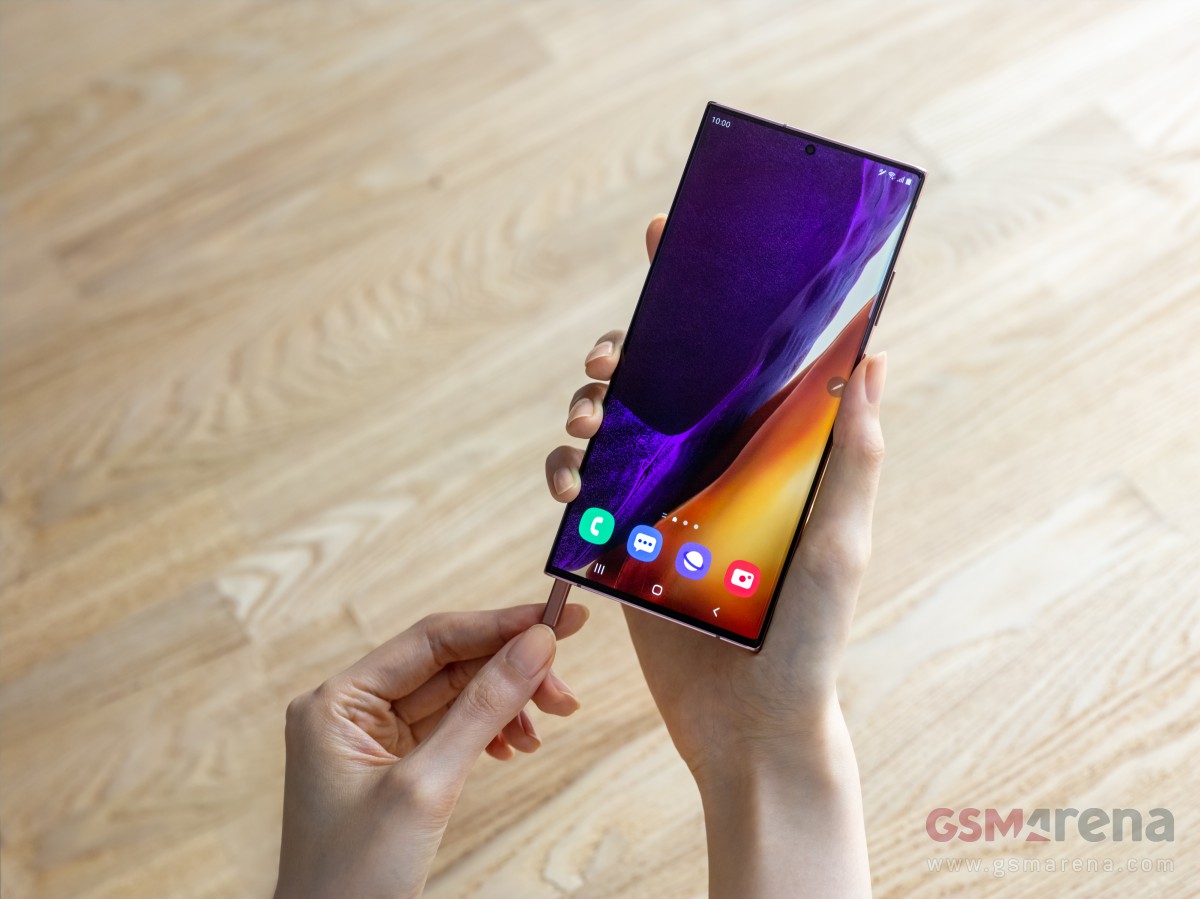
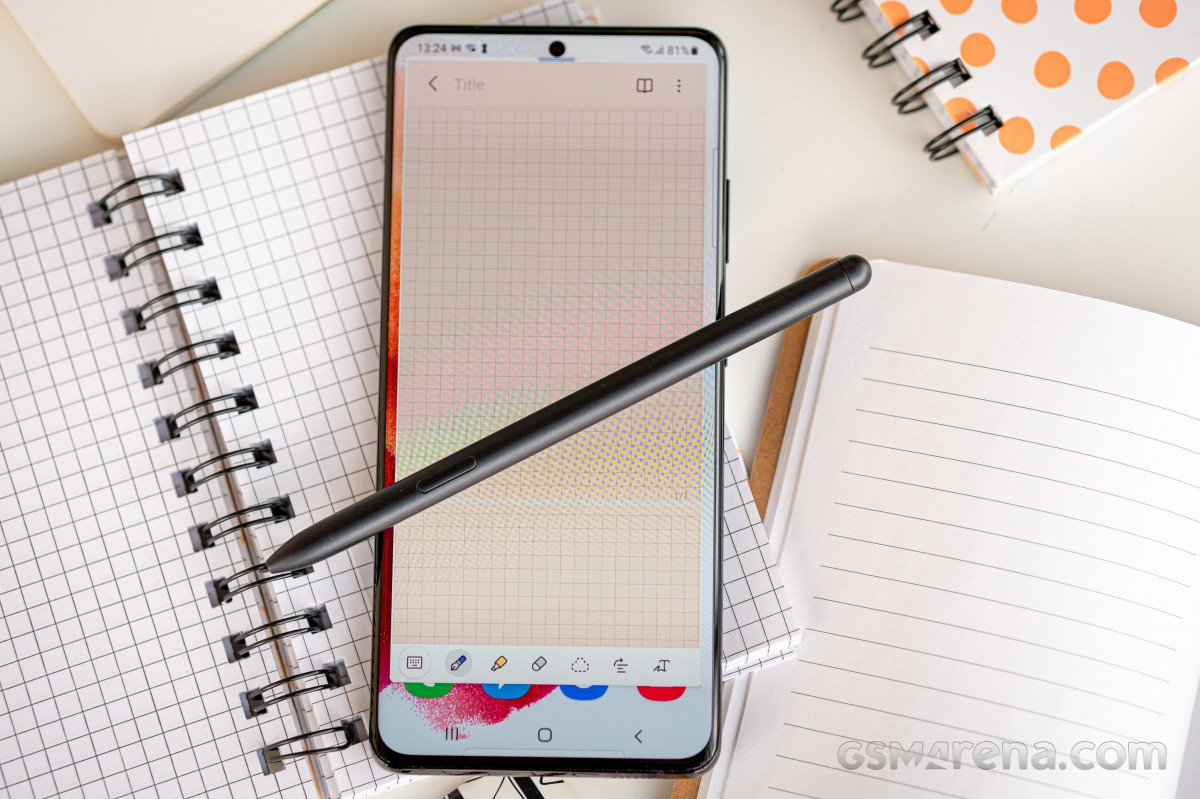
Both Notes get the S Pen too, at least this much is still guaranteed. It’s been moved to the left of the phone now, a major change from all previous generations. It comes with added gestures and it’s got improved latency for an even more pen-on-paper-like feel – on the Ultra, that is, the vanilla model doesn’t get that either.
Galaxy Note20 Ultra hands-on
The Note20 Ultra and Note 20 sit atop the Galaxy lineup and as such offer premium build quality and design. Having said that, even here the Ultra has an edge on the vanilla model.
Both phones get a stainless steel frame, a new development for Samsung high-end phones after sticking with aluminum for their skeleton needs until now. Apple has had steel on iPhones since the X, now Samsung joins in too.
Where the two differ is in the material of both front and back. The Note20 Ultra is where Gorilla Glass Victus debuts and Corning’s latest should be safer than GG6 in the event of impact while also offering improved scratch resistance. It’s two sheets of Victus on the Ultra – both front and back, while the camera is protected by Gorilla Glass 5.
Gorilla Glass 5 is what your Note 20‘s display is covered by, but that’s not what’s raising eyebrows quite as much as the choice of material for the back – the Note 20‘s rear panel is plastic. Reinforced polycarbonate, as Samsung calls it, and while we’re not entirely opposed to plastic-backed phones, it does sound out of place on a $1000 phone.
Victus or polycarbonate, both phones have this satin matte finish so they ward off fingerprints nicely. We welcome that decision, glossy Galaxies are practically impossible to keep clean. Thankfully, the IP68 rating for dust and water protection is a common feature too as plastic is able to keep the elements out just as well as glass.
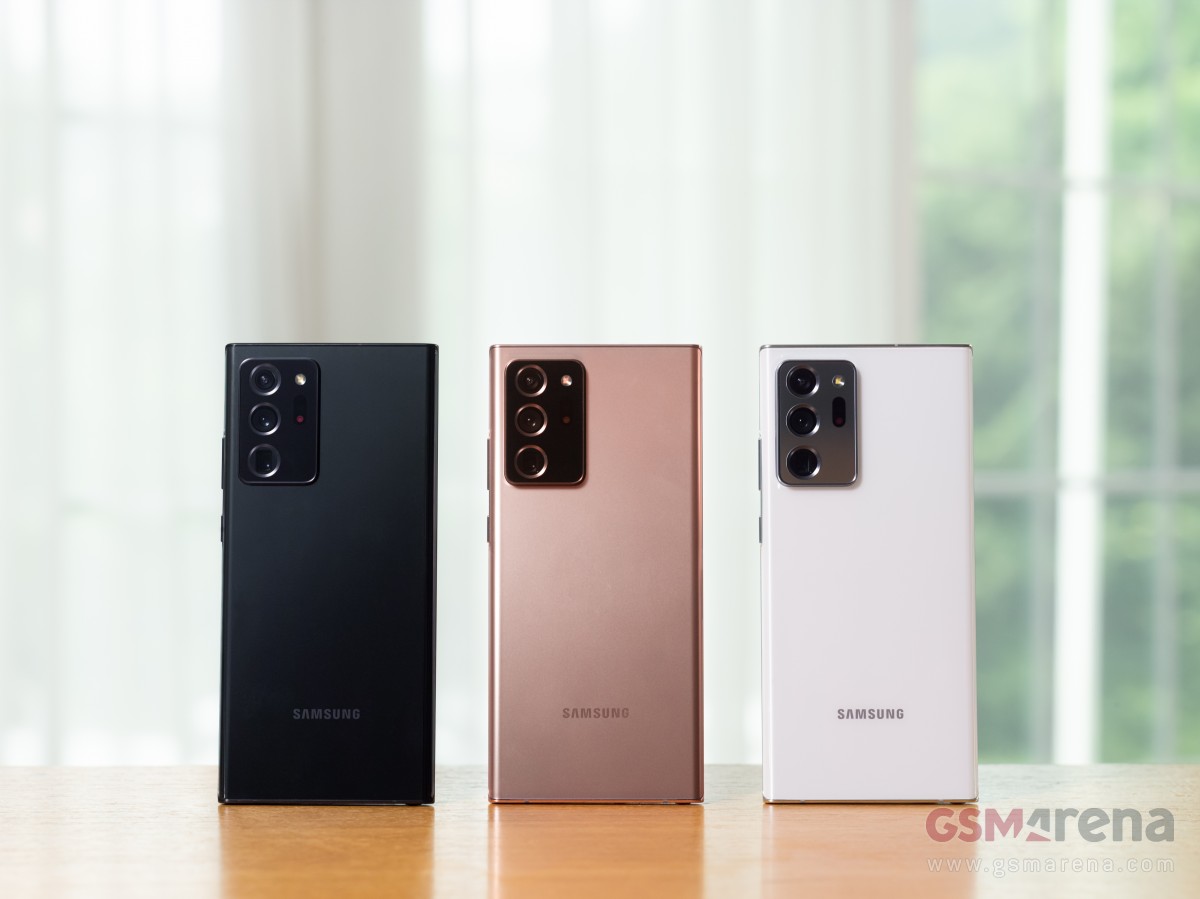
At launch, the handsets will be available in three colors each, the Mystic Bronze hero colorway shared between them. The Note 20 also gets Gray and Green, while the Ultra will be available in Black and White – all of them Mystic, as the official naming will have it. Mind you, color options will vary by region with most markets getting two of the three available at launch.
The camera assembly of the Note20 Ultra is quite the chunky one, though having seen the S20 Ultra, we knew it was coming. It feels like this one sticks out even more and that would make sense – after all, the Note20 Ultra is a good 0.7mm thinner than the S20 Ultra at 8.1mm vs. 8.8mm so the camera island gets more prominence. If anything, it’ll be even easier to support the handset by propping your index finger against the camera bump’s edge than it was on the S20U, thus saving your pinky some heavy lifting.
The Note 20 proper has a sizeable camera cluster too, but it’s simply not of the same scale. Both phones wobble on a flat surface, for what that’s worth.
Looking at the front, Galaxy Note20 Ultra follows in the footsteps of the Note10 Plus from last year – a large rectangular slab of a phone with sharp corners and a very technical, no-nonsense look. It’s, in fact, precisely as wide as the Note10 Plus, though a couple of millimeters taller. The S20 Ultra, in contrast, is two further millimeters taller, but a millimeter narrower – so the Note20 Ultra is more squarish.
The Ultra’s display is curved to the sides – ever so slightly, and only at the absolute edges, but it’s curved nonetheless. It’s got almost nonexistent bezels too and the tiniest of punch holes and that’s certainly the closest Samsung has come to a ‘full-screen display’. It will probably pose issues for handling, if you’re one to need extra space to rest your fingers and/or hate curved screens. That’ll be a task for the review to examine, but even in a quick hands-on session it’s clear that for sheer ‘wow’ factor the Note20 Ultra’s display is only bested by foldables.
The Note20 non-Ultra, meanwhile, has more ordinary appeal, to put it this way. Its display is flat, so there’s that, and it’s got a somewhat thicker black border all around. The punch hole in the display is also that extra bit bigger. It’s not bad-looking by any stretch, but it’s no Ultra.
We were particularly vocal last year when the Note10 and Note10 Plus arrived with the power button on the left side, as opposed to the right where it had always been. It was a one-off type of thing, never to be seen on other Galaxies since.
Starting with late 2019 models and continuing into 2020, the volume rocker got relocated to the right, joining the power button on those non-Note10 models – a decision much easier to live with. All of this is to serve as context for us to say that the Note20s have the power button on the right, where it should be, and we’re happy. Of course, our outrage last year was a bit overdramatic as you get used to where a button is in no time, but it’s nice that you won’t need to this time around.
But hear this – the S Pen slot on the Note 20 generation is on the left side of the phone when looking at the display – it’s either that or the Power button it seems.
The S Pen has always been on the right, and it’s a natural position for pulling the stylus out with the right hand, which you’ll then use for writing or drawing, or camera remote, or Air actions (unlikely as that last bit may be). On the other hand, if you’re left-handed, it may very well be the best Galaxy Note to date.
In all fairness, however, we didn’t experience any notable difficulties getting at the S Pen on the Note20 Ultra with either hand. We had a minor argument at the office whether the left-side button placement on the Note10 was related to the S Pen’s position inside the phone and if the internal design was unable to accommodate both on the same side. By the looks of it, that must have been the case.
Ambidextrous Samsung Galaxy Note20 Ultra
The S Pen itself is virtually identical to the one we got last year. It’s got the clicky top, the button on the side, and the capacitor, gyro, and accelerometer within to enable the remote actions. The stylus also matches the paintjob of the phone it comes out of, though we did enjoy the contrast of the blue S Pen on the Aura Glow Note10s – or as we call that one ‘motor oil in a puddle’ for its rainbow light effects.
Circling back to the Ultra vs. non-Ultra differences, only the ultimate S Pen-wielding Galaxy supports storage expansion via microSD, while the vanilla Note 20 has to make do with what it has from the box. It’s one of the easier downgrades to swallow given that it was the case with the smaller Note10 last year too – so in way, it was expected. Then there’s the matter that the Note 20 comes with decent 128GB storage in its base 5G version and you can bump that to 256GB, while the LTE variant is 256GB only. Still, if all three S20s could have expandable storage, maybe both Note20s could?
One difference on last year’s models that was also seen on the S20 family but is now gone is fast charging support. The Note10+ and the S20 Ultra could be charged faster with optional 45W bricks, while the plainer models only went as high as 25W. Well, the Note20 Ultra and the Note 20 both only go as high as 25 watts. It’s hardly a big deal since the 45W adapter had to be purchased separately and it didn’t bring the kind of speed advantage the numbers would suggest.
The charging situation may be a welcome bit of parity between the Note20s.
Display and S Pen
Displays have always been among the key selling points of Samsung phones – after all, it is a leading manufacturer of OLED panels in these sizes. The Galaxy Note20 pair is no different in this respect. Well, sort of.
Both panels boast a crazy high peak brightness of 1,500nits, a 25% increase over the S20s from just six months ago. That’s useful for displaying HDR10+ content, which they support, but will also be helpful for outdoor visibility – not that the previous ones weren’t great at that, it’s just that the Note20s will be better.
Of course, don’t expect to light up the entire screen with pure white and get all those nits – OLEDs scale brightness depending on the number of pixels being lit. We’ll certainly be doing our own testing, when we get a review unit in our office.
And that’s where the common traits of the two Notes’ displays end. You see, it’s only the Ultra that supports the 120Hz rate, and it’s only the Ultra that has a QHD resolution. Meanwhile, the vanilla Note 20‘s specsheet reads 60Hz and FullHD, and that’s… disappointing.
The Galaxy Note20 Ultra’s 6.9-inch display has a 1440x3088px resolution with 496ppi density in the somewhat unorthodox 19.3:9 aspect ratio. It’s branded as Dynamic AMOLED 2X, Samsung’s marketing speak for high refresh rate and the Note20 Ultra does go all the way up to 120Hz, complete with 240Hz touch sampling.
The HRR is done differently this time around than it was on the S20s, where you could pick between 60Hz and 120Hz and the phone would stay locked at those refresh rates regardless of what you’re doing on it.
Here, you get two options – Standard (60Hz) and Adaptive, and that Adaptive mode is what’s having us all excited. The Note20 Ultra will be able to dynamically adjust the refresh rate based on the activity you’re in and the content being displayed, thus striking an optimal balance between smoothness and battery life. We’ll be sure to examine it in more detail come review time.
What’s abundantly clear already, however, is that you still don’t get to the run the Note20 Ultra in its full resolution at its maximum refresh rate. Adaptive mode only works in 1080p, 1440p only works in 60Hz.
In more uplifting developments, the Note20 Ultra adopting a 120Hz screen enhances the S Pen experience. Samsung says it’s improved the latency with which the phone recognizes and displays your S Pen input and it’s now down to 9ms from the old Note’s 42ms, making for an even more paper-like feel.
The Note 20 doesn’t match that number, however – its latency stands at 26ms. It’s still an improvement over the outgoing model, but in what we feel is becoming a theme, it’s no Ultra. Samsung talked about ‘AI-based point prediction’ which aims to anticipate the trajectory in which you’ll be moving the S Pen, and that could be more at play here.
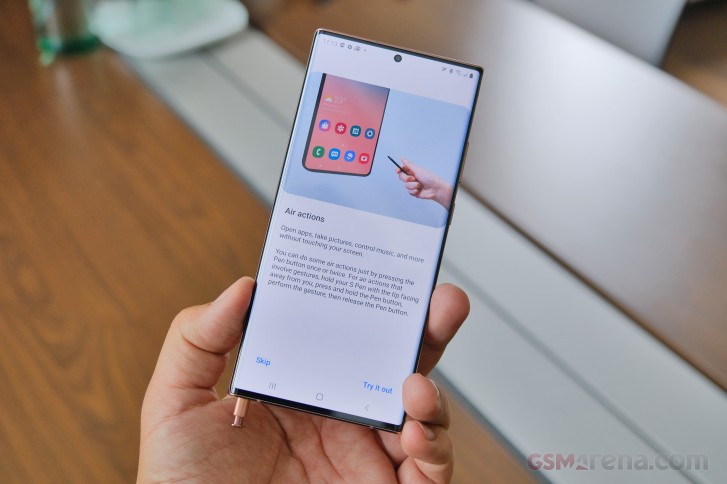
Both phones do get more Air actions, an S Pen functionality introduced with the ‘active’ stylus on the Note9. These are called Anywhere actions and work across the UI as opposed to the limited availability in the ones we had until now. Five new actions are introduced, and you’ll able to launch Smart Select and Screen write with two of them, while the other three serve for basic navigation – Back, Home, and Recent tasks. We’re not entirely sure someone would really use those, and in the limited time we had with the phones, we couldn’t get them to work reliably. Maybe we’ll give them another chance in the in-depth review. Solid maybe.
On a related topic to the S Pen, Samsung Notes has gotten an overhaul for this Note generation. It comes with improved handwriting recognition, straightening of already written text, new background colors and templates, PDF imports, audio-synced annotations, PowerPoint integration and syncing between different devices and platforms. If you do actually use your Note for keeping handwritten notes, this could offer a nice boost to your workflow.
The Note 20 pair comes with Android 10 and OneUI 2.5 out of the box. That’s a newer version of Samsung’s Android overlay than we’ve seen on previous Galaxies, and while there’s little immediately recognizable as new, we’re certain there will be small bits we notice when we delve deeper. Perhaps more importantly, the Notes are promised to get three major OS updates – so expect to see Android 13 on the Note 20 in 2022.
Wrap-up
The Galaxy Note 20 and Note20 Ultra have finally arrived after much anticipation and the usual months-long stream of leaks. The S Pen flagships don’t bring massive surprises and will remain high on shortlists for Samsung fans, there’s no doubt about that.
What’s taking us longer to wrap our heads around is the significant segmentation between the Ultra and the non-Ultra – it wasn’t quite so prominent last year with the Note10 and Note10 Plus, and even the S20s from the spring had less of a gap in features. Is it Samsung trying to nudge you into buying the more expensive Ultra or is a way of getting the S Pen into more hands by offering two products that differ in more than just size?
We’ll try to answer this and many other questions once we get to properly review the two phones. For the time being, we can say that pre-orders will be made in this office, though seemingly not quite as many as last year.
This year, the Galaxy S21 series came earlier than expected, and it brought a slew of changes. The Galaxy S21 and S21 Plus now feature lower-res OLEDs, no microSD expansion, and no chargers in the box. Meanwhile, the Galaxy S21 Ultra is what the original Ultra should have been – jam-packed with high-end features, no asterisks, no fine print. Still no charger, though.
The original S20 Ultra was supposed to be the greatest Galaxy to date, but it fell short of that. You could enjoy a 120Hz refresh rate, but only at a lower 1080p resolution. The telephoto camera was advertised as 5x, but it was, in fact, 4x, and let’s not even start with the Space Zoom. The ultrawide camera had a great sensor, but it couldn’t do macro shots due to the lack of autofocus. The battery was large, but battery life was poor. You get the point.
Well, the Galaxy S21 Ultra makes up for everything. It has a large 1440p screen with native 120Hz support, adaptive at that. It also brings two dedicated telephoto snappers – one for 3x and another one for 10x optical zoom. Its ultrawide camera does feature autofocus, which works for macro shots. The new Ultra also offers ultrawide-band support, and surprise, surprise, S-Pen support as well. This has to be the first non-Note Galaxy phone to offer that – one for the history books.
There is no S-Pen socket on the Galaxy S21 Ultra, and neither is there a bundled stylus. But you can use any S-Pen that’s been in circulation, as well as the newly announced S-Pen for S21 Ultra and the upcoming S-Pen Pro. Samsung has also opened the S-Pen to third-party companies that make Wacom-based styluses, so you can expect even more options in the upcoming months. Finally, you can store the stylus in your pocket or opt for some S21 Ultra cases with dedicated pen holders.
The Galaxy S21 Ultra is the only S21 model to come with a 1440p OLED screen, unlike the previous generation. And even better, it now supports 120Hz at that high resolution, so you don’t need to choose between high res and high refresh rate. This new Ultra screen also supports Adaptive Refresh Rate that can vary between 10Hz and 120Hz, just like the Note20 Ultra.
The latest Galaxy bears the latest chipset, of course. All international models use the new Exynos 2100 SoC by Samsung(like the one we are reviewing), while the USA and China will be getting devices running on the Snapdragon 888 instead. The RAM has been bumped to 12GB, and there is a limited 16GB model, too.
The camera has seen a welcome upgrade. The wide snappers remain relatively the same – a 108MP shooter with f/1.8 26mm lens and a 12MP cam with f/2.2 13mm optics, but now it features autofocus. The zoom system has been completely revamped, though – it now features two 10MP imagers, one for 3x optical zoom and another for 10x optical zoom via a 240mm periscopic lens.
Other flagship tidbits worth mentioning – a 40MP selfie eye with AF, stereo speakers, Wi-Fi 6e, 5G connectivity, ultrawide-band support short-range communication, fast wired and wireless charging for the large 5,000mAh battery.
This year isn’t off to a good start for the fans of the rich retail bundles, though. Like Apple and Xiaomi, Samsung has removed the chargers and headphones from the retail boxes and ships each Galaxy S21 only with a cable.
Let’s take a deep dive in the specs now.
Samsung Galaxy S21 Ultra 5G specs at a glance:
Body: 165.1×75.6×8.9mm, 227g; Glass front (Gorilla Glass Victus), glass back (Gorilla Glass Victus), aluminum frame; IP68 dust/water resistant (up to 1.5m for 30 mins), Stylus support.
Front camera: 40 MP, f/2.2, 26mm (wide), 1/2.8″, 0.7µm, PDAF.
Video capture:Rear camera: 8K@24fps, 4K@30/60fps, 1080p@30/60/240fps, 720p@960fps, HDR10+, stereo sound rec., gyro-EIS; Front camera: 4K@30/60fps, 1080p@30fps.
Battery: 5000mAh; Fast charging 25W, USB Power Delivery 3.0, Fast Qi/PMA wireless charging 15W, Reverse wireless charging 4.5W.
Misc: Fingerprint reader (under display, ultrasonic); Stereo speakers; NFC; FM radio (Snapdragon model only; market/operator dependent); Samsung DeX, Samsung Wireless DeX (desktop experience support), ANT+, Bixby natural language commands and dictation, Samsung Pay (Visa, MasterCard certified), Ultra Wideband (UWB) support.
The Note10 was the one to retire the 3.5mm jack, and now the Galaxy S21 is retiring the microSD slot. Samsung makes up for that with a minor price difference between the 128GB and the 256GB models – just €50. It’s up to you to decide whether this compensation is enough, though.
There are some omissions, too, this time – inside the retail box.
Unboxing the Galaxy S21 Ultra
Well, well, well, how the tables have turned?! It was just last October when Samsung mocked Apple for not including chargers with the latest iPhones. And a mere two months later, Samsung was caught scrubbing these jabs off the internet in preparation for the launch of its own charger-less flagship.
It’s not the first time Samsung had done this, is it? We still remember how the audio jack mockeries disappeared overnight, foreshadowing the jack-less Galaxy Note 10.
So, the Galaxy S21 Ultra is the first Samsung phone to come without a charger or headphones. The maker joins Apple and Xiaomi in a quest to make the planet cleaner, and this ought to make a positive impact eventually. It just requires one small sacrifice from you, the user – you need to buy a USB-C charger if you don’t own one and keep it for the long haul.
The thin Galaxy S21 Ultra box contains a USB-C-to-C cable and the phone. That’s it.
The Galaxy S21 pre-orders do include various freebies such as a 25W charger, Galaxy Buds, and even a SmartTag, so you aren’t without options. Samsung switched to USB-C chargers since the Note10 and S20 generations, so the chance of you having one isn’t that big, and it’s a good thing you can now grab it for free.
Our Samsung Galaxy S21 Ultra also came with one very thin protector, almost invisible in fact, applied in the factory. It’s plastic and will be good only against scratches, but it’s still better than nothing.
Alternatives
The new Galaxy Ultra impresses with three key features, and it will be remembered for those novelties – the new 120Hz Quad HD OLED and its S-Pen support, and the versatile quad-camera on the back that relies on real optics instead of some hybrid trickery.
Yes, the Galaxy S21 Ultra is the all-powerful Galaxy right now, and that alone is enough to sell it. It’s the Ultra model – meaning there is no better phone on the market today. Indeed, there isn’t.
The Xiaomi Mi 11 Pro isn’t even official yet, Huawei is yet to unveil the P50, and we are yet to see recent Huawei devices with Google app integration. The OnePlus 9 is unannounced as well, while the next iPhones are far ahead in the future.
Speaking of iPhones, Samsung really outdid itself by dropping the charger immediately after Apple’s done it. It could have waited a year or announced it a year ahead to allow a transition period, but it’s Samsung – some things are done in the heat of the moment. Like saving the planet, for example.
And that’s the reason while the Apple iPhone 12 Pro Max comes as our first suggestion. The Max costs as much as the Ultra, and subjectively, it’s the prettier and supposedly sturdier device. The iPhone also impresses with performance and LiDAR scanner if you have the use of it, that is. The camera performance is somewhat on par with the Galaxy as far as primary and ultrawide shooters are concerned. The iPhone cannot match the zoom capabilities of the Ultra, plus it runs on iOS, so if you’ve invested in Android apps, there are two major deal-breakers right there.
Thinking about the camera, we just can’t but mention the elusive Xiaomi Mi 10 Ultra (about $950). It’s officially sold only in China, but if you value a complete package with an outstanding camera – this is the one, folks. It has a 120Hz 1080p OLED, Snapdragon 865 chip, and stereo speakers to get you started, but we found its quad-camera (0.5x + 1x + 2x + 5x) to be among the best on the market as far as photo quality is concerned. This Ultra also comes with a 120W adapter, which recharges its flat battery for 27 minutes, so there is that, too.
Another limited-edition phone that comes to mind is the Google-less Huawei P40 Pro+. It has a 1200p 90Hz OLED and one of the best camera configurations money can get you on a handset – 50MP primary, 8MP 3x, 8MP 10x, 40MP ultrawide, and 3D ToF. Indeed, that’s a similar setup to the Galaxy S21 Ultra, and Huawei’s cameras save some incredible photos. The P40 Pro+ stock is scarce but not that hard to find. It costs about €800/£900 – meaning it is cheaper than the Ultra. Then again, no Google on it.
Back to more popular and easier to find choices – the OnePlus 8 Pro seems relevant even 10 months after its launch. It solved the 120Hz Quad HD OLED conundrum way before Samsung; it runs on a powerful Snapdragon 865 chip; and it offers a reasonably good quad-camera on the back with a 48MP primary, 8MP 3x tele, 48MP ultrawide, and a 5MP color filter cam intended for some artsy shots. The OnePlus 8 Pro runs on the especially smooth Oxygen launcher and is €500 cheaper than the Galaxy. Sure, it can’t offer 20% more powerful chip, 10x zoom and S-Pen support, but do these cost €500? You decide.
Apple iPhone 12 Pro Max • Xiaomi Mi 10 Ultra • Huawei P40 Pro+ • OnePlus 8 Pro
The verdict
If you’ve stayed with us that long, you’ve probably noticed we are conflicted about this Galaxy S21 Ultra. It is the perfect smartphone on paper, even without a microSD expansion and a bundled charger. But we’ve had ups and downs while using it for the past week. By the end of this review, we realized the good stuff far outweighs the bad, and most of what we didn’t like could be fixed with an upcoming update.
The Galaxy S21 Ultra absolutely deserves its Ultra insignia – it has the best OLED screen with Wacom layer at that, the most powerful hardware, one of the largest batteries, good stereo speakers, and pretty advanced camera system. We were thoroughly impressed by the screen performance and the battery endurance, like the UI and the S-Pen features, and saw many good photos and videos saved by the various snappers.
We aren’t huge fans of the new industrial design – mostly how the camera on the back was made. The phone is large and slippery, making it very uncomfortable to handle without a case. The photo quality wasn’t always flagship-grade – Samsung needs to tone down its image processing even if it results in some noise or lesser dynamic range. We’ve always preferred images with natural-looking processing, and so far, both Apple and Samsung have failed us. Here’s hoping that at least Samsung does something in this direction with a software update.
If you are after the best and newest phone on the market – look no further – that’s the Galaxy S21 Ultra. It has its issues, but the overwhelmingly good features elsewhere and a patch or two will make up for everything. Samsung is definitely off to a good start this year with its Ultra!
Pros
The best OLED screen, 1000+nits, 1440p, 120Hz, HDR10+, S-Pen.
Phenomenal fingerprint scanner performance.
Outstanding battery life, fast to top-up the 5,000mAh battery.
Stereo speakers with good loudness.
The fastest Android chipset, 5G, Wi-Fi 6E, Ultra-Wide Band.
OneUI is super smooth, clutter-free, S-Pen support.
The daylight photos are good across the board even if a bit overprocessed.
The selfies are excellent.
The 4K30 videos are great.
Cons
Somewhat bulky and slippery.
The image processing needs further refinements.
We don’t miss the microSD slot, but some of you might.
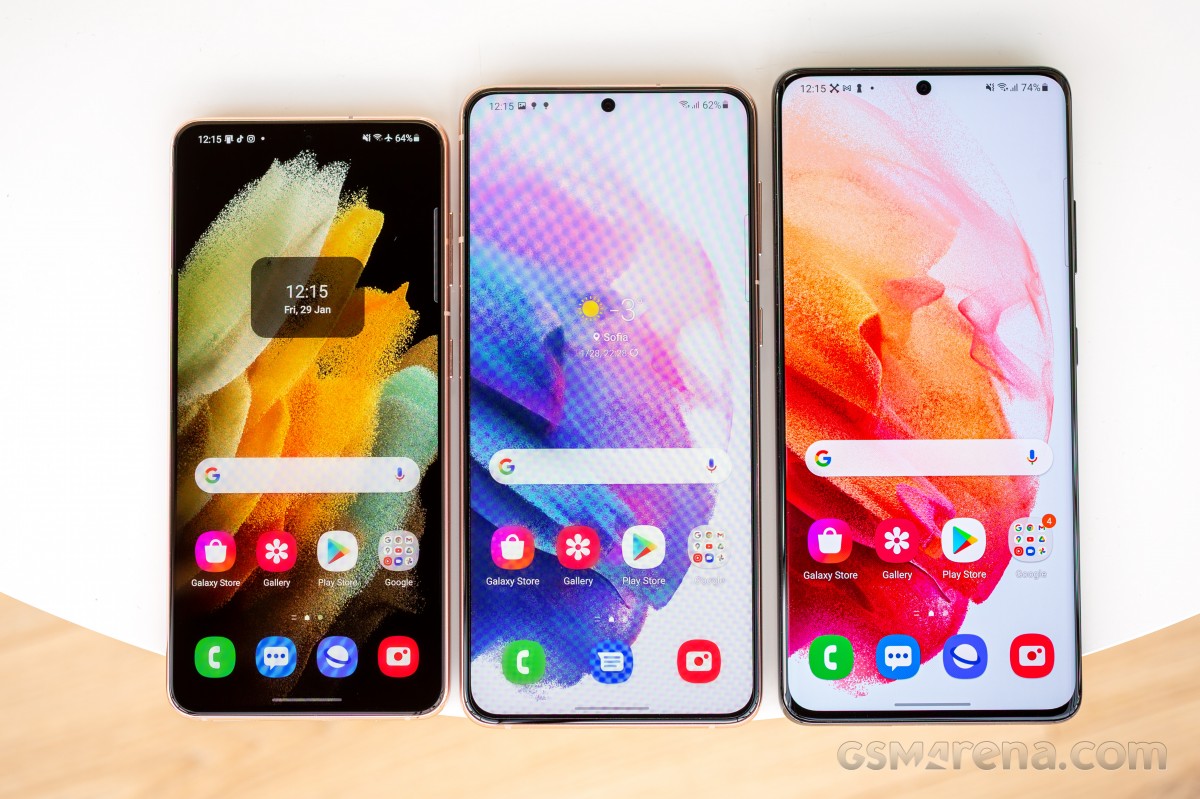
Almost as big as the Ultra, but not quite as camera-centric. Nearly identical to the vanilla, but with a plus-size screen, extra battery and a more premium touch. Yes, we’re talking about the middle option in the 2021 Samsung S-series roster, the Galaxy S21 Plus.
Plus stands for ‘more of it’, and the S21 Plus has a bigger display – at 6.7 inches in diagonal, it’s a lot closer to the Ultra’s 6.8 inches than it is to the S21 proper’s 6.2. Beyond the size, however, it’s more vanilla than it is Ultra – the resolution is 1080p, and the Adaptive refresh rate handling is the half-there variety, but Adaptive it is nonetheless.
There’s ‘more of it’ when it comes to battery capacity, and here, too, Plus aims for the Ultra – at 4,800mAh, it’s oh-so-close to the 5,000mAh of the top model. More importantly, perhaps, the middle option is the only one that’s gotten a battery upgrade this year.
The third area where the Galaxy S21 Plus differs from the S21 is the build. And here, from the vantage point of the S21 Plus, the choice of plastic for the S21’s back makes sense – this way, the Plus has one more thing going for it. Maybe.
We touched upon the differences between the S21 and S21 Plus, two out of three of those quantitative, the other – well, qualitative. Here’s a reminder of the other bits that make up the S21 Plus.
Samsung Galaxy S21 Plus 5G specs at a glance:
Body: 161.5×75.6×7.8mm, 200g; Glass front (Gorilla Glass Victus), glass back (Gorilla Glass Victus), aluminum frame; IP68 dust/water resistant (up to 1.5m for 30 mins).
Video capture:Rear camera: 8K@24fps, 4K@30/60fps, 1080p@30/60/240fps, 720p@960fps, HDR10+, stereo sound rec., gyro-EIS; Front camera: 4K@30/60fps, 1080p@30fps.
Battery: 4800mAh; Fast charging 25W, USB Power Delivery 3.0, Fast Qi/PMA wireless charging 15W, Reverse wireless charging 4.5W.
Misc: Fingerprint reader (under display, ultrasonic); NFC; FM radio (Snapdragon model only; market/operator dependent); Samsung DeX, Samsung Wireless DeX (desktop experience support), Samsung Pay (Visa, MasterCard certified), ANT+, Bixby natural language commands and dictation.
Samsung Galaxy S21 Plus unboxing
The Galaxy S21 Plus arrives in the same half-height box as the other high-end Galaxies for 2021 and, likely, from here on. When you don’t pack a charger and headphones, there’s no point in wasting cardboard, is there?
We’re not strictly against the disappearing chargers trend. There are charging stations in the office with QuickCharge 3.0 outputs, and those have been serving us well for several years now and will continue to do so. Additionally, between us, we’ve bought an assortment of USB Power Delivery adapters for personal use and the bulk of us likely fall in that group of people who won’t be needing new chargers with their next phone purchase. So there could be actual benefits to this, eventually. Perhaps the way the marketing teams have been sugarcoating the process is what’s been most annoying. Anyway, on to the design.
Competition
Samsung‘s early Galaxy release this year means the bulk of Android makers don’t have their 2021 offerings out yet. While the smaller S21 is more uniquely placed, for the Plus, it’s a bit harder to make comparisons in this transitional period since we can’t know how an upcoming Oppo Find X3 will perform, for example, plus its launch will lower the prices on the existing lineup. Same with the OnePlus 9/8 and Xiaomi Mi 11/10.
Still, we’ll try to figure out where the Galaxy S21 Plus stands in this current state of the market – say, you absolutely must buy a flagship smartphone by the end of the week.
At a cool $1000/€1050/£950, the Plus is anything but cheap. Next to it, the OnePlus 8 Pro looks almost like a bargain at $800/€800/£700. Sure, it may have last year’s chipset, but if you’re faced with an Exynos 2100 Galaxy, it’s not a massive leap over the OP’s SD865. Believe it or not, the 8 Pro has a better display in a more premium-looking body. Neither has industry-leading camera performance, but both will take great shots, battery life is a little better on the Galaxy, and charging is quicker on the OP. With Samsung dropping the expandable storage, the two are a tie, too. We wouldn’t get an OP8P today on account of the new generation being just around the corner, but it’s certainly looking a better deal than the S21 Plus right now.
The Zenfone 7 Pro isn’t as close to a replacement, and it’s great value at €700 – not available globally, though. Its unique rotating camera remains a central selling point, bringing main-camera-grade selfies, vlogging capabilities and whatnot. It’s plenty capable outside of the flipping mechanism, too – a large 90Hz OLED, one of the better implementations of the SD865+, solid battery life, and expandable storage. This would be tough to settle if they were the same price, but with the prospect of 30% savings, our money would be on the Zenfone. If you can get one where you reside, that is.
Normally more of an Ultra competitor, the Find X2 Pro’s approaching expiry date makes it a viable alternative to the S21 Plus, price-wise. It’ll get you a periscope for more reach than the Galaxy’s non-telephoto, but also a higher-res ultra-wide with AF – may be a better option for photography this one then. It’s got a better display, too, same as the OnePlus 8 Pro’s (don’t quote us on this one). The Find can’t match the Galaxy’s battery life, but it does charge twice as fast, so there’s that.
Seemingly the most obvious rival, however, and this is as up to date as it’s going to be, is the iPhone 12 Pro. Priced identically in the US and a bit more expensive in Europe $1000/€1150/£1000, the 12 Pro is in a similar position – one down from the best in the lineup. The Galaxy wins for battery life; the iPhone is a bit more compact and is rated to survive deeper water dives. Insert all the usual ecosystem considerations here.
OnePlus 8 Pro • Asus Zenfone 7 Pro ZS671KS • Oppo Find X2 Pro • Apple iPhone 12 Pro
Verdict
But really, though – the Galaxy S21 Plus has so many rivals within the family that it doesn’t need outside competition. The smaller S21 is 20% cheaper and is essentially the same phone (well, smaller, which can be a good thing), only not quite the marathon runner in terms of battery life.
The S21 Ultra is bigger and more expensive but comes with a state-of-the-art camera setup and display. And if you’re dead set on the 6.7-inch diagonal, last year’s S20 Plus is in most ways as good as the S21 Plus and better in a bunch of areas (higher-res display, MicroSD slot, cheaper and lighter).
The extremes seem to make more sense than the middle option – S21 Plus between the S21 and the S21 Ultra
So you’ve probably figured out where this is leading us. The Galaxy S21 Plus is a great all-round package and has the smartphone pillars well propped up. Ultimately, however, it lacks a standout selling point. In our opinion, if you want a Galaxy, there are no less than three that each build a stronger case for themselves than the S21 Plus.
Plus
Nice color options, standout design, IP68 rating.
Bright AMOLED display with adaptive refresh rate handling.
Class-leading battery life.
Versatile triple camera setup (though essentially the same as last year’s).
Improved selfie camera performance.
Cons
Scant retail package – no charger or headphones.
Flat screen and thicker bezels lack a premium vibe, though some of you may find ergonomically nicer.
2021 chipsets aren’t meaningfully more powerful than last year’s.
No generational advancements in the camera department – lack of AF on the ultra wide stands out in particular, since the S21 Ultra has that.