Your smartphone can already warn you about earthquakes. UC Berkeley, however, is going one step further: it wants your phone to help detect those quakes. The school has released an Android app, MyShake, that uses your phone’s motion sensors to detect the telltale signs of tremors and combine that with the data from every other user. For all intents and purposes, you become part of a crowdsourced seismic station network — you can confirm a quake just by leaving your phone turned on. That could be a big help when there aren’t enough fixed stations to trigger an alert through conventional apps.
MyShake might even give you a heads-up in the future. Once the software is known to be trustworthy, it could send early warnings to nearby areas and even provide a countdown to help you find a safe area in time. And yes, there are plans for an iOS app as well. The system is only as effective as the number of people using it (a handful of testers won’t accomplish much), but it could prove to be a life-saving tool if it really catches on.
1Password has pushed out an update for Android devices at last
And it brings huge changes to the app. The password manager will look like a brand new application the moment you upgrade to version 6, thanks to its Material Design makeover. Every section looks cleaner and more spacious. Plus, there are now toolbars everywhere, along with language’s familiar floating button that gives you a way to quickly add new URL-password combinations.
The app’s upgrades aren’t just skin deep
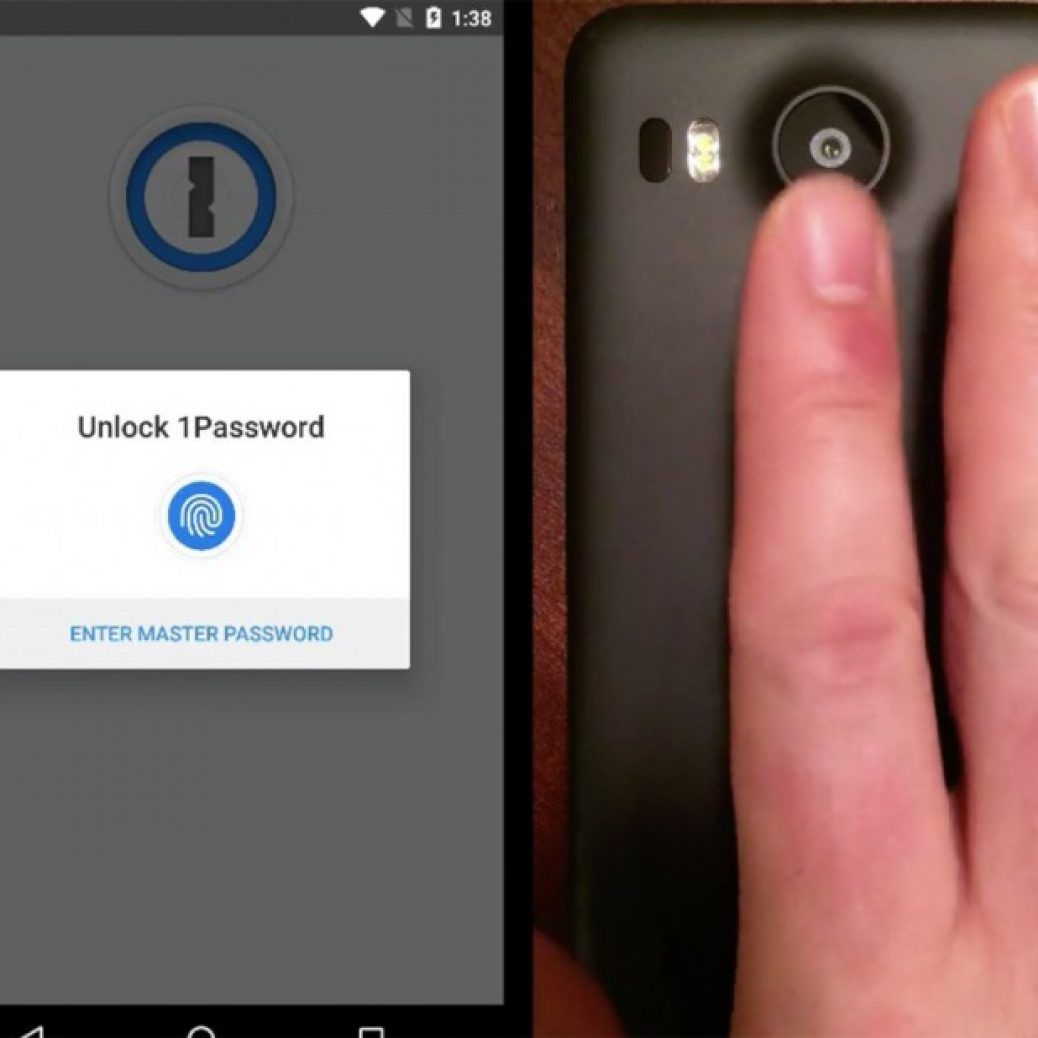
though: if you have an Android device with a fingerprint sensor such as the Nexus 5X or 6P running Android Marshmallow, you can quickly unlock 1Password. Simply launch it and scan a finger to skip typing in your master password. Finally, version 6 comes with the beta version of 1Password for Teams. It’s a useful feature whenever you want to share log-ins with family or co-workers, so you can all access any account needed for the project you’re working on. You can even quickly add a team account by using the built-in QR code reader.
Password managers are a great way to ensure you’re using a unique password for all your online accounts. If you haven’t used one before and would like to give 1Password a try, note that version 6 will only work for Android 4.1 or newer. The app itself is free, but you’d have to pay for premium features, such as being able to add an unlimited number of log-ins and to edit existing ones.
was one of the best games to launch on the iPhone last year — the beautiful visuals, addictive gameplay, and chill soundtrack made for a uniquely laid-back and satisfying experience. Developer Ryan Cash from Snowman announced this would happen way back in September, but the launch date is finally here. The game will arrive on February 11th and will offer an identical experience to the iOS version, with one key exception. Alto’s Adventure will be free for Android players.
Cash posted a blog post today
Cash posted a blog post today to explain why he’s going free on Android, and the reasons are about what you’d expect. We thought long and hard with [publisher] Noodlecake about how we could best monetize the game — to launch as a premium title (like on iOS), or to explore other alternatives that stayed true to our core values and vision for the game,” Cash writes. Ultimately his team decided that going free-to-play was the way to go.
That’s because of the rampant Android piracy that still makes it hard to launch premium games on the platform. Cash cited an “Cash posted a blog post today” infographic from Monument Valley developer Us two that showed only 5 percent of Android players actually paid for the game.
However, it wasn’t just piracy that caused Cash to go for a free-to-play system. He cited titles like Crossy Road and Threes as games that offered free versions that respected players and didn’t overwhelm them with opportunities to plunk down cash.
In the end, Alto’s Adventure will offer some paid opt-in bonuses for players who “might need a little extra help, or otherwise want to show their support.” But, Cash stresses that the core experience is identical between iOS and Android — the whole game “can be enjoyed start to finish, exactly as it can be on iOS.” Given the quality of the title, we’re willing to trust Cash here and believe that Alto’s Adventure won’t nickel and dim Android players. Indeed, that’ll be better for the entire gaming ecosystem. The more free-to-play games that treat players as human beings instead of bank accounts, the better we’ll all be.
Looking for something fun to play in VR? We’ve got the top 10 downloads from the last week on the WEARVR app marketplace, a cross-platform repository of virtual reality experiences.
10. Deep Sea
Who needs to go Scuba Diving when you’ve got VR? Dive into the Deep Blue and experience Whales, Sharks, Stingrays and other frightening sea creatures. The same developer that brought you the hugely popular ‘Sea Monster’. Inspired by “In the Blue” by WEVR
9. L.A.2097
Pre-release experience inspired by the film Blade Runner, in particular the balcony shot. Sit down and let the city fill you.
8. Flying Aces VR
Flying Aces VR is a flight sim/combat game set during World War 1. Take to the skies and experience the birth and rise of aerial combat during the Great War (1914-1918). Develop and test your piloting, gunning and bombing skills in structured missions, and lead your side to victory from above!
7. Dreadhalls
Dreadhalls is a horror dungeon crawler that has you exploring the procedurally generated dungeon in search for the exit, while avoiding the creatures that dwell in the maze. Updated for SDK 0.8.
6. Don’t let Go!
Part experiment, part amazing idea for Oculus Rift, Don’t Let Go! has you sat in a chair with your hands infront of you and the only rule is that no matter what happens you can’t lift your hands. We won’t spoil it for you, but a lot happens to make you want to move your hands.. and possibly run away screaming.
5. City Coaster
Take a thrilling ride through the colorful city on the beach on a coaster. A smooth ride through the city will leave you breathless for more, but not so crazy that you feel dazed! Enjoy!
4. SONAR
Explore your surroundings and dive deep into an ancient cave system. Follow the drone ship and discover the horrific truth about the darkest of all places… “ SONAR is a new kind of cinematic entertainment, striking a balance between traditional movie making and interactive media. The short film is a fully immersive, slow paced, 360° computer-generated experience.
3. Push For Emor
Fight your way across 11 planets, engage in space combat, disable enemy craft and board enemy wrecks and explore abandoned space stations. Defeat evil planet governors as you push towards planet Emor.
When the Emorian Empire starts to expand it’s territories into Justicar federal space, Colonel Ferris Glutes sends you in under cover to join a resistance group allied with Justicar. Your mission, that you have no choice but to accept (because it’s your job and it would be a very short game if you didn’t) is to clear the way for Justicar forces.
2. Dreadeye
Now updated for Oculus Runtime 0.8! Please, take a seat. You’ll be here for a while. Don’t worry, you won’t be alone. Let these creatures welcome you… They’ll keep you company. Give you a taste of a dark surreal experience. Don’t be afraid just yet… Perhaps they will spare you this time around. After all… the nastiest thing they can do to you will only be virtual. But… then again… You will probably be wishing you were in a real dream.
1. The Caretaker
A VR experience inspired by ‘The Shining’.
You’re the new caretaker at The Overview; chosen to single-handedly look after this remote hotel throughout the icy winter months. We join you on your first day of complete isolation; waking up very late following the end of season staff party – high in the mountains and cut off from the world by the first of the big snow storms. It’s time to leave your room and make your first check of the deserted hotel. This experience is inspired by the fantastic Stanley Kubrick film, The Shining.
Uber announced on Wednesday that it is expanding the number of cities served by its beta UberEats program. The service enables users to order food from local restaurants and have it delivered by Uber drivers — essentially the same service as Eat24 or Seamless but with Uber’s existing driver infrastructure.
The new cities include DC, San Francisco, Atlanta, Houston, Seattle, Dallas and Austin. And just as users in Toronto, Chicago and LA have been able to do for the past month or so, Uber customers in these cities will be able to have food delivered between 10am and 10pm, with it arriving 30 to 40 minutes later on average. The company is also launching a standalone app for the new Eats program, which will be available on both iOS and Android.
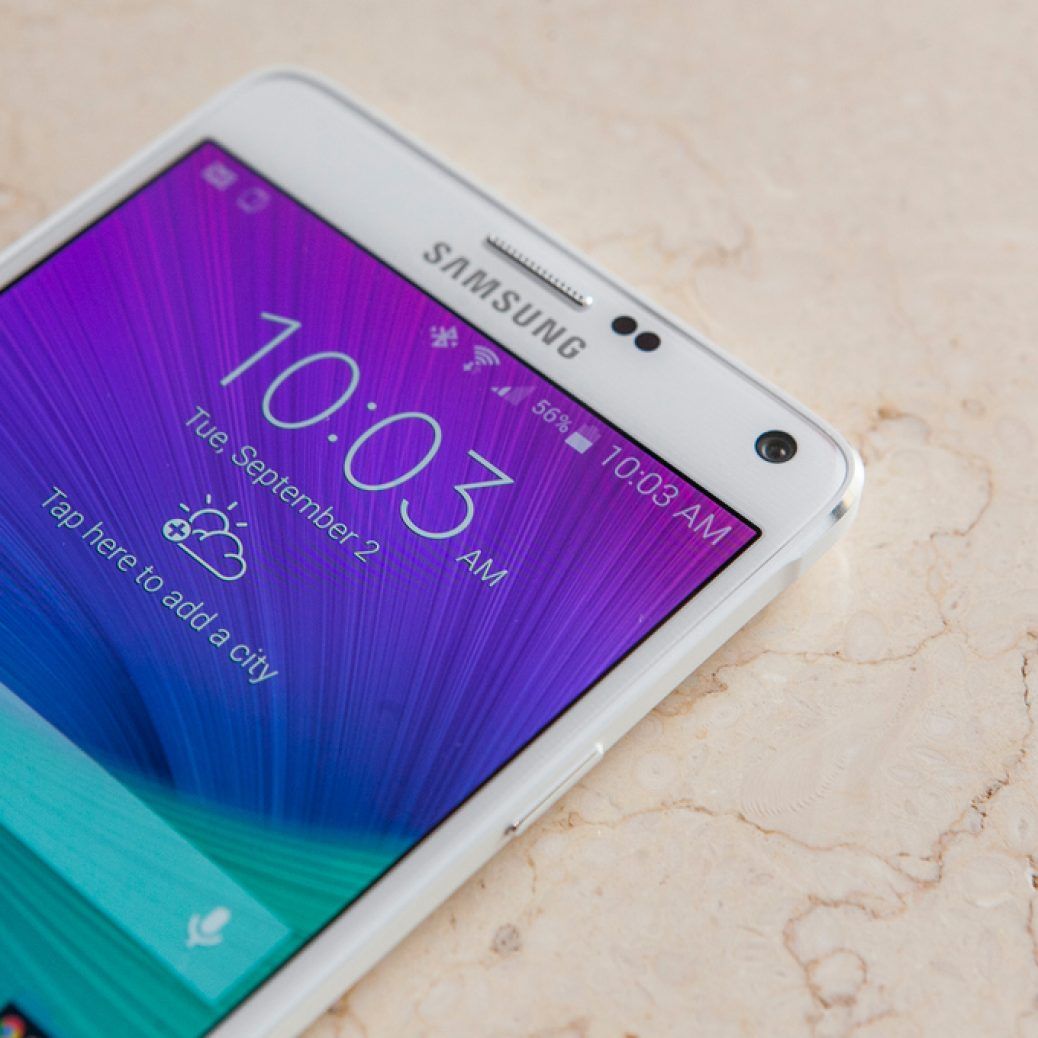
The Galaxy Note 5 has been out in the market for more than four months now, and you would think the Note 5 would be matching its successor on software version till now. Certainly, Galaxy Note 4 users have been reaping the benefits ofAndroid 5.1.1 for some time, and so have users of the device on three major US carriers – AT&T, Sprint and T-Mobile. Well, Verizon is finally jumping on the bandwagon and is starting to update the Note 4 to Android 5.1.1 as well.
Featuring build number N910VVRU2BOK3, the update brings support for Android for Work, upgrades to Samsung KNOX (KNOX is what Android for Work is based on), and removes the preloaded Amazon app and widgets. Verizon doesn’t mention any other changes, but the update should include inherent 5.1.1 goodies, including improved stability, battery fixes and security upgrades. Even if it doesn’t, well, users of the last Galaxy Note flagship to offer removable battery and expandable storage should be happy they can at least flaunt the latest version of Android Lollipop in front of their friends.
The update should be hitting your Galaxy Note 4 in the form of a notification in the status bar. In case it hasn’t shown up yet, take a trip to the Settings » About device » Software update menu and check for it manually. In either case, it shouldn’t be long before Android 5.1.1 comes calling on your phone, and you can let us know once it does by leaving a comment below.
Oh, and don’t ask anything about Android 6.0 for the Note 4. If we’re lucky, Samsung will bring Marshmallow to the device before the second half of this year,even though the company seems to be testing it in full force already.
Why yes, here’s yet another dirt cheap Chinese smartphone from none other than Xiaomi. The Redmi 3 is the company’s latest budget device that costs just 699 yuan (about $107) off contract, which is pretty good considering it comes with a metallic body, a generous 4,100 mAh battery, infrared remote feature and a secondary Nano SIM slot (can switch to 4G via software) that doubles as a microSD slot (up to 128GB). Impressively, this Android phone is just 144 grams heavy and 8.5mm thick, courtesy of the improved battery density as featured on the Mi 4i.
Of course, at this price point, you can’t expect everything else to be of flagship performance: You get a 5-inch 720p display, an octa-coreSnapdragon 616 chipset (4 x 1.5GHz + 4 x 1.2GHz), 2GB of RAM and 16GB of internal storage. Alas, there’s no love for Quick Charge 2.0 here, just the usual 5V/2A input.
There’s no word on who supplies the sensors for the main and front cameras, but they should do the job just fine. On the back you have a 13-megapixel f/2.0 imager with phase detection auto focus, manual mode and live filters. As for selfies, there’s a 5-megapixel f/2.2 front camera with the usual beautification options. Both cameras support video recording of up to 1080p.
Folks in China can place their orders for the Redmi 3 starting at 10am local time tomorrow, with a color option of either gold, silver or gray for the photolithography pattern finish option, or just gold without the fancy pattern. Of course, if you need a bigger screen, a higher display resolution and a fingerprint reader, then there’s also the Redmi Note 3 for your consideration.
After Android Pay’s slow rollout throughout the US, it’s finally available to everyone — well, those with a compatible device anyway. In the spirit of giving (or trying to get more people using the service), Google has teamed up with DonorsChoose.org to support special needs children in US schools. Through December 31st, Google will donate $1 for every purchase made through Android Pay, with a total of up to $1 million. The idea is to create an interactive classroom environment so kids who struggle to engage aren’t left out. What’s more, Android Pay will double its donations for every purchase made on Black Friday. As if you needed another reason to spend big on the most insane shopping day of the year.
The Galaxy S5 Active received Android 5.0 Lollipop a few months back and while it has been quite some time since the latest version of Lollipop came out, the handset is getting this particular update just now. AT&T has released Android 5.1.1 for the Galaxy S5 Active, a handset that no other carrier in the country sells. Active variants are exclusive to AT&T in the United States.
Build number LMY47X.G870AUCU2COJ3 has been released by AT&T for the Galaxy S5 Active, weighing in at 640MB, it’s imperative that you download it over Wi-Fi so that it doesn’t eviscerate your cellular data allotment. Android 5.1.1 is an incremental update so there’s not much in the way of new features, the handset gets several security updates, fix for Ultra Power Saving mode for devices using On Device Encryption as well as Android for Work with the Android 5.1.1 Lollipop update.
Samsung has started rolling out Android 5.1.1 Lollipop update for the Galaxy E7 in India today. The device, which was released along with the Galaxy E5, was shipped with Android 4.4.4 KitKat at the time of its launch. Samsung jumped straitght from KitKat to Android 5.1.1 for both these devices skipping Android 5.0 altogether. The Galaxy E5 received the update in several markets about two months ago.
The Android 5.1 update was released for the Galaxy E7 (SM-E700F) in Sri Lanka during the first week of this month, and now in India. You can check for the OTA update (E700HXXU1BOJ7) in the Settings menu on your Galaxy E7 (SM-E700H) or download it from our firmware section and flash it manually using Odin.