Apple has rolled out its new iOS app privacy labels (the nutrition label equivalent for apps) for both first-party and third-party apps. Read along for how to check iOS app privacy details for apps in the App Store as well as those that come preloaded on iPhone and iPad to fully understand how your information is being used.
Apple first introduced its new iOS app privacy details initiative during WWDC in June 2020. Now they are officially live in the App Store for Apple’s apps and third-party software, as well as on Apple’s website for its apps that aren’t on the App Store (preinstalled apps).
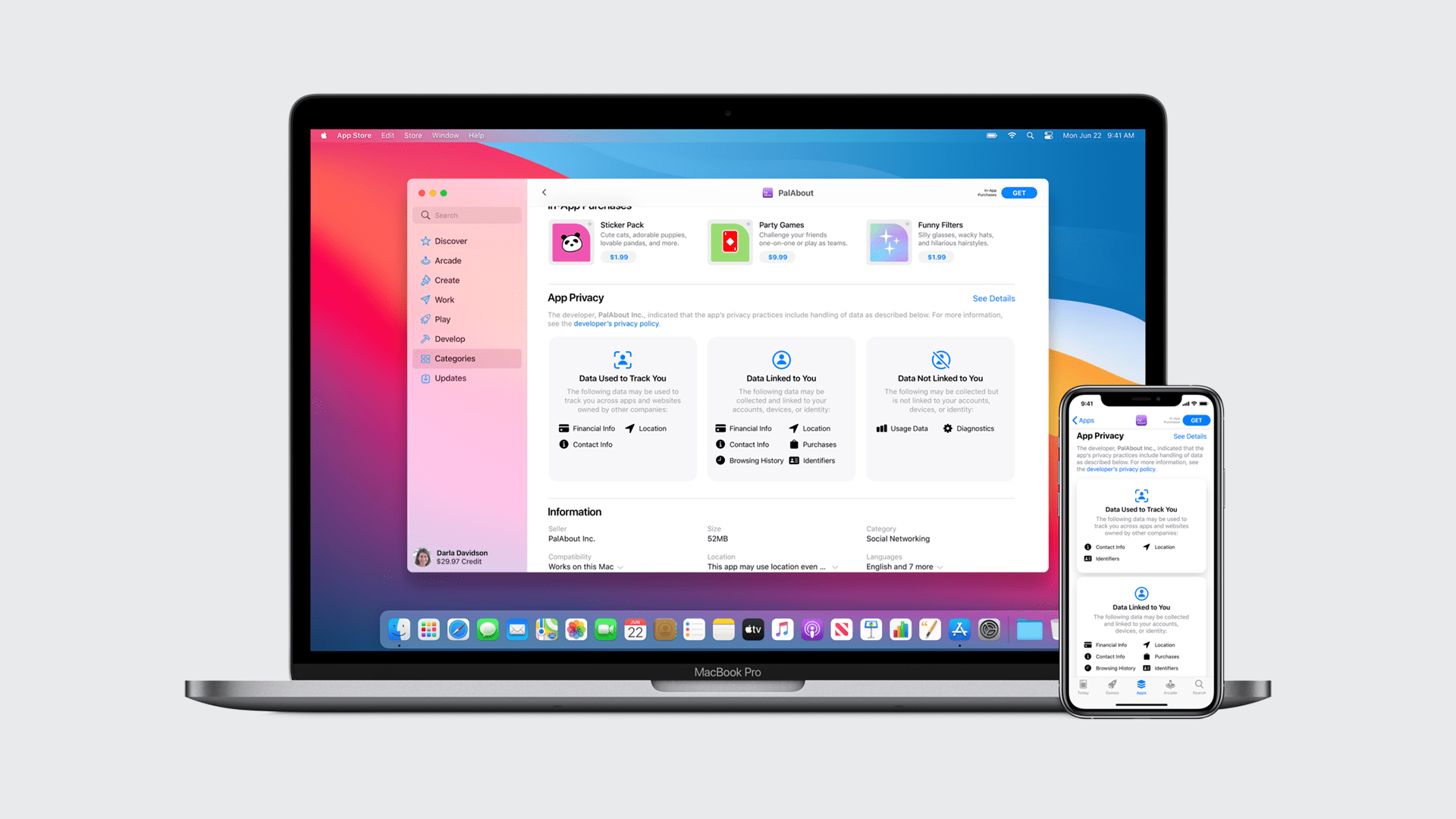
Apple describes its iOS app privacy details as akin to nutrition labels on food. Apple’s goal with this initiative is to better inform users of the privacy practices of individual applications. The iOS app privacy labels are divided into three parts:
Data used to track you
Data linked to you
Data not linked to you
If you’re reading this, this probably won’t come as any surprise, but the iOS app privacy details you’ll learn may certainly lead you to change what apps you use, or at least what info you share with them. Let’s dive in…
How to check iOS app privacy details for iPhone and iPad
For Apple and third-party apps on the App Store
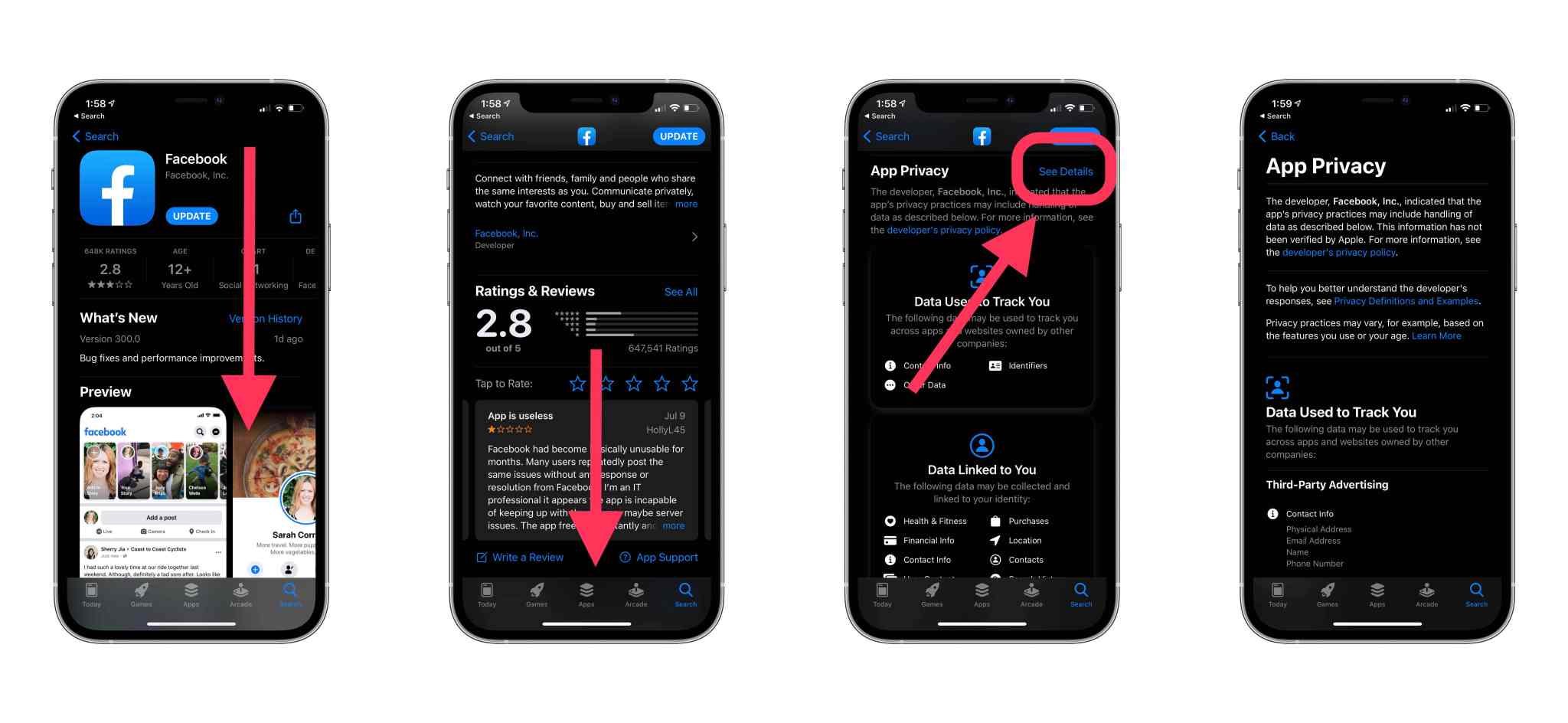
From your iPhone or iPad, open the App Store app
Search or pull up an app you want to see privacy details on
Swipe down below the app description and ratings until you see App Privacy
Tap See Details to the full iOS app privacy details
You can also find privacy details on the web for apps, just search the web for “app store ‘app name’” and you’ll see the privacy label below the reviews (click “See Details” for the full rundown)
For Apple apps not on the App Store
You can find an overview of the privacy details of all of Apple’s apps that aren’t on the App Store here
You can find specifics privacy details pages for Apple’s apps here
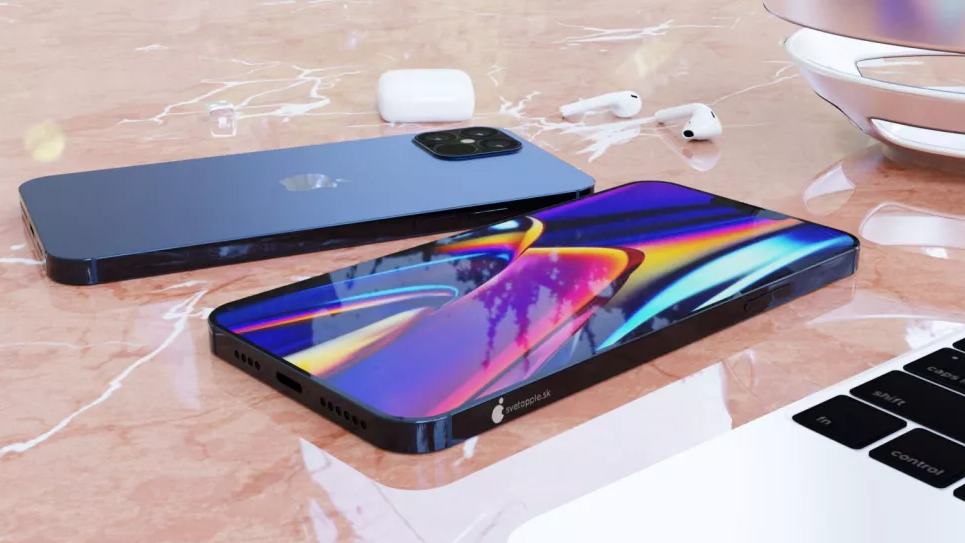
Apple faced several challenges in the development and manufacturing process of the iPhone 12 models in 2020 due to the COVID-19 pandemic, which led the company to launch the new iPhones in two stages. In 2021, the company will be able to launch the iPhone 13 models on regular schedule, says reliable analyst Ming-Chi Kuo.
Kuo states that the mass production schedule of the iPhone 13 will be the same as for previous iPhonemodels before the 12 lineup. That means we can expect all iPhone 13 models available by September 2021 without delays.
This year, Apple was unable to deliver all new iPhone 12 models at once as the COVID-19 pandemic affected the company’s associated factories around the world and even the internal production of the device at Apple headquarters since most employees are working from their homes.
While the regular iPhone 12 and iPhone 12 Pro were announced and launched in stores in October, iPhone 12 mini and iPhone 12 Pro Max arrived in stores in November with limited supplies.
Kuo also says he has no concerns about the lower shipping forecast for the A14 chip produced by TSMC in Q2 2021 compared to Q1 2021. The analyst says this decline is “seasonal” and expected as TSMC will begin shifting its production pipeline for developing the new A15 chip that will equip the iPhone 13 lineup.
He claims that iPhone 12 Pro sales remain strong and that demand for this year’s Pro models is better than expected, although Apple has been facing supply issues with the Sony camera sensors used for iPhone 12 Pro and iPhone 12 Pro Max.
The iPhone 13 is shaping up to deliver some radical new changes from Apple, including one model with no ports or holes at all. And now a new survey hints at an overdue upgrade in the age of face mask wearing.
Apple recently sent out a survey to some customers asking them a series of questions. And one of them was related to Face ID and Touch ID.
The survey asks whether the user is satisfied with Face ID. For those who answer no, they will see some follow-up answers in the survey to share with Apple. These include “security or privacy concerns”, “I don’t like having to pick up my phone to use Face ID”, “it does not detect my face in all situations” and “I prefer Touch ID.”
Even with a COVID-19 vaccine being rolled out soon, health experts are recommending that we wear face masks in public for the foreseeable future. And having to punch in your passcode every time you want to use your phone when you’re away from home can get annoying.
In what could be bad news for iPhone shoppers, the Apple survey also asks whether current owners use various items included in the box. This includes Apple stickers, the SIM eject tool and — get this — the USB-C to Lightning cable.
Apple already faced a backlash this fall for not including a charger in the box with the iPhone 12. So we find it hard to imagine that it would pull the plug (so to speak) on the charging cable as well in the very next model.
Then again, at least one model of the iPhone 13 is rumored to be portliness. So in that case a USB-C to Lightning cable would be pointless. That device would likely charge via a MagSafe charger instead, which currently costs $39 for the cable alone. The 20W power adapter adds another $19. So it’s possible that the portless iPhone 13 will come with just the phone in the box.
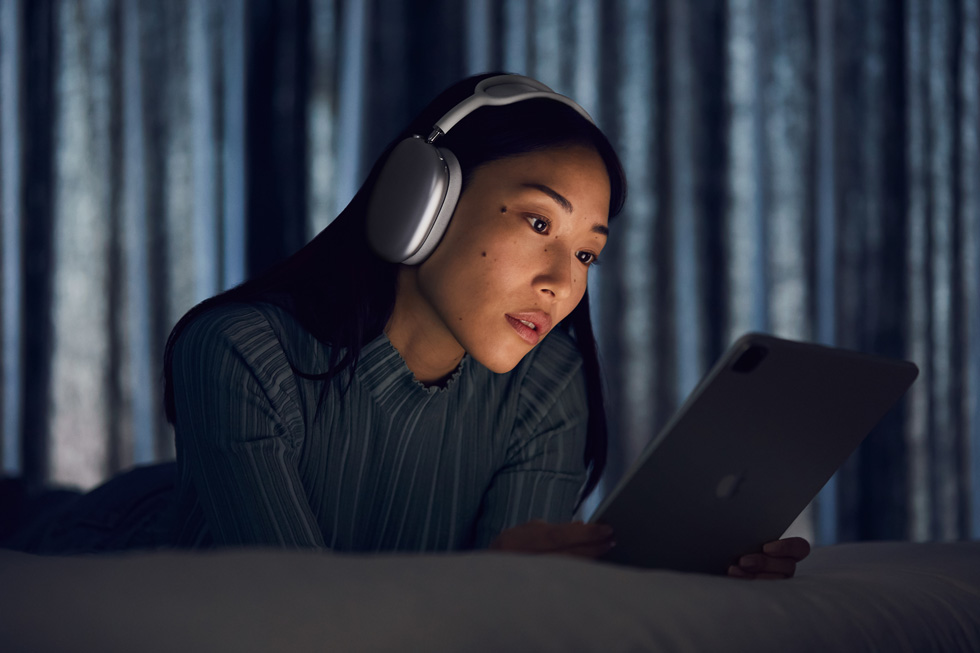
AirPods Max bring the magic of AirPods to an all-new wireless over-ear design with high-fidelity audio, Active Noise Cancellation, spatial audio, and more.
AirPods Max feature incredible high-fidelity audio, Adaptive EQ, Active Noise Cancellation, and spatial audio
Apple announced AirPods Max, innovative wireless headphones that bring the magic of AirPods to an over-ear design with high-fidelity sound. AirPods Max combine a custom acoustic design, H1 chips, and advanced software to power computational audio for a breakthrough listening experience with Adaptive EQ, Active Noise Cancellation, Transparency mode, and spatial audio. AirPods Max come in five gorgeous colors, including space gray, silver, sky blue, green, and pink, and are available to order starting today, with availability beginning Tuesday, December 15.
“AirPods are the most popular headphones in the world, beloved for their effortless setup, incredible sound quality, and iconic design. With AirPods Max, we are bringing that magical AirPods experience to a stunning over-ear design with high-fidelity audio,” said Greg Joswiak, Apple’s senior vice president of Worldwide Marketing. “The custom acoustic design, combined with powerful H1 chips, and advanced software enable AirPods Max to use computational audio to wirelessly deliver the ultimate personal listening experience.”
AirPods Max feature a breathable knit mesh canopy, distributing weight to reduce on-head pressure. AirPods Max come in silver, space gray, sky blue, pink, and green.
Custom Acoustic Design
From the canopy to the ear cushions, every part of AirPods Max is carefully crafted to provide exceptional acoustic performance for each user. The breathable knit mesh canopy, spanning the headband, is made to distribute weight and reduce on-head pressure. The stainless steel headband frame provides strength, flexibility, and comfort for a wide variety of head shapes and sizes. Telescoping headband arms smoothly extend and stay in place to maintain the desired fit.
Each ear cup attaches to the headband through a revolutionary mechanism that balances and distributes ear cup pressure, and allows it to independently pivot and rotate to fit the unique contours of a user’s head. Each ear cushion uses acoustically engineered memory foam to create an effective seal — a critical factor in delivering immersive sound. The Digital Crown, inspired by Apple Watch, offers precise volume control and the ability to play or pause audio, skip tracks, answer or end phone calls, and activate Siri.
The Digital Crown provides precise volume control and the ability to play or pause audio, skip tracks, answer or end phone calls, and activate Siri. The noise control button easily switches between Active Noise Cancellation and Transparency mode.
AirPods Max ear cushions use acoustically engineered memory foam to create an effective seal for immersive sound, and an Apple-designed knit textile wraps each ear cushion for added comfort.
From the canopy to the cushions, every part of AirPods Max is carefully crafted to provide a comfortable fit and exceptional acoustic performance for each individual.
Breakthrough Listening Experience
AirPods Max feature a 40-mm Apple-designed dynamic driver that provides rich, deep bass, accurate mid-ranges, and crisp, clean high-frequency extension so every note can be heard. A unique dual neodymium ring magnet motor allows AirPods Max to maintain total harmonic distortion of less than 1 percent across the entire audible range, even at maximum volume.1 Equipped with an Apple-designed H1 chip in each ear cup, a custom acoustic design, and advanced software, AirPods Max use computational audio to deliver the highest quality listening experience possible. Utilizing each of the chips’ 10 audio cores — capable of 9 billion operations per second — computational audio powers a breakthrough listening experience that includes Adaptive EQ, Active Noise Cancellation, Transparency mode, and spatial audio.
AirPods Max custom acoustic design features a 40-mm dynamic driver and a unique dual neodymium ring magnet motor.
Adaptive EQ: AirPods Max use Adaptive EQ to adjust the sound to the fit and seal of the ear cushions by measuring the sound signal delivered to a user and adjusting the low and mid-frequencies in real time — bringing rich audio that captures every detail.
Active Noise Cancellation: AirPods Max deliver immersive sound through Active Noise Cancellation so users can focus on what they are listening to. Each ear cup features three outward-facing microphones to detect environmental noise, while one microphone inside the ear cup monitors the sound reaching the listener’s ear. Using computational audio, noise cancellation continuously adapts to the headphone fit and movement in real time.
Transparency Mode: With AirPods Max, users can switch to Transparency mode to simultaneously listen to music while hearing the environment around them — ensuring everything, including a user’s own voice, sounds natural while audio plays perfectly. Switching between Active Noise Cancellation and Transparency mode can be done with a single press using the noise control button.
Spatial Audio: AirPods Max use spatial audio with dynamic head tracking to place sounds virtually anywhere in a space — delivering an immersive, theaterlike experience for content recorded in 5.1, 7.1, and Dolby Atmos. Using the gyroscope and accelerometer in AirPods Max and iPhone or iPad, spatial audio tracks the motion of a user’s head as well as the device, compares the motion data, then remaps the sound field so it stays anchored to the device, even as the user’s head moves.
AirPods Max deliver a breakthrough listening experience with Adaptive EQ, Active Noise Cancellation, Transparency mode, and spatial audio.
AirPods Max combine a custom acoustic design, Apple H1 chips, and advanced software to power computational audio for the ultimate personal listening experience.
The Magic of AirPods
AirPods Max join the existing AirPods family in delivering unparalleled wireless audio, whether a customer is listening to music, making phone calls, enjoying TV shows and movies, playing games, or interacting with Siri. The magical setup experience customers love with today’s AirPods and AirPods Pro extends to AirPods Max with one-tap setup, followed by automatic pairing with all the devices signed in to a user’s iCloud account, including iPhone, iPad, iPod touch, Mac, Apple Watch, and Apple TV.
AirPods Max automatically detect when they are on a user’s head using the optical and position sensors. Once in place, AirPods Max play audio and can pause once removed or when the user simply lifts one ear cup. With AirPods Max, voice calls and Siri commands are crisp and clear due to beam-forming microphones that block out ambient noise and focus on the user’s voice.
AirPods Max feature the magical one-tap setup experience that customers love with AirPods.
Battery and Performance
AirPods Max feature great battery life with up to 20 hours of high-fidelity audio, talk time, or movie playback with Active Noise Cancellation and spatial audio enabled.
AirPods Max come with a soft, slim Smart Case that puts AirPods Max in an ultralow power state that helps to preserve battery charge when not in use.
When stored in the soft, slim Smart Case, AirPods Max enter an ultralow power state that preserves charge.
Additional Features
Automatic switching allows users to seamlessly move sound between iPhone, iPad, and Mac. When playing music on Mac, users can easily take a call on iPhone and AirPods Max will automatically switch over.
Audio Sharing makes it possible to easily share an audio stream between two sets of AirPods on iPhone, iPad, iPod touch, or Apple TV 4K. Simply bring AirPods Max near the device and connect with a single tap.
Siri capabilities include the ability to play music, make phone calls, control the volume, get directions, and more. Siri can also read incoming messages as they arrive with Announce Messages with Siri.
Pricing and Availability
AirPods Max are available to order starting today for $549 (US) from apple.com and in the Apple Store app in the US and more than 25 other countries and regions. AirPods Max will begin shipping on Tuesday, December 15.
AirPods Max require Apple devices running iOS 14.3 or later, iPadOS 14.3 or later, macOS Big Sur 11.1 or later, watchOS 7.2 or later, or tvOS 14.3 or later.
AirPods start at $159 (US) and AirPods Pro are available for $249 (US).
Customers can add personal engraving to AirPods Max, AirPods Pro, and AirPods for free on apple.com and in the Apple Store app.
Customers are able to find the same great shopping and support services at apple.com/shop, in the Apple Store app, and at Apple Store locations. Customers can get shopping help from Apple Specialists, choose monthly financing options, get special carrier offers for iPhone, trade in eligible devices, and get Support services and no-contact delivery or Apple Store pickup options. Customers are encouraged to check apple.com/retail for more information on the health and safety measures in place, and the services available, at their local store.
Pickup options include in-store, curbside, or Express storefront, and vary by store. Same-day delivery may also be available. Customers can check apple.com/retail for services available at their local store.
With Apple Card, customers in the US get 3 percent Daily Cash back when they buy directly from Apple and have the option to choose Apple Card Monthly Installments so they can pay over time, interest-free.
Later this year, the App Store will help users understand an app’s privacy practices before they download the app on any Apple platform. On each app’s product page, users can learn about some of the data types the app may collect, and whether that data is linked to them or used to track them. You’ll need to provide information about your app’s privacy practices, including the practices of third-party partners whose code you integrate into your app, in App Store Connect. This information will be required to submit new apps and app updates to the App Store starting December 8, 2020.
Apple will begin requiring developers to provide more privacy details about their apps starting December 8, While this feature is not yet available to users, developers can already submit their privacy reports to the App Store.
Privacy labels have been introduced as a new iOS 14 and macOS Big Sur feature that will inform users about what data third-party apps can access, such as location, photos, and contacts. Each app will have its own privacy report on the App Store so that users can check this information before downloading the app.
The company shared in the Apple Developer portal exactly what it asks developers for the App Store privacy labels. We also checked on the App Store Connect portal how this process works for developers.
Once the developer chooses a specific app in the App Store Connect, there’s a new menu dedicated to App Privacy. From there, the platform guides the developer with everything needed for the new privacy labels. First, Apple asks if the app collects any user data — this also applies to third-party content such as advertisements from other platforms.
Next, the developer must select exactly what kind of personal information the app collects from the user. This includes contacts, health, financial information, location, sensitive information, personal content, browsing history, and more.
For each category, Apple requires details on the data collected. If you have an app that collects contact information, you need to tell Apple what that data is (name, email, phone number) and whether you use that data to track the user over the web or not.
Apps that collect financial information should tell Apple whether this is restricted to payment information such as credit card numbers or also things like salary and credit score. For apps that let users upload files, the developer must specify whether the app collects emails, text messages, photos, videos, or even gameplay content.
Apple will review privacy reports before showing them on the App Store. Once privacy labels are approved for an app, developers cannot modify them unless they launch an app update on the App Store.
The App Store will soon help users understand an app’s privacy practices before they download the app on the Apple platform. On each app’s product page, users can learn about some of the data types the app may collect, and whether that data is linked to them or used to track them.
This feature will be rolled out to users as of December 8. You can find more information about App Store’s new privacy labels on the Apple Developer website.
Answering app privacy questions
As you get ready to select your answers from the options presented in App Store Connect, keep in mind:
You need to identify all of the data you or your third-party partners collect, unless the data meets all of the criteria for optional disclosure listed below.
Your app’s privacy practices should follow the App Store Review Guidelines and all applicable laws.
You’re responsible for keeping your responses accurate and up to date. If your practices change, update your responses in App Store Connect. You may update your answers at any time, and you do not need to submit an app update in order to change your answers.
You’ll need to know the types of data that you and/or your third-party partners collect from your app before answering the questions in App Store Connect.
“Collect” refers to transmitting data off the device in a way that allows you and/or your third-party partners to access it for a period longer than what is necessary to service the transmitted request in real time.
“Third-party partners” refers to analytics tools, advertising networks, third-party SDKs, or other external vendors whose code you’ve added to your app.
Optional disclosure
Data types that meet all of the following criteria are optional to disclose:
The data is not used for tracking purposes, meaning the data is not linked with Third-Party Data for advertising or advertising measurement purposes, or shared with a data broker. For details, see the Tracking section.
The data is not used for Third-Party Advertising, your Advertising or Marketing purposes, or for Other Purposes, as those terms are defined in the Tracking section.
Collection of the data occurs only in infrequent cases that are not part of your app’s primary functionality, and which are optional for the user.
The data is provided by the user in your app’s interface, it is clear to the user what data is collected, the user’s name or account name is prominently displayed in the submission form alongside the other data elements being submitted, and the user affirmatively chooses to provide the data for collection each time.
If a data type collected by your app meets some, but not all, of the above criteria, it must be disclosed in App Store Connect.
Examples of data that may not need to be disclosed include data collected in optional feedback forms or customer service requests that are unrelated to the primary purpose of the app and meet the other criteria above.
For the purpose of clarity, data collected on an ongoing basis after an initial request for permission must be disclosed.
Types of data
Refer to the list of data types below and compare them to the data collection practices in your app.
Contact Info
Name
Such as first or last name
Email Address
Including but not limited to a hashed email address
Phone Number
Including but not limited to a hashed phone number
Physical Address
Such as home address, physical address, or mailing address
Other User Contact Info
Any other information that can be used to contact the user outside the app
Health and Fitness
Health
Health and medical data, including but not limited to data from the Clinical Health Records API, HealthKit API, MovementDisorderAPIs, or health-related human subject research or any other user provided health or medical data
Fitness
Fitness and exercise data, including but not limited to the Motion and Fitness API
Financial Info
Payment Info
Such as form of payment, payment card number, or bank account number. If your app uses a payment service, the payment information is entered outside your app, and you as the developer never have access to the payment information, it is not collected and does not need to be disclosed.
Credit Info
Such as credit score
Other Financial Info
Such as salary, income, assets, debts, or any other financial information
Location
Precise Location
Information that describes the location of a user or device with the same or greater resolution as a latitude and longitude with three or more decimal places
Coarse Location
Information that describes the location of a user or device with lower resolution than a latitude and longitude with three or more decimal places, such as Approximate Location Services
Sensitive Info
Sensitive Info
Such as racial or ethnic data, sexual orientation, pregnancy or childbirth information, disability, religious or philosophical beliefs, trade union membership, political opinion, genetic information, or biometric data
Contacts
Contacts
Such as a list of contacts in the user’s phone, address book, or social graph
User Content
Emails or Text Messages
Including subject line, sender, recipients, and contents of the email or message
Photos or Videos
The user’s photos or videos
Audio Data
The user’s voice or sound recordings
Gameplay Content
Such as user-generated content in-game
Customer Support
Data generated by the user during a customer support request
Other User Content
Any other user-generated content
Browsing History
Browsing History
Information about content the user has viewed that is not part of the app, such as websites
Search History
Search History
Information about searches performed in the app
Identifiers
User ID
Such as screen name, handle, account ID, assigned user ID, customer number, or other user- or account-level ID that can be used to identify a particular user or account
Device ID
Such as the device’s advertising identifier, or other device-level ID
Purchases
Purchase History
An account’s or individual’s purchases or purchase tendencies
Usage Data
Product Interaction
Such as app launches, taps, clicks, scrolling information, music listening data, video views, saved place in a game, video, or song, or other information about how the user interacts with the app
Advertising Data
Such as information about the advertisements the user has seen
Other Usage Data
Any other data about user activity in the app
Diagnostics
Crash Data
Such as crash logs
Performance Data
Such as launch time, hang rate, or energy use
Other Diagnostic Data
Any other data collected for the purposes of measuring technical diagnostics related to the app
Other Data
Other Data Types
Any other data types not mentioned
Data use
You should have a clear understanding of how each data type is used by you and your third-party partners.
For example, collecting an email address and using it to authenticate the user and personalize the user’s experience within your app would include App Functionality and Product Personalization.
Purpose
Definition
Third-Party Advertising
Such as displaying third-party ads in your app, or sharing data with entities who display third-party ads
Developer’s Advertising or Marketing
Such as displaying first-party ads in your app, sending marketing communications directly to your users, or sharing data with entities who will display your ads
Analytics
Using data to evaluate user behavior, including to understand the effectiveness of existing product features, plan new features, or measure audience size or characteristics
Product Personalization
Customizing what the user sees, such as a list of recommended products, posts, or suggestions
App Functionality
Such as to authenticate the user, enable features, prevent fraud, implement security measures, ensure server up-time, minimize app crashes, improve scalability and performance, or perform customer support
Other Purposes
Any other purposes not listed
Data linked to the user
You’ll need to identify whether each data type is linked to the user’s identity (via their account, device, or other details) by you and/or your third-party partners. Data collected from an app is often linked to the user’s identity, unless specific privacy protections are put in place before collection to de-identify or anonymize it, such as:
Stripping data of any direct identifiers, such as user ID or name, before collection.
Manipulating data to break the linkage and prevent re-linkage to real-world identities.
Additionally, in order for data not to be linked to a particular user’s identity, you must avoid certain activities after collection:
You must not attempt to link the data back to the user’s identity.
You must not tie the data to other datasets that enable it to be linked to a particular user’s identity.
Note: “Personal Information” and “Personal Data”, as defined under relevant privacy laws, are considered linked to the user.
Tracking
You’ll need to understand whether you and/or your third-party partners use data from your app to track users and, if so, which data is used for this purpose.
“Tracking” refers to linking data collected from your app about a particular end-user or device, such as a user ID, device ID, or profile, with Third-Party Data for targeted advertising or advertising measurement purposes, or sharing data collected from your app about a particular end-user or device with a data broker.
“Third-Party Data” refers to any data about a particular end-user or device collected from apps, websites, or offline properties not owned by you.
Examples of tracking include:
Displaying targeted advertisements in your app based on user data collected from apps and websites owned by other companies.
Sharing device location data or email lists with a data broker.
Sharing a list of emails, advertising IDs, or other IDs with a third-party advertising network that uses that information to retarget those users in other developers’ apps or to find similar users.
Placing a third-party SDK in your app that combines user data from your app with user data from other developers’ apps to target advertising or measure advertising efficiency, even if you don’t use the SDK for these purposes. For example, using a login SDK that repurposes the data it collects from your app to enable targeted advertising in other developers’ apps.
The following situations are not considered tracking:
When the data is linked solely on the end-user’s device and is not sent off the device in a way that can identify the end-user or device.
When the data broker uses the data shared with them solely for fraud detection or prevention or security purposes, and solely on your behalf.
By adding the following links on your product page, you can help users easily access your app’s privacy policy and manage their data in your app.
Privacy Policy (Required): The URL to your publicly accessible privacy policy.
Privacy Choices (Optional): A publicly accessible URL where users can learn more about their privacy choices for your app and how to manage them. For example, a webpage where users can access their data, request deletion, or make changes.
Additional guidance
You collect different types of data from users depending on whether the user is a child, whether they are a free or paid user, whether they opt in, where they live, or for some other reason.
Please disclose all data collected from your app, unless it meets all of the criteria outlined in the Optional Disclosure section. You may use the Privacy Choices or Privacy Policy links to provide additional detail about how your data collection practices may vary.
You use Apple frameworks or services, such as MapKit, CloudKit, or App Analytics.
If you collect data about your app from Apple frameworks or services, you should indicate what data you collect and how you use it. You are not responsible for disclosing data collected by Apple.
You use location, device identifiers, and other sensitive data, but only on device, and the data is never sent to a server.
Data that is processed only on device is not “collected” and does not need to be disclosed in your answers. If you derive anything from that data and send it off device, the resulting data should be considered separately.
You collect precise location, but immediately de-identify and coarsen it before storing.
Disclose that you collect Coarse Location, since the precise location data is immediately coarsened and precise location is not stored.
Your app includes free-form text fields or voice recordings, and users can save any type of information they want through those mediums, including names and health data.
Mark “Other User Content” to represent generic free form text fields and “Audio Data” for voice recordings. You’re not responsible for disclosing all possible data that users may manually enter in the app through free-form fields or voice recordings. However, if you ask a user to input a specific data type into a text field, such as their name or email, then you’ll need to disclose the specific type of data that you request.
You collect data to service a request but do not retain it after servicing the request.
“Collect” refers to transmitting data off the device and storing it in a readable form for longer than the time it takes you and/or your third-party partners to service the request. For example, if an authentication token or IP address is sent on a server call and not retained, or if data is sent to your servers then immediately discarded after servicing the request, you do not need to disclose this in your answers in App Store Connect.
The App Store Best of 2020 winners recognizes 15 apps and games notable for their positive cultural impact, helpfulness, and importance.
Apple celebrates 15 of the amazing apps and games that inspired the world in 2020
Apple today presented its App Store Best of 2020 winners, recognizing 15 apps and games that proved to be essential for making life easier, healthier, and more connected this year. Notable for their high quality, creative design, usability, and innovative technology, these apps and games are equally celebrated for their positive cultural impact, helpfulness, and importance.
“This year, more than ever before, some of our most creative and connected moments happened in apps. This was thanks to the amazing work of developers who introduced fresh, helpful app experiences throughout the year,” said Phil Schiller, Apple Fellow. “Around the world, we saw remarkable efforts from so many developers, and these Best of 2020 winners are 15 outstanding examples of that innovation. From helping us stay fit and mindful, to keeping our children’s education on track, to helping fight hunger, their impact was meaningful to so many of us.”
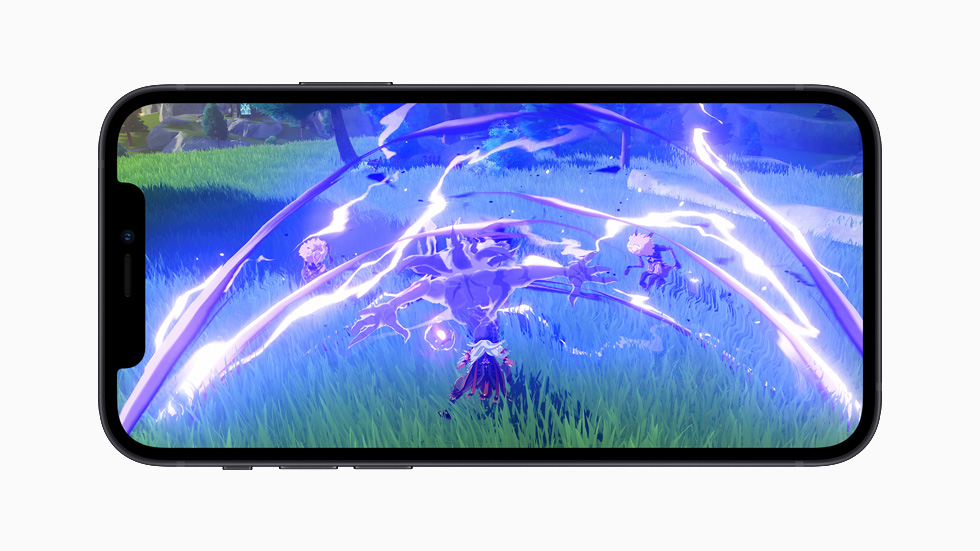
The independent developer of Wakeout! brought gentle exercise to home offices and classrooms with light-hearted and inclusive movements designed for everyone. Vast fantasy worlds in games like “Genshin Impact,” “Legends of Runeterra,” “Disco Elysium,” “Dandara Trials of Fear,”and Apple Arcade’s “Sneaky Sasquatch”delivered a great escape, while Disney+ offered a sense of unlimited possibility that many craved. Whether it was to facilitate distance learning through Zoom, create daily routines with Fantastical or lull us to sleep with Endel, the App Store Best of 2020 winners helped us live our best lives at home.
Best Apps of 2020
iPhone App of the Year: Wakeout!, developed by Andres Canella.
iPad App of the Year: Zoom.
Mac App of the Year: Fantastical, developed by Flexibits.
Apple TV App of the Year: Disney+.
Apple Watch App of the Year: Endel.
Best Games of 2020
iPhone Game of the Year: “Genshin Impact,” from miHoYo.
iPad Game of the Year: “Legends of Runeterra,” from Riot Games.
Mac Game of the Year: “Disco Elysium,” from ZA/UM.
Apple TV Game of the Year: “Dandara Trials of Fear,” from Long Hat House.
Apple Arcade Game of the Year: “Sneaky Sasquatch,” from RAC7.
App Trends of 2020
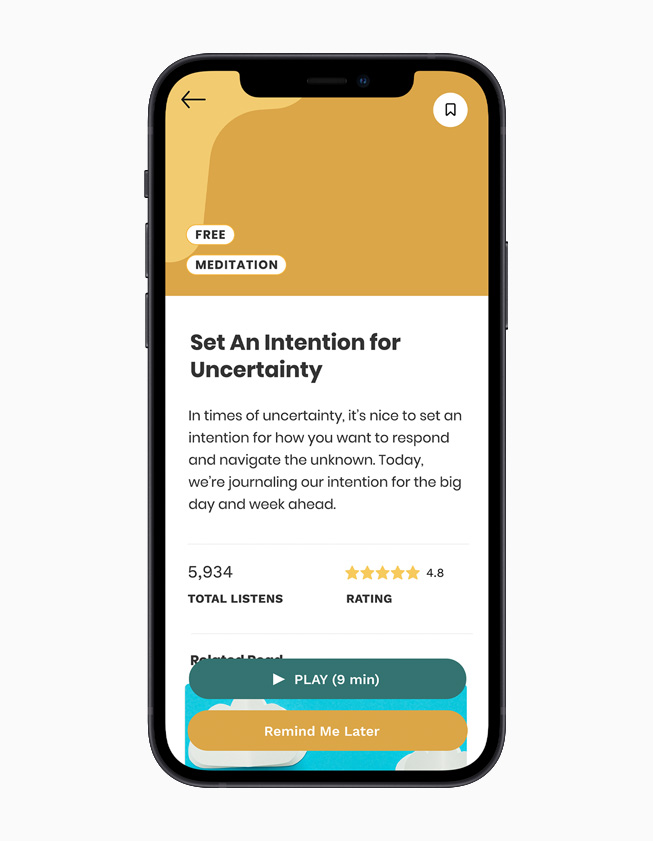
App Trend of the Year: Shine, for helping users practice self care.
App Trend of the Year: Caribu, for connecting families to loved ones.
App Trend of the Year: “Pokémon GO,” for reinventing the way we play, from Niantic.
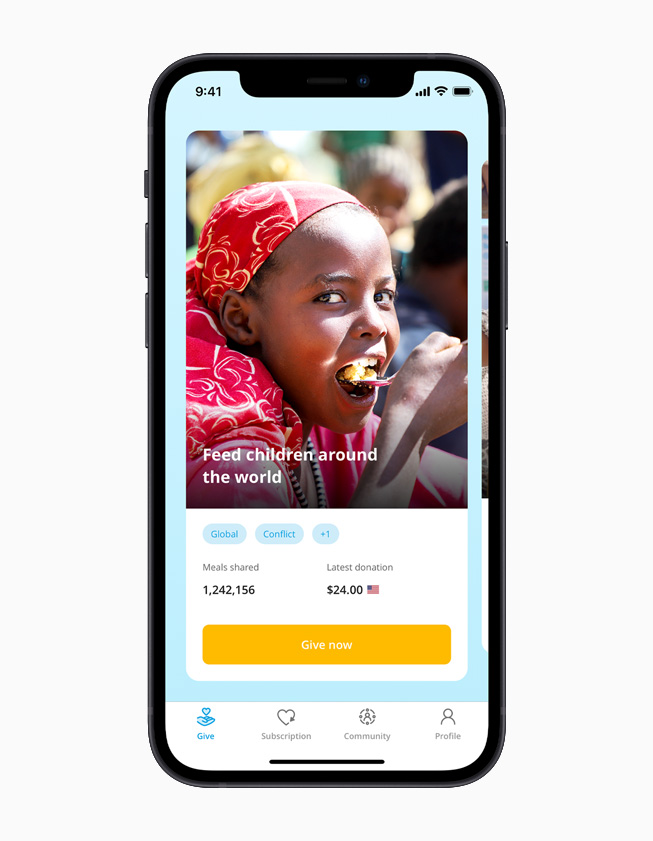
App Trend of the Year: ShareTheMeal, for helping users make a difference.
Apps are a reflection of culture, and in 2020, developers overwhelmingly led a trend towards helpfulness. To help users get the daily self-care they needed, and to emphasize Black well-being, Shine launched a section specifically dedicated to the intersectionality of mental health and Black lives. For teachers and students needing to reinvent the classroom experience, Explain Everything Whiteboard offered a cloud-based collaboration tool so groups of students could continue to work on projects together, even remotely. For families seeking to connect with loved ones, Caribu added dozens of interactive games and more than a thousand new books to its real-time video-calling platform. “Pokémon GO” reinvented their popular outdoor gameplay with at-home experiences. The United Nations World Food Programme’s ShareTheMeal app made it easy for users to make a difference in the lives of others, with more than 87 million meals shared to date. Around the world, app developers channeled their creative energy into helping users stay healthy, educated, connected, and entertained.
App Trend of the Year: Explain Everything Whiteboard, for helping bring remote classrooms to life.
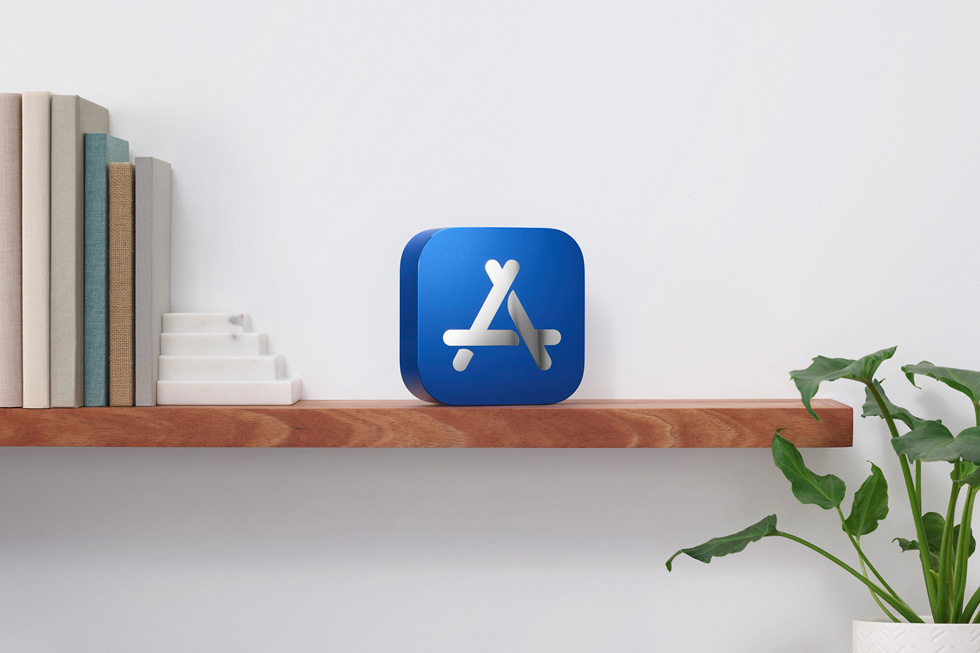
To commemorate these 15 apps, Apple designers brought meticulous craftsmanship to create the first-ever physical App Store Best of 2020 award. Inspired by the signature blue App Store icon, each award reveals the App Store logo set into 100 percent recycled aluminum, with the name of the winner engraved on the other side.
Fifteen exceptional developers received the first-ever physical App Store Best of 2020 award.
Beyond the App Store editorial picks, charts for the top apps and top games of the year are now available.
macOS Big Sur comes with some major changes and Safari 14 includes a number of enhancements. One of the simple but nice aesthetic changes is the option to set your own image for Apple’s browser. Read on for how to set custom Safari backgrounds.
Safari 14 comes with macOS Big Sur (released for Catalina too) and brings a lot of great features like 4K support for YouTube, Apple’s new translation integration, performance improvements, and a new start page. The start page is where you can set a custom Safari background.
Let’s look at two ways to do this…
How to set custom Safari backgrounds with macOS Big Sur
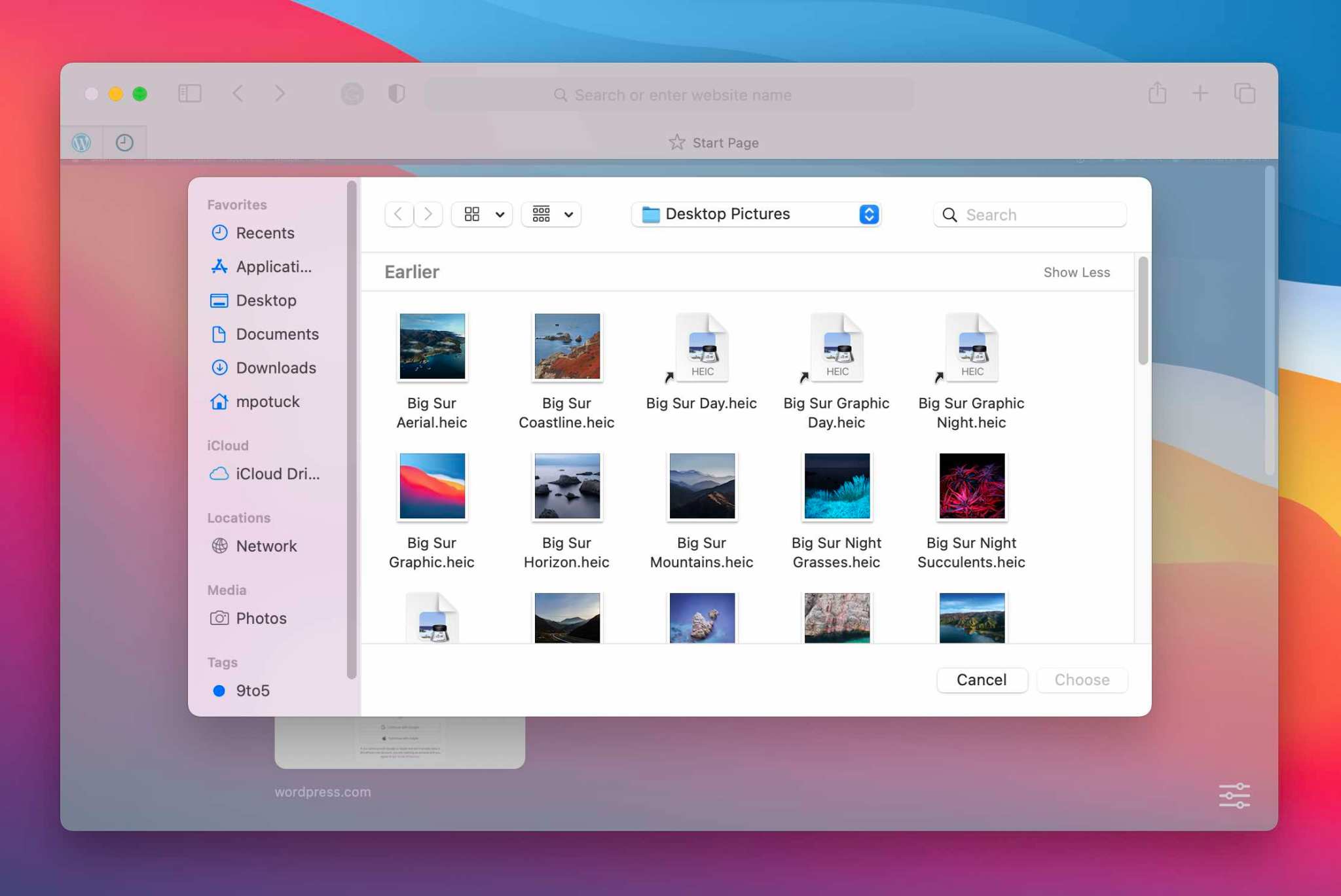
The fastest option if you already have the image you want to use is to drag and drop it on the Safari start page
Alternatively, you can right-click on the start page in a blank area and click “Choose Background…”
Now you can search Finder to select an image
If you want to clear you custom Safari background, right-click on the start page background and choose “Clear Background”
Here’s how the process looks:
Drag and drop an image to set a custom Safari background
And here’s the right-click option to set custom Safari backgrounds:
The purpose of the new functionality is to allow Google users to edit Microsoft Office files in a familiar interface (AP)
Following the web last year and Android in September, Google Docs, Sheets, and Slides for iOS can now edit Office files.
This capability is pitched as bringing the “collaborative and assistive features of Google Workspace to your Microsoft Office files” in a familiar interface. For example, an organization might still receive Word documents from clients and other sources, but otherwise use Google’s productivity tools for all internal work. In coming to mobile, users don’t need to download another app. Three key aspects are touted :
Allows you to edit, comment, and collaborate on Microsoft Office files using Google Docs’, Sheets’, and Slides’ powerful real-time collaboration tools.
Improves sharing options, improves sharing controls, and reduces the need to download and email file attachments.
Streamlines workflows by reducing the need to convert file types.
This editing functionality replaces the previous Office Compatibility Mode (Quickoffice), which only had basic features. The following Microsoft file types are supported:
The ability to edit Office documents in Google Docs, Sheets, and Slides for iOS is already rolled out today on both personal and enterprise accounts:
Google Workspace Essentials, Business Starter, Business Standard, Business Plus, Enterprise Essentials, Enterprise Standard, and Enterprise Plus as well as G Suite Basic, Business, Education, Enterprise for Education, and Nonprofits customers
The new MacBook Air, 13-inch MacBook Pro, and Mac mini are now powered by M1, Apple’s revolutionary chip.
A new MacBook Air, 13-inch MacBook Pro, and Mac mini powered by M1, Apple’s breakthrough chip for the Mac
Cupertino, California — On a momentous day for the Mac, Apple introduced a new MacBook Air, 13-inch MacBook Pro, and Mac mini powered by the revolutionary M1, the first in a family of chips designed by Apple specifically for the Mac. By far the most powerful chip Apple has ever made, M1 transforms the Mac experience. With its industry-leading performance per watt, together with macOS Big Sur, M1 delivers up to 3.5x faster CPU, up to 6x faster GPU, up to 15x faster machine learning (ML) capabilities, and battery life up to 2x longer than before. And with M1 and Big Sur, users get access to the biggest collection of apps ever for Mac. With amazing performance and remarkable new features, the new lineup of M1-powered Macs are an incredible value, and all are available to order today.
“The introduction of three new Macs featuring Apple’s breakthrough M1 chip represents a bold change that was years in the making, and marks a truly historic day for the Mac and for Apple,” said Tim Cook, Apple’s CEO. “M1 is by far the most powerful chip we’ve ever created, and combined with Big Sur, delivers mind-blowing performance, extraordinary battery life, and access to more software and apps than ever before. We can’t wait for our customers to experience this new generation of Mac, and we have no doubt it will help them continue to change the world.”
With M1, the Mac delivers unprecedented levels of performance, extraordinary battery life, and access to more software than ever.
MacBook Air: A Thin and Light Powerhouse
MacBook Air is Apple’s most popular Mac and the world’s best-selling 13-inch notebook. With the M1 chip, MacBook Air speeds through everything from editing family photos to exporting videos for the web. The powerful 8-core CPU performs up to 3.5x faster than the previous generation. With up to an 8-core GPU, graphics are up to 5x faster, the biggest leap ever for MacBook Air, so immersive, graphics-intensive games run at significantly higher frame rates. ML workloads are up to 9x faster, so apps that use ML-based features like face recognition or object detection can do so in a fraction of the time. The M1 chip’s storage controller and latest flash technology deliver up to 2x faster SSD performance, so previewing massive images or importing large files is faster than ever. And in MacBook Air, M1 is faster than the chips in 98 percent of PC laptops sold in the past year.
With the industry-leading power efficiency of M1, MacBook Air also delivers this performance in a fanless design, which means no matter what users are doing, it remains completely silent. And the new MacBook Air features extraordinary battery life, with up to 15 hours of wireless web browsing and up to 18 hours of video playback — the longest battery life ever on a MacBook Air.
MacBook Air with M1 is an absolute powerhouse of performance and thin-and-light portability.
When compared to the previous generation, the M1-powered MacBook Air can:
Export a project for the web with iMovie up to 3x faster.
Integrate 3D effects into video in Final Cut Pro up to 5x faster.
For the first time, play back and edit multiple streams of full-quality, 4K ProRes video in Final Cut Pro without dropping a frame.
Export photos from Lightroom up to twice as fast.
Use ML-based features like Smart Conform in Final Cut Pro to intelligently frame a clip up to 4.3x faster.
Watch more movies and TV shows with up to 18 hours of battery life, the longest ever on MacBook Air.
Extend FaceTime and other video calls for up to twice as long on a single charge.
With M1, MacBook Air users can fly through projects in iMovie, exporting projects up to 3x faster.
With up to 18 hours of battery life, MacBook Air users can watch even more of their favorite movies and TV shows on a single charge.
On the new MacBook Air, FaceTime and video calls can go up to twice as long.
Other new features in MacBook Air include Apple’s latest image signal processor (ISP) in the M1 chip, which improves camera image quality with better noise reduction, greater dynamic range, and improved auto white balance and ML-enhanced face detection so users look their best during video calls. Support for P3 wide color results in an even more vibrant, true-to-life Retina display. The Secure Enclave in M1, combined with Big Sur, delivers best-in-class security with features like Touch ID, which makes it easy to unlock MacBook Air and make secure online purchases using Apple Pay with the touch of a finger. And Wi-Fi 6 delivers faster wireless performance, while two Thunderbolt ports with USB 4 support allow for connectivity to a wide range of peripherals.
With its sleek wedge-shaped design, stunning Retina display, Magic Keyboard, and astonishing level of performance thanks to M1, the new MacBook Air once again redefines what a thin and light notebook can do. And it is still just $999, and $899 for education.
Support for P3 wide color makes the Retina display on MacBook Air even more vibrant and true to life.
13-inch MacBook Pro: Even More Powerful and Even More Pro
The 13-inch MacBook Pro is Apple’s most popular pro notebook. Students use it to power through college, and pros use it to channel their creativity. With the M1 chip and Big Sur, the 13-inch MacBook Pro becomes even more powerful and even more pro. The 8-core CPU, when paired with the MacBook Pro’s active cooling system, is up to 2.8x faster than the previous generation, delivering game-changing performance when compiling code, transcoding video, editing high-resolution photos, and more. The 8-core GPU is up to 5x faster, allowing users to enjoy super smooth graphics performance whether they are designing a graphics-intensive game or a new product. And with M1, the 13-inch MacBook Pro is up to 3x faster than the best-selling Windows laptop in its class. ML is up to 11x faster, and for on-device ML tasks that use the Neural Engine, the new 13-inch MacBook Pro is now the world’s fastest compact pro notebook. With up to 17 hours of wireless web browsing and up to a staggering 20 hours of video playback, MacBook Pro delivers up to twice the battery life of the previous generation and the longest battery life ever on a Mac.
The 13-inch MacBook Pro with M1 delivers game-changing performance and the longest battery life ever on a Mac.
When compared to the previous generation, the M1-powered 13-inch MacBook Pro can:
Build code in Xcode up to 2.8x faster.
Render a complex 3D title in Final Cut Pro up to 5.9x faster.
Fluidly design intricate game scenes in Unity Editor up to 3.5x faster.
Perform ML tasks in Create ML up to 11x faster.
Separate out beats, instrumentals, and vocal tracks from a recording in real time in djay Pro AI, thanks to the amazing performance of the Neural Engine.
Play back full-quality, 8K ProRes video in DaVinci Resolve without dropping a single frame.
Compile four times as much code on a single charge, thanks to the game-changing performance per watt of the M1 chip.
With M1, the 13-inch MacBook Pro is up to 2.8x faster so users can compile code with incredible ease.
With the amazing performance of the M1 chip’s Neural Engine, users can perform machine learning tasks up to 11x faster than before.
The 13-inch MacBook Pro can play back full-quality, 8K ProRes video without dropping a single frame.
Other new features in the new 13-inch MacBook Pro include studio-quality mics for super clear recordings and calls, and Apple’s latest camera ISP in the M1 chip enables sharper images and more detail in shadows and highlights on video calls. The new MacBook Pro also delivers best-in-class security with the Secure Enclave in M1 and Touch ID. And it features two Thunderbolt ports with USB 4 support to connect to more peripherals than ever, including Apple’s Pro Display XDR in full 6K resolution.
With its amazing performance and unbelievable battery life, combined with its gorgeous Retina display, Magic Keyboard, and 3-pound compact design, the new 13-inch MacBook Pro is the ultimate expression of what the M1 chip can do. And it is available for the same starting price of just $1,299, and $1,199 for education.
The new 13-inch MacBook Pro is the ultimate expression of what the M1 chip can do.
Mac mini: Staggering Performance and an Ultracompact Design
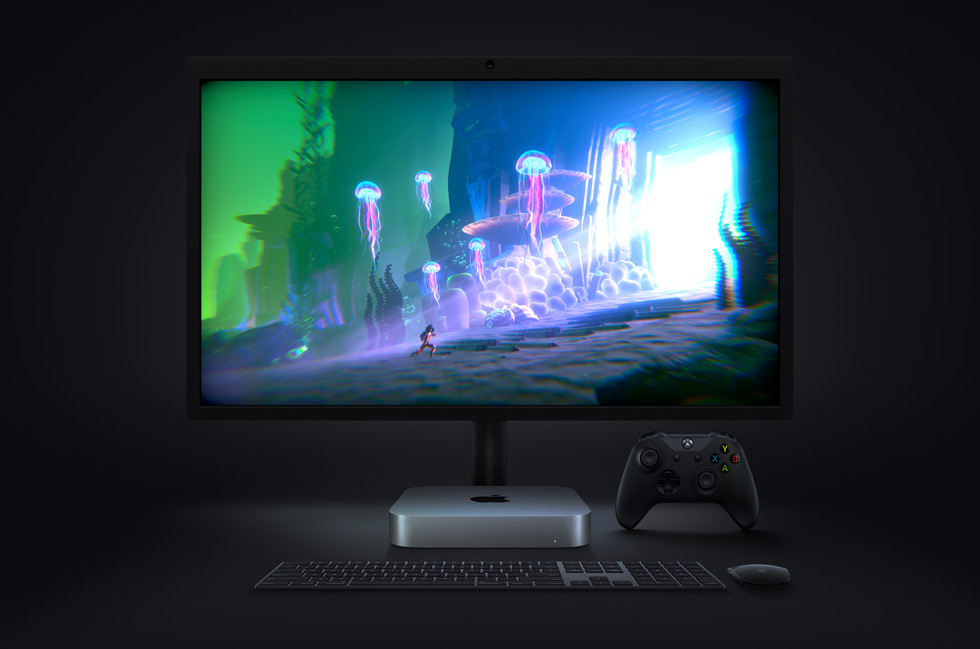
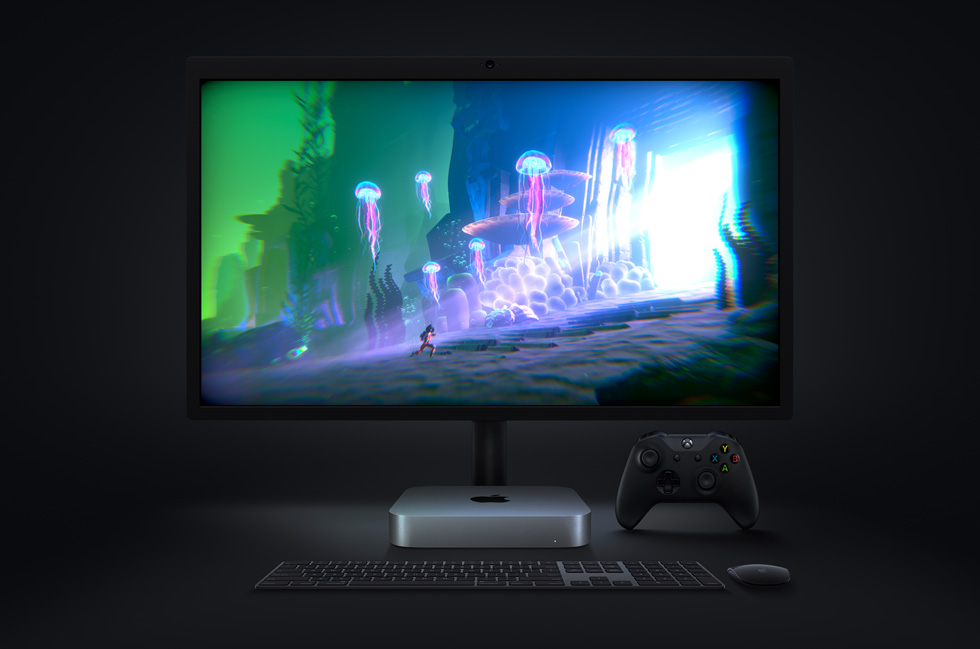
Mac mini is Apple’s most versatile computer, and now with M1, it packs a staggering amount of performance and incredible new features in such a compact design. M1 brings an 8-core CPU with up to 3x faster performance than the previous generation, dramatically accelerating demanding workloads, from compiling a million lines of code to building enormous multitrack music projects. An 8-core GPU delivers up to a massive 6x increase in graphics performance, allowing Mac mini to tackle performance-intensive tasks like complex 3D rendering with ease. ML workloads also take a quantum leap forward with up to 15x faster performance over the previous generation. And when compared to the best-selling Windows desktop in its price range, the Mac mini is just one-tenth the size, yet delivers up to 5x faster performance.
The new Mac mini packs a staggering amount of performance into its ultracompact design.
When compared to the previous generation, the M1-powered Mac mini can:
Compile code in Xcode up to 3x faster.
Play a graphics-intensive game like “Shadow of the Tomb Raider” with up to 4x higher frame rates.
Render a complex timeline in Final Cut Pro up to 6x faster.
Take music production to new levels by using up to 3x as many real-time plug-ins in Logic Pro.
Magically increase the resolution of a photo in Pixelmator Pro up to 15x faster.
Utilize ML frameworks like TensorFlow or Create ML, now accelerated by the M1 chip.
With 3x faster performance, Mac mini dramatically accelerates demanding workflows like compiling code in Xcode.
With M1, graphics-intensive gaming on Mac mini is better than ever with up to 4x higher frame rates.
The new Mac mini takes music production to new levels, enabling up to 3x as many real-time plug-ins in Logic Pro.
Mac mini also features an advanced thermal design to sustain its breakthrough performance while staying cool and quiet, support for up to two displays including Apple’s Pro Display XDR in full 6K resolution, and Wi-Fi 6 for faster wireless performance and the Secure Enclave in M1 for best-in-class security.
With M1 and Big Sur, Mac mini represents a massive shift in what an ultrasmall desktop can do. Far more versatile and far more capable than ever, Mac mini is now available for just $699, $100 less than the previous-generation quad-core model.
macOS Big Sur
All new Macs come with Big Sur, the latest version of the world’s most advanced desktop operating system. Big Sur introduces a beautiful redesign that is entirely new yet instantly familiar, and powerful updates to apps including Safari, Messages, and Maps. Big Sur is engineered, down to its core, to take full advantage of all the capability and power of M1, delivering a massive boost in performance, astonishing battery life, and even stronger security protections. With M1, things users do every day feel noticeably faster and smoother. Just like iPhone and iPad, the Mac now instantly wakes from sleep. Browsing with Safari — which is already the world’s fastest browser — is now up to 1.5x speedier at running JavaScript and nearly 2x more responsive.6
With Big Sur and M1, Mac users can run a greater range of apps than ever before. All of Apple’s Mac software is now Universal and runs natively for M1 systems. Existing Mac apps that have not been updated to Universal will run seamlessly with Apple’s Rosetta 2 technology. And iPhone and iPad apps can now run directly on the Mac. Additionally, the foundations of Big Sur are optimized to unlock the power of M1, including developer technologies from Metal for graphics to Core ML for machine learning.
macOS Big Sur is engineered to take full advantage of the M1 chip in the new Mac lineup.
Pricing and Availability
The new MacBook Air, 13-inch MacBook Pro, and Mac mini with M1 are available to order today on apple.com and in the Apple Store app. They will begin arriving to customers and will be in select Apple Store locations and Apple Authorized Resellers starting next week. The new MacBook Air starts at $999 (US), and $899 (US)for education; the new 13-inch MacBook Pro starts at $1,299 (US), and $1,199 (US) for education; and the new Mac mini starts at $699 (US),and $679 (US)for education.
Customers are able to find the same great shopping and support services at apple.com/shop, in the Apple Store app, and at Apple Store locations. Customers can get shopping help from Apple Specialists, choose monthly financing options, trade in eligible devices, and get Support services and no-contact delivery or Apple Store pickup options. Customers are encouraged to check apple.com/retail for more information on the health and safety measures in place, and the services available, at their local store.
Additional technical specifications, configure-to-order options, and accessories are available online at apple.com/mac.
New program reduces App Store commission to 15 percent for small businesses earning up to $1 million per year
Cupertino California — Apple announced an industry-leading new developer program to accelerate innovation and help small businesses and independent developers propel their businesses forward with the next generation of groundbreaking apps on the App Store. The new App Store Small Business Program will benefit the vast majority of developers who sell digital goods and services on the store, providing them with a reduced commission on paid apps and in-app purchases. Developers can qualify for the program and a reduced, 15 percent commission if they earned up to $1 million in proceeds during the previous calendar year.
The App Store Small Business Program, which will launch on January 1, 2021, comes at an important time as small and independent developers continue working to innovate and thrive during a period of unprecedented global economic challenge. Apps have taken on new importance as businesses adapt to a virtual world during the pandemic, and many small businesses have launched or dramatically grown their digital presence in order to continue to reach their customers and communities. The program’s reduced commission means small developers and aspiring entrepreneurs will have more resources to invest in and grow their businesses in the App Store ecosystem.
“Small businesses are the backbone of our global economy and the beating heart of innovation and opportunity in communities around the world. We’re launching this program to help small business owners write the next chapter of creativity and prosperity on the App Store, and to build the kind of quality apps our customers love,” said Tim Cook, Apple’s CEO. “The App Store has been an engine of economic growth like none other, creating millions of new jobs and a pathway to entrepreneurship accessible to anyone with a great idea. Our new program carries that progress forward — helping developers fund their small businesses, take risks on new ideas, expand their teams, and continue to make apps that enrich people’s lives.”
While the comprehensive details will be released in early December, the essentials of the program’s participation criteria are easy and streamlined:
Existing developers who made up to $1 million in 2020 for all of their apps, as well as developers new to the App Store, can qualify for the program and the reduced commission.
If a participating developer surpasses the $1 million threshold, the standard commission rate will apply for the remainder of the year.
If a developer’s business falls below the $1 million threshold in a future calendar year, they can requalify for the 15 percent commission the year after.
The App Store’s standard commission rate of 30 percent remains in place for apps selling digital goods and services and making more than $1 million in proceeds, defined as a developer’s post-commission earnings. Earlier this year, an independent study by the Analysis Group found that Apple’s commission structure is in the mainstream for app distribution and gaming platforms.
Small business owners will continue to benefit from Apple’s unparalleled suite of developer tools — including development applications, programming languages, a secure payment interface, and more than 250,000 essential software building blocks called APIs. Apple is committed to giving developers the tools to turn their brightest ideas into apps that change the world. Tools like HealthKit give engineers secure access to user health data, ARKit empowers developers to explore new frontiers of augmented reality, and Core ML harnesses the speed and intelligence of machine learning to help developers build powerful features with just a few lines of code.
Earning the trust of users and developers has been an important goal of the App Store from the beginning. It’s why every one of the 1.8 million apps on the App Store undergoes a review process that developers and their customers can rely on — one that helps make sure every app is reliable, performs as expected, is free of objectionable content, and upholds the highest standards to protect users’ privacy and security.
Developers of all sizes have built successful businesses while benefitting from the App Store’s global reach encompassing users of the more than 1.5 billion Apple devices around the world in 175 countries and over 40 languages, with more than 180 local payment methods and 45 accepted currencies. In 2019 alone, the App Store ecosystem facilitated $519 billion in commerce worldwide — with over 85 percent of that total accruing solely to third-party developers and businesses of all sizes. The new App Store Small Business Program will build on that progress to generate even more digital commerce and app innovations, support new jobs, and help small and independent developers continue to bring great software to Apple users.
The App Store, which launched in 2008, is the world’s safest and most vibrant app marketplace, currently offering 1.8 million apps and visited by half a billion people each week. It helps creators, dreamers, and learners of all ages and backgrounds connect with the tools and information they need to build a brighter future and a better world.
Through the new App Store Small Business Program, qualifying small businesses that earn up to $1 million in revenue are eligible for a 15 percent commission rate — half of the App Store’s standard commission.
Developers see a world of possibilities with new App Store Small Business Program
Every week, half a billion visitors to the App Store engage with 1.8 million apps, from indie games like “Song of Bloom,” to virtual fitness coaches like MySwimPro, to coding apps for kids like Hopscotch. Many of these apps are created by independent developers driven by a single idea. Oftentimes, these developers maintain full-time careers that ultimately fund their ideas until they are launched into the real world.
Since the launch of the App Store, small businesses have been its driving spirit. Now more than ever, these businesses are core to the communities they serve, helping people stay healthy, connected, and learning. Apple unveiled the App Store Small Business Program, a new commission structure to support small and individual developers and spur innovation for the next chapter of apps.
Philipp Stollenmayer, an indie game developer with 20 titles in the App Store, is excited for the new App Store Small Business Program to help a new wave of creators launch innovative games of their own.
“This is a big opportunity for the indie gaming spirit to become truly mobile,” says Philipp Stollenmayer, a solo developer in the App Store. Stollenmayer, whose latest game, “Song of Bloom,” won an Apple Design Award in June 2020, was drawn to the appeal of iPhone as a new platform for gaming, one in its infancy and in need of its own set of standards. When his first game, “What the Frog,” launched in the App Store in 2013 and won a German Multimedia Prize (mb21), he knew he was onto something.
“I saw a whole world of possibilities and how easy it was to get something out there,” Stollenmayer says. “I had the chance to shape how mobile games work and how they differ from consoles. With mobile games, you use the phone in a much more personal way. I put that inside my games and make that active as gameplay, which is much more valuable than trying to create worlds that might not work so well on a small screen.”
“Song of Bloom” is a 2020 Apple Design Award-winning puzzle game by indie developer Philipp Stollenmayer.
With the new App Store commission structure, small and individual developers who earn up to $1 million in revenue for the calendar year are eligible for a reduced 15 percent commission rate — half of the App Store’s standard commission. The savings mean small businesses and developers will have even more funds to invest in their businesses, expand their workforce, and develop new, innovative features for app users around the world. Stollenmayer is excited about the new wave of games that may come to the App Store from people who are new to game design. “I’m most interested in games from people that didn’t make games before because they’re super fascinating,” he says. “You can publish something on the iPhone much, much easier than on any console without any obstacles. This is a super awesome opportunity for the indie studios that don’t want to take any risks.”
Fares Ksebati (left) and Adam Oxner, co-founders of the MySwimPro personal swimming coach and Apple Watch companion app, are excited to reinvest additional revenue earned from the new App Store Small Business Program into making the app better for its community of swimmers.
Beyond the world of gaming, the team behind MySwimPro is also excited about the possibilities to grow their company and expand the app’s offerings with less risk, thanks to the additional revenue that will result from the new App Store program. Co-founders Fares Ksebati and Adam Oxner, both born and raised in Michigan and both swimmers through college competing at the 100-meter breaststroke (though not against each other), met over their shared interest to build a platform that could replicate the elements of coaching swimming whether for fitness or performance goals.
“Adam and I, as well as everyone on our team — we all swim in some capacity,” says Ksebati, who is also MySwimPro’s CEO. “We try and build a community around people who use the app, because swimming is one of those things that you can do at any age, anywhere in the world. And so we are users of our own product in a lot of ways.”
Launched in 2015, MySwimPro currently has 50,000 active users who are swimmers of varying levels.
“We chose to add dryland training to our coaching experience to continue delivering value to our members,” says Ksebati. “We continue to focus on delivering a holistic coaching experience to our community members whether they have access to a pool or not.”
After spending five years building an app that started as a side project, Ksebati and Oxner have grown MySwimPro into a successful business with 12 team members around the world, and they are excited for its next chapter. “The new App Store program will be a huge help to our revenue from purchases in the App Store, and we’re hoping to be able to leverage any more proceeds we get to help make the app better,” says Oxner. “We’re looking forward to further improving the integration of our dryland workouts into the app to help swimmers who might not be able to get to a pool right now.”
Samantha John, co-founder of Hopscotch, looks forward to releasing more features to kids for free with the additional revenue earned from the new App Store Small Business Program.
Samantha John, co-founder of Hopscotch, which was the first coding language designed for iPad, sees the new App Store program as an opportunity to allow kids to do more with Hopscotch for free. “It actually allows us to take some risk that we wanted to take but we were pretty afraid to,” John says. “Specifically around our subscription, … I think it is a good strategy in terms of making money, but it also limits the audience of the app. And we’ve been wanting to walk back that paywall and let people do more for free in the hopes that farther down the line we will have even more loyal subscribers to Hopscotch.”
Started as a way to introduce programming to kids who wouldn’t otherwise be exposed to it, Hopscotch is the brainchild of John and co-founder Jocelyn Leavitt, who attended Apple Entrepreneur Camp’s inaugural class of female entrepreneurs in 2019.
“A key driving principle of Hopscotch is that we really want to respect kids as makers and creators and artists,” John says. “That’s really how we see these kids, and also as coders, so it’s very key to how we think about Hopscotch: How can we make sure that kids are able to make work that is meaningful and important to them?”
Hopscotch was the first coding language designed for iPad when the app launched in 2013.
John was intrigued by the possibilities of making programming more kid-friendly after the launch of the second-generation iPad. “There’s something about an iPad and a touchscreen and something you can hold in your hands that feels so much more personal and just so much more interesting.”
Since its 2013 launch, Hopscotch now has 200,000 monthly active users. John considers Hopscotch’s loyal users as its best content creators after seeing how kids are creating and sharing their own games and creation tools in the app. Once the App Store Small Business Program goes into effect in January 2021, John looks forward to bringing more features into the app for free.
“Hopscotch is not just a game and it’s not just an app,” says John. “It’s a skill, a creative process, just in the way some kids play violin. And as kids get older, they get better at conceiving games, better at making things fun, so Hopscotch really is a long-term investment. Having this little bit of extra revenue really lets us invest in things that we believe are going to be really essential for the future of our company.”
M1 is Apple’s first chip designed specifically for the Mac and the most powerful chip it has ever created.
With industry-leading performance, powerful features, and incredible efficiency, M1 is Apple’s first chip designed specifically for the Mac
Cupertino, California — Apple announced M1, the most powerful chip it has ever created and the first chip designed specifically for the Mac. M1 is optimized for Mac systems in which small size and power efficiency are critically important. As a system on a chip (SoC), M1 combines numerous powerful technologies into a single chip, and features a unified memory architecture for dramatically improved performance and efficiency. M1 is the first personal computer chip built using cutting-edge 5-nanometer process technology and is packed with an astounding 16 billion transistors, the most Apple has ever put into a chip. It features the world’s fastest CPU core in low-power silicon, the world’s best CPU performance per watt, the world’s fastest integrated graphics in a personal computer, and breakthrough machine learning performance with the Apple Neural Engine. As a result, M1 delivers up to 3.5x faster CPU performance, up to 6x faster GPU performance, and up to 15x faster machine learning, all while enabling battery life up to 2x longer than previous-generation Macs.With its profound increase in performance and efficiency, M1 delivers the biggest leap ever for the Mac.
“There has never been a chip like M1, our breakthrough SoC for the Mac. It builds on more than a decade of designing industry-leading chips for iPhone, iPad, and Apple Watch, and ushers in a whole new era for the Mac,” said Johny Srouji, Apple’s senior vice president of Hardware Technologies. “When it comes to low-power silicon, M1 has the world’s fastest CPU core, the world’s fastest integrated graphics in a personal computer, and the amazing machine learning performance of the Apple Neural Engine. With its unique combination of remarkable performance, powerful features, and incredible efficiency, M1 is by far the best chip we’ve ever created.”
M1 is the first personal computer chip built using cutting-edge 5-nanometer process technology and is packed with an astounding 16 billion transistors.
First System on a Chip for the Mac
Macs and PCs have traditionally used multiple chips for the CPU, I/O, security, and more. Now with M1, these technologies are combined into a single SoC, delivering a whole new level of integration for greater performance and power efficiency. M1 also features a unified memory architecture that brings together high-bandwidth, low-latency memory into a single pool within a custom package. This allows all of the technologies in the SoC to access the same data without copying it between multiple pools of memory, further improving performance and efficiency.
The World’s Best CPU Performance per Watt
M1 features an 8-core CPU consisting of four high-performance cores and four high-efficiency cores. Each of the high-performance cores provides industry-leading performance for single-threaded tasks, while running as efficiently as possible. They are the world’s fastest CPU cores in low-power silicon, allowing photographers to edit high-resolution photos with lightning speed and developers to build apps nearly 3x faster than before. And all four can be used together for a huge boost in multithreaded performance.
The four high-efficiency cores deliver outstanding performance at a tenth of the power. By themselves, these four cores deliver similar performance as the current-generation, dual-core MacBook Air at much lower power. They are the most efficient way to run lightweight, everyday tasks like checking email or browsing the web, and preserve battery life like never before. And all eight cores can work together to provide incredible compute power for the most demanding tasks and deliver the world’s best CPU performance per watt.
M1 includes an 8-core CPU delivering incredible compute power and the world’s best performance per watt.
The World’s Fastest Integrated Graphics
M1 includes Apple’s most advanced GPU. It benefits from years of analysis of Mac applications, including everyday apps and challenging pro workloads. With industry-leading performance and incredible efficiency, the GPU in M1 is in a class by itself. Featuring up to eight powerful cores capable of running nearly 25,000 threads simultaneously, the GPU can handle extremely demanding tasks with ease, from smooth playback of multiple 4K video streams to rendering complex 3D scenes. With 2.6 teraflops of throughput, M1 has the world’s fastest integrated graphics in a personal computer.
The GPU in M1 is the most advanced Apple has ever created and the world’s fastest integrated graphics in a personal computer.
Blazing-Fast, On-Device Machine Learning
The M1 chip brings the Apple Neural Engine to the Mac, greatly accelerating machine learning (ML) tasks. Featuring Apple’s most advanced 16-core architecture capable of 11 trillion operations per second, the Neural Engine in M1 enables up to 15x faster machine learning performance. In fact, the entire M1 chip is designed to excel at machine learning, with ML accelerators in the CPU and a powerful GPU, so tasks like video analysis, voice recognition, and image processing will have a level of performance never seen before on the Mac.
Developers leveraging machine learning can take full advantage of the blazing-fast performance of the Apple Neural Engine in M1.
More Innovative Technologies Packed into M1
The M1 chip is packed with a number of powerful custom technologies, including:
Apple’s latest image signal processor (ISP) for higher quality video with better noise reduction, greater dynamic range, and improved auto white balance.
The latest Secure Enclave for best-in-class security.
A high-performance storage controller with AES encryption hardware for faster and more secure SSD performance.
Low-power, highly efficient media encode and decode engines for great performance and extended battery life.
An Apple-designed Thunderbolt controller with support for USB 4, transfer speeds up to 40Gbps, and compatibility with more peripherals than ever.
The Apple-designed ISP in M1 makes video calls on the Mac sharper and more vivid.
Mac users can watch more of their favorite videos with the extended battery life delivered by M1.
The Thunderbolt controller is compatible with more peripherals than ever, including Apple’s Pro Display XDR in full 6K resolution.
macOS Big Sur Optimized for M1
macOS Big Sur is engineered, down to its core, to take full advantage of all the capability and power of M1, delivering a massive boost in performance, astonishing battery life, and even stronger security protections. With M1, things users do every day feel noticeably faster and smoother. Just like iPhone and iPad, the Mac now instantly wakes from sleep. Browsing with Safari — which is already the world’s fastest browser — is now up to 1.5x speedier at running JavaScript and nearly 2x more responsive.2
With Big Sur and M1, Mac users can run a greater range of apps than ever before. All of Apple’s Mac software is now Universal and runs natively on M1 systems. Existing Mac apps that have not been updated to Universal will run seamlessly with Apple’s Rosetta 2 technology. And iPhone and iPad apps can now run directly on the Mac. Additionally, the foundations of Big Sur are optimized to unlock the power of M1, including developer technologies from Metal for graphics to Core ML for machine learning.
Mac users now have access to a greater range of apps than ever before.
Start of a Two-Year Transition for the Mac
M1 powers the new MacBook Air, 13-inch MacBook Pro, and Mac mini. They join the rest of the Mac product line to form the strongest Mac lineup ever. This is the beginning of a transition to a new family of chips designed specifically for the Mac. The transition to Apple silicon will take about two years to complete, and these three systems are an amazing first step.