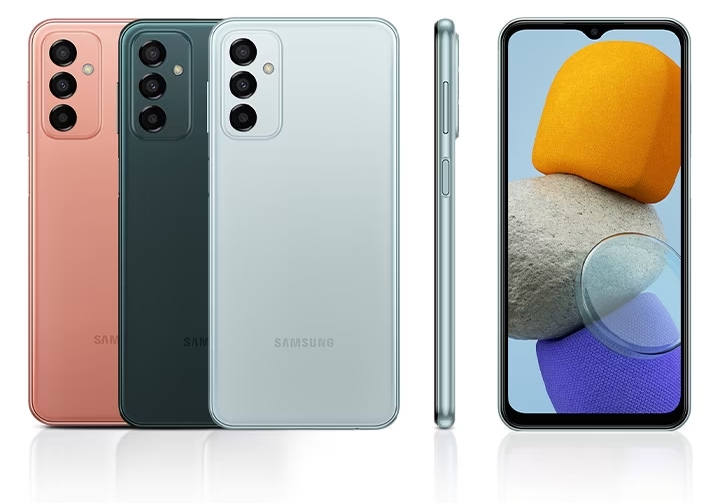
Samsung has been continually expanding both the A-series and the M-series lineup of smartphones. They might compete in the same pricing but the M-series is different as this one packs different specs inside also this smartphone series is online-only. Today, we’re gonna review the Samsung Galaxy M23 5G, one of their most affordable smartphones with 5G inside.
Disclaimer. We can not guarantee that the information on this page is 100% correct.
Design and construction
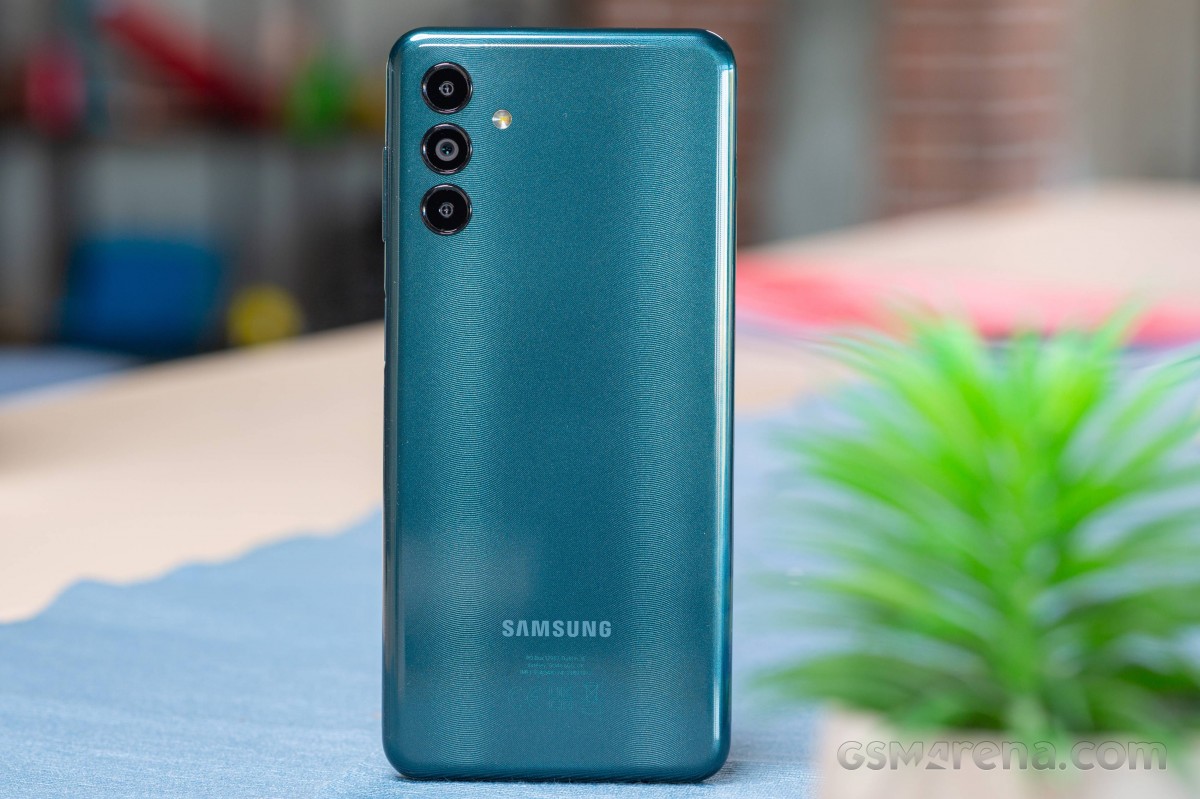
The one that we got for review comes in Green and I do like the shade that they used here as it doesn’t look cheap and despite having a plastic build on the smartphone, I do like the feel of it when I’m holding the smartphone.
Speaking of holding the smartphone, the ergonomics are pretty good as we got here the curves on the side and it’s also light to the hand. However, the frame of this one is also plastic which makes it less premium just like the A-series smartphones.
On the right, the smartphone comes with the power button and also the volume rocker and the power button of the smartphone also serves as the fingerprint scanner for security.
For the ports, the smartphone comes with USB-C port, and it also supports up to 25W of fast charging which might not be the fastest in the market, but it will do its job definitely along with the 5000mAh battery of the smartphone.
As for the battery, they did a pretty good job as well as we’re getting a long battery life and it can definitely last up to a day or two depending on your usage. But as for me, I was only able to use the smartphone for a single day due to heavy usage. But it still is a heavyweight in the battery series. In our PC Mark Work 2.0 Battery test, we got a score of 11 hours and 57 minutes which is great
Software and performance
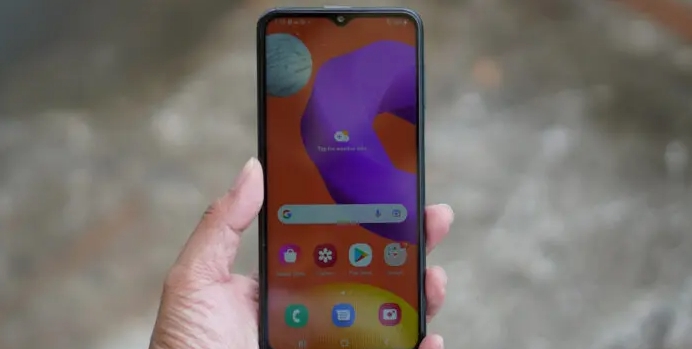
The Samsung Galaxy M23 5G runs on the latest One UI 4.1 based on Android 12 and I can say that this one does have a smooth and carefree UI. Everything was smooth and the colors and icons on the smartphone were really fine and easy to the eyes. Thankfully, there were less apps that are preinstalled on the smartphone.
For the performance, the Samsung Galaxy M23 5G comes with Snapdragon 750 5G. It’s not new and we’ve seen this before on other smartphones from Samsung as well and it was initially pegged for midrangers to have a 5G connectivity inside and while the chipset might fall a little bit behind the Snapdragon 695, the Snapdragon 750 5G is still a very decent one for its affordable price tag.
Verdict
The Samsung Galaxy M23 5G is a very decent smartphone from the Korean company. While there are some drawbacks including the lack of the AMOLED display, the performance that we got on the smartphone is decent enough. We got 5G inside and the camera of the smartphone is decent enough to be used for everyday usage.
The battery of the smartphone is pretty good as well and the competitive pricing of this one makes it more interesting.
What do you improve on a phone that’s already the default option in its class and competition is either very region-limited or, if widely available, just not popular enough to be a serious threat? Well, not a lot, Samsung says with its Galaxy Z Flip5.
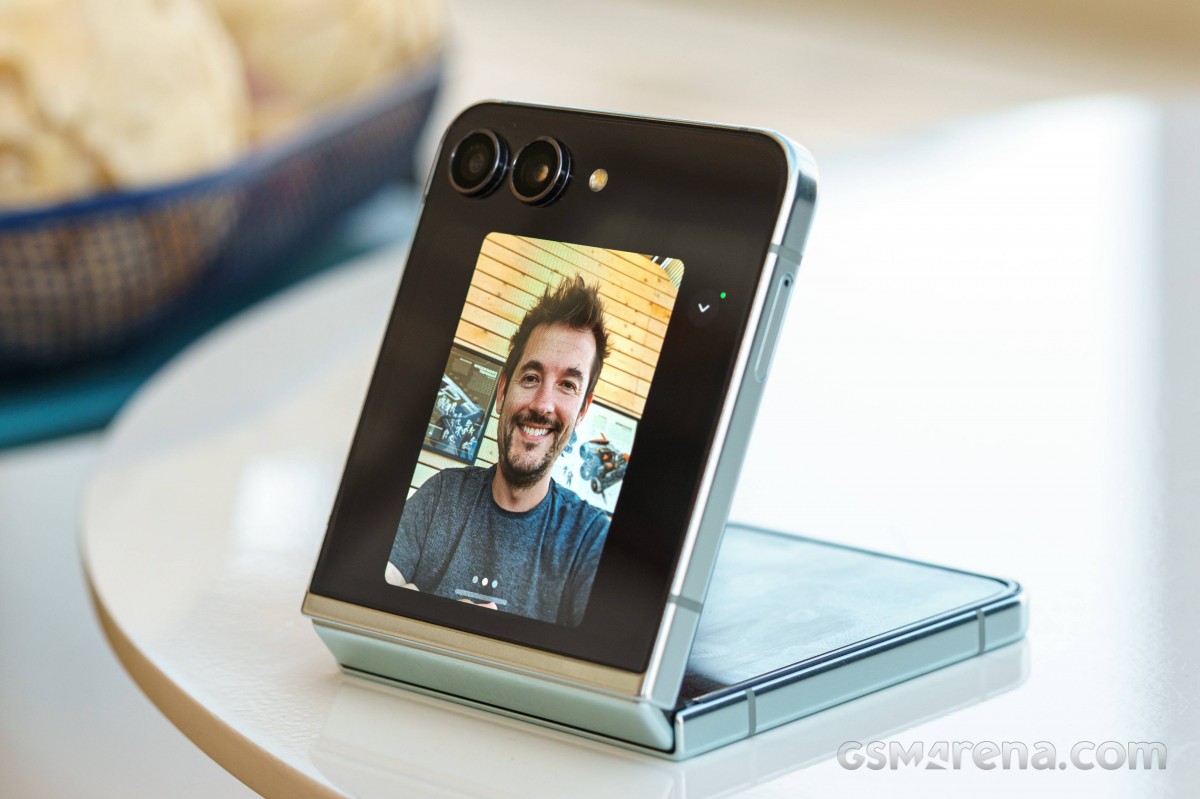
The latest-gen foldables from the Korean company tread carefully, but the Flip does still feel like the more meaningful generational step up. That’s mostly due to the fact that the clamshell is treated to a much-needed cover screen upgrade, the new larger unit greatly improving usefulness (with some caveats). The other major development is in the hinge design, so the Flip5 finally folds flat, as opposed to forming an edge. And that’s mostly it.
Sure, the Flip5 comes with a new chipset – the Snapdragon 8 Gen 2 goes without saying. The base storage has been doubled to 256GB, which is also a most welcome change. Minor tweaks can be spotted in the camera system, but it remains essentially the same. Similarly, the internal display may have gotten a brightness boost, but that too is hardly a groundbreaking update.
But perhaps expectations for disruptive changes are unrealistic, and the Z Flip5 brings just the right amount of differences and improvements to make it a worthy successor. That’s what we’ll be trying to find out on the following pages.
Disclaimer. We can not guarantee that the information on this page is 100% correct.
Samsung Galaxy Z Flip5 unboxing
The Z Flip5’s retail package packs no surprises. The half-height black box features a small stylized likeness of the handset, color-matched to the actual unit inside.
The list of accessories included is predictably short, too. After the removal of the charger from the box with the S21 generation, Galaxies typically ship with just a USB-C cable and nothing else. Well, that, and a SIM eject pin, of course. But let’s shift our focus where it belongs – on to the handset.
Competition
We kicked this review off, stating that the Galaxy Z Flip5 has no real competition, but that’s only sort of true. While it is, indeed, the go-to option if you’re out for a clamshell foldable, the breed does offer alternatives. And depending on what got you zeroing in on the small bendy Samsung in the first place, you might find what you’re looking for in a conventional bar phone.
The Z Flip5 technically starts at $1000/€1200, but still-ongoing pre-order discounts, bundles, and promotions can sweeten the deal. Indeed, when you consider that a Z Flip4 now goes for a little over half that, it’s hard to swallow paying the full MSRP for a Z Flip5. Admittedly, the new cover display is a lot more useful, the gapless design looks nicer, the extra battery life is appreciated, and the cameras are a tiny bit better if still the same. But the last generation is about as cool and is almost as good in most respects. Perhaps the Flip4 could still build a case for itself, with price at the foundation.
Old one vs. New one
The Razr 40 Ultra (or Razr+ 2023 in North America), on the other hand, won’t be saving you any cash. It does have some pros over the Galaxy, though – for example, larger, higher-refresh rate displays in and out, plus the fact that the cover one is fancier-looking and the internal one has a smoother crease. The Razr arguably has a better software implementation for the outer display too, if you want to run real apps there. The Ultra’s ultrawide is more versatile thanks to its autofocusing capability, but that’s about all the camera advantages the Moto has – we’d pick the Galaxy for cameraphone use. The Galaxy’s IPX8 water resistance is also a solid argument in its favor, as is the beefier chipset and, believe it or not, the faster charging.
That just about exhausts the list of globally available high-end clamshell foldables, but there are a couple of other options from China that you could entertain getting – conveniently, each of them called Flip.
The vivo X Flip has unmatched battery life in the class, and is quite likely the best camera system on a small-size foldable. Those two points might make it worthwhile to go through the hoops needed for importing one from China, though unforeseeable issues in long-term use may end up ruining the experience. The Find N2 Flip sounds less enticing. White it does snatch a victory in battery life, the Find’s camera isn’t as capable as the Galaxy’s, and we reckon it’s not worth the trouble.
Which then brings us to the plain old flat non-bendable phones – if you’re after a Z Flip5, maybe you just don’t like to stuff large handsets in your pockets, and a foldable is only one of the ways to avoid that. Another road to that destination is the Galaxy S23 – Samsung’s smallest-size conventional high-end phone. You’ll get everything that’s good about the Flip, plus a slightly better zoom camera, a bit longer battery life, and DeX. And money in the bank too – the S23 starts at around €650, but you can splurge and get the 256GB version for €100 more, and be far from the Flip5’s price tag.
Samsung Galaxy Z Flip4 • Motorola Razr 40 Ultra • vivo X Flip • Oppo Find N2 Flip • Samsung Galaxy S23
Verdict
Samsung may not be having the leading market share in the Chinese foldable scene, but we can’t imagine the bendy Galaxies are anything close to being threatened elsewhere. In that sense, Samsung didn’t have to bring dramatic improvements to this year’s lineup, so they didn’t.
That said, the Z Flip5, in particular, comes with two meaningful and significant upgrades. The gapless folding design is finally here, so the handset no longer looks like a prototype – it’s sexier this way but also simply more compact. The other thing is the cover display – the new one is large enough to actually be useful for a change.
Alongside those two major developments, we’re getting a handful of small ones that add up. The new chipset deserves a mention even if it was a given, but it’s also at least partially responsible for the improved battery life compared to the previous generation – it has to be, since battery capacity has remained the same. Similarly, the camera hardware is unchanged, yet the 5 takes better pictures than the 4.
The Galaxy Flips have been steadily evolving, and with the Z Flip5, Samsung is approaching that point where it would need to do something big soon. For this year, however, we think a cover display and hinge will do. We’d be happy recommending the Galaxy Z Flip5 – just be sure to either grab one of the early promos or wait a couple of months for the inevitable price drops.
Pros
Finally – gapless design.
IPX8-rated for water resistance.
Large and useful cover display with potential for further software tweaks.
While the Pixel 6 ushered in three years of major Android OS version updates and an additional two for security patches, that’s still nowhere near the longevity of the iPhone. Google hopes to change that on the Pixel 8 and 8 Pro with noticeably more OS updates.
Looking at the mobile Android landscape, three years of OS updates – which was also the case on Qualcomm-powered Pixel phones from 2017-2021 – is less than Samsung’s promise of four, which started last year with the Galaxy S21, S22, Flip 3, and Fold 3 and continued through devices released this year, including some of the company’s more affordable releases.
Other Android-powered devices like the Nvidia Shield are up to eight years of updates in large part because Nvidia wholly controls the (aging) Tegra X1 and X1+ chips. Google is moving in that direction with Tensor, though the first three generations of Tensor are heavily based on Samsung Exynos.
Google touts “5 years of Pixel updates” on existing Tensor-powered devices as, after Android 13, 14, and 15 (for example), the Pixel 6 will get two more years (24 monthly security patches) that should let you comfortably keep using your phone albeit without major operating system updates during those last two years. Of course, many new features on Android are delivered via app updates and Google Play services, so your phone will not be left too far behind.
Then there’s Apple, with the iPhone XS released in September 2018 with iOS 12 that will get iOS 17 this fall. The iPhone 6S (and 7) from 2015 is still getting security releases on iOS 15 and currently stands at just shy of 8 years of updates.
Android’s update story paling in comparison to the iPhone has been an easy knock, and Google is working to address that with the Pixel 8 and 8 Pro. We’re hearing that Google plans to competitively boost how many years of OS updates the Pixel 8 series and presumably future devices will get.
From what we’re hearing, Pixel 8’s update promise should surpass Samsung’s current policy on flagships and meaningfully match the iPhone. Of course, the devil is in the details, especially in those later years. For example, the Galaxy line has, in the past, adopted a quarterly approach towards the end. Even a bump to just five years of OS updates for Pixel would be enough and let the Google phone be at the top of the ecosystem, with anything beyond that squarely going after the iPhone’s record.
Google says last 2021 that Pixel 6 and Pixel 6 Pro stick with 3 years of major OS updates, 5 years of security
The new Pixel 6 series delivers the company’s in-house Tensor chip which is supposed to upgrade how long these phones last. While it does do that, it’s a bit disappointing to see that the Pixel 6 and Pixel 6 Pro will only get 3 years of major Android OS updates.
Confirmed to Ron Amadeo at ArsTechnica, Google says that the Pixel 6 and Pixel 6 Pro will get 3 years of major Android updates, on par with the company’s current Qualcomm-powered Pixels. That’s not to say there won’t be any upgrades past then, as Google will be offering 5 years of security updates.
We build Pixel phones to get better over time with software and feature updates, so starting with Pixel 6 and Pixel 6 Pro Pixels will now receive security updates for at least 5 years. Users will still get at least 3 years of OS updates, after which we’re committing to ensure that Pixels will stay up-to-date and secure. The frequency and categories of updates will depend on the capabilities and needs of the hardware.
On a support page, Google provides more specific dates.
While this is still a bit disappointing, it’s still in stark contrast to the rest of Google’s competition on Android. Most OEMs are hesitant to provide long-term support. Samsung, for instance, only offers a maximum of 4 years of support for its devices, and that’s a new policy that only applies to a select few devices.
Hopefully, Google will expand this policy in future generations.
After years of being the lone option, Samsung finally has some foldable competition in the US, and that partially takes the form of Google’s Pixel Fold, which comes in at the same price as Samsung’s brand-new Galaxy Z Fold 5. But after using both devices, there’s a clear better option.
Galaxy Z Fold 5 vs. Pixel Fold: How they compare on paper
When you look at the spec sheet alone, Google’s Pixel Fold and Samsung’s Galaxy Z Fold 5 are rather similar. Both have 7.6-inch inner displays, plenty of RAM and storage and hinges that are rated for at least 200,000 folds.
The differences really come down to the details. The Pixel Fold has a wider aspect ratio to both of its displays. The 17.4:9 ratio of the outer display is short and wide compared to the Fold 5’s 23.1:9 ratio, which is extremely tall and narrow. The Pixel is also considerably thinner at 12.1mm to the Fold 5’s 13.4mm. Despite that, Pixel Fold also has a bigger battery at 4,821 mAh.
Google Pixel Fold
Galaxy Z Fold 5
Outer display
5.8 inch, 17.4:9 ratio
6.2 inch 23.1:9 ratio
Inner display
7.6 inch, 6:5 ratio
7.6 inch, 21.6:18 ratio
Processor
Google Tensor G2
Snapdragon 8 Gen 2 for Galaxy
Storage/RAM
256GB/512GB UFS 3.1 + 12GB RAM
256/512GB/1TB UFS 4.0 + 12GB RAM
Hinge rating
200,000 open/close
200,000 open/close
Thickness
12.1mm folded/5.8mm unfolded
13.4mm folded/6.1mm unfolded
Battery
4,821 mAh
4,400 mAh
Cameras (rear)
48MP/10.8MP 5x/10.8MP UW
50MP/10MP 3x/12MP UW
Price
$1,799
$1,799
How the two compare, though, really comes down to actually using them.
The Galaxy Z Fold 5 is boring in the best way
If you’ve looked into a foldable before now, you’ve likely looked at the Galaxy Z Fold series. And through that eye, the Galaxy Z Fold 5 doesn’t seem all that new, and that’s because it isn’t. The design of the device hasn’t really changed much at all over the past three years, and compared to the Galaxy Z Fold 4 before it, the Fold 5 really only has a new hinge, and that’s about it.
But the lack of major upgrades in Samsung’s flagship foldable has led to something perhaps more important.
Samsung’s foldable tech has just gotten really, really polished over the past couple of generations. The company has spent its time addressing the little problems, like improving the screen brightness, extending battery life, and improving the hinge, rather than hitting bigger issues like the display crease and cameras. In Samsung’s eyes, it seems, those aspects are “good enough,” where others still need work. And after using the Fold 5 for a few weeks, I mostly agree. The Galaxy Z Fold 5 really just feels like it’s as good as this particular form factor can get without bigger changes. And if you like this overall package, it’s really just a great refined product.
Beyond that, another strength of the Galaxy Z Fold 5 is its software. While One UI is a heavy skin on top of Android, it’s packed with features that are useful on the Fold 5’s bigger display and ones that Google’s cleaner Android build just doesn’t have.
Of course, none of this is to say the Galaxy Z Fold 5 isn’t without its flaws. The tall and narrow outer display isn’t great for typing and doesn’t play very well with some apps. The inner display’s taller nature also means that a lot of apps never trigger a tablet interface, which makes some apps feel less optimized for the form factor.
Pixel Fold is undeniably good – it’s just not as good
That’s why the Pixel Fold falls – death by a thousand cuts.
The Pixel Fold’s downsides really just outweigh the good. The Tensor chip inside is plenty powerful, but it’s prone to overheating very easily, which is a really hard pill to swallow at this price point.
The screens also aren’t nearly as bright as Samsung’s, and Google’s crease isn’t any better either. Samsung’s crease still isn’t good, and it’s very noticeable, but Google’s is wider and thus felt more often.
There’s also the hinge. While I stand by the opinion that the Pixel’s hinge not easily sitting at 180 degrees isn’t a problem, I’ve much enjoyed not having to apply the bit of extra pressure on the hinge when using the Fold 5. It’s just a much more consistent feel. Similarly, the Fold 5’s inner display is much easier to type on because Google’s phone is just way too wide.
Battery life is also another sore point for the Google device. Whereas Samsung’s latest generation has pulled off some kind of miracle by upping endurance significantly compared to the last model, the Pixel Fold suffers from mediocre battery life. Often I find the device struggling to make it through a long day, whereas the Galaxy just seems to keep on chugging along.
Really, the perks of Pixel Fold come down to just two aspects.
Firstly, there’s the aspect ratio. Google’s device has a short and wide outer display that makes way for a very wide inner display. This means that the outside is far more usable than Samsung’s, and the inner display triggers more tablet apps. I still think this leads to too many poor app experiences (like Instagram, Reddit, and so on), but when it works, it just works really nicely.
Google Weather on the Pixel Fold
The other point is, of course, the camera. Google’s Pixel line has built its entire legacy on the camera, and that translates wonderfully to the Fold. The 48MP primary camera takes shots that look great and that, more importantly, I can trust. The Galaxy Z Fold 5 will pump out a good shot now and then, but it’s not consistent enough. Two shots taken back to back can look drastically different, for example. Plus, the Pixel Fold has a much better 5x telephoto camera that absolutely destroys the Galaxy Z Fold 5’s camera setup at range. There’s just no competition there: Google has the way better camera.
Tensor is a real problem in a pricey foldable
Google’s Tensor processor is unique to Pixel phones, and it’s not a terrible chip. It has plenty of power, and Google uses its AI strengths to optimize a few features and the camera experience too. However, Tensor is just not as good as a modern Snapdragon chip.
Tensor tends to overheat quickly and struggles with battery efficiency when on a cellular network, especially if signal is spotty. The Snapdragon 8 Gen 2 in the Galaxy Z Fold 5, though, is as good as it gets in an Android phone. It’s exceptionally powerful and extremely efficient, which leads to great battery life on the Fold 5.
Personally, I’m usually willing to put up with Tensor’s deficiencies because Pixel phones are usually a lot cheaper than the competition, but that’s not the case with the Pixel Fold. Google’s foldable costs $1,799, the same as Samsung’s device, and Google doesn’t offer the same discounts and trade-ins to go with that. Tensor shouldn’t be a deal-breaker for a normal Pixel phone, but it is absolutely a valid killer on the Fold.
Galaxy Z Fold 5 is the better foldable
Where the Pixel’s aspect ratio and cameras are genuine improvements in many ways, the Galaxy Z Fold 5 makes strides where it counts. The screen is brighter and better. The hinge is smoother and tougher. The chip inside is stronger and much less prone to overheating. And there are perks Google just can’t match, like stylus support and a much more fleshed-out accessories ecosystem.
Don’t think it can be argued. Objectively, the Galaxy Z Fold 5 is the better foldable.
But…
Why some still using the Pixel Fold
Despite the Pixel Fold’s many shortcomings, it’s the one some going to keep using. Why? It really boils down to one thing – the camera.
Samsung’s Galaxy Z Fold 5 gets a whole lot right, but its camera is a deal-breaker for me. It’s too unreliable, and as such, I’ve always dual-wielded a Pixel phone alongside a Galaxy Z Fold device for the past three years. But now that I have the option to get a foldable Pixel, that’s what I choose to carry because, most of the time, I only want to carry one device.
Android 14 itself doesn’t bring a ton in terms of user-facing changes. There’s the arrival of new clock faces on Pixel phones, a bunch of behind-the-scenes changes, and more, but it’s lesser compared to Android 12 and Android 13.
Samsung, though, is bringing more significant changes alongside its Android 14 update.
That does include the new lockscreen changes, with customizable clock faces, but Samsung also lets you move the clock around.
Samsung has also introduced its own take on the Android 14’s media player, as seen above, which has a wavy seek bar.
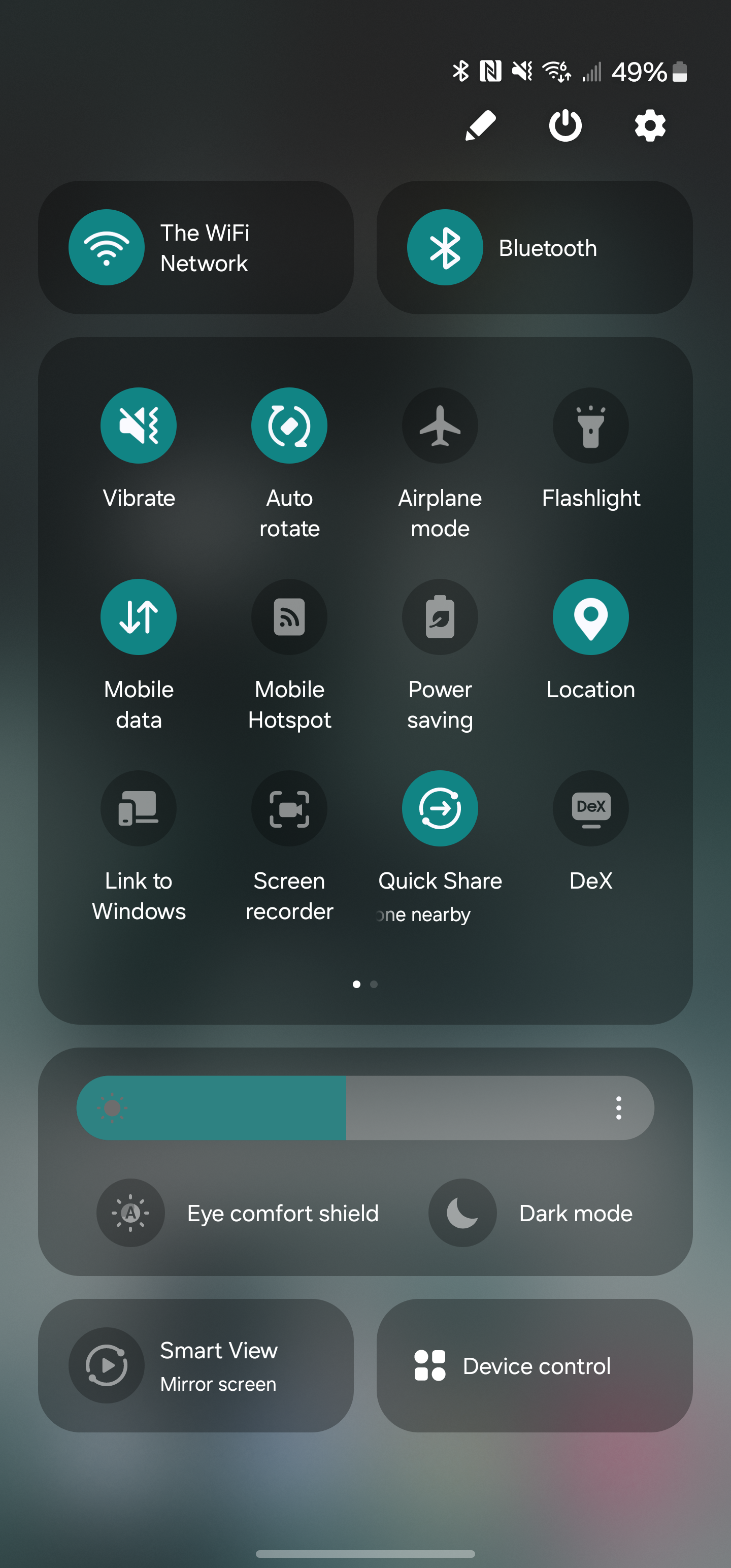
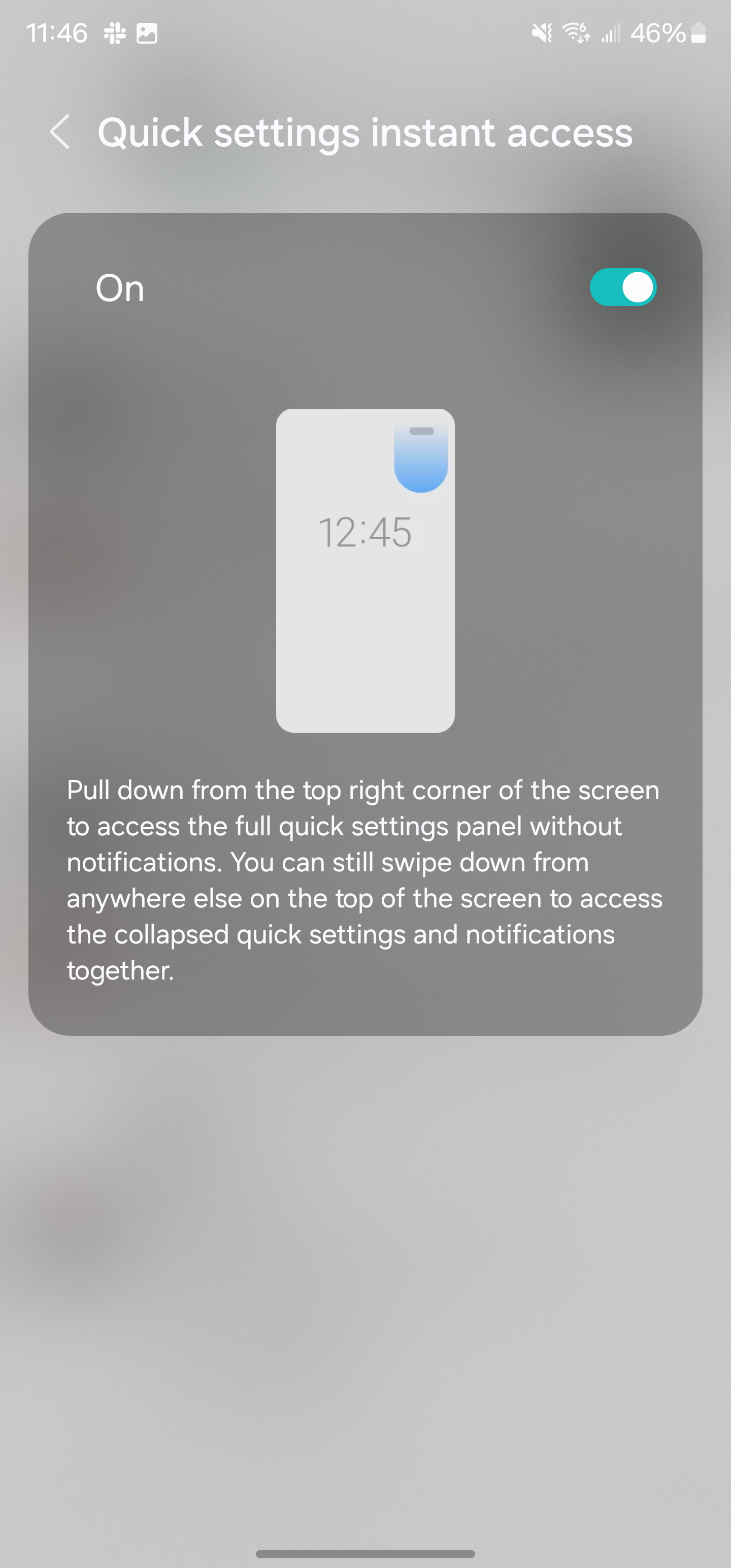
The “Quick Panel” is also significantly updated, with new sections throughout. There are two large cards for Wi-Fi and Bluetooth, a large section for quick settings toggles, and then other sections for brightness, screen mirroring, and device controls. In terms of the look, it’s a pretty shameless copy of iOS’ Control Center, as is the new toggle which lets you swipe from the top left of the display to immediately access the Quick Panel. The notification shade, though, is left unchanged.
Samsung is also further doubling down on widgets. There’s a new camera widget that’s fully customizable. The widget opens up the camera app, but can open it to a specific setting as well as saving the image then taken to a specific album. You can customize the widgets title and background, too.
Another updated widget is for weather, with a new “Weather Insights” widget that can show chance of rain amongst other details.
Perhaps my personal favorite change is that Samsung has updated its default font in Android 14. The new font looks much cleaner and modern as opposed to One UI 5’s font which is a bit too thin. That’s all subjective, though, and Samsung will still let you change your system font.
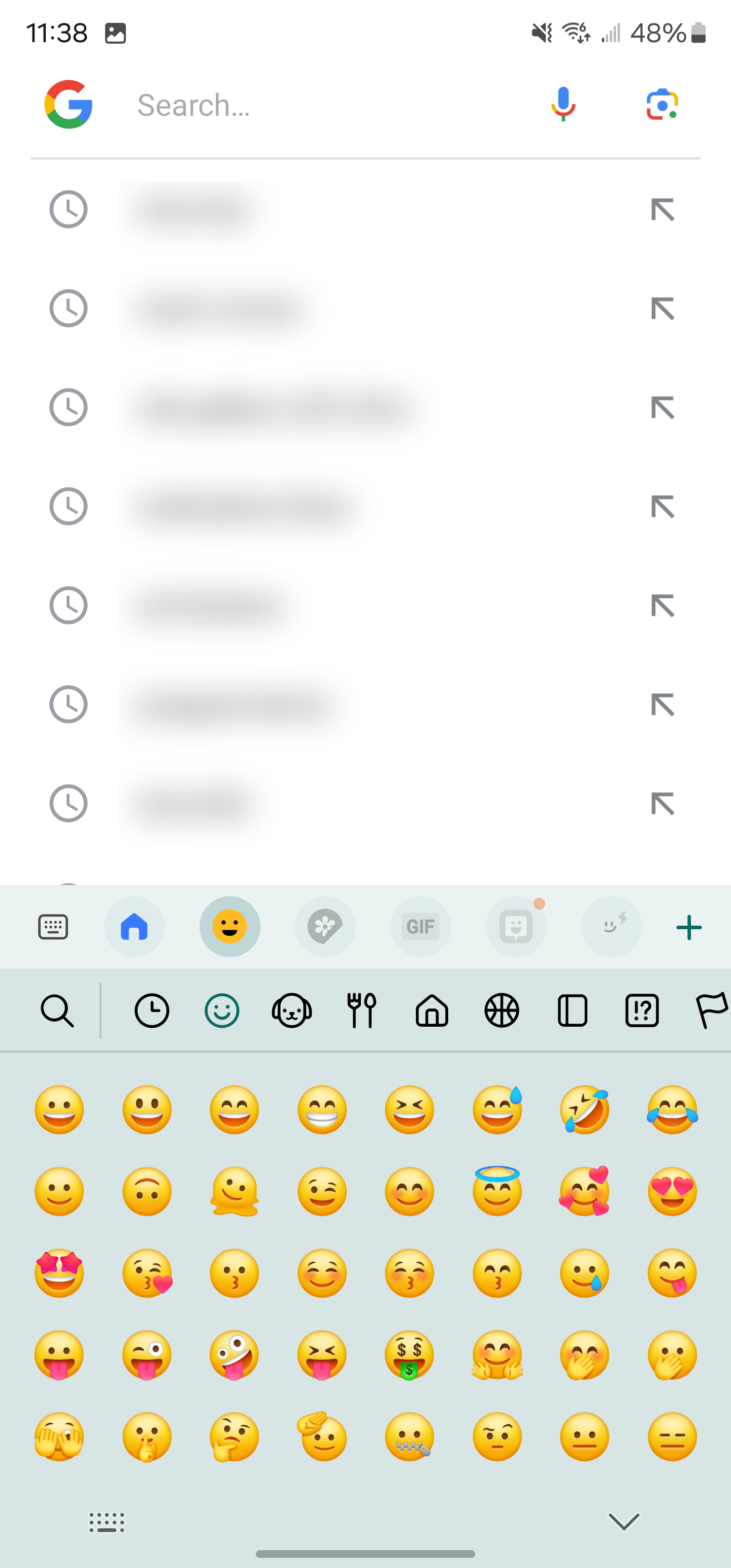
Emojis also get a makeover.
These are some of the most notable changes, but that’s far from everything. Samsung’s full changelog for Android 14 is below with literally dozens of other tweaks and changes that come with One UI 6.0. A few other highlights include:
Level line in camera viewfinder
Resolution settings available in camera viewfinder
“Auto Blocker” security settings
Samsung One UI 6.0/ Android 14 changelog
Quick Panel
New button layout – The quick panel has a new layout that makes it easier to access the features you use most. Wi-Fi and Bluetooth now have their dedicated buttons at the top of the screen, while visual features, like Dark mode and Eye comfort shield, have been moved to the bottom. Other quick settings buttons appear in a customizable area in the middle.
Instantly access the full quick panel – By default, a compact quick panel with notifications appears when you swipe down from the top of the screen. Swiping down again hides notifications and shows the expanded quick panel. If you turn on Quick Settings instant access, you can view the expanded quick panel by swiping just once from the right side of the top of the screen. Swiping down from the left side shows notifications.
Quickly access brightness control – The brightness control bar now appears by default in the compact quick panel when you swipe down once from the top of the screen for quicker and easier brightness adjustments.
Improved album art display – While playing music or videos, album art will cover the entire media controller in the notification panel if the app playing the music or video provides album art.
Enhanced layout for notifications – Each notification now appears as a separate card, making it easier to recognize individual notifications.
Sort notifications by time – While playing music or videos, album art will cover the entire media controller in the notification panel if the app playing the music or video provides album art.
Lock screen
Reposition your clock – You now have more freedom to move your clock to the position of your choice on the Lock screen.
Home screen
Simplified icon labels – App icon labels are now limited to a single line for a cleaner and simpler look. “Galaxy” and “Samsung” have been removed from some app names to make them shorter and easier to scan.
Typeface
New default font – One UI 6 has a new default font with a more stylish and modern feel. You’ll see the new font if the default font is selected in Settings. If you’re using a different font, you’ll still see that font after upgrading to One UI 6.
Multitasking
Keep pop-up windows open – Instead of minimizing pop-up windows when you go to the Recents screen, pop-ups will now remain open after you leave the Recents screen so you can continue what you were working on.
Samsung Keyboard
New emoji design – Emojis that appear in your messages, social media posts, and elsewhere on your phone have been updated with a fresh new design.
Content sharing
Picture and video previews – When you share pictures or videos from any app, preview images will appear at the top of the Share panel to give you one more chance to review the pictures and videos before sharing them.
Extra sharing options – When you share content, additional options may appear on the Share panel depending on the app you share from. For example, when you share a website from the Chrome web browser, you’ll get the option to share a screenshot of the website along with the web address.
Weather
New Weather widget – The Weather Insights widget provides more information about your local weather conditions. You can see when severe thunderstorms, snow, rain, and other events are on the forecast.
More information in the Weather app – Information about snowfall, moon phases and times, atmospheric pressure, visibility distance, dew point, and wind direction is now available in the Weather app.
Interactive map view – Swipe to move around the map and tap a location to view the local weather conditions. The map can help you find weather information even if you don’t know the name of the city.
Enhanced illustrations – Illustrations in the Weather widget and app have been enhanced to provide better information about the current weather conditions. Background colours also change depending on the time of the day.
Camera
Custom camera widgets – You can add custom camera widgets to your Home screen. You can set each widget to start in a specific shooting mode and save pictures in an album of your choice.
More alignment options for watermarks – You can now choose whether your watermark appears at the top or bottom of your photos.
Quick access to resolution settings – A resolution button is now available in the quick settings at the top of the screen in Photo and Pro modes so you can quickly change the resolution of photos you take.
Easier video size options – A pop-up now appears when you tap the video size button, making it easier to see all the options and choose the right ones.
Keep your pictures level – When grid lines are turned on in Camera settings, a level line will now appear in the middle of the screen while using the rear camera in all modes except Panorama. The line will move to show whether your picture is level with the ground.
Apply effects more easily – Filter and face effects now use a dial instead of a slider, making it easier to make precise adjustments with just one hand.
Scan documents easily – The Scan document feature has been separated from Scene Optimizer, so you can scan documents even if Scene Optimizer is turned off. The new Auto Scan lets you scan documents automatically whenever you take a picture of a document. After a document is scanned, you’ll be taken to the edit screen, where you can rotate your document to align it the way you want.
Quality optimization – You can choose between three levels of quality optimization for the pictures you take. Choose Maximum to get the highest quality pictures with the most post-processing. Choose Minimum to reduce the amount of post-processing so you can take pictures as quickly as possible. You can also choose Medium to get the best balance of speed and post-processing.
New Auto FPS settings for videos – Auto FPS can help you record brighter videos in low-light conditions. Auto FPS now has three options. You can turn it off, use it for 30 fps videos only, or use it for both 30 fps and 60 fps videos.
Gallery
Save clipped images as stickers – When you clip something from an image, you can easily save it as a sticker that you can use later when editing pictures or videos.
Enhanced story view – While viewing a story, a thumbnail view appears when you swipe up from the bottom of the screen. In thumbnail view, you can add or remove pictures and videos from your story.
Drag and drop with two hands – Touch and hold pictures and videos with one hand, then use your other hand to navigate to the album where you want to drop them.
Quick edits in detail view – While viewing a picture or video, swipe up from the bottom of the screen to go to detail view. This screen now provides quick access to effects and editing features you can immediately apply.
Photo Editor
Adjust decorations after saving – You can now make changes to drawings, stickers, and text that you’ve added to a photo even after saving.
Undo and redo – Don’t worry about making mistakes. You can now easily undo or redo transformations, filters, and tones.
Enhanced layout – The new Tools menu makes it easier to find the editing features you need. Straighten and Perspective options have been combined in the Transform menu.
Draw on custom stickers – When creating custom stickers, you can now use drawing tools to make your stickers even more personal and unique.
New text backgrounds and styles – When adding text to a photo, you can choose from several new backgrounds and styles to help you get the perfect look.
Calendar
Your schedule at a glance – The new schedule view provides your upcoming events, tasks, and reminders all together in chronological order.
View your reminders in Calendar – You can now view and add reminders in the Calendar app without opening the Reminder app.
Reminder
Refined reminder list view – The main list view has been redesigned. You can manage categories at the top of the screen. Below the categories, your reminders will be shown organized by date. The layout for reminders containing images and web links has also been enhanced.
New reminder categories – The Place category contains reminders that alert you when you’re in a specific place, and the No Alert category contains reminders that don’t provide any alerts. More options for creating reminders: When sharing content to the Reminder app, you’ll get full editing options before your reminder is created. You can also take pictures using the camera when creating a reminder.
Create all-day reminders – You can now create reminders for an entire day and customize the time when you want to be alerted about them.
Samsung Internet
Play videos in the background – Keep playing video sound even if you leave the current tab or leave the Internet app completely.
Enhanced tab list for large screens – When using the Internet on a large screen, such as a tablet in landscape view or Samsung DeX, your tab list will be shown in 2 columns so you can see more tabs on the screen at the same time.
Smart select
Resize and extract text from pinned content – When you pin an image to the screen, you can now resize it or extract text from it.
Magnified view – When selecting an area of the screen, a magnified view will appear so you can start and end your selection at the perfect spot.
Bixby text call
Customize your greeting – You can now edit the greeting that Bixby says when you answer using Bixby text call.
Switch to Bixby during a call – You can switch to a Bixby text call at any time, even if the call is already in progress.
Modes and Routines
Unique Lock screens depending on your mode – Set up different Lock screens with their own wallpaper and clock style for when you’re driving, working, exercising, and more. When you start editing the Lock screen while a mode is on, you’ll edit the Lock screen for that mode.
New conditions – You can now start a routine when an app is playing media.
New actions – Your routines can now do more than ever before. Change your Lock screen, change Samsung Keyboard settings, and more. Smart suggestions
New look and feel – The Smart Suggestions widget has been redesigned with a layout that better aligns with other icons on your Home screen.
More customization – You can now adjust transparency and choose between a white or black background. You can also set apps to exclude from suggestions.
Finder
Quick actions for apps – When an app appears in your search results, you can touch and hold the app to get quick access to actions you can perform using the app. For example, if you search for the Calendar app, buttons for adding an event or searching your calendar will appear. App actions will also appear in search results on their own if you search for the name of the action instead of the app.
My Files
Free up storage space – Recommendation cards will appear to help you free up storage space. My Files will recommend deleting unnecessary files, give you tips for setting up cloud storage, and also let you know which apps on your phone are using the most storage space.
Settings
Smarter Airplane mode – If you turn on Wi-Fi or Bluetooth while Airplane mode is on, your phone will remember. The next time you use Airplane mode, Wi-Fi or Bluetooth will remain on instead of turning off.
Easier access to battery settings – Battery settings now have their own top-level settings menu, so you can easily check your battery usage and manage battery settings.
Block security threats – Get an extra level of protection for your apps and data. Auto Blocker prevents unknown apps from being installed, checks for malware, and blocks malicious commands from being sent to your phone using a USB cable.
Accessibility
New magnification options – Customize how your magnification window appears. You can choose full screen, or partial screen, or allow switching between the two.
Customize cursor thickness – You can now increase the thickness of the cursor that appears while editing text so that it’s easier to see.
Learn more about accessibility – A link to the Samsung Accessibility web page has been added to Accessibility settings so you can learn more about accessibility features and our efforts to make our products accessible to everyone.
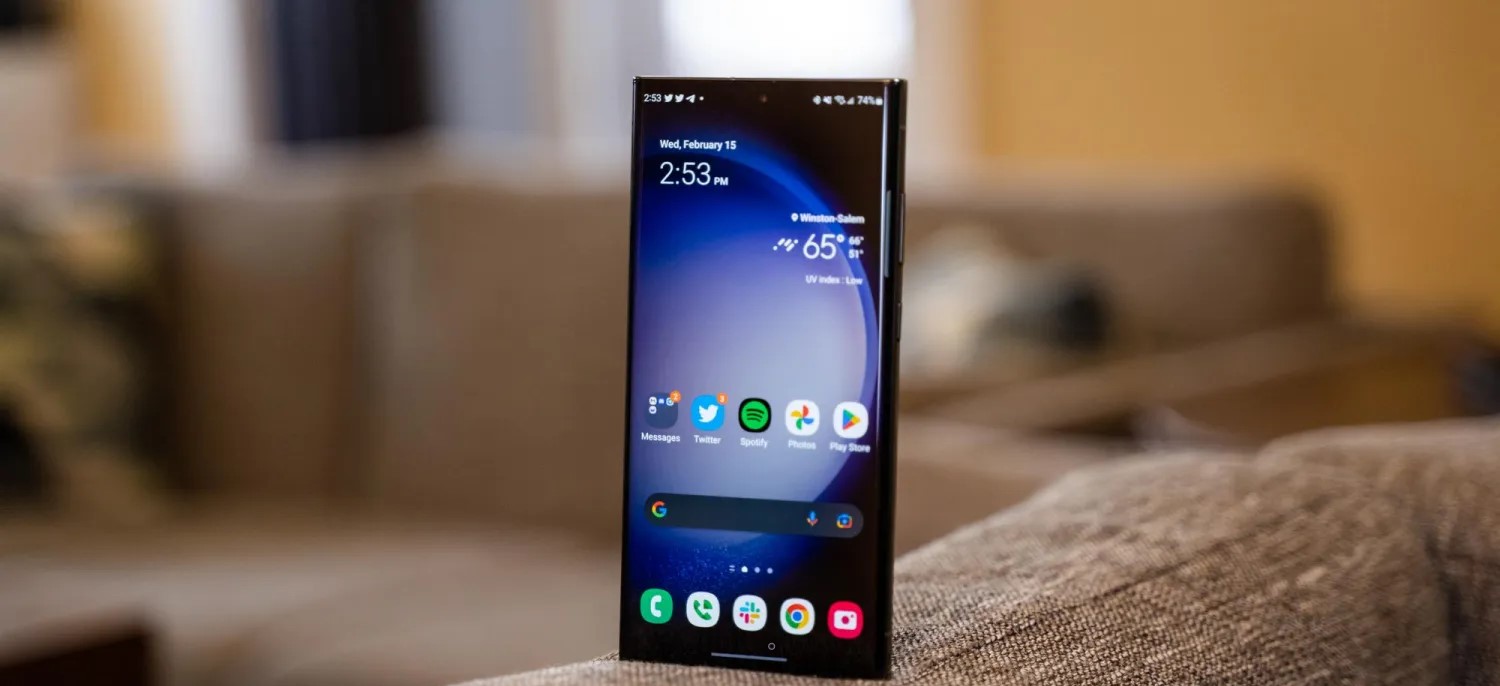
One UI 6 will likely be released sometime in November or December, and if last year is any indication, it will probably roll out to many devices very quickly. If you have a Galaxy S23 and want to try it early, though, it’s available now in beta.
One UI 6 is now available to the public in beta form, which means those with certain Samsung Galaxy devices will be able to install the new version of One UI and dive into everything new. Here’s how to install One UI 6 beta on your device.
Samsung’s One UI 6 beta is finally here, open for users to install and take for a spin before the full release a few months from now. Similar to the previous version of One UI, users will be able to sign up for the beta version and receive access to an update that will carry the latest OS to their Galaxy device.
One UI 6 is based on Android 14 and offers some exciting new features. The most forward-facing change is the new adjusted UI, which simplifies the overall look of One UI’s overall design language. The Quick Settings panel is now sectioned off into cards. Individual cards house Wi-Fi, Bluetooth, and Quick Settings controls that feature a 4×3 layout with multiple pages.
The simplified approach is reminiscent of existing Android operating systems like ColorOS from Oppo. It could also be likened to an iOS-type UX with how transparent the cards are to what lays behind the control panel. Either way, it’s a divisive change that will get its fair share of exploration now that a beta version is available.
How to sign up and install the One UI 6 beta
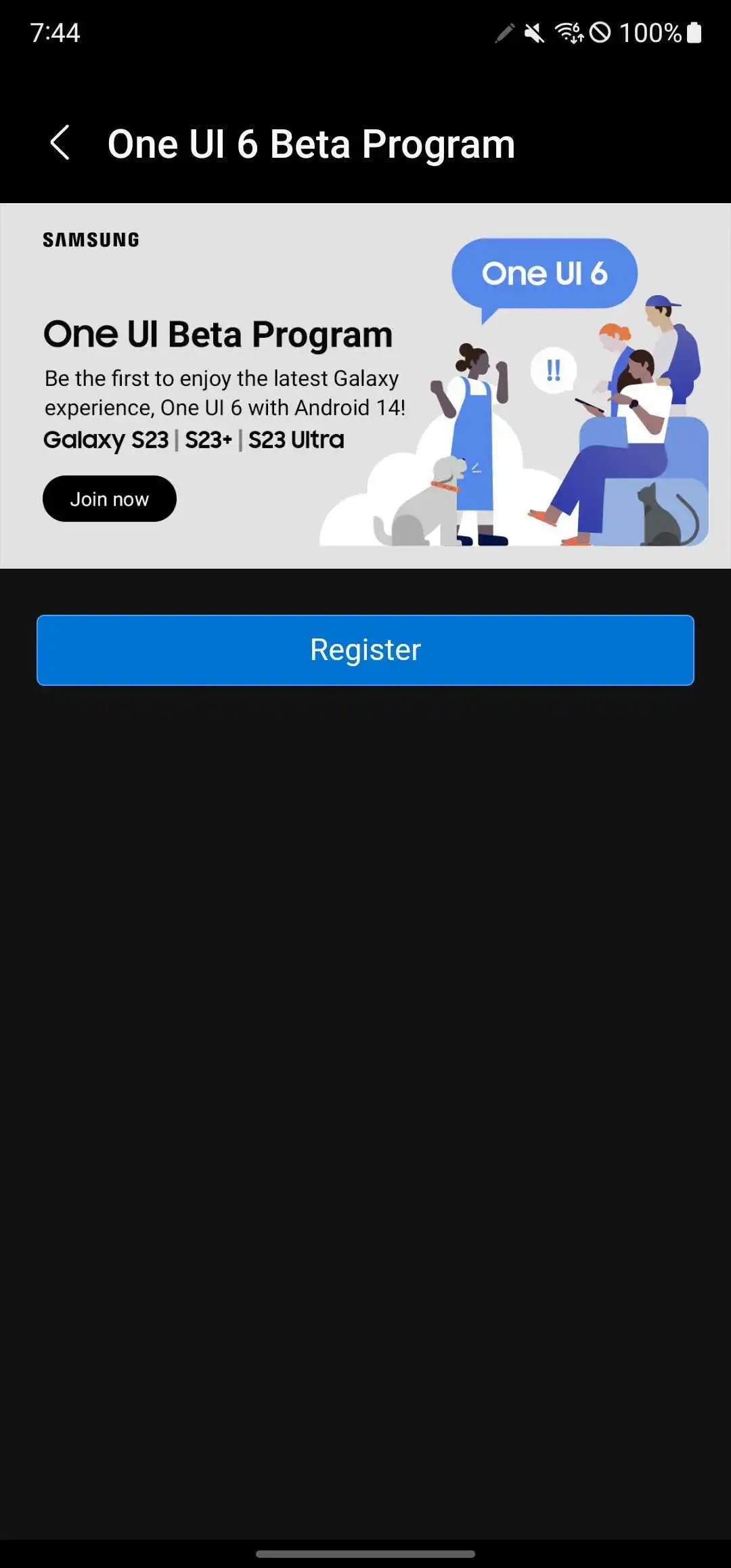
Samsung’s approach to distributing the One UI 6 beta is extremely user-friendly. You simply need to sign up via the Samsung Members app on your Galaxy device and wait for an update to push to your phone. Make sure the Samsung Members app is installed on your device and you have an account set up.
In the Samsung Members app, swipe through the top banner and find the card that reads One UI Beta Program. Tap it.
Tap Register.
Agree to the terms listed by taping Enroll and then Agree.
Note: A pop-up may appear, letting you know you are enrolled.
Head to the settings by swiping down once and tapping the settings cog.
Scroll to the bottom and tap Software update.
Tap Download and install.
Your device will start downloading One UI 6 beta.
Once you finish the above process, you’ll see One UI 6 begin its installation procedure. That generally takes about 10 minutes, with some extra waiting time for the app optimization segment.
Once your Galaxy device is finished, you should be up and running with One UI 6 beta.
What devices are supported?
At this time, there are only a couple of devices supported. Currently, Samsung is limiting the One UI 5 beta to the Galaxy S23 series including:
Galaxy S23
Galaxy S23+
Galaxy S23 Ultra
Samsung may also have plans to bring the beta to more devices down the road, including the Galaxy Z Fold 4, Flip 4, and more.
Where can I use the One UI 6 beta?
Samsung has officially announced that the One UI 6 beta will be available first in just three countries:
United States
Germany
South Korea
This limited list is likely only temporary, though. In years past, Samsung has offered the beta on an almost global scale, and there’s no reason to expect we won’t see it expand in time with this latest iteration.
Looking for a Samsung experience on the cheap? The Galaxy A04s is as low as it gets in the Samsung hierarchy. But being inexpensive does not always mean something is good value, so it’s worth having a closer look at this popular entry-level device.
Surprisingly, we also found that Samsung is also offering another model – the Galaxy M13 – which is almost identical with some minor differences in the camera department. The Indian version of the Galaxy M13 is essentially the same phone as the Galaxy A04s but with an even bigger battery. The Galaxy A13 is another phone released earlier this year that almost completely matches the A04s specs.
We won’t blame you if you are confused, but the key takeaway is that the Galaxy A04s probably offers the same user experience as the two M13s. So for all intents and purposes, you can use this review as a reference point for the M13 and M13 (India) as well.
Disclaimer. We can not guarantee that the information on this page is 100% correct.
In any case, the Galaxy A04s runs on a low-end Exynos 850 SoC paired with 3GB of RAM and 32GB of internal storage with a microSD card expansion slot. It’s evident that we are talking about a mid-€100 phone, but we were surprised to see a display with a high refresh rate. The 6.5-inch IPS display is 90Hz, albeit with 720 x 1600px resolution.
Since the Exynos 850 chipset relies on a power-efficient CPU with eight low-power Cortex-A55 cores, we expect great battery endurance in our tests. The 5,000 mAh battery will last you quite a bit, although it will also take more than an hour to fully charge.
Lastly, the device runs on a lightweight version of Samsung’s user interface called One UI Core 4, which in turn is based on Android 12.
Unboxing the Samsung Galaxy A04s
The device ships in a small retail box containing just the user manuals and a pin for the SIM card tray.
Unfortunately, Samsung didn’t include a charger or protective case. But you do get a USB-C to USB-C cable, though.
Competition
An entry-level smartphone, the Samsung Galaxy A04s has simple hardware meant to carry out simple tasks. The phone doesn’t stand out with anything in particular, but you get a decent camera performance in good lighting conditions and dependable battery life. Samsung’s matured, and customizable One UI 4.1 Core is also an advantage, albeit being a toned-down version of the original One UI.
Popular phone manufacturers don’t have that many entry-level models on offer, so in our comparative market research for this review, we found few worthy alternatives. Most competitors in this price bracket, such as the Realme C31, C3 or the C25Y, are hard to recommend due to using inferior Unisoc chipsets.
At the time of reviewing, the Samsung Galaxy A04s has a retail price of around €150 for its 32GB/3GB version. If you are going to use your phone’s camera and messaging features frequently, we’d recommend going for a 64GB model as you would find yourself running out of storage on the 32GB model way before the phone’s warranty has run out.
The Xiaomi Redmi Note 11 falls in the same price category, asking around €160 and running a much more competent Snapdragon 680 chipset along with a standard 4GB/64GB memory configuration. It also impresses with stereo speakers, a 90Hz OLED panel with Gorilla Glass 3 on top, a more versatile camera setup and, of course, faster charging and longer battery life. The Gorilla Glass 3 and IP53 certification against water splash and dust is a nice bonus. It’s hands-down the better smartphone, and the only reason you might want to go for the Galaxy A04s is Samsung’s brand name.
Xiaomi Redmi Note 11 • Realme 9i
If you decide to go up the price ladder by a little, you might want to consider Realme 9i. It asks €170-180, but it’s also running a more capable Snapdragon 680 chip, a better display with higher resolution, faster charging and a nicer selfie camera. Stereo speakers are also on the menu, and Realme’s UI is smoother on the Snapdragon 680 SoC. It may cost a few bucks more, but you are getting a better value for the money.
Now it’s time for some homegrown competition. The Galaxy A04s, Galaxy A13 and Galaxy M13 are priced similarly and have similar hardware and features, with all four having equally sized LCDs and the same Exynos 850 chipset. In fact, the Galaxy A13 is slightly cheaper than the A04s in Europe, while the Indian M13 version is cheaper and at the same time, has a larger 6,000 mAh battery.
There are a few key differences, though, and they do not favor the most recently released Galaxy A04s. The A13 and M13 offer ultrawide cameras, better selfie sensors and higher-resolution displays. Sure, the Galaxy A04s has a 90Hz display, but the frequent lag when navigating the One UI on the underpowered Exynos 850 defeats the purpose of having a smoother display. And in 2022, a 720p resolution screen doesn’t sit well. Additionally, the M13 starts at 4GB/64GB, whereas the A04s settles for a 3GB/32GB standard configuration, which is an inadequate level of storage.
The same goes for the Indian M13 variant – it just makes the A04s obsolete at launch. There’s no reason to go for the A04s when you have an M13 on the shelves.
And then, there’s last year’s Galaxy A13 5G that launched in December 2021. It runs on the twice as powerful MediaTek Dimensity 700 chipset, its base configuration is 64/4GB, and it’s priced at around €170. It’s essentially the same device with more horsepower and support for 5G connectivity, so if you are dead set on getting a Samsung phone, we believe the extra €20 for the Galaxy A13 5G can go a long way towards getting you a better smartphone experience.
Verdict
The Samsung Galaxy A04s is a cheap entry-level device – quite possibly the cheapest Galaxy smartphone you can get. It has a high-refresh-rate screen, an okay primary camera, and very good battery life, so it is a solid upgrade to last year’s Galaxy A03s. Unfortunately, this is hardly enough to tilt the scales in its favor.
The phone’s performance is subpar, and the storage space provided by the base memory configuration is inadequate. It could work for someone who is mainly interested in staying in touch by mostly making calls and the occasional messaging. But for more demanding use cases, we find the A04s hard to recommend. With a low max brightness and low resolution, laggy software experience, and slow charging, there are better options out there – some even coming from Samsung’s own camp.
Pros
Good battery life.
The daylight camera quality is solid, selfies are decent. Video capture is also good, despite the 1080p resolution cap.
One UI 4.1 Core on top of Android 12 is customizable, mature and has plenty of features.
3.5mm jack, microSD, NFC.
Cons
Subpar performance, lag and slowdowns are frequent.
Display is only 720p, while the smooth 90Hz refresh rate is pointless with so much UI lag.
Virtual proximity sensor can be inconsistent, lack of ambient light sensor means brightness adjustment is suboptimal.
Another Samsung Unpacked event has come to pass, and this one brought us the fourth generation of foldable Galaxy smartphones. Quite expectedly, Samsung announced the fourquels of the Fold and Flip, the first being more like a foldable tablet, while the Flip – a nostalgia-sprinkled flip phone.
Today, we will be exploring the Samsung Galaxy Z Flip4, which is much like the Galaxy Z Flip3, but better. This is a formula that’s been in use for years now as the technology cannot advance as fast as makers are bringing a new version of their phones. But while the new Z Flip4 won’t make many (if any) Z Flip3 owners upgrade, it improves enough bits to make even more people think of getting this new foldable flagship.
Samsung has improved on the Galaxy Z Flip3 by tweaking all weak points both reviewers and users have agreed upon – low-light camera performance, battery life, charging speed. And, of course, the new Z Flip4 gets to boast the most current Android chip – the Snapdragon 8+ Gen 1.
The new Galaxy Z Flip4 features the same internal Dynamic AMOLED 2X and external Super AMOLED screens as the Z Flip3. But thanks to reduced bezels around the foldable screen and a flatter aluminum frame, the Z Flip4 is now a bit shorter and with a thinner hinge.
The Foldable Dynamic AMOLED 2X remains equally adaptive with up to 120Hz refresh rate and equally bright with a peak brightness up to 1200 nits. The crease in the middle is here to stay for now and so is the perforation for the selfie camera.
The Z Flip4 is IPX8-rated for water resistance – a feature that only Samsung offers across its third and fourth generation of foldable devices. Samsung and Sony are the only two makers that aim to offer water protection on most of their phones, and we truly appreciate the effort.
Besides the chipset upgrade, the Galaxy Z Flip4 also features an improved camera system on the back. It is still a dual-camera setup, but the main shooter now relies on a larger 12MP sensor with 1.8µm pixels coupled with a wider 24mm f/1.8 OIS lens. This new sensor should allow for a 65% improvement in light gathering and improve the low-light performance. The 12MP ultrawide and 10MP selfie cameras remain the same as on the Flip3.
The Galaxy Z Flip4 is powered by a 12% larger battery – it now packs a 3,700mAh cell, up from 3,300mAh within the Flip3. And even better, the phone now supports 25W fast charging, up from the sluggish 15W. The wireless fast charging has been sped up, too, now up to 15W.
And that’s about it – a new chipset, main camera, battery, and improved charging speed. And the latest Android version with the most current One UI, of course.
Disclaimer. We can not guarantee that the information on this page is 100% correct.
Going through the specs sheet, there is little missing – a zoom camera comes at the top of our head. The improved hinge should be fine for at least 200,000 cycles, and we appreciate the improved Gorilla panels and the tougher aluminum frame, even if by small margins.
Unboxing the Galaxy Z Flip4
The Galaxy Z Flip4 ships with an incredibly thin and lightweight box. It is lying open, face-down in there, waiting for its first user. A thin paper compartment houses the USB-C cable and the SIM ejector. And that’s all you will find.
There is no charger or case within the retail box, and if you don’t own Samsung’s 25W power adapter, it’s probably a good idea to buy one so you can use that fast charging.
Alternatives
The Galaxy Z Flip4 is a minor upgrade over the Flip3 even if it introduces some important improvements like a larger battery, faster charging, and better low-light performance for the main camera. We did appreciate the option to shoot in full resolution with the rear camera when taking selfies, too.
Obviously, these won’t make any Galaxy Z Flip3 user upgrade to Flip4. But by addressing most of the Flip3 concerns, Samsung has made the Z Flip4 an even more attractive and desirable offer.
The new Flip4 launches at €1080/$999, which is a flagship price, but not as high as €1800 like the Fold4. And for that, we’d consider it a reasonable price for features/money ratio.
There are a handful of foldable smartphones on the market, fewer even if we are to list foldable smartphones like the Flip and exclude foldable tablets like the Fold.
If you are keen on getting a phone like the Flip, but the price of the Flip4 does not fit your budget, you may want to consider the Galaxy Z Flip3 as it is now €400 cheaper than the Flip4. It is pretty much the same device with less inspiring battery life, charging speed and so-so low-light performance.
The recently announced Motorola Razr 2022 will launch any moment now in China, but we are not sure if it will make it to other markets yet. It is based on a 6.7-inch foldable screen, like the Flip4, but it’s got 1B colors and a 144Hz refresh rate. The chipset is the same, and the camera experience is similar. The Razr has an iconic form factor and a larger external display that allows for even more control while the phone is closed.
The rest of the foldable phones are rather large – like the €1800 Galaxy Z Fold4. It’s an all-powerful smartphone with one of the largest OLED screens on a smartphone and an under-display camera for video chats; it’s got a whole bunch of cameras, and the external display is as good as the market offers, large at that. If you don’t mind having a phone this thick (16mm) and heavy (263g), the Fold4 could be your next phone.
Xiaomi has recently announced its Mix Fold 2 – which is even thinner than the Fold4 with larger screens and Leica-powered camera setup. It has a sleeker design and charges faster, but for now, it’s a China-only device.
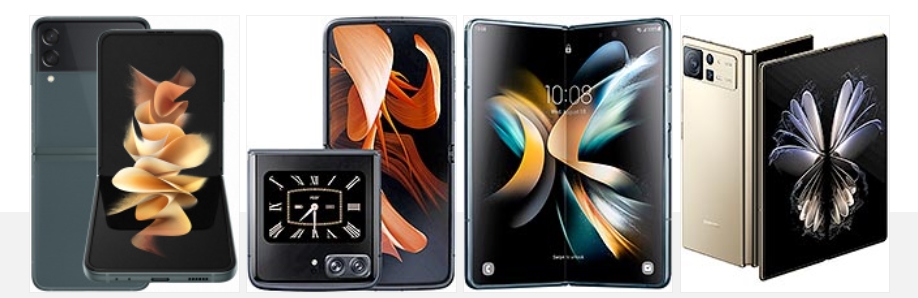
Samsung Galaxy Z Flip3 5G • Motorola Moto Razr 2022 • Samsung Galaxy Z Fold4 • Xiaomi Mix Fold 2
If you are eyeing the Flip4 because of its compact shape, you may also want to consider some of the compact bars that are available right now. Like the €700 Galaxy S22, which has a 6.2-inch Dynamic AMOLED 2X screen, powerful hardware, and its triple-camera on the back has a 3x telephoto.
The €800 Zenfone 9 is even smaller with a 5.9-inch 120Hz Super AMOLED screen, the most recent Snapdragon chipset, and a similar dual-camera that is capable of high-quality digital zoom though. The Zenfone 9 also offers outstanding battery life!
There is also the small iPhone 13 mini, which is the smallest flagship on the market based on a 5.4-inch screen. It is the most powerful small phone in the world right now, and the only major setback is the 60Hz OLED screen.
Samsung Galaxy S22 5G • Asus Zenfone 9 • Apple iPhone 13 mini
verdict
The Galaxy Z Flip went from a fashion-centric device to a full-blown flagship in just a couple of generations. The Flip4 is what the Flip3 should have been from the get-go – a powerful foldable smartphone with excellent camera performance, decent battery life and charging speed.
And indeed, we can say a lot of positive things about the new Z Flip4 – it has a superb water-proofed design that will hit the nostalgia notes across many users. It’s a compact flip phone, one that clicks simply great.
The Z Flip4 offers an excellent AMOLED screen, good battery life, good charging speed, and the speakers are nice. It also packs the most powerful Android chip to date, though the thermals lead to throttling.
Finally, the camera performance is superb across the board, photo and video, day and night.
We consider the Flip4 as the most affordable foldable smartphone of the current generation, and for its thousand euros, it delivers an outstanding set of features.
It’s not an ideal smartphone – it takes a while to get used to its design and form factor. Then you need to live with the crease and the plastic screen protector over the screen. Dust gets in various places, too.
Then there is the heavy throttling just after five minutes of peak loads. And there is no zoom camera.
While durability concerns remain with regular reports of bubbles forming under the screen protector along the crease, solid warranty coverage from Samsung has those reasonable fears taken care of.
The fourth generation Z Flip is moving the series into a bright future, and it does everything right with the technology it has at its disposal. We are recommending it to people who’d like to own a unique phone, small, and yet powerful and capable; to users that will take it with all of its good and not so good aspects.
The big upgrade on Samsung’s new Galaxy Z Flip 5 is the debut of a new, much larger cover display that’s actually capable of doing some useful things. But, what can you actually do on it? Here’s a quick look at all of the built-in features.
The clockface is customizable
When you first turn on the display, you’ll see a customizable clockface that has tons of different styles and features. Samsung allows users to customize the style pretty heavily, from fonts to colors and more. That background color will be visible throughout widgets as a transparent backing, too.
You’ll have the option to customize the clockface only from the inner display, though. That’s where most settings live, but you can change your preset on the fly through the outer display in a rolodex-style interface.
Widgets are still the focus
Like on past Galaxy Flip models, the core of what you’ll be using on the Galaxy Z Flip 5’s cover display comes from widgets. There are a dozen widgets by default which include:
Calendar
Weather
Alarm
Step counter
Recent calls
Stopwatch
Direct Dial
Timer
SmartThings scenes
Galaxy Buds controls
Finance Watchlist (powered by Google Finance)
Apps
These are all powered by Samsung’s apps, with no option to add custom Android widgets from other apps. But, functionally, they work rather well and take advantage of the screen space made available. Notably, Samsung places all navigation in the bottom section that’s next to the camera. When on widgets, it’s gestures, but if you have navigation buttons enabled, you’ll see those when you open an app.
Flip 5’s weather widget
Yes, there’s a full keyboard
The biggest upgrade from Samsung’s bigger display here might just be interacting with messages. When you get a notification, or trigger any other text box, the Galaxy Z Flip 5’s cover display will show a full-size QWERTY keyboard.
Flip 4, notably, would only show preset replies or allow for voice-to-text or emoji replies. Oppo’s Find N2 Flip is similarly limited, despite having a much bigger display compared to the Flip 4. Samsung’s approach on Flip 5 is most similar to Motorola’s Razr+, though with a big restrction.
The full keyboard on Galaxy Z Flip 5 cover display is currently locked to the official Samsung Keyboard. You can’t use Gboard, SwiftKey, or anything else on the outer display. However, this can work independently of the inner display. If you’re using Gboard on the inside, for instance, Samsung Keyboard will still apply on the outside.
Can the Galaxy Z Flip 5 cover display run full apps?
Since rumors first started swirling, the big question has been whether or not the Galaxy Z Flip 5 cover display can run full Android apps. The good news is that yes, it can, but it’s a little complicated.
By default, there are no full apps on the Flip 5’s outer display. Through the “Labs” option in the Settings menu, you’ll be able to turn on the ability to run a limited list of full apps. That is disabled by default, but once turned on it can enable the following apps on the outer display:
Google Messages
Samsung Messages
WhatsApp
Google Maps
Netflix
YouTube
Samsung tells us that more apps may be added to this list in the future, but for the time being that’s all you’ll be able to use. The apps run as normal, just in a condensed layout. Why Netflix is included, we don’t know.
Google Maps on the Galaxy Z Flip 5 cover display
In any case, the other option is to use Good Lock. While we haven’t been able to test this out just yet, Samsung says that a Good Lock module will allow users to run any app they choose on the outer display.
Samsung is set to host its next Unpacked launch event for the Galaxy Z Fold 5 and Flip 5 later this week, and there’s actually a ton to look forward to. Here’s everything you can expect at the event.
Samsung Unpacked 2023: What’s coming?
Galaxy Z Fold 5 and Z Flip 5
The biggest launch at Samsung’s event this week will be new foldables: Galaxy Z Fold 5 and Galaxy Z Flip 5. Both devices are expected to be somewhat iterative in their improvements, with most of the upgrades coming to the Galaxy Z Flip 5.
Samsung is set to improve on the Flip 5 primarily with a new cover display that’s drastically bigger than the Flip 3 and Flip 4. The display is expected to open support for a full keyboard and more useful widgets, but it’s unclear if full apps will be supported.
Both devices will also bring upgrades such as Snapdragon 8 Gen 2, a new hinge that allows the foldables to close fully instead of leaving a gap, and some new colors and cases.
Galaxy Tab S9 series
Samsung’s flagship tablets are also getting a refresh at Unpacked this year, with Tab S9, S9+, and S9 Ultra on the docket.
The main upgrade is Snapdragon 8 Gen 2, but there are other little tidbits beyond that, such as eSIM support, AMOLED on the smallest model, and more. It’s a welcome arrival, as it’s been a little over a year since Samsung last launched high-end Android tablets.
The standard Watch 6 is only seeing a couple of notable changes: a W930 chipset that should be a little faster and thinner bezels that make room for a bigger display. The RAM is also jumping from 1.5 GB to 2 GB.
Meanwhile, Galaxy Watch 6 Classic will revive the physical rotating bezel in addition to the standard model’s upgrades.
It’s possible these watches will also debut Wear OS 4, which was announced at Google I/O and brings several benefits, with the ability to connect to a new phone without a reset being one of the biggest perks.
The maybes
Outside of the core lineup, there are a few more things we might also see, but there’s not much known.
Galaxy SmartTag 2
One of the most likely unveilings might be the Galaxy SmartTag 2. Samsung hasn’t launched a new version of its tracker since the debut of Galaxy S21 over two years ago. There have been reports and regulatory evidence of this new model, but we haven’t seen any images leak, so there’s no guarantee.
Samsung’s XR headset
Samsung has been rumored to launch its own mixed-reality headset based on a new version of Android that was expected to arrive at this event. But rumor has it Samsung has delayed that device by a few months in the wake of Apple Vision Pro’s debut.
A small teaser is what we’d expect at the absolute most.
Galaxy Tab S9 FE & Galaxy S23 FE
Samsung’s “Fan Edition” lineups may return soon, as there’s strong evidence pointing towards upcoming releases for Galaxy Tab S9 FE and Galaxy S23 FE. While there’s a chance they could arrive at this event, it’s not very likely.
It’s been a bit since Samsung released a new set of earbuds, and there’s certainly a chance we could see a launch this week. But there’s only been one report on that matter and no leaks whatsoever. So we don’t expect to hear anything – no pun intended – on that front.
Reserve for a $50USD discount and Trade in at Samsung Australia for a $100AUD discount
Up until the day before Unpacked, Samsung is offering open reservations for the Fold, Flip, and Tab S9 series. All of those devices will be eligible for a $50 credit on pre-order, which can be used as a discount on the device or for accessories. In any case, it’s worth signing up if you think you might put in a pre-order.