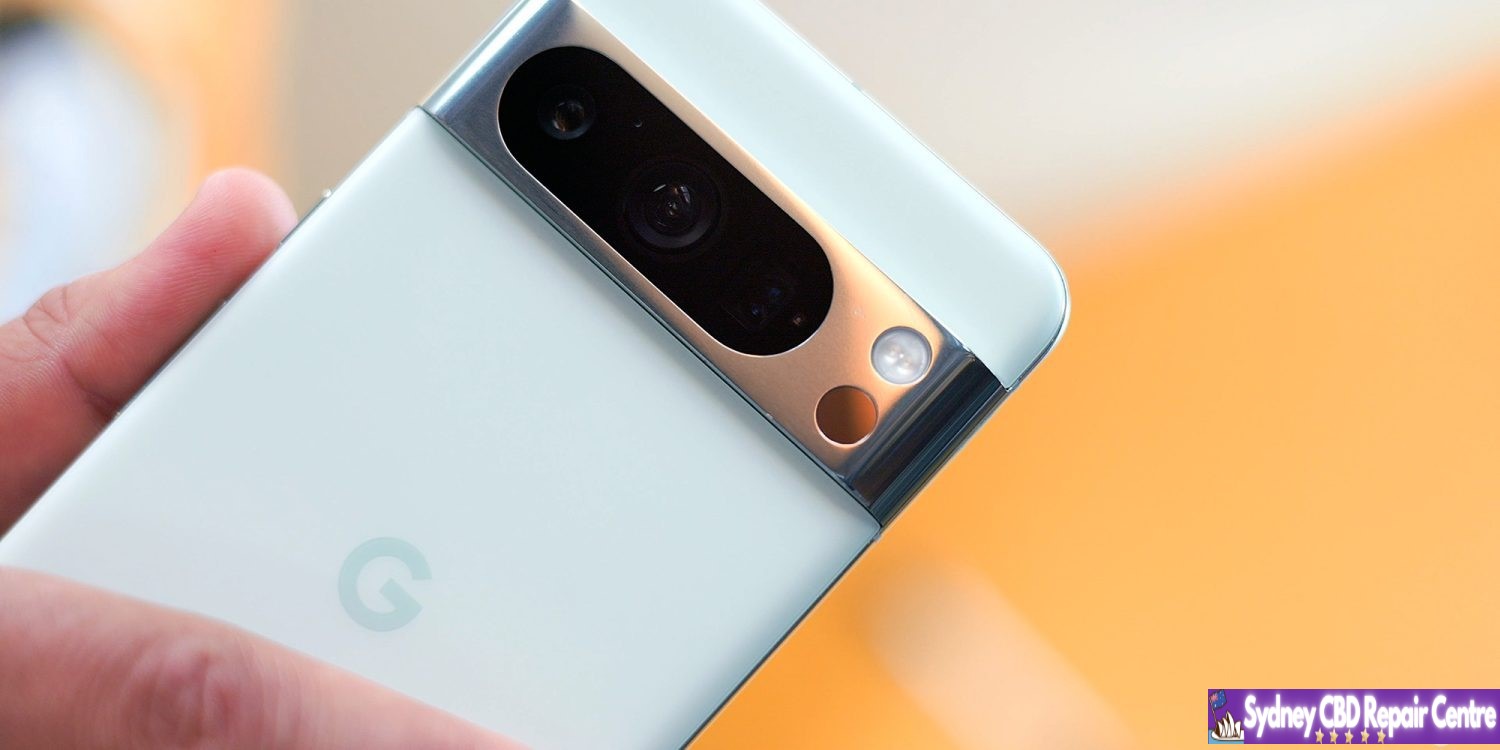
Google is rolling out Android 15 Beta 1.2 only three days after the last patch that addressed the lack of NFC tap-to-pay.
AP31.240322.027 (compared to AP31.240322.023) with the April 2024 security patch is available for all supported devices: Pixel 6, Pixel 6 Pro, Pixel 6a, Pixel 7, Pixel 7 Pro, Pixel 7a, Pixel Tablet, Pixel Fold, Pixel 8, and Pixel 8 Pro.
Fixed an issue that sometimes caused apps to freeze and display an “Application Not Responding” message. (Issue #328865524)
We’re not far from the first official look at iOS 18 at WWDC 2024 on June 10. Whether you’d like to test out the new OS as soon as the dev beta is available or you’ll wait for the public beta or public launch, follow along for when to expect the iOS 18 release date.
Apple historically reveals its major updates of iOS during the WWDC keynote and launches the first developer beta within hours.
Next, the first free iOS public beta usually launches about a month later with the official public release coming shortly after the fall iPhone event.
The upcoming major new iOS release is expected to come with big AI upgrades including on-device processing, a revamped version of Siri, smart integration with Messages, Apple Music, iWork, and more.
Other changes should include RCS support, new customization options for the Home Screen and the Calculator app finally landing on iPad (and Mac).
iOS 18 release date: When does iOS 18 come out?
TL;DR
iOS 18 developer beta – expected June 10 release at WWDC
iOS 18 public beta – expected between the end of June and mid-July
iOS 18 public release – expected in mid to late September
iOS 18 release date: Developer beta
Apple has made a tradition of releasing the first developer beta of each major iOS update on the same day as the yearly WWDC keynote.
WWDC kicks off with the keynote on June 10, expect the first iOS 18 developer beta to be released shortly afterward unless Apple switches things up
Here’s a look at the past five years of dev beta releases:
iOS 17 developer beta 1: June 5
iOS 16 developer beta 1: June 6
iOS 15 developer beta 1: June 7
iOS 14 developer beta 1: June 22 (delay due to pandemic)
iOS 13 developer beta 1: June 3
Public beta
The first iOS public beta typically arrives four to five weeks after the first developer beta launches in June. Historically that’s been between late June and early July.
Here’s a look at the last few years:
iOS 17 public beta 1: July 12, 2023 (after June 5 developer beta release)
iOS 16 public beta 1: July 11, 2022 (after June 6 developer beta release)
iOS 15 public beta 1: June 30, 2021 (after June 7 developer beta release)
iOS 14 public beta 1: July 9, 2020 (after June 22 developer beta release)
iOS 13 public beta 1: June 24, 2019 (after June 3 developer beta release)
Official public release
It’s likely iOS 18 will come out in mid to late September unless Apple throws us a curveball
If Apple has its iPhone 16 event between September 9-17, we could see iOS 18 officially launch between September 16-23.
Here’s a look at the last four years of iOS releases:
iOS 17: September 18, 2023 (after September 12 event)
iOS 16: September 16, 2022 (after September 7 event)
iOS 15: September 20, 2021 (after September 14 event)
iOS 14: September 16, 2020 (after September 15 event)
iOS 13: September 19, 2019 (after September 10 event)
iOS 18 release date conclusion
Since you can install iOS betas right within iPhone Settings (since iOS 16.4), it will be smooth and easy to try out iOS 18 come June.
Google has been steadily improving Gemini over the past couple of months, and it seems the Android experience is getting ready for a slew of new upgrades which includes responding in an overlay on top of your current apps.
Gemini on Android replaces Google Assistant when it’s activated, but there are some big downsides to that. Among other things, Gemini opens up all of its responses in a totally new window instead of responding in an overlay like Google Assistant has for years.
It seems that, soon, that may change.
Shared with the folks over at PiunikaWeb, Gemini for Android appears to be working behind the scenes to allow for responses to be available in an overlay. A video demo (see screenshots below, as the video was shared via Google Drive) of the new functionality shows the response appearing on top of the Twitter/X app, never technically causing the user to have to navigate back to the app.
It seems a much more seamless experience overall.
Beyond that, Gemini seems to also be working on some other improvements to its Android app. Shown in another PiunikaWeb post, a “real-time responses” toggle was enabled, enabling Gemini to show data generated as it is available.
Tipster @AssembleDebug also partnered with Android Authority for some other tidbits about what’s going on behind the scenes. This includes the ability for Gemini Advanced subscribers to upload files of any type to Gemini for Android. While the web version supports this already, the Android app is currently limited only to photo files.
The app is also preparing a new “select text” option that would be available alongside the existing “copy text” option.
It’s unclear when any of these new changes will be available, but seeing as they’re already functional, it’s likely they’re not too far away from launch.
As indicated by much of the research material Apple has been publishing in recent months, the company is investing heavily in all sorts of artificial intelligence technologies. Apple will announce its AI strategy in June at WWDC, as part of iOS 18 and its other new OS versions.
In the latest Power On newsletter, Mark Gurman says to expect the new iPhone AI features to be powered entirely by an offline, on-device, large language model developed by Apple. You can expect Apple will tout the privacy and speed benefits of this approach.
Previously someone found code references in iOS 17.4 that referred to an on-device model called “Ajax”. Apple is also working on server-hosted versions of Ajax too.
The downside to on-device LLMs is they can’t be as powerful as models that are running on huge server farms, with tens of billions of parameters and continually updating data behind them.
However, Apple engineers can probably take advantage of the full stack vertical integration of its platforms, with software tuned to the Apple silicon chips inside its devices, to make the most out of an on-device approach. On-device models are usually much quicker to respond than trafficking a request through a cloud service, and they also have the advantage of being able to work offline in places with no or limited connectivity.
While on-device LLMs may not have the same embedded rich database of knowledge as something like ChatGPT to answer questions about all sorts of random trivia facts, they can be tuned to be very capable at many tasks. You can imagine that an on-device LLM could generate sophisticated auto-replies to Messages, or improve the interpretation of many common Siri requests, for instance.
It also dovetails neatly into Apple’s stringent adherence to privacy. There’s no harm in churning all your downloaded emails and text messages through an on-device model, as the data stays local.
On-device models may also be able to do generative AI tasks like document or image creation, based on prompts, to a decent result. Apple still has the flexibility to partner with a company like Google to fallback to something like Gemini on the server for certain tasks, too.
We’ll know for sure what Apple plans to do when it officially announces its AI strategy at WWDC. The keynote kicks off on June 10, which will see the company unveil all the new software features coming to iPhone, iPad, Mac, Apple Watch, Apple TV, Vision Pro and more.
7 years of updates. It’s something that’s still borderline unbelievable, but Google set as the new standard for software updates with its latest Pixel releases. But months later, some still seem to not understand what this update promise means?
For a long time, Android phones didn’t have very good commitments for software updates. Some devices would get a couple of major Android updates while others would be months behind schedule if they were updated at all. Over time, that Wild West of updates was tamed, with the industry standard for a while settling on two years of major Android updates and three years of security updates after launch. That crept higher for a while, but Google really changed the game last year with the launch of Pixel 8 and Pixel 8 Pro.
With its latest flagships, Google promised 7 years of updates. That’s a number that not even Apple guarantees.
But what does that promise mean? There seem to be mixed opinions out there.
Some seem to be under the impression that this will mean every single feature Google launches over the next near-decade will be available on the hardware released today. Others are skeptical Google will live up to the promise at all.
But, ultimately, this is incredibly simple.
Google has explained that 7 years of updates will include Android OS updates and security updates for a total of seven years, with Pixel Feature Drops “may or may not” being included in that timeline.
Pixel 8 and 8 Pro will get updates for at least 7 years from when the device first became available on the Google Store in the US. These updates include security, software, and may also include feature drops.
That’s it. You can take that at face value. For the next seven years, Google Pixel 8 and Pixel 8 Pro will get every Android OS version and every monthly security update. They might get new features in those updates too, but it’s not guaranteed. But in terms of keeping the phone usable with modern apps over the next several years and keeping it secure from exploits, it’ll just keep chugging along.
I think it’s a little crazy that there’s been a debate over this, especially when what Google is doing here is almost exactly the same as what Apple has been doing. Apple, without setting a specific timeline on it, has been delivering long-term updates to iPhones for a long time, and it’s not uncommon for a new feature to exclude an older model even though that device got the latest iOS version.
Why is it different when it’s Google?
As we look forward to the Pixel 8a launching soon, presumably with a similar, if not identical promise, there’s nothing to be stressed or worried about. Long-term updates are a win for everyone as long as you don’t expect more than was promised.
Apple will reveal its AI cards on June 10 at WWDC, and Siri is surely going to be a key component. Generally, people want Siri to get good. You can’t just replace Siri intelligence with generative AI, however, but the two technologies make a powerful combination. What we want to see from an AI-infused Siri is actually simple.
Siri as it exists today is actually good at certain specific things.
We use Siri daily to send messages, make calls, create reminders, add things to my shopping list, play music, control lights, check the weather, check sports scores, start navigation, make voice memos, and much more.
Those are all rock solid. Siri is less reliable at summoning information. When kids ask knowledge questions all the time, and Siri should be the smoothest way to find the answer. We know in our bones that Siri is hit or miss on finding answers.
A simple test for Siri in iOS 18 is if it can eliminate punting to the web for search results as the answer. That’s where large language models excel. LLMs can be like hyper focused search engines that provide answers and not search results.
If Siri can provide more answers and less redirection, We can consider that a solid start.
Some other thoughts on this topic:
Siri is good about sourcing information when it does provide answers.
LLMs, on the other hand, will provide plausible answers that may be inaccurate.
Siri, Amazon Alexa, and Google Assistant competed on feature parity before; now the competition is over how best integrates generative AI.
Humane, the startup behind the Ai Pin hardware, has shown how generative AI should work with a voice assistant.
However, Ai Pin’s limited capabilities around actions shows where Siri + AI can excel.
Separately, the Rabbit R1 bespoke AI hardware has a different approach to actions that looks competitive.
In sum, throwing out Siri and starting over from scratch is not a serious solution. Instead, Siri should maintain its functionality while using generative AI to patch its weak spots.
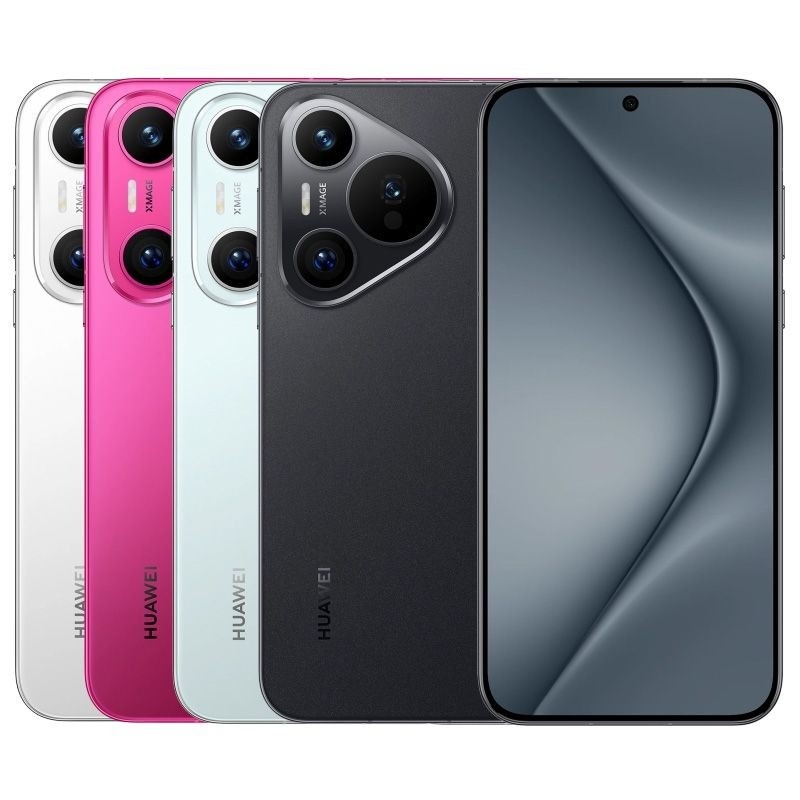
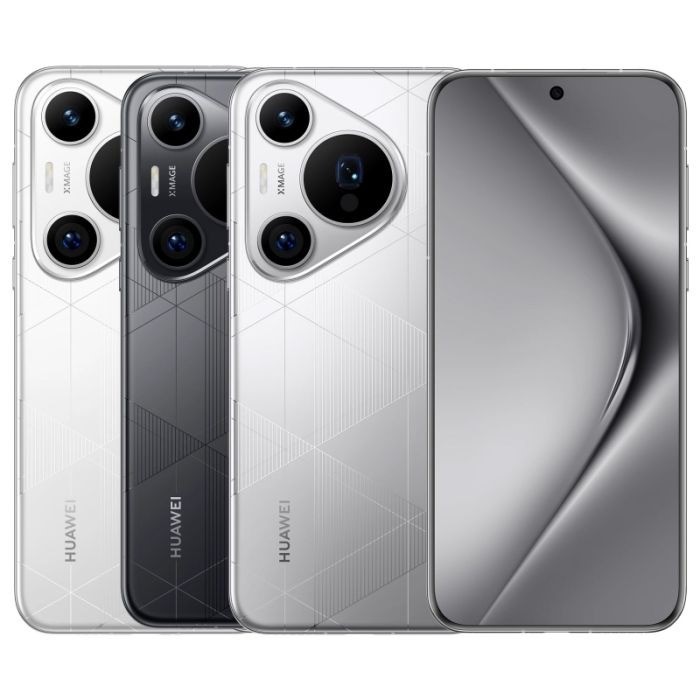
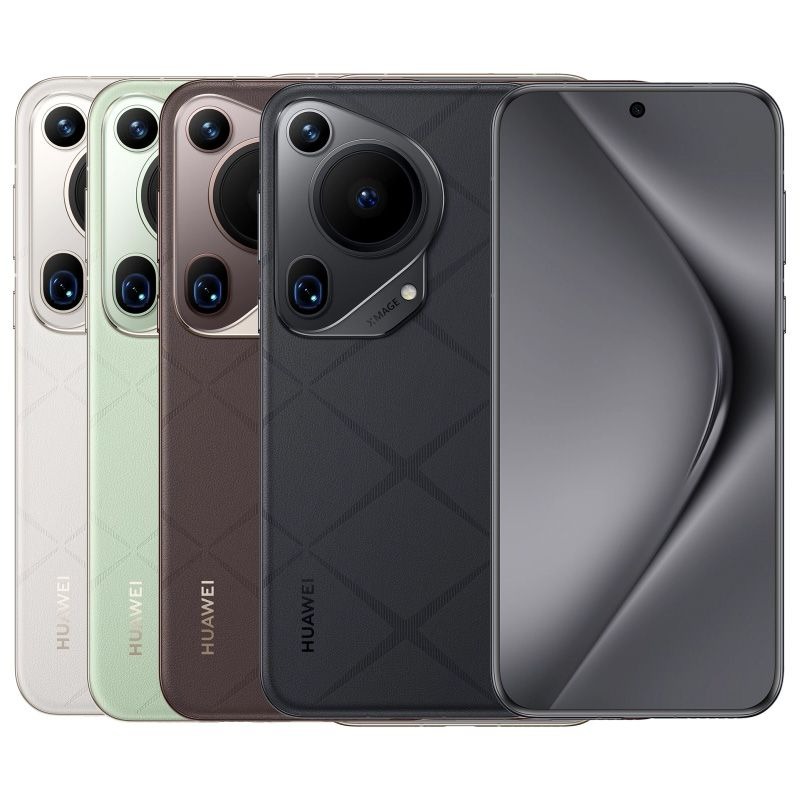
Huawei has come around to release the Pura 70 series, which consists of four individual models. One of the Pura 70 models incorporates a unique camera function that doesn’t make an appearance too often – the motorized retractable camera.
The Huawei P60 is just around a year old, and the company is ready to inject the lineup with new life. This year, Huawei is announcing the Pura 70 lineup (via Android Authority). That series includes the Pura 70 base model, Pura 70 Pro, Pura 70 Pro Plus, and Pura 70 Pura Ultra. The latter is, of course, the most expensive and houses the more expensive tech.
The base model isn’t something to shrug off, as it comes with an LTPO OLED display, a 4,9000mAh battery, and 12GB of RAM with up to 1TB of storage. Huawei doesn’t mention that the SoC is powering any of the four phones, and rumors are inconclusive up in the air.
The Pura Pro and Pura 70 Pro Plus bring marginal improvements over the foundational variant, with very little to distinguish either of them from the other. The main difference between devices is the RAM count, as the Pura 70 Pro Plus carries 16GB of RAM while the Pura 70 Pro only has 12GB of RAM.
Both the Pura 70 Pro and Pro Plus have a 50MP main camera sensor and a 12.5MP ultrawide angle lens with a 48MP telephoto complimenting unit. They both bring a 5,050mAh battery, with 100W wired fast charging and 80W wireless charging.
Huawei Pura 70
Huawei Pura 70 Pro Plus
Huawei Pura 70 Ultra
The Pura 70 Ulta utilizes the same charging structure and speeds with a slightly larger battery at 5,200mAh battery. It also brings the higher 16GB of RAM and 512GB or 1TB of storage.
Where the Pura 70 Ultra differs from the entire line is in the camera. The main unit is a 50MP 1-inch sensor, which would normally be incredibly difficult to fit in a thin device. However, Huawei decided to pack the Pura 70 Ultra with a retractable lens that can accommodate that sensor. The larger unit means more light, and according to Huawei, it means you can capture moving vehicles going 300km/h, which sits at 186mph. This would generally require more light on a traditional camera at a higher shutter speed. A larger sensor would accomplish this. The Pura 70 Ultra also brings an ultrawide lens and telephoto camera to complement the massive main unit.
Huawei is only releasing the Pura 70 series in China for the time being, though it’s expected the series may go global at some point. The Pura 70 base model will go for 5,499 yuan, or $760. At the higher end, the Pura 70 Ultra will cost users 9,999 yuan, which is around $1,380
Last month, Apple announced a new Web Distribution offering for developers in the European Union. On April 16, 2024, the Beta launch of iOS 17.5 beta 2, that feature is now available.
Web Distribution gives developers in the EU the ability to offer their apps for download directly from their website. Here’s how it works.
Web Distribution in the European Union with iOS 17.5
Web Distribution is the third distribution option that developers in the European Union can take advantage of in light of the Digital Markets Act.
To use Web Distribution, developers will have to opt into the new App Store business terms, which means they will pay the Core Technology Fee of €0.50 for each first annual install over one million in the past 12 months.
Any app distributed through the web will still be required to meet Apple’s notarization guidelines. Apps can only be installed from a website domain that the developer has registered in App Store Connect. Apple will also make a number of APIs available for integration with system functionality for developers.
Web Distribution lets authorized developers distribute their iOS apps to users in the European Union (EU) directly from a website owned by the developer. Apple will provide developers access to APIs that facilitate the distribution of their apps from the web, integrate with system functionality, and back up and restore users’ apps, once they meet certain requirements designed to help protect users and platform integrity.
When a user downloads an app from a developer’s website for the first time, they will be prompted with a series of screens explaining what it means to give that developer the ability to install apps from their website.
After authenticating with Face ID to approve giving that developer permission to install apps, the user will then go through a three-step installation process for the app itself. Apple’s Notarization system means that users will see clear information about the app and how it works. This includes things like the app name, developer name, app description, screenshots, and system age rating.
Notably, users only have to give each developer permission to install apps one time.
For example, let’s say Meta ends up supporting the Web Distribution feature in the EU. The first time a user downloads an app from Meta, such as the Facebook app, they will be prompted to give Meta the ability to install apps on their device. Then, going forward, they will only have to approve each app installation itself.
Verdict
The new details provided by Apple give a good look at the actual process of using Web Distribution in the European Union – including how it is balancing security and privacy with convenience.
A viral post on social media last week, boosted by Epic Games CEO Tim Sweeney, claimed that it would take 15 steps to install an app using Web Distribution. With the details provided today, Apple makes it clear that’s not the case.
Congratulations to Apple leadership for designing the worst app installation experience in the history of computing! Because Apple designers are the world’s best, there’s no question that this abomination is a premeditated part of a malicious European DMA compliance strategy. https://t.co/zx4aZicdEA
The first time you install an app from a developer using Web Distribution, it’s essentially an eight-step process to authorize a developer and install the first app. Each subsequent time you install an app from that same developer, it’s a three-step process.
For comparison’s sake, Android uses a one-time permission model when sideloading apps. While Android’s implementation requires fewer taps than Apple’s implementation, Apple provides users with more granular control for each developer. It also offers more details about each app prior to installation.
And, in a funny twist, Apple’s implementation of Web Distribution on iPhone is a significantly easier process than installing and using the Epic Games Store on the Mac.
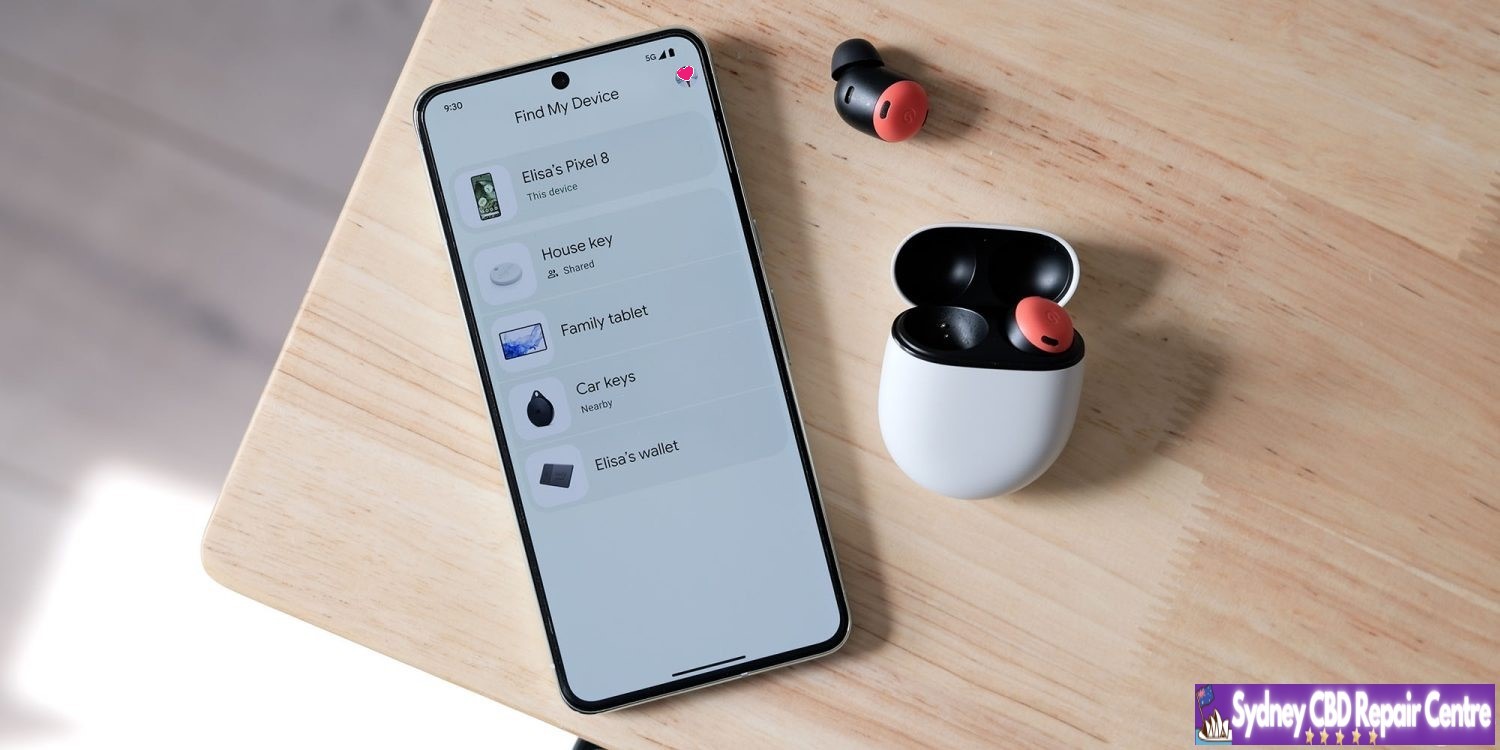
Google is rolling out an expansion to the Find My Device network, which allows your devices to be located even when they’re offline. If that doesn’t seem like something you’re interested in, it can be turned off; this guide will show you how.
What’s new with Find My Device?
Google has long had an app called called Find My Device. It’s very similar to iOS’s Find My app, which allows you to find your phone’s last online location. It even included options that would allow you to lock it up or wipe it completely.
While the app didn’t necessarily have glaring flaws, it was short-sighted simply because devices needed to be connected to the internet for an accurate location.
A new update to Find My Device now changes that, allowing devices to be located even if they’re offline. The update really comes as an infrastructural overhaul – something that has been in the works for a long time. It essentially utilizes other online Android devices to detect where your device is, whether that device is an Android phone like the Pixel 8, trackers, or even headphones.
The reason the rollout took so long is that Google had to work with Apple to develop an industry standard, ensuring the tech couldn’t be used to track individuals against their wishes – a problem Apple faced when it released the Air Tag.
Opting out of the Find My Device network
Even with Google’s security measures in place and encrypted data transfers between devices, you still may wish to opt out of the network. The update brought along options to allow you to do that in a matter of several steps.
On your Android device, open the Find My Device app.
Tap your profile picture.
Hit FInd My Device settings.
Tap Find your offline devices.
Choose what level of access the app has.
Note: This is a per-device setting.
This is where the Find My Device app allows you to tailor your security. There are two options that will limit the service – Off and Without network.
Off means that you’re entirely opting out of Find My Device’s network capabilities to find an offline device. When this is off, every time you open the Find My Device app, it’ll have to request one of your device locations at that moment – it will not store location data while the phone is online.
Without network means Find My Device will store location data for your devices while they’re online, and you’ll be able to see where it last was even if the battery is dead or it has no signal.
Both of these options opt you out of the network, which means your phone will not participate in locating other lost devices or vice versa.
At which level you decide to opt-out is up to you. Google notes that all location data is encrypted from device to device, but the tech might not interest everyone.
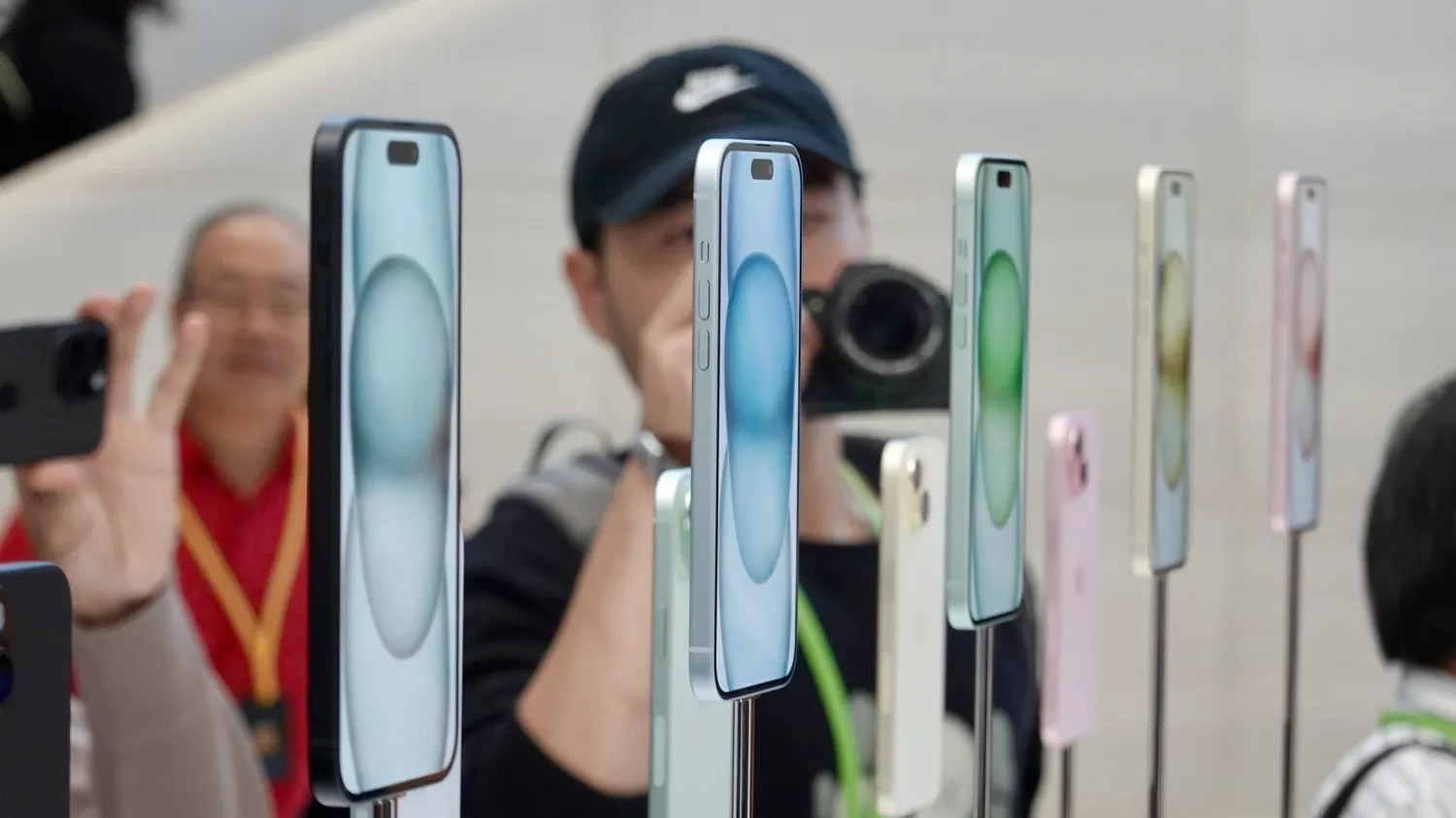
While the iPhone 16 won’t feature any dramatic design changes, Apple is allegedly planning to shake up the color choices. According to a new rumor today, the iPhone 16 will be available in two additional colors compared to the iPhone 15 lineup.
iPhone 16 colors
Interestingly, the rumor specifically refers to the iPhone 16 Plus. It seems unlikely that the iPhone 16 and iPhone 16 Plus would each be available in different colors, but this is something to keep in mind.
As a refresher, here are the five color options for the iPhone 15 and iPhone 15 Plus:
Pink
Yellow
Blue
Green
Black
According to a new rumor posted on Weibo today, the iPhone 16 will be available in a wider array of seven colors:
Pink
Yellow
Blue
Green
Black
White
Purple
Again, this is just a rumor for the time being – and a sketchy rumor at that. Still, it’d certainly be nice to see Apple offer the iPhone 16 in a wider array of colors … and maybe some of those colors will be a bit bolder and less muted than what we have now.