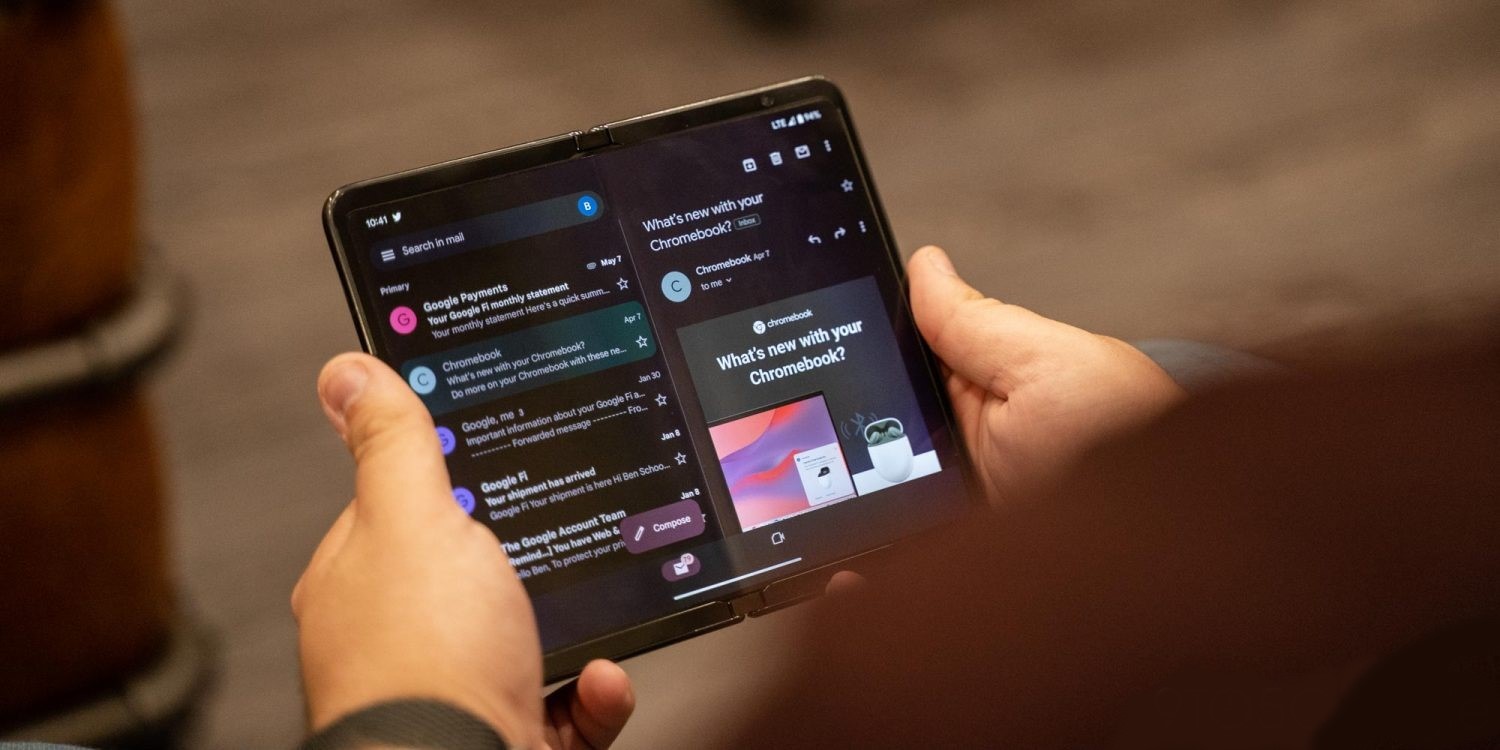
According to a new report, Google’s upcoming Pixel hardware including the Pixel 9 series, Pixel Fold 2, and a 5G-connected Pixel Tablet will be getting a new cellular modem, an overdue upgrade.
Since the big Tensor reboot, Google has shifted away from Qualcomm’s proven modems paired with Snapdragon processors over to Samsung modems which work with the Exynos base that Tensor relies on. Google first upgraded the modem paired with Tensor on the Pixel 7 series but leaned on the same modem (albeit a slightly newer refresh of it) on the Pixel 8 series. And while the modem is reasonably sufficient, it still struggles in areas with low connection, and is less power efficient.
Now, it seems Google is planning to equip Pixel 9, and other devices, with an updated modem.
Android Authority reports that Pixel 9, Pixel 9 Pro, and Pixel 9 Pro “XL” will be equipped with a new modem. However, that modem, which will be a part of Tensor G4, will still be provided by Samsung – the new generation is signified 5400, up from the 5300 paired with Tensor G3.
The same modem will apparently be used in the upcoming Pixel Fold 2 as well as a previously unknown 5G-connected Pixel Tablet. In February, it was reported on possible Pixel Tablet 2 codenames, including the “clementine” codename mentioned in this report, confirming that this is in fact a sequel to the Pixel Tablet. The current Pixel Tablet offers no cellular connectivity.
The new modem is reportedly upgraded on the software side, but it’s unclear how the hardware is changing. The only clear upgrade is support for the 3GPP Rel. 17 5G spec which supports satellite connectivity. Technically, the existing modem in Pixel devices does also support satellite, but it’s not yet been used, and it does use an older version of the 5G spec.
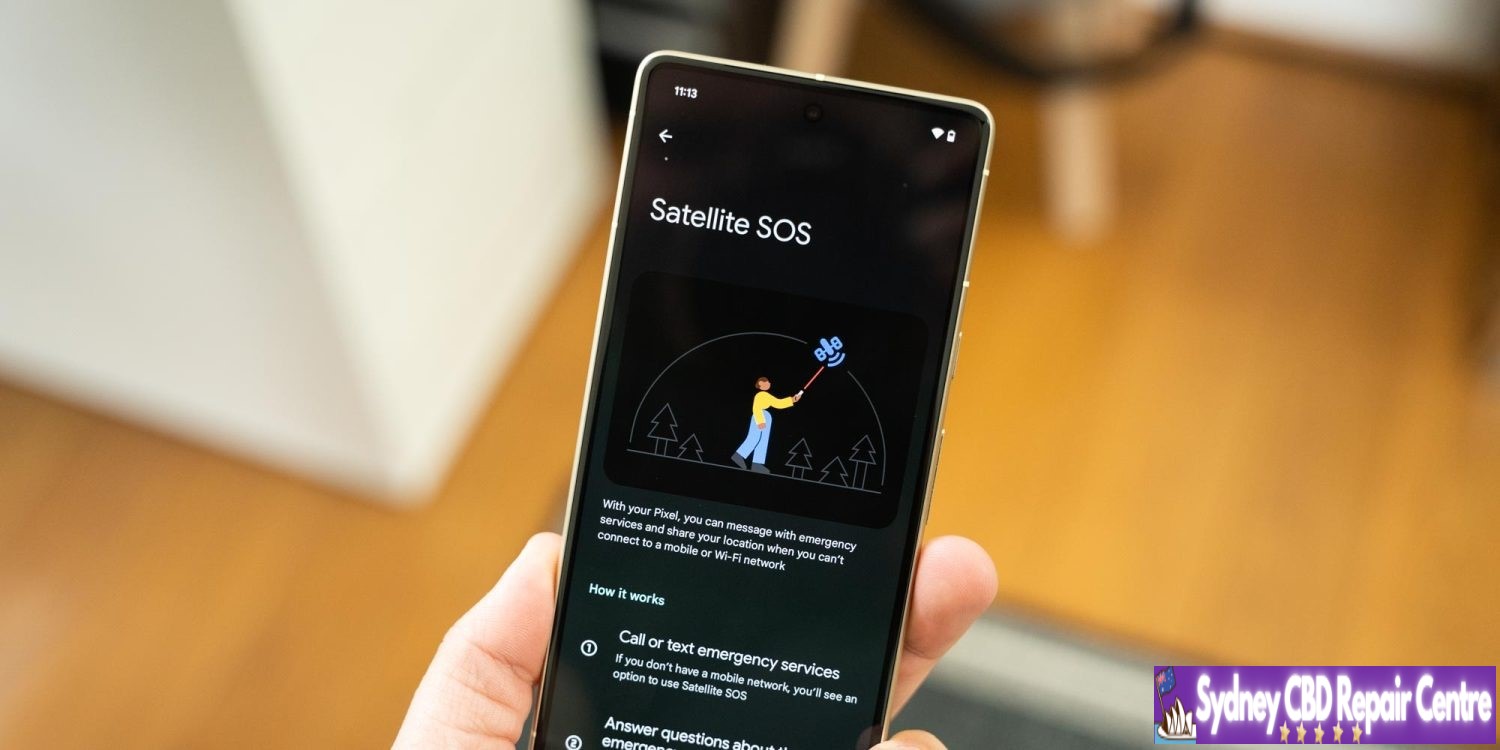
Alongside this added support, Pixels with satellite support would use a “Satellite Gateway” app which, to the user, would be used through Emergency SOS. According to this report, users will be asked basic questions to identify the emergency situation, given a choice to notify contacts, and send messages with emergency services.
Some of the questions, which may have multiple-choice answers, include:
What happened?
[Are you/Are they/Is everyone] breathing?
In total, how many people are [missing/trapped]?
What best describes your situation?
What is on fire?
Are there weapons involved?
What type of vehicle or vessel?
Do any of these apply?
A new preview clip, as seen below, signifies there will be a UI to help align with a satellite.
Code also suggests that Pixel Fold 2 may need to be unfolded to do this.
Google has been working on “Satellite SOS” on Pixel devices as of late, but no functionality is live today.
How this new modem sticks the landing will be interesting, but there’s a pretty low bar for success here. Google is expected to shift to a TSMC-produced Tensor chip in 2025, but it’s unclear if the company will change modems at that point. Tensor G4 is, beyond this modem, expected to be a relatively minor change.
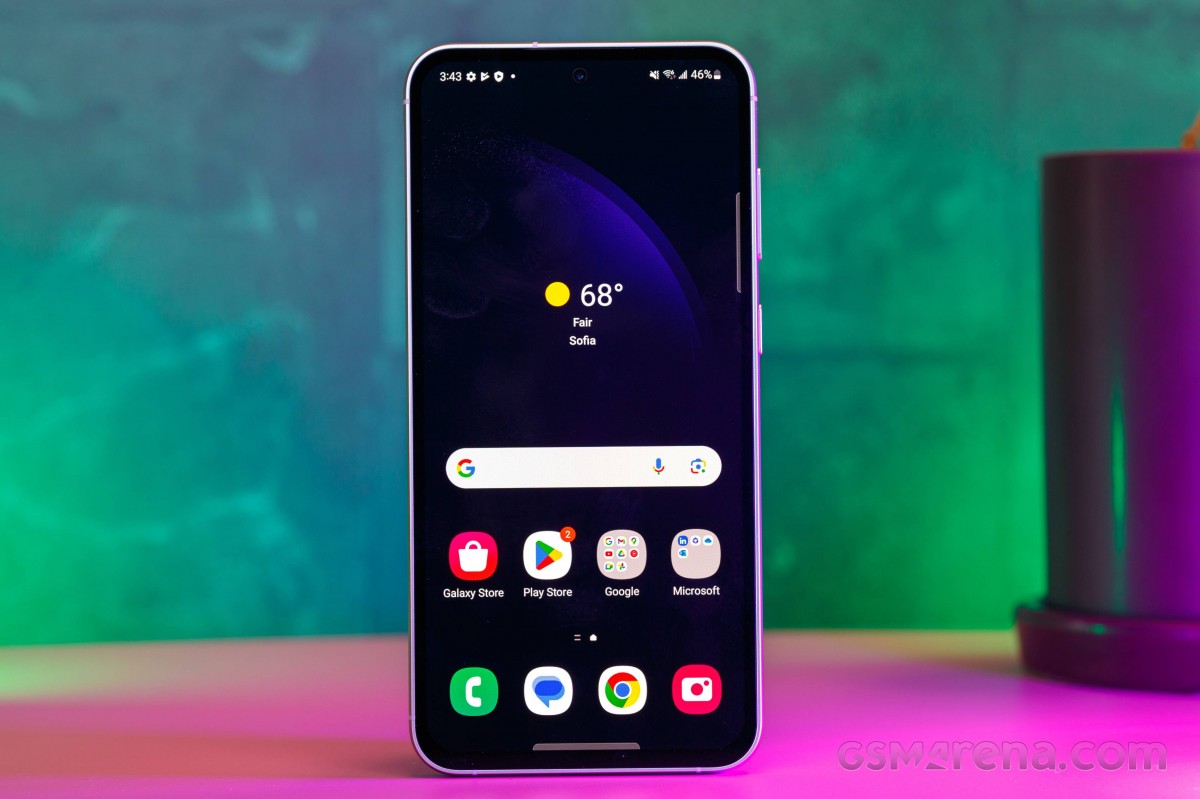
The Fan Edition is no more, yet the FE series live on. Indeed, the new Samsung Galaxy S23 FE is bringing back the beloved affordable flagship vibe, but there is no mention of the original FE meaning, just Standout Features. And the Galaxy S23 FE has plenty of those.
Note:We are reviewing the US version of the S23 FE, which is based on Snapdragon 8 Gen 1 chipset.
Update, Dec. 26,2023: We also got the Exynos-based global model of the Galaxy S23 FE and have added its test results across this review.
The Galaxy S23 FE is a refresh of the rather popular Galaxy S21 FE, improving the design, the performance, and the camera quality. The usual stuff, obviously.
The design is the real standout here, especially our Purple version. It is one of the most strikingly beautiful colorways we’ve seen in years, and we are just in love with it.
The phone is IP68-rated, looks a lot like the Galaxy S23 models, but has a matte frame. It borrows the Galaxy 21 FE display – it’s a 6.4-inch Dynamic AMOLED 2X with 1080p resolution and 120Hz refresh rate.
The chipset upgrade is inevitable, of course. The Galaxy S23 FE jumps one generation ahead with the Exynos 2200 (the Galaxy S22 series SoC), up from Exynos 2100 on the S21 FE. That is for the international version. The US model is powered by the Snapdragon 8 Gen 1, up from Snapdragon 888.
The base model remains 128GB, but the base RAM is now 8GB. There is no microSD expansion, a feature known to be, well, a fan favorite.
Moving on to the camera. The setup on the back is like the one on the S21 FE but with a higher resolution primary camera – it’s now a 50MP OIS main cam, accompanied by an 8MP 3x OIS telephoto and a 12MP ultrawide camera. The selfie camera uses a 10MP imager.
And that’s about it. The rest is the same as on the S21 FE – a pair of speakers, a 4,500mAh battery with 25W fast charging, wireless charging, UD fingerprint scanner. The S23 FE arrives with Android 13 and One UI 5.1.
Disclaimer. We can not guarantee that the information on this page is 100% correct.
The Galaxy S23 FE seems like an affordable premium smartphone with an excellent display, powerful hardware, and a capable camera kit. You can easily tell where Samsung had to cut some corners to keep a decent price – last year’s chip, the low-res tele camera, and even the Gorilla Glass went from Victus down to Glass 5. And yet, the cherrypicked features do make for one well-rounded smartphone, at least on paper.
The updates over the Galaxy S21 FE are not major – next-gen chip and a higher-res main camera, so we doubt the S21 FE owners would find this one intriguing. And this is the only thing we can think of upfront that some may find upsetting.
Unboxing the Galaxy S23 FE
The Galaxy S23 FE arrives in one of those super thin eco-friendly boxes that Samsung has been using for the last couple of years.
The retail bundle includes the S23 FE, a black USB-C-C cable, and a SIM ejection PIN. That’s it.
Alternative offers
The Samsung Galaxy S23 FE is quite the oddball. First, it’s equipped like an overdue Galaxy S22 FE. Then, in some markets, it is priced as the Galaxy S23. Finally, there is the chipset fragmentation we’ve been discussing in detail in this article. It does sound like a hard pass at first, doesn’t it?
Yet, it’s a solid smartphone, one that will be worthy of a recommendation once the price settles down. And we believe this will happen quite soon.
While there is zero chance that both versions would become available in a single market, it is still good to know what differences there are.
The Galaxy S23 FE doesn’t feel exactly like a more affordable alternative to the Galaxy S23+, but the Galaxy S22+. Not that it doesn’t really matter, but it’s just that the Galaxy S23 FE is neither a Fan Edition, nor an S23. More like an S22 FE that is coming extra late for the party.
But the Galaxy S23 FE caters to a certain market niche, which we usually call flagship killers, where it brings flagship-grade features at an affordable price. Even better, it’s smaller than the average phone, so some users would definitely find it a good offer just for its size.
The Galaxy S23 FE launched at $600 in the US and INR 60,000 in India. Then, it went on sale for $500 in the US and INR 49,000 in India, and from what we can see, it’s back to its original pricing. It also launched in Europe at €650.
Having those prices in mind and its compact form factor, we think the first competitor that comes to mind should be the original Galaxy S23 flagship. It has a smaller but brighter screen, a more durable Victus 2 build, a faster chipset, and better telephoto and selfie cameras. The Galaxy S23 has a $800 MSRP in the US, but it can be found for as low as $630 depending on the retailer, which gets it pretty close to the Galaxy S23 FE. It is a similar affair in Europe.
The Nothing Phone (2) also costs the same as the Galaxy S23 FE at launch and it’s a very good alternative. The Glyph UI and the physical design is unique, but the phone also has some impressive specs like the large OLED, a similarly powerful chipset with better stability, and notably faster charging. The rear camera setup consists of two cameras – a high-res primary with high-quality 2x zoom and a high-res ultrawide with great macro photography. There is no zoom camera here, and the selfie camera is inferior to the S23 FE’s. If unique is what you are looking for, or just a larger screen with a clean UI, the Phone (2) will deliver.
Finally, the OnePlus Nord 3, where available, or its nearly identical OnePlus 10T counterpart, are even cheaper offers that deserve a mention here. The Nord 3 is an IP54-rated smartphone with a large Fluid AMOLED with a higher 1240p resolution and fast and more stable Dimensity 9000 chip. The phone has less impressive cameras all around and no zoom one, but it’s a solid offer if your budget is more limited and yet you want a flagship killer phone.
The Samsung Galaxy S23 FE name makes little sense, but the phone has every chance of finding its footing when its price settles down. This late Galaxy S22 FE has an attractive dual-glass design, a great OLED screen, capable hardware, consistently good cameras, superb speakers, and flagship software.
We did appreciate the dual-glass design, and we are fond of the new colorways. We are not fans of the extra weight and the thicker bezels, though – even the 6.6-inch 22+ is smaller and lighter. Still, the S23 FE retains a classic design, and we think many will like it.
The Galaxy S23 FE has a 6.4-inch 120Hz OLED screen with good brightness, sharpness and HDR10+ streaming. Its punch hole is quite tiny, too. And the screen can be nicely color-accurate.
And we very much appreciated the louder and better-sounding speakers.
The camera quality is excellent across the board – main camera, 2x zoom, 3x telephoto, ultrawide, selfie. This applies for photos and videos, any time of the day. Samsung has been consistent with its quality and processing, and while its punchy colors may not be everyone’s cup of tea, they are valued by many.
The chipset is quite powerful and still flagship-grade, but its GPU stability is far from ideal, and gamers should want to consider something else before deciding on this Galaxy. The battery life, especially when it comes to gaming, is below average, too.
Overall, the Galaxy S23 FE is a good all-round smartphone, almost like a flagship-killer, even if it’s a year late. It’s pretty much a hard pass at $600/€650, but at $500/€500 or less – we’d say it’s a good deal that makes sense.
Pros
Beautiful classic design, dual-glass, IP68-rated.
Fast OLED screen, decent brightness, great color accuracy, HDR10+.
Very good stereo speakers.
Flagship-grade performance.
Reliable camera quality across the board.
One UI with DeX support; 4 major Android updates.
Cons
It’s closer related to S22 than S23 and yet it arrives 18 months after the S22 family.
Heavy weight, thick screen bezels.
Unimpressive battery life.
Strong GPU throttling, chipset fragmentation by regions.
Apple is alerting users to a new instance of an identified mercenary spyware attack on the iPhone. Possible victims have been sent an email from Apple describing how the attack could “remotely compromise the iPhone”. Victims are being notified in India and 91 additional countries, via Reuters.
Mercenary attacks of this nature typically cost millions of dollars, and are often useless once discovered by security researchers and patched by iOS security updates. They are often believed to be state-sponsored, due to the high cost of development to craft such complex and sophisticated attacks. However, in a notable change of language, Apple no longer says this explicitly in its threat notifications.
Apple has sent out these alerts in waves since 2021, as new attacks have been discovered. They generally target people like political activists, government officials, diplomats and journalists.
In this latest case, it seems the purpose of the attack was to install malicious software on the user’s device in order to spy on user’s data and their whereabouts.
Obviously, Apple continuously works to patch and defend against all manners of iPhone security bugs. Users can proactively help to defend themselves, by installing the latest software updates promptly, and consider enabling Lockdown Mode, which disables some iPhone system features that are particularly prone to vulnerabilities.
The origin of this latest attack is currently not disclosed. In addition to technical patches, Apple is also using its legal might to go after some of these spyware maker.
Israel’s NSO Group is one of the most notorious makers of such spyware. In November 2021, Apple sued NSO Group for its role in conducting surveillance attacks on Apple users. The case is ongoing.
Custom Android ROMs aren’t nearly as common as they once were, but many were still useful for getting additional functionality or changing up the experience on the device. “Pixel Experience,” a custom Android ROM that echoed the UI and features of Google Pixel on other devices, is sadly now shutting down.
“Pixel Experience” launched in 2017, around a year after the first Google Pixel smartphone made its debut. The project aimed to copy the UI and best parts of using a Pixel on other Android smartphones. It became one of the more popular custom Android ROMs in recent years, but the project is now shutting down.
In a post today, José Henrique, the founder of “Pixel Experience,” says that active development on the custom ROM is coming to an end. Older builds will continue to be available and the website will remain online, but development is over.
The post explains:
This project has been an incredible journey filled with innovation, collaboration, and unwavering dedication from both the team and the community. From the inception of PixelExperience, our goal has always been to provide users with a seamless, customizable, and feature-rich Android experience, tailored to a wide array of devices.
As we bid farewell to active development, I want to express my deepest appreciation to every member of our community, testers, contributors, and all supporters. Your passion and commitment have been the driving force behind every milestone we’ve achieved.
As it stands today, Pixel Experience is available on Android devices from Asus, Google, Lenovo, Motorola, Nokia, Nothing, Nubia, OnePlus, Razer, Realme, Samsung, Teracube, and Xiaomi. Android 14 builds were made available in beta in late February.
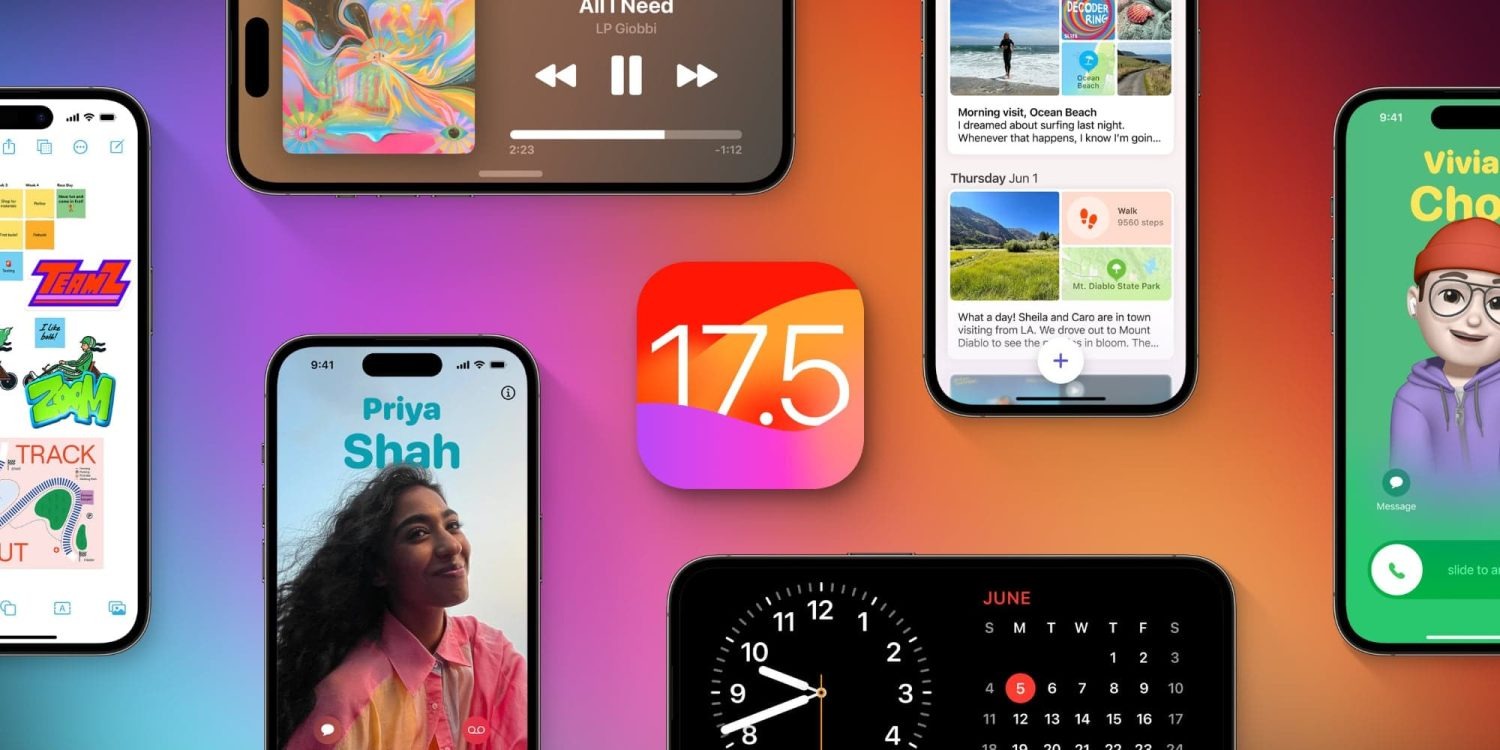
Apple has officially started beta testing iOS 17.5 with developers and public beta users. The update brings a handful of new features and changes, and is expected to be released sometime next month. Head below for everything we know right now.
When will iOS 17.5 be released?
Based on previous years of iOS updates, I’d expect that iOS 17.5 will be released to everyone sometime in mid-May. Here’s a rundown of previous iOS x.5 update release dates:
iOS 16.5: May 18
iOS 15.5: May 16
iOS 14.5: April 26
iOS 13.5: May 20
What’s new in iOS 17.5?
While iOS 17.5 isn’t quite as big of an update as other iOS 17 updates, it still includes its fair share of new features and updates.
Web Distribution in the EU
Within the European Union, the latest iOS 17.5 update introduces the capability to install applications directly from a developer’s website. Apple unveiled this new “Web Distribution” feature last month, explaining that it allows developers to distribute their iOS apps straight from their own websites.
To utilize this functionality, developers must opt into the updated App Store business terms, which requires paying a Core Technology Fee of €0.50 for every first annual installation exceeding one million in the preceding 12 months.
guidelines. Apps can only be installed from a website domain that the developer has registered in App Store Connect. Apple will also provide a range of APIs for developers to integrate with system functionality.
While the iOS 17.5 beta 1 lays the groundwork for this feature, there are currently no developers offering their apps via this new Web Distribution feature. We don’t anticipate this changing until the public release of iOS 17.5 in May.
Design changes
iOS 17.5 beta 1 also includes a few small design changes that are worth pointing out:
The Podcasts widget has been updated to have a new dynamic color that changes based on the artwork of the podcast you’re currently playing.
In the Apple Books app, Apple has redesigned the “Reading Goal” icon in top navigation bar.
In the Settings app, there is a new glyph for the “Passkeys Access for Web Browsers” menu under “Privacy & Security.”
Find My network updates
Based on code discovered iOS 17.5 seems to incorporate a new system centered around anti-stalking capabilities for accessories like AirTags. This development follows Apple’s announcement last year of a partnership with Google to collaborate on a new “industry specification to combat unwanted tracking.”
Strings added to the Find My app reveal that iOS will be able to identify tracking accessories, even those that are not Apple or Find My certified, and assist users in disabling them.
One of the new strings states, “This item lacks certification on the Apple Find My network. You have the option to disable this item and prevent it from sharing its location with the owner. To proceed, follow the instructions provided on a website by the manufacturer of this item.”
These changes come as Google started rolling out its new Find My Device network for Android on April 8.
iOS 17.5 roundup
iOS 17.5 also includes an update for MDM users: “MDM solutions can now enforce a beta version during automated device enrollment.”
Whether Apple has more changes planned for iOS 17.5 beyond what was launched today remains to be seen. The focus is clearly on the European Union, where Apple continues to adapt to the Digital Markets Act being enforced by the European Commission.
The Find My Device network will be able to find the Pixel 8 and 8 Pro “if they’re powered off or the battery is dead.” The former might help when a device is stolen. “Specialized Pixel hardware” is credited as making this possible.
Google tells us that support for this is already available without owners needing to take any action. It will be working with other OEMs and chipmakers on expanding this capability to premium Android devices.
Meanwhile, Google last year said that “Pixel Buds” will be updated to support the new offline Find My Device capabilities. Google confirmed today that this is coming to the Pixel Buds Pro in the future. JBL and Sony will release similar updates “soon.”
This support for headphones is coming after the initial launch for phones and tablets. Support for Bluetooth tracker tags will coincide with some product launches in May.
The Find My Device network is first rolling out in the US and Canada, with end users prompted by email and on-device alerts.
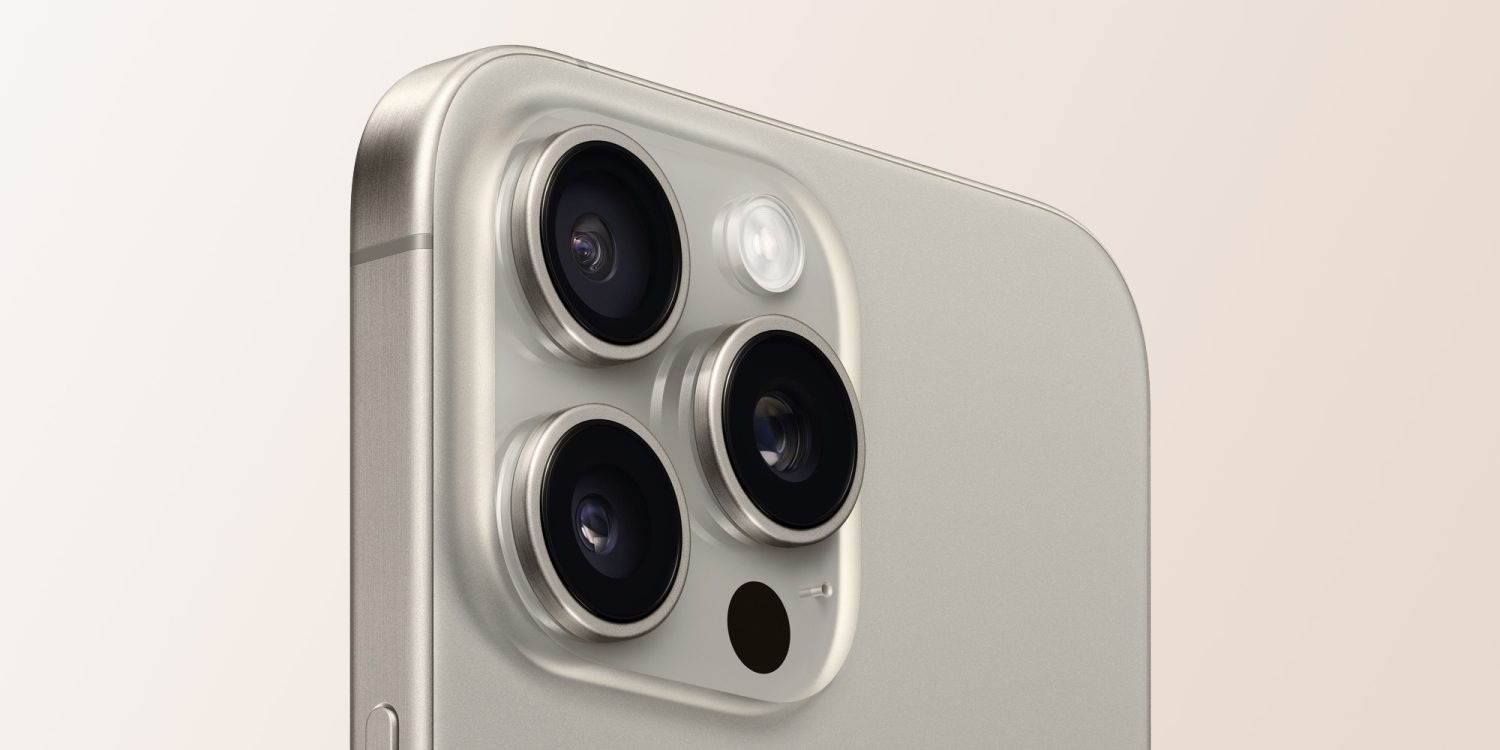
While the iPhone 15 Pro saw the addition of the Action button, the entire iPhone 16 lineup will reportedly get an all-new “Capture button” this year. This will give users a new way to quickly take pictures using their iPhone 16 camera, with a few added bonuses. Here’s everything we know so far
The iPhone 16 Capture button’s design
The Capture button will reportedly come to the entire iPhone 16 lineup. This includes the iPhone 16, iPhone 16 Plus, iPhone 16 Pro, and iPhone 16 Pro Max.
According to multiple different CAD drawings and dummy units, the iPhone 16’s Capture button will be located on the right side of the phones. It will be in the same spot as the mmWave 5G antenna currently is in the United States.
While there was speculation that the iPhone 16’s Capture button might use a capacitive design, the latest reporting suggests that won’t be the case. Instead, the Capture button will have a mechanical design that physically presses in and out.
However, The Information has reported that the surface of the Capture will be touch sensitive. iPhone 16 users will allegedly be able to swipe left and right on the Capture button’s surface to zoom in and out. The Information also says that users will be able to “bring images into focus by pressing it lightly and activate the shutter by pressing more firmly on the button.”
The idea of a dedicated “Capture button” when it was first rumored for the iPhone 16. The rumors around the swipe gestures, however, make it sound infinitely more useful.
In some ways, this also takes me back to the days of the iPhone Smart Battery Case that had a built-in camera capture button. Those were good times.
In Gmail for web, some users can experience Google’s Workspace Labs integration, which pulls Gemini’s AI functionality into the email site. One of the ways Gemini can operate is with the email summary feature.
In essence, Gemini can create a summary of email threads and content so you don’t have to dig through messages. It can prove to be rather helpful, but it’s still in the early stages of development.
According to PiunikaWeb, the email summary feature may also be coming to Gmail for Android. Hidden in an upcoming version of the app, the email summary tool was discovered. It comes as a button that sits right under the email’s subject, reading “Summarize this email.” Tapping would likely generate a summary at the bottom of the email, much like in the web version.
The tool doesn’t work in this infantile stage, but it showcases Google’s plans to bring Gemini to the mobile Gmail app rather than pioneer it solely on the web, which was unlikely. One could also argue that the feature would be even more useful in a mobile setting rather than on a desktop, where text and formatting are easier to make out.
Since this is a feature that shows signs it’s still being prepared Google hasn’t made any mention of when Android users can expect to see the Gemini-powered email summaries in Gmail. It’s also unknown as to whether the email summary feature from Gemini on mobile will be a limited rollout like the current version on the web.
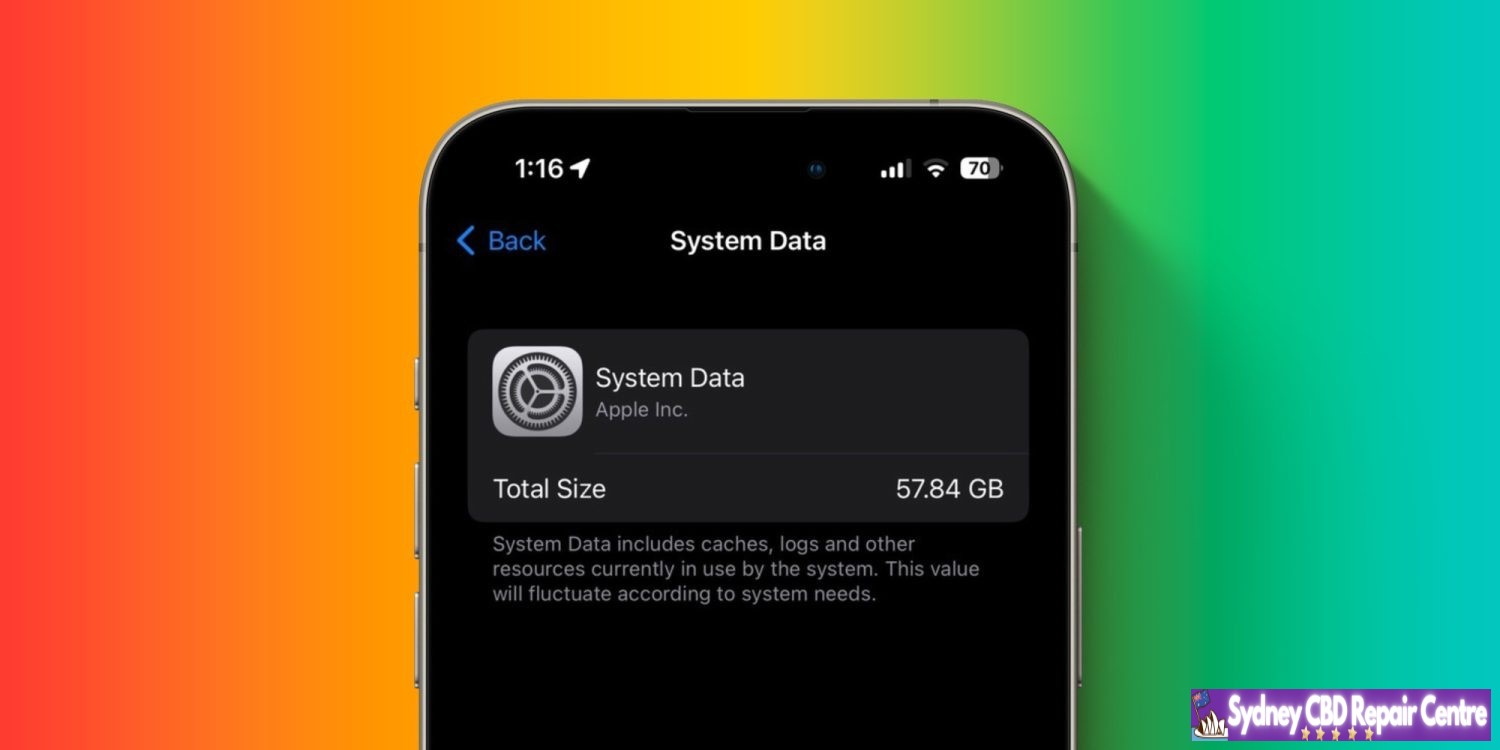
There’s been an iOS bug for years that gobbles up a big percentage of an iPhone’s available storage. The issue persists in iOS 17.4 and 17.5 but fortunately, there are solutions that don’t involve wiping your iPhone. Here’s how to fix the iPhone System Data storage bug.
Across Apple’s Community forums, Reddit, and more, iOS users have complained about the iPhone System Data storage bug for years (some reports date back to iOS 13). I haven’t had trouble with the bug until iOS 17.3-17.5 where I’ve seen up to 60 GB of storage eaten up by iOS System Data.
And it’s not just a reporting bug, the storage used by System Data is unusable. Unlike the cache in individual iOS apps or Apple apps like Safari, there’s no button to quickly empty System Data. Here’s how Apple describes what it’s used for:
System Data includes caches, logs and other resources currently in use by the system. This value will fluctuate according to system needs.
Apple hasn’t offered an official solution to the problem, but there are several ways to resolve the issue. We’ll start from the simplest and quickest option to more involved tactics.
How to fix the iPhone System Data storage bug
You can see how much storage System Data is using on your iPhone by heading to Settings > General > iPhone Storage > Go to the very bottom > System Data
Try powering off and powering on your iPhone
Head back to iPhone Storage > System Data to see if that’s helped
This alone has worked to reduce my System Data by over 50 GB (but sometimes in days or weeks it will inflate again with further restarts helping)
Change iMessage history to keep for 1 year or 30 days instead of Forever
Head to Settings > Messages > Keep Messages > 1 year or 30 Days
Some users report having success with deleting and reinstalling Apple TV to clear the cache and doing the same with apps like Instagram, TikTok, Discord, Slack, etc.
Clear your Safari cache
Settings > Safari > Clear History and Website Data (note: this impacts any sites you were logged into, etc.)
Via Reddit user Vertsix, there is a more complex “date trick” that seems to work reliably to purge iOS System Data – make sure to follow the steps as described to avoid losing iMessages in the process
Above is my before and after power cycling my iPhone – 60.58 GB to 8GB usage for System Data.
Nearly a year ago at Google I/O, the new “Find My Device” network for trackers was announced for Android, but then delayed indefinitely for the benefit of iPhone users. Now, finally, the network is starting to roll out – sort of.
The Find My Device network piggybacks off of all Android phones with Google Play Services to help users find lost items including phones and smartwatches, as well as trackers, headphones, and more. Google first announced the network in May 2024 with the goal of rolling it out in the months to follow, but the company later announced a delay.
The network’s delay was to wait on Apple implementing protections in iOS for trackers used with Android. Apple was waiting for an industry standard to be built out for the action (even though no such protection was available to Android when AirTags debuted), with the standard having been ready to go as of December 2023. Just this week, in iOS 17.5 builds.
Now, Google is starting to roll out Android’s Find My Device network.
In the latest beta version of Google Play Services, v24.12.14, a new “Find your offline devices” is appearing in the Settings menu for some users. This leads to another page with options to find devices without the network, with the network in “high-traffic areas,” and with the network all of the time. Users can also turn the feature off entirely. By default, the option is turned on and to “all areas.”
We previously reported on these settings in September 2023. The descriptions of each were as follows:
Without network: “Your device won’t participate in the network. You can still locate your offline devices using their stored recent locations when they were online.”
With network in high-traffic areas only: “Locate using stored recent locations or the network in areas like airports or busy footpaths. To help find a lost item, location info from your device is used only if others in the network also detect the item.”
With the network in all areas: “Locate using stored recent locations or the network even in low-traffic areas. To help find a lost item, location info from just your device may be used if it’s the only one in the network to detect the item.”
The rollout was noticed by @AssembleDebug, and has since been also spotted by several users on Telegram. However, it does appear to be in a limited capacity so far. We’re not seeing it appear on a Pixel 8 Pro with the latest Play Services update, but your results may vary. On Pixel, the setting should appear under Settings > Security & privacy > Device finders > Find My Device > Find your offline devices.
Seems like Google has started rolling out the Find My Network with Google Play Service beta version 24.12.14
This is not a wide, formal launch, but very likely the first steps of the full launch. Presumably, Google will fully flip the switch when iOS 17.5 is available to iPhone which, currently, is estimated to be sometime in May. We’ve reached out to Google for more information.