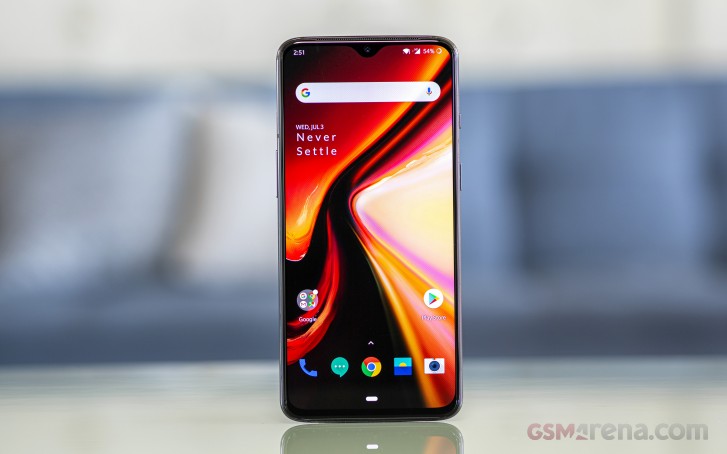
Android 11 brings much-needed privacy and security features alongside exciting UI changes.
Android 11 continues to push Google’s vision of Android forward. With Android 11, Google is making a few tweaks to refine the platform instead of making wholesale changes. Privacy is a big focus with Android 11, with Google introducing one-time permissions and granular control over what sort of data you share.
There are new features to get excited about as well — the power button menu picked up a massive overhaul, the Conversations view does a great job highlighting your messages, and there are little tweaks throughout the interface that give it an added polish.
Android 11 is powering the best Android phones of 2021, and manufacturers are doing a better job rolling out the update to their 2020 phones. So here’s everything you need to know about all the new features in Android 11, and when your phone will receive the update. We also highlight what’s on the horizon with Android 12; Google just rolled out the first public beta, introducing a radical new UI and exciting new features.
Is Android 11 available for my phone?
Following months of Developer Previews and Betas, Google launched the final build of Android 11 on September 8, 2020. The update was available for Pixel phones on day one as per usual. This year, Android 11 was also available on the same day for select handsets from the likes of OnePlus, Xiaomi, OPPO, and Realme.
That’s a big step forward for Android updates as a whole, but there’s also still plenty of work that’s left to be done. Samsung is now rolling out One UI 3.0 based on Android 11 to its flagships and mid-range devices, but the likes of Motorola, Nokia, Sony, and others are yet to roll out the update.
While that’s certainly annoying, we’re making things as easy as possible for you by tracking any and all Android 11 updates as we learn more about them.
What’s going on with Android 11 on non-Pixel phones?
As noted above, this year’s Android update rollout was a bit different compared to past releases. Instead of Pixels being the only phones treated to the new software, handsets from other select manufacturers were also treated to Android 11 in some form.
Let’s first look at Samsung, which is marketing its Android 11 update as One UI 3.0/3.1. Most of the core design principles remain in place, but there is a lot that’s new to check out. Samsung’s touting things like an improved lock screen, a more customizable always-on display, new accessibility tools, and more.
Samsung has already delivered the Android 11 update to most of its 2020 phones, and is now working its way down the list to its 2019 phones. It shifted to the One UI 3.1 build in recent months that debuted on the Galaxy S21 series.
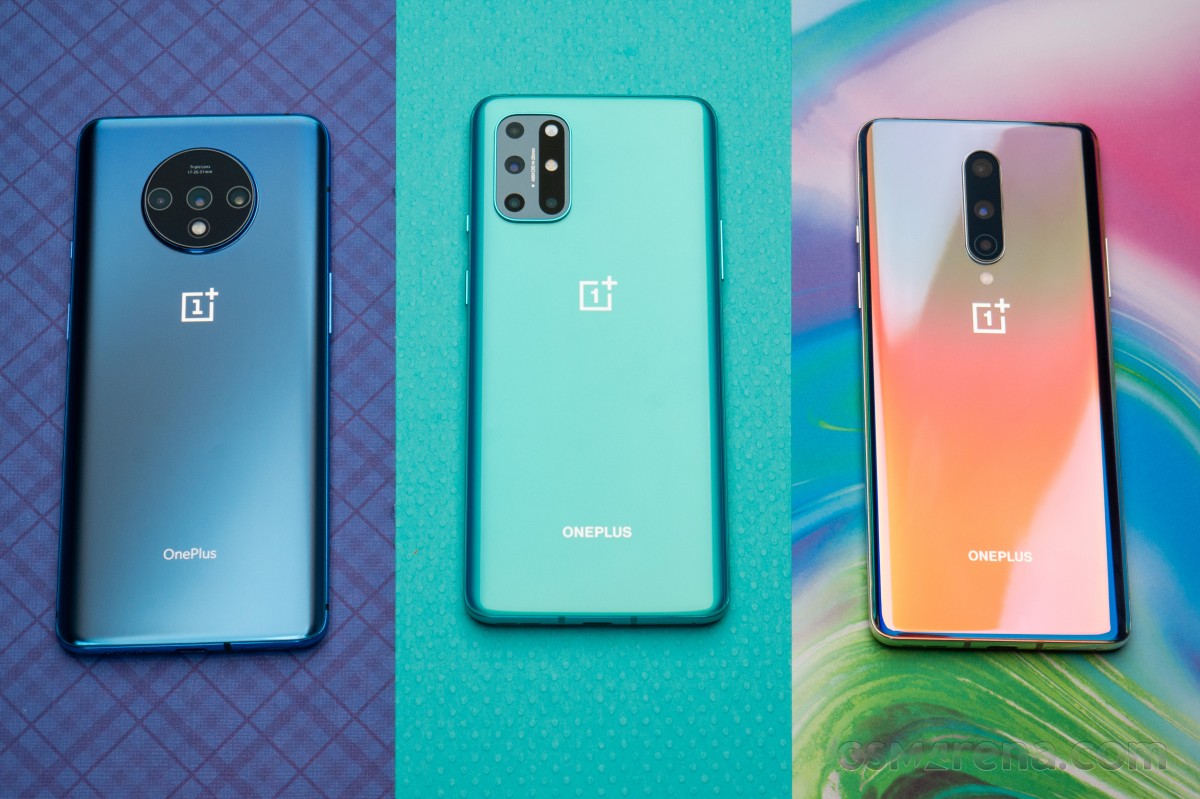
We should also mention OxygenOS 11, which is the Android 11 update for OnePlus phones. OxygenOS 11 introduced a major design shift for OnePlus, with the company moving away from its stock Android aesthetic and embracing design elements found in Samsung’s One UI interface. OnePlus rolled out the OxygenOS 11 stable build with the 8T, and the Android 11 update is now available for the OnePlus 8 series, 7 series, and set to make its way to the 6/6T. The stable build is also making its way to the Nord shortly.
Nokia has also kicked off its Android 11 update rollout, with the Nokia 8.3 5G picking up the stable update starting February 8. HMD has lagged behind in this area over previous years, but with the Nokia 8.3 now on Android 11, we should see the update rolling out to other Nokia devices in the coming months.
Then there’s Xiaomi. The stable MIUI 12 update based on Android 11 is now rolling out to the Mi 10 series and Redmi Note 9 devices and should make its way to other Xiaomi phones very soon. We’ve rounded up Xiaomi’s Android 11 rollout timeline to make it easier for you to learn when your phone will get the update.
Motorola has kicked off the Android 11 update to the foldable Razr 5G starting April 15. LG has also started to roll out the Android 11 update, with the V60 and the Velvet receiving the stable build. Although LG will no longer make phones, it has stated that it will deliver the Android 12 and Android 13 updates to its current portfolio.
Lastly, we have ColorOS — the custom Android interface used on OPPO smartphones. ColorOS 11 is rolling out now to OPPO devices, and it offers a lot of exciting improvements. In addition to the usual Android 11 goodies, some other highlights include a customizable dark mode, a power-saver mode to extend battery life, and a new feature called OPPO Relax 2.0 that aims to help you unwind and fall asleep at night.
Where can I learn more about Android 11?
We’ll dive into some of Android 11’s biggest features below, but before we do any of that, we should address the elephant in the room — is Android 11 any good? The short answer, yes — it is very, very good, as per our Android 11 review.
Understandably, some people may find Android 11 boring or not very different from Android 10, but the fact of the matter is that Android no longer needs massive overhauls every year the way it used to. The core Android experience is darn good, and Android 11 elevates it even more. All of the conversation improvements are great for streamlining notifications, more powerful permissions are always something we’re happy to see, and the new power button menu adds a ton of extra functionality.
There are a couple of changes we aren’t completely in love with (namely the new multitasking window and Suggested Apps feature for the home screen), but those things are easy to overlook. The vast majority of what Google did with Android 11 was for the better, and the result is software that’s more functional and enjoyable to use.
How do Android 11 chat bubbles work?
As mentioned above, there isn’t one single overhaul or massive change found with Android 11. Instead, it’s a mix of many small tweaks here and there. A few of them focus on improving your messaging experience, with Google offering a lot in this department.
First on the list, we have chat bubbles. Similar to what Facebook’s offered for years with its Messenger app on Android, chat bubbles in Android 11 hide your ongoing conversations in little bubbles on the side of your screen. You can move the bubbles around, and tapping on them reveals that specific conversation. The Bubbles API is available for all messaging apps, with Google encouraging developers to adopt it.
In another effort to make sure you can get to your messages as quickly as possible, Android 11 introduces a dedicated conversation section in your notification shade that offers instant access to any ongoing conversations you have. It also makes it easier for your messaging notifications to stand out from others, ensuring you never miss an important text ever again.
Speaking of messages and notifications, Android 11 makes it possible to send images directly from the notification shade when replying to a message.
What’s new with permissions in Android 11?
Looking back on Android 10, one of its highlights was its improved handling of app permissions. Android 10 gave users more control over applications and what they could access, and Android 11 keeps this train rolling with a wonderful new addition.
Now, when an app asks for permission to use sensitive features like your location, microphone, or camera, you can choose to only grant it access on a one-time basis. The app will be able to use that permission during that instance of you using the app, but the permission is revoked as soon as you leave it. The next time you use the app, and it wants to use that permission, it needs to be granted access again.
Giving apps permission to these aspects of your phone should not be taken lightly, so we’re thrilled to see Google giving users more control over their data like this.
Does Android 11 have a built-in screen recorder?
For the past few Android releases, we’ve been patiently waiting for Google to add a built-in screen recorder. It’s not something you’ll use every day (if ever for some people), but the fact that such a basic function isn’t baked into Android at its core is getting annoying.
Thankfully, Android 11 finally changes that. This Android version does include the feature, accompanied by a clean UI and toggles for recording audio and showing touches with your recording.
There’s not much else to say about this, other than the fact that we’re glad we can finally put this feature request to bed.
Is Android 11 compatible with folding phones?
If there’s been a place of notable advancement in the Android space, it’s been with displays. Companies are doing what they can to offer the best and most exciting smartphone screen possible, and as great as this is, Android needs to catch up with better support for all of these advancements.
Folding phones are proving to be quite popular so far, and especially with devices like the Galaxy Z Flip and Motorola RAZR that have the “flip phone” folding design, Android 11 adds the “hinge angle sensor API” so apps can easily detect the hinge of these folding phones. With this information, developers can adapt their apps to work around the hinge and create unique experiences because of that (like how Google Duo changes its UI when you do a half-fold on the Z Flip).
The other big upgrade displays have seen has to do with faster refresh rates. It’s no longer uncommon for phones to ship with screens that refresh at 90Hz or 120Hz, and Android 11 allows developers to take better advantage of these powerful displays. Developers can select which refresh rate their services should run at, and if the developer determines their app looks best at 90Hz or 60Hz, they can make that decision and have the phone’s display change its refresh rate accordingly when using that app.
How does Android 11 work with 5G?
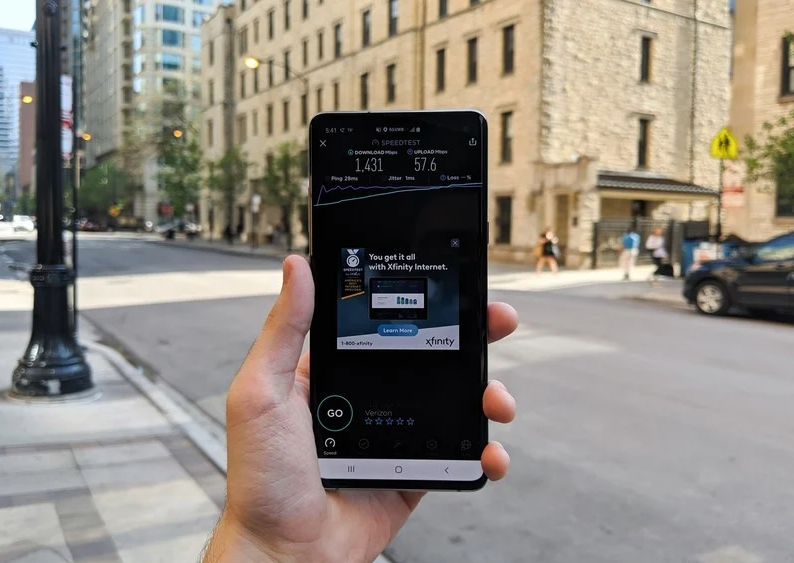
5G is finally starting to make its way to people, and more and more folks have started connecting to the next generation of wireless data. To ease the transition, Android 11 adds a very important “Dynamic Meterdness API.”
That may not sound very exciting on paper, but it essentially allows phones to take full advantage of all the power 5G brings.
If the API detects that you’re connected to an unlimited 5G signal, you’ll access the highest possible quality for videos and graphics. The potential for 5G is pretty darn cool, and this API ensures you take full advantage of the speeds available to you.
What phone should I get for the best Android 11 experience?
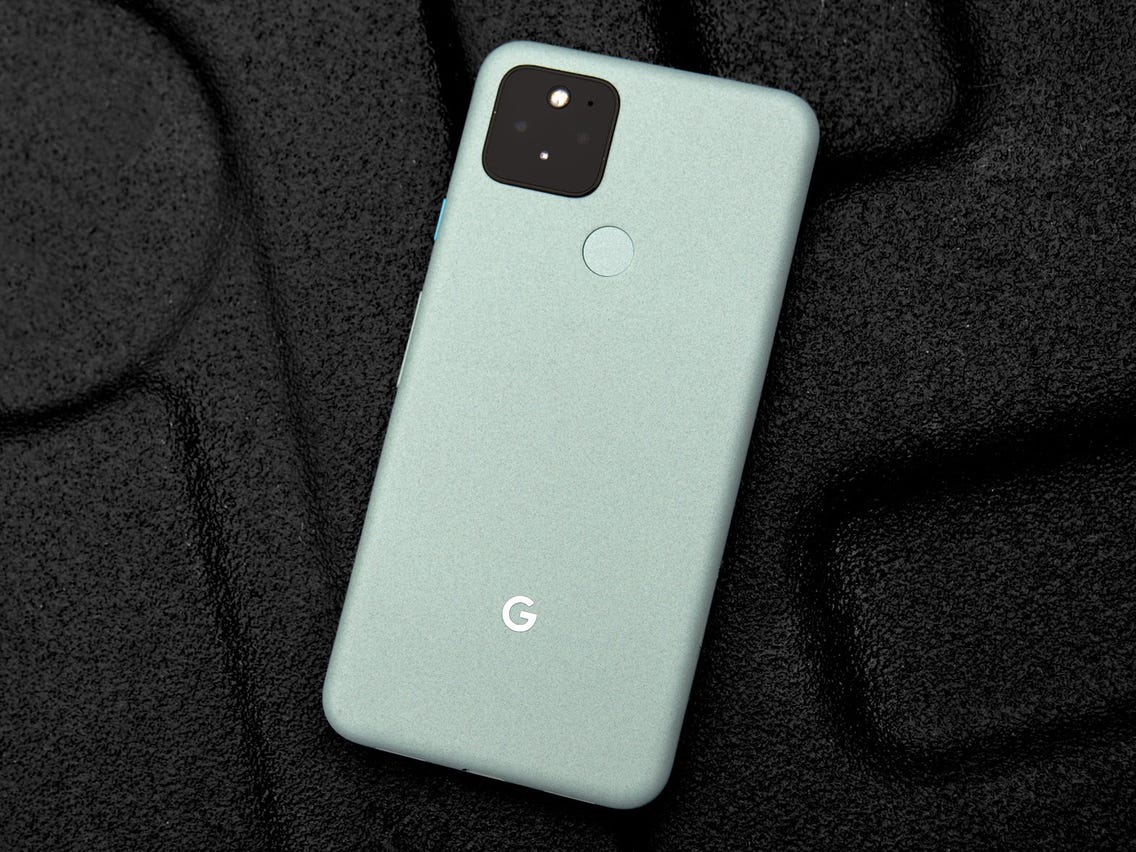
Whether you want to be among the first to get Android 11 or experience it the way Google intended, the Pixel 5 is the phone for you. It’s the newest flagship Pixel currently available, and if you prefer metal over plastic or glass, it’s a hard phone to ignore.
The Pixel 5 is all about delivering a flagship-quality Android experience for a relatively low price, and in these regards, it succeeds tremendously. Google crammed a lot into the Pixel 5, including phenomenal cameras, an OLED display, good performance, long battery life, and more. The design is a little plain, but the phone’s also a great size for one-handed use.
Best of all, the Pixel 5 and other Pixel devices get quarterly Feature Drops from Google, bringing new features to the Android 11 experience without requiring a full-scale platform update.
When is Android 12 coming?
The Android 12 public beta is now live, and the OS is the biggest visual change in Android’s history. Google is rolling out the new Material You design aesthetic, giving you much better customizability and new privacy features.
The key highlight is that you now have a color palette that lets you change system-wide colors to your liking, including the notification shade, volume controls, lock screen, and more. The notification shade has a cleaner design, and there’s a dedicated snooze button that lets you mute notifications with ease.
Android 12 is also set to add scrolling screenshots, but the feature isn’t quite live at this moment. And while the home screen UI itself is unchanged from Android 11, there’s now an option to set a 4×5 grid. You can also easily share Wi-Fi with Nearby Share, making it easier for others to connect to your Wi-Fi network.
The stable version of Android 11 was released a few months ago, and while it isn’t the most revolutionary update we’ve ever seen, there are plenty of reasons to get excited about it. Whether you’re looking forward to the new conversation notifications, chat bubbles for messaging apps, or the upgraded permission handling, it may be a while before you can actually start messing around with all of these software goodies.
The update is available for the Pixels and selects OnePlus phones, while the Galaxy S20 and Note 20 lineups have also received their One UI 3.0 update which is based on Android 11. We’ve rounded up all of the current info to help give you a better idea of when Android 11 will arrive on your device.
The timelines change based on manufacturer and region, but the list below should give you a broad overview of if and when you will get the Android 11 update on your phone.
The phrase “fast Android updates” is usually an oxymoron, but Google‘s lineup of Pixel phones is the exception to that rule. Whenever a new update or security patch is released, Pixels are the first-in-line for that software — making this one of the biggest benefits of owning a Pixel in the first place.
The Android 11 stable update is now available to download on all Pixels starting with the Pixel 2 series. Here’s the full list:
Samsung used to be one of those manufacturers that you couldn’t rely on for good software support, but within the last year, it’s improved significantly. Samsung announced that it’s now committed to three years of major OS updates for all of its flagship phones, starting with the Galaxy S10 series.
The company has been on a tear as of late, releasing the final version of One UI 3.0 (based on Android 11) to the likes of the Galaxy S20, Note 20, and even the Galaxy Z Flip 5G. A few other devices are seeing the update as well that weren’t exactly expected as soon as they have arrived.
We can look forward to all of the following phones to get an Android 11 update:
Galaxy S10
Galaxy S10+
Galaxy S10e
Galaxy S10 Lite
Galaxy S20
Galaxy S20+
Galaxy S20 Ultra
Galaxy S20 FE
Galaxy S21
Galaxy S21+
Galaxy S21 Ultra
Galaxy Note 10 Lite
Galaxy Note 10
Galaxy Note 10+
Galaxy Note 20
Galaxy Note 20 Ultra
Galaxy Fold
Galaxy Z Fold 2
Galaxy Z Flip 5G
Galaxy A52 / A52 5G
Galaxy A72 / A72 5G
Galaxy A32 5G
Galaxy A71
Galaxy A51
Galaxy M21
Galaxy M31 / M31s
Galaxy M42
The Galaxy S9 series should be able to run Android 11, but Samsung revealed its roadmap for which devices would see the update. Sadly, the S9 was not on the list. However, the company did commit to bringing security updates to these devices for at least the next year.
As for the speed at which Samsung will roll out Android 11 to its phones, we’re anticipating the update to drop within a few months of the initial launch. Google introduced Android 10 on September 3, 2019. The Galaxy S10 and Galaxy S9 got the update in December and January, and Samsung has been following the same trajectory with Android 11 for its enormous lineup of smartphones, with many devices being updated in late December 2020 or throughout January and into February 2021.
What started out as a small enthusiast brand has transformed itself into a mainstream player in the U.S. smartphone space. OnePlus kicks out some of the best Android phones, and thankfully, it’s quite good when it comes to updating them to new software builds.
OnePlus is rolling out the Android 11 stable update to the OnePlus 8 and OnePlus 8 Pro. There’s a new visual layout in OxygenOS 11, along with a host of exciting features.
Despite seeing a few issues with the official OxygenOS 11 rollout for the OnePlus Nord, it seems that everything is back on track.
Here are the OnePlus devices that will make the switch to Android 11:
OnePlus 9
OnePlus 9 Pro
OnePlus 9R
OnePlus 8T
OnePlus 8 Pro
OnePlus 8
OnePlus Nord
OnePlus 7T Pro McLaren Edition
OnePlus 7T Pro
OnePlus 7T
OnePlus 7 Pro 5G
OnePlus 7 Pro
OnePlus 7
OnePlus 6T McLaren Edition
OnePlus 6T
OnePlus 6
With the OnePlus 9 and OnePlus 9 Pro making their arrival, that adds a couple of more devices that are running Android 11. Plus, both of those devices will see the update to Android 12 and at least Android 13. Which is more than we can say about the OnePlus Nord N10 5G and Nord N100 which are slated for only one major Android release. Meanwhile, those are still running Android 10, and the company has not given any indication as to when Android 11 will come to the budget-friendly handsets.
OnePlus 6 and OnePlus 6T owners who have been waiting patiently for the arrival of Android 11 will have to keep waiting a little bit longer. The company has confirmed that the Android 11 update won’t be arriving until after the release of Android 12, which is currently slated to launch this fall.
Xiaomi is one of the world’s largest phone manufacturers, and the brand has turned its attention to Western markets in the last two years. Xiaomi sells phones from $100 all the way to $1,200, and it has made a name for itself as the go-to player for value.
The company has already pushed the Android 11 update live for owners of the Xiaomi Mi 10 and has turned its focus onto the Mi 10T and Mi 10T Pro. A new beta program has opened for these devices, as Xiaomi continues to bring the latest version of Android to its vast lineup of smartphones.
Based on a post that showed up on Xiaomi‘s MIUI community forums, the Android 11 update will be going out to 30 models across Xiaomi, POCO, and Redmi product lines. More phones will be added to the list, but for now, these are the Xiaomi phones that will be updated to Android 11:
OPPO is also turning its attention to Western markets. The Chinese manufacturer made a lot of changes to its ColorOS interface over the last 12 months, making it more palatable to a global audience.
OPPO has introduced ColorOS 11 based on Android 11 in closed beta for the Find X2 series and the Reno 3 Pro series, with a stable update slated to arrive before the end of the year.
We have a tentative timeline for when OPPO phones will get the ColorOS 11 beta based on Android 11. These are the OPPO devices that have already received the update to ColorOS 11:
A94 5G
A93 5G
A74 / A74 5G
A54 5G
Find X2 / X2 Pro
Find X3 Pro
Ace2
A9
Reno 2 F
Reno3
Reno3 Pro
Reno 4 5G
Reno 4 Pro 4G / Pro 5G
Reno 5 Lite
Reno 5 Pro+
Reno 5 Pro 5G
Reno 5 Z
F15
F17 Pro
F19
Note that these are the expected timelines for the beta builds and not the stable update:
From October: Reno 4 Pro 5G
From November: Reno 4 5G, Reno 4 Pro 4G
From December: Reno 4 4G, F11, F11 Pro, F11 Pro Avengers Edition, A9, A92, A72, A52, Find X2 Pro Automobili Lamborghini Edition
From Q1 2021: Reno 10x Zoom, Reno 2, Reno 2F, Reno 2Z, Reno 3 Pro 5G, A91, F15
From Q2 2021: Reno, Reno Z, A5 2020, A9 2020
When will my Realme phone get Android 11?
Realme is also doing a closed Android 11 beta based on Realme UI 2.0 for the X50 Pro. Realme UI 2.0 comes with a host of new features, but at this moment, there’s no indication of when the stable build will be made available.
We don’t know how many Realme phones will be updated to Android 11, but most devices released in the last 18 months should qualify for the update. Here’s the list:
Although Huawei phones aren’t very common/popular in the United States, the manufacturer gets a lot of attention in other parts of the world.
Huawei‘s Android 11 update will take the form of EMUI 11, and the company has finally shared its roadmap for what devices will receive this update. The list is surprisingly long, with even some tablets getting in on the Android 11 action.
There are a lot of Huawei phones we expect to get Android 11/EMUI 11, including:
Huawei Mate 40 series
Huawei P40 series
Huawei P30 series
Huawei Mate 30 series
Huawei Mate 20 series
Huawei Mate X/Xs
Huawei Nova 5T
Regarding how fast those updates will be pushed out, you’ll likely have to wait a few months. The Huawei P30 and P30 Pro received Android 10 in mid-November, shortly followed by the Mate 20 series.
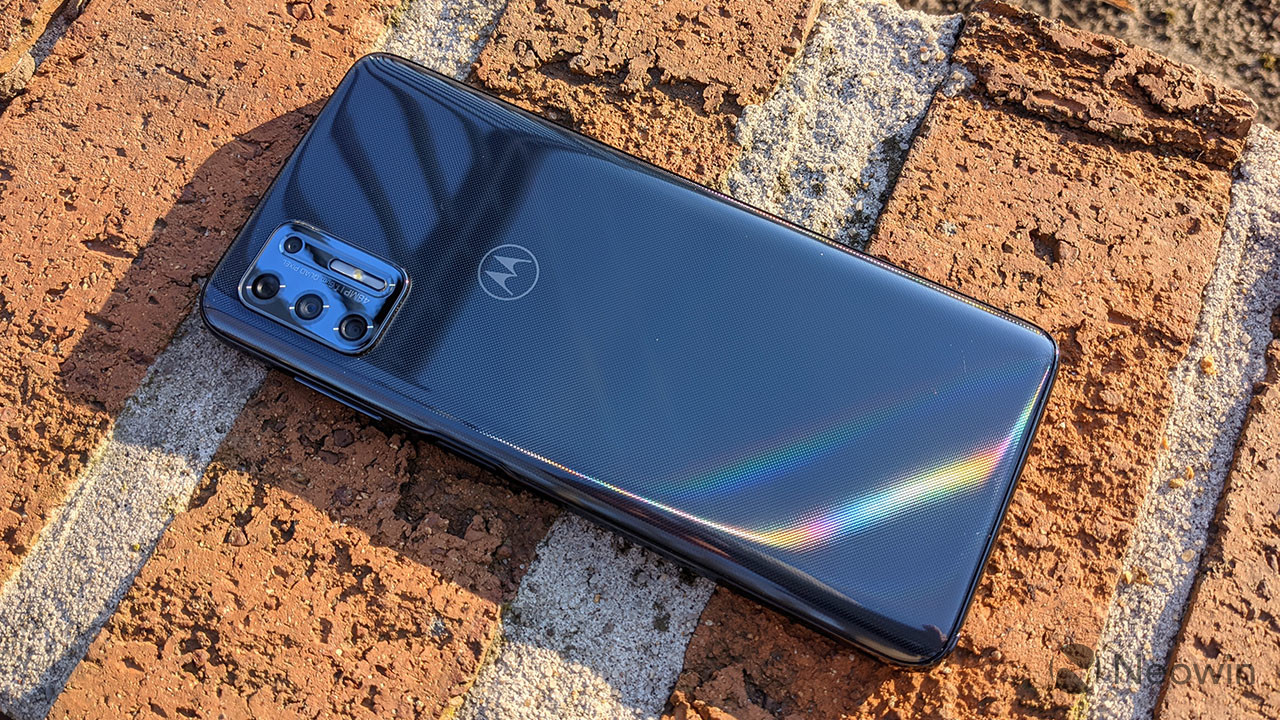
This past year has been an exciting one for Motorola. The company is still churning out high-quality budget devices, and alongside those, we’re seeing Moto‘s return to the flagship space. However, it’s still straggling behind in an area that’s been a pain point for years — software updates.
After staying mum for a little while, Motorola finally revealed which of its latest devices will be receiving an update to Android 11, and the list is as follows:
Motorola Edge+
Motorola Edge
Motorola RAZR / RAZR 5G
Moto G Stylus
Moto G Power
Moto G Fast
Moto G 5G / 5G Plus
Moto G Pro
Motorola One Fusion / Fusion+
Motorola One Hyper
Motorola One Zoom
Motorola One Action
Motorola One Macro
Motorola One 5G
Moto G8
Moto G8 Plus
Moto G8 Power
Moto G10
Moto G40 Fusion
Moto G50
Moto G60
Moto G100
Moto G9
Moto G9 Play
Moto G9 Plus
Moto G9 Power
Lenovo K12 Note
That’s a solid list at first glance, but it comes with a big caveat. For every phone but the Edge+ and RAZR, Android 11 is the one and only software update they’ll receive. There’s also the fact that Motorola took its time with the Android 10 update, with the platform version not coming to the Moto G7 until May 11, 2020.
Keeping with the theme of manufacturers that often drop the ball for software updates, we have LG. With no update roadmap in place, here are the devices we think will get Android 11:
LG Wing
LG Velvet
LG G8
LG G8X
LG V60
LG V50
LG V50S
Android 10 was made available for the LG G8 in December 2019, with the LG V50 starting its Android 10 update in February 2020. We don’t consider that to be a fast turnaround time, but it is better than what we usually see from LG.
Our fingers are crossed that LG gets even faster with rolling out Android 11, but we’ll have to wait and see if that pans out.
Nokia has announced its Android 11 update schedule, with the first slate of devices set to receive the update by the end of 2020. While Nokia’s devices fall under the Android One initiative, phones like the Nokia 7.2 and Nokia 9 PureView won’t get the Android 11 update until Q2 2021.
After officially rolling out Android 11 to the Nokia 8.3 5G, the company’s Chief Product Officer took to Twitter, suggesting that the rollout would be coming much quicker than expected for the rest of Nokia’s devices. Only time will tell if that’s to be believed, but Nokia seems to be sticking to its timeline that was laid out late in 2020.
The OnePlus Nord is kind of a big deal. Or, at least, that’s what OnePlus has been working hard to convey. The PR “hype machine” has been working over-time and the results are definitely showing. For better or worse, everybody seems to be discussing the Nord and a lot is actually riding on its success as a result.
Going off of the company’s own commercial message, the OnePlus Nord is intended to mark a new beginning, a bold start of a whole family of Nord devices. Another stab at the mid-range market and an attempt to break ground where the OnePlus X failed. And when the makers of the original “flagship killer” phone, the masters of guerilla marketing, the proverbial “underdogs” from a wilder, past Android realm start saying such things, people tend to listen and then expect nothing short of a market splash.
It’s frankly hard to think of a harder and tighter position to put one single phone in on today’s cutthroat mobile scene. And the most baffling bit is that OnePlus singlehandedly self-engineered the entire predicament. Sure, if anyone has the resources, market standing production and supply chain to pull-off a new “messiah” phone, it has to be the mighty BBK corporation. And in all fairness, the OnePlus Nord is a solid and well-rounded product. It’s important to get that on the record right away.
OnePlus Nord specs
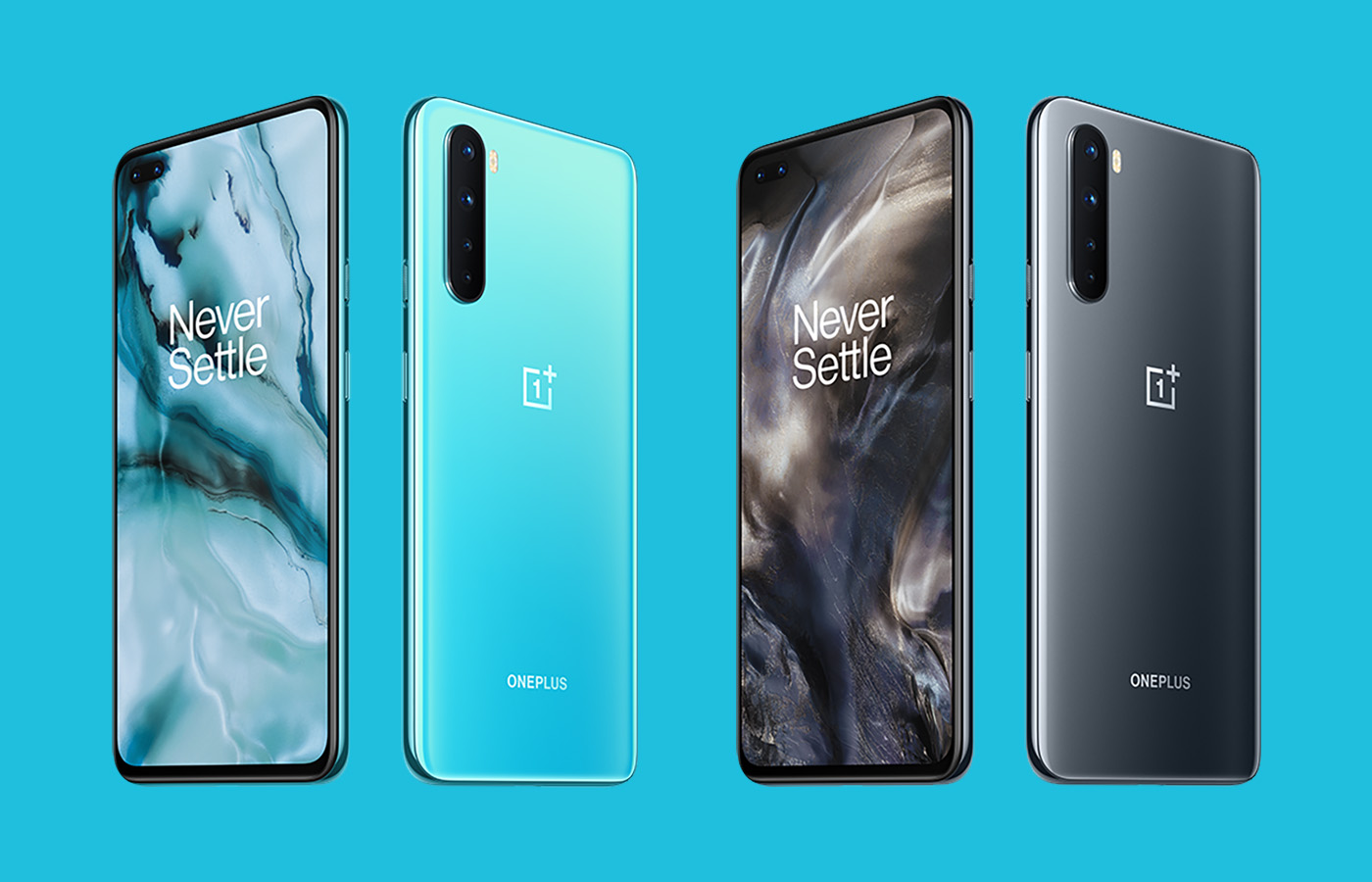
Body: 158.3×73.3×8.2mm, 184g; Glass front (Gorilla Glass 5), glass back (Gorilla Glass 5), plastic frame; Colors: Blue Marble, Gray Onyx.
It’s just that “good” or even “great” was never going to be enough to stop this particular hype train. Now the OnePlus Nord finds itself in a rather unfortunate, even if entirely predictable situation. Ever since it has hit shelves, the reception has been universally lukewarm. A big chunk of that response has been coming off as emotional, more than anything else. You’ll get none of that on the following pages, since the Nord deserves an evaluation on equal grounds, just like any other device we take a deep dive into.
That being said, the Nord, or rather OnePlus, won’t be getting a pass on some of its polarizing decisions in recent devices. Objective things, like the persistent absence of a telephoto camera, which still has fans harking back to the OnePlus 7T and a broader debate on the changing nature of a “value” that the brand and the 2020 mobile industry, as a whole, are now offering.
Unboxing OnePlus Nord
Presentation is vital if you are building a proper brand image. Ever since its early viral-marketing days, OnePlus has been among the best in the entire Android realm at selling ideas and feeling. A lifestyle brand, if you will. At least in some sense. Hence, it comes as no surprise that the Nord has its own, distinctive twist on the OnePlus look. Teal or aquamarine, depending on how much light is present, are the new accent colors. At least, going by the sturdy, two-piece box on the OnePlus Nord, as well as the accompanying “welcome letter”. Like we said, OnePlus knows its way around designing a lifestyle brand.
The thick rubber USB Type-A to Type-C charging cable in the box is still colored in the familiar bright red. Aquamarine on the cable would have really shown some extra care and attention to detail. The 30W wall charger is the same as on other OnePlus phones.
Cost-effective is not the worst thing to be accused of, though, especially since we can’t outright say OnePlus was stingy with the accessory bundle. You also get a nice and thick, frosted-look silicone case in the box. Complete with a rather odd geometrical pattern on the back. The latter is probably meant to mimic a compass arrow, which is the original inspiration for the Nord name. The only notable omission, in our mind, is a USB Type-C to 3.5mm dongle, since the Nord lacks a 3.5mm jack.
Competition
There are plenty of Nord alternatives in the incredibly saturated midranger market, regardless whether you are keen on getting 5G connectivity.
Since the entire segment is all about delivering just the right value formula, it is really tough to suggest any “overall better” alternative to the Nord. It all depends on your personal priorities. The closest you can actually get to the Nord, while getting a quantifiably better experience in many respects is the OnePlus 7T. The 7T offers the coveted 12MP telephoto, stereo speakers, a sturdier aluminum build, and what is a comparable or better Snapdragon 855+ chipset. You do have to live with certain compromises, though. Chief among which – the older hardware without 5G and slightly weaker battery. Plus, despite its age, the OnePlus 7T still sells for slightly more than the OnePlus Nord.
If Oxygen OS is high up on your priorities list, you have to look at the OnePlus lineup. If, however, you are willing to concede to a simpler, but even cleaner AOSP experience, the new Google Pixel 4a comes to mind. You will definitely be sacrificing on raw hardware specs, compared to the Nord, though. In some cases, quite severely, since the Pixel 4a only has a single main camera. Sadly, the more-capable Pixel 4 and 4XL are out of budget. Not to mention the fact that Google appears to be discontinuing them on many markets.
Motorola deserves an honorable mention when discussing vanilla and close-to vanilla Android. Both the Moto G 5G Plus and the One Fusion+, competing in the same price segment as the Nord come with compromises, like LCD displays.
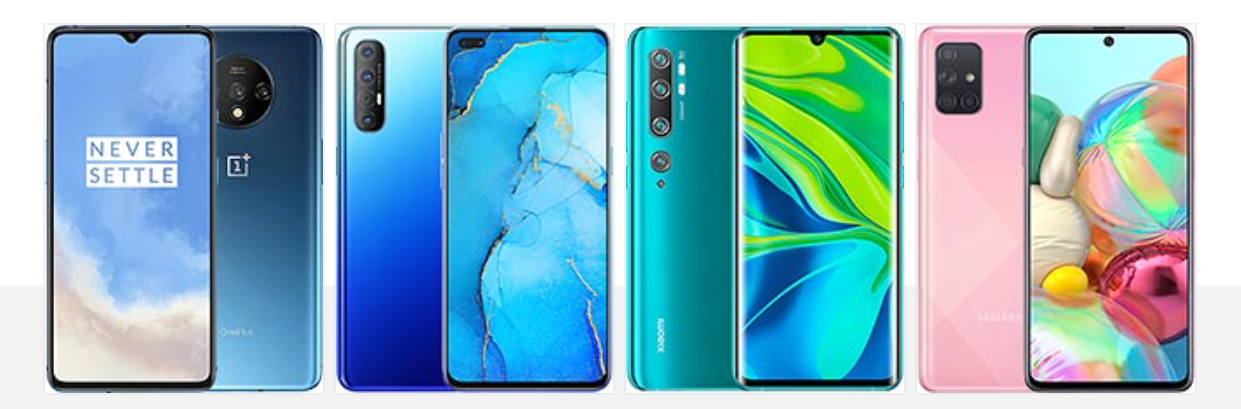
OnePlus 7T • Oppo Reno3 Pro • Xiaomi Mi Note 10 • Samsung Galaxy A71
It would be shortsighted not to look at the rest of the BBK Electronics collective lineup for alternatives to the Nord too. The Realme X3 SuperZoom stands out immediately, because of its actual periscope telephoto camera. But it is a bit older now, with its Snapdragon 855+ chipset and has an LCD panel. Making the list instead, will be the Oppo Reno3 Pro. Technically, not the latest in the Reno line, either, but arguably better value than its successors. The device turnover in Oppo’s ranks has been crazy lately.
In competitor Xiaomi’s ranks, we can instantly spot the Poco F2 Pro, which is a amazing value device, sporting an actual flagship Snapdragon 865 chipset. Technically, it costs about as much as the OnePlus Nord too, but it is far from globally available and kind of hard to get. Making the list in its place, we have the Xiaomi Mi Note 10. It bumps the chipset down to a mid-range Snapdragon 730G, but its amazingly-versatile camera setup more than makes up for that in the overall value calculation.
Last, but not least, as a more “name-brand” alternative, Samsung will more than readily sell you the Galaxy A71, for right around the same price as the Nord. OneUI, among other things, makes for a significantly different Android experience though. If 5G is high on your wish list, you can look at the Galaxy A51 5G instead.
The verdict
The OnePlus Nord is a solid 5G-enabled mid-range offer. One combining a well-balanced specs sheet, with the excellent, class-leading experience of Oxygen OS. Thanks to thoughtful engineering and a large infusion of familiar OnePlus DNA, the Nord manages to transcend the simple label of just another BBK Electronics rebranded device. BBK owns and ensures healthy technology sharing among its subsidiaries Oppo, vivo, Realme and OnePlus but after all is said and done, each company runs its own phone business in a different way.
The Nord was introduced with a lot of fanfare, alongside bold promises to usher in a new beginning for the Android midrange niche. A great PR move, on paper, but one that put the Nord under a lot of heat and with frankly unrealistic expectations. After all, it’s OnePlus and you can’t blame fans for extrapolating that, just like the original “flagship killer”, the new one should at least have the dedicated telephoto camera from the OnePlus 7T, a headphone jack, a metal frame. And that’s just the more reasonable demands and complaints being tossed around and severely scrutinized.
Despite OnePlus efforts to make the device stand out, the Nord is, at its core, only a midrange device. As such, it has to play by the same market rules as everybody else in the midrange. The 2020 smartphone scene doesn’t leave a lot of room for a “flagship” killer, in the original OnePlus One sense. Even the mighty and vast BBK can’t include true flagship specs in the Nord, while also preserving its EUR 400 MSPR while funding a massive advertising campaign.
What it can and has successfully done with the Nord, though, is to give it the proper OnePlus treatment, through and through. For many prospective buyers, that’s going to be enough of an added value to choose the Nord over a slightly better-spec’d, but less prominent and refined alternative.
Pros
Clean, functional design, infused with familiar OnePlus controls, like the Alert Slider.
Super bright, accurate and smooth 90Hz OLED display, with HDR10+ support and clever auto refresh rate management.
Optimal performance is extracted from the Snapdragon 765G chipset.
Excellent battery life even in 90Hz mode.
Competitive fast charging.
Oxygen OS with more features than ever. Still one of the snappiest Android experiences available.
Excellent main camera performance for the class.
Cons
Plastic frame; dual selfie cam means a large punch hole.
No 3.5mm audio jack, no microSD card slot and no notification LED.
Single bottom-firing speaker with unimpressive performance.
The 2x zoom is no match for a proper telephoto and the ultra-wide is barely satisfactory.
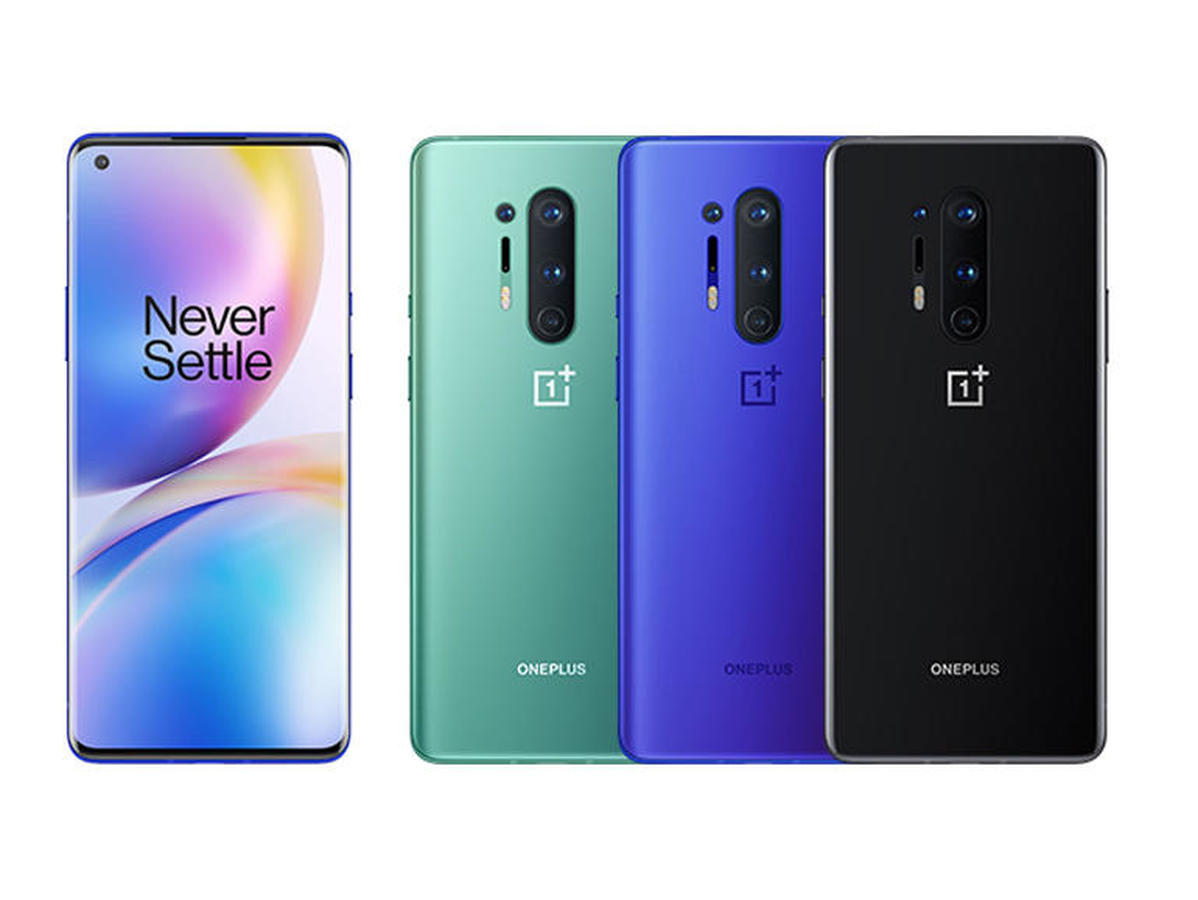
Up to this point, OnePlus has climbed its way up from the high-end budget phone to the fully-fledged flagship. The brand once called its phone the “Flagship Killer”, and the OnePlus 8 Pro has become the very thing that the company initially aimed to dethrone.
Surely, the smartphone landscape has changed over the past several years. There are now so many contenders in the sub-$500 and sub-$400 price that the company has shifted its focus to creating a more prestigious brand name. With this iteration, the company has presented itself with an updated all-CAPS “ONEPLUS” typeface and tweaked “1+” logo.
Now with the OnePlus 8 Pro, the company thinks it has what it takes to compete in the flagship category at the $1000 price mark. Well, technically – the OnePlus 8 Pro starts at $900. The OnePlus 7 Pro was a strong seller, but will OnePlus have just as much success in a higher price bracket?
The 8 Pro has an impressive spec sheet: high-end CPU, 10-bit high-end AMOLED screen, Warp Charge 30T, and for the first time from OnePlus: support for wireless charging and even reverse-wireless charging for sharing juice with an accessory or a to give some juice to a friend.
OnePlus 8 Pro specs:
Body: 165.3 x 74.35 x 8.5 mm; 199g; metal frame; “3D Corning” Gorilla Glass 5 back
That high-end display is of the 120Hz variety – and it’s a panel made by Samsung. OnePlus is promising near-perfect color accuracy, over 1 billion colors, and the brightest output of any display it has ever put in a smartphone. The smoothness of the still-higher refresh rate display is the company’s way of staying ahead of the trends – which could be an advantage in markets like the US where the company has a presence.
There’s a new camera system with the notable larger Sony IMX 689 sensor behind the quad-camera’s main lens. The ultrawide camera gets a larger sensor as well, but the telephoto camera remains pretty much the same as the OnePlus 7T. OnePlus has a new “Color filter camera” whose long-term usefulness remains to be seen.
OnePlus has further refined its Android skin, Oxygen OS with new icons, and its revamped its UI’s animations for the 120Hz experience. Oxygen OS offers a stock-Android like experience, close to that of a Google Pixel, and OnePlus is known for its speedy turnaround when it comes to firmware updates.
OnePlus is the only high-end Chinese brand available from three of the four major US carriers – and many American consumers might be clueless of the brand’s existence in a market where Apple, Samsung, and Google are the most known (and most advertised) brands.
Unboxing
We always praise OnePlus for its packaging. The high-quality cardboard materials, and soft-touch red finish make a very good first impression. Our review unit doesn’t have the new all-CAPS name on the side, but it does have the updated “1+” logo.
Taking the lid off the long red box, we’re greeted by the OnePlus 8 Pro in Ultramarine Blue with a pre-installed factory screen protector. A notice on the plastic wrapper recommends using official OnePlus screen protectors for best compatibility of the in-display fingerprint scanner.
The cardboard cradle that holds the 8 Pro in place is also a box where the phone’s documentation is held, along with a SIM tool, welcome letter, and quick start guide. The words “Never Settle” sit below the smartphone as you unbox it – reminding us of the company’s long-time motto. Beneath this phone cradle is an included clear case to show off that deep blue color, and the Warp Charge 30T adapter and cable.
Now that we’ve seen what’s inside the box, head to the next page where we’ll spend some time talking about the phone’s design, ergonomics, and build quality.
The competition
This is the first time OnePlus has ever made any of its devices this expensive. As such, we’ll try to pair it up against other flagships that are near or over a grand. In the US, the only way to purchase the 8 Pro is unlocked from OnePlus (the OnePlus 8 is sold directly from carriers) and that’s not a great strategy if it is trying to convince consumers that they should buy OnePlus over Samsung or Apple.
In any case, let’s look through alternative devices. Starting with the LG V60, both devices are priced similarly at $899, but the 8 Pro is more equipped with features than the V60. Both are about the same in video quality, but LG’s camera experience is certainly more polished and offers far more advanced video and audio controls.
The iPhone 11 Pro Max is the largest iPhone that Apple makes and the display on the 8 Pro is superior in almost every way. Of course, iOS is a completely different landscape with similar image quality – though the iPhone doesn’t use a high-resolution camera sensor. The iPhone’s ultrawide camera doesn’t have autofocus either.
Cameras and software aside, it would be difficult to convince an iOS user to switch to a OnePlus device, unless they are already looking outside of the iOS ecosystem from boredom or desire for something more exciting.
The Galaxy S20+ might be a worthy alternative for the 8 Pro, though it’s certainly more expensive. Ironically, Samsung’s flagship no longer has a dual-curved display while the 8 Pro has the curviest display yet. Samsung’s One UI Android skin can be an acquired taste for some who might prefer a more stock-Android appearance like that of a Google Pixel phone.
Though they are distant cousins, the Oppo Find X2 Pro and the 8 Pro have similar DNA (the two brands are sister companies, after all). Although its more expensive, the Oppo Find X2 Pro has a stronger emphasis on photography prowess with its periscope telephoto camera. There’s also the luxurious Vegan leather option, as well.
If you’re in the US, chances are you’ve never heard of Oppo before – since the company has no presence in the American market.
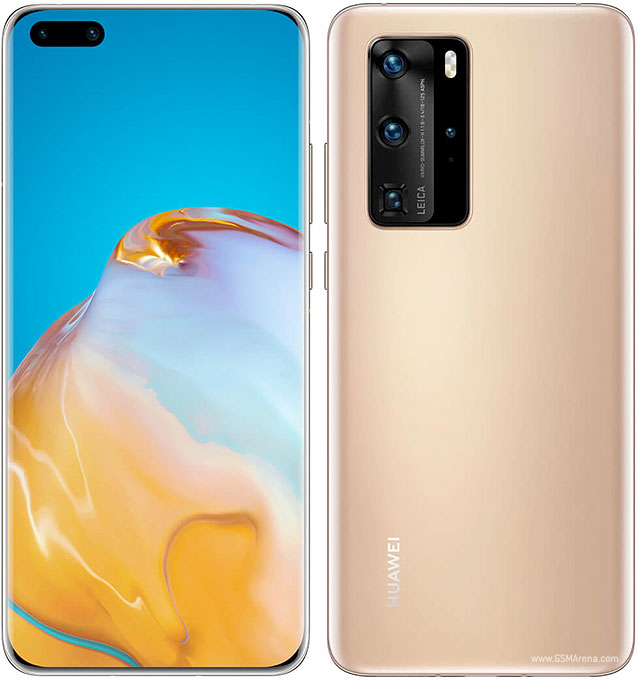
Another device you won’t find the US, the Huawei P40 Pro is the latest flagship from Huawei, also with an emphasis on photography and imaging. Still cursed with last year’s US-Huawei ban, the brand makes a compelling phone that can’t be used with Google Services – which could be a deal breaker for many consumers in Western markets.
Xiaomi’s latest flagship is in a similar situation as the 8 Pro: it has shed away its midrange, high-value image and presents itself as a proper flagship with a flagship price to match. The Mi 10 Pro 5G is certainly well-spec’d on paper and its 108MP camera rivals the 8 Pro‘s overall camera experience.
The OnePlus 8 Pro‘s predecessors are still worthy alternatives to the 8 Pro. Depending on the market, the 5G version of the OnePlus 7T Pro (McLaren Edition @ T-Mobile in the US) is just as expensive as the 8 Pro’s entry price, but if you’re looking for a much cheaper option, the OnePlus 7 Pro is a great smartphone that’s aged very well over the last year.
It can be found around half the price of the 8 Pro, which is a nice trade-off if 5G isn’t a priority. The 7 Pro was one of our favorite smartphones of 2019 around the office.
The OnePlus 8 Pro is now a fully featured flagship worth a pretty penny. This is certainly a departure from OnePlus‘ original image of high-performance for low cost. With every passing iteration, OnePlus continued to build on its previous device’s success and even if it did sometimes hype our expectations, it has consistently improved in many areas throughout the years.
The OnePlus 8 Pro is a solid smartphone packed with a well-improved camera and all the top features that you’d expect from a flagship like reverse wireless charging, stereo speakers, and a top-of-the-line display with 120Hz refresh rate. Top performance from the Snapdragon 865 and 5G connectivity are must-haves in this space, but where OnePlus is no longer competing is in the very space it began.
Pros:
Bright and beautiful smooth display
Premium design and build quality with IP rating and soft-touch finish
Great camera all-around
It has the fastest Snapdragon chipset on board
Oxygen OS is snappy and gets frequent updates
Loud stereo speakers
Warp Wireless charging is super-fast
Cons:
MEMC Motion smoothing feature is inconsistent
Warp wireless charger is expensive
Still no always-on display out of the box
No expandable memory
Not available directly from US carriers
Color filter camera is meh
Ultrawide camera’s low-light performance is not great
OnePlus is a perfect example of the notion: “if you can’t beat ’em, join ’em,” and this is exactly what the company has done with the 8 Pro. It’s managed to become the very thing the company initially set out to defeat. It did call its phones “Flagship killers” for a while. These days, there is so much more competition in the category that OnePlus first started in, that it would rather compete at the flagship level with the big boys.
And they have succeeded in this endeavor. The OnePlus 8 Pro is a high-end smartphone worth considering. The company’s attention to detail in software, packaging, and design make their brand worth being a fan of.
Launching at €599, the OnePlus 8T is shaping up as an excellent premium mid-ranger with a slew of flagship features – a 120Hz Fluid AMOLED, the latest Snapdragon 865 chip, a promising quad-camera with improved low-light performance, stereo speakers, and probably OnePlus best achievement yet – a larger battery with blazing-fast Warp Charge at 65W.
At the company’s fall event this year, a Pro model was a notable absentee. This is because the company keeps the 8 Pro as its ongoing flagship device, and it won’t be getting a refresh until 2021.
The OnePlus 8 needed the update, so we won’t object to this strategic move. We doubt many OnePlus 8 owners are thinking of switching, but it makes the two current offerings that much more desirable for anyone in the market for a new phone.
If we compare it with the OnePlus 8, the 8T is getting a 120Hz OLED vs. 90Hz. At the same time, its main camera gets a brighter aperture for the main camera, an even wider ultra-wide lens, and an additional depth camera. Finally, you get a 4,500mAh battery with 65W charging vs. 4,300mAh and 30W charging. Okay, these are not the wildest upgrades we’ve seen, but for they are enough to make the cheaper OnePlus devices in the duo desirable again.
The €600 smartphone segment is already oversaturated, and it is the place where the flagship killers come to win big or die trying. With the OnePlus being the company that coined the term, its cheaper non-Pro models are burdened with the impossible task to defend the title. As long as they don’t kill the company’s own flagship, of course.
The OnePlus 8T is the first phone to come with the OxygenOS 11 based on Android 11 out of the box. Many of the recent OnePlus phones are getting the update, too, but being first is a title that only the 8T can claim.
Let’s take a closer look at the specs sheet. There aren’t many changes, but it is a flagship-like list, and we like what we are seeing.
OnePlus 8T specs:
Body: 160.7×74.1×8.4mm, 188g; Glass front (Gorilla Glass), glass back (Gorilla Glass), aluminum frame; Colors: Aquamarine Green, Lunar Silver.
The OnePlus 8T is not water-resistant, not unless you are getting the T-Mobile exclusive OnePlus 8T+ 5G model, which is the same phone but with IP68 certification. Don’t sigh just yet – the OnePlus 8T does comes with many, if not all, seals and protections the T-Mobile model has. It will most probably survive a water drop, too.
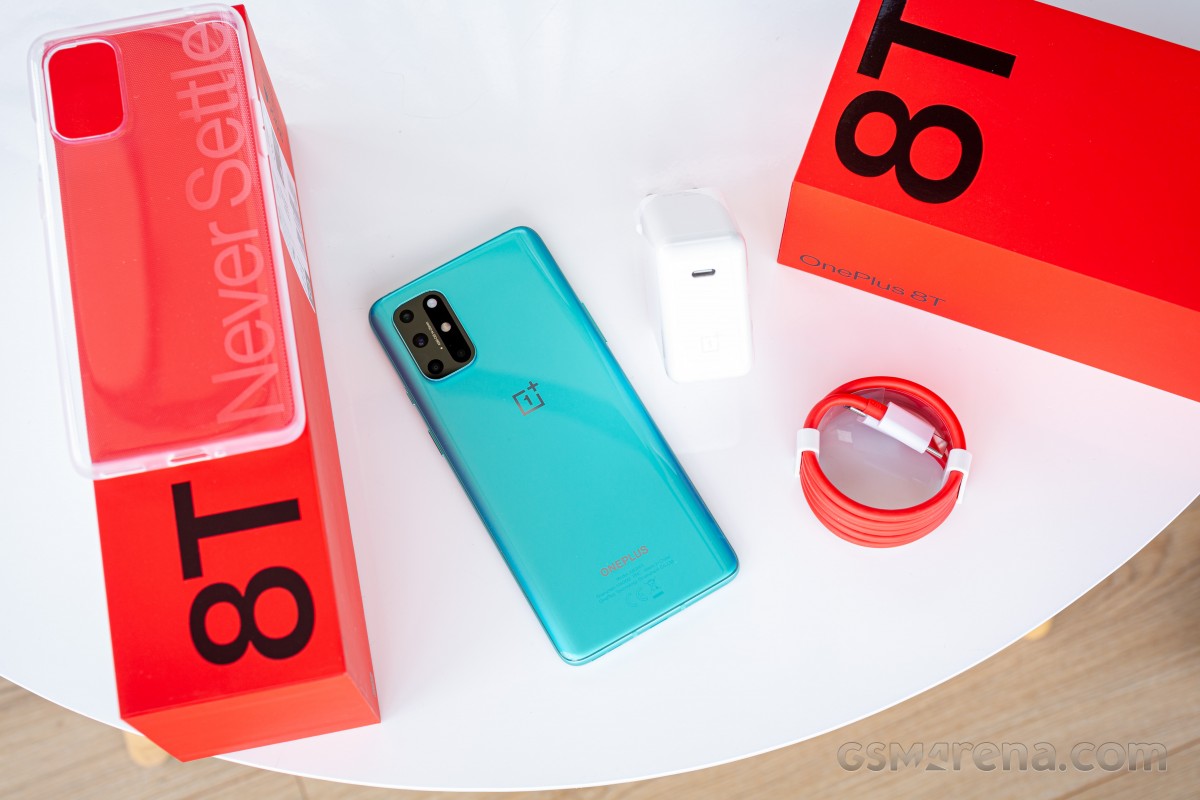
The bright red Never Settle box is already here, and the excitement is building up. The OnePlus 8T may not be among the more interesting updates this year, but c’mon – look at this sweet reviewers’ package!
And now that you’ve seen what we got, here is what you are getting if you choose to buy the OnePlus 8T.
Unboxing the OnePlus 8T
The OnePlus 8T comes packed in what’s already a signature long red box. Inside, you will find your new 8T, be it the glossy Aquamarine Green or the frosted Lunar Silver, and a transparent Never Settle case.
Digging deeper, you will also see the 65W Warp Charger and its thick and red USB-C-to-C cable. The charger also supports USB-PD, so you can use it to charge other devices such as laptops, consoles, tablets, and smartphones.
Finally, there is this paper compartment, where you’d find some paperwork and a bunch of OnePlus stickers.
Wrap-up
The OnePlus 8T has enough novelties to be worthy of the T insignia. We are impressed with the new 65W Warp Charge, and we love the new 120Hz screen. The Fluid AMOLED is 100% worthy of its name, and the new Oxygen 11 is truly a feast for the eyes. Once you see how smooth and fast it runs, you just can’t go back.
And that’s about it. The rest is pretty much OnePlus 8 material – same chipset, speakers, fingerprint scanner, camera. Indeed, even with the minor updates, the camera isn’t on par with the recent premium mid-rangers we’ve seen, let alone the flagship crop. It is a good setup, yes, but the quality hasn’t been improved that much since the Series 7, and the lossless zoom is probably the only thing that deserves praise.
The OnePlus 8T is a terrific deal – it is reasonably priced at €600, and there is a good chance many will choose an 8T (€600) instead of the 8 Pro (€780). But we don’t see many OnePlus 8 owners switching to the T. And that’s fine. The T series are mid-season updates that usually targets last-year buyers.
Alternatives
The recently launched Xiaomi Mi 10T Pro is the biggest threat to the OnePlus 8T and vice versa. Both devices cost €600 and offer HRR screens, the latest Snapdragon 865 chips, UFS3.1 storage, high-end cameras, and large batteries. The Mi 10T Pro has a 144Hz display, but it’s an LCD unit. It also offers a higher-resolution main camera with 8K video capturing and better quality across the board. Meanwhile, the 8T has a 120Hz OLED and faster charging. MIUI or Oxygen? LCD or OLED? 33W or 65W? It’s up to you, but we can bet you will be happy with either.
The Samsung Galaxy S20 FE is also a great alternative with an equally impressive 120Hz OLED, similar performance, and battery life. However, it is IP68-rated for dust and water resistance and offers better camera quality and a proper 3x tele camera. The FE may not be that fast to charge, but it also trumps the 8T with wireless charging and reverse charging options (both wired and wireless). The 4G Galaxy S20 FE is priced like the OnePlus 8T, while its 5G version is €100 more.
Xiaomi Mi 10T Pro 5G • Samsung Galaxy S20 FE 5G
The verdict
The OnePlus 8T is one of these offers we usually call a smart choice. It is a premium mid-ranger at an attractive price that offers a superb pick of flagship features – the screen, the SoC, the charging. The camera may not seem like a winner – it is not disappointing, but it’s not ideal either.
OnePlus has just started offering IP68-rated designs, but this is reserved only for its Pro flagships for now. At least the 8T has some protection, which will give you some peace of mind.
Our only real issue is that OnePlus is forcing a 60fps cap on most of the games and all video players and services. Whether this is done for performance, or heat protection, or battery saving – it doesn’t matter – the user should have had more control over this high refresh rate feature.
Other than that, while not perfect, the OnePlus 8T is easily likable. It might even be love at first sight if you spent 10 minutes with its fluid Oxygen and fluid screen. We can’t recommend it to any OnePlus 8 user, but we can encourage everyone else looking for a €600 or so phone – it is definitely among our top three picks, along with the Mi 10T Pro and the Galaxy S20 FE.
Pros
Excellent 120Hz AMOLED display
Likable design
Incredibly fast charging, versatile bundled fast charger
Dependable battery life
Flagship-grade performance
Powerful speakers
Versatile camera, good day and night quality
Excellent UI performance
Cons
No water/dust resistance rating
No wireless charging
Most games locked to 60Hz
The camera processing could benefit from some improvements
Ever since Android 11 rolled out, users have been facing issues while trying to connect a gaming controller with their smartphones. According to the reports, phones running Android 11 are either not able to recognize controllers as input devices or they don’t let users map their keys properly.
As per a thread regarding the bug on the official Android Issue Tracker, several Pixel users and beta testers are facing the issue and they’re not able to use Bluetooth game controllers like the Xbox One controller, Sony’s DualShock 4, and even Google’s own Stadia controller with their devices. While a vast majority of the reports are from Google 2, Pixel 3, Pixel 3a, Pixel 4, and Pixel 4a owners, a few Samsung and OnePlus users running Android 11 builds have also reported similar behavior.
As of now, there is no confirmation as to what exactly is causing the issue. But it’s worth noting that Google had already acknowledged the issue back in August 2020, right when the initial Android 11 builds started reaching users. Currently, it seems that the development team is still trying to figure out the underlying cause and is working to bring a solid solution.
While Google hasn’t figured out a solution yet, some users have shared temporary workarounds. According to a few reports, the issue can be fixed by turning off certain accessibility options. For instance, a user suggests, “Can confirm, there’s a certain accessibility service that, if I disable it, controller immediately starts working, no reboot or anything. I can actually task switch back and forth from Stadia back to Settings, disable that one service on Accessibility, back to Stadia, and controller works; switch back to Settings, enable, back to Stadia, it’s suddenly dead just like before. That’s with no rebooting, no pairing or conn/disconnecting controllers, nothing.”
In case you’re facing the issue, you can try the workaround mentioned above. Until then, all we can do is wait for Google to address the issue and release a fix in a future update.
Android 11 has been out for over a month now and OEMs have already started working on their in-house OS updates.
However, the latest OS update brings along its own set of issues and Google Pixel devices appear to be the most affected for the time being.
It was reported recently that Pixel users were experiencing excessive battery drain and performance issues after the Android 11 update.
Now, several Pixel users and beta testers are reporting issues related to Bluetooth game controllers like Google Stadia, Nvidia GeForce Now, and more after updating their devices to Android 11.
Reports clearly indicate that users are unable to connect and use game controllers via Bluetooth and the devices are getting listed as other devices.
Multiple Pixel 2, Pixel 3, and Pixel 4 series users have reported on Google IssueTracker that such issues occurred only after the Android 11 update.
While the game controller issues have been to the developers, it is unclear how long it will take to fix these problems.
However, it is good to see that the OEM has promptly acknowledged these issues on a wider scale, hence, fixes will also arrive accordingly.
In the meantime, a Pixel user has posted a temporary workaround for the connectivity problems on Reddit which seems to have fixed the issues for them.
The user has stated that after some manual troubleshooting they simply switched off the Magnification gestures on their Android 11 powered Pixel device which fixed the game controller issues.
Also, several other users have posted similar workarounds on Google IssueTracker suggesting that tweaking the Accessibility settings seems to be doing the trick.
Nevertheless, a proper fix will still be required and Pixel users running Android 11 will have to wait till Google addresses these issues.
Meanwhile, you can check out our Google Android 11 update and bug trackers to get the latest updates on the topics.
Moreover, we have curated a consolidated Android 11 update tracker for all major OEMs and carriers so be sure to go through it as well.
It appears that Samsung and OnePlus users who have installed the Android 11 update on their devices are also facing similar issues with gaming controllers. We’ve shared some a couple of reports from users below:
I am not able to use my PS4 controller on ONEPLUS 8T. I have managed to pair the controller and phone with Bluetooth but the phone won’t recognise any input. (Source)
I updated my note20 to android 11! Since the update I can’t connect my ps4 controller to call of duty mobile anymore and all so I’m having screen trouble (Source)
Google recently rolled out the January patch for supported Pixel phones, however, there is no indication that the problem was fixed. Therefore, it seems users may have to wait a bit longer before the problem is addressed.
The OnePlus 8 phones have been rendered and shown off several times already. As early as October last year, we saw images of a phone with a punch-hole display. A OnePlus phone was sighted in the wild and illustration of the Pro soon surfaced. We were told it would come with quad rear cams. Image renders and a 360-degree video of the OnePlus 8 Lite also appeared. Already confirmed is the 120Hz OLED screen technology (120Hz Fluid Display) that offers the 120Hz screen refresh rate.
No doubt new OnePlus phones will be coming. Iron Man himself, Robert Downey Jr, was caught holding a mysterious OnePlus phone. We’re just curious if all OnePlus variants will really come with 5G support and if it will be a Verizon or Amazon exclusive.
Sometime in April, OnePlus will reveal two Android phones–the OnePlus 8 and the OnePlus 8 Pro. The two follow last year’s OnePlus 8 and the OnePlus 8 Pro. Both will be equipped with 5G connectivity so we can add them to our shortlist of 5G phones.
Expect the two to arrive with a newer design. The screen is improved with the 120Hz Fluid Display tech. The batteries and camera systems will also be improved.
The latest image renders and video have been shared by Jermaine Smit (Concept Creator). They look believable and most likely, the final design will look like these.
The OnePlus 8 Pro is expected to come with a 6.5-inch Fluid AMOLED display, ToF camera, 120 Hz refresh rate, 1440 x 3120-pixel resolution, HDR10+ DCI-P3, 88.3% screen-to-body ratio, 128GB or 256GB onboard storage, and a 32MP selfie camera under a punch-hole. The phone will run on Adreno 650 GPU, Qualcomm Snapdragon 865 chipset, and 8GB or 12GB of RAM.
The eagerly-anticipated OnePlus 8 and OnePlus 8 Pro are right around the corner now. After more than a few setbacks and uncertainties, OnePlus finally seems to have settled on announcement dates for the phones. You can tune in for the global event live stream on YouTube on April 14 at 3PM UTC. As per a new official Weibo post, the OnePlus 8 generation will make a debut in its home country on April 16. Understandably, with another live online event. This one scheduled for 7PM local time.
As for the OnePlus 8 Lite, which we now know could come under the OnePlus Z moniker, it is still expected a bit later than its flagship siblings. We can’t really speculate on what other potential devices OnePlus intends to show at its Chinese event either. We do, however, have teasers, suggesting the global April 14 event will see the OnePlus TV 55 Q1 Pro’s international market release.
Both the OnePlus 8 and the OnePlus 8 Pro have been frequenting the rumor mill for quite some time now.
Official renders are already available and so are specs. The vanilla OnePlus 8 is expected to feature a 6.55-inch, FullHD+ Fluid AMOLED display, with a 90Hz refresh rate.
The OnePlus 8 Pro will bump that refresh rate up to 120Hz on a 6.78-inch QHD+ panel, as a headlining feature. As per the latest insider scoop on the camera department, the OnePlus 8 Pro will use the Sony IMX689 48MP, f/1.78 sensor for its main snapper, just like the Oppo Find X2 Pro. Alongside it will be Sony IMX586, 48MP f/2.2 ultrawide unit and an 8MP f/2.44 telephoto camera.
On the flip side, both phones are expected to pack the same flagship Snapdragon 865 chipset, complete with 5G connectivity. 8GB RAM plus 128GB storage and 12GB RAM with 256GB storage are the likely memory tiers.
The two phones are expected to stick to OnePlus 30W Warp Charge tech on 4,300 mAh and 4,510 mAh batteries, respectively. The Pro could also feature wireless and reverse wireless charging, although, rumors have been a mixed bag on that front. Same goes for official IP68 ingress protection rating.
With OnePlus moving to a two smartphone approach this year and delivering a Pro flagship with a bunch of the company and market firsts it was super easy to overlook the way more conservative OnePlus 7. The fact that it didn’t make it to all markets didn’t help either, but there’s no denying that this is the phone that much better reflects the company’s values. While the 7 Pro aims to beat competitors on features rather than, the regular 7 offers the no-nonsense aggressive pricing approach that made OnePlus what it is today.
Following the sharp increase in smartphone prices for tha past few years, a new “mainstream flagship” segment was born and quite a few companies are looking to take a piece of it. Phones with flagship chipsets that deliver the same core experience, while maintaining a far more reasonable price tag.
The questions then is, if the OnePlus 7 makes the right compromises to make the budget. Let’s have a look at its specs first.
OnePlus 7
Body: 157.7 x 74.8 x 8.2 mm, 182 grams, Gorilla Glass 6 front and Gorilla Glass 5 back, metal side frame.
Front camera: 16MP, f/2.0; 1/3.1″, 1.0µm; 1080p@30fps video recording.
Battery: 3,700 mAh, 20W fast charging.
Misc: Alert slider, stereo loudspeakers, NFC, under-display fingerprint reader, UFS 3.0 storage, USB-C 3.1 connector, available in Mirror Gray and Red.
Crucially, the OnePlus 7 costs the same as the OnePlus 6T did back when it launched. The initial look may lead you to believe that it doesn’t change that much either and the fact that OnePlus opted to retain the 6T as its affordable alternative points towards the same thing. Yet, a closer inspection reveals that upgrades go beyond a simple chipset switch.
Key improvements include a brighter screen, stereo loudspeakers and an upgraded in-display fingerprint reader. Plus you get the same main camera as the OnePlus 7 Pro and while you’ll be missing on the wide angle and telephoto action, this is the one used for a majority of your photos anyway.
We’ll now set to check if those upgrades are enough to keep the package relevant in 2019, or if OnePlus held back too much. Let’s have a look inside the box first.
Unboxing the OnePlus 7
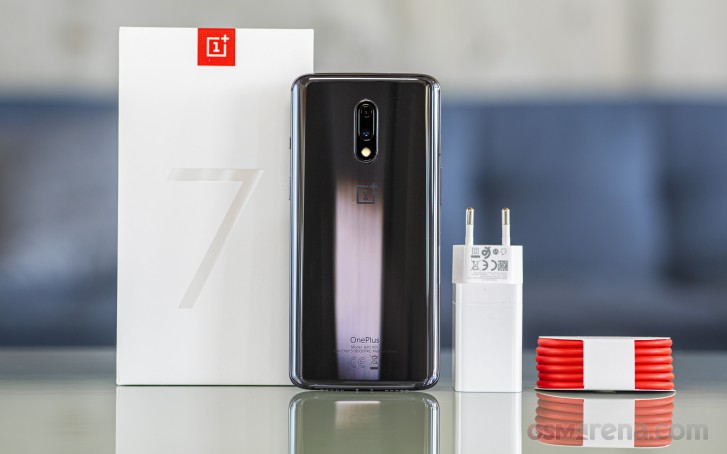
The phone comes in a standard OnePlus package with the usual user manuals, a 20W fast charging brick, USB-A to USB-C cable for charging and data transfer and a transparent silicone case to keep the 7 safe until you get a better one, because chances are few will be happy with this one.
Unfortunately, the OnePlus 7 sticks to the company’s usual tradition of coming without a pair of headphones. Worse yet, unlike the 6T’s, this one has no USB-C to 3.5mm dongle either. If you want to use your 3.5mm headphones you’ll have to get one separately.
Design and build
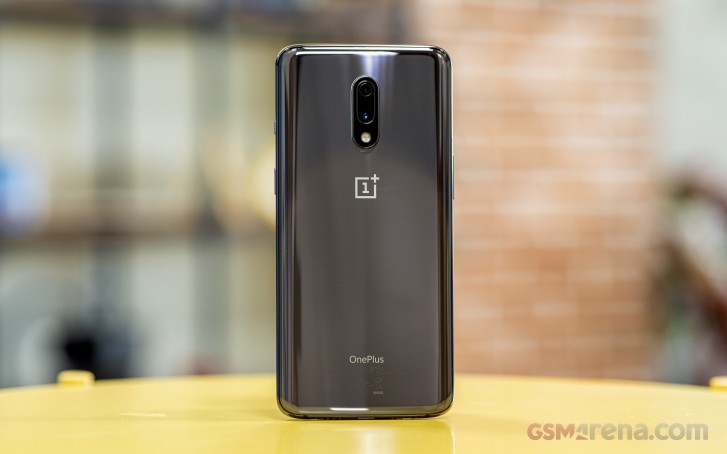
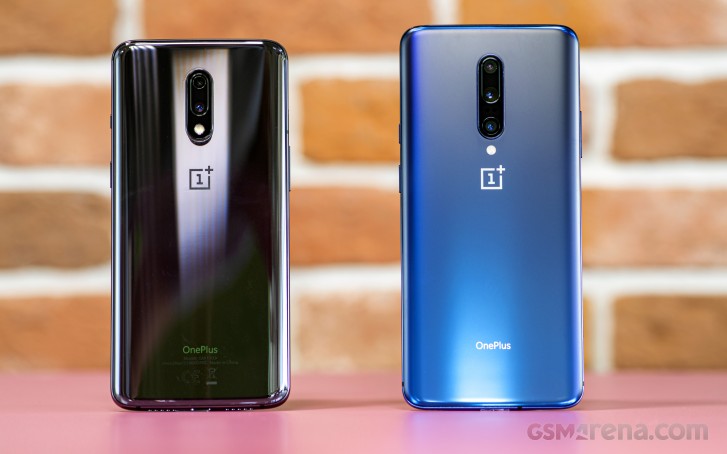
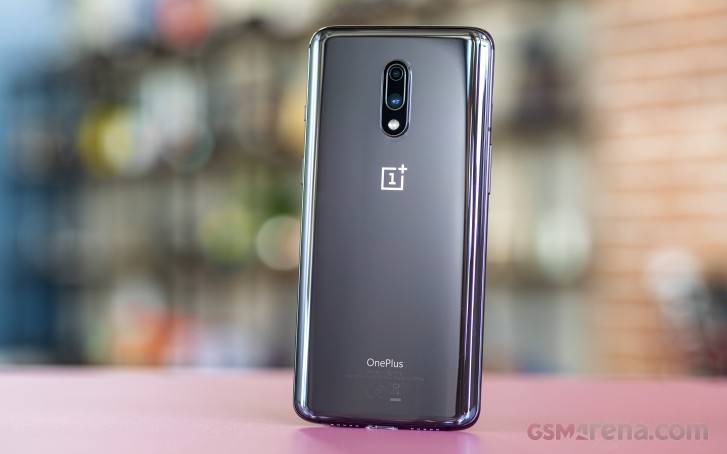
The OnePlus 7 looks almost identical to its predecessor, the 6T. In fact, the only notable change are the color options. Now the phone comes in Mirror Gray and Red while last year’s model had a Mirror Black and Midnight Black from the start. The Mirror Gray option comes very close to the Xiaomi Mi 9’s Piano Black and there’s no matte glass option as it’s reserved for the OnePlus 7 Pro.
Compared to the 6T, the 7 is just 0.2mm taller and 3g lighter so even some cases from the 6T will fit on the 7, depending on how elastic they are.
So we are still getting the glass sandwich design (Gorilla Glass 6 on the front, 5 on the back) with a curved back and slightly rounded front glass to the sides. It’s smooth along the whole frame, which is made of aluminum, and button positioning is identical as well. We’ve got the volume rocker on the left, power button on the right and the iconic alert slider right above it.
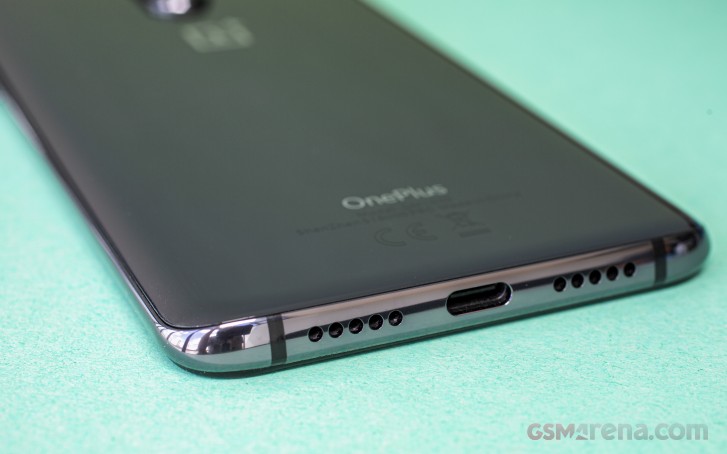
The USB-C connector is at the bottom along with the main microphone and one of the two grilles. Only one of those is for a loudspeaker, though, the other likely holds the primary microphone.
The SIM card tray can be found close the volume key and when you pull it out, you will see red sealing against water and dust. Like all OnePlus phones, the 7 doesn’t have an official ingress protection rating, and while the company says it will survive an accidental splash or dip, you’ll be taking the full risk if it doesn’t.
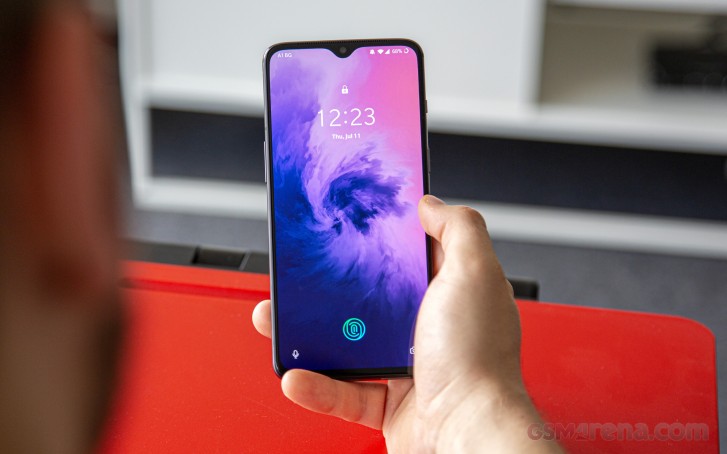
Going to the front, we are greeted with nicely slim bezels, although their lack of symmetry might put you off. The top bezel isn’t as thin as the side ones and the chin is beefier than all the rest.
The notch is one of the least obtrusive ones we’ve dealt with although it’s still an unsightly cutout that will bother some. For day to day operations, however, it very rarely gets in the way. Then again the missing LED notification light is a hard pill to swallow in yet another generation of OnePlus phones.
The OnePlus 7 is a big phone and pretty slippery at that. It’s not quite as huge as the 7 Pro, but still there’s a limited number of operations you can do with one hand.
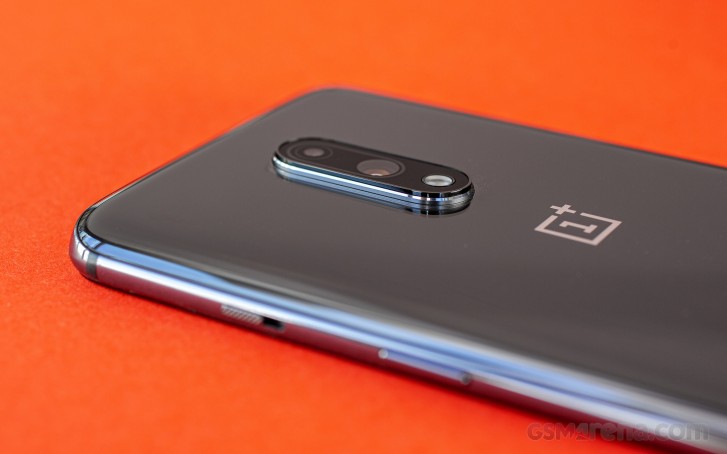
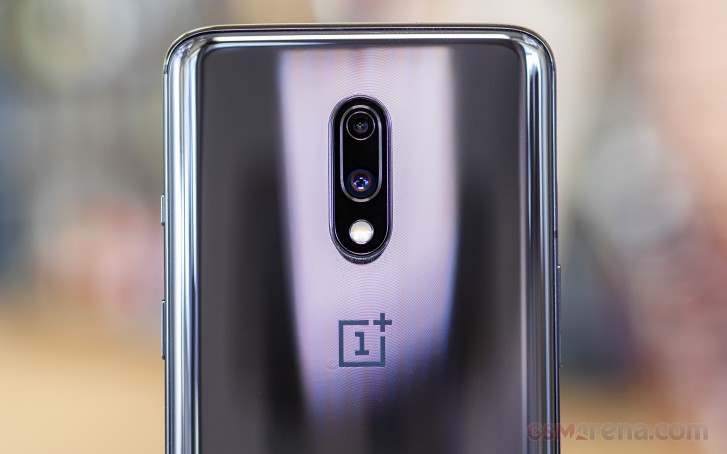
Our Mirror Gray phone attracted a lot of fingerprints, which are easy to spot in almost any lighting. Moreover, the camera bump is sticking out a bit more than we would like and it feels strangely sharp in a way. If you let the phone lie flat on its back, it would start to wobble when using the touchscreen.
On the upside the OnePlus 7 is solidly put together – it’s in no way feeling inferior to the more expensive 7 Pro.
Notched Optic AMOLED screen
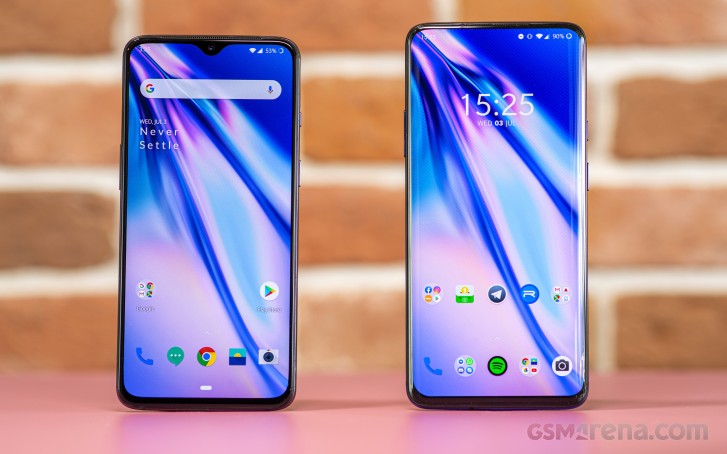
On paper the OnePlus 7‘s screen is identical to one on last year’s 6T. It has an identical waterdrop-styled notch, measures 6.41″ in diagonal and has FHD+ (2340 x 1080px) resolution in 19.5:9 aspect ratio.
Our lab tests did show one difference, even if that has to do with the controller rather than the panel itself. The 6T and the 7 both have similar maximum brightness – 453 vs 443 nits, respectively. But while the 6T doesn’t offer an additional boost in brightness when the ambient sensor detects bright sunlight, the 7 can actually go up to 642 cd/m2 for short periods of time. It’s a nice feature to have and a very useful one too.
Display test
100% brightness
Black, cd/m2
White, cd/m2
Contrast ratio
OnePlus 7 Pro
0
436
∞
OnePlus 7 Pro (Max Auto)
0
616
∞
OnePlus 7
0
443
∞
OnePlus 7 (Max Auto)
0
642
∞
Samsung Galaxy S10
0
396
∞
Samsung Galaxy S10 (Max Auto)
0
820
∞
Xiaomi Mi 9
0
428
∞
Xiaomi Mi 9 (Max Auto)
0
620
∞
Black Shark 2
0
428
∞
Huawei P30
0
449
∞
Huawei P30 (Max Auto)
0
635
∞
Asus Zenfone 6 ZS630KL
0.353
424
1201
Asus Zenfone 6 ZS630KL (Max Auto)
0.399
455
1140
Color accuracy is also something the 7 should be proud of. The standard Vivid mode returned an average dE2000 of just 3.2, which isn’t too shabby. Whites err on the blue-ish side.
Switching over to the Natural mode, the display impressed us with an average dE2000 of 1.1and a maximum deviation of 2.8. So if color accuracy is of great importance, we suggest sticking to the Natural mode.
There’s also an advanced mode that lets you choose between AMOLED Wide Gamut, sRGB or DCI-P3 color spaces with manual control over color temperature.
Battery life
The OnePlus 6T already had great battery life but the OnePlus 7 was able to build on that by adding a respectable amount of minutes in the screen on tests. A 3,700 mAh unit may be only average by current standards, but it’s all about real life performance and the OnePlus 7 really delivers there. We were pretty impressed by the web browsing and video playback times, but the standby draw was very low too.
It all adds up to a total score of 102h easily overtaking some high-end flagships. Interestingly, though, it’s still not enough to dethrone the Asus Zenfone 6 in this price segment, which scored a whopping 112h.
Aside from the great battery life, the OnePlus 7 also has a fast battery charging using the proprietary OnePlus wall charger and USB-A to USB-C cable capping at 20W. A 30-minute charging session got us from a dead battery to 55% – just like last year’s OnePlus 6T. The 20W charging standard is no longer the fastest around, but it’s still up there, particularly in this price segment.
Loudspeaker
OnePlus has finally added a second speaker to its phones, although it’s the more space-efficient hybrid systems, where the earpiece doubles as one and you get a downwards-facing second speaker. Still the different direction along with the fact that the dedicated loudspeaker is somewhat more powerful makes them sound roughly equal.
They deliver very good loudness and reasonably rich sound although vocals get lost with some tracks. Still, as far as smartphone speakers go the OnePlus 7 has it better than most.
Speakerphone test
Voice, dB
Pink noise/ Music, dB
Ringing phone, dB
Overall score
OnePlus 7
68.1
73.1
82.2
Very Good
OnePlus 6T
67.2
72.5
84.5
Very Good
Black Shark 2
67.7
73.6
82.9
Very Good
Sony Xperia 1
69.8
74.5
81.0
Very Good
Xiaomi Mi 9
70.1
74.2
81.6
Very Good
Asus Zenfone 6
77.0
75.9
81.2
Excellent
Samsung Galaxy S10
82.2
74.9
85.5
Excellent
OnePlus 7 Pro
79.6
77.7
87.2
Excellent
Audio quality
An important thing to mention before we begin here is that the OnePlus 7 doesn’t ship with a USB-C to 3.5mm audio adapter in the box. So to complete the test we used a passive adapter we had laying around. This means the results are only going to be representative if you also purchase a passive adapter – an active adapter or headphones with built-in DAC would yield a different result. With that out of the way let’s see how the OnePlus 7 did.
The phone posted perfect scores for clarity with an active external amplifier and was very close to perfect with headphones too. The only reading to be damaged was stereo crosstalk and that too took a far smaller hit compared to most phones out there.
Volume levels on the OnePlus 7 weren’t quite so impressive – with the phone being below average in both parts of the test. This might prove problematic if you need to drive high-impedance headphones to high loudness, or not matter at all if that’s not your use case.
Test
Frequency response
Noise level
Dynamic range
THD
IMD + Noise
Stereo crosstalk
OnePlus 7
+0.03, -0.01
-91.0
91.9
0.0016
0.0085
-91.5
OnePlus 7 (headphones)
+0.10, -0.06
-90.5
91.4
0.0023
0.094
-70.6
Asus Zenfone 6
+0.03, -0.01
-85.8
86.8
0.0012
0.014
-76.2
Asus Zenfone 6 (headphones)
+0.05, -0.01
-81.1
82.7
0.0068
0.059
-52.0
OnePlus 7 Pro
+0.03, -0.01
-93.0
92.6
0.0023
0.021
-89.6
OnePlus 7 Pro (headphones)
+0.10, -0.05
-92.0
91.4
0.0034
0.106
-74.8
Xiaomi Mi 9
+0.02, -0.01
-93.9
93.1
0.0015
0.0066
-91.9
Xiaomi Mi 9 (headphones)
+0.05, -0.04
-92.6
93.5
0.0026
0.072
-58.7
OxygenOS based on Android 9.0 Pie
The OxygenOS is designed to look like stock Android distribution with just a couple of custom features to add to the overall experience. OnePlus has made a couple of other under-the-hood changes over the years and has made this one of the better performing platforms on the market, even if in typical Chinese maker fashion it’s a bit more aggressive with handling background tasks.
A large part of what makes OxygenOS feel so fast is the absence of certain animations that you otherwise have to wait for while navigating the UI.
Another big advantage of OnePlus phones over the rest is the especially strong modding community, if we can call it that. There are tons of supported third-party ROMs and mods for OnePlus handsets and the best part is that the OEM doesn’t care if your phone is rooted or with a different ROM. This won’t void your warranty and thus attracts plenty of Android enthusiasts year after year.
But when it comes to features, the OxygenOS is closer to stock Android than other OEM’s iterations like One UI from Samsung or Huawei’s EMUI. Some may call it “barebones” and they might be right.
The added features include screen-off gestures like launching the flashlight or the camera by drawing a letter on a locked screen, OnePlus‘ unique gesture-based navigation and the alert slider, but little else.
We found that the gesture for the flashlight works a lot better than on the last year’s OnePlus 6T. There were no accidental triggers and the gesture worked almost every time. The alert slider options haven’t changed, however. There are two modes – Vibration and Silent. The names of the modes are pretty much self-explanatory.
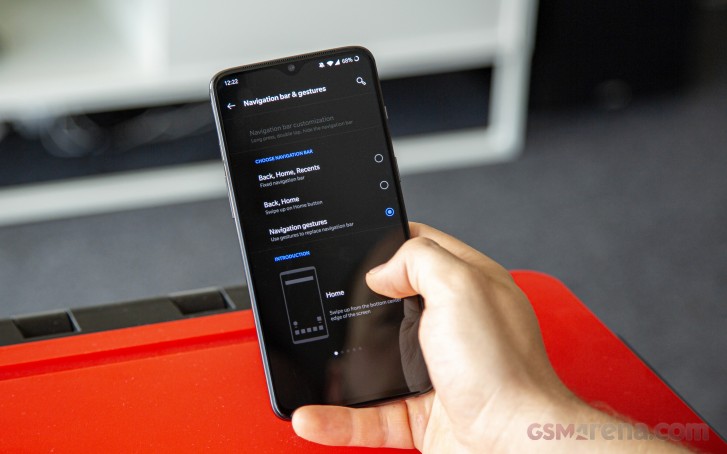
Kudos to OnePlus for offering three navigation options. You can either go with the good old software buttons or choose the new gestures from Google or OnePlus.
The first of the gesture options is the well-known pill navigation that you find on almost all stock Android phones. Then there’s OnePlus‘ take, where swipe from the center-bottom brings you back to the home screen, swiping from the bottom near the left or right edge works as a back button while swipe and hold opens up the recent apps. A quick side-swipe from the bottom-center to the right will quickly switch between your previous and current app. It takes a little time getting used to but also works very well.
For another year, OnePlus refuses to introduce a proper always-on screen feature. In its place, the OnePlus 7 offers Ambient display. It will light up when you receive a notification, tap it once or twice or when you move it ever so slightly. Either of those will trigger the ambient display showing the clock, notifications and the fingerprint reader area.
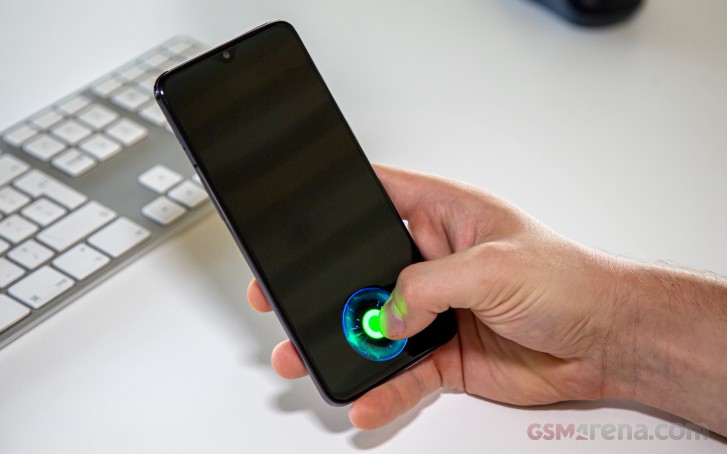
And while we are on the fingerprint scanner topic, we must say that the upgrade is more than welcome. OnePlus says the 7 and the 7 Pro are equipped with the latest generation optic in-display fingerprint readers, which are bigger in size too and you can tell.
The scanner works incredibly fast in all conditions and it’s hands-down one of the fastest under-screen implementations we’ve ever tried. It may struggle with dusty or sweaty fingers, but the face unlock is particularly fast alternative and can serve as a reliable backup. Perhaps the fact that there’s no unlocking animation adds to the overall sense of speediness.
There’s also this thing called Quick Launch. You can launch an app or an action of your choice by just holding down the fingerprint area once the phone unlocks and a couple of shortcuts pop up.
Going through the general settings menu shows the usual options. The Display sub-menu offers the usual settings like night mode, reading mode (black and white scheme for more comfortable reading), hiding the notch option and customization of the status bar.
The Battery section offers all the usual Android Pie settings like Battery optimization and the Adaptive battery feature. And, of course, all the information regarding battery usage you’d want.
The Utilities sub-menu is where you will find some useful features that may apply to your use case, including gaming mode. It’s been a growing trend these days with gaming modes that aim to improve the phone’s performance during gameplay and also let in fewer distractions while gaming. You can set up how your notifications appear and how to answer the phone – via the loudspeakers or the earpiece.
OnePlus has been marketing one particular gaming feature called Fnatic mode. It takes the DND mode to another level allowing notifications only for low battery, alarms and timers. Calls and other notifications won’t go through and interestingly, missed calls may not be recorded in the call logs.
The system also prioritizes the game over other apps running in the background to improve performance while the Network enhancement will disable your second SIM slot to minimize interference and latency, which are essential for competitive online gaming.
The cool thing about the Gaming mode is that you can set it to run automatically on other apps as well, like in YouTube or Netflix so you can watch your shows and videos uninterrupted.
Performance
The OnePlus 7 packs the top of the line Snapdragon 855 chipset – the latest and greatest from Qualcomm. We’ve seen how the SoC performs in other phones as the OnePlus 7 wasn’t the first one to get it. The 7nm chip holds an octa-core CPU with a 1+3+4 core configuration – 1×2.84 GHz Kryo 485, 3×2.42 GHz Kryo 485 and 4×1.80 GHz Kryo 485. And an Adreno 640 GPU to take care of graphically-intensive tasks.
The handset ships with either 6GB or 8GB of LPDDR4X RAM paired with 128GB or 256GB internal storage, respectively. What’s interesting here is that just like its Pro sibling, the OnePlus 7 boasts the newest UFS 3.0 flash storage. Loading times are significantly reduced, read and write speeds are twice as fast compared to the previous generation UFS 2.1.
A 48MP main camera with a 5MP depth sensor
The 5MP secondary unit on the OnePlus 7 may sound like a downgrade when you compare it to the 20MP unit on the previous two OnePlus models but in reality they are both limited to depth sensing functionality so it hardly makes much difference. Sadly, there are no ultra wide-angle or telephoto lenses here either as those are reserved for the 7 Pro.
You do get the same main sensor as the more premium phone though – 48MP, 1/2″-type with 0.8µm pixels and OIS. The only difference is in the aperture size – f/1.7 compared to the f/1.6 on the 7 Pro.
On the front, we’ve got the familiar 16MP unit with f/2.0 aperture and 1.0µm pixels – the same unit in the OnePlus 6T and the 7 Pro.
Camera UI
The camera menu is pretty straightforward. Swiping left and right cycles the camera modes and an upwards swipe brings out the additional modes like the Pro mode, Time-lapse, Panorama and Slow motion. There’s also the settings menu where you can rearange the camera modes and select which is the default one.
The settings menu also gives you control over the video and photo resolutions and the rest of the usual features. Oh and to shoot in 48MP mode, you have to go in the Pro mode and select the 48MP JPG icon on the top of the viewfinder, near the notch. Not that you’d want to do that very often as shooting in their native resolution isn’t what Quad-Bayer sensors are all about.
Daylight samples
The 7 is capable of taking great photos with wide dynamic range, a good amount of detail, no noise and we didn’t notice any sharpening artifacts along the edges of the buildings, for example. Contrast is nice as it makes the colors pop out more.
As we already said, we expect little difference compared with the 7 Pro since they both share the same 48MP primary sensor, but we did find a slight difference in color rendering. The 7 tends to take pictures with a bit colder white balance while the 7 Pro’s photos are somewhat warmer. That aside, the too snappers perform identically in good light.
We did an impromptu shootout with Zenfone 6, which is one of the OnePlus 7‘s direct rivals and also shares its 48MP camera sensor. The two were very close with the OnePlus 7 having a slight edge in resolved detail and contrast.
Low-light samples
The OnePlus 7 has a slightly slower lens than the 7 Pro, which makes a slight difference when the light start to fade, but you’d have to be looking really closely to spot it. In fact the slight differences in color rendering are more notable than the minimal edge in resolved detail of the 7 Pro. Interestingly enough this time the OnePlus 7 is the one to produce the warmer tones.
Neither is particularly great when it comes to resolved detail, but the OnePlus 7 is actually coming off better here as it’s the much more affordable phone and as such carries far lower expectations.
On the upside the noise is kept at reasonable levels and the dynamic range is excellent – in most cases, neon signs and other sources of light remain well-preserved.
Turning on Night mode improves the photos significantly, helping the OnePlus 7 achieve much better exposure, significantly improving the detail levels, while also restoring the punchiness of the colors.
With the launch of the 7 Pro this year, this takes off some of the pressure for the OP7 to punch above its class. Still, we’re happy to say that it offers excellent image quality considering its price range in a wide range of scenarios.
Portraits
Portraits are plenty good with natural skin tones and plenty of detail. The OnePlus 7 also simulates the bokeh effect quite well and has one of the best edge detection algorithms we’ve seen. Even with a more complex background, the phone did pretty well.
In fact, to our surprise, the OnePlus 7 often makes better portraits because it uses the main camera while the 7 Pro allows you to shoot only with the telephoto lens. In most situations, the telephoto gives you a better perspective but if there’s not enough light the tiny sensor of the telephoto camera means things go South really fast. Also, there’s a bit more detail coming from the main 48MP sensor so there’s that.
We hope the 7 Pro receives an update allowing you to shoot with the main camera when needed, so it gets the best of both worlds.
Selfies
Disappointingly the front camera lacks autofocus, but at least its sweet spot is set so it works at a comfortable arm’s length. You don’t have to go to the extreme to get the sharpest possible selfie. Pictures offer good colors and dynamic range as long as the portrait mode isn’t active. As with most selfie cams, image-stacking is disabled while taking portrait photos and results are mediocre at best.
Video recording
The OnePlus 7 supports 4K recording at 30fps and 60fps while 1080p videos can go up to 240fps for slow motion purposes or you can also switch to 720p@480fps for taking slo-mos further.
The quality of the videos is decent – colors are accurate if slightly dull, contrast is good and there’s no noticeable noise. Dynamic range is also more than satisfactory with just a little loss of detail in the dark parts of the scene. Still, it appears to be a bit soft compared to most of its rivals. Overall it’s competitive but needs a bit more detail to be considered as one of the best in its class.
And here are two videos shot in 1080p and 2160p at 30 fps to see how the EIS works. It is doing a great job really and on most occasions, it will totally be worth the slight reduction in viewing angle.
Again, you can head to our video compare tool to best see how the OnePlus 7 stack up against the competition.
Competition
The OnePlus 7 may have thought it would have it easy, leaving the 7 Pro to fight with the big guys, while it faces far inferior competition with its lower price tag. Yet, its relatively late arrival meant some of the H1 flagships already got their first price cuts, while those from value-oriented brands have managed to expand their market presence.
One of the most obvious alternatives to the OnePlus 7 is the newly released Asus Zenfone 6. It has that top-notch chipset, while costing a lot less than most of its rivals, including the OnePlus 7. It has the same primary camera, but also an ultrawide module and produces the best selfies in the class thanks to its clever flip-camera mechanism. It also has a stock-looking Android just like the OxygenOS, leaving OLED panel as the OnePlus 7‘s only advantage. Then again the Zenfone doesn’t have a notch, so even that isn’t exactly clear-cut.
Then there’s the Huawei P30, which has fallen down in price to below what the OnePlus 7 charges. With the Chinese giant’s issues with the US authorities seemingly on the way to being resolved, the P30 seems like a huge upgrade in terms of camera, while offering an audio jack and a memory card slot (sort of). The OLED screen on the P30 is smaller though and the Kirin 980 is a step behind the Snapdragon 855 in the GPU department. And then there’s the choice between the feature-rich but somewhat less streamlined EMUI and the stock looks of the OnePlus 7 UI.
Another affordable Snapdragon 855-powered solution would be the Mi 9. It brings a triple rear cam with ultrawide, regular and telephoto modules, an OLED screen of very similar size to the OnePlus 7‘s at the very tempting €400 price point.
The verdict
So the OnePlus 7 faces some properly tough competition and at a lower price to boot. It’s not without it chances though, with it being the only one to offer the particular combination of stock-feeling Android, OLED screen, amazing UD fingerprint scanner and UFS 3.0 storage. The mod-friendly approach of the maker could also win a few fans over.
OnePlus 7‘s camera is one of the better in the price range, but sadly with virtually all of its competitors offering at least one of the extra focal lengths (ultra wide or telephoto) it really lacks in versatility.
Stereo loudspeakers make for an even stronger case, although two of the three nearest rivals come with a dedicated audio jack and memory expansion. But there’s no escaping the fact that all of a sudden, the OnePlus phone lost at its own game – being able to match the performance of rivals while undercutting their prices.
It appears then that unless OnePlus considers a prompt price cut, its market success might be very reliant on the loyalty of its fan base and the number of people looking for the exact feature set we listed above.
Pros
Great OLED screen
Top notch under-display fingerprint performance
Decently sounding stereo speakers with very good loudness
Excellent battery life
Excellent main camera
Bloat-free, stock-looking and snappy Android experience utilizing the rare UFS 3.0 storage
20W charging speed is better than most in the class
Knowing how to put an iPhone 7 Plus or iPhone 7 into Recovery Mode can be valuable knowledge, as it is sometimes necessary for troubleshooting purposes.
Typically the need to use Recovery Mode is limited to troubleshooting some more unusual scenarios like when a device is completely stuck on an Apple logo, or if the screen shows a “Connect to iTunes” screen, but it can be used sometimes for downgrading of iOS versions too.
This tutorial will demonstrate you how to enter Recovery Mode on iPhone 7 and iPhone 7 Plus. This guide also applies to putting iPod touch (7th generation) into Recovery Mode too.
How to Enter Recovery Mode on iPhone 7 Plus & iPhone 7
Be sure you have a backup of iPhone before entering recovery mode, failure to do so may result in permanent data loss.
Press and hold the Side Power button on the iPhone until you see the slide-to-power off screen
Drag the slider to turn off the iPhone
Hold down the Volume Down button while connecting the iPhone to the computer with a USB cable
Continue holding Volume Down button until you see the Recovery Mode screen as you open iTunes on the computer (Mac or Windows, or in macOS Catalina open Finder)
iTunes (or Finder) will detect the iPhone in Recovery Mode
After the iPhone is successfully detected and in Recovery Mode, it can be restored with iTunes (or Mac Finder in 10.15+), or updated.
You can also use IPSW files if needed after an iPhone is in recovery mode.
It’s important to note that putting the iPhone 7 Plus and iPhone 7 into recovery mode is a different process from using Recovery Mode on prior iPhone models, and also from using Recovery Mode on later models. So if you’re accustomed to one method, recall that it can be a unique procedure depending on the actual iPhone model itself.
If you’ve finally tired of watching the selfie camera on your brand new OnePlus 7 Pro pop up and down again, you’ll be pleased to note that there are a ton of ways that you can personalize and change the handset to your taste. Whether it’s enabling the system-wide dark theme, altering the temperature of the display, setting up Zen Mode or even changing the resolution of the Fluid AMOLED display, check out our list of essential tips and tricks for the OnePlus 7 Pro (and OnePlus 7) after the break.
Oneplus 7 Pro Unboxing
Oneplus 7 Pro Review
Dark Mode
If the shiny whiteness of OxygenOS is too bright for you, why not switch over to using the built-in, system-wide dark mode on your new phone. Besides being easier on the eyes, Dark Mode also helps with battery life on AMOLED displays.
Open Settings
Navigate to Display Settings
Scroll down to Theme and select Dark
Zen Mode
If you are spending too much time on your phone and desperately need a time out, activating Zen Mode will disable everything on your phone apart from phone calls, emergency calls, and the camera app for 20-minutes. You can chill out and regain some semblance of equilibrium without a smartphone display in your face, at least for a short time. Word of warning: Once Zen Mode is activated, it can’t be stopped.
Pull down your notification shade to open up Quick Settings
Click Edit and scroll down until you see the Zen Mode tile
Tap-and-hold the Zen Mode tile to drag it to your Quick Settings panel
Exit the editing mode
Pull down the notification shade to access Quick Settings again
Tap on the Zen Mode tile
Tap Let’s Go
Press Start to confirm Zen Mode activation
Display Temperature
Some of us prefer saturated colors, others a more natural hue. Whatever your preference, you can choose between the display showing warmer or coolers in a matter of seconds.
Open Settings
Select Display Settings
Tap on Screen Calibration
Choose between Vivid and Natural or click on Advanced for more options, including the ability to manually adjustthe temperature slider
Display Resolution
The OnePlus 7 Pro is the first OnePlus smartphone to launch boasting a better than Full HD+ display thanks to its QHD+ resolution. If you are trying to make the most of your battery life, switching down to FHD+ resolution can result in slightly improved usage. You can also select the Auto Switch option that will automatically change the phone’s resolution as required.
Open Settings
Scroll down to Display Settings
Tap on Resolution
Choose between Auto Switch, QHD+ or FHD+ Resolution
Accent Color
The standard theme is perfectly fine, but you can add a touch of personality to proceedings by changing the Accent color on your brand new handset, without needing to install a third-party launcher.
Open Settings
Scroll down to Accent Color
Select one of the stock colors or click on the palette icon to create your perfect shade
Customize the Alert Slider
OnePlus is known for including an Alert Slider on its handsets, allowing you to switch between Silent, Vibrate, and Sound On modes without needing to unlock the phone. The Alert Slider can also mute the sound from content that is playing.
Open Settings
Select Buttons & Gestures
Tap on Alert Slider
Tap on Silent
Choose whether the Alert Slider controls media volume
DC Dimming
DC Dimming is a new method of adjusting the screen brightness by changing the circuit power of the display, reducing flickers at low brightness levels and increasing power efficiency slightly.
Open Settings
Scroll down and select Utilities
Tap on OnePlus Laboratory
Select DC Dimming and tap the Activate toggle
Navigation Bar
Everyone has their personal preferences when it comes to navigating their smartphone, whether it’s by way of the on-screen buttons, gestures, or somewhere in-between. You’ve got the whole gamut of options available to you on your new OnePlus 7 or 7 Pro.
Open Settings
Tap on Buttons & Gestures
Select Navigation Bar & Gestures
Toggle between Back, Home, and Recents, Swiping up on the Home Button or using Gestures entirely
Battery Saver
As good as the battery life is on the OnePlus 7 Pro with its 4,000mAh battery, sometimes you need a little bit more, which means you’ll be looking to toggle the Battery Saver option.
Open Settings
Select Battery
Tap on Battery Saver
Toggle Battery Saver on
Customize Gaming Mode
When you are in the middle of an intense gaming session, the last thing you need is the display suddenly dimming or being interrupted by a flood of notifications. Gaming mode brings the ability to route calls directly to the loudspeaker, block notifications, disable notifications for third-party apps, disable automatic brightness, as well as enhancing haptic feedback for supported games. You’ll need to activate Gaming Mode to turn on Fnatic Mode.
Open Settings
Select Utilities
Tap on Gaming Mode
Toggle the appropriate options
Fnatic Mode
If Gaming Mode isn’t quite robust enough for your needs, Fnatic Mode (not a typo) will ensure that you get the absolute best gaming experience possible by blocking all notifications and calls, focusing performance on gameplay, and prioritizing the primary SIM card to achieve low-latency, and disabling the secondary SIM.
Pull down the Quick Settings panel
Activate Gaming Mode
From the resulting pop-up, toggle Fnatic Mode on or off
Click OK
Icon Pack
We all have our personal preferences when it comes to app icons; some of us prefer square icons, while others prefer round ones. It’s easy enough to change the icon pack on the phone by choosing one of the stock options or your favorite third-party design from the Play Store.
Long-press an empty area on the Home Screen
Select Home Settings
Click on Icon Pack
Choose between the default OnePlus icon theme, Square, Circle, or a Third-party design
Display Refresh Rate
The OnePlus 7 Pro features a Fluid AMOLED display that offers the choice between a 90Hz and a 60Hz refresh rate. Toggling the 90Hz refresh rate will result in a smooth viewing experience with slightly increased battery usage.
Open Settings
Tap on Display
Select Screen Refresh Rate
Toggle the 60Hz or 90Hz options
Customize status bar
The status bar can get a little crowded at times, but you can make it a little roomier by customizing how the battery percentage is displayed. You can choose whether to show a battery bar or circle to reflect battery life, or you can hide the icon. You can also choose to disable the battery percentage, thereby removing an additional element from the status bar. You can also choose to show the network speed and the format that the time is displayed.
Open Settings
Select Display
Scroll down and tap on Status Bar
Toggle the Battery Style to choose the style of the battery icon or to hide it
Toggle the Battery Percentage on or off
Choose to display the Network Speed
Choose your preferred TimeFormat
Change Fingerprint animation
If the fingerprint animation doesn’t quite suit your preferences, you’ll be glad to find out that there are a couple of different animations to choose between. You’ll need to have previously enrolled your fingerprint before you can change the effect.
Open Settings
Tap on Security & Privacy
Select Fingerprint
Enter your Pin Code/Pattern/Password
Tap on Fingerprint Animation Effect
Choose between Cosmo, Ripple, Stripe or No Animation