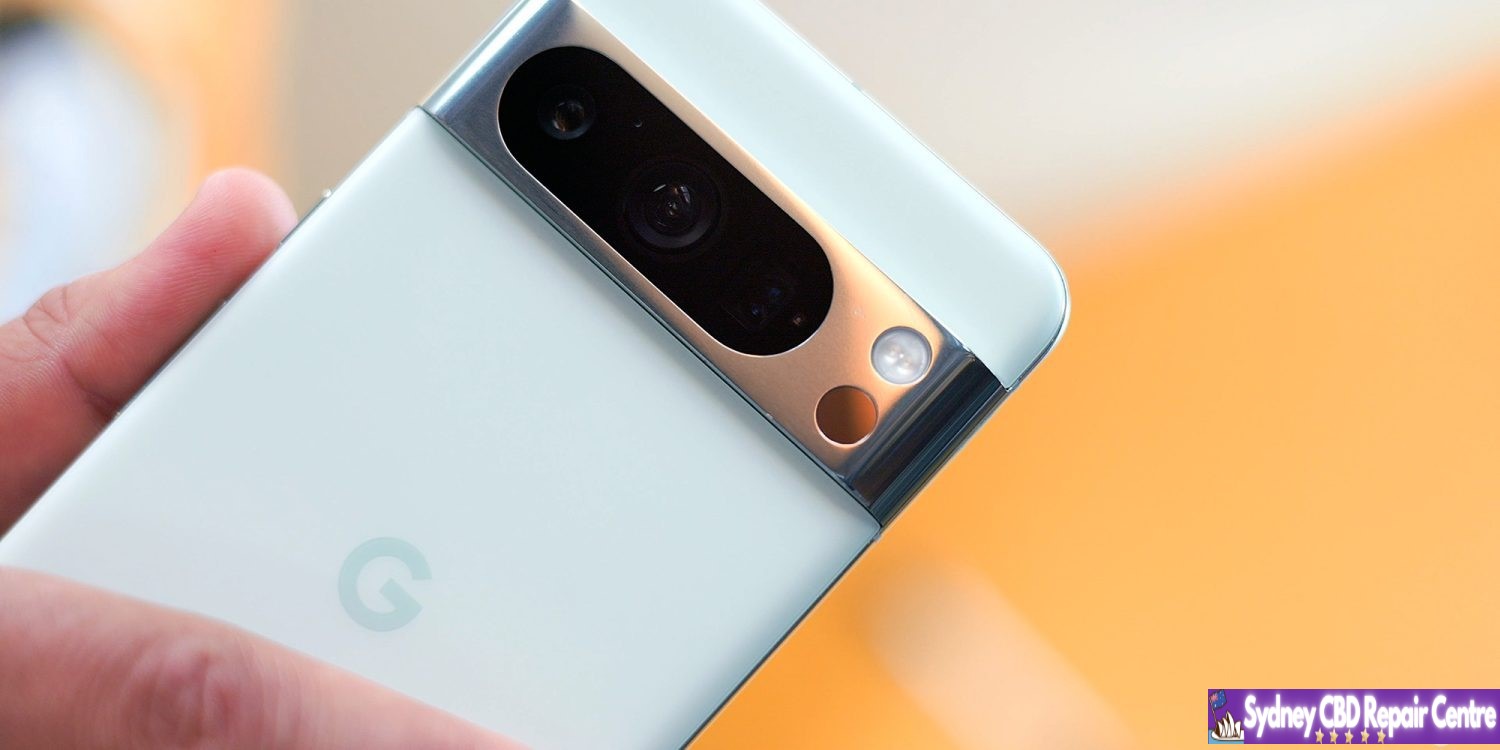
For those not on Android 15, Google has released Android 14 QPR3 Beta 2.2 for Pixel on May 23, 2024. It comes nearly two months after the last release of this track. A stable 14 QPR3 release is expected at the start of June.
AP21.240305.006 with the May — from March — 2024 security patch is available for supported devices: Pixel 5a, Pixel 6, Pixel 6 Pro, Pixel 6a, Pixel 7, Pixel 7 Pro, Pixel 7a, Pixel Tablet, Pixel Fold, Pixel 8, and Pixel 8 Pro.
There’s no Pixel 8a build, and only factory images are offered for manual install given an OTA sideloading issue.
Fixed various other issues that were impacting system stability and connectivity.
Back in April, Google said you could ignore Android 15 Beta 1 if you wanted to remain on the Android 14 Beta Program to “receive minor .x updates until the final stable QPR3 release” (in June). The on-device OTA is 18.06 MB update on the Pixel 8 Pro and 40.83MB for the Pixel 7 Pro.
All eligible devices enrolled in the Android Beta for Pixel program that haven’t taken an update to Android 15 Beta will be offered an over-the-air (OTA) update to Beta 2.2.
Android 15 is now becoming available for devices outside of the Pixel ecosystem, including from OEMs like Nothing, Oppo, OnePlus, Xiaomi, Vivo, and more.
Android 15 doesn’t look entirely new on the surface, but it houses a lot of changes under the hood. Little changes that affect overall quality-of-life and phone performance. While the brunt of what we’ve seen from Android 15 has been on Pixel phones running the beta, a healthy number of manufacturers have officially made Android 15 Beta builds available to the public.
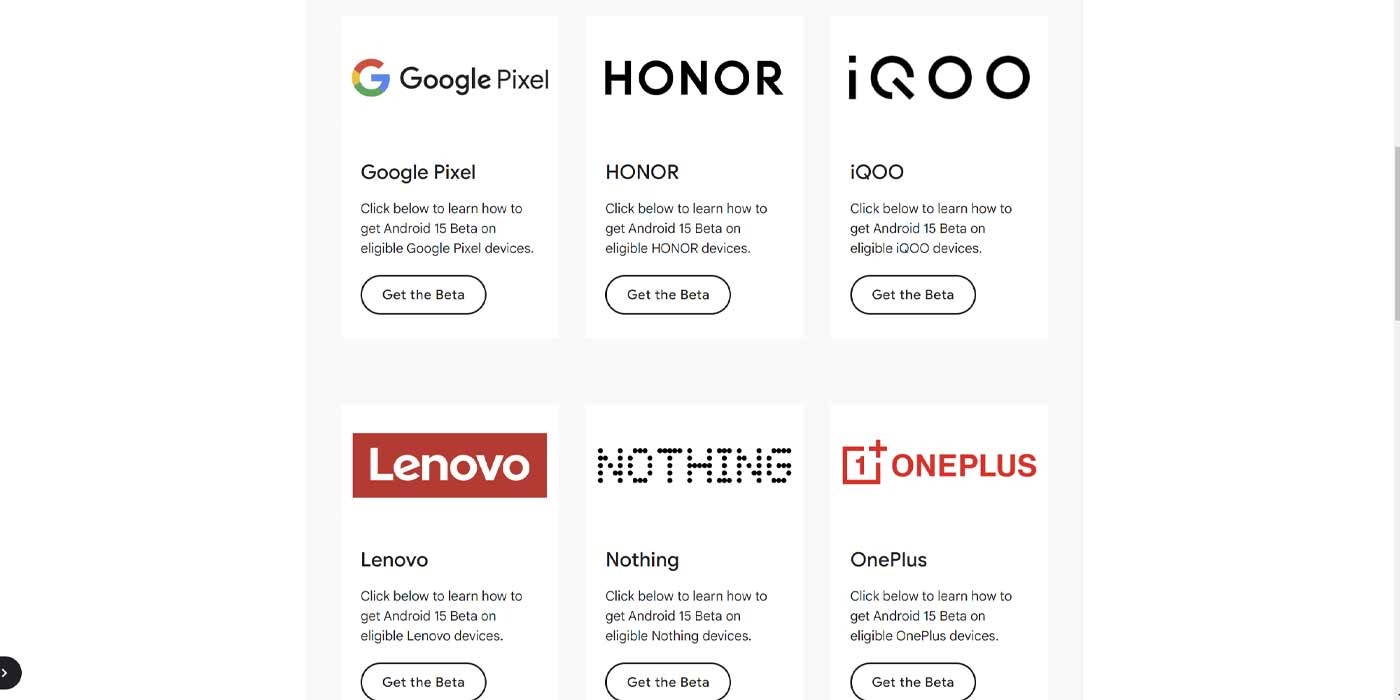
On the official Android 15 page from Google, there’s a list of manufacturers and, by extension, a list of devices that are currently able to run Android 15 in some beta form. The Pixel series has access to the Android 15 Beta 2 build previewed at Google I/O 2024. Devices running Android outside of that will very likely have a different build available, but the specifics depend on what phone you’re using.
So far, Google has populated that list with these phone manufacturers:
Honor
IQOO
Lenovo
Nothing
OnePlus
Oppo
Realme
Sharp
Tecno
Vivo
Xiaomi
How to install Android 15 Beta on your device
Whether or not you can install Android 15 on your devices is simple – if you see your device listed, you’re good to go. Each OEM will differ in what build of Android 15 it’ll offer, but a specific list of phones is listed under each name in Google’s official list.
Find your device’s manufacturer and hit Get the Beta.
Carefully read that OEM’s guide on how to install the Beta and follow it’s instructions.
Google tends to excitedly offer up the Anroid 15 Beta as the “new thing,” and publications like Sydney CBD Repair Centre are excited to share that information with you, but we do ask that you keep something in mind: if you don’t feel comfortable installing the Android 15 Beta for your device, don’t. Beta updates like this always have the potential to brick or harm your device, even if you take every precaution. As always, take the time to read the guide for each OEM and follow the manufacturer’s instructions closely.
Apple has officially released iOS 17.5 to the general public. The update brings a handful of new features and changes for iPhone users. Head below for everything we know right now.
iOS 17.5 is now available
iOS 17.5 is now available to the public. You can head to the Settings app on your device, then choose General, then Software Update to install the update.
What’s new in iOS 17.5?
While iOS 17.5 isn’t quite as big of an update as other iOS 17 updates, it still includes its fair share of new features and updates.
Web Distribution in the EU
Within the European Union, the latest iOS 17.5 update introduces the capability to install applications directly from a developer’s website. Apple unveiled this new “Web Distribution” feature last month, explaining that it allows developers to distribute their iOS apps straight from their own websites.
To utilize this functionality, developers must opt into the updated App Store business terms, which requires paying a Core Technology Fee of €0.50 for every first annual installation exceeding one million in the preceding 12 months.
Any application disseminated through the web will still need to adhere to Apple’s notarization guidelines. Apps can only be installed from a website domain that the developer has registered in App Store Connect. Apple will also provide a range of APIs for developers to integrate with system functionality.
New Quartiles game for Apple News+
In the Apple News app, Apple News+ subscribers in the United States and Canada will find a new “Quartiles” word game after updating to iOS 17.5. The game prompts players to select from a grid of tiles to form words.
Quartiles is the third game to come to Apple News+, following the addition of daily crossword and crossword mini-games that were added last year.
iOS 17.5 also adds Game Center integration to all three of the Apple News+ games. With this feature, you can now see leaderboards for each of the three games for Daily Solve Time and Daily Score stats.
Apple News offline
Also for Apple News+ subscribers, iOS 17.5 introduces a new “Offline Mode.” This feature “makes it easy to access the hundreds of magazines, newspapers, narrated articles, and more included in a News+ subscription — no matter where you are,” according to Apple.
Apple News+ subscribers can now enjoy Offline Mode on iPhone and iPad to automatically download Top Stories, Apple News Today audio briefings, full magazine issues and narrated articles from News+ publishers, and puzzles to access later, without Wi-Fi or a cellular connection. When the device is back online, downloaded content will automatically refresh, and downloads will be optimized to maximize space on the device.
Design changes
iOS 17.5 also includes a few small design changes that are worth pointing out:
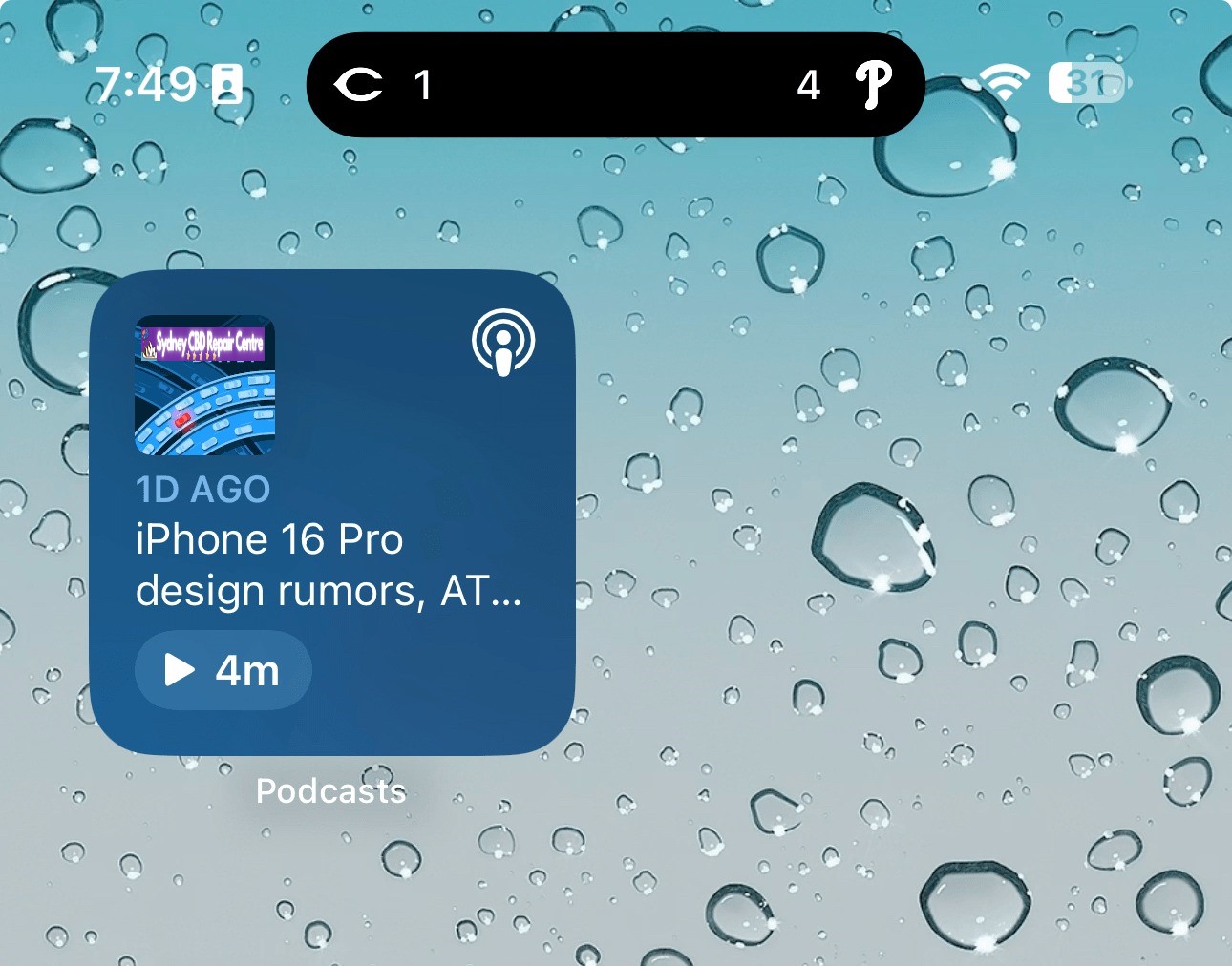
The Podcasts widget has been updated to have a new dynamic color that changes based on the artwork of the podcast you’re currently playing.
In the Apple Books app, Apple has redesigned the “Reading Goal” icon in top navigation bar.
In the Settings app, there is a new glyph for the “Passkeys Access for Web Browsers” menu under “Privacy & Security.”
New Pride wallpaper
iOS 17.5 also includes a new Pride Collection of wallpapers for iPhone and iPad users, as is tradition. The new dynamic wallpapers come as part of Apple’s goal to “champion global movements to protect and advance equality for LGBTQ+ communities.”
As explained by Apple, iOS 17.5 includes a new system centered around anti-stalking capabilities for accessories like AirTags. This development follows Apple’s announcement last year of a partnership with Google to collaborate on a new “industry specification to combat unwanted tracking.”
Strings added to the Find My app reveal that iOS will be able to identify tracking accessories, even those that are not Apple or Find My certified, and assist users in disabling them.
One of the new strings states, “This item lacks certification on the Apple Find My network. You have the option to disable this item and prevent it from sharing its location with the owner. To proceed, follow the instructions provided on a website by the manufacturer of this item.”
These changes come as Google started rolling out its new Find My Device network for Android on April 8.
New ‘Repair State’
Also in iOS 17.5, Apple has added a new “Repair State” feature to Find My. This feature lets users confirm with their Apple ID and password that they’re about to send their iPhone in for a repair. As a result, Apple technicians can confirm that the person owns the iPhone and then proceed with the repair without the need to turn off Stolen Device Protection and Find My.
Essentially, this ensures that users can still track their device using Find My while it’s being repaired. Previous, Apple required users to disabled Find My altogether.
iOS 17.5’s security fixes
Finally, in addition to all the new features and changes, iOS 17.5 also includes 15 notable security patches for iPhone users. Notably, none of the 15 vulnerabilities were reported as previously exploited.
You can find the full list of these changes in our dedicated coverage. Even if none of the new features in iOS 17.5 are tempting for you, we recommend updating as soon as possible for those security fixes.
Apple has dabbled in audio transcription in the past with mixed success. One shining example lately has been Apple Podcasts transcripts; more pessimistically, voicemail transcripts are still subpar. But according to a new report, the upcoming iOS 18 release will unlock a host of new system-wide audio transcription and summary features, all powered by AI.
People familiar with the matter have told us that Apple has been working on AI-powered summarization and greatly enhanced audio transcription for several of its next-gen operating systems. The new features are expected to enable significant improvements in efficiency for users of its staple Notes, Voice Memos, and other apps.
These features appear set to make one of the strongest cases for AI integration into various parts of Apple’s operating systems.
Transcription of audio content, and the ability to receive AI summaries of that content, are two highly practical features that can save users a lot of time.
If everything works well, students will be able to record lectures and quickly, easily revisit key information via a transcript. Recorded business meetings can be summarized as a helpful reminder of what was discussed.
If these things are accomplished with true intelligence, they can provide meaningful improvement to users’ lives. These examples would be a great fit for the iPhone, of course, but I also see them being nice selling points for the AI powers of the M4 iPad Pro.
Verdict
Notes and Voice Memos seem like two perfect apps to integrate these features into, but I’m curious to see where else they land. We love a Shazam-style button in Control Center that listens to your environment and automatically transcribes what it hears—all in the background, with minimal power drain. Perhaps this could even tie into Shortcuts somehow. There are so many possibilities.
We’re just one month away from WWDC, where Apple will unveil all the details about its AI ambitions for iOS 18, iPadOS 18, macOS, and more.
The Android 14 May security patch is rolling out today for the Pixel 5a, 6, 6 Pro, 6a, 7, 7 Pro, 7a, Tablet, Fold, 8, and 8 Pro. It’s available a day after the equivalent Pixel Watch update.
There are 11 security issues resolved in the Android 14 April patch dated 2024-05-01 and 18 for 2024-05-05. Vulnerabilities range from high to critical.
The dedicated bulletin for Google devices lists seven additional security fixes.
There are four builds across Global, KDDI (Japan), Verizon, and then T-Mobile, C Spire, US Cellular & Cellcom. Update: As of Tuesday afternoon (PT), the on-device OTA is rolling out. It’s a 9.54 MB patch on a Google Fi Pixel 8.
Google is rolling out Android 15 Beta 1.2 only three days after the last patch that addressed the lack of NFC tap-to-pay.
AP31.240322.027 (compared to AP31.240322.023) with the April 2024 security patch is available for all supported devices: Pixel 6, Pixel 6 Pro, Pixel 6a, Pixel 7, Pixel 7 Pro, Pixel 7a, Pixel Tablet, Pixel Fold, Pixel 8, and Pixel 8 Pro.
Fixed an issue that sometimes caused apps to freeze and display an “Application Not Responding” message. (Issue #328865524)
Google has been steadily improving Gemini over the past couple of months, and it seems the Android experience is getting ready for a slew of new upgrades which includes responding in an overlay on top of your current apps.
Gemini on Android replaces Google Assistant when it’s activated, but there are some big downsides to that. Among other things, Gemini opens up all of its responses in a totally new window instead of responding in an overlay like Google Assistant has for years.
It seems that, soon, that may change.
Shared with the folks over at PiunikaWeb, Gemini for Android appears to be working behind the scenes to allow for responses to be available in an overlay. A video demo (see screenshots below, as the video was shared via Google Drive) of the new functionality shows the response appearing on top of the Twitter/X app, never technically causing the user to have to navigate back to the app.
It seems a much more seamless experience overall.
Beyond that, Gemini seems to also be working on some other improvements to its Android app. Shown in another PiunikaWeb post, a “real-time responses” toggle was enabled, enabling Gemini to show data generated as it is available.
Tipster @AssembleDebug also partnered with Android Authority for some other tidbits about what’s going on behind the scenes. This includes the ability for Gemini Advanced subscribers to upload files of any type to Gemini for Android. While the web version supports this already, the Android app is currently limited only to photo files.
The app is also preparing a new “select text” option that would be available alongside the existing “copy text” option.
It’s unclear when any of these new changes will be available, but seeing as they’re already functional, it’s likely they’re not too far away from launch.
7 years of updates. It’s something that’s still borderline unbelievable, but Google set as the new standard for software updates with its latest Pixel releases. But months later, some still seem to not understand what this update promise means?
For a long time, Android phones didn’t have very good commitments for software updates. Some devices would get a couple of major Android updates while others would be months behind schedule if they were updated at all. Over time, that Wild West of updates was tamed, with the industry standard for a while settling on two years of major Android updates and three years of security updates after launch. That crept higher for a while, but Google really changed the game last year with the launch of Pixel 8 and Pixel 8 Pro.
With its latest flagships, Google promised 7 years of updates. That’s a number that not even Apple guarantees.
But what does that promise mean? There seem to be mixed opinions out there.
Some seem to be under the impression that this will mean every single feature Google launches over the next near-decade will be available on the hardware released today. Others are skeptical Google will live up to the promise at all.
But, ultimately, this is incredibly simple.
Google has explained that 7 years of updates will include Android OS updates and security updates for a total of seven years, with Pixel Feature Drops “may or may not” being included in that timeline.
Pixel 8 and 8 Pro will get updates for at least 7 years from when the device first became available on the Google Store in the US. These updates include security, software, and may also include feature drops.
That’s it. You can take that at face value. For the next seven years, Google Pixel 8 and Pixel 8 Pro will get every Android OS version and every monthly security update. They might get new features in those updates too, but it’s not guaranteed. But in terms of keeping the phone usable with modern apps over the next several years and keeping it secure from exploits, it’ll just keep chugging along.
I think it’s a little crazy that there’s been a debate over this, especially when what Google is doing here is almost exactly the same as what Apple has been doing. Apple, without setting a specific timeline on it, has been delivering long-term updates to iPhones for a long time, and it’s not uncommon for a new feature to exclude an older model even though that device got the latest iOS version.
Why is it different when it’s Google?
As we look forward to the Pixel 8a launching soon, presumably with a similar, if not identical promise, there’s nothing to be stressed or worried about. Long-term updates are a win for everyone as long as you don’t expect more than was promised.
Last month, Apple announced a new Web Distribution offering for developers in the European Union. On April 16, 2024, the Beta launch of iOS 17.5 beta 2, that feature is now available.
Web Distribution gives developers in the EU the ability to offer their apps for download directly from their website. Here’s how it works.
Web Distribution in the European Union with iOS 17.5
Web Distribution is the third distribution option that developers in the European Union can take advantage of in light of the Digital Markets Act.
To use Web Distribution, developers will have to opt into the new App Store business terms, which means they will pay the Core Technology Fee of €0.50 for each first annual install over one million in the past 12 months.
Any app distributed through the web will still be required to meet Apple’s notarization guidelines. Apps can only be installed from a website domain that the developer has registered in App Store Connect. Apple will also make a number of APIs available for integration with system functionality for developers.
Web Distribution lets authorized developers distribute their iOS apps to users in the European Union (EU) directly from a website owned by the developer. Apple will provide developers access to APIs that facilitate the distribution of their apps from the web, integrate with system functionality, and back up and restore users’ apps, once they meet certain requirements designed to help protect users and platform integrity.
When a user downloads an app from a developer’s website for the first time, they will be prompted with a series of screens explaining what it means to give that developer the ability to install apps from their website.
After authenticating with Face ID to approve giving that developer permission to install apps, the user will then go through a three-step installation process for the app itself. Apple’s Notarization system means that users will see clear information about the app and how it works. This includes things like the app name, developer name, app description, screenshots, and system age rating.
Notably, users only have to give each developer permission to install apps one time.
For example, let’s say Meta ends up supporting the Web Distribution feature in the EU. The first time a user downloads an app from Meta, such as the Facebook app, they will be prompted to give Meta the ability to install apps on their device. Then, going forward, they will only have to approve each app installation itself.
Verdict
The new details provided by Apple give a good look at the actual process of using Web Distribution in the European Union – including how it is balancing security and privacy with convenience.
A viral post on social media last week, boosted by Epic Games CEO Tim Sweeney, claimed that it would take 15 steps to install an app using Web Distribution. With the details provided today, Apple makes it clear that’s not the case.
Congratulations to Apple leadership for designing the worst app installation experience in the history of computing! Because Apple designers are the world’s best, there’s no question that this abomination is a premeditated part of a malicious European DMA compliance strategy. https://t.co/zx4aZicdEA
The first time you install an app from a developer using Web Distribution, it’s essentially an eight-step process to authorize a developer and install the first app. Each subsequent time you install an app from that same developer, it’s a three-step process.
For comparison’s sake, Android uses a one-time permission model when sideloading apps. While Android’s implementation requires fewer taps than Apple’s implementation, Apple provides users with more granular control for each developer. It also offers more details about each app prior to installation.
And, in a funny twist, Apple’s implementation of Web Distribution on iPhone is a significantly easier process than installing and using the Epic Games Store on the Mac.
Custom Android ROMs aren’t nearly as common as they once were, but many were still useful for getting additional functionality or changing up the experience on the device. “Pixel Experience,” a custom Android ROM that echoed the UI and features of Google Pixel on other devices, is sadly now shutting down.
“Pixel Experience” launched in 2017, around a year after the first Google Pixel smartphone made its debut. The project aimed to copy the UI and best parts of using a Pixel on other Android smartphones. It became one of the more popular custom Android ROMs in recent years, but the project is now shutting down.
In a post today, José Henrique, the founder of “Pixel Experience,” says that active development on the custom ROM is coming to an end. Older builds will continue to be available and the website will remain online, but development is over.
The post explains:
This project has been an incredible journey filled with innovation, collaboration, and unwavering dedication from both the team and the community. From the inception of PixelExperience, our goal has always been to provide users with a seamless, customizable, and feature-rich Android experience, tailored to a wide array of devices.
As we bid farewell to active development, I want to express my deepest appreciation to every member of our community, testers, contributors, and all supporters. Your passion and commitment have been the driving force behind every milestone we’ve achieved.
As it stands today, Pixel Experience is available on Android devices from Asus, Google, Lenovo, Motorola, Nokia, Nothing, Nubia, OnePlus, Razer, Realme, Samsung, Teracube, and Xiaomi. Android 14 builds were made available in beta in late February.