Samsung HMD Odyssey provides remarkable immersive experience with Dual AMOLED high-resolution displays, a 110-degree field of view, AKG headphones and built-in 6 DOF inside-out position tracking
Samsung Electronics, in partnership with Microsoft, today announced the Samsung HMD Odyssey – the most immersive Windows Mixed Reality (MR) headset in the market. The quick and easy to set up Samsung HMD Odyssey delivers a premium virtual reality experience, with superior picture quality and the highest resolution display taking consumers to entirely new virtual limits.
“The Samsung HMD Odyssey is a high performing headset, which like all of our products, delivers meaningful innovation to our consumers’ lives,” said YG Choi, Senior Vice President of PC Business Team, Samsung Electronics. “Designed in partnership with Microsoft, the Samsung HMD Odyssey transports consumers to the next frontier of Windows Mixed Reality, which introduces to them to a new, industry leading virtual reality experience.”
Lifelike Experiences
With dual 3.5-inch AMOLED displays, the Samsung HMD Odyssey delivers more vibrant colors, and deeper blacks, providing crisper, more lifelike images. The 110-degree field of view allows users to discover paramount virtual experiences around them.
When it comes to sound, the Samsung HMD Odyssey comes with 360° Spatial Sound, providing users with complete surround sound, through premium built-in AKG headphones.
Users can also talk with other gamers, without having to remove the headset, using the fitted array mic.
Incredibly Easy Start
The Windows Mixed Reality experience with the Samsung HMD Odyssey has been designed to give users the very best experience right out of the box. Unlike typical head-mounted displays, you do not need to install any extra motion sensors – simply connect to your PC and get started. With inside-out position tracking, users are not restricted to a limited space during their virtual reality experience.
For a more immersive experience, Samsung HMD Odyssey comes with a Six Degrees of Freedom1 (6 DOF) sensor allowing for intuitive and natural movements.
With an adjustable control wheel, the Samsung HMD Odyssey is designed to provide a comfortable and snug fit.
Alex Kipman, Technical Fellow at Microsoft said, “We’re excited to welcome the Samsung HMD Odyssey to the Windows Mixed Reality family of devices. This is an incredible product and another important step for the mixed reality journey we are on at Microsoft. With the Samsung HMD Odyssey, the team at Samsung has developed a Windows Mixed Reality headset that will delight our fans looking to immersive themselves in the world of mixed reality this holiday.”
The Samsung HMD Odyssey comes with integrated AKG headphones and array mics for voice commands, as well as two motion controllers. The Samsung HMD Odyssey will be available later this year in the US, China, Korea, Brazil and Hong Kong, with pre-orders beginning in the US only on October 3rd.
*All functionality, features, specifications and other product information provided in this document including, but not limited to, the benefits, design, pricing, components, performance, availability, and capabilities of the product are subject to change without notice or obligation.
DOF refers to the freedom of movement in a 3 dimensional space. Unlike many VR controllers that recognizes 3 axis, 6 DOF gives you the freedom to move forward and back, left and right, up and down, yaw, pitch, and roll.
Google hasannounced a very limited beta program for Android Wear, allowing its flagship smartwatch, the LG Watch Sport, to test out some upcoming features based on Android 8.0 Oreo.
” Today, we are launching the beta of the next Android Wear update. As we mentioned at Google I/O, this will mainly be a technical upgrade to API 26 with enhancements to background limits and notification channels. “
The update is not significant from a consumer perspective at this point, since it doesn’t change the Android Wear 2.0 user interface that started rolling out earlier this year. Instead, it updates the core AW code to Oreo, giving it access to two important features phone users have been enjoying for some time: notification channels, and background limits.
The former lets apps on the watch follow the same rules as apps on the phone; if you limit a particular app from sending specific notifications, that behavior will be imitated on the watch.
” For notifications generated locally by Android Wear apps, users will be able to customise the notifications channel they want to see, right on their watch. “
Given that Android Wear is becoming more phone-independent, notification channels will likely benefit those who rely on apps that generate their own notifications rather than just forwarding them from the phone.
Background limits are battery-saving properties that should extend the battery life of some watches.
” There are increased restrictions on background services. Developers should assume services can no longer run in the background without a visible notification. In addition, the background location update frequency will be reduced. Battery-saving best practices such as using JobScheduler should be adopted to ensure your app is battery-efficient and able to perform background tasks when possible. “
There’s no word on when Google will make the Android Wear beta program available to more watches, but it’s good to see the company sticking with its development path nonetheless. You can sign up for the beta if you have the LG Watch Sport.
You can now develop Android O ROMs for selected unlocked Xperia devices via Sony’s Open Devices program. The recently released build guide gives developers the necessary tools and instructions to begin their development and the new software binaries adds support for Xperia XZ Premium, Xperia XZs, Xperia XZ, Xperia X Performance, Xperia X and Xperia X Compact. This means you can now build and flash your own version of Android O on all devices mentioned above.
Get started using the build guide for instructions on how to build AOSP for your device. Before you begin, you will need to download the necessary software binaries. You can find the corresponding binaries for each compatible device below:
As you may know, the Open Devices program is our way to provide access and tools to build and test your custom software on a range of Sony devices. You can access all the resources you need through our Open Devicespage on Developer World. We value our open source community and welcome you to participate in our projects via GitHub. Feel free to provide feedback on further resources you may need and where we can improve.
Check out the Xperia device list to find out if your device is a part of our Open Device program
Contribute to and find out more about our current open source GitHub projects
Read all blog posts covering Open Devices
Compared to other Android smartphone makers right now, Sony puts a lot of effort into the open source part of Android. The company contributes a lot of code to AOSP and they’ve been known to be quite friendly to developers as well. It was just last month when the company released build instructions on how to get Android 8.0 complied and running on the supported Xperia devices. Today, the company has officially announced that AOSP Android 8.0 Oreo is now available on Sony’s Open Devices program.
For those who are unaware, Sony’s Open Devices program is something they set up a while ago for developers who are eager to experiment with Android on their supported devices. For those supported Xperia devices, Sony provides AOSP device configurations directly on GitHub for anyone who is interested, as well as the required binaries. This works both ways as it gives new developers access to the code that works on those devices while also providing experienced developers a way to contribute to the project.
Sony has been very supportive of the new Android 8.0 Oreo update and as mentioned, released build instructions for those who want to compile AOSP Android 8.0 for a supported device. As of right now, the list of supported devices from Sony includes the Xperia XZ Premium, Xperia XZs, Xperia XZ, Xperia X Performance, Xperia X, and the Xperia X Compact. Along with this build guide, having AOSP Android 8.0 included in the Open Devices program adds support for their convenient tools, projects, and more.
The company has also already announced which Xperia devices will be receiving the company’s official OTA update. Naturally, this includes all of the additional features that the company adds onto their devices which are not found in the AOSP builds. You can learn more about which devices will be receiving their official Oreo update here.
Asus has unveiled some impressive hardware this year, including their flagship Zenfone 4 Pro and Zenfone AR, the latter having both Tango and Daydream compatibility baked in. Although better known in the US for their portfolio of laptops, Asus continues to march forward with new Android smartphones, bringing us a Verizon exclusive seemingly out of nowhere – the Zenfone V. Let’s see how it stacks up to the competition.
Design
The Zenfone V looks a lot like the Zenfone 4 and 4 Pro, but has a square camera hump on its glass back. There is a wide, rounded fingerprint sensor/home button on the front and the design seems to have been somewhat inspired by Samsung’s Galaxy S6. Top and bottom bezels are approaching iPhone large, but reasonable side bezels flank a 5.2 inch full HD AMOLED panel. The frame is unfortunately plastic, giving it a less than premium feel in the hand, but it doesn’t feel cheap, either. Contoured front and back 2.5D Corning Gorilla Glass help redeem it.
A wide chamfer surrounds the screen, but stops on the right side above the volume rocker and below the power button, with a much smaller chamfer running between them and the screen. It’s a subtle but cool detail.
On the bottom is a single speaker and USB-C port with fast charging (included in the box, Apple), and Asus thankfully didn’t have the courage to ax the headphone jack, which is on the bottom left. A nano SIM/MicroSD tray sits flush on the left side with only a small microphone port on the top.
The fingerprint scanner/home button sits between off-screen capacitive keys and up top, the front facing camera is to the right of the earpiece. Overall, it’s an inoffensive design, if not a bit dated, and comes in only one color, sapphire black (which is more of a dark blue on the back).
Hardware
Performance
Last year, the Zenfone V would’ve had near flagship specs, but a year has passed and we’re now in solid mid-range territory. But phones aren’t automatically obsolete after a year and its aging Snapdragon 820 CPU coupled with 4GB of RAM is still running on all eight cylinders. Apps open quickly and daily tasks (web browsing, email, watching videos, etc.) are fluid and lag free. Demanding games like Asphalt 8 run without hiccup and multitasking is a breeze. Keep in mind that the still formidable Galaxy S7 also has a Snapdragon 820 and 4GB of RAM… It’ll take a lot to slow this Asus down.
The 5.2 inch Full HD AMOLED display is good. Great even. Colors pop and viewing angles are excellent, but it doesn’t get as bright as many competitors this year or even last. Outdoor viewing isn’t terrible, but direct sunlight will have you looking for shade. It does have a “Glove Mode”, however, which is nice during winter months. Samsung’s and Motorola’s recent panels have it beat, but it’s still a very admirable offering given the Zenfone’s price.
The single bottom-firing speaker gets plenty loud and there’s an “Outdoor Mode” that cranks it up even more, but base is lacking and it sounds tinny next to a Galaxy S8’s bottom speaker. According to Asus, there’s a NXP Smart Amp inside for lower distortion and deeper base, but in my experience, that sounds a little better on paper than in actual use. Audiophiles will likely be disappointed. It works great for speakerphone calls, however, and I never had trouble hearing callers on the other end. Overall volume seems to have been the priority here.
Battery
Battery life has been a pleasant surprise. Packing a 3,000 mAh lithium polymer battery, I easily made it through a full day with moderate to heavy use, plugging in at night with around 20% left. If you ever find yourself needing to top up during the day, the phone supports “BoostMaster” quick charging. Clever name or not, it delivers. Asus claims a 60% charge in a half hour and that about matches my experience.
Software
Well, it’s Asus… You’re not getting stock Android. On offer here is Android 7.0 Nougat buried under ZenUI 4, which isn’t all that bad, actually. An app drawer comes standard (unlike many Asian rivals) and if you dive a little into settings, the look and feel can become very familiar.
A long press on the home screen brings up some much appreciated options, such as changing the scroll effect, home screen grid size, icon appearance (with or without frames), animations, folder themes and more. After just a few minutes, my home screens were clean and unencumbered. Tinker a little and it’s an easy skin to live with.
There’s a “ZenMotion” section in settings that allows a variety of gestures to be set, starting with tap to wake and tap to sleep. You can also assign up to six apps with a “letter gesture”, allowing you to draw a letter on the screen (when off) to go directly to that app. For example, drawing a “C” with your finger will open the camera, “e” can open email and so on. It’s a nice addition.
Asus takes battery life seriously and there are several power management options to choose from – High Performance, Normal, Power Saving, Super Saving and Custom. You can maximize performance or all but cripple the phone to squeeze out every last drop of power. It’s great to have options, but I suspect most users will stick with the “Normal” setting. The Zenfone’s specs, coupled with Android 7.0 Nougat, will keep the lights on for a full day and night for most.
Software updates are up in the air, unfortunately. As of late September, it’s still on Android 7.0 (not 7.1.1) and stuck on the August 1 security patch. A future upgrade to 8.0 Oreo is questionable. I’m sure Asus will continue support for at least a year, but don’t expect timely updates. It’s a carrier exclusive, rocking a custom skin and sitting at the lower end of the Asus totem pole. Buy it for what it is today, not what it could be tomorrow.
Camera
The 23 MP rear camera uses a Sony IMX 318 sensor with optical image stabilization (OIS) and it’s proven to be a competent shooter, indoors and out. I was impressed with how well it handled exposure in mixed lighting conditions, not blowing out the sky or burying details in shadows. Colors were vibrant without being oversaturated. We’re not in Galaxy S8 territory, but this one rises above the majority of lower priced phone cameras.
Indoor shots were equally impressive… When there was adequate light. Noise levels were low and the sensor again handled exposure well in mixed lighting conditions.
Digital noise does creep in when indoor lights go down, but not to unacceptable levels. I rarely had exposure problems, although focus tended to be soft, but users who most often email their shots or post to social media will be more than satisfied.
Night shots are acceptable. You won’t be printing out large masterpieces, but for social media and onscreen viewing, they’re perfectly fine. A little noise, but decent overall exposure. There’s also a “Night Mode” setting that lowers the shutter speed to capture more light. You’re warned to keep as still as possible to avoid blurring.
The camera app itself has a surprising number of options, rivaling some of the best smartphones out there. There are full manual controls, including ISO, shutter speed, white balance and focusing, and HDR is onboard. There’s a beauty mode for selfies, low light and night mode (which either drops the resolution or shutter speed), panorama mode and something called “Time Rewind”, which lets you go up to three seconds back (or one second forward) from the moment the shot was taken, just in case someone blinked.
For those who like filters, there’s a smorgasbord that can be applied either before or after the shot is taken.
Video can be shot in 4K and slowed down to 60 frames per second at 1080p. There are again a lot of options in settings, including manual controls, and electronic image stabilization (EIS) does a respectable job at keeping things steady.
The front facing shooter has an 8 MP sensor and can record video at 1080p. If you’re seeing a trend here, it also has a ton of options, including manual controls for exposure, white balance, ISO, etc. Filters and beautification controls are also onboard.
To be clear, this is not a flagship level camera, but like a Chihuahua that barks at Rottweilers, it aspires to be bigger than it is. The level of customization available is impressive for the price and the overall results don’t disappoint. There’s OIS, 4K video, slow motion and full manual controls, all wrapped in a phone that’s half the price of many flagships. If the Zenfone V is the only camera in your pocket, odds are you’ll walk away happy.
Closing
I’ve got a soft spot for mid-rangers that dress in flagship suits. And that’s mostly what we get with the Zenfone V (although it’s wearing sneakers). The Verizon exclusive retails for only $384 or just $16/mo, a far cry from the $756 ($31.50/mo) price of the Galaxy S8 or $549.99 ($22.91/mo) for the aging Pixel. I’m still not sure if the “V” stands for the number five or just Verizon, but whatever the case, it’s the solid, scrappy little brother to the flagship Zenfone 4 Pro.
Is anything missing? Very little, actually. Waterproofing is absent, so don’t take this into the pool and be careful in the rain. There’s no wireless charging, either. The plastic frame and dated design might also turn off design aficionados. NFC, MicroSD and a headphone jack are all present, however, which isn’t always the case for “budget” smartphones.
Would I recommend the Zenfone V for the budget conscious consumer? Absolutely, but… It doesn’t live in a vacuum. For a few dollars more, Verizon’s Moto Z2 Play has a better AMOLED screen, more premium aluminum build and support for a growing number of Moto Mods. Best Buy is currently offering last year’s Galaxy S7 edge for only $14.99/mo, which is a much more premium device for less than the Zenfone V. Unlocked Motorola phones like the Moto G5 Plus are more than $100 less outright (with lesser specs to match).
If you’re a Verizon customer looking for a solid smartphone that won’t break the bank, the Zenfone V is an excellent choice. Just remember to look at all of your options before committing.
The Samsung Galaxy Tab S3 is one of the best Android tablets you can buy right now, for what that’s worth. It will probably be a while before Android 8.0 Oreo reaches the tablet, but in the meantime, Samsung has pushed a minor update that enables HDR support for Netflix (among other things).
The update has a version number of ‘T820XXU1AQ12/T820XAR1AQ12,’ and clocks in at 257MB. Here is the full changelog:
A new Samsung Pass function ahs been added
HDR support for Netflix
Update for Samsung Keyboard
Changes to the preload type mean that Kids Mode can now be re-installed onto devices from which it had previous been removed.
Changes to the preload type mean that Soundcamp can now be re-installed onto devices from which it had previous been removed.
Security policy updated.
As you can see in the below screenshot, Netflix displays an HDR logo in the app after the update, indicating that HDR is supported by both the device and the selected content (in this case, Marvel’s Luke Cage series) :
It was spotted on a Wi-Fi Tab S3 in the United States, so the version number/rollout date may vary if you live somewhere else or have the LTE model. Let us know in the comments if it shows up on your Tab S3.
Gionee is definitely keeping busy lately. Only a few days ago the company unveiled the M7 and M7 Power and a recent TENAA filing suggest a third budget-oriented 18:9 device is on the way as well.
Well, now we can bump the count with at least one more handset – the Gionee S11, which recently showed up on the Chinese certification authority’s website as well. It seems Gionee has really taken the ultra-wide aspect ration trend to heart, since the S11 is listed as using a 6.01-inch, 1080 x 2160 pixel AMOLED panel. Likely the very same FullVision one used in the M7. You definitely won’t hear us complaining, since it has all the right signs to really impress. At least on paper, that is.
TENAA also shares the unit they received runs on a 2.5GHz octa-core chipset, coupled with 6GB of RAM and 64GB of storage. Taking after its S10 predecessor, the Gionee S11 will also have a total of four cameras – two on the back and two on the front. By the looks of things, the setup won’t really be changed and will consist of 16 MP + 8 MP on one side and 20MP + 8MP on the other, respectively.
According to TENAA, this is all crammed into a body, measuring 155.8 x 72.6 x 6.95mm and weighing in at 178 grams. This includes a sealed-in 3,600 mAh battery. Other mentioned specs are a fingerprint reader on the back and an Android 7.1.1 Nougat-based OS.
Interestingly enough, a device with the Gionee S11 moniker popped-up on GFXBench recently as well. The benchmark also reports a 6-inch, 1080 x 2160 pixel display and a 16MP main camera – so far, so good. However, other details don’t really match up, like the quad-core MediaTek MT6763 chipset, 4GB of RAM and 4MP selfie cam. Since the S10 does have two other variants, we can expect to see the same from the S11, which could explain the mismatch.
Here’s hoping we get some official info from Gionee soon.
Dual camera systems on smartphones have been around for several years now. Some of the earliest examples include the weird 3D camera on the HTC EVO 3D. Then it was HTC again who introduced it in a different form on the One m8. Then LG decided to drop in with its cool wide-angle lens with the G5 and the same year, Apple decided to take in the other direction by adding a telephoto lens on the iPhone 7 Plus. Meanwhile, Huawei had other ideas, with its Leica branded monochrome camera on the P9.
But just how many types of dual camera systems are out there and how do they differ from each other? Most importantly, are they any good or is it just a passing fad? Let’s find out.
The Depth Sensor
We will start with this as this is the most basic form of dual camera system. In this system, the primary camera is accompanied by a second camera whose only function is to 3D map the area in front of the camera. As you may know, we are able to see in 3D because we have two eyes with slightly different perspectives that help us convey depth, especially for things that are close to us.
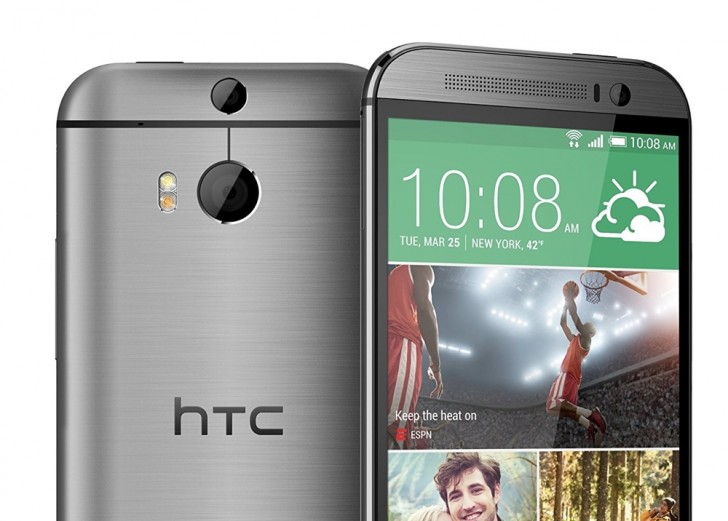
The HTC One m8
The secondary camera in this system works similarly. With the second camera, the system can now tell roughly how far the objects in front of it are with respect to each other. This information is then used to separate the foreground subject from the background.
The most common use of this technique is to create a shallow depth of field effect. While it’s something that comes naturally to DSLR cameras with their big sensors and big lenses, the small smartphone cameras cannot achieve the same shallow depth of field. So instead, this technique is used to first figure out the borders of the foreground subject and then apply an iris blue effect on everything else. This gives the illusion of shallow depth of field.
Sample from the HTC One m8. Didn’t always work this well.
While sound in theory and occasionally in practice, this technique has its pitfalls. Unless your subject is a cardboard cutout, it will have depth to it and because this depth is not as much as the depth between the entire subject and the background, the camera occasionally ends up blurring the edges of the subject as well. Even when it does work reasonably well, it never quite looks natural, especially since most smartphone cameras that have this feature apply an even blur on everything in the background whereas with a DSLR, the intensity of the blur increases with the distance from the focus point.
Camera systems with a dedicated depth sensor is one of the rarest types of dual camera systems. The first popular use of it was seen on the HTC One m8 but these days only the most basic smartphones, such as the Honor 6X or the Lenovo K8 Plus, can be seen using a dedicated depth sensor lens.
The Monochrome Camera
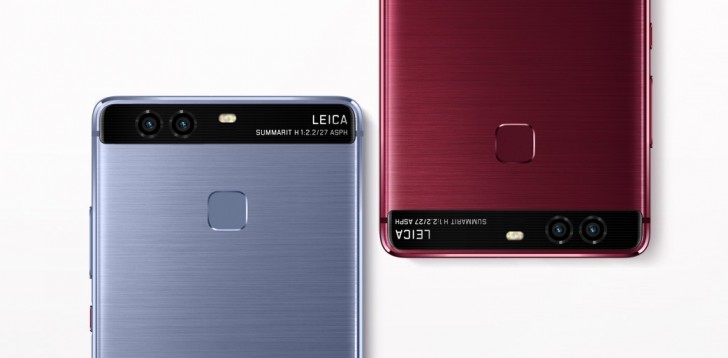
A slightly more popular implementation of the secondary sensor is the monochrome camera. In this method, the primary camera is accompanied by a mostly identical secondary camera. Both cameras usually have identical sensors, apertures, lenses and focusing systems. The main and usually only difference between the two is that the second sensor lacks an RGB color filter. This means that the sensor cannot capture color information but on the upside, because there is one less thing blocking the sensor, the monochrome camera can capture more light.
Huawei P9
Every time you take a picture, the camera system combines the output of both cameras and layers them into one image. In theory, the two images when combined will have greater detail and reduced noise. Alternately, you can also just shoot from the monochrome camera and get slightly better image quality at the cost of all the color information.
One of the first examples of this system was the Huawei P9 and since then, few other devices have also shipped with this system. To us, the advantages of this system are nebulous at best. While sound in theory, we can’t really say for sure if the feature does really work as advertised. We have seen some good results with this system in the past but its hard to tell if it was the dual camera doing all the work or it was just good image processing system.
Monochrome image from P9
There is no real disadvantage to this system and we do appreciate that it’s the only one of the systems discussed here that tries to do anything about the actual image quality instead of adding additional features but still, we would rather take some zooming ability over marginally improved image quality.
The Wide-Angle Camera
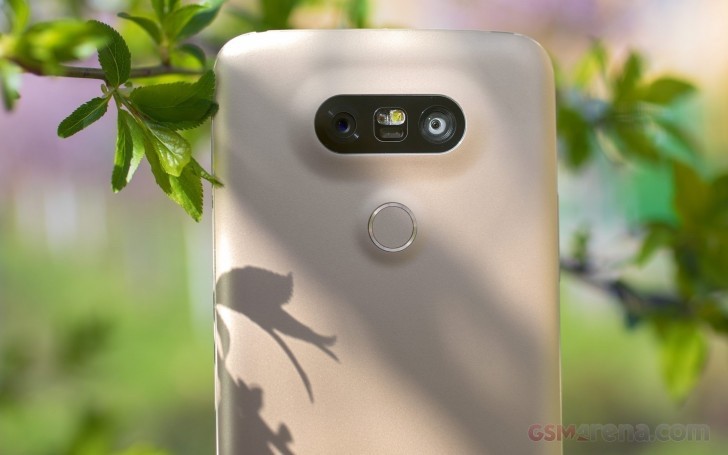
Debuted first on the LG G5 early last year, the wide-angle camera is pretty much what it sounds like. To take LG’s example, the phone had a 16 megapixel, 29mm equivalent f1.8 primary camera and 8 megapixel, 12mm equivalent f2.4 secondary camera. The 12mm focal length gave the secondary camera a crazy wide field of view that allowed the user to capture a much wider area without having to move back or capture interesting perspectives afforded by such a wide-angle lens.
LG G5
We have mainly seen this on LG phones, with Motorola recently incorporating it in the X4, and we are fans of how it works. The wide-angle lens gives a very unique perspective that you simply don’t get at all on smartphone cameras and apart from having practical value (capturing a large group of people from up close) also lets you capture some really cool looking shots.
The early iterations of this system did have its disadvantages. On the G5 and V20, the ultra wide-angle lens image quality was nowhere near as good as the primary camera and also had significant barrel distortion that made it look like the footage from a GoPro with a fish-eye lens. However, LG has been steadily improving the system with every iteration and in its latest avatar on the V30, the secondary lens not only has highly respectable image quality but also significantly less distortion around the edges, making it far more useful.
Wide-angle on top and ultra wide-angle below from G5
With good implementation, this system does have the potential to be a really cool second camera system for particular scenarios and we wish more manufacturers adopted it.
The Telephoto Camera
The most common of all the dual camera systems today is the telephoto camera. In this, the primary camera is paired with a second camera that has a telephoto lens. As you can tell, this is the exact opposite of the wide-angle camera system, wherein it actually lets you zoom into your subject instead of zooming out.
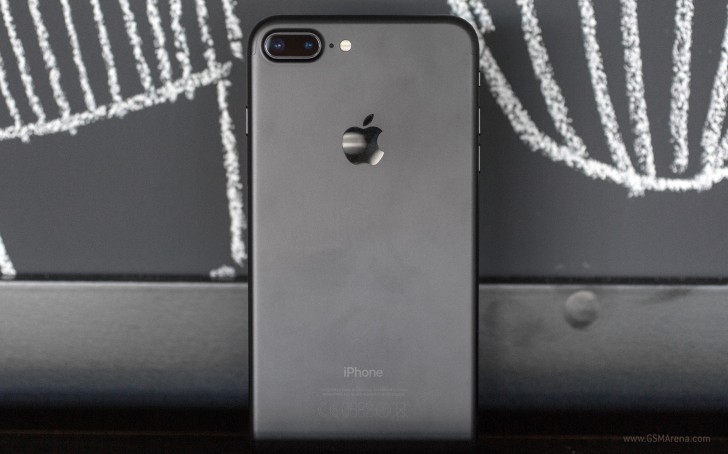
Apple iPhone 7 Plus
Since the iPhone 7 Plus, manufacturers have stuck to using a 2x factor for the second telephoto lens. This means the secondary lens has twice the focal length of the primary lens, giving you an instant 2x optical zoom.
There are many advantages of this system. First is the most obvious, where you get 2x lossless optical zoom. Zooming on smartphones has largely been digital until now but with this you get to quickly move 2x closer to your subject with very little quality loss. Any further zooming is done digitally still but because the digital zoom is now being applied on top of 2x optical zoom, it gives much better results.
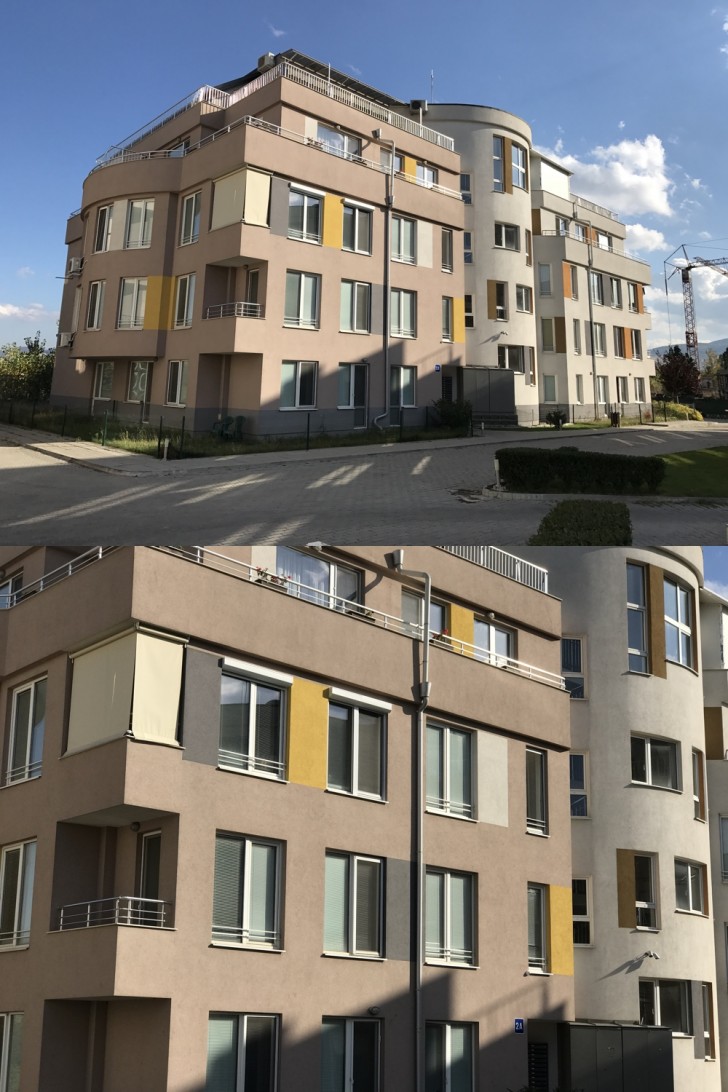
Wide-angle above and telephoto below from the iPhone 7 Plus
Shooting with a telephoto lens also has other advantages. Telephoto lenses are more suitable for portraits than wide angle as they have less distortion and is more flattering to the subject. Most manufacturers go one step ahead and also implement the background blur effect that we saw with the very first system we talked about today (the primary lens now acts as the depth sensor). The combination of a telephoto lens and background blur gives far superior results than just applying background blur on wide-angle images.
Of course, this system too has its disadvantages. So far none of the manufacturers have been able to get complete parity between the two cameras. When the iPhone 7 Plus launched last year, it had a much smaller aperture (f2.8) compared to the main camera (f1.8) and no OIS on the secondary sensor. The iPhone 8 Plus ships with similar arrangement (although the sensors are better this year) and even the iPhone X still has f2.4 for the second camera (although it does have OIS). The Note8 was the first phone with a telephoto camera to have OIS but even then it’s still f2.4 (compared to f1.7 on the main lens) and the second sensor is slightly worse even if it has the same resolution.
iPhone 8 Plus Portrait Mode with Studio Lighting
Due to this, there is generally a quality difference when shooting with the telephoto lens. It’s even worse in lowlight, where due to the small aperture, most manufacturers just choose to disable the telephoto camera entirely, and instead when the user taps the 2x button, the camera just does a 2x digital zoom on the primary wide-angle lens. Needless to say, any further zooming is also digitally done on the primary lens. There are ways to force the camera to use the second lens on some phones but the results are generally not worth it.
Still, most of these limitations seem to be temporary and something year after year advancements should take care of eventually. This is still by far the most practical solution of all the systems we discussed today. Not only does it give the user a much needed optical zoom ability but at a pinch also lets them take some pretty decent looking shallow depth of field images.
That’s pretty much it for the dual camera systems. Let us know in the comments which one do you prefer, and if you have any further queries or other topics you’d like us to discuss in the future.
The OnePlus 5 may have come out, but that doesn’t mean the company has forgotten about the 3 and 3T. Earlier today, the two phones were updated to Oxygen OS 4.5.0, introducing a pile of new features like “lift up display,” Gaming Do Not Disturb, low priority notifications, and OnePlus‘ Slate font. Most of the changes in this release were already available on the OnePlus 5, but it’s great to see them trickle down onto older hardware.
The OTA update is hitting devices now, and it’s 197MB in size. If you root or have a need to download the full image, it’s closer to 1.5GB. As always, if you don’t see the update on your device just yet (it isan incremental roll-out), you can use a VPN set to Germany to trigger the download early, at which point you can then disable the VPN and download at full speed.
Most of the headlining changes in v4.5.0 were already present on the newer OnePlus 5. So if they sound familiar, that would be why. Thankfully the… questionable boot animation from the recent betas
did not make its way into this build.
All of these new changes in Oxygen OS also live in different places, but we’ve updated our own device and documented where all the most interesting bits live, in case you don’t have time to go digging around in Settings yourself.
Lift up display
“Lift up display” is poorly named, but descriptive. Just like the lift to wake on Pixel devices and the OnePlus 5, it allows your OnePlus3/3T to turn on the display and show a bit of black and white notification content when you grab it. All it requires is that the Ambient display just above it in Settings -> Display be enabled. And, of course, for you to lift your phone up while the screen is off.
Gaming Do Not Disturb
Gaming Do Not Disturb will come in handy for a lot of people, probably even outside of games. The feature allows you to block notifications and lock capacitive buttons while specific applications are open so that you don’t accidentally exit them when you don’t mean to. So if you get into a particularly intense gaming session, you won’t have to worry about accidentally exiting the app as you flail in frustration.
You can access Gaming Do Not Disturb in Settings-> Advanced -> Gaming Do Not Disturb, and from there it can be enabled or disabled for individual applications. You can customize the setting to block notifications (outside calls and alarms) and disable hardware buttons as you prefer. To exit Gaming Do Not Disturb mode, you’ll need to open the ongoing notification it creates and tap that to disable.
Low-priority notifications & others
Low-priority notifications are what you’d expect. They don’t trigger sounds, don’t peek, and don’t set the LED to cycle. They also won’t appear on the lock screen or overall status bar. So it’s a perfect setting for apps you might want to manually check notifications from, without being bothered by as they come in. The low priority notification option appears with all the other per-app notification options under each app in Settings -> Notifications.
The phone app UI has also been changed a bit, with a slightly tweaked tab layout. There are also a handful of other minor changes, like a “Shot on OnePlus” watermark for photos, a redesigned photo editor in the Gallery app, a new Dash Charge animation, scheduled night mode, and a “secure box” for the File Manager.
OnePlus‘ Slate font was originally introduced in an update to the OnePlus 5 at the beginning of this month. It might not be to everyone’s style, but it’s an inoffensive font compared to some that manufacturers include in ROMs.
The partial changelog published by OnePlus includes:
System
Added lift up display
Added Gaming Do Not Disturb
Added low priority notification
Added network speed in status bar
Added scheduled night mode
Added OnePlus Slate font
Redesigned Dash Charge animation
System stability and battery improvements
Launcher
Added Shot on OnePlus wallpaper
Phone
Redesigned calling UI
Camera / Gallery
Added Shot on OnePlus watermark
Redesigned photo editor in Gallery
File Manager
Added secure box
It would appear that the BlueBorne vulnerability has even been patched. At first, we thought the device was still vulnerable since Oxygen OS 4.5.0 is still running the August security patches. But according to the BlueBorne Vulnerability Scanner by Armis, it has been patched for the vulnerability. I’m not entirely sure what detection method the application uses to determine that. But if it’s correct, that means OnePlus 3 and 3T users are just a bit more secure now.
Although the logs don’t mention it, and the security patch level would imply otherwise, the BlueBorne Vulnerability Scanner by Armis claims that the device has, in fact, been patched. We’ve updated the article to reflect that information.
Downloads have been posted, so if you haven’t gotten the OTA, or you prefer to flash manually, you can.
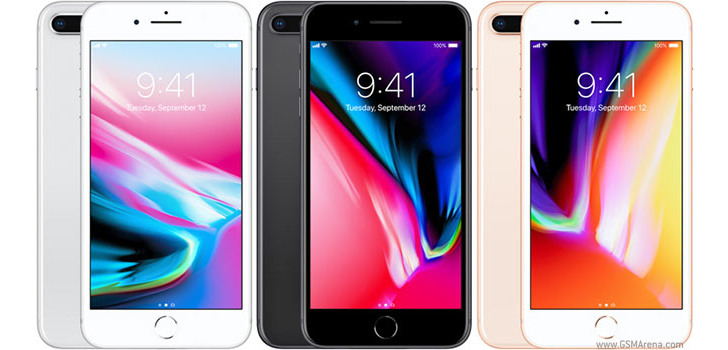
In another place and another time, the Apple iPhone 8 Plus would have been one of the hottest things around. Swathed in hype, causing a stir, bringing the free ride of the competition’s flagships to an abrupt and painful halt.
This turbo-powered, glass-clad, sharp-shooting and fast-charging piece of a smartphone classic seems to have everything. Except… time. No, it’s not going anywhere. It’s just that its days as one of the hottest things around are numbered. Now, we’re sure you know what we mean, so let’s slow down and start over. Time isn’t always a luxury – just don’t tell this to an iPhone 8 Plus.
The 8 series is about to leave generations of iPhones behind. It’s been ten years of refining the visionary iPhone. We saw it grow bigger, better, more durable, more powerful. Apple kept adding more screen real estate, more processing power and advanced camera features. In spite of all novelties, the iPhone essence was always there, underneath the fancy add-ons. Now, that’s about to change.
Apple isn’t just on the verge of breaking clean from the past. The future has already begun with the iPhone 8 and 8 Plus. But it doesn’t belong to them.
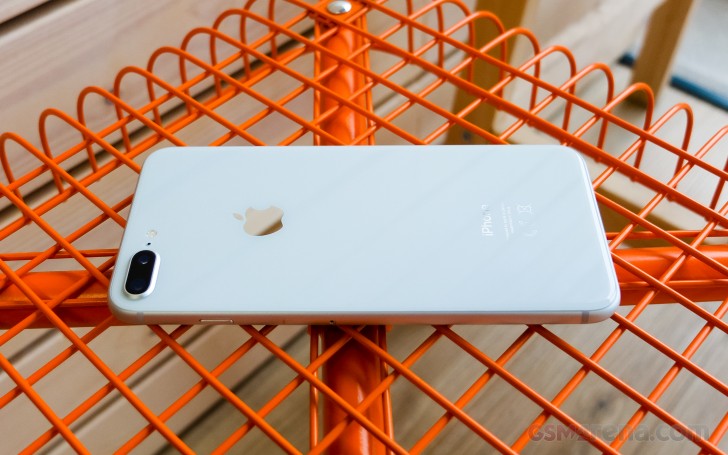
Back to the here and now, the Apple iPhone 8 Plus comes across as the usual incremental upgrade. The 8 Plus gets to keep its overall styling but swaps aluminum for glass and finally gets wireless charging. The new A11 Bionic chipset boasts an extra two power-efficient cores and, for the first time ever, an in-house GPU. Then the base iPhone storage has been doubled and now starts at 64GB.
Browsing the camera specs leave the wrong impression of copy and paste from the iPhone 7 Plus, when in fact both of the dual 12MP sensors have bigger pixels, backed by a superior flash and an exclusive new Portrait Lightning mode, which hopes to make the portrait shots look even better.
Finally, the screen size and resolution might be the same, but Apple has added HDR10 and Dolby Vision support, as well as iPad’s True Tone color adjustment for life-like color presentation.
Apple iPhone 8 Plus key features
Body: Aluminum 7000 frame, reinforced glass front and rear, IP67 certified for water and dust resistance. Gold, Space Gray, and Silver color options.
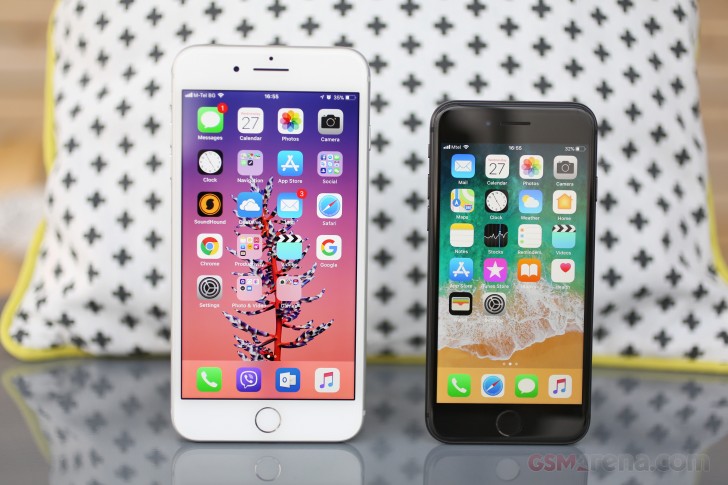
Screen: 5.5″ 16M-color LED-backlit IPS LCD screen of 1080p resolution, 401ppi, HDR10 and Dolby Vision support. True Tone adjustment via four-channel ambient light sensor, wide color gamut, 3D Touch
OS: Apple iOS 11
Chipset: Hexa-core (2 Monsoon + 4 Mistral) 2.09GHz Apple CPU, tri-core Apple GPU, 3GB of RAM, Apple A11 Bionic SoC
Camera: Dual 12MP camera: wide-angle F/1.8 + telephoto F/2.8, live bokeh effects (including Portrait mode and Portrait Lightning), optical image stabilization, 2x lossless zoom, quad-LED flash with slow sync, phase detection auto focus, wide color capture
Video recording: 2160p@60/30fps, 1080p@30/60/120/240fps video recording
Selfie: 7MP F/2.2 front-facing camera with BSI sensor and HDR mode, 1080p@30fps video
Storage: 64GB or 256GB of built-in storage
Connectivity: 4G LTE Cat.16 (1Gbps); Wi-Fi a/b/g/n/ac; Bluetooth 5.0; Lightning port; GPS with A-GPS, GLONASS, GALILEO, QZSS; NFC (Apple Pay and for the first time for NFC tag reading too)
Misc: Stereo speakers, Pressure-sensitive Home key with fingerprint scanner, Taptic Engine
Main shortcomings
Design is getting long in the tooth now being used for the fourth year in a row
Big screen bezels (soon to look even bigger in comparison to the iPhone X)
No 3.5mm audio jack (ships with a Lightning-to-3.5mm adapter)
No microSD slot
iTunes is still required for manual music upload
No fast charger provided in the box (and the optional one is expensive)
Video camera still recording mono audio only
Indeed, the iPhone 8 Plus seems like a regular update but with the right touches in the right places. The screen bezels are here to stay but probably for the last time. The audio jack is already a goner, that’s for sure, while memory expansion was never meant to be.
Some may still have gripes with the over-reliance on the iTunes software for music transfer to the phone, but in times of Apple Music, Spotify, Google Music, and Groove – we think this is another issue we mention one last time.
The iPhone 8 Plus is fresh off the assembly lines, but the iPhone X is just around the corner, while the iPhone 7 Plus is still relevant and cheaper.
Decisions… Is the upgrade worth it? Is a switch worth it? Should I wait? The choice has never been harder, but the answers start rolling right after the break.
The S Pen is the Note series’ defining feature – a versatile tool whose intuitive design and powerful functions make multitasking a breeze, and allow users to express themselves and connect with others in fun and creative ways. There’s truly nothing else quite like it.
The Galaxy Note8’s is the most powerful S Pen the series has ever seen. Here, Hyesoon Jeong, the Principal Engineer of Framework R&D Group for Samsung’s Mobile Communications Business Team, discusses various ways that Samsung optimized the implement’s latest iteration to streamline more facets of users’ daily lives.
Q. What kind of value does Samsung hope to deliver to consumers with the Galaxy Note8 and the S Pen’s new functions?
We’ve been delighted to hear that consumers who have used the S Pen with the Galaxy Note8 have given it good reviews so far, and remarked on how much better it feels to use the S Pen.
Many of these consumers had not had a chance to experience the S Pen’s convenient functions since the last device debuted. Therefore, when refining the design for the Galaxy Note8’s S Pen, we decided to, rather than upgrading the technology within, focus on adding features that would prove convenient in daily use.
Q. What are some of the processes that Samsung utilizes to identify potential S Pen functions?
In the beginning of each year, we hold a series of “Note Kickoff” meetings, which bring together our Development, Product Planning, UX and Usability teams. Each department is asked to present brand-new ideas for innovative features to include in the new model, and come up with ways to improve upon the previous device based on customer feedback. This is how the Note8’s new S Pen features came about – by diligently listening to our customers’ insights on previous S Pens.
Q. One of these new features, Live Message, has been particularly well received. What were your main focuses when developing it?
Live Message is a fun GIF-creation feature that’s an evolution of sorts of Smart Select, which was introduced with the previous Note device. We wanted to expand this type of functionality because the ability to create GIFs has proven popular among Note users, who are very active on social media. Live Message takes GIF creation a step further by allowing users to add personal touches to messages, via animated text or live emojis, and customize their photos with various pen effects.
Our main focus when developing it was usability. We wanted to make sure that the function would be freely available for users in markets across the world. Because people in different countries communicate via different channels, we worked closely with popular messaging services around the globe, working out conditions and regional restrictions, to build something that would work with them.
We also want to show users how easy it is to utilize the function when communicating with their friends. Our developers are currently working on software updates that will introduce more beautiful and decorative examples of animated GIFs for users who may not be entirely satisfied with their own GIF-creating handiwork to plug into messages. We’re also looking into expanding the selection of pen effects that users have at their disposal.
Q. What are some of the ways that users can utilize the S Pen when using Bixby?
Bixby integration currently allows users to utilize its voice command feature to adjust the type of pen they’re using, as well as its color.
The S Pen’s Bixby support also makes it easier for users to shop. When you’re surfing the web and you find an image of a product that you like, you can activate Bixby Vision via Air Command, hover the S Pen over it, and instantly search for it online.
Q. How did you improve the Screen off memo feature?
Screen off memo is another function that’s receiving positive reviews from users. It automatically activates when you remove the S Pen, and allows you to instantly jot down notes to the off screen. This is a new function that enables users to write even when the screen is off, so that you don’t forget any passing thoughts.
For the Galaxy Note8, we’ve enhanced the feature to deliver new levels of convenience after listening to the consumers’ voices. Whereas before this update, the function was well-suited for simple, temporary memos, now, Screen off memo supports up to 100 pages of notes and allows you to pin notes to the AOD and make edits. This makes the function perfect for taking notes during meetings or presentations, managing to-do lists, or writing quick reminders for important tasks.
Q. Could you elaborate on how collaborating with Wacom has helped Samsung maximize the S Pen’s utility?
Our collaboration with (pen display, tablet and stylus manufacturer) Wacom, incorporating its tablet technologies into mobile devices through the S Pen, has been excellent – a win-win. Although other mobile-device manufacturers could design a smartphone with a large screen, by introducing Wacom’s solutions to the mobile realm, we’ve been able to establish a new standard when it comes to productivity.
We’re currently working with Wacom to explore new possible S Pen features and B2B solutions, including support for secure digital signatures, that could offer users and businesses additional convenience.
Q. What motivates Samsung to constantly seek out new ways to innovate with the S Pen?
The S Pen is a feature that’s unique to our company. We often hear that Note users are very loyal, and I would like to add that we developers are also greatly committed to our work. Those of us who work on the Note devices take great pride in providing users with an S Pen experience that allows them to streamline how they work, live, and express themselves.
This desire to arm users with a tool that makes a difference in their daily lives is what motivates us to identify new and exciting S Pen innovations.