iOS 16.2, which was released to the public in December, appears to have once again broken gapless playback for iPhone and iPad users. According to complaints from a number of users on Apple’s support forums and Reddit, gapless playback with the Music app has been broken since iOS 16.2 was released.
iOS 16.2 and gapless playback
Gapless playback, for those unfamiliar, is when one song seamlessly transitions into the next without a break. This is particularly notable on albums created with gapless playback in mind, such as the second half of Abbey Road by The Beatles or musical soundtracks such as Hamilton, as well as live concert recordings.
One thing to note is that gapless playback is different than crossfade, which allows a song to fade in (gradually increase its volume) while the previous song is fading out. Gapless playback has been supported by Apple across all of its platforms for years, while crossfade is still not supported by Apple Music on iPhone.
In iOS 16.2, however, it seems like gapless playback is completely broken for many iPhone and iPad users. This means that there’s a multi-second gap between songs, even when the album was meant to be listened to without gaps. One user on Apple’s support forums says:
Is anyone else having issues with gapless playback on iOS 16.2? (I have an iPhone 14 Pro Max, if that’s relevant.)
Every couple of songs in a gapless album, I’ll get a moment of silence between tracks that’s really annoying when the songs are supposed to flow smoothly into each other.
Another user:
I can’t believe that we’re ending 2022 and Apple still haven’t provided a robust gapless playback to Apple Music. One iOS update will fix the bug and then another one comes along and breaks it again. It makes for such an annoying and unenjoyable listening experience. Given how much we pay in subscriptions, you’d hope that Apple developers could have found a solid fix by now and given it the attention it deserves.
The issues also seem to extend to the HomePod:
Yes I have this too. I use the HomePod for endless white noise for sleeping and it’s so annoying that every few minutes it stops for like a second or two. I thought it might have had something to do with the new HomeKit Architecture upgrade but maybe it’s just an iOS/HomePod 16.2 issue.
A number of complaints have also emerged in multiple threads on Reddit, where users lament Apple’s inability to reliability support gapless playback on iPhone and iPad. The feature is also still borked for most users in the latest betas of iOS 16.3 and iPadOS 16.3.
If this all sounds familiar, it’s because something eerlily similar happened with the release of iOS 15.4 last year.
Between (repeated) bugs like this and the lack of crossfade, you have to wonder if there are some serious underlying audio engine issues affecting Apple Music on iPhone and iPad. We don’t really know how much of the Apple Music architecture on iPhone is based on the legacy foundation from the iTunes days.
Mark Gurman reports that Apple has prioritized development of the operating system for its upcoming AR/VR headset, which is expected to be named ‘xrOS’. This means Apple has diverted engineering resources away from work on features for iOS 17 and macOS 14, in order to get the headset software over the line in time for a planned product launch later this year.
As a result, Gurman says that iOS 17, iPadOS 17 and macOS 14 may have fewer major new features than originally planned. Separately, work on new augmented reality features for the Apple Store app are apparently almost ready for release.
The augmented reality features would activate when a user enters a physical Apple Store. Through the Apple Store app on their phone, users would point at a product in the retail store — like an Apple Watch band, for instance — to see more information about it appear overlaid in the augmented reality view.
This kind of AR-enhanced shopping experience may be the sort of thing Apple has in mind for the headset, too.
Gurman reports that Apple has been working on the AR shopping features since 2020, and has been testing it at stores more recently. This suggests the feature may be officially unveiled soon.
Don’t get too excited just yet for iOS 17
We don’t really know yet what to expect from the next generation of Apple OS releases, but Gurman’s report today indicates that they may not represent huge leaps in terms of new features:
Apple’s focus on the xrOS operating system — along with iOS 16 snags — has also cost it some new features in iOS 17 and iPadOS 17, the next major iPhone and iPad software updates. That software, codenamed Dawn, may have fewer major changes than originally planned. The same goes for macOS 14, which is codenamed Sunburst.
Apple typically announces its new operating systems at WWDC in June. The company then releases beta versions for developers to test over the summer, with a public launch set for the fall alongside the new iPhone 15 launch. No doubt, we’ll hear more about what to expect in the coming months.
Apple Inc., after seven years of development, is nearly ready to launch its first mixed-reality headset. But the focus on this new product will lead to an otherwise muted 2023.
First wrote in 2017 about Apple’s ambition to launch a high-performance AR-based headset — complete with its own operating system, App Store and dedicated chips. Back then, Apple had aimed to get it to market by 2019. Over time, the delays stacked up. Apple had plans to launch the device in 2020, then 2021 and then 2022.
The final postponement, at least for the moment, happened last year. Up until fairly recently, Apple had aimed to introduce the headset in January 2023 and ship it later this year. Now the company is aiming to unveil it this spring ahead of the annual Worldwide Developers Conference in June, I’m told.
Apple has already shared the device with a small number of high-profile software developers for testing, letting them get started on third-party apps. The device’s operating system, dubbed “Borealis” inside the company, will be publicly named xrOS.
With the current plan, Apple could introduce the device to consumers — likely under the name Reality Pro — and then get developers up to speed on its software features in June. On this timeline, the company would then ship the product later in the fall of 2023.
While Apple still has many kinks to work out with the device —involving hardware, software and services, as well as how it will be marketed and sold — the company is banking on the product as its hot new introduction for this year.
To make that happen, Apple roped in resources from several hardware and software engineering departments. That’s hampered other projects, some of which were already suffering from their own delays and budget cuts stemming from the economic slowdown. And it could mean Apple has fewer major breakthroughs to show off this year.
Here’s what to expect, starting with the Mac lineup:
The new MacBook Pros, coming in the first half of this year, will have the same designs and features as the current 14-inch and 16-inch models, but include M2 Pro and M2 Max chips. Those are marginal leaps from today’s MacBook Pro processors.
A high-end configuration of the Mac Pro, a model with 48 CPU cores and 152 graphics cores, has been canceled. Instead, Apple plans to release a version with the M2 Ultra, making it unclear — beyond the machine’s expandability — why most users would buy it over the cheaper and smaller Mac Studio. In another disappointment, the new Mac Pro will look identical to the 2019 model. It will also lack one key feature from the Intel version: user-upgradeable RAM. That’s because the memory is tied directly to the M2 Ultra’s motherboard. Still, there are two SSD storage slots and for graphics, media and networking cards.
A larger iMac Pro, meanwhile, has been on and off Apple’s road map, and I would be surprised at this point if it arrives in 2023. A spec-bump upgrade for the 24-inch iMac won’t arrive until the M3 chip is ready, which likely won’t happen until late 2023 or 2024 at the earliest.
If there’s any major saving grace for the Mac lineup in 2023, it’s a planned 15-inch MacBook Air. A new 12-inch MacBook is no longer on Apple’s near-term road map however.
As for the iPad, I don’t expect any major updates in 2023:
Apple has been working on larger iPads, but I’m told not to expect those this year.
Updates to the 11-inch and 13-inch iPad Pros won’t come until the first half of 2024, I’m told. These will likely include a new design and they’re set to include OLED displays, a first for an iPad.
Any updates to the iPad mini, iPad Air and entry-level iPad this year won’t be anything more than a spec bump — if they arrive at all.
The Apple Watch and other accessories will be a similar story:
I wouldn’t anticipate major changes to the Apple Watch’s hardware this year, save for some minor performance boosts.
The AirPods probably won’t get any updates of note in 2023 either.
The return of the larger HomePod size is still set for this year, but I wouldn’t expect anything revolutionary about it. Look for a lower price, an updated touch control panel on the top and the S8 chip from the latest Apple Watches in a design similar to the model from 2018.
There are no plans for a new Apple TV to launch in 2023.
Apple’s focus on the xrOS operating system — along with iOS 16 snags — has also cost it some new features in iOS 17 and iPadOS 17, the next major iPhone and iPad software updates. That software, codenamed Dawn, may have fewer major changes than originally planned. The same goes for macOS 14, which is codenamed Sunburst.
The new iPhone’s hardware, though, could still be impressive. I’m told to expect the same screen sizes as the iPhone 14 family, but the Dynamic Island will expand to all four models. A titanium frame replaces stainless steel on the Pro models, and there will be haptic volume buttons. The phone also will switch to USB-C and faster
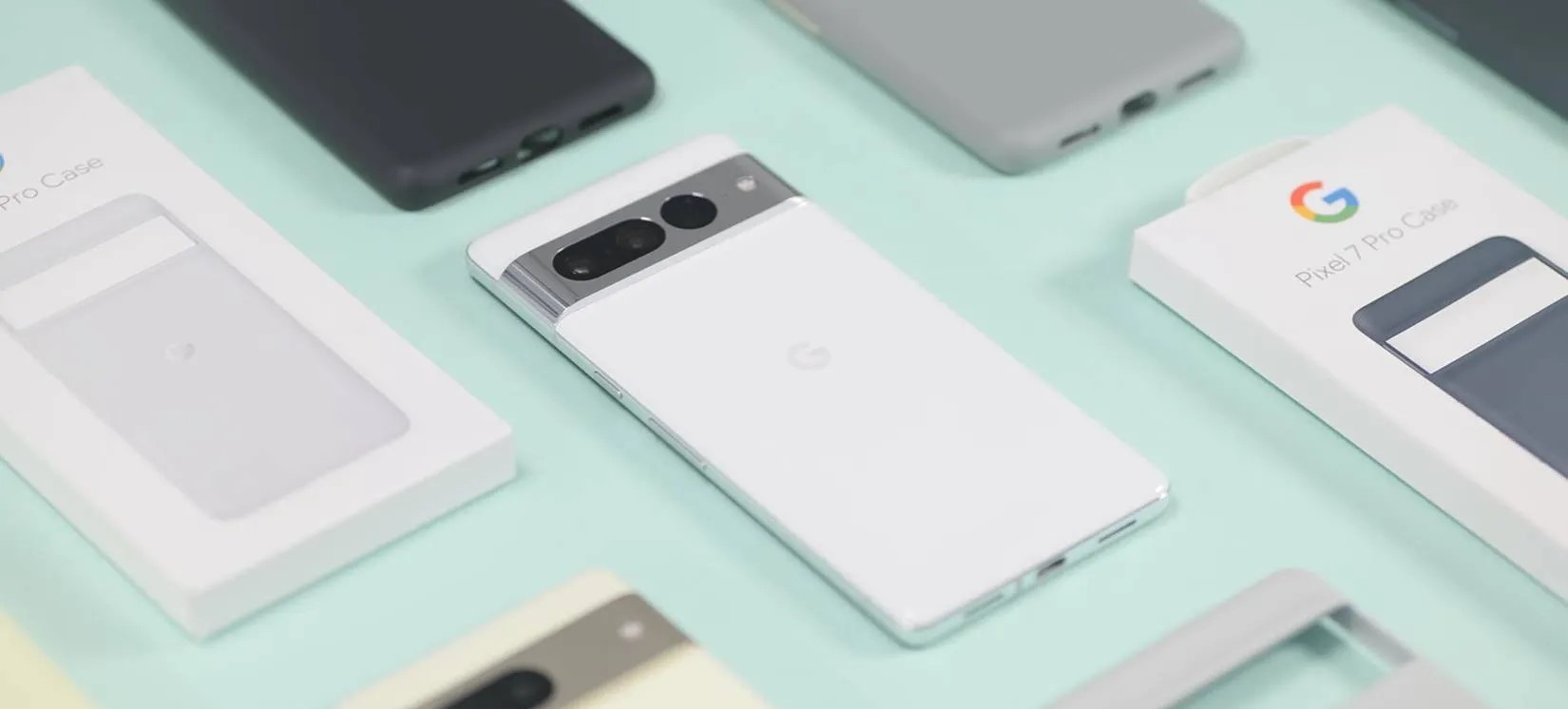
The year in Pixel updates gets underway today with the Android 13 January security patch for the Pixel 4a, 4a 5G, 5, 5a, 6, 6 Pro, 6a, 7 and 7 Pro.
There are 20 security issues resolved in the Android 13 January patch dated 2023-01-01 and 40 for 2023-01-05. Vulnerabilities range from high to critical.
In the most recent Android Security & Privacy Year in Review, Google notes that “no critical security vulnerabilities affecting the Android platform were publicly disclosed without a security update or mitigation available for Android devices.” Additionally, there was an 84% year-over-year jump in security patches during Q4 2018 compared to the prior year.
The dedicated bulletin for Google devices lists eight additional security fixes, with the Pixel 7 and 7 Pro featuring their own build for Australia’s Telstra.
Pixel 7 gets seven fixes and additions with January 2023 update
After rolling out the January 2023 update for the Pixel 7 this morning, Google has detailed what’s fixed and added, as well as listing other currently supported phones.
The Pixel’s January 2023 update adds support for Spatial Audio, and the Pixel Buds Pro will get the required update in the “coming weeks” with head tracking as well.
The Pixel 7 benefits from everything, including improved under-display fingerprint performance, which is also for the Pixel 6a.
Use the following device key to interpret the Pixel January 2023 changelog:
Fixes are available for all supported Pixel devices unless otherwise indicated below.
*[1] Included on Pixel 6, Pixel 6 Pro, Pixel 7, Pixel 7 Pro
*[2] Included on Pixel 6a, Pixel 7
*[3] Included on Pixel 7, Pixel 7 Pro
Audio
Add support for Spatial Audio with certain devices and accessories *[1]
Biometrics
Additional improvements for fingerprint recognition and response in certain conditions *[2]
Bluetooth
Fix for issue occasionally preventing certain Bluetooth Low Energy devices or accessories from pairing or reconnecting
Fix for issue preventing audio from playing over certain headphones or accessories while connected in certain conditions
Camera
Fix for issue occasionally causing captured photos to appear corrupted or distorted while zoomed in *[3]
Display & Graphics
Fix for issue occasionally preventing display from waking or appearing turned off while device is powered on *[3]
User Interface
Fix for issue occasionally causing UI to display in landscape layout while device is held in portrait mode
Per Verizon, the next GooglePixel update with the January security patch is rolling out tomorrow.
GooglePixel updates typically start rolling out on the first Monday of the month, but that falls on when New Year’s Day is observed this year. It’s coming on Tuesday as a result, according to Verizon, similar to last year:
Pixel 4a last updated 01/03/2023
Pixel 4a 5G UW last updated 01/03/2023
Pixel 5 last updated 01/03/2023
Pixel 6 last updated 01/03/2023
Pixel 6 Pro last updated 01/03/2023
Pixel 6a last updated 01/03/2023
Pixel 7 last updated 01/03/2023
Pixel 7 Pro last updated 01/03/2023
The US carrier refreshed the Device Software Updates list a day early, and the Pixel 4a to 7 Pro is set to receive it on January 3 instead of next week. Given the premature update, the actual changelogs are not live yet.
We’re not expecting anything major since the December Feature Drop with Android 13 QPR1 just arrived, though bug fixes would be welcome. For example, the Home and Wallet shortcuts have a tendency of initially appearing on the always-on display. Rather, the next big update — QPR2 — is coming in March.
Instead, the main update this month should be for Pixel Buds Pro to enable spatial audio, though there could be a phone component.
The software commitment of Android OEMs has been getting much better in recent years, with Oppo now the latest brand to commit to four years of major Android updates and five years of security patches.
In a press release this week, Oppo announced that its Android 13 rollout has been the fastest in the company’s history.
ColorOS 13 has rolled out to 33 devices so far, over 50% more during the same time period as Oppo managed with its Android 12/ColorOS 12 upgrade last year. The rollout started with the Find X5 series back in August, just days after Pixel phones, and has expanded widely in the time since.
But the bigger news from Oppo this week is that ColorOS is getting a new update policy, with Android updates promised for longer periods of time on select devices.
Oppo says that this new policy will guarantee four major Android updates and five years of security patches on “flagship” devices launched in 2023 and beyond. It stands to reason that the Find X6 series and perhaps the Find N2 Flip will be among those eligible for the new policy.
OPPO also announced the new ColorOS update policy. This includes the commitment to guarantee four major ColorOS updates with 5 years of security patches for global users on selected flagship models starting in 2023.Through it, OPPO aims to bring longer-lasting and more stable intelligent experiences to global users by continuing to build on ColorOS.
This policy mirrors that of OnePlus, which also committed to upping its software support timelines starting next year. Samsung, meanwhile, has offered the same guarantee on its flagship devices since early 2022, and extended that back to devices launched in late 2021 as well. Google offers a similar, although slightly lesser policy with three years of major Android updates and five years of security updates, though Google’s policy also extends to its more affordable A-Series devices.
The Fastest Rollout with ColorOS 13
• ColorOS 13 rolled out faster than any other version in its operating system’s history.
• OPPO guarantees four major ColorOS updates with five years of regular security patches for selected flagship models starting in 2023
SHENZHEN, Dec 20th, 2022 — Today, OPPO officially announced that ColorOS 13 rolled out faster than any previous version in its operating system’s history. The company also expanded its update policy for ColorOS to guarantee four major Android upgrades with five years of security patches for selected flagship models in 2023.
ColorOS 13 is the latest Android-Based operating system from OPPO. Designed for simplicity and comfort with its brand-new Aquamorphic Design, ColorOS 13 includes a series of impressive features such as Smart AOD, Multi-Screen Connect, and Home Screen Management that provide intelligent, and user-friendly experiences to global users.
Since launching on August 18th, 2022, ColorOS 13 has been delivered to 33 smartphone models globally, making it the fastest and biggest update in the history of ColorOS. During the same four-month time frame following their official release, over 50% more handset models were compatible with ColorOS 13 (data from August 18 to December 18, 2022) compared with ColorOS 12(data from October 11, 2021, to February 11, 2022).
OPPO also announced the new ColorOS update policy. This includes the commitment to guarantee four major ColorOS updates with 5 years of security patches for global users on selected flagship models starting in 2023.Through it, OPPO aims to bring longer-lasting and more stable intelligent experiences to global users by continuing to build on ColorOS.
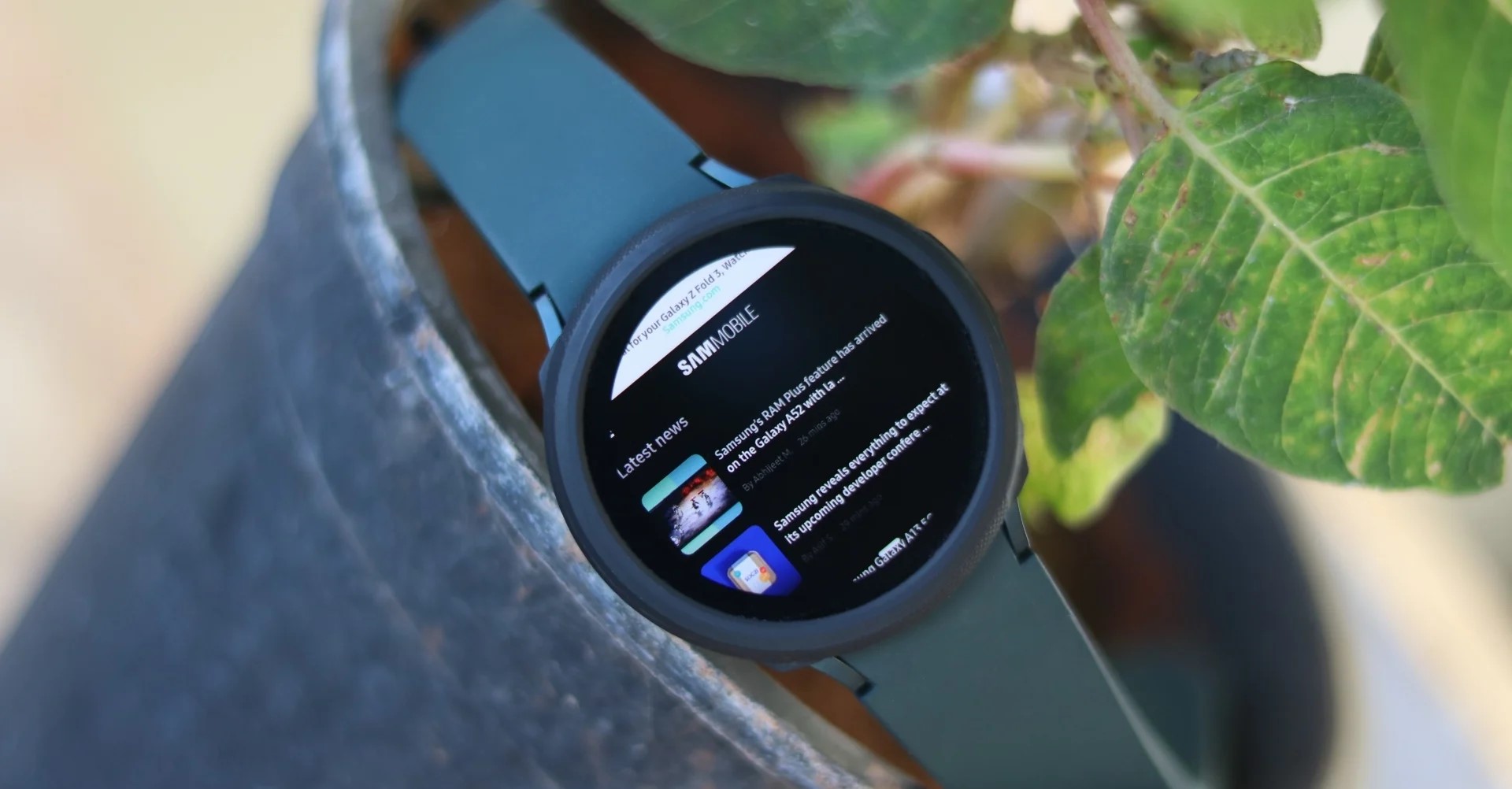
Smartwatches are capable of a lot, but you’ll often find that most apps on Wear OS and other platforms focus on simplifying data. Last year, Samsunglaunched a full-fledged web browser for Wear OS that mysteriously disappeared, but now, it’s back.
Samsung Internet launched on Wear OS in 2021 following the launch of the Galaxy Watch 4. In time, the app expanded to all Wear OS smartwatches.
But as SamMobile points out, the app disappeared from the Play Store for a while. The removal seems to have happened about a week ago, with a recent update possibly having caused someissues with the browsers for some users.
Whatever the cause of the removal, Samsung appears to have launched its browser back to the Play Store for Wear OS owners to download. The browser remains available both to Samsung Galaxy Watch 4 and 5 devices, as well as smartwatches from other brands, even on Wear OS 2. The Pixel Watch is also compatible.
The Wear OS app market has been in a bit of flux over the past few months, with some mysterious removals and changes. Google Maps and Google Keep, for instance, briefly broke support for Wear OS 2 smartwatches before quickly reinstating support days later. Many newer apps are also launching solely with support for Wear OS 3 which is only available on select smartwatches.
Samsung Internet is the only well-known web browser forWear OS. Last week, however, it disappeared from the Play Store, leaving people with no option to install a reputed web browser on their smartwatch. Fortunately, Samsung’s web browser for Wear OS is now back on the Play Store. But why did Samsung remove it in the first place?
Well, Samsung hasn’t provided any details why it did that. Did the company remove the web browser from Play Store because it was coming up with a new version of the app? Well, that doesn’t seem to be the case, as the app that’s back on the Play Store is unchanged from the one that was removed from the platform. Maybe it was removed by mistake from the company’s end.
With the launch of the Galaxy Watch 4, Samsung ditched Tizen for its smartwatches in favor of Wear OS. Soon after that, it launched Samsung Internet for the platform. Due to the lack of other web browsers for Wear OS, such as Google Chrome, Samsung Internet has been the only well-known internet browser on the platform.
Initially, Samsung Internet was available only for Samsung’s smartwatches. Later, the company made it available for Wear OS smartwatches from other brands as well. Although it is nowhere as feature-packed as the one for your smartphone or tablet, it at least allows you to browse the web from less than an arm’s length away, literally!
If you own a Wear OS 3-powered Samsung Galaxy Watch or any other Wear OS 3 smartwatch, then you are in for a treat. Google is rolling out updated notes feed for the Google Keep app. Recently, Google Keep picked up three new tiles for sunset, sunrise, and favorite contacts. Also, the Material You makeover was pushed for the app back in September.
Now, with the new update, Google is bringing a richer experience to the notes feed. The first thing that you will notice after installing the latest version of the Google Keep app on your Wear OS 3 smartwatch is the background color or preset image. The Google Keep app will show a reflection of the image that you have set in the phone app. This means no longer boring gray color within the app.
The color of the cards also now reflects the background or preset image you have previously selected in the phone app, though they are a bit subtle. You will see if something was edited, any collaborations, and labels that you have applied to your notes right at the bottom before the Add reminder, Pin, and Archive actions.
That’s not all. The Google Keep for Wear OS 3 also gets an updated text preview feature. You will now get three to four lines instead of just two, allowing you to read a larger part of the notes. However, because of this, you would need to scroll down to see more notes.
Google is rolling out the new updated Google Keep notes feed feature with the app version 5.22.482.00.97 for Wear OS 3 watches, including the Samsung Galaxy Watches. Do note that the new update isn’t widely rolling out yet, but you should keep an eye out on the Play Store. Also, images are broken in this release and do not get previewed in the main feed. Google could resolve this issue before the public rollout.
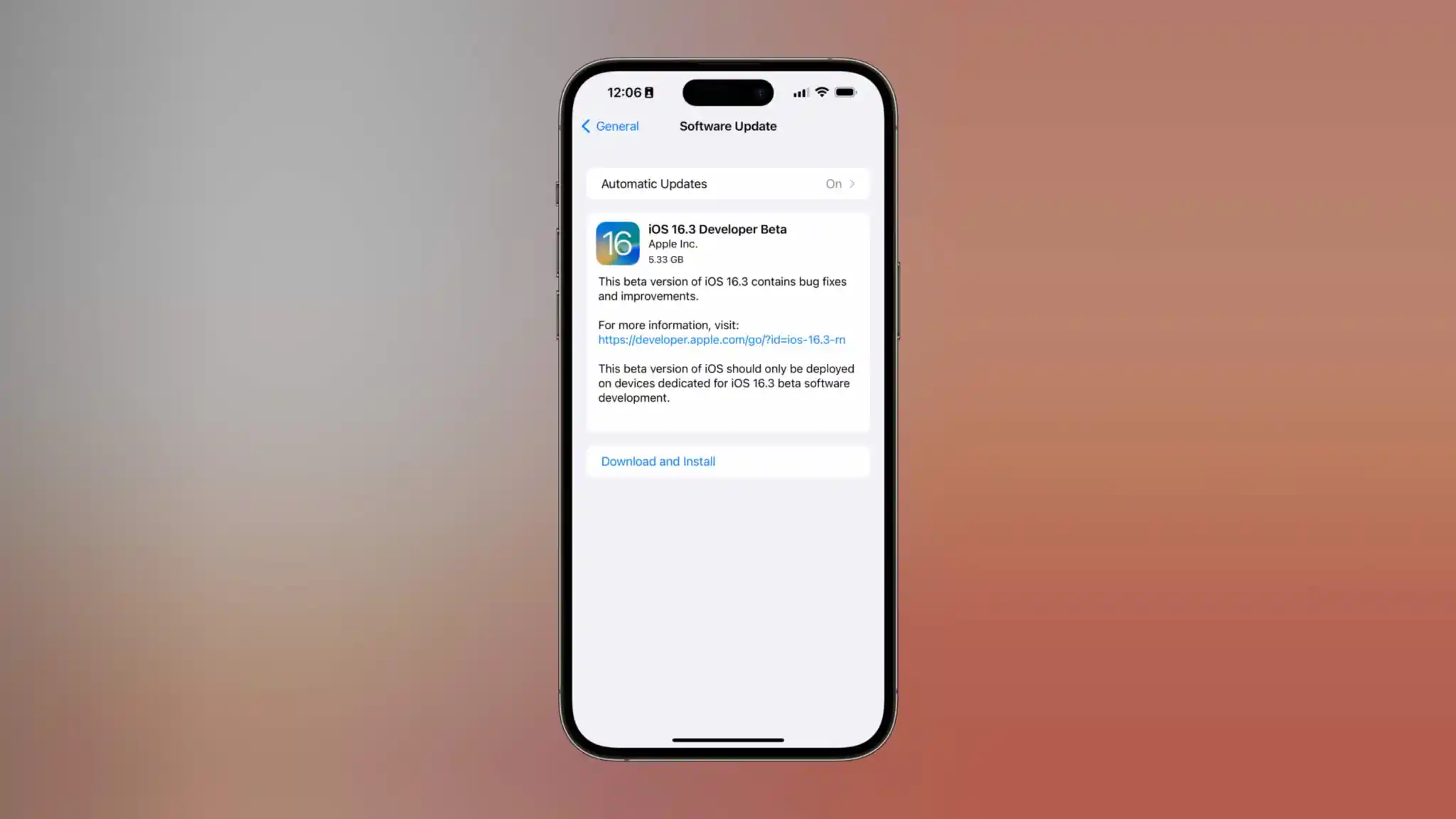
Just one day after the release of iOS 16.2 with a slew of new features, Apple is once again starting the beta testing process. iOS 16.3 beta 1 is rolling out to developers today. We’re still waiting to find out what’s new, but there are a number of features that Apple has already announced, but not yet released.
iOS 16.3 beta 1
iOS 16.3 beta 1 will be available today to registered developer beta testers. As the update rolls out over the air, you’ll be able to install it by going to the Settings app, choosing General, then choosing Software Update. There is no public beta of iOS 16.3 available yet, but we’d expect it to be released later this week or sometime next week.
As for what’s new in iOS 16.3, we aren’t quite sure yet. We’ll have to get the update installed on our devices to dig into the changes. There are, however, a handful of features that Apple has announced but not yet released, as well as features in development under the hood that aren’t yet available.
The highlights include:
Apple Card Savings Account
Apple Pay Later
Security Keys for Apple ID
Apple Music Classical
Custom Accessibility Mode
Advanced Data Protection for iCloud beyond the United States
Alongside iOS 16.3 beta 1, Apple has also released the following updates:
iPadOS 16.3 beta 1
watchOS 9.3 beta 1
macOS 13.2 beta 1
tvOS 16.3 beta 1
Bloomberg’s Mark Gurman has reported that Apple is targeting a release date of sometime in February 2023 or early March 2023. Ahead of today’s release of iOS 16.3 beta 1 to developers
Google usually releases previews bright and early, but opted for a late afternoon release for Android 13 QPR2 Beta 1.
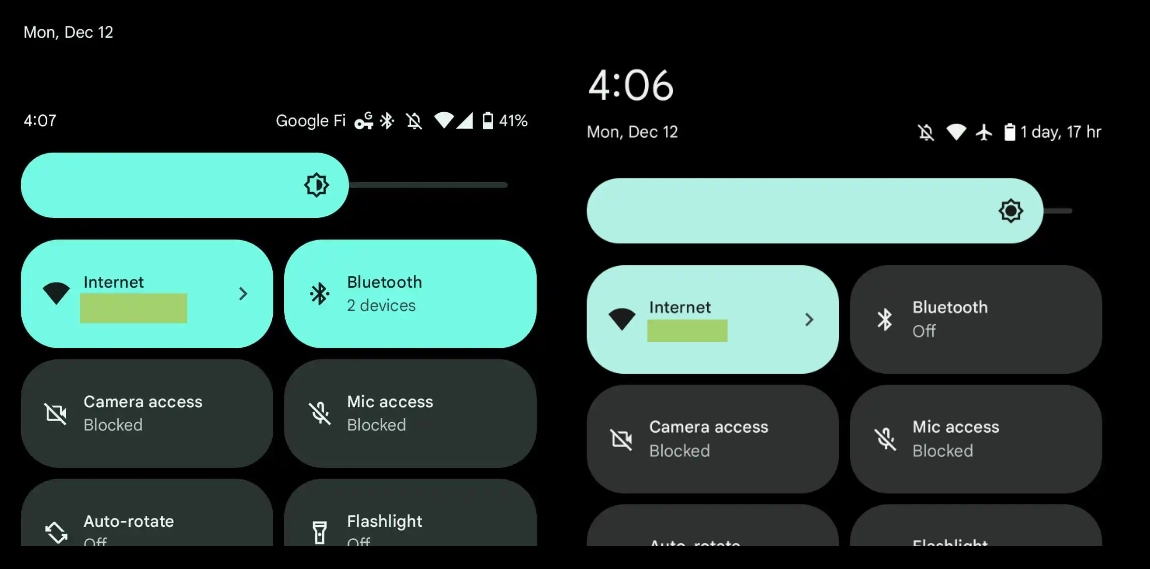
Over the coming days, we’ll dive into all of Android 13 QPR2 Beta 1’s new features and every single change. (The newest updates will be at the top of this list. Be sure to check back often and tell us what you find in the comments below.) QPR1 screenshots appear on the left and QPR2 Beta 1 at the right.
Google should release two more betas before the consumer launch in March 2023 to Pixel phones. If you want to quickly install the Android 13 QPR2 Beta 1 on your compatible Pixel 4a, Pixel 4a 5G, Pixel 5, Pixel 5a, Pixel 6, Pixel 6 Pro, Pixel 6a
Larger ‘Emergency’ calling button
Now Playing moved up on lockscreen
Pixel 7 and 7 Pro support for T-Mobile 3CA
Three-channel aggregation as part of mid-band 5G spectrum. Users seeing n41 and n71 combos, while n25 should also be supported
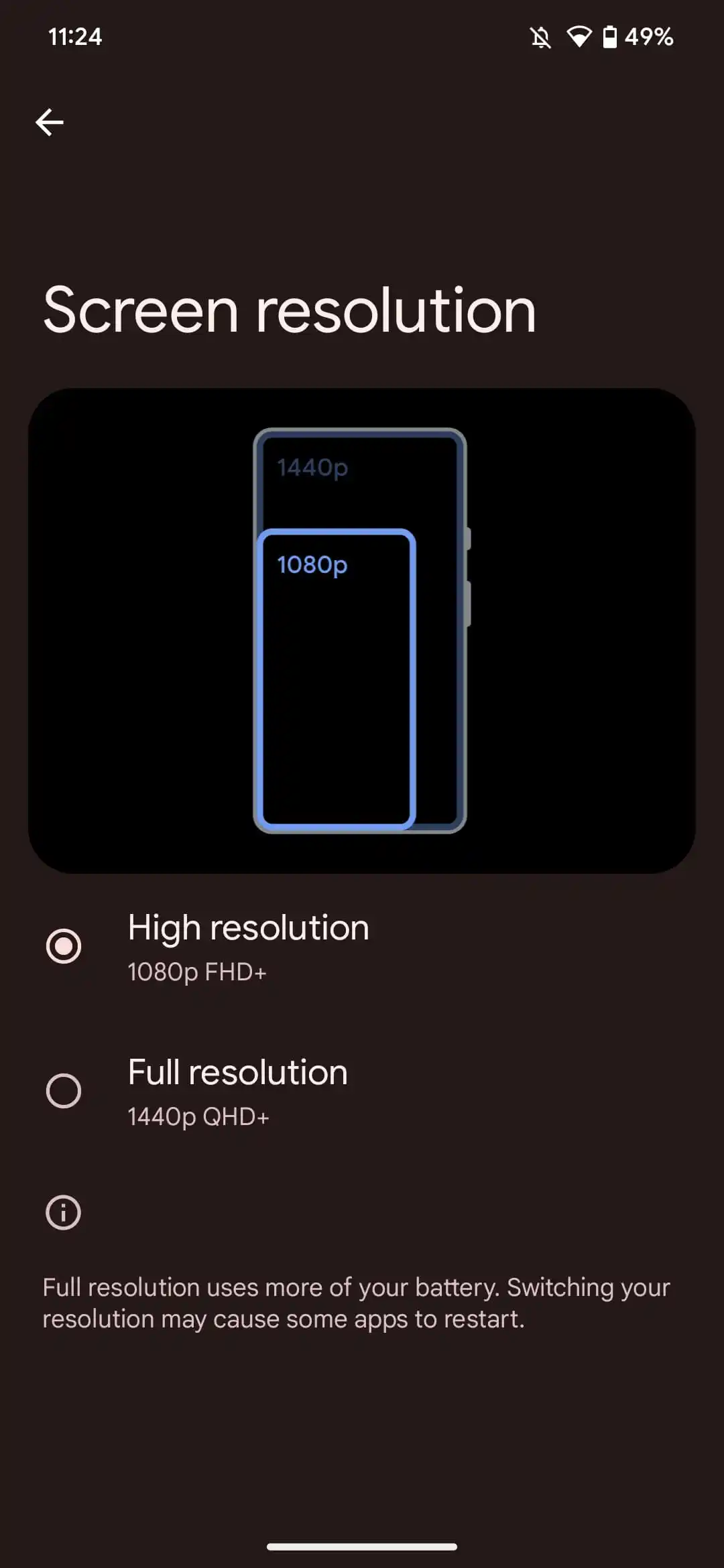
Setting 1080p on Pixel 6 Pro
Just like on the Pixel 7 Pro
Carrier elevated in Quick Settings
In Quick Settings, your carrier is now on its own line at the right instead of appearing in the same row as the other status icons.
Health Connect now a default/preloaded app
Unified Security & privacy gone
If you were a Pixel 7 user with the combined page rolled out on QPR1, it’s currently gone on QRP2.
Pixel Launcher padding tweaked
Thicker padding for Pixel Launcher
Also in folders, though this will presumably be tweaked in later betas:
Spatial Audio settings live
Google announced this capability was coming in January during the Feature Drop.
Media player gets lava lamp-esque effect
On lockscreen and in Quick Settings
Large clock when Quick Settings expanded
Additionally, battery percentage replaced by time remaining
How to enable ‘More Frequent Updates’ for Live Activities in iOS 16.2
A neat under-the-radar feature coming to iPhone with iOS 16.2 is the ability to customize Live Activities for “More Frequent Updates.” But even though the capability is valuable, you may not want it turned on for all available apps, more on that below. Here’s how to enable Live Activities more frequent updates on iPhone.
New Live Activities customization when the initial iOS 16.2 beta was released – which was before the feature showed up in Settings.
Now in the iOS 16.2 RC and public release that’s expected this week, you can find the toggle to turn on Live Activities “More Frequent Updates” on iPhone.
Here’s how Apple describes it: “Allowing more frequent updates lets you see more real time information, but can drain your battery faster.”
How to enable Live Activities more frequent updates on iPhone
Make sure you’re running iOS 16.2 (install the free beta if you don’t want to wait)
Open the Settings app on your iPhone
Swipe down and choose an app with Live Activities support (using the TV app below)
Note: developers need to build support for the feature, so it may take time for the option to show up for third-party apps after the public iOS 16.2 release
Choose Live Activities
Tap the toggle next to More Frequent Updates
Live Activities will need to be allowed to see the new option
Using the feature will drain your battery faster, so you may want to be careful how many apps you turn it on for
Here’s how it looks to find the feature for Apple’s TV app:
While the “More Frequent Updates” Live Activities option is showing up for Apple’s own TV app, I haven’t seen it show up yet for a third-party app. Expect developers to launch support for it over the coming weeks.
Interestingly, in the iOS 16.2 RC, More Frequent Updates is turned on by default for Apple’s TV app.
How to turn on end-to-end encryption for iMessage, iCloud, iPhone backups in iOS 16.2
Apple is launching a big security enhancement with iOS 16.2 that brings the long-requested feature of full encryption for iMessage in iCloud, iPhone backups, and eight other apps/categories. As part of the process, you’ll need to set up a recovery contact/key – here’s how to turn on iPhone end-to-end encryption for iMessage, iCloud, device backups, Notes, Safari, Photos, and more.
While end-to-end encryption (E2E) has been already present for Apple’s Messages, iCloud Keychain, Health data, and more, the update brings E2E to your Messages Backup (Messages in iCloud) your iPhone iCloud backup, iCloud Drive, Notes, Photos, Reminders, Safari Bookmarks, Siri Shortcuts, Voice Memos, and Wallet Passes. Read more on the fine details in our full coverage and Apple’s support document.
How to turn on iPhone end-to-encryption for iMessage, iCloud backups
Make sure you’re running iOS 16.2 (install the free beta if you don’t want to wait)
You’ll also need to update your Mac, iPad, HomePods, etc. to the latest update to use the feature
Open the Settings app on your iPhone
Tap your name at the top
Now choose iCloud
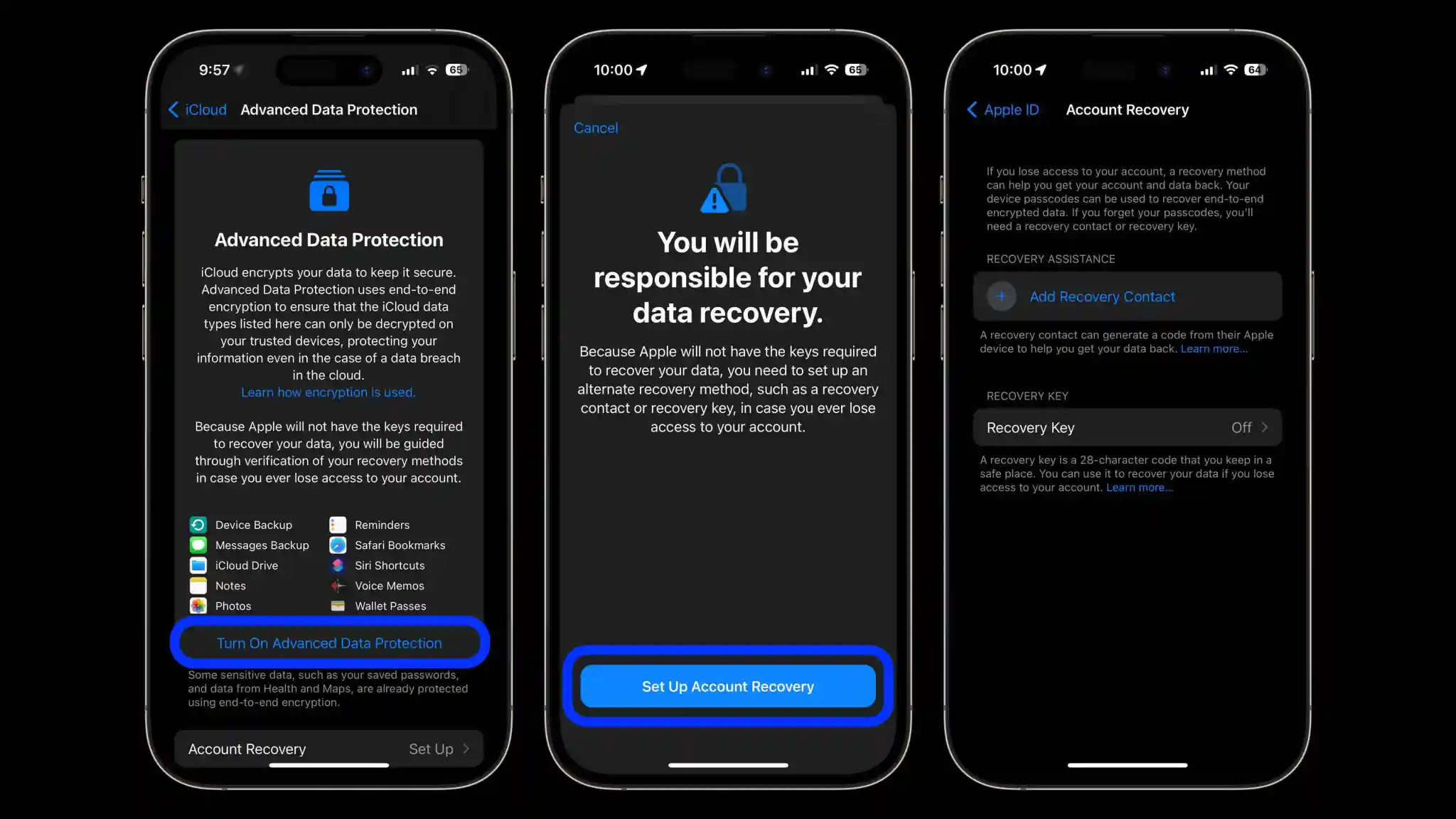
Swipe to the bottom and tap Advanced Data Protection
Tap Turn On Advanced Data Protection
If you don’t have a recovery contact or recovery key set up, you’ll be prompted to do that first
If you just finished setting up a recovery contact/key, head back to Settings app > iCloud >Advanced Data Protection and tap Turn On Advanced Data Protection
Follow the prompts
You may be asked to update your other devices signed into your iCloud account before you can enable the end-to-end encryption (E2E)
Alternatively, you can remove devices that are on old software to move forward with the process
Here’s how the process looks to turn on iPhone end-to-end encryption with Advanced Data Protection:
If you don’t have a recovery contact or key set up already, you’ll do that first:
After finishing the recovery contact/key setup, head back to the Advanced Data Protection screen and tap “Turn On Advanced Data Protection”.
One more thing to keep in mind, you may need to update your other Apple devices to the newest release to enable end-to-end encryption – or need to remove them from the main Apple ID screen in the Settings app.
What do you think about end-to-end encryption coming to Messages in iCloud, backups, and more? Will you be turning the feature on? Share your thoughts in the comments!
Hands-on: How to use Apple Music Sing karaoke feature in iOS 16.2
After announcing its fun new karaoke feature yesterday, Apple Music Sing is live with the iOS 16.2 RC build. Follow along for a hands-on look at how to use Apple Music Sing karaoke including adjusting vocal volume, seeing the Duet view, and more.
iOS 16.2 is currently finishing its testing as a developer and public beta. The release candidate was made available today, so it won’t be long until it’s released to the public.
However, if you don’t want to wait for Apple Music Sing and other great features like a customizable always-on display for iPhone 14 Pro, major end-to-end encryption update, and more, you can learn how to install the free public beta in our full explainer:
What Apple Music Sing offers
Adjustable vocals: Users now have control over a song’s vocal levels. They can sing with the original artist vocals, take the lead, or mix it up on millions of songs in the Apple Music catalog.
Real-time lyrics: Users can sing along to their favorite songs with animated lyrics that dance to the rhythm of the vocals.
Background vocals: Vocal lines sung simultaneously can animate independently from the main vocals to make it easier for users to follow.
Duet view: Multiple vocalists show on opposite sides of the screen to make duets or multi-singer tracks easy to sing along to.
How to use Apple Music Sing karaoke feature in iOS 16.2
Make sure you’re running the iOS 16.2 RC
On your iPhone, open Apple Music and find a song you want to listen to
Apple Music Sing is also available on recent iPads and the Apple TV 4K (not on older Apple TV hardware)
Compatible devices include iPhone 11 and later, iPad 9/10, iPad mini 6, iPad Air 4/5, M1 and M2 iPad Pro
After starting a song, tap the lyrics button (quotation mark icon) in the bottom left corner
Now look for the microphone + stars icon (non-compatible songs won’t show the icon)
After tapping the mic, Apple Sing is turned on
Now you can drag to adjust the vocal volume and sing along with the beat-by-beat lyrics
Tap the Sing icon to turn the feature off
Here’s how it looks to use Apple Music Sing:
For songs that include duets, you’ll see the special view automatically kick in with the different parts on the left and right sides of the screen:
What songs work with Apple Music Sing?
Apple hasn’t shared exactly what songs are compatible with Apple Music Sing
But the feature is launching with support for “tens of millions of songs”
For now, you’ll have to listen to a song and tap the lyrics button to see if it works with the Apple Music Sing karaoke feature
The feature is a bit buggy for some users at the moment with the pre-launch in the iOS 16.2 RC – e.g. the button showing up and disappearing for songs
With QPR1 now stable, Google is rolling out Android 13 QPR2 Beta 1 as the next sizable Pixel update that will be released in March.
There should only be two Quarterly Platform Release betas for Android 13 if what Google telegraphed in August stands. Like QPR1, that should mean three QPR2 betas with a stable launch in March 2023 and a relatively bug-free experience for those that sign-up via the Android Beta Program.
If you’re still part of the Beta Program from testing Android 13 QPR1 you can unenroll from google.com/android/beta without a device wipe if you have not yet installed QPR2 Beta 1.
If you have already updated, leaving the program will result in a wipe and your next opportunity to exit without losing data will be in March after the stable launch of Android 13 QPR2.
The Android Beta Feedback app is available on Pixel phones to submit problems. You can access it from the app drawer or via Quick Settings to file bugs in the Google issue tracker, while the Android Beta community is on Reddit.
The following known issues exist:
Android Platform
The list of Recent apps sometimes becomes unresponsive if the screen orientation is changed while the list is open.
In some cases when entering and exiting Picture-in-picture (PiP) mode from an app after changing the screen orientation, the system Settings app crashes with a “Settings keeps stopping” message and then the system Settings app can’t be opened.
An issue with the System UI can sometimes cause the Home screen to become unresponsive.
Google Apps
After switching back to Normal video capture mode from Slow Motion mode in the Google Camera app, the app continues capturing slow-motion video if the capture speed was changed between the 1/8x and 1/4x while in Slow Motion mode.
Android 13 QPR2 Beta 1 system images are available for the Pixel 4a, Pixel 4a 5G, Pixel 5, Pixel 5a, Pixel 6, Pixel 6 Pro, Pixel 6a, Pixel 7, and Pixel 7 Pro. as well as in the Android Emulator.
Most users will be installing Beta 1 (T2B1.221118.006) with the December security patch from the Android Beta Program website. You can expect an OTA update in the coming hours. If you need help, here’s our full guide on installing Android 13.