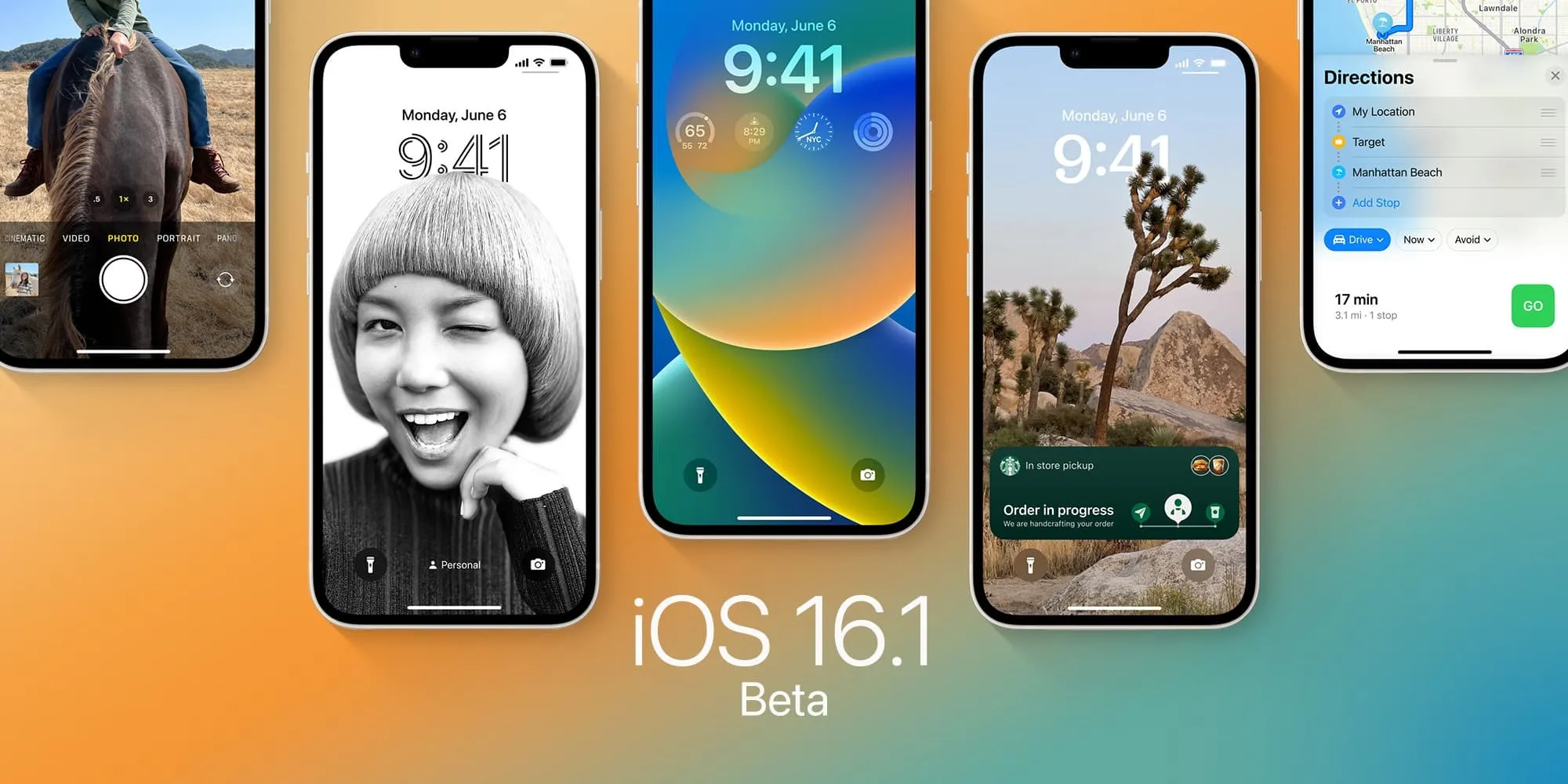
Following the release of iOS 16.1.2 on November 30, Apple has now stopped signing both iOS 16.1 and iOS 16.1.1. This means that iPhone and iPad users can no longer downgrade from iOS 16.1.2 or newer versions of the operating system.
iOS 16.1 and iOS 16.1.1 no longer signed by Apple
iOS 16.1 was released in October with multiple new features and enhancements, such as iCloud Shared Photo Library, Fitness+ for iPhone users, Live Activities, and more. iOS 16.1.1 came in November with bug fixes and security improvements.
Then, on November 30, Apple released iOS 16.1.2 to enhance the iPhone 14’s Crash Detection feature and also improve wireless carrier compatibility. This is the latest version of iOS officially available to users at the moment.
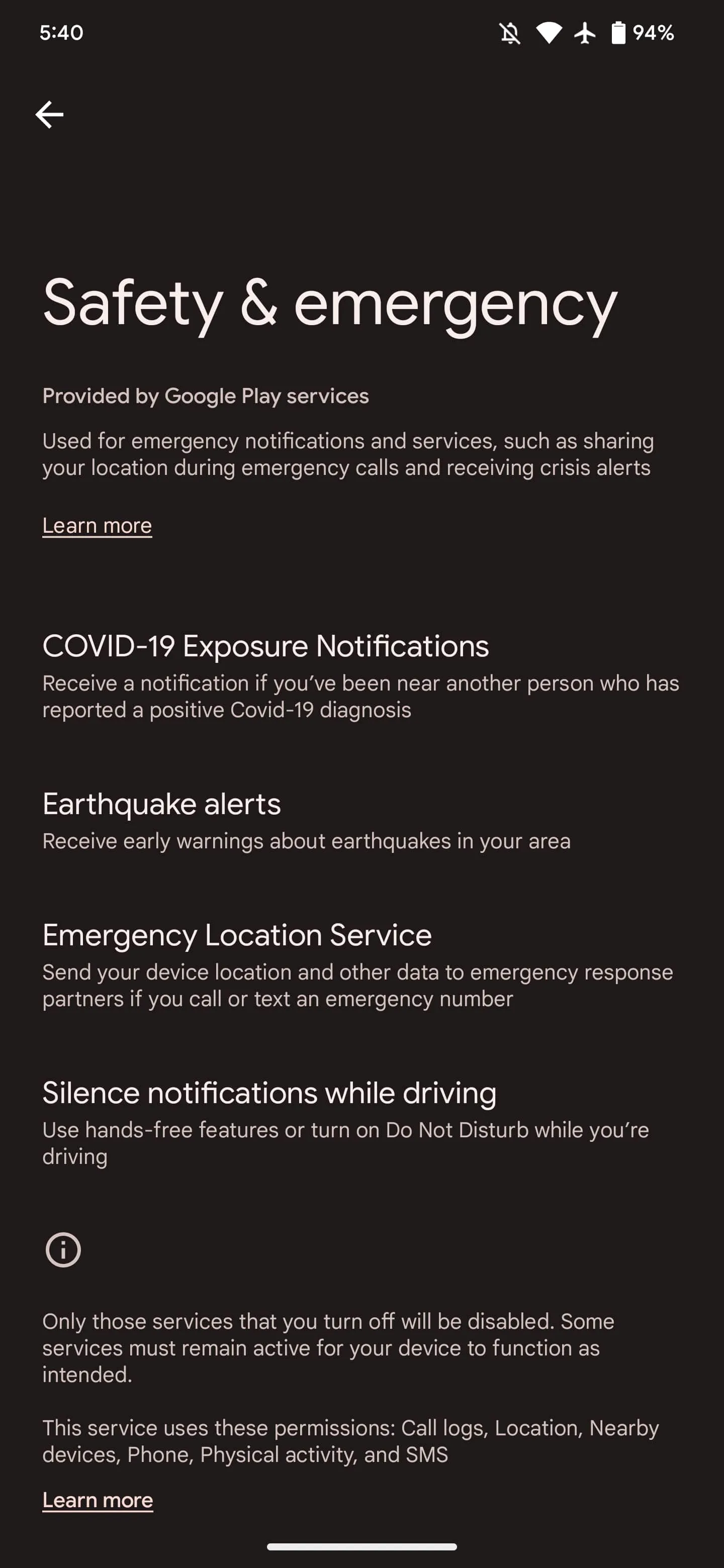
At the same time, Apple is about to release iOS 16.2 to the public in the next few days. The update will add the new Freeform app, improvements to the Home app, new Always-on options for iPhone 14 Pro users, Apple Music Sing, and more.
Reverting to older iOS builds is often used by those who jailbreak their iPhones and iPads. However, there are no signs of any jailbreak tools for iOS 16 being developed at this point. Restoring an Apple device to a previous version of iOS can also sometimes be helpful for users who experience significant bugs after upgrading to the latest version of iOS.
Downgrade from iOS 16 to iOS 15
While you can’t easily revert to iOS 16.1, you still have a chance to downgrade from iOS 16.1.2 to iOS 15. That’s because Apple is still providing security updates to users running iOS 15.7.1. Those who want to downgrade an iPhone or iPad must do so using a Mac or PC.
This is not the first time Apple has offered the option to let users stay on an older version of iOS. Last year, once iOS 15 became available, users could choose to stay on iOS 14 longer while Apple was still releasing security updates for it. However, the company removed this option a few months later.
After released iOS 16 to the public after months of beta testing. While some users have waited long for the new lock screen and other new features coming with the update, some may prefer to wait a little longer before installing iOS 16. This is why Apple is letting users stay on iOS 15, while still getting security updates before upgrading to iOS 16.
While iOS 16 is certainly the big news of the day, Apple also released iOS 15.7 for iPhone users today. The update doesn’t bring any major changes, but it does come with bug fixes and security enhancements, and users running iOS 15 now have the option to install iOS 15.7 or iOS 16.
This is not the first time Apple has offered the option to let users stay on an older version of iOS. Last year, once iOS 15 became available, users could choose to stay on iOS 14 longer while Apple was still releasing security updates for it. However, the company removed this option a few months later.
At the time, Apple claimed that the option was always intended to be temporary, so something similar may happen this year. New iOS releases can cause incompatibilities with certain apps, so it’s normal that some users (especially enterprise users) prefer to wait a few weeks before installing the update.
How to stay on iOS 15.7
When you go to the Software Update menu in the Settings app, your iPhonewill prominently show the iOS 15.7 update. “Upgrade to iOS 16” appears as an alternative option. Just choose the version you want to install and wait until the update process finishes. If you really don’t want to install iOS 16, you can disable automatic updates on your device.
Open the Settings app on your iPhone, iPod, or iPad
Go to the General menu
Tap Software Update
Tap Automatic Updates
Disable the options to automatically download and install iOS updates
Apple is continuing to push into health care, this time striking a deal with Epic Systems for a Mac-friendly version of its health records app. As reported by Axios,the deal will see Epic Systems create a version of its health records tool that “is easier to run on Apple devices.”
Apple had reportedly pushed for Epic to create a “native version of the service” for Apple devices, but the two companies settled on this compromise of a version that is “easier to run on Apple devices” instead. Apple hasn’t acknowledged this deal, but Axios says it was confirmed by a “source inside Epic.”
The deal comes despite previous disagreements between Epic and Apple over health records and data sharing, Axios explains. Apple has pushed for easing health record sharing requirements, something that Epic is firmly opposed to. Epic argued that rule changes focused on “interoperability” will be “overly burdensome on our health system and will endanger patient privacy.”
Epic Systems is the largest electronic health records vendor in the United States, with “roughly half the population’s medical records” being stored in a system powered by Epic software and technology. The lack of well-developed Mac, iPad, and iPhone software from Epic has put inhibited Apple’s ability to tap further into the health records industry.
Given the pace at which things in the healthcare industry move — especially around medical records technology — it’ll likely be awhile before we see any results of this new deal. None the less, it could end up being good for the industry and consumers, particularly if it improves data integration with other Apple platforms and services.
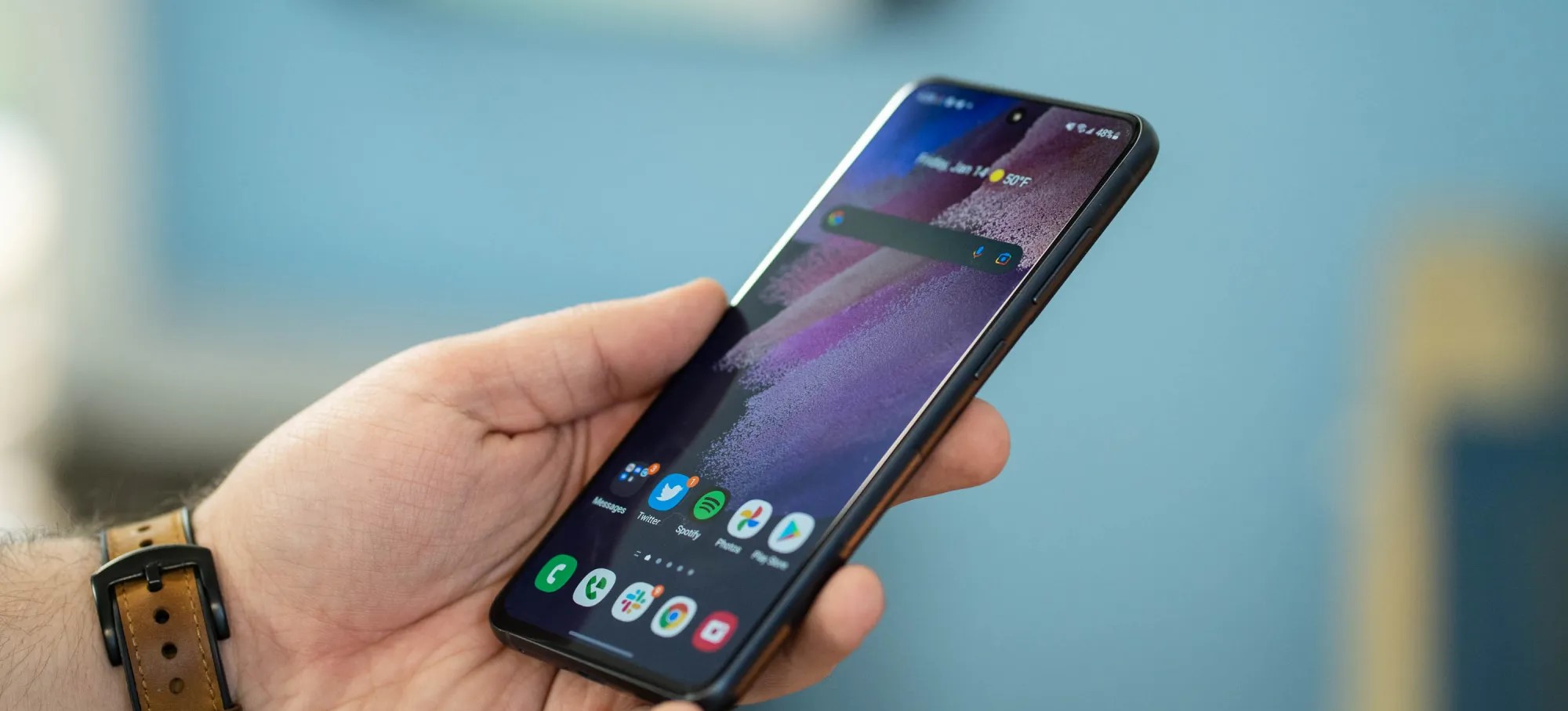
After launching on Pixel phones earlier this year, Android 13 is now headed to Samsung Galaxy devices outside of a beta program. Here’s what devices have already received their update, and which ones will probably get it over the coming months.
What’s new in Android 13 on Samsung devices?
Android 13 is a pretty small update compared to Android 12 that came before it. Where that update completely reinvented the platform’s design on Pixel phones and introduced “Material You” theming with special colors, this year’s update is much smaller on the whole.
On Samsung smartphones, Android 13 brings a few system-level changes, including more colors for Samsung’s version of Material You, “Color Palette.” Themed icons on the homescreen now support third-party apps, too. There are also various privacy features on the lower levels, but the bulk of what’s new on Galaxy smartphones comes from Samsung.
One UI 5.0 is the latest version of Samsung’s skin on top of Android 13, and it brings a handful of new features. This includes “Privacy Detection” when sharing photos, a new Privacy and Security dashboard similar to the one Google built; a new lockscreen with more customizable features; “Maintenence Mode,” which hides user data when a smartphone is sent in for repair; stackable widgets; and more. The update was supposed to finally bring multi-user support, but Samsung removed it during the beta program.
Android 13 is already available on these Samsung devices
As of October 2022, Samsung has launched Android 13 for three smartphones. On October 24, One UI 5.0 with Android 13 started rolling out to all Galaxy S22 series devices globally, with some delays on carrier models and some regions.
This list will be continuously updated over the coming months with the latest additions marked in bold text. Check back regularly!
Samsung Galaxy S devices with Android 13
In October 2022, Samsung updated three devices to Android 13 as the Galaxy S22, S22+, and S22 Ultra saw updates to the latest version of Android and One UI 5.0. The update was launched globally on October 24, but is still expanding to certain regional variants and carrier models.
In November 2022, Samsung expanded the Android 13 update much further. On November 7, the update was launched on Galaxy S21 and Galaxy S20 series devices. The update started its availability in portions of Europe including Germany and Switzerland and is expected to roll out in other regions soon after. By November 14, the Android 13 update had expanded to the Galaxy S21 in India, Kazakhstan, and Russia, as well as some US carriers.
Galaxy S22 – Available globally
Galaxy S22+ – Available globally
Galaxy S22 Ultra – Available globally
Galaxy S21 – Available in Europe, India, Kazakhstan, Russia
Available in US on AT&T and T-Mobile
Galaxy S21+ – Available in Europe, India, Kazakhstan, Russia
Available in US on AT&T and T-Mobile
Galaxy S21 Ultra – Available in Europe, India, Kazakhstan, Russia
Available in US on AT&T and T-Mobile
Galaxy S20 – Available in Europe
Galaxy S20+ – Available in Europe
Galaxy S20 Ultra – Available in Europe
Galaxy Foldables with Android 13
Samsung has also started rolling out Android 13 to its foldable devices as of mid-November, but in a limited capacity. As of November 11, Samsung has released Android 13 to the Galaxy Z Fold 4 and Galaxy Z Flip 4, but only to those who were previously beta testing the update. The finalized update was launched in the US to unlocked owners, but should expand to other beta testers as well as all other owners fairly soon. By November 17, the update had launched widely to users that weren’t in the beta program, but still in a limited number of countries. The Galaxy Z Fold 3 and Z Flip 3 are also now getting the Android 13 update globally for those who were in the beta program.
Galaxy Z Fold 4 – Rolling out now starting in South Korea and India
Galaxy Z Flip 4 – Rolling out now starting in South Korea
Galaxy Z Fold 3 – Available to One UI 5 beta testers first
Galaxy Z Flip 3 – Available to One UI 5 beta testers first
Samsung Galaxy Note devices with Android 13
As Samsung moves away from the Galaxy Note line, there’s only a handful of Note devices that will ever see Android 13 officially. In fact, it’s really just the Galaxy Note 20 series, which started seeing its update in early November 2022. The Galaxy Note 20 and Note 20 Ultra picked up Android 13 in Switzerland first, and has expanded to the United States as of November 15.
Galaxy Note 20 – Available in Europe and the United States
Galaxy Note 20 Ultra – Available in Europe and the United States
Samsung Galaxy Note 20 Ultra
The Android 13 update is moving quickly, and already available on select Galaxy A series devices. The Galaxy A53 was first in line on November 9 with the update launched in Europe and the UK. The Galaxy A33 was next in line on November 10 in Europe, while the Galaxy A73 came just a day later in Malaysia. The Galaxy A52 was also updated on November 17, the first device from Samsung’s 2021 mid-range lineup to be updated.
Galaxy A53 5G– Available in Europe and UK
Galaxy A33 5G– Avaialble in Europe
Galaxy A73 5G – Available in Malaysia
Galaxy A52 5G – Available in Russia
Galaxy tablets with Android 13
The very first Android tablets to be updated to Android 13 became Samsung’s Galaxy Tab S8 series on November 14. The update started rolling out to 5G versions of each tablet in several countries across Europe, but should expand to other models and regions soon.
Galaxy Tab S8 – Available in Europe, 5G only
Galaxy Tab S8+ – Available in Europe, 5G only
Galaxy Tab S8 Ultra – Available in Europe, 5G only
Other Samsung devices with Android 13
Outside of Samsung’s core product lineups, there are other devices getting Android 13 as well. That includes the rugged XCover 6 Pro, which was updated on November 14 alongside the Galaxy Tab S8 series. On November 15, Samsung released the update for its Galaxy M52 5G and Galaxy M32 5G in select markets.
Galaxy XCover 6 Pro – Available in Europe
Galaxy M32 5G – Available in India
Galaxy M52 5G – Available in Europe
What’s next?
When will my Samsung device get Android 13?
When will Galaxy devices get Android 13? If Samsung’s usual pattern holds up, most modern and supported flagship devices will be updated in a matter of weeks, with budget devices and other regional exclusives getting the update throughout 2023.
Generally speaking, most Samsung smartphones are now guaranteed major Android updates for at least three years after their debut, meaning there’s a pretty huge list of devices set to be updated. You can check the update policy for your Samsung smartphone below.
In a message sent to users in Korea through its Samsung Members app, Samsung has confirmed a preliminary list of devices and a roadmap of when it plans to roll out Android 13. The timeline was also backed up by messages in Malaysia and India. This timeline will likely vary a bit depending on your region and Samsung’s own pace, but it’s a good outline of what to expect.
Samsung Android 13 update schedule
October 2022
Galaxy S22 – October 24
Galaxy S22+ – October 24
Galaxy S22 Ultra – October 24
November 2022
Galaxy Z Fold 4 – November 17
Galaxy Z Flip 4 – November 17
Galaxy Z Fold 3
Galaxy Z Flip 3
Galaxy S21 – November 7
Galaxy S21+ – November 7
Galaxy S21 Ultra – November 7
Galaxy Note 20 – November 7
Galaxy Note 20 Ultra – November 7
Galaxy S20 – November 7
Galaxy S20+ – November 7
Galaxy S20 Ultra – November 7
Galaxy Tab S8 – November 14
Galaxy Tab S8+ – November 14
Galaxy Tab S8 Ultra – November 14
Galaxy Tab S7
Galaxy Tab S7+
Galaxy Quantum3
Galaxy A53 5G – November 9
Galaxy A33 5G – November 10
Galaxy XCover 6 Pro – November 14
December 2022
Galaxy Z Fold 2
Galaxy Z Flip 5G
Galaxy Z Flip
Galaxy S21 FE
Galaxy S20 FE
Galaxy Tab S7 FE
Galaxy Tab S7 FE 5G
Galaxy Tab S6 Lite
Galaxy S10 Lite
Galaxy Note 10 Lite
Galaxy A73 5G – November 11
Galaxy A52s 5G
Galaxy A52 5G – November 17
Galaxy A51
Galaxy A42 5G
Galaxy A32
Galaxy A71
Galaxy A71 5G
Galaxy A Quantum
Galaxy A Quantum2
Galaxy Jump
Galaxy Jump 2
January 2023
Galaxy A13 5G
Galaxy A23
Galaxy A72
Galaxy A52
Galaxy A32
Galaxy A32 5G
Galaxy M33 5G
Galaxy M53 5G
Galaxy M62
Galaxy M52 5G
Galaxy M12
Galaxy Buddy
Galaxy Buddy 2
Galaxy Wide6
Galaxy Wide5
Galaxy XCover 5
Galaxy Tab A8
Galaxy Tab A7 Lite
Galaxy Tab Active 3
February 2023
Galaxy A23
Galaxy A23 5G
Galaxy A12
Galaxy A22
Galaxy A22 5G
Galaxy Tab Active 4 Pro
Galaxy M13
Galaxy M22
Galaxy M23 5G
Galaxy M32
March 2023
Galaxy A03
Galaxy A03s
Galaxy A04s
Galaxy A13 LTE
April 2023
Galaxy A04
Looking at Samsung’s update list from 2022 with Android 12, it’s almost guaranteed that other devices not on this initial roadmap will be added in time, but this gives us a pretty good idea of what to expect.
Last updated 11/18 to add rollouts for Galaxy Z Fold 4, Flip 4, Galaxy A series devices, and further Galaxy S expansions.
Samsung is now bringing Android 13 to the Galaxy S20 FE and the Galaxy S21 FE, starting in select regions.
Following updates to the rest of the Galaxy S20 and Galaxy S21 series, Samsung is now expanding One UI 5 to its pair of “Fan Edition” devices. The Galaxy S20 FE and Galaxy S21 FE are both getting Android 13 now via updates, though only in limited regions.
As SamMobile reports, the Galaxy S20 FE is getting Android 13 in Russia, carrying the version number G780FXXUAEVK3 and weighing in at roughly 2GB. It’s notable, though, that this is the Exynos-based version of the device, rather than the Snapdragon model that’s available in the United States and other regions.
Meanwhile, the Galaxy S21 FE is also getting Android 13 in some regions, including Europe. SamMobile notes the firmware version number G990BXXU2DVK3, and notes that the update is rolling out in some other regions.
As in most cases, Samsung usually starts these updates in select regions before expanding globally. Expect the update in other countries within the next week or two.
Samsung has updated over a dozen different smartphones and tablets to Android 13 so far, with many more to go. The company also launched Android 13 for the Galaxy Note 10 Lite this week in France.
Google Play services powers many key features on Android devices that might not be obvious to end users, and Google is now offering an explanation directly on your phone as part of a new approach.
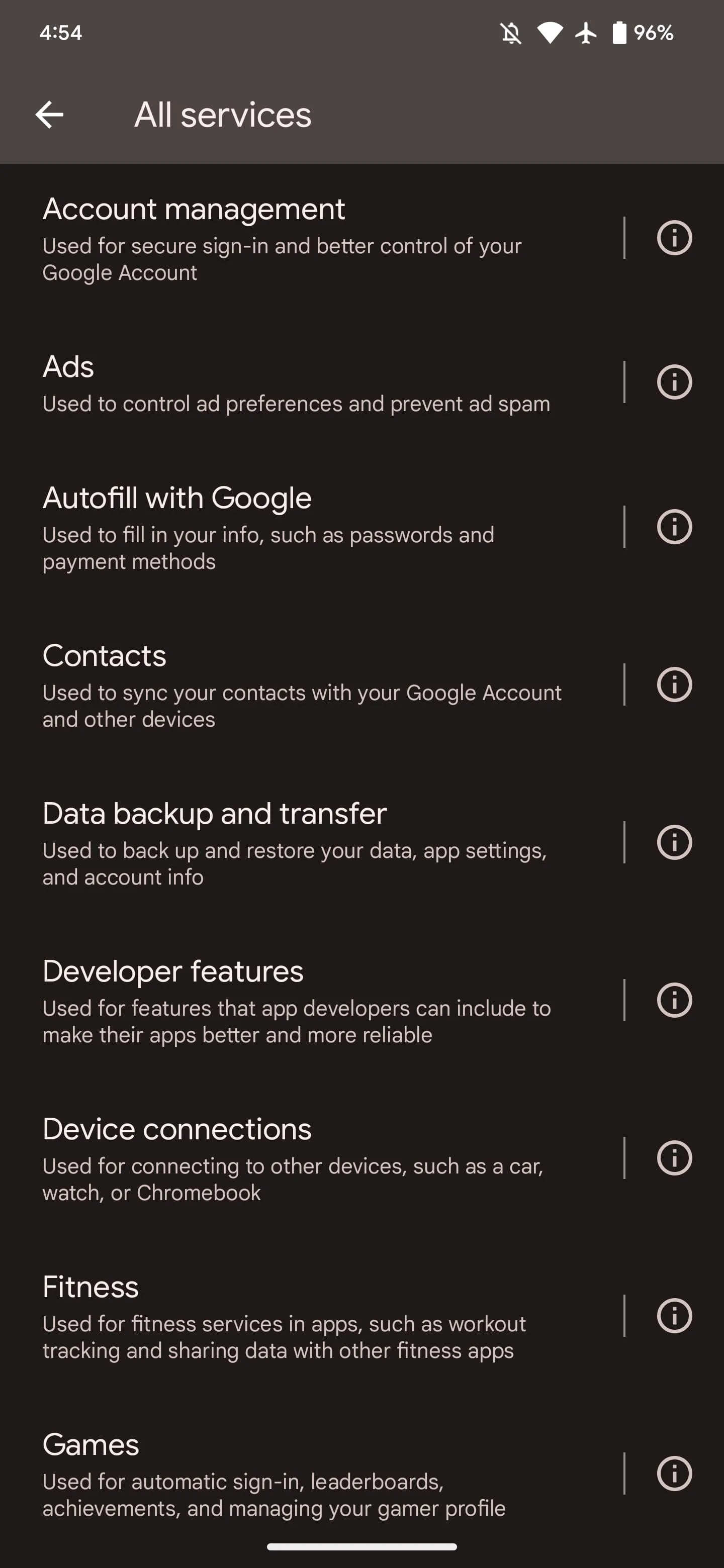
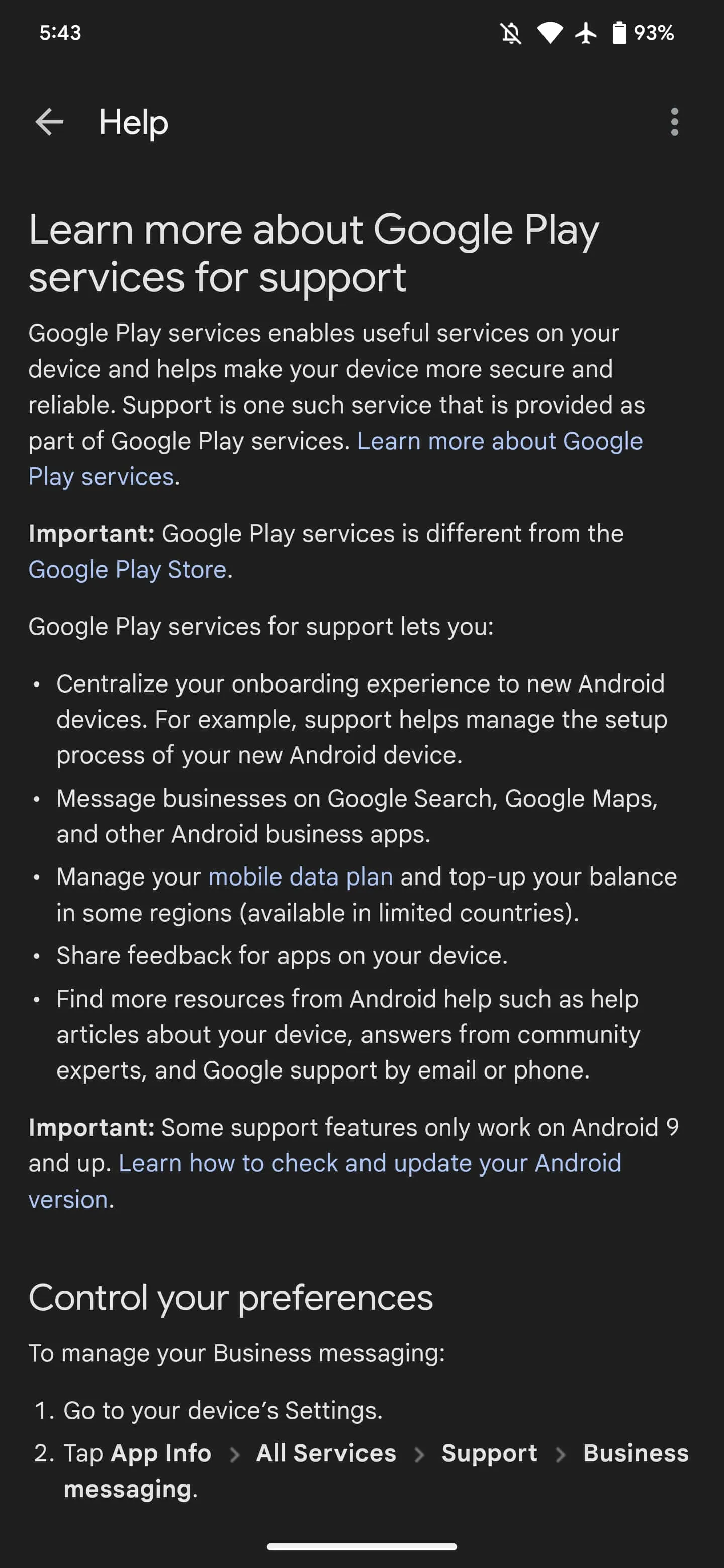
If you go to Settings > Apps > See all > Google Play services, you’ll see a new “All Services” item as the first thing in the App info list underneath Disable and Force stop. Tapping lets you “See details about the services used on your device.” Google’s high-level explanation of Play services follows:
Google Play services helps to make your device more secure and reliable. It’s an important part of many of the features on your device, and it’s different from the Play Store app.
Keep in mind that turning off services can impact the way your device works.
The last line makes explicit reference to how some people disable it. Google specifically highlights 17 capabilities. Tapping takes you to settings pages, while the Info button next to things takes you to various support/help articles.
Of the devices we checked today, this is only appearing on Android 13 Pixel phones. The capability that lets Play services add this “All services” page to App info requires the latest version of the OS.
Account management: Used for secure sign-in and better control of your Google Account
Links to settings for: Device phone number and Google Account
Ads: Used to control ad preferences and prevent ad spam
Lets you: Reset advertising ID, Delete advertising ID, or Enable debug logging for ads
Also shows device advertising ID
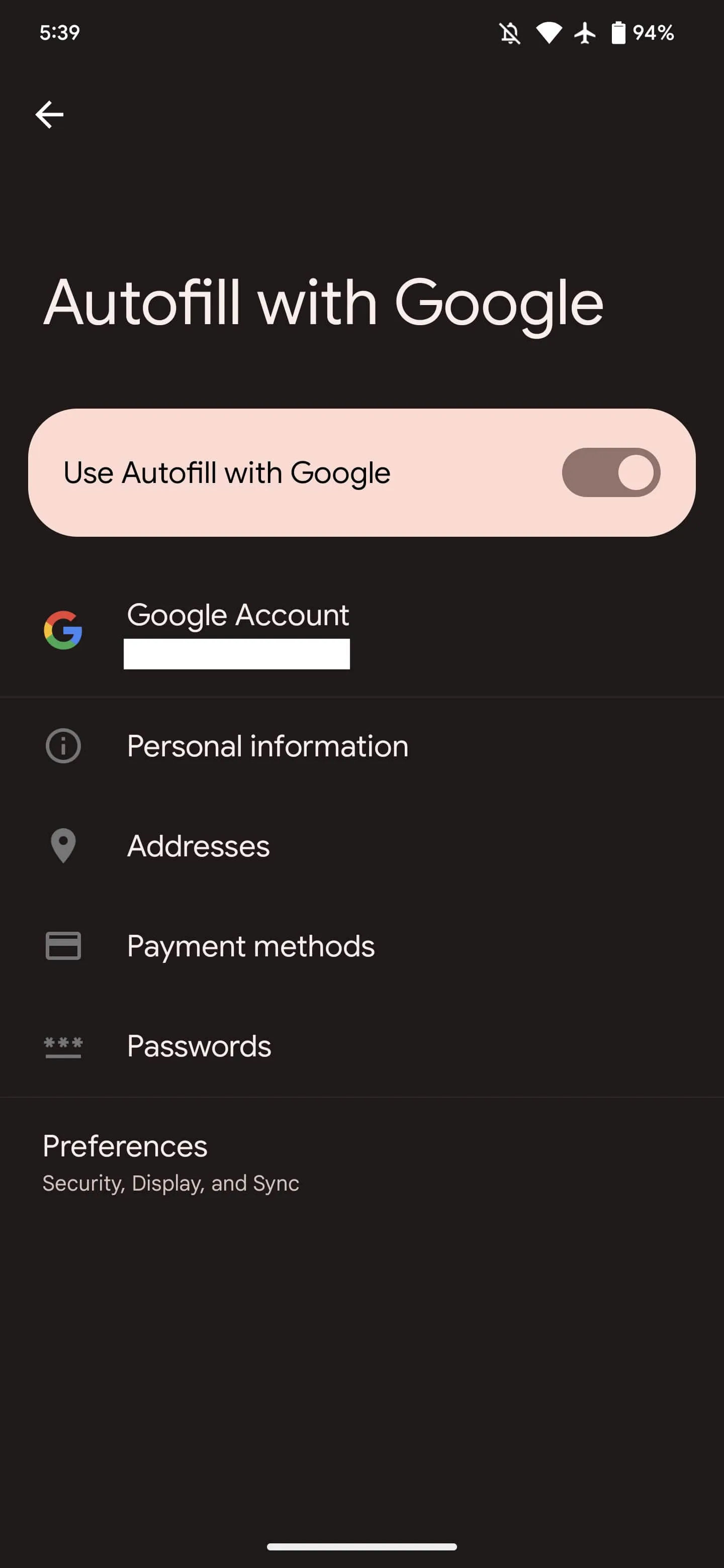
Autofill with Google: Used to fill in your info, such as passwords and payment methods
Shows settings to enable/disable Autofill with Google
Links to your saved Personal information, Addresses, Payment methods, and Passwords, as well as Preferences
Contacts: Used to sync your contacts with your Google Account and other devices
Links to settings for: Google Contacts sync and Restore contacts
Data backup and transfer: Used to back up and restore your data, app settings, and account info
Links to settings for: Settings > System > Backup
Developer features: Used for features that app developers can include to make their apps better and more reliable
Apple this week launched the first betas of its next round of software updates, including iOS 16.2, iPadOS 16.2, and macOS Ventura 13.1. A new report from Bloomberg today indicates that Apple is currently targeting a release date to the public sometime in mid-December for these updates.
iOS 16.2 release date
In the latest edition of his Power On newsletter, Bloomberg’sMark Gurman says while Apple is done with hardware releases for the year, it still has more software updates on the way. “The iOS 16.2 and iPadOS 16.2 updates, which began beta testing this past week, should be released around mid-December,” Gurman says in today’s newsletter.
Gurman also notes that Apple is targeting a release date of sometime between early February and the beginning of March for iOS 16.3 and macOS Ventura 13.3:
I’m told that Apple is aiming to introduce the upgraded models—including M2-based versions of the 14-inch and 16-inch MacBook Pros—in the first quarter of calendar 2023 and has tied the launches to the upcoming macOS Ventura 13.3 and iOS 16.3. Those software updates are expected to debut between early February and the beginning of March.
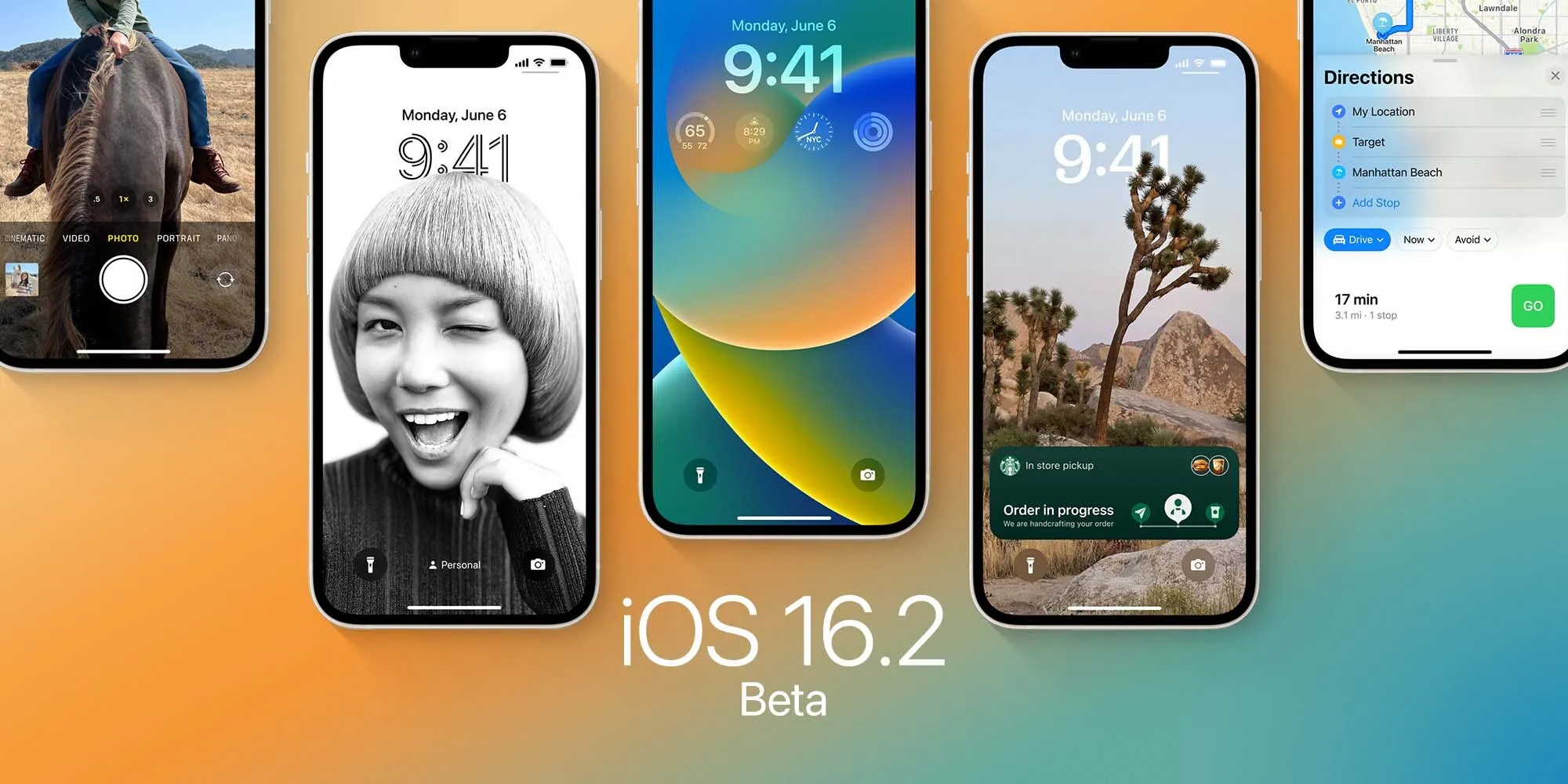
iOS 16.2 includes a handful of changes, including the new Freeform collaboration app that Apple first showed off at WWDC. As of right now, iOS 16.2 is available to developer and public beta testers.
Apple reveals how it approached redesigning the new Home app in iOS 16
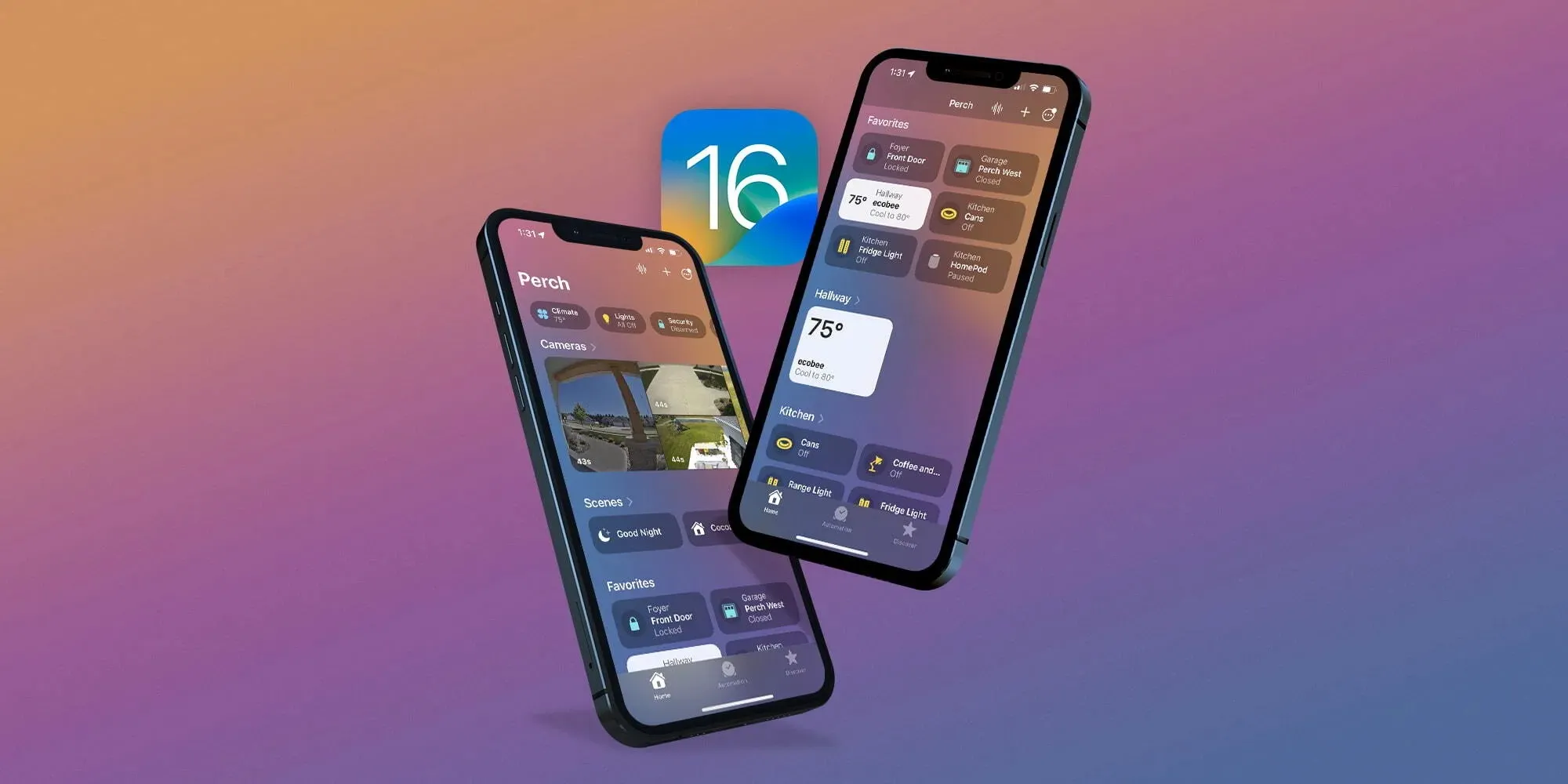
One of the valuable updates that arrived with iOS 16 this fall is an overhauled Home app. Additions and changes in the fresh experience include a new UI and iconography, customizable sections, fresh wallpapers, a more seamless experience, and more. Now Apple has shared how it approached the big Home app update in an interview.
Speaking to Parade, Cecelia Dantas who works in Product Marketing at Apple detailed how the goal was to make the new app beautiful and workable for everyone from beginners to HomeKit experts:
“We took the opportunity to rethink and redesign the Home app. It has this fresh new look and it scales beautifully, even for those who are just starting out their smart home with a few accessories or for those who have an advanced setup.”
As I wrote in my detailed hands-on coverage of the new Home app earlier this year, it features a sharp default layout:
New top category buttons
HomeKit cameras are at the top of the app, below are Scenes and Favorites
Then you’ll see your other devices organized by Room
Most of the HomeKit device icons have been either totally updated or given a slight refresh
Other improvements include improved access to Home app settings, customizable sections, new wallpapers, and more.
Dantas also highlighted that while Apple had adopted Matter support with iOS 16.1, it “continues to apply the same lens for privacy that we do across all of our products and services. So all the data is stored using end-to-end encryption. So there’s no way for Apple to read this data. And Appledoesn’t build a profile around what accessories you use, or how you use them.”
As a refresher, Matter is a collaboration between Apple, Amazon, Google, Samsung, the Connectivity Standards Alliance, and many others to make it easy to use any smart home device with better reliability, speed, and performance.
An underlying technology of Matter is Thread. And we’ve already seen a number of smart device companies adopt Thread like Apple with HomePod mini, Belkin, Nanoleaf, Eve, and more.
Android 13 is starting to expand past the beta stage on devices from Samsung, Vivo, and more after launching on Pixels earlier this year. OnePlus, though, is just now releasing a schedule for when to expect Android 13 on more devices, but only in its beta form.
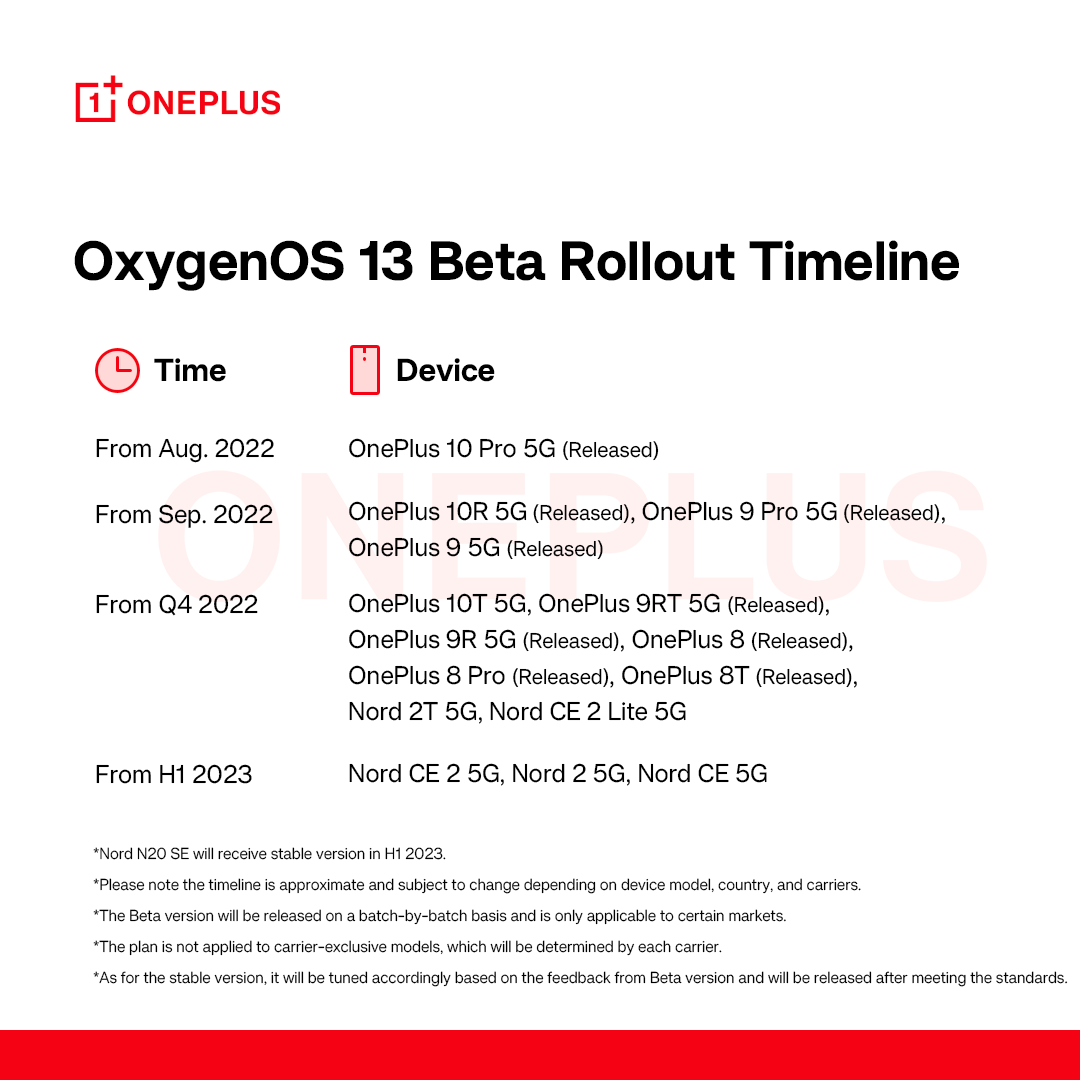
So far, OnePlus has only released a “stable” version of Android 13 with OxygenOS 13 to a single device, the OnePlus 10 Pro. That was followed by open beta releases for theOnePlus 9 and 9 Pro, as well as theOnePlus 10R in September, and betas have also since been released for OnePlus 10T, OnePlus 8 series, and the OnePlus 9R/T.
Sometime in “Q4 2022,” OnePlus says the Android 13 beta will expand to the OnePlus Nord 2T 5G and the OnePlus Nord CE 2 Lite 5G. That’s all the brand says to expect through the end of 2022. From there, the first half of 2023 will see Android 13 beta releases for the OnePlus Nord CE 2 5G, Nord 2 5G, and Nord CE 5G. Note, of course, this is only talking about the beta releases, not the stable release.
OnePlus does add that the OnePlus Nord N20 will see a stable Android 13 release sometime in the first half of 2023 as well.
With this schedule, OnePlus also doubly confirms that devices from the OnePlus 7 series are seemingly not getting Android 13, which lines up with the brand’s stance of only promising two major Android updates to its flagships.
In a time where Samsung is providing a stable Android 13 update just two months behind Google and has active beta programs ongoing for both its flagship and budget models, it’s rough to see OnePlus making slow progress like this. OnePlus and Oppo touted “faster and smoother” updates as a benefit that users would enjoy as the two brands merged closer together, but it’s certainly not reflected in this schedule. Rather, we’re just seeing more ColorOS on OnePlus devices.
With the official release of iOS 16.1 this week, Apple introduced Live Activities – a new way for third-party apps to provide useful information right on the iPhone lock screen or Dynamic Island. With the iOS 16.2 beta, which was released to developers on Tuesday, the company is working to let users choose to keep Live Activities updated more frequently.
More Frequent Updates to Live Activities
The new option, which is not yet enabled in iOS 16.2 beta 1, will provide “More Frequent Updates” for Live Activities. Code seen by 9to5Mac confirms that when this option is enabled, Live Activities (and consequently Dynamic Island interactions) will request updates at shorter intervals to show “more real time information.”
At the same time, the same message found in the code warns that enabling More Frequent Updates for Live Activities will also drain the iPhone’s battery faster. Here’s what the message says:
More Frequent Updates
Allowing more frequent updates lets you see more real time information, but can drain your battery faster.
Once available, the new option will be accessible to users in the Settings app. Having more frequent updates can be extremely useful for some apps like Flighty, which now has a Live Activity to show details about an upcoming flight. Delivery and ride apps should also benefit from this option. Presumably Apple will make the feature public before the official release of iOS 16.2.
What’s new with iOS 16.2?
iOS 16.2 comes with some other new features. The update introduces the Freeform app, which was announced back in June at WWDC 2022. Freeform allows users to write and draw together in a collaborative canvas. For iPad users, iPadOS 16.2 enables support for an external display with Stage Manager.
Also coming with iOS 16.2 is a new option to send feedback to Apple when Emergency SOS is mistakenly triggered on the iPhone, plus a new, more reliable architecture for the Home app.
The update is now available for developers and is expected to be released soon for users registered in the Apple Beta Software Program. There’s no word on when it will become available to the public.
Samsung has begun rolling out the official Android 13 update to owners of the Galaxy S22, bringing the full suite of One UI 5.0 changes.
Android 13 was officially released, starting on Google’s Pixel phones, on August 15, and just days before that launch, Samsung began beta testing the new changes on their Galaxy series phones. After over two months in beta, as spotted by SamMobile, Samsung is now rolling out the full, stable Android 13 release with One UI 5.0, starting with the Galaxy S22 series.
For now, the rollout seems to be limited to Exynos variants of the Galaxy S22 in South Korea and across Europe. Thus far, the Android 13 update has not been made available in the United States, but that is likely to change in the coming days.
To get fans acclimated with the new update and all of the hottest features of One UI 5.0, Samsung has released an official “Introduction Film” highlighting what’s changed. Samsung’s Android 13 and One UI 5.0 video, of course, kicks off with the new lock screen customization, meant to help the Galaxy S22 compete with what Apple brought to iOS 16. Another familiar feature from the iPhone series is the introduction of “Modes,” which quickly set your sound and notification settings to suit your daily activities.
Going beyond matching the iPhone’s feature set, Samsung’s lock screen options allow you to use a video wallpaper or change the artwork periodically. Just like it did for the Pixel series, the Android 13 update for Samsung Galaxy phones gives you multiple vibrant theme options generated from your current wallpaper.
Continuing the theme of customization, Samsung also showcases a new way to “stack” widgets on your homescreen, making them easily scrollable. You can even deeply customize your Galaxy Watch with the Watch Face Studio.
In changes that are less exciting but still quite useful, Samsung’s Android 13 and One UI 5.0 update combines privacy and security settings into one hub. This security and privacy dashboard is designed to be easily read and understood, making it easier to be sure you’re safe in the digital world.
For more on what’s new in the One UI 5.0 update with Android 13, across the Galaxy S22 and the rest of Samsung’s lineup, check out our video from the original beta.
Following the release ofiOS 16.0.3 to all users on Wednesday, Apple is now rolling out iOS 16.1 beta 5 to developers. The new beta update, which adds new features to the iPhone operating system, comes ahead of the official iOS 16.1 release to the public expected later this month.
oday’s build number is 20B5072b, compared to the previous build 20B5064c. Developers and public beta testers can now install the iOS 16.1 beta 5 update by going to the Software Update menu within the Settings app on an iPhone or iPad enabled to get beta updates.
In addition to iOS 16.1 beta 4, here’s what else Apple is rolling out today:
iPadOS 16 beta 12
macOS Ventura beta 11
tvOS 16.1 beta 5
What changes with the update?
iOS 16.1 enables battery percentage for iPhone XR, 11, 12 mini, and 13 mini. Apple has tweaked the battery indicator so that it now has a dynamic icon when the percentage is enabled. The update also adds a Clean Energy Charging option, Live Activities API, and early support for the Matter protocol. For iPad users, iPadOS 16.1 brings Stage Manager for the 2018 and 2020 iPad Pro.
Here’s a detailed roundup of some of the major changes in iOS 16.1 so far:
Live Activities: Live Activities help you stay on top of things that are happening in real-time, right from your Lock Screen;
Live Activities API: Follow an ongoing sports game, track the progress of your ride, or order with just a glance. Glance at Live Activities from your favorite third-party apps with the new developer API;
Apple Wallet app can be deleted: iOS 16.1 now lets users delete the Wallet app for the first time. As you’d expect, deleting the Wallet app means you won’t be able to use a number of different features, including Apple Pay, Apple Cash, and Apple Card;
Matter support: Matter is a new smart home connectivity standard that will enable compatible accessories to work together seamlessly, across platforms;
iCloud Shared Photo Library: A new way for families to share photos seamlessly with a separate iCloud library that up to six users can collaborate on, contribute to, and enjoy. Users can choose to share existing photos from their personal libraries or share based on a start date or people in the photos;
Clean Energy Charging: Clean Energy Charging aims to decrease the carbon footprint of the iPhone by optimizing charging times for when the grid is using cleaner energy sources.
When will iOS 16.1 be available to the public?
According to a recent report by Bloomberg’s Mark Gurman, Apple plans to release iOS 16.1, iPadOS 16.1, and other software updates to the public the week of October 24. The software updates should come in time for the launch of new products, such as the rumored 10th generation iPad, iPad Pro with M2 chip, and updated MacBook Pros.