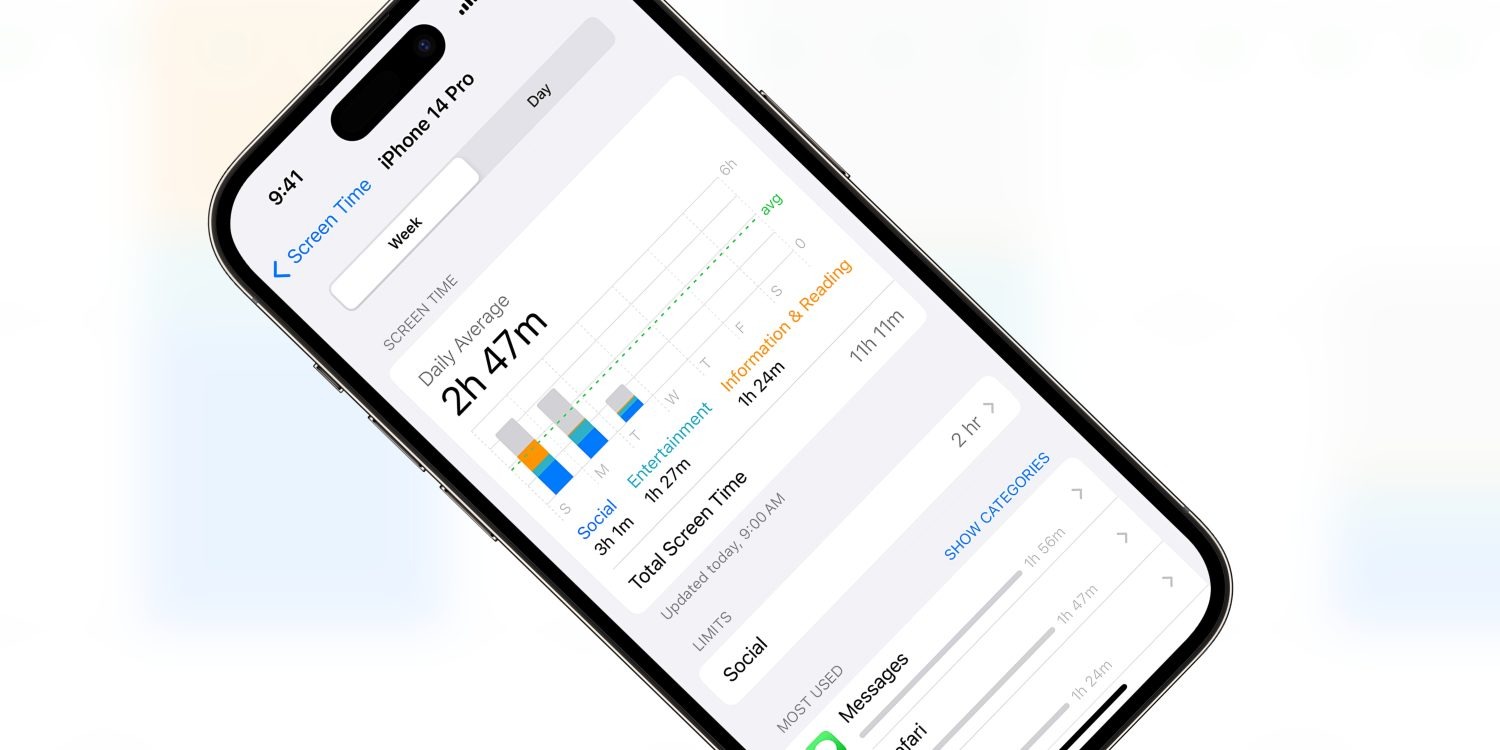
Screen Time promises to allow parents to restrict access to various apps, website and content on their children’s devices. However, ever since Screen Time launched with iOS 12, Apple has been playing whack-a-mole as users discovered new workarounds to avoid the enforced restrictions.
As reported by the Wall Street Journal, Apple will be fixing yet another one of these bugs in the next iOS software update. Security researchers had reported this particular bug to Apple multiple times over the last three years, but Apple had rebuffed or ignored them until now.
In the wake of the Wall Street Journal investigation by Joanna Stern, Apple has now committed to fixing the issue. In a statement, the company said it “takes reports of issues regarding Screen Time very seriously and have been consistently making improvements”, including “substantial Screen Time fixes” in the latest iOS 17.5 release.
However, the fact that Apple has left this escape hatch unaddressed for so long reinforces concerns that Apple does not take Screen Time seriously. For many parents, the features of Screen Time are simply too unreliable to trust in them.
In this particular case, the workaround allowed users to evade web browsing content restrictions, if they had been set. The trick involved typing a series of special characters into the Safari browser URL. It doesn’t seem like this particular trick was well known, unlike some other Screen Time exploits that have blown up on social media sites as children look for ways around their device lockdowns.
Nevertheless, parents who want to enable these restrictions going forward should explore the various Screen Time settings panes in the Settings app.
To manage content restrictions, open ‘Screen Time’ and select ‘Content & Privacy Restrictions’. You can choose preferences for apps, websites and system features like access to location services or the photo library. For web content, devices can be denied access to adult content based on an automatic filter, or choose an explicitly specified list of approved websites.
WWDC 2024 is just a week away, as Apple has set the conference’s opening event for Monday, June 10. Ahead of the event, the company has now confirmed that it will stream the WWDC 2024 opening keynote on YouTube alongside livestreams on its website and Apple TV app.
Watch WWDC 2024 live on YouTube
Of course, while the live streaming page is already up on Apple’s YouTube channel, you won’t be able to watch it until next Monday. “Join the worldwide developer community for a week of technology, community and creativity. Set a reminder now, and we’ll notify you before showtime,” the description of the live event on YouTube reads.
It’s been a while since Apple has been broadcasting its special events on YouTube in addition to its own platforms. This year, Apple will also share WWDC sessions on YouTube via the new Apple Developer channel.
Since 2020, all Apple events have been pre-recorded – so it’s likely that the WWDC 2024 opening keynote will follow suit. During the event, the company is expected to announce iOS 18, iPadOS 18, macOS 15, visionOS 2, and more with a huge focus on artificial intelligence (AI). No new hardware is expected for this year’s conference.
The keynote will take place at 10 a.m. PDT ( 3 a.m. AEST ) and be streamed live on apple.com, the Apple Developer app, the Apple TV app, and the Apple YouTube channel. Apple invited the press and some developers to watch the event from Apple Park.
Throughout the week, developers will have access to experts at Apple who are available to assist with implementing all the latest features and technologies of the coming software platforms into their apps.
All of the hype around WWDC this year has centred around two letters: AI.
Even though a large portion of Apple’s keynote is expected to highlight AI-related features, there will certainly be a variety of other improvements on deck for iOS 18, visionOS 2, and Apple’s other software platforms.
Mark Gurman reports that one such change will be a redesigned Settings app across the iPhone, iPad, and Mac.
New cross-platform design for Settings app
Last week reported on an expected redesign coming to macOS 15’s System Settings app, but Mark Gurman has confirmed on X that the revision will also impact the Settings app on iPhone and iPad.
A lot of people using macOS 15 and iOS 18 keep mentioning the revamp to Settings. Obviously not a huge deal, but it’s getting a new UI with a reorganized, cleaner layout that’s more simple to navigate. It also has much improved search. There are also updates to Control Center.
Details are scarce, but it sounds like Settings will receive a UI refresh on all platforms, improved search, and perhaps most significantly, a reorganization of its various settings categories.
These updates should ultimately provide a more consistent experience across iOS 18, iPadOS 18, and macOS 15.
Verdict
The biggest change at stake here is how Apple’s Settings app organizes its various categories. On that front, We have a hard time seeing how Apple can create an ideal setup that pleases everyone. We all interact with settings differently based on our different device habits.
As a result, it wouldn’t surprise us if Apple bakes some intelligence into Settings’ layout, offering up certain suggested categories based on your personal use patterns. There’s a lot the system could infer, too, from what you were doing right before opening Settings. For example, if we were using the Music app before opening Settings, there’s a decent chance we want to tweak Music’s settings. Or if we get a pop-up in an app saying Cellular is disabled for that app, surfacing that toggle in the Settings app would be great.
Apple is finally bringing the Apple TV app to Android phones and tablets, as reported by Bloomberg. The company is in the process of hiring engineers to help lead the effort and build out the software. Previously, the company has made an app for the Android smart TV platform, but not Android itself.
Until now, the go-to answer for what should Android phone users do if they want to watch Apple TV+ shows, or enjoy MLS Season Pass, was to use the web experience at tv.apple.com. But obviously, a native app is much more compelling and could support features like offline downloads.
The Apple TV app has a lot of functionality, including Apple TV+ originals, other Apple TV channels, the Store to buy and rent movies and shows, and is also the home of Apple’s growing sports offerings like Friday Night Baseball and MLS Season Pass.
Making the TV app available on Android brings it up to parity with Apple’s other major content service, Apple Music. Although Apple Music initially launched on iOS exclusively with iOS 8.4 in 2015, it came to Android later that same year. In contrast, the current incarnation of the TV app debuted in 2019 and — five years on — remains iPhone exclusive so far.
Outside of mobile, Apple has aggressively expanded the availability of the TV app to third-party platforms, motivated by the need to bring more eyeballs to its Apple TV+ streaming service. The TV app is available on Roku, Amazon Fire Stick, PlayStation, Xbox, Xfinity cable boxes and more non-Apple devices. Last year, it even released a native Windows desktop app.
It’s good to hear that the company has finally relented on this matter. It will make it easier for non iPhone users to sign up for and access Apple TV+, for instance. However, it’s unclear how long it will take for the Android version of the TV app to go live. If Apple has only just embarked on its development, it could be a while.
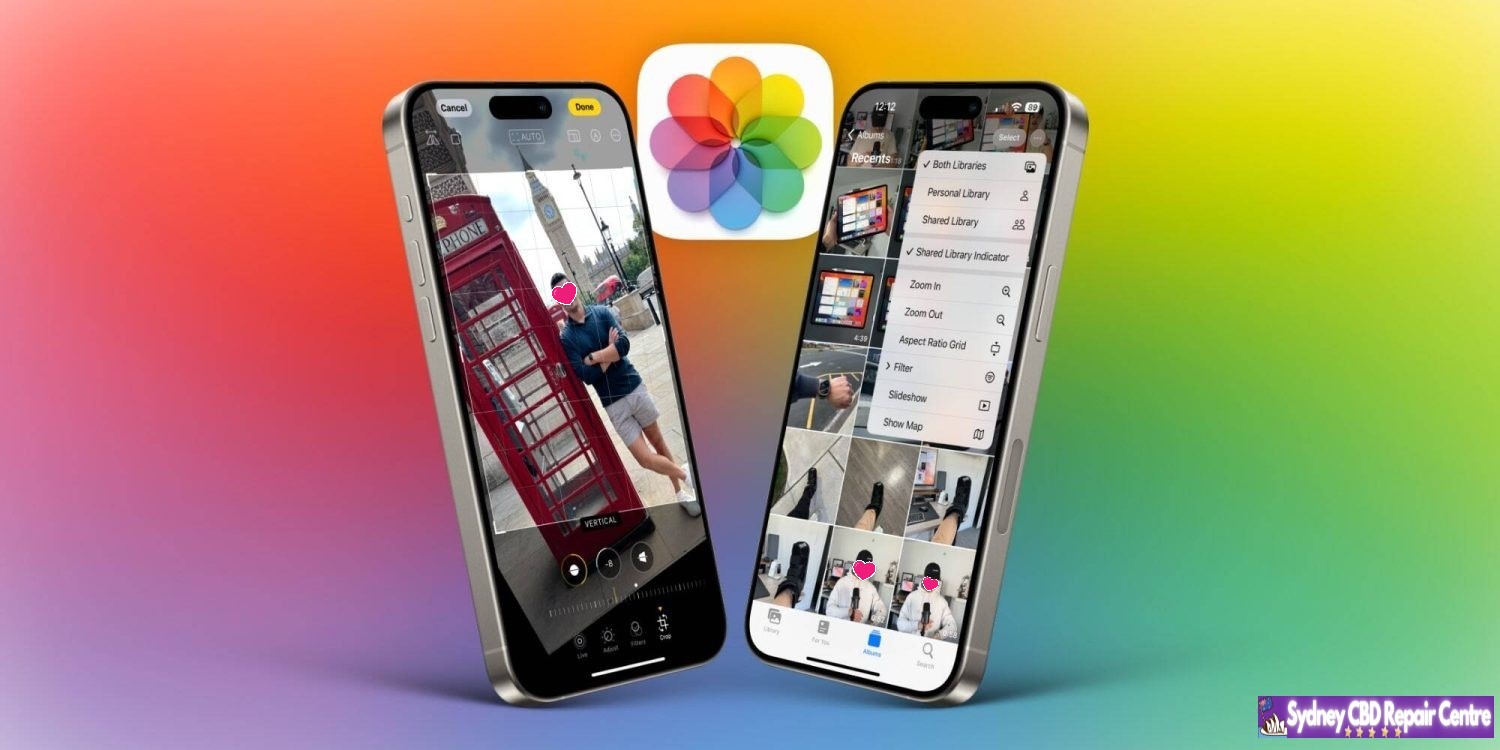
Earlier last week, Apple released iOS 17.5.1 to address a rare problem where deleted photos would reappear on a user’s device after installing iOS 17.5. In the release notes, Apple said this was caused by “database corruption.”
iCloud’s involvement
One question many people had is how images from dates as far back as 2010 resurfaced because of this problem. After all, most people aren’t still using the same devices now as they were in 2010. Apple confirmed to me that iCloud Photos is not to be blamed for this. Instead, it all boils to the corrupt database entry that existed on the device’s file system itself.
According to Apple, the photos that did not fully delete from a user’s device were not synced to iCloud Photos. Those files were only on the device itself. However, the files could have persisted from one device to another when restoring from a backup, performing a device-to-device transfer, or when restoring from an iCloud Backup but not using iCloud Photos.
Photos reappearing on sold devices? Nope.
In a now-deleted post, a Reddit user last week alleged that their photos reappeared on an iPad they sold to a friend, despite them having erased the content of that iPad prior to selling it. Apple tells me that this claim was false.
The company says that after a device has been completely erased using the steps below, all files and content are permanently deleted.
Open “Settings”
Choose “General”
Choose “Transfer or Reset”
Choose “Erase All Content and Settings”
Following these steps, everything is permanently deleted from the user’s device and there is no chance of old photos resurfacing down the line. In the Reddit user’s situation, they likely didn’t follow the correct steps when resetting their device before selling it … or they fabricated the situation hoping to earn some Reddit karma.
A rare problem
Top comment
Liked by 2 people
I actually intended to install iOS 17.5 just want to trigger this bug. I have an old 2018 iPad Pro, never factory reset during my 5 years of use. Used to have some photos that I either deleted or exported but lost forever. Last week I transferred data directly from that 2018 iPad to the new M4 iPad Pro that runs iOS 17.5. Haven’t seen anything yet.
Maybe I should try update my 2018 iPad Pro to 17.5 as well, but according to this article, if the bug appears, the old photos should appear on my new iPad as well.
Apple repeatedly emphasizes that this problem was rare and affected a small number of users and a small number of photos. The company did not and does not access a user’s photos or video.
This is still a disconcerting issue, but there is comfort to be taken in the fact that the photos in question were not stored in iCloud and could not have resurfaced on a device after it was properly erased and sold.
Also to note: iOS 17.5.1 doesn’t automatically re-delete photos that reappeared after updating to iOS 17.5. If you were affected by this problem, you’ll need to go to the Photos app and manually delete those images. The images will then be moved to the “Recently Deleted” album in the Photos app, where they will remain for 30 days. You can choose to immediately delete those images by choosing “Delete from All Devices” in the “Recently Deleted” album.
Last May 22,2024 the Unicode Consortium previewed the new emoji that are expected to be added to Apple’s upcoming OS updates, including iOS and iPadOS 18, watchOS 11, and more. Though the list isn’t finalized yet, it’s likely that everything outlined will be approved and added to the official set of emoji that platform owners like Apple and Google will adopt.
One standout from the list is a new ‘face with bags under eyes’ emoji that makes me feel truly seen. It’s undoubtedly bound to be one of the most popular additions. Other new emoji include a shovel, fingerprint, beet, and more.
New emoji up for approval
Here is the full list of new emoji expected to come to iOS 18:
face with bags under eyes
fingerprint
leafless tree
root vegetable
harp
shovel
splatter
With emoji that represent exhaustion, a barren tree, and a shovel, there seems to be a fairly bleak common theme here.
One important thing to note is that the images above are not representative of what Apple’s finalized emoji art will look like. Unicode creates its own representations of the emoji, but it will be up to Apple’s design team to fashion their own emoji art that’s most consistent with the other emoji on its platforms.
Timeline of emoji being available to users
Apple typically adds new sets of approved emojis to their new release of iOS, so it’s unlikely we’ll see any of these additions in September’s initial iOS 18 release. However, perhaps with 18.2 later in the year, or 18.3 or 18.4 early next year we’ll finally get our hands on the exhausted emoji we all deserve.
For reference, iOS 17.4 was the release that brought the last batch of new emoji.
We’ve been hearing a lot of rumors about the next generation iPhone SE, which is expected to be announced sometime next year with a major redesign compared to the current model. Of course, one of the main selling points of the iPhone SE is the more affordable price – and there’s some news about that.
Apple rumored to increase iPhone SE price
According to leaker @Revegnus1, the iPhone SE could be around 10% more expensive in the US following the launch of its next generation next year. Currently, Apple sells the iPhone SE 3 for prices starting at $429 for the 64GB version. A 10% increase would take the starting price to around $469.
At the same time, the leaker also claims that Apple wants to keep the price of the new iPhone SE below the $500 mark. There’s also a chance that the company will keep the same $429 price as the current generation.
For comparison, these are the starting prices for iPhones that Apple currently sells:
iPhone SE 3: $429
iPhone 13: $599
iPhone 14: $699
iPhone 14 Plus: $799
iPhone 15: $799
iPhone 15 Plus: $899
iPhone 15 Pro: $999
iPhone 15 Pro Max: $1199
Apple has a history of increasing the price of products when they receive a major redesign. This happened with the entry-level iPad in its 10th generation, which went from $329 to $449. More recently, the company brought the price back to $349.
Verdict
According to the latest rumors, the iPhone SE 4 will have the same design as the iPhone 14, with a 6.1-inch OLED display, flat edges, and Face ID. The current SE model is still based on the iPhone 8 design with a 4.7-inch LCD display and Home Button with Touch ID.
A price increase for the iPhone SE 4 to $469 or even $499 won’t come as a surprise. However, how Apple will differentiate the new SE from the iPhone 14 (which is expected to cost $599 when Apple launches the iPhone 16 later this year) remains unclear. The company could phase out the iPhone 14, for example.
Recent reports have revealed that Apple is working on a new ultra-slim iPhone for 2025 that would cost even more than the current Pro Max model. If that’s the case, we might see higher prices for the entire iPhone lineup next year.
The Information says Apple plans to introduce iPhone SE 4 in spring 2025.
In sum, that would make the new Pro lineup composed of black, white/silver, rose and natural titanium options. For the base iPhone 16 and iPhone 16 Plus, Kuo expects black, white, green, pink, and blue colorways.
These predictions generally match earlier expectations, although there had been some talk of a purple iPhone 16 model. Kuo does not mention purple in his message today.
The iPhone 16 lineup is expected to be officially announced in the fall, likely at a September media event. The phone’s design will mostly resemble their iPhone 15 counterparts, although the screen sizes on the Pro models is getting a smidge bigger. The dual-camera module on the 15 and 15 Plus is changing from a diagonal to a straight ‘traffic light’ arrangement.
The big new feature is expected to be the addition of a Capture Button, which will assist with taking videos and photos. The button is expected to be capacitive and respond to different levels of force pressure as input. For instance, users will be able to focus the camera in the viewfinder with a half-force press, and then press to actually take the camera. This is similar to how a traditional camera behaves.
With summer drawing near, we’re getting closer to the expected September debut of the iPhone 16 lineup. As a result, more details about the phones should start finding their way into the news.
One such update comes today from analyst Ross Young, writing on X in a subscriber post about the start of iPhone 16 display production.
iPhone 16 panels entering production soon
Young notes in his post that panels for the new iPhone 16 lineup are expected to begin in June, which would be on schedule with the timing of last year’s iPhone 15 production.
Display production taking place at the same time as last year means the iPhone 16 is on track to debut at the same time as last year’s iPhone 15, in mid-September.
Out of the full iPhone 16 line, which is expected to include four models yet again, the iPhone 16 and 16 Pro are said by Young to have the highest projected volumes in June, with 16 Plus and 16 Pro Max displays likely ramping up later in the summer.
Also today, dummy units for the iPhone 16 Pro and Pro Max were shared, revealing the expected larger display sizes on this year’s models. This will represent the first notable display size increase in several years, since the iPhone 12 line.
Verdict
With WWDC on the horizon, and Apple needing to produce millions of iPhones ahead of their fall launch, today’s news is unsurprising yet reassuring. Pending any future production issues, potentially from manufacturing new display sizes this year, the iPhone 16 should hit users’ hands around the same September timeframe that we’ve come to expect.
Apple has officially released iOS 17.5 to the general public. The update brings a handful of new features and changes for iPhone users. Head below for everything we know right now.
iOS 17.5 is now available
iOS 17.5 is now available to the public. You can head to the Settings app on your device, then choose General, then Software Update to install the update.
What’s new in iOS 17.5?
While iOS 17.5 isn’t quite as big of an update as other iOS 17 updates, it still includes its fair share of new features and updates.
Web Distribution in the EU
Within the European Union, the latest iOS 17.5 update introduces the capability to install applications directly from a developer’s website. Apple unveiled this new “Web Distribution” feature last month, explaining that it allows developers to distribute their iOS apps straight from their own websites.
To utilize this functionality, developers must opt into the updated App Store business terms, which requires paying a Core Technology Fee of €0.50 for every first annual installation exceeding one million in the preceding 12 months.
Any application disseminated through the web will still need to adhere to Apple’s notarization guidelines. Apps can only be installed from a website domain that the developer has registered in App Store Connect. Apple will also provide a range of APIs for developers to integrate with system functionality.
New Quartiles game for Apple News+
In the Apple News app, Apple News+ subscribers in the United States and Canada will find a new “Quartiles” word game after updating to iOS 17.5. The game prompts players to select from a grid of tiles to form words.
Quartiles is the third game to come to Apple News+, following the addition of daily crossword and crossword mini-games that were added last year.
iOS 17.5 also adds Game Center integration to all three of the Apple News+ games. With this feature, you can now see leaderboards for each of the three games for Daily Solve Time and Daily Score stats.
Apple News offline
Also for Apple News+ subscribers, iOS 17.5 introduces a new “Offline Mode.” This feature “makes it easy to access the hundreds of magazines, newspapers, narrated articles, and more included in a News+ subscription — no matter where you are,” according to Apple.
Apple News+ subscribers can now enjoy Offline Mode on iPhone and iPad to automatically download Top Stories, Apple News Today audio briefings, full magazine issues and narrated articles from News+ publishers, and puzzles to access later, without Wi-Fi or a cellular connection. When the device is back online, downloaded content will automatically refresh, and downloads will be optimized to maximize space on the device.
Design changes
iOS 17.5 also includes a few small design changes that are worth pointing out:
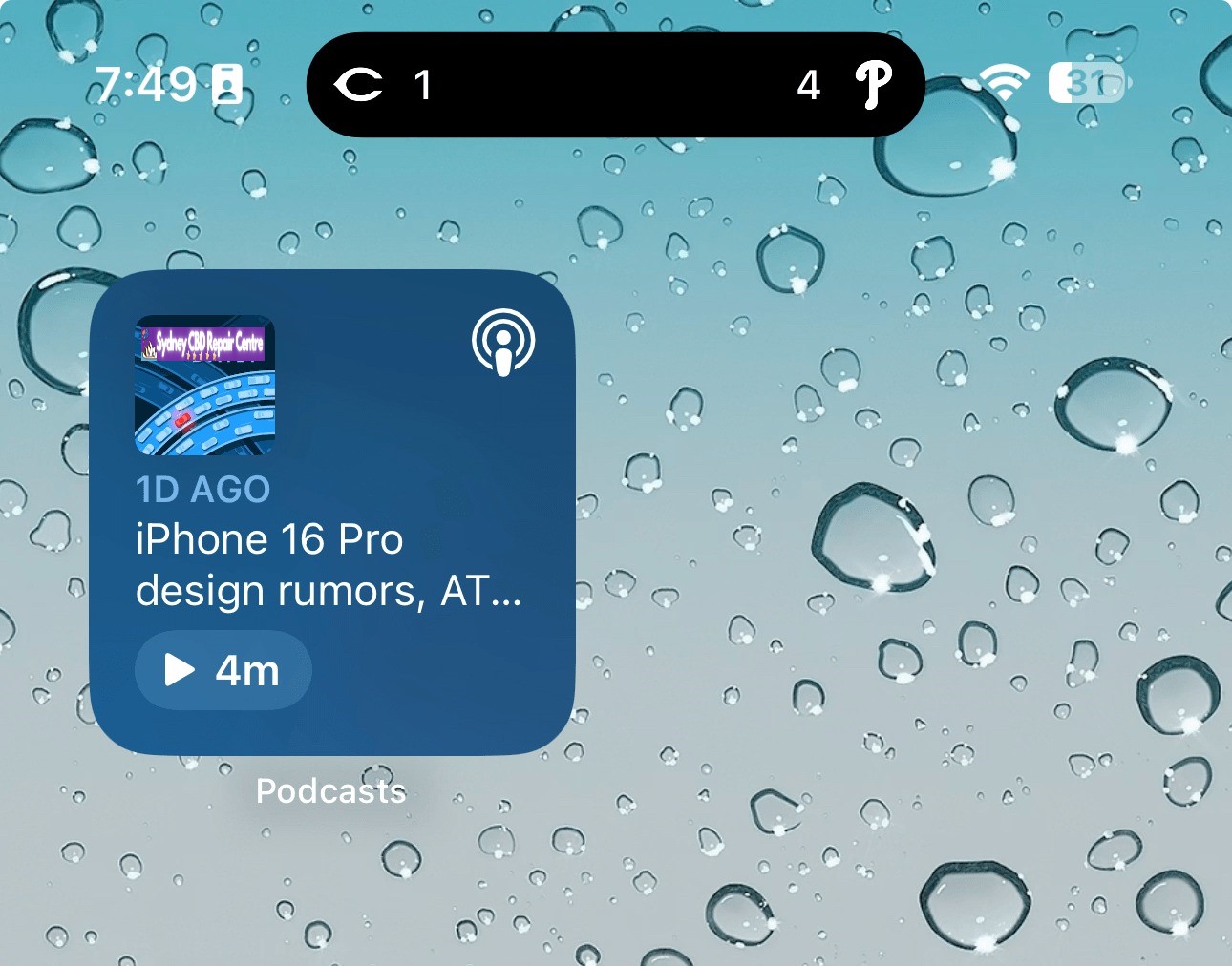
The Podcasts widget has been updated to have a new dynamic color that changes based on the artwork of the podcast you’re currently playing.
In the Apple Books app, Apple has redesigned the “Reading Goal” icon in top navigation bar.
In the Settings app, there is a new glyph for the “Passkeys Access for Web Browsers” menu under “Privacy & Security.”
New Pride wallpaper
iOS 17.5 also includes a new Pride Collection of wallpapers for iPhone and iPad users, as is tradition. The new dynamic wallpapers come as part of Apple’s goal to “champion global movements to protect and advance equality for LGBTQ+ communities.”
As explained by Apple, iOS 17.5 includes a new system centered around anti-stalking capabilities for accessories like AirTags. This development follows Apple’s announcement last year of a partnership with Google to collaborate on a new “industry specification to combat unwanted tracking.”
Strings added to the Find My app reveal that iOS will be able to identify tracking accessories, even those that are not Apple or Find My certified, and assist users in disabling them.
One of the new strings states, “This item lacks certification on the Apple Find My network. You have the option to disable this item and prevent it from sharing its location with the owner. To proceed, follow the instructions provided on a website by the manufacturer of this item.”
These changes come as Google started rolling out its new Find My Device network for Android on April 8.
New ‘Repair State’
Also in iOS 17.5, Apple has added a new “Repair State” feature to Find My. This feature lets users confirm with their Apple ID and password that they’re about to send their iPhone in for a repair. As a result, Apple technicians can confirm that the person owns the iPhone and then proceed with the repair without the need to turn off Stolen Device Protection and Find My.
Essentially, this ensures that users can still track their device using Find My while it’s being repaired. Previous, Apple required users to disabled Find My altogether.
iOS 17.5’s security fixes
Finally, in addition to all the new features and changes, iOS 17.5 also includes 15 notable security patches for iPhone users. Notably, none of the 15 vulnerabilities were reported as previously exploited.
You can find the full list of these changes in our dedicated coverage. Even if none of the new features in iOS 17.5 are tempting for you, we recommend updating as soon as possible for those security fixes.