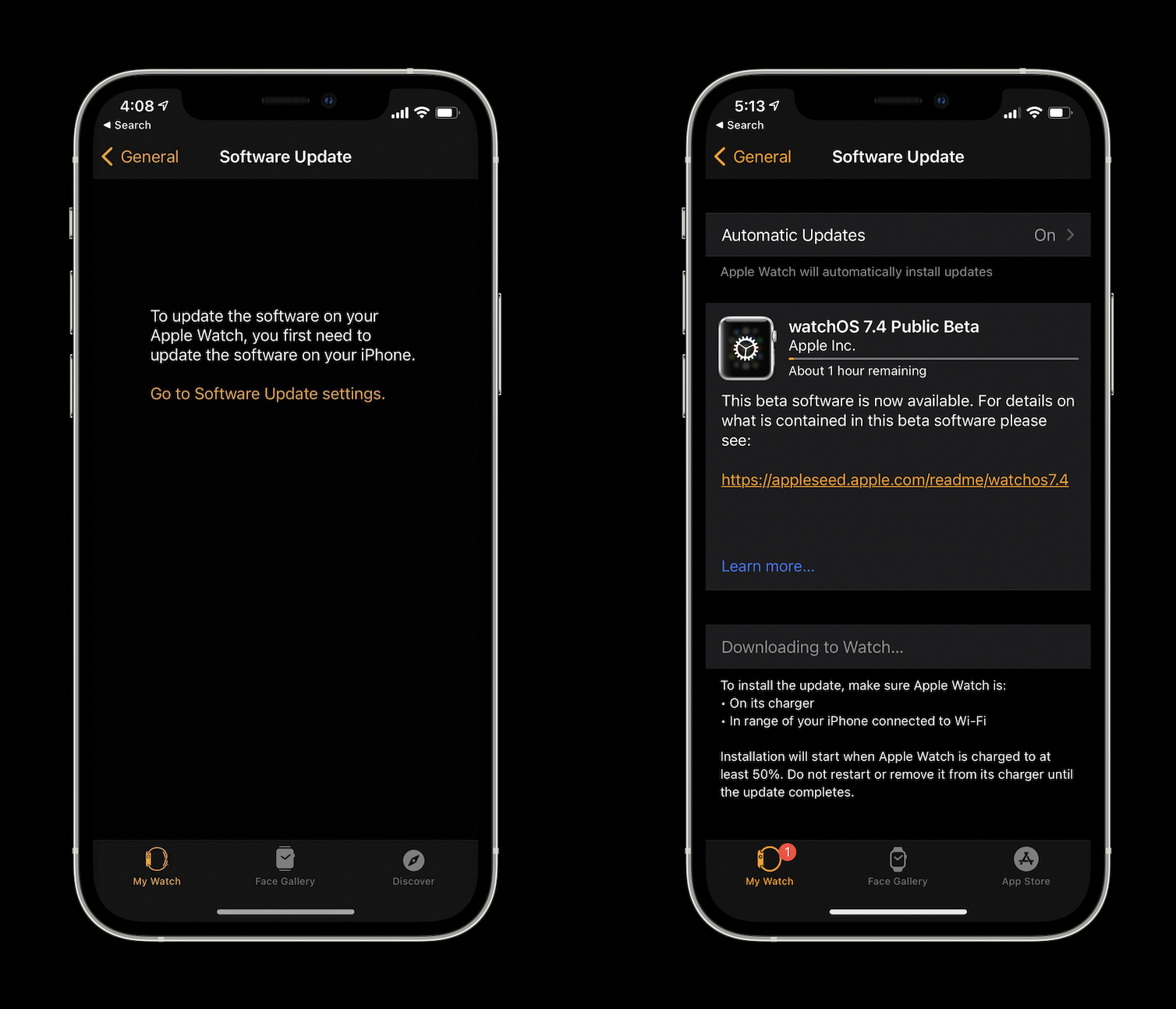
At first, it appeared the iOS 14.5 public beta arrived without the watchOS 7.4 this afternoon. However, the latest watchOS beta is now available, it’s just slightly hidden as it only shows up after first upgrading to iOS 14.5. watchOS 7.4 brings the handy Apple Watch Unlock feature for iPhone when wearing a mask.
watchOS 7.4 public beta 1 arrives after the developer beta was seeded this past Monday. Funny enough, while we didn’t see it as available alongside iOS 14.5 public beta 1 today, it appeared only after installing the update on iPhone.
watchOS 7.4 brings the highly anticipated new Apple Watch Unlock feature for iPhone that works when Face ID notices you’re wearing a face mask which allows you to skip having to use your passcode.
Be sure to upgrade your iPhone to the iOS 14.5 public beta first, then you should see the watchOS public beta for 7.4 appear on iPhone in the Watch app > General > Software Update.
The iOS 14.5 developer and public beta includes a number of new features and changes, but one of the most exciting is the ability to unlock iPhone with your Apple Watch when Face ID detects you’re wearing a mask. Let’s look at how to install the iOS 14.5 beta as well as watchOS 7.4 beta to get access to this useful new feature and more.
The new feature getting the most attention is the Unlock with Apple Watch feature for iPhone. It works by detecting when you’re wearing a face mask and using your watch to authenticate, letting you bypass your passcode.
How to install iOS 14.5 beta and watchOS 7.4 beta
Note: watchOS 7.4 beta required to use the new Unlock with Apple Watch for iPhone feature.
Upgrade to the iOS 14.5 public beta
Make sure you have a fresh backup for your iPhone (Apple recommends with your Mac)