There’s been an iOS bug for years that gobbles up a big percentage of an iPhone’s available storage. The issue persists in iOS 17.4 and 17.5 but fortunately, there are solutions that don’t involve wiping your iPhone. Here’s how to fix the iPhone System Data storage bug.
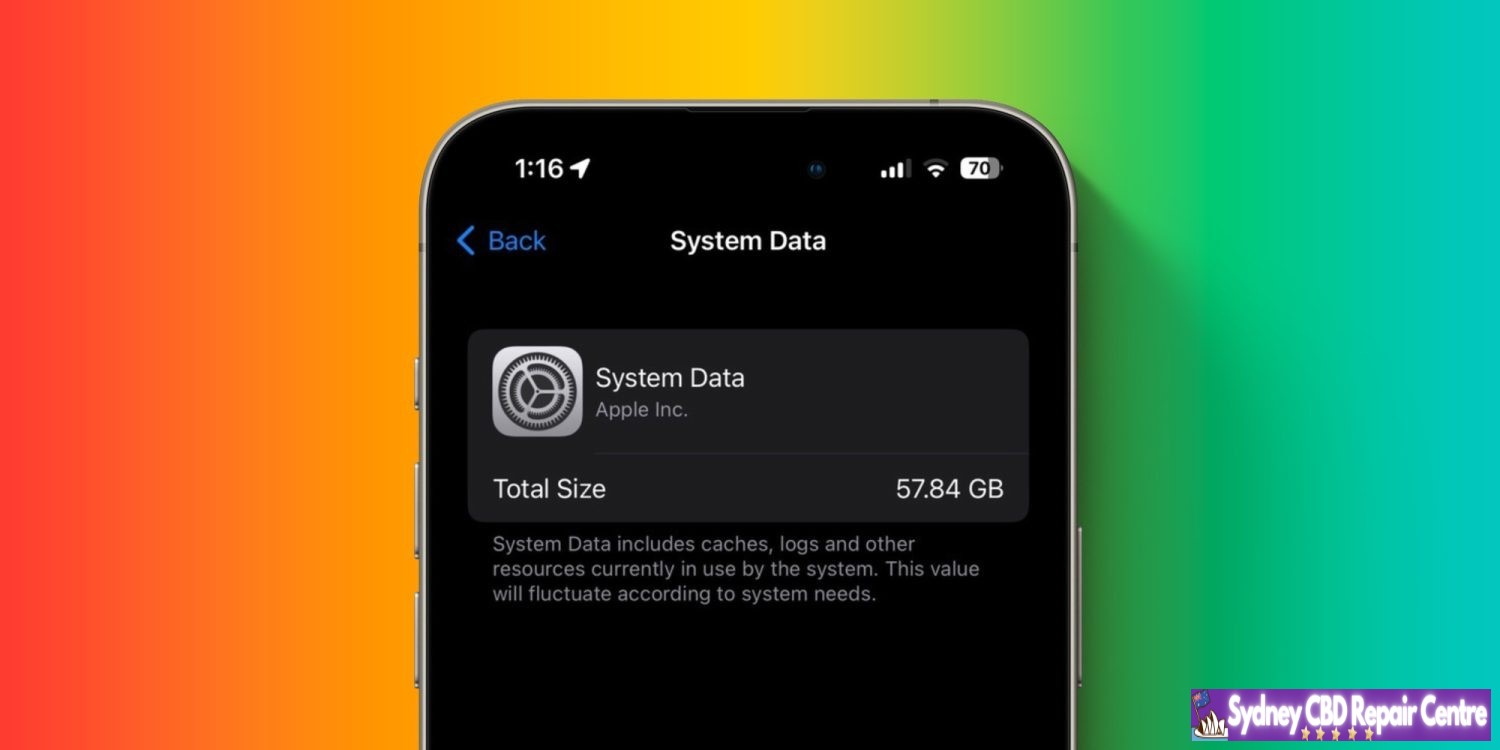
Across Apple’s Community forums, Reddit, and more, iOS users have complained about the iPhone System Data storage bug for years (some reports date back to iOS 13). I haven’t had trouble with the bug until iOS 17.3-17.5 where I’ve seen up to 60 GB of storage eaten up by iOS System Data.
And it’s not just a reporting bug, the storage used by System Data is unusable. Unlike the cache in individual iOS apps or Apple apps like Safari, there’s no button to quickly empty System Data. Here’s how Apple describes what it’s used for:
System Data includes caches, logs and other resources currently in use by the system. This value will fluctuate according to system needs.
Apple hasn’t offered an official solution to the problem, but there are several ways to resolve the issue. We’ll start from the simplest and quickest option to more involved tactics.
How to fix the iPhone System Data storage bug
You can see how much storage System Data is using on your iPhone by heading to Settings > General > iPhone Storage > Go to the very bottom > System Data
Try powering off and powering on your iPhone
Head back to iPhone Storage > System Data to see if that’s helped
This alone has worked to reduce my System Data by over 50 GB (but sometimes in days or weeks it will inflate again with further restarts helping)
Change iMessage history to keep for 1 year or 30 days instead of Forever
Head to Settings > Messages > Keep Messages > 1 year or 30 Days
Some users report having success with deleting and reinstalling Apple TV to clear the cache and doing the same with apps like Instagram, TikTok, Discord, Slack, etc.
Clear your Safari cache
Settings > Safari > Clear History and Website Data (note: this impacts any sites you were logged into, etc.)
Via Reddit user Vertsix, there is a more complex “date trick” that seems to work reliably to purge iOS System Data – make sure to follow the steps as described to avoid losing iMessages in the process
Above is my before and after power cycling my iPhone – 60.58 GB to 8GB usage for System Data.
Google’s Find My Device (FMD) network was originally supposed to launch in the summer of 2023, but it was delayed until Apple implements unknown tracker alerts. The upcoming iOS 17.5 update is adding that support.
Apple released iOS 17.5 Beta 1 and strings detailing how the iPhone will be able to detect third-party trackers. Once found, iOS will direct users to instructions on how to disable them.
For example: “This item isn’t certified on the Apple Find My network. You can disable this item and stop it from sharing its location with the owner. To do this, follow the instructions provided on a website by the manufacturer of this item.”
As of today’s release, this capability is not yet enabled and there’s no user-facing UI. It might go live with later betas and ultimately be ready when iOS 17.5 hits stable.
Looking at past schedules, iOS 17.5 might launch in May. After that update sees wide adoption, Google’s FMD network will be clear of any obstacles.
Google has been waiting “until Apple has implemented protections for iOS,” so that FMD devices cannot be used to track iPhone owners without warning. This delayed the original summer 2023 launch of the network that will leverage over 1 billion Android to periodically check for nearby devices to crowdsource the location of missing ones. The new Find My Device network can “locate devices that are offline or that don’t have location capabilities.”
Several tracker tags were delayed as a result of Google’s safety stance, while phones and earbuds, like Pixel Buds, have also been prevented from adding these capabilities.
iOS 17.5 to introduce new system to disable unwanted tracking accessories
Apple last year announced a partnership with Google to work on a new “industry specification to address unwanted tracking” after many concerns about stalkers using accessories like AirTags to silently track people. Now it seems that Apple is planning to launch these new anti-stalking features with iOS 17.5.
Detecting and disabling unwanted tracking accessories
As found evidence of these new anti-stalking features in the internal code of iOS 17.5 beta, which was released to developers on Tuesday. Strings added to the Find My app reveal that iOS will identify tracking accessories, even when they’re not Apple or Find My certified, and help users disable them.
“This item isn’t certified on the Apple Find My network. You can disable this item and stop it from sharing its location with the owner. To do this, follow the instructions provided on a website by the manufacturer of this item,” reads one of the new strings.
The feature doesn’t seem to be enabled for beta users for now, but this is strong evidence that it may become available with the official release of iOS 17.5. Companies including Samsung, Tile, Chipolo, Eufy, and Pebblebee have expressed interest in supporting this technology.
At the time, Apple and Google said they would create a new universal system for iOS and Android to detect and alert users about unwanted tracking accessories. Currently, iOS is already able to detect unwanted Bluetooth location-tracking devices, but only when they’re Find My certified. The company also offers an Android app to detect AirTags.
More about iOS 17.5
iOS 17.5 beta 1 doesn’t seem to bring any significant changes, as we’ve only seen a few minor tweaks so far. Apple is likely to release iOS 17.5 to the public next month, as the company is also rumored to launch new iPads and accessories in May.
iOS 17.5 beta 1: Here’s everything new
Apple released iOS 17.5 beta 1 to developers, after a month-long gap with zero beta releases. While iOS 17.5 beta 1 is a relatively minor update, there are a few things worth pointing out. Head below for more.
iOS 17.5 beta details
iOS 17.5 beta 1 features build number 21F5048f. It’s available now to registered developers, who can update via the Settings app by going to “General” and then choosing “Software Update.” We expect iOS 17.4 to be released to public beta testers sometime later this week or next week.
What’s new in iOS 17.5 beta 1?
Web installation
In the European Union, iOS 17.5 enables support for installing apps directly from a developer’s website. Apple announced this new “Web Distribution” feature last month, explaining that it lets developers distribute their iOS apps directly from their website.
To use this feature, developers will have to opt into the new App Store business terms, which means they will pay the Core Technology Fee of €0.50 for each first annual installation over one million in the past 12 months.
Any app distributed through the web will still be required to meet Apple’s notarization guidelines. Apps can only be installed from a website domain that the developer has registered in App Store Connect. Apple will also make a number of APIs available for integration with system functionality for developers.
While iOS 17.5 beta 1 lays the groundwork for this feature, there currently aren’t any developers offering their apps via this new Web Distribution feature. We don’t expect this to change until iOS 17.5 is released to the general public in May.
Design changes
iOS 17.5 beta 1 also includes a few small design changes throughout the operating system.
In the Settings app, there is a new glyph for the “Passkeys Access for Web Browsers” menu under “Privacy & Security.”
The Podcasts widget has been updated to have a new dynamic color that changes based on the artwork of the podcast you’re currently playing.
New unwanted tracking system
According to code found, iOS 17.5 appears to include a new system based around anti-stalking features for accessories like AirTags. This comes after Apple last year announced a partnership with Google to work on a new “industry specification to address unwanted tracking.”
Strings added to the Find My app reveal that iOS will identify tracking accessories, even when they’re not Apple or Find My certified, and help users disable them.
“This item isn’t certified on the Apple Find My network. You can disable this item and stop it from sharing its location with the owner. To do this, follow the instructions provided on a website by the manufacturer of this item,” one of the new strings says.
More
According to Aaron Perris on Twitter, iOS 17.5 also includes an update for MDM users: “MDM solutions can now enforce a beta version during automated device enrollment.”
New in iOS/iPadOS 17.5 and macOS 14.5: MDM solutions can now enforce a beta version during automated device enrollment!
Whether Apple has more changes planned for iOS 17.5 beyond what was launched today remains to be seen. The focus is clearly on the European Union, where Apple continues to adapt to the Digital Markets Act being enforced by the European Commission.
iOS 17.5 will likely be released to the broader public sometime in mid-to-late May. It will be the last iOS 17 update released before Apple unveils iOS 18 at WWDC in June.
iOS provides developers with an API to lock apps with Face ID or Touch ID. However, not every app has this option, and there’s no way to completely hide apps from your device. Luckily, “App Lock” is a simple but powerful app that helps users protect and even hide any apps on their iPhone and iPad. Read on as we detail how the app works.
Lock and hide apps on your iPhone with App Lock
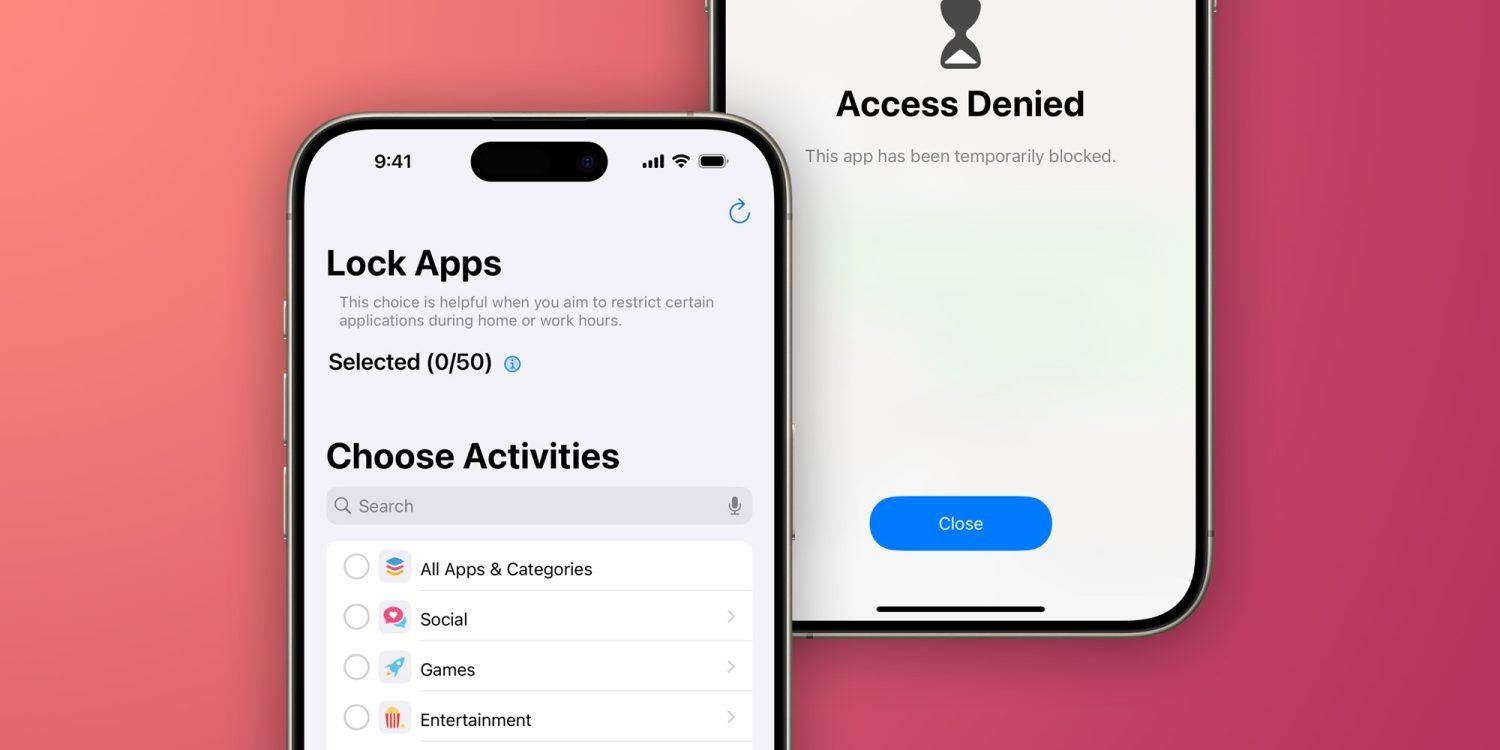
App Lock essentially brings a long-awaited feature for iOS users: the option to completely hide apps or lock them with Face ID or Touch ID. The app doesn’t rely on complex modifications or tricks. Instead, it uses the Screen Time API to control access to apps and system settings.
Once you open App Lock, you’ll see a list of all the apps installed on your iPhone or iPad. Just like the Screen Time settings, App Lock will show your apps organized by category, making it easy to hide or lock multiple apps at once. For example, you can hide all your banking apps with just a few taps by selecting the Productivity & Finance category.
The first tab of the app lets you lock your apps with biometrics, while the second “Conceal” tab completely hides the apps you’ve chosen – even from the App Library. Once you’ve chosen the apps you want to lock or hide, tap Start and you’re done.
In addition to being more intuitive than Screen Time’s native settings, a major advantage of App Lock is that it immediately locks apps, whereas Screen Time forces users to set a time limit for apps before locking them. Of course, to access or unhide apps, you must open App Lock again – which is protected by biometrics and a PIN code.
App Lock also has advanced options for blocking the installation and removal of apps, disabling in-app purchases, and restricting changes to iOS settings.
You can try App Lock for free. However, unlocking the full app requires a paid subscription. It’s a bit pricey, but it can be worth it for its privacy and security features. It’s worth noting that it requires an iPhone or iPad running iOS 16 or later.
According to a new analyst note from Jeff Pu at Haitong International Tech Research, Apple is planning changes to the A18 Pro chip specifically for on-device artificial intelligence. Pu also writes that Apple is ramping up A18 Pro chip production earlier than usual.
The news comes as we continue to learn more about Apple’s plans for AI features this year, including how it will balance on-device versus cloud-based solutions.
iPhone 16 Pro’s new AI-focused chip
In the investor note, Pu, who is often a reliable source for Apple chip rumors, says:
According to our supply chain checks, we are seeing growing demand for Apple’s A18, while its A17 Pro volume has stabilized since Feb. We note Apple’s A18 Pro, the 6-GPU version, will feature a larger die area (compared to A17 Pro), which could be a trend for edge AI computing.
Increasing the die area of a chip means that it can accommodate more transistors and specialized components, generally allowing increased. On the other hand, as die size increases, so do the risks of defects and design flaws. It could also impact energy efficiency and heat dissipation. This is the balance Apple will have to strike as it ramps up A18 Pro production ahead of the iPhone 16’s launch later this year.
Edge AI computing, meanwhile, refers to artificial intelligence that is processed directly on device as opposed to in the cloud. Apple is believed to be taking a split approach to its AI features this year, relying on cloud infrastructure (potentially in partnership with Google) for some features, while running other features completely on device.
Simply stated, edge AI, or “AI on the edge“, refers to the combination of edge computing and artificial intelligence to execute machine learning tasks directly on interconnected edge devices. Edge computing allows for data to be stored close to the device location, and AI algorithms enable the data to be processed right on the network edge, with or without an internet connection. This facilitates the processing of data within milliseconds, providing real-time feedback.
This isn’t the first report to suggest Apple has changes to the A18 chip planned particularly focused on artificial intelligence. A report last month suggest that the A18 will “greatly increase the number of built-in AI computing cores” with a more powerful Neural Engine.
Both the iPhone 16 and iPhone 16 Pro are rumored to are expected to feature a version of the A18 chip this year. Currently, the iPhone 15 uses the A16 chip and the iPhone 15 Pro uses the A17 Pro chip. Jeff Pu’s report today seems to suggest that only the A18 Pro, destined for the iPhone 16 Pro and iPhone 16 Pro Max, will feature the AI-focused changes.
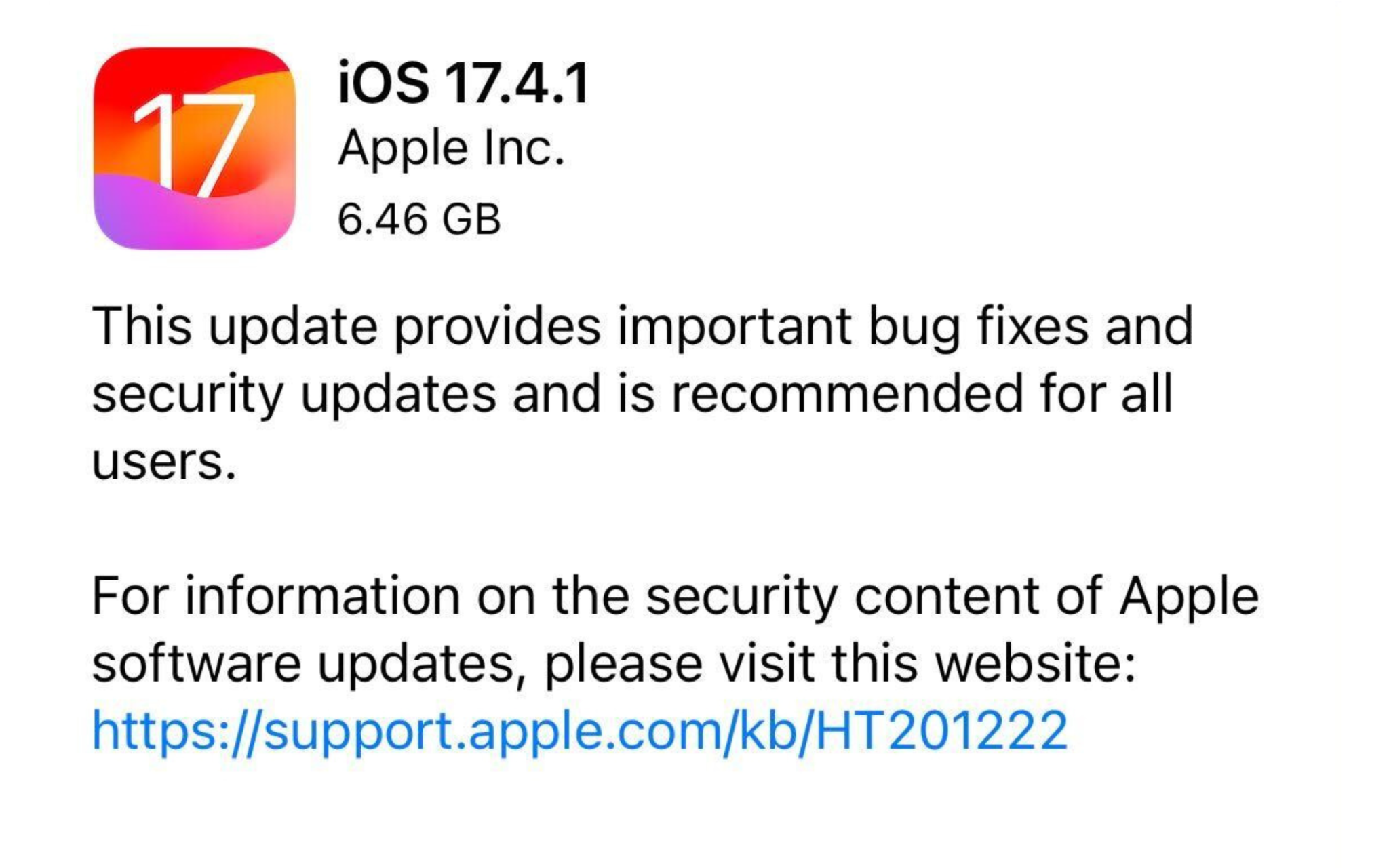
Last week, Apple released iOS 17.4.1 with rather vague release notes claiming to include important bug fixes and security patches. Now, two days later, the company has not yet added any specifics. This is unusual for Apple, which typically lists important security patches hours after a release, and suggests that the ones in iOS 17.4.1 could be significant or something else entirely.
The update comes two weeks after the release of iOS 17.4, which brought major changes to the iPhone in the European Union, mostly around the App Store, with support for alternative app marketplaces.
The release notes for iOS 17.4.1 simply say, “This update provides important bug fixes and security updates and is recommended for all users,” with a message to visit an Apple support page for additional information. The page, however, notes that details on the update are still “coming soon.”
This is not a coincidence. And could mean several things.
It’s possible Apple doesn’t want to disclose details about the iOS 17.4.1 security patches before the company has concluded its own investigation, which could point to something more significant. The update we received may have been a fix to prevent further exploitation.
On Sunday night March 17,2024 , Bloomberg reported that Apple is in talks with Google about licensing its Gemini technology to power some AI features coming to the iPhone. A new report from The New York Times today echoes those claims, citing “three people with knowledge of the discussions” between Apple and Google.
Today’s story corroborates what Bloomberg’s Mark Gurman was first to report on Sunday. The NYTimes reiterates:
Apple is in discussions with Google about using the search giant’s generative artificial intelligence model called Gemini for its next iPhone, as the company races to embrace a technology that has upended the tech industry.
The talks are preliminary and the exact scope of a potential deal hasn’t been defined, three people with knowledge of the discussions said. Apple has also held discussions with other A.I. companies, one of these people said, as it looks to tap into the power of a large language model capable of analyzing vast amounts of data and generating text on its own.
Citing “two people familiar with its development,” today’s report also says that Apple’s effort to “develop its own large language model” has been running behind the likes of ChatGPT and Gemini.
Bloomberg’s initial report included additional details about the scope of the talks between Apple and Google. Apple is preparing a wide array of new AI features for iOS 18, which is set to debut at WWDC in June. Bloomberg says we shouldn’t expect any announcement from Apple about a partnership until WWDC at the earliest.
Besides using Gemini to power features in its apps and services, Google offers its LLM to third-party developers. Apple is reportedly in talks with Google to license Gemini for the iPhone.
According to Bloomberg, there are “active negotiations to let Apple license Gemini, Google’s set of generative AI models, to power some new features coming to the iPhone software this year.” Apple has also talked with OpenAI, which powers Microsoft’s AI capabilities.
Apple is specifically looking to partner on cloud-based generative AI, with today’s report citing text and image generation as examples of what Gemini could be used for. At the same time, Apple is working on offering its own on-device AI models and capabilities with the upcoming iOS 18 release.
The discussions are still underway, and it’s unclear how the AI agreement will be branded. This would be a significant expansion of the existing relationship — default search engine — between the two companies.
Looking at the rest of the industry, Google announced a partnership with Samsung in February to have Gemini power summarization features in the Galaxy S24’s notes and voice recording apps, as well as keyboard. Samsung is also using Imagen 2 text-to-image diffusion for a generative editing feature in the photo gallery app. Those features all require server-side processing, but Samsung is also using an on-device version of Gemini.
Google offers Gemini in three sizes, with Pro being used by most first and third-party apps. Gemini 1.0 Pro powers the free version of gemini.google.com, while 1.0 Ultra is used in the paid Gemini Advanced tier.
Gemini 1.0 is available in stable, but Google in mid-February previewed Gemini 1.5 with a greatly expanded context window that allows for more information to be absorbed. This can make the “output more consistent, relevant and useful.”
Gemini Ultra: Largest and most capable model for highly complex tasks
Gemini Pro: Best model for scaling across a wide range of tasks
Gemini Nano: Most efficient model for on-device tasks
Bloomberg does not expect a deal to be announced until WWDC in June, with Apple opting for OpenAI or even multiple providers offered as possibilities in today’s report.
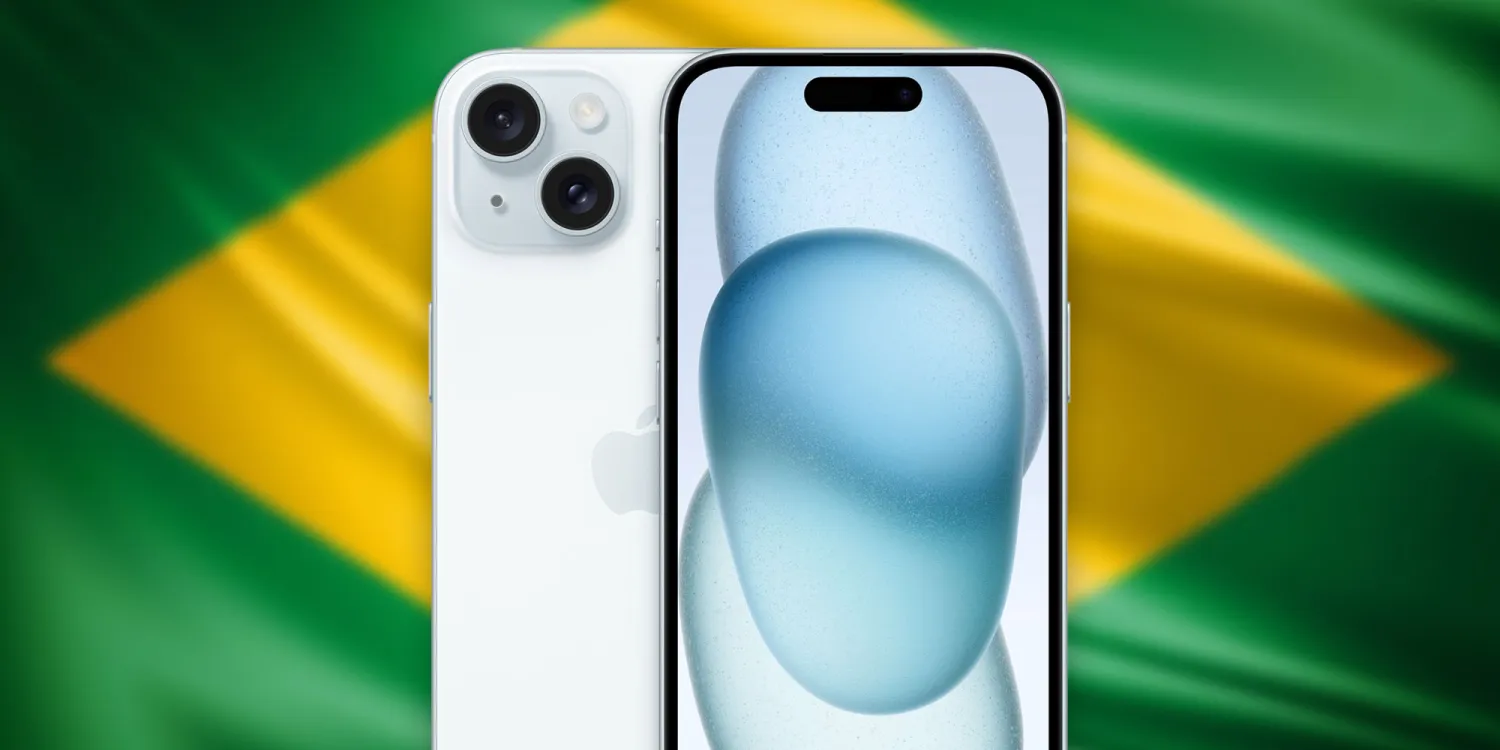
While China is still responsible for manufacturing most of Apple’s devices, the company does have some assembly facilities around the world. One of these facilities is Foxconn Brazil, located in São Paulo. There, Apple is now assembling the 6.1-inch iPhone 15.
iPhone 15 now assembled in Brazil
As noted by the Brazilian blog MacMagazine, Apple seems to be shipping iPhone 15 units assembled in Brazil. The company has not confirmed the news and there’s no explicit evidence of this on Apple’s website. However, Apple’s online store in Brazil gives customers a clue as to which model they’re getting.
When checking the URL of the checkout webpage for the iPhone 15, customers will now notice the part number ending with “BR/A,” which is used to identify Apple products assembled in Brazil. Most products are identified with “BE/A” or “BZ/A” to indicate that they’ve been imported to be sold in the country.
Interestingly, Apple has once again chosen to only assemble the 6.1-inch iPhone model in Brazil. The iPhone 15 Plus and both Pro models sold in the country are still imported from China. This may be due to the entry-level model likely being the most popular in Brazil, given the high prices of the iPhone in the South American country.
Brazil imposes high taxes on imported products. For that reason, some companies invest in assembling their products in Brazil, as this grants a reduction in taxes to sell those products. The 128GB iPhone 15 was launched for R$7,299 (around $1,460) in Brazil, but can now be found for as low as R$5,399 (about $1,080) in certain retail stores.
Apple diversifying its assembly chain
While assembling iPhones in Brazil benefits Brazilian customers, it also benefits Apple – and not just because of the opportunity to sell more iPhones. Having assembly facilities in other regions allows Apple to depend less on China and can help the company avoid supply shortages in the local market.
In addition to Brazil, Apple has also been investing in its assembly facilities in India and Vietnam. Last year, Indian customers were able to buy iPhone 15 models assembled in India on the very first day of sales.
Apple is widely rumored to be working on a new fourth-generation iPhone SE with a modern design refresh. New CAD files obtained by 91mobiles this week claim to offer our clearest look yet at this update, showing an iPhone SE 4 with an iPhone 14-style design.
The current iPhone SE was released in 2022 and features a 4.7-inch display with a Home button, similar to the iPhone 8. It’s powered by the A15 Bionic chip inside, features Touch ID instead of Face ID, and retails for $429.
These CAD renders suggest the iPhone SE 4 will feature a 6.1-inch display with a notch along the top that houses new Face ID sensors and the front-facing camera. On the back, there is a single camera cutout alongside a flash sensor.
According to 91mobiles, the iPhone SE 4 will measure 147.7 x 71.5 x 7.7mm. The current iPhone SE measures 138.4 x 67.3 x 7.3 mm. These dimensions show just how bigger the iPhone SE 4 will get to accommodate the bigger 6.1-inch display.
Previous rumors have also suggested that the iPhone SE 4 will have USB-C instead of Lightning. There’s even been one rumor claim it will feature the Action button – which is currently exclusive to the iPhone 15 Pro.
There’s still no exact details on when Apple might release the iPhone SE 4, but the current expectation is that it likely won’t be until 2025. The device has been rumored off and on for the past 18 months. Ming-Chi Kuo reported last April that Apple had paused development of the iPhone SE 4.
Verdict
It’s a sad day for everyone who had hoped the iPhone SE 4 would be based on the iPhone 12 mini and iPhone 13 mini form factor.
iOS 17.4 is a massive new iOS update for iPhone users, and includes new features to support European Union regulations, which makes it possible for to use alternative app marketplaces. However, the recent changes aren’t just limited to those who fall under EU jurisdiction. iOS 17.4 has tons of new changes and features, like new emoji, new Apple Music and Apple Podcasts updates, an updated “Hello” screen, and much, much more.
Notable iOS 17.4 updates
Podcast transcription
My favorite iOS 17.4 change relates to the Podcast app. I appreciate it even more since I recently launched a brand new podcast called 9to5Mac Overtime with my colleague Fernando Silva. The Podcast app now has text transcriptions that work similarly to the lyrics view in Apple Music. As the hosts talk, you’ll see each word from the transcription highlighted, and the highlights will adjust in real-time based on playback speed.
Another nice thing about text transcription in Apple Podcasts is the ability to search for a term quickly and jump directly to a specific part of the show with just a tap. I’m impressed with the accuracy of podcast transcription, and I was surprised at how well it accommodated my Kentucky twang.
iOS 17.4 RC changes and features
Apple Cash virtual card numbers and Safari autofill
Apple Cash gets more valuable thanks to the new virtual card numbers that can be regenerated on the fly in iOS 17.4. These numbers let you use your Apple Cash balance at merchants that don’t use Apple Pay. It also includes the ability to autofill card numbers in Safari and will even reflect your Apple Cash balance on the autofill button so that you know if you’ll be able to cover the balance in advance.
Music recognition
Updated integrated Shazam music recognition can now add a song directly to your Apple Music library or a specific playlist. Music recognition will also let you add classical music songs to Apple Music Classical.
Stolen Device Protection update
Stolen Device Protection gains additional security in iOS 17.4 thanks to a new option that lets you enforce the 1-hour delay at all locations before you can access critical areas of your iPhone. In previous versions of iOS, the security delay was only enforced when not in a familiar location.
Battery Health
Apple updated battery health by decoupling Battery information from Charging Optimization. It also instituted a new, more straightforward Battery Health status, similar to what Mac users have. In addition, pertinent battery information like cycle count, manufacture date, and first usage date now reside directly within Settings → Battery → Battery Health.
Full list of what’s new in iOS 17.4
Updated “Hello” Screen
New emoji
18 new right-facing body emoji
City Digital Clock Widget
Apple Podcasts full episode text
Apple Podcasts transcripts
Podcast app Home tab replaces Listen Now
Music recognition update
Music app “Home” tab replaces “Listen Now”
Apple Music Classical Music Recognition
Updated Lock Screen song title animation
Siri announces messages in any supported language
Stolen Device Protection update
Battery Health decoupled from charging
Battery Health Status
Additional Battery data
Passkeys Access for Web Browsers
Apple Cash virtual card numbers
Apple Cash autofill in Safari
Updated dialer background for unknown calls
Quantum Computer Protection for iMessage
Support for game streaming apps
Updated TV app channel links
Updated “How to Watch” in TV app
Updated iCloud glyph in Files app
Updated App Store user settings
Other iOS 17.4 bug fixes
CarPlay Updates
Beats Solo 4 Headphones
iOS 17.4 isn’t all about EU regulatory changes, but there are noteworthy updates that all users, regardless of location, will benefit from. Highlighted a few in this post, but as you can see from the bullet point list above, there are tons of new changes and features in iOS 17.4, not to mention the various bug fixes and security updates.
iOS 17.4 RC was stable in my brief hands-on time with the release. This is likely the version that Apple will launch next week. We’ll know if next week’s release sports the same 21E217 build number.