Samsung is on a roll as of late with device updates for a number of handsets. The October 2022 security update is even rolling out for a number of Samsung Galaxy phones and even a few tablets.
Samsung October 2022 security update – here’s what’s new:
No details have been released for the latest Android Security Update Bulletin, but we expect that to change over the coming days as Pixel devices catch up – usually on the first Monday of the month. Samsung has yet to update their own tracker for Galaxy smartphones, but that too will likely be updated very soon.
Some Samsung Galaxy devices are part of the One UI 5.0 beta program, which means that the Android 13 stable should be right around the corner.
Devices with the Samsung October 2022 security update
As is often the case, the Korean tech giant has a fairly consistent approach to updates. It’s usually the latest and greatest Galaxy devices such as the S series get updated first. While it’s not always the case, this seems to be true.
This list will include a note on where the update first debuted and if it is also available in the United States. As usual, the latest additions will be marked in bold.
Galaxy S series
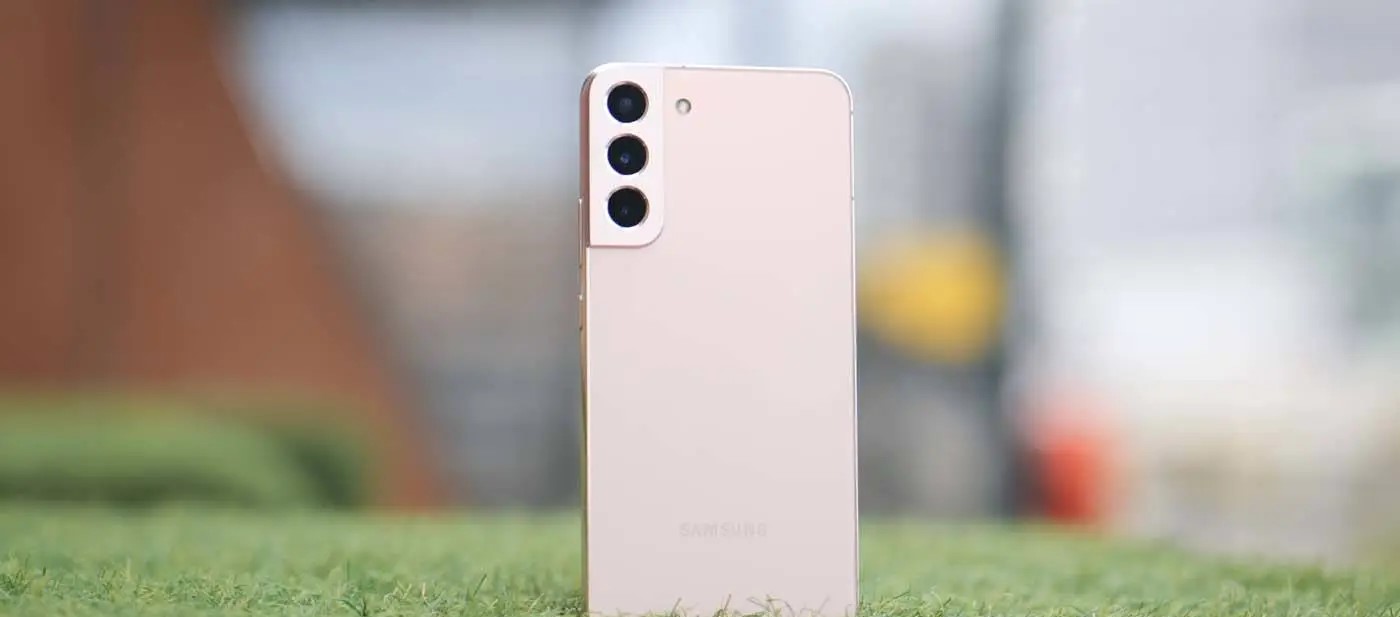
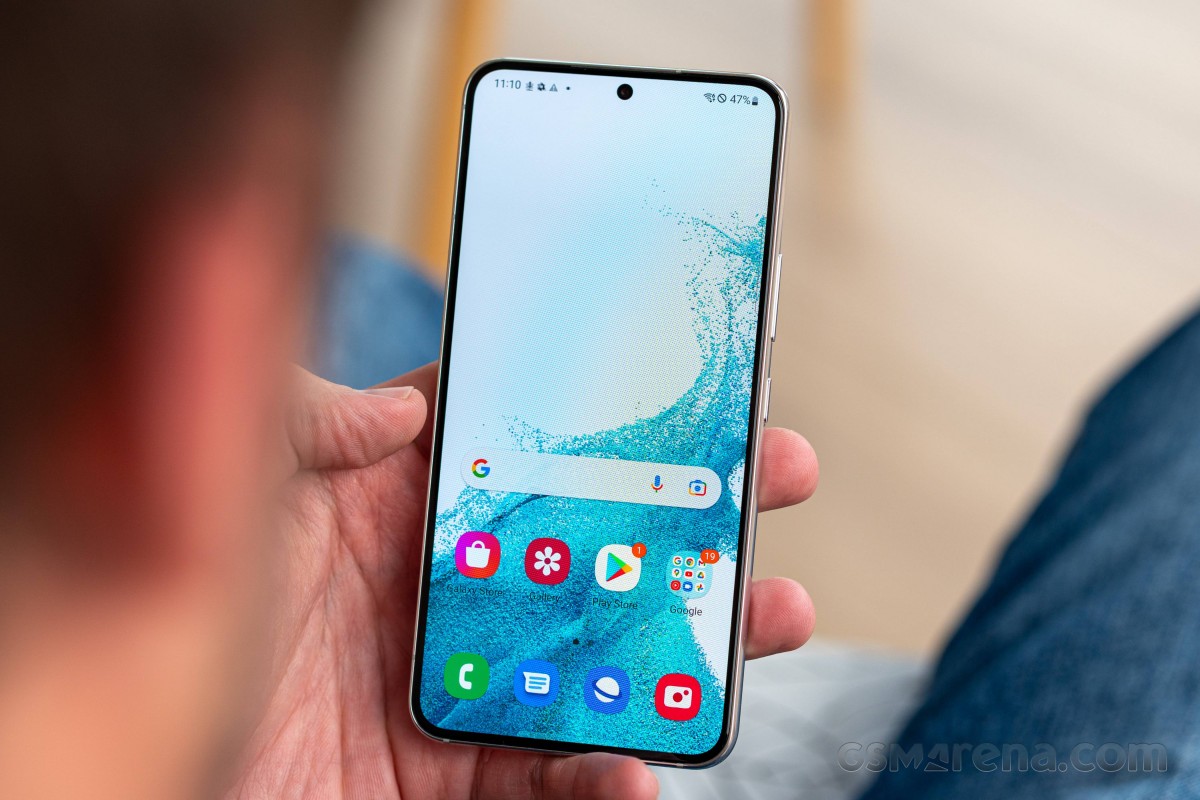
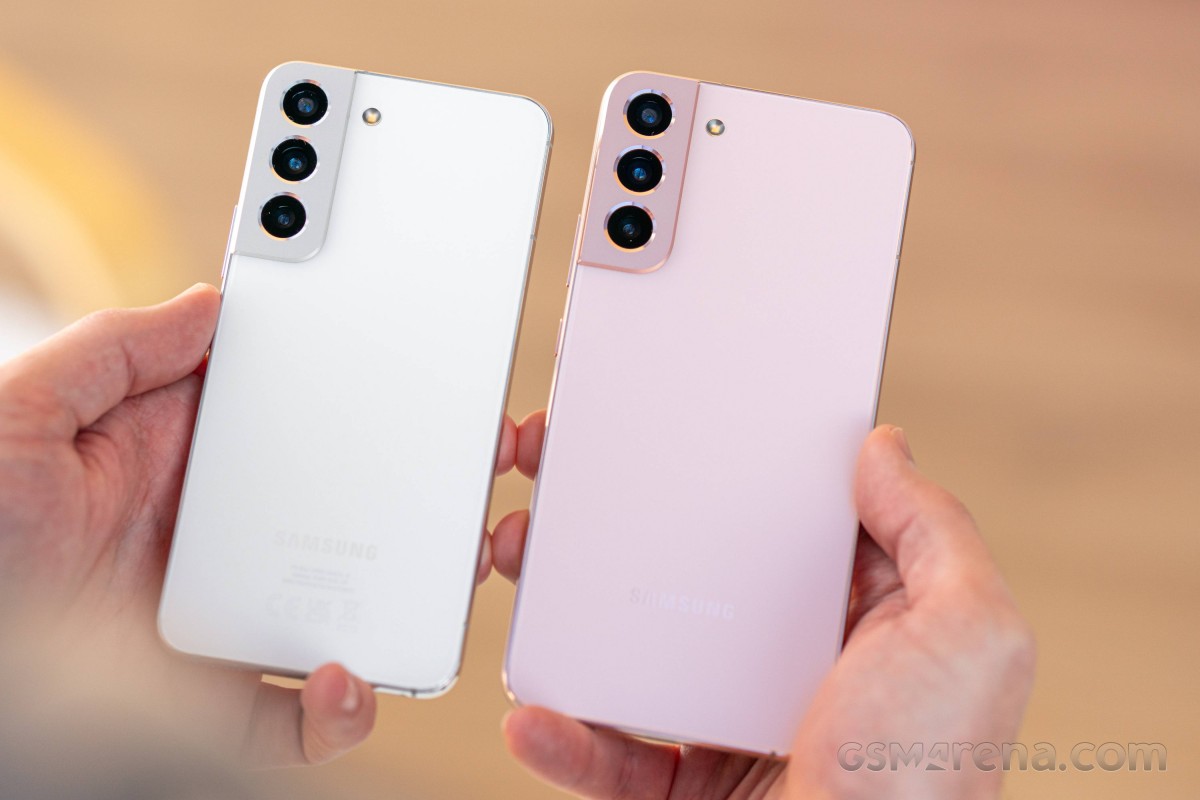
It should come as absolutely no surprise that the Samsung Galaxy S22 series was the very first to receive the October 2022 security update. As Samsung’s flagship non-foldable smartphone, it was expected and likely anticipated. Right at the very end of September, Samsung released the latest security patch for the S22 series in limited regions. The update is likely to head out in more regions as we reach October proper.
Just a few days later carrier-locked versions of the Galaxy S21 series began to be updated. The October 2022 security patch is already hitting Verizon handsets in the United States. Often the latest patches arrive in global markets, so this is a nice change of pace. Those on Xfinity Mobile are also starting to see the Samsung October update on the entire Galaxy S21 series according to SamMobile.
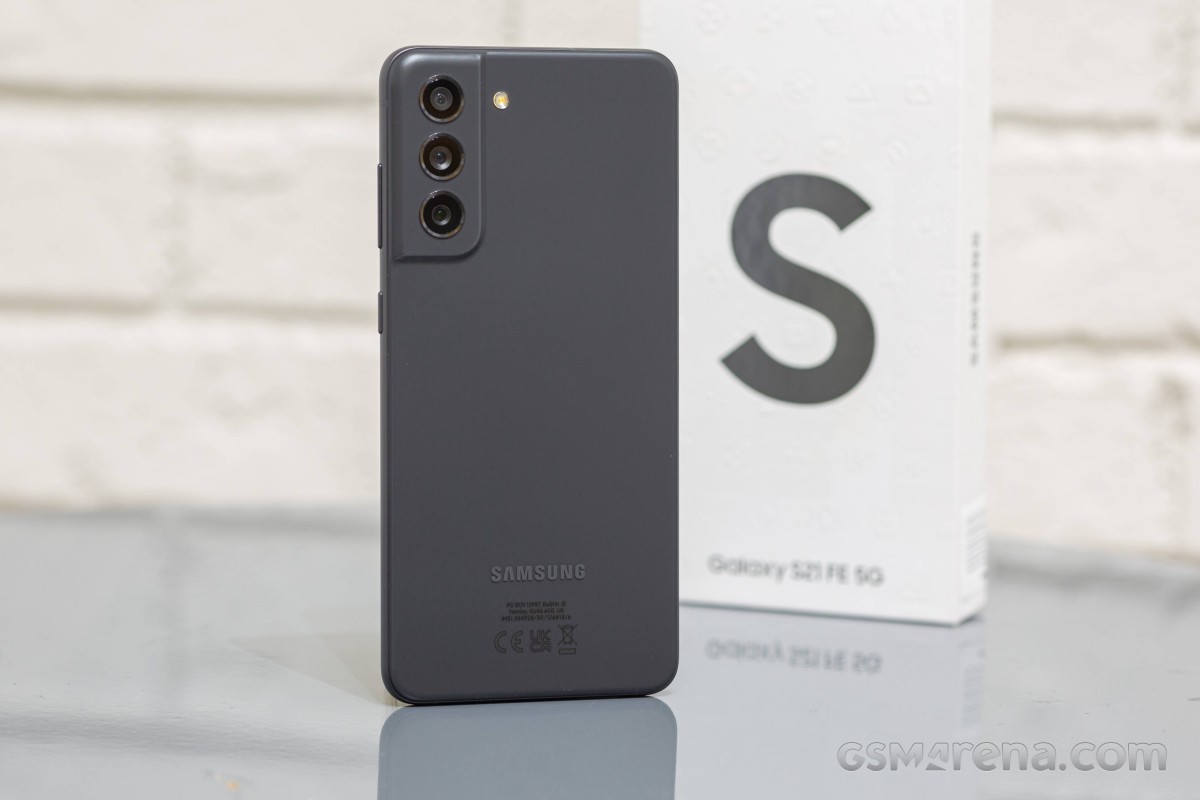
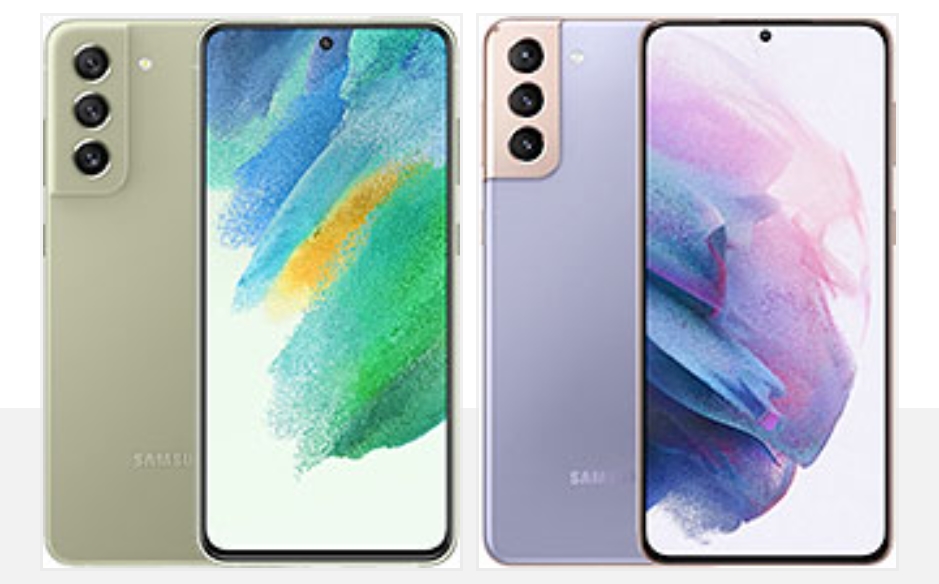
Although technically part of the S21 series, the Galaxy S21 FE was launched just a month before the S22. This means it’s in a strange position of being part of the 2022 cohort while still having a foot in the previous generation. That said, it is still updated promptly with Indian models now starting to get the most recent patch.
Galaxy S21 / S21+ / S21 Ultra — G991USQS5CVI8 (Released first in US)
Galaxy S21 FE — G990EXXU3CVI8 (Released first in India)
Galaxy S22 / S22+ / S22 Ultra — S90xBXXS2AVI7 / S908EXXS2AVI7 (Released first in Europe/Asia)
How to check for the latest OTA on your Galaxy device
If your Samsung device is slated to have been updated already, but the October patch hasn’t arrived for you personally, you can try updating manually. Simply open the Settings app, tap “Software update,” and choose “Download and install.”
The Galaxy S21 series will not go gentle into the night. On the contrary, it will produce one last bang before the Galaxy S22 steals the spotlight. The last of the S21 series caters to the true fans of the brand and combines all Galaxy S21 essentials into one powerful no-nonsense smartphone. Yes, this is the Galaxy S21 FE 5G.
Samsung has focused on three fan-favorite features for this Fan Edition – display, performance, and camera. And it has tried to give more of those for less, a job best suited for the flagship-killer kind. We surely are not calling it that, but the S21 FE does sound quite promising as an almost-there-flagship.
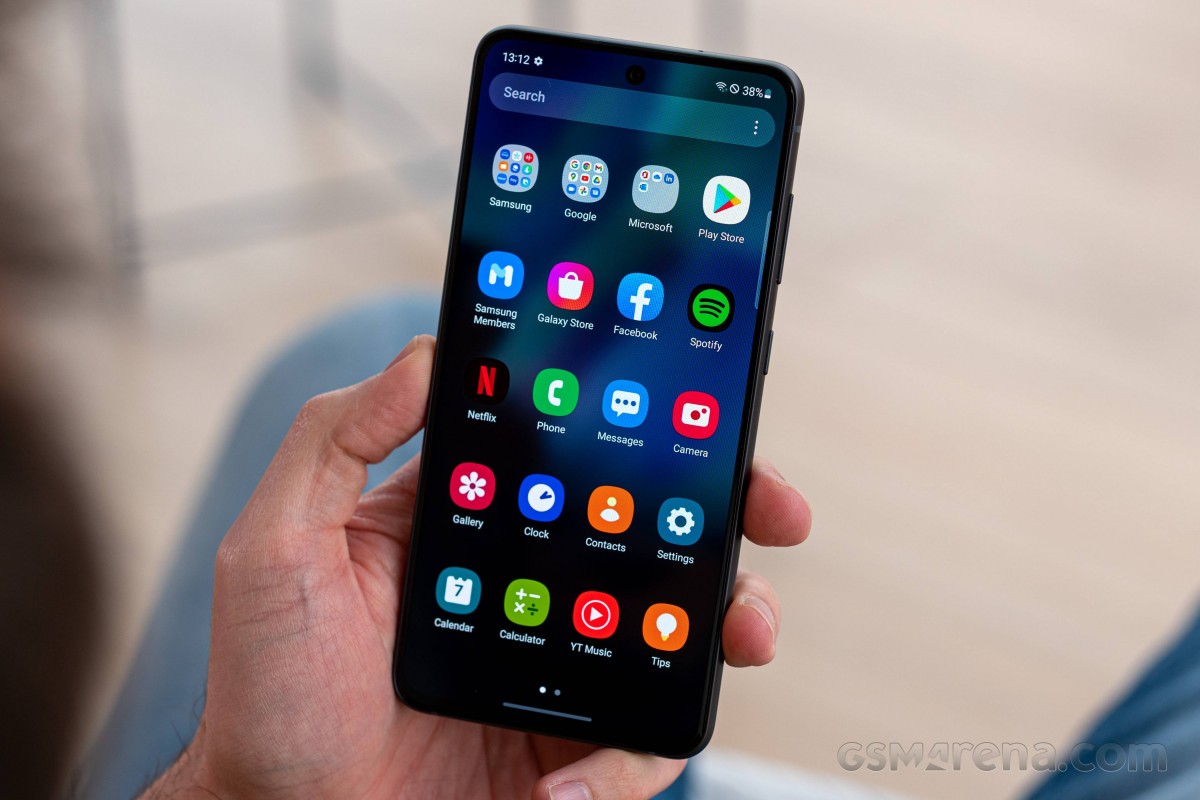
The Galaxy S21 FE updates the display with the S21’s screen panel. It offers a 6.4-inch Dynamic AMOLED 2X with native HDR10+ support and a 120Hz refresh rate. The Galaxy S20 FE’s Super AMOLED had no HDR10 capabilities at launch, which was disappointing back then, but these were enabled later in 2021.
Then there is performance – quite expectedly, the Galaxy S21 FE offers the same hardware as the rest of the S21 series – either the Snapdragon 888, or the Exynos 2100 chipset. But the chipset segmentation is reversed here – the international model is the one with the Snapdragon, while Samsung’s silicon is limited to Australia (so far).
Finally, let’s talk about the camera department. It looks like a copy-paste from the Galaxy S20 FE – a 12MP primary, another 12MP camera for ultrawide photos, and an 8MP tele for 3x optical zoom. The selfie imager is likely the same, too, a 32MP one. Samsung is not advertising the hardware as more capable, but it brags with better processing and cool features like Object Eraser – all possible thanks to the new chipset.
The stereo speakers and the UD fingerprint scanner are here to stay, too, but the microSD slot didn’t make the cut. It is one of these fan-favorite features that will not be accepted well among the community, that’s for sure. But on a positive note – the S21 FE now features a proper proximity sensor instead of a virtual one, something that should solve the numerous complaints.
Waterproofing is a vital part of the Galaxy S series, and the S21 FE is IP68-rated for dust and water resistance. Its design resembles the rest of the Galaxy S21 phones, and its build is a match to the vanilla Galaxy S21 flagship – a Gorilla Glass Victus front, an aluminum frame, and a matte plastic back.
Here is a rundown of the specs sheet.
Samsung Galaxy S21 FE 5G specs at a glance:
Body: 155.7×74.5×7.9mm, 177g; Glass front (Gorilla Glass Victus), plastic back, aluminum frame; IP68 dust/water resistant (up to 1.5m for 30 mins).
Front camera: 32 MP, f/2.2, 26mm (wide), 1/2.74″, 0.8µm.
Video capture:Rear camera: 4K@30/60fps, 1080p@30/60/240fps, 720p@960fps, HDR10+, gyro-EIS; Front camera: 4K@30/60fps, 1080p@30/60fps, gyro-EIS.
Battery: 4500mAh; Fast charging 25W, 50% in 30 min (advertised), Fast wireless charging 15W, Reverse wireless charging, USB Power Delivery 3.0.
Misc: Fingerprint reader (under display, optical); NFC; Bixby natural language commands and dictation, Samsung Pay (Visa, MasterCard certified).
The most notable omissions of this new Fan Edition are the 3.5mm jack (not available on the S20 FE) and the microSD slot (available on the S20 FE). We would have liked one of those 10MP AF selfies instead of the 32MP Quad-Bayer snapper, too, but we guess that’s going on the S22 FE wish list instead.
There is no cheaper 4G version of the Galaxy S21 FE, like it was with the S20 FE, which is possibly another bummer for some users. We guess the 5G has become the new norm and cheaper 4G versions in the future are highly unlikely.
Unboxing the Galaxy S21 FE
Apple has started something that Samsung quickly adopted, even though consumers don’t appreciate it. Yes, we are talking about the ‘eco-friendly’ cost-saving retail box, which contains only a cable and some paperwork.
That’s exactly what you get with each Galaxy S21, and that’s what the Galaxy S21 FE 5G retail box contains. The phone supports 25W fast charging, but if you want to enjoy that and you haven’t purchased such an adapter yet, now is a good time to do it.
The good news is that once you buy such a charger, you can use it for your next phone a year or two from now. Plus, it can charge plenty of electronics because of its USB-C port and USB-PD support.
The competition
The Galaxy S21 FE 5G is a well-executed smartphone and a proper sequel to the Galaxy S20 FE. It brings a better display, more powerful hardware, and improved camera performance even if the camera sensors and optics haven’t changed much since the S20 FE. Oh, and we do appreciate the new, S21-like design.
But the one thing that should have been spot-on from the get-go – the price – is all wrong. The Galaxy S21 FE should have offered ‘more for less’ – those are Samsung‘s words, mind you – yet, it’s quite an expensive smartphone at launch with a starting price of €750. And while it arguably offers more over the Galaxy S20 FE and the Galaxy S21, it’s not for less.
Galaxy S21 and Galaxy S21 FE
See, the Galaxy S21 5G retails at about €650, which is €100 less than this new Fan Edition. Yet, the standard S21 offers a more capable display with a 120Hz dynamic refresh rate, more RAM (6GB vs. 8GB). The Galaxy S21 has a different type of 3x zoom, but even if it’s achieved with some trickery, it is pretty good and not drastically different from the FE. We believe many users will happily save €100 and get the Galaxy S21 instead.
Then there is one of our favorite Galaxy phones for 2021 – the Galaxy A52s 5G. It is an equally stylish smartphone, water-resistant as well, with a similar 120Hz AMOLED screen and quite a powerful Snapdragon 778 5G chipset. If you can live without optical zoom and HDR10 support for the paid streaming apps, the 6GB+128GB model of the A52s costs as low as €360 – and compared to the S21 FE’s €750 price – that’s a bargain!
Of course, there are other cool options to consider outside Samsungverse. The Realme GT 5G is €250 cheaper, and it beats the S21 FE with a better AMOLED with a dynamic 120Hz refresh rate (and it supports HDR10). It is not a water-resistant phone and has no zoom camera, but if those are not important, you can spend less and still get what’s important to you.
The Asus Zenfone 8 is €100 cheaper than the FE, but if you are after a more compact Android, you may want to consider this one instead. It has a superb 5.9-inch AMOLED with 120Hz and HDR10+, runs on the same Snapdragon 888 chipset, has powerful speakers, and offers fan-favorite goodies like a 3.5mm audio jack, FM radio, AF for the selfie camera. It may not be rocking a telephoto camera, but its ultrawide shooter has autofocus and can take macro shots. Overall, it’s a great offer worth considering.
Finally, the €480 4G and €530 5G versions of the previous Galaxy S20 FE are still available. They are noticeably cheaper, yet with similar capabilities and identical cameras. If you can live without HDR10 support and put up with the virtual proximity sensor, they are worth considering. Their Snapdragon 865 / Exynos 990 chips are still great performers and part of the flagship crop, plus they run amazingly under 1080p screens. Oh, and they both offer microSD expansion.
Samsung Galaxy S20 FE • Samsung Galaxy S20 FE 5G
Our verdict
The Samsung Galaxy S21 FE 5G is a brilliant smartphone with top-notch features. It excels in the most critical departments – display, performance, camera, speakers, software, even design. For that – it’s a great smartphone.
But it’s not a Fan Edition, not like the S20 FE. For a phone that’s supposed to cater to the fans, ditching the charger and the microSD slot does not make sense. And it doesn’t bring any substantial camera updates, not even AF for selfies or ultrawide, though the improved photo quality could be arguably enough. But these shortcomings are not the Fan Edition’s biggest problem.
The Galaxy S21 FE’s most notable drawback is the launch price. The Galaxy S21 FE 5G costs €750 for its basic 6/128 version and €830 for the 8/256 model. And that’s quite high for the segment the FE’s aiming at.
The Galaxy S21 FE launches mere weeks before the Galaxy S22 premiere, and the expectations are that the regular Galaxy S22 with more powerful hardware and a better screen will retail between €800-€900. And it sure makes sense to wait and see what the Galaxy S22 has in store for us. Meanwhile, there are many phones that are offering similar features for much less, and what’s worse, some of them are Galaxy phones themselves.
So, the Galaxy S21 FE is a powerful and capable smartphone, no two ways about that. But we just cannot recommend it at this price, not without reservations. Once Samsung introduces its first price cut, though, the Galaxy S21 FE should get a spot on the shortlists of everyone looking for a no-nonsense flagship-like smartphone.
Pros
Excellent AMOLED HDR10 screen, 120Hz, superb color accuracy.
Foldables for the masses, that’s the direction where we’re headed. Okay, maybe that’s a bit of a stretch, but at $999/€1049 for the base version, the Galaxy Z Flip3 5G is the most affordable smartphone with a bendy display.
In addition to a lower price tag, the Flip3 comes with some meaningful improvements over the previous generation. Since we’re on the topic of generations, the Flip3 is the third installment in the lineup, with the original Flip and the chipset refresh that was the Flip 5G almost making the 3 in the new model’s name make sense.
Anyway, in no particular order, the upgrades include an IPX8 rating for water resistance (the ‘X’ means it’s not rated to be dust-tight), a high-refresh rate on that glorious main Dynamic AMOLED 2X display (the Flip and Flip 5G were 60Hz), and a larger, more useful cover display. There’s also the mandatory chipset upgrade that sees the Snapdragon 888 inside the new Flip.
We’re going to have to take the good with the bad, however, since there are areas where the new generation has stood still, and they are pretty important. It’s mostly the cameras that give us pause. The rear setup is headlined by a small-ish 1/2.55″ sensor that’s a descendant of the one that came in the Galaxy S7 a good while back, the ultrawide has no autofocus, there’s no telephoto of any sort. The selfie camera on the inside isn’t overly impressive either, with a relatively dim lens and no AF either.
The 15W charging capability harks back to even more distant days, though one could argue you don’t need much more with the smallish 3,300mAh battery – some consolation. The new model starts at 128GB of storage, as opposed to the 256GB-only approach of the previous generation – that probably helped with the price tag.
It may sound like more of a conclusion than an intro, but we just had to go over the key specs, and we’ve hardly made up our minds yet, writing these lines. Here are the numbers at a glance, before we get going.
Samsung Galaxy Z Flip3 5G specs at a glance:
Body: 166.0×72.2×6.9mm, 183g; Plastic front, glass back (Gorilla Glass Victus), aluminum frame; IPX8 water resistant (up to 1.5m for 30 mins).
There’s not a lot to unpack here. The Galaxy Z Flip3 arrives in a two-tone gray box that’s half-height – so you know not to expect to find much inside. An oversized ‘Z’ alludes to the phone’s name and its foldable nature.
The Z Flip3 5G rests on top, face-up in its unfolded state. Underneath, there’s a paper sleeve that holds a USB-C cable and SIM ejection pin, and that’s it.
Pre-order bundles in some regions will include a 25W adapter, or a wireless charger, or Samsung store credit of various amounts, or buy-back discounts – in some places more than one of these at the same time to help sweeten the deal. In the very box, however, you only get the bare minimum.
Competition
Samsung‘s foldable surge this year means more people will likely be considering a phone whose display bends in half. It’s no wonder – the company’s advancements in the field mean that foldables can now be made both more robust and more affordable. The Galaxy Z Flip3 5G is the least expensive of the breed to date, but with a list price at launch of $1000/€1050 for a base version, it’s hardly a bargain, even if pre-order bundles or discounts do improve the numbers. What are your options?
Let’s assume you’re hell-bent on getting a foldable. Motorola has the Razr 5G, which has a few things going for it. First is nostalgia – if you’ve ever had a Razr V3 in the mid-noughties, Motorola’s 2020 reincarnation will probably strike a chord with you. The latest Razr’s outer display is larger and a lot more useful too, and the rear-mounted fingerprint sensor makes more sense than the Flip3’s implementation of a side-mounted one. The Moto is a midranger at heart, however, and has an SD765 chipset and only a single rear camera, plus ‘water-repellent design’ isn’t quite an IP rating. There’s also the matter that Motorola isn’t overly keen on selling you one – not with a retail price of $1400/€1500.
The Flip3 is a significant upgrade over the Flip and Flip 5G, but if you can find a deal on one of the older ones, that might make sense if just any foldable will do. You’d be missing out on a much improved main display (a 120Hz refresh rate and 50% more brightness), and you best not get those older Flips wet, plus an old chipset is an old chipset, though you could stand to gain extra battery life in the process. Ultimately, we’d try and snatch a Flip3 with one of the pre-order deals over an older device, but we don’t know the prices in your particular situation.
The numbers are fairly clear when it comes to the Z Fold3 – it’s roughly twice as expensive as the Flip, though carrier subsidies could skew things one way or another. The Fold is arguably twice the phone that the Flip is, though, even if an entirely different beast – essentially a tablet when unfolded, it has nicer cameras, S-Pen support and extra software tricks up its sleeve.
Motorola Razr 5G • Samsung Galaxy Z Flip 5G • Samsung Galaxy Z Fold3 5G
Now, if you are the more sensible type and foldability isn’t a top priority, but you are instead into the Flip3 for its perceived compactness, there are multiple alternatives that will generally save you some money, while also offering more features and/or performance. Starting with the Galaxy S21, you’d be getting a more versatile camera system with zoom capability on the back and AF-ing selfie camera, all of them delivering better image quality. Battery life is also better on the bar phone as is charging speed. Oh, and the S21 can be had for up to $300/€300 less than a Flip3 (though, again, pre-order deals on the Flip can affect these numbers). Ultimately S21 – more pragmatic, Flip3 – way cooler.
That holds true against the next one, the Asus Zenfone 8. It starts at around €400/$400 less than a Flip, and even after all the early-bird discounts on the Galaxy, the Asus will still be notably cheaper. The Zenfone is also more compact, has better cameras all around, lasts longer and sort of charges faster. Has a headphone jack too, but what it doesn’t have is a hinge.
Going even smaller, the iPhone 12 mini is also substantially cheaper than the Flip3 – when was the last time an iPhone had ‘price’ in the Pros list. Similarly equipped in the camera department, the mini is also about as bad at endurance as the Galaxy. This bout is going to be decided on size and OS preferences.
Samsung Galaxy S21 5G • Asus Zenfone 8 • Apple iPhone 12 mini
Verdict
The Galaxy Z Flip3 is being marketed as a fashion statement, and while the looks and relative novelty of the form factor remain its main selling points, it’s not entirely devoid of practicality. When folded, it will fit in places normal phones won’t (though, admittedly it may not be the best for tight-fitting jeans), and when unfolded, it’ll greet you with one of the best displays around, foldable or otherwise. It’s also water resistant and comes with improved materials all around.
No, the Flip3 doesn’t have competitive battery life, it charges slowly, and its cameras are anything but state of the art. It’s also more expensive than a myriad of phones that will do most things better. But they won’t fold in half.
The Galaxy Z Flip3 5G was never meant to be a value proposition in the grand scheme of things. In its more niche foldable scheme, however, Samsung made sure to put an appealing price sticker on it, and if you act quick with the pre-order, the figures are looking even better. The phone is hardly perfect, but the trade-offs almost make sense, and even if they don’t entirely, it’s hard to argue with the Flip’s sheer coolness factor. If you value coolness more than practicality in a phone, then it most certainly deserves our recommendation.
It’s easy to forget that Samsung makes more than $1,000+ flagship phones. After all, handsets like the $599.99 Galaxy A71 5G tend to get overshadowed when the company announces scene stealers like the $2,000 Galaxy Z Fold 2. But you shouldn’t discount these more affordable models just because they aren’t as flashy. In the case of the Galaxy A71, you’re getting a lot for your money, including 5G connectivity, solid performance, a terrific camera, and long battery life. It’s one of the better phones for getting 5G in this price range right now, though the competition is increasing at a rapid clip.
Design, Display, and Durability
The Galaxy A71 5G is flat in the front, with a curved plastic back panel. It measures 6.3 by 3.0 by 0.3 inches (HWD) and comes in at 6.5 ounces. We tested an unlocked model in black with a subtle monochromatic pattern, though Verizon’s version has a more distinct prismatic design.
The front of the phone is dominated by 6.7-inch, 2,400-by-1,080-pixel AMOLED display with a notch for the camera. The screen looks gorgeous, with vibrant colors and inky blacks, and it’s bright enough to see outside. Even the in-display fingerprint sensor is pretty good, though it’s not as fast or accurate as on the iPhone SE or the Pixel 4a.
Top of the phone has a hybrid SIM slot, while a speaker, a USB-C charging port, and a 3.5mm headphone jack sit on the bottom. The left side is bare, across from the volume rocker and multifunction power/Bixby button on the right. The buttons provide a satisfying click when tapped, but are hard to reach with small hands.
The back of the phone features a large rectangular camera stack in the upper left corner and a Samsung logo in the middle. The back panel is constructed of plastic, but it could easily be mistaken for glass if it weren’t for the dull thud it makes when tapped. While the high-gloss finish looks great, it quickly attracts fingerprints.
The phone’s plastic build should be able to handle a few bumps and drops without issue, but the display isn’t likely to fare as well as it’s constructed out of older Gorilla Glass 3. There’s also no IP rating, which is unacceptable once you cross the $500 threshold.
Connectivity and Audio
The Galaxy A71 5G is available unlocked and through every major carrier. AT&T, T-Mobile, US Cellular, and unlocked versions of the phone support sub-6GHz 5G. Verizon offers an Ultra Wideband version that supports millimeter-wave now and will support low-band 5G when it is rolled out later this year.
It’s worth mentioning that 5G is a much different beast than LTE, and you should do your homework before making a purchase. The X52 modem (400MHz) in the Galaxy A71 has half the bandwidth of the X55 (800Mhz) in the pricier Samsung Galaxy 20+, for instance.
We tested the phone on T-Mobile’s 5G network in Philadelphia. Download speeds averaged 146.8Mbps, while uploads clocked in around 38.6Mbps.
Call quality is excellent. At 85dB, the earpiece is loud enough to hear in just about any setting. Our test calls were consistently clear on both ends, and noise cancellation worked well.
Audio quality, on the other hand, is disappointing. The phone has a single bottom-firing speaker that maxes out at 90dB. It’s fine for video calls, but it sounds pretty bad for everything else. On the plus side, Dolby Atmos is supported with wired or Bluetooth headphones.
The phone also supports Bluetooth 5.0, NFC, and dual-band Wi-Fi.
Cameras
On the back, the Galaxy A71 5G sports a 64MP primary camera, a 12MP ultra-wide sensor, a 5MP macro lens, and a 5MP depth sensor. The front-facing camera clocks in at 32MP.
The 64MP quad-pixel lens performs well in all lighting scenarios. Photos are crisp, depth of field is excellent, and color is slightly saturated but looks great. In low light, we noticed minor noise and a slight loss of detail, but the phone managed to surpass the Pixel 4a in a few scenarios. The ultra-wide lens offers similarly good performance.
The 5MP macro sensor is just okay. With a steady hand and good light, you can get a decent shot, but not one that can compare with a true macro lens. That’s not surprising, as we’ve yet to see a spectacular macro lens in this price range.
The front-facing camera shines in all lighting scenarios. In good light, test shots were sharp with excellent detail. Low-light photos were nearly as good, though a few of our images showed minor noise around the edges.
Portrait mode works well on the front and rear cameras. Depth mapping was spot on in nearly all of our test photos, which is no small feat since most phones in this price range struggle with correctly capturing wisps of hair, subjects against monochromatic backgrounds, and accurately mapping the areas around hats and glasses.
Hardware and Performance
The Galaxy A715G ships with a Qualcomm Snapdragon 765 chipset and 6GB of RAM. There’s 128GB of storage, with about 108GB available out of the box. You can add up to an additional 1TB of storage with a microSD card.
Performance is solid for the price. The A71 5G handles multitasking without any problems; we had nearly two dozen apps open simultaneously, as well as 30 browser tabs, and didn’t experience any slowdown.
We tested the phone for over an hour playing Alto’s Odyssey and didn’t experience any lag or skipped frames. The game loaded fast and didn’t have a significant effect on battery life.
Benchmarks underscore our experience. On Geekbech 5, a test that measures raw processor power, the A71 5G earned scores of 609 single-core (SC) and 1,879 multi-core (MC), for a nice lead over the Pixel 4a at 402 SC and 1,618 MC.
See How We Test Phones
The phone is powered by a 4,500mAh battery that will get even the most demanding user through the day. In our battery drain test, which streams HD video over Wi-Fi at full brightness, the phone lasted for 10 hours and 33 minutes. When you find it running out of juice, the A71 5G supports Samsung’s fast charging protocol and comes with a 25W adapter in the box. Wireless charging isn’t supported, however.
Software
The Galaxy A71 5G ships with Android 10 along with Samsung’s One UI 2. While many manufacturers have gravitated toward a more stock Android model over last couple of years, Samsung’s UI continues to offer a very customized user experience.
In One UI 2, navigation buttons are reversed, app icons are changed, and the settings menu looks different than stock Android. It’s not bad by any means, but if you’re used to Android on a non-Samsung phone, prepare to spend a few minutes getting used to it.
The unlocked version of the A71 5G features Samsung’s suite of productivity apps. For the most part they’re Samsung’s version of apps already baked into Android, and for years we’ve considered them redundant, but we’re starting to rethink our stance. This year, Samsung integrated many of its apps with Microsoft Office and improved its cloud platform significantly. The A71 5G is also tightly integrated with many of Samsung’s other smart devices to offer a more seamless user experience.
And the Galaxy A71 5G is one of Samsung’s first handsets confirmed to receive OS upgrades for three years. While there’s no timeline on when Samsung will release these updates, it’s good to know that you’re not buying into a dead end.
Conclusions
The Samsung Galaxy A71 is a good phone for 5G on a (relative) budget, with solid performance all around. It also costs $100 less and has a much better camera than the 5G-capable Moto Edge. That said, we’d like to see better durability for $600, and unless you buy the phone on Verizon, you’re not getting a future-proof 5G experience. And with the $500 Moto One 5G launching on AT&T and Verizon soon, the competition is really heating up. So while the Galaxy A71 gets most things right, you might want to sit tight to see how things shake out before picking one up.
PROS
Solid performance
Excellent camera
Nice display
CONS
Lackluster durability
Poor audio quality
THE BOTTOM LINE
The Samsung Galaxy A71 offers 5G connectivity and solid overall performance for a relatively affordable price.
Just like Google’s Pixel phones, Samsung has equipped Galaxy devices with a special tool for emergency situations. The Samsung mode on Galaxy phones is called “Lockdown,” and it makes unlocking the device even more difficult if you don’t know the PIN or passcode. Here’s how it works.
Lockdown mode is one of those features that we recommend familiarizing yourself with, even though you might never need to use it. The feature sits up there with Emergency SOS as far as importance is concerned.
In essence, Lockdown Mode does a couple of things for your Samsung device. When initiated, the feature will immediately lock your phone. After the Galaxy phone is locked, it will turn off both face recognition and the fingerprint sensor, leaving a PIN or passcode as the only unlock option.
This can come in handy for a variety of reasons – all pretty malicious. There may be circumstances where your fingerprint or face could be used to unlock the device without consent. To combat this, Lockdown mode ensures that any unlock is by intent.
How to enable Lockdown mode on Samsung Galaxy phones
There are a couple of ways you can initiate Lockdown mode on your Samsung phone. Before activating it though, you need to change a couple of settings. By default, Lockdown mode isn’t an option in the Power menu and needs to be turned on.
Here’s how to add Lockdown mode to the Power menu:
On your Samsung phone, head to the settings by swiping down from the homescreen and tapping the settings cog.
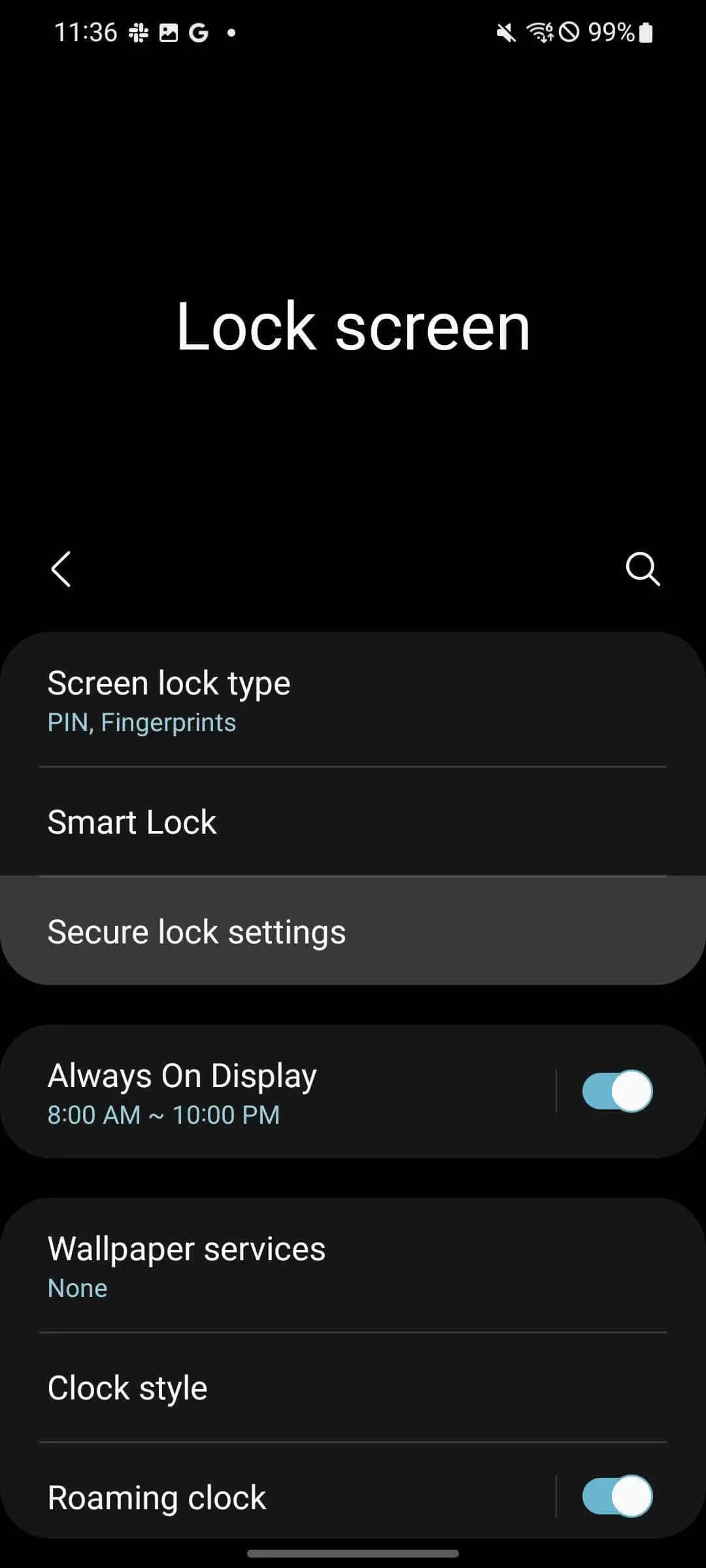
From the settings, find and tap Lock screen.
Tap Secure lock settings.
Enter your PIN or passcode.
Toggle Show lockdown option on.
This process adds Lockdown mode to your Power menu, making it very easy to access in most circumstances. Here’s how to find Lockdown mode on your Samsung phone:
From your homescreen, swipe down twice.
Tap the power icon.
Tap Lockdown.
As mentioned, your phone will instantly lock itself. If you try to open it back up, you’ll find your fingerprint won’t work nor will face unlock. The only way to gain access again is through your PIN or passcode. Once you unlock with your PIN, your Samsung device will deactivate Lockdown and things will go back to normal.
Accessing the Power menu via the side key
By default, the only way to access the Power menu is through the Quick Setting page above your notifications. You can change this by adjusting what the Side key – or power button – does when held down. Samsung defaults this button’s action to waking Bixby, though it can be used to quickly access the Power menu.
Here’s how to change the side key’s function:
Head to settings by swiping down once from the home screen and tapping the settings cog.
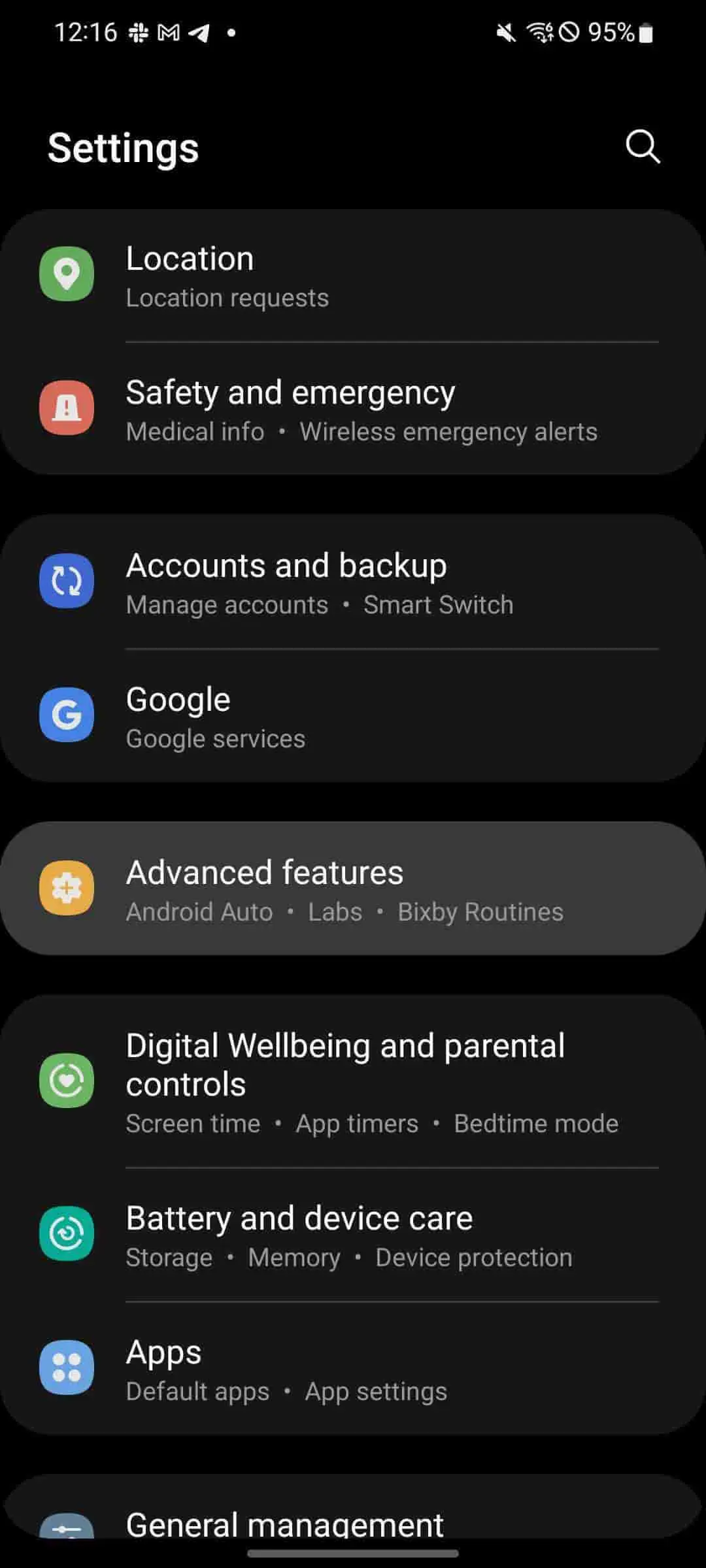
From there, scroll down and tap Advanced settings.
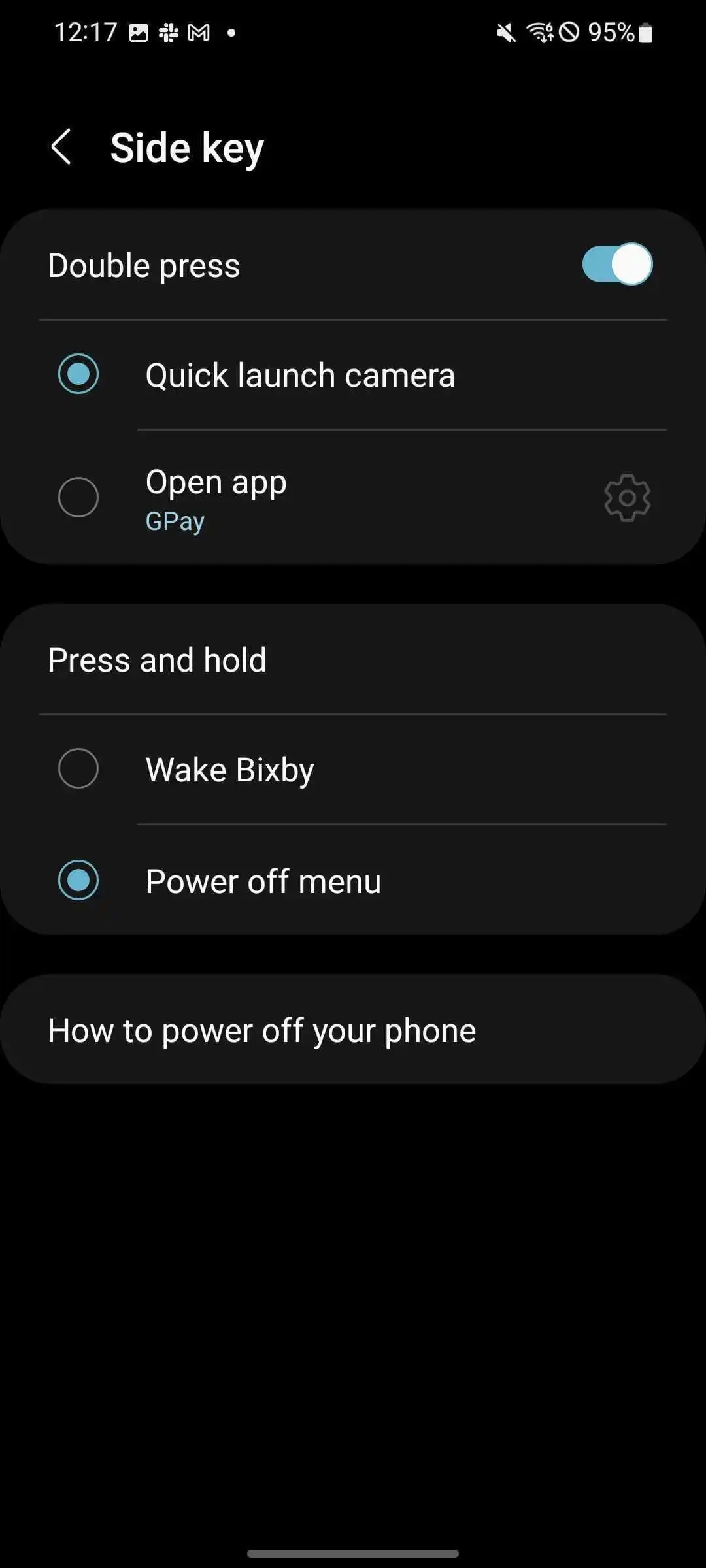
Hit Side key.
Under Press and hold, tap Power off menu.
Once changed, the Power menu will appear when the power button is held down. This makes it a little easier to access the Lockdown option on Samsung phones.
How is Samsung’s Lockdown different from iOS Lockdown Mode?
With iOS 16, Apple introduced a new feature for the company called Lockdown Mode as well. While the name is similar to what Samsung offers for its devices, the feature is a little more robust for iOS. Lockdown Mode for iOS initiates a systemwide security upgrade that focuses on protecting from “sophisticated cyber attacks.” Apps, websites, and other features will function differently with a focus on security rather than performance.
Apple’s Lockdown Mode is much more focused on cybersecurity rather than the physical security that Lockdown for Pixel and Samsung Galaxy devices are.
While we hope Lockdown is never needed in a real circumstance for your Android device, it’s a feature that should be familiar. Samsung’s Lockdown is a great way to protect yourself and your vital data in the case of an emergency, especially since it’s so easy to activate. This feature works great on any Samsung phone, including the Z Fold 4 and Z Flip 4, which both make use of fingerprint sensors and face unlock.
With Unpacked 2022 only a couple of weeks away, we already have a pretty good idea of what the Galaxy Z Fold 4 and Galaxy Z Flip 4 will look like, both inside and out. To put any doubts aside, new official renders have appeared online, showcasing four attractive colorways.
Over the past couple of months, we’ve already seen just about anything there is to see with the upcoming Galaxy Z Flip 4. Generally unchanged from the previous model, the Galaxy Z Flip 4 is set to come in four colorways – black, blue, cream, and purple.
According to Giznext, these colorways are likely to be officially named Graphite, Pink Gold, Bora Purple, and Blue. In an exclusive leak, the site was given official press renders of the Galaxy Z Flip 4 via @onleaks (Steve Hemmerstoffer). The images show off each color and several different angles, giving us a great look at each of them
And this is the #Samsung#GalaxyZFlip4 in all it’s glory and four color options through a set of official press renders! #FutureSquad
While the majority of details look virtually identical to the Galaxy Z Flip 3, there are a couple of small differences. First, the hinge seems to have a tighter tolerance when the device is fully open. To add, the rear display and camera bar seems to stretch out almost entirely from side to side.
On the Galaxy Z Flip 3, it seemed as if the black screen and camera array sat off of the edges a little bit. The new design looks to unify the camera bar and rear of the device. Overall, the Flip 4 has a slightly cleaner look.
Aside from that, there isn’t much more to glean from these Galaxy Z Flip 4 renders until Unpacked 2022 gives us a much better look at the devices. We’re expecting the Galaxy Z Flip 4 to be priced roughly starting at €1,080 for the 8GB/128GB storage model.
Latest Galaxy Z Fold 4 leak pins down storage offerings, ‘Burgundy Red’ color option
Samsung’s Galaxy Z Fold 4 is probably only a month away, and a fresh leak is giving us a better idea of what to expect from the storage, as well as revealing a “Burgundy Red” color option.
Evan Blass today posted a list of Galaxy Z Fold 4 variants that break down the color and storage offerings for Samsung’s upcoming phone.
This list confirms two things. Firstly, it seems the 1TB storage option we previously heard of may not be available after all. Blass’s list shows 128GB, 256GB, and 512GB versions of the Fold 4. It was previously rumored that a 1TB model would also be on the way, but this list implies that won’t be the case. Of course, it’s entirely possible this is a regional restriction – while Blass doesn’t mention it, it seems safe to assume this list is regarding the US market.
Beyond that, we also get a breakdown of the color options for the Galaxy Z Fold 4, including “Burgundy Red.”
This color option was previously mentioned by a display analyst, who claimed the color would be tough to purchase. It is noteworthy that this color option is available exclusively in the higher storage tiers, rather than the base 128GB.
The full breakdown of colors and storage options in Blass’ list can be seen below.
Beige – 128GB/256GB/512GB
Burgundy Red – 256GB/512GB
Gray-Green – 128GB/256GB/512GB
Phantom Black – 128GB/256GB/512GB
Samsung is rumored to be launching the Galaxy Z Fold 4, Flip 4, and its next Galaxy Watch sometime in mid-August.
With rumors of the official One UI 5 beta starting soon and internal previews already underway, people are getting excited to see what Samsung has up its sleeve for Android 13. Luckily, I’ve managed to get my hands on the latest One UI 5 beta before the public beta even starts. Let’s take a look at everything that’s new in One UI 5.
To provide some context, this build was provided by a source and is not one that Samsung has released publicly, so it might not provide a complete picture of One UI 5 given the initial nature. It is an early beta that unfortunately does not have a changelog, so everything new below has been from using One UI 5 and comparing to One UI 4.
Tweaked notification design
The notification design has been slightly tweaked between One UI 4 and One UI 5. There are new icons for notifications along with an updated design style. The notification shade and quick settings also have a slight tweak to opacity. Neither of these changes are major, but they do bring an overall different feel to the notification shade as a whole in usage.
Stock Android permission dialogs
One big surprise with One UI 5 is Samsung’s choice to use the default Android permission dialogs. This is by no means a bad thing, and it is very similar to how Google does it. This could have been to help speed up the update process by not changing things that don’t need to be changed in Android, or it could just be so early Samsung hasn’t gotten to changing it in One UI 5 yet. We’ll find out soon enough in future betas.
OCR in Gallery and insert text from image in keyboard
Samsung has now added OCR (Optical Character Recognition) that lets you copy text from images to the Gallery app and keyboard. When the device detects text in a photograph, it will now have a button at the bottom of the gallery letting you pull text from the image. This used to be part of Bixby Vision, but was turned into its own feature in One UI 5.
Keyboard OCR works the same way it does on iOS. In any text field, you can select extract text and hold the camera up to anything to grab text from it and insert it. The UI on Samsung’s version is incredibly similar to iOS as well.
Security and privacy hub
One UI 5 Security and Privacy Hub
The security and privacy hub is a Samsung proprietary version of what Google made for Pixel on Android 13. It places all your accounts, passwords, security, and privacy features into one screen, thus allowing for easy access to everything. It will also scan for anything that might be abusing app permissions or a security setting that isn’t enabled and recommend you enable it for all around better security.
Unfortunately, there is nothing new in the hub. All of the settings and features here were also found in One UI 4, but it is good to see Samsung making access to all of this easier and being proactive about warning those who are less tech-savvy.
New multitasking gestures
In Labs, there are now two options for multitasking and accessing the feature. You’ll now be able to swipe up from the bottom of the screen with two fingers to access split view or swipe in from the top right corner to make a popup window. Neither currently work in this build, but they should by the time it launches.
Miscellaneous changes
Collaboration in Samsung Notes
Currently active app in quick settings
About phone page now shows image of device
UWB toggle in settings
At the end of the day, there really isn’t much new in One UI 5. It has minor improvements across the board with an upgrade to animations. This isn’t a bad thing. It seems like Samsung is focusing on update speed, seeing as the beta is likely starting a month earlier with a planned release also being a month earlier.
Focusing on getting Android updates out there fast then bringing newer features with later updates that launch alongside new devices allows for more devices to get updates and for Samsung to focus on new features later. With promises of four years of OS updates, this is a good thing to see and a good start for the Galaxy S22s. We’ll have to see how things go for Samsung’s Z foldables, A line of phones, and Tab series of devices.
Google has yet to finalize Android 13, but it seems more updates are coming up quick. Some new evidence points to the Android 13 beta coming soon for the Samsung Galaxy S22 series.
Samsung Android 13 beta seems to be coming up soon
Recently, Google released the third beta update for Android 13 which delivered a few tweaks and fixes as the platform refresh moves towards its final release. As it appears right now, Google should release Android 13 to the public sometime in August or September, well ahead of last year’s schedule.
As highlighted by the folks over at TizenHelp, it seems Samsung is ready to start testing out its own flavor of Android 13 in a beta update.
Firmware version S906NKSU2ZVF6 popped up in Samsung’s home country of South Korea, which is believed to be the first Android 13 build for a Galaxy S22 series device. The update has yet to roll out to anyone, but development is well underway.
As is usually the case, the update will likely be available first for the Galaxy S22, S22+, and S22 Ultra, Samsung’s current flagships. Foldables and the Galaxy S21 series will likely follow closely behind.
What will Android 13 bring to Samsung’s devices? “One UI 5.0” is still largely a mystery at this point, but we have some hints that it will improve some animations and other small tweaks, but larger changes remain to be seen. With One UI 4.0, Samsung adopted a form of Material You to bring accent colors to its Android skin based on a user’s wallpaper.
It was previously reported that Samsung would release its Android 13 beta in July. Last year, Samsung released the Android 12 beta in September, so this would be far ahead of schedule.
This continues Samsung’s speedy track record
Samsung has become a shining example of what Android updates should look like, delivering some of the longest support timelines and the fastest updates.
In 2021, Samsung beat Google’s Pixel by delivering four years of security updates to its Galaxy smartphones, and doubled down on that in 2022. Now, new Galaxy devices get four years of major Android updates and five years of security updates.
Samsung is, right now, quite literally the best brand for Android updates. Only Google’s Pixel 6 series rivals it, and even then, it falls a bit behind.
Everything you need to know about Android updates on Samsung Galaxy devices
Updates are crucial to the health and overall performance of your Samsung Galaxy phone, no matter when it was made. This complete guide will give you all the information you need about Samsung’s Android and security updates, timelines, and more.
How to check for updates on Galaxy devices
Most of the time, updates are pushed automatically to your Galaxy phone. You’ll know one is ready if you see a little notification that says “Update ready to install.” All that’s required to start the update is a password entry or verification that you want to initiate the update. The problem with this system is that it takes a little while for these updates to automatically push to your device.
The solution? By manually checking for updates on your Samsung Galaxy phone, you’ll be able to discover updates earlier, meaning you get the latest security patch or new OS even sooner. Here’s how to check for updates on your Samsung Galaxy phone:
Head into settings on your Samsung Galaxy device.
Scroll all the way to the bottom and look for Software update. Tap it.
Tap Download and install.
Your device will start looking for new updates. If one is available, your device will prompt you to either install it or schedule an install time. You can schedule the update to install during the night so it won’t disturb your routine.
After the installation starts, it should only take about 10 minutes or so to completely install a security update. If it’s a larger Android update, you may want to schedule it to initiate at night, since it may take a good amount of time.
Can I sideload on Samsung phones?
Android devices are built on the idea of being able to configure them to your liking. This includes being able to push new updates to your device before they’re officially available. This is called sideloading, and it takes a little more than just a few taps on your device. You’ll usually need a computer and added software.
Sideloading involves using a computer to manually send a file image to your device – usually in developer or recovery mode, depending on the method used – and having the computer use a series of tools to install the new OS on your device. Samsung devices make this a little tricky compared to Google’s Pixel line since Google has a lot of support available for Android sideloading.
While it’s absolutely possible to do, it isn’t an ideal process for the average user. There are a lot of things that can go wrong in this process that could critically damage your device. So, unless you absolutely know what you’re doing, sideloading should be a last resort when it comes to updates on your Samsung device. Waiting for the built-in update tool to get the update is safer and much easier.
How often does Samsung release security updates?
Samsung has a few different schedules when it comes to updates, but the company is one of the best in the industry for Android updates and security patches. Some devices get monthly security updates, some get quarterly, and some phones are only updated twice a year.
Generally, the older the device is, the more sparse the updates are. Devices like the Galaxy S8 Lite and some A-Series phones only get biannual security updates since they were released before 2019. Newer devices like the Galaxy Z Fold 3 get monthly security updates and likely will for a while.
Some Samsung devices slow down in update frequency as they age, moving from a monthly schedule to a quarterly schedule. For example, the Galaxy Note 9 launched with monthly updates but now has a quarterly schedule. To check the status of your device, check here.
How long will my Samsung device get Android updates?
There are two different types of updates for your Samsung Galaxy phone. The first is security updates, which keep your device up to date with the newest cybersecurity precautions Samsung can offer. The other is system updates, otherwise known as Android updates. These are software updates meant to fix bugs and add features like those found in Android 12.
Samsung’s security update schedules
Recently, Samsung announced that phones sold in 2019 and later would receive four years of security updates. This means after four years of owning your device, you can rest assured knowing that the latest update for your phone is still keeping you safe. Here are the devices that will get four years of security updates:
In 2022, Samsung made an even better promise than in 2019. The company decided to improve it and begin offering five years of security updates for certain new devices, like the S22 line. Products that will be getting five years of security updates are:
Samsung provides up to five years of security updates to certain devices that are a part of the company’s Enterprise lineup as well.
Android system updates
In terms of system updates, Samsung promises three years of Android updates for phones sold in 2019 or later, as well as a couple of other select devices. In essence, this means these devices get to see three different versions of Android in their lifetime, a new precedent previously unheard of from Samsung. Here are the devices eligible for three years of Android updates:
Galaxy S10
S10, S10 +, S10e, S10 5G, S10 Lite
Galaxy S20
S20 5G, S20 + 5G, S20 Ultra 5G, S20 FE 5G
Galaxy Note 20
Note 20 5G, Note 20 Ultra 5G
Galaxy Note
Note10, Note10 +, Note10+ 5G
Galaxy Foldables
Fold, Z Fold 2 5G, Z Flip 5G
Galaxy A
A51 5G, A52 5G, A71 5G, A72, A90 5G
With the release of the Galaxy S22, S22+, S22 Ultra, and Tab S8 Samsung has pushed the limit even further. Those who purchase these devices will be looking at a whole four years of Android updates! This also extends to “select” future A series devices as well, with those getting five years of security updates and four years of Android system updates. Here are the devices looking at four years of Android system updates:
When three years were promised for some Galaxy devices, we initially thought this was a great move and an impressive one at that. With the newest Android system update guarantee for S22 devices, we’re even more blown away with the commitment to these phones. At this point, Google has no excuses to limit updates to three years.
This is the most that Samsung has ever offered in the way of making sure your device stays up to date for a long time. With that being the case, don’t be afraid to check for updates every once in a while since they take a bit to get pushed to your Samsung Galaxy device.
Now that we’ve covered the Galaxy S22 Plus, as well as the S22 Ultra in their own respective in-depth reviews, it’s time we take a closer look at the vanilla Galaxy S22 as well.
Most of you are likely already familiar with the Galaxy S22 lineup in at least some extent, but we still feel like we need to preface the review by saying that expectations towards the trio should be moderated. Not regarding the quality of the products. That is still excellent, but rather regarding any major generational changes or innovations. Those are few and far between on the S22 line. Well, perhaps sans for the reincarnation of the Galaxy Note line in the S22 Ultra, but without the legendary “Note” branding.
While arguably getting increasingly boring (or tamer for lack of better words) over the last few years, Samsung‘s flagship offers are nothing if not consistent. That has a lot of merit in itself. Apple proved that much time and time again with its incremental year-over-year strategy. So, what’s new with the S22 this year? Well, summing things up before we dive into the nitty-gritty – you get a new camera setup, new chipsets and slightly less battery that Samsung promises it will offset through better chipset and display efficiency. The displays on the vanilla and plus are now slightly shorter but do promise certain technological improvements.
The vanilla S22, which is the subject of this particular review, has shrunken down in overall size considerably compared to its Galaxy S21 predecessor. So much so, in fact, it can now be considered part of a rare breed of “compact” flagship devices. All in relative terms, of course.
The phone measures 146 x 70.6 x 7.6 mm and it tips the scale at 167 grams (168 for the mmWave version). Compare that to the S21 and its 151.7 x 71.2 x 7.9 mm, 170g, or so, body. The new 6.1-inch display on the S22 has gotten shorter, which is a trend across the entire S22 line. Unfortunately, a smaller body has also mandated a smaller 3,700 mAh battery back. Down from 4,000 mAh last year.
Aside from the obvious move to the latest flagship chipset generation – the Exynos 2200 in Europe and the Snapdragon 8 Gen 1 pretty much everywhere else, the S22 also has a new main 50MP camera, with a 23% larger sensor than last year’s 12MP model. Also, a new 10MP telephoto with optical rather than hybrid 3x zoom. The ultrawide and selfie cams are carried over from the S21.
Samsung Galaxy S22 5G specs at a glance:
Body: 146.0×70.6×7.6mm, 167g; Glass front (Gorilla Glass Victus+), glass back (Gorilla Glass Victus+), aluminum frame; IP68 dust/water resistant (up to 1.5m for 30 mins), Armour aluminum frame with tougher drop and scratch resistance (advertised).
Another thing Samsung has been doing exceptionally well over the past few Galaxy S generations is segmentation. Obviously, the Ultra is in a feature league of its own this year, even if it’s lacking a “Note” moniker. Comparing the vanilla S22 to the S22+, though only reveals a few significant differences. The S22+ is obviously bigger, with a larger 4,500 mAh battery and advertised 45W fast charging support instead of the 25W that the S22 carries forward from older Samsung devices. We’ll get into more detail in the charging section, but, spoiler alert, the 45W omission is hardly significant. The omission of Ultra-Wideband (UWB) support on the vanilla S22 is hardly a deal-breaker too. The difference in display panels between the two is a bit more complex and goes beyond size. We’ll dive into that as well, but the vanilla S22 does miss out on the small yet nifty generational OLED brightness improvements of the S22+ and S22 Ultra.
Samsung Galaxy S22 • S22 Plus • S22 Ultra
None of these “omissions” in the vanilla S22 are that important and hardly take away from its undisputed and well-rounded flagship nature. That’s what we mean by great segmentation – for most prospective buyers, the choice between an S22 and S22+ will come down to size and, of course, price.
Speaking of budget, Samsung has remained impressively consistent on that front as well. You can check detailed pricing on the entire S22 lineup and the Galaxy Tab S8 here, but the S22 basically starts at $800, €850 or £770, which is essentially the original S21 MSRP. Getting the same price point is not an insignificant feat given the ongoing tough situation regarding supply chain and material shortages in the tech industry as a whole.
Samsung Galaxy S22 • S22 Plus • S22 Ultra
So, that’s the S22 in a nutshell – an incremental boring upgrade for some, a consistently-solid all-around flagship with no unexpected potentially deal-breaking surprises or price hikes for others. As usual, the devil is in the details. Follow along as we dig through them and really see what makes the Galaxy S22 tick.
Unboxing
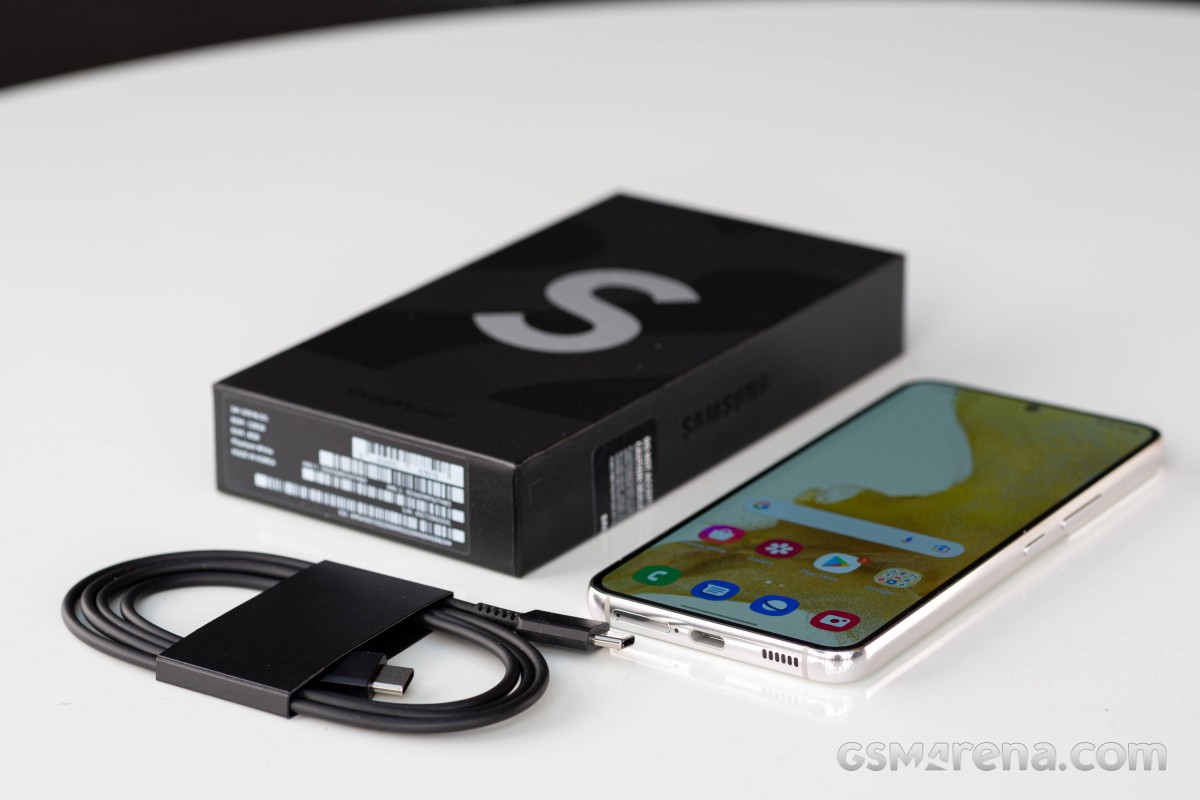
Just like its S22+ and S22 Ultra sibling, the vanilla S22 ships in a minimal retail box in every sense of the word. In case you were wondering, there is still no charger in the box. That seemingly went away for good with the Galaxy S21 generation. The S22 family ships with a relatively short, sturdy USB Type-C to Type-C cable and a SIM ejector, plus some obligatory paperwork. And that’s it. As barren of a package as conceivable, but that’s the rule of the day.
Of course, there is the ecological angle to consider. The thin and compact two-piece box is made from 100% recycled paper, and Samsung has limited the use of plastics in the packaging as much as it can too. The printing is done with soy-based ink as well, making this among the most ecological retail packages around.
Competition
The Galaxy S22 trio is not cheap by any means. Even so, pricing is mostly unchanged from last year’s models, which should be considered an achievement given the even-climbing prices of materials, scarcity, and other ongoing global economic and relater factors. Plus, the vanilla S22 is naturally the cheapest of the bunch, with an MSRP of $800/€850/£770 for the base 128GB variant and $850/€900/£820 for the 256GB one. As per our price-tracker, as of writing this review, actual retail pricing has even come down a bit in some places.
Beyond being the cheapest of the bunch, which might be alluring to certain customers, the Galaxy S22 has another potentially even bigger thing going for it, pun intended – its size. Very few devices offer a full flagship experience in quite as compact of a form factor. That, coupled with the fact that the S22+ offers almost nothing over the vanilla S22 except for size, battery, and at a notably higher price, convinced us to leave it off of the list. What is a viable option, though, is the older Galaxy S21. It is still a great, all-around flagship. You’ll have to live with the controversial plastic back panel, which is mostly us joking since the S21 still has great build quality. You do also get a bigger battery. Plus, the S21 gets to benefit retroactively from Samsung‘s new promise of extended software support.
The same is also true for the Galaxy S21 FE 5G. It is a great way to get a comparable modern Samsung experience while also saving a few bucks in the process. You do have to be ok with a notably larger device, though, and last year’s flagship chipset and Samsung camera setup, which we have already established, still hold up in 2022.
Samsung Galaxy S21 5G • Samsung Galaxy S21 FE 5G
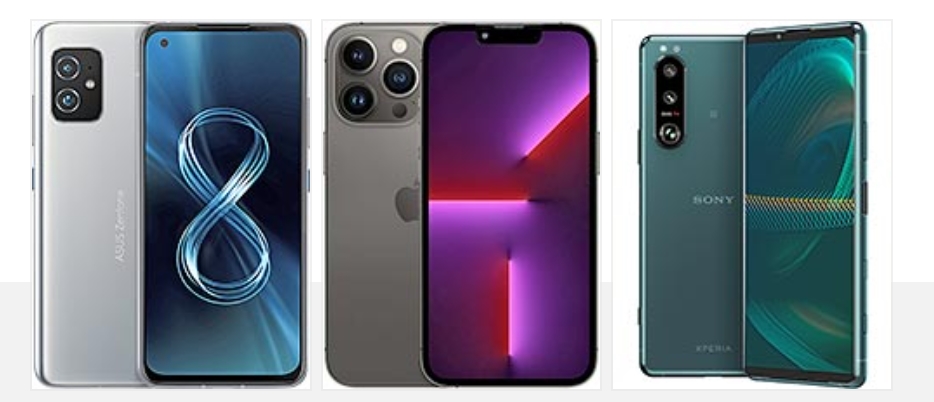
Circling back to the topic of compact flagships, while your options are limited, there are still a few devices to consider. The Asus Zenfone 8 is an interesting device in more than a few ways. It is compact but without skipping on major flagship features, like a great 120Hz, HDR10+ Super AMOLED panel, great stereo speakers, IP68 ingress protection and a respectable 4,000 mAh battery. Asus has its priorities aligned a bit differently than most going out of its way to fit additional hardware like an FM radio, NFC, 3.5mm jack and even a notification LED into the small Zenfone 8. Its ZenUI software is also a particular mix of clean and AOSP-like and highly customizable. The Zenfone 8 does, however, come with some notable camera compromises.
Asus Zenfone 8 • Apple iPhone 13 Pro • Sony Xperia 5 III
The Sony Xperia 5 III places much more emphasis on the camera department. It is also an all-around flagship in most other aspects, with IP65/IP68 ingress protection, stereo speakers, and a Snapdragon 888 chipset. It does have a bit of a “quirky” extra tall, “skinny” aspect ratio and a matching 21:9 display that is also a bit off in its BT.2020 HDR support but still excellent all-around with 120Hz refresh rate and 10-bit colors.
A valid argument can be made that the Xperia 5 III and the Zenfone 8 are “particular” in their own way. That’s pretty much us saying that they are not what we would consider “mainstream flagships” like the Samsung Galaxy S22. Enter the Apple iPhone 13 Pro – arguably the most viable and actual competitor to the Galaxy S22. There is hardly any need to sing the praises of the iPhone 13 Pro. We’ll just remind you that not unlike the S22 and S22+, the iPhone 13 Pro and 13 Pro Max are basically all-around identical in their excellent flagship features, with size and battery capacity as the sole major differences.
Our verdict
The vanilla S22 is pretty much an incremental update like the rest of the Galaxy S22 line. Samsung is playing it safe yet again – no major breakthroughs or innovation and no jarring and potentially disruptive changes. It uses a familiar formula that has proven effective in drawing in crowds of satisfied, even if often unexcited users.
It’s hard to find any significant faults with the Galaxy S22. We can keep on dreaming of microSD cards and 3.5mm jacks, but that’s clearly not happening. And sure, its battery life could have been better or at least as good as the S21, and perhaps the Exynos 2200 overpromised a bit compared to its initial delivery.
Even so, the entire S22 lineup is as solid as ever. For better or worse, it is kind of the definition of “a safe choice”. Consistency is the name of the game, and it’s arguably the most difficult game to play in the smartphone realm, particularly with flagships. While it’s cool to be disruptive and strive to tread new ground with things like amazing charging speeds or price-defying specs at the expense of other cutbacks, that’s not how you stay on top of the game. The likes of Samsung and Apple have proven time and time again that the key is relentless consistency and extremely calculated moves and incremental upgrades while always building on a solid foundation year over year. That’s how you get the new iPhone and the next Galaxy S device.
The flip side of that reality is that while the S22 is engineered to be as good as possible for as many people as possible, it is pretty boring. Once again, boring in a dependable sense, but still hardly the device that is going to tickle a smartphone enthusiast’s fancy. We definitely wish we could have a more exciting smartphone scene like years past when even titans like Nokia could afford to roll the dice and experiment. Then again, there is something to be said about having an ever-dependable choice in the latest (and greatest) Galaxy S phones. That is a significant draw for many users out there. Plus, the vanilla S22, in particular, has the size aspect going for it, potentially drawing in a crowd seeking a true flagship experience in the smallest possible form factor. And that’s on top of those users simply wanting to pick up the cheapest of the S22 trio.
If you believe you fit nicely into either category getting the Galaxy S22 is a pretty easy decision. If “default” is not your style, there is a vast sea of more interesting and exciting devices out there for anyone willing to explore them.
Pros
Industry-leading build quality with IP68 rating. Small and compact in modern terms. The new flatter and more symmetrical design is still very recognizable.
Excellent 120Hz AMOLED display with great brightness, improved sunlight legibility, superb color accuracy and a great HDR video experience.
Solid all-around hybrid stereo speaker system.
Likable no-nonsense OneUI 4.1 OS with powerful features and extended software support (four OS updates and five years of security patches).
Solid flagship camera experience both in photos and videos. Incrementally better or just as good as the S21 generation, it adds further small refinements here and there, particularly in low-light photography.
Cons
No charger in the box and no pre-applied screen protector.
Worse battery life than last year’s Galaxy S21 5G.
The new RDNA2-based Xclipse 920 AMD GPU collaboration looks promising, but is experiencing some early bugs and we feel its potential is nowhere near fully utilized in practice yet.
It’s that time of year again, and we have the new Galaxy S smartphones in our hands. We’ll start our reviewing spree with the Galaxy S22 Plus.
It’s important to approach this year’s devices with the right expectations. Maintaining the pace of innovation year after year is impossible, so as you’ll see, major changes are rather few and far between. Well, perhaps sans for the reincarnation of the Galaxy Note line in the S22 Ultra, but without the legendary “Note” branding.
While arguably getting increasingly boring (or tamer for lack of better words) over the last few years, Samsung‘s flagship offers are nothing if not consistent. That has a lot of merit in itself. Apple proved that much time and time again with its incremental year-over-year strategy. So, what’s new with the S22 this year? Well, summing things up before we dive into the nitty-gritty – you get a new camera setup, new chipsets and slightly less battery that Samsung promises it will offset through better chipset and display efficiency. The displays on the vanilla and plus are now slightly shorter but do promise certain technological improvements.
The Samsung Galaxy S22Plus 5G is the subject of this particular review. Compared to last year’s Galaxy S21 Plus 5G in a bit more detail, it has gotten a bit shorter and ever so slightly wider and just a bit thinner and at 195/196 grams, also slightly lighter. Those last two bits probably have to do with the battery capacity reduction from 4,800 mAh last year to 4,500 mAh.
This time around, the S22 Plus has 45W fast charging, up from 25W last year. The display, while slightly shorter, gets an impressive brightness boost this year, thanks to Samsung OLED development. Then there is the new camera setup – a new main 50MP camera, with a 23% larger sensor than last year’s 12MP model. Also, a new 10MP telephoto with optical rather than hybrid 3x zoom. The ultrawide and selfie cams are carried over from the S21 Plus.
Samsung Galaxy S22 Plus 5G specs at a glance:
Body: 157.4×75.8×7.6mm, 195g; Glass front (Gorilla Glass Victus+), glass back (Gorilla Glass Victus+), aluminum frame; IP68 dust/water resistant (up to 1.5m for 30 mins), Armour aluminum frame with tougher drop and scratch resistance (advertised).
Another thing Samsung has been doing exceptionally well over the past few Galaxy S generations is segmentation. This year, obviously, the Ultra is in a league of its own, even if it’s lacking a “Note” moniker. Comparing the regular Galaxy S22 to the S22 Plus, however, basically comes down to size and, of course, price. The S22 Plus has a notably bigger 6.6-inch display that does get brighter, which we will discuss at length in the display section. Its body is proportionally bigger and houses a bigger battery, now with 45W charging support, as already mentioned. Though, that hasn’t proven to offer a huge practical advantage over Samsung’s 25W tech in the past.
The S22 Plus also gets Ultra Wideband (UWB) support. Other than that, the two phones are basically identical both inside and outside. This is truly great to see since all the user needs is to pick a size and/or budget.
Speaking of budget, Samsung has remained impressively consistent on that front as well. You can check detailed pricing on the entire S22 lineup and the Galaxy Tab S8 here, but the S22 Plus basically starts at $1,000, €1,050 or £950, which is essentially the original S21 Plus MSRP. Getting the same price point is not an insignificant feat given the ongoing tough situation regarding supply chain and material shortages in the tech industry as a whole.
So, that’s the S22 Plus in a nutshell – an incremental boring upgrade for some, a consistently-solid all-around flagship with no unexpected potentially deal-breaking surprises or price hikes for others. As usual, the devil is in the details. Follow along as we dig through them and really see what makes the Galaxy S22 Plus tick.
Unboxing
Unboxing the Galaxy S22 is not much of an “experience” in the conventional sense. If you were wondering, Samsung didn’t reverse its decision to exclude a charger from the retail box. That seemingly went away for good with the Galaxy S21 generation. The S22 family ships with a relatively short, sturdy USB Type-C to Type-C cable and a SIM ejector, plus some obligatory paperwork. And that’s it. As barren of a package as conceivable, but that’s the rule of the day.
On the flip side, though, there is almost no unneeded stuff in the box. The thin and compact two-piece box is made from 100% recycled paper, and Samsung has limited the use of plastics in the packaging as much as it can too. The printing is done with soy-based ink as well, making this among the most ecological retail packages around.
Competition
If you’re considering the Galaxy S22 Plus – a device that starts at $1,000, €1,050 or £950, as the saying goes, “the world is your oyster”. There’s no point in beating about the bush, that’s a lot of money to give up for a phone, so it better be good enough to live up to pretty much any expectation. Since you are effectively shopping in the top niche of the current smartphone market, phones in this price bracket are as good as smartphones get in 2022.
Premium buyers frequently tend to have at least some degree of “brand loyalty” for any number of reasons, be in pre-existing immersion into a given device ecosystem or experience with customer support or simply fastidious and specific care for any number of very particular aspects and features offered by one manufacturer or another.
Keeping that in mind, if you are in the market for an S22 Plus, it is very likely that you know for a fact you want a Samsung and you already considered and rejected the obvious alternatives of the vanilla Galaxy S22 and the S22 Ultra for any number of potential reasons. That’s what we mean by particular. Allow us to point you in a few less-obvious directions, like the Galaxy S21 FE 5G. It’s sort of the “sensible” alternative. You will have to “settle” for a slightly smaller and not as bright display, without automatic refresh rate switching, the older flagship Snapdragon 888 5G or Exynos 2100 chipset and some slightly-older camera sensors for the otherwise very comparable camera setup. Short of a few niche features like Samsung DeX and minor compromises in connectivity, that’s honestly about the extent of the “downgrade”. All the while, the potential savings are significant.
Beyond that, we have to admit that things are currently a bit weird in the flagship Android realm, mostly since some big-ticket phones are yet to get proper international availability. The Xiaomi 12 Pro’s European release is probably right around the corner, though. It is a great all-around device that comes very close to the Galaxy S22 Plus in terms of overall specs. Its most notable omission is probably ingress protection. Then again, it has many benefits of its own too. Since the older Xiaomi 11T Pro is already widely available and not far off in terms of specs, we’re mentioning it as well.
OnePlus is in a similar boat with the new OnePlus 10 Pro. We are currently expecting its global release sometime before the end of March. It is another solid all-around flagship offer with similar specs to the S22 Plus. Notably, a bigger 5,000 mAh battery, but also no ingress protection. It gets a soft recommendation as a viable alternative, mostly since the OnePlus 9 Pro is very similar specs-wise, widely available and does offer IP68 protection. Unfortunately, with a smaller 4,500 mAh battery.
Naturally, since we are talking about a Galaxy S22 device, arguably the definition of a “mainstream flagship”, we can’t fail to mention that an Apple iPhone is always a viable choice to make. Those do tend to be quite pricy, though, so the notably physically smaller iPhone 13 is probably the best you’ll be able to get off-contract without upping your budget over $1000.
Our verdict
It’s hard to find any significant faults with the Galaxy S22 Plus. We can keep on dreaming of microSD cards and 3.5mm jacks, but that’s clearly not happening. And sure, its battery life could have been better, and perhaps the Exynos 2200 overpromised a bit, compared to its initial delivery. Even so, the entire S22 lineup is as solid as ever. For better or worse, it is kind of the definition of “safe choice”. Consistency is the name of the game, and it’s arguably the most difficult game to play in the smartphone realm, particularly with flagships. While it’s cool to be disruptive, put out a “flagship killer” or go for an enticing title like “the first phone with…”, that’s not how you stay on top of the game. The likes of Samsung and Apple have proven time and time again that the key is relentless consistency and extremely calculated moves and incremental upgrades while always building on a solid foundation year over year. That’s how you get the new iPhone and the next Galaxy S device.
The flip side of that reality is that while the S22 Plus is engineered to be as good as possible for as many people as possible, it is pretty boring. Once again, boring in a dependable sense, but still hardly the device that is going to tickle a smartphone enthusiast’s fancy.
Keeping all of this in mind, the decision to get an S22 device is a simple and equally boring one – do you want and/or need the new Samsung flagship with all of the familiar positives and negatives that come with it? Nothing massive has really changed about this very same question going back at least a couple of Galaxy S flagship generations. The S22 Plus remains an ever-dependable default choice, and for a good reason. If “default” is not your style, there is a vast sea of more interesting and exciting devices out there for anyone willing to explore them.
Pros
Industry-leading build quality with IP68 rating. Perfect weight distribution. The new flatter and more symmetrical design is still very recognizable.
Excellent industry-leading 120Hz AMOLED display with major brightness improvements, improved sunlight legibility, superb color accuracy and a great HDR video experience.
Great all-around hybrid stereo speaker system.
Likable no-nonsense OneUI 4.1 OS with powerful features and extended software support (four OS updates and five years of security patches).
Solid flagship camera experience both in photos and videos. Incrementally better or just as good as the S21 generation, it adds further small refinements here and there, particularly in low-light photography.
Cons
No charger in the box and no pre-applied screen protector.
45W charging is still more wishful thinking that doesn’t translate to real-world gains and the charger situation is poorly communicated by the PR team.
The new RDNA2-based Xclipse 920 AMD GPU collaboration looks very promising, but is experiencing some early bugs and we feel its potential is nowhere near fully utilized in practice yet.