The Samsung Watch Repair Chronicles: Apple Watch vs. Galaxy Watch Durability | Ultimate Guide + 10 Key Insights
Introduction to Smartwatch Durability
Smartwatches are no longer just luxury accessories—they’ve become everyday tools. Whether you’re an Apple aficionado or a Samsung enthusiast, understanding the durability of your smartwatch is essential. Not only does durability affect your daily usage, but it also influences repair costs, resale value, and overall longevity. Both Apple Watch and Samsung Galaxy Watch models offer premium technology, but how do they truly compare when life gets tough? This guide dives into every aspect of their durability and repairability.
Apple Watches are well-known for their sleek, minimalist design. From the aluminum Series 9 to the stainless steel and ceramic models, Apple emphasizes both aesthetics and strength. The front display is typically made of Ion-X strengthened glass (aluminum models) or sapphire crystal (stainless steel/ceramic models), which offers scratch resistance but can still crack under impact.
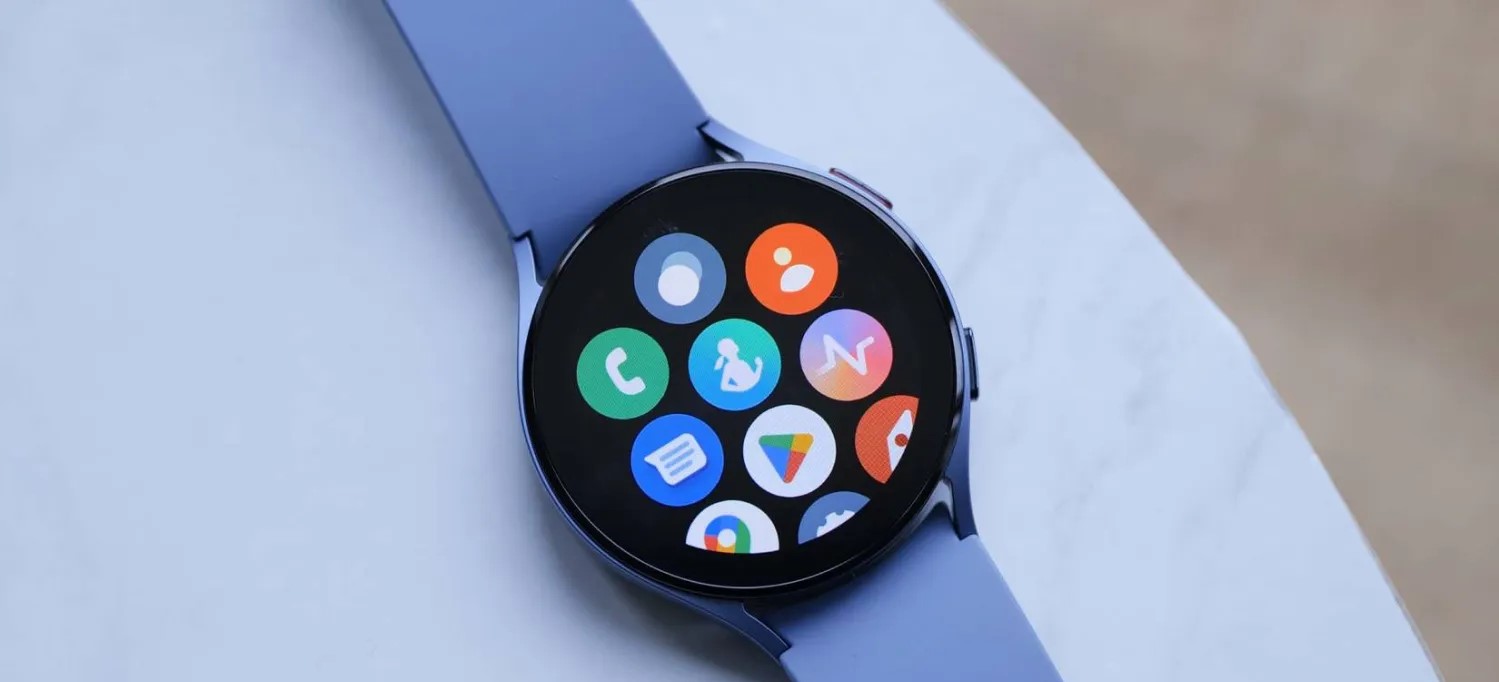
Samsung’s Galaxy Watch series prioritizes ruggedness alongside elegance. With Gorilla Glass DX protection, stainless steel casings, and military-grade certification (MIL-STD-810G), the Galaxy Watch can handle rougher environments better than its Apple counterpart. The AMOLED display is highly resilient, but the curved edges make it slightly more susceptible to drops compared to flat-screen Apple Watches.
Water Resistance and Dust Protection
Apple Watch Water Resistance
Most Apple Watch models are rated up to 50 meters, making them suitable for swimming and shallow-water activities. However, Apple advises against high-velocity water or deep diving. Long-term water exposure may still impact internal components if protective seals degrade.
Galaxy Watch Water Resistance
Galaxy Watches typically feature IP68 ratings and adhere to military standards, making them highly resistant to dust and water. Users can confidently wear these watches in showers, pools, and even muddy environments. This gives Galaxy Watches a practical edge for adventure enthusiasts.
Battery Longevity and Performance
Apple Watch Battery Insights
Apple Watches generally last 18–24 hours on a single charge, depending on usage. Battery health degrades over time, typically after 500–700 cycles, at which point replacement is recommended. Apple offers battery replacement services, but the process can be costly if not done through official channels.
Galaxy Watch Battery Insights
Galaxy Watches have a slightly longer battery life—up to 40 hours or more on some models. Samsung also provides battery optimization settings and replacement options. With proper care, Galaxy Watch batteries can maintain high capacity for 2–3 years before replacement is required.
Common Issues and Repairs
Apple Watch Repair Scenarios
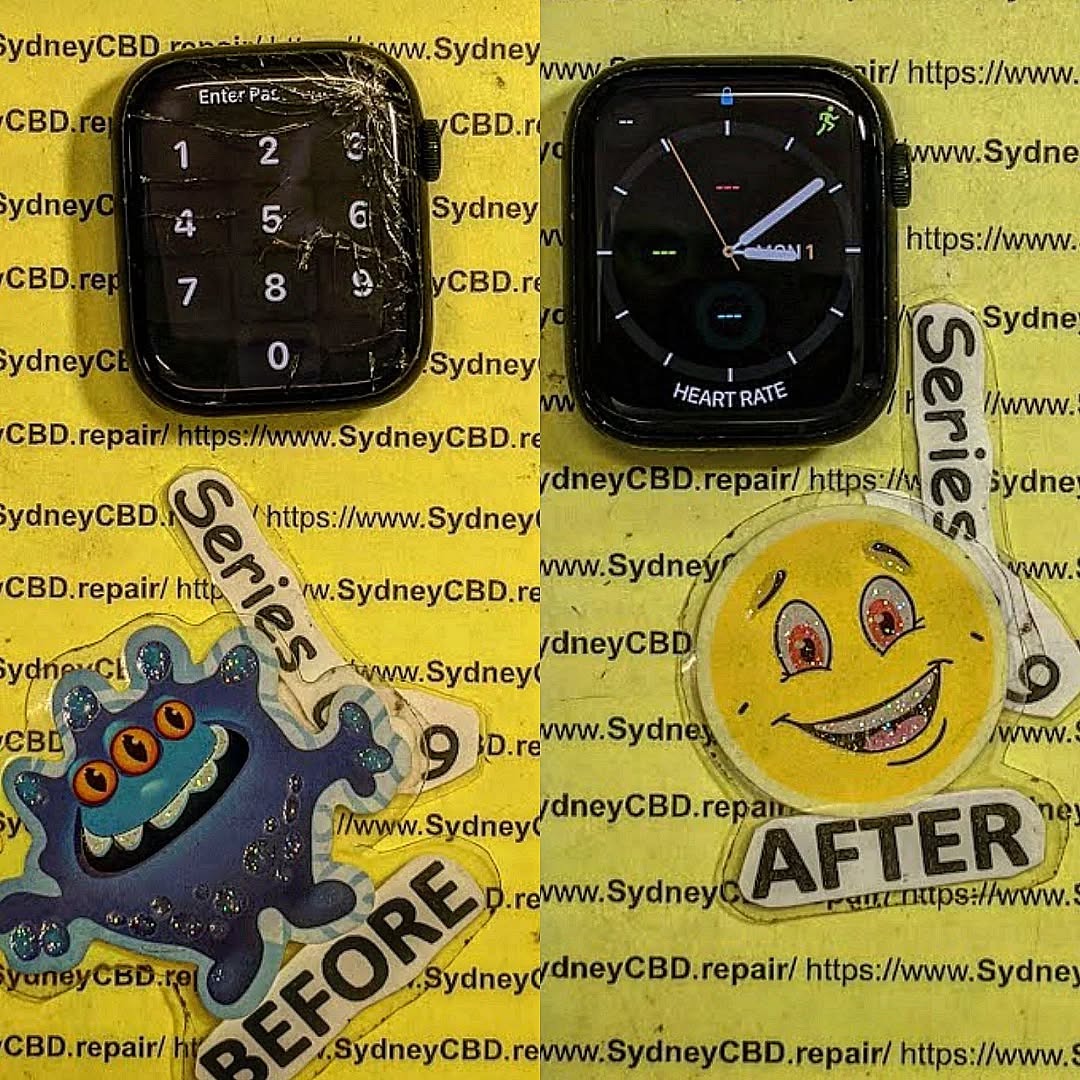
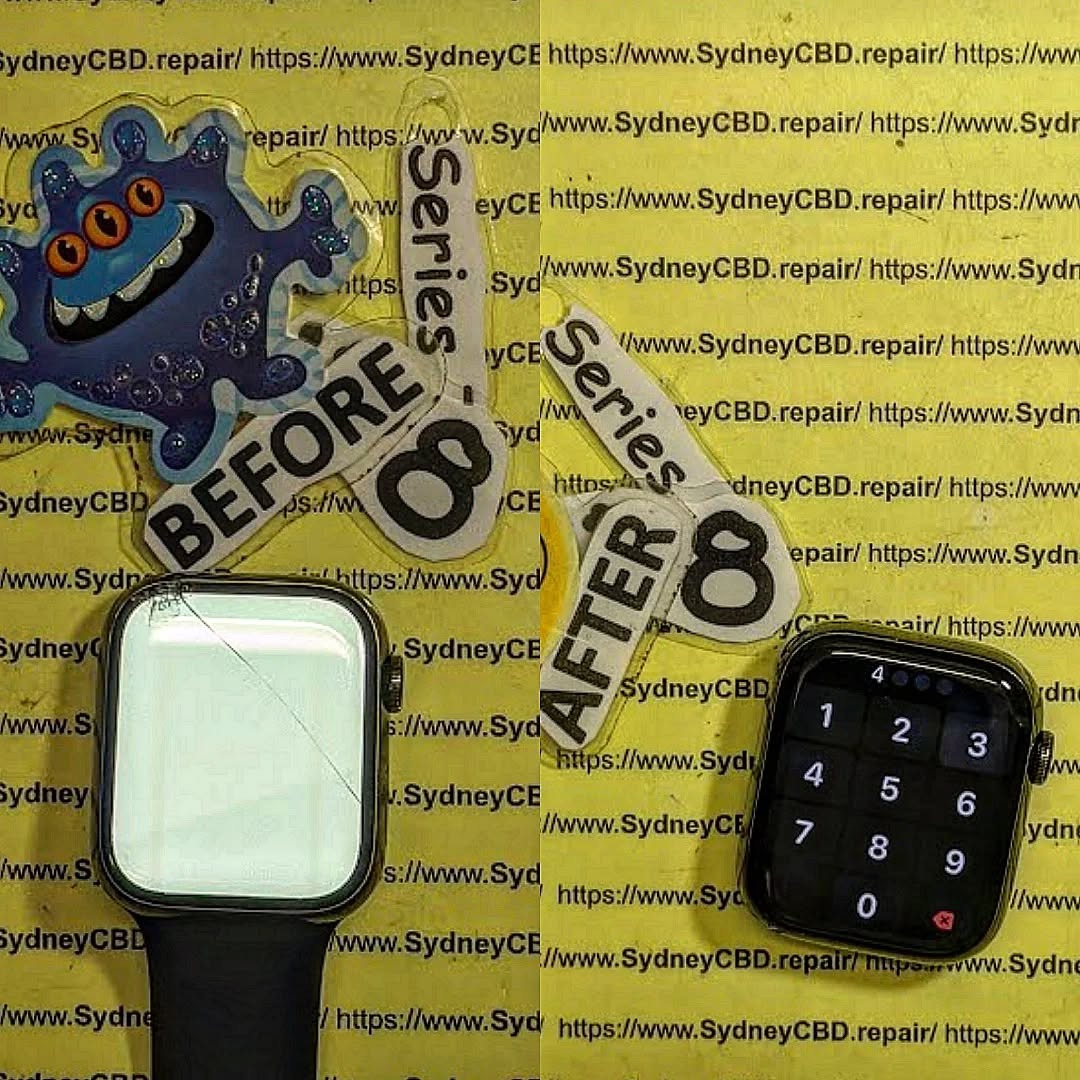
Common Apple Watch issues include cracked screens, swollen batteries, and charging problems. Screen replacement requires precision due to the integrated display and touch sensors. Users often rely on Apple-certified repair centers for warranty assurance.
Galaxy Watch Repair Scenarios
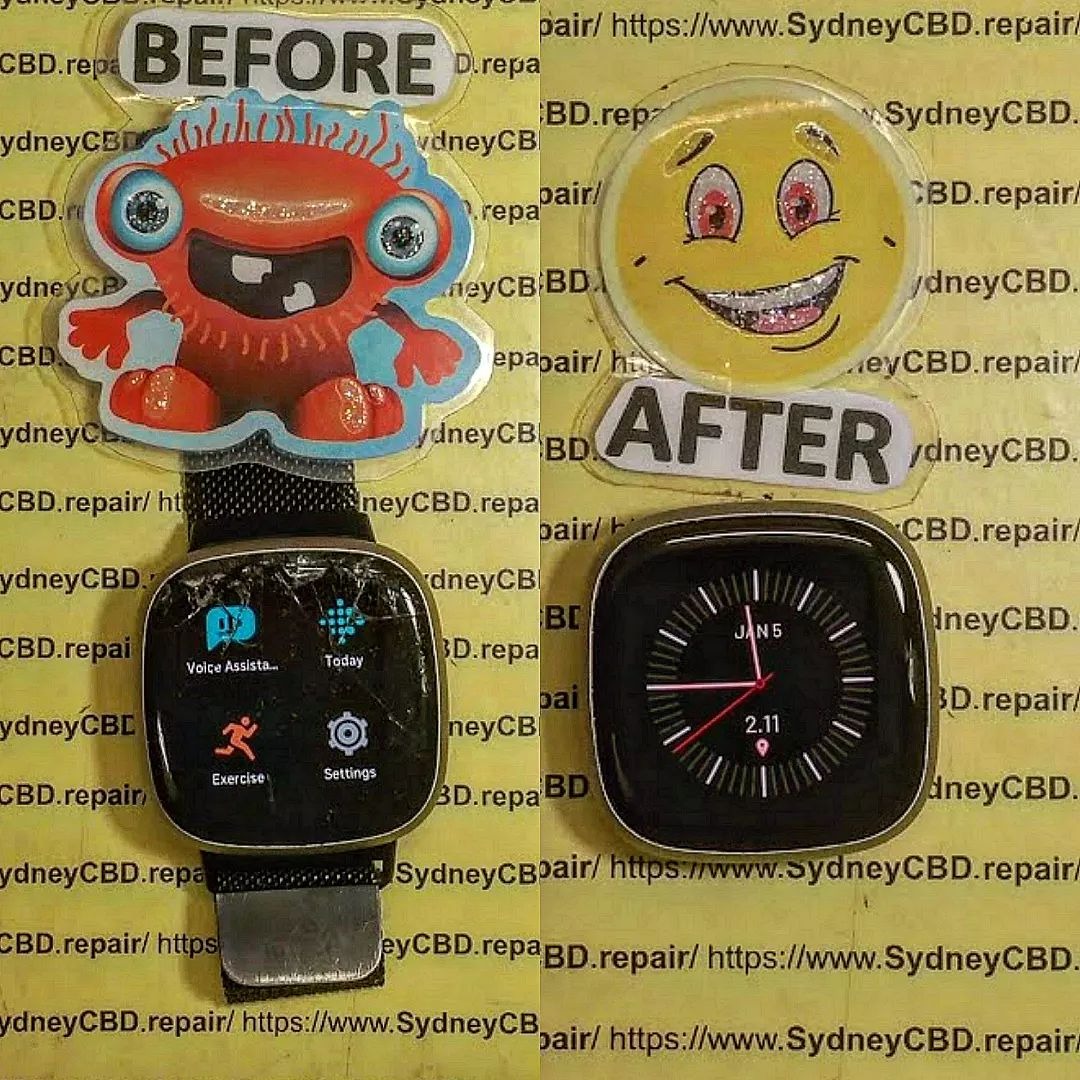
Galaxy Watch owners report screen scratches, band wear, and water intrusion as typical problems. Samsung’s repair network is expanding, and third-party repairs are often more affordable than Apple services.
Repairability Scores and Guides
Apple Watches score lower on repairability (around 6/10 on iFixit) due to tightly integrated components. Galaxy Watches typically score higher (7–8/10) thanks to modular designs, easier battery swaps, and external band replacements. DIY repairs are possible for both, but professional assistance is strongly recommended for water-resistant models.
Cost Analysis: Repairs vs. Replacement
Issue
Apple Watch Average Cost
Galaxy Watch Average Cost
Screen Replacement
$250–$400
$150–$300
Battery Replacement
$79–$99
$50–$80
Water Damage Repair
$200+
$120–$200
Total Lifespan Cost
Higher
Moderate
Galaxy Watches generally offer lower repair costs due to their simpler modularity and less proprietary components.
Longevity in Real-World Use
User reports indicate Galaxy Watches often survive more physical abuse without performance loss. Apple Watches, while stylish, require more cautious handling to avoid scratches and screen damage. However, Apple’s ecosystem advantage—like seamless iPhone integration—can justify careful use for some users.
Tips to Extend Smartwatch Life
Use Screen Protectors: Both brands benefit from tempered glass or TPU films.
Avoid Extreme Temperatures: Batteries degrade faster in heat or cold.
Regular Cleaning: Remove sweat, dust, and moisture from the casing and band.
Mind Water Exposure: Even rated watches shouldn’t be exposed to harsh water frequently.
Battery Care: Avoid keeping devices at 0% for long; charge before hitting 20%.
Expert Recommendations
For Durability: Samsung Galaxy Watch wins for ruggedness and lower repair costs.
For Ecosystem Integration: Apple Watch excels in seamless connectivity with iPhones.
For Long-Term Cost Efficiency: Galaxy Watch may save you money on repairs.
FAQs
Q1: Can I repair an Apple Watch myself?
A1: DIY repairs are possible but difficult due to delicate components. Professional repair is safer.
Q2: Is Galaxy Watch water-resistant enough for swimming?
A2: Yes, with IP68 and MIL-STD-810G certification, most models handle swimming and wet conditions.
Q3: How long do Apple Watch batteries last?
A3: Around 2–3 years or 500–700 charge cycles before noticeable degradation.
Q4: Are Galaxy Watch screen replacements cheaper than Apple Watch?
A4: Yes, generally $150–$300 compared to $250–$400 for Apple.
Q5: Does dropping my watch void warranty?
A5: Accidental damage is typically not covered under standard warranties for both brands.
Q6: Which smartwatch has higher repairability?
A6: Galaxy Watches usually score higher in repairability thanks to modular components.
Conclusion
Both Apple Watch and Samsung Galaxy Watch are excellent smartwatches, but durability and repairability vary significantly. Galaxy Watches offer superior ruggedness, easier repair options, and better water and dust protection. Apple Watches shine in design, ecosystem integration, and premium feel but demand careful handling to avoid damage. Choosing the right watch depends on lifestyle, budget, and your tolerance for repair risks.
David from Sydney CBD Repair Centre – The Best place to fix mobile phones as 7 Years In A Row! Top Mobile Phone Repair In Sydney. More than 2000 Positive Reviews on Google and Same Day Repairs.
Visit us for:
✓ Same Day Express Repairs
✓ Genuine Parts Guarantee
✓ Professional Technicians
✓ Competitive Pricing
✓ 2000+ 5-Star Google Reviews
✓ 7-Time Award Winner for Best Phone Repairs
MYSTERY DEVICE FIX! Reviving a Water Damaged Smartwatch in 7 Critical Steps
Introduction
In today’s fast-paced world, smartwatches have become more than just timekeeping devices—they’re personal assistants, fitness trackers, and even health monitors all wrapped around your wrist. But despite their advanced technology and sleek design, smartwatches are surprisingly vulnerable to water damage. A sudden splash, accidental spill, or even a sweaty workout session can render your device unresponsive, leaving you disconnected and frustrated.
Fortunately, reviving a water damaged smartwatch is possible if you act quickly and follow the right steps. In this comprehensive guide, we will walk you through the 7 critical steps to restore your device, from immediate action after water exposure to professional repair considerations. Whether you’re a tech-savvy DIY enthusiast or prefer professional intervention, this guide provides practical, safe, and effective strategies to bring your smartwatch back to life while preventing future damage.
By understanding the risks, taking prompt action, and applying the correct repair techniques, you can save your smartwatch from permanent damage, extend its lifespan, and enjoy uninterrupted functionality.
Smartwatches are increasingly becoming indispensable companions, helping us monitor health, stay connected, and manage daily routines. But one wrong splash or accidental spill can transform your gadget into a seemingly lifeless brick. Water damage is one of the most common issues smartwatch owners face, and timely intervention can be the difference between full recovery and permanent malfunction. In this guide, we’ll explore how to revive a water damaged smartwatch effectively in 7 critical steps, ensuring your device comes back to life safely and reliably.
Water damage is more complex than just moisture entering a device. Smartwatches contain delicate circuits, tiny batteries, sensors, and displays that are extremely sensitive to liquid exposure.
How Water Enters Smartwatches
Despite some watches being water-resistant, water can penetrate through:
Sweat during workouts
Rain or accidental splashes
Submersion in pools, tubs, or sinks
Humidity and condensation inside devices
Understanding the source of water entry helps in assessing the severity of the damage.
Common Signs Your Smartwatch is Water Damaged
Watch out for these red flags:
Unresponsive touchscreen or buttons
Display flickering or black screen
Random shutdowns or inability to power on
Battery draining unusually fast
Strange noises from speakers
Corrosion or discoloration on charging ports
Early detection improves recovery chances, so don’t wait too long to act.
Test sensors such as heart rate, GPS, or accelerometer
Run a full battery cycle to ensure charging works correctly
This step confirms whether repair was successful or if professional service is required.
Step 7: Preventive Measures Post-Repair
Consider applying waterproofing sprays designed for electronics
Use protective cases or covers when swimming or showering
Avoid exposing the device to water unnecessarily
Preventive habits dramatically extend the lifespan of your smartwatch.
Professional vs. DIY Smartwatch Repair
While DIY methods save money, professional repair offers:
Expertise with delicate components
Specialized tools for internal cleaning
Guaranteed replacement parts
Faster turnaround and reduced risk of permanent damage
DIY can be effective for minor spills, but severe water damage often requires professional intervention.
Top Smartwatch Brands and Their Water Resistance Limits
Brand
Model
Water Resistance Rating
Apple
Watch Series 8
50m (swimming)
Samsung
Galaxy Watch 6
50m
Garmin
Fenix 7
100m
Fitbit
Versa 4
50m
Note: “Water-resistant” does not mean “waterproof.” Always check manufacturer limits before submersion.
Tips for Avoiding Future Water Damage
Remove the watch during prolonged exposure to water
Regularly inspect seals and gaskets
Keep charging ports clean and dry
Invest in waterproof straps or covers
Consider device insurance for water damage
FAQs About Water Damaged Smartwatches
Q1: Can a water damaged smartwatch be fully repaired?
A: Yes, if addressed promptly. Quick drying and corrosion cleaning can restore full functionality in many cases.
Q2: Is rice effective for drying a smartwatch?
A: Rice absorbs some moisture but is less efficient and may leave dust inside. Silica gel is safer and faster.
Q3: Should I open my smartwatch myself?
A: Only if confident with tiny electronics. Otherwise, professional repair is recommended to avoid worsening damage.
Q4: How long should I dry a smartwatch internally?
A: At least 24–48 hours with silica gel; longer if water entered deeply.
Q5: Can I swim with my smartwatch after repair?
A: Only if the manufacturer’s water resistance rating is verified and seals are intact. Otherwise, avoid water exposure.
Q6: Does water damage affect battery life permanently?
A: It can, if corrosion or short circuits occur. Replacement may be necessary in severe cases.
Conclusion
Reviving a water damaged smartwatch may seem daunting, but with the right approach and tools, most devices can be restored to full functionality. Remember the 7 critical steps: power off immediately, dry carefully, clean corrosion, inspect components, reassemble, test, and apply preventive measures. Prevention is equally vital, as consistent care and understanding water resistance limits greatly extend your smartwatch’s life.
Whether you attempt a DIY repair or opt for professional service, acting quickly is the key to success. Your smartwatch can recover, keeping you connected and in control, even after a splash or spill.
David from Sydney CBD Repair Centre – The Best place to fix mobile phones 6 Years In A Row! Top Mobile Phone Repair In Sydney. More than 2000 Positive Reviews on Google and Same Day Repairs.
We take pride in delivering exceptional repair services for all major phone brands including Apple, Samsung, Google, and more. Our expert technicians use only genuine parts and offer 90days warranty on repairs. Located in the heart of Sydney CBD, we’re your one-stop solution for all mobile device repairs.
Visit us for:
✓ Same Day Express Repairs
✓ Genuine Parts Guarantee
✓ Professional Technicians
✓ Competitive Pricing
✓ 2000+ 5-Star Google Reviews
✓ 6-Time Award Winner for Best Phone Repairs
Smartwatches play a massive role in our daily routines, so when the screen cracks, it can feel like disaster strikes instantly. In this guide, you’ll get an inside look at cracked smartwatch screen repair, from diagnostics to replacement techniques. This keyword — cracked smartwatch screen repair — appears naturally throughout this article to improve search visibility while keeping the reading experience smooth and engaging. Let’s walk through the real process technicians follow, the pitfalls of DIY, and how you can decide whether repair or replacement is the right move.
Introduction
Smartwatches have become indispensable companions, seamlessly blending technology with everyday life. From tracking fitness goals to managing notifications, these devices keep us connected and organized. However, accidents happen, and one of the most common mishaps is a cracked smartwatch screen. A damaged screen not only affects the aesthetic appeal but can also impair touch functionality, display quality, and even water resistance.
Understanding the process behind a cracked smartwatch screen repair is essential for anyone looking to restore their device without risking further damage. In this guide, we’ll explore the causes of screen damage, step-by-step repair procedures, necessary tools, potential risks of DIY fixes, and why professional repairs often provide the best long-term results. Whether you’re a tech enthusiast or someone seeking expert repair advice, this comprehensive introduction will set the stage for making informed decisions about your smartwatch.
By the end of this article, you’ll have a clear understanding of the repair process, cost considerations, and prevention tips to ensure your smartwatch stays functional and stylish for years to come.
Smartwatches use specialized screen assemblies made up of delicate layers. When cracked, the damage isn’t always superficial — deeper components often take a hit too.
Types of Smartwatch Screens
Most modern smartwatches use one of the following:
OLED displays (Apple Watch, Samsung Galaxy Watch)
LCD displays (budget smartwatches and fitness bands)
Sapphire crystal glass (high-end Garmin, Tissot)
Ion-X or Gorilla Glass
Touch digitizer layers
Knowing your display type helps determine repair complexity and cost.
Common Causes of Screen Cracks
Smartwatch screens crack for many reasons:
Hard impacts against door frames
Gym equipment collisions
Drops from wrist height
Cycling or running accidents
Heat exposure damaging adhesives
Manufacturing fatigue over time
Even mild cracks can compromise touch accuracy or cause dead pixels.
The Initial Assessment Process
Before any technician begins a cracked smartwatch screen repair, they run an assessment to detect all underlying issues — because a crack is often just the start.
Identifying Display vs. Touch Issues
Technicians check:
Touch responsiveness
Dead zones
Display discoloration
Lines or flickering pixels
Backlight issues for LCD units
Evaluating Internal Damage
More serious cracks may affect:
Battery
Taptic Engine
Water-resistance seals
Internal connectors
Logic board flex cables
This diagnostic stage determines whether a simple screen replacement is enough or if deeper repairs are needed.
This section provides a deep look at the real repair workflow. Even though it’s tempting to try DIY, this part will show why professionals trained in micro-repairs are often the safest bet.
Opening the Watch Safely
Smartwatches are sealed with high-strength adhesive. To open one safely, technicians:
Apply controlled heat
Use micro pry tools
Lift the screen without tearing cables
Disconnect flex connectors carefully
A wrong move here destroys the display or motherboard instantly.
Removing Broken Glass and Adhesive
Once opened, the technician:
Removes shattered glass
Cleans adhesive residue
Inspects the digitizer
Prepares the frame for a new assembly
Precision is everything — even one speck of dust can ruin touch sensitivity.
Installing the New Screen
Replacement involves:
Aligning the new display
Reconnecting flex cables
Re-sealing the watch
Restoring water resistance
Running full hardware diagnostics
Professionals test for:
Brightness levels
Touch precision
Battery draw
Display uniformity
Structural integrity
Tools and Materials Used in Screen Repairs
Smartwatch repairs require premium tools — not generic screwdrivers from a $10 kit.
Professional Tools vs. DIY Kits
Professionals use:
Heat mats
Microsoldering stations
Anti-static workspaces
Precision tweezers
OEM-grade adhesives
Laser separators (for glass-only repairs)
DIY kits, meanwhile, often include:
Low-quality pry tools
Weak adhesives
Non-OEM parts
These differences drastically impact repair success and long-term durability.
Cost Breakdown: What You’re Really Paying For
A cracked smartwatch screen repair cost includes:
Component
Price Influence
Display type
OLED costs more than LCD
OEM vs aftermarket
OEM ensures accuracy
Labor skill
Micro-repairs require expertise
Water-seal replacement
Essential for durability
Warranty
Technician accountability
Premium brands like Apple or Samsung cost more because their screens contain multiple layers fused together.
Risks of DIY Smartwatch Screen Repair
Trying to fix your own smartwatch may seem affordable, but the risks outweigh the savings:
Loss of water resistance
Damage to internal sensors
Broken connectors
Display ghosting
Battery damage
Touch failure
And once damaged, many manufacturers refuse further service.
Why Professional Repairs Deliver Better Results
Certified repair centres — like Sydney CBD Repair Centre — provide:
Genuine replacement parts
Skilled micro-technicians
Water-seal restoration
Same-day service
Warranty-backed repairs
You also get peace of mind knowing your smartwatch will function as originally intended.
How to Prevent Future Screen Damage
Here are practical tips:
Use a screen protector
Add a bumper case
Avoid wearing the watch during heavy-impact activities
Keep it away from extreme heat
Service the watch annually for seal maintenance
Small habits significantly extend your device’s life.
FAQs
1. How long does a cracked smartwatch screen repair take?
Most repairs take 1–2 hours, depending on parts availability and waterproofing requirements.
2. Is it safe to use a smartwatch with a cracked screen?
Not really. Cracks allow moisture to enter, which can short internal circuits.
3. Does replacing the screen remove water resistance?
Only if done incorrectly. Professional technicians reapply seals to restore protection.
4. How much does a smartwatch screen repair cost?
Prices typically range from $120–$450, depending on the model and display technology.
5. Is OEM better than aftermarket?
Absolutely. OEM maintains original brightness, accuracy, and durability.
6. Where can I get reliable smartwatch repairs in Sydney?
The Sydney CBD Repair Centre is one of the highest-rated shops with over 2,000 positive reviews.
Visit: https://SydneyCBD.repair/locate-us
Conclusion
A cracked smartwatch screen doesn’t have to mean replacing the entire device. With expert diagnostics, precision tools, and professional repair methods, your smartwatch can look and function like new again. By choosing a trusted repair centre — such as Sydney CBD Repair Centre — you ensure durability, functionality, and peace of mind.
David from Sydney CBD Repair Centre – The Best place to fix mobile phones as 6 Years In A Row! Top Mobile Phone Repair In Sydney. More than 2000 Positive Reviews on Google and Same Day Repairs.
📍 Visit us today for:
✓ Same Day Express Repairs
✓ Genuine Parts Guarantee
✓ Professional Technicians
✓ Competitive Pricing
✓ 2000+ 5-Star Google Reviews
✓ 6-Time Award Winner for Best Phone Repairs
Smartwatch Screen: Unseen Damage and Repair Hacks That Save You Hundreds
Understanding Smartwatch Screen Damage
Smartwatches have evolved from fitness trackers to miniature smart devices on your wrist. However, their screens remain one of the most vulnerable components. Even the slightest impact can lead to unseen damage that worsens over time.
Why Smartwatch Screens Are More Fragile Than You Think
Despite being marketed as “scratch-resistant” or “shatterproof,” smartwatch screens often use tempered glass or AMOLED displays, which can suffer from internal stress cracks or pixel bleeding. Repeated exposure to sunlight, moisture, and daily wear can cause microscopic fractures invisible to the naked eye.
Common Causes of Unseen Screen Damage
Cause
Description
Impact
Sweat and Moisture
Seeps into crevices, weakening internal seals
Screen fogging, touchscreen lag
Pressure
Tight straps or accidental knocks
Micro-cracks, pressure spots
Heat Exposure
Leaving watch in direct sunlight
Pixel burn-in, display discoloration
Poor Charging Habits
Overheating battery during charge
Glass warping, adhesive softening
How Everyday Use Impacts Screen Longevity
Every time you tap, swipe, or expose your smartwatch to changing temperatures, the materials expand and contract slightly. Over time, this stress accumulates, creating invisible cracks that eventually cause touch sensitivity issues or display flickering.
Identifying Hidden Screen Issues
Knowing the signs of hidden damage helps prevent major repairs. Many smartwatch owners notice small glitches but overlook them—until it’s too late.
Signs of Micro Cracks and Internal Screen Damage
Faint lines under certain lighting angles
Dull or uneven brightness in specific screen areas
Random ghost touches or unresponsive zones
Distorted icons or colors near screen edges
How to Test for Dead Pixels or Touch Malfunctions
You can use a simple pixel testing app or even a white background on your watch face to identify missing pixels. For touch tests, slide your finger slowly across the screen; lag or dead zones indicate deeper issues.
Why Ignoring Minor Damage Can Lead to Costly Repairs
That barely visible crack may seem harmless, but it compromises the waterproof seal. Moisture can creep inside and damage the motherboard, causing the entire watch to fail—leading to repairs costing up to 80% of a new device’s price.
If you notice minor scratches or surface imperfections, there are a few safe at-home fixes to help mitigate further damage.
Temporary Fixes for Hairline Cracks
Use clear nail polish or UV glue to fill tiny surface cracks. It prevents dust and moisture from spreading the fracture line. Apply a thin layer, let it cure under UV light, and gently wipe off excess residue.
Screen Protection Hacks Using Household Items
Toothpaste: Non-abrasive toothpaste can polish away light scratches.
Plastic Polish (like Polywatch): Restores clarity for older models.
⚠️ Note: These are temporary measures. For long-term protection, seek a professional repair service.
When to Use UV Glue and Screen Adhesives
When cracks start affecting visibility or touch, optical UV glue can restore display integrity. However, improper use can cause display bleeding or adhesive smudging—so professional application is strongly advised.
If your screen is cracked, unresponsive, or displays discoloration, it’s time for a professional repair.
At Sydney CBD Repair Centre, technicians use genuine OEM screens and precision tools to restore your smartwatch to factory condition.
Step-by-Step Professional Repair Process
Diagnostics – Assess hidden and visible damage
Disassembly – Carefully remove the screen with anti-static tools
Screen Replacement – Fit genuine parts with proper sealing
Testing – Confirm touch response, color accuracy, and waterproofing
Final Calibration – Optimize brightness and battery performance
How Genuine Parts Affect Screen Performance
Using counterfeit or third-party screens may save money upfront but leads to color inaccuracy, touch delays, and faster degradation. Genuine parts maintain device performance and warranty integrity.
Warranty and Aftercare Tips from Experts
At Sydney CBD Repair Centre, every repair comes with a 90-day warranty.
Keep your smartwatch dry for 24 hours post-repair and avoid applying pressure on the screen to let adhesives settle.
Comparing DIY vs. Professional Repairs
Criteria
DIY Repair
Professional Repair
Cost
Low upfront, risky long-term
Competitive with warranty
Time
Quick but uncertain
Same-day repairs available
Risk
High (possible internal damage)
Minimal, handled by experts
Longevity
Short-term fix
Long-term performance
Professional repairs ensure that seals, adhesives, and waterproofing are correctly restored—something DIY kits can’t guarantee.
Benefits of Choosing a Certified Repair Centre
Same-day express repairs
Over 2,000 verified 5-star Google reviews
Experienced technicians with award-winning service
Genuine parts guaranteed
Sydney CBD Repair Centre has been voted Best Mobile Phone Repair Shop in Sydney for 6 years running — proof of reliability and excellence.
Preventing Future Smartwatch Screen Damage
An ounce of prevention is worth a full repair bill. Following these simple steps can extend your smartwatch lifespan.
Keep watch away from direct sunlight or extreme cold
Don’t over-tighten straps—pressure can warp the display frame
Smart Cleaning Techniques That Protect Your Screen
Use microfiber cloths and alcohol-free cleaning sprays. Avoid tissues or paper towels that can scratch the glass.
Weekly cleaning prevents grime buildup that dulls the display.
FAQs
Q1: Can I replace my smartwatch screen myself?
You can, but it’s risky. Without proper tools, you may damage waterproof seals or connectors. Always seek certified repair help for best results.
Q2: How long does a professional repair take?
At Sydney CBD Repair Centre, most smartwatch screen replacements are done same-day.
Q3: Are smartwatch screens covered by warranty?
Manufacturer warranties often exclude accidental damage. However, some premium protection plans may include it.
Q4: How can I tell if my smartwatch screen has internal damage?
Watch for flickering, unresponsive touch zones, or uneven brightness. These indicate hidden cracks or internal pressure damage.
Q5: What’s the average cost of smartwatch screen repair in Sydney?
Depending on the model, expect $120–$250 for genuine parts and expert labor.
Q6: How can I prevent scratches altogether?
Invest in a tempered glass protector and clean your device regularly to avoid abrasive residue.
Conclusion: Protect Your Investment with Expert Care
A smartwatch is more than a gadget—it’s an essential part of daily life.
From fitness tracking to notifications, its screen is the gateway to everything you do. By understanding unseen damage, applying smart prevention, and trusting Sydney CBD Repair Centre, you ensure your device stays in top shape for years.
📍 Visit Sydney CBD Repair Centre Same-Day Repairs | Genuine Parts | 90-Day Warranty Call: +61 2 8011 4119 Website:https://SydneyCBD.repair/locate-us
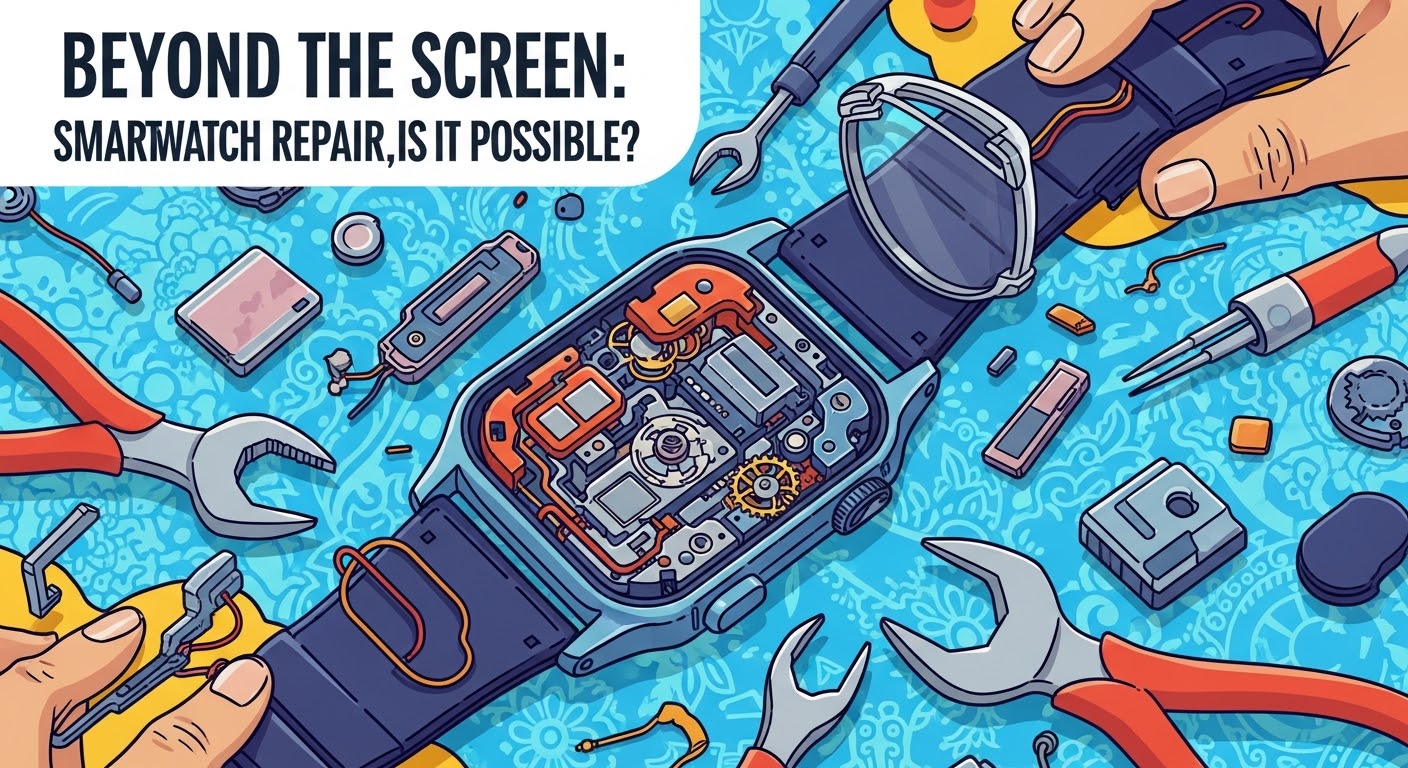
Beyond the Screen: Smartwatch Repair – Is It Possible? 7 Essential Facts You Need to Know
Introduction: The Rise of Smartwatches and Common Repair Challenges
Over the past decade, smartwatches have evolved from novelty gadgets into indispensable lifestyle tools. Whether you’re tracking your workouts, managing notifications, or even monitoring heart rate and sleep, these miniature devices pack powerful technology into a small, stylish frame. But as with all technology, they’re not immune to damage.
From cracked screens and weak batteries to water damage and syncing issues, smartwatch owners often face the frustrating question: “Can my smartwatch even be repaired?”
This article explores everything you need to know about smartwatch repair, from what’s possible to how much it costs—and why Sydney CBD Repair Centre remains the most trusted destination for smartwatch fixes in Sydney.
Understanding How Smartwatches Work
The Anatomy of a Smartwatch
At first glance, a smartwatch seems like a simple wrist device. However, inside its sleek casing lies a complex combination of microprocessors, sensors, and connectivity modules. Key components include:
Display – Usually an OLED or AMOLED screen that delivers crisp visuals.
Battery – A compact lithium-ion cell powering the device.
Sensors – Measure motion, heart rate, oxygen levels, and more.
Motherboard & Processor – The brain of your smartwatch, controlling all functions.
Connectivity Modules – Enable Bluetooth, Wi-Fi, GPS, and NFC.
When one of these elements fails, the entire smartwatch can malfunction, making repair a delicate but often possible task.
Key Components That Commonly Fail
Smartwatches face constant exposure to sweat, moisture, and daily impact. The most common failures include:
Cracked or unresponsive displays
Degraded batteries that drain quickly
Corroded circuits from water exposure
Malfunctioning buttons or touch sensors
Syncing issues due to Bluetooth chip failure
Understanding these vulnerabilities helps determine whether repair is worth it—or replacement is the smarter move.
Yes, smartwatch repair is possible—but it depends on the type and extent of damage. Modern smartwatches, like those from Apple, Samsung, and Garmin, are built with sealed, waterproof designs that complicate repairs. However, skilled technicians with the right tools can successfully restore them.
Repair vs. Replacement: Which Makes More Sense?
If your smartwatch is still under warranty or has minor issues like battery wear, repair is usually cost-effective. However, if the mainboard or display is severely damaged, replacement might be a better long-term investment.
Why Many Technicians Avoid Smartwatch Repairs
Repairing smartwatches requires specialized tools and micro-soldering expertise. The small components and waterproof seals make DIY fixes risky. Many repair shops avoid smartwatch repairs because of the complexity—but Sydney CBD Repair Centre specializes in these intricate jobs, offering precision and reliability.
A cracked display is the most frequent smartwatch issue. Solution: Professional display replacement using genuine OEM screens ensures your device retains its touch sensitivity and waterproofing.
Battery Drain or Charging Issues
If your watch dies quickly or refuses to charge, the battery may be degraded. Solution: Battery replacement restores full performance and extends lifespan.
Water Damage and Corrosion
Even “water-resistant” smartwatches aren’t immune to water ingress. Solution: Immediate professional cleaning and corrosion removal can save your device before it short-circuits.
Connectivity Problems (Bluetooth, Wi-Fi, GPS)
When your smartwatch fails to connect, it’s often due to damaged antennas or firmware issues. Solution: Technicians can replace internal components and update software to restore full functionality.
Smartwatch Repair Costs in Sydney
Average Prices for Screen, Battery, and Water Damage Repairs
Repair Type
Average Cost (AUD)
Turnaround Time
Screen Replacement
$150 – $350
1 Day
Battery Replacement
$100 – $180
1 Day
Water Damage Restoration
$80 – $200
1-2 Days
Connectivity Repair
$90 – $160
1 Day
Factors Affecting the Cost of Repairs
Brand and model complexity
Availability of genuine parts
Labor intensity
Type of damage (physical vs. software-related)
At Sydney CBD Repair Centre, all costs are upfront—no hidden fees, just honest pricing backed by quality service.
How to Choose the Right Smartwatch Repair Centre
Qualities of a Reliable Repair Shop
Certified technicians
Genuine replacement parts
Transparent pricing
Quick turnaround times
Positive customer feedback
Importance of Genuine Parts and Certified Technicians
Using genuine parts ensures your smartwatch remains waterproof and functions as designed. Certified technicians, like those at Sydney CBD Repair Centre, follow manufacturer-level repair standards for every job.
DIY Smartwatch Repairs: Should You Try Them?
Pros and Cons of Fixing Your Smartwatch at Home
Pros:
Cheaper (initially)
Instant satisfaction of doing it yourself
Cons:
High risk of further damage
Loss of waterproofing
Warranty voiding
Tools and Skills You’ll Need
Precision screwdrivers
Anti-static mat
Micro-soldering tools
Technical knowledge of electronics
If you lack these tools or skills, it’s far safer to let professionals handle your smartwatch repair.
The Role of Warranty in Smartwatch Repairs
Manufacturer vs. Third-Party Warranty
Most smartwatches come with a 1–2 year warranty covering manufacturing defects—but not physical or water damage. Third-party repair centres often offer their own warranties, like Sydney CBD Repair Centre’s 90-day warranty on all services.
What Voids Your Smartwatch Warranty?
Opening the device yourself
Water damage beyond manufacturer’s rating
Using third-party parts
Always check your warranty terms before attempting any DIY repairs.
Why Sydney CBD Repair Centre is the Best Choice for Smartwatch Repairs
Expert Technicians and Premium Service
For over six years, Sydney CBD Repair Centre has been the top-rated repair shop in Sydney, offering same-day service, genuine parts, and professional expertise.
Real Customer Reviews and Awards
Over 2,000 positive Google reviews
6-time award winner for Best Phone Repairs in Sydney
Trusted by both locals and tourists for fast, reliable service
🔗 Visit SydneyCBD.repair or call +61280114119 to book your smartwatch repair today.
FAQs About Smartwatch Repairs
1. Can smartwatch screens be replaced?
Yes! Certified technicians can replace cracked or unresponsive screens while maintaining waterproof seals.
2. Is smartwatch battery replacement worth it?
Absolutely. It’s affordable and extends your watch’s lifespan significantly.
3. How long does smartwatch repair take?
Most repairs, including screen and battery replacements, are completed within the same day.
4. Can water-damaged smartwatches be fixed?
If brought in quickly, yes. Corrosion cleaning can often restore functionality.
5. Does repairing void the warranty?
Manufacturer warranties may be affected, but Sydney CBD Repair Centre offers a 90-day warranty on all repairs.
6. How do I prevent smartwatch damage?
Use protective cases, avoid extreme temperatures, and ensure your device is dry after workouts or swims.
Conclusion: The Future of Smartwatch Repairs
Smartwatch repair is possible—and becoming increasingly accessible. With advanced tools, genuine parts, and expert technicians, there’s no need to replace your device prematurely. Whether it’s a cracked display or battery issue, the experts at Sydney CBD Repair Centre can bring your smartwatch back to life—safely, affordably, and professionally.
About Sydney CBD Repair Centre
David from Sydney CBD Repair Centre – The best place to fix mobile phones and smartwatches for six years in a row! Over 2000+ positive Google reviews, same-day repairs, and genuine parts with a 90-day warranty.
Visit us for:
✓ Same Day Express Repairs
✓ Genuine Parts Guarantee
✓ Professional Technicians
✓ Competitive Pricing
✓ 2000+ 5-Star Reviews
✓ 6-Time Award Winner for Best Repairs
Your smartwatch is more than a timepiece—it’s your fitness tracker, notification hub, and sometimes even your wallet. With daily wear, accidents are bound to happen. Scratches, cracks, or complete screen failure can render your smartwatch almost useless. That’s where smartwatch screen repair steps in, offering an affordable and effective way to restore your device.
At Sydney CBD Repair Centre, we’ve seen every kind of damage imaginable, from shattered Apple Watch screens to scratched Samsung Galaxy Watches. The good news? With the right repair service, your smartwatch can look and work like new again.
Accidental Drops – The #1 cause of smartwatch damage.
Impact from Hard Surfaces – Walls, gym equipment, or desks.
Daily Wear and Tear – Fine scratches from keys or coins in your pocket.
Exposure to Elements – Dust, water, and sweat accelerating screen wear.
Types of Smartwatch Screens (LCD, OLED, Sapphire Glass)
LCD (Liquid Crystal Display): Common in budget-friendly smartwatches. Affordable to repair but more prone to cracks.
OLED (Organic Light-Emitting Diode): Found in premium watches like Apple Watch. Offers sharp colors but costlier to replace.
Sapphire Crystal Glass: Extremely durable, used in luxury models like Garmin Fenix or high-end Apple Watches. Very scratch-resistant but expensive to replace.
Often requires special adhesives and sealing equipment.
Unless you have prior experience, DIY repairs are risky. One wrong move could make the damage worse.
Professional Smartwatch Screen Repair Services
What to Expect from a Repair Shop
When you take your smartwatch to a professional repair centre, you can expect:
Diagnostic Check: To assess full damage.
OEM or Genuine Parts: Ensuring quality and longevity.
Warranty on Repairs: For peace of mind.
Average Costs of Screen Replacement
Apple Watch: $180 – $450 (depending on model and series).
Samsung Galaxy Watch: $150 – $350.
Garmin & Fitbit: $120 – $250.
(Prices vary by location and model. At Sydney CBD Repair Centre, we keep our pricing competitive while maintaining high standards.)
How to Choose the Right Repair Centre
Check Google Reviews and customer testimonials.
Look for warranty coverage on repairs.
Ensure they use genuine replacement parts.
Ask about turnaround time (same-day repairs are ideal).
Beyond Screen Replacement: Additional Repairs Often Needed
Battery Issues
Smartwatch batteries degrade over time. If your watch isn’t holding charge, pairing a screen replacement with a new battery often makes sense.
Water Damage and Internal Cleaning
Even “water-resistant” smartwatches aren’t waterproof forever. Professional cleaning and drying can save your smartwatch if exposed to water.
Preventing Future Screen Damage
Screen Protectors: Do They Really Work?
Yes—modern tempered glass protectors can save your screen from minor impacts. They’re cheap and easy to replace.
Best Smartwatch Cases for Protection
Brands like Spigen, OtterBox, and Supcase make rugged cases that add an extra layer of protection without compromising style.
Smartwatch Screen Repair vs Replacement: Which Makes Sense?
Cost-Benefit Analysis
Repair: Best for cracks, scratches, or localized damage.
Replacement: If repair cost exceeds 60–70% of the watch’s value, replacing may be smarter.
Warranty and Insurance Considerations
Always check if your manufacturer’s warranty or insurance policy covers screen damage before paying out of pocket.
Frequently Asked Questions (FAQs)
Q1: Can a smartwatch screen be repaired without replacing it?
In most cases, no. If the glass is cracked, full replacement is the most reliable option.
Q2: How long does smartwatch screen repair take?
At Sydney CBD Repair Centre, most screen repairs are completed within the same day.
Q3: Is it worth repairing an old smartwatch?
If it’s a premium model like an Apple Watch or Samsung Galaxy Watch, yes. For older budget models, replacement may be more cost-effective.
Q4: Are smartwatch screens more fragile than phone screens?
Yes. Since they’re smaller and more exposed on your wrist, smartwatch screens are more vulnerable to knocks and scratches.
Q5: Can water damage be fixed along with screen replacement?
Yes—professional repair centres often perform internal cleaning alongside screen replacement to prevent corrosion.
Q6: Does replacing the screen affect waterproofing?
It can, unless properly resealed by a professional technician. That’s why choosing a trusted repair centre is crucial.
Conclusion: Keeping Your Smartwatch in Top Shape
Smartwatch screen repair is more than a cosmetic fix—it’s about keeping your device functional and extending its lifespan. Whether you choose DIY or professional repair, knowing your options helps you make an informed decision.
At Sydney CBD Repair Centre, we specialize in same-day smartwatch screen repairs using genuine parts and offering warranty-backed services. With over 2000 five-star Google reviews and recognition as Sydney’s top repair centre for 6 years running, we’re here to restore your device quickly and reliably.
Samsung is gearing up One UI 5 Watch for the upcoming Galaxy Watch 6, which brings some much-needed improvements. One brand new addition to that Galaxy Watch OS is Samsung’s irregular heartbeat notifications, which can let users know if they’re having issues well before they manually check.
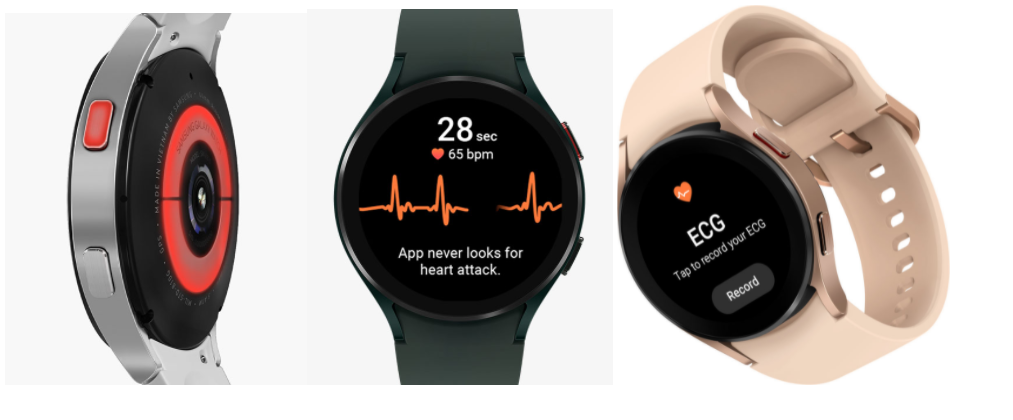
The Galaxy Watch 5 utilizes sensors to issue an electrocardiogram test, which can detect irregular heartbeats in users with the intention of directing them to seek medical help. Of course, this test is on-demand, meaning that users need to manually check whether or not they have an irregular heartbeat. While the tool is invaluable, it can’t be expected that everyone will check on a regular basis.
In an effort to be more proactive in irregular heartbeat discovery, Samsung has been pushing for the Health Monitor app to be able to check these readings in the background. Announced May 08,2023 , Samsung has officially received clearance from the FDA to push that background monitoring function to Galaxy Watches with the ability to run an ECG.
By allowing the Samsung Health monitor app to run ECG tests in the background, Galaxy Watch users with detected irregular heartbeat rhythms will get a notification if AFib is detected. After receiving a notification, Samsung will have the user run a manual ECG. A manual ECG is more accurate because it requires the users to sit in a certain position with a finger on the watch for a clear reading.
Once activated in the Samsung Health Monitor app, the feature will check for irregular heart rhythms in the background via Galaxy Watch’s BioActive Sensor. If a certain number of consecutive measurements are irregular, Galaxy Watch warns the user of potential AFib activity, prompting them to take an ECG using their watch for a more accurate measurement.
The feature is expected to become available in the upcoming One UI 5 Watch update, which will debut in full on the Galaxy Watch 6 later this year and comes as Samsung builds on its version of Wear OS.
We expect that Galaxy Watch 4 and 5 users who sign up for the One UI 5 Watch beta will also see this feature included. It’s worth noting that ECG readings are still limited to users with Galaxy phones paired to their Galaxy Watch, limiting the functionality for many.
Samsung Electronics Australia announced the Samsung Health Monitor application will launch in Australia providing access to blood pressure tracking and TGA-approved electrocardiogram (ECG) monitoring via its latest Galaxy Watch series. From September 10, Australians will have access to on-demand ECG and blood pressure readings on Samsung’s latest wearables, the Galaxy Watch4 and Galaxy Watch4 Classic. These are the first Samsung smartwatches available in Australia to offer both blood pressure and ECG monitoring. The Samsung Health Monitor app with access to blood pressure and ECG monitoring will also become available on the Galaxy Watch3 and Galaxy Watch Active2 via a software update in the coming months[.
ECG monitoring on compatible Galaxy watches is registered as a medical device with the Australian Register of Therapeutic Goods (ARTG) when connected to a compatible Galaxy smartphone. ECG tracking allows users to take an electrocardiogram reading, displaying heart rhythm as either atrial fibrillation (AFib) or sinus rhythm.
Mark Hodgson, Head of Content and Services, Mobile Division, Samsung Electronics Australia: “We know that Australians want access to the very best in health technology to not only allow them to keep track of their fitness goals, but critically, to be aware of their general health and wellbeing.
“We believe our Galaxy Watch and Samsung Health Monitor App offer a comprehensive and importantly, an accessible solution to help millions of Australians to help them improve and maintain their general health and wellbeing.”
ECG Tracking
It is estimated that around 33.5 million people worldwide are affected by Atrial Fibrillation (AFib), a common form of abnormal heart rhythm. Atrial fibrillation (AF) was the underlying or associated cause of over 14,000 deaths in Australia—9.0% of total deaths.
The electrocardiogram function works by recording the heart’s electrical activity via a sensor on the compatible Galaxy Watch. Users simply need to open the Samsung Health Monitor app while seated comfortably, and ensure the watch is fitted firmly to the wrist. Next, rest the forearm on a flat surface and lightly place a fingertip from the opposite hand on the top button on the smartwatch for 30 seconds. The app will then measure the users heart rate and rhythm, which will be displayed as either a Sinus Rhythm (a normal, regular heartbeat) or AFib (when the heart beats irregularly). Users can also export this data to PDF.
The ECG app feature was successfully included in the Australian Register of Therapeutic Goods (ARTG) in Australia as a Class lla medical device. Devices undergo a rigorous approval process to be included in the ARTG to ensure that the safety of the device is acceptable and performs as intended, confirming the Essential Principles which is a set of fundamental design and manufacturing requirements for medical devices.
Blood pressure measurement
High blood pressure affects one-in-three people aged 18 and over in Australia and two-thirds of Australian adults with high blood pressure go undiagnosed. This is commonly linked to brain, kidney and heart diseases, and if left untreated, it can lead to stroke and heart failure. The blood pressure monitoring feature on the Galaxy Watch helps users to track their general health by allowing them to measure blood pressure conveniently from their smartwatch.To enable this feature, Samsung Galaxy users will need to install the Samsung Health Monitor application onto their Galaxy smartphone and connect it to their compatible Galaxy Watch.To monitor blood pressure on the Galaxy Watch device, users will need to first calibrate with a traditional cuff. They will then be able to tap to “Measure” the blood pressure anytime, anywhere. The device measures blood pressure through pulse wave analysis, which is tracked with the Heart Rate Monitoring sensors. The program then records the relationship between the calibration value and the blood pressure change to determine the blood pressure. To ensure accuracy, users are required to calibrate their device at least every 28 days. Once the calibration and set-up process is completed, users can access this information and export measurements to PDF.
Galaxy Watch4 and Watch4 Classic
Samsung’s latest Galaxy watch series also introduces a range of general health and well-being solutions including Body Composition (BIA) with key measurements like skeletal muscle mass, basal metabolic rate, body water and body fat percentage. It also offers sleep tracking that is designed to detect the sounds of a person’s snores and get their blood oxygen level while they sleep to provide Sleep Scores to help users get a better night’s sleep.
To ensure that help is never too far away in the event of a fall, Galaxy Watch4 includes fall detection, which helps identify a potential fall and can send an SOS notification to your chosen emergency contacts.These smartwatches also come packed with an array of fitness and wellness features to track a users daily activities and help them stay motivated to be their best.
Galaxy Watch4 and Galaxy Watch4 Classic will be available to purchase in Australia from September 10, 2021. Both watches showcase a sleek, iconic silhouette, with thinner cases than previous generations—and a variety of straps and customisable watch faces.
Galaxy Watch4 – a modern, minimalist option designed for versatile all-day use – will come in 40mm and 44mm, starting at AUD $399 for Bluetooth versions and AUD $499 for LTE models. The Galaxy Watch4 Classic has a a timeless smartwatch design with the fan-favourite rotating bezel. This watch will start at $549 for Bluetooth versions and $649 for LTE models and will be available in 42mm and 46mm variants in Black and Silver.
This comes following approval from the Australian Register of Therapeutic Goods and the Australian Government’s Therapeutic Goods Administration. Samsung does note that to get the most accurate results, it’s recommended to calibrate the watch once every four weeks. As in other regions, these stats also require a companion app that is only available on Samsung Galaxy smartphones.
Beyond the Galaxy Watch 4 series, the Galaxy Watch 3 and Galaxy Watch Active 2 will also be adding these features in Australia. Samsung doesn’t have a set date for this addition, however, only saying it will arrive in “the coming months.”
From September 10, Australians will have access to on-demand ECG and blood pressure readings on Samsung’s latest wearables, the Galaxy Watch4 and Galaxy Watch4 Classic. These are the first Samsung smartwatches available in Australia to offer both blood pressure and ECG monitoring.
The Samsung Health Monitor app with access to blood pressure and ECG monitoring will also become available on the Galaxy Watch3 and Galaxy Watch Active2 via a software update in the coming months.
A smartwatch that’s more than just a great conversation starter. It tracks your activity and monitors your sleep, it plays music and handles mobile payments, and yes, it even tells the time with remarkable accuracy! But is spending over $300 on Samsung’s latest smartwatch a wise investment? I used it for several weeks to find out.
In the box:
Samsung Galaxy Watch
Small and large wrist band
Wireless charging cradle
Wall adapter (with non-detachable microUSB cable)
Quick start guide
Design and comfort
The age-old “if it ain’t broke, don’t fix it” mantra is in full effect here, as the Samsung Galaxy Watch looks and feels a lot like the company’s last few smartwatches. It retains the classic appearance and circular design, allowing it to look more like a lifestyle accessory and less like a geeky toy. Whether I’m at the office, out for dinner, or exploring the great outdoors, the watch doesn’t seem out of place on my wrist.
What’s new is that the Samsung Galaxy Watch comes in two sizes. I wore the smaller, 42mm Galaxy Watch throughout the first week of my testing. This model would more easily appeal to a broader audience not only because of its size, but also with the colors it comes in: the decidedly feminine Rose Gold (which we have here) and the much more neutral Midnight Black. However, most of my lady friends who gave it a try did find the watch rather thick.
From left to right – Garmin FR 645, Galaxy Watch 42mm, Apple Watch, Galaxy Watch 46mm
Meanwhile, the larger, 46mm Galaxy Watch only comes in Silver. It is thicker and noticeably heavier, with a pronounced masculine appearance. I also found it more likely to get caught in the sleeve of my shirt. But if you’re already used to wearing extra-large timepieces, then this is the model you should be considering. Admittedly, I got used to its size after wearing it for a couple of days and didn’t think about switching back to the smaller variant.
By the way, the 42mm and 46mm sizes refer to the width of the body of the watch, not to the diameter of its display.
As far as durability goes, the Samsung Galaxy Watch is as tough as you’d expect. It is waterproof down to 50 meters so it is safe to swim with it. It complies with military standards for resistance against shock, extreme temperatures, solar radiation, and other environmental factors. The display is protected by the raised bezel around it, as well as by a layer of Gorilla Glass DX+ scratch-resistant glass developed with watches in mind. And the stainless steel construction resists dents and scratches much better than aluminum would. After several weeks of use, my review units are showing no signs of wear or physical damage.
The soft, rubbery band supplied by Samsung is nice and bendy, and the metal clasp ensures a reliable fit. There’s a bit of stretch to it, which helps with comfort. The only issue that I noticed was that the strap bundled with my 46mm model easily attracts dust and dirt, but a wet towel cleans it easily. Since the band mechanisms are not proprietary, they can be replaced with standard 20- or 22-mm bands, depending on whether you have the 42mm or 46mm Galaxy Watch. Samsung itself is offering leather bands for about $40 apiece.
Display and controls
The 42mm and 46mm Galaxy Watch models come with 1.2- and 1.3-inch displays respectively, both with a resolution of 360 by 360 pixels. Colors are vivid, outdoor visibility is excellent, and text is always displayed in white against a black background, so it is sharp and easy to read. Moreover, since these are OLED screens we’re dealing with, having the watch face always on is an option – although one disabled by default as it shortens battery life. I kept it on nonetheless because it looks awesome.
Samsung‘s trademark rotating bezel is one of the coolest Galaxy Watch features. For those not familiar, it is used for navigating through the interface – for switching between widgets, for example, or for scrolling down an email without obscuring anything on the screen with your finger. All in all, the bezel is a welcome convenience, and there’s something oddly satisfying about the way it clicks with each rotation. Additionally, there are two more buttons on the side – one that takes you back a step and another for accessing the app drawer or going back to the home screen.
As any other touchscreen, the one on the Galaxy Watch may become less responsive as moisture accumulates on it during intense exercises, but I didn’t run into any major issues with it. A special mode locks the display while tracking swimming exercises.
Interface and functionality
The Galaxy Watch runs Samsung‘s own Tizen 4 operating system, which excels in many key areas, one being speed. Both sizes are powered by a new, dual-core Exynos 9110 chip which is both more powerful and more power-efficient than those used in previous Samsung smartwatches. Navigation is swift, and the UI responds instantly to input.
Slowdowns are rare and have a negligible impact on the user experience. It is worth noting that we have the non-LTE Galaxy Watch models for review. These come with 768MB of RAM, while the LTE versions have twice as much, and that might result in even faster performance.
The software itself is easy to get the hang of. Your watch face serves as a “home screen”, naturally, and raising your wrist turns the screen on. From there, much of the navigation can be done conveniently through twists of the rotating bezel. Turning it to the left takes you to your notifications, and you cycle through your widgets by a turn of the bezel to the right. There’s also an app drawer which is accessed by a press of a button on the right side. A swipe down from the top of the screen give access to quick settings and status information.
Notifications arrive on the Samsung Galaxy Watch only moments after they appear on your phone, and dismissing them on one device makes them disappear from the other as well. Neat! You can respond to incoming messages with a predefined answer, by typing or swiping in your response, or by using voice input. As you’d expect, typing on a tiny on-screen keyboard can be frustrating, so I used primarily Samsung‘s more convenient swipe input method where you swipe letters on the touchscreen one by one.
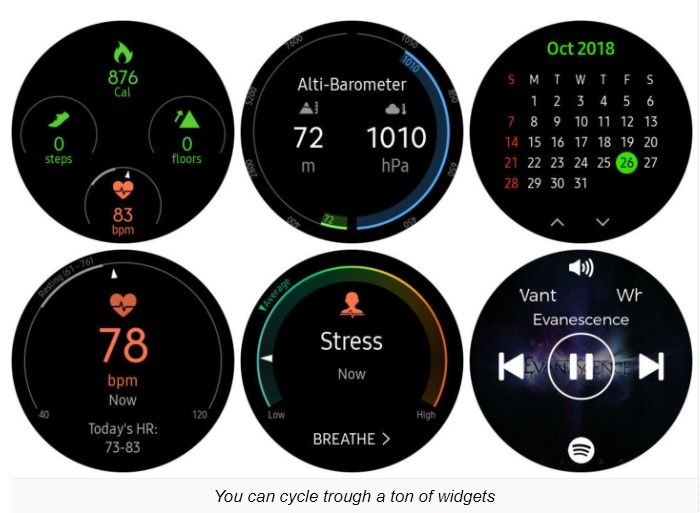
By twisting the rotating bezel to the right, you cycle through your widgets, and once I configured these to my liking, no action felt like it took too many steps to perform. The selection of widgets covers all essential needs: weather information, app shortcuts, quick access to contacts, reminders, music playback controls, and many more. Dedicated widgets also let you easily start an exercise, view your activity at a glance, or measure your pulse or stress level.
Samsung has equipped the Galaxy Watch with a fair amount of customizable watch faces designed to fit most user’s needs. Some have a clean and classic design, while others are sportier, with complications displaying activity stats. Out of the box, the selection isn’t very broad, but many more watch faces are available for download from the Galaxy Apps store.
Bixby – Samsung‘s virtual assistant – is present on the Galaxy Watch and can be triggered with a double press of a button on the side. This lets you use voice commands to do things like calling a friend, starting an exercise, asking for the weather or setting a reminder. All in all, Bixby has the basic covered, but it leaves room for improvement. Her voice, for instance, is decidedly robotic, unlike that of Siri or the Google Assistant. Secondly, she can be a bit slow with her responses, and I run into multiple issues, such as troubles with setting reminders. When I asked questions like “How long is a marathon?” or “What is 24 miles in kilometers”, I was asked to check those on my device instead.
Health and activity tracking
“Time to get moving!” – this is the message that pops up every time when I’ve been sitting on my desk for too long. Inactivity reminders may be annoying, but they’re ultimately for our own good, and I’m glad to see them present on the Galaxy Watch.
Of course, the watch can track a wide variety of activities, from running and cycling to a multitude of gym exercises. Swimmers should know that Samsung‘s software lets you have a custom pool length instead of several predefined ones. And I had no issues tracking my soccer games which I tracked as a Running exercise. I noticed that longer walks are logged as well – automatically. For many activities you get detailed data, such as the distance
you’ve traveled along with a map of your trip (if relevant), the calories you’ve burned, and the heart rate zones you spent time in. But I ran into issues as well. For example, there are presets for squats and jumping jacks, but the watch has a hard time keeping count of my repetitions. I ended up doing twice as many reps because the watch simply couldn’t detect that I’ve jumped or squatted. My legs still hurt a bit.
Sleep tracking is also available on the Galaxy Watch. In the morning, I’m given a breakdown of my sleeping stats, including how much time I’ve actually spent sleeping and how much time I’ve spent in each stage: Light, Deep, and REM sleep. Samsung‘s sleep tracking definitely works, but I really wish I was given a clearer idea of whether my sleep patterns are normal. With the way stats are currently displayed, I don’t see a clear indication of whether the 2 hours of REM sleep that I got last night are enough and whether I should do something about it. Also, I find sleeping with the Galaxy Watch on my wrist rather uncomfortable.
Stress monitoring is another new feature of the Galaxy Watch. By default, stress is measured manually on demand, but you can have it measured constantly. This, however, has a noticeable impact on battery life. If a high stress level is detected, the Galaxy Watch will suggest a brief breathing exercise to calm you down. Personally, I’m not convinced in the accuracy of these readings. At times when I did feel pretty stressed, such as when nearing a deadline at work or after 30 minutes of driving during rush hour, the needle was still pointing at a stress level below the average.
Connectivity
Throughout my testing, I used the Samsung Galaxy Watch together with a Galaxy S9+smartphone. Pairing was quick and easy, as the phone automatically detects the presence of the wearable nearby and initiates the setup process at the press of a button. The watch works with iPhones and non-Galaxy Android phones as well, although your experience may differ. Samsung Pay, for example, can’t be used when the watch is paired with an iPhone.
The Galaxy Watch talks to your smartphone over Bluetooth and maintains a decent connection within a range of at least 30 feet. Once it falls out of range, it will search for a known Wi-Fi network, and it is neat that all Wi-Fi passwords stored on my Galaxy phone were automatically transferred to the watch. Notifications from my phone did arrive even when I was on Wi-Fi, albeit with some delay. The only annoyance that I noticed was that it takes about a minute for the watch to connect to Wi-Fi once Bluetooth connectivity is lost. GPS connectivity is on board for precise location tracking during exercises. In addition, NFC is available for making mobile payments via Samsung Pay. However, you can’t use the watch with older terminals using a magnetic stripe.
Samsung is also offering LTE variants of the Galaxy Watch, thus enabling it to be online all the time. LTE can be useful for streaming music without having your phone around, as well as for making calls or sending texts. We’re not sure how much of an impact LTE connectivity would have.
Phone calls, multimedia, Spotify support
Whether you have an LTE model or not, the Samsung Galaxy Watch can be used to make phone calls. On a non-LTE model, the watch simply acts as a Bluetooth speaker while the call itself is handled by your phone. Call quality isn’t stellar, but it is acceptable. The speaker built into the watch is sufficiently loud and produces clear voice tones. Voices do sound muffled and digitized on the other side of the line, but having a conversation in a relatively quiet environment is definitely possible without much effort.
If you ever want to, you have the option to copy images and music from your phone to your Galaxy Watch. There are 4GB of built-in storage (about 2.5GB user-available), which is less than what an Apple Watch offers, but enough to store several hundred songs.
Spotify is available for download on the Galaxy Watch. This allows you to stream music over Wi-Fi or LTE and listen to your playlists during exercises, or simply download audio for offline use. Music can be listened to from the watch’s built-in speaker, but I would strongly recommend pairing the wearable to a set of Bluetooth headphones instead. While tracking an exercise, playback controls are easily accessible with a twist of the bezel to the left. By the way, I had numerous connectivity issues with Spotify on my review unit, but these were rectified through a recent software update. It now works just fine and maintains a strong connection with my wireless earphones.
Battery life and charging
Just like Samsung’s last few smartwatches, the Galaxy Watch delivers solid battery life. The smaller, 42mm variant easily lasted through 2 full days between charges, while the bigger, 46mm model got me through 3 full days – with the screen always enabled on both. Disabling the Always-On Display feature makes them last a day extra.
Of course, your mileage may vary, depending on how you’re using your Galaxy Watch. Music listening over Bluetooth, for example, takes its toll. On the bigger Galaxy Watch, Spotify consumes 13% of battery life when streaming over Wi-Fi and 10% if you’re listening offline. Fortunately, Sleep tracking consumes only about 7% per night.
Both Samsung Galaxy Watch models require around 2 hours and 20 minutes to charge completely. That’s not particularly fast, but if just give them a quick, 30-minute boost as you’re getting ready for work, you’ll have enough charge in the tank to last through the day. Charging is done by placing the watch on the provided magnetic wireless charging stand.
Conclusion
A smartwatch is still the kind of gadget that you don’t necessarily need, but having one is kinda neat nonetheless. Sure, it is yet another gizmo that you have to charge regularly, but you gain more than just a timepiece that glows in the dark. It helps you keep track of your schedule, it tells you precisely how active (or inactive) you are, and it conveniently delivers your notifications to your wrist.
To those in the market for a smartwatch, the Samsung Galaxy Watch is easy to recommend. It is fast, good-looking, and has great battery life for a device of its class. But it isn’t quite the smartwatch for everyone. iPhone users, for instance, would still be better off with a last-gen Apple Watch, while serious athletes and fitness enthusiasts will be probably served better by other brands. For the rest of us – who may be looking for a high-tech lifestyle accessory blending style, function, and self-expression – the Galaxy Watch would be a great choice.
Currently, the Samsung Galaxy Watch starts at $330 for the 42mm model and $350 for the bigger, 46mm variant. Adding LTE with T-Mobile to the list of features brings the prices up to $380 and $400, respectively. That’s not exactly pocket change, but not expensive either, seeing that Samsung’s most expensive Galaxy Watch model costs as much as the cheapest Apple Watch Series 4. Whether it’s a worthy investment is totally up to you to decide.
Thank you for using
Themify Popup
This is a sample pop up. Themify Builder or Builder Lite (free) plugin is recommended to design the pop up layouts.