Entire conference available online for all developers, with a special event at Apple Park on June 10
Apple announced it will host its annual Worldwide Developers Conference (WWDC) online from June 10 through 14, 2024. Developers and students will have the opportunity to celebrate in person at a special event at Apple Park on opening day.
Free for all developers, WWDC24 will spotlight the latest iOS, iPadOS, macOS, watchOS, tvOS, and visionOS advancements. As part of Apple’s ongoing commitment to helping developers elevate their apps and games, the event will also provide them with unique access to Apple experts, as well as insight into new tools, frameworks, and features.
“We’re so excited to connect with developers from around the world for an extraordinary week of technology and community at WWDC24,” said Susan Prescott, Apple’s vice president of Worldwide Developer Relations. “WWDC is all about sharing new ideas and providing our amazing developers with innovative tools and resources to help them make something even more wonderful.”
Developers and students will be able to discover the latest Apple software and technologies by tuning into the keynote, and they can experience WWDC24 throughout the week on the Apple Developer app, Apple Developer website, and YouTube. This year’s conference will include video sessions and opportunities to engage with Apple designers and engineers and connect with the worldwide developer community.
WWDC24 will include an in-person experience on June 10 that will provide developers the opportunity to watch the keynote at Apple Park, meet with Apple team members, and take part in special activities. Space will be limited, and details on how to apply to attend can be found on the Apple Developer site and app.
Apple is proud to support the next generation of developers through the Swift Student Challenge, one of many Apple programs that seek to uplift the next generation of developers, creators, and entrepreneurs. On March 28, this year’s applicants will be notified of their status, and winners will be eligible to apply for the in-person experience at Apple Park. Fifty Distinguished Winners, who are recognized for outstanding submissions, will be invited to Cupertino for a three-day experience.
Apple will share additional conference information in advance of WWDC24 through the Apple Developer app and website.
Earlier this month, Bloomberg’s Mark Gurman reported that Apple has been developing a new system that will allow its employees to install software updates on sealed iPhones without taking them out of the box.
Apple can now wirelessly update sealed iPhones
According to Gurman, the new system is being developed so that Apple can wirelessly update sealed iPhones to deliver them to customers with the latest software available. The company reportedly decided to invest in this system after being forced to release a day-one update for iPhone 15 models to fix a major bug during setup.
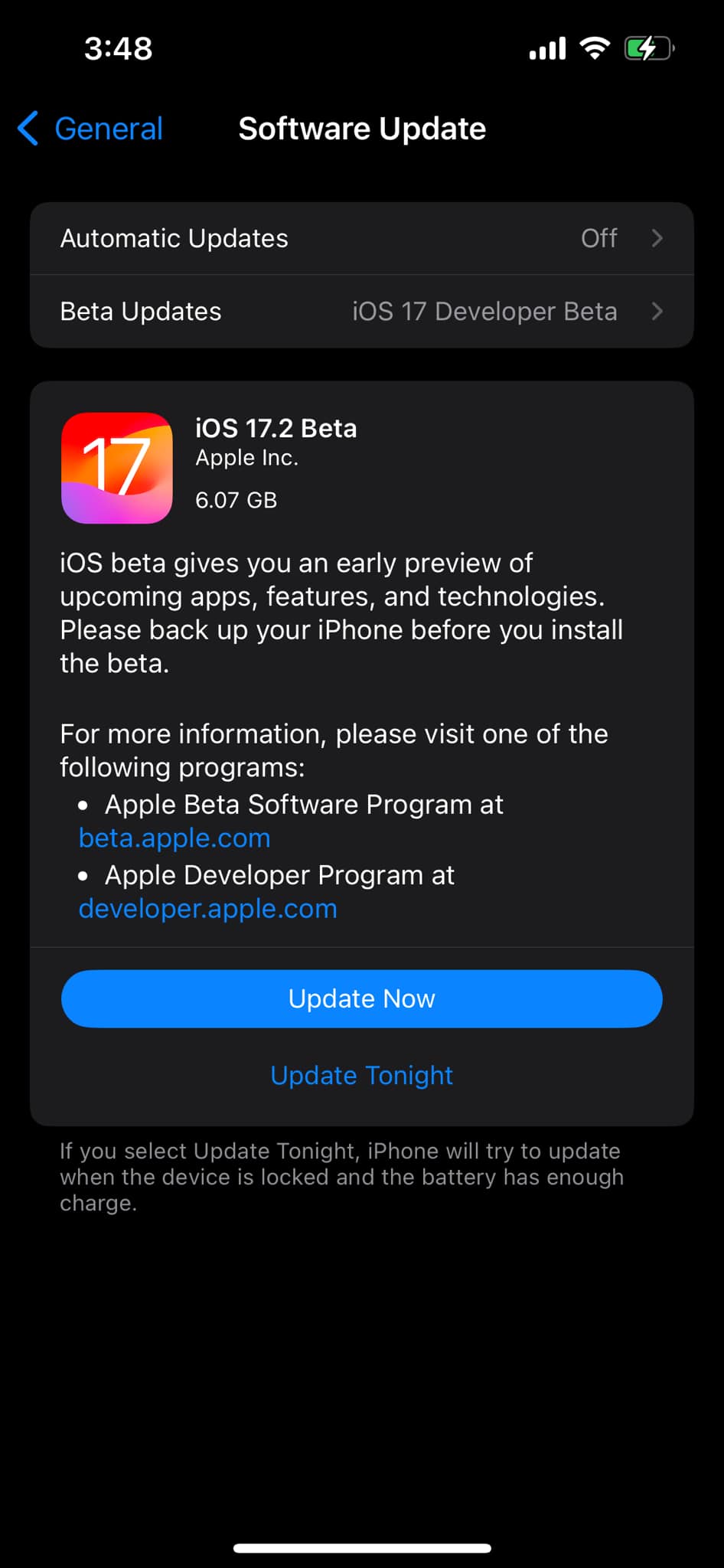
Interestingly, the iOS 17.2 beta SDK that comes with the latest Xcode 15.1 beta pretty much corroborates this report. There are three new internal frameworks named FactoryOTALogger, FactoryOTANetworkUtils, and FactoryOTAWifiUtils that enable wireless OTA firmware updates by using a special external device.
This is in line with what Gurman reported, as the journalist described the system as a “proprietary pad-like device that the store can place boxes of iPhones on top of.” The feature is not intended for end users and is clearly marked as internal in the codes seen by 9to5Mac. In the future, this will allow Apple to avoid major day-one bugs by installing iOS updates on sealed iPhones.
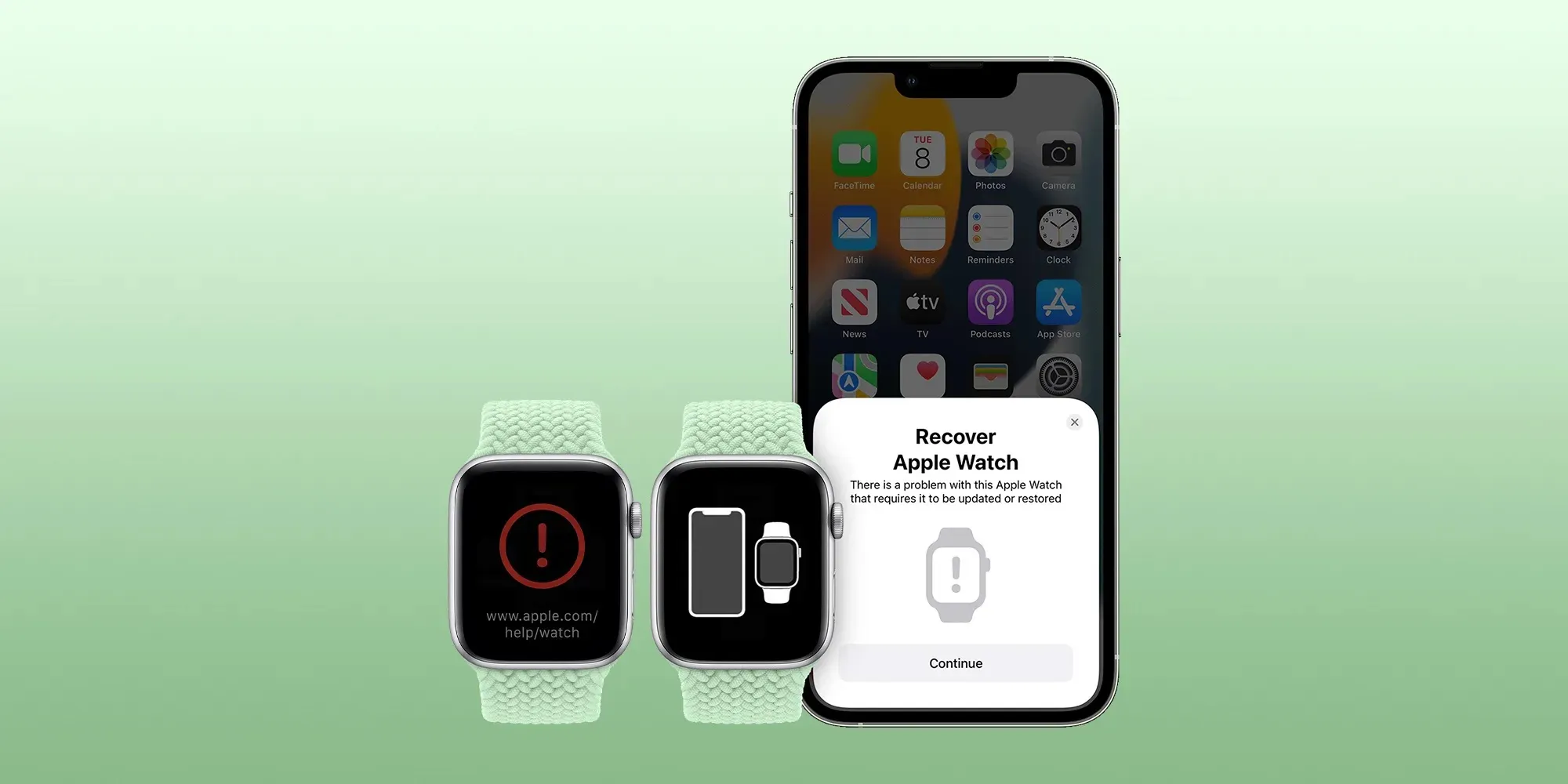
This system could also be useful in helping Apple to restore the firmware of iOS devices without the need for a cable. In recent years, Apple has been working on new technologies to help users restore devices such as the Apple Watch and Apple TV when they get stuck since these devices can’t be connected to a computer.
More about iOS 17.2
iOS 17.2 brings some new features for Apple Music subscribers, such as collaborative playlists and a new “Favorites” playlist that is automatically generated based on the songs you’ve marked as favorites. In addition, the update comes with the Journal app, a new Translate option for the Action Button, and some new Home Screen widgets.
The update is now available as a beta to developers and is expected to be released to the public by the end of the year.
iOS 17.2 adds one more function to the Action button on iPhone 15 Pro
When Apple unveiled the iPhone 15 Pro, it shared 10 customization options for the new Action button. One of those options, however, was described as coming later. With iOS 17.2, it has arrived.
Starting with iOS 17.2, iPhone 15 Pro and iPhone 15 Pro Max lets you assign Translate as the Action button task. The new option slots in between Voice Memo and Magnifier in the Action button section of the Settings app.
When assigned to Translate, pressing the Action button invokes a translation session from the Dynamic Island. No need to launch the Translate app.
Apple introduced its built-in Translate app as part of iOS 14 in 2020. Translation on iOS relies on the iPhone’s Neutral Engine to keep everything on-device. That means translations can work offline and do not need to rely on a network connection or server.
iOS 17.2 now includes these 10 options for the Action button on iPhone 15 Pro and later:
Silent mode: Turn Silent mode on or off.
Focus: Turn a specific Focus on or off.
Camera: Open the Camera app to quickly take a photo, selfie, video, portrait, or portrait selfie.
Flashlight: Turn the flashlight on or off.
Voice Memo: Start or stop recording a voice memo.
Translate: Translate phrases or have a conversation with someone in another language.
Magnifier: Open the Magnifier app.
Shortcut: Open an app or run your favorite shortcut.
Accessibility: Quickly access your favorite accessibility feature.
No action: Do nothing.
Apple debuts iMessage Contact Key Verification with iOS 17.2 beta
Apple has enabled the testing of a new security feature with the first iOS 17.2 beta. For use with iMessage, Contact Key Verification gives users more certainty they’re messaging with the people they’re intending.
Apple detailed the new iMessage Contact Key Verification feature in the release notes for iOS 17.2 beta 1. As it happens, there are three levels for how to verify contacts. Here’s the first:
With iMessage Contact Key Verification, users can choose to further verify that they are messaging only with the people they intend. Contact Key Verification uses Key Transparency to enable automatic verification that the iMessage key distribution service returns device keys that have been logged to a verifiable and auditable map. When a user enables Contact Key Verification, they will be notified about any validation errors directly in the Messages conversation transcript and Apple ID Settings.
However, for those in situations where stricter security is needed, iMessage Contact Key Verification can be used “in person, on FaceTime, or a through another secure call.”
Apple highlights users can also “choose to create or edit a contact and save a public key to turn on CKV with that person.”
To test out iMessage Contact Key Verification, you’ll need to have all devices connected to your iCloud account updated to the iOS 17.2 Beta, macOS 17.2 Beta, or watchOS 17.2 Beta or “sign out of iMessage on these devices in order to enable contact key verification.”
Then you can head to iPhone Settings > your name > Contact Key Verification (very bottom) > toggle it on.
While Apple has never seen an attack like this, Contact Key Verification is another security feature that will give peace of mind to those who may be highly targeted individuals.
Even though a very small percentage of iPhone users may need security of this level, the neat part is turning it on doesn’t reduce the functionality of your iPhone or iMessage – so it could end up being more widely used than something like Lockdown Mode.
Apple has officially unveiled Apple Vision Pro, it’s new augmented reality platform in the form of a mixed reality headset.
Apple calls this the first device you look through, not at.
The device blends digital content into the space around us, according to Apple.
The company calls this new technology spatial computing.
Here’s a closer look:
Vision Pro is driven by your eyes, hands, and voice. Tap your fingers to select, flick to scroll.
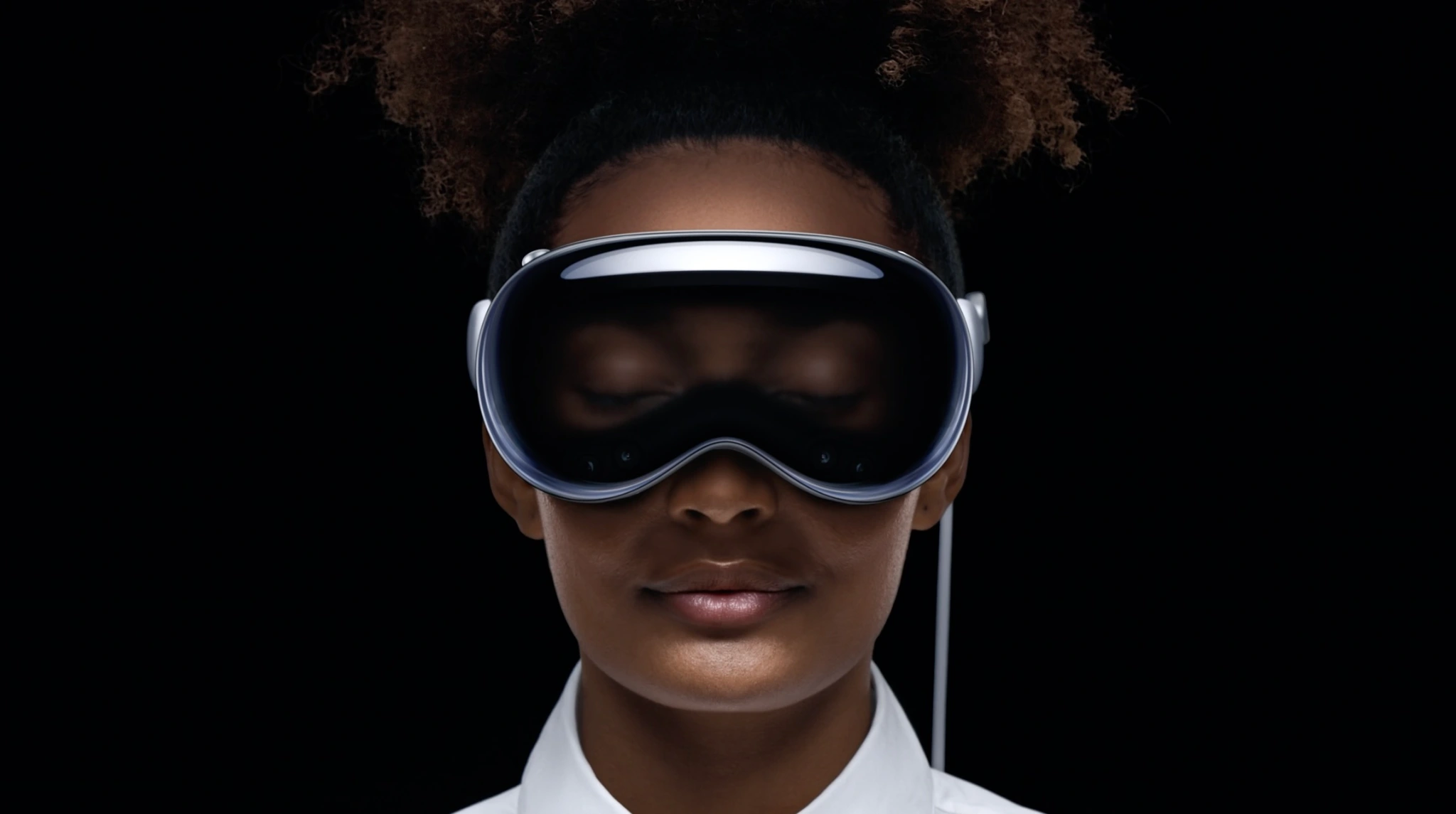
A design goal of Vision Pro is not being isolated. EyeSight displays your eyes and expressions through the outer display. While you’re in a fully immersed experience, it shows a different animation. If someone is nearby, they’re revealed through passthrough, and your eyes reappear.
Apple Vision Pro will be available early next year.
Vision Pro works with the Mac wirelessly. Mac peripherals also work with the headset.
FaceTime works with group calls and expands spatially. SharePlay lets you share apps that you view in large windows next to video tiles.
The headset is powered by an M2 chip with a custom media co-processor.
Vision Pro can capture spatial photos and videos. It can also simulate a dark theater in a bright room.
Editor’s note: Vision Pro is hard to write about. It’s like everything your Apple devices can do, but different. OK, back to the product…
We’re told No Man’s Sky will be on the headset. Those who have tried it for hours have said it is not heavy or hot.
Now Bob Iger says you can go to Disney World on the headset. Sports, concerts, under the ocean – all through VR.
Vision Pro is compatible with custom optical inserts that magnetically attach to the lenses, made by Zeiss, for those who wear glasses.
Battery life up to 2 hours with external battery, or all-day use – when plugged in. The display uses microLED, includes 23 million pixels across two panels (or more pixels than a 4K TV per eye.
That M2 chip we discusses earlier? It’s paired with a new R1 chip to create a dual-processor.
Vision Pro runs visionOS. The headset creates a digital avatar that looks human and realistic, not like a cartoonish Memoji.
As for apps, Microsoft and Zoom apps are already optimized for visionOS. Hundreds of thousands of iPad and Mac apps will automatically be available at launch.
Vision Pro has a new biometric security method as well: Optic ID. Like. Touch ID and Face ID, but for your eyes.
OKAY AND FINALLY THE PRICE: $3,499 AND IT COMES EARLY NEXT YEAR. That’s the “starts at” price which probably considers the cost of corrective lenses for me and Tim Cook and everyone else who needs glasses. Wonder if my insurance company covers that…
Finally, there’s an ad for the Vision Pro (please send $3500 + the price of corrective lenses) that will hype the device before its launch next year.
Introducing Apple Vision Pro: Apple’s first spatial computer
CUPERTINO, CALIFORNIA Apple today unveiled Apple Vision Pro, a revolutionary spatial computer that seamlessly blends digital content with the physical world, while allowing users to stay present and connected to others. Vision Pro creates an infinite canvas for apps that scales beyond the boundaries of a traditional display and introduces a fully three-dimensional user interface controlled by the most natural and intuitive inputs possible — a user’s eyes, hands, and voice. Featuring visionOS, the world’s first spatial operating system, Vision Pro lets users interact with digital content in a way that feels like it is physically present in their space. The breakthrough design of Vision Pro features an ultra-high-resolution display system that packs 23 million pixels across two displays, and custom Apple silicon in a unique dual-chip design to ensure every experience feels like it’s taking place in front of the user’s eyes in real time.
“Today marks the beginning of a new era for computing,” said Tim Cook, Apple’s CEO. “Just as the Mac introduced us to personal computing, and iPhone introduced us to mobile computing, Apple Vision Pro introduces us to spatial computing. Built upon decades of Apple innovation, Vision Pro is years ahead and unlike anything created before — with a revolutionary new input system and thousands of groundbreaking innovations. It unlocks incredible experiences for our users and exciting new opportunities for our developers.”
“Creating our first spatial computer required invention across nearly every facet of the system,” said Mike Rockwell, Apple’s vice president of the Technology Development Group. “Through a tight integration of hardware and software, we designed a standalone spatial computer in a compact wearable form factor that is the most advanced personal electronics device ever.”
Extraordinary New Experiences
Apple Vision Pro brings a new dimension to powerful, personal computing by changing the way users interact with their favorite apps, capture and relive memories, enjoy stunning TV shows and movies, and connect with others in FaceTime.
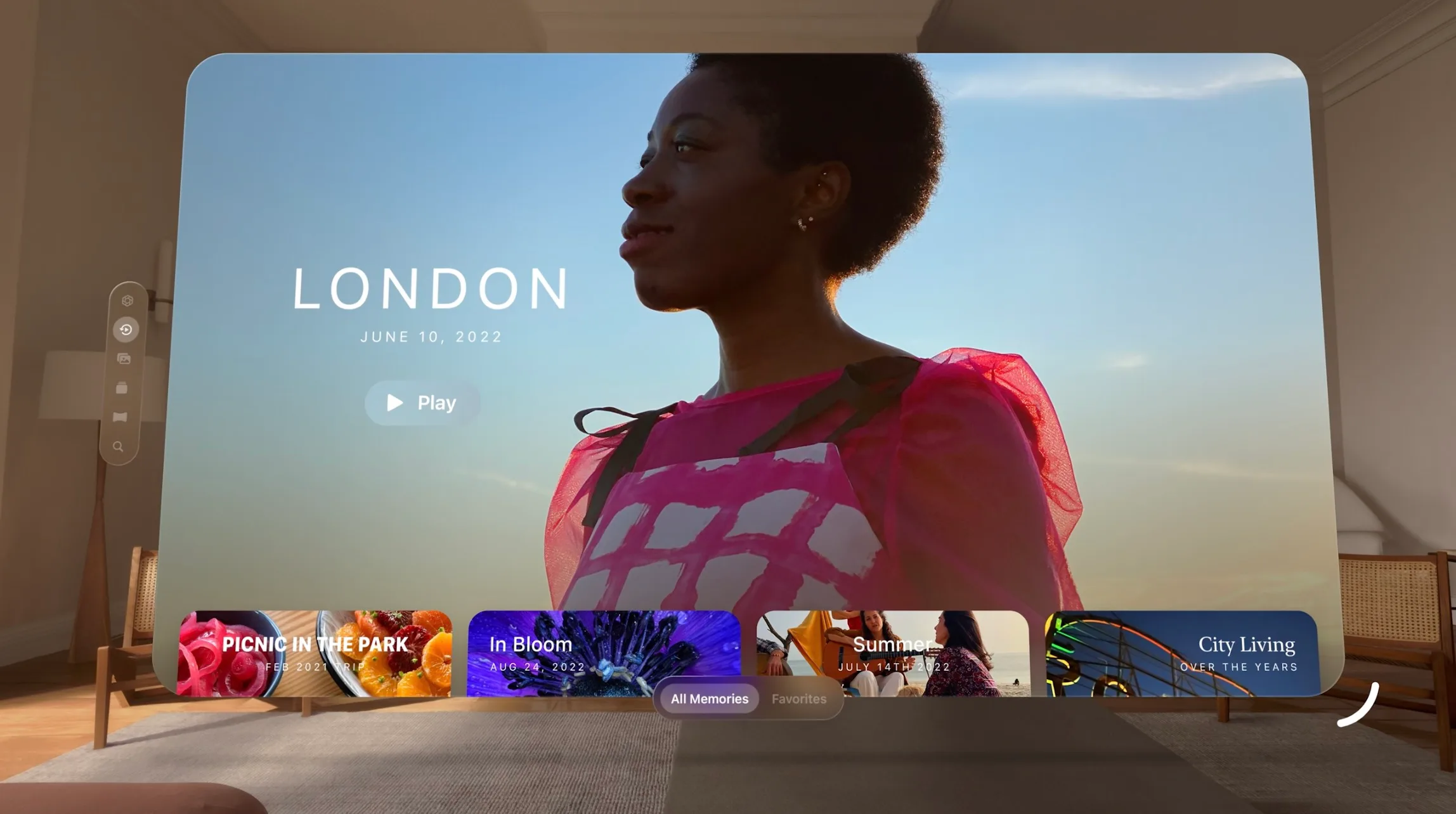
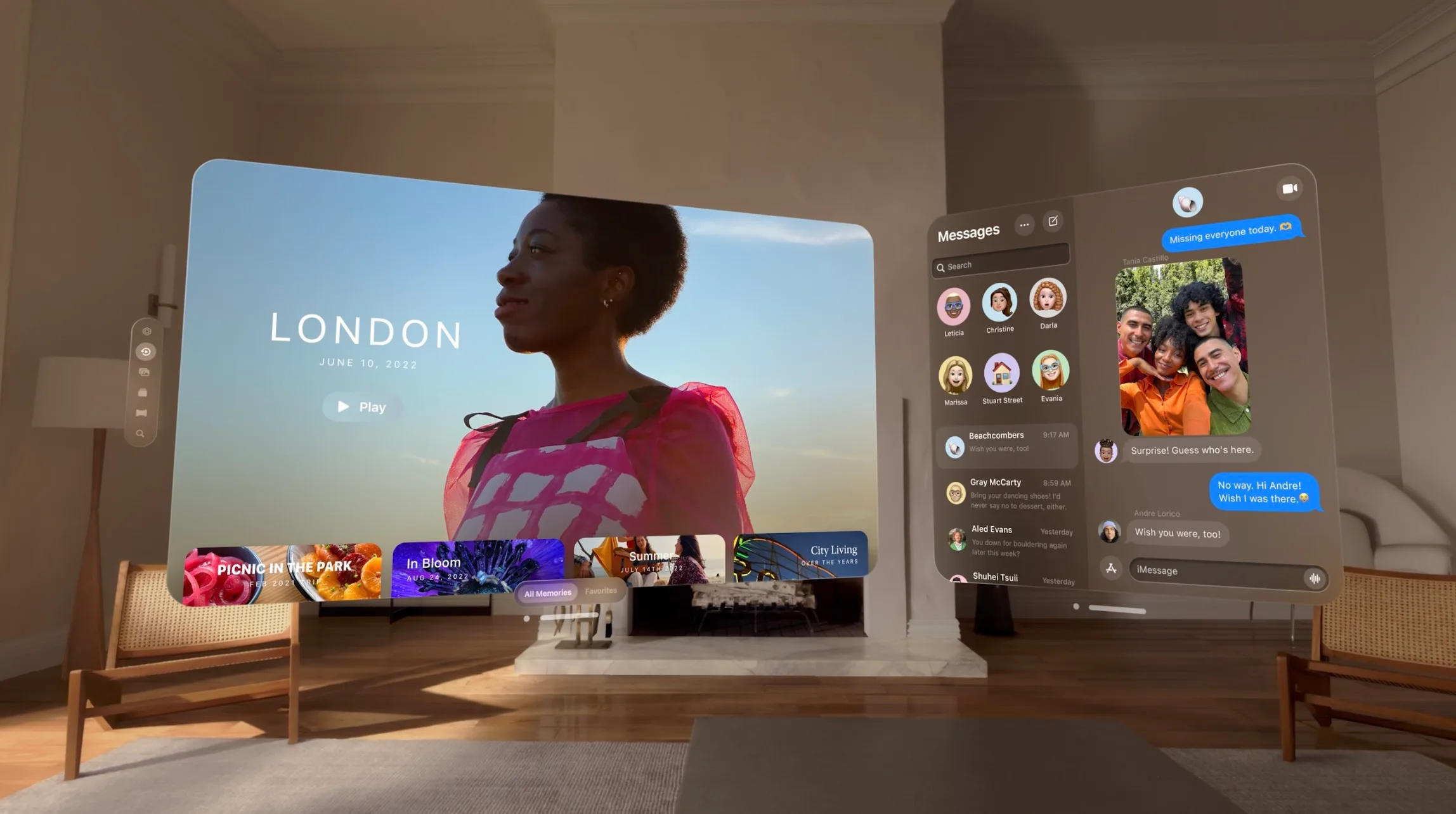
An infinite canvas for apps at work and at home: visionOS features a three-dimensional interface that frees apps from the boundaries of a display so they can appear side by side at any scale. Apple Vision Pro enables users to be even more productive, with infinite screen real estate, access to their favorite apps, and all-new ways to multitask. And with support for Magic Keyboard and Magic Trackpad, users can set up the perfect workspace or bring the powerful capabilities of their Mac into Vision Pro wirelessly, creating an enormous, private, and portable 4K display with incredibly crisp text.
Engaging entertainment experiences:With two ultra-high-resolution displays, Apple Vision Pro can transform any space into a personal movie theater with a screen that feels 100 feet wide and an advanced Spatial Audio system. Users can watch movies and TV shows, or enjoy stunning three-dimensional movies. Apple Immersive Video offers 180-degree high-resolution recordings with Spatial Audio, and users can access an exciting lineup of immersive videos that transport them to entirely new places.
Spatial computing makes new types of games possible with titles that can span a spectrum of immersion and bring gamers into all-new worlds. Users can also play over 100 Apple Arcade games on a screen as large as they want, with incredible immersive audio and support for popular game controllers.
Immersive Environments:With Environments, a user’s world can grow beyond the dimensions of a physical room with dynamic, beautiful landscapes that can help them focus or reduce clutter in busy spaces.A twist of the Digital Crown lets a user control how present or immersed they are in an environment.
Memories come alive: Featuring Apple’s first three-dimensional camera, Apple Vision Pro lets users capture, relive, and immerse themselves in favorite memories with Spatial Audio. Every spatial photo and video transports users back to a moment in time, like a celebration with friends or a special family gathering. Users can access their entire photo library on iCloud, and view their photos and videos at a life-size scale with brilliant color and spectacular detail. Every Panorama shot on iPhone expands and wraps around the user, creating the sensation they are standing right where it was taken.
FaceTime becomes spatial:With Apple Vision Pro, FaceTime calls take advantage of the room around the user, with everyone on the call reflected in life-size tiles, as well as Spatial Audio, so it sounds as if participants are speaking right from where they are positioned. Users wearing Vision Pro during a FaceTime call are reflected as a Persona — a digital representation of themselves created using Apple’s most advanced machine learning techniques — which reflects face and hand movements in real time. Users can do things together like watch a movie, browse photos, or collaborate on a presentation.
Even more app experiences: Apple Vision Pro has an all-new App Store where users can discover apps and content from developers, and access hundreds of thousands of familiar iPhone and iPad apps that run great and automatically work with the new input system for Vision Pro. Apple’s developer community can go even further and take advantage of the powerful and unique capabilities of Vision Pro and visionOS to design brand-new app experiences, and reimagine existing ones for spatial computing.
A Revolutionary Operating System and User Interface
Built on the foundation of decades of engineering innovation in macOS, iOS, and iPadOS, visionOS was designed from the ground up to support the low-latency requirements of spatial computing. The result is a revolutionary operating system that delivers powerful spatial experiences that can take advantage of the space around the user, unlocking new opportunities at work and at home.
visionOS features a brand-new three-dimensional interface that makes digital content look and feel present in a user’s physical world. By responding dynamically to natural light and casting shadows, it helps the user understand scale and distance. To enable user navigation and interaction with spatial content, Apple Vision Pro introduces an entirely new input system controlled by a person’s eyes, hands, and voice. Users can browse through apps by simply looking at them, tapping their fingers to select, flicking their wrist to scroll, or using voice to dictate.
Apple Vision Pro also features EyeSight, an extraordinary innovation that helps users stay connected with those around them. When a person approaches someone wearing Vision Pro, the device feels transparent — letting the user see them while also displaying the user’s eyes. When a user is immersed in an environment or using an app, EyeSight gives visual cues to others about what the user is focused on.
Breakthrough Design
Apple Vision Pro builds on Apple innovation and experience designing high-performance products like Mac, iPhone, and wearables like Apple Watch, culminating in the most advanced personal electronics device ever. To achieve ambitious goals for performance, mobility, and wearability, Apple utilized the most advanced materials possible.
Apple Vision Pro has an astonishing amount of technology in a compact design. A singular piece of three-dimensionally formed and laminated glass is polished to create an optical surface that acts as a lens for the wide array of cameras and sensors needed to blend the physical world with digital content. The glass flows into the custom aluminum alloy frame that gently curves around the user’s face, while the modular system allows for a tailored fit to accommodate a wide range of people. The Light Seal is made of a soft textile, and comes in a range of shapes and sizes, flexing to conform to a user’s face for a precise fit. Flexible straps ensure audio remains close to the user’s ears, while a Head Band — available in multiple sizes — is three-dimensionally knitted as a single piece to provide cushioning, breathability, and stretch.1 The band is secured with a simple mechanism, making it easy to change to another size or style of band.
Unrivaled Innovation in Hardware
Apple Vision Pro is designed to deliver phenomenal compute performance in a compact wearable form factor. Featuring a breakthrough ultra-high-resolution display system built on top of an Apple silicon chip, Vision Pro uses micro-OLED technology to pack 23 million pixels into two displays, each the size of a postage stamp, with wide color and high dynamic range. This technological breakthrough, combined with custom catadioptric lenses that enable incredible sharpness and clarity, delivers jaw-dropping experiences. Users with vision correction needs will use ZEISS Optical Inserts to ensure visual fidelity and eye tracking accuracy.2
An advanced Spatial Audio system is core to the Apple Vision Pro experience, creating the feeling that sounds are coming from the environment around the user and matching the sound to the space. Two individually amplified drivers inside each audio pod deliver Personalized Spatial Audio based on the user’s own head and ear geometry.3
In addition to creating a breakthrough display and advanced audio experiences, the high-performance eye tracking system in Apple Vision Pro uses high-speed cameras and a ring of LEDs that project invisible light patterns onto the user’s eyes for responsive, intuitive input.
These groundbreaking innovations are powered by Apple silicon in a unique dual-chip design. M2 delivers unparalleled standalone performance, while the brand-new R1 chip processes input from 12 cameras, five sensors, and six microphones to ensure that content feels like it is appearing right in front of the user’s eyes, in real time. R1 streams new images to the displays within 12 milliseconds — 8x faster than the blink of an eye. Apple Vision Pro is designed for all-day use when plugged in, and up to two hours of use with its external, high-performance battery.
Industry-Leading Privacy and Security
Apple Vision Pro is built on a strong foundation of privacy and security, and keeps users in control of their data.
Optic ID is a new secure authentication system that analyzes a user’s iris under various invisible LED light exposures, and then compares it to the enrolled Optic ID data that is protected by the Secure Enclave to instantly unlock Apple Vision Pro. A user’s Optic ID data is fully encrypted, is not accessible to apps, and never leaves their device, meaning it is not stored on Apple servers.
Where a user looks stays private while navigating Apple Vision Pro, and eye tracking information is not shared with Apple, third-party apps, or websites. Additionally, data from the camera and other sensors is processed at the system level, so individual apps do not need to see a user’s surroundings to enable spatial experiences. EyeSight also includes a visual indicator that makes it clear to others when a user is capturing a spatial photo or video.
Pricing and Availability
Apple Vision Pro starts at $3,499 (U.S.), and will be available early next year on apple.com and at Apple Store locations in the U.S., with more countries coming later next year. Customers will be able to learn about, experience, and personalize their fit for Vision Pro at Apple Store locations. For more information about Vision Pro, visit apple.com/apple-vision-pro.
Entire conference available online for all developers, with a special in-person experience at Apple Park on June 5
Submissions for the Swift Student Challenge are open now through April 19
pple has officially announced WWDC 2023. The event will take place at Apple Park with a keynote address, the State of the Union, and more. The entire conference will also be available online for developers who aren’t able to or aren’t chosen to attend WWDC in person in California.
At WWDC this year, Apple will unveil the “latest iOS, iPadOS, macOS, watchOS, and tvOS advancements.” This includes iOS 17, iPadOS 17, macOS 14, watchOS 10, and tvOS 17.
WWDC 2023 officially announced:
Apple says:
Apple today announced it will host its annual Worldwide Developers Conference (WWDC) in an online format from June 5 through 9, 2023, with an opportunity for developers and students to celebrate in person at a special experience at Apple Park on opening day.
Free for all developers, WWDC23 will spotlight the latest iOS, iPadOS, macOS, watchOS, and tvOS advancements. As part of Apple’s ongoing commitment to helping developers create innovative apps, the event will also provide them with unique access to Apple engineers, as well as insight into new technologies and tools to help them realize their visions.
Apple will host a special all-day event for developers and students on June 5 at Apple Park. At Apple Park, developers and students will watch the keynote and State of the Union videos, attend the Apple Design Awards ceremony, and more.
In addition to the in-person component of WWDC 2023 at Apple Park, Apple says that the entire conference will be available online for all developers. There is no cost for WWDC, whether you attend online or in person.
It sounds like the WWDC 2023 keynote will be pre-recorded, as has been the case every year since 2020. Apple says that developers who attend in-person will “watch the keynote and State of the Union videos together.”
Developers interested in attending WWDC 2023 at Apple Park can submit their requests via the links below. Apple says invitations will be allocated by a random selection process. Those chosen to attend will be notified by April 5 at 6:00 p.m. PDT.
Swift Student Challenge winners (2020 to 2022)2023 Challenge applicants can opt in to be included in a separate random selection process for winners when they submit their app playground.
Every year at WWDC, Apple announces its latest software updates with new features and changes. This year, that will include iOS 17, iPadOS 17, macOS 14, watchOS 10, and tvOS 17.
Apple is also expected to unveil its first Reality Pro headset at WWDC this year. After numerous delays, the headset is reportedly set for an official unveil at WWDC, alongside new software platforms and developer tools.
Finally, Apple is currently developing an updated version of the MacBook Air with an M3 chip inside. An all-new 15-inch MacBook Air is also in the works. Both of these products are potential candidates for a WWDC announcement, especially given that the M2 chip was announced at WWDC 2022.
Apple announced it will host its annual Worldwide Developers Conference (WWDC) in an online format from June 5 through 9, 2023, with an opportunity for developers and students to celebrate in person at a special experience at Apple Park on opening day. Free for all developers, WWDC23 will spotlight the latest iOS, iPadOS, macOS, watchOS, and tvOS advancements. As part of Apple’s ongoing commitment to helping developers create innovative apps, the event will also provide them with unique access to Apple engineers, as well as insight into new technologies and tools to help them realize their visions.
“WWDC is one of our favorite times of the year at Apple because it’s an opportunity to connect with the talented developers from around the globe who make this community so extraordinary,” said Susan Prescott, Apple’s vice president of Worldwide Developer Relations. “WWDC23 is going to be our biggest and most exciting yet, and we can’t wait to see many of you online and in person at this very special event!”
Along with announcements shared from the keynote and State of the Union presentations, this year’s online program will include sessions, one-on-one labs, and opportunities to engage with Apple engineers and other developers. Developers and students will also have the opportunity to attend a special day at Apple Park on June 5 to watch the keynote and State of the Union, alongside the global online community. Space for this in-person event will be limited, and details on how to apply to attend can be found on the Apple Developer site and app.
WWDC23 is also an opportunity to support student developers through the Swift Student Challenge, one of many Apple programs that seek to elevate developers and learners of all ages who love to code. With the help of Swift Playgrounds — a revolutionary app for iPad and Mac that makes learning the Swift programming language interactive and fun — students from around the world are invited to create an app playground on a topic of their choice. Submissions for this year’s challenge are now open, and students can submit their work through April 19. For more information, visit the Swift Student Challenge website.
With iOS 16.4 beta, which was first released to developers last month, Apple has introduced a new way to set up a device to get beta software that doesn’t require special profiles or using a computer. As the company will make this the only way to install iOS betas in the future, the latest iOS 16.4 beta 3 now lets users sign in with a different Apple ID to download beta software.
Apple changes how users will install iOS beta on their devices
However, when it comes to developers, some people have different Apple IDs for personal and work use, which could make it impossible for them to install iOS betas using the new system. But Apple is now fixing this. The iOS 16.4 beta released today adds an option to manage the Apple ID used to download beta software.
Now, when you go to Settings > General > Software Update > Beta Updates, you’ll see a menu showing your Apple ID. By tapping there, you can enter an Apple ID other than your iCloud and App Store Apple ID. This way, even if you’re a member of the Apple Developer Program or Apple Beta Software Program through another Apple ID, you’ll be able to download the latest Apple software.
The main advantage of the change is it will be faster and easier to install either of the iOS betas on your iPhone or iPad with the ability to toggle it on in Settings. It should also be faster to switch between the public release and a beta release for those who may need to go back and forth.
Last year, Apple began taking down websites that shared developer profiles to install iOS betas. Currently, developers are required to pay $99 per year to be part of the Apple Developer program, which includes early access to beta software. The Apple Beta Software Program is a free alternative for users who want to install iOS beta on their devices, but updates take longer to become available in this program.
Right now, the new method for installing iOS beta is optional, but Apple says that this will be the only way to enroll an iPhone or iPad to get beta software in the future.
More about iOS 16.4
In addition to the new system for installing beta software, iOS 16.4 comes with multiple new features. This includes dozens of new emoji, updates to the Music and Podcast apps, 5G Standalone support, new HomeKit architecture, previews of Mastodon links in Messages, and more.
With beta testing progressing on schedule, iOS 16.4 will likely be released to the general public sometime in March or April.
iOS 16.4 beta 3 and more now rolling out to developers
Apple is releasing iOS 16.4 beta 3 to developers today, just one week after the release of the previous beta. As we’ve covered in-depth over the last two weeks, iOS 16.4 includes a number of new features and changes for iPhone users.
iOS 16.4 beta 3 will be available today to registered developer beta testers. As the update rolls out over the air, you’ll be able to install it by going to the Settings app, choosing General, then choosing Software Update. The new update will be released to public beta testers later this week. The build number for today’s update is 20E5229e.
What’s new in iOS 16.4?
Roundup: Here’s every new feature and change in iOS 16.4 beta 1
iPhone Lock Screen Shortcut: How to use
iOS 16.4 to detail Always-On display battery consumption
iOS 16.4 and iPadOS 16.4 add new Emoji for iPhone and iPad
iOS 16.4 adds new capabilities for web apps on iPhone and iPad, including access to push notifications
iOS 16.4 reintroduces new HomeKit architecture
iOS 16.4 expands 5G support to new regions, plus Google Fi users
iOS 16.4 hints at HomePod launch in Israel with Siri in Hebrew
iOS 16.4: iMessage now supports rich content previews for Mastodon posts
Apple is making it easier for registered developers to install iOS betas, but eliminating profile sharing
Last week’s release of iOS 16.4 beta 2 in particular brought a few additional changes. These include the return of the Apple Books page turn animations, additional references to Apple Music Classical, and more. You can find our full recap of all the additions right here.
With beta testing progressing on schedule, iOS 16.4 will likely be released to the general public sometime in March or April. In addition to iOS 16.4, Apple is also beta testing the following software updates:
You can now share your car key in Apple Wallet with Android users,
starting with Google Pixel
If you happen to be an owner of one of the very few cars on the market with Car Key support, you are now able to share that car key credential with non-iPhone users for the first time.
Apple is working with the IETF and industry members to standardize cross-platform car key sharing. The first implementation of this support has landed today for Google Pixel owners. Google is working on rolling out support for all Android 12+ devices soon.
The Car Key feature allows Apple Wallet to treat unlocking your car in the same manner as you can conduct contactless payments with Apple Pay: Walk up to your car and then present your iPhone or Apple Watch to unlock it.
You can share car keys by using the Share button inside the Wallet app. You could previously send the key to other iPhone users. On iOS 16.1 or later, the Wallet app generates keys that also work with other supporting platforms, most notably Android users.
Share using the system share sheet with your favorite app like Messages, Mail, and WhatsApp. You can secure the process using an optional one-time code.
At any later time, you can revoke access to a shared car key. Simply open the Wallet app, select your car key and tap on the People icon to manage the current list of shared keys for that vehicle.
Apple’s partnership with the IETF was first announced at this year’s WWDC. The group is still working on a final specification to make publicly available for adoption by anyone. But for now, only Apple and Google have access to the necessary protocols and are working on the respective implementations privately.
It’s a really cool technology that furthers Apple’s goal to replace the wallet in your pocket, alongside other initiatives like Digital ID and Apple Pay. Hopefully, more Car Key compatible vehicles will be available soon.
Apple releases iOS 16.2 beta 4 to developers ahead of expected launch this month
Following the release of iOS 16.1.2 to iPhone users on Wednesday, Apple released iOS 16.2 beta 4 to developers on Thursday. Along with iOS 16.2, Apple has also been testing new betas for watchOS 9.2, tvOS 16.2, and macOS Ventura 13.1. Read on as we detail what’s new in these updates.
iOS 16.2 and iPadOS 16.2 include some notable changes. The Freeform collaboration app is now available to iPad, iPhone, and Mac users. There are also changes to the Home app, updates to the Weather app, and more.
On November 28, Apple also released a “Rapid Security Response” update for users running iOS 16.2 beta. Once the feature becomes available to everyone, Apple will be able to quickly fix security exploits without having to release a new version of iOS just for this.
In addition to iOS 16.2 beta 4, Apple has also made the following updates available to all developer beta testers:
Apple Store is down ahead of WWDC Apple event: iOS 16, new MacBook Air, and more
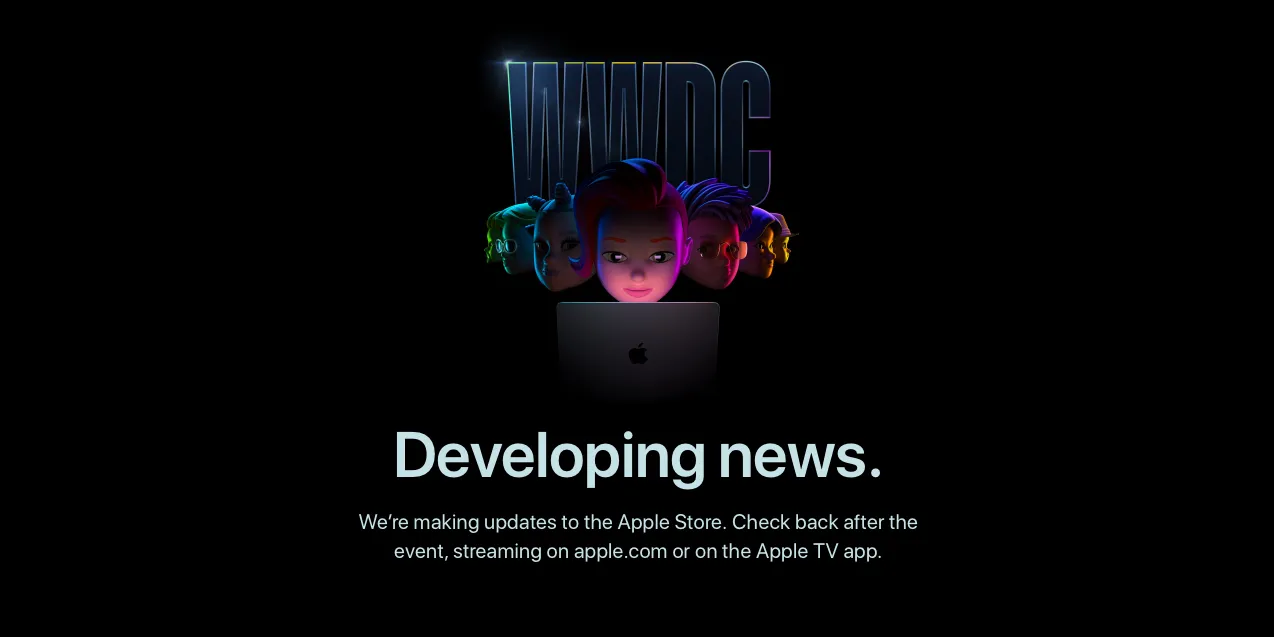
The Apple Store is down ahead of Apple’s WWDC 2022 keynote later today, with a new placeholder page that reads ‘Developing news’. The ceremonial store-going-down dance usually indicates that Apple is preparing to announce new hardware products.
Of course, the main star of the show today will be on the operating system updates; we expect Apple to unveil major new features for iOS 16, iPadOS 16, macOS 13, watchOS 9 and tvOS 16. Some new hardware announcements are also in the cards …
iOS 16 will be the star of the show, featuring new lock-screen widget functionality, updates to Messages and Health apps, and more. iPadOS updates are expected to include significant advancements when it comes to multitasking multiple apps at a time, perhaps adding desktop-style resizable windows for the first time.
Betas for iOS 16 and other Apple operating systems will be made available to developers today. A release date for public beta testing will likely come next month, with a public release set for the fall.
Although WWDC is usually thought of as a software event, Apple periodically uses the event to announce new hardware too.
This year, the rumor mill is expecting Apple to unveil a new generation MacBook Air, perhaps featuring second-generation Apple Silicon ‘M2’ chip, thinner screen bezels and an enclosure redesign reminiscent of the 2021 MacBook Pro models. Availability of the new laptops is expected to be severely constrained due to ongoing supply chain production shortages.
We also expect Apple to preview the Apple Silicon Mac Pro today. The new Mac Pro probably won’t go on sale until the end of the year, though. Both the 2013 and 2019-generation Mac Pro models were also unveiled first at WWDC as a sneak peek, before a winter release.
Other M2-revved product launches are possible, such as a base model M2 13-inch MacBook Pro and M2 Mac mini. The M2 will build upon the tremendous performance and energy efficiency of the Apple-designed M1 chip, which first debuted in October 2020.
WWDC 2022 kicks off with tours of the new Apple Developer Center; here’s a look inside
WWDC 2022 officially kicks off tomorrow, but developers who were invited to the event are getting a head start as Apple is offering tours of its all-new Developer Center, which is located on the Apple Park Campus. Images posted to Twitter have offered our first look inside the Developer Center, which features different rooms named after macOS releases, the Big Sur Theater, and much more.
The Apple Developer Center had been somewhat of a mystery until now. Apple’s Phil Schiller first teased the new building during his testimony in the Apple vs. Epic Games legal trial last year. It was then revealed that WWDC 2022 would mark the grand opening of the Developer Center, at least for the developers lucky enough to earn an invite through Apple’s lottery system.
While WWDC 2022 officially starts tomorrow, developers already in Cupertino can attend a special Open House event at the Developer Center today. Developer Paul Hudson has been sharing a slew of pictures from inside the Developer Center on Twitter, and it appears to be as impressive as you’d expect any building on the Apple Park campus to be.
As you can see in the images posted by Hudson below, the Developer Center features different rooms that are all named after macOS releases, including Panther, Tiger, Leopard, and El Capitan. Inside those rooms, developers will find a wide array of technology as well as whiteboards, TVs, and more for meetings and sessions.
One of the highlights of the new Developer Center is the Big Sur Theater, which appears to be a scaled-down version of Steve Jobs Theater — but equally as impressive. There’s a large stage with a massive screen, plush seating for developers, and more.
Throughout the rest of the Developer Center, Hudson says you can find a variety of easter eggs, pieces of classic Apple hardware, and more. Developers also received a swag package consisting of a T-shirt, a hat, a water bottle, and a collection of enamel pins.
You can view all of the pictures from Hudson below. The Developer Center will be open for those developers already at Apple Park until 6 p.m. local time tonight. It will also be where John Gruber will host his annual The Talk Show Live event, likely featuring an interview with Apple executive(s). The Talk Show Live is slated for Tuesday, June 7.
They went to *extraordinary* lengths to add fun little things throughout the building, including Easter eggs to unlock, classic pieces of equipment, and more. A fun tour! #WWDC22pic.twitter.com/jVy4cqtYSi
Apple has officially announced the dates for its annual WWDC event and keynote. This year, the event will take place entirely virtually from June 6 through June 10. This year at WWDC, we expect Apple to announce the future of its operating systems including iOS 16, watchOS 9, and macOS 13. Head below for all of the details on WWDC 2022.
WWDC 2022 is official!
Here’s what Apple says we can look forward to at WWDC 2022:
Apple today announced it will host its annual Worldwide Developers Conference (WWDC) in an online format from June 6 through 10, free for all developers to attend. Building on the success of the past two years of virtual events, WWDC22 will showcase the latest innovations in iOS, iPadOS, macOS, watchOS, and tvOS, while giving developers access to Apple engineers and technologies to learn how to create groundbreaking apps and interactive experiences.
Susan Prescott, Apple’s vice president of Worldwide Developer Relations and Enterprise and Education Marketing, added:
“At its heart, WWDC has always been a forum to create connection and build community. In that spirit, WWDC22 invites developers from around the world to come together to explore how to bring their best ideas to life and push the envelope of what’s possible. We love connecting with our developers, and we hope all of our participants come away feeling energized by their experience.”
Despite Apple’s “all-online” headline, Apple also says WWDC 2022 will include a small in-person component:
In addition to the online conference, Apple will host a special day for developers and students at Apple Park on June 6 to watch the keynote and State of the Union videos together, along with the online community.
Apple adds that space will be limited, and details about how to apply to attend will be provided on the Apple Developer site and app soon.
Compared to the past two years of virtual WWDC events, Apple adds that this year it will offer “more information sessions, more cutting-edge learning labs, more digital lounges to engage with attendees, and more localized content to make WWDC22 a truly global event.”
What to expect
WWDC 2022 will include Apple’s State of the Union and Apple Design Award events, online sessions, one on one labs for developers, and numerous ways for developers to interact with Apple engineers and designers.
As usual, we expect Apple to focus heavily on its software platforms at WWDC this year. This will likely include the announcement of iOS 16, iPadOS 16, watchOS 9, macOS 13, and tvOS 16. The company will also likely release developer betas of these new operating systems then as well.
This year, it’s also possible that WWDC includes new hardware announcements targeted at developers. Bloomberg’s Mark Gurman has reported that Apple could announce its next round of Apple Silicon-powered Macs for May or June. It certainly seems plausible that these new Macs are announced during WWDC in June.
Apple says that it will share additional program information in advance of WWDC22 through the Apple Developer app, on theApple Developer website, and via email. We’ll be sure to share the latest details right here on 9to5Mac as they become available.
Apple has been fined €10M ($11.3M) in Italy for what competition authorities say is the misuse of customer data. Google has been fined the same amount for the same thing.
It follows a $225M fine in the same country earlier this week for price fixing between Apple and Amazon …
The fine was announced by the Italian competition regulator AGCM. It says that when a consumer creates an Apple ID, the iPhone maker doesn’t reveal that their personal data will be used by Apple to market its own services, as well as promote apps, music, and books.
The Authority ascertained two violations of the Consumer Code, one due to lack of information and another due to aggressive practices regarding the acquisition and use of consumer data
The Italian Antitrust Authority closed two investigations against Google Ireland Ltd. and Apple Distribution International Ltd., sanctioning both of 10 million euros, that is, for the maximum permitted according to current legislation. The Antitrust has ascertained for each company two violations of the Consumer Code, one due to lack of information and another due to aggressive practices related to the acquisition and use of consumer data for commercial purposes […]
Apple collects, profiles and uses user data for commercial purposes through the use of its devices and services. Therefore, even without proceeding to any transfer of data to third parties, Apple directly exploits the economic value through a promotional activity to increase the sale of its products and / or those of third parties through its commercial platforms App Store, iTunes Store and Apple Books […]
Apple , both in the phase of creating the Apple ID and on the occasion of accessing the Apple Stores (App Store, iTunes Store and Apple Books), does not immediately and explicitly provide the user with any indication on the collection and use of your data for commercial purposes, emphasizing only that data collection is necessary to improve the consumer experience and use of services.
This part of the ruling seems odd, since Apple’s privacy policy explicitly says that data will be used for marketing purposes (our emphasis):
Apple uses personal data to power our services, to process your transactions, to communicate with you, for security and fraud prevention, and to comply with law […]
Communicate with You. To respond to communications, reach out to you about your transactions or account, market our products and services, provide other relevant information, or request information or feedback.
Additionally, the AGCM says the Cupertino company doesn’t allow consumers to choose how their data will be used – for example, declining permission for marketing messages.
The promotional activity is based on a method of acquiring consent to the use of user data for commercial purposes without providing the consumer with the possibility of a prior and express choice on sharing their data. This acquisition architecture, prepared by Apple, does not make it possible to exercise one’s will on the use of one’s data for commercial purposes. Therefore, the consumer is conditioned in the choice of consumption and undergoes the transfer of personal information, which Apple can dispose of for its own promotional purposes carried out in different ways.
The fine is pocket change to Apple, but is the maximum sum permitted under the law.
Apple told us that it complies with all data protection laws, and said it will appeal the ruling.
We believe the Authority’s view is wrong and will be appealing the decision. Apple has a long-standing commitment to the privacy of our users and we work incredibly hard to design products and features that protect customer data. We provide industry-leading transparency and control to all users so they can choose what information to share or not, and how it is used.
Apple announced on Thursday some changes coming to the App Store after a class-action lawsuit from US developers. In addition to these changes, the company also announced a Small Developer Assistance Fund that will pay up to $30,000 to some developers. Read on as we detail how to check if you are eligible for this new program.
A group of small developers in the United States has filed a class-action lawsuit against Apple in 2019 over how the company “monopolizes a relevant market for iOS app and in-app-product distribution services.” Apple has now proposed a settlement to end the lawsuit that will result in a $100 million fund to support small developers located in the United States.
According to the company, eligible developers will receive between $250 up to $30,000 based on multiple criteria, which are detailed in the documents filed in the case today.
The Small Developer Assistance Fund created as part of the settlement will benefit over 99% of U.S. iOS developers, whose proceeds from app and in-app digital product sales through all associated accounts were less than $1 million per calendar year during the period from June 4, 2015 to Apr. 26, 2021. These developers can claim sums from the fund ranging between minimums of $250 to $30,000, based on their historic participation in the App Store ecosystem.
In order to be eligible, the developer must have earned less than $1 million per year during the period from June 4, 2015 to April 26, 2021. Of course, only developers who offered paid apps or free apps with in-app purchases during this period will be able to request payment from Apple.
Apple says payment will vary “based on their historic participation in the App Store ecosystem.” In fact, the amount of money depends on how much the developer has earned in the US App Store during the period set by Apple, as you can see below:
An eligible developer who earned $0.01 to $100 from 2015 to 2021 will receive between $250 and $499 from Apple. If the developer’s revenue in the same period was between $100.01 and $1,000, the amount to be paid will be between $500 and $999. The maximum amount of $30,000 that Apple will pay developers is for those who have had revenue over $1 million in the last 6 years.
It’s worth noting that the Small Developer Assistance Fund is not related to the App Store Small Business Program, which is another program announced by Apple in 2020 to reduce the App Store commission rate from 30% to 15% for those earning up to $1 million per year. According to Apple, the App Store Small Business Program will remain available to eligible developers around the world.
Developers will be able to register with the Small Developer Assistance Fund by visiting smallappdeveloperassistance.com once the settlement has been approved.