Five years ago, Apple introduced the iPhone X. With a new design, powerful chip, new gestures, and a new unlock method, the Face ID, the Cupertino company paid a well-deserved tribute to the original iPhone, at the time, released ten years ago. Who would’ve thought that this innovative iPhone would be the oldest model to support iOS 16? For this 15-year anniversary, what does Apple have planned for its users?
Will there be an iPhone XV?
To be honest, I truly think it would be amazing if Apple announced the iPhone XV later this year – but it’s almost impossible for this to happen. As of now, rumors point out four new iPhone models, which will likely be called “14.”
For the 15-year anniversary of the iPhone, the iPhone 14, 14 Max, 14 Pro, and 14 Pro Max are the possible names for this new generation. And although the name will change for this decade and a half anniversary compared to what Apple introduced five years ago, there are a few things in common between these releases.
For example, minutes before introducing the iPhone X, Apple announced the iPhone 8 and 8 Plus, which brought the refinement of phones we already knew: the iPhone 6/6S/7. This time, the iPhone 14 is rumored to bring boring features, pretty much because rumors point out it will be very similar to the iPhone 13.
Rumors suggest the baseline iPhone 14 will feature the A15 Bionic chip, slightly improved camera modules, and the same design with the notch we have all known for the past five years. The difference here is that Apple will once again bring a bigger version of the regular phone, which will likely be called the iPhone 14 Max, with a 6.7-inch display.
But just like Apple saved the new features for the iPhone X, the company will do the same with the iPhone 14 Pro for the 15-year anniversary
iPhone 14 Pro and 14 Pro Max will be Apple’s old to 15-year original iPhone
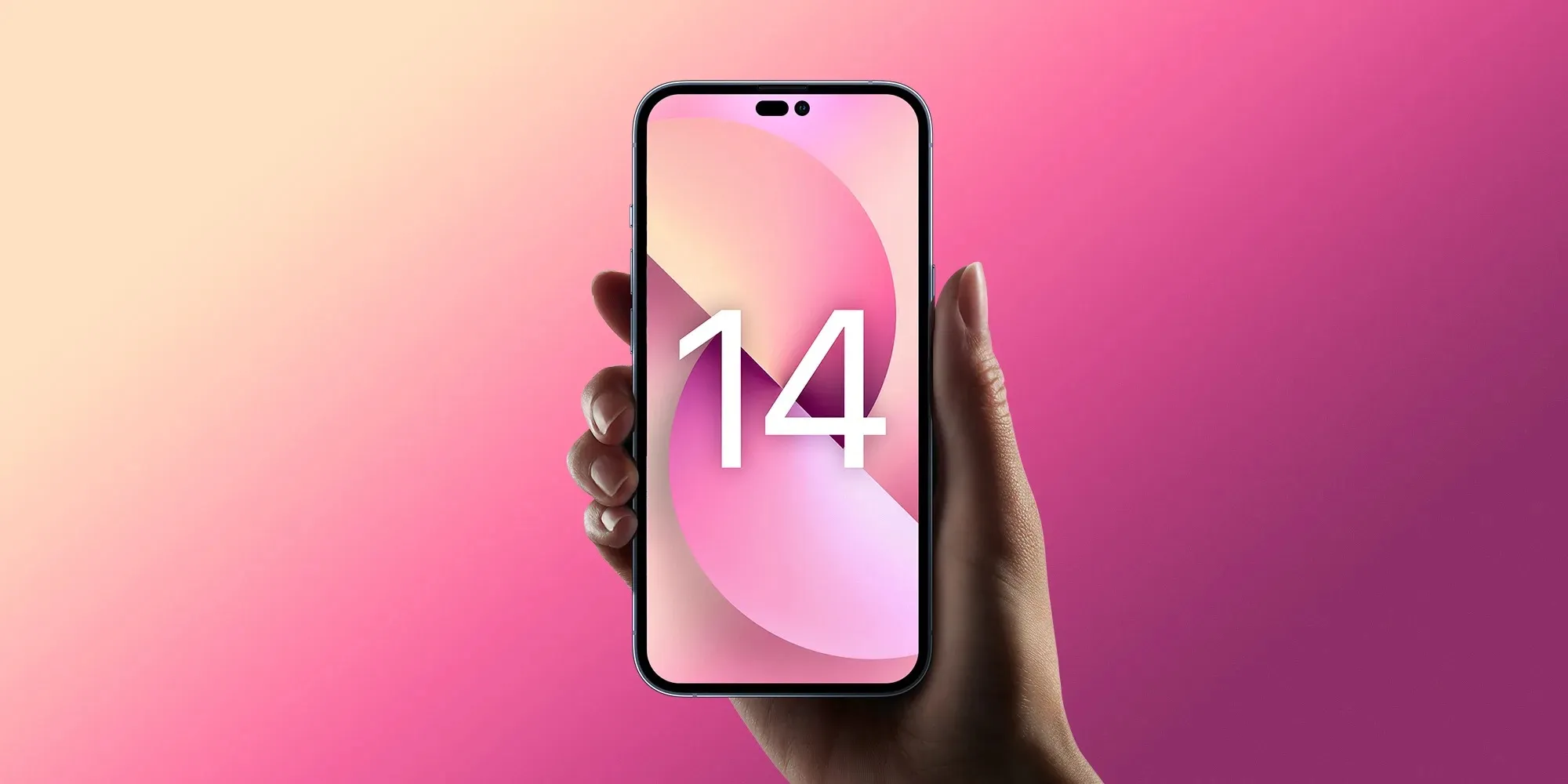
With the iPhone 14 Pro and iPhone 14 Pro Max, Apple will finally update the design introduced with the iPhone X. With a new hole-punch + pill cutout, the front of the smartphone will look like a lay-down, lowercase “i.”
In addition, Apple will boost this smartphone with the A16 chip. Although it’s expected to use the same 5 nm technology, the company will likely be able to make its CPU, GPU, and Neural Engine faster, as well as revamp both the front-facing camera and main cameras on the back.
There are rumors pointing out even a purple iPhone 14 Pro, which could be the newest color after the Sierra Blue for this generation.
Wrap up
Although the name won’t matter for Apple on the 15th anniversary of the original iPhone, there’s a lot rumored to be introduced with the iPhone 14 series. In addition, Apple is also readying three new Apple Watches, new AirPods Pro, iPad Pro, and even planning to enter a new segment with Mixed Reality headset and an AR device.
We’ve seen some baby steps towards using our iPhone for proving our identity. But a couple of recent developments point to a future in which an iPhone – plus biometrics – could let us use our phone as a single means of verifying our identity, both online and in face-to-face interactions.
In all, Apple provides support for four initiatives which I think provide a clear pointer to a future in which the iPhone will be our one-stop device for ID …
Proving our identity with an iPhone
Apple currently offers support for four separate initiatives:
Mobile driving licences
Password-less login via Passkeys in the Cloud
Student ID
Captcha bypass
Each of these form some early stepping stones to what will eventually be a world in which our iPhone will be the primary way in which we prove our identity, both online and offline.
Mobile driving licences (mDL)
Back in June of last year, Apple announced its plans to allow state ID documents like driving licences in the Wallet app.
To be fully free of your physical wallet, there’s one more thing we need to bring to iPhone. And that’s your ID. So we’re bringing identity cards to Apple Wallet. This fall, you’ll just scan your drivers license or state ID in participating US states. It’s that easy. Your ID information is now in Wallet. Encrypted and stored in the Secure Element, the same hardware element technology that makes Apple Pay private and secure.
The company said that the Transportation Security Administration (TSA) would be climbing aboard, allowing iPhone owners to present digital versions of their driving licences as proof of ID for airline travel.
The TSA is working to enable airport security checkpoints as the first place you can use your digital ID.
That didn’t happen in the fall of 2021 as scheduled, and when it did finally happen, it was just dipping a toe in the water. As the mDL (mobile driving licence) tracker shows, the system hasn’t yet been officially implemented anywhere in the US as yet, and there are just a handful of trials at a tiny number of airports.
The wheels of government grind exceedingly slowly, so the point at which we can flash our iPhone at a TSA checkpoint or traffic cop are some way off yet, but some 30 states have announced that they are at least exploring the idea.
Student ID cards
Partnering with Blackboard lets college students store their ID card in the Wallet app, which can then be used for everything from entering campus facilities to paying their laundry bills.
Students who load their IDs into Apple Wallet on iPhone/Apple Watch will be able to have secure access to campus facilities, residence halls, and more in addition to using the digital card for payments at vending machines, dining halls, laundry, and even off-campus retail locations that accept student IDs as payment.
Passkeys in the Cloud/FiDO
Back in 2020, Apple joined the Fido Alliance, a tech working group dedicated to eliminating passwords. We’ve previously explained how FiDO (Fast IDentity Online) works.
Currently, to log in to a website or app, we usually enter a username and a password. What FIDO does is instead allow our device to authenticate us. The logic is this (using an iPhone with Face ID as an example):
A website or app asks you to identify yourself, and prove your identity.
Your iPhone receives that request, and activates Face ID.
If your face matches, your iPhone tells the website who you are,
and that it has confirmed your identity.
At no point is there a password involved: Authentication is performed on your device, not on the website server. The web server trusts your iPhone to authenticate you in exactly the same way that payment terminals trust your phone for Apple Pay transactions.
Apple branded its implementation of FiDO as Passkeys in the Cloud. After a halfway house in iOS 15, the iPhone maker has fully implemented this in iOS 16 and macOS 13.
Of course, it also requires online services to support the login method, and this will again take time.
Captcha bypass
iOS 16 allows allows us to bypass Captchas in apps and on the web.
A new feature called Private Access Tokens will use a combination of details about your device and your Apple ID to inform a website that you are a legitimate user rather than a robot. In turn, this allows you to completely bypass the CAPTCHA step.
This might seem like an odd thing to mention in this context, as it doesn’t actually verify our identity, but it operates on the same principle – it carries out a form of user validation, and the authentication needed for this happening entirely on our device.
Again, this requires apps and websites to sign-up, so rollout will take some time, but it’s an easy way to improve the user experience while reducing friction (points at which people might give up), so I’d again expect adoption to be reasonably brisk.
Proving our identity in this way will become standard
Long-term, I’d expect the principles involved here to become the standard way we prove our identity, both online and offline. This is because it’s safer for all involved – individuals, companies, and governments.
Individuals
It’s safer for us both online and offline.
Online data breaches are ridiculously common. Companies keep making ridiculous mistakes like storing customer databases on cloud servers without any protection, or messing up permissions to anyone with access to their network can download customer records. With FiDO, there is no database to hack
Offline, only the necessary personal data is revealed, and that is done in encrypted form. When you show your mobile driving license at a TSA checkpoint, they only receive the actual data they need, not all the data stored on/in your license. It’s very much equivalent to Apple Pay, where the payment terminal doesn’t get all of the information on your credit card, and relies on your iPhone confirming that it has verified your identity with Face ID or Touch ID.
Companies
One of the biggest headaches for businesses is keeping customer data safe from hackers. The financial and reputational cost of a security breach can be extremely costly. With FiDO, no user credentials are stored on the server as the authentication happens entirely on our devices. (Of course, they still have to keep other customer data safe, but removing the need for login credentials is a big win.)
Governments
Paper documents can be convincingly forged, despite watermarks and the like, which is why really important ones like passports also rely on electronic security in the form of an embedded RFID chip. Moving all identity documents to electronic versions, with biometric protection, is a huge step forward in security.
There is massive additional potential in this approach
I mentioned above that companies will still have to store some customer data, like addresses. But what if they didn’t have to? What if you place an online order, and your iPhone or Mac sends an encrypted code which can only be decoded by courier companies?
What if your doctor didn’t phone you with test results, but instead sent you a link to a file which can only be read by a device which uses biometric authentication to prove your identity?
What if you didn’t have to show your credit card or ID when collecting concert tickets, but your iPhone verified your identity without revealing any of your data?
It doesn’t take much imagination to see the massive potential for on-device authentication to be used in any situation in which we need to prove our identity, whether online or offline.
To me, on-device authentication is the future of ID checks, even – eventually – passports and visas. Personally, I can’t wait. What about you? Please take our poll, and share your thoughts in the comments.
Microsoft is working to make your and your family’s online experience safer. Today the company is launching its new Defender security dashboard for 365 subscribers. Users on iPhone, Mac, Windows, and Android devices have access to the Microsoft Defender security app that utilizes existing antivirus software or other protections.
Microsoft Defender is simplified online security that meets you and your family where you are by bringing multiple protections together into a single dashboard. It provides online protection across the devices you and your family use. It offers tips and recommendations to strengthen your protection further. And, as you grow your digital footprint by adding family members and devices, Defender grows with you and keeps your defenses up-to-date using trusted technology.
According to The Verge, Microsoft Defender’s features will vary by which platform. For instance, on iPhone and iPad, Microsoft Defender users won’t have antivirus protection. However, they’ll have some phishing protections alongside their dashboard that features alerts for their other devices.
Additionally, the new app includes security alerts for your devices to ensure maximum protection. While not on iPhone, you can also view Microsoft Defender’s cybersecurity tips on your Mac or Windows computer.
This is just the start. As we look forward, we will continue to bring more protections together under a single dashboard, including features like identity theft protection and secure online connection. Microsoft Defender is simplified online security that grows with you and your family to help keep you safe.
Earlier this year, multiple reports suggested that Apple is working on major upgrades to the iPhone 14’s front-facing camera. Now analyst Ming-Chi Kuo has corroborated those rumors with new details about the suppliers Apple has chosen for the selfie camera components, which will get its biggest upgrade in years with iPhone 14.
As shared by the analyst in a blog post and also on Twitter, Apple has now set its suppliers for the new iPhone 14 front-facing camera.
Analysis: winners of iPhone 14 front camera's upgrade to AF (auto focus) / 分析:iPhone 14前置攝像頭升級為AF (自動對焦) 的贏家 @mingchikuohttps://t.co/USPnSfWFDO
Some of them are already Apple’s partners, such as Sony – which will continue to provide the camera sensors for the new iPhone. The lenses will be provided by Genius and Largan, while the new focus module comes from Alps and Luxshare.
However, when it comes to the front-facing camera module, Apple will have Cowell and, for the first time, the South Korean company LG Innotek as its partners. The partnership between Apple and LG Innotek had already been reported last month after the Cupertino-based company ruled out components from Chinese camera makers due to quality issues.
Based on Kuo’s report, iPhone 14 will represent Apple’s biggest front-facing smartphone camera upgrade in years. The analyst predicts that the new camera will feature autofocus, which should result in significantly better quality for capturing photos and videos compared to the current fixed focus camera.
Other upgrades include a six-part lens, versus the existing five-part lens. The iPhone 14’s front camera is also expected to have a larger f/1.9 aperture. For comparison, the iPhone’s front camera remains pretty much the same since iPhone 11, when Apple introduced a new 12-megapixel lens with f/2.2 aperture.
More camera upgrades coming to iPhone 14 Pro
While the selfie camera improvements should be available for the entire iPhone 14 lineup, some of the upgrades will be restricted to the more expensive iPhone 14 Pro models. Previous reports have revealed that this year’s Pro models will get a new wide camera with a 48-megapixel sensor capable of shooting videos in 8K resolution.
Unfortunately, the entry-level iPhone 14 models are rumored to keep the same set of rear cameras with wide and ultra-wide lenses of 12 megapixels each. Of course, this doesn’t mean that other aspects of these lenses won’t be upgraded.
iPhone 14 will be available in four different versions, with two regular models and two Pro models. The mini-sized iPhone is expected to be discontinued and will make way for a new 6.7-inch iPhone 14 Max, while the Pro models will keep the same size as the current generation, but this time with a new display design that eliminates the notch.
also heard from sources that some of the new iPhones will stick with the A15 Bionic chip from the iPhone 13, while others (presumably the iPhone 14 Pro models) will get the new A16 chip.
Apple is likely to announce the new iPhones in September.
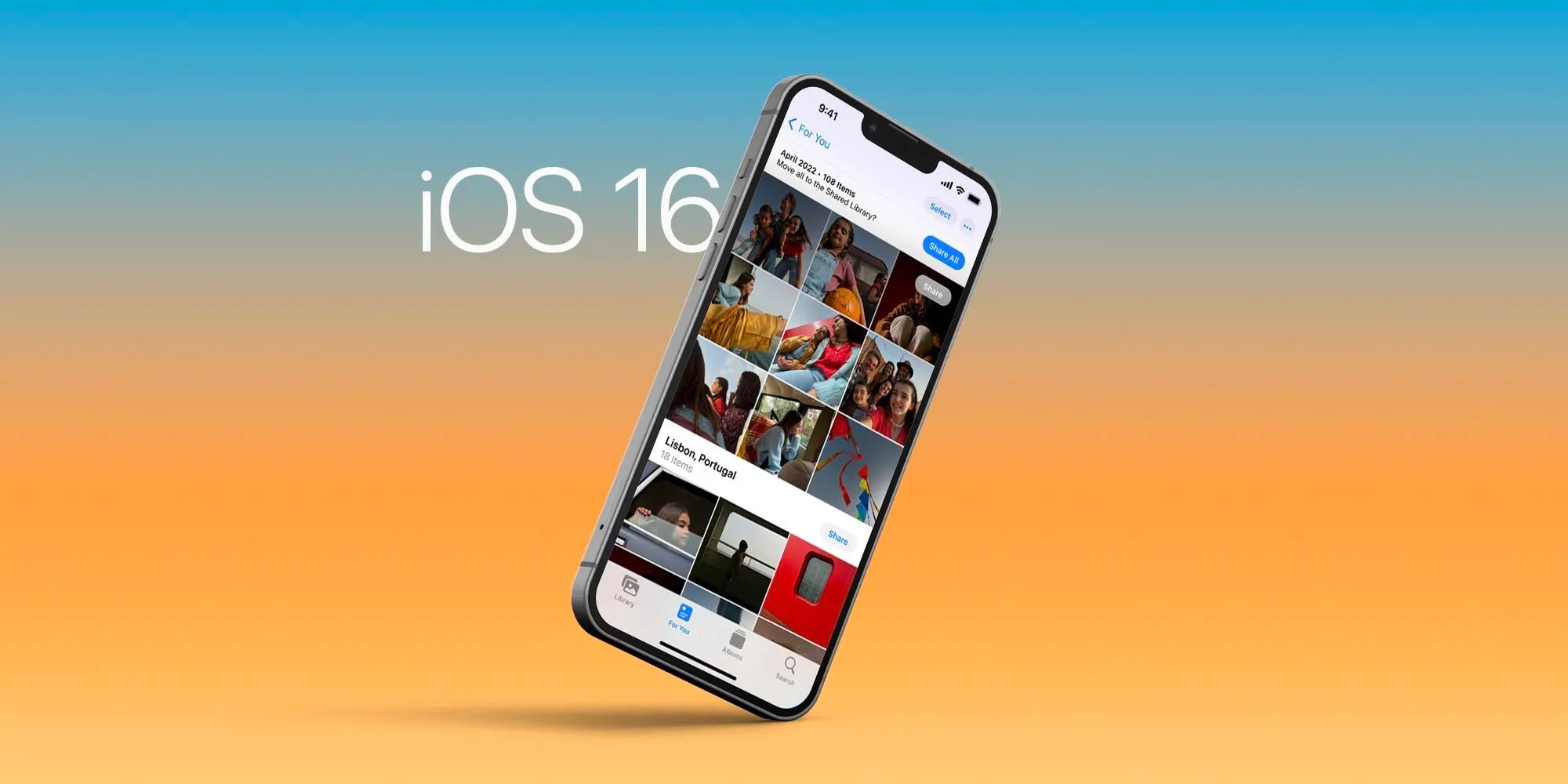
Apple announced iOS 16 during the WWDC 2022 keynote. The upcoming software for iPhones is full of new features, but there are a few that are going to be extra nice when you can get your hands on iOS 16 later this fall. Here are the five best features of this upcoming operating system.
Edit, unsend, and unread Messages on iOS 16.
iOS 16 is bringing some major improvements to iMessage. When it’s available to all users, you’ll have 15 minutes to edit or unsend any messages. This is very useful for when you misspelled a word or send the wrong message to the wrong person.
Unread, on the other hand, is useful to help you keep track on what messages you want to answer later. It’s important to notice that at least edit and unsend message features will need all devices to be running iOS 16, iPadOS 16, macOS 13 Ventura, or watchOS 9.
A brand new Lock Screen to your current iPhone
The most important feature of iOS 16 – or at least the most noticeable – is the new Lock Screen. It offers a handful of new customization, letting you edit the Lock Screen almost any way you want.
It’s easy to customize the font, color, or placement of elements on your Lock Screen by tapping them. With multilayered photo effect, photo subjects are dynamically displayed in front of the time to make the subject of the photo pop.
In addition, you can also add, for the first time, widgets to the Lock Screen in iOS 16 — and not only widgets made by Apple, but third-party widgets as well.
Live Text in video is groundbreaking.
Live Text was already great with iOS 15. You could grab information from a photo by selecting the text available, a telephone or address, for example.
Now, with Live Text in videos, text is completely interactive in paused video frames, so you can use functions like copy and paste, lookup, and translate.
In addition, Live Text with iOS 16 adds recognition of Japanese, Korean, and Ukrainian text. Last but not least, data detected in photos and videos is actionable with a single tap. Track flights or shipments, translate foreign languages, convert currencies, and more.
Focus Mode is getting even more useful in iOS 16.
With iOS 15, I said Focus Mode was the most important feature of the update. Now, this function is getting even better.
For example, the Lock Screen can link with your Focus Mode. So if you’re working, your Lock Screen will reflect the Focus set.
With Focus filters, you can set Apple apps like Calendar, Mail, Messages, and Safari to draw boundaries for each Focus you enable. In addition, you can have a Focus turn on automatically at a set time or location, or while using a certain app, which is more useful than just a particular time.
For a passwordless future, meet Passkeys in iOS 16.
Passkeys plans to replace passwords with an easier and safer sign-in method by using your face or fingerprint with Face ID/Touch ID.
It’s protected agains phishing and website leaks, since passkeys never leave your device and are specific to the site you created them for, making it almost impossible for them to be phished or hacked.
In addition, Passkeys syncs across devices and lets you sign in to other devices. Apple says that it is trying to reach an industry standard so you can sign in to websites or apps on other devices, including non-Apple devices, with your saved passkey by scanning the QR code with your iPhone or iPad and using Face ID or Touch ID to authenticate.
After over a month of beta testing, Apple has released iOS 15.5 RC to developers and public beta users. This suggests that the updates could be released to the public as soon as sometime next week. Head below for the full release notes…
iOS 15.5 new features
Apple says that iOS 15.5 makes enhancements to Apple Cash, with support for more easily requesting and sending money from the Apple Cash card in the Wallet app. There’s also a new feature in Apple Podcasts to help preserve your iPhone’s storage space and some bug fixes for HomeKit.
Here are the full release notes for iOS 15.5 according to Apple:
iOS 15.5 includes the following improvements and bug fixes:
Wallet now enables Apple Cash customers to send and request money from their Apple Cash card
Apple Podcasts includes a new setting to limit episodes stored on your iPhone and automatically delete older ones
Fixes an issue where home automations, triggered by people arriving or leaving, may fail
As a reminder, the “Release Candidate” name usually indicates that this will be the final beta of iOS 15.5 before it’s released to everyone. This is why Apple also concurrently publishes the full release notes of the update.
Here are some other changes in iOS 15.5 we’ve spotted so far, not mentioned in Apple’s release notes:
iOS 15.5 beta 1 changes and features: Wallet updates & handy new HomePod feature [Video]
iOS 15.5 includes support for apps with external purchases
iOS 15.5 hints at Bancomat and Bancontact on Apple Pay
Apple to rebrand iTunes Pass in Wallet app with iOS 15.5
iOS 15.5 beta blocks ‘Sensitive Locations’ for Memories in Photos app
iOS 15.5 beta 1 changes and features: Wallet updates & handy new HomePod feature
Apple released iOS 15.5 and iPadOS 15.5 beta to developers, and it’s likely that the public beta release isn’t far behind. While not packed with new features and changes like iOS 15.4, this latest beta release comes with a modest amount of updates and enhancements.
What’s new in iOS 15.5 beta 1?
New Request and Send buttons for Apple Cash in Wallet app.
Physical Apple Card now called ‘Titanium Card’ in Wallet settings.
Apple Pay has been rebranded as ‘Apple Cash’ Messages app.
Rebrand of iTunes Pass as “Apple Account Card” in the Wallet app.
New Wi-Fi signal bars for HomePod connectivity in Home app.
Home app now features a permissions notification for Critical Alerts.
Universal Control on iPadOS 15.5 requires all devices to be updated to latest betas.
Video: iOS 15.5 beta 1 changes and features
iOS 15.5 is largely focused on Wallet app-related enhancements and changes, so there are no huge standout user-facing features to be found here. However, having Wi-Fi signal strength indicators within the Home app for HomePods is a nice improvement. This change could make it easier to decide on how best to arrange a physical network and corresponding HomePod devices scattered around a home. It can also help with troubleshooting HomePods that aren’t properly connecting to the network.
Even if your HomePod is running 15.4, and not the latest 15.5 beta, you can still see the Wi-Fi signal strength within the Home app. Previously, the Wi-Fi network section of the HomePod preferences only showed the SSID. For HomePods in a stereo pair, you’ll have to venture into the Speakers panel to access the settings for each individual HomePod. If there are any connectivity issues, that will be reflected by an exclamation point on the Wi-Fi signal indicator, as shown below.
iOS 15.5 includes support for apps with external purchases to satisfy regulators, code confirms
Apple was recently required to let developers redirect users to third-party payment platforms instead of using the App Store’s in-app purchases system.
The latest beta version of Apple’s operating system has full support for the new entitlement used by apps to indicate that they let users make external purchases. For instance, if the user deletes an app that offers external purchases, iOS will show an alert saying that it is not possible to manage purchases and subscriptions through the App Store.
While the App Store lets users manage all their purchases in a single place, Apple has no control over what users buy outside of its platform – so it’s important to have a reminder to users.
External purchases from [app’s name] may still exist. You cannot manage or cancel any external purchases through the App Store. For more information, contact the developer.
Apple is implementing another alert that will show up when the user opens an app that offers external purchases for the first time. However, it’s worth noting that this feature won’t be available for every app.
The App Store guidelines make it clear that “External Link Account Entitlement” is only available for “Reader apps,” which are apps that offer digital content such as magazines, books, songs, or video. Another requirement is that the app can’t offer in-app purchases using Apple’s platform. Still, each request must be approved by Apple.
In the Netherlands, dating apps can continue to use Apple’s in-app purchases system along with a third-party payment system or an external link due to a requirement from the Dutch regulator.
iOS 15.5 beta 2 hints at Apple Pay support for Bancomat and Bancontact networks
Apple released the second beta of iOS 15.5 to developers, and while the update doesn’t bring any significant new features, it does hint at some changes Apple has been working on under the hood.
For those unfamiliar, Bancomat (an Italian company) and Bancontact (from Belgium) are interbank networks similar to Mastercard and Visa. Right now, cards issued by these networks are not compatible with Apple Pay, but it seems that this is about to change.
Internal codes from iOS 15.5 beta 2 reveal that Apple is working with both networks to make their cards compatible with Apple Pay, which is Apple’s digital payments platform. It’s unclear when exactly support for these cards will be announced to the public, but we assume it will happen sometime after the release of iOS 15.5.
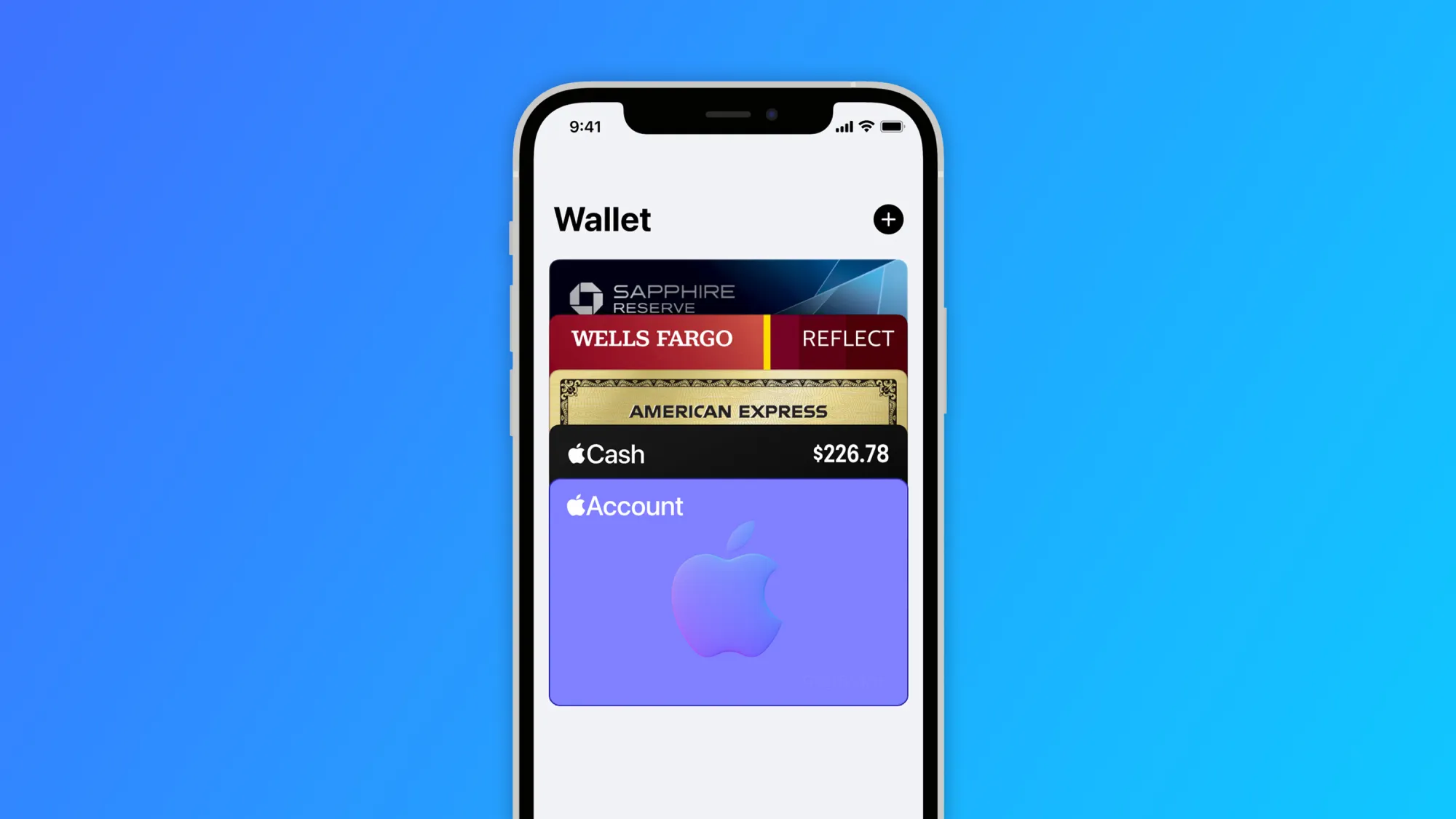
Apple is also working to rebrand iTunes Pass as “Apple Account Card.” This card will be shown in the Wallet app with the balance on the user’s Apple ID, and it can be used for purchases in the Apple Store, App Store, and app subscriptions.
With today’s beta, more code related to the Apple Account Card has been added to the system, which corroborates that this feature will also be introduced soon.
Apple to rebrand iTunes Pass in Wallet app with iOS 15.5
Apple has just released the first beta of iOS 15.5 to developers, and while we’re still looking for what’s new in today’s update, Apple has been working to rebrand iTunes Pass as “Apple Account Card” in the Wallet app with iOS 15.5.
If you buy an Apple Gift Card or add money to your Apple ID, the balance can be used to buy products in the Apple Store as well as apps, songs, movies, and subscriptions.
Currently, users can check this balance by going to the App Store or by adding the iTunes Pass to the Wallet app. At the same time, this pass has a QR Code that can be used to purchase products in Apple Retail Stores. With iOS 15.5, Apple is finally revamping the iTunes Pass.
iTunes Pass will become a new card called “Apple Account.” This card will be displayed in the Wallet app just like the Apple Card and the Apple Cash card. This way, instead of having to show the QR Code when shopping at an Apple Store, the user will be able to complete the purchase using Apple Pay.
Your account balance can be used to buy products, accessories, apps, games and more online or in store with Apple Pay.
Interestingly, the Apple Account card will have a parallax effect in the Wallet app, just like the Apple Card and Apple Cash card. The feature is currently disabled even for beta users, but it will likely be officially announced with the public release of iOS 15.5.
iOS 15.5 beta blocks ‘Sensitive Locations’ for Memories in Photos app
Apple released the third beta of iOS 15.5 to developers, and while the update doesn’t seem to have any significant changes, Apple has made an interesting tweak to its native Photos app. The system will now block “Sensitive Locations” for Memories in the Photos app.
For those unfamiliar, Memories is a feature of the Photos app on iOS and macOS that recognizes people, places, and events in your photo library to automatically create “curated collections” with a slideshow. Since this feature is entirely based on machine learning, Apple has now made some changes to the app to avoid creating some unwanted memories.
The Photos app now has a list of “Sensitive Locations,” so that any photos taken there will never be added to a memory. Interestingly, all the places banned in this version are related to the Holocaust.
Here’s the list of places that are blocked from the Memories feature in the Photos app with iOS 15.5 beta 3:
Yad Vashem Memorial
Dachau concentration camp
US Holocaust Museum
Majdanek concentration camp
Berlin Holocaust Memorial
Schindler Factory
Belzec extermination camp
Anne Frank House
Sobibor extermination camp
Treblinka extermination camp
Chelmno-Kulmhof extermination camp
Auschwitz-Birkenau concentration camp
Each location has latitude, longitude, and radius assigned, so that the Photos app will ignore images taken at these locations when creating new memories. Of course, Apple can update this list with new places with future iOS updates.
iOS 15.5 beta also brings changes to the Wallet app and reveals upcoming changes to Apple Pay.
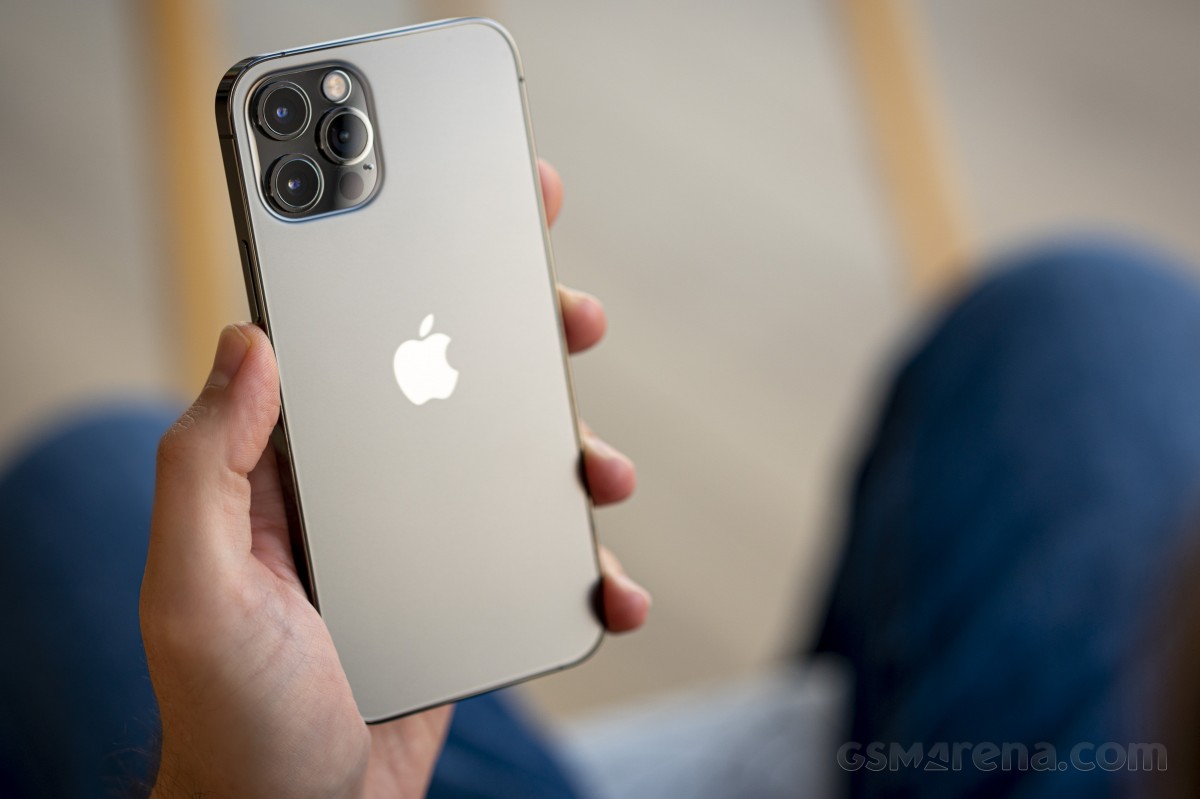
Apple is giving potential buyers more choice than ever. We already reviewed the iPhone 12, and now it’s time for the 12 Pro. Besides having double the storage, a stainless steel frame, and different colors than the 12, the 12 Pro upgrades are mostly camera-related. It’s got a proper telephoto camera with 2x optical zoom, a LiDAR Scanner for AR applications and low-light focusing, and it can take portrait shots with Night mode. This is not the longest list of upgrades we’ve seen, so choosing between these two iPhones is going to be a tough one.
At least compared to the iPhone 11 Pro, the list of new features is longer. There is a faster processor, 5G connectivity, a larger screen with better shatter resistance, Night mode for the UW camera, Dolby Vision video recording, MagSafe support, and the new LiDAR.
But most importantly, there is also the new design that Apple is introducing with the 12th Series, and it instantaneously makes all previous iPhones look less modern.
Apple iPhone 12 Pro specs:
Body: Stainless-steel frame with glossy finish, Ceramic Shield front with oleophobic coating, Glass back with frosted finish, IP68 certified for water and dust resistance. Silver, Graphite, Gold, Pacific Blue color options. 146.7 x 71.5 x 7.4 mm, 189 g.
Display: 6.1″ Retina XDR OLED screen of 1170 x 2532 px resolution, 460ppi, 600 nits, 120Hz touch sensing. HDR10, Dolby Vision support, wide color gamut. True Tone.
Chipset: Apple A14 Bionic chip (5nm) – Hexa-core (2×3.1 GHz Firestorm + 4×1.8 GHz Icestorm with 3.1GHz Turboboost) Apple CPU, four-core Apple GPU, 16-core Apple NPU 4-gen
Memory: 6GB of RAM; 128/256/512GB of internal storage
Rear camera: Triple 12MP camera: 26mm main wide-angle, f/1.6, OIS, Dual Pixel AF; 13mm ultrawide-angle, f/2.4, 120-degree field of view; 52mm telephoto, f/2.0, OIS, 2x optical zoom; dual-LED flash with slow sync. Night Mode, Smart HDR 3, Deep Fusion.
Video recording: 2160p@60/30fps, 1080p@30/60/120/240fps video recording with wider dynamic range and spatial sound, OIS + EIS, Dolby Vision
Front camera: Dual camera – 23mm 12MP f/2.2 front-facing camera with HDR mode + 3D TOF camera; Night Mode, Smart HDR 3, Deep Fusion. 2160p@60/30fps, 1080p@30/60/120fps video recording with wider dynamic range and spatial sound, EIS.
Connectivity: Dual SIM, 5G, 4G; Wi-Fi a/b/g/n/ac/6; Bluetooth 5.0; Lightning port; GPS with A-GPS, GLONASS, GALILEO, QZSS; NFC; Apple U1 chip ultrawideband
Battery: 2,815 mAh battery, 20W fast charging, 15 Qi wireless charging (MagSafe)
Misc: Face ID through dedicated TrueDepth camera, stereo speakers, Taptic Engine
While we could hardly wait to see the iPhones with this new design, we can’t say Apple has checked off all points on our wishlist. The iPhone 12 Pro was supposed to premiere with a new 120Hz ProMotion display, but unfortunately, that didn’t happen. Rumor has it that for some reason, Apple had to choose between 5G and HRR OLED (we think it’s battery life). Well, we all know how that went down – with our without carrier support – Apple’s homepage now proudly carries a huge 5G logo. We can’t deny the iPhone UI looks fast and fluid but forgoing the high-refresh-rate screen for yet another year is a flagrant omission in our books.
Also, Apple’s questionable decision to keep the camera hardware upgrades only to the iPhone 12 Pro Max further takes away some of the appeal of the 12 Pro. Not everyone will want a big phone, and Apple is making it impossible to get the new 12MP sensor with larger pixels and sensor-shift stabilization without going for the 12 Pro Max. In our minds, the iPhone 12 Pro deserved to have the same level of camera hardware instead of relying on the last year’s camera tech.
Unboxing the Apple iPhone 12 Pro
Finally, in one of the most controversial moves in the industry, Apple announced they are no longer bundling a charger or headphones with this phone that costs more than a thousand bucks.
This year, the iPhone 12 Pro comes in one of the slimmest smartphone boxes we have ever opened. Inside, you’ll find only the phone itself and a USB-C/Lightning cable. No charger or headphones here. Apple expects you to already have these or, better yet, buy them separately.
Inside the box, there is also a small sleeve, where you’d find the SIM ejection PIN and an Apple logo sticker. Apple should have saved the hassle of including those – after all, we all have those already, right? Come to think of it, nobody needs a box either – just ship the iPhone 13 in bubble wrap.
Okay, we’re a bit salty, but so is the iPhone 12 Pro pricing. Let’s see what it has to offer for our hard-earned money on the following pages.
Alternatives
The iPhone 12 Pro is a well-balanced smartphone, which offers many upgrades over the iPhone 11 Pro and a moderate list of added features compared to the standard iPhone 12.
The most notable differences between the iPhone 12 Pro and the iPhone 12 are in the camera department. The 12 Pro has an additional telephoto camera on the back, it can shoot Dolby Vision videos in 60fps, it will eventually support capturing in Apple Pro RAW, and has the LiDAR Scanner that helps for better AR and portraits. The 128GB iPhone 12 Pro is $120/€200 more expensive than the 128GB iPhone 12, and it’s up to you to decide whether you need these camera features. If not – the iPhone 12 already offers the most important core new features of Series 12.
If you want to get the best Apple has to offer in 2020, then there is the iPhone 12 Pro Max that goes for €100 over the iPhone 12 Pro. The Max has the largest screen and battery among the iPhone 12s and is the only one to actually have a meaningfully upgraded camera hardware. It has a larger 12MP sensor for its main camera with the (phone) industry’s first sensor-shift stabilization. It also features an improved 12MP telephoto camera – it now offers 2.5x zoom thanks to a new 65mm f/2.2 lens and is promised even better portraits.
The iPhone 12 Pro Max indeed offers the most significant upgrades when it comes to hardware this year, and it appears it makes more sense as a purchase compared to the iPhone 12 Pro. In fact, if you own an iPhone 11 Pro and you don’t care about the new design, 5G, or MagSafe support, you should skip the 12 Pro and wait for next year’s model.
Apple iPhone 12 • Apple iPhone 12 Pro Max
Our verdict
The Apple iPhone 12 Pro is a very good smartphone, but it doesn’t make much sense as an upgrade to the iPhone 11 Pro. Better stick with your iPhone 11 Pro, or if you are a sucker for the latest Apple tech – just spend more and get the Max.
However, logic doesn’t always matter when it comes to new iPhones. Many people buy them just because they are the new iPhones, and they want to stay in the loop, few for the actual new features and even fewer get them as it is time to replace their 3-4-5 years old phone.
If you are among those users upgrading from an older model, say XS or earlier, you should be delighted with the iPhone 12 Pro – it offers a massive amount of upgrades over the older-gen iPhones. You just need to buy a charger, but hey – welcome to the future!
We expected more from the iPhone 12 Pro, but it turned out a recycled iPhone 11 Pro. Not that Apple is forcing us to upgrade, but still. The new camera tech being a Pro Max exclusive and the lack of ProMotion screen, while failing to deliver meaningful improvements elsewhere, makes things really easy for us to make a call.
We can’t recommend the iPhone 12 Pro over its siblings – the iPhone 12 or iPhone 12 Pro Max.
Pros
Attractive design with exquisite fit and premium finish
Excellent OLED screen, very bright
Loud stereo speakers, superb audio quality
The fastest smartphone chip on the planet, 5G, too
Good photo quality across the board, day and night
LiDAR Scanner has varied applications and use cases (albeit quite niche)
Consistently good video quality
Apple iOS 14 is fast and easy to use, 5 years of guaranteed major updates
MagSafe is a promising accessory concept
Cons
No charger or headphones in the box
No high refresh rate screen
Shorter battery life than the iPhone 11 Pro
iOS needs better file management
We miss TouchID as FaceID does not work with a mask on
The best camera tech is exclusive to iPhone 12 Pro Max
Few meaningful upgrades over iPhone 11 Pro and even fewer over iPhone 12
It’s been quite a while since we had a compact flagship iPhone in our pockets. In fact, the last time we remember this happening was back when it was the only iPhone available.
The iPhone mini has been rumored since 2013, but instead, we got the iPhone 5C with C standing for either Colorful or Cheap (who knows!), even if we would have called it Controversial.
After that, the iPhones grew larger (iPhone 6), and taller (iPhone 6 Plus), and bigger (iPhone XS Max). The original iPhone SE was a breath of fresh air in 2016, and ever since, many of us have been longing for an all-screen iPhone SE. We didn’t get that with the second-gen SE last March, but we finally saw it happening in October.
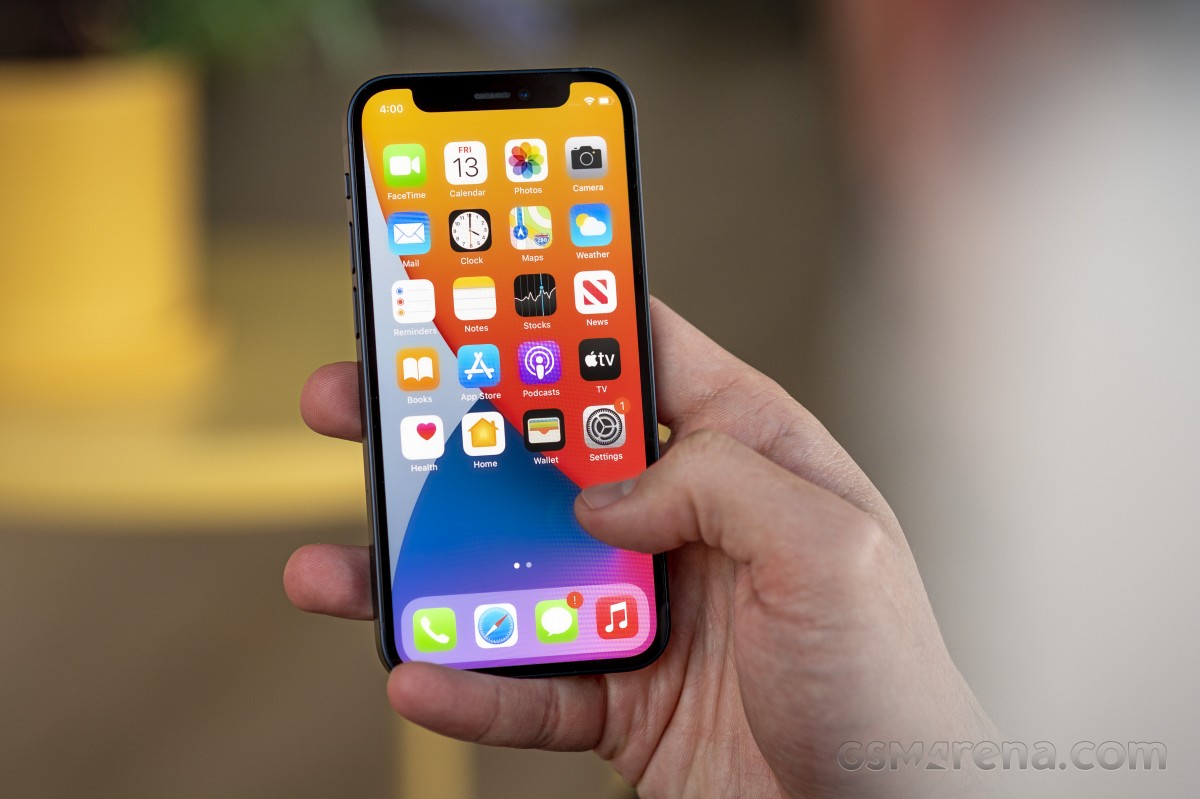
Without a doubt, the iPhone 12 mini is best described as a compact version of the iPhone 12. This means it comes with a smaller display (5.4″ vs. 6.1″) and tinier battery (2,227mAh vs. 2,815mAh) while retaining everything else that makes the iPhone 12 cool.
The iPhone 12 mini has a 5.4″ OLED screen of extended 1080p resolution and the latest Apple A14 Bionic chip, which makes it the world’s smallest 5G-capable phone to date. Also lifted from the iPhone 12 is the dual camera with Night Mode and Dolby Vision video capturing and the stereo speakers.
The mini uses the same IP68-rated glass body with Ceramic Shield as the rest of the bunch. It also packs MagSafe support on the back, though the wireless charging is limited to 12W vs. 15W on the rest of the iPhone 12s.
Apple iPhone 12 mini specs:
Body: Aluminum frame with matte finish, Ceramic Shield front with oleophobic coating, Glass back with glossy finish, IP68 certified for water and dust resistance. Black, White, Green, Blue, Red color options. 131.5 x 64.2 x 7.4 mm, 135 g.
Display: 5.4″ Retina XDR OLED screen of 1,080 x 2,340 px resolution, 476ppi, 600 nits, 120Hz touch sensing. HDR10, Dolby Vision support, wide color gamut. True Tone.
Chipset: Apple A14 Bionic chip (5nm) – Hexa-core (2×3.1 GHz Firestorm + 4×1.8 GHz Icestorm with 3.1GHz Turboboost) Apple CPU, four-core Apple GPU, 16-core Apple NPU 4-gen
Memory: 4GB of RAM; 64/128/256GB of internal storage
Rear camera: Dual 12MP camera: 26mm main wide-angle, F/1.6, OIS, Dual Pixel AF; 13mm ultrawide-angle, F/2.4, 120-degree field of view; dual-LED flash with slow sync. Night Mode, Smart HDR 3, Deep Fusion.
Video recording: 2160p@60/30fps, 1080p@30/60/120/240fps video recording with wider dynamic range and spatial sound, OIS + EIS, Dolby Vision (30fps only)
Front camera: Dual camera – 23mm 12MP F/2.2 front-facing camera with HDR mode + 3D TOF camera; Night Mode, Smart HDR 3, Deep Fusion. 2160p@60/30fps, 1080p@30/60/120fps video recording with wider dynamic range and spatial sound, EIS.
Connectivity: Dual SIM, 5G, 4G; Wi-Fi a/b/g/n/ac/6; Bluetooth 5.0; Lightning port; GPS with A-GPS, GLONASS, GALILEO, QZSS; NFC; Apple U1 chip ultrawideband
Battery: 2,227 mAh battery, 20W fast charging, 12W Qi wireless charging (MagSafe)
Misc: Face ID through dedicated TrueDepth camera, stereo speakers, Taptic Engine
By being a smaller version of the iPhone 12, the iPhone 12 mini keeps both the good and the not-so-good stuff. This means you are not getting any accessories but a USB cable in the box, there is no HRR screen, no 3.5mm jack, and whatever else you might have hoped for.
Unboxing the Apple iPhone 12 mini
All of the new iPhone 12s, including the mini, come packed within a thin paper box that contains the iPhone and a USB-C-to-Lightning cable.
In a controversial move, Apple no longer bundles a charger and headphones with its phones.
If you don’t have compatible ones available, Apple’s 20W charger will set you back €25, while the MagSafe wireless charger costs some additional €50. And then, you may want to think about EarPods (€20) or AirPods (€180).
There is a silver lining, though – once you buy yours, you can keep them for yourself when you pass forward your old iPhone.
Alternatives
If you are after a compact flagship, your choices are quite limited. And Apple‘s bid for this niche is long overdue.
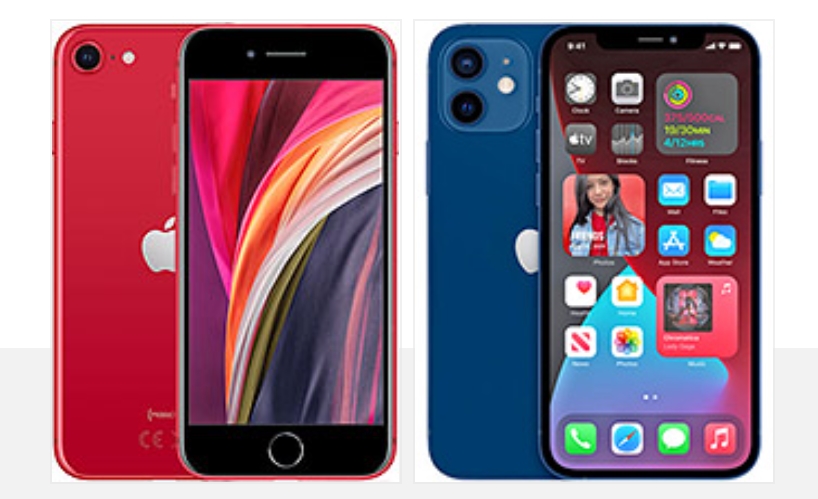
The first alternative that comes to mind is the iPhone SE (2020). It has one of the fastest Apple chips – the A13, but everything else is borrowed from the 2017’s iPhone 8. Still, Apple has already slashed its price, and the second-gen SE goes for as little as €480 or less. If the small size is a must, but you don’t need a flagship iPhone or a bezel-less design, the SE is a very reasonable choice.
Apple iPhone 12 series
The Apple iPhone 12 is a full-blown flagship within a lightweight body, and for Max-like users, it could already feel as mini enough. It has everything the mini offers but comes with a bigger 6.1″ screen and a larger battery. It costs €100 over the iPhone 12 mini, and it could be the size you are looking for after all.
Apple iPhone SE (2020) • Apple iPhone 12
Our verdict
This tiny iPhone was a long time coming, and we are glad it’s finally here. It’s also an incredible feat that the smaller model has all the great features of the bigger model.
We fear the iPhone 12 mini might be arriving a little bit too late. Mainstream smartphones have grown a lot in the last five years. The iPhone 12 already feels like a mini as it is. And the iPhone 12 mini is even smaller. The sale reports also suggest people are more interested in the iPhone 12 than the mini, further proving this point.
Still, we doubt Apple considered the iPhone 12 mini as a best-seller of the Pro Max caliber. It just adds a long-requested option for a small flagship that was unavailable for years, and it will surely add more sales to the already overwhelming iPhone 12 purchases.
The iPhone 12 mini is suitable for everyday use, and none of its shortcomings matter if you are after this particular extra small size. It can take high-quality photos and videos; it is great for videos or reading, and it will last you through a busy day on a single charge. Gaming is good, too, unless it’s a very demanding app where the poor heat dissipation may lead to a bottleneck for a couple of minutes.
Aside from being compact, the iPhone 12 mini’s other virtue is the fact that it’s the cheapest of the iPhone 12’s. Many people who just want the latest Apple hardware for its performance or future-proofing might go for this one for its ‘reasonable’ price.
If the price is the major draw, we can definitely understand that. If you are after the compact size, that’s fine, too, but our only advice is to make sure you still want it by trying it out in person before committing to a purchase.
Don’t miss our iPhone 12 upgrader’s guide to see how good of an upgrade would the new iPhones make to your older iPhone.
Pros
The cheapest in the iPhone 12 series
The most compact flagship smartphone you’d find today
Attractive design with great grip and premium durability
Excellent OLED screen
Good battery life for such a small cell
Loud stereo speakers
The fastest smartphone chip on the planet, 5G, too
Good photo quality across the board, day and night
Apple iOS 14 is fast and easy to use, 5 years of guaranteed major updates
MagSafe is a promising accessory concept
Cons
No charger or headphones in the box
iOS needs better file management
We miss TouchID as FaceID does not work with a mask on
Prone to performance throttling
The notch looks bigger than ever on this small phone
iPhone and Apple Watch include a wide range of valuable health features and a couple of them that don’t get much attention include measuring ambient and headphone noise levels. Read along for a look at how to protect from hearing loss by checking decibel levels on iPhone and Apple Watch.
In the US, an estimated 37.5 million adults have trouble hearing, and men are believed to be twice as likely to experience hearing loss as women (via the National Institute for Deafness and Other Communication Disorders).
Thankfully, iPhone and Apple Watch feature both ambient (environmental) and headphone decibel monitoring that are quick and easy to use, including noise threshold warnings. That makes it much easier to prevent hearing damage and loss by knowing when to turn down the volume, use ear protection, or leave a loud environment.
How loud is too loud?
So what’s a harmful decibel level? That depends on the amount of time you’re exposed along with the level of noise. Here’s what Apple says:
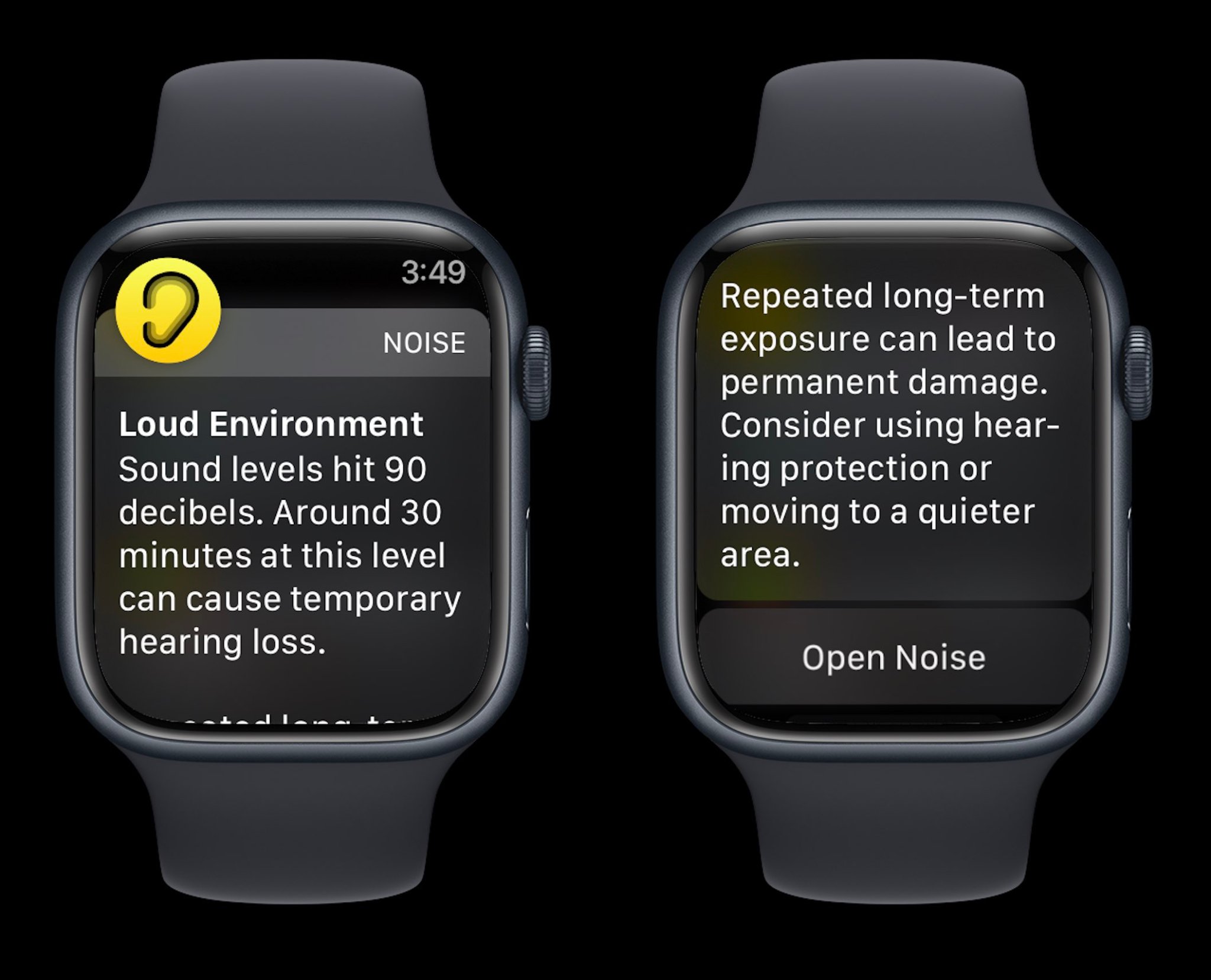
Repeated, long-term exposure to sounds above 80 dB can lead to permanent damage. Consider using hearing protection or moving to a quieter area.
Apple Watch also shares examples of noise levels/time exposure that can lead to temporary hearing loss:
80 db: Around 5 hours and 30 minutes a day
85 dB: Around 1 hour and 45 minutes a day
90 dB: Around 30 minutes a day
95 dB: Just 10 minutes a day
100 dB: Even a few minutes a day
How to check decibel levels with iPhone and Apple Watch
Decibel levels with iPhone and iPad
Interestingly, Apple doesn’t make its watchOS Noise app available on iPhone and iPad, so here’s how to check decibel levels:
Open the Settings app and choose Control Center
If it’s not already showing under the “Included Controls,” swipe below and look for the green + icon next to Hearing
Connect headphones to your iPhone
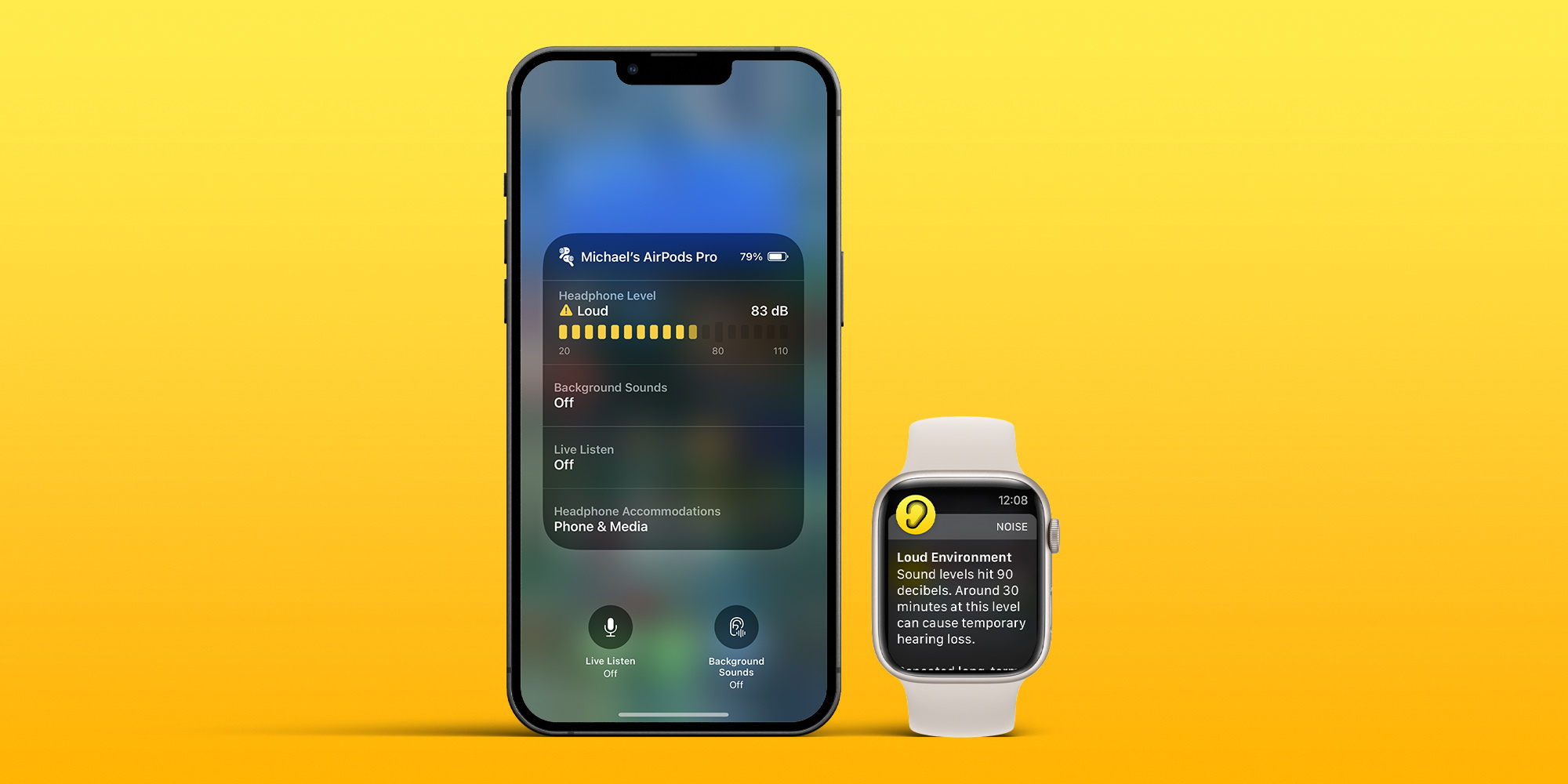
Now open Control Center (swipe down from the top right corner of your screen) and look for the ear icon to see headphone dB levels
To turn on alerts for loud headphone audio, head to Settings > Accessibility > Audio/Visual > Headphone Notifications and tap the toggle
And you can limit loud sounds in headphones by heading to Settings > Sounds & Haptics > Headphone Safety > toggle on Reduce Loud Sounds
If you’re playing music with headphones connected, you’ll see the decibel meter appear in the Hearing tile in Control Center
Green desinates “OK” levels and yellow marks “Loud” levels that can damage hearing
Tap the Hearing icon to learn more about your headphone noise levels
With music paused, you can use the microphone of your headphones to measure the ambient decibel levels
Tap the microphone icon that says Live Listen in the bottom left corner (or tap the Live Listen rectangle)
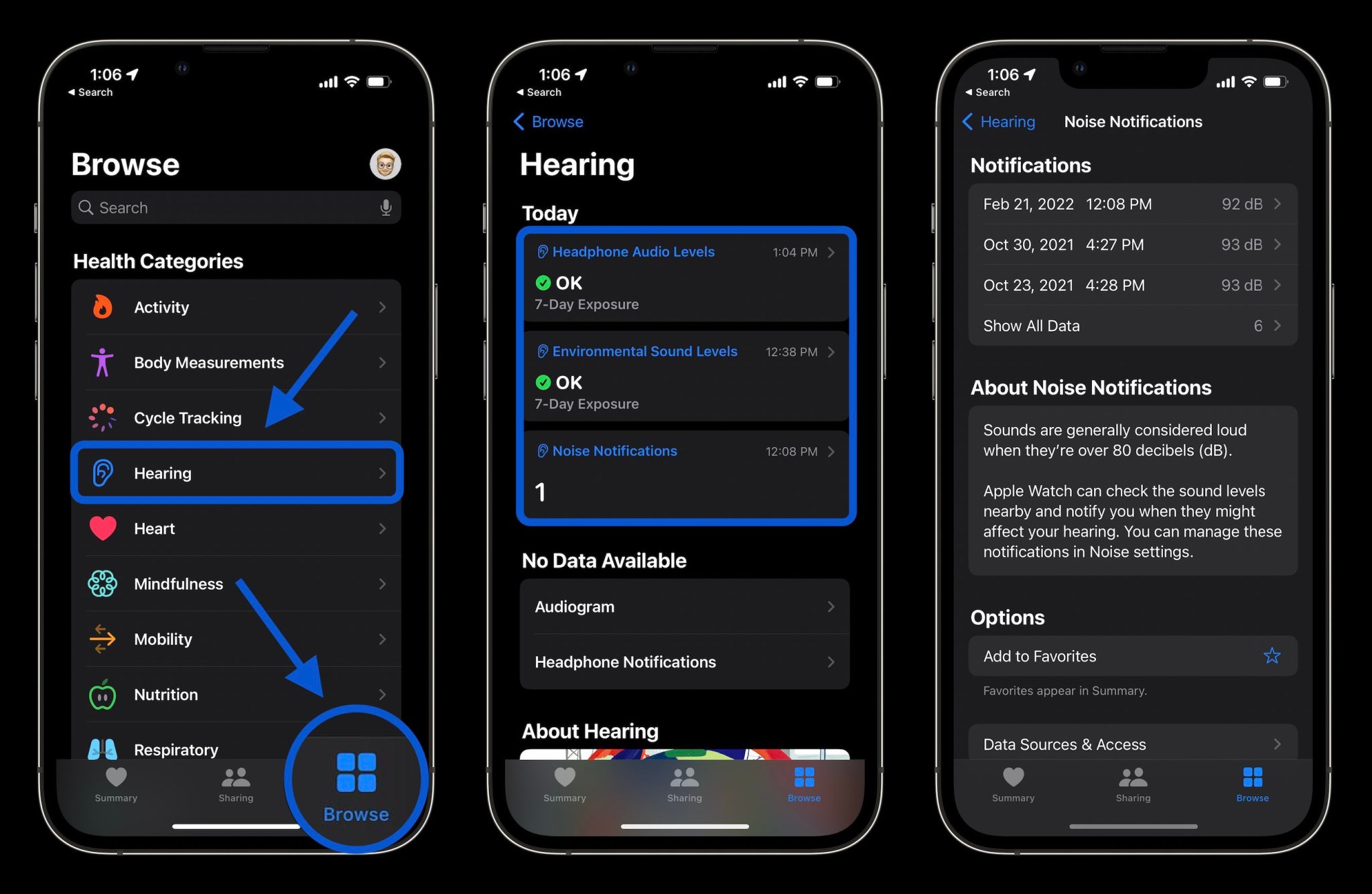
Finally, you can also check your hearing history of both ambient and headphone decibel levels in the Health app
Tap the Browse tab at the bottom
Now choose Hearing
Check decibel levels with Apple Watch
You can measure both ambient and headphone decibel levels with Apple Watch and the former works with the dedicated Noise app. One neat option with the wearable to have quick-access readings is with the Noise app complication.
To check ambient decibel levels, open the Noise app on Apple Watch (you can also turn it on via iPhone in the Apple Watch app > Noise)
If you haven’t used the Noise app before, choose to Enable the feature
You can learn more about the decibel level you’re exposed to by tapping Learn More at the bottom of the Noise app
If you want fast access to decibel levels on Apple Watch, make a watch face with the Noise app compliation
If you don’t enable Noise app notifications when setting up the feature, you can head back to the Watch app on iPhone > Noise > Noise Threshold to change the limit/noise notificiations
To check headphone decibel levels on Apple Watch, open Control Center on your watch (swipe up from the bottom of the screen from your watchface)
Swipe down to the bottom
Tap the ear icon
And here’s a look at how Noise warnings look on Apple Watch:
Apple could very well never adopt the Touch ID sensor on its flagship iPhones again, but since the pandemic started more than two years ago, rumors about this possibility ramped up. Now, with iOS 15.4 set to be released in a few weeks now, Apple shows how it could focus on Face ID for the indefinite future.
Don’t get me wrong, Touch ID was a breakthrough feature when it launched with the iPhone 5s: fast, secure, and easy to use, but everything changed when Apple introduced Face ID with the iPhone X.
At the time, the company said it was two years ahead of the competition, but five years since the iPhone X launched, it still looks like Apple is, at least, half a decade ahead of its competitors about facial recognition.
Sure, the embedded fingerprint sensor has gotten better, but the easiest – and the safest – way to unlock your device is by looking at it. And although Apple took a while, it’s finally launching a simple solution that makes Face ID usable again with eye recognition.
It’s funny to think that while iOS 14.5 was a big update to iPhone users – as it brought the ability to unlock the iPhone with the Apple Watch – it’s once again launching an important software feature as. a mid-year release. This upcoming operating system will give users the ability to unlock their iPhones while wearing a mask, without the need for an Apple Watch or other device in addition to your iPhone.
As Apple explains, the TrueDepth system tries to “recognize the unique features around the eye to authenticate” your face. With the Apple Watch unlock feature, on the other hand, the TrueDepth system recognizes someone is wearing a mask, that the Apple Watch is near, and then the iPhone is unlocked. Since it only recognizes a mask and not the person, this is why you couldn’t authenticate third-party apps or pay with Apple Pay before.
Face ID with a mask works – and it’s great
Now, with the beta version of iOS 15.4, You can use Face ID again on the street. You can access email app, WhatsApp, and other apps that require facial recognition with ease. Not only that, but I can also pay with Apple Pay again using my phone.
Of course, in the perfect world, Apple still recommends you use full facial recognition, but as we still have to wear masks everywhere, it’s very convenient to have the TrueDepth system scanning your eyes.
The new Face ID function continues to be as reliable as always. No one can unlock your iPhone by mistake, and the TrueDepth system usually recognizes your eyes rapidly.
It finally looks like Apple found the right approach to deal with Face ID and masks.
Touch ID rumors will die. Even though it was reported that Apple tested an embedded fingerprint scanner on the iPhone 13, Face ID is one of the functions that makes Apple shine when compared to its competitors.
Not only that, but the company keeps pushing for Face ID recognition. Rumors for the iPhone 14 show that Apple is planning a new notch by hiding some TrueDepth sensors. It shows that the company is indeed improving its facial recognition method as the only way for iPhone users to securely unlock, pay, and store information on their devices.
With iOS 15.4 being released a few weeks from now, users that don’t like to update their iPhones with beta versions will see how much this operating system makes our everyday tasks seamless again, as we shouldn’t have to worry whether we’ll be able to unlock our iPhones as fast as we used to.