Apple released the first developer beta of iOS 18 on June 10, the same day it kicked off WWDC and unveiled all the new OS features coming later this year.
It’s been nearly two weeks since that last beta, so when will iOS 18 beta 2 be released? Here’s what we know.
When to expect iOS 18 beta 2 to release
Apple hasn’t announced a date yet for iOS 18 beta 2. However, the company tends to follow fairly predictable patterns for its software releases. As a result, we can learn a lot by looking at previous years’ release dates.
2023: iOS 17 beta 2 arrived on Wednesday, June 21
2022: iOS 16 beta 2 arrived on Wednesday, June 22
2021: iOS 15 beta 2 arrived on Thursday, June 24
Looking at dates alone, we might expect iOS 18 beta 2 to arrive any moment now.
But there’s another key piece of data that can inform our expected date: the day WWDC started each year, which was also when the first beta debuted.
WWDC started on June 5 in 2023. It was June 6 in 2022, and also in 2021.
This year, WWDC kicked off a bit later than usual, on June 10.
For the last two years, beta 2 arrived exactly 16 days after beta 1. In 2021 it was 18 days.
Taking all of this into account, we should expect iOS 18 beta 2 to drop on Wednesday, June 26 or possibly Thursday, June 27—16 or 17 days after beta 1’s release.
What changes will come in beta 2?
iOS 18 beta 1 introduced so many new features for iPhone users. There are powerful customization features, a new Passwords app, big updates to Messages, Photos, Notes, Journal, a revamped Control Center, and a lot of other goodies.
So what kind of changes should we expect to see in beta 2?
Usually the earlier in the summer, the more changes will come with each beta. Betas 2, 3, and 4 will generally provide more changes than 5, 6, and 7, as Apple seeks to lock the release in preparation for its public launch in the fall.
So while beta 2 probably won’t have any huge surprises, it should nonetheless offer a number of enhancements and tweaks to what’s found in the current beta.
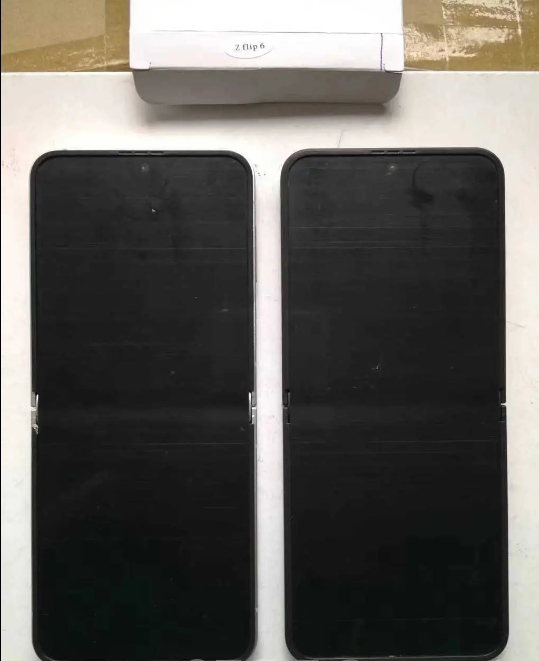
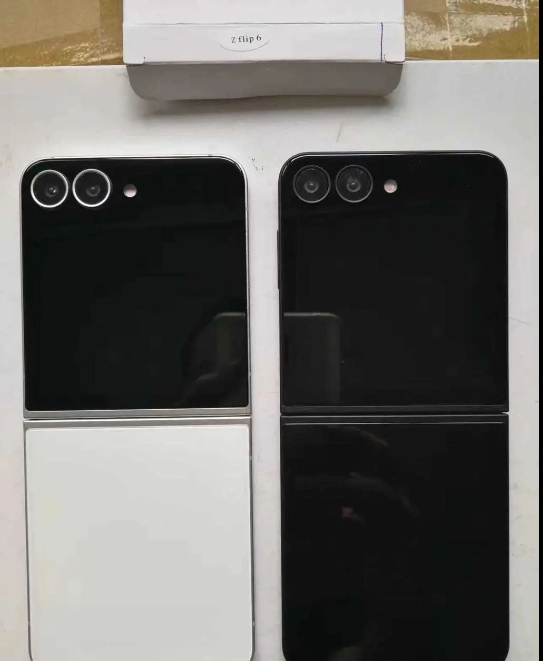
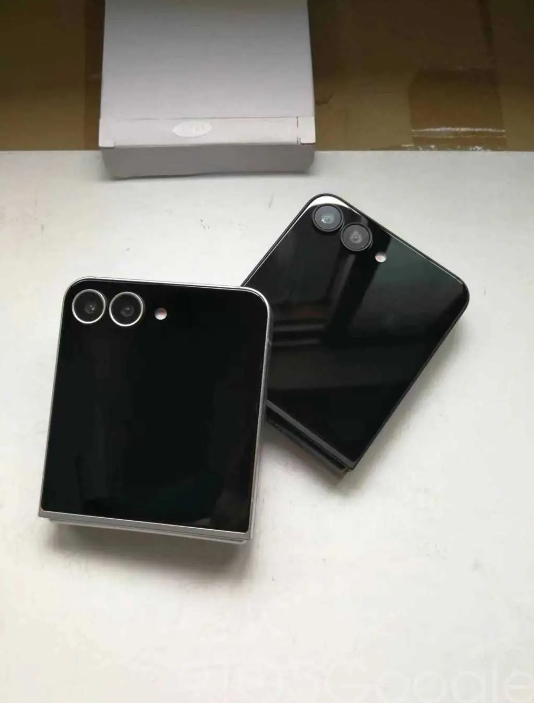
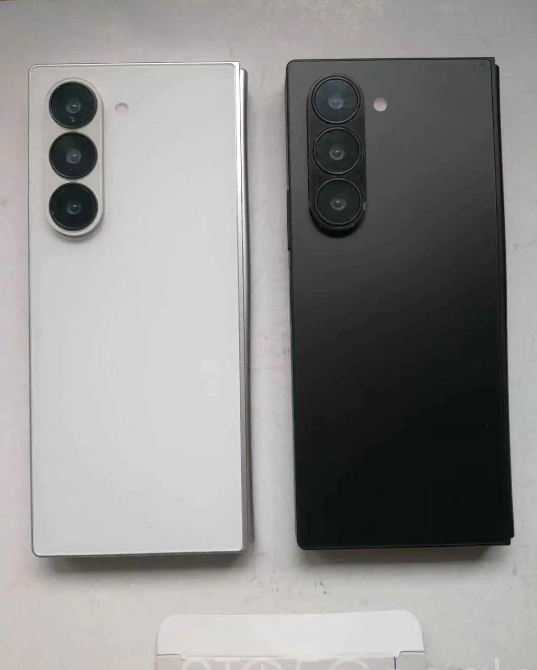
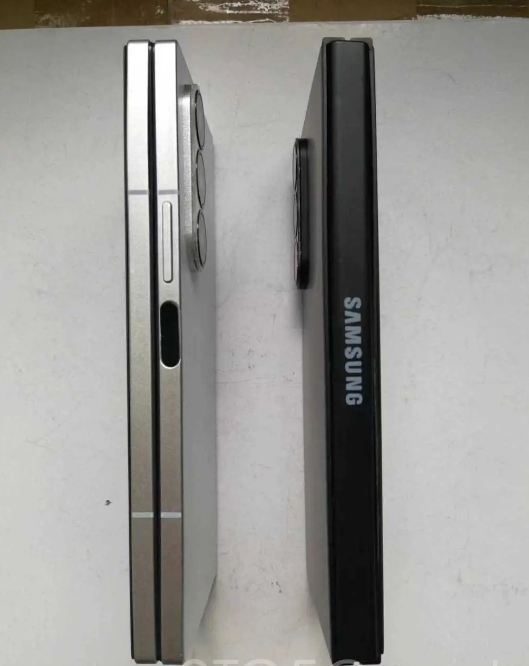
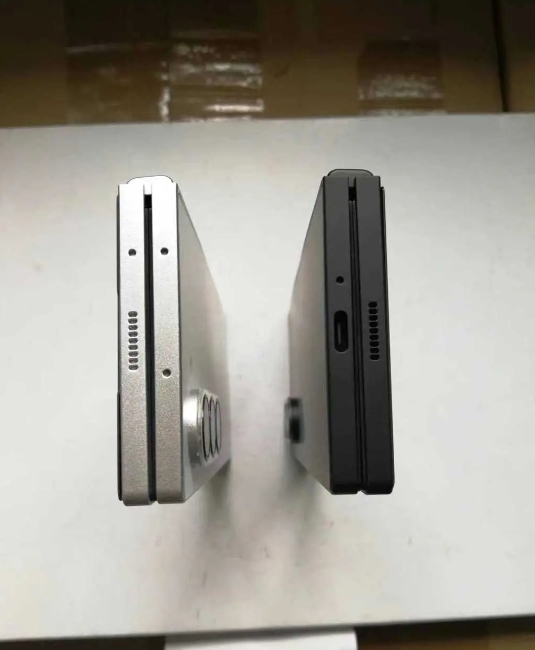
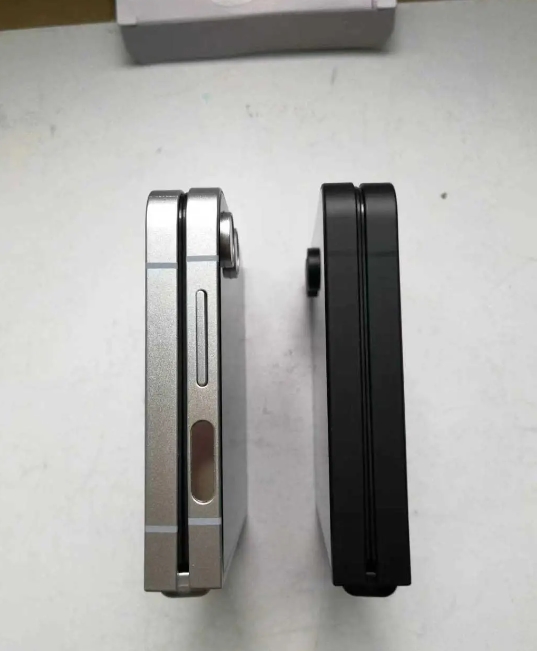
New images of a prototype Galaxy Z Fold 6 and Flip 6 have emerged, showcasing an even deeper look at the Samsung foldable and internal display crease.
Images of prototype Galaxy Z Fold 6 or even Flip 6 units are not new, and we’ve seen almost every angle available through previous leaks. They showcase the entirety of the device, detailing the new boxier design on both foldable, as well as camera array changes this time around.
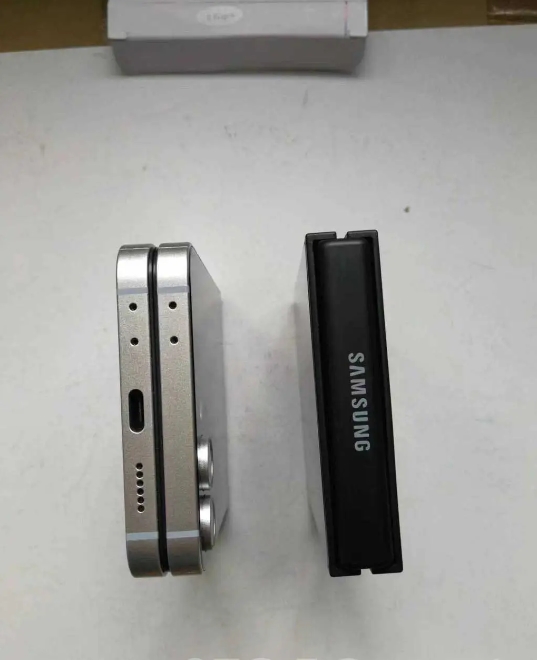
Photos credited to Sonny Dickson of further Galaxy Z Fold 6 and Flip 6 prototype photos. The images exhibit both the outer and inner displays of each device, and it looks like generation six still carries a significant display crease.
The units in the photos are both prototypes or “dummy” units. Essentially, it means each is subject to extensive changes throughout the design process. These images could be showing off a display that carries a larger seam down the middle than the final version will, or Samsung may have equipped these units with an older display to simply show off the silhouette and overall profile of each phone. Still, users have been hoping for a less significant bend when the Galaxy Z Fold and Galaxy Z Flip are open 180 degrees.
The images also show off a black prototype variant, which has “Samsung” crudely stamped on the hinges of both devices. It’s possible Samsung will ditch the etched logo we’ve seen on past Fold and Flip devices and instead opt for a stamped logo, much like in the images here. The etched logo is the preferable option, giving the $2,000 devices a little touch of quality.
Another small possible detail is the way the hinge protection plate flares out at the top and bottom of the Galaxy Z Fold 6. It’s very hard to see, and the lighting in these images could be playing tricks on our eyes, but it looks like the hinge is a couple of millimeters further from the main phone panels at the ends than it is in the middle, where the Samsung logo is. There is no such angle for the Flip 6.
Besides a couple of small tidbits, Samsung’s design changes can be appreciated in these prototype units. Each phone looks to be carrying a smaller bezel around the internal display, and the overall footprint looks a little nicer than last year’s model.
Samsung is set to announce the Galaxy Z Fold 6 and Galaxy Z Flip 6 on July 10 in Paris.
Along with letting users customize app colors, organize them anywhere, and more natively, iOS 18 brings a subtle new feature that cleans up the Home Screen. Here’s how to hide app names on iPhone in iOS 18.
iOS 18 takes iPhone customization further with new options to natively create a theme, a more robust and versatile Control Center, and more.
And joining the ability to place apps and widgets anywhere on your screen, you can create a more minimal aesthetic by choosing to hide app names on your Home Screen which also apply to widgets and folders.
Apple first hid names for apps in the Dock starting with iOS 11. But now you can have all apps, widgets, and folders with the same minimal look no matter where they’re placed.
How to hide app names on iPhone with iOS 18
Make sure you’re running the iOS 18 beta on your iPhone.
Long-press on a blank space on your Home Screen
Tap Edit in the top left corner
Choose Customize
Now tap Large
Tap on the screen to leave the Customize menu
That’s it!
There doesn’t appear to be a way to hide app names while keeping the default small icon size for now. But we’ll be keeping our eye out.
Here’s how it looks to hide app names on iPhone:
After you tap Edit and Customize, look at the bottom of your iPhone.
Tap the Large button (just above the app color buttons):
Do you think you’ll hide app names in iOS 18 or are you already? Or do you prefer to keep them?
Android 15 Beta 3 is available today with final system behaviors as part of the Platform Stability milestone.
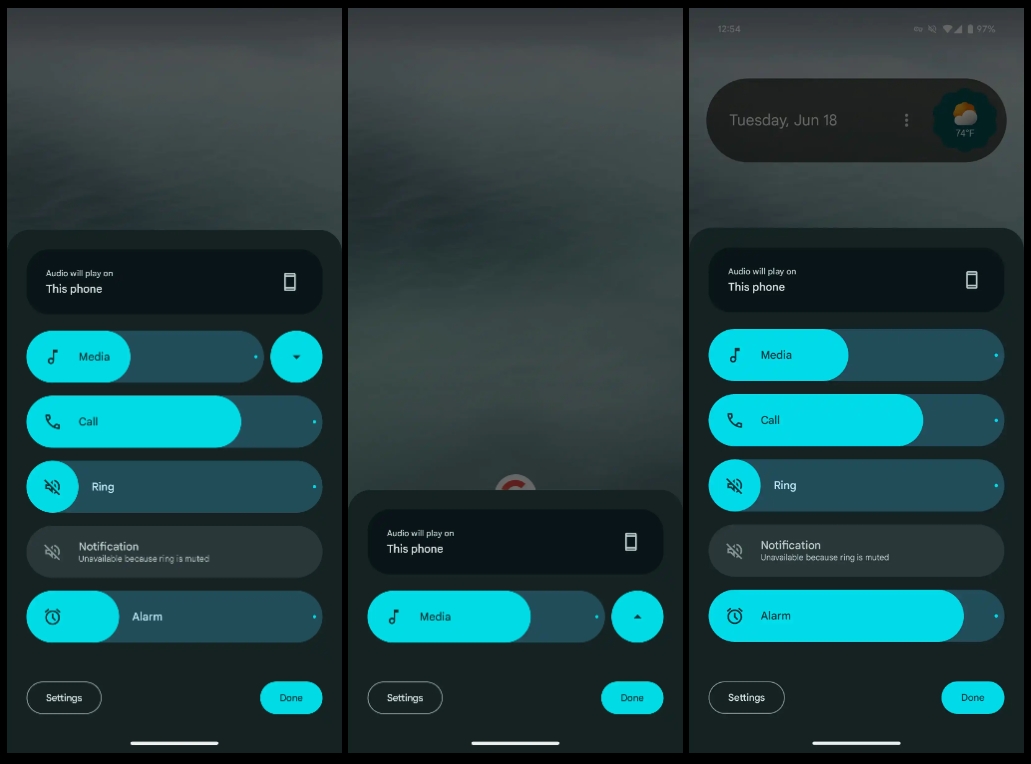
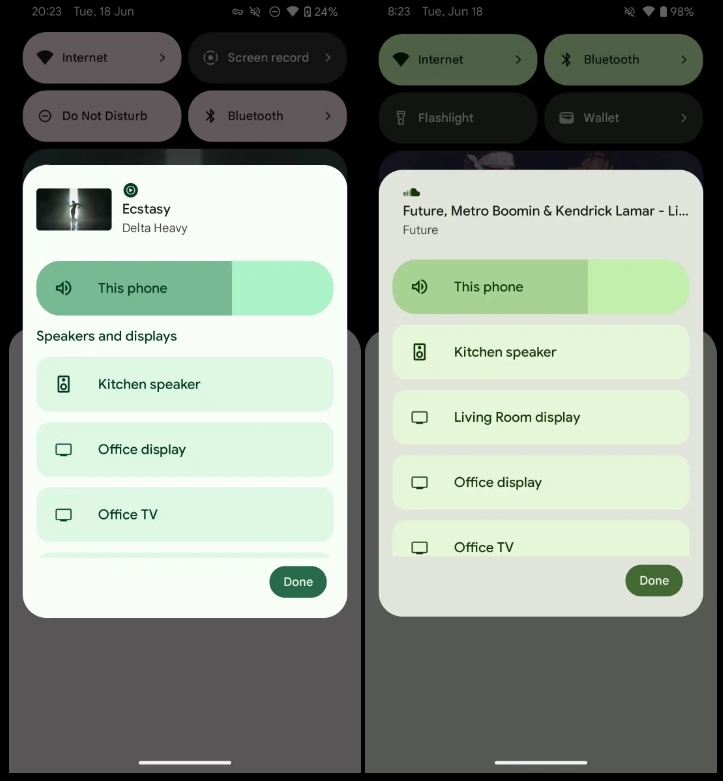
Over the coming hours, we’ll dive into all of Android 15 Beta 3’s new features and every single change. (The newest updates will be at the top of this list. Be sure to check back often and tell us what you find in the comments below.) Android 15 Beta 2 screenshots appear on the left and Beta 3 on the right.
If you want to quickly install Android 15 Beta 2 on your compatible Pixel 6, Pixel 6 Pro, Pixel 6a, Pixel 7, Pixel 7 Pro, Pixel 7a, Pixel Tablet, Pixel Fold, Pixel 8, Pixel 8 Pro, or Pixel 8a, be sure to check out our step-by-step guide.
Volume menu can no longer be minimized
‘Speakers and displays’ label removed
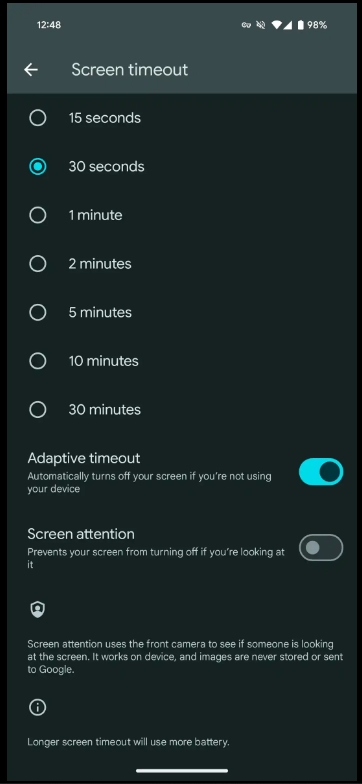
Adaptive timeout
“Automatically turns off your screen if you’re not using your device”
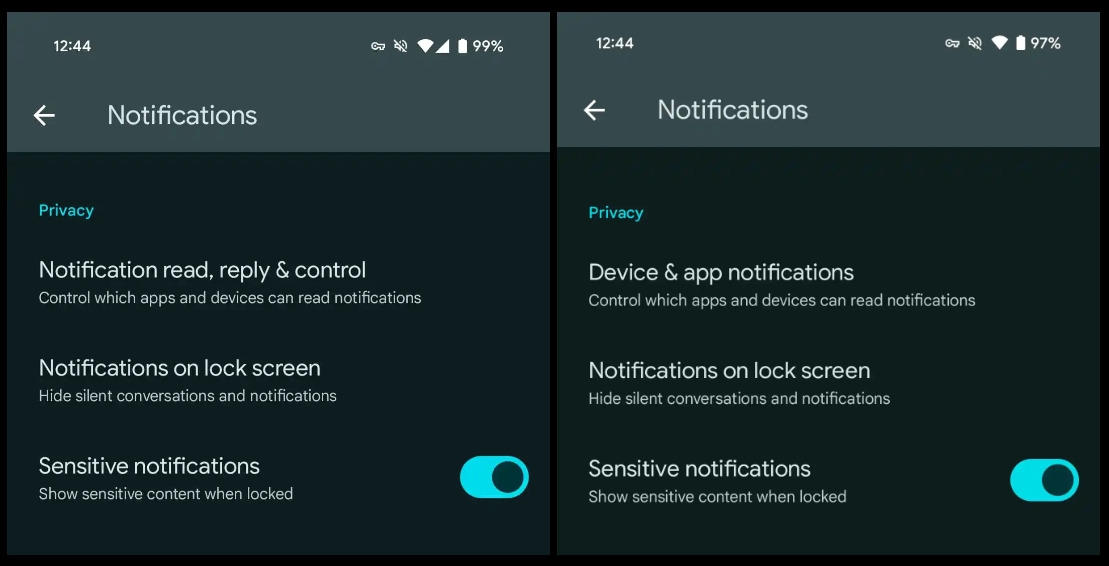
Device & app notifications -> Notification read, reply & control
More prominent Circle to Search off switch
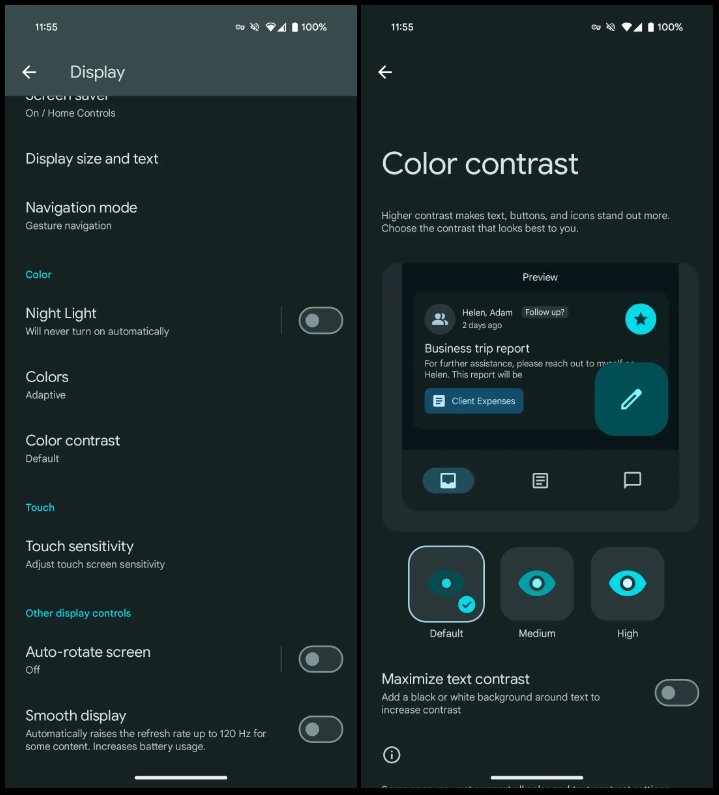
Shortcut to Color contrast preferences in Settings > Display
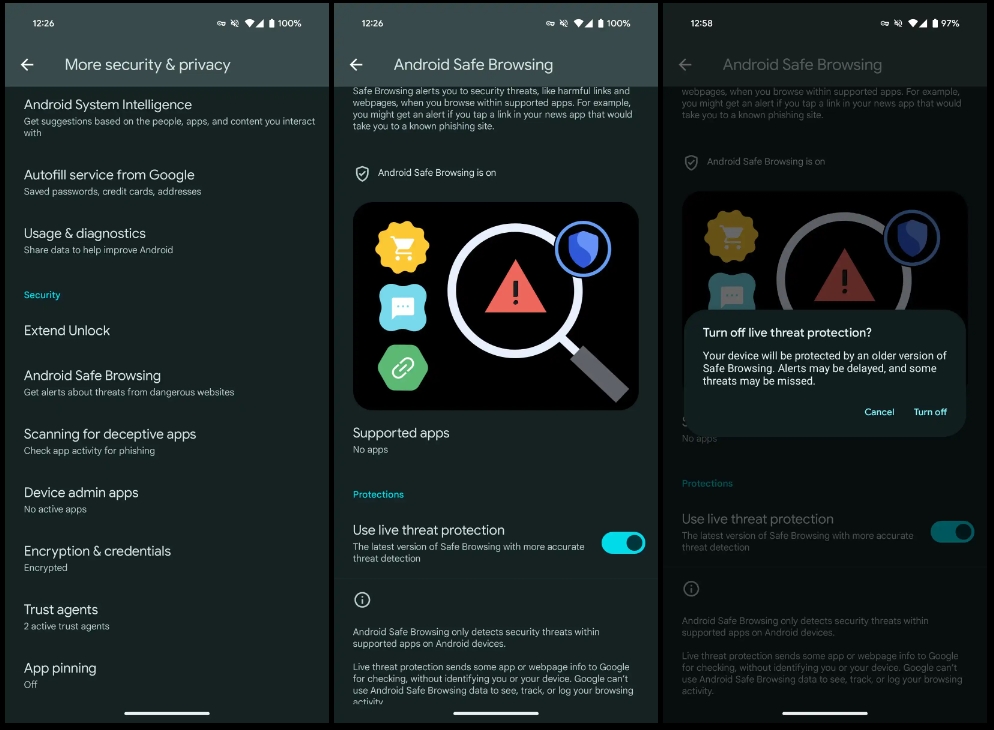
Android Safe Browsing
Settings > Security & privacy > More security & privacy
“Live threat protection sends some app or webpage info to Google for checking, without identifying you or your device. Google can’t use Android Safe Browsing data to see, track, or log your browsing activity.”
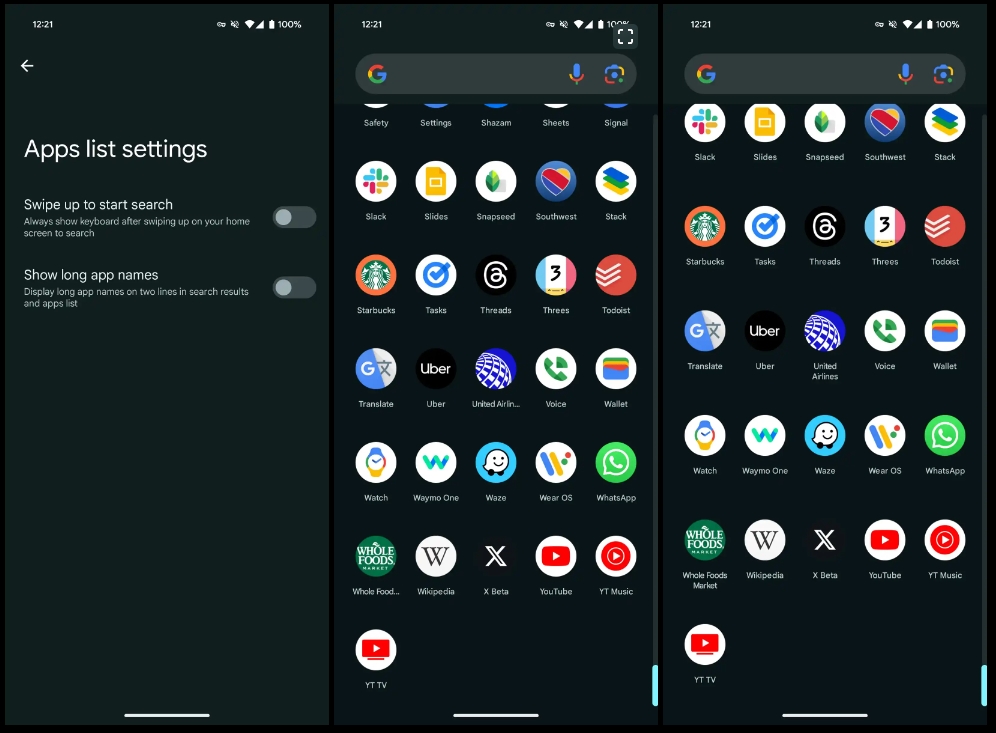
Show long app names
Pixel Launcher Home settings > App list settings
Screenshot 2: Disabled | 3: Enabled
Updated Android 15 system icon
In a nod to the codename (see below), there’s now an ice cream cone in the system icon.
No more VanillaIceCream
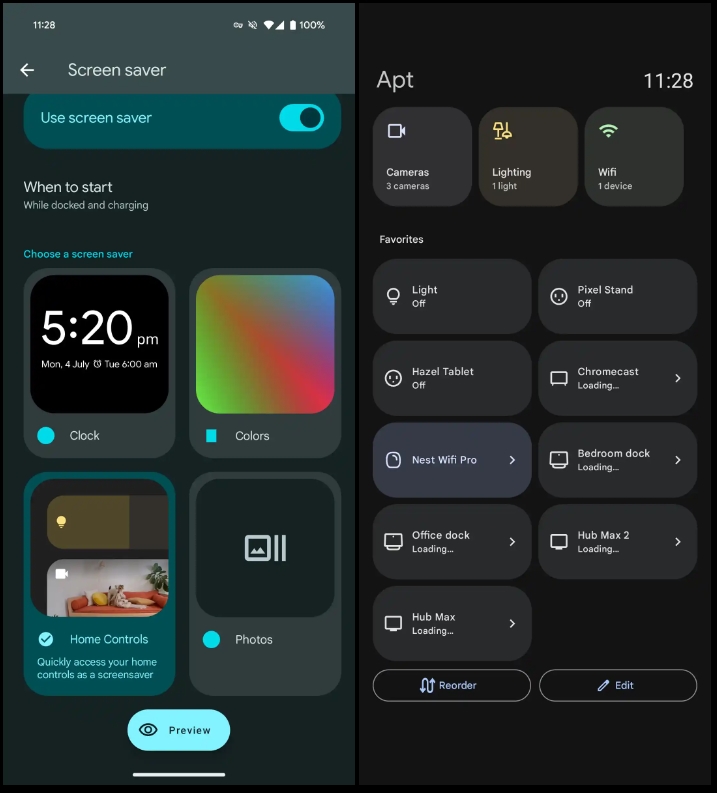
Home Controls screensaver for Pixel Tablet
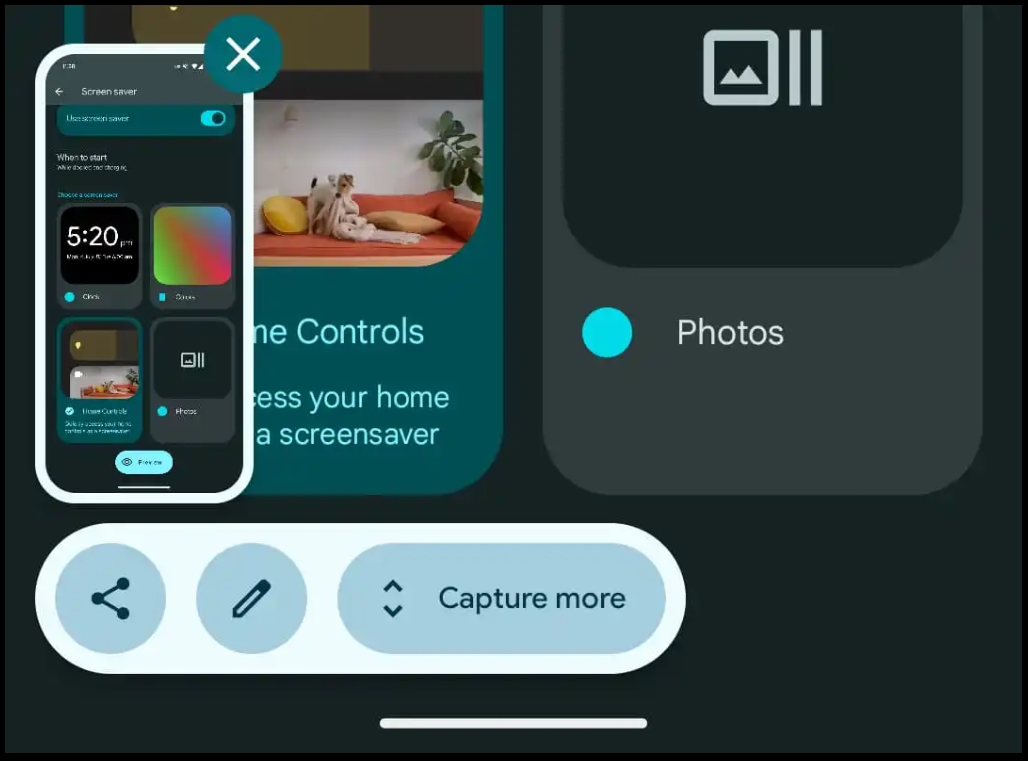
Redesigned screenshot preview
Actions placed below the preview
Looks a bit odd when there are just two actions (Share + Markup)
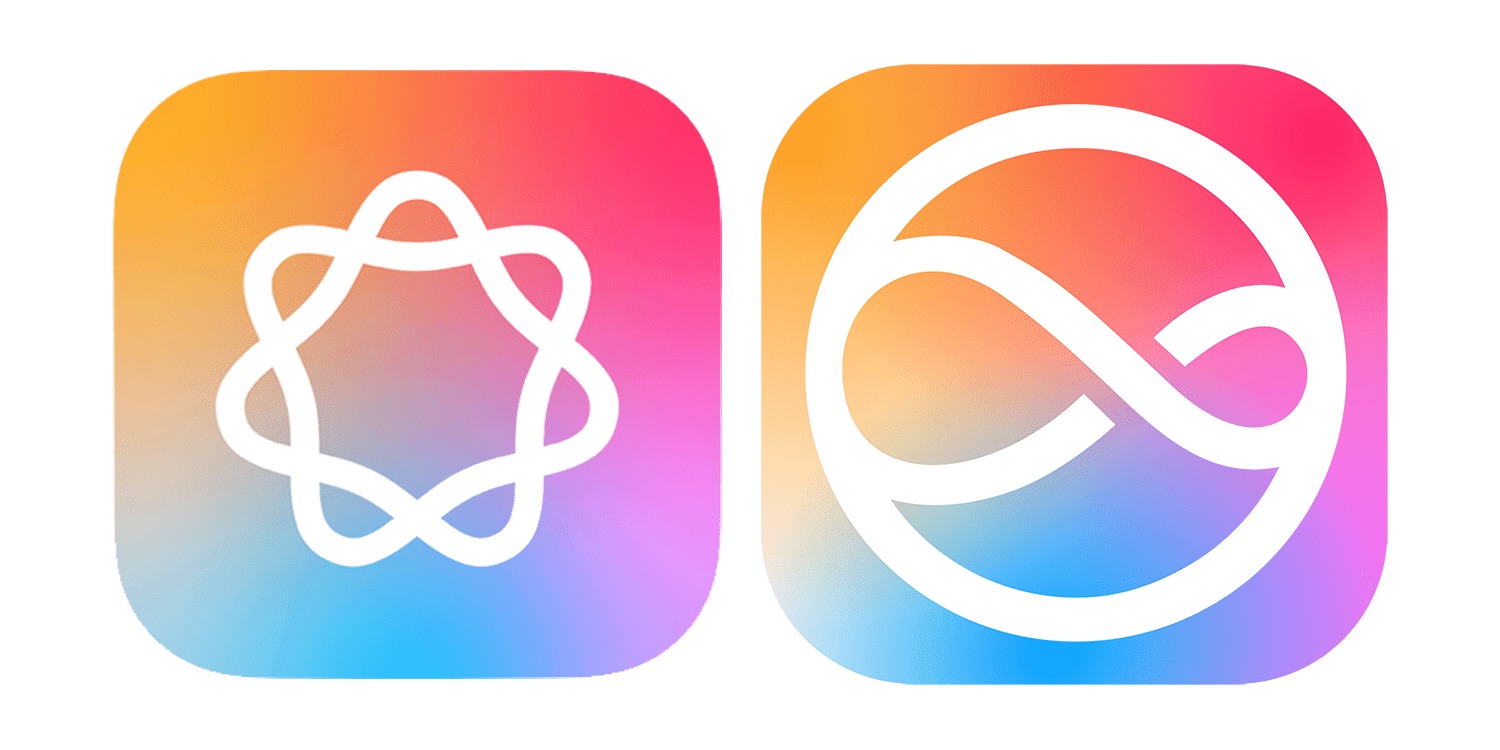
An interesting piece suggests that Apple’s AI logo* – along with the new Siri icon – is intended to look friendly, unthreatening, and is deliberately non-anthropomorphic.
*Yeah, that could be Apple Artificial Intelligence, or Apple Apple Intelligence. Thanks, Tim.
Other companies appear to have set themselves the same goals with their AI offerings, hence all the simple, colorful graphics …
Apple unveiled two logos as part of its WWDC presentation: One for Apple Intelligence, the other for the new AI-powered Siri.
I was somewhat surprised by the decision. Since Siri is how we’ll access most AI features, I’m not entirely sure why Apple felt it needed two different logos – though they are very clearly part of the same family.
TechCrunch’s Devin Coldeway points to other AI logos, and notes that most have the same characteristics.
Although approaches differ to branding this purportedly all-seeing, all-knowing, all-doing intelligence, they have coalesced around the idea that the avatar of AI should be non-threatening, abstract, but relatively simple and non-anthropomorphic […]
Notice how four of the six (five of seven if you count Apple twice, and why shouldn’t we) use pleasant candy colors: colors that mean nothing but are cheery and approachable, leaning toward the feminine (as such things are considered in design language) or even the childlike. Soft gradients into pink, purple and turquoise; pastels, not hard colors; four are soft, never-ending shapes; Perplexity and Google have sharp edges, but the former suggests an endless book while the latter is a happy, symmetrical star with welcoming concavities.
Coldeway rejects potential accusations of over-thinking.
Think I’m overanalyzing? How many pages do you think the design treatment documents ran for each of these logos — over or under 20 pages? My money would be on the former. Companies obsess over these things.
His argument makes sense to me, especially the careful avoidance of anything suggestive of a person or a robot. OpenAI may have thought it was a good idea to reference Her during its recent presentation, but companies have mostly carefully avoided going down this route.
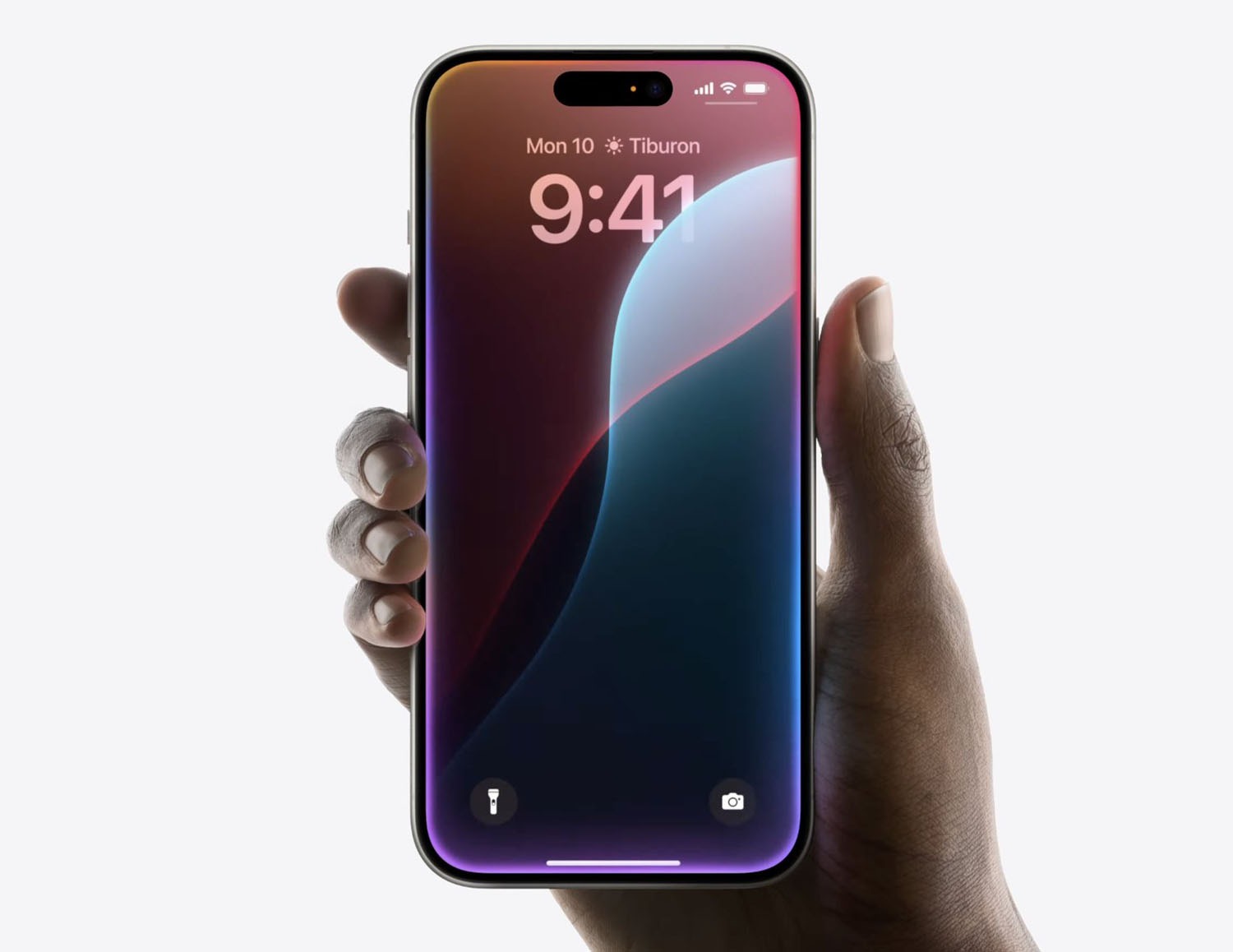
Absolutely adore the upcoming ‘colorful frame’ Siri animation!
The June Feature Drop continues to roll out through a series of app updates. Pixel Camera 9.4 brings manual lens section to the Pixel 6/7 Pro and Fold, as well as other tweaks.
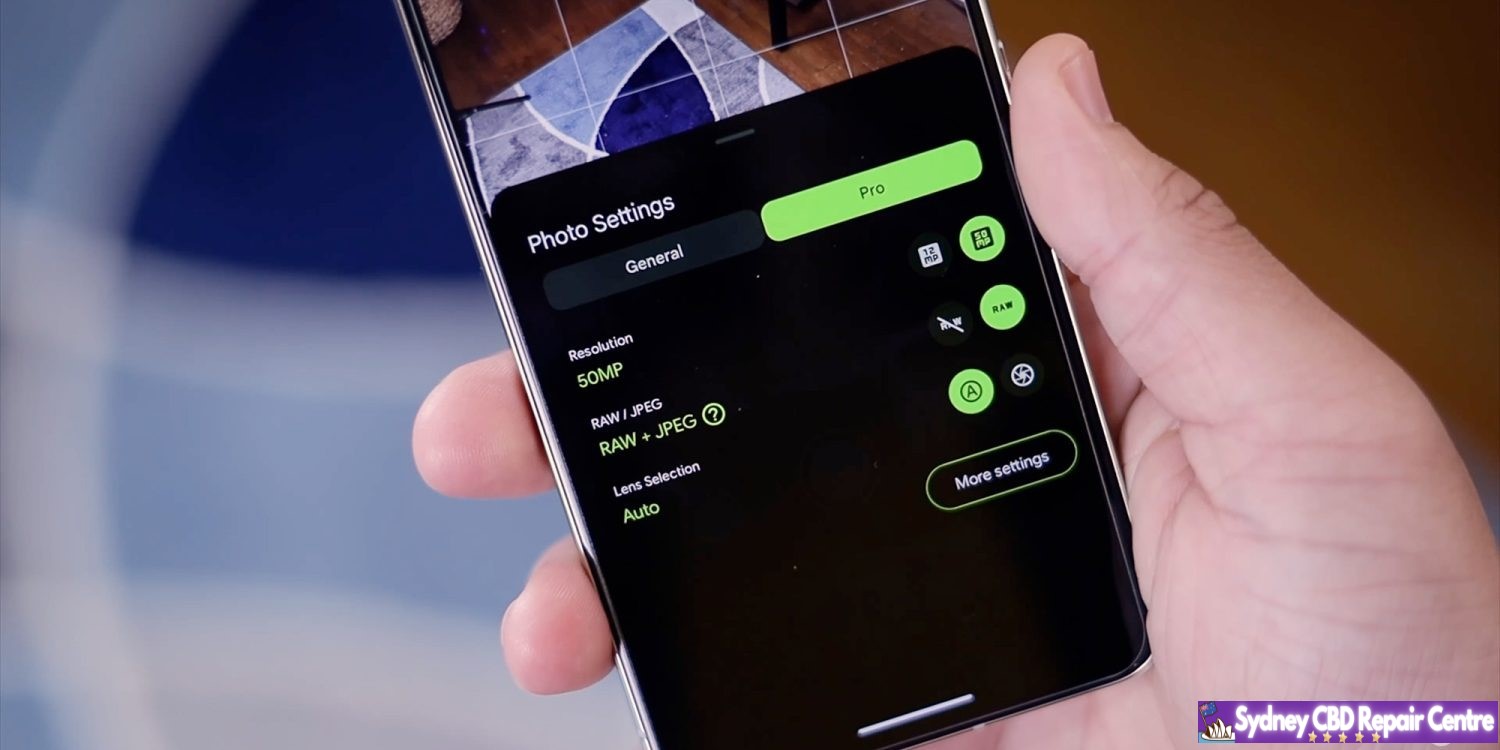
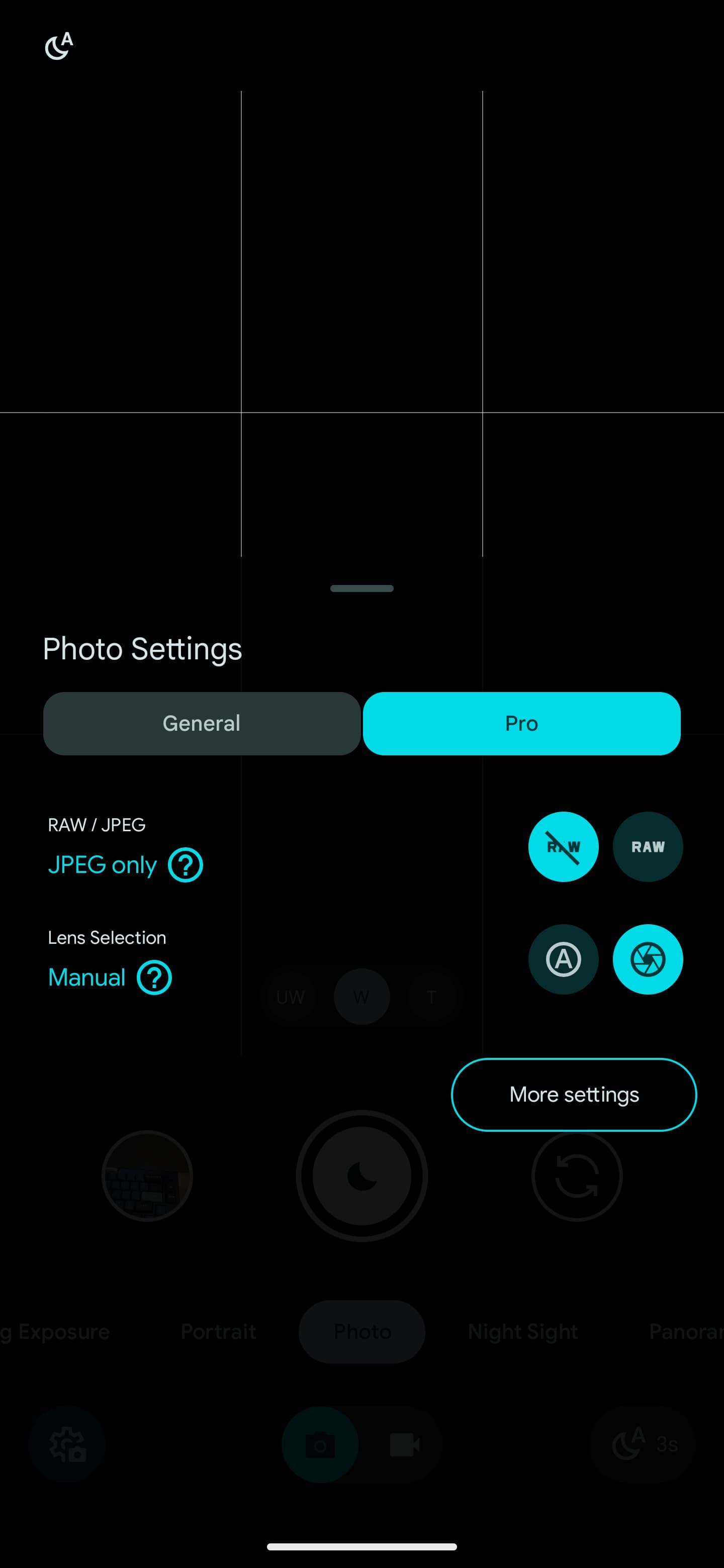
Like on the Pixel 8 Pro, Google’s two other premium phones and foldable now let you choose one of the three rear lenses for a shot. Tap the settings gear in the bottom-left corner (or swipe up) for Photo Settings. You’ll find a new “Pro” tab next to “General” with Lens Selection: Auto or Manual.
(Despite the tab’s name, these aren’t the “Pro controls” introduced on the Pixel 8 Pro that let you adjust Focus, Shutter Speed, and ISO.)
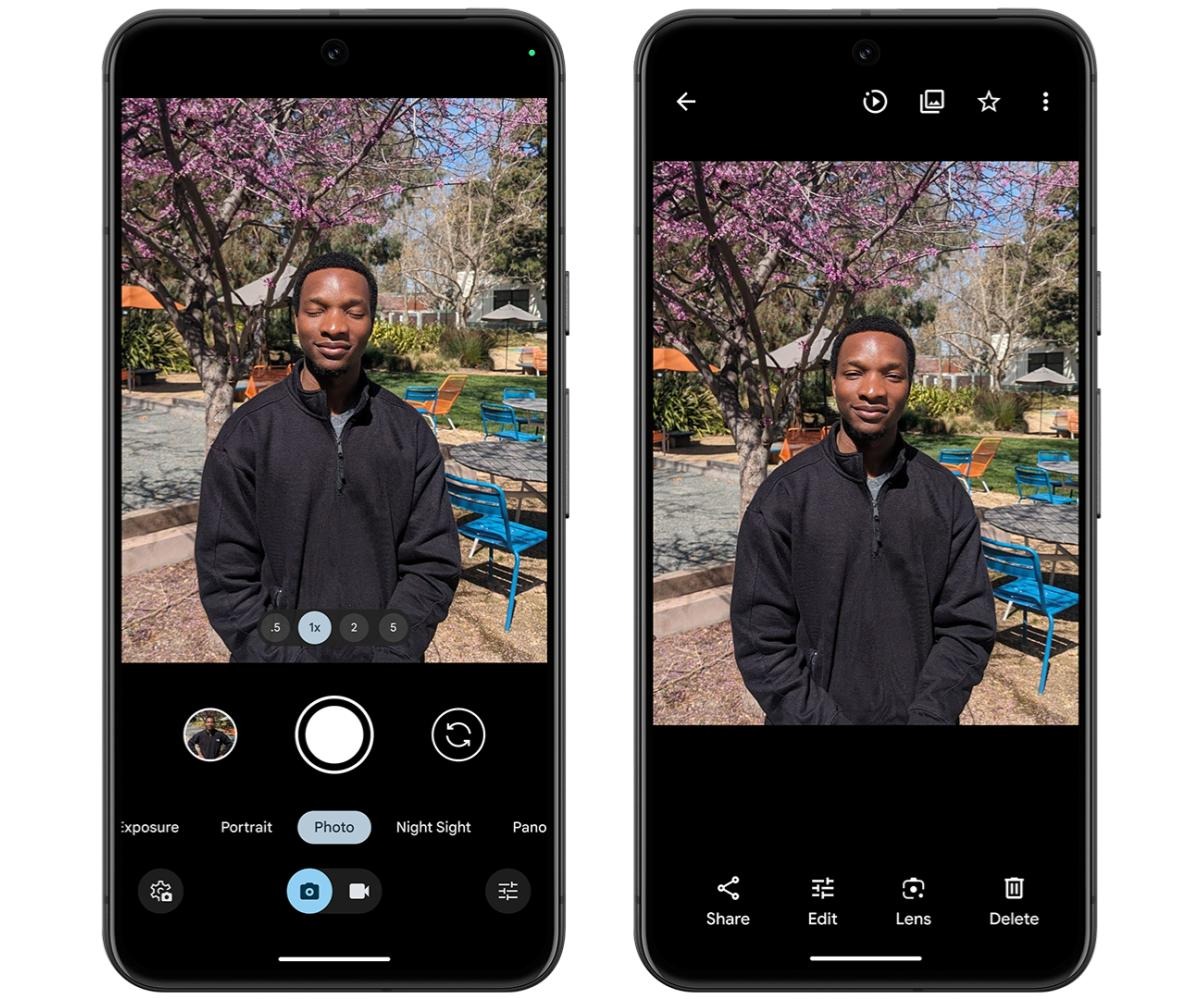
The zoom pill above the shutter button gets replaced by Ultra Wide, Wide, and Telephoto. Pinch in/out to zoom when this manual mode is enabled. Google will default to W when you open the app later.
Another change sees Pixel Camera move the RAW / JPEG picker to the Pro tab. It was previously buried in Settings > Advanced. This makes switching much easier when you want to professionally edit the shot later. Compared to the 8 Pro, you do not get the Resolution preference: 12MP or 50MP.
This update presumably brings the HDR+ Improved Frame Selection to the Pixel 6+, including Fold and Tablet:
HDR+ is now better about identifying the best moment from your photo in HDR+ with just a single shutter press. It’s smarter about which base frame it selects to produce the multi-frame merged image, looking at criteria such as open eyes and smiling subjects.
WWDC this year was packed with new features for Apple’s suite of software platforms. The company introduced a lot of enhancements coming this fall in iOS 18, visionOS 2, macOS Sequoia, and more.
Apple also showcased features that are not coming this fall. But it wasn’t always clear what will arrive in 18.0, and what’s being saved for later this year or even some time in 2025.
Here’s the full list of features we know won’t arrive until iOS 18.1 or later.
New Siri’s on-screen awareness and in-app actions
Apple Intelligence’s fall arrival will bring with it a new Siri interface and select new capabilities, but some of the most powerful Siri upgrades will be added some time over the coming year.
Siri abilities coming later include having on-screen awareness of what you’re doing at any given time so that you can say, for example, “Use this as their contact photo” and it will understand the context and perform the action accordingly.
Similarly, Siri’s deeper knowledge of in-app functions and ability to, say, play the podcast that your significant other sent you, won’t arrive until some time in the year ahead.
Apple Mail upgrades
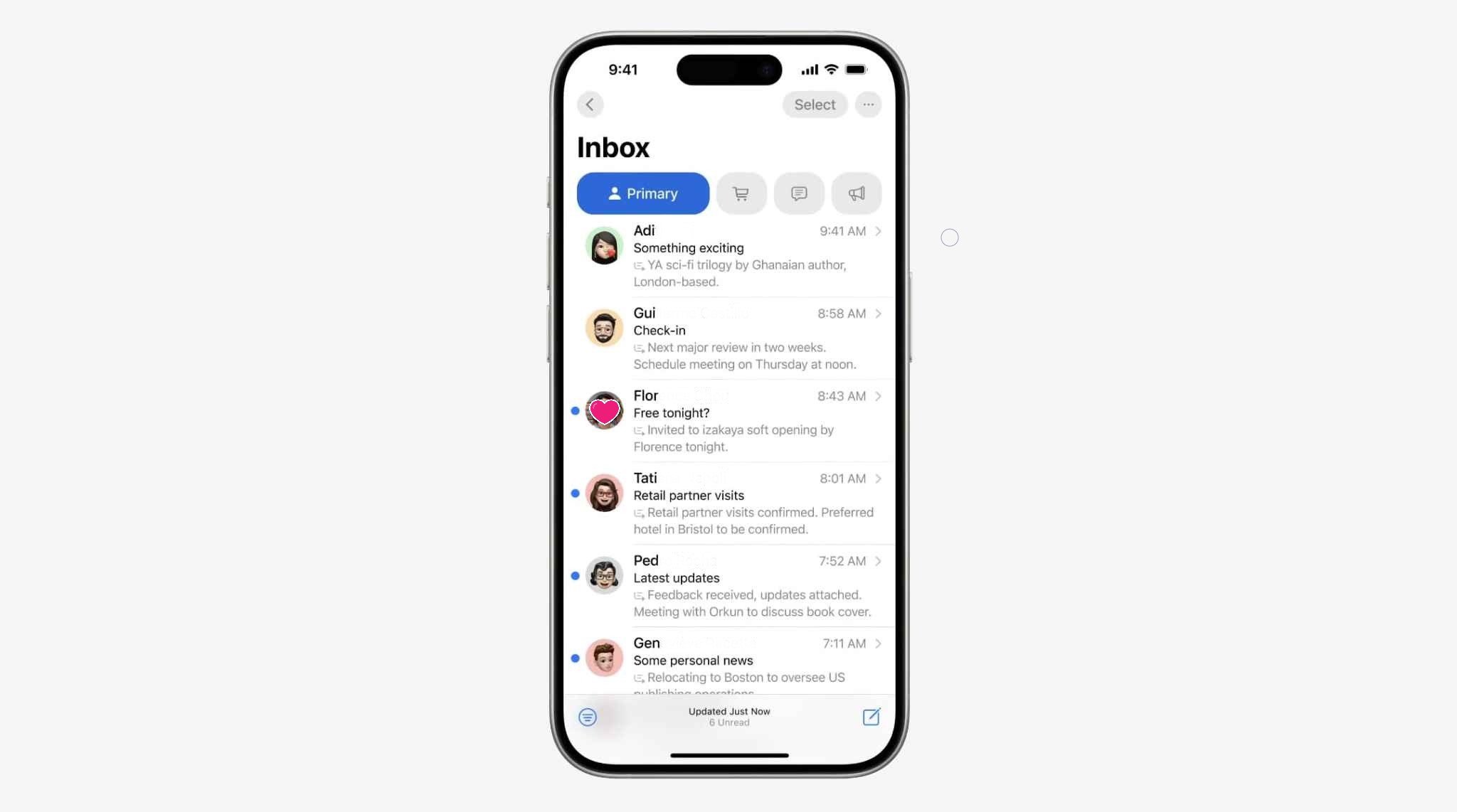
Apple has big updates coming for popular apps like Notes and Messages this fall. Another core app getting some nice upgrades is Mail, with new features like the auto-categorization of messages in your inbox. Unlike those other apps though, Mail’s improvements won’t arrive until later in the year.
Vision Pro enhancements including Mac Virtual Display
This one shouldn’t be too surprising, since the Vision Pro first launched just a few months ago, but some of the best visionOS 2 features won’t arrive until later this year.
Here are the features coming in visionOS 2.1 or 2.2:
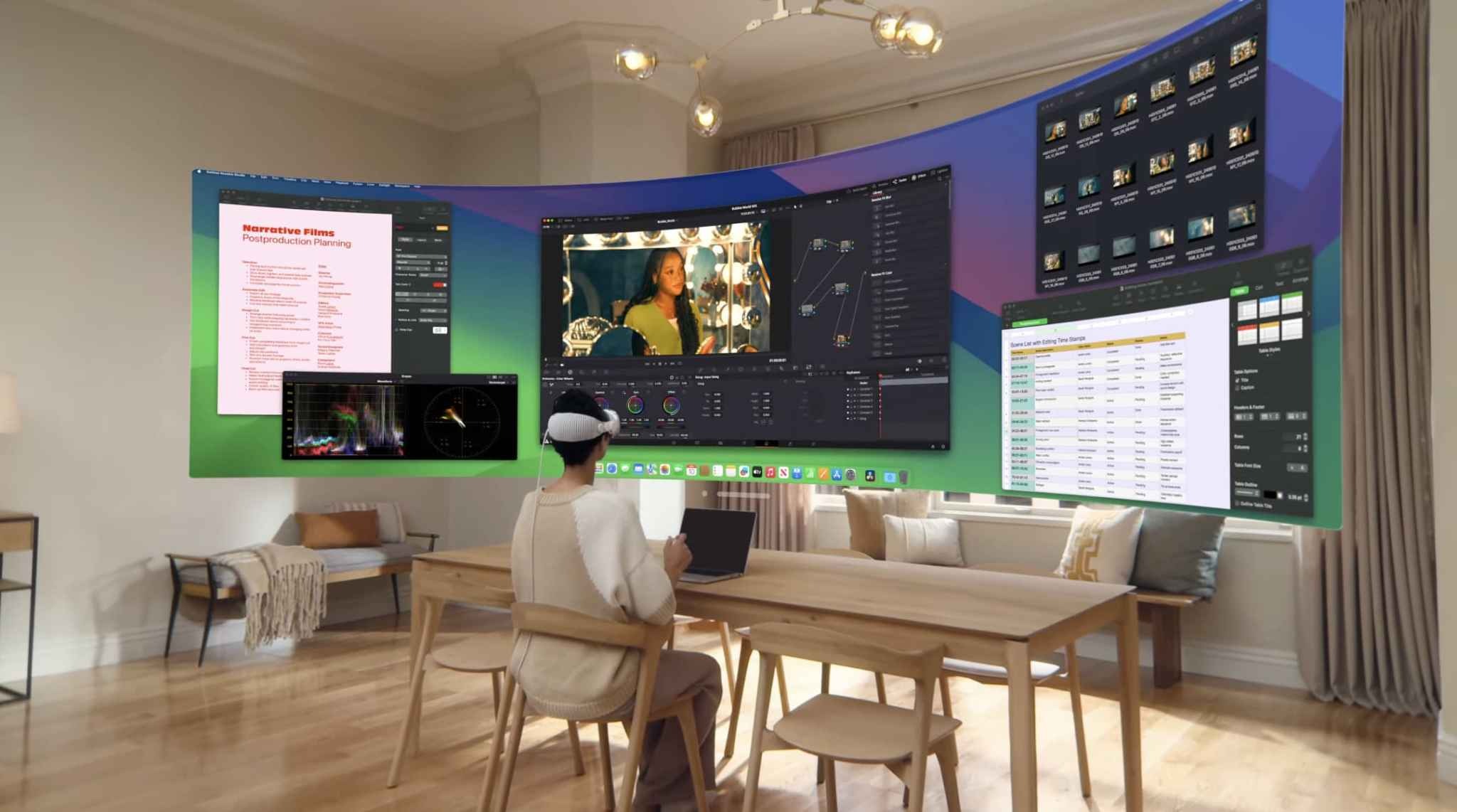
Upgraded Mac Virtual Display: A fan favorite feature, Mac Virtual Display is getting better with the ability to have an Ultrawide view that provides the equivalent of having two 4K displays side by side.
Multiview: Sports fans will be able to watch up to five different games at the same time using the Apple TV app, each with their own dedicated view.
Spatial video editing: This is partially a macOS feature, but the ability to import your spatial video to the Mac, edit it there in Final Cut Pro, and export it back to your Vision Pro won’t arrive until late 2024.
New emoji, including the best exhausted face
Compatible devices will be able to create custom emoji (Apple calls them Genmoji) when iOS 18 debuts in the fall. But every year there is a set of new built-in emoji added to iOS, and this year’s additions were recently previewed but they won’t arrive on your devices until later in 2024 or early in 2025.
Non-beta versions of Apple Intelligence
The biggest news for Apple’s software this year is Apple Intelligence. While the core Apple Intelligence features are set to arrive this fall as part of iOS 18 and more, it’s important to know that Apple is labeling this initial AI release as a beta feature. So expect issues and inconsistencies to get worked out in the weeks and months following the fall release.
Drag and drop from your iPhone to Mac, and vice versa
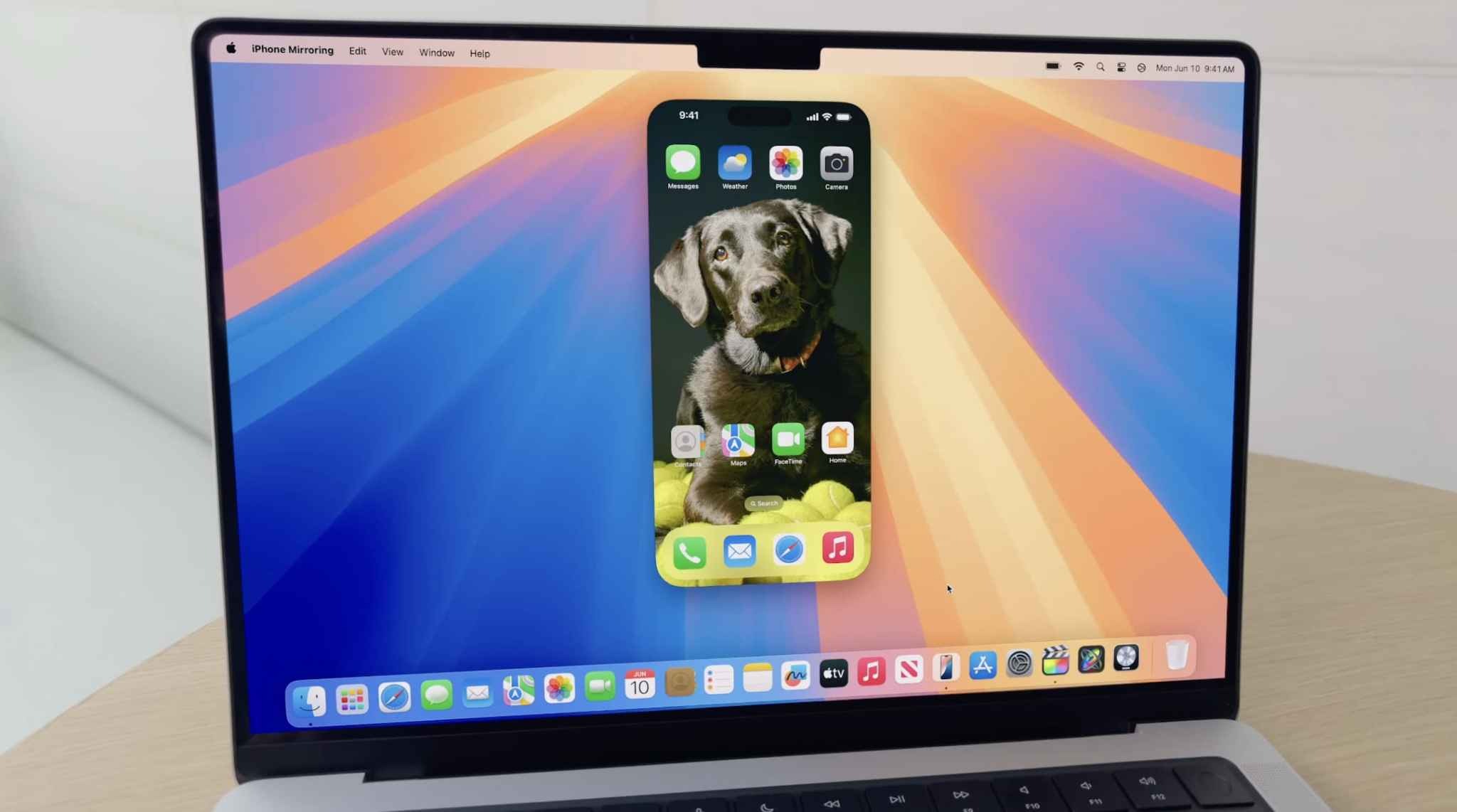
A tentpole feature of macOS Sequoia is the ability to mirror your iPhone on your Mac and interact with it there. But one feature of this new ability won’t arrive until later: the ability to seamlessly drag and drop files and photos between your two devices. Once it debuts, this feature is set to be an even quicker way to transfer files than AirDrop is, but we’ll have to wait just a bit longer.
Home app improvements
The Home app in iOS 18 is getting some nice upgrades, but most of them won’t arrive until later. The two main features coming later this year are support for adding robot vacuum cleaners as compatible devices, and the ability to view your home electricity use inside the app.
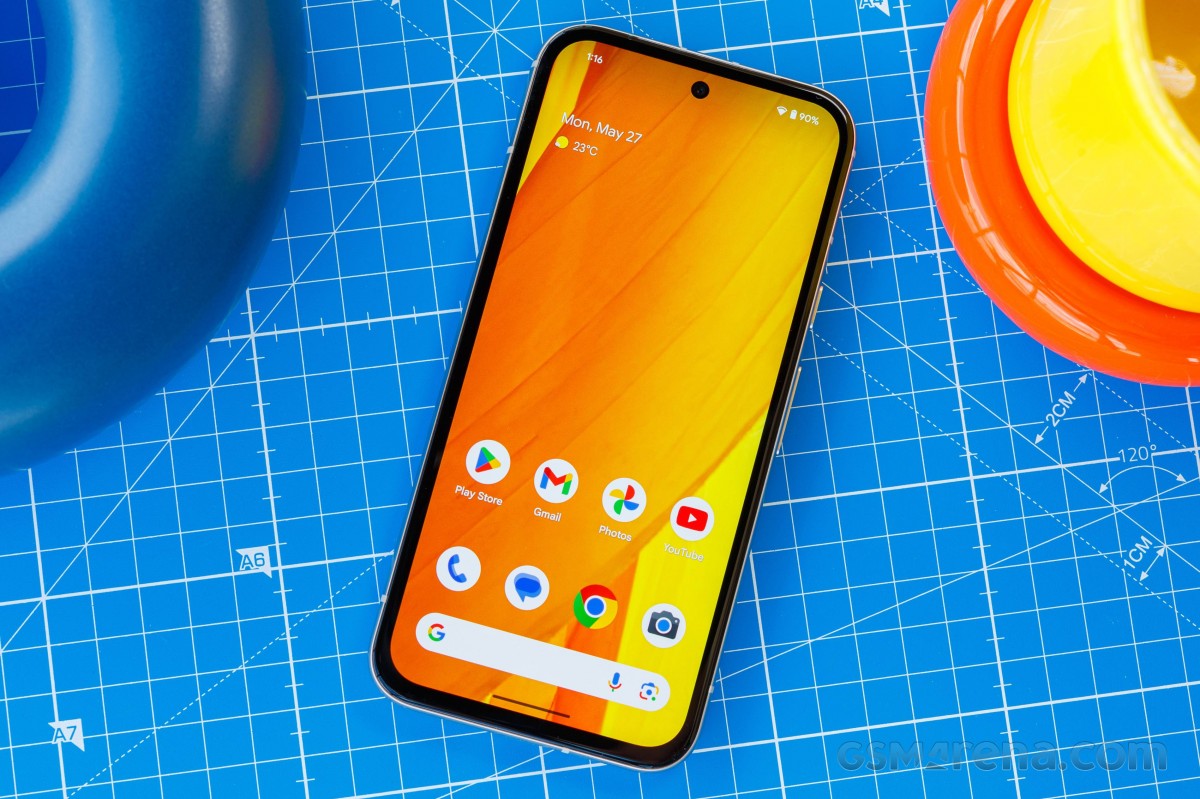
Google Pixel 8a is now available in many markets, be it via the official Google Store or third-party retailers. It looks a lot like the OG Pixel 8; it offers a streamlined feature set and is priced a bit lower. But is it the one you should get? Let’s find out.
The Google Pixel 8a is the next installment in the Pixel ‘a’ series, which many consider to be standing for ‘affordable’. The logic is sound – the design has been simplified, the cameras – less complicated, the connectivity – less premium. And finally – it is cheaper than the Pixel 8 even if not by a large margin.
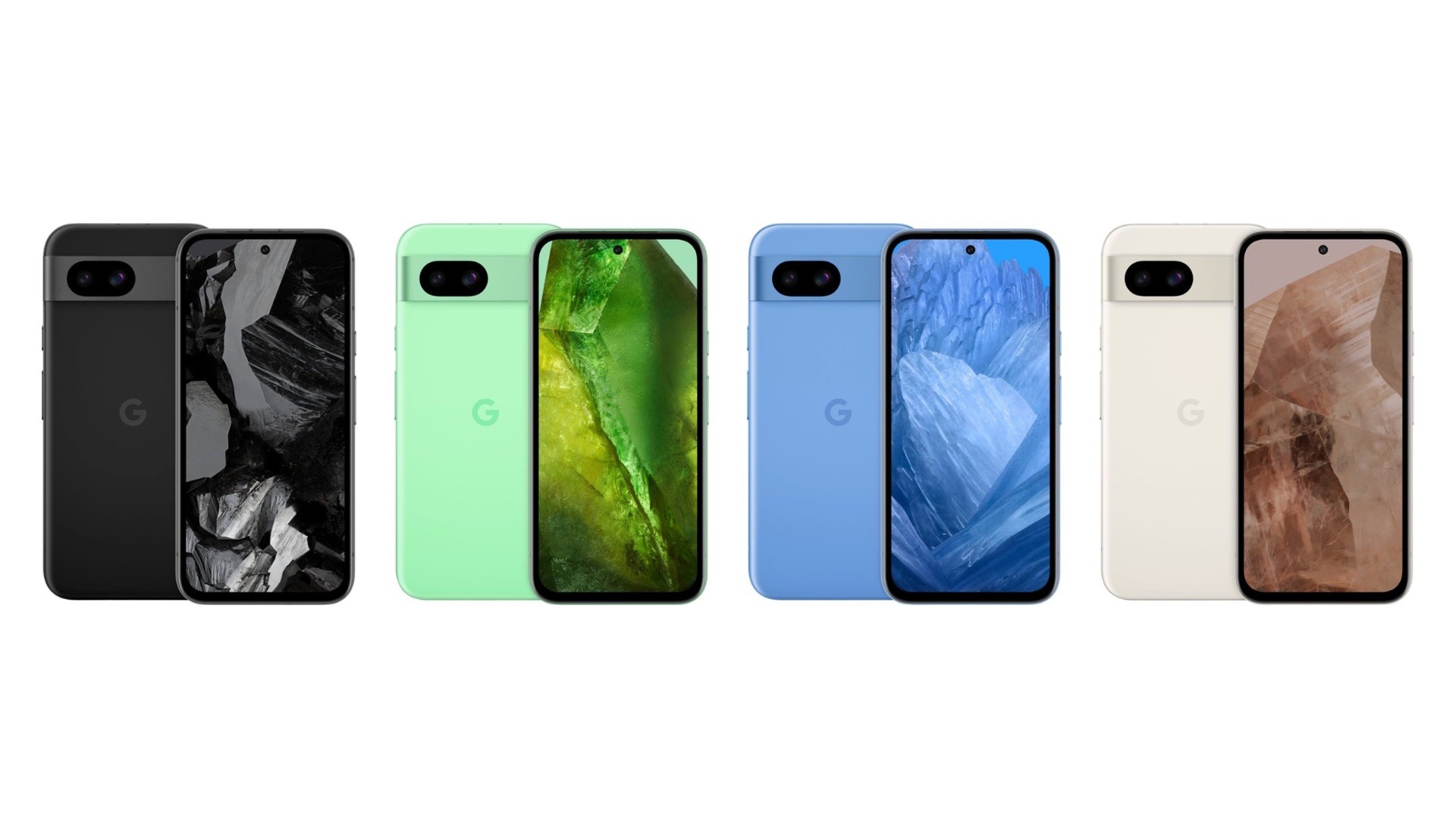
The Pixel 8a has a similar design, but its front glass is an older Gorilla Glass 3 and the rear part is entirely made of plastic, the camera housing included. It is IP67-rated for dust and water resistance, and it is available in familiar colorways – Obsidian, Porcelain, Bay, Aloe.
The Pixel 8a employs a bit smaller 6.1-inch OLED screen of extended 1080p resolution and 120Hz refresh rate. It has the same Tensor G3 chip as the Pixel 8 and offers the same memory configuration of 8GB RAM + 128GB UFS storage.
Of course, the camera is what everyone thinks when hearing a Pixel and it will be one of the most discussed aspects about the Pixel 8a. Here we also have a dual-camera setup like on the Pixel 8, but with different sensors – a 64MP OIS primary and a 13MP FF ultrawide. The front camera is also a 13MP, with the same ultrawide lens as on the Pixel 8.
Finally, the Pixel 8a is powered by a 4,492mAh battery capable of up to 30W or so fast wired and up to 7.5W of wireless charging.
Disclaimer. We can not guarantee that the information on this page is 100% correct.
Google Pixel 8a seems like a solid little flagship, one of the very few on the market, and also one that doesn’t cost a thousand dollars/euros. The slow 18W wired charging is a glaring omission on the spec sheet, though.
Unboxing the Pixel 8a
Google was one of the first makers to limit the retail box contents. The Pixel 8a package includes a USB-C cable and a USB-A-to-C adapter.
And that’s it. Still, it’s two accessories more than what Sony would give you in the Xperia retail box so we guess we should not complain.
The competition
The Google Pixel 8a is an excellent compact smartphone – it has a great design, a great OLED screen, a powerful chipset, good battery life and a superb camera experience. It’s the launch price that seems to be standing in its way of greatness, though it has begun to drop shortly after its premiere, which is a good sign.
The Pixel 8a launched at €549, so the “a” doesn’t seem to stand for affordable this time around. Especially considering that the Pixel 8’s price has dropped to €525 at third party sellers, making it the better choice of the two for its more premium design, slimmer bezels, better cameras (in specific use cases), and noticeably faster charging.
The Galaxy S24 is about €90 more expensive, but it will offer a more dynamic display with higher brightness, a much faster and more modern processor, more versatile camera experience, and faster charging.
Xiaomi 14 and iPhone 15 are popular compact alternatives, though they are about €200 more than the Pixel 8a, immediately making them the less attractive options. Sure, the Xiaomi 14 will give a much better screen and a much more powerful CPU and camera kit, but these come at a hefty premium.
Google Pixel 8 • Samsung Galaxy S24 • Xiaomi 14 • Apple iPhone 15
The verdict
The Google Pixel 8a turned out to be an incredibly capable compact smartphone – a rare breed. It aced our screen, battery, and speaker tests, it offers an easily likable and unique design, its performance is alright, and its camera is worthy of the Pixel name.
There are a couple of things to consider – like the thick bezels, the slow charging, and the heavy performance throttling under load.
We would still have liked to recommend the Pixel 8a, but unfortunately, at third-party retailers, its price is ridiculously close to that of the Pixel 8, which is the better phone by all accounts. The price has begun to go down already, so once it settles around the €420 mark and the “a” once again stands for affordable – it’s safe to say the Pixel 8a would be well worth considering.
Pros
Sturdy Pixel design, likable, IP67, compact.
Great OLED, bright, color-accurate, smooth.
Good battery life.
Very good speakers.
Decent performance.
Excellent photo and video quality across all cameras.
In addition to the Feature Drop, Google is rolling out QPR3 to Android 14 with the June 2024 security patch for the latest Pixel devices: 5a, 6, 6 Pro, 6a, 7, 7 Pro, 7a, Tablet, Fold, 8, 8 Pro, and 8a.
As the last major Android 14 update before Android 15, QPR3 is light on user-facing changes. For example, the Suggestions section of the Widgets list now shows app icons.
There are a few tweaks in Settings from the “Passwords, passkeys & autofill” rename to a new Display > Touch sensitivity menu that houses the existing Screen protector mode. Under Sound & vibration > Vibration & haptics, there’s a new “Keyboard vibration” toggle that replaces the Gboard preference.
In Security & privacy > More security & privacy, you’ll find “Allow camera software extensions”: “Enables the default software implementation of advanced camera features, such as Eyes Free videography.”
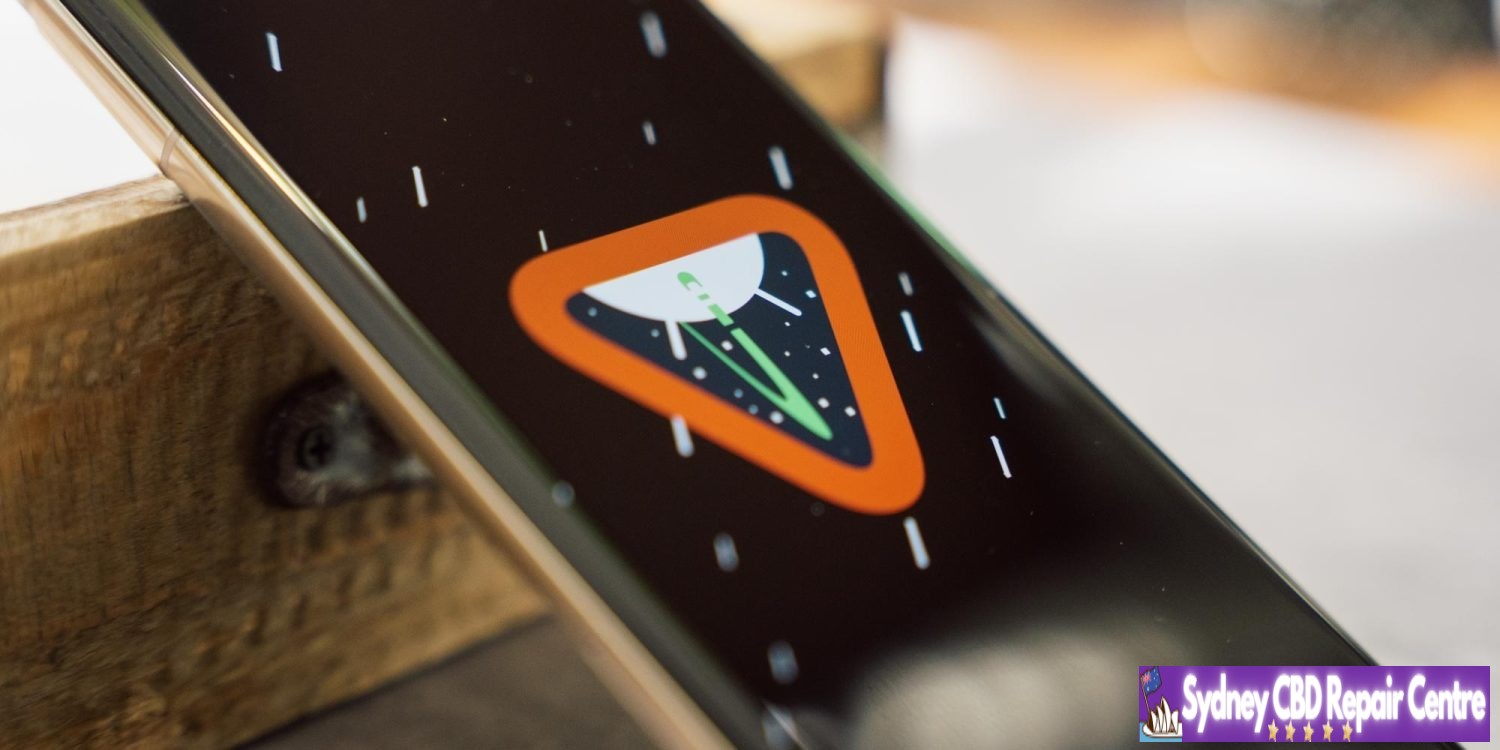
As seen in the cover image, Google has updated the Android 14 easter egg ahead of Android 15 (V).
There are 22 security issues resolved in the Android 14 June patch dated 2024-06-01 and 18 for 2024-06-05. Vulnerabilities range from high to critical.
The dedicated bulletin for Google devices lists additional security fixes.
The open source app was submitted to the store, given the recent rule change that allows retro game console emulators, like Delta or Folium. App Review rejected UTM, deciding that a “PC is not a console”. What is more surprising, is the fact that UTM says that Apple is also blocking the app from being listed in third-party app stores in the EU.
As written in the App Review Guidelines, Rule 4.7 covers “mini apps, mini games, streaming games, chatbots, plug-ins and game emulators”.
UTM says Apple refused to notarize the app because of the violation of rule 4.7, as that is included in Notarization Review Guidelines. However, the App Review Guidelines page disagrees. It does not annotate rule 4.7 as being part of the Notarization Review Guidelines. Indeed, if you select the “Show Notarization Review Guidelines Only” toggle, rule 4.7 is greyed out as not being applicable.
It’s therefore unclear if the Apple reviewers for UTM were incorrect in asserting the application was not suitable for distribution by third-party app stores in the EU.
However, as it stands, UTM is not proceeding to contest the ruling. As apps distributed on iOS cannot use a JIT compiler (other than specially entitled alternative browser engines), the functionality and performance of the emulators running through UTM SE, the version submitted for review that had JIT disabled, was significantly impaired. UTM says getting UTM SE approved “isn’t worth fighting for”.
UTM for iOS will continue to be available using older ‘grey market’ sideloading methods for open source software, such as compiling and installing the app manually via Xcode. UTM for Mac is available in the Mac App Store.