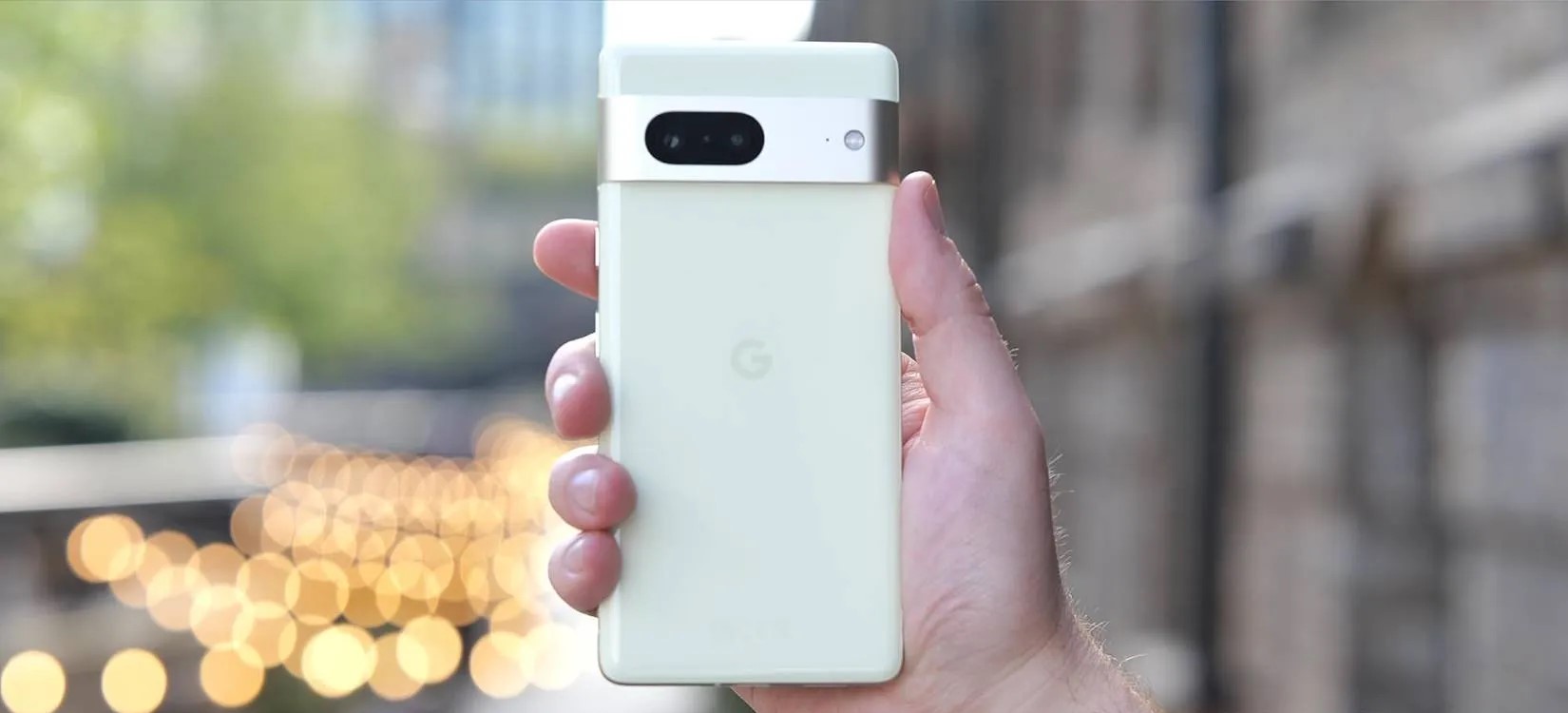
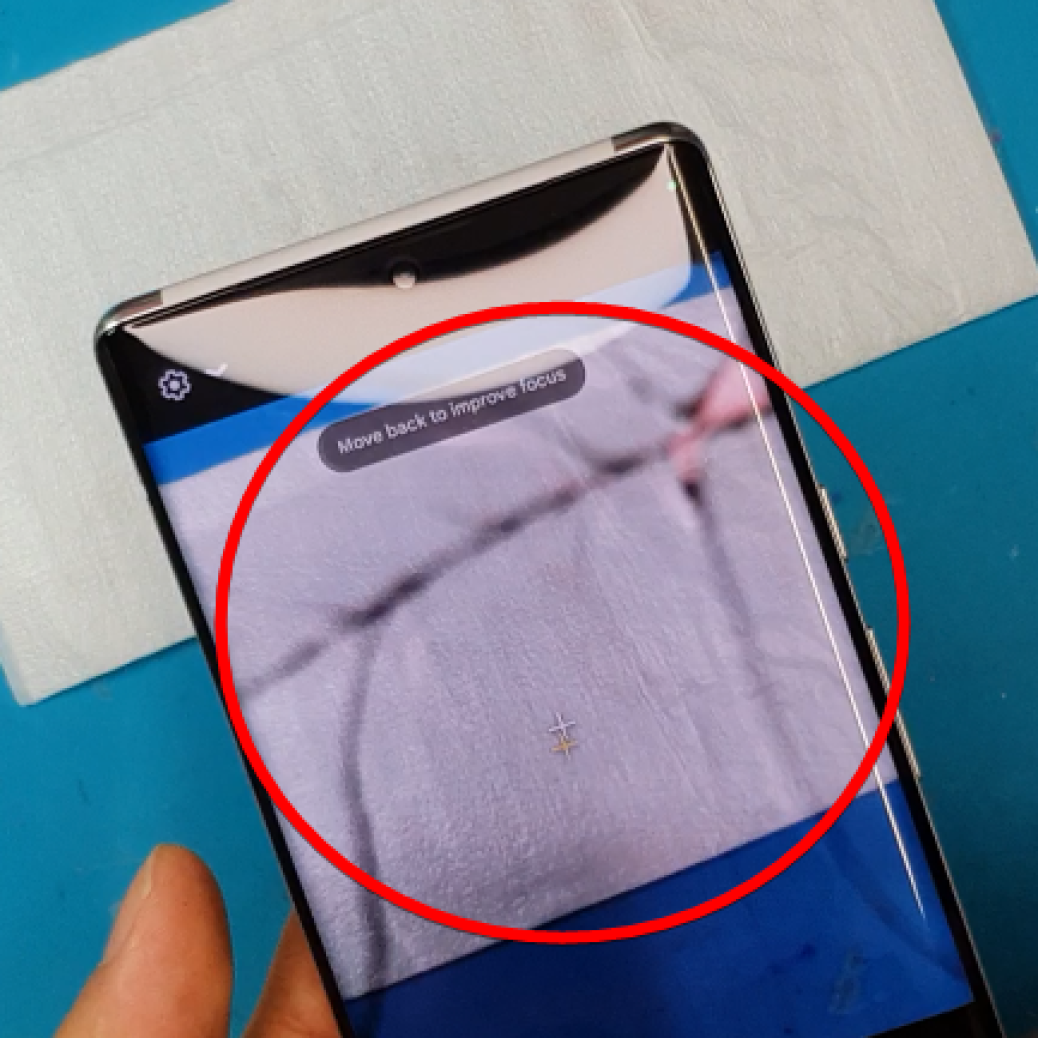
Per Verizon, the next GooglePixel update with the January security patch is rolling out tomorrow.
GooglePixel updates typically start rolling out on the first Monday of the month, but that falls on when New Year’s Day is observed this year. It’s coming on Tuesday as a result, according to Verizon, similar to last year:
Pixel 4a last updated 01/03/2023
Pixel 4a 5G UW last updated 01/03/2023
Pixel 5 last updated 01/03/2023
Pixel 6 last updated 01/03/2023
Pixel 6 Pro last updated 01/03/2023
Pixel 6a last updated 01/03/2023
Pixel 7 last updated 01/03/2023
Pixel 7 Pro last updated 01/03/2023
The US carrier refreshed the Device Software Updates list a day early, and the Pixel 4a to 7 Pro is set to receive it on January 3 instead of next week. Given the premature update, the actual changelogs are not live yet.
We’re not expecting anything major since the December Feature Drop with Android 13 QPR1 just arrived, though bug fixes would be welcome. For example, the Home and Wallet shortcuts have a tendency of initially appearing on the always-on display. Rather, the next big update — QPR2 — is coming in March.
Instead, the main update this month should be for Pixel Buds Pro to enable spatial audio, though there could be a phone component.
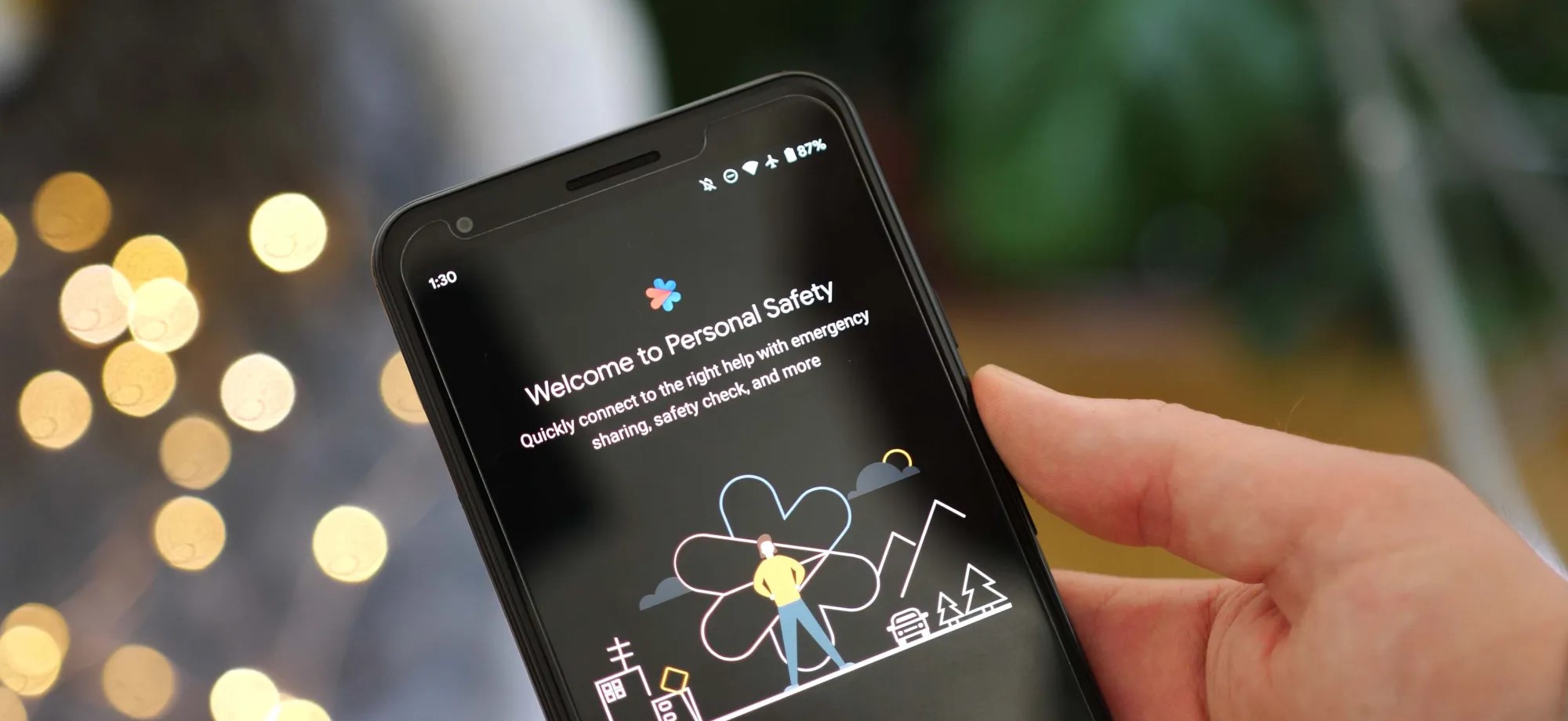
As Android 13 rolls out to more phones, the update is bringing the once Pixel-exclusive Personal Safety app to more devices including those from Sony Xperia and Vivo.
On Pixel phones today, the Personal Safety app includes a full suite of features designed to make sure you’re ready should any type of disaster strike. You can add/edit critical medical information, assign emergency contacts, get alerts for nearby crises, and on some devices even call for help when a car crash is detected.
While this was originally built as an exclusive set of features for Pixel phones, with the release of Android 13, Google has decided to make Personal Safety available as an option for other phone makers. As noted by Mishaal Rahman on Twitter, there is already a small selection of phones that are gaining access to Personal Safety as part of Android 13.
While Samsung certainly has the broadest profile of devices on Android 13 today, no Galaxy phones are currently opted in for Google’s safety suite. Instead, the current list of non-Pixel Android devices with Personal Safety contains phones from Sony Xperia, Vivo, iQOO, and Nothing.
Nothing Phone (1)
Sony Xperia 5 IV
Sony Xperia 1 IV
iQOO 7
iQOO 8 Pro
iQOO 9 SE
iQOO 9 Pro
iQOO 9T
iQOO I2202
iQOO 11
iQOO Neo7
Vivo X80 Pro
Vivo X90
Vivo X90 Pro
The actual experience of using Personal Safety on these phones is straightforward and quite similar to the app’s older (pre Android 13) experience on Pixels. Rather than appearing as a dedicated app in the drawer, you can navigate to Personal Safety through the Settings app, in the “Safety & emergency” section.
From there, as expected, you can manage your emergency information and get enrolled for alerts. However, for all currently supported phones, the Android 13 update does not bring the car crash detection that Personal Safety is best known for.
Google has opened car crash detection to non-Pixel phones, but it requires device makers to implement Android’s “Context Hub.” This feature is designed to let small, ambient programs — such as sensing a sudden stop, in the case of car crash detection — run without using excess power. As adding support for Context Hub would require a system update, it’s not likely that any of these phones will gain car crash detection in Personal Safety any time soon. Despite that, it’s still great to see Google offer some of the Pixel series’ exclusive features to more Android phones.
Even though the Google Pixel lineup gets much media attention, it’s still rather niche due to its limited market availability. However, Google has been trying really hard for the last couple of generations to appeal to a wider audience by delivering some unique features. Even the stock Android running on today’s Pixels isn’t exactly stock, as it has some neat tweaks and exclusive features. There are even reports that Google plans to ship a record number of Pixels next year.
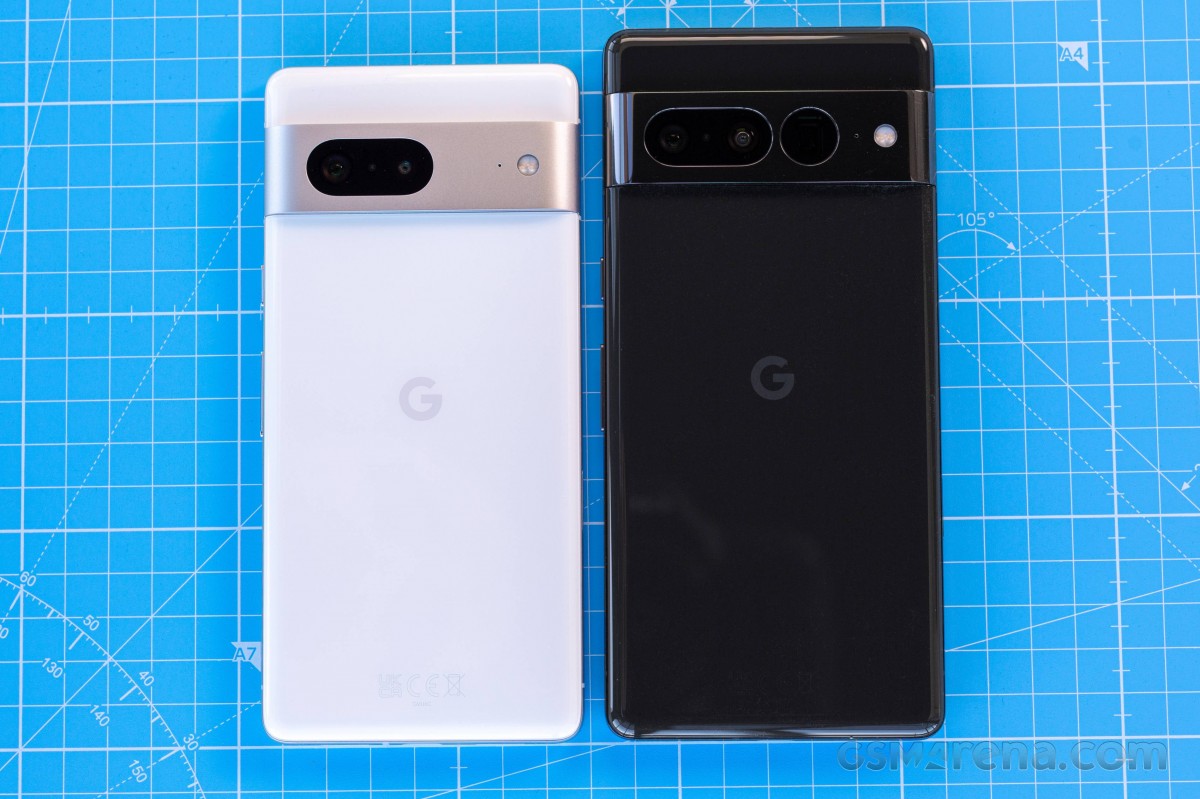
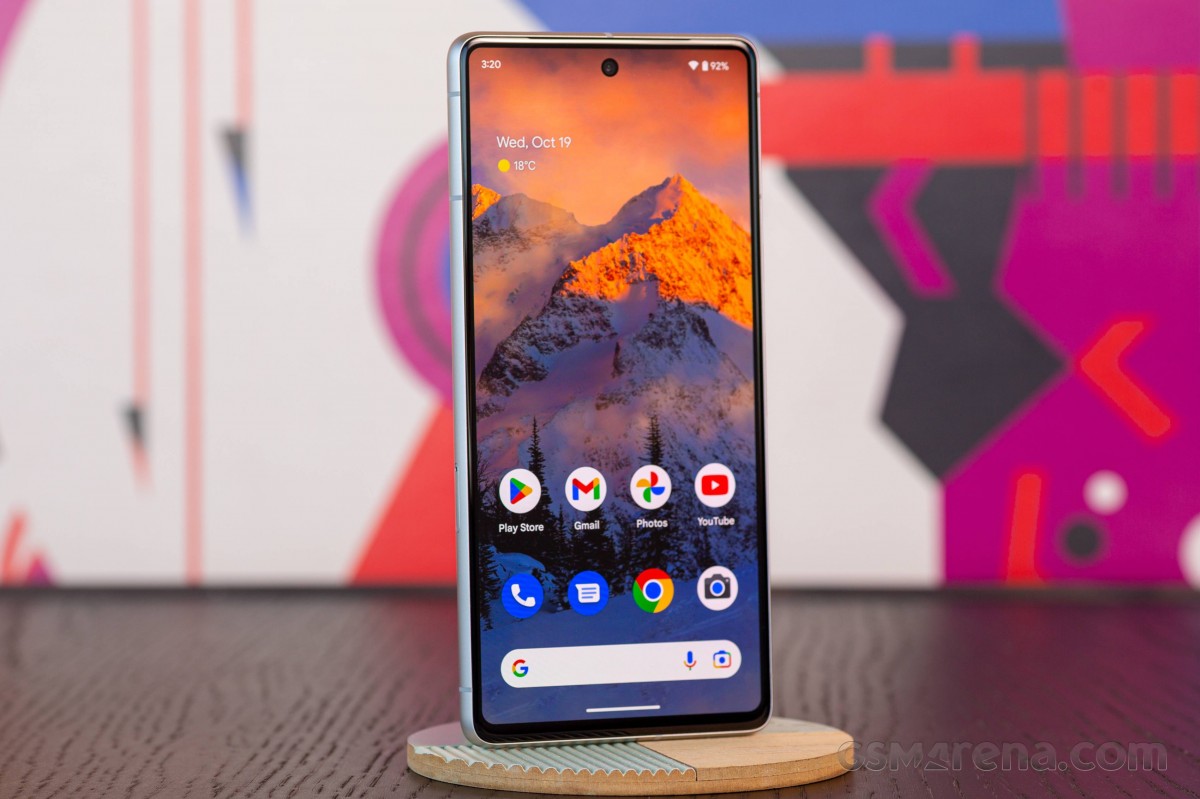
On the surface, the Pixel 7 and 7 Pro aren’t much different from the Pixel 6 series while introducing some small but notable upgrades. Maybe that’s part of the reason why we think the 7th generation has a good chance of winning over new fans around the globe. Although “the globe” might not be the best choice of words given the limited availability as usual.
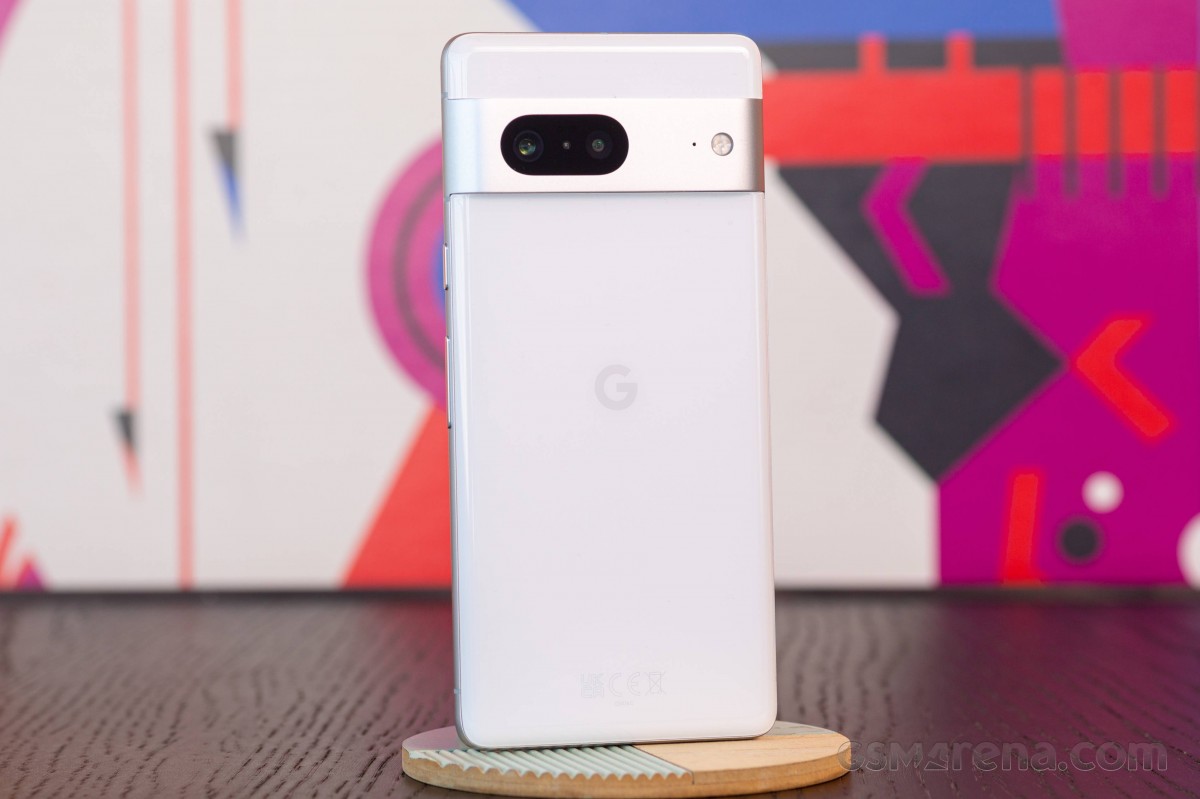
The Pixel 7 offers a few key improvements over its predecessor, the Pixel 6. It’s now running on an improved Google Tensor G2 chip with better AI capabilities, Gorilla Glass Victus build all-around, a better selfie camera and a smaller display. As a result, the Pixel 7 is slightly smaller than the Pixel 6, which is a clear indication that Google is aiming for the compact flagship niche. And although smaller, the Pixel 7’s display is considerably brighter.
Google Pixel 7 specs at a glance:
Body: 155.6×73.2×8.7mm, 197g; Glass front (Gorilla Glass Victus), glass back (Gorilla Glass Victus), aluminum frame; IP68 dust/water resistant (up to 1.5m for 30 mins).
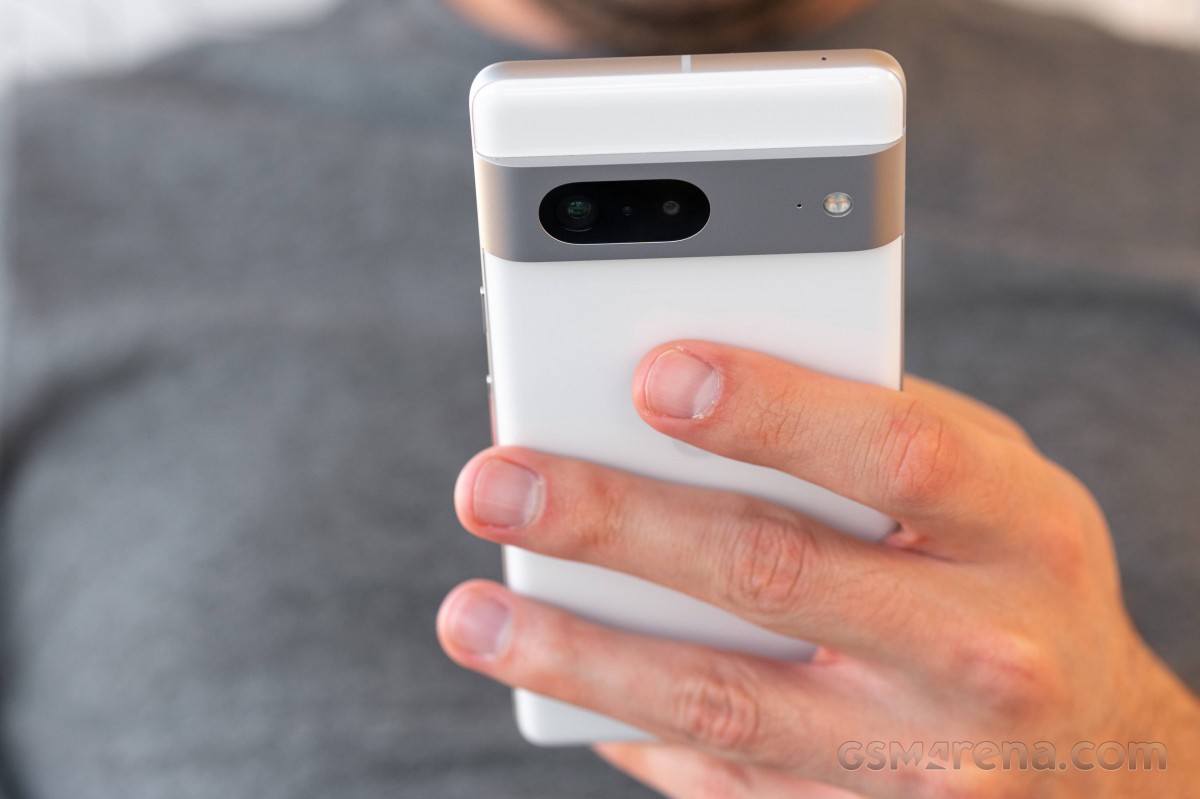
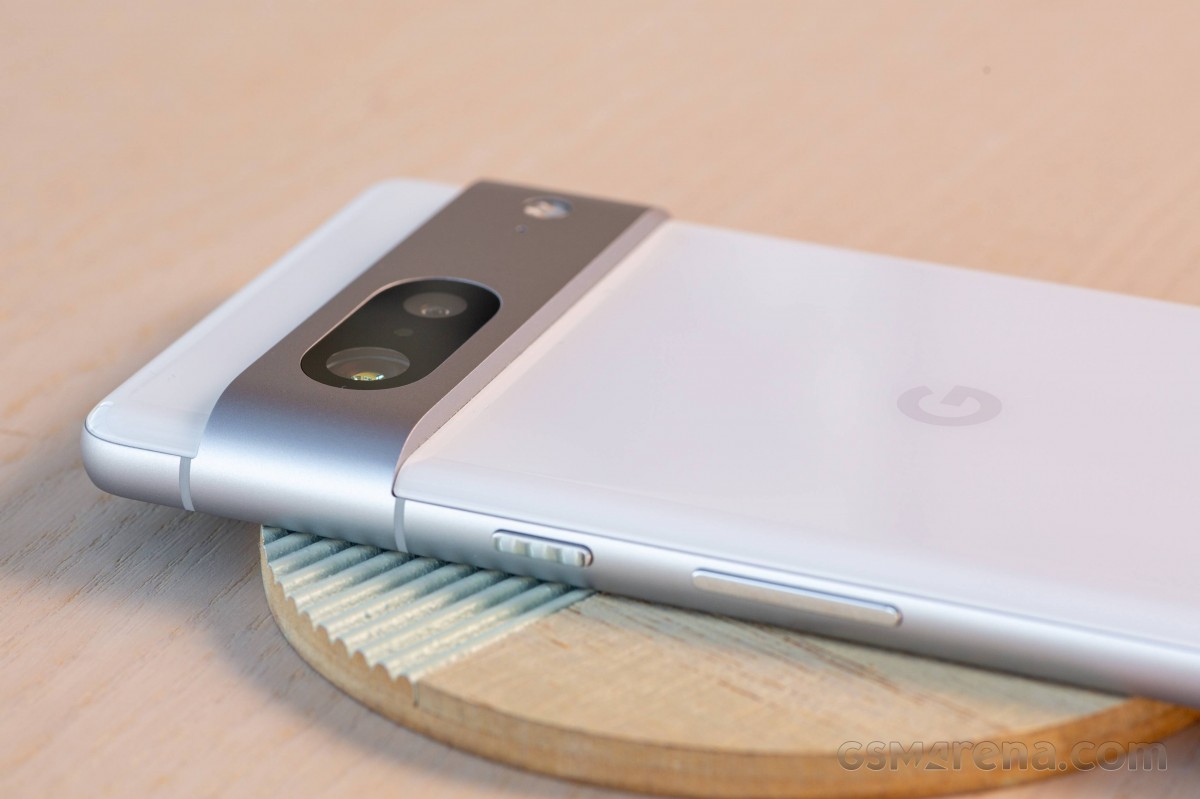
The camera setup on the back remains unchanged. We’ve got a big 50MP sensor doing the heavy lifting and a 12MP ultrawide camera helping out. There’s still no telephoto camera, but to be fair, that’s a rare find in the compact flagship class. Still, Google promises better image processing and improved overall camera quality through machine learning algorithms and better ISP capabilities.
It was quite the surprise to see the Pixel 7 go down in battery capacity coming from the Pixel 6 – 4,355 mAh vs. 4614 mAh, but in theory, Google could have offset the loss with other hardware improvements, such as display and chipset power draw. As we all know, specs sheets never paint a complete picture, so let’s find out what the new Pixel 7 is capable of and whether it is really the right phone for you.
Unboxing the Google Pixel 7
As one would expect, the Google Pixel 7‘s retail box is relatively small and contains only the user manuals, USB-C to USB-C cable for PD charging and a USB-C to USB-A dongle in case you find yourself with a standard charger that doesn’t have a USB-C connector.
Speaking of the charger, there is none. The device supports up to 20W Power Delivery charging, so finding one that works with the Pixel 7 shouldn’t be a big issue.
Competition
While the Pixel 7 Pro has a tough job competing in the ultra-premium segment where behemoths like Samsung and Apple dominate, the vanilla Pixel 7 has a niche of its own. The Pixel 7’s price remains €650, which is pretty good for a flagship phone with superb camera performance and capable hardware. The vanilla Pixel 7 is one of the few premium options for users to choose from. Or is it?
After a quick market research, we found quite a few compact alternatives to the Pixel 7. The Samsung Galaxy S22 and the Oppo Find X5 are both within the €600-650 range with excellent camera performance, top-notch display and heavily customized software. The Galaxy S22 even has a capable 3x optical zoom camera, while the Find X5 has a 2x zoom one, while the Pixel 7 relies on cropping from its main sensor. Its display lags behind with 90Hz refresh rate and considerably slower charging too. Its key advantages are the good battery life and the software features, which are best utilized in a handful of countries/languages. Maybe aside from the telephoto camera omission, the Pixel 7 has a slight advantage over its competitors in terms of overall camera quality.
In case you are willing to go up the price ladder, the Asus Zenfone 9 may entice you with a similar feature set. The Zenfone 9 is asking about €780 right now, and it’s even smaller than the Pixel with its 5.9-inch display. Asus’ contender doesn’t have a telephoto either, and it doesn’t offer the level of photography proficiency as the Pixel, but it can run for longer on a single charge and supports faster charging. Software-wise, the two are very similar. The Zenfone 9 is also on the “stock Android” path with a handful of Zenfone-specific, geeky software features.
Conversely, you can go down in price and consider the Xiaomi 12 instead. It’s priced around the mid-€500 with a 6.28-inch display, 120Hz at that. The 12 has a similar camera setup and prowess. And although battery life isn’t as good, it blows the Pixel 7out of the water when it comes to charging speed. The big difference in the software approach is what sets those two handsets apart the most. The MIUI is highly customizable and has a ton of niche features. At the same time, the Pixel 7 relies on Android-intrinsic features and a wide range of AI-powered functionalities, most of which are limited to certain markets.
Realme GT2 Pro
Perhaps the Realme GT2 Pro deserves mention as it’s an extremely well-rounded phone with only one big omission – no telephoto camera. Aside from that, the GT2 Pro is a bang for the buck, a true flagship killer costing a little over €600 with all the bells and whistles. But it’s easy to overlook if you need a compact phone because the GT2 Pro is anything but. It has a huge 6.7-inch display, which puts it in an entirely different category.
Verdict
The Pixel 7 is definitely one of the best options in the €600-700 range. It has a flagship-worthy performance, although a bit lower than you’d expect; it’s one of the best phones for mobile photography, if not the best-in-class, and it has bright OLED, great-sounding stereo speakers, long battery life (with the size category in mind) and exceptional software ensuring timely updates and smart features.
Sadly, there are a few caveats to consider here. There’s no true telephoto camera; the display is limited to 90Hz; some of the most advanced software features are region-dependant, and the charging solution is just way too outdated for a 2022 flagship release.
All things considered, the Pixel 7, along with the Pixel 7 Pro, are the best smartphones from Google, and that means something in this context. We’ve seen Google messing up smartphone releases more than once. Luckily, the Pixel 7 isn’t one of those times.
So, do we recommend it? Yes, for sure! At that price, the Pixel 7 offers a unique combination of ultra-premium camera experience, long battery life and AI-based features that make it the smartest kid on the block.
Pros
Compact and premium build, easy to handle, unique-looking design, dust- and water-resistant.
Sharp, bright, color-accurate display.
Good battery life considering the phone’s size.
Android from the source, exclusive feature set, unrivaled perception of smoothness on this side of the OS divide.
Superb stereo speakers.
Overall, great camera quality with an unmatched character that has a loyal following.
Cons
The display is just 90Hz as opposed to competitors pushing beyond 120Hz.
Very slow charging by the standards of the day.
Certain software and hardware features are regionally limited – 5G, VoLTE, and much of the onboard AI stuff (though admittedly, so is the phone’s availability, to begin with).
With QPR1 now stable, Google is rolling out Android 13 QPR2 Beta 1 as the next sizable Pixel update that will be released in March.
There should only be two Quarterly Platform Release betas for Android 13 if what Google telegraphed in August stands. Like QPR1, that should mean three QPR2 betas with a stable launch in March 2023 and a relatively bug-free experience for those that sign-up via the Android Beta Program.
If you’re still part of the Beta Program from testing Android 13 QPR1 you can unenroll from google.com/android/beta without a device wipe if you have not yet installed QPR2 Beta 1.
If you have already updated, leaving the program will result in a wipe and your next opportunity to exit without losing data will be in March after the stable launch of Android 13 QPR2.
The Android Beta Feedback app is available on Pixel phones to submit problems. You can access it from the app drawer or via Quick Settings to file bugs in the Google issue tracker, while the Android Beta community is on Reddit.
The following known issues exist:
Android Platform
The list of Recent apps sometimes becomes unresponsive if the screen orientation is changed while the list is open.
In some cases when entering and exiting Picture-in-picture (PiP) mode from an app after changing the screen orientation, the system Settings app crashes with a “Settings keeps stopping” message and then the system Settings app can’t be opened.
An issue with the System UI can sometimes cause the Home screen to become unresponsive.
Google Apps
After switching back to Normal video capture mode from Slow Motion mode in the Google Camera app, the app continues capturing slow-motion video if the capture speed was changed between the 1/8x and 1/4x while in Slow Motion mode.
Android 13 QPR2 Beta 1 system images are available for the Pixel 4a, Pixel 4a 5G, Pixel 5, Pixel 5a, Pixel 6, Pixel 6 Pro, Pixel 6a, Pixel 7, and Pixel 7 Pro. as well as in the Android Emulator.
Most users will be installing Beta 1 (T2B1.221118.006) with the December security patch from the Android Beta Program website. You can expect an OTA update in the coming hours. If you need help, here’s our full guide on installing Android 13.
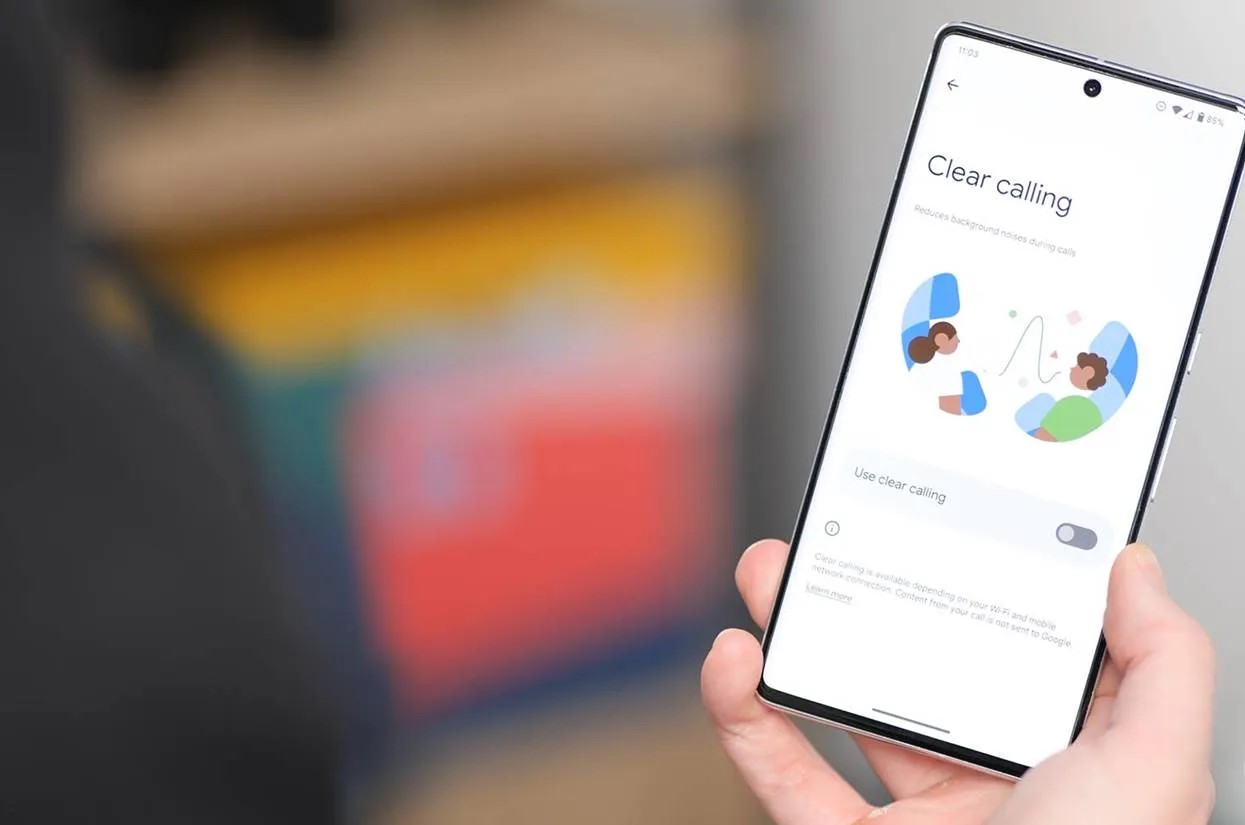
Recently added in the December Pixel Feature Drop for the Pixel 7 series – and eventually for the Pixel 6 – Clear Calling is a feature that ensures people on the other end of your phone call can hear you almost perfectly. This guide will walk you through enabling it on your device, and why it might be a good idea.
In general, phone calls haven’t evolved much between phone numbers. Using basic radio waves, a phone call is a simple back-and-forth transaction with no surprising tech involved. Because of that, it can sometimes be difficult to get a clear and crisp call, no matter what side you’re on.
With Clear Calling, that changes. Using a network or Wi-Fi connection, the Pixel utilizes noise cancellation methods and a little AI and machine learning to determine what sounds need to be involved and what don’t. For instance, calls on busy streets with cars passing and people talking won’t result in your voice being drowned out.
The end product is a call that is free from background noises and interruptions for both callers.
How to enable Clear Calling
To get started, your Pixel 7 or 7 Pro needs to be completely up-to-date. The Clear Calling feature was brought to life in the latest Feature Drop update. Once you’re sure your Pixel 7 is completely updated, you should be able to enable clear calling pretty easily.
On your Pixel 7, head to the settings.
Head to Network & internet.
Tap Calls & SMS.
Under Wi-Fi calling, choose your main network.
Enable Wi-Fi calling.
Head back to the main settings page and tap Sound & vibration.
Find and hit Clear calling.
Toggle on Enable clear calling.
On your end, you won’t notice clear calling working, but as long as you have an internet connection of some sort, you can be confident the feature is working.
Because the feature is internet-dependent, you need to have Wi-Fi calling enabled. With that, you may find that calls fail when leaving an internet connection. This isn’t uncommon with Wi-Fi calling, but it’s something to be aware of.
Overall, Clear Calling is a great feature, especially for those on the other end of your phone calls. While you won’t hear the result of turning the feature on, you can be sure those who you call will be.
You can now share your car key in Apple Wallet with Android users,
starting with Google Pixel
If you happen to be an owner of one of the very few cars on the market with Car Key support, you are now able to share that car key credential with non-iPhone users for the first time.
Apple is working with the IETF and industry members to standardize cross-platform car key sharing. The first implementation of this support has landed today for Google Pixel owners. Google is working on rolling out support for all Android 12+ devices soon.
The Car Key feature allows Apple Wallet to treat unlocking your car in the same manner as you can conduct contactless payments with Apple Pay: Walk up to your car and then present your iPhone or Apple Watch to unlock it.
You can share car keys by using the Share button inside the Wallet app. You could previously send the key to other iPhone users. On iOS 16.1 or later, the Wallet app generates keys that also work with other supporting platforms, most notably Android users.
Share using the system share sheet with your favorite app like Messages, Mail, and WhatsApp. You can secure the process using an optional one-time code.
At any later time, you can revoke access to a shared car key. Simply open the Wallet app, select your car key and tap on the People icon to manage the current list of shared keys for that vehicle.
Apple’s partnership with the IETF was first announced at this year’s WWDC. The group is still working on a final specification to make publicly available for adoption by anyone. But for now, only Apple and Google have access to the necessary protocols and are working on the respective implementations privately.
It’s a really cool technology that furthers Apple’s goal to replace the wallet in your pocket, alongside other initiatives like Digital ID and Apple Pay. Hopefully, more Car Key compatible vehicles will be available soon.
Apple releases iOS 16.2 beta 4 to developers ahead of expected launch this month
Following the release of iOS 16.1.2 to iPhone users on Wednesday, Apple released iOS 16.2 beta 4 to developers on Thursday. Along with iOS 16.2, Apple has also been testing new betas for watchOS 9.2, tvOS 16.2, and macOS Ventura 13.1. Read on as we detail what’s new in these updates.
iOS 16.2 and iPadOS 16.2 include some notable changes. The Freeform collaboration app is now available to iPad, iPhone, and Mac users. There are also changes to the Home app, updates to the Weather app, and more.
On November 28, Apple also released a “Rapid Security Response” update for users running iOS 16.2 beta. Once the feature becomes available to everyone, Apple will be able to quickly fix security exploits without having to release a new version of iOS just for this.
In addition to iOS 16.2 beta 4, Apple has also made the following updates available to all developer beta testers:
After last year’s Pixel return to the flagship scene, 2022 brings more of an evolutionary upgrade to Google‘s phone lineup. The Pixel 7 and 7 Pro come with the usual chipset upgrade, a camera tweak here or there, and a refined design, on top of a handful of software novelties.
Naturally, our eyes are drawn to the Pro more so than the vanilla, so we’re starting our review journey with that one. One of the two key differences this year, looking at the spec sheet, is the new telephoto camera, which trades in the larger sensor size for a longer zoom reach – that doesn’t immediately strike us as an entirely positive development, though the 5x zoom is appreciated.
The other new bit is the chipset. The tailor-made Tensor G2 comes with some new CPU cores and a new GPU, as well as who knows exactly how many under-the-hood improvements, but is still manufactured on a 5nm process, when competitors are at 4nm.
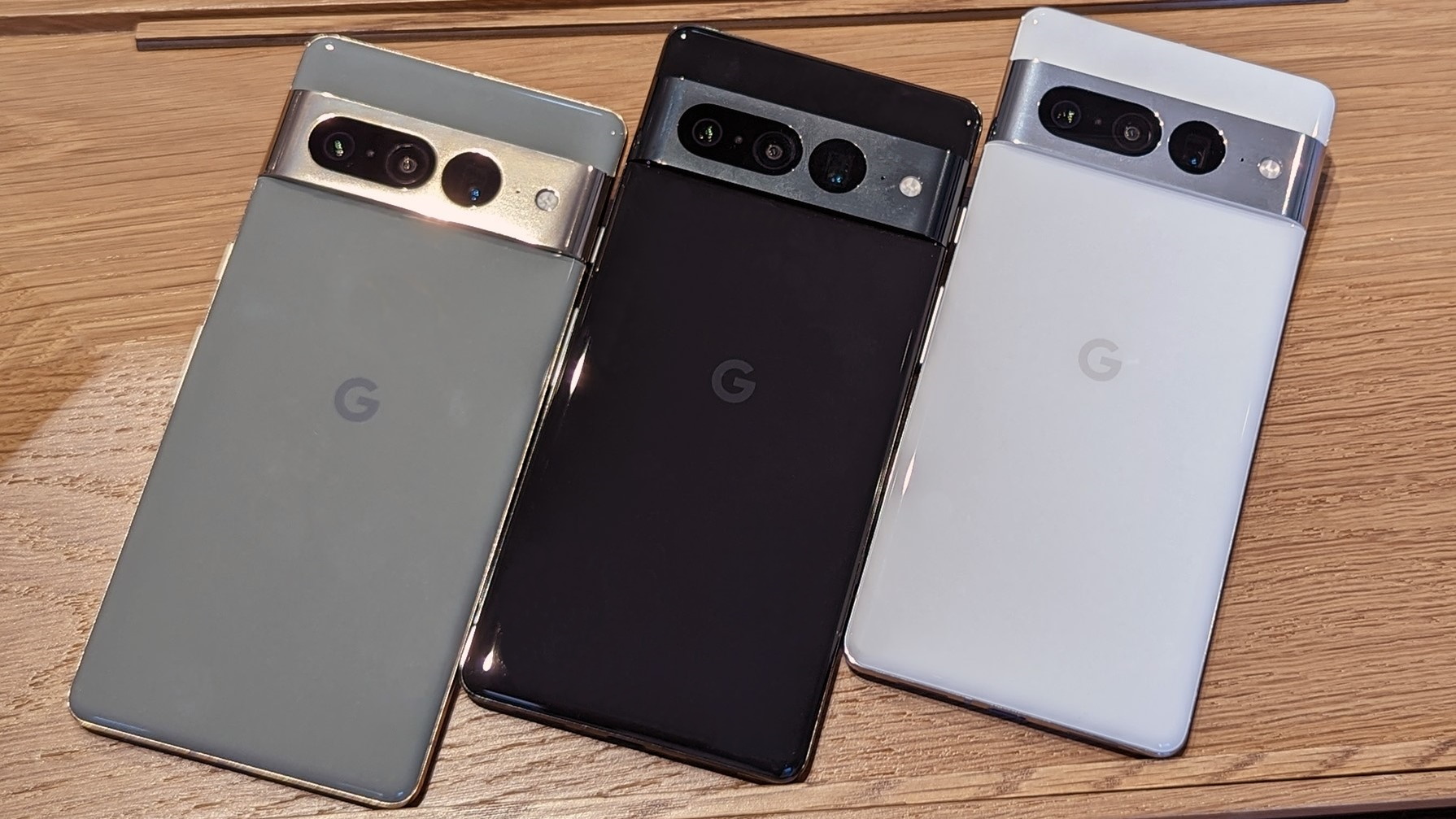
Physically, the handset is the same as last year, but also different. The camera strip on the back is still here and just as prominent, only now it’s part of the aluminum frame and not a separate glass piece as last year.
And that’s more or less what’s changed for the 2022 Pixel Pro. Here are some of the important numbers before we get going.
The unboxing experience has remained the same as last year, when the charger went missing. Inside the white cardboard box, you’re getting a USB-C cable and USB-A-to-C adapter for transferring data from your older phone (maybe an iPhone?).
It’s only at this point that our Obsidian review unit was truly clean of smudges, but more on that on the next page.
Competition
Positioned against the big two – Apple and Samsung, the Google Pixel phonesat least make it somewhat easy on us to round up the alternatives. And with a base price of $900/€900/INR 85K, the Pixel 7 Pro is almost universally less expensive than either the iPhone 14 Pro Max or the Galaxy S22 Ultra.
The Pro Max, for one, is $200 pricier in the US, a whopping €550 more in Europe, and a similar 65% on top of the Pixel 7 Pro‘s asking price in India. The Google phone then doesn’t even have to be better than the iPhone to make a compelling enough case for itself – and in many ways, it’s as good. Sure, the iPhone may be posher and built tougher, but the Pixel is lighter and more compact-feeling. Not quite perfect, the Pixel’s camera system is superior to the iPhone’s in some ways. If anyone can compete with Apple on hardware-software integration, it’s got to be Google. The iPhone’s battery life is a strong advantage, admittedly, but need we reiterate the price difference?
It’s all the more revealing how good of a deal the Pixel 7 Pro is compared to Apple’s offerings when you consider that even the iPhone 14 Pro (non-Max) is $100/€400/INR 45K pricier.
The Galaxy S22 Ultra’s price isn’t as easy to specify since you can get one at more outlets than you can an iPhone. Still, a quick search at reputable retailers returns $1100/€970/INR 96K numbers, and those are, again, higher prices than what you can get a Pixel 7 Pro for. Now, the Galaxy has some unique selling points of its own, the most prominent one being the stylus. It’s got a battery life advantage over the Pixel, and actually charges faster (not a category where Galaxies often emerge victorious). There’s no clear-cut winner in a camera comparison here, and software can be a divisive subject between these two.
Apple iPhone 14 Pro Max • Samsung Galaxy S22 Ultra 5G
It can then be argued that maybe the Pixel 7 Pro‘s main competitor is the Pixel 6 Pro. Taking some of the more contentious considerations out of the way, like software and camera differences (because, let’s face it, the 7 Pro’s camera system is not a giant leap coming from the 6 Pro), and without any of the advantages like the iPhone’s battery life or the Galaxy’s S Pen, the Pixel 6 Pro will do most of what the 7 Pro will, at some $250/€200/INR 20K less. You’ll be missing out on the new chipset, and all the known and unknowable goodies it provides, and also the AF-capable ultrawide, but the core reasons to go #teampixel are there.
Core Pixel defined, this year’s ‘small’ 7 comes in at a similar price as last year’s Pro. It has the latest chipset with all that entails but is missing a telephoto, though you may very well be perfectly okay with the perfectly okay Super Res 2x zoom.
Google Pixel 6 Pro • Google Pixel 7
Verdict
Pixels have historically lacked mainstream appeal, and the lack of truly global availability is no small part of why that is so. This year, the list of countries with official Pixel presence has been expanded to 16, and maybe that will drive sales numbers up, even if a lot of the world will still be missing out.
And there’s quite a lot to be missing out on. The camera system is the single biggest Pixel 7 Pro selling point that comes to mind, and it brings some welcome improvements, even if a bit modest. That, of course, comes on top of what is a hard to quantify character that you simply can’t get on anything that’s not a Pixel.
Similarly challenging to put a number on is the software experience – benchmarks certainly don’t do the 7 Pro any justice. Android, the way Google envisions it, is a rather unique blend of simplicity and feature-richness, and here, it’s delivered to your fingertips with a level of fluidity only Apple can muster.
But it’s when getting to the numbers that the Pixel 7 Pro struggles to compete on quite the same level as a lot of the other big-name rivals. Battery life is markedly worse than on a current iPhone, and a Galaxy will likely get you better longevity too. Neither Apple nor Samsung are industry leaders in charging speed, but Googlehas become an industry… trailer? Two hours for a full charge can turn into an actual issue in day-to-day use, we reckon. And then, despite all the gushing over Pixel cameras, there’s potential for improvement here or there as well.
Ultimately, though, the Pixel 7 Pro is a compelling package that can easily win over other brand loyalists if given a chance, and the enticing pricing helps a lot. Meanwhile, the folks already on the #teampixel bandwagon will need more convincing, particularly if they’re already rocking the previous generation Pixel. But that’s true for mostly any smartphone sequel these days, ain’t it?
Pros
Lighter than the two main competitors, about as premium too; IP68 dust- and water-resistant.
Sharp, bright, color-accurate, with a high refresh rate, this display is stellar.
Android from the source, exclusive feature set, unrivaled perception of smoothness on this side of the OS divide.
Superb stereo speakers.
Great camera quality overall with an unmatched character that has a loyal following.
Less expensive than major competitors.
Cons
Below average battery life, perhaps partly a consequence of display refresh rate seemingly not as adaptive as advertised.
Very slow charging by today’s standards.
Certain software and hardware features are regionally limited – 5G, VolTE, and much of the on-board AI stuff (though admittedly, so is the phone’s availability, to begin with).
Google’s Pixel 7 and Pixel 7 Pro are important phones for a few reasons, but one of the biggest is how they support apps. As it turns out, the Pixel 7 series delivers the first Android phones that block support for apps that aren’t 64-bit. What does that mean for you? Let’s discuss.
It’s been no secret that Google has been working toward a future where Android is a 64-bit operating system, as opposed to one that still supports 32-bit software. What’s the difference between the two? In short, a 64-bit operating system can access drastically more memory addresses, which leads to improvements on both performance and security. Google boasted speed improvements to Chrome for Android, for instance, when it moved to a 64-bit build.
Android made the move to support 64-bit apps in 2011 with the launch of Android 5.0, but the platform has always supported 32-bit apps in the years since. It was in 2019 that Google moved to make 64-bit support a requirement for all apps distributed through the Google Play Store, Android’s primary source of apps, with the Play Store later ending serving apps that either didn’t support 64-bit or didn’t have a 64-bit version.
Now, Google is taking the next step by releasing the Pixel 7 and Pixel 7 Pro with 64-bit only support for apps, but not through a firm block.
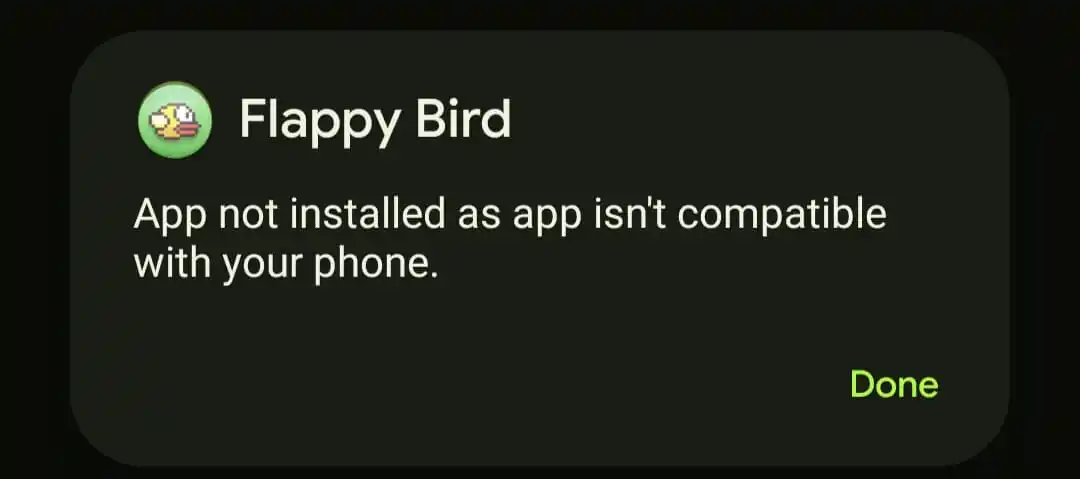
As Mishaal Rahman confirmed, the Pixel 7 series only supports 64-bit apps. The devices are not running on a 64-bit only version of Android, though, instead only blocking the installation of 32-bit apps with a message “app not installed as app isn’t compatible with your phone” appearing when a user attempts to install a 32-bit app.
What does this mean for you?
In theory, Google’s change to supporting exclusively 64-bit apps on the Pixel 7 series should have no noticeable impact on your experience.
This is largely because of the groundwork Google has laid out over the past decade on building up support for 64-bit in Android. One of the only apps that comes to mind as a 32-bit only app is the flash-in-the-pan hit Flappy Bird, which hasn’t been updated since the game’s monumental success and still-shocking closure. Rahman also points out that a version of the Pebble smartwatch app doesn’t support 64-bit, which means that the older smartwatches, which are technically still functional, though unsupported, can’t be paired to Google’s latest Pixel phones.
Notably too, there’s also a potential positive from this. Rahman claims that benchmarks for power efficiency and performance on devices with more than 4GB of RAM jump by 5-10%.
Meanwhile, Google’s Pixel Tablet is expected to be the first Android device that is truly 64-bit only, as Android 14 may make that move further for other devices.
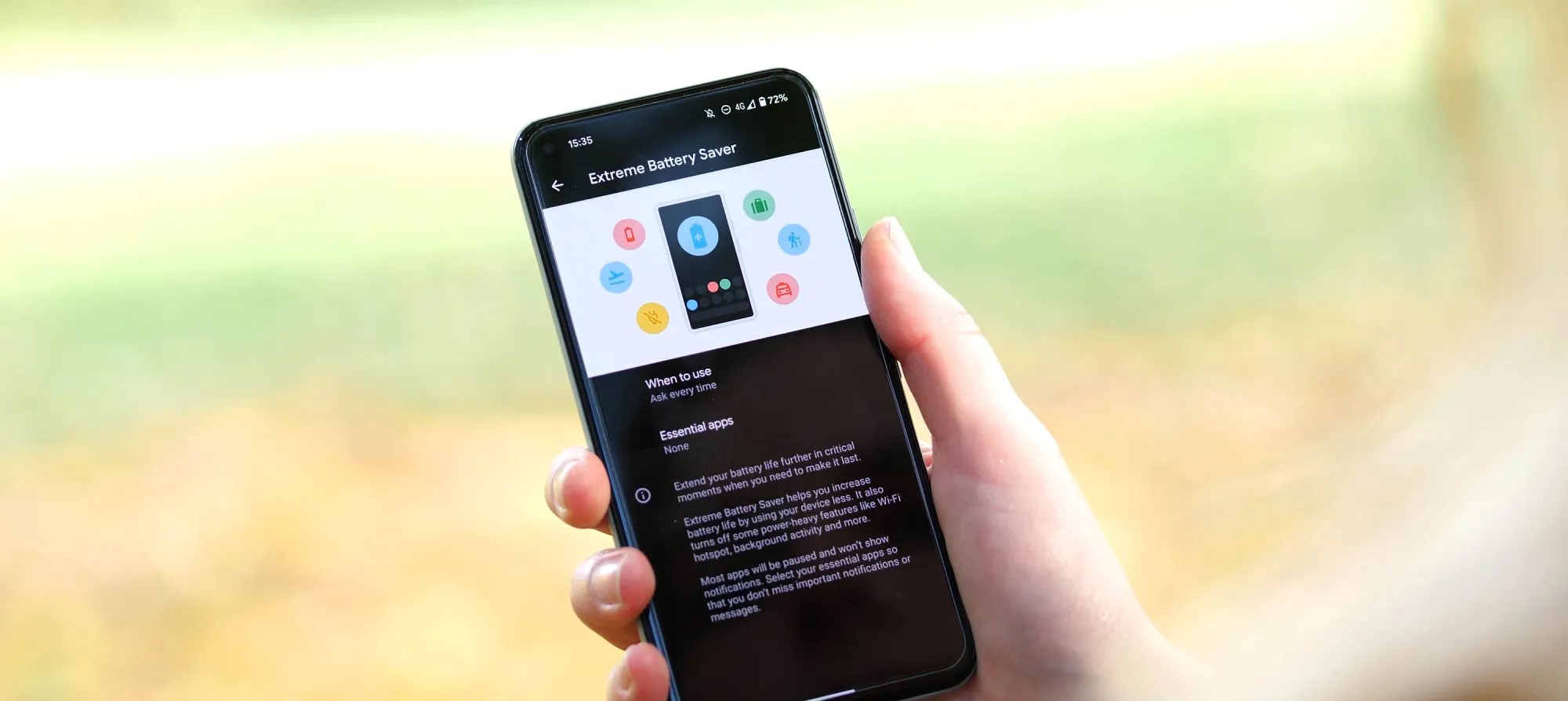
Most devices have some sort of battery saver mode, while Google’s Pixel lineup comes with an “Extreme Battery Saver.” So what is it, and what makes it extreme? This guide will take you through it.
On most Android devices, battery saver works in a very similar way. Unnecessary processes are turned off in the background, your screen’s refresh rate slows down (even to the point of turning off variable refresh rate entirely), and your phone switches to a dark theme to save energy. You might also experience the lack of certain features, such as the always-on display.
All of these limitations combined significantly improve your batter’s efficiency, and battery saver mode can mean the difference between a dead phone in two minutes or an extra 25 minutes of power, roughly speaking.
So what is the Pixel’s Extreme Battery Saver?
Beyond the regular battery saver, the Pixel’s Extreme Battery Saver is an added layer of battery efficiency. In fact, in order to use the latter, you need to initially have battery saver active.
Once it is, you can access the extreme version, which goes beyond turning off a couple of features. Rather, Extreme Battery Saver turns off most of your apps and completely pauses notifications from them. In essence, most nonessential apps completely halt background usage.
This feature is used for pretty dire circumstances and can get you even more battery life when you really need it. While you can’t access most apps during Extreme Battery Saver mode on the Pixel, you can choose to classify some apps as essential. After doing so, those apps become usable while the limitation is turned on.
How to turn it on
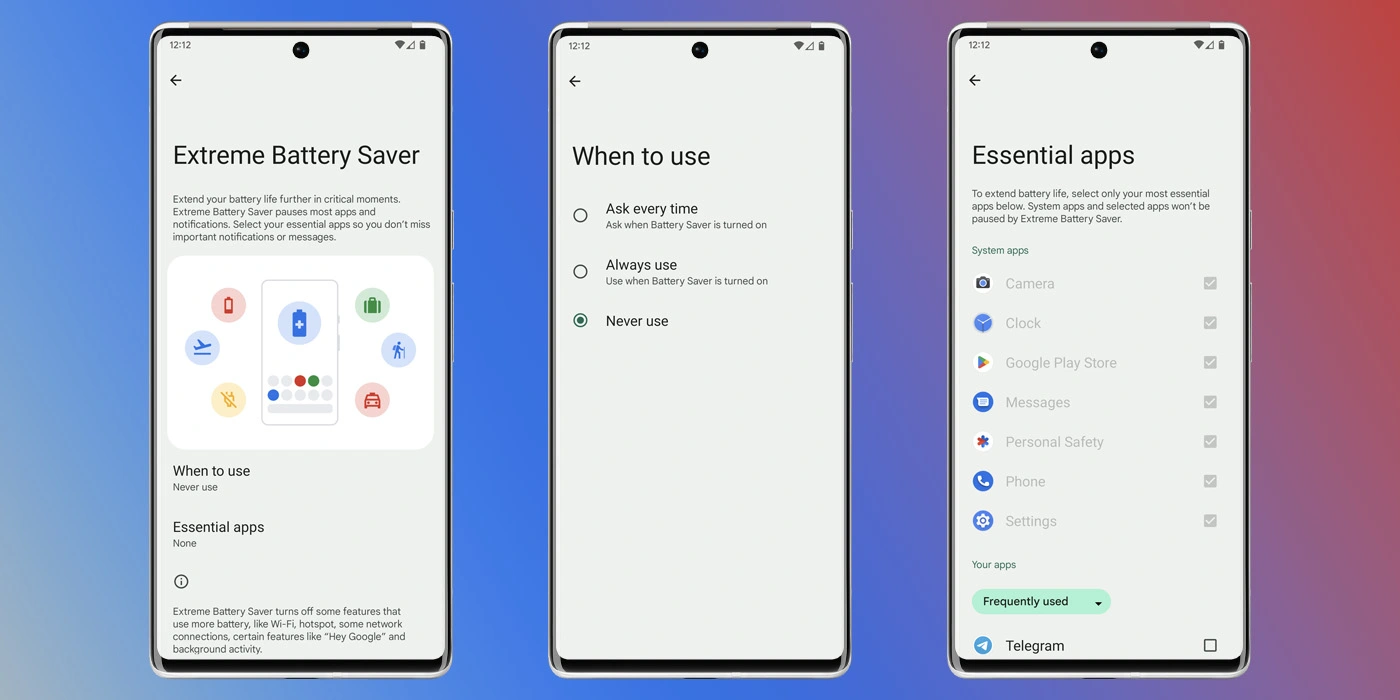
Before turning it on, you need to adjust a couple of settings that specify how you use it.
On your Pixel, head to your settings by swiping down twice and hitting the settings cog.
Tap Battery.
Hit Battery Saver.
Select Extreme Battery Saver.
Choose when to use it – you can choose to have it turn on automatically with regular battery saver or you can have your Pixel ask you first.
Choose your essential apps.
Note: Don’t go wild. The fewer apps you choose, the better your battery life will be.
Once you configure these settings, you can choose to have the extreme mode turn on after battery saver is initiated. The best way to turn the battery saver on is to access your Quick Settings on your Pixel and turn it on from there. We have a great guide on doing just that.
You Cannot Unsee The Crack! Google Pixel 6 Pro Camera Replacement Sydney CBD Repair Centre
2022.09.25
Technician 00:00
Hello guys this land from Sydney cbd or Parer center.
And today we have a Google pixel 6 pro with a broken camera that’s the main camera at the back.
And David his here for us to do the service.
Let’s go
Technician 00:27
also here. We’re going to replace the camera array at the back of this Google pixel 6 pro.
Because as you can see here there’s a crack on one of the lenses.
You can see that on the other camera modes.
But in the main one x camera mode you can see that there’s really a crack on the glass.
That’s
Technician 00:49
it’s going to be a problem because it’s going to be registered by the sensor in the image is saved in the gallery.
So we’re going to shut it down for now.
And David has already removed the display so we’re just going to pry it open.
And
Technician 01:09
you can see that there’s no more adhesives so David has already cleaned up too.
We’re going to remove this perfectly good screen.
And you can see that the tape on this one is really crumble.
So there’s a big chance that this has been fixed before this particular six pro
Technician 01:30
nso. The way we do this is re remove this shroud on the board at side of the battery.
So Google pixel 6 pro replacement for displays very very easy.
Technician 01:42
But the camera is not a straightforward as that.
So we’re going to remove this first because there’s a flex cable that’s going over the battery and the camera array.
So directly above the battery that’s the camera that’s preprotruding at the back.
Those are the internal components of it.
Technician 02:01
So as you can see here we’re going to detach the bat some connectors and as you can see here it’s going over the camera array.
So we’re just going to clear that off and unsee the camera from the main chase there’s a lot of connectors.
So each lense
Technician 02:23
your camera sensor is connected to the main board where you know detach that another screw to be undone and then you’re just going to lift it off the device.
So fairly easy. And this is the replacement camera.
So you can see that’s the identical component for the part that we’re going to replace.
Technician 02:51
And it’s protected by this plastic covers.
So this is how the seller is shipping it to us here the shop.
So this is good because the camera has the lens is very very expensive to fix.
So this one once you damage one camera lense or one sensor you have to replace the entire assembly
Technician 03:18
unless you can’t disolder these parts one by one.
Which is kind of very very tricky because we’re dealing here with optics.
So that’s glass and electronics.
So we have installed it and we’re just going to reverse what we have done.
Technician 03:37
So if you have a problem with your Google pixel six proe camera or any other smartphone for that matter especially Android whenever you have those problems and you can’t really fix it even if you reboot restart or refresh your device
Technician 03:55
then it’s got to be a hardware problem.
So the main sensor or some flex cable or the lands itself is not anywhere working properly so you have to replace it.
So if you have one of those problems then hadn’t your local repair service mission or here a cdn cbd reparison or so you can see your right
Technician 04:17
a before your eyes how David fixes things here in the shop.
So this is a very quick repair.
Once David has the parts for your a specific smartphone model and this is now ready for the clients its just that easy.
So we’re just gingi
Technician 04:34
re attached. The display test blew everything together and we’re done
Technician 04:45
to dab. Here is can a rain stalled display.
Very very easy when it comes to pixel smartphones.
Technician 04:55
We’re going to try to test.
So if you have any questions guys don’t hesitate to leave a comment like a subscribe or channel.
Follow us. On facebook.
Message est in our webpage.
Cdn cbd a prepair we have special offers for all our clients.
Technician 05:16
Prince David here is your friend le pairman.
So next time guy is cheers.
Technician 05:23
If you want your smartphone fixed for a very reasonable prize you may contact cydney cbd repair center.
We also provide male and repaired services for customers outside of Australia or city.
Just message us so we can arrange the shipping of your device.