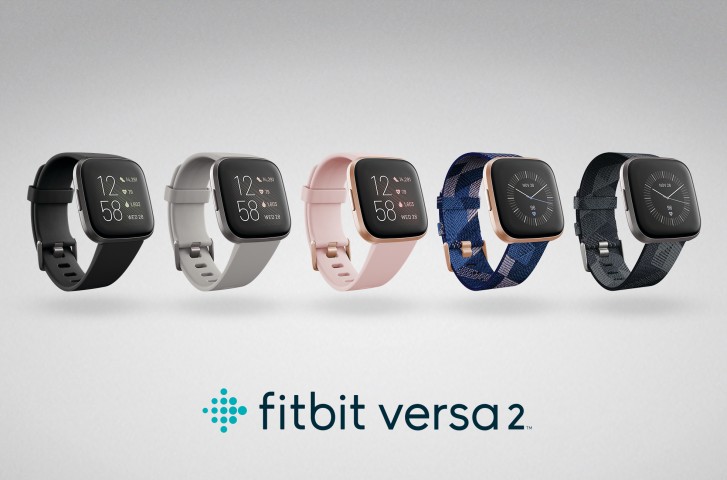
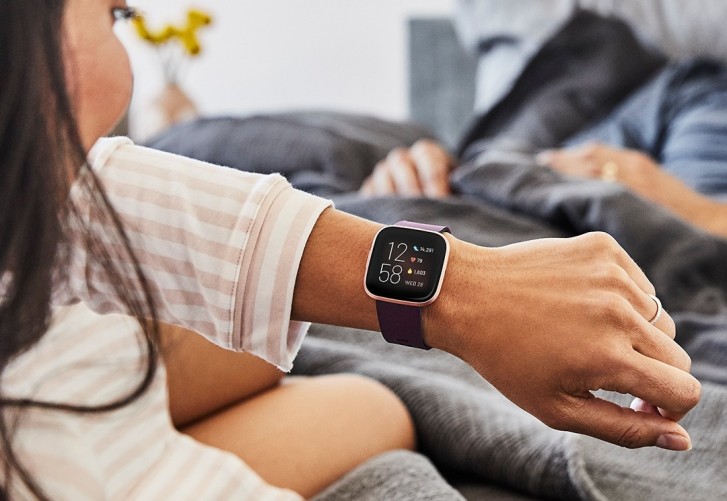
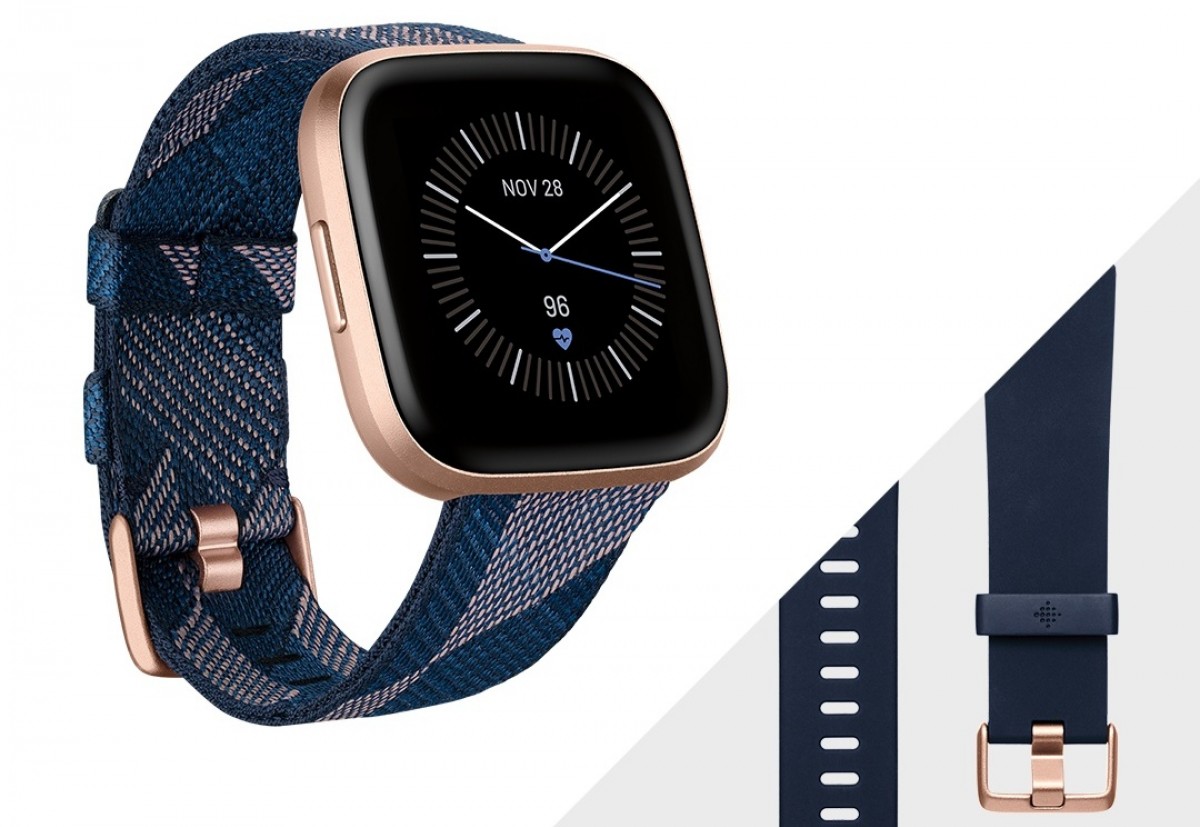
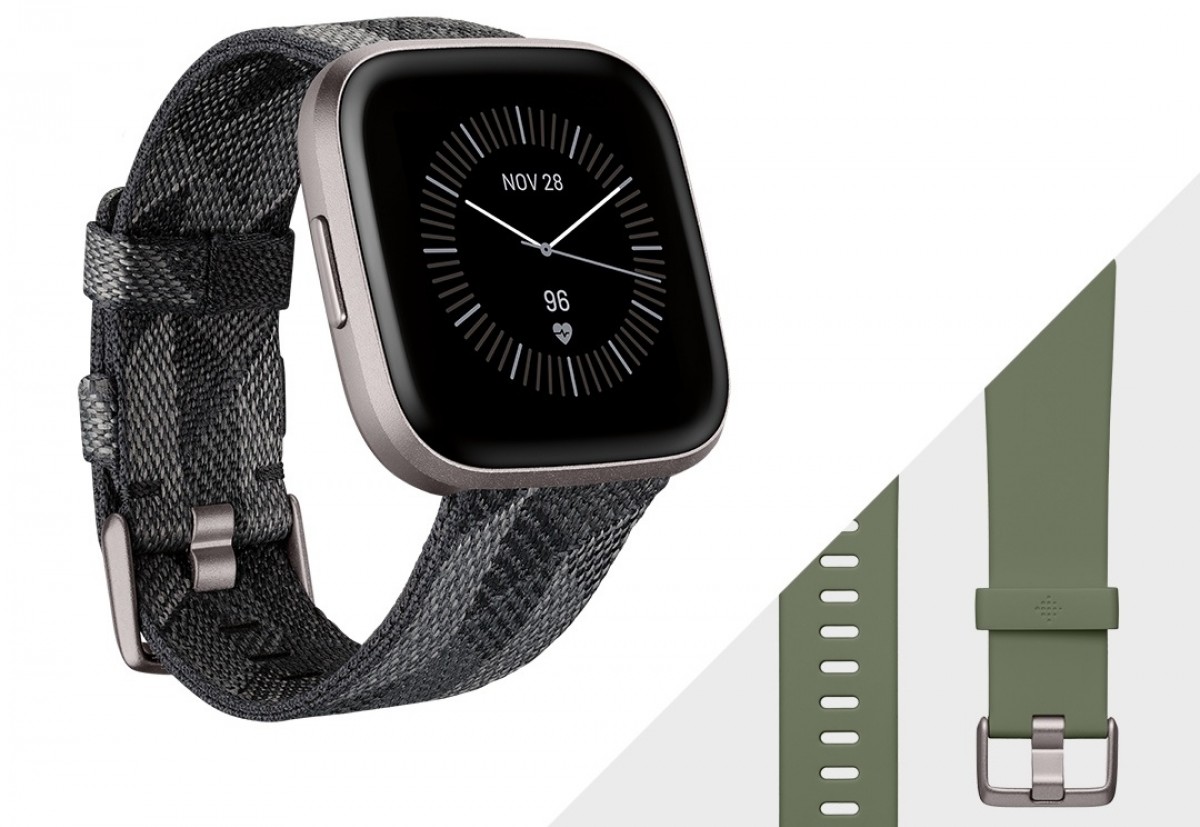
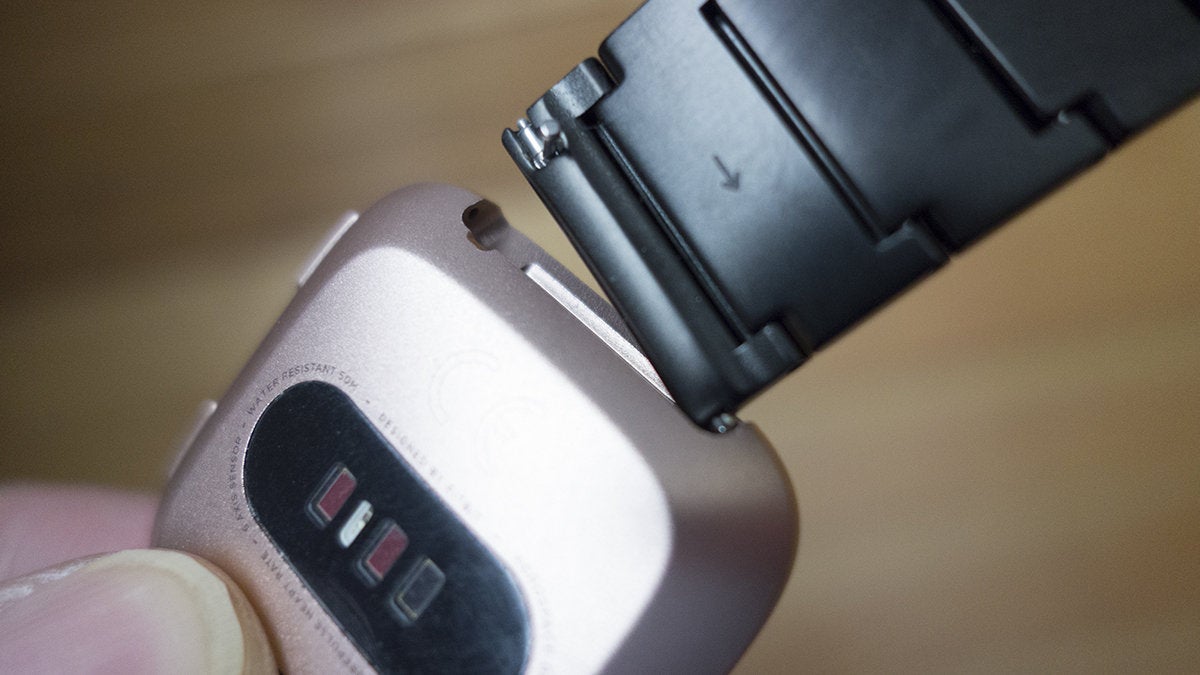
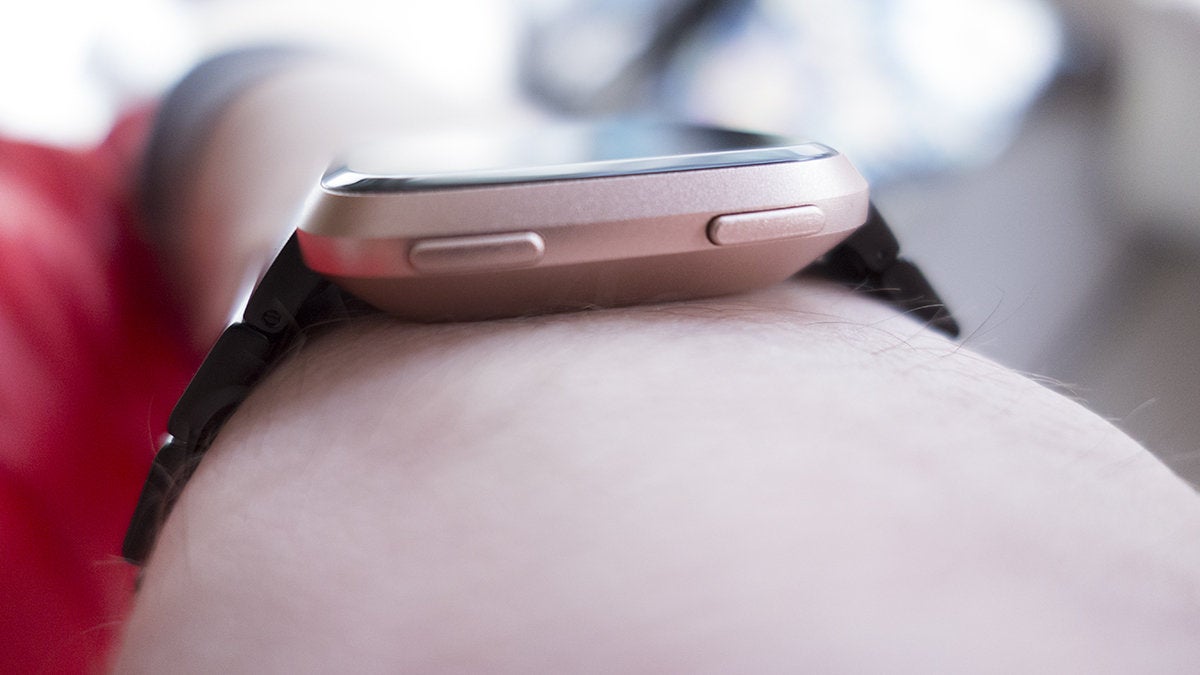
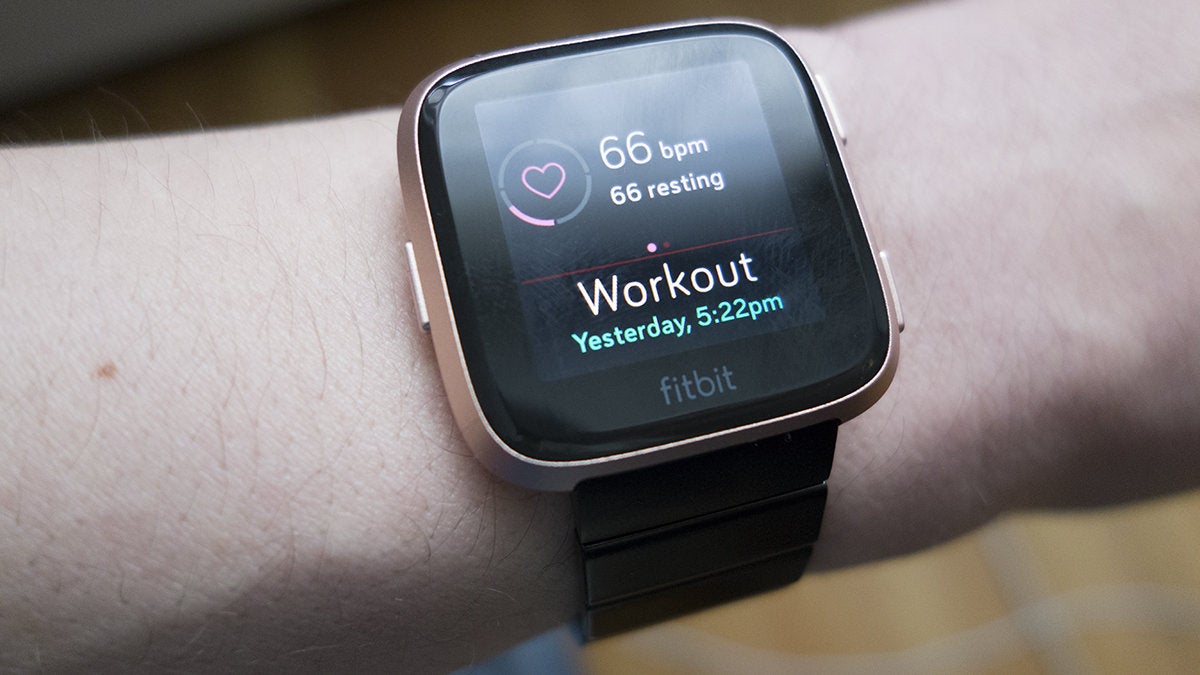
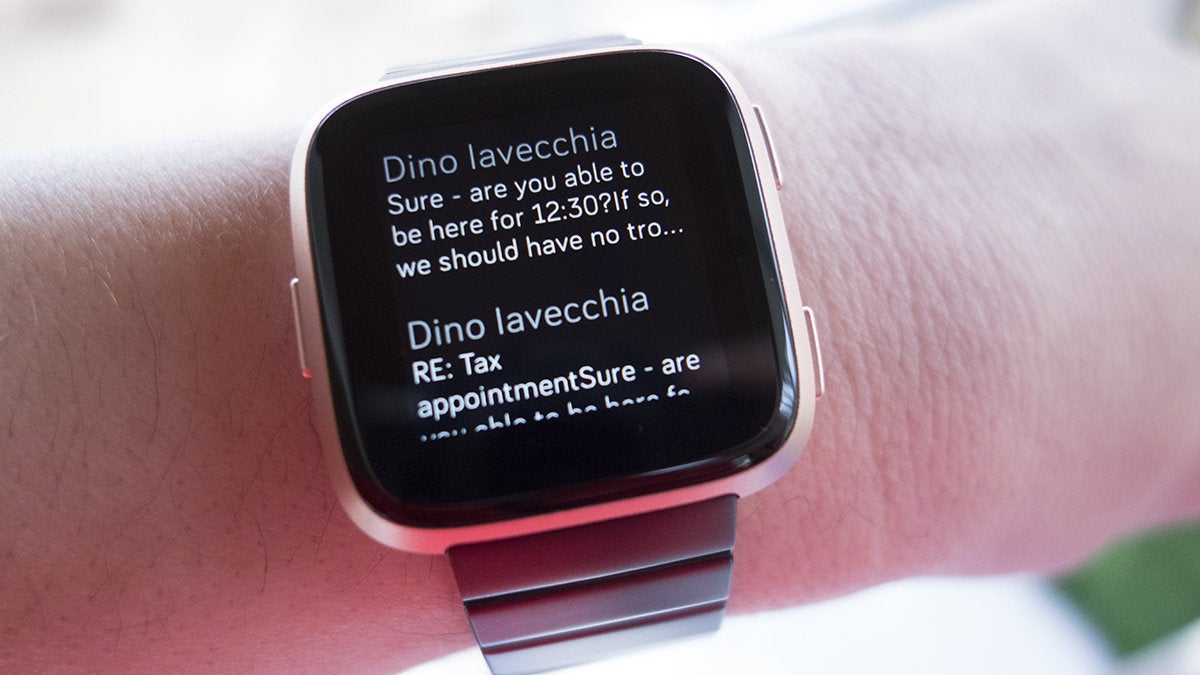
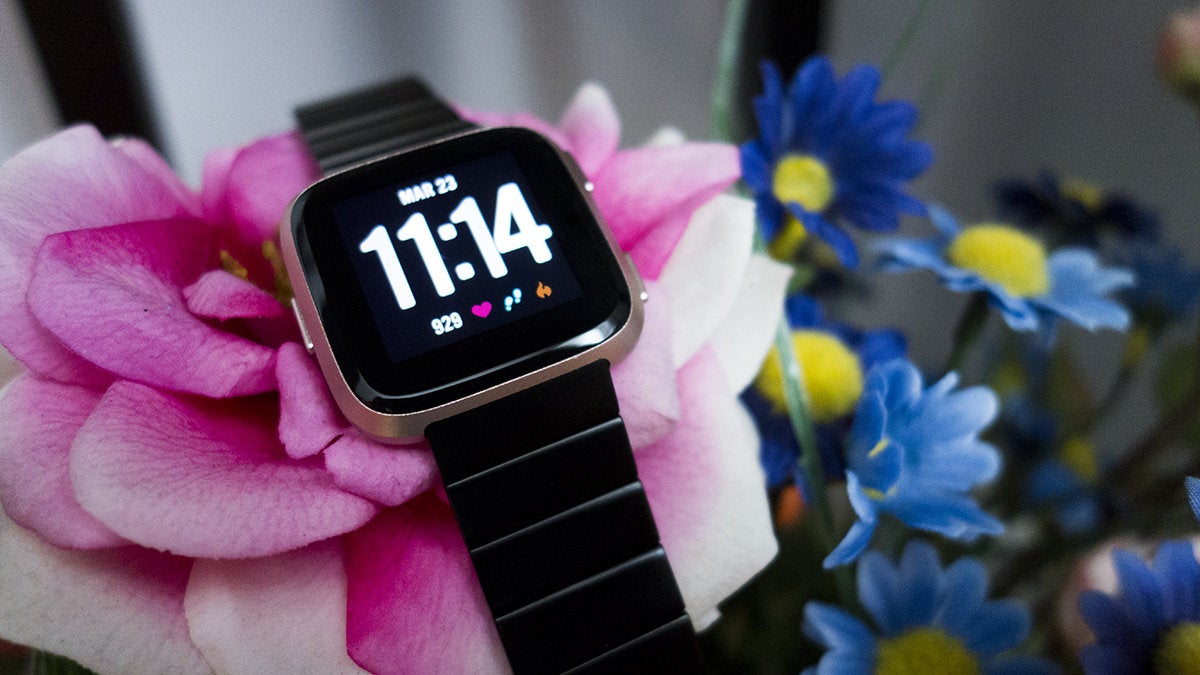
Building up on the success of last year’s Versa smartwatch, Fitbit just announced a worthy successor called the Versa 2. The new version brings several improvements including an OLED display, Amazon Alexa and Spotify integration as well as a faster processor and longer-lasting battery.
Alongside the Versa 2, Fitbit announced a new coaching service called Fitbit Premium. It’s $10 a month or $80 per year and gives you specific guided plans for workouts, calorie intake and weight control.
All Versa 2 variants feature an aluminum casing and now come with NFC which alongside Fitbit Pay allows you to use the watch for contactless payments. There’s also 24/7 heart rate tracking and 50M water resistance which means you’re good to track your swimming workouts.
In addition, it features all the standard fitness tracking modes for running, cycling, yoga as well as new sleep tracking modes. The new Sleep Score function adds a detailed breakdown grade of your sleep patterns based on your heart rate.
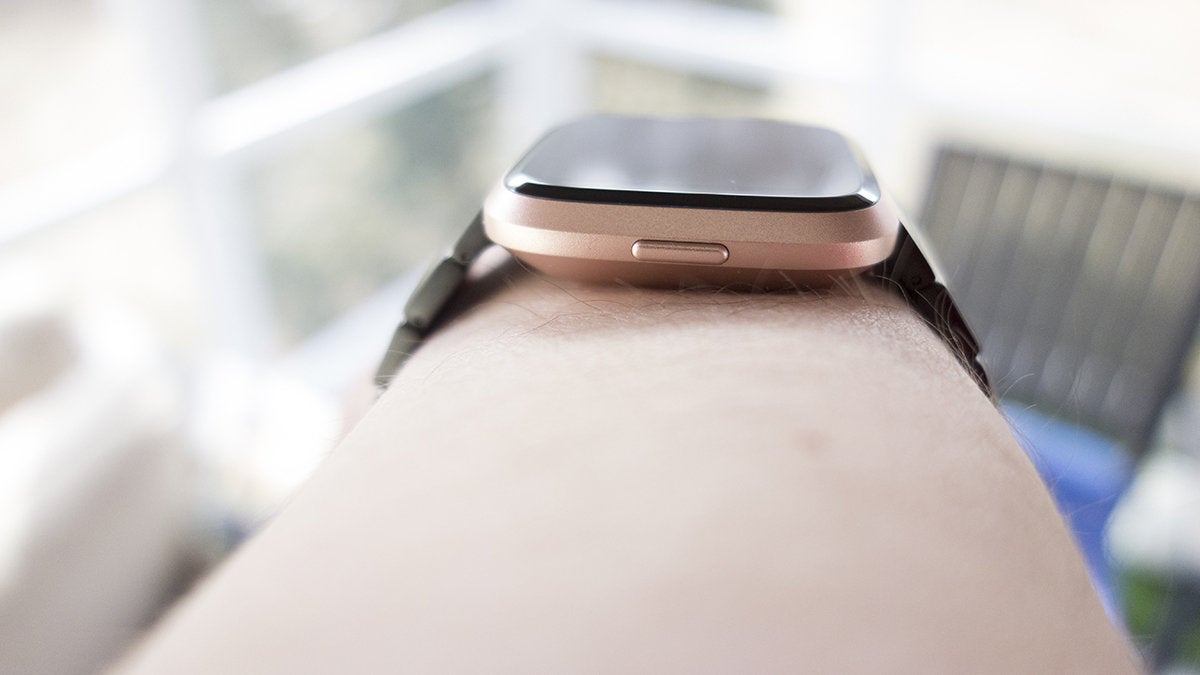
The device also features an Always-On Display which comes in handy for a quick glance at the time, workout progress and battery life. As far as battery life, Fitbit is promising 5 days on a single charge which is a full day more than its predecessor. The Versa 2 only has a single button on the left side which is programmable. There’s still no built-in GPS so you’ll need to pair your phone to track your runs.
The Fitbit Versa 2 is up for pre-order starting today and will be available in stores starting September 15. Retail for the regular versions is $199 while the special editions which feature an extra woven strap will go for $229.
Want to use your Apple Watch as an alarm clock? Whether you wear your Apple Watch to bed, or use it in nightstand clock mode, you can set your Apple Watch to function as an alarm clock.
There are a few different ways to add alarms to Apple Watch, we’ll show you various methods to setting an alarm using Siri for both repeating alarms and one-off alarms, as well as using the Apple Watch Alarms app to set an alarm.
How to Add Alarm on Apple Watch with Siri
The easiest way to add an alarm to the Apple Watch is by using Siri. To set a one-time alarm on Apple Watch with Siri:
Summon Siri on the Apple Watch (by using Hey Siri, raise-to-Siri, or holding the rotating dial button), then say “Set an alarm for (time)”
For example, to set an alarm for 5:30 am, you’d say “set an alarm for five thirty A M”.
How to Set Repeating Alarm on Apple Watch with Siri
To set a repeating alarm that goes off every day at the same time, use the following syntax:
Summon Siri on the Apple Watch, then say “Set a repeating alarm for six thirty A M”
A repeating alarm will repeat every day at the same time, so if you want a consistent alarm this is a good way to have one.
How to Set Alarm Clock on Apple Watch with Alarms app
You can also set an alarm clock on Apple Watch by using the Alarms app, this requires multiple steps performed on the watch itself:
Open the Alarms app on Apple Watch then tap on “Add Alarm”
Choose whether you want the alarm to be AM or PM
Next tap on the hour and use the rotating dial button on the Apple Watch to select the hour you want the alarm to go off on
Then tap on the minutes and again use the rotating dial to set the minutes
Tap on the “Set” button to set the alarm
To set the alarm to repeat, tap the alarm time to edit the alarm, then tap the “Repeat” option and adjust accordingly
You can set other customizations to the alarm as well, including changing the name, changing the alarm clock time, and whether or not to allow snoozing of the alarm.
How to Snooze & Stop Alarms on Apple Watch
You can snooze the alarm clock on Apple Watch by pressing the rotating dial button.
You can stop and turn off the Apple Watch alarm by pressing the other flat button on the Apple Watch.
How to Easily Check What Alarm is Actively Set on Apple Watch
Aside from going into the Alarms app and looking at which alarms are active there, there’s another convenient way to easily see what alarms are set on Apple Watch.
When the Apple Watch is placed into Nightstand Mode (sideways on a charger), tap on the screen to see the clock and look for the “Alarm (time)” text directly under the main clock. Optionally you can use a knock on the nightstand to wake the Apple Watch screen and see the alarm that way too.
How to Delete Alarms on Apple Watch
Open the Alarms app on Apple Watch
Tap the alarm you want to delete
Scroll to the bottom of the edit alarm list and tap on “Delete” to remove the alarm
You can delete alarms that were set by Siri or alarms that were added manually, removing the alarm is the same regardless of how it was added and set in the first place.
A smartwatch that’s more than just a great conversation starter. It tracks your activity and monitors your sleep, it plays music and handles mobile payments, and yes, it even tells the time with remarkable accuracy! But is spending over $300 on Samsung’s latest smartwatch a wise investment? I used it for several weeks to find out.
In the box:
Samsung Galaxy Watch
Small and large wrist band
Wireless charging cradle
Wall adapter (with non-detachable microUSB cable)
Quick start guide
Design and comfort
The age-old “if it ain’t broke, don’t fix it” mantra is in full effect here, as the Samsung Galaxy Watch looks and feels a lot like the company’s last few smartwatches. It retains the classic appearance and circular design, allowing it to look more like a lifestyle accessory and less like a geeky toy. Whether I’m at the office, out for dinner, or exploring the great outdoors, the watch doesn’t seem out of place on my wrist.
What’s new is that the Samsung Galaxy Watch comes in two sizes. I wore the smaller, 42mm Galaxy Watch throughout the first week of my testing. This model would more easily appeal to a broader audience not only because of its size, but also with the colors it comes in: the decidedly feminine Rose Gold (which we have here) and the much more neutral Midnight Black. However, most of my lady friends who gave it a try did find the watch rather thick.
From left to right – Garmin FR 645, Galaxy Watch 42mm, Apple Watch, Galaxy Watch 46mm
Meanwhile, the larger, 46mm Galaxy Watch only comes in Silver. It is thicker and noticeably heavier, with a pronounced masculine appearance. I also found it more likely to get caught in the sleeve of my shirt. But if you’re already used to wearing extra-large timepieces, then this is the model you should be considering. Admittedly, I got used to its size after wearing it for a couple of days and didn’t think about switching back to the smaller variant.
By the way, the 42mm and 46mm sizes refer to the width of the body of the watch, not to the diameter of its display.
As far as durability goes, the Samsung Galaxy Watch is as tough as you’d expect. It is waterproof down to 50 meters so it is safe to swim with it. It complies with military standards for resistance against shock, extreme temperatures, solar radiation, and other environmental factors. The display is protected by the raised bezel around it, as well as by a layer of Gorilla Glass DX+ scratch-resistant glass developed with watches in mind. And the stainless steel construction resists dents and scratches much better than aluminum would. After several weeks of use, my review units are showing no signs of wear or physical damage.
The soft, rubbery band supplied by Samsung is nice and bendy, and the metal clasp ensures a reliable fit. There’s a bit of stretch to it, which helps with comfort. The only issue that I noticed was that the strap bundled with my 46mm model easily attracts dust and dirt, but a wet towel cleans it easily. Since the band mechanisms are not proprietary, they can be replaced with standard 20- or 22-mm bands, depending on whether you have the 42mm or 46mm Galaxy Watch. Samsung itself is offering leather bands for about $40 apiece.
Display and controls
The 42mm and 46mm Galaxy Watch models come with 1.2- and 1.3-inch displays respectively, both with a resolution of 360 by 360 pixels. Colors are vivid, outdoor visibility is excellent, and text is always displayed in white against a black background, so it is sharp and easy to read. Moreover, since these are OLED screens we’re dealing with, having the watch face always on is an option – although one disabled by default as it shortens battery life. I kept it on nonetheless because it looks awesome.
Samsung‘s trademark rotating bezel is one of the coolest Galaxy Watch features. For those not familiar, it is used for navigating through the interface – for switching between widgets, for example, or for scrolling down an email without obscuring anything on the screen with your finger. All in all, the bezel is a welcome convenience, and there’s something oddly satisfying about the way it clicks with each rotation. Additionally, there are two more buttons on the side – one that takes you back a step and another for accessing the app drawer or going back to the home screen.
As any other touchscreen, the one on the Galaxy Watch may become less responsive as moisture accumulates on it during intense exercises, but I didn’t run into any major issues with it. A special mode locks the display while tracking swimming exercises.
Interface and functionality
The Galaxy Watch runs Samsung‘s own Tizen 4 operating system, which excels in many key areas, one being speed. Both sizes are powered by a new, dual-core Exynos 9110 chip which is both more powerful and more power-efficient than those used in previous Samsung smartwatches. Navigation is swift, and the UI responds instantly to input.
Slowdowns are rare and have a negligible impact on the user experience. It is worth noting that we have the non-LTE Galaxy Watch models for review. These come with 768MB of RAM, while the LTE versions have twice as much, and that might result in even faster performance.
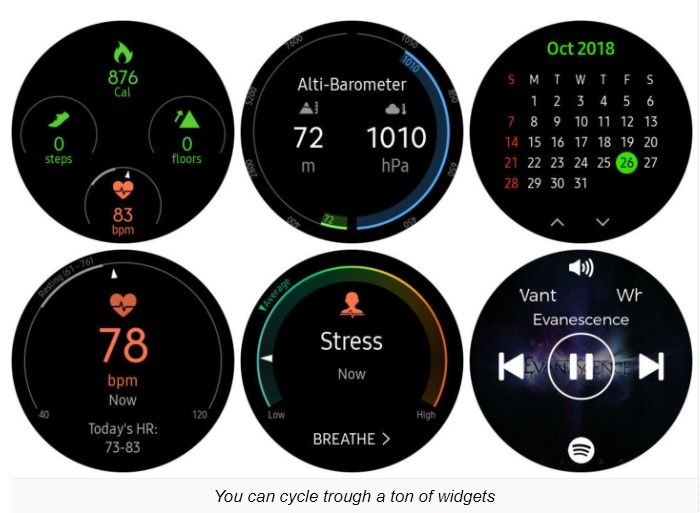
The software itself is easy to get the hang of. Your watch face serves as a “home screen”, naturally, and raising your wrist turns the screen on. From there, much of the navigation can be done conveniently through twists of the rotating bezel. Turning it to the left takes you to your notifications, and you cycle through your widgets by a turn of the bezel to the right. There’s also an app drawer which is accessed by a press of a button on the right side. A swipe down from the top of the screen give access to quick settings and status information.
Notifications arrive on the Samsung Galaxy Watch only moments after they appear on your phone, and dismissing them on one device makes them disappear from the other as well. Neat! You can respond to incoming messages with a predefined answer, by typing or swiping in your response, or by using voice input. As you’d expect, typing on a tiny on-screen keyboard can be frustrating, so I used primarily Samsung‘s more convenient swipe input method where you swipe letters on the touchscreen one by one.
By twisting the rotating bezel to the right, you cycle through your widgets, and once I configured these to my liking, no action felt like it took too many steps to perform. The selection of widgets covers all essential needs: weather information, app shortcuts, quick access to contacts, reminders, music playback controls, and many more. Dedicated widgets also let you easily start an exercise, view your activity at a glance, or measure your pulse or stress level.
Samsung has equipped the Galaxy Watch with a fair amount of customizable watch faces designed to fit most user’s needs. Some have a clean and classic design, while others are sportier, with complications displaying activity stats. Out of the box, the selection isn’t very broad, but many more watch faces are available for download from the Galaxy Apps store.
Bixby – Samsung‘s virtual assistant – is present on the Galaxy Watch and can be triggered with a double press of a button on the side. This lets you use voice commands to do things like calling a friend, starting an exercise, asking for the weather or setting a reminder. All in all, Bixby has the basic covered, but it leaves room for improvement. Her voice, for instance, is decidedly robotic, unlike that of Siri or the Google Assistant. Secondly, she can be a bit slow with her responses, and I run into multiple issues, such as troubles with setting reminders. When I asked questions like “How long is a marathon?” or “What is 24 miles in kilometers”, I was asked to check those on my device instead.
Health and activity tracking
“Time to get moving!” – this is the message that pops up every time when I’ve been sitting on my desk for too long. Inactivity reminders may be annoying, but they’re ultimately for our own good, and I’m glad to see them present on the Galaxy Watch.
Of course, the watch can track a wide variety of activities, from running and cycling to a multitude of gym exercises. Swimmers should know that Samsung‘s software lets you have a custom pool length instead of several predefined ones. And I had no issues tracking my soccer games which I tracked as a Running exercise. I noticed that longer walks are logged as well – automatically. For many activities you get detailed data, such as the distance
you’ve traveled along with a map of your trip (if relevant), the calories you’ve burned, and the heart rate zones you spent time in. But I ran into issues as well. For example, there are presets for squats and jumping jacks, but the watch has a hard time keeping count of my repetitions. I ended up doing twice as many reps because the watch simply couldn’t detect that I’ve jumped or squatted. My legs still hurt a bit.
Sleep tracking is also available on the Galaxy Watch. In the morning, I’m given a breakdown of my sleeping stats, including how much time I’ve actually spent sleeping and how much time I’ve spent in each stage: Light, Deep, and REM sleep. Samsung‘s sleep tracking definitely works, but I really wish I was given a clearer idea of whether my sleep patterns are normal. With the way stats are currently displayed, I don’t see a clear indication of whether the 2 hours of REM sleep that I got last night are enough and whether I should do something about it. Also, I find sleeping with the Galaxy Watch on my wrist rather uncomfortable.
Stress monitoring is another new feature of the Galaxy Watch. By default, stress is measured manually on demand, but you can have it measured constantly. This, however, has a noticeable impact on battery life. If a high stress level is detected, the Galaxy Watch will suggest a brief breathing exercise to calm you down. Personally, I’m not convinced in the accuracy of these readings. At times when I did feel pretty stressed, such as when nearing a deadline at work or after 30 minutes of driving during rush hour, the needle was still pointing at a stress level below the average.
Connectivity
Throughout my testing, I used the Samsung Galaxy Watch together with a Galaxy S9+smartphone. Pairing was quick and easy, as the phone automatically detects the presence of the wearable nearby and initiates the setup process at the press of a button. The watch works with iPhones and non-Galaxy Android phones as well, although your experience may differ. Samsung Pay, for example, can’t be used when the watch is paired with an iPhone.
The Galaxy Watch talks to your smartphone over Bluetooth and maintains a decent connection within a range of at least 30 feet. Once it falls out of range, it will search for a known Wi-Fi network, and it is neat that all Wi-Fi passwords stored on my Galaxy phone were automatically transferred to the watch. Notifications from my phone did arrive even when I was on Wi-Fi, albeit with some delay. The only annoyance that I noticed was that it takes about a minute for the watch to connect to Wi-Fi once Bluetooth connectivity is lost. GPS connectivity is on board for precise location tracking during exercises. In addition, NFC is available for making mobile payments via Samsung Pay. However, you can’t use the watch with older terminals using a magnetic stripe.
Samsung is also offering LTE variants of the Galaxy Watch, thus enabling it to be online all the time. LTE can be useful for streaming music without having your phone around, as well as for making calls or sending texts. We’re not sure how much of an impact LTE connectivity would have.
Phone calls, multimedia, Spotify support
Whether you have an LTE model or not, the Samsung Galaxy Watch can be used to make phone calls. On a non-LTE model, the watch simply acts as a Bluetooth speaker while the call itself is handled by your phone. Call quality isn’t stellar, but it is acceptable. The speaker built into the watch is sufficiently loud and produces clear voice tones. Voices do sound muffled and digitized on the other side of the line, but having a conversation in a relatively quiet environment is definitely possible without much effort.
If you ever want to, you have the option to copy images and music from your phone to your Galaxy Watch. There are 4GB of built-in storage (about 2.5GB user-available), which is less than what an Apple Watch offers, but enough to store several hundred songs.
Spotify is available for download on the Galaxy Watch. This allows you to stream music over Wi-Fi or LTE and listen to your playlists during exercises, or simply download audio for offline use. Music can be listened to from the watch’s built-in speaker, but I would strongly recommend pairing the wearable to a set of Bluetooth headphones instead. While tracking an exercise, playback controls are easily accessible with a twist of the bezel to the left. By the way, I had numerous connectivity issues with Spotify on my review unit, but these were rectified through a recent software update. It now works just fine and maintains a strong connection with my wireless earphones.
Battery life and charging
Just like Samsung’s last few smartwatches, the Galaxy Watch delivers solid battery life. The smaller, 42mm variant easily lasted through 2 full days between charges, while the bigger, 46mm model got me through 3 full days – with the screen always enabled on both. Disabling the Always-On Display feature makes them last a day extra.
Of course, your mileage may vary, depending on how you’re using your Galaxy Watch. Music listening over Bluetooth, for example, takes its toll. On the bigger Galaxy Watch, Spotify consumes 13% of battery life when streaming over Wi-Fi and 10% if you’re listening offline. Fortunately, Sleep tracking consumes only about 7% per night.
Both Samsung Galaxy Watch models require around 2 hours and 20 minutes to charge completely. That’s not particularly fast, but if just give them a quick, 30-minute boost as you’re getting ready for work, you’ll have enough charge in the tank to last through the day. Charging is done by placing the watch on the provided magnetic wireless charging stand.
Conclusion
A smartwatch is still the kind of gadget that you don’t necessarily need, but having one is kinda neat nonetheless. Sure, it is yet another gizmo that you have to charge regularly, but you gain more than just a timepiece that glows in the dark. It helps you keep track of your schedule, it tells you precisely how active (or inactive) you are, and it conveniently delivers your notifications to your wrist.
To those in the market for a smartwatch, the Samsung Galaxy Watch is easy to recommend. It is fast, good-looking, and has great battery life for a device of its class. But it isn’t quite the smartwatch for everyone. iPhone users, for instance, would still be better off with a last-gen Apple Watch, while serious athletes and fitness enthusiasts will be probably served better by other brands. For the rest of us – who may be looking for a high-tech lifestyle accessory blending style, function, and self-expression – the Galaxy Watch would be a great choice.
Currently, the Samsung Galaxy Watch starts at $330 for the 42mm model and $350 for the bigger, 46mm variant. Adding LTE with T-Mobile to the list of features brings the prices up to $380 and $400, respectively. That’s not exactly pocket change, but not expensive either, seeing that Samsung’s most expensive Galaxy Watch model costs as much as the cheapest Apple Watch Series 4. Whether it’s a worthy investment is totally up to you to decide.
LG has been a major part of Google’s Android Wear and Wear OS ecosystem, launching several smartwatch models over the years. Today the folks at LG introduced its latest Wear OS model, and it’s got an interesting twist.
The LG Watch W7 is a “hybrid smartwatch” that includes high-precision quartz movement and physical watch hands. LG is harnessing those features to give you an option for super-long battery life, bundling in a mechanical watch-only mode that’ll give the Watch W7 up to 100 days of battery life on a single charge.
If you hear “physical watch hands” and think that they could get in the way of viewing notifications, LG has included a feature for that. If you press the top right button on the watch, the hands will move out of the way to help you better see your alerts.
LG is enabling the physical watch hands to display additional information beyond just the time. They can also show info related to the altimeter, barometer, stopwatch, timer, and compass directions.
Of course, the LG Watch W7 is also a smartwatch, and there are smart features included like a round 1.2-inch 360×360 LCD screen, 768MB of RAM, and 4GB of storage. LG has included the Snapdragon Wear 2100 processor, not the new Snapdragon Wear 3100 chipset, and there’s a 240mAh battery powering the whole package. All those features are packed into a stainless steel case that’s IP68 water resistant.
Rounding things out is the Wear OS software. This is LG’s first wearable with the new Wear OS platform, which offers swipe-based navigation from the watch face to help you more quickly get to important parts of the software. Swiping up will get you to your notifications, swiping down will go to Quick Settings, swiping right will go to Google Assistant, and swiping left will send you to Google Fit.
The LG Watch W7 will be available in the U.S. from Best Buy. Pricing will be set at $449.99. If you want an LG Watch W7 on your wrist, you’ll be able to pre-order a unit on October 7th, and the full launch will happen on October 14th.
If you don’t remember Pebble, it’s easy to write off Fitbit’s Versa as a cheap Apple Watch knockoff. It has the same square body as Apple’s dominant wristwatch. Its size strikes a perfect balance between the 42mm and 38mm sizes. You can dress it up with a similar series of metal and leather bands. And it comes in rose gold.
But spend a little time with Versa and you’ll see that it’s not as much of an imitator as it is Apple Watch’s first real competitor. Granted, that’s not saying all that much. Fitbit shut down Pebble before Apple Watch hit shelves, most Android Wear/WearOS watches have been dead on arrival, and Fitbit’s own Ionic smartwatch was too buggy and expensive to seriously challenge Apple Watch. But Fitbit’s new $200 wearable is the Pebble Watch we always wanted, combining fitness acumen with technological smarts into a sleek, attractive package.
Fitbit Versa is small, light, and packed with features.
It still has a heavy focus on fitness and health, of course, but Versa is a something of a watershed product for both Fitbit and the smartwatch industry, a true lifestyle product that rights many of Ionic’s missteps and proves that Apple Watch isn’t the only game in town.
A design for all sizes of wrist
When Fitbit launched its Ionic wearable last year, it was a bit of a disappointment. While it predictably excelled at fitness tracking with multi-day battery life and on-watch coaching, it was more than a little underwhelming as a smartwatch. Too big to appeal to anyone other than bulked-up athletes, Ionic and its app-starved Fitbit OS was most certainly at the beginning of what seemed to be a lengthy work in progress.
One button is probably enough to control Versa but it actually has three.
ut less than six months later. Versa is pretty much everything Ionic isn’t. While Fitbit has thankfully stuck with its square shape, the lugs that extended aggressively above and below Ionic’s screen are gone, leaving a squat square body. Without the extra frame, Versa’s bands attach directly to the edges of the watch body, giving it a more natural wristwatch look. The similarities to Pebble Time and Apple Watch are inevitable, but Versa is still very much its own device.
Like Ionic, Versa comes in three colors, but the black, silver, and rose gold here feel much softer than Ionic’s gray and burnt orange. It’s both thinner (11.2mm versus 11.4mm) and shorter (37.6mm versus 38.6mm) than the female-friendly 38mm Apple Watch, and its decidedly non-athletic aesthetic makes it look more like a fashion statement than a fitness one. Where Ionic is more at home on a treadmill or triathlon, Versa is, well, versatile enough to be worn to a business meeting or a night out. And perhaps most importantly, it won’t look ridiculous on a tiny wrist.
At just 23 grams, Versa is also incredibly light, even when using one of the heavier metal link bracelets. Swapping the bundled sport band for one of the 16 leather or fabric ones Fitbit is selling is easy enough, with a small lever that controls a standard 22mm watch pin. Though Ionic’s snap-on system is far superior, as is Apple’s slide-out mechanism, Versa’s band options are attractive and affordable, particularly the metal link band that Fitbit is selling for $100. It’s not as luxurious as Apple’s Space Black link bracelet, but it’s also $450 cheaper.
Versa’s band-switching mechanism isn’t as elegant as Ionic’s, but it does the trick.
Versa’s display is on the small size at 1.34 inches—and slightly off-center due to Fitbit’s insistence on putting its name on the front of the device—but it’s incredibly bright and crisp. The bezels are a little chunkier than the ones on Apple Watch, and without a black-friendly OLED screen, you’ll notice them a whole lot more on Versa.
The sides of the frame feature the same three-button layout as Ionic, which is probably one button too many. Two shortcut keys are a bit of overkill, especially since you really don’t really need to use the buttons for navigation anymore. Swipes and taps register much quicker on Versa than Ionic, and Fitbit has tweaked the interface so it’s much more intuitive and touch-friendly.
A fitness tracker with a focus on health
As a fitness tracker, Versa is pretty much Ionic without on-board GPS, but for the price, the lack of a dedicated tracking chip isn’t a surprise. (Apple’s Series 1 watch doesn’t have GPS either.) More bothersome is the absence of NFC on the base model. If you want to make payments using Fitbit Pay, you’ll need to spring for one the $230 special-edition models, available in graphite or rose gold with woven bands.
Versa’s concave design cuts a nice profile on your wrist.
Otherwise, everything else is here, including on-watch training, specialized exercise tracking, and advanced heart rate monitoring. It runs the same Fitbit OS as well, whose library of apps have been greatly expanded from the early days of Ionic. While it’s still nowhere near as robust as the Apple Watch store or even Samsung’s Gear store, you’ll find a decent selection of apps, including Yelp, The New York Times, Philips Hue, and Nest, as well as several fitness-related apps. There are 550 apps and clock faces available for Ionic, with about half of them available for this review and the rest on the way, Fitbit tells me.
Like Pebble, Fitbit’s apps are decidedly specialized and mostly single-featured—for example, the Starbucks app is still just a place to store your loyalty card—but I can see a similarly passionate community building around it as Versa grows. Fitbit has started the ball rolling with its own Fitbit Labs section, which contains more specialized, nonessential titles, such as Think Fast, a mental agility game, and the upcoming New Parents app that lets moms and dads track diaper changes and feedings.
Apps load far more quickly and effortlessly than they did when Ionic launched, and I didn’t receive any error messages when switching clock faces. That’s an important improvement, because users are going to want to swap out their faces a lot. While writing this review, I counted more than 50 styles to choose from, many of which are professionally designed with smooth animations and up-to-date stats, and Fitbit says hundreds more are on the way.
Versa’s new Today screen will show your steps, heart rate, and other stats.
Fitbit’s impressive sleep tracking is on display here too, though the lack of a dedicated app means you’ll have to log into your dashboard to see the results. Fitbit has added a nifty Today screen that shows your daily stats by swiping up from the bottom of the screen. While it isn’t as visually polished as Apple’s Activity app, it’s a smart way to see steps, goals, floors, distance, and workouts. And coming soon, women will also be able to track their menstrual cycle on this screen, an important piece of Versa’s feature set that isn’t quite ready yet.
Period tracking gives Versa an important distinction over Apple Watch. While Apple gives women a way to track their cycles using Health or various third-party apps on the iPhone, Fitbit will be baking it more deeply into its ecosystem, pushing it to Versa and prominently displaying it in the Fitbit app. Women have long been underserved by the smartwatch, and Fitbit’s whole approach with Versa is a breath of fresh air.
The killer feature is battery life
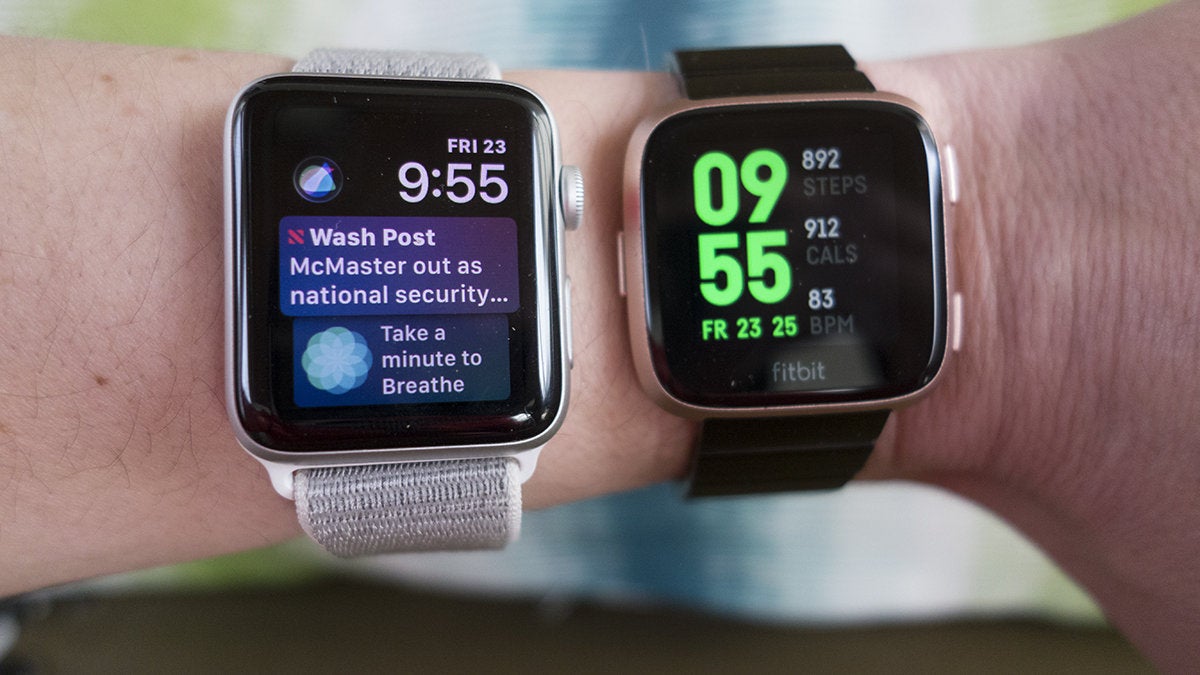
Versa’s battery life is about the same as Ionic, but it’s even more impressive in such a small package. I wore Versa along with an Apple Watch Series 3 while listening to an hour of music, two half-hour workouts, six hours of sleep, and lots of notifications, and here’s what was left after 24 hours:
That’s not a small difference by any stretch. Those numbers put Versa‘s battery life at exactly four days, but I reckon most people will be able to push it into a fifth. The biggest battery suck was music playback, but even then, I lost just eight percent after an full hour of listening, as compared to 14 percent on Apple Watch.
When you need to charge it, Fitbit has introduced yet another plug with Versa, and this one is a little less portable than Ionic’s magnetic cable. The watch comes with a small cradle that opens when you pinch the sides and shuts to hold the watch in place. It’s a nice piece and I liked it better than Apple’s inductive puck, but some outdoors enthusiasts might miss being able to toss a simple cable into their bag on lengthy sojourns.
Notifications aren’t interactive in Versa and sometimes you’ll get duplicates.
Notifications on Versa mimic the ones on your phone, so unless you spend some time managing them on the Fitbit app, you’ll probably be getting a pretty consistent stream of buzzes. You can set default message, calendar, and email apps from the ones installed on your phone, and notifications from those apps will receive a degree of prominence, but the system isn’t nearly as robust or refined as Apple’s. You can’t interact with notifications in any way (even if a Versa version of the originating app is installed on your watch), and they occasionally duplicated or didn’t show up at all.
Fitbit has at least promised to bring Android quick replies in a future update, but for the most part, notifications on Versa or any other Fitbit smartwatch will never be central to the experience. I can live with that, though I wouldn’t mind Fitbit adding voice control or teaming with Amazon to bring Alexa to Versa. The lack of any sort of assistant is a glaring omission in the age of AI, and it would make a great addition to Versa 2.
Should you buy a Fitbit Versa?
The $200 Fitbit Versa is hardly a perfect smartwatch. It’s missing GPS and NFC, has a small library of apps, and doesn’t have any sort of voice control or AI assistant. However, it has three important things going for it: it’s small, it’s attractive, and it has a great battery. Plus it costs $50 less than the cheapest Series 1 Apple Watch.
Versa has decidedly softer aesthetic than Ionic, which should appeal to a broader range of buyers.
If you aren’t an Apple devotee, Versa is a no-brainer, but iPhone users who don’t want to spend $350 to $400 on an Apple Watch Series 3 should take a hard look at Fitbit’s new smartwatch. And since it works across multiple platforms (iOS, Android, and any remaining Windows Phone users) you won’t be stuck with a piece of costume jewelry if you switch.
Back when Apple Watch was just a glimmer in Jony Ive’s eye, Pebble was showing the world what a smartwatch could and should be. That spirit can be felt all over Versa. And something tells me it’ll make a much bigger dent in the smartwatch landscape than a pebble would.
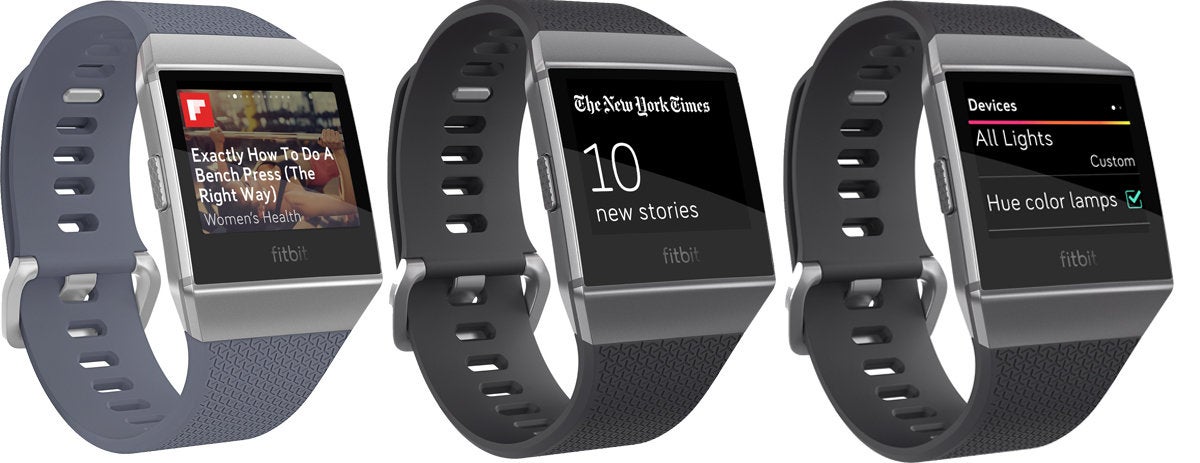
Yelp, Flipboard, and The New York Times join Fitbit’s burgeoning app catalogue.
Fitbit’s Ionic smartwatch ($299 on Amazon) is getting some new friends for the holidays. A software update available Tuesday will deliver more than 80 new clock faces and a variety of apps so you can control your lights and check stocks while you work out.
The Ionic’s biggest shortcoming as a smartwatch is its paltry selection of third-party apps. While this update won’t necessarily fix that problem, it does bring a few notable additions that enhance what you’re able to do when wearing Ionic:
Flipboard: View health and fitness stories.
Philips Hue: Control your lights.
Surfline: Track swells and weather conditions.
The New York Times: Check the latest headlines.
Yelp: Find nearby restaurants.
Those five apps probably won’t push any fence-sitters over the edge, but it’s good to see developers paying attention to the platform. Along with the above apps, Fitbit is promising five more by the end of the year (Clue, Game Golf, Nest, TripAdvisor, and United Airlines) bringing the total third-party catalogue to 14. Considering the wearable launched with just four third-party apps in September, that’s a veritable bounty. And more are on the way. Fitbit says British Airways, Lyft, and Walgreens apps will arrive in January.
Flipboard, The New York Times, and Philips Hue Lights are joining the Ionic app library.
Also new to Ionic are scores of clock faces to provide “at-a-glance information including active minutes, heart rate, games, goal progress, run cadence, sleep, or weather.” The availability of clock faces was one of the disappointments with the original Ionic OS, especially since the Pebble platform it was based on was so robust. Fitbit says more than 1,000 developers have committed developing for Ionic, and it will continue to add clock faces and apps to Ionic throughout 2018.
From lab to wrist
Perhaps most exciting to Ionic users is the launch of Fitbit Labs, a new initiative from Fitbit’s research and development wing that acts as a sort of beta program to showcase new app and clock face technologies the company is working on. The first round of apps and clock faces will be launching later this month and will include:
Fitbit Pet: Clock faces that help you stay active by using your steps to feed and care for dogs and cats.
Mood Log: A clock face that track how you feel and observes your mood patterns over time.
Tennis: An app to track your swing and give insights on your playing style and help improve your game.
Think Fast: A task-switching game to help you understand the effects of sleep and a healthy lifestyle on your mental alertness.
Treasure Trek: An app to help motivate you to stay active through gamification of your steps goal.
Along with the new apps and performance enhancements, the software update will also include include the new banks and multi-card payments to Fitbit Pay, as well as an partnership with Deezer to bring international users the ability to listen to streaming music from the Ionic without a phone. Similar to the service that exists for Pandora users in the U.S., the Deezer app will be available in 2018.
The availability of third-party apps is one of the drawbacks of the Fitbit Ionic.
The new software will be rolling out to all Ionic users today. To check the status of your watch, head over to the Fitbit app on your iOS or Android phone.
The impact on your wrist: It’s notable that the first software update to Ionic doesn’t include any fitness features. Fitbit is playing a massive game of catch-up when it comes to the smartwatch side of its flagship wearable, and in all likelihood, the Ionic’s app platform will never be as robust as Apple’s or Google’s. But you can argue that clock faces are more important to smartwatches, and it could be an area where Fitbit carves out a nice niche, especially if the ones introduced here are as well-designed as Fitbit’s fitness ones.
Find the Fitbit best suited to your activity level and habits.
As one of the biggest names in fitness trackers, Fitbit is an easy pick for recording your daily steps or sleep patterns. Selecting a specific Fitbit model, however, isn’t quite as simple.
The different Fitbit trackers have a lot of overlap in features, and so it’s not straightforward which one is the “best.” Moving up the scale in price doesn’t necessarily mean you get all the features of the cheaper trackers plus additional ones.
That’s where we come in. We’ve boiled down the options into three simple picks that should match most people’s activity levels and styles.
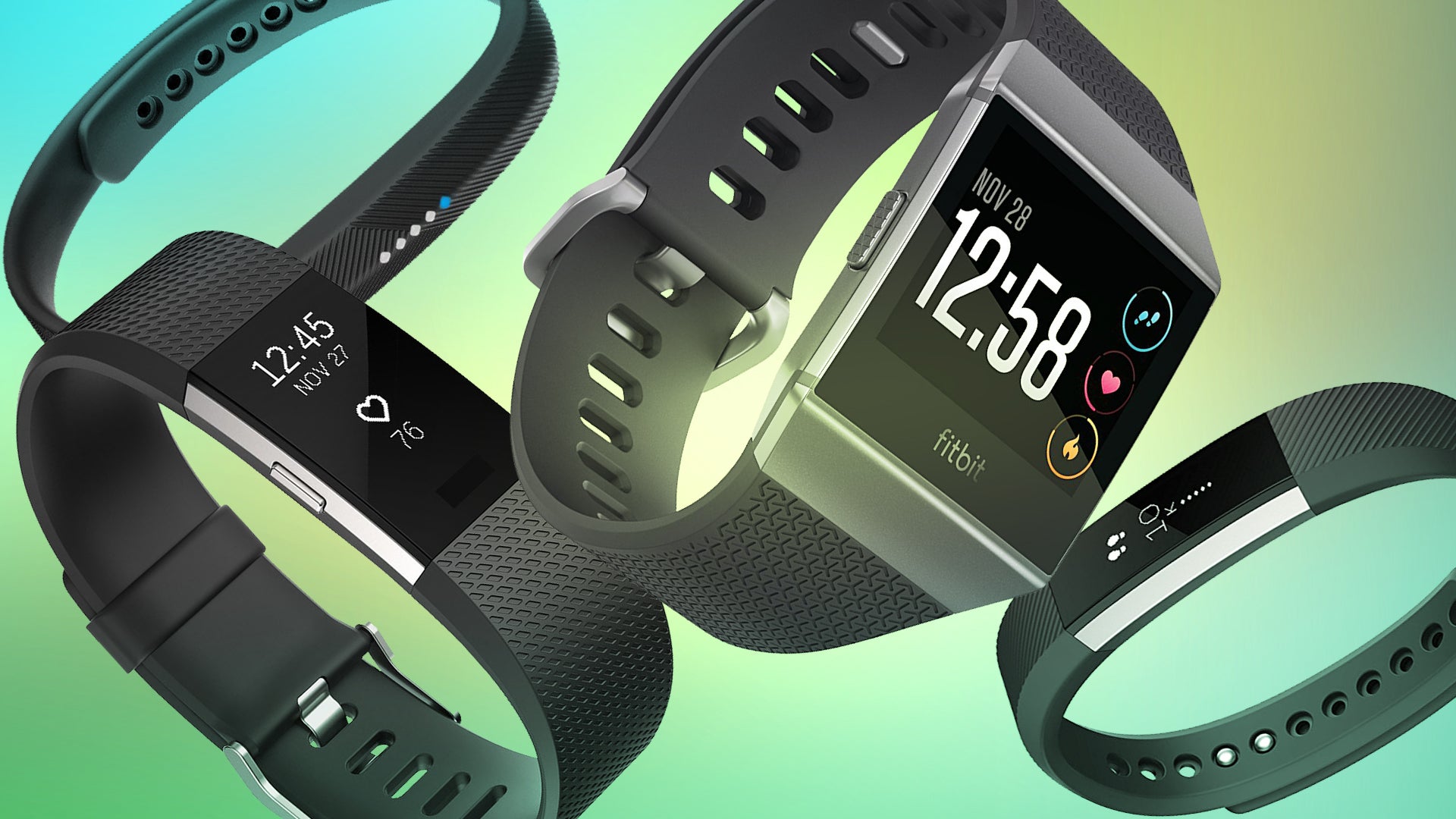
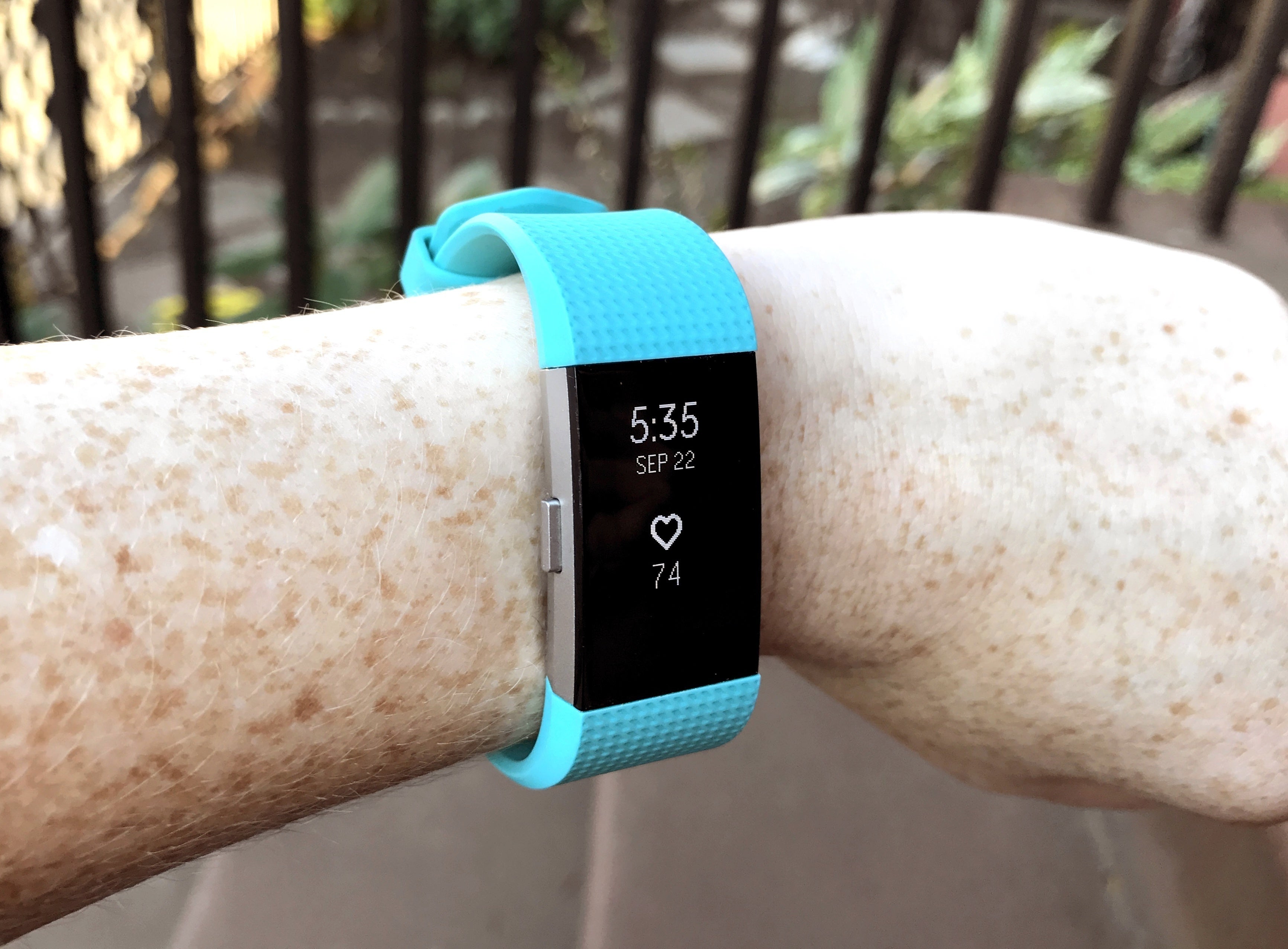
Best Fitbit: Fitbit Charge 2
Most people who want a fitness tracker are best matched with a general, all-purpose device that records steps, sleep, and heart rate. The Fitbit Charge 2 does all that well, and offers more on top of it: In addition to basic step tracking, continuous heart-rate monitoring, and sleep tracking, you also get automatic exercise tracking, silent alarms, and reminders to exercise and to practice mindful breathing.
The Charge 2 also offers a sizable OLED display that offers quite a bit of info at a glance. You can tap the display to toggle between step count, mileage, and calories burned. It also shows call, text, and calendar notifications. On average, you can expect 5 days of battery life with normal use.
Two features the Charge 2 lacks are built-in GPS and being swim-proof, so dedicated runners and swimmers may need to choose a different tracker. (The Charge 2 does connect to your phone’s GPS if you bring both devices for a run, though.) It’s also somewhat bulky on smaller wrists, but you can at least dress it up by swapping the default sports band for more stylish options.
Even with those shortcomings, the Charge 2 is great for those who want more data about their daily activities.
Runner-up: Fitbit Alta HR
The Fitbit Alta HR is all but equal to the Fitbit Charge 2, both in feature set and price. Its main distinguishing feature is how slender it is—arguably, it’s more stylish than the Charge 2.
In this compact form, you get basic step tracking; continuous heart rate-monitoring; workout tracking; notifications for calls, texts, and calendar alerts; automatic exercise tracking; sleep analysis; reminders to exercise; and a small boost to battery life over the Charge 2 (7 days instead of 5 days). It does, however, lack the Charge 2’s reminders to practice mindful breathing.
Like the Charge 2, the Alta HR also doesn’t have dedicated GPS and it isn’t swim-proof. Still, its longer battery life gives it something to counter the Charge 2’s larger display, and its heart-rate tracking gives it a boost over the standard Alta.
Best Fitbit if you wear a watch: Fitbit Flex 2
If you’ve already invested in a watch, replacing it with a fitness tracker isn’t an option. The Fitbit Flex 2 is small enough that it can be worn unobtrusively next to a watch or on the opposite arm, as a pendant or a bracelet, or clipped to clothing if you buy a third-party case.
Its feature set covers the basics: step tracking, call and text notifications, automatic exercise tracking, sleep analysis, and reminders to exercise. And while it lacks the more informative display of its Charge 2 and Alta HR siblings, the Flex 2 is water resistant and offers swim tracking.
If you’re looking for a full-featured watch replacement, the Fitbit Ionic will be a better solution (and keep scrolling for more info on the Ionic). For those looking for an unobtrusive and cheaper entry into the Fitbit world, the Flex 2 is it.
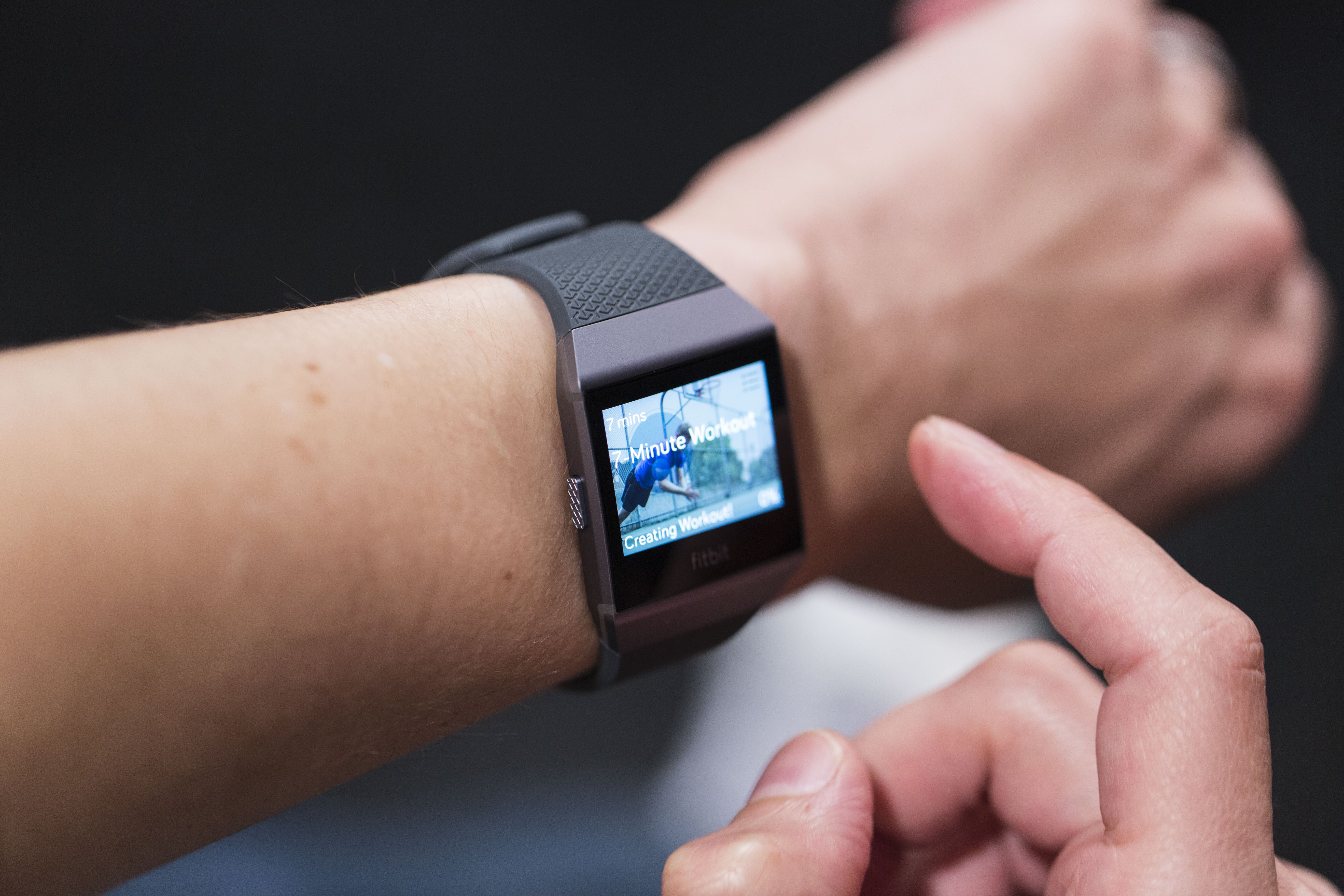
Best Fitbit with every feature possible: Fitbit Ionic
The Fitbit Ionic is the fitness tracker for those who want it all. As you’d expect, the Ionic offers step, sleep, heart-rate, swim, and automatic exercise tracking; reminders to exercise; and notifications for calls, texts, and calendar alerts.
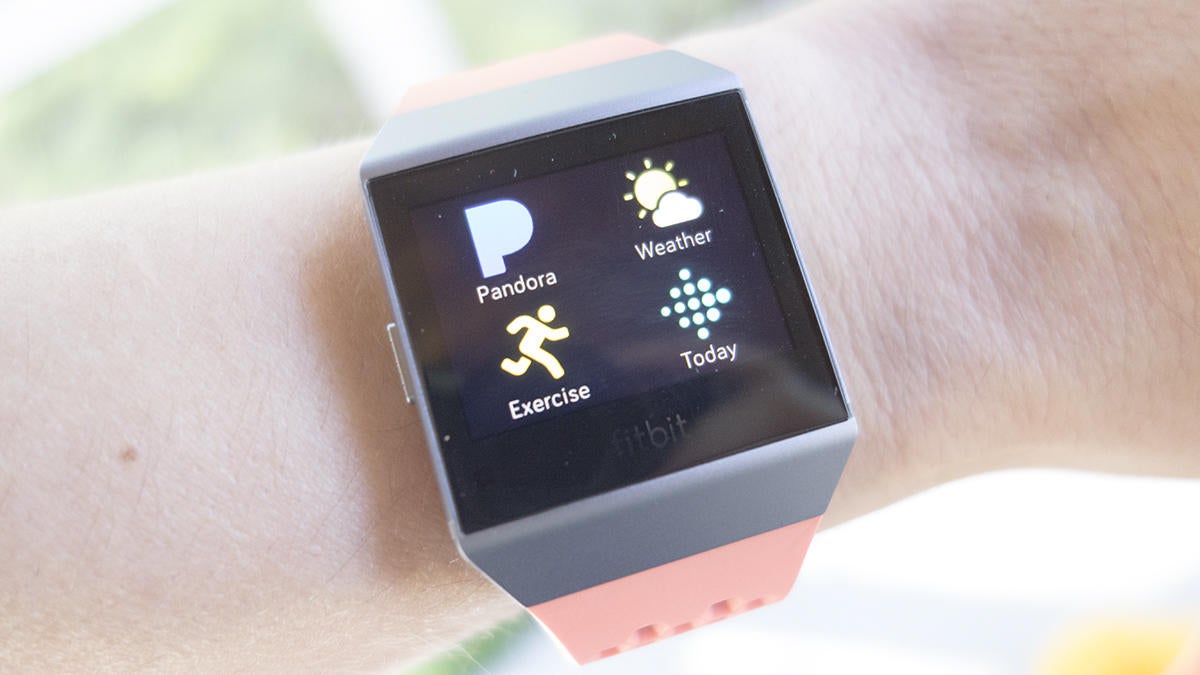
But this fitness tracker also has features you’d expect from a smartwatch: a big color display, the ability to store and play 300+ songs on the device, Pandora support, contactless payments, real-time stats for a handful of activities, and push notifications from apps. It even offers personal coaching for workouts directly on the watch.
All of that functionality comes at a cost—the Ionic has a price tag that puts it in the same range as the Apple Watch and Android Wear watches. However, this fitness tracker has an advantage over smartwatches: its battery life. The Ionic will keep chugging along for up to 4 days, while most smartwatches last an average of a day.
To sum up, if your focus is more on having the best fitness tracker that can also support a handful of smartwatch-like functions, then the Ionic is the device for you.
Other options
In case none of these Fitbit options resonate with you, we’ve linked to all of our Fitbit reviews below. We’ll keep the list and this article updated as Fitbit releases new fitness trackers.
If you’re checking out other options in the meanwhile, you can also read our list of best fitness trackers to see our top picks across all brands—including the Apple Watch.
The Huawei Band 2 Pro is a fitness band aiming at the lower end market. It has a vertical 0.91-inch 128×32 PMOLED display for a slim look with three sensors on the back as well as some charging pins.
Hardware
Inside the band is 256KB of RAM, 1MB of ROM, 16MB of flash storage, a 105mAh battery, and GPS. You’ll also get Bluetooth 4.2, an accelerometer, a cardiotachometer (heartrate sensor), and an infrared wear sensor. On top of that you get 5ATM water resistance, which means it’s safe to use for swimming. If you’re disappointed by the specs, don’t be. It’s a fitness band that’s not running Android and doesn’t need great specs for performance.
Unlike the older and more expensive Huawei Fit, the display on the Huawei Band 2 Pro is backlit and gets washed out in the daytime. It’s also a bit bright in the nighttime, as it doesn’t have a light sensor to adjust brightness. However, it is easily readable in most conditions
Recognized as one of the best-in-class smartwatches in the wearable category, Samsung’s Gear S3 has been praised for its design, user friendliness and technological innovation. But with the recently released value pack update, the Gear S3 is more versatile than ever.
Packed with enhancements that augment the device’s utility and streamline users’ access to the information they rely on, the update transforms the Gear S3 into a controller, a tracker, a communicator and, of course, a watch – all in one device.
Workouts, Your Way
Exercising with the Gear S3 has been completely transformed, thanks to new features designed to make activity tracking more intuitive.*
Advanced, real-time heart rate monitoring with improved accuracy and detailed feedback lets users continuously monitor their heart rate activity – whether they’re enjoying a relaxing yoga session or an exhilarating kickboxing class. They can also control their weight more efficiently via the nutrition management feature, where they can easily add calories consumed, check their calorie balance and compare it to their daily target.
Fitness buffs looking to take their workout routine to the next level will appreciate the Samsung Health Fitness Program feature, which lets them watch exercise programs from their synced smartphone on a TV. Once connected, they can use their Gear S3 to control the displayed content, display their heart rates on the TV.
Centralized Communications, Right from Your Wrist
Despite its productivity and fitness features, the Gear S3 is not just a lifestyle device. In fact, it’s a communicator that makes getting in touch and staying on task easy and efficient.
In addition to searching contacts via the device, users can also now create new contacts right from the screen of the Gear S3. They can also create events along with related information such as date and time, reminder alerts, and location (text only) with a few simple taps and twists of the bezel.
Furthermore, rather than just checking reminders created on the Gear S3, users can also now view and edit checklist, video and web reminders created on their synced smartphone on the smartwatch. For instance, they can create a grocery list on their mobile device and tick items off right from their wrist as they add them to their shopping cart.**
A UX Optimized for the Way You Use Your Device
The Gear S3 sets users free from their phone; a turn of the device’s signature rotating bezel is all it takes to respond to calls, read messages or access an app. But with the latest updates, the device’s UX is even more seamless and user-friendly.
Widgets, for example, have been optimized to fit the newly enhanced circular display of the Gear S3 so that more information can be viewed at a glance. A band has been added around the perimeter of the screen along with widget-specific text such as contact names, detailed weather information and the remaining time before an alarm is set to go off.
By rotating the bezel at a faster or slower rate, users can view more or less information, respectively. For instance, if a user wants to change their device’s watch face, they can see more design options on the screen at once by turning the bezel at a faster speed.
Users can also use the bezel to naturally move from a text message notification to the reply input. Should they not have enough time to send a detailed reply, they can make use of even more default quick replies to express themselves in a snap. They can also create and edit their own quick replies directly on the smartwatch.
Gear S3 owners also now have the option to sort apps in the order in which they were most recently used in addition to being able to customize their location. The Moment Bar, which allows users to adjust the volume, check the battery level and more, is easily accessed with a swipe up or down from any screen.
To top things off, Samsung Gear, the app that Gear S3 owners use to sync their smartwatch with their smartphone, has been enhanced with a modern, image-focused design to better harmonize with the classic aesthetic of the device.
Enhanced Control for Ultimate Connectivity
With a focus on connectivity, Samsung’s ever-growing connected ecosystem brings about the need for more control. With its large touchscreen and rotating bezel, the Gear S3 is the perfect tool for controlling one’s devices, and is only enhanced with the new value pack update.
Users can now manage their compatible Samsung IoT-enabled devices right from their Gear S3 with Samsung Connect. The smartwatch also functions as a remote control for PowerPoint presentations and Samsung Gear VR, adding an element of convenience to both work and play.
The Gear S3 value pack update is now available for download via the Samsung Gear app.
* To activate these new features, the Samsung Health app must first be updated on the smartphone synced to the Gear S3.
** The Reminder function only works with the Gear S3 if the Reminder app is downloaded on the synced smartphone, which is limited to the Galaxy S8, Galaxy S8+ and Galaxy Note8.
It’s becoming quite obvious as to why there are no major runaway hits for Android Wear. More specifically, it’s clear why there’s not one smartwatch that people simply “must have”. The reason? Fitbit and its ilk.
I’ve had the pleasure of using various Fitbit wearables over the last few years. Moreover, I’ve also owned and used my share of Android Wear watches, too. And, as much as I love the flexibility and promise of what Google sets forth in its OS, I just don’t wear the devices as much as I should. Instead, I find myself turning to “less smart” stuff from the likes of Fitbit, Samsung, and others.
To be clear, it’s not as if these other wearables are necessarily built better or are more fashionable. It’s certainly not as if they have more flexibility or options either. What they offer me, though, is a “good enough” experience that often comes with a more affordable price tag.
Fitness and activity trackers have evolved to the point where it’s not just steps, calories, and sleep anymore. Now we can use them for workouts, music, run tracking via GPS, and even mobile payments.
Over the years Fitbit has pivoted from one or two models to an entire lineup of wearables with variable features and options. Perhaps more importantly, Fitbit has gotten smarter with each generation, blurring the lines between fitness tracking and smartwatch. Its latest model, the Ionic, is billed as a “motivating timepiece” and is essentially its first foray into smartwatches.
Building on its Blaze, the Ionic is a major release in the era after acquiring Pebble in late 2016. It bears a striking resemblance to its predecessor but it steps things up in terms of functionality.
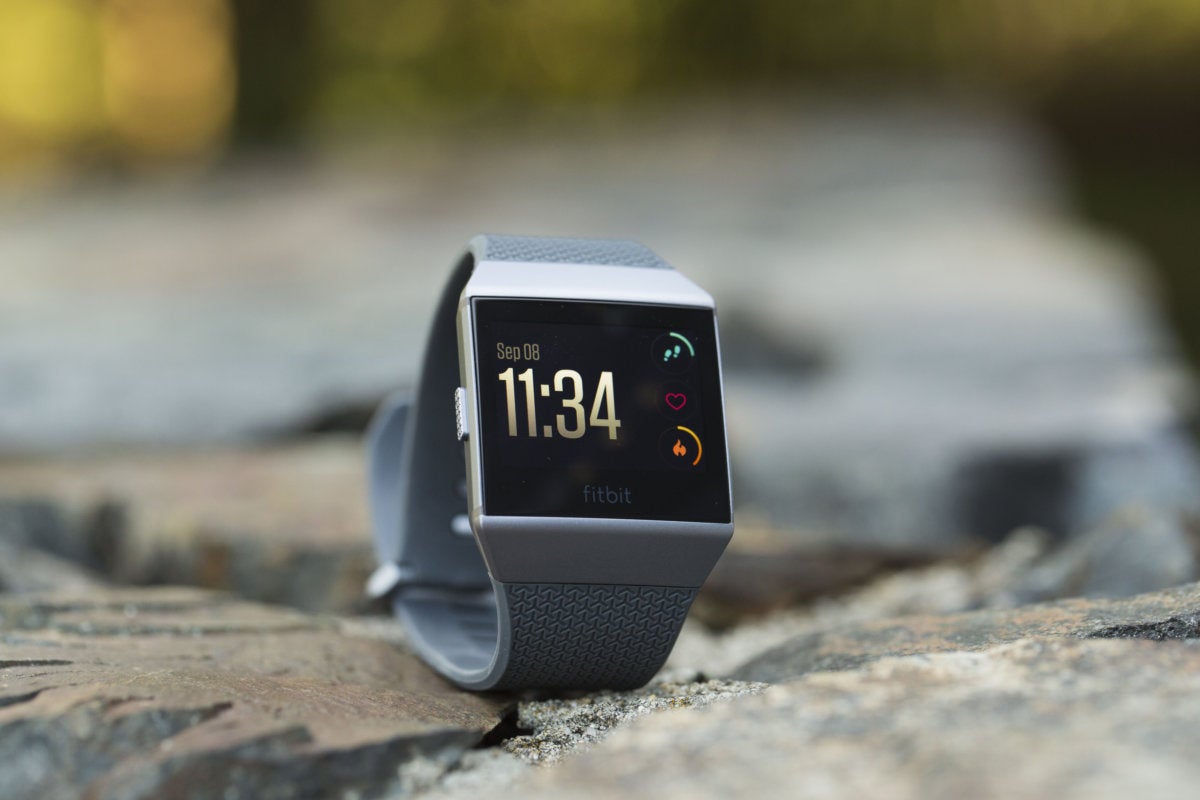
Priced $300 at launch, we found the Fitbit Ionic to be nearly everything we want in a smartwatch. At a minimum, it was everything we need in one. Sold in three color options, you can buy it in Slate Blue/Orange, Blue Gray/Silver Gray, and Charcoal/Silver Gray.
We were supplied a Charcoal/Silver option from Fitbit. Additionally, we were sent a set of Midnight Blue replacement leather watch straps. This way we were able to see how flexible the watch is in terms of functionality as well as form.
Build
The first thing we noticed about the Ionic is that while it’s quite similar to the Blaze at first blush, there are some subtle and welcome changes. We appreciated that there was a gently slight curve to the design as it wraps the wrist. Most square faced watches can be awkward or come to feel unpleasant over time.
The Fitbit Ionic is also a light watch, regardless of which straps you’re using. The default “Classic” plastic bands are just a smidge heavier than the leather but both are comfortable. Included in the Ionic’s box is both a small and large version of the classic band.
While you can certainly get away with using the standard straps for all occasion, the leather dresses things up nicely. The perforated leather breathes well; it’s incredibly easy to snap and unsnap the bands. It takes all of around ten seconds to swap out bands. We liked wearing leather most of the day, replacing it temporarily for the trips to the gym.
One of the chief gripes we had with the Fitbit Blaze was that it was not waterproof. It wasn’t as if we needed it to track swimming but that would have been a nice touch. Rather, we just didn’t like having to take it off every time we took a shower or expected to get wet. That problem is addressed in the Ionic as it is fully waterproof and also features swim tracking.
The downside to wearing the leather band, though, is that it’s not water-resistant or sweat proof. So, you won’t want to take it to the shower, bath, or pool. You also don’t want to get all sweaty from a workout. This is where having the classic band on for all occasions comes in handy.
The Ionic is comprised of aerospace-grade aluminum and has very small antenna bands on the sides. On the left side you’ll find one button; the right has two buttons. The entire display is extremely easy on the eyes, thanks to its brightness (up to 1,000 nits) and resolution. Gorilla Glass 3 protects the screen from scuffs and scratches.
The buttons stick out from the sides and have a nice textured grip to them. It’s pretty easy to find them when you’re out of breath and want to pause your run. There’s a nice response to all three of them, making navigation pleasurable.
Although the screen itself does accept touch for tapping and swiping we did find it a little less responsive than we’d like. This goes double for times when you’re sweaty or the watch is wet. A couple of times we found we had to shake our wrist free of droplets or wipe it against our shirt to get a good, consistent read.
Battery & Charging
With every different model of Fitbit comes a different way of charging. For the Blaze it was a case of removing the watch from the band and encasing it in a charger. The Ionic has a magnetic charger that attaches itself to a few connecting points in the back. We weren’t totally in love with the setup.
Rather than a platter-like connection that you might find with other smartwatches, the Ionic’s charger is almost like a perpendicular plug. The magnet is strong enough to get a bite but disturbing the watch could result in losing connection.
On a more positive note, you’ll only have to charge the watch two times a week at the most. We were impressed with the watch’s ability to hold a charge, especially as we played around with it in the first few days. Between goofing with the watch itself and adjusting things from the app we would have chewed through an Android Wear watch much quicker.
Performance & Usage
We don’t like to have our wrists feel constricted. It’s pretty common for a watch to have a thick or wide band that’s generally comfortable throughout the day. Come night, however, that wide strap can feel like a cuff around you wrist.
The Ionic, like many of Fitbit’s products, can track your sleep. We were pleased to discover that the watch bands didn’t feel too constricting or obvious. For what it’s worth, the leather has more play to it than the classic band.
Generally speaking, it’s easy to forget that you’re wearing the Ionic. As we said above, it’s really light. While it might look like there’s a giant square on your wrist, there’s a taper to the bottom. Indeed, only around 25% of the display touches the arm. This allows for movement in all directions without bunching your skin up or pinching.
Aside from the occasional unregistered touch, we liked navigating and using the Ionic. It offers up more than just passive tracking, something that we’ve really come to rely on. To be clear, the watch can be used in the passive manner, but it benefits the user to use the built in features.
The Iconic can automatically track exercises and activities; there are numerous coaching features to help guide you on your aerobic or fitness path. On the other end of the spectrum it can also walk you through some breathing sessions bringing your heart rate into line.
By default the watch will notify you when it’s time to get up and moving. Sit too long and it will vibrate, gently nudging you to get up and walk around. We appreciate that tracking steps can be monitored in a per-hour basis.
It’s one thing to knock out a few thousand over a run but where do your other steps come in? Are you prone to move more during morning or after dinner? The mobile app does a fantastic job of aggregating data over the short and long term to help you along.
You can glance at a running log of sleep habits, steps, calories burned, and other details or you can dive deeper into specific days. It’s truly a case of “the more you use it, the better it gets”.
The Ionic can also notify wearers of calls, texts, and calendar events. Additionally, set up notifications on a per-app basis. So, if you don’t want every Facebook or Snapchat update to hit your wrist, you don’t have to get them.
There’s enough storage in the watch to hold around 300 or more songs. Moreover, it has access to Pandora, without need of a phone. Yes, you can grab some headphones and pair them to the watch so you can get your run on.
The built in NFC chip lets you use the Ionic to make mobile payments. This is a first for Fitbit and one that we liked quite well. It also lends to the whole notion of being able to leave your phone behind. Stop by a gas station or convenience store on your way home from the gym and you’ll be able to tap and pay with the watch. This feature takes but a few minutes to set up on your phone.
Although not a first for Fitbit, the Ionic has built-in GPS antennas. You can feel free to run, bike, or walk, knowing that the watch is tracking your whereabouts. This, too, was something we wanted in the Blaze. To be fair, the Blaze would work in tandem with your phone to provide the GPS. Fitbit terms this as “connected GPS”.
We did have a couple of instances where the watch would restart or hang up in the three weeks we spent with it. Twice, at the gym, we just happened to look down to check calories and heart rate while on the treadmill, only to find the Ionic was in the midst of a reboot.
Not only did we lose the activity we had done up to that point, but we had to restart the treadmill tracking again. Had we not looked down we might not have known it had stopped. Nevertheless, we lost about 15-18 minutes in one run and around 10 minutes in another.
A third instance we had was that the watch was seemingly locked up with a dead screen. Taking it off the wrist we could see the heart rate tracker blinking; however, there was nothing happening on screen. Holding down the two buttons on the right seemed to restart the watch without instance. But, again, this was just us glancing down to see the time. How long it was off remains to be seen. Moreover, we don’t know what was tracked up to that point.
Those issues aside, we’ve been incredibly happy with the Ionic. Performance was otherwise flawless so we’re hoping this is just a case of bug fixing that comes in a future firmware update.
Conclusion
The more we wear a device like the Fitbit Ionic, the less reliant we are on a platform like Android Wear. But, that’s not to say it’s perfect and does everything right. It’s not as customizable as what you’d get in a more formal smartwatch and there are very few “apps” for it.
As a product in the Fitbit family, the Ionic is wonderful. It’s priced right and differentiates itself from other models under the brand. There’s enough special here to justify moving up from the Blaze, especially the waterproof protection.
Fitbit has established itself as a premier name in the wearable space, and, by all accounts, this will only help propel it forward. Add in more interoperability with other apps and services, fix a minor bug or two, and you’ve got one killer product. Out of the box, though, we still have no issues recommending the Ionic for interested buyers.