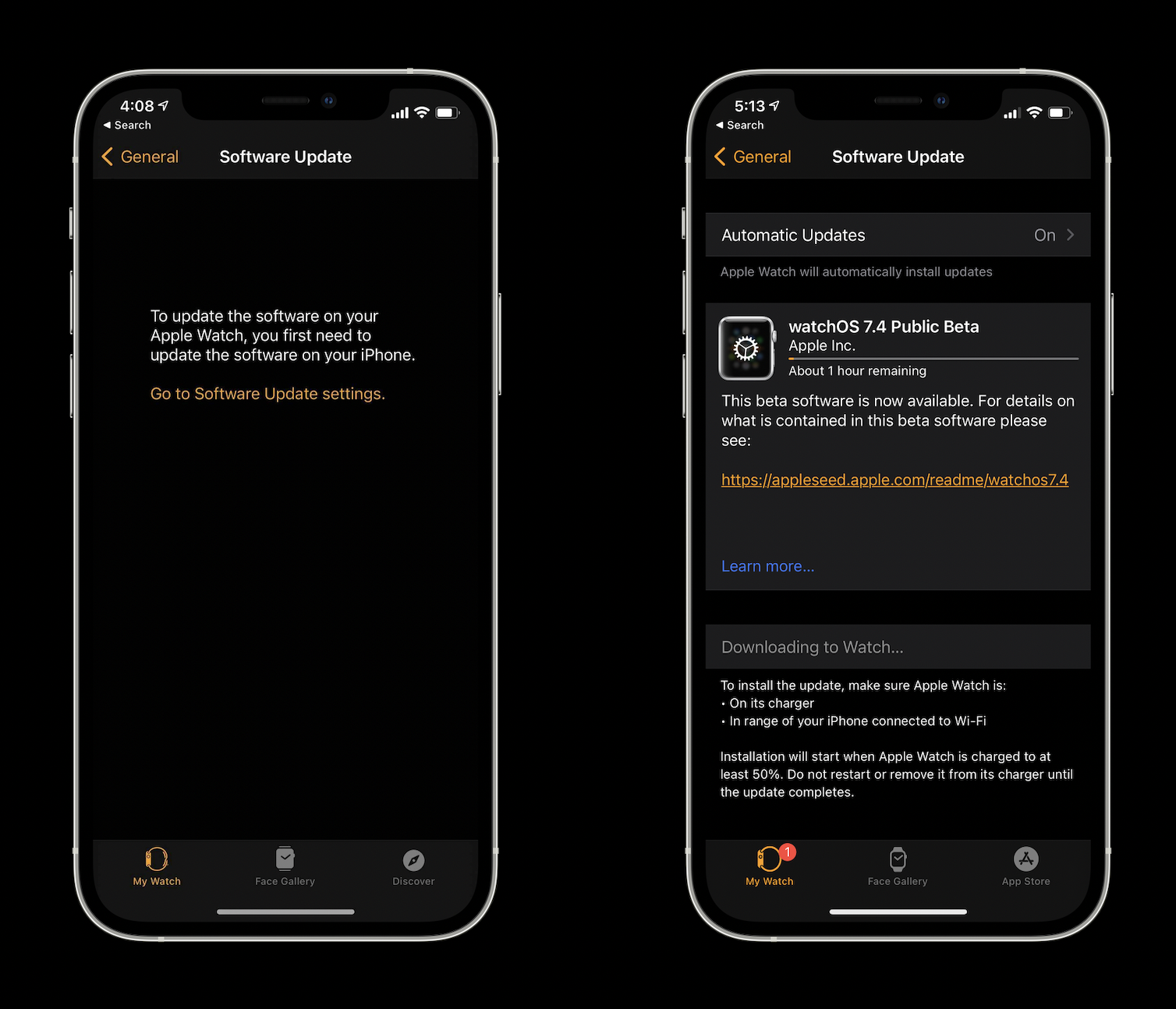
At first, it appeared the iOS 14.5 public beta arrived without the watchOS 7.4 this afternoon. However, the latest watchOS beta is now available, it’s just slightly hidden as it only shows up after first upgrading to iOS 14.5. watchOS 7.4 brings the handy Apple Watch Unlock feature for iPhone when wearing a mask.
watchOS 7.4 public beta 1 arrives after the developer beta was seeded this past Monday. Funny enough, while we didn’t see it as available alongside iOS 14.5 public beta 1 today, it appeared only after installing the update on iPhone.
watchOS 7.4 brings the highly anticipated new Apple Watch Unlock feature for iPhone that works when Face ID notices you’re wearing a face mask which allows you to skip having to use your passcode.
Be sure to upgrade your iPhone to the iOS 14.5 public beta first, then you should see the watchOS public beta for 7.4 appear on iPhone in the Watch app > General > Software Update.
Throughout February, Apple is bringing customers a variety of ways to celebrate Black History Month across its products and services.
Apple launches new editorial collections, Apple Maps Guides, the Apple Watch Black Unity Collection, Today at Apple sessions, and more
From curated features across the App Store, Apple Music, the Apple TV app, Apple Books, and Apple Podcasts, to new Apple Maps Guides, the Apple Watch Black Unity Collection, Today at Apple sessions, and more, here is a look at what is in store across Apple’s products and services this February.
App Store
Throughout February, users can visit the App Store Black History Month Hub, which will spotlight Black-owned businesses, developers, entertainment and gaming apps, and social justice apps. The App Store will also feature stories with Black developers discussing the importance of representation in apps and games, with creators from ustwo games and Zynga.
Users can visit the App Store Black History Month Hub spotlighting Black-owned businesses, developers, entertainment and gaming apps, and social justice apps.
Apple Music
To honor the Black artists, moments, and movements that have shaped global music and pop culture, Apple Music will launch a monthlong experience across Apple Music, Apple Music radio, and Apple Music TV that highlights some of the most remarkable musicians spanning jazz, blues, soul, gospel, R&B, pop, and hip hop. Throughout February, Apple Music will also feature curated playlists, essays, original videos, and more from Black influencers, musicians, authors, and directors, including Erykah Badu, Naomi Campbell, Common, Ava DuVernay, John Legend, Tracee Ellis Ross, and Jaden Smith. Apple Music also commissioned original artwork from collage artist Rob Lewis to visually weave together the music programming with the culture it represents.
Apple Maps
Customers can enjoy curated Apple Maps Guides created in collaboration with EatOkra, a Black-owned business directory app based in Brooklyn, New York. EatOkra works with local chefs to provide a food-themed directory of Black-owned restaurants in local communities.
With curated Apple Maps Guides created in collaboration with EatOkra, customers can find and support Black-owned restaurants in their local communities.
Apple TV App
This month’s theme for “Essential Stories” on the Apple TV app will spotlight the multidimensionality of the Black family and its representation onscreen. Viewers can dive into the “Essential: Stories That Honor Black Families” collection with curated sets of films and TV shows that explore motherhood, fatherhood, iconic TV families, queer chosen families, and more. This latest installment features original art by Jon Key, whose intimate illustrations depict various interpretations of family units. Viewers can also check out prior themes of “Essential Stories” with work from artists Darien Birks, Richard Chance, Dani Pendergast, and Loveis Wise, with more to come each month.
“The Oprah Conversation” episodes “Caste: Part 1” and “Caste: Part 2” from Apple TV+, featuring Pulitzer Prize-winning journalist and author Isabel Wilkerson and her book “Caste: The Origins of Our Discontents,” will be available for free on the Apple TV app. In these episodes, Oprah Winfrey, Wilkerson, and a panel of readers discuss the concept that America is built on a caste system, and readers share stories of how the themes of the critically acclaimed bestseller resonate with their lives and experiences. The “Oprah’s Book Club” interview with Winfrey and Wilkerson remains free to stream on Apple TV+, and customers can also check out the free “Caste” discussion guide on Apple Books and the Oprah’s Book Club podcast on “Caste.”
On the Apple TV app, customers can explore the “Essential Stories” collection to find movies and TV shows that celebrate Black families.
Apple News
Apple News readers can explore curated topic groups that will highlight the best journalism around race in America. Separately, a special Apple News+ Spotlight collection will feature audio articles that celebrate the Black experience. Readers can dive even deeper by visiting the Racial Justice Spotlight, an ongoing collection of articles that includes education on anti-racism, mental-health resources, and ideas to serve their community.
Apple News will feature curated topic groups that highlight the best journalism around race in America, while Apple News+ will offer audio articles that celebrate the Black experience.
Apple Books
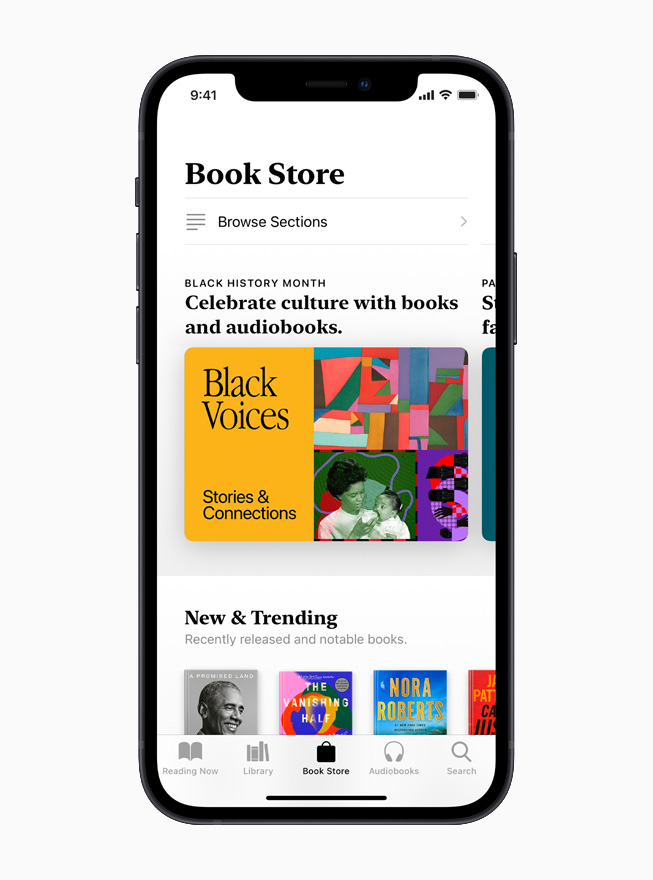
A broad new collection on Apple Books will highlight great books and audiobooks by Black authors across a variety of genres, including literary fiction, history, memoirs, and books for young readers. Apple Books will also put a spotlight on both authors and narrators, with a special feature in which new authors, such as Jordan Ifueko, Robert Jones Jr., and Brandon Taylor, discuss their recent releases, and another feature in which celebrated audiobook narrators, including Adjoa Andoh, Guy Lockard, and Bahni Turpin, dive into some of their favorite narrating experiences.
On Apple Books, customers can find special features spotlighting Black authors and narrators, along with recommended books and audiobooks across a variety of genres.
Apple Podcasts
On Apple Podcasts, listeners can enjoy an expansive set of shows from powerful Black voices including Michelle Obama, Joe Budden, Phoebe Robinson, and Baratunde Thurston; a collection of shows from creators around the world offering thoughtful interpretations of Black families; and an extended promotion of “Seizing Freedom” from VPM, a show that documents the struggle to define freedom after 400 years of slavery. Hosted by author and historian Kidada E. Williams, with firsthand accounts from diaries, newspapers, speeches, and letters, “Seizing Freedom” illustrates the stakes for the nation during the Reconstruction era as it reveals unsettling echoes in the present-day pursuit for political and social justice.
Apple Podcasts offers listeners a wide range of shows from powerful Black voices, including “Seizing Freedom” from VPM, which is hosted by author and historian Kidada E. Williams and features artwork by L.A.InkWell.
Apple Watch
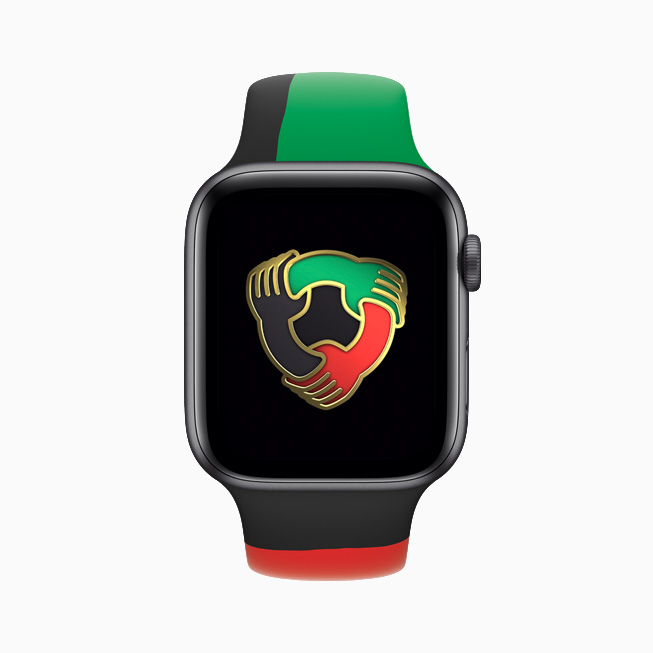
Apple is introducing the Black Unity Collection, designed to celebrate and acknowledge Black history and Black culture. The collection includes a limited-edition Apple Watch Series 6, the Black Unity Sport Band, and a Unity watch face. As part of this effort, Apple is supporting six global organizations to help advance their missions in promoting and achieving equality and civil rights in the US and around the world: Black Lives Matter Support Fund via the Tides Foundation; European Network Against Racism; International Institute on Race, Equality and Human Rights; Leadership Conference Education Fund; NAACP Legal Defense and Educational Fund, Inc.; and Souls Grown Deep.
Apple introduces the Black Unity Collection, designed to celebrate and acknowledge Black history and Black culture. The collection includes a limited-edition Apple Watch Series 6, the Black Unity Sport Band, and the Unity watch face.
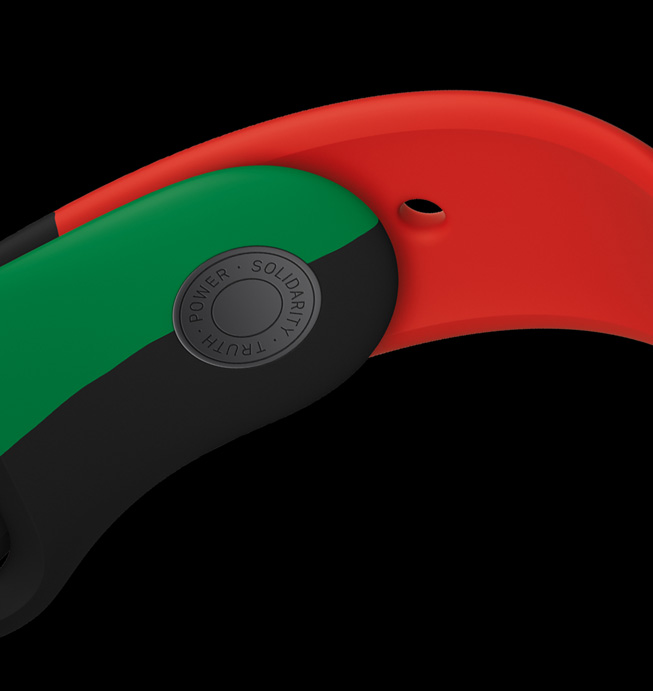
The Black Unity Sport Band uses colors inspired by the Pan-African flag with the words “Truth. Power. Solidarity.” laser-engraved onto the closure.
Honoring the craft of quilting, the Unity watch face creates a pattern of irregular shapes that dynamically changes over time.
The limited-edition Apple Watch Series 6 features “Black Unity” laser-etched onto the back crystal.
Members of the Black creative community and allies throughout Apple came together to design an Apple Watch Sport Band and Apple Watch face to honor the ongoing fight for racial justice. Inspired by the call to action of both the historic and current movements, the Black Unity Sport Band has “Truth. Power. Solidarity.” laser-engraved onto the interior of the stainless steel fastening pin.
The Black Unity Collection pays homage to the rich tradition and craft of quilting in the Black community and celebrates the colors of the Pan-African flag: red for the blood that unites people of the African Diaspora and was shed for their liberation, black for the people whose existence is affirmed by the flag, and green for the vibrant natural wealth of Africa, the Motherland. The Black Unity Sport Band is made from individual pieces of colored fluoroelastomer, which are assembled by hand and compression-molded into one. The Unity watch face creates an ever-changing pattern that dynamically shifts over time.
Apple Watch users can participate in a new Unity Activity Challenge and earn the limited-edition award by closing their Move ring seven days in a row during February.
Apple Watch Series 6 Black Unity and the Black Unity Sport Band will be available starting February 1, and the Unity watch face will be available as part of watchOS 7.3 coming later today.
In addition, Apple Watch users can participate in a new Unity Activity Challenge and earn the limited-edition award by closing their Move ring seven days in a row during February.
Apple Fitness+
Apple Fitness+ subscribers can enjoy a collection of themed workouts, featuring all Black artists across Cycling, Dance, High Intensity Interval Training, Strength, Yoga, and Treadmill. Fitness+ Trainers will also feature individual songs and pay tribute to Black History Month across additional workouts. In acknowledgment and celebration of Black History Month, the first Time to Walk episode in February will feature author Ibram X. Kendi reflecting on racial justice and resiliency.
Today at Apple
Today at Apple, in partnership with design group It’s Nice That, is hosting New World, a program of hands-on virtual sessions and step-by-step tutorials focused on exploring the power of creativity to bring about change. During Black History Month, curator and writer Kimberly Drew will moderate sessions led by Black creatives who will discuss their creative practices and where they get inspiration, as well as demonstrate and teach one particular skill or technique. Sessions include typographer Tré Seals; creative director, filmmaker, and photographer Joshua Kissi; and visual artist, photographer, and educator Shan Wallace. Everyone is welcome to join and can sign up at apple.co/new-world.
Today at Apple, in partnership with design group It’s Nice That, will offer a program of hands-on virtual sessions and tutorials that focus on using creativity to bring about change.
Shot on iPhone
Beginning in February, Apple’s latest Shot on iPhone campaign, “Hometown,” highlights the work of more than 30 Black photographers commissioned by Apple. Their mission was to capture amazing imagery of their “Hometown” from their own unique lens. This project covered a broad range of American cities and towns like Dallas, New York, Los Angeles, and many more.
These Black History Month activities complement the company’s ongoing commitment to honoring and celebrating Black voices. Earlier this month, Apple announced a set of major new projects as part of its $100 million Racial Equity and Justice Initiative (REJI).
Pricing and Availability
Apple Watch Series 6 Black Unity (GPS) starts at $399 (US) and Apple Watch Series 6 Black Unity (GPS + Cellular) starts at $499 (US). The Black Unity Sport Band is $49 (US).
The Black Unity Collection will be available online and in store from Apple and Target, beginning Monday, February 1, in the US and over 38 countries and regions.
The limited-edition Apple Watch Series 6 Black Unity will be available for the month of February, and the Black Unity Sport Band will be available throughout the year.
The Unity watch face will be available later today as part of watchOS 7.3, and requires iPhone 6s or later running iOS 14.4.
The Black History Month collections and content across Apple services will be available starting February 1.
Time to Walk is an inspiring new audio walking experience on Apple Watch for Fitness+ subscribers, created to encourage users to walk more often and reap the benefits from one of the healthiest activities.
Episodes feature personal stories, photos, and music from influential people to inspire Apple Watch users to walk more
Apple unveiled Time to Walk, an inspiring new audio walking experience on Apple Watch for Fitness+ subscribers, created to encourage users to walk more often and reap the benefits from one of the healthiest activities. Each original Time to Walk episode invites users to immerse themselves in a walk alongside influential and interesting people as they share thoughtful and meaningful stories, photos, and music. Time to Walk can be enjoyed anytime and anywhere with Apple Watch and AirPods or other Bluetooth headphones.
“Walking is the most popular physical activity in the world, and one of the healthiest things we can do for our bodies. A walk can often be more than just exercise: It can help clear the mind, solve a problem, or welcome a new perspective,” said Jay Blahnik, Apple’s senior director of Fitness Technologies. “Even throughout this challenging period of time, one activity that has remained available to many is walking. With Time to Walk, we’re bringing weekly original content to Apple Watch in Fitness+ that includes some of the most diverse, fascinating, and celebrated guests offering inspiration and entertainment to help our users keep moving through the power of walking.”
Country music star Dolly Parton reflects on career, family, and growing up in rural Tennessee in her Time to Walk episode.
In his Time to Walk episode, NBA player Draymond Green reflects on the virtues of failure and tuning out criticism.
In her Time to Walk episode, Emmy Award winner Uzo Aduba talks about lifelong relationships and keeping the faith.
Musician Shawn Mendes shares how a slower pace has helped him personally and creatively in his Time to Walk episode.
Each Time to Walk episode is shaped by the guest’s personal, life-shaping moments and includes lessons learned, meaningful memories, thoughts on purpose and gratitude, moments of levity, and other thought-provoking topics, recorded while walking outside or in locations that are meaningful to them. The narrative comes to life through photos that appear on Apple Watch, perfectly timed to amplify a corresponding moment the guest shares. Following the guest’s stories, the experience extends with the guest introducing a short playlist of songs that has given them motivation and inspiration, so the listener can continue their walk to a soundtrack intimately connected to each guest.
Time to Walk launches today with four episodes from the following guests:
Country music star Dolly Parton has won nine GRAMMYs and is also a celebrated actor, businessperson, and humanitarian. Dolly reflects on her career, family, and growing up in rural Tennessee. “I’ve loved walking ever since I was a little girl in the Smoky Mountains,” Parton says. “I think it’s so important to be able to get out and walk if we can during this time. I do my best thinking when I walk. And while many of us feel confined during this time, I’m hopeful that people will take a walk down memory lane with me and we can all feel a little more freedom taking the time to walk together.”
NBA player Draymond Green won three basketball championships with the Golden State Warriors, helping to change how the game is played. He reflects on the virtues of failure and tuning out criticism. “There’s nothing better than a walk in nature, getting lost in my thoughts, and taking a deep breath of fresh air,” Green says. “Take all the stresses of your day and let them blow away with the wind. I hope sharing my stories with those who go on a walk with me will give them the same drive to chase their dreams that I had in chasing mine.”
Musician Shawn Mendes went viral on social media at 15, had his first platinum album by 19, and has toured the world. He shares how a slower pace has helped him personally and creatively. “Taking a walk is a great way to clear your mind,” Mendes says. “It’s the most simple thing you can do to calm the body and soul, reflect, and slow down. I hope people get to feel the same sense of calm I do while walking and can bring that to their own experiences.”
Emmy Award winner Uzo Aduba found stardom on the series, “Orange Is the New Black,” but only after many rejections. She talks about lifelong relationships and keeping the faith. “I love walking either by myself or with my dog,” Aduba says. “It’s a time to connect and have the conversations with myself that can often get overlooked throughout the day, and bring peace of mind. The experience of walking and telling my stories gave me that familiar feeling that walking brings, answering questions that need to be answered, and addressing topics that need to be addressed. I’m so excited to share that with those who take the time to walk with me.”
Once a Time to Walk episode is selected on Apple Watch, a Walk workout automatically begins and users can go at any pace that suits them.
Guests record their Time to Walk episodes while walking outside or in locations that are meaningful to them.
New episodes will appear in the Workout app on Apple Watch from a different guest each Monday through the end of April. Users can browse and enjoy previous Time to Walk episodes when it is most convenient for them.
Time to Walk episodes are automatically downloaded to Apple Watch with a Fitness+ subscription, and users can start an episode directly from the Workout app. Once a Time to Walk episode is selected on Apple Watch, a Walk workout automatically begins and users can go at any pace that suits them while listening with AirPods or paired Bluetooth headphones. New episodes ranging from 25 to 40 minutes will appear automatically in the Workout app on Apple Watch, and users can also browse episodes in the Fitness+ tab in the Fitness app on iPhone. For Apple Watch customers who use a wheelchair, Time to Walk becomes Time to Push, and automatically starts an Outdoor Wheelchair Walk Pace workout.
Pricing and Availability
Time to Walk is the latest addition to Apple Fitness+, the first fitness service built around Apple Watch, which also brings studio-style workouts to iPhone, iPad, and Apple TV 4K or Apple TV HD, intelligently incorporating workout metrics from Apple Watch for a first-of-its-kind personalized and immersive experience users can complete wherever and whenever is convenient for them.
Apple Fitness+ is available in Australia, Canada, Ireland, New Zealand, the UK, and the US.
Three months of Apple Fitness+ are included for customers who purchase Apple Watch Series 3 or later, and one month of Fitness+ is included for existing Apple Watch users.1
Fitness+ is available as a subscription service for $9.99 (US) per month or $79.99 (US) per year.2
Fitness+ can be shared among up to six family members for the same price, making it easy for other Apple Watch users in the household to enjoy the service.
Fitness+ is included in the Apple One Premier plan, which, where available, also gives customers access to Apple Music, Apple TV+, Apple Arcade, Apple News+, and 2TB of iCloud storage for $29.95 per month, and can be shared among up to six family members.
Fitness+ requires Apple Watch Series 3 or later paired with iPhone 6s or later, or iPhone SE, with watchOS 7.2 or later and iOS 14.3 or later.
Time to Walk requires AirPods or other Bluetooth headphones paired with Apple Watch.
Once Time to Walk episodes are downloaded, a WiFi or cellular connection is not required.
A welcome advancement for Apple Watch with watchOS 7 is Family Setup, a feature that lets an adult configure the wearable for a child who doesn’t have an iPhone. Family Setup includes multiple features to help manage your kid’s device, follow along for how to setup Apple Watch Schooltime.
Family Setup for Apple Watch is a great way to stay connected to your kids (or elderly parents) without them needing their own iPhone. And one of the new features that are focused on kids is the Schooltime mode (also available for anyone).
It allows parents to setup a school schedule for Apple Watch to remain on a simple yellow watch face that’s easy for teachers or adults to recognize and can be used whether kids are learning at home or back in their classrooms.
In addition to the yellow watch face, Schooltime mode puts on Do Not Disturb and restricts interactions to help kids (or anyone) stay focused.
What you’ll need to use Schooltime
Jump to the bottom of this post if you want to use Schooltime on your own Apple Watch.
To set it up on a child’s watch, you’ll need to be using Family Sharing and have a child’s Apple ID account setup that you’ll connect with their Apple Watch.
How to setup Family Sharing and create a child’s Apple ID on iPhone and iPad
Note: You can also use Schooltime on your own Apple Watch if you are running watchOS 7.
How to setup Apple Watch Schooltime
You will get a prompt asking if you want to setup Schooltime while you’re going through the initial Family Setup, tap “Turn on Schooltime” if so (can skip to step 5 below)
If you are setting up Schooltime after Family Setup, head to the Apple Watch app on your iPhone (adult’s iPhone who did Family Setup) > Choose All Watches > Tap your kid’s watch
Tap Done, then tap Schooltime.
Tap “Turn on Schooltime”
Choose “Edit Schedule”
Pick the days and times you’d like to use Schooltime for you kid
You can also choose “Add Time” to create multiple schedules like 8:00 am to 11 am — 12:00 p.m. to 3:00 pm
How to exit Schooltime
Schooltime can be exited by your child by turning their Apple Watch’s Digital Crown > tapping Exit
This is intentional by Apple so students can check Messages, Phone calls, etc.
As the parent, you can see how many times your kid has exited Schooltime during the day
Head to the Watch app on your iPhone > All Watches > Your kid’s watch > Schooltime
How to use Schooltime on any Apple Watch
If you want to use Schooltime as an alternative to Do Not Disturb or Theater Mode, you can add it to Control Center on Apple Watch
Swipe up from the bottom of your Apple Watch screen to open Control Center (can touch and hold the bottom as well)
Scroll to the bottom > tap Edit.
Tap the add button on the Schooltime button , choose Done
Now in Control Center you can tap the Schooltime button to turn it on
To exit Schooltime, turn the Digital Crown and tap Exit
High-quality hardware
Bright display
Plentiful features
Affordable
Negatives
Short battery life
No ECG
Limited sleep tracking
Limited color selection
The Apple Watch SE is the smartwatch most people should buy.
The Apple Watch SE is a more affordable version of the Series 6 wearable. It makes lots of small trade-offs, which shouldn’t matter to most potential buyers, in order to reach the lower price point. It’s a true workout and smartphone companion that offers most of the features people want at a more palatable cost.
Design
The Apple Watch SE is identical in design to the Apple Watch Series 6 save for two things: colors and materials. The Series 6 is offered on a nice range of shades, including silver, space gray, gold, blue, and red, but the SE is limited to silver, space gray, and gold. Similarly, where the Series 6 comes in aluminum, stainless steel, and titanium, the SE is only available in aluminum. Everything else is the same.
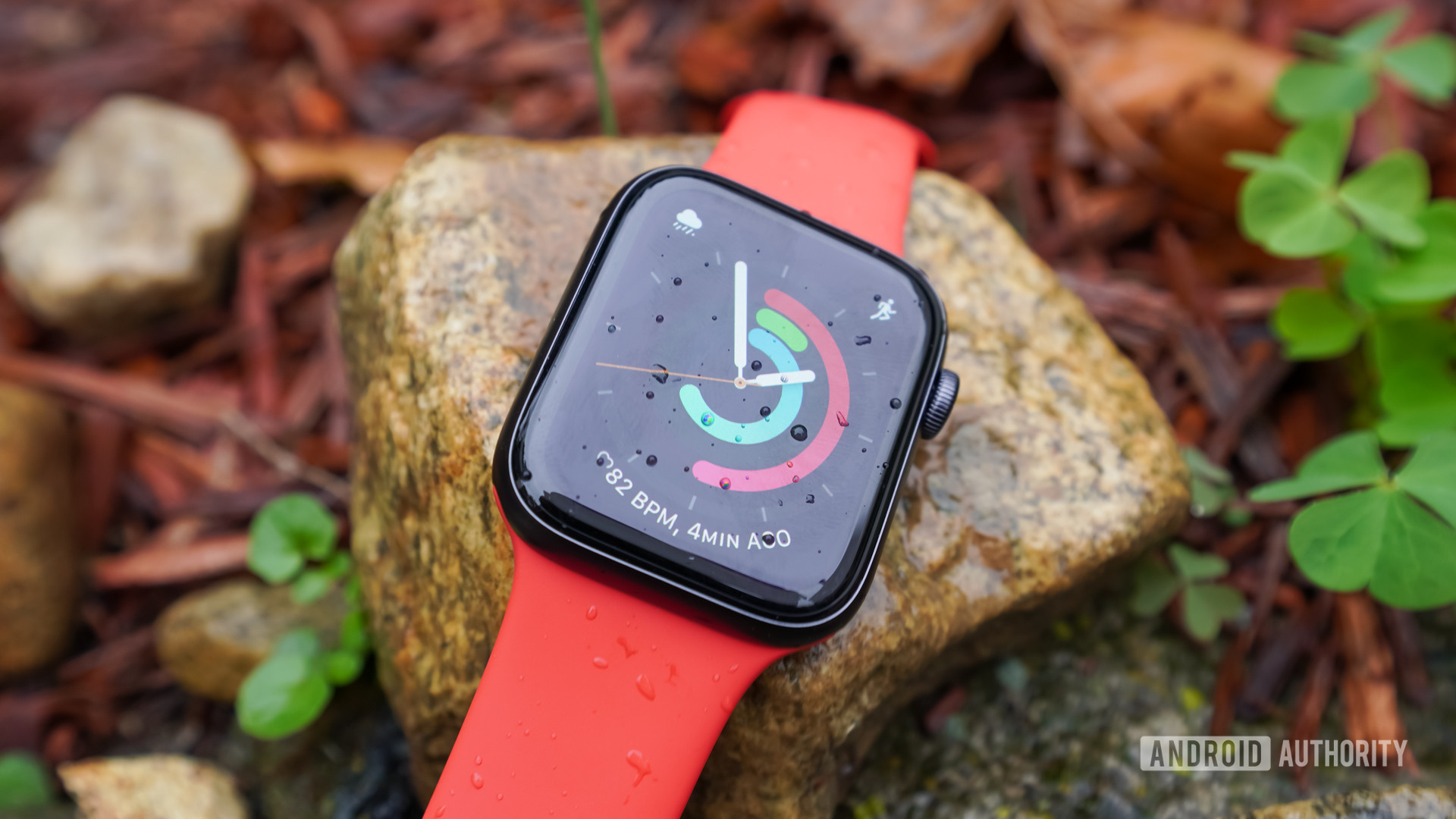
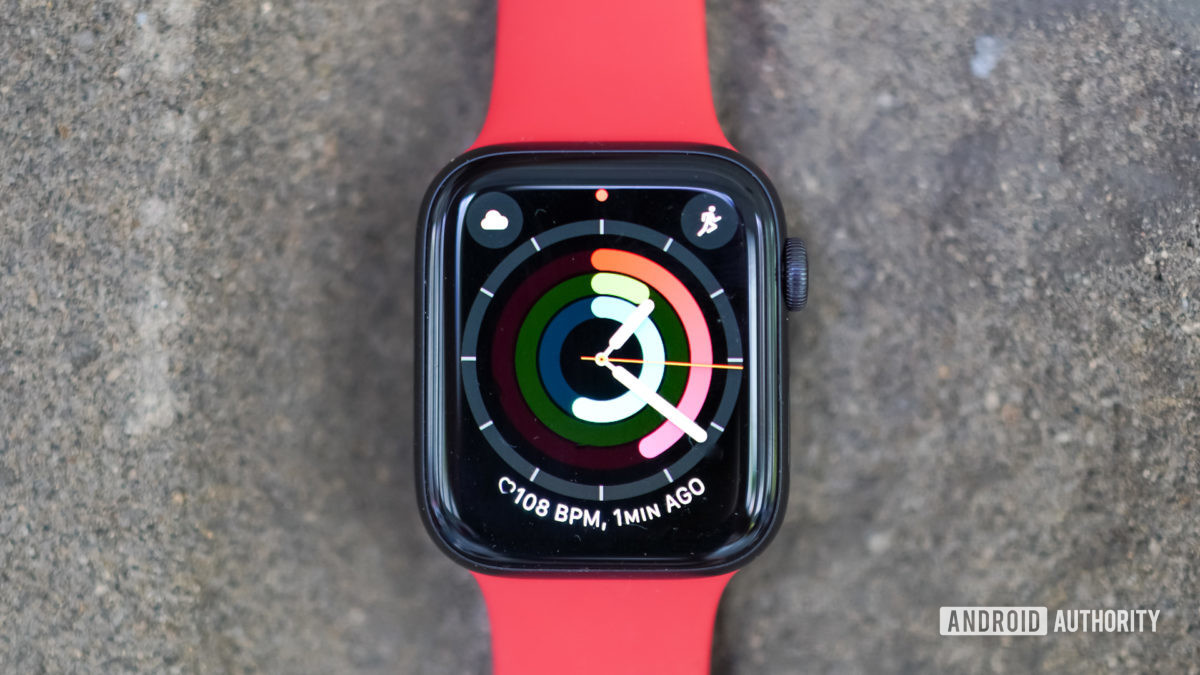
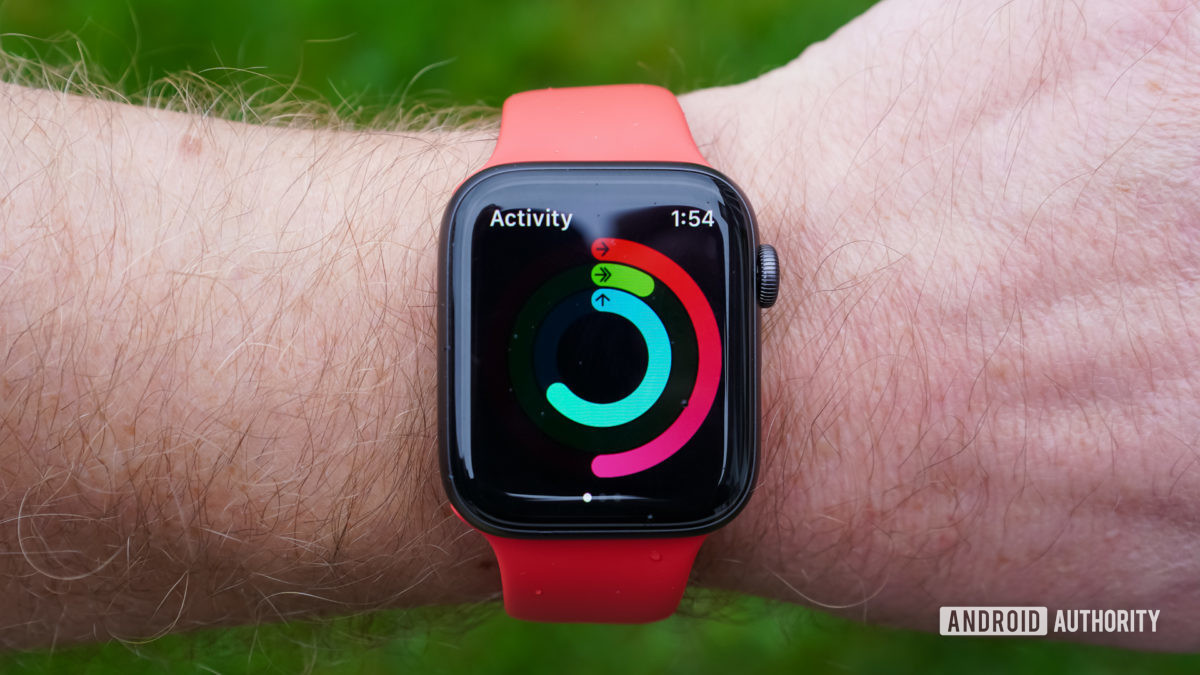
There’s not much to be said about the Watch’s design at this point, as it’s been carried over for a few years now (since the Series 4). The Apple Watch SE is available in two sizes: 40mm and 44mm. You can order it with a wide range of straps and add LTE for cellular connectivity if you wish. We reviewed the 44mm space gray model (GPS) with a red silicone strap. (We couldn’t get one of the new Solo Loop bands.)
The size and fit of the Apple Watch SE is good for me. The gently rounded underbelly is comfortable against the skin and the edges never dug into my skin. I don’t care for the feel of the plain silicone strap that came with our review unit (in fact, it gave me a rash.) It has a slick finish to it that just doesn’t feel good against your wrist. I’d much prefer one of the cloth-like loops. That said, the silicone strap offered a snug fit that wasn’t too tight.
The 44mm size is great, as it offers plenty of real estate across the 448 by 368 pixels. The SE doesn’t offer the always-on display functionality of the Series 6, but it lights up whenever you raise your wrist. I had no trouble viewing it outdoors under direct sunlight. One thing to note, the Series 6 offers sapphire glass on the stainless steel and titanium models. The Watch SE is limited to Ion-X glass for protection; it is more scratch prone than the sapphire.
The digital crown is still one of the best control tools for any smartwatch in the market. There’s a flush button below the crown that works well. The speaker slits are on the left edge of the watch. Myriad sensors are tucked into the glass on the bottom.
Apple gave the SE its S5 SiP processor, which has a 64-bit, dual-core engine. It’s paired with 32GB of storage, which is more than enough for some tunes. Other features of the hardware include the W3 chip for pairing with AirPods, an always-on altimeter, GPS, Bluetooth, Wi-Fi, and compass.
Battery life is rated to 18 hours of active usage. You’ll find that your mileage will vary greatly. For example, with just casual use of the watch, using it to monitor daily activity, for example, it easily reached the end of the day with a 50% charge. Tossing in just one GPS-tracked workout, however, will ding the battery significantly. Even so, I never found myself in battery trouble, even on long days that stretched from 7am to midnight. Recharging it takes about 90 minutes.
It all, the Apple Watch SE continues to be one of the most comfortable and functional smartwatches out there.
Health and fitness tracking
As with all Apple Watches, the Watch SE covers the gamut when it comes to monitoring health and fitness. It does lose some key features of the Series 6, however, including the ability to measure blood oxygen and to take an electrocardiogram. If you were counting on these, you’ll need to upgrade to the 6.
While those two heart health functions are absent, the Watch SE still monitors your heart rate constantly. It can tell you if you have a heart rate that is abnormally high or low, as well as signal you if it detects irregular heart rates. These could be indicators of heart problems. I tested the Apple Watch SE against an Apple Watch Series 4 that I have on hand and found the heart rate detection to be equivalent between the two. The Series 6 gets an upgraded heart rate sensor, so again you’ll need to spend more to get an even more accurate heart rate sensor.
Sleep tracking is a big feature touted by modern wearables and it’s one the Apple Watch SE punts on a little. Rather than fully track your sleep (we’re talking advanced features, such as REM cycle tracking), the app helps you set and target sleep goals. For example, say you want to achieve eight hours of sleep per night. The watch will tell you when to go to bed to reach that goal. The app relies on when you last use your iPhone for determining when you get to sleep. The Apple Watch SE does not track sleep as thoroughly as some Fitbit devices might, but it does cover the basics of time spent sleeping. If you want serious sleep tracking with advanced features, you’ll need to look elsewhere.
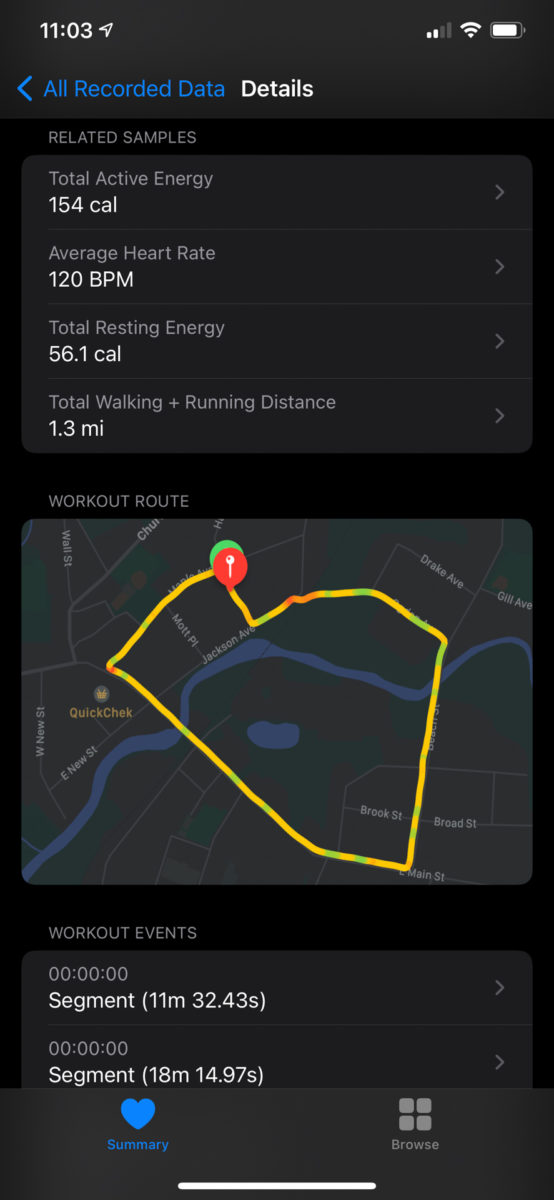
On the fitness front, you’ll find the Apple Watch is a fine tool to have strapped to your wrist. It can automatically track a number of workouts, such as walks, swimming, or cycling, and can manually track many more. I found indoor and outdoor tracking to be very accurate. For example, I took the Watch SE on a regular (outdoor) hike that I do and it got the mileage exactly right, with step counts that were about average for the trek. I also tested the Watch SE for walks on the treadmill. Its margin of error was within 0.03 miles, which is quite good over a 2.5-mile walk.
Smartwatch functionality abounds on the Apple Watch SE. It includes all the core behaviors you expect from a modern smartwatch.
First, and perhaps most importantly, apps. If there’s one thing the Apple Watch SE does well, it’s apps. Apple has an entire app store just for its smartwatches, and developers have actually filled it with wrist-sized versions of their smartphone apps. For example, I can use the Starbucks app to pay for coffee or the United app to scan my boarding pass, or I can use the Spotify app to control my playlists or the CNN app to check the latest headlines.
Apple stuffed a plethora of its own apps aboard the watch, too. Smartwatch essentials, such as calendar, messaging, stopwatch, and compass are aboard, as are nice-to-haves such as the camera shutter release, Apple Maps, and Apple’s Memoji app.
Last, there’s a new service called Family Setup. As long as you buy an LTE version of the Apple Watch SE and have an iPhone, you can setup multiple watches for the family. Think of it as the easiest possible way to get your kid a phone / smartwatch combo. Because the watch has LTE (this service does not work with GPS-only watches), it can send/receive messages, phone calls, as well as connect to the App Store for discovering apps. We were unable to test this, however, because we don’t have an LTE-capable Apple Watch.
If there’s one are other watchmakers are sorely behind Apple, it’s the apps and overall smartwatch experience.
You can spend as little as $199 on an Apple Watch or as much as $1,249, depending on the series and options you choose. The base prices are fairly straightforward. The Series 3, which is now the “budget” Apple Watch, slots in at $199, while the SE starts at $279, and the Series 6 starts at $399. Adding LTE, jumping to the larger screen size, or adopting a stainless steel band will set you back more.
Unless you’re on the strictest budget, I think you can safely ignore the Series 3. That $80 difference between the Series 3 and SE is truly not too much to ask for the dramatic improvement in features, such as the processor and display. The Series 6 gets you a lot of advanced features, but many of them, such as the ECG and SpO2, won’t be missed by all but the most dedicated fitness buffs.
In other words, the Apple Watch SE has become the Goldilocks option, as it finds the right balance between price and features.
If the Apple ecosystem in general, and Apple Watch in particular, are not for you, you have options.
Apple Watch SE review: The verdict
The Apple Watch SE is a fine wearable. It excels at the basics, such as fitness and simple usability. It also lacks some serious features, such as advanced sleep tracking, as well as the electrocardiogram and blood oxygen sensors of the Series 6.
The SE is a definite and worthwhile step up from the affordable Series 3. It adds just enough functionality to be worth the extra cash. On the other side of the same coin, it’s a better value than the $399 Series 6. While the Series 6 will do a better job at some things, it’s not necessarily worth the extra dough for casual users.
watchOS 7 was released to the general public last week, bringing new watch face features, sleep tracking support, and more to Apple Watch models dating back to the Apple Watch Series 3. Some Apple Watch Series 3 users, however, are reporting a variety issues since installing watchOS 7, including random reboots, poor performance, and more.
On Apple’s support forums, there’s a thread dedicated to Apple Watch Series 3 owners expressing frustration with device performance since installing watchOS 7. One of the most common complaints seems to be that the Apple Watch Series 3 will randomly reboot multiple times per day with watchOS 7 installed:
I’ve had several reboots a day since updating, it asks me for my passcode and shows blank stats on activity. Never had an issue like this before on Watch OS6 or earlier, surely there has to be a supplement update from Apple to address this?
Multiple Apple Watch Series 3 users refer to watchOS 7 as “the worst” watchOS update that Apple has released so far.
My series 3 completed an auto update overnight to Watch OS7. Today it has shut itself down at least 3 times, locked itself while on my wrist about 4 times, failed to load complications on multiple faces (weather, activity rings, date etc), disconnected from my phone at least twice. This has been the buggiest upgrade I have seen.
On the MacRumors Forums, there’s another thread dedicated to Apple Watch Series 3 owners voicing frustration with watchOS 7, including complaints of random reboots, laggy performance, and more.
Two things make these complaints even more notable. First, there is no way to downgrade a watchOS 7 update, which means these Apple Watch Series 3 owners can’t downgrade back to watchOS 6. watchOS 7.0.1 was released as a bug fix update this week, but users report that it has not solved their problems.
Secondly, Apple still sells the Apple Watch Series 3 as part of its Apple Watch lineup, even though it seems as if the aging hardware might struggle to keep up with the new features of watchOS 7. This could also have implications for the availability of future software updates, such as watchOS 8, for the Apple Watch Series 3.
At this point, it’s unclear how widespread these issues are, but judging by the sheer volume of complaints, the problems are likely to already be on Apple’s radar. Have you experienced any of these issues with your Apple Watch Series 3 since updating to watchOS 7? Let us know down in the comments.
Have you found the right Workout app layout for you?
At first glance, the Apple Watch Workout app seems pretty simple. You just tap the start button and get all sweaty. But there’s more to it than meets the eye. A lot more.
You can customize its layout in hundreds of different ways, changing the text size, position, metrics and even adding a chart of your progress. Even if you use the app every day, chances are you still haven’t discovered all its secrets.
So check out our top 10 Workout app tips and get set for a more effective workout.
1. Chart your progress with a Workout Goal Ring
The quickest way to start a workout is just to tap on the Open Goal button. But if you do that, you’re missing out on one of the Workout app’s neatest features.
Try tapping on the ellipsis button (…) and selecting a goal. That way you’ll see a Progress Ring during your workout. These look similar to Activity Rings, but with different colors: light blue for distance; red for active calories, and yellow for duration. It’s a great way to see at a glance how you’re doing.
Add a Progress Ring to check your workout progress.
2. Streamline your display
If you want to declutter the display, you have two options:
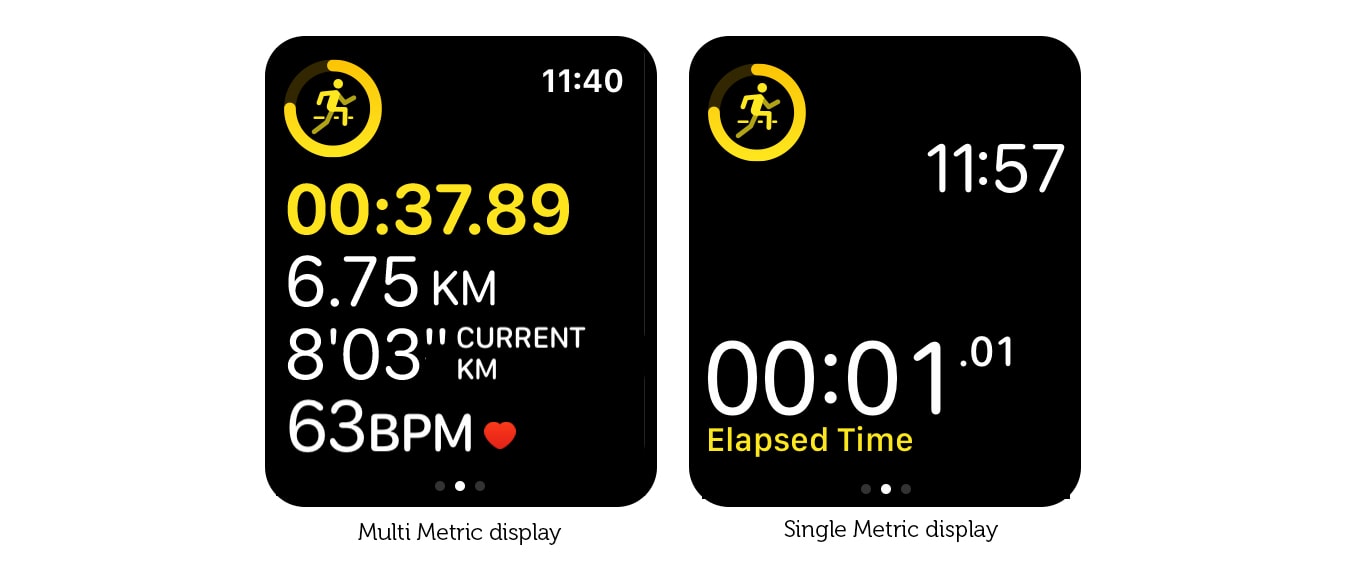
Switch to Single Metric view: You can do this using the Watch app on your iPhone. Go to Workout > Workout View and select Single Metric.
Reduce the number of metrics on the Multiple Metric view: In the Watch app on your iPhone, go to Workout > Workout View >Multiple Metric > [Workout Type: e.g. Outdoor Run] > Edit and delete a couple of metrics.
3. View multiple metrics from the Single Metric view
For most users, the Multiple Metric view is probably the best choice. But if you have trouble reading small text, you might find the Single Metric view easier to see. Despite its name, the Single Metric view doesn’t limit you to just one metric. You can use the Digital Crown to scroll through all the available metrics during your workout. They’re even color-coded, so you can tell at a glance which is which.
Declutter your display with the Single Metric View.
4. Highlight the most important metric
When you display the maximum five metrics in the Multiple Metric display, it can look a little overwhelming with so much type crammed into such a small space. Fortunately, you can highlight one row at a time by scrolling with the Digital Crown. Each metric is highlighted in its special color.
5. Make the metrics bigger
The Multiple Metric display automatically scales the type to make the metrics as large as possible, using all the available screen space. So if you want to make the type larger, just select fewer metrics to display.
Choose fewer metrics to make the text larger.
6. Make the time bigger
Apple Watch always displays the time top-right in the status bar when you’re using an app. Trouble is, when you’re jiggling about during a workout, it can be a little hard to see.
Fortunately, you can make it bigger. (The Workout app is the only app that lets you do this). In the Single Metric view, or the Multiple Metric view when you choose three or fewer metrics, the time moves out of the status bar and displays in big, bold type.
7. Switch between miles and kilometers
If you’re seriously into athletics, you might find you need to keep switching between miles (for your road-running) and kilometers (for your track sessions).
You need to remember to do this when you start a workout. Tap the ellipsis button (…). Choose the type of workout, then force-tap the display. Two buttons will pop up, allowing you to make the switch.
8. Choose different metrics for different workouts
One of the neat features of the Multiple Metric view is that it allows you to pick different metrics for different workout types.
For example, when you’re running, Distance and Pace are important. But when you’re dancing, Heart Rate and Active Calories are more interesting. So be sure to check the Watch app on your iPhone to make sure you’ve selected the best metrics for all the workouts you do regularly.
9. Don’t use the Single Metric Display for swimming
The Single Metric Display allows you to scroll through one metric at a time using the Digital Crown. The trouble is, during a swimming workout, Water Lock is enabled automatically, so you can’t use the Digital Crown. This means you’re stuck on a single metric with no way to change which one it is.
So, if you swim regularly, I recommend you stick to the Multiple Metric view.
10. Use third-party fitness apps for even more options
The Workout app is by far the most customizable built-in app on Apple Watch, but it still has its limits. That’s where third-party fitness apps come in. For example, if you want to do heart rate zone training, Runkeeper provides a handy color-coded chart. Or if you want route directions, check out RunGo, which neatly integrates them into the workout display.
The ideal workout companion
The Workout app doesn’t just log your fitness activity. If you take the time to configure it correctly, it becomes an indispensable workout companion, providing you with exactly the information you need, when you need it.
So make sure you spend a little time setting up the optimal configuration. It’ll make your workout a whole lot more effective.
There’s a running joke in my recent iPad reviews: I just get to say “it’s an iPad,” and everybody knows what that means. It’s a sign that the product isn’t changing year over year, sure. But more importantly, it’s a promise that it’s good, that it will do what you expect it to do, and that you don’t need to overthink how it will fit into your life.
Not very many products reach that level. Even the iPhone has ups and downs, with some years being a little more inconsistent than others. But minus a rough start and a cellular hiccup a couple of years ago, the Apple Watch has been on a very steady trajectory: slightly better every year. It starts at the same $399 price point as last year, and cellular or material upgrades will add to that cost.
Compared to the Series 4, the Series 5 has only a few minor updates. Chief among them is a new always-on screen. Compared to the rest of the smartwatch market, the Apple Watch Series 5 is in a completely different league.
GOOD STUFF
Finally, an always-on screen
Big, beautiful display
New apps round out its capabilities
BAD STUFF
Battery life hasn’t improved
Still no third-party watchfaces
Doesn’t work with Android phones
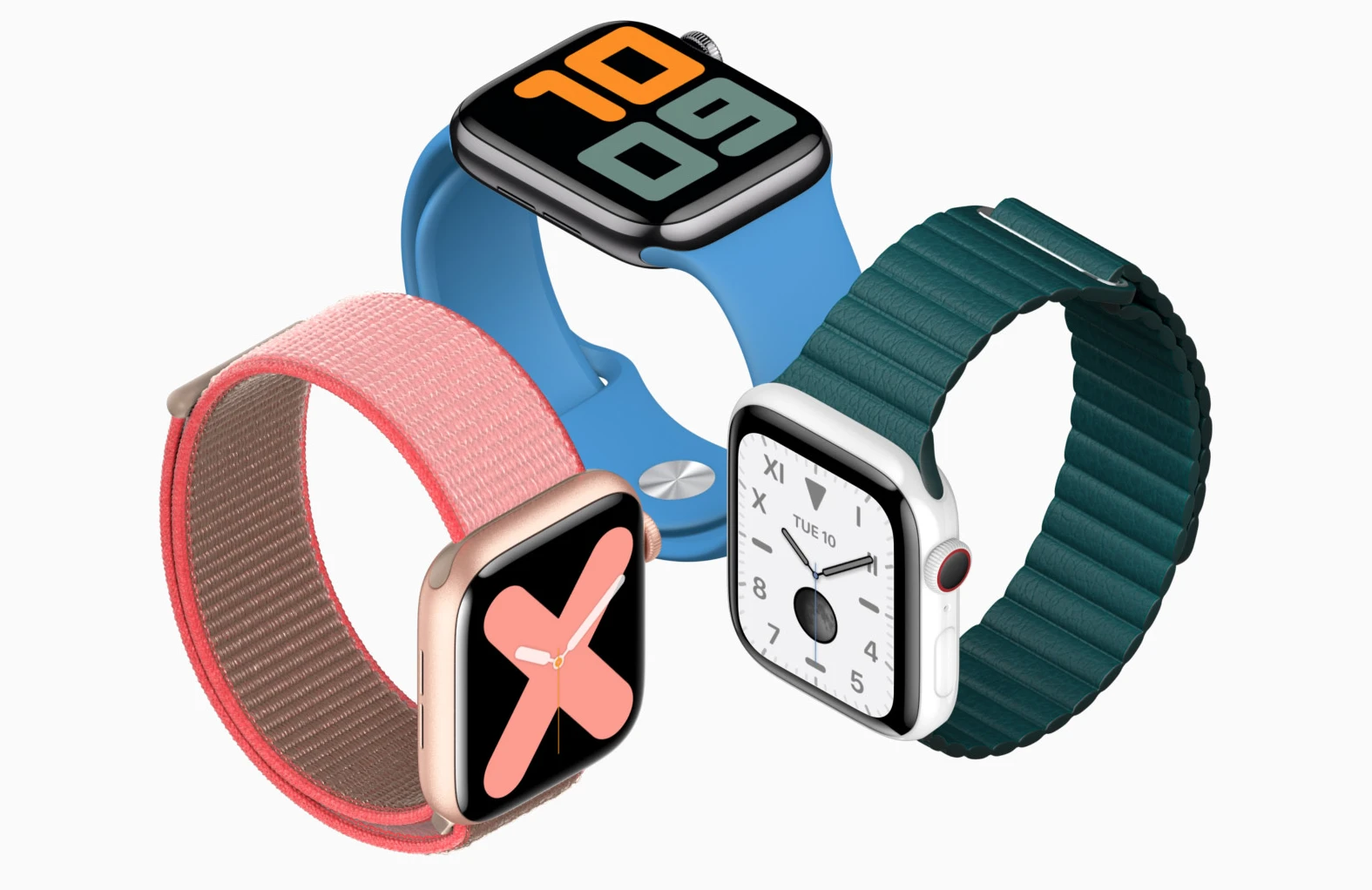
Relative to the Series 4, there are four new things on the Apple Watch Series 5. The first is that Apple is offering new materials for the casing. You can get it in the standard aluminum and steel, but you can also spend more for titanium or ceramic now.
There are some subtle weight differences on the more expensive materials, and they also have sapphire glass on the front of the Watch. But you should not spend the extra money on those more premium materials in the hope that they’ll be better from a feature perspective. They’re the same Apple Watch; you’d just be paying more for something fancier. Some people like doing that!
The second new feature is the big update this year: an always-on screen. I feel like a lot of users have been asking for this since the very first Apple Watch was announced five years ago alongside the iPhone 6 and Apple Pay. It’s something other smartwatches were already doing back then, and it was annoying that Apple didn’t figure out a way to do it.
Now it has, and in typical Apple fashion, it’s saying it was able to do so because of some slick new screen technology that mitigates the usual battery trade-offs. Specifically, Apple says it can dynamically change the screen’s refresh rate from as fast as 60Hz to as slow as 1Hz, updating just once per second.
Doing that allows the screen to draw radically less power when it’s in ambient mode. It also means that if you want an always-on display, you’re going to have to pony up for the Series 5. It’s not something that will be added to older models via software updates.
The technology that makes that possible is a low-temperature polycrystalline oxide (LTPO for short) display that Apple developed. The tech behind an LTPO version of an OLED screen is interesting — especially since it was first introduced in the Series 4 — but it’s not something you really need to understand. The screen looks identical to the Series 4; it’s just as big and bright.
What last year’s Watch lacks are the chips to control the refresh rate on that LTPO screen so it won’t be able to do always-on. Specifically, the Series 5 has an “ultra-low power display driver, efficient power management integrated circuit and new ambient light sensor,” according to Apple.
I love the always-on screen on the Series 5. Apple’s implementation is better than other smartwatches I’ve used for two reasons: it legitimately doesn’t hurt the battery life as much, and Apple keeps a little color visible in ambient mode.
For whatever reason, I’ve never been able to get earlier Apple Watches to show their screens with subtle wrist movements. I’ve always had to cartoonishly raise my arm. An always-on screen means I am a little bit less of a jerk in conversations and meetings.
AN ALWAYS-ON SCREEN WAS MY NUMBER ONE FEATURE REQUEST — IT TOOK FIVE YEARS, BUT WE GOT IT
But the big question is battery life: Apple claims it still gets 18 hours with standard use, and I have gotten that. So, box checked — except that the Series 4 usually outperformed that estimate. I won’t go so far as to say that the Series 5 gets notably worse battery life than the Series 4, but at best, it’s on par. You’ll be charging it every day.
But let’s not grade on a curve here. The Apple Watch is better than any other computer-on-your-wrist-style smartwatch by a country mile, but there are other watches with smart features that can last for days, weeks, or even months. The Garmins and Fitbits and Withings of the world are all meant for different things than the Apple Watch, but many can do some of the basics, like notifications and weather, nearly as well.
The last two new features on the Apple Watch Series 5 are a built-in compass and cellular bands that can work internationally. The former could be useful for day hikers, while the latter really only allows the cellular version to make emergency calls anywhere in the world. To get service in more places, you’ll need to wait for Apple to make more carrier deals.
So to sum up: new case materials, new always-on screen, a compass, and more cellular bands. All in all, that’s a very minor update. But the truth is that Apple could have done literally nothing, and the Apple Watch would still have been the best smartwatch for iPhone users by far.
If you have a current Apple Watch and are thinking of upgrading, I strongly recommend you wait for watchOS 6 to arrive for your current Watch. It might be good enough for you to hang on to what you have or, more rarely, these updates can make older Watches feel slower. Either way, it’s worth it to wait a bit.
The big headline feature for watchOS 6 is that it has an independent App Store that allows you to download and install apps without needing your iPhone. It does exactly that, but make sure you have your iPhone handy the first time to enter some passwords. There will be other times when some of the apps will not work on your Watch until they can communicate with a paired app on your iPhone. Apple tells me that after watchOS 6 launches, many fully independent Watch apps will be available and featured on the main page of the Watch version of the App Store.
I think the hope is that an onboard App Store may spur more usage and make supporting the Apple Watch more worthwhile to third-party developers. We’ll see, but I’m not holding my breath just yet. So far, it’s been a moneymaker mainly for Apple. Apple has done a decent job of curating apps for the main page on the App Store, but otherwise, it’s not as easy to browse as it is on your phone.
The new App Store on the Watch doesn’t make it any more independent from the iPhone, however. You still need an iPhone to set up and use the Apple Watch, even if you have a Watch with an LTE connection and its own version of the App Store. This is still an accessory to the iPhone and not a truly independent device. Though, with watchOS 6, you can start to see the hazy outlines of that path.
Alongside the App Store are a few new and updated apps directly from Apple. The most important in my mind is the new Cycle Tracking app for tracking menstrual cycles. It took Apple longer than it should have to prioritize features designed for the health of people who have periods. But now that it’s here, it seems as though the company has done a good job.
Apple has taken a cautious approach. The complication doesn’t show information, for example, and it won’t be overconfident in guessing the dates for your predicted periods and fertility windows. If you’re planning on using this to gather data for family planning purposes, you should talk to your doctor before acting on any of the data this app collects.
Apple also has put some thought and care into whether and when to show various Cycle Tracking options, depending on the age and gender information it knows. You can also turn certain types of tracking (like fertility) off if you want. There’s a specific onboarding flow that happens on the phone only because it’s better able to communicate information and nuance than your tiny Watch screen.
And if you’d like to remove the Cycles app entirely, for the first time, watchOS 6 will allow users to delete some of Apple’s own apps from the Watch. (To do that, you need to have your app view set in the hexagonal grid view. Then, long-press any app to go into jiggly mode, at which point, you’ll be able to tap an X to uninstall.)
Other new apps include an updated Reminders app and a Voice Memos app, both of which sync automatically with their paired apps on the iPhone. There’s also a Calculator app. (Why the Apple Watch has a first-party Calculator app while the iPad does not is a riddle for all iPad users.)
The Apple Watch can now also detect ambient noise. If it gets too loud, it will warn you, and it will also track your overall ambient noise level over time. It confirmed that the BART trains in San Francisco are ridiculously loud.
Apple put in a few new watchfaces, as usual. And as usual, I find them to be nice but always a few degrees off from what I actually want. I respect that Apple is opinionated about the aesthetics of the Apple Watch, but I’m increasingly annoyed that it won’t allow third-party watchfaces.
However, Apple has finally made a change that I’m over the moon about: on most watchfaces, when you set a custom color, it sets all of the complications to monochrome to match that color. I found too many of them to be garishly colorful before, and now I can tone them down to my preferred color.
Last and (given its reputation) possibly least, Siri has a few small updates. It’s able to recognize music when you ask for it, and it can present answers to questions with web links now, too. Yes, you can still open webpages on the Apple Watch. And yes, it’s still as adorable as ever. Fortunately, it also still defaults to opening specific articles in Safari Reader Mode.
If you’re interested in the cellular version, I can report that it works about the same in watchOS 6 as it did before, which is to say everything works, but it all feels just a little slower and worse than it would if you had your phone with you. Calls aren’t as crisp, latency is a bit higher when using data, and, of course, it’ll ding your battery more. But again, slightly worse than ideal for the Apple Watch is still many multiples better than most of the competition.
It is about time that Apple added an always-on screen to the Apple Watch Series 5, but that’s not the best thing about it. Nor is it the LTPO technology that enables it or the new compass or the noise meter or any single one of the features I’ve brought up in this review.
The best part of the Apple Watch is that I’m able to talk about those features at all. Every other smartwatch I have used in the past few years (and, reader, I have used a lot) has failed to cross very basic thresholds of usability. Some don’t last more than 12 hours, some can’t seem to open apps in fewer than 10 seconds, some are hard to navigate, and some have really buggy software.
The lion’s share of the blame for those issues lies with the various companies that have tried and failed to make great smartwatches. But I want to save some portion for Apple because it allows the Apple Watch to have deeper and better integrations with the iPhone than it will give to third parties. It automatically “just works” with Apple’s apps, notification frameworks, and — critically — iMessage.
That Apple integration cuts both ways. Because it’s tied so closely to the iPhone, the possibility that it will ever be an option for Android users seems to be getting smaller. That’s a shame because there are many, many more Android users, all of whom don’t have great smartwatch options.
In fact, look closer at the Android world, and you will see just how far ahead the Apple Watch truly is. Google’s Wear OS platform is in the midst of its umpteenth strategic reboot, and it’s not going well. Samsung’s Tizen platform is better, but it has struggled to gain wider adoption among anybody but Samsung users. Fitbit has hung on to a loyal following for its basic fitness trackers, but its attempts at more advanced smartwatches have been disappointing.
It’s as if the Apple Watch is in high school and taking AP courses while everybody else is repeating the 7th grade for the third time. Sure, the Apple Watch Series 5 hasn’t reached anything close to its full potential yet, but right now, this thing is an overachiever.
In total, Apple has released four new colors for the Apple Watch Sport Band: linen blue, seafoam, vitamin C, and coastal gray. All four of the new colors are available to order from Apple’s Online Store today in 40mm and 44mm sizes for $49:
It’s common for Apple to introduce new Apple Watch band colors near the start of a new season. As of right now, the Sport Band is the only option to be updated for summer 2020. There have been rumors of a new Leather Loop for Apple Watch, but that was not included with today’s updates.
But in addition to the new Apple Watch accessories, Apple has also released new silicone cases for the iPhone 11, iPhone 11 Pro, and iPhone 11 Pro Max. The new cases are available in three new colors: seafoam, vitamin C, and linen blue.
You can buy the new iPhone 11 silicone cases for $39 from Apple’s Online Store at the links below:
We also expect the new iPhone cases to be available on Apple’s official Amazon storefront soon, alongside the new Apple Watch bands. They will likely also be available in physical Apple Stores that are open sometime this week.
What do you think of Apple’s new iPhone 11 cases and Apple Watch Sport Bands? Are you planning to order anything new? Let us know down in the comments!
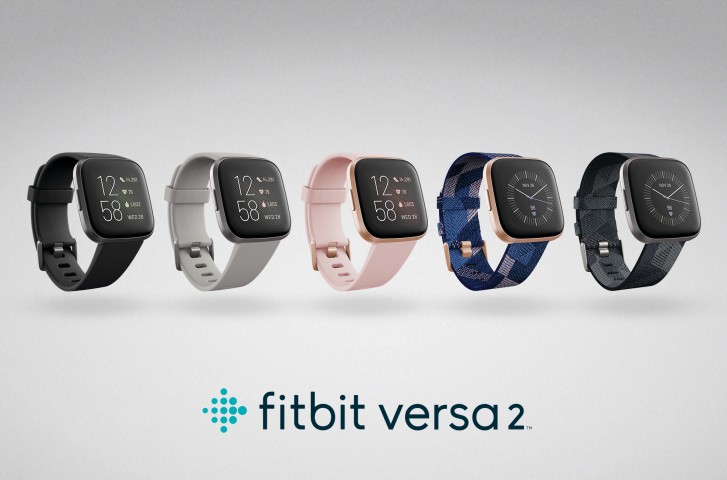
Building up on the success of last year’s Versa smartwatch, Fitbit just announced a worthy successor called the Versa 2. The new version brings several improvements including an OLED display, Amazon Alexa and Spotify integration as well as a faster processor and longer-lasting battery.
Alongside the Versa 2, Fitbit announced a new coaching service called Fitbit Premium. It’s $10 a month or $80 per year and gives you specific guided plans for workouts, calorie intake and weight control.
All Versa 2 variants feature an aluminum casing and now come with NFC which alongside Fitbit Pay allows you to use the watch for contactless payments. There’s also 24/7 heart rate tracking and 50M water resistance which means you’re good to track your swimming workouts.
In addition, it features all the standard fitness tracking modes for running, cycling, yoga as well as new sleep tracking modes. The new Sleep Score function adds a detailed breakdown grade of your sleep patterns based on your heart rate.
The device also features an Always-On Display which comes in handy for a quick glance at the time, workout progress and battery life. As far as battery life, Fitbit is promising 5 days on a single charge which is a full day more than its predecessor. The Versa 2 only has a single button on the left side which is programmable. There’s still no built-in GPS so you’ll need to pair your phone to track your runs.
FOR
Improved lightweight design
Always-on display option
Good battery life
AGAINST
Lacks GPS
No offline Spotify playback
No integration with Apple Health or Google Fit
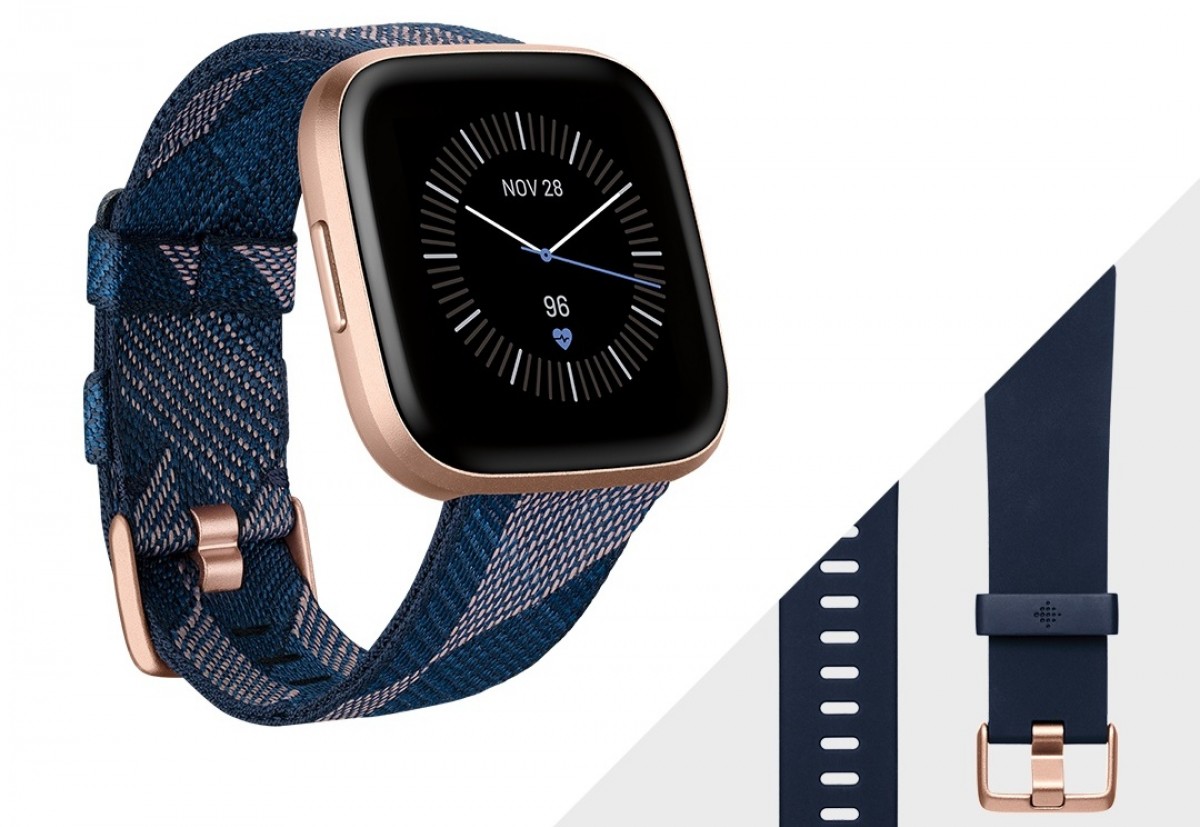
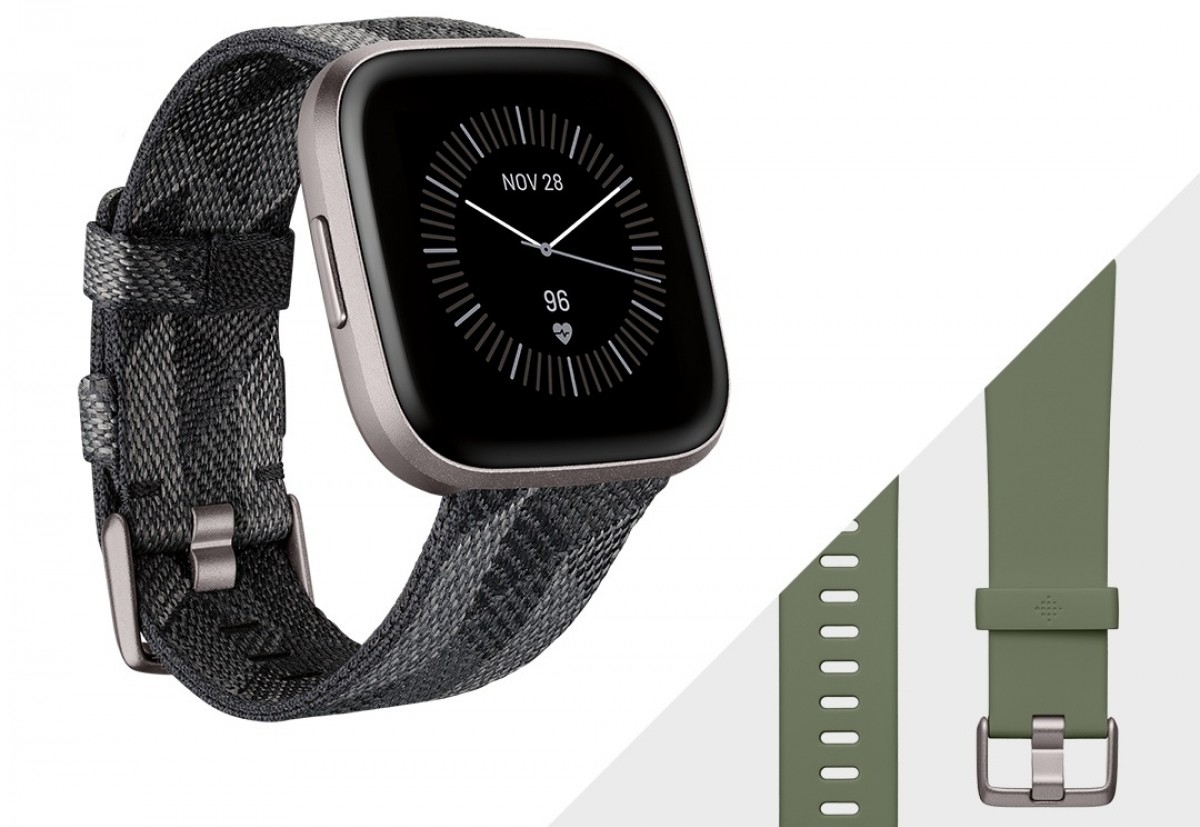
Fitbit Versa 2 Special Editions
After the launch of Fitbit’s first smartwatch, the Ionic, the company struggled to compete with the likes of the Apple Watch and dedicated running watches from Garmin.
Then, along came the Fitbit Versa and it turned the company’s fortunes around. So it’s no wonder Fitbit quickly followed that up with a cheaper, more pared back Versa Lite smartwatch while also refining the original Versa into a much-improved Versa 2.
With its newest wearable, Fitbit has again proved that you don’t necessarily need topnotch features to make a terrific fitness watch, and it doesn’t need to burn a hole in your wallet. Unlike most other smartwatches on the market, the Versa 2 isn’t looking to replace your phone – in fact, you could call it a dumbed-down version of a smartwatch. And that isn’t necessarily a bad thing.
FITBIT VERSA 2: KEY SPECS
Display: 300 x 300 pixel touchscreen AMOLED Materials: Aluminum watch case Connectivity: Bluetooth 4.0 and 802.11 b/g/n Wi-Fi Water resistance: Up to 50m Sensors: 3-axis accelerometer, optical heart rate monitor, altimeter, ambient light sensor, vibration motor, NFC, microphone, and relative SpO2 sensor Battery life: 5 days of standard usage
The Versa 2 is squarely aimed at users keen on fitness rather than those seeking productivity from a wearable, making it an extension of Fitbit’s excellent fitness tracker range, but one that comes with some extra perks.
While health and activity tracking takes center stage, the Versa 2 bridges the gap between phone and wrist by offering message and calendar notifications, ways to control your smart home setup and play music from your phone while on a run or workout session.
At launch, the price of the Versa 2 matched that of its predecessor in the US and UK, but it’s a tad higher in Australia and, is roughly on par with the price of the Apple Watch Series 3 in most regions.
Purchasing a Versa 2 will also get you a seven-day free trial of Fitbit Premium, the company’s new subscription fitness service. Those treating themselves to the Special Edition Versa 2 will, however, get a 90-day free trial of Fitbit Premium (more on this feature later).
Design and display
Retains ‘squircle’ design
New always-on AMOLED display
Single button
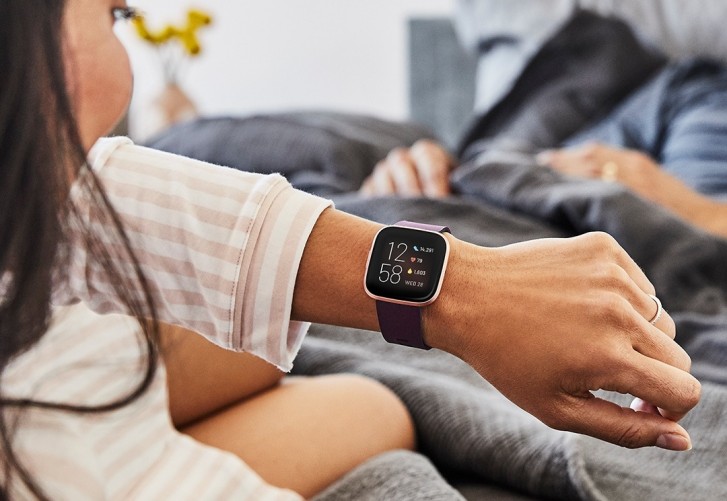
When it comes to the design, Fibit’s mantra seems to be one of ‘if it ain’t broke, don’t fix it’. The ‘squircle’ design of the Apple Watch and the original Versa seems to have been embraced by users and Fitbit has carried that on to the Versa 2. At first glance, the new fitness watch does look strikingly similar to its predecessor, but closer inspection reveals a few small tweaks giving the Versa 2 a very stylish look indeed.
With a depth of 0.47 inches (12mm), it’s only a tiny bit thicker than the Apple Watch 3, but since the chassis tapers inward toward the heart monitor underneath, it actually appears slimmer. And, with a screen size of 40mm, it should fit most wrists.
Thankfully Fitbit has removed its branding from the bottom bezel of the Versa, meaning the bezels on the Versa 2 are slightly thinner, giving you a tad more screen real estate than before. While the display’s black background is usually quite successful at disguising the bezels, they are quite obvious at some angles, albeit easy to ignore.
Where the original Versa had three buttons on the chassis – two on the left and one on the right – the Versa 2 sports just a single button on the left and serves as both the ‘select’ and the ‘back’ button. This means you’re never more than a press or two away from the feature you need to access, while any other navigation you need to perform is done via the touchscreen.
Talking about the screen, that’s the one major hardware improvement worth writing home about. Unlike the LCD display on the Versa, the second-generation Fitbit smartwatch has steps into the age of the bright AMOLED touchscreen, which is protected by Gorilla Glass 3.
It’s capable of hitting upwards of 1,000 nits of brightness although we found this to be actually too bright for general use, setting our Versa 2 to the lowest brightness setting permanently. Even at a ‘dim’ setting, the 300 x 300 resolution screen is crisp and, thanks to its ambient light sensor, is capable of adjusting brightness according to the environment you’re in.
another important feature Fitbit has added to the Versa 2 is an always-on option. By default this option is switched off and you will need to go into the watch’s settings pane to change that selection. At launch, there were no customization options for the always-on watch face and, until now, was limited to a single default analog or digital option. However, a new firmware update has now added plenty of third-party always-on faces, some of which can be customized. They’re available on the companion app, although most of them are paid options, with only a few free watch faces available.
If you prefer using the always-on display – after all, it’s nice to be able to see the watch face without having to move your arm – you’ll find that it cuts the battery life to about half.













 on the Schooltime button
 , choose Done