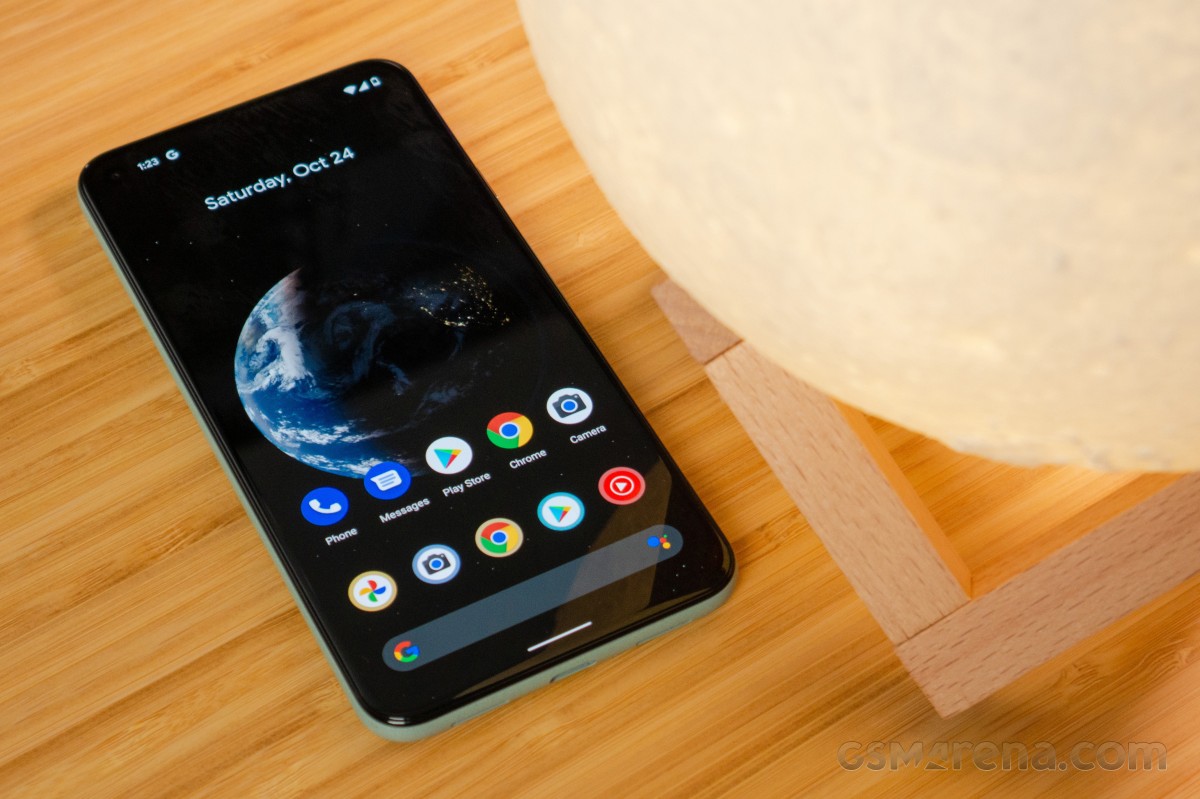
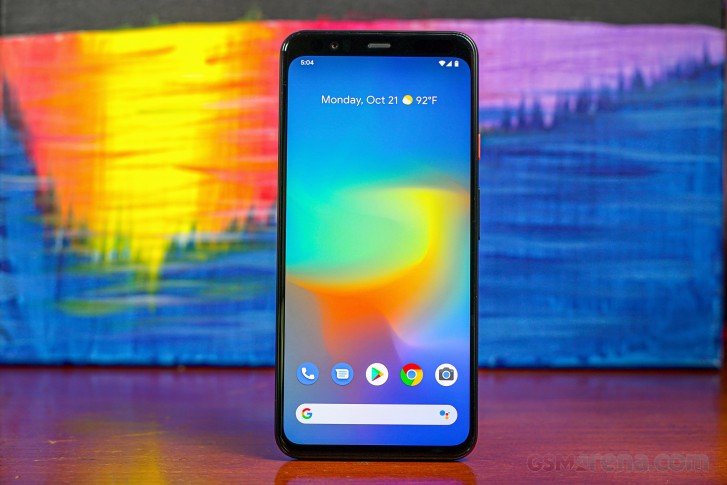
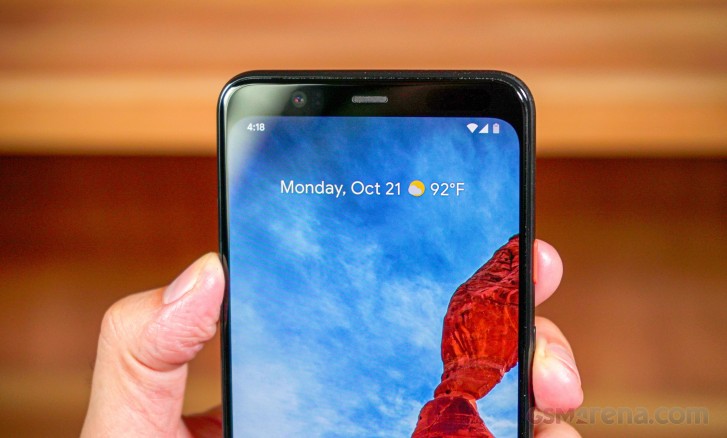
Google has taken a drastically different approach with the Pixel lineup. They’ve focused on providing a great user experience without maxing out the specs on the processor or the screen. The Pixel 5 maybe this year’s Google‘s flagship, but it’s not a flagship device as we know it.
Google did away with the finnicky radar sensors that enabled Motion Sense features on the Pixel 4 and 4 XL. Motion Sense wasn’t really as useful as the advertisements made it out to be. Because of this, the fingerprint scanner is back. Next, we don’t have the latest Snapdragon chipset on the Pixel, but we do get the capable Snapdragon 765G with support for 5G networks. Finally, the Pixel 5 swaps out the 2X telephoto from last year in favor of a new ultra-wide camera.
The overall form factor is far more manageable with a 6-inch display with a punch-hole selfie camera cut out and compact size. The Pixel 5‘s design is largely based on the Pixel 4a that came just weeks before it, but it comes with the slimmest bezels we’ve ever seen on a Pixel phone. It also has a beefier 4080mAh battery compared to the Pixel 4 XL’s 3,800 mAh. Combined with the power-efficient Snapdragon 765G, the Pixel 5 should also see improvements in battery life, but we’ll get to that.
Google Pixel 5 specs:
Body: 144.7 x 70.4 x 8 mm; 151g; Gorilla Glass 6 front, recycled aluminum enclosure reinforced with plastic; Colors: Just Black and Sorta Sage; IP68
The Pixel 5 does achieve something new. It’s got a housing made of recycled aluminum. However, it still supports wireless charging (and even supports reverse charging this year) – proving that smartphone makers don’t need to make fragile glass sandwiches to achieve the popular feature. Google did this by putting the charging coil on the outside of the housing before applying the texturized coating and ran the coil through holes cut out of the back of the chassis.
We can’t help but think that Google is taking a step backwards with the Pixel 5. However, its lower price and focus on experience may be in Google’s favor. The need for a cheaper headlining 5G smartphone is more urgent than in the past and its price point pins it up against the recently announced iPhone 12 Mini, the OnePlus 8T, and the Samsung Galaxy S20 FE.
The camera hardware stays the same on paper, but we’re curious to see if the software has allowed advancements in imaging. We’ll keep an open mind and let you know if Google has solidified its software and camera experiences with the Pixel 5. Let’s move into the box and see what’s inside.
Unboxing
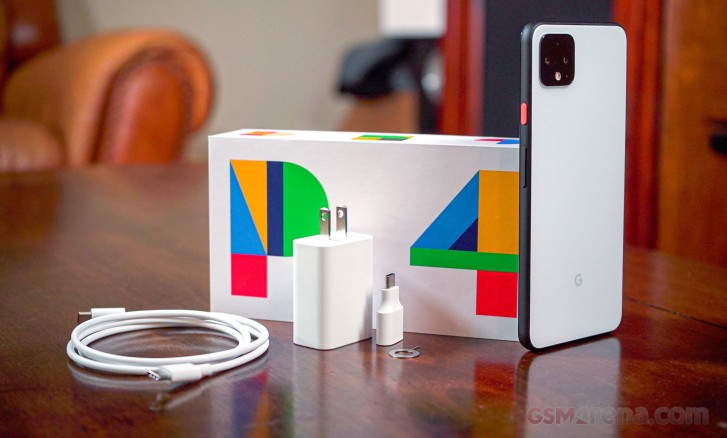
On the exterior, the Pixel 5‘s box shows the phone’s picture with the chosen coat of color. Our model is the “Sorta Sage”. The Pixel 5 comes with the bare necessities inside the box, which prominently features the #teampixel hashtag and 5G logos.
The phone comes with some documentation, a SIM tool, USB “Quick Transfer adapter”, 18W USB-C PD adapter, and USB-C charging/data cable. Google only included earbuds once with the Pixel 3 (XL) but later removed them for the Pixel 4 (XL) in the US.
Design
The Google Pixel 5 is not your average glass sandwich as it’s got a body made of recycled aluminum. In fact, Google deserves praise for proving that phone makers don’t need to use plastic or glass to get a smartphone to support wireless charging. You see, aside from wireless charging, having a smartphone with glass on the back makes it much easier for RF signals to pass through and makes it more prone to damage. This metal body also makes the Pixel 5 the first 5G-enabled smartphone with a metal body construction (even if it’s partially metal).
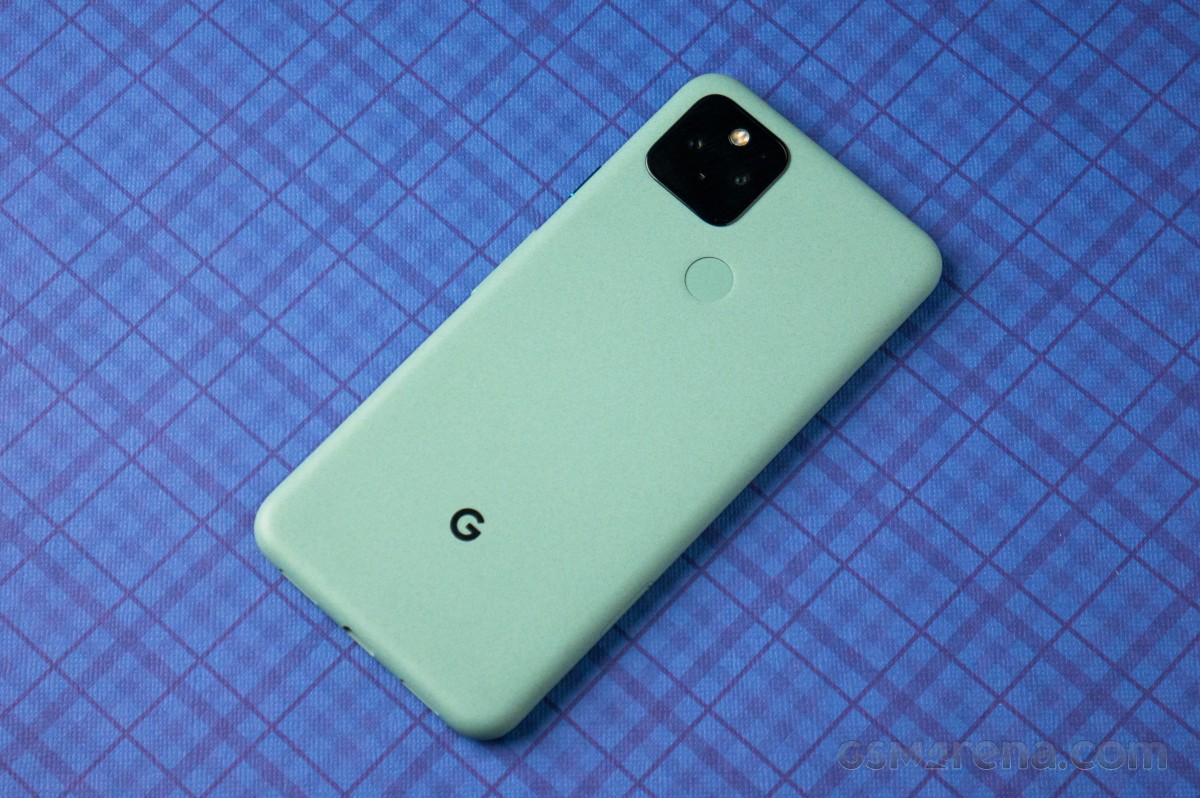
As Google explains, the Pixel 5‘s charging coil is placed right on the outside of the aluminum chassis before the assembly is placed in an injection mold. The wiring for the coil passes through the metal shell before getting a layer of “bio-resin,” which is basically a thin plastic layer. After that, the body is smoothened out and coated with either the “Just Black” or “Sorta Sage” exterior coating.
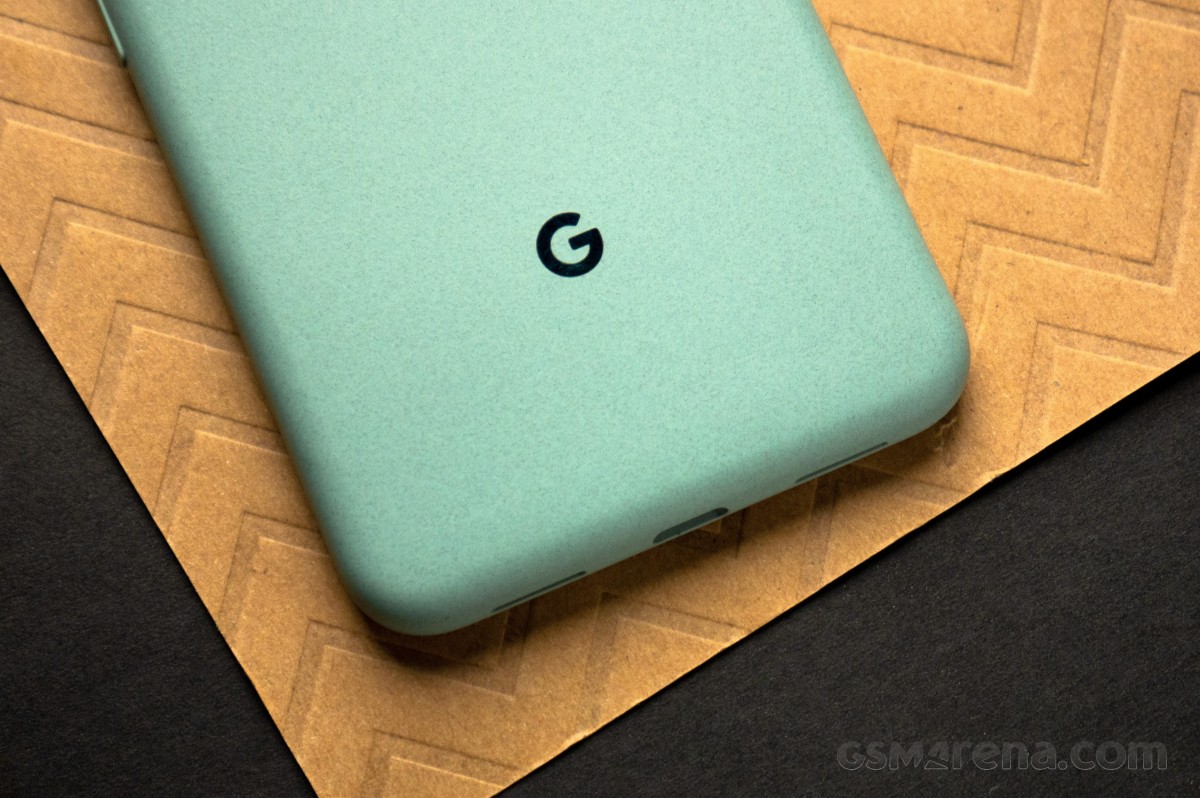
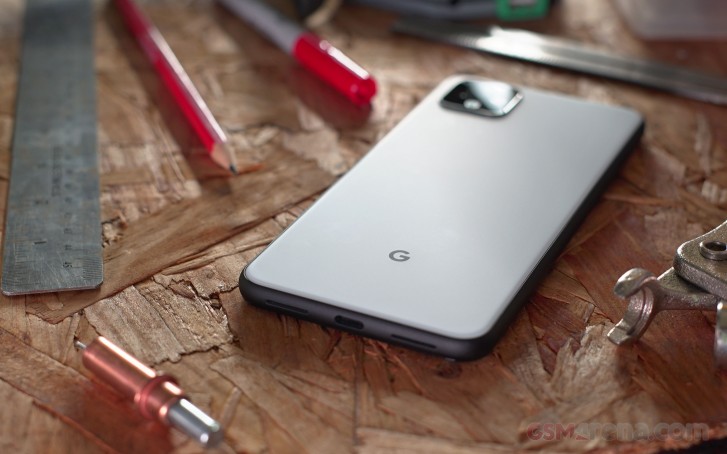
Google says you won’t be able to feel the coil behind the coating and its reasoning for going with this structure of materials over plastic or glass is to keep the phone thin. This coating feels unlike any other Android smartphone. It feels like granite or sandstone that’s been smoothened out and soft to the touch. The grip here is superb and certainly better than that of any glass.
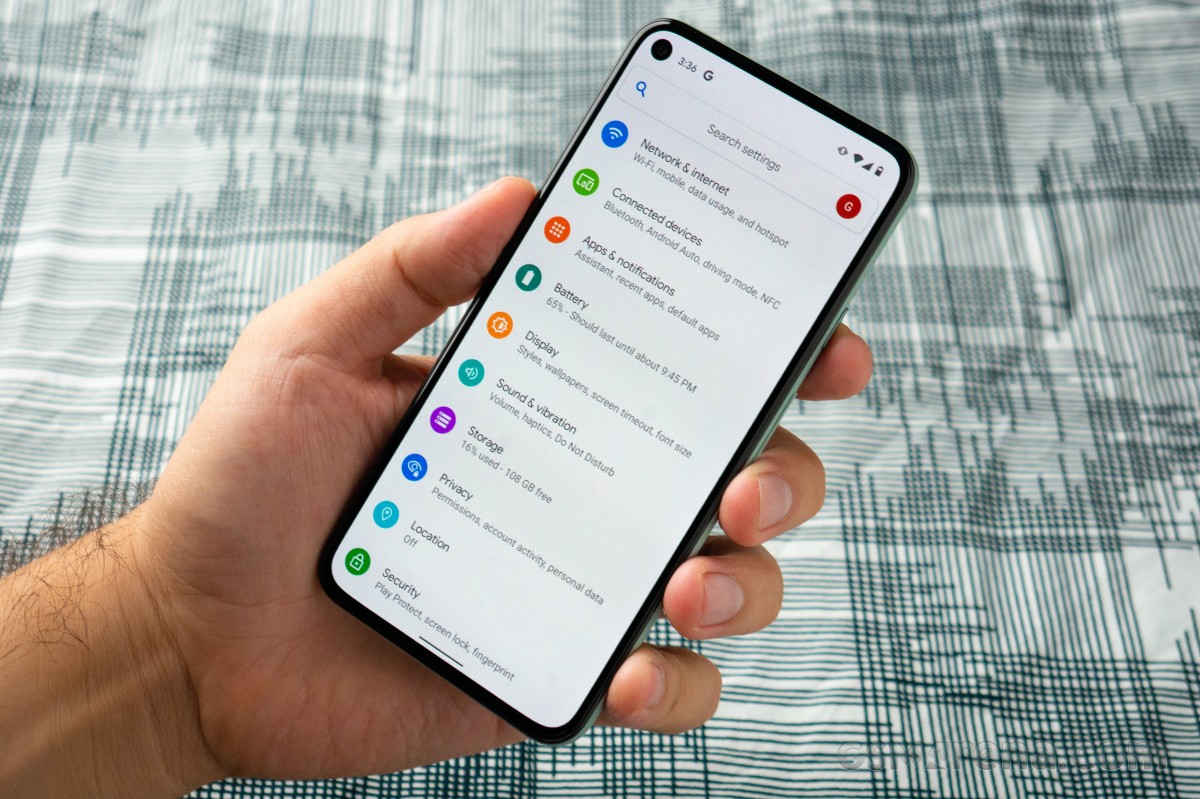
The 6-inch screen is protected by Gorilla Glass 6, and just like the Pixel 4a, the 5 has a punch-hole cutout for the selfie camera. Under strong light, we can faintly see the proximity sensor behind the display, just below the earpiece. We appreciate these little touches that help keep the bezels slimmer than ever.
Compared to the Pixel 4’s 5.7-inch display, the Pixel 5 has got a larger 6-inch screen that fits in a device that’s slimmer in every dimension, even shaving off some weight. This is due to the extra bulk that the radar sensors took up in the previous-gen Pixels. The Pixel 5 weighs 151g and measures 144.7 x 70.4 x 8 mm, and is rated IP68 water resistance.
On the left side is a SIM card tray with space for a single nanoSIM. Remember that the Pixel 5 also supports an internal eSIM for dual SIM connectivity. The right side has a volume rocker and ultra-shiny power key. The accented power key on the Sorta Sage Pixel isn’t painted in a different color as Google has done in the past. It has made this button and the “G” logo on the back shiny, giving them a nice contrast to the soft, textured exterior coating.
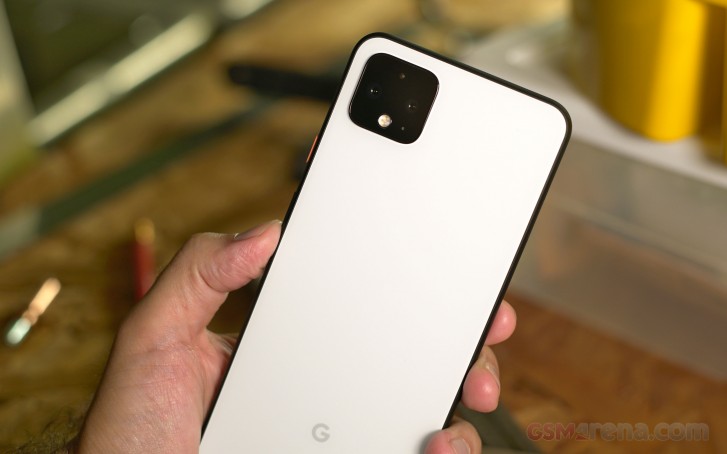
The fingerprint scanner can be seen and felt easily at the back. Meanwhile, although there’s a camera hump present, it doesn’t protrude enough to cause the phone to rock back and forth on a table.
There’s no headphone jack on the Pixel 5, just the one USB-C connector at the bottom. The left port is a microphone, and the right port is one of two loudspeakers. There’s also a tiny microphone hole in the camera square on the back.
The overall design very closely mimics the Pixel 4a but with a slightly larger display and, of course, the dual cameras. We are content with the rounded sides and high-grip material on the back of the Pixel 5. We are glad to see more phone makers revert to more compact form factors as things have been getting a little out of hand, pun intended.
Competition
The Google Pixel 5‘s price point positions it in the same space as the newly-announced iPhone 12 mini, the Samsung Galaxy S20 FE, and the vivo X50 Pro. Although all of them are around the same price, some offer more value than others depending on your needs.
Then other packages offer the same or more for a lower price. The first device that comes to mind is the OnePlus Nord, which has twice as many cameras and runs the same chipset for less. The Nord even has faster Warp Charging, but it does omit wireless charging. The OnePlus 8T is priced like the Pixel 5 but offers high-end performance and 120Hz smoothness.
The iPhone 12 and iPhone 12 Mini are just arriving on the market, and this is the first year that these iPhones will offer 5G support. Their preliminary reviews reveal that battery life is weaker than their predecessors. Still, the iPhone cameras are top-tier, and iOS is smooth and responsive.
The Pixel 5 has improved video recording this year with its processing tweaks and new stabilization modes. Suppose you’re after something that’s going to give you an even more advanced video recording experience. In that case, the vivo X50 Pro has a micro gimbal built into the camera assembly with some nifty controls and shooting modes.
The LG Wing is an entirely different class. Aside from having a higher price, it’s experimental T-shaped form factor brings a fresh way to interact with a smartphone. Both it and the vivo X50 Pro are running the same Snapdragon 765G chipset with support for 5G networks.
Verdict
The Google Pixel 5 is an evolution of the kind of smartphone that Google wants to offer. It solves the battery life issue that’s plagued all Pixel phones before it, and it’s taken a decision to switch up the hardware materials while keeping Google’s obsession with using non-standard textures and an understated design and overall look. We are also glad to see something more compact and pocketable arriving in a sea of super long glass slabs.
Google was creeping up on $1000 territory with the Pixel 4 XL but pumped the brakes with the Pixel 5 while cutting corners in just the right areas that don’t compromise the overall experience. The midrange processor might be a turn-off for some who would instead go with a cutting-edge chipset, which both Samsung and OnePlus will gladly sell you for the same price. In any case, performance is adequate for a smartphone in this day in age (as my colleague Prasad would attest), and the Snapdragon 765G will age gracefully.
Then there’s the camera, which feels more like a side-step than advancement. Although Google is adamant about the features and improvements to the camera, the software side of photography can only improve so much. We feel that this ceiling has been reached, and Google is due to put out a new Pixel with a more advanced camera. The Pixel 2’s camera was ahead of its time, but today the Google Pixel 5 is really just playing catch-up with the new ultra-wide camera. The selfie camera is also due for an update.
Google’s implementation of Android 11 on the Pixel 5 is smooth and consistent – perhaps the best stock Android has ever gotten. It will be interesting to see Google’s next step from here, but the Pixel 5 is a great first move for a lineup that’s bound to benefit from a future high-end Pixel 5 “Pro” model if there ever is one.
Pros:
Less bezel, more screen, more pocketable
Plastic-reinforced metal build with two-directional wireless charging
Much-improved display brightness over Pixel 4
Speakers are loud
Superb battery endurance
Pixel-only features like Hold for Me and Robo Call-screening
Finally, an ultra-wide camera on a Pixel
Cons:
Snapdragon 765G performance is severely handicapped in this phone
Recycled main camera hardware with incremental improvements to image quality
The end is officially here for Adobe Flash. As previously announced, Adobe has confirmed that it will no longer provide support for Flash Player after December 31, 2020, and it will block Flash content from running in Flash Player beginning on January 12, 2021.
The writing has been on the wall for the end of Adobe Flash for years. Way back in 2017, Adobe announced its plans to drop support for the Flash plug-in by the end of 2020, and it is now making good on that promise.
As Adobe has worked to wind down Flash over the last three years, Apple’s message has been consistent. The company emphasized on its WebKit blog at the time of Adobe’s announcement that the transition from Flash began in 2010 for Apple users:
Apple users have been experiencing the web without Flash for some time. iPhone, iPad, and iPod touch never supported Flash. For the Mac, the transition from Flash began in 2010 when Flash was no longer pre-installed. Today, if users install Flash, it remains off by default. Safari requires explicit approval on each website before running the Flash plugin.
But of course, the relationship between Apple and Adobe in regards to Flash had been strained for years, ever since Steve Jobs famously published his “Thoughts on Flash” piece back in 2010 to address what was a major point of criticism at the time for iPhones and iPads as computer replacements.
I wanted to jot down some of our thoughts on Adobe’s Flash products so that customers and critics may better understand why we do not allow Flash on iPhones, iPods and iPads. Adobe has characterized our decision as being primarily business driven – they say we want to protect our App Store – but in reality it is based on technology issues. Adobe claims that we are a closed system, and that Flash is open, but in fact the opposite is true.
In the letter, Jobs bemoaned Flash for its many flaws, including things like reliability, security, battery life, and performance. While Adobe contested Jobs’ claims at the time, Apple never did bring Flash to the iPhone and iPad, and Flash’s downfall began shortly thereafter.
Adobe has a website dedicated to providing information about the end-of-life plans for Flash, saying that users should uninstall Flash from their computers immediately to “help protect their systems.”
Since Adobe will no longer be supporting Flash Player after December 31, 2020 and Adobe will block Flash content from running in Flash Player beginning January 12, 2021, Adobe strongly recommends all users immediately uninstall Flash Player to help protect their systems. Some users may continue to see reminders from Adobe to uninstall Flash Player from their system.
Since Adobe will no longer be supporting Flash Player after December 31, 2020 and Adobe will block Flash content from running in Flash Player beginning January 12, 2021, Adobe strongly recommends all users immediately uninstall Flash Player to help protect their systems.
Some users may continue to see reminders from Adobe to uninstall Flash Player from their system. See below for more details on how to uninstall Flash Player.
UPDATED: December 2, 2020
As previously announced in July 2017, Adobe will stop supporting Flash Player after December 31, 2020 (“EOL Date”).
Open standards such as HTML5, WebGL, and WebAssembly have continually matured over the years and serve as viable alternatives for Flash content. Also, major browser vendors are integrating these open standards into their browsers and deprecating most other plug-ins (like Flash Player). See Flash Player EOL announcements from Apple,Facebook,Google,Microsoft and Mozilla.
By providing more than three years’ advance notice, Adobe believes that there has been sufficient time for developers, designers, businesses, and other parties to migrate Flash content to new standards. The EOL timing was in coordination with some of the major browser vendors.
After the EOL Date, Adobe does not intend to issue Flash Player updates or security patches. Therefore, Adobe will continue to prompt users to uninstall Flash Player and strongly recommends that all users immediately uninstall Flash Player.
To help secure users’ systems, Adobe will block Flash content from running in Flash Player beginning January 12, 2021.
Major browser vendors will disable Flash Player from running after the EOL Date.
Flash Player may remain on your system unless you uninstall it. Uninstalling Flash Player will help secure your system since Adobe does not intend to issue Flash Player updates or security patches after the EOL Date. Adobe will block Flash content from running in Flash Player beginning January 12, 2021 and the major browser vendors will continue to disable Flash Player from running after the EOL Date.
Click “Uninstall” when prompted by Adobe in Flash Player, or follow these manual uninstall instructions for Windows and Mac users.
Since Adobe is no longer supporting Flash Player after the EOL Date, Adobe will block Flash content from running in Flash Player beginning January 12, 2021 to help secure users’ systems. Flash Player may remain on the user’s system unless the user uninstalls it.
As the EOL Date approaches, the number of Flash-supported browsers and operating systems will continue to decrease so Adobe strongly recommends that all users immediately uninstall Flash Player.
Apple Safari version 14, released for macOS in September 2020, no longer loads Flash Player or runs Flash content. Please visit Apple’s Safari support for more information.
Adobe will continue issuing regular Flash Player security patches, and maintain certain OS and browser compatibility through the end of 2020.
No. Adobe will remove Flash Player download pages from its site after the EOL Date. Adobe will block Flash content from running in Flash Player beginning January 12, 2021.
No. These versions of Flash Player are not authorized by Adobe. Users should not use unauthorized versions of Flash Player. Unauthorized downloads are a common source of malware and viruses.
Adobe does not intend to issue Flash Player updates or security patches after the EOL Date. Adobe strongly recommends that all users uninstall Flash Player immediately.
Google‘s Pixel 4a is finally here and although it has arrived a few months behind its rumored schedule, many are eager to buy one during these trying times. How much has been done to improve the Google-fied budget Pixel 3a from last year? Well, last year’s formula was quite successful that Google didn’t need to change it up too much. In fact, it lowered the price and doubled the storage.
The 4a gets a modest performance boost with a Snapdragon 730G chipset, 2 additional GB of RAM, and updated UFS 2.1 storage speeds (The Pixel 3a used eMMC 5.1). A slight boost in battery capacity is seen as well, and the display size was stretched out to cover more surface area, and there’s a punch hole selfie camera cut-out of the screen as well.
The backside and frame are both made of plastic, but the display glass is now made of Gorilla Glass 3. In addition, the camera, while otherwise identical in hardware, gets a slightly brighter f/1.7 aperture lens (the 3a had f/1.8). We are expecting to see camera performance comparable to what we saw on the Pixel 3a last year, which was wonderful to say the least.
Google Pixel 4a specs:
Body: 144 x 69.4 x 8.2 mm; 143g; Plastic body and frame
Despite the taller screen, Google managed to shrink the footprint of the 4a (compared to the 3a) in both height and width. This is the first Google Pixel phone to feature a punch hole cut out for the selfie camera.
With the Pixel 4a, Google is solidifying its foothold in the midrange category. The higher-end Pixels that came before it excelled in camera technology, but these days the competition swerves around Google’s offerings. With the Pixel 3a, Google has proven it can make cheap hardware deliver a premium-feeling experience.
Let’s dig further into the Pixel 4a starting with the unboxing.
Unboxing the Google Pixel 4a
The Pixel 4a comes with the bare necessities inside. The box is printed with a matte finish on the outside. Google‘s branding and an image of the Just Black Pixel 4a appear on the packaging.
Inside the box is the Pixel 4a itself, a quick start guide and safety information card, SIM eject tool, a USB-C to C cable, and a USB-C Power Delivery charge adapter. There’s also a USB-C to A adapter, useful for transferring data from an iPhone or other Android device. This adapter doubles as an OTG input so you can mount a USB drive into the Pixel 4a.
The Pixel 4a doesn’t come with any earbuds, case, or screen protector.
Design and build quality
The Pixel 4a is built with a plastic frame and back panel while the display is protected by Corning Gorilla Glass 3. Like the Pixel 4 and Pixel 4 XL, the Pixel 4a no longer has the “window” on the back, so it is completely matte on the back, save for the camera bump. It’s interesting to see this fingerprint scanner, which is also matte on the back, we can’t help but think it might have been more aesthetically pleasing to make it shiny to contrast the rest of the back.
The camera setup is square like its more expensive siblings, but it only houses a single 12.2MP camera, and a dual-LED flash. We like that the styling matches with the Pixel 4. The camera housing does protrude, but not enough to make rocking back and forth on the table a serious issue.
The rear cover and the frame are a single piece, so holding the Pixel 4a feels really nice and smooth with no breaks or seams. At 144 x 69.4 x 8.2 mm, the Pixel 4a is slightly shorter and narrower than the Pixel 3a, despite having a screen that takes up more space. It’s even slightly lighter at 143g and its weight is well distributed.
It’s a well built phone, but we wonder if it has any structural weak points. It doesn’t creak or buckle under light pressure, so that’s worth something. Remember that the Pixel 4a is not rated for water or splash resistance, and we would not bet that it’s even sealed well for such an event.
Google has omitted Active edge from all Pixels starting with the 4a. Perhaps it realized that the pressure sensors placed in the frame take up more space than is worth the squeezy feature. You can do the same thing by swiping up from a corner, but it won’t be the same.
The front of this Pixel finally looks like it belongs in the present day. The Pixel 3 had large bezels (and the Pixel 3 XL had the bathtub notch), and the Pixel 4 and Pixel 4 XL had the honkin’ upper bezel for the underwhelming Motion Sense hardware. The bezels on the Pixel 4a are the smallest we’ve seen on a Pixel phone thus far and the display fills the space nicely.
There’s a 5.81-inch OLED screen with a punch hole cut out for the 8MP selfie camera. This cutout does have a border that isolates it from the display. The front-facing speaker is now a slit that sits above the display, so we wonder if it will affect the stereo loudspeaker performance.
There’s a headphone jack at the top, which you don’t see on the higher-end phones anymore.
At the bottom is a USB-C port, and two symmetrical ports – the right one is a loudspeaker, and the other is a microphone.
The SIM tray is on the lower left side of the phone, and it only takes a single nanoSIM card. There’s no expandable storage here, but dualSIM is possible via eSIM.
The power key is accented with a slightly mint-colored white. The buttons themselves are very clicky and tactile, though not too sensitive.
The phone feels great in-hand. From its curvy matte back cover to the compact size, this is going to be a wonderful phone to hold and use. Finger gymnastics are still kind of needed to reach the top of the status bar, but the Pixel launcher already lets you swipe from anywhere on the home screen to reach the notification shade.
Android 10, soon to be 11
It’s interesting that Google released the Pixel 4a this close to the release of Android 11. We’re expecting it next month along with the new Pixels, so we’ll skim over Android 10’s most prominent features.
Upon setup, you’ll be offered the chance to transfer data from another Android device, iOS device, or restore from a Google Drive backup. You do have the option to transfer via a USB cable (via the adapter included in box), iCloud download, or Google Drive backup, but this won’t be as thorough as the other two methods.
Keep in mind if you skip the initial setup, you won’t be able to transfer from another device unless you reset the Pixel, so skip wisely.
Next, the setup prompted us to set up a screen lock and register a fingerprint. This process is quick, simple, and the fingerprint scanner unlocks the 4a in a pinch, and every time.
In case you haven’t opted for Android 10’s gesture navigation by now, you’re offered a quick tutorial on how to use it. You can always switch the setting if you prefer the classic navigation bar.
The home screens are clean and uncluttered. A weather and date widget are at the top, with a dock, Google Search bar and Google Assistant shortcut at the bottom. The app drawer pops up with a swipe upwards. A swipe to the right opens your Google feed. As before, there are plenty of pre-loaded and downloadable wallpapers for the Pixel launcher.
You can change the look of the UI’s icon and quick toggle shapes, fonts, and accent color.
All Android 10 phones have universal live captioning that is accessed from the volume menu. Be advised that this feature will consume more battery when it’s enabled. Since its launch, English is the only supported language.
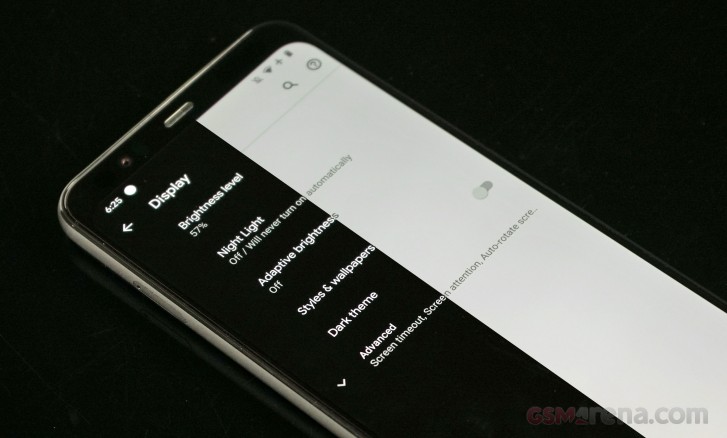
Dark Theme is easy on the eyes if you primarily use your phone at night. It can also be set to switch between light and dark with your local sunrise and sunset.
Google‘s Personal Safety app combines an emergency contact page, a page with your health information, a Safety Check feature, and an automatic car-crash detection feature.
Always-on display is available in the Display settings. The 4a doesn’t have the Motion Sense hardware that the Pixel 4 has that woke up the phone with a wave, but it does have “Tap to check” and “Lift to check” options to make checking the time or notifications easy. Ambient Display will also briefly show notification as they arrive.
With every passing year, Google‘s software is more solid, polished, and keeps getting deeper integration with Google Assistant. Android 11 is coming next month, so we’re expecting a slew of new features to come. The Pixel 4a is expected to be among the first in the queue to receive the update.
The Pixel 4a doesn’t stutter, slow down, or take a second to really think about what it needs to do. It handles multitasking like a champ thanks to those 6GB of RAM.
The competition
The Pixel 4a is currently on pre-order with a price tag of around 350 bucks – regardless whether that means dollars, pounds or euros where you reside.
The market has never been so full of great midrange propositions. The Google Pixel 4a enters a heated arena where all smartphones are already offering great performance and smooth user experience. It’s a compact phone so we’d admit that if that’s a particular feature you are after, you’d be hard-pressed to find equally matched counterparts as the industry has generally moved past the 6-inch mark.
The Samsung Galaxy S10e is one compact option to consider but we won’t actively recommend it at this stage because it’s already 1yr and a half old which means it’s unlikely to get major software updates going forward. It’s also considerably more expensive off-contract than the Pixel 4a.
The Samsung Galaxy A41 is a more recent midrange smartphone. It has not launched in the US yet but it’s enjoying a warm reception everywhere else and we were quite happy with it when we reviewed it. It’s got a 6-inch AMOLED screen and a larger battery than the Pixel 4a. Its great battery life is thanks to the chipset which is more tuned for power efficiency rather than performance. As a result, performance is one area where the Pixel 4a has the upper hand. The camera performance of the A41 is good but not outstanding too, which puts a second mark on the Pixel 4a checklist. However, the A41 is priced some 100 euros less than the Pixel 4a, so if camera performance is not super important, the A41 sounds like the better deal.
The iPhone SE 2020 has the camera performance to match the Pixel 4a as well as the fast-track OS updates and it’s got a much more premium build with water resistance. It’s got awesome performance thanks to Apple’s latest CPU but battery life is uninspiring and it also has a much smaller screen. Coupled with the higher price tag, it’s the phone you get if you want the cheapest or most compact iPhone possible (or both). The purchasing decision will likely not be down to specs but rather to the preferred OS ecosystem.
If the compact size is not a must-have, there are a few other alternatives hovering around the 6.5-inch mark. Due to their increased size, they’ve all got better battery life than the Pixel 4a aside from increased screen real estate.
The Xiaomi Mi 10 Lite 5G offers an amazing value package as well with a great AMOLED screen, and superb battery life while costing around 300 euros. It even throws in 5G connectivity in the mix but camera performance is not as good.
For around 350 euros, the OnePlus Nord is another 5G capable phone that is better than the Pixel 4a. And when we say 5G we mean this comes with a better grade chipset overall even if you don’t have access to a 5G network.
The verdict
With many other midrange devices in the same price range, the Google Pixel 4a offers a fully rounded Pixel experience in a compact size and at a budget-friendly price point.
As midrange smartphones are now coming with triple and even quad-cameras, the Pixel 4a‘s Astrophotography feature, dead-simple camera UI, and distinct style of photography that it produces makes it competitive enough to stand out in its class.
The screen is plenty bright and nicely sharp. The phone’s compact size is comfortable and easy to handle – a nice break from all the budget smartphones that come in the mid and upper 6-inch range.
Software is as expected. Android 10 runs smoothly and quickly, though we are kind of puzzled that Google would release a Pixel so soon before it officially releases Android 11. It’s generally known that Google severely delayed the launch of this phone because of the ongoing pandemic.
This feels more like a refresh of the widely successful Pixel 3a, which is fine too. We have a feeling that Google is saving all the jaw-dropping changes for the upcoming Pixel 5.
If you’re coming from the Pixel 3a or the 3a XL, there isn’t any incentive to upgrade to the 4a. The phones are identical on paper and aside from the 4a’s design, added RAM and storage, and marginally better CPU, there isn’t really anything surprising about the Pixel 4a.
Pros:
Great display
Comfortable, compact size
Plenty of RAM and storage
Headphone jack
Smooth, snappy software
Still images nearly indistinguishable from Pixel 4XL, astrophotography
Cons:
Not much of an upgrade over Pixel 3a and Pixel 5 launch is imminent
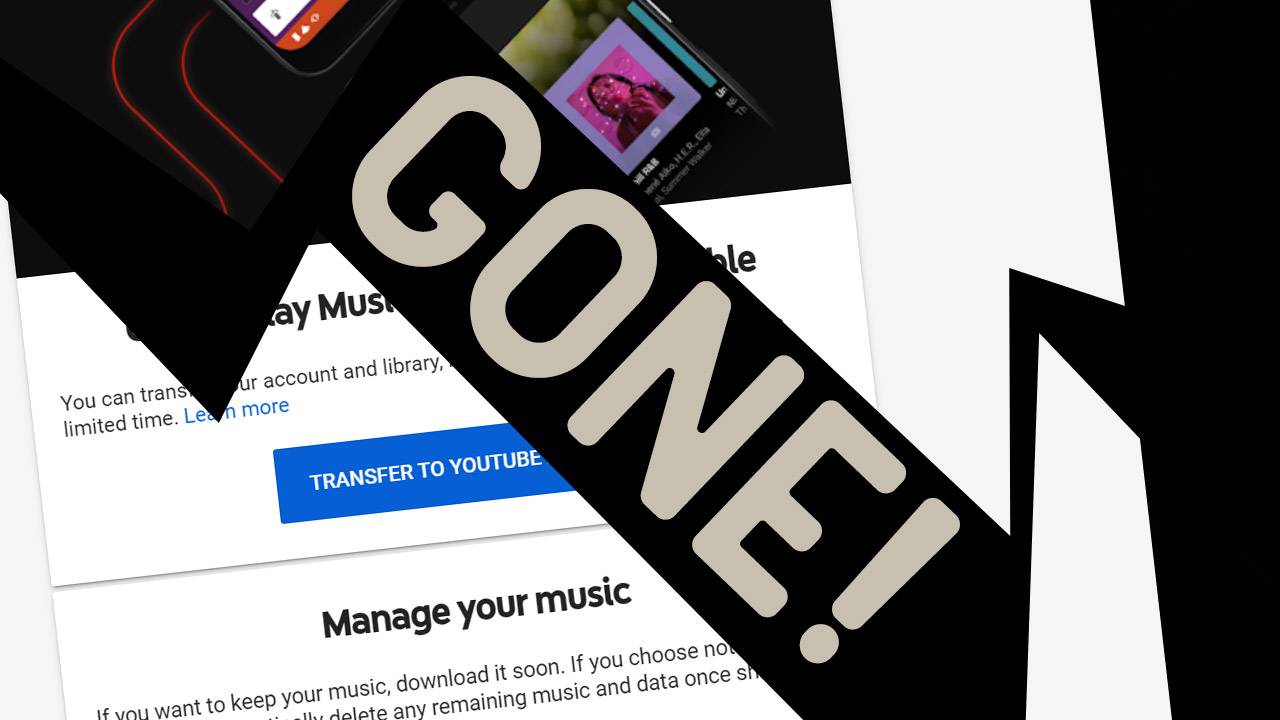
This week Google Music will stop working for your devices, if it’s not already stopped working today. Over the past year Google’s phased out the Google Music ecosystem in favor of YouTube Music, they’re alternative to each service offered by the former. The Google Music platform allows switching to a YouTube Music account, and costs are similar, but users will need to actively make the change to download the new app and log in.
If you’re still using Google Music right now, you’re living on borrowed time. Google Music will soon cease to work on all of your devices, regardless of platform. The one POSSIBLE exception is as follows.
If you have a desktop computer or mobile device with Google Music and a bunch of downloaded (offline) music, you MAY be able to continue using that app into the future. You would need to keep your internet connection OFF for the rest of the time you plan on using the device with Google Music from this day until your last day… which could be a bummer.
In all other cases, Google Music will require users to switch to YouTube Music on all platforms. That includes Android, Android TV, desktop machines, iOS, and in browsers. If you’d like to initiate a switch to the YouTube Music platform, you’ll find a relatively easy method with the YouTube Music one-click transfer method. You might also want to go ahead and download your music, if you’re lucky, you might be able to do so using the Google Play Music manager tool right now.
If you’re unable to download the files you’ve uploaded to Google Music right now, you might’ve waited a bit too long. Google won’t likely keep your files safe unless you’ve already transferred your account from the original “Google Play Music” system to YouTube Music before now.
Google finally ripped the bandage off and officially shut down Google Play Music. Although, when opening the app it still says that Google Play Music will soon shut down so you have to make the migration to YouTube Music. In other regions, it doesn’t give you any other options except transferring your data to YouTube Music.
There’s also the “Manage your data” button that takes you to the GPM website and lets you download your full library and delete it later. You can also delete your recommendation history.
However, if you have any songs downloaded onto your device, you’d have to either delete the Google Play Music app or at least clear the user data and cache in the App info sub-menu.
Back in January, Google was testing biometric authentication support for its first-party Autofill service. Now, this feature appears to be rolling out to Google Autofill via a recent update to Google Play Services.
The new feature means that users can require successful biometric authentication before information can be filled into a form. Before, Google’s Autofill service had no additional safeguards on top of the user’s lockscreen, making it less secure than most third-party password managers.
According to Android Police, the feature appears to have become widely available for users on Google Play Services v20.33.13, but it’s also available for some on version v20.26.14. It appears this is rolling out via a server-side update, so it’s just a matter of waiting for a flag to be flipped on your device.
The new feature can be found by heading to Settings > Google > Autofill > Autofill with Google. You’ll see a new menu called Autofill Security, where you can toggle biometrics. Once toggled, users can use any biometric authentication hardware that’s supported by the BiometricPrompt API, which includes fingerprint scanners, iris scanners, or secure facial recognition hardware like on the Pixel 4 and Pixel 4 XL. Of course, you’ll also need to turn on the Autofill with Google service in Settings > System > Languages & input > Autofill service.
Adding biometric authentication not only makes logging in more secure, but it also makes it more convenient and accessible to users.
Apple and Google announced their partnership two weeks ago to develop contract-tracing via Bluetooth in iOS and Android. Last week we shared details about how it will work and roll out, and today we’ve got answers to frequently asked questions about COVID-19 contact tracing for iOS and Android as well as updates on the Bluetooth and cryptography specifications.
We learned last week how contact tracing will work and roll out as well as how people will be able to participate. Those details should also help to further qualm security and privacy concerns from US Senators as well as the public.
Today we’ve got more details from Apple and Google representatives that cover some of the most frequently asked questions about contact-tracing in iOS and Android, now called Exposure Notification.
How can contact tracing help slow down COVID-19?
Smartphones can be an important part of slowing down the pandemic as they offer an automated solution that scales to understand when people are exposed to someone who has tested positive for the virus. This gives valuable anonymous data to public health authorities to make the best decisions to slow down COVID-19.
Contact tracing is being used by public health authorities and governments around the world.
How does the software ensure privacy and security?
Users have explicit choice whether or not to turn on and use COVID-19 contact-tracing
Users control all data and if they want to share it
No location data is tracked, the software works via Bluetooth-based rotating beacons
Contact-tracing from Apple and Google will only be available to be used by apps from public health authorities
Apple and Google can turn off COVID-19 exposure notification on a regional basis
Will the government have access to information through contact tracing?
Approved apps from public health authorities will have access to Bluetooth beacon data that retains user privacy and security.
Explicit user consent is required for their anonymous data to be shared
Where is contact tracing data stored and who can see it?
Contact tracing data is only stored on a user’s device
Contact tracing data is only processed on a user’s device
Public health authorities will be able to see anonymous Bluetooth beacon data for those who have tested positive for COVID-19 and those that receive exposure notifications
Data will also include the day the contact occurred and how strong the Bluetooth signal was
Will Apple and Google monetize contact tracing data?
There will not be any monetization for contact tracing data
Apple and Google reiterate that the software relies on a user’s device for processing and data storage
Where can you find contact tracing apps for iOS and Android?
As public health authorities develop and update apps to work with Apple and Google’s contact tracing software they will be made available in the App Store and Google Play Store.
Apple and Google are partnering with public health authorities to see about ways they might be able to contact users about available apps
Apple and Google will highlight contact tracing apps when they become available on their app stores.
How will the software know if I’ve been exposed to someone who has tested positive?
Each public health authority will decide how each determines if someone has been exposed.
Apple and Google’s software supports data that includes how long someone has been in contact with someone who has tested positive
Health authorities will determine a minimum threshold for the time in contact with someone who has tested positive and Apple and Google will have a 30-minute maximum set to retain user privacy.
Apple and Google representatives highlighted that contact tracing is just one part of the solution for the coronavirus pandemic.
More resources can be found on Apple’s website. There are also updates today on the Bluetooth specification, Cryptography specification, and framework API for the iOS software. These include the API keys being randomly generated, changing the encryption algorithm from HMAC to AES, associated metadata is now encrypted, and more.
Aggregated Navigation Data from Apple Maps Provides Mobility Trends for Cities and Countries or Regions
Mobility data trends generated from Apple Maps requests may provide insights to health authorities looking for ways to mitigate the spread of COVID-19.
Apple today released a mobility data trends tool from Apple Maps to support the impactful work happening around the globe to mitigate the spread of COVID-19. This mobility data may provide helpful insights to local governments and health authorities and may also be used as a foundation for new public policies by showing the change in volume of people driving, walking or taking public transit in their communities. To learn more about COVID-19 mobility trends, visit apple.com/covid19/mobility.
Maps does not associate mobility data with a user’s Apple ID, and Apple does not keep a history of where a user has been. Using aggregated data collected from Apple Maps, the new website indicates mobility trends for major cities and 63 countries or regions. The information is generated by counting the number of requests made to Apple Maps for directions. The data sets are then compared to reflect a change in volume of people driving, walking or taking public transit around the world. Data availability in a particular city, country, or region is subject to a number of factors, including minimum thresholds for direction requests made per day.
Apple has built privacy into the core of Maps from the beginning. Data collected by Maps, like search terms, navigation routing, and traffic information, is associated with random, rotating identifiers that continually reset, so Apple doesn’t have a profile of your movements and searches. This enables Maps to provide a great experience, while protecting user privacy.
Additional COVID-19 Efforts
Apple is dedicated to supporting the worldwide response to COVID-19 and has sourced and donated well over 20 million face masks for medical professionals on the front lines around the world. Apple has also brought together teams across the company and its suppliers to design and produce face shields, and is shipping 1 million face masks per week to the areas that need them most. For police, firefighters and paramedics, Apple helped Stanford Medicine build a new app for first responders to help screen their symptoms and, if needed, schedule a testing appointment.
Recent updates to Apple apps and services help customers find the information they need quickly and easily using Siri and Apple Maps. Siri Audio Briefs for COVID-19 help customers receive the latest news and information about the pandemic through short podcasts from trusted news providers and Siri can also provide guidance and resources from the CDC if asked, “How do I know if I have coronavirus?” In Apple Maps, grocery, food delivery and medical services are prioritized when searching nearby, and a curated collection of telehealth apps are available on the App Store. Apple is also providing content and services to parents, teachers and IT teams to help with the transition to virtual learning, including one-on-one training and numerous online resources.
To accelerate contact tracing, Apple recently launched a joint effort with Google to enable the use of Bluetooth technology to help governments and health agencies reduce the spread of the virus, with user privacy and security central to the design. Apple also released a new screening tool and set of resources to help people stay informed and take the proper steps to protect their health during the spread of COVID-19, based on the latest CDC guidance. For more information visit apple.com/covid19.
Apple and Google announced a collaboration to release a COVID-19 contact tracing API at the end of last week. It will enable health departments around the country to release apps to track and contain the pandemic but there are still privacy and security concerns even though Apple and Google have described how the approach will work anonymously via Bluetooth as well as questions about how it will all roll out to users. Here are a couple of ways we could see health departments across the US implement Apple and Google’s contact tracing API in iOS and Android apps to move us closer to reopening society (or at least portions of it).
Executive Director at the non-profit Voting Works, Ben Adida shared optimism on Twitter about Apple and Google’s contact tracing software as a path to reopening society as a vaccine is in the works.
After diving into the documentation from Apple and Google he highlighted how privacy and security concerns can be addressed with the API, how we could see the apps roll out through “clumps of counties” as one of the best options to move toward reopening society, and more.
He notes the API means Apple & Google have done the heavy lifting and will make it easier for local health departments to build contact tracing apps.
For privacy and security, he said most of the pieces are in place with user anonymity and data staying on users’ devices. But some fine details will need to be ironed out…
When it comes to how the contact tracing API will be implemented, suggests that we could see counties band together in the US to create apps.
Adida mentions that it could help drive contact tracing app adoption and help local authorities make decisions on when to reopen society.
He also shared that Apple and Google could opt to use a system notification on iOS and Android to drive app use.
After talking a bit about making apps open-source, Adida also notes how health departments could tie-in testing directly with the apps for a more efficient system of containing the pandemic.
If you’re curious about Apple and Google’s contact tracing API and how all of this might come together, the whole thread is definitely worth a read.
One way to track the spread of COVID-19 across a population is through contact tracing. Apple and Google today announced a “joint effort” that leverages Bluetooth on Android and iOS phones to “help governments and health agencies reduce the spread of the virus.”
The two companies are launching a “comprehensive solution” for contract tracing that encompasses “application programming interfaces (APIs) and operating system-level technology to assist in enabling contact tracing.”
This is an alternative to relying on location data approaches from carriers and other telecom companies that some countries have already implemented.
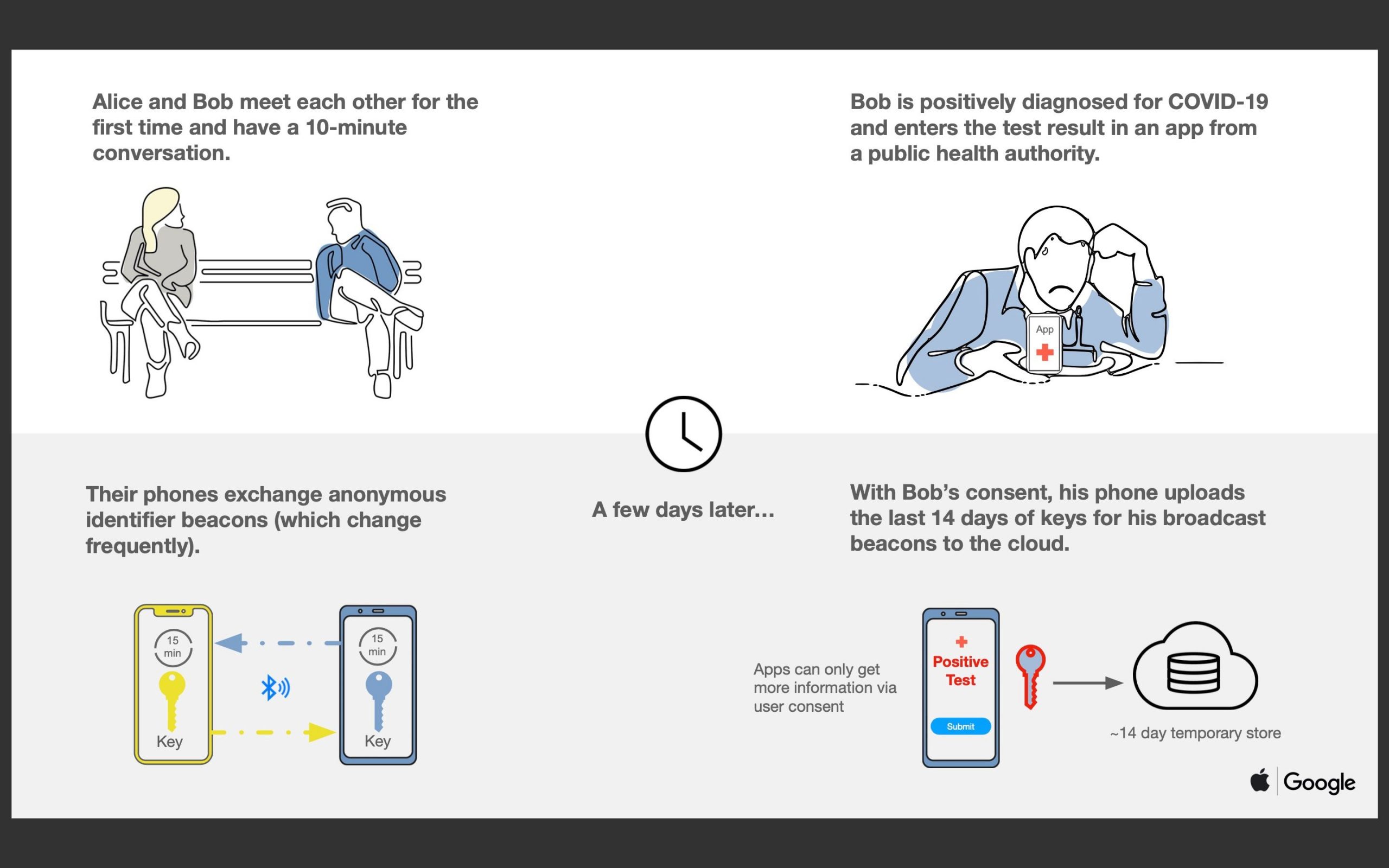
Based on these upcoming tools, governments will be able to build COVID-19 contact tracing apps that work across Apple and Google devices. When two people are in close-range, their phones will exchange anonymous identifiers. If an individual gets diagnosed with COVID-19, they can have their device transmit a list of everybody they’ve been in contact with to the cloud.
Meanwhile, the second person’s phone will periodically download a list of everyone that has tested positive in their area. If a match occurs, they will be notified and prompted to contact health authorities.
These APIs will be available by May, and those “official apps” from public health agencies can be downloaded through Google Play and the App Store.
A second joint effort is focused on creating a “broader Bluetooth-based contact tracing platform by building this functionality into the underlying platforms.” Third-party apps will no longer be required, with contact tracing built into Android and iOS directly. While still requiring manual opt-in, this should increase adoption.
This is a more robust solution than an API and would allow more individuals to participate, if they choose to opt in, as well as enable interaction with a broader ecosystem of apps and government health authorities
Both companies in their joint press release this morning are heavily focused on the privacy angle. Key points include :
Explicit user consent required
Doesn’t collect personally identifiable information or user location data
List of people you’ve been in contact with never leaves your phone
People who test positive are not identified to other users, Google, or Apple
Will only be used for contact tracing by public health authorities for COVID-19 pandemic management
All of us at Apple and Google believe there has never been a more important moment to work together to solve one of the world’s most pressing problems. Through close cooperation and collaboration with developers, governments and public health providers, we hope to harness the power of technology to help countries around the world slow the spread of COVID-19 and accelerate the return of everyday life.
Across the world, governments and health authorities are working together to find solutions to the COVID-19 pandemic, to protect people and get society back up and running. Software developers are contributing by crafting technical tools to help combat the virus and save lives. In this spirit of collaboration, Google and Apple are announcing a joint effort to enable the use of Bluetooth technology to help governments and health agencies reduce the spread of the virus, with user privacy and security central to the design.
Since COVID-19 can be transmitted through close proximity to affected individuals, public health officials have identified contact tracing as a valuable tool to help contain its spread. A number of leading public health authorities, universities, and NGOs around the world have been doing important work to develop opt-in contact tracing technology. To further this cause, Apple and Google will be launching a comprehensive solution that includes application programming interfaces (APIs) and operating system-level technology to assist in enabling contact tracing. Given the urgent need, the plan is to implement this solution in two steps while maintaining strong protections around user privacy.
First, in May, both companies will release APIs that enable interoperability between Android and iOS devices using apps from public health authorities. These official apps will be available for users to download via their respective app stores.
Second, in the coming months, Apple and Google will work to enable a broader Bluetooth-based contact tracing platform by building this functionality into the underlying platforms. This is a more robust solution than an API and would allow more individuals to participate, if they choose to opt in, as well as enable interaction with a broader ecosystem of apps and government health authorities. Privacy, transparency, and consent are of utmost importance in this effort, and we look forward to building this functionality in consultation with interested stakeholders. We will openly publish information about our work for others to analyze.
All of us at Apple and Google believe there has never been a more important moment to work together to solve one of the world’s most pressing problems. Through close cooperation and collaboration with developers, governments and public health providers, we hope to harness the power of technology to help countries around the world slow the spread of COVID-19 and accelerate the return of everyday life.
The Google Pixel 4 duo was not Google’s best-kept secret. We saw pictures of the phone weeks before the event, and we even learned about Face unlock while Google teased the Motion Sense features ahead of its event. The Google Pixel 4 XL represents everything that Google has learned in the first four iterations of the Google Pixel, including a mid-cycle and mid-range Pixel 3a which was very well received.
The Pixel 4 XL improves the camera even further, adding a new Astrophotography shooting mode and a viewfinder that will preview the HDR+ effect before you shoot the picture. There’s also a new telephoto camera that, when combined with Super Res Zoom, can capture images from far away.
Google first introduced the fingerprint scanner on its final generation of Nexus devices, the 6P and 5X. With the Pixel 4 and 4 XL, Google is replacing its “Pixel Imprint” with Face unlock. It works similarly to Apple’s Face unlock and is a whole new concept for Google-branded devices.
Google Pixel 4 XL Specs
Body: Texture-coated aluminum frame with very soft-touch Gorilla Glass 5 backside
Misc: Face unlock; radar-based Motion Sense; dual stereo loudspeakers;
Google also added a unique radar-based motion-sensing technology aptly called ‘Motion Sense.’ It detects when the user makes wave gestures over the phone, and it can wake the display as the user reaches for it. It can also be used to switch songs with supported apps.
Then there’s the design, which Google has slowly molded over the years. We’re glad to see there’s no longer a ‘bathtub’ notch (as it was once dubbed) from the Pixel 3 XL. Instead, there’s a sizable forehead that houses all the Face unlock and Motion Sense hardware without breaking the display’s continuity.
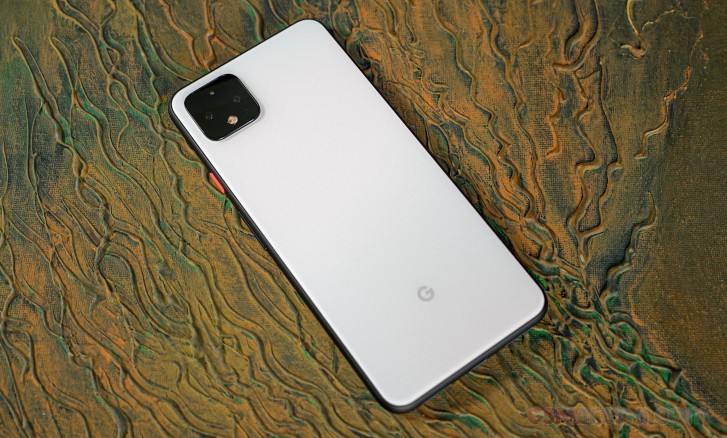
The dual-tone textured window is no longer a thing, as the softened glass texture now covers the whole backside of the phone. This soft-touch glass is on the ‘Clearly White’ and ‘Oh So Orange’ models and is both comfortable and tasteful. The Just Black is the only model that comes in regular shiny glass.
With Android 10, Google adds more granular control over Notifications and App access to permissions – in today’s climate where privacy is constantly thrown in the spotlight, these are welcome features. We also get gesture controls done better, and Google Assistant is more responsive than ever.
The Pixel 4 and 4 XL both have the same starting price and base storage as the Pixel 3 and 3 XL, has Google done enough to justify keeping the same retail pricing on the new Pixels? And the more important question: is it worth upgrading if you have an older Pixel? Let’s unbox the phone and find out.
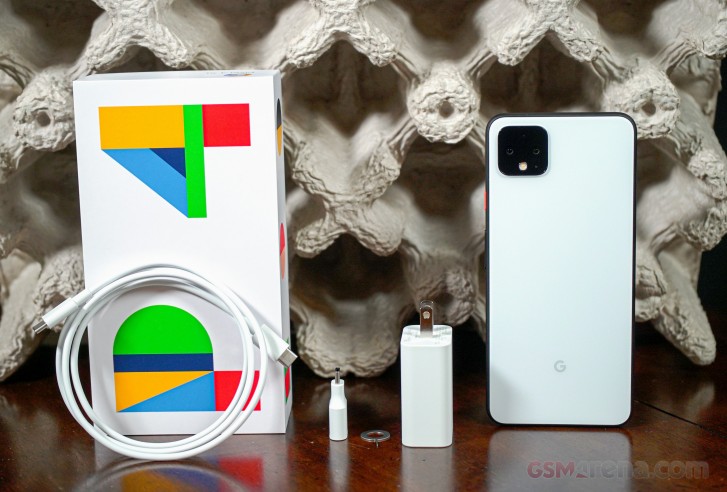
The new Pixel 4 XL comes in minimally labeled packaging. A colorfully designed “P4” adorns the front of the box. Although we received the Pixel 4 in the standard retail packaging, some of the first ones to pre-order the phone had them delivered in Google-fied cereal boxes.
After lifting the lid on the box, the phone is presented face down with its plastic wrapper. Under the phone is a pack of documents, which contained a round SIM tool. At the bottom of the box is a USB-C Power Delivery adapter (up to 18W), USB-C cable, and USB-C to USB-A adapter – useful for transferring data from an old device.
The Pixel 4 comes with neither earbuds nor a USB-C to 3.5mm headphone adapter. We wonder why Google decided to introduce bundled earbuds with the Pixel 3, only to scrap them this year. We’d maybe understand if Google did it so customers would buy the new Pixel Buds, but they aren’t even coming until next year. Now we’re led to believe Google stopped including these Pixel earbuds to save money.
Now that we’ve seen what’s inside (and what’s missing), let’s take a closer look at the Pixel 4 XL‘s unique design.
Design
Throughout its lifetime, the Pixel hasn’t exactly led design trends, but it did manage to put the world’s largest notch on the Google Pixel 3 XL last year. Even with the 4 XL, Google isn’t pushing any limits or trying to maximize the screen-to-body ratio. The Pixel 4 XL is probably what many wish the Pixel 3 XL looked like, without the fat notch.
Imagine if Google took the Pixel 3 XL’s display and shifted it lower, then filled in the notch with more pixels. That’s what the Pixel 4 XL feels like, and the resulting design is still asymmetrical and not as pleasing to look at as other competitors from Samsung and even OnePlus.
The Pixel 4 XL has a large upper bezel to accommodate for a bunch of new hardware, including new Radar-based motion sensors and 3d facial recognition hardware in addition to a selfie camera. More on that in the User Interface section. Otherwise, this is undoubtedly a large bezel for a 2019 flagship, so the Motion Sense tradeoff needs to be worth this asymmetrical design choice.
Google has also moved the lower front-facing speaker back to the bottom – in the same style as the original Pixel XL – and this resulted in a much smaller (but still there) lower bezel.
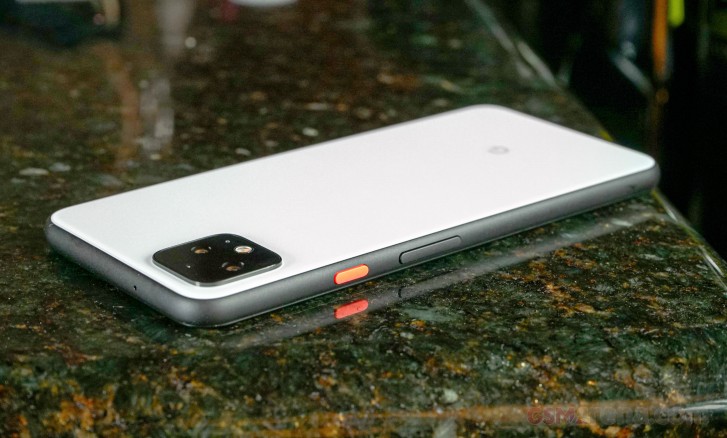
The frame that wraps around the 4 XL is coated in a fine-grit soft-touch texture. Our Clearly White review unit has a black frame and white rear Gorilla Glass 5 panel. The Oh So Orange gets the same powder glass and soft-touch frame, but the Just Black model has regular shiny glass on the back. Our unit has an orange accented power key.
The volume and power keys are on the right side of the handset while the SIM tray lives opposite the power key. There’s a single mic hole at the top edge, and at the bottom is a USB-C port and dual audio ports. The left port is a microphone, and the right one is a loudspeaker. There is no headphone jack on either Pixel 4 model.
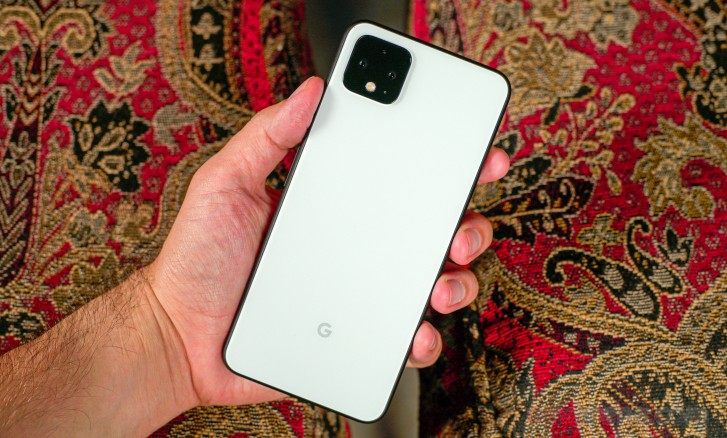
Although it doesn’t feel like glass, the rear panel of the phone feels like a sheet of polished metal if you were to sprinkle some fine powder over it. The “G” logo at the bottom is the only thing left of the original appearance of the glass. The G was screened out of the glass-softening process, and the effect is almost three-dimensional.
Since the softened glass is porous, it’s less prone to showing fingerprints and looking greasy, but fingerprints are still collecting on the glass. This surface makes it harder to see smudges. The same goes for the frame, but the camera square is still regular glass, so expect to wipe it down occasionally.
The Pixel 3 had a glass “window” that was kept from the original Pixel’s design, but with the Pixel 4, Google went ahead and softened the entire glass panel. The Pixel design is evolving, but we’d say it still has some refining to do on the front.
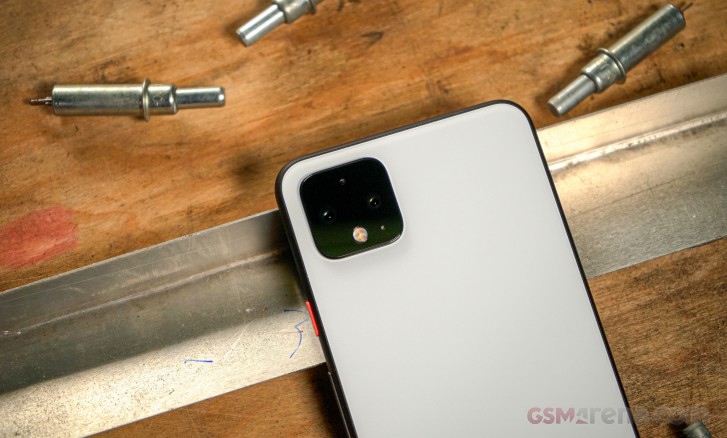
This is the first time that Google adds a second main camera to any Nexus or Pixel phone, and it chose to go with a square island to house them. Google once claimed it didn’t need more than one camera to take portrait photos, and Super Res Zoom made up for the lack of a telephoto camera. Things have changed this year, and we’ll let you know if the telephoto camera is indeed an improvement.
Many will compare the Pixel 4 XL‘s dual cameras to the iPhone’s stove-top camera square, but the Pixel’s is blacked out. Its placement is coincidentally too similar. The square does protrude a bit from the body, but its location won’t rock the phone on a table very much.
The Pixel 4 XL measures 160.4 x 75.1 x 8.2 mm and weighs 193g. This makes the phone only barely taller and heavier than its predecessor. The new display is also slightly taller due to the 19:9 aspect ratio (the 3 XL has 18.5:9). Otherwise, the 4 XL maintains the same IP68 water resistance rating as the 3 XL.
Display
While other manufacturers keep pushing screen sizes bigger and bigger, Google kept the larger Pixel 4 XL at 6.3-inches. This is the same size as the 3 XL, only the 4 XL‘s slightly taller 19:9 aspect ratio makes it a teeny bit narrower. With more competitors using higher-refresh-rate displays, Google decided to join in and go with 90Hz displays on both sizes of the Pixel 4.
The 90Hz Smooth Display isn’t at all necessary, but it improves the fluidness and amplifies the fluidness of the phone’s operation when scrolling or swiping through feeds. The animations are also displayed at higher frame rates. Otherwise, supported games will be able to push past 60fps for a more immersive experience.
The Pixel 4 XL has a 6.3-inch OLED display, and we’re happy that the notch is gone, keeping continuity with the screen’s content and simplifying the UI. If you want the sharpest image, the 4 XL gets about 537ppi with its QHD+ 1440 x 3040 px resolution. A layer of Gorilla Glass 5 protects the screen and like the Pixel 3 XL, the 4 XL is rated for HDR playback of 1440p video @ 60fps.
New to the Pixel 4 is a new “Ambient EQ” feature that tunes the display’s colors to your surroundings. The display will adjust its color balance a touch warmer if you’re hanging out around a warmly lit restaurant, for example. It’s intended to tune images to look more natural based on the surrounding light, and a good idea considering the Pixel’s camera always leaned towards cooler tones.
The feature is enabled by default, and it’s one of those comfort features that you don’t have to think about. This isn’t entirely new to the smartphone space, though. Apple has used True Tone on its phones since the iPhone 8.
In our brightness tests, the 4 XL peaked at 436 nits with no additional brightness boost. Those raw numbers aren’t exactly class-leading, but the phone is still easily visible in direct sunlight. It isn’t too much brighter than the Pixel 3 XL and barely reached the Pixel 3a XL’s 451 nits. You can see that other flagships from Samsung and Apple are reaching past 700 nits.
Display test
100% brightness
Black, cd/m2
White, cd/m2
Contrast ratio
Apple iPhone 11 Pro Max
0
820
∞
Samsung Galaxy S10e (Max Auto)
0
803
∞
Samsung Galaxy Note10+ (Max Auto)
0
794
∞
Samsung Galaxy S10+ (Max Auto)
0
793
∞
Huawei Mate 30 Pro (Max Auto)
0.028
683
24393
Apple iPhone 11
0.428
644
1505
Asus ROG Phone II (Max Auto)
0
626
∞
OnePlus 7T Pro (Max Auto)
0
596
∞
Asus ROG Phone II
0
479
∞
Huawei Mate 30 Pro
0
464
∞
Google Pixel 3a XL
0
451
∞
Google Pixel 4 XL
0
436
∞
OnePlus 7T Pro
0
429
∞
Google Pixel 3
0
426
∞
Samsung Galaxy S10e
0
389
∞
Samsung Galaxy S10+
0
385
∞
Samsung Galaxy Note10+
0
381
∞
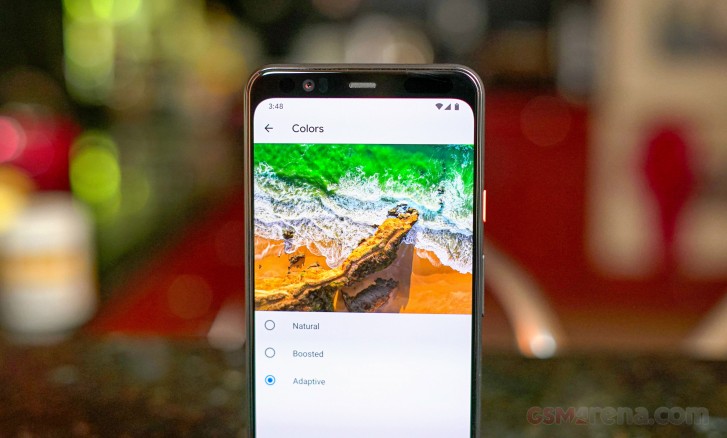
The Adaptive profile is set as the default, and it isn’t overbearingly saturated. Colors are pleasant and vibrant, but not too punchy. In this profile, we saw an average deltaE of 3.5 with a maximum of 7 for greens. Whites are well within 2 deltaE, so they are indistinguishable to the naked eye.
Natural is the most color-accurate profile with an average deltaE of 1.9 and a maximum of 3.1. Meanwhile, the Boosted profile falls somewhere between the Natural and Adaptive profiles and has an average deltaE of 2.8. Whites are consistent across all color profiles with only the colors changing in tones and intensity.
Unlike other OEMs, Google keeps color options very simple. There is no individual color tuning or possibility for customized color calibration.
The 90Hz Smooth Display feature is a variable setting. This means that the software will switch 90Hz off wherever it doesn’t need it. Currently, it reverts from 90Hz when the phone is in battery saver mode or when watching a video.
Shortly after the phone’s release date, it was discovered that the 90Hz refresh rate only ever kicked in when the phone’s display was above 75%. Following these reports, Google stated it would update the Pixel 4 “in the coming weeks that include enabling 90Hz in more brightness conditions”.
The reason for doing this, as discovered via source code notes, is to prevent users from seeing flicker that can occur at lower brightness when the display is switching to and from its 90Hz mode. The flicker is attributed to a slight difference in color calibrations between refresh rates since the Pixel’s display doesn’t support a true dynamic refresh rate.
Google intended to fix this via a software update, but it’s really something they should have refined before launching the darn thing.
Luckily, there’s an option to force the display to run at 90Hz at all times, but its buried in the lengthy list of developer options. The setting does warn that battery life may decrease when forcing 90Hz so expect to need a charger an hour or two earlier than you normally would.
Finally, Google added a “Screen attention” option to on stock Android for the first time. This isn’t a new concept – Samsung has had this kind of feature since the Galaxy S4 and other manufacturers have it on their phoens too but it’s good that it’s now part of Android.
Battery life
Flagship devices have been getting much better at battery consumption in the most recent years. For some reason, Google tends to take a more conservative approach with its own line of smartphones. The Pixel 4 XL comes with a 3,700 mAh battery, which is admittedly a bump in battery size from 3,450 on the Pixel 3 XL but the 4 XL has the same size battery as the much cheaper Pixel 3a XL.
As far as battery endurance goes, the phone didn’t perform as well as we’d hoped. The Pixel 4 XL managed a score of 73h of endurance which quite meh!, especially coming in a year where most manufacturers are focusing a lot on providing longer battery life.
The phone yielded a call endurance of 23:32h, which is about the same as the 3a XL did with the same size battery. Meanwhile, the browsing and video playback scores were 10:49h and 11:29h, respectively.
The score below shows the Pixel 4 XL‘s score with the 90Hz Smooth display enabled. When we disabled the 90Hz feature, we saw the Pixel 4 XL score a couple of hours higher on the web browsing test, but it may not translate to a significant difference in battery life.
Although disabling both the 90Hz Smooth display and Motion sense may let you squeeze a little more juice out of the Pixel 4 XL, it defeats the purpose of having the technology in the first place. With how far we’ve come in optimization and battery technology, Google knew exactly what it was doing by using a 3,700 mAh battery here – and that’s why we’re a little salty.
If its any consolation, there’s more than one way to recharge the battery. With the included 18W USB-C Power Delivery adapter, the Pixel 4 XL recharged to 44% in 30 minutes, reaching 77% after an hour and it finally reached a full charge at about an hour and 20 minutes. Although competitors can achieve much better charging speeds, they require proprietary chargers to work.
The Pixel 4 XL supports Qi Wireless charging, but Google quietly updated its capacity to 11W. With the Pixel 3 and 3 XL, 10W charging was only achievable with Google’s own $80 Pixel Stand charger, and defaulted to 5W when used with a regular Qi charger.
Loudspeaker
Stereo speakers are the standard with the Google Pixel. With Pixel 4, the loudspeaker hardware has shifted around a bit. Where the Pixel 2 and 3 both had dual front-facing loudspeakers, the Pixel 4 has traded them in for a setup like the Pixel 3a’s. The lower front-facing speaker has been replaced with a downward-firing speaker.
Speakerphone test
Voice, dB
Pink noise/ Music, dB
Ringing phone, dB
Overall score
vivo NEX 3 5G
70.3
73.5
72.6
Good
Apple iPhone 11
70.8
72.3
76.0
Very Good
Apple iPhone 11 Pro
71.2
73.8
80.7
Very Good
Samsung Galaxy Note10+
68.4
73.7
86.3
Excellent
Samsung Galaxy Note10
70.1
72.8
85.7
Excellent
Google Pixel 3
77.5
71.7
81.1
Excellent
Samsung Galaxy S10+
74.4
74.2
83.6
Excellent
Huawei Mate 30 Pro
78.4
74.4
79.9
Excellent
Asus Zenfone 6
77.0
75.9
81.2
Excellent
Samsung Galaxy S10
82.2
74.9
85.5
Excellent
Google Pixel 4 XL
80.1
78.1
88.1
Excellent
Google Pixel 3a XL
79.3
77.1
91.1
Excellent
OnePlus 7T Pro
90.4
75.3
82.4
Excellent
OnePlus 7T
79.8
77.4
91.6
Excellent
The speakers are quite loud and yielded excellent loudness across the board. In fullness, however, we preferred the sound of the OnePlus 7T’s dual speakers. The Pixel 4 XL can sound tinny by comparison, after all, both the upper and lower speakers have smaller ports than previous generations.
Audio quality
The Google Pixel 4 XL did excellently in the active external amplifier part of our test. It delivered the expected perfect accuracy at very high volume levels.
Headphones did cause a rather big spike in stereo crosstalk and caused a tiny amount of intermodulation distortion. The other readings were barely affected though and loudness remained high, so it’s a solid performance overall. Particularly, if you compare it to the Pixel 3, which was one of the poorest phones we’ve tested.
Test
Frequency response
Noise level
Dynamic range
THD
IMD + Noise
Stereo crosstalk
Google Pixel 4 XL
+0.02, -0.19
-93.9
93.9
0.0018
0.0084
-94.1
Google Pixel 4 XL (headphones)
+0.17, -0.12
-94.0
94.0
0.0042
0.104
-53.1
Google Pixel 3
+0.02, -0.12
-71.7
83.2
0.0031
0.032
-70.1
Google Pixel 3 (headphones)
+0.15, -0.15
-68.4
80.2
0.0066
0.193
-61.1
OnePlus 7T Pro
+0.03, -0.01
-93.7
93.6
0.0010
0.0073
-91.0
OnePlus 7T Pro (headphones)
+0.13, -0.03
-93.1
92.9
0.0018
0.087
-75.9
Apple iPhone 11 Pro Max
+0.05, -0.16
-94.3
93.9
0.0016
0.016
-81.5
Apple iPhone 11 Pro Max (headphones)
+0.14, -0.04
-94.4
94.0
0.0010
0.018
-76.8
Samsung Galaxy Note10+
+0.03, -0.06
-94.0
94.0
0.0011
0.012
-95.1
Samsung Galaxy Note10+ (headphones)
+0.03, -0.06
-93.9
93.9
0.0027
0.023
-69.9
Sony Xperia 1
+0.02, -0.01
-93.6
93.5
0.0010
0.007
-85.2
Sony Xperia 1 (headphones)
+0.31, -0.26
-92.1
91.9
0.0060
0.302
-55.1
Android 10 by the book
We have already reviewed a handful of Android smartphones that came with Android 10 out of the box. With the Pixel 4 XL, we’re now able to see how Google envisions the presentation and execution of its own operating system.
Major changes to the interface include a new Face unlock system, overhauled gesture navigation, and a new appearance for Google Assistant. At the event, Google also demonstrated that it could process vocal queries much quicker as it can store voice-to-speech transcription locally on the device in a much smaller database.
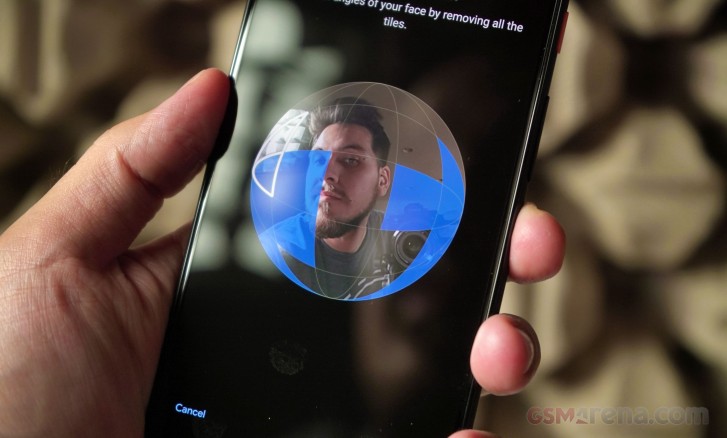
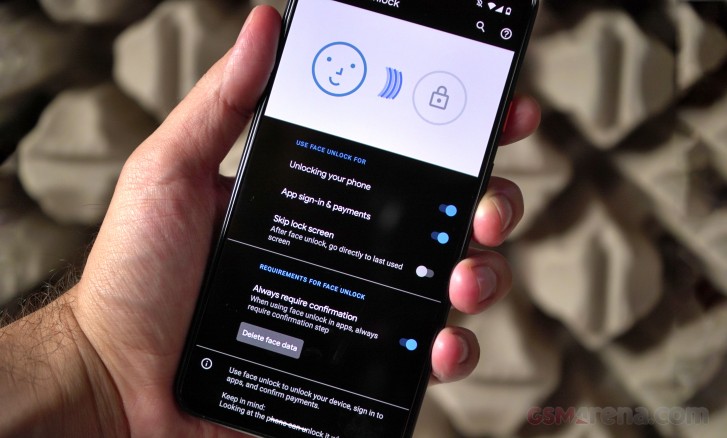
When first starting it up, you are prompted to register your face for security. At this point, you might realize there is no longer a fingerprint scanner, and this is because Google replaced Pixel Imprint in favor of the more generically named” Face unlock.”
This was a significant change back when Apple dumped Touch ID for Face ID, and it’s a significant change for Google now. Both use IR dot projectors and an IR camera to create and detect a depth map of the user’s face.
In practice, Face unlocking works accurately and quickly. With the Motion Sense feature, it wakes the phone and triggers face detection while reaching for your phone so you can get in quickly. Just like any other phone with face unlock, it’s more difficult to unlock while it’s laying on a table. On the upside, Face unlock works from any angle, even upside down.
Soon after setting up and using Face unlock on the Pixel 4 XL, we noticed it would authenticate and unlock even with our eyes closed. This is a security gap that Google must have expected as its own support page suggested using a passcode would be more secure. Google has since confirmed it will patch this bug “in the coming weeks,” but that doesn’t seem soon enough.
Another hurdle with Face unlock is support from banking institutions. It took years before fingerprint authentication could be used with baking and payment apps, among others. Currently, Google Pay works with Face authentication, but banking apps that once supported fingerprint to log in need to be updated to support Face unlock. Right now, only a handful of apps support Face unlock, but they are mostly password management apps.
After setting up Face unlock, the setup will quickly teach you how to use Android 10’s new gesture controls. Google’s 2-button nav gestures are gone (and we’re glad), and the nav bar has been replaced with a slimmer home bar, much like a new iPhone. You can summon Google Assistant by giving the Pixel a squeeze.
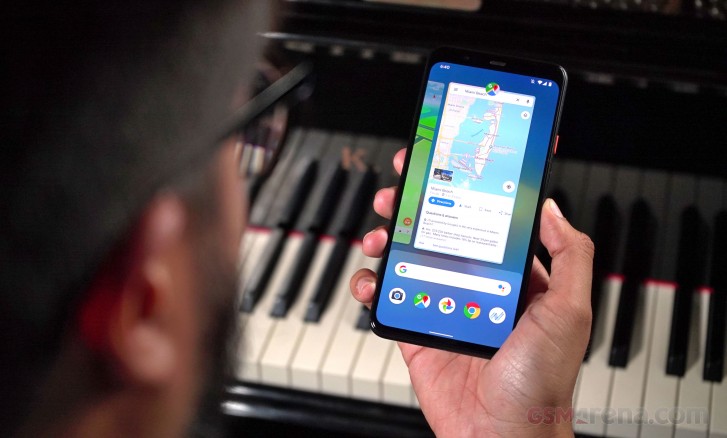
Swiping up will go Home, swiping in from the edge will go Back, and swiping up from either corner will open Google Assistant. Multitasking is done by swiping up and holding, but you can easily switch between apps by swiping horizontally on the home bar.
Since there’s no longer a fingerprint scanner to pull down the notification shade, you can now swipe down from any part of any home screen will pull the notification shade down, so there’s no longer a need to reach up to the top edge.
The homescreens are what we’ve come to expect from a Pixel. Swiping up gets you to the app drawer with the top-most row dedicated to the five frequently used apps.
Apart from wallpapers, the Pixel launcher now allows for more customization in the settings. The Style tab in the wallpapers menu lets you change the shape and color scheme of both app and quick setting icons. You can also set a system-wide accent color and font.
There is a new category of live wallpapers labeled “Come Alive,” and they all subtly respond to hand gestures over the Motion Sense detector. There’s even a Pokemon wallpaper designed to promote Nintendo’s Pokemon Sword and Shield game titles.
When Project Soli was first announced back in 2015, it was presented as a breakthrough in motion-sensing technology with the ability to detect and interpret precise hand motions like sliding a finger and thumb to scroll through settings and then tapping the fingers together to select.
Motion Sense is Google’s first implementation of Project Soli in a major consumer product and the result feels both half-baked and gimmicky.
There are only a handful of useful things you can do with Motion Sense. Several music apps are supported to skip back and forward between tracks, even when music is playing in the background or if the display is turned off. You can also snooze alarms or silence timers and incoming calls by waving over the screen. That’s about it for useful features and nothing like the initial promo video for Project Soli.
Motion sense can detect when you’re reaching for the phone and fire up the Face unlock hardware to swiftly detect the user’s face and unlock the phone. We noticed it often triggers when its placed on a computer desk, in proximity to someone actively working with a mouse and keyboard. If you decide to turn this feature off (you might save some battery by doing so), you can still double-tap the display to quickly glance at the time and notifications, and you can still ‘lift to wake’ it.
By default, you’ll skip seeing the lockscreen entirely if you enable Face unlock, but there is an option to disable that so you can glance at your notifications and manually swipe in.
The Always On Display feature is enabled by default. This screen will display icons for missed notifications, a small weather widget, the time, battery percentage left, and a couple of lines are dedicated to contextual information such as anticipated traffic or upcoming calendar events.
With Android 10, both permissions and notifications offer finer and more transparent control. Starting with Notifications, the pull-down shade’s order is priority-based. For example, if you receive notifications from a messaging app, they are a high priority, and a little bell icon appears. Otherwise, when you get notifications from less important apps like games or persistent app notifications, they’ll show up as “Silent notifications” and take up less space.
Android 10 now shows you an average of the daily and weekly number of times an app triggers notifications in a dedicated Notifications menu. This gives users the information needed to decide which apps are inundating them with useless pings and prioritize more important notifications.
Android 10 brings the much-hyped “Dark theme,” and it can be accessed from the Display settings. It darkens all menus, pop-up windows, Google Assistant, and even the Google Search Bar. Some apps will also automatically switch to their respective dark scheme, as long as the app is supports following the system-wide setting.
There are two new applications debuting on the Pixel 4 XL. The first one is a new application that organizes the emergency features of the new Pixels. The app lets you organize and fill out your medical information and assign emergency contacts in an emergency.
Finally, thanks to Google’s new transcription app, it enabled a new voice recorder app from Google that can transcribe voice notes in real-time, and it doesn’t require an internet connection. This app debuts on the Pixel 4 and 4 XL, and it enables a new way to keep track of voice recordings.
The app can transcribe your voice notes as you record them, making it much easier to search through recorded meetings or lectures.
Synthetic Benchmarks
Google isn’t technically on the cutting edge of technology with the Pixel 4 duo. Both the Pixel 4 and 4 XL are running the Qualcomm Snapdragon 855 chipset, and they only come with 6GB of RAM. Google missed out on integrating the latest Snapdragon 855+ chipset – which is technically the same silicon, but with slightly overclocked CPU and GPU. This is a similar situation to Google’s decision to use an underclocked Snapdragon 845 on Pixel 3. If OnePlus can develop and launch a refreshed 7T with the 855+ at a super competitive price point, why can’t Google?
The Snapdragon 855 used in the Pixel 4’s is built on the 7nm process and features an octa-core CPU. One quad-core low-power Kryo 485 cluster is clocked at 1.78 GHz. The second cluster has three Kryo cores clocked at 2.42 GHz and one high-power one at 2.84 GHz.
Even if not the latest and greatest, the 855 is no slouch. It’s difficult to notice a difference between the Snapdragon 855 and 855+.
On the upside, Google has finally updated the amount of RAM to 6GB. One complaint we had with the Pixel 3 was that apps were getting knocked out of the system memory too early. It’s nice to finally get some extra RAM, but 6GB isn’t even competitive anymore with higher-end Chinese phones coming with 8GB by standard and upwards of 12GB when maxed out.
Anyway, let’s get into these numbers.
Single core performance is shy of other devices running the same processor. It finds itself in its own level below the other Snapdragon 855 and 855+ devices while the Kirin 990, Exynos 9825, and Apple A13 all exceed in single-core scores.
Although the Snapdragon 855 has already been succeeded by the 855+, the performance difference between the two is almost negligible. The 855 on the Pixel 4 XL, however, is not the best performer among other OEMs. We’ve witnessed the same thing last year with the Pixel 3 and the same with Pixel 2 before that. It seems that Google is purposefully limiting the max performance of the CPUs they use.
As a result, if you’re looking for the very best device to play lots of games on, the Pixel 4 XL may not be for you. There are plenty of other devices (mostly made by Chinese OEMs) that offer a bunch of game-specific features like a gaming mode or software optimizer for getting the very best performance out of games. The Pixel 4XL is also limited to a single configuration of 6 GB RAM, so you’re better off with the much cheaper OnePlus for gaming.
One positive is the phone doesn’t warm up under moderate use. Even when playing games, the Pixel 4 XL only may get comfortably warm under high usage.
Double the HDR+
The Pixel was one of the only smartphone brands that continued to equip its phones with a single camera and Google claimed it only needed one camera to take great photos and portraits. The passing of time always tends to make things change, especially in the tech industry, because this year, Google added a second camera to the mix.
Alongside an optically stabilized 12.2MP main camera with large 1.4-micron pixels and f/1.7 aperture is a 16MP telephoto camera (also stabilized) with 1.0-micron pixels and an f/2.4 aperture lens, which allows the Pixel 4 XL to shoot 2X zoom photos. Google’s Super Res Zoom allows it to go comfortably beyond that zoom level too. Also both cameras benefit from Google’s HDR+ algorithms for improving image quality.
The industry has already moved past dual cameras and are already established with triple cameras, including the latest iPhone 11 Pro. So Google’s decision to go with a telephoto camera instead of an ultra-wide – which many OEMs have been adding to the mix – raised many eyebrows. This depends on personal preference and the kinds of environments people tend to shoot, but Google believes that the average consumer is more likely to take zoomed photos over ultra-widened snapshots. We are not going to take a side here in favor of one type of camera or the other, but we’d just say that many manufacturers are happy to provide all three without the need for compromise.
Google has introduced a few new features on the Pixel’s camera. The first is Live HDR+, which should show you what your final image was going to look like in the viewfinder after it processes it. Before that, especially in more demanding situations, the live viewfinder was only really used to compose your shots, then you’d only see the resulting HDR+ photo in the camera roll. We’re glad to see this change implemented as it makes a huge difference in the picture taking process.
Another new feature is dual exposure controls – baked right into the camera UI.
What’s more, now you can manually adjust the shadows and highlights as you are composing a shot, useful if you want to get a more artistic photo like the silhouette of a person against a bright background. Since Google doesn’t offer fully manual controls on the Pixel, this is a welcome feature. The feature combines well with Live HDR+ so you see the photo’s exposure before you hit capture.
Apart from improvements in Night Sight and portrait mode – thanks to the second camera, “learning-based automatic white balance” is available in all shooting modes where it was previously only used in Night Sight.
The camera interface is mostly unchanged from the Pixel 3. You can swipe between shooting modes and the most important ones are easily accessible: Night Sight, Portrait, Camera, Video, and a More tab containing Panorama, Photo Sphere, Slow Motion, Time Lapse, Playground, and Lens.
To make the viewfinder less cluttered, Google put the flash, timer, and Motion settings in a drawer, opposite the shutter button. It’s an extra step to reach the Flash settings, but Google did mention at its presentation that it hopes you never need to use the Flash. Still, the drawer makes it easier to focus on the viewfinder.
Even with the drawer open, you can still hit the shutter key, so you don’t miss the shot. Hitting the shutter does hide the drawer so you can keep snapping away.
Image quality
Image quality on the Pixel 4 is slightly improved over the Pixel 3. Google has cleaned up the noisy remnants we used to often see on the Pixel 3. Exposure is excellent and well-balanced thanks to HDR+. Colors are almost always true-to-life and white balance leans to cool – which gives the photos their signature Google Pixel look.
Where colors aren’t true to life is mostly when the camera is trying to compensate for strong highlights. For instance, the photo of the tree barrier in front of the rope fence is a perfect example. This was a very demanding shot, as the sun was just peeking behind the hotel building and during golden hour. The photo was exposed well, but colors were washed out as a result. You can also see lots of noise where there was an attempt to capture more details.
Capturing details in the high-contrast areas of a scene is where the Pixel excels, but if you take away the high-contrast, like if you try to shoot photos in the shade, you’ll start to see some noise.
Comparing some of the shots to the OnePlus 7T, we surprisingly preferred some of the shots it took over the Pixel. Although the Pixel managed to grab more details, OnePlus did a really good job with HDR mode (which kicks in automatically on the 7T) and here, we thought the Pixel’s colors were a little dull by comparison. This is shaping up to be a very interesting comparison.
2X telephoto
Next up is the telephoto camera, which is new on the Pixel 4 XL. We expected samples to look a little different since the cameras’ apertures don’t match. Although the telephoto camera has a 16MP sensor, it outputs images in 12.2MP, just like the main camera.
The truth is, photos shot with the telephoto are indistinguishable from the main camera, at least at first glance. Pixel peeping will reveal slightly more noise and, naturally, a slight loss of detail. The only time you might notice a more significant difference is in lower light conditions. After all, it does have a dimmer aperture.
The telephoto’s camera performance is strong, and especially so when comparing it back to the OnePlus 7T.
In stark contrast to the shots from the main camera, the OnePlus 7T’s telephoto shots are nowhere near as nice in detail and colors. Fine details are mostly, if not completely, lost when switching to the telephoto camera.
Super Res Zoom was Google’s solution to the Pixel 3’s lack of a second telephoto camera, so its nice that Google included the feature on the telephoto camera as well so you can shoot photos from even further away.
Once you get past 2X zoom on the telephoto, 4X images are decent and there isn’t even too much noise. There is however, a good amount of pixelation happening as a result of the moving waters of the Atlantic. Even from the distance, we can still make out the container ship that’s anchored further out.
We’ve seen some incredible zoom shots from Chinese makers like Huawei with the P30 Pro and Oppo with the Reno 10X Zoom, so if you’re someone who wants to shoot birds or subjects from afar, we’d nudge you away from the Pixel.
Portrait
Moving on, let’s look at some portrait photos. Thanks to the second telephoto camera, Google can capture more depth information to synthesize a bokeh effect that more closely resembles that of a DSLR.
Portrait photos are among the best we’ve seen from a smartphone. The subject line is near-perfect and the resulting bokeh, especially in the second shot in front of the green hedges, is exactly how we’d expect a DSLR camera to blur an image. Whatever Google did, we’re really impressed with the result.
Night Sight
Night Sight was first introduced last year with the Google Pixel 3 and 3 XL. Before that, the Pixel was regarded as one of the best cameras in low light, but in the span of the last two or three years, most OEMs now have some form of a long-exposure shooting mode that stacks images without needing a tripod.
We tested Night Sight in very demanding lighting situations. Let’s see how the Pixel 4 does with low light images and then compare them to the same scene with the Night Sight mode enabled.
Naturally, low-lit photos are noisy and lack details while some can’t even focus properly. The photos look just fine overall but quality really sinks when you zoom into the pictures.
With Night Sight, images are instantly better and more usable. They have more detail, albeit still with a bit of noise due to the processing. Although Google mentioned that learning-based AWB (automatic white balance) is present in all shooting modes, we didn’t find white balance to be consistent between the regular shooting mode and Night Sight.
Of course, some of these images are extreme lighting situations like the beach, which was solely lit by the dim lights of the boardwalk and nearby buildings. Let’s compare these night photos to the Nightscape ones shot with the OnePlus 7T.
Both the 7T and Pixel 4 XL were able to improve the night scene by using their respective dedicated low-light modes. Both had similar tonal reproduction and were quite similar in the boosting of shadows and highlights. However, we found the OnePlus 7T to produce sharper images.
We prefer the 7T’s Nightscape shot of the purply lit hotel with the swimming pool. Details are better preserved on the 7T and the image has applied better sharpening. Of course, too much sharpening can sometimes be a bad thing – you’ll notice excess noise if you pixel peep at the top areas of the hotel building in the 7T’s Nightscape shot.
Resulting photos aren’t very good, and that’s likely due to the f/2.4 aperture. Although we expected the camera wouldn’t take as good of Night Sight photos, at least the Pixel 4 XL gives you the option, Nightscape photos with the 7T’s telephoto camera is not possible, and it’s probably for the best.
Astrophotography mode
A new feature is an Astrophotography mode. Since there is no fully manual operation of the camera, it was previously not possible to capture long-exposure shots with 20-second exposure. Now, thanks to the magic of image stacking and software, Astrophotography can capture starry skyscapes.
To enter the mode, all you need to do is open Night Sight and then stabilize the Pixel 4 XL against something or put it on a tripod. Once stable, you’ll see an Astrophotography label on the viewfinder, and then all you need to do is hit the shutter key. Then the camera decides how long it should capture on its own, based on the amount of light available. It takes anywhere between one to four minutes to capture something.
We do admit the images are impressive, and the mere fact that a smartphone captured them is awesome. These images are mostly processed by Google’s algorithms, so you may see some light noise as a result, but nothing that distracts at all.
Whatever you manage to capture in the scene also has a lot of detail if its exposed enough. If you inspec the last shot closely, you can see the texture of the paint on the pillar of the balcony. Of course, this one did take almost four minutes to capture.
While this is a cool feature, not everyone will be able to use it. You’ll have to travel outside of brightly lit cities and find a dark sky to shoot. While its not a mode that people will use frequently, it’s certainly a cool niche feature.
8MP Selfie camera
The front-facing camera no longer has the same dual-setup like on the Pixel 3 and 3 XL, but the 8MP selfie camera is paired with a 3D ToF sensor to keep up with portrait depth with the front camera.
To switch between the front and rear cameras on the Pixel, you can make a double-twist gesture right from the viewfinder.
Although the second selfie camera is gone, the Pixel 4 XL has a wide field-of-view than some other flagships. At a 35mm equivalent length of 22mm (90° field of view), which sits somewhere between the 19mm ultra-wide and 28mm lenses on each of the Pixel 3’s dual selfie cameras.
Selfies have well-balanced exposures both in the foreground and way in the background. Skin tones are well reproduced, and you can spot details in the shadows. Let’s look at portrait selfies now.
We’re not as content with these selfie portraits. In the first image, there’s a strange halo around the subject line, although we can give it a pass since the sun is directly behind our reviewer Ricky. Otherwise, the synthesized bokeh line is not as well refined as the main camera’s was.
There’s a significant difference in the amount of details and softness from the 7T. Pixels have always been more about capturing details (sometimes too many details) in the face while most other OEMs would prefer to soften features – this makes for a more flattering image. Between these samples, we prefer the selfie portraits from the 7T.
Most selfie cameras don’t play well in lower light, but the Pixel 4 XL‘s is surprisingly good at capturing selfies and exposing everything else properly. Though the background (and sometimes foreground) can appear noisy at times, its nothing compared to taking a selfie that you can’t use because its too dark to see anything.
Video
Although much attention was given to the fact that the Pixel 4 XL cannot record in 4K @ 60fps, we can’t say many of us at the office record 60fps video at all, much less 60fps in 4K. With that out of the way, the Pixel 4 XL can still record 4K video at 30fps, and 1080p video in both 30 fps and 60 fps. You can also capture any of the modes mentioned with the telephoto camera.
1080p videos pack great detail and minimal noise. Exposures and colors are spot on. You may notice some fuzziness in the foliage, but that’s because these samples were all shot handheld. On that note, the Pixel 4 XL‘s stabilization is quite good.
Details in 60 fps video are about as good at their 30fps counterparts. In the areas of foliage, you can see a bit more noise because of the faster frame rate. Otherwise, colors, dynamic range, and exposure are consistent with standard 30fps video.
We’ve seen many smartphone cameras have issues with exposure metering when shooting in 60 fps, but there was no such hiccup with the Pixel 4 XL.
4K video packs pleasant details and colors. Although the scene is lit by a setting sun, we are happy with the way the scene was exposed. We can still see what’s in the shadows of the scene while we also get the warmth of the sun shining on the palm trees. You can see slight fluctuation of noise in the grass, but again, that’s due to the handheld nature of the video.
The competition
The Pixel 4 XL starts at $899 in the US. At this level, it is $100 below the iPhone 11 Pro and $200 more than the entry-level iPhone 11. All these phones start at 64GB of base storage and are non-expandable. This year, we have seen killer camera performance from the new iPhones. Both cameras are great and each one performs better than the other in key areas.
This year, all iPhones have excellent battery life, but we can’t say the same about the new Pixels. While Google was busy adding a telephoto camera to its lineup, Apple added an ultra-wide-angle camera to each new iPhone this year. If you’re looking for a polished software experience with an excellently balanced camera setup, great battery, and software, look no further than this year’s iPhones.
Earlier this year, Google received much praise for the Pixel 3a duo. It offered a smooth software experience along with power-efficient hardware and excellent battery endurance. If you’re after a Pixel that can keep up with you all day and you are not necessarily in need of extra horsepower for games, and an exceptionally great camera for the price, the Pixel 3a XL is the perfect budget alternative.
If you’re looking something with many more features and customization, take a look at the Samsung Galaxy Note10 and Note10+. Samsung’s flagship duo is packed with camera features, new shooting modes, an S Pen, and attractive-looking hardware. The Google Pixel can seem overpriced by comparison.
If you’re looking for better value, perhaps a Samsung Galaxy S10+ could be of interest. It has the same size display, but Samsung’s displays are second to none with excellent image, comfortable visibility in direct sunlight, and longer battery life.
Given the 90Hz display feature on the Google Pixel, it will inevitably be compared to the OnePlus 7T and 7T Pro. All phones have 90Hz screens, but the smoothness in display and hardware is seemingly more apparent on OnePlus devices. It’s a little ironic that an OEM can create a better UI for Android than Google itself.
OnePlus’ cameras have come a long way, and they have shown great potential and can probably match the Pixel in daylight photography. Otherwise, Google’s cameras are well-executed with an excellent image quality, but what’s missing is a well-executed 90Hz display.
The verdict
The Pixel 4 duo is off to a rocky start. Reports of the company’s shortcomings have been making headlines in tech news. The 90Hz display doesn’t always render at 90fps while Google’s new Face unlock works with the user’s eyes closed when it shouldn’t. These features have one thing in common – they are going to be addressed in a future update.
However, these are things that should have been addressed before launching the phone in the first place. Motion Sense is also a dud, it feels unfinished, and it’s a shame that Google believed that this would be worth hyping up in its current state. As much as Google upsold the Motion Sense feature for “getting stuff done”, we don’t believe they add up to the value of the phone.
Face unlocking, although quick, reliable, and arguably more convenient than a rear-mounted fingerprint scanner, is no longer supported by the same apps that supported Pixel Imprint. We don’t believe a new technology is worth temporarily inconveniencing the customer for the sake of having said technology.
The Google Pixel is supposed to be Google’s own interpretation of Android. Given the state of incohesive features, poor battery life, and half-baked Motion Sense, perhaps this is how Google feels about its own platform: It needs other OEMs to make its own platform better.
Google has been taking note of what others have been doing. With Pixel 4, it has added more layers to the software like more advanced customization of icons and colors, as well as well-improved gesture control, and Google Assistant’s voice commands feel near-instantaneous. The instant-transcription voice recording app was a nice addition, but we were left wanting more.
The Google Pixel really excels in the camera department, but Google doesn’t seem too worried about the competition when it should be. It feels like Google is relying solely on its camera prowess to push sales of the Pixel 4 and 4 XL while merely getting by in other aspects like display technology (we want a brighter AMOLED display) but more specifically, battery life.
The Pixel 4 XL is the best that Google has to offer and if you don’t mind paying a premium price and overlooking a couple of shortcomings at launch, then you’ll be a happy camper with Google’s new phone. If you’d rather get the most out of your $899, you might want to consider getting something else or wait until the phone is discounted (which usually happens around Black Friday).
To avoid ending this review on a low note, we will say that we really like the new design of the phone. The soft-touch glass feels amazing, the textured metal frame is great, and the Pixel’s display is better than ever. The Google Pixel’s camera is amazing and its tendency to capture every range of exposure with detail makes it a joy to shoot with.
Pros
Gorgeous, color-accurate display.
Unique textured design.
Quick and reliable Face unlock.
Great camera performance.
Cons
Wonky 90Hz display execution at launch.
Half-baked Motion Sense features.
Below average battery endurance.
We’re missing the ultra-wide camera.
No fingerprint reader while the competition has already gone through a few generations of under-display readers.
Face unlock can be triggered with eyes closed and it’s not yet supported by banking apps.
No bundled cable earbuds or an adapter.
Limited market availability (even more so due to the Motion Sense radar).