Beyond the Screen: Repairing the Unseen Damage on a Dropped Phone – 10 Essential Insights
Introduction: More Than Just a Cracked Screen
When your phone slips from your hand and hits the ground, the first thing you probably notice is a cracked screen. But what if the damage isn’t just skin-deep? Many phone owners overlook the invisible damages that can significantly affect device performance over time. Beyond the screen, a drop can compromise your battery, motherboard, sensors, or connectivity components.
Understanding these unseen damages is critical for ensuring long-term functionality and safety. This article will explore the types of hidden damage, signs to watch for, repair options, preventive measures, and why trusting professionals can save you time, money, and frustration.
Even if the exterior looks fine, internal components often absorb the brunt of a fall. Recognizing these issues early can prevent catastrophic failures.
Internal Screen Components
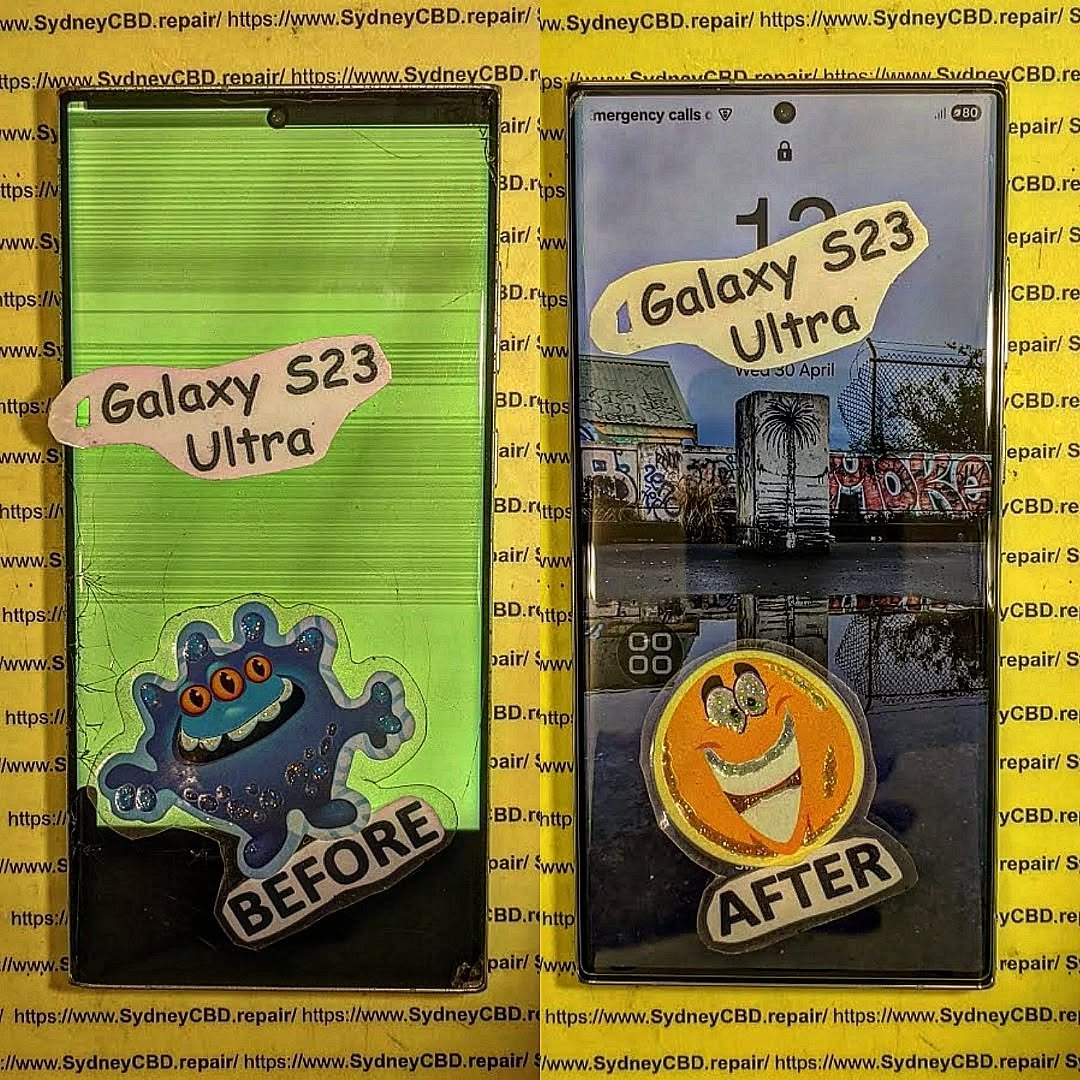
A dropped phone can damage the LCD, OLED panel, or digitizer. Cracks might not be immediately visible, but your screen might display dead pixels, ghost touches, or discoloration. The digitizer, responsible for touch response, can malfunction without showing visible damage.
Battery and Power Circuit Damage
Batteries are sensitive to impacts. Even a minor drop can lead to micro-tears inside the cell, which may cause swelling, overheating, or faster battery drain. The power circuits connecting your battery to the motherboard are equally fragile. If these circuits are damaged, your phone may fail to charge properly or shut down unexpectedly.
Motherboard and Microchips
The motherboard is the brain of your phone. Tiny soldered connections and microchips can loosen or crack from impact, causing erratic behavior, app crashes, or total device failure. These issues are rarely visible but can manifest gradually over days or weeks.
Knowing how internal damage occurs helps in prevention.
Drop Impact Zones
The corners and edges of a phone usually absorb the most shock. Internal components near these zones, like cameras and flex cables, are at high risk. Even if the screen is protected by Gorilla Glass or tempered glass, internal circuits can be compromised.
Material Fatigue
Repeated micro-drops, pressure from tight pockets, or carrying your phone in the same orientation for years can weaken the chassis and internal components. Material fatigue often goes unnoticed until it triggers noticeable performance issues.
Signs Your Phone Is Damaged Internally
Even without visible cracks, your device may exhibit warning signs.
Unexpected Reboots or Freezes
A damaged motherboard or loose microchip can cause your phone to reboot randomly or freeze during normal usage. This indicates that internal circuitry has been disrupted.
Overheating and Battery Drain
If your battery is swelling or the power circuit is damaged, your phone may overheat or discharge rapidly. These are serious signs that repair is needed.
Connectivity and Sound Issues
Dropped phones can damage antennas, microphones, or speakers. If calls sound distorted or Wi-Fi connectivity is inconsistent, hidden damage is likely.
Diagnostic Tools Used by Professionals
Detecting hidden damage often requires specialized tools.
Software Diagnostics
Technicians use apps and built-in diagnostic software to monitor performance, battery health, and thermal behavior. Logs can reveal errors invisible to the user.
Hardware Inspection Tools
Physical inspections include magnification tools, X-ray imaging, and thermal cameras. These methods help locate micro-cracks, dislodged chips, or battery issues before they become catastrophic.
Repair Options for Hidden Damage
Repairing unseen damage often requires professional expertise.
Screen and Component Replacement
If the screen’s internal components are damaged, replacing the entire module with genuine parts ensures touch accuracy and display quality. Avoid aftermarket parts unless verified for compatibility.
Motherboard Repairs
Minor cracks or faulty microchips can be repaired using micro-soldering techniques. Professional technicians have the skills to replace components without compromising the entire board.
Battery Replacement
Damaged batteries should be replaced immediately. Swollen or punctured batteries pose safety risks, including fire hazards. Using certified batteries ensures longevity and performance.
DIY vs Professional Repair
While DIY repair kits are available online, attempting to fix hidden damage without experience can worsen the problem. Professionals have specialized tools, knowledge of microcomponents, and access to genuine parts, reducing the risk of permanent damage.
Pros of Professional Repair:
Genuine parts guarantee
Expert diagnostics
Warranty on repairs
Cons of DIY Repair:
Risk of further damage
No warranty
Limited tool availability
Preventing Hidden Damage in the Future
Taking preventive measures can save you from hidden damage.
Use a sturdy protective case: Shock-absorbing cases reduce impact force.
Apply a screen protector: Minimizes scratches and distributes impact.
Avoid risky environments: Keep phones away from edges or high-traffic areas.
Insurance & warranty plans: Many insurers cover accidental damage.
Cost Considerations
Repairing hidden damage varies depending on the component.
Component
Average Cost (USD)
Notes
Screen & Digitizer
$150–$400
Depends on brand and size
Battery
$50–$120
Genuine replacement recommended
Motherboard
$200–$500+
Micro-soldering or chip replacement
Sensors/Antennas
$80–$200
Connectivity and camera repairs
Considering the potential for escalation, early diagnosis often saves significant money and preserves device longevity.
FAQs
1. Can a phone appear fine but still be internally damaged?
Yes. Internal components can absorb impact without visible signs. Only diagnostic tests can reveal micro-damage.
2. How long does hidden damage take to show symptoms?
It varies. Some devices fail immediately, while others may show issues weeks later, such as random shutdowns or battery swelling.
3. Is professional repair really necessary for internal damage?
Absolutely. DIY repairs risk worsening the damage and void warranties. Professionals use specialized tools and genuine parts.
4. Can hidden damage affect phone safety?
Yes. Damaged batteries or motherboards can overheat or short-circuit, posing fire hazards.
5. Are insurance plans worth it for dropped phones?
Yes, particularly if your phone is high-end. Insurance often covers unseen internal damages that are costly to repair.
6. How can I prevent hidden damage from drops?
Use high-quality protective cases, tempered glass, avoid risky drops, and consider insurance or extended warranties.
Conclusion
Dropping a phone may seem like a minor incident when the screen is intact. Yet, beneath the surface, unseen damages can compromise battery life, connectivity, and overall performance. Early recognition, professional diagnostics, and repair using genuine parts are essential for maintaining device safety and longevity. By combining careful handling, preventive measures, and expert care, you can extend your phone’s lifespan and avoid costly repairs.
For expert phone repairs in Sydney, trust Sydney CBD Repair Centre — six-time award-winning, same-day service with over 2000 positive reviews.
David from Sydney CBD Repair Centre – The Best place to fix mobile phones as 6 Years In A Row! Top Mobile Phone Repair In Sydney. More than 2000 Positive Reviews on Google and Same Day Repairs.
We take pride in delivering exceptional repair services for all major phone brands including Apple, Samsung, Google, and more. Our expert technicians use only genuine parts and offer 90 days warranty on repairs. Located in the heart of Sydney CBD, we’re your one-stop solution for all mobile device repairs.
Visit us for:
✓ Same Day Express Repairs
✓ Genuine Parts Guarantee
✓ Professional Technicians
✓ Competitive Pricing
✓ 2000+ 5-Star Google Reviews
✓ 6-Time Award Winner for Best Phone Repairs
Beyond the Screen: Unseen Phone Damage Fixes That Transform Your Device (10 Hidden Issues Solved)
Introduction
Smartphones have become indispensable tools in our daily lives, keeping us connected, entertained, and productive. Most of us notice obvious damage, like a cracked screen or a chipped corner, and rush to get it fixed. But what many users fail to realize is that phones can suffer from hidden, unseen damage that silently impacts performance, longevity, and overall reliability.
From tiny micro-cracks in the logic board to battery expansion and subtle liquid exposure, these hidden issues often go unnoticed until they cause major problems—sometimes resulting in data loss or expensive repairs. Understanding these invisible threats and learning how to prevent or fix them is essential for every smartphone owner.
In this guide, we’ll explore 10 common hidden phone issues, their causes, early warning signs, and professional solutions that can save your device. Whether you’re a casual user or a tech enthusiast, this article will equip you with the knowledge to keep your phone performing at its best.
When we think about phone damage, most of us immediately picture cracked screens or shattered glass. But the truth is, there’s a vast spectrum of unseen damage that silently affects your device’s performance and longevity. These hidden issues are often overlooked by users and even some repair shops. Knowing how to spot them—and addressing them promptly—can save you hundreds of dollars and countless hours of frustration.
Smartphones today are marvels of technology, yet their thin designs, high-density components, and fragile internal parts make them vulnerable to subtle failures. While a device may appear perfect externally, it could be suffering from micro-cracks in the logic board, internal liquid exposure, battery degradation, or other hidden problems.
Why focus on unseen damage? Because if ignored, these issues can escalate into catastrophic failures, such as complete device shutdowns, data loss, or even irreparable hardware damage. By understanding the signs and preventive measures, users can extend the life of their phones and ensure smooth performance.
Modern phones are thinner, lighter, and packed with more features than ever. However, these advancements come with trade-offs that increase the risk of hidden damage.
How Thin Designs Increase Damage Risk
Manufacturers are in a constant race to produce sleeker devices. While the aesthetics are impressive, ultra-thin frames leave little margin for internal shocks. Even minor drops or pressure can cause micro-cracks in internal components or misalign sensors and chips. Unlike a visible screen crack, these damages are often invisible to the naked eye but can severely impact functionality.
Internal Weak Points Most Users Never Notice
Some of the most vulnerable parts inside a smartphone include the logic board, battery connector, camera module, and charging ICs. These components endure significant stress during normal use—charging cycles, temperature fluctuations, and vibrations from handling. Tiny fractures, corrosion, or stress damage in these areas often go unnoticed until a sudden failure occurs.
Micro-Cracks: The Invisible Threat
Micro-cracks are small fissures in components such as the logic board or connectors. They’re not visible without professional tools, but their impact is profound.
Causes of Micro-Cracks in Today’s Phones
Minor drops or impacts that seem harmless
Pressure from sitting on the phone or tight pockets
Thermal expansion due to overheating
Manufacturing tolerances in ultra-thin phones
How Technicians Detect Cracks You Can’t See
Professional repair centers, like Sydney CBD Repair Centre, use specialized equipment such as high-powered microscopes and diagnostic software to detect micro-cracks. Early detection allows technicians to repair or reinforce components before failure occurs, saving users from expensive replacements.
Logic Board Stress Damage
The logic board is the heart of your smartphone. Unfortunately, it’s also highly susceptible to stress-related failures.
Overheating and Processor Stress
Excessive heat from prolonged gaming, video streaming, or poor ventilation can cause the solder joints on the logic board to expand and contract repeatedly. Over time, this leads to tiny fractures and intermittent failures that are hard to diagnose.
Power IC and Charging Path Failures
The power IC (Integrated Circuit) regulates voltage for critical components. Stress or overheating can lead to power instability, rapid battery drain, or charging issues. Without intervention, this can result in a phone that won’t power on or experiences random shutdowns.
Liquid Exposure Without Visible Indicators
Many users assume that a phone is safe as long as it hasn’t been submerged in water. However, tiny liquid exposures, such as spills or humidity, can corrode components internally.
Common Liquid Contact Points
Charging port
SIM card tray
Speaker and microphone openings
Even a small amount of moisture entering these areas can cause corrosion that slowly damages circuitry. Visual inspection often misses early-stage corrosion.
Diagnosing Corrosion Before It Spreads
Repair specialists use moisture detection tools and board inspection techniques to identify corrosion early. Preventive cleaning and protective coatings can stop the spread, maintaining device functionality.
Battery Expansion: The Silent Destroyer
Batteries are the most critical yet vulnerable components. Expansion occurs due to chemical degradation over time, overheating, or improper charging.
Early Warning Signs Users Overlook
Slight screen lift at the edges
Increased device thickness
Rapid battery drain or sudden shutdowns
Ignoring battery expansion can cause permanent damage to the screen, logic board, or internal connectors.
Camera Module Misalignment
Dropping your phone or even applying slight pressure can misalign the camera module. Users may notice blurry photos, inconsistent focus, or camera errors that seem random.
How Minor Drops Cause Serious Focus Issues
The camera’s tiny lens assembly is sensitive. Even subtle misalignment affects autofocus performance, low-light capabilities, and image stabilization. Professional repair can realign the module precisely, restoring original quality.
Speaker and Microphone Micro-Blockages
Dust, debris, or minor internal cracks can affect audio quality. Users may experience muffled sound, weak volume, or intermittent microphone failure.
Dust, Debris & Structural Acoustic Damage
Microfiber cloth and gentle air cleaning can sometimes help externally
Internal cleaning and acoustic seal repairs require professional handling
Ignoring these issues reduces call clarity, music fidelity, and speaker performance
Preventing Unseen Phone Damage
Prevention is always better than repair. Here are expert tips:
Use quality protective cases and screen guards
Avoid exposing phones to high heat
Keep liquids away from ports and openings
Monitor battery health regularly
Perform periodic professional checkups
By adopting these habits, users can significantly reduce the risk of hidden damage.
Professional Repair vs DIY for Hidden Issues
DIY repair may be tempting, but unseen damage requires professional expertise. Technicians use advanced tools, replacement parts, and diagnostic procedures unavailable to the average user. Attempting to fix micro-cracks, battery expansion, or internal corrosion at home can worsen the problem.
Professional Advantages:
High-precision tools for logic board inspection
Genuine replacement parts
Warranty on repairs
Expert diagnosis of subtle failures
Sydney CBD Repair Centre exemplifies professional care, offering same-day repairs and using genuine parts for all devices.
FAQs
Q1: How can I tell if my phone has unseen damage?
A1: Signs include rapid battery drain, random shutdowns, blurry camera photos, unusual heating, or audio issues. Professional diagnostics can confirm hidden problems.
Q2: Can a phone survive minor drops without damage?
A2: Visible damage isn’t the only concern. Micro-cracks and internal misalignments often occur even when the phone looks intact.
Q3: How often should I check my phone for hidden damage?
A3: Annual professional checkups are recommended, or sooner if you notice unusual behavior.
Q4: Are DIY kits safe for internal repairs?
A4: Only for very basic fixes. Advanced issues like logic board micro-cracks or battery swelling require professional tools.
Q5: Can liquid exposure cause immediate failure?
A5: Not always. Tiny exposures often cause gradual corrosion, but if ignored, they can eventually disable the device.
Q6: Does insurance cover unseen damage?
A6: Policies vary. Most cover accidental drops or water damage but may exclude internal micro-damage without visible signs.
Conclusion
Hidden phone damage is far more common than most users realize. From micro-cracks to battery expansion and internal corrosion, unseen issues can dramatically shorten device life. Preventive care, professional inspections, and timely repairs are crucial for maintaining optimal performance.
For users in Sydney, Sydney CBD Repair Centre offers expert repair services, genuine parts, and same-day solutions for all major phone brands. Protect your investment by addressing both visible and invisible damage before it escalates.
David from Sydney CBD Repair Centre – The Best place to fix mobile phones as 6 Years In A Row! Top Mobile Phone Repair In Sydney. More than 2000 Positive Reviews on Google and Same Day Repairs.
We take pride in delivering exceptional repair services for all major phone brands including Apple, Samsung, Google, and more. Our expert technicians use only genuine parts and offer 90days warranty on repairs. Located in the heart of Sydney CBD, we’re your one-stop solution for all mobile device repairs.
Our commitment to excellence has earned us the trust of thousands of satisfied customers. Whether it’s a cracked screen, battery replacement, or water damage repair, we handle it all with professional care and expertise. Walk in today and experience why we’re Sydney’s #1 choice for mobile phone repairs.
Visit us for:
✓ Same Day Express Repairs
✓ Genuine Parts Guarantee
✓ Professional Technicians
✓ Competitive Pricing
✓ 2000+ 5-Star Google Reviews
✓ 6-Time Award Winner for Best Phone Repairs
Phone Battery Swelling: Danger and Repair – 10 Vital Things You Must Know
Understanding Why Phone Batteries Swell
Ever noticed your phone case bulging slightly or your screen lifting? That’s often a sign of phone battery swelling — a common but dangerous issue that many users overlook. This phenomenon happens mostly in lithium-ion batteries, which power nearly every modern smartphone.
Swelling occurs when chemical reactions inside the battery generate gas, often due to overcharging, aging, or heat exposure. Over time, these gases build up and push against the outer casing, causing that noticeable bulge.
Common Causes of Battery Swelling
Several factors contribute to battery swelling, including:
Overcharging your device overnight or continuously keeping it plugged in.
High temperatures, such as leaving your phone in a hot car or under direct sunlight.
Faulty charging cables or adapters that deliver inconsistent voltage.
Aging batteries that naturally degrade after hundreds of charge cycles.
Physical damage from drops or bending, which can rupture the internal cell.
How Lithium-Ion Batteries Work
Lithium-ion batteries function through a delicate balance of chemical reactions. They store and release energy by moving lithium ions between two electrodes — the anode and the cathode. Over time, improper charging or extreme temperatures disrupt this process, leading to gas formation and internal pressure.
A swollen phone battery is more than just an inconvenience — it’s a serious safety hazard.
Risk of Explosion or Fire
When internal pressure increases, the thin aluminum casing of a lithium-ion battery can rupture, releasing flammable gases. Any spark — even static electricity — could ignite it. This is why swollen batteries must be handled with extreme care.
Toxic Chemical Leaks and Health Hazards
Swollen batteries may leak chemicals like electrolytes, which can irritate skin and eyes. Inhaling these fumes in enclosed areas may also cause respiratory issues. Never try to puncture or compress a swollen battery, as doing so could release harmful vapors or start a fire.
What to Do Immediately When You Notice Swelling
If your phone battery looks or feels swollen, don’t panic — but don’t ignore it either.
Safety Precautions You Must Take
Turn off your phone immediately.
Unplug any connected chargers or cables.
Avoid charging or pressing the swollen area.
Place the phone on a flat, non-flammable surface, like ceramic tile or metal.
Bring it to a certified repair center as soon as possible.
Why You Shouldn’t Try to Puncture or Freeze It
Some DIY tutorials suggest releasing gas or freezing the battery. These are dangerous myths. Puncturing a lithium-ion battery can cause thermal runaway — an uncontrollable chain reaction that may cause an explosion.
Can a Swollen Phone Battery Be Repaired?
Myths About Battery Repair and “Fixing” Swelling
Once a battery swells, there’s no safe way to “fix” it. The swelling is a result of irreversible chemical changes inside. While some people attempt to drain or compress it, these methods only increase the risk of fire or personal injury.
Safe Replacement Options Available
The best — and only — solution is battery replacement. At Sydney CBD Repair Centre, technicians follow strict safety protocols to remove and dispose of swollen batteries safely. They use genuine OEM batteries to ensure compatibility and long-term reliability.
Professional vs DIY Battery Replacement
Risks of DIY Battery Repairs
DIY battery repair kits are tempting but risky. They often come without proper insulation tools, and one wrong move can puncture the cell. You also risk voiding your warranty and damaging your phone’s motherboard.
Why Professional Repair Is Worth It
At Sydney CBD Repair Centre, professional technicians handle each device using anti-static tools, protective gear, and certified disposal methods. Plus, you get a 90-day warranty on repairs — a guarantee DIY repairs can’t offer.
How Sydney CBD Repair Centre Handles Swollen Batteries
Diagnostic Process and Safety Standards
Sydney CBD Repair Centre has developed a systematic diagnostic process to evaluate battery health before performing replacements. The process includes:
Battery voltage and capacity testing
Visual inspection under safety shields
Controlled removal and recycling
Installation of genuine OEM batteries
Genuine Parts and 90-Day Warranty
Customers are assured of authentic parts, ensuring longevity and safety. Plus, every repair comes with a 90-day warranty for peace of mind.
Avoid heavy gaming or video streaming while charging.
Don’t use your phone if it’s too hot to touch.
Cost of Replacing a Swollen Battery in Sydney
What Affects the Cost
The cost varies based on the phone model and battery type. Premium brands like Apple and Samsung typically cost more due to higher-quality components and waterproof sealing.
Why Sydney CBD Repair Centre Offers the Best Value
With same-day repairs, genuine parts, and over 2000+ 5-star reviews, Sydney CBD Repair Centre offers unmatched quality and reliability at fair prices.
6 FAQs About Swollen Phone Batteries
1. Can I still use my phone if the battery is slightly swollen?
No. Even minor swelling indicates internal damage. Stop using it immediately and have it inspected.
2. How long does a battery replacement take?
At Sydney CBD Repair Centre, most battery replacements are done within the same day.
3. Are swollen batteries covered under warranty?
Manufacturers rarely cover battery swelling unless it’s proven to be a manufacturing defect.
4. Can a swollen battery explode?
Yes, under pressure or heat, a swollen battery can catch fire or explode.
5. How do I dispose of a swollen battery safely?
Bring it to a certified e-waste or repair center. Never throw it in household trash.
6. Can I prevent battery swelling entirely?
While you can’t prevent it completely, proper charging habits and temperature control greatly reduce the risk.
Conclusion – Protect Your Device and Stay Safe
Phone battery swelling is a critical issue that demands immediate attention. Ignoring the signs could lead to property damage or personal injury. The safest solution is always professional battery replacement from trusted experts like Sydney CBD Repair Centre.
With genuine parts, expert technicians, and a 90-day warranty, they’re Sydney’s #1 destination for safe, same-day phone repairs.
📞 Call: +61 2 8011 4119
🌐 Website:SydneyCBD.repair/locate-us
📍 Location: Sydney CBD — where quality meets reliability.
✅ Introduction: The Power of DIY Smartphone Repair
In a world where smartphones are essential, even a minor issue can throw your whole day off. But here’s the good news: you don’t always need to rush to a technician for a fix. Many common smartphone problems can be solved right at home with the right tools, guidance, and patience.
Whether your phone’s screen is cracked, the battery is draining faster than ever, or your apps are constantly crashing, this comprehensive DIY repair tutorial will walk you through every major issue—and help you decide when it’s time to get expert help.
Let’s dive into 15 of the most frequent smartphone issues, learn how to troubleshoot them like a pro, and take control of your mobile life again.
Cracked screens are the most common smartphone repair issue worldwide. Whether it’s a minor scratch or a full spiderweb across your screen, dealing with screen damage promptly is crucial—not only for aesthetics but also to prevent internal component damage and injury.
⚠️ Safety First: Handling Broken Glass
Before attempting any repair, make sure to protect yourself:
Turn off the device to avoid short-circuiting.
Use gloves to prevent cuts from shards of glass.
Apply packing tape or a screen protector over the cracks if you’re delaying the repair.
🧰 Tools Needed for Screen Replacement
You’ll need a few essentials:
A heat gun or hairdryer (to loosen adhesive)
Plastic spudger or opening tools
Small Phillips and pentalobe screwdrivers
Suction cup
Replacement screen (make sure it’s compatible with your exact model)
ESD-safe tweezers and gloves
Pro Tip: Always opt for genuine parts to avoid touchscreen sensitivity issues and compatibility errors.
🛠 Step-by-Step DIY Screen Replacement
Follow these general steps. Exact procedures vary by model (e.g., iPhones differ from Samsungs), so check a model-specific video tutorial first.
Power off your phone.
Heat the screen edges gently with a heat gun.
Use a suction cup to lift the screen, then slide a plastic spudger around the edge to loosen the adhesive.
Disconnect battery cable first after removing the backplate or display.
Carefully detach display connectors.
Install the new screen, reconnect cables, and test functionality before sealing it.
Reapply adhesive, close the device, and power on.
Note: If you’re unsure about your skills, seek professional repair. Poor installation can result in a non-functional device or void warranties.
If you’re based in Sydney, check out Sydney CBD Repair Centre — experts in screen replacements using genuine parts and same-day service.
If all else fails, your best bet is a diagnostic test from a certified technician. For Sydney locals, David and his expert team at Sydney CBD Repair Centre offer precise diagnostics and same-day power issue repairs.
🔋 3. Battery Draining Too Fast? Here’s Why
Short battery life is a daily frustration for many users. While some degradation is natural over time, excessive battery drain can be fixed.
🔄 Calibrating Your Battery
Battery calibration helps your phone measure remaining power more accurately.
Use your phone’s Battery Usage settings to spot offenders and limit their background activity.
🔁 When to Replace Your Battery
Look out for these signs:
Swollen battery
Sudden power drops (e.g., 40% to 5%)
Overheating while charging
You can replace most smartphone batteries yourself with the right tools, though newer models make it tricky. If you’re not confident, trust a repair centre like Sydney CBD Repair Centre, which uses original batteries and provides a 90-day warranty.
🔥 4. Phone Overheating – How to Cool It Down
A hot phone isn’t just annoying—it can damage components and reduce battery life. Here’s how to keep it cool.
🔍 Identifying Heat Sources
Common culprits include:
Heavy gaming or video streaming
Charging while using device
Hot environments
App glitches or malware
❄️ Cooling Techniques for Android and iPhone
Close all background apps.
Switch to Airplane Mode to cut down processing.
Remove phone case to let heat escape.
Turn off Bluetooth, GPS, and NFC if not in use.
🛡 Preventative Measures
Avoid long gaming sessions in hot environments.
Keep your software updated.
Avoid third-party chargers and cables.
Don’t leave your phone in direct sunlight (e.g., car dashboards).
If overheating continues, it might be due to internal hardware faults. Professional diagnostics may be necessary.
🐢 5. Slow Performance and Lag Fixes
Nothing’s more frustrating than a slow smartphone—especially when you’ve invested a lot in it. Whether it’s laggy scrolling, delayed app launches, or freezing, these issues are often easy to fix with a few tweaks.
🧹 Clearing Cache and Bloatware
First things first—your phone needs a digital cleanup.
Clear cached data from apps via your phone’s storage settings.
Uninstall or disable bloatware—preinstalled apps you don’t use.
Use tools like Google Files or CCleaner (Android) for regular cleanup.
iPhone users can offload unused apps while retaining their data via Settings > iPhone Storage.
🔄 Software Updates & Factory Reset Tips
An outdated OS can cause compatibility issues, so ensure:
You’re running the latest system version.
You regularly update your apps.
Still lagging? Try a factory reset, but back up your data first:
Android: Settings > System > Reset > Factory data reset
iPhone: Settings > General > Transfer or Reset > Erase All Content and Settings
A reset can eliminate hidden bugs or malware causing sluggishness.
🧠 Upgrading Internal Storage or RAM (for some models)
If your phone allows expandable storage (like many Android models):
Move photos and apps to an SD card.
Delete old backups and files.
For rooted devices, some users opt for virtual RAM increase, but this isn’t for beginners.
For newer flagship devices with non-expandable memory, freeing up space and managing background apps is your best option.
💥 6. Apps Crashing? How to Stop It
Apps crashing randomly? You’re not alone. App instability can stem from various reasons, including bad updates, corrupted cache, or even insufficient memory.
🔄 App Conflicts and Compatibility Issues
If crashes began after installing a new app, there may be a conflict. Try:
Uninstalling the most recent apps.
Disabling unnecessary background apps.
Apps may also misbehave if your OS is outdated or if the app isn’t fully compatible with your phone model.
🔧 Update or Reinstall Troublesome Apps
A quick fix that works:
Go to App Settings > Storage > Clear Cache & Data.
Uninstall and reinstall the app from Google Play or App Store.
This often solves issues caused by corrupted app data.
📲 OS Compatibility Check
Make sure both your app and OS are updated. Developers push updates to match new Android or iOS versions. If your phone is too old, some newer apps may not run properly.
If you’re unsure, a technician at Sydney CBD Repair Centre can help determine if your phone needs a system update or full reset.
🌐 7. Wi-Fi or Data Connection Problems
Struggling with unstable connections or mobile data? It’s a common problem, but often very fixable without heading to a technician.
🧪 Diagnosing Network Settings
Check these first:
Airplane Mode isn’t enabled.
Wi-Fi and Data are turned on.
Router is working (try another device on the same network).
Then:
Forget the network and reconnect.
Restart your phone and router.
🔁 Resetting Network Configurations
For a deeper fix:
Android: Settings > System > Reset > Reset Network Settings
iPhone: Settings > General > Reset > Reset Network Settings
This clears saved Wi-Fi passwords and cellular settings, so have those on hand.
📶 Router vs. Phone Issue
Test with a different Wi-Fi or SIM. If other devices work fine on the same network, it’s your phone. If none do—it’s the router or signal provider.
🔇 8. No Sound or Microphone Not Working
Whether during calls or media playback, sound issues usually stem from hardware blockage or software misconfiguration.
🧼 Cleaning Speaker and Mic Ports
Dust and lint clogging the mic/speaker grill are surprisingly common.
Use a soft toothbrush or compressed air.
Avoid sticking metal objects inside ports.
Pro Tip: If water got in, don’t blow air forcefully—it might push liquid deeper. Let it dry thoroughly first.
⚙️ Software Troubleshooting
Ensure Do Not Disturb isn’t enabled.
Try Safe Mode to see if third-party apps are interfering.
Test mic/speaker via Voice Recorder app or YouTube.
🧩 Replacing Audio Components
If the issue persists after cleaning and software resets, the speaker or mic might be damaged.
Replacement parts are inexpensive.
Many models allow DIY mic/speaker swaps.
Seek expert help for soldered or glued-down components—Sydney CBD Repair Centre offers mic and speaker repair with OEM parts.
📸 9. Camera Not Working or Blurry Images
A smartphone’s camera is one of its most-used features, so any issue here is frustrating. Whether it’s not focusing, crashing, or showing a black screen, here’s how to fix it.
✨ DIY Lens Cleaning Tips
First, clean the lens gently using:
A microfiber cloth
A small dab of lens cleaner
Avoid paper towels or rubbing alcohol (they can scratch)
Sometimes it’s just smudges causing blurriness.
🔧 Resetting Camera App Settings
Go to App Settings > Camera > Clear Cache & Data
Reopen the app and try again
On iPhones, resetting settings via Settings > General > Reset > Reset All Settings can help too.
📷 Replacing Camera Modules
Still blurry or no image?
The camera module may be loose or damaged.
DIY camera replacements are possible on many Android models using a toolkit and YouTube guide.
iPhones require more care due to Face ID and TrueDepth sensors.
Pro Tip: Only trust genuine camera modules—cheap parts often fail quickly.
🖐️ 10. Touchscreen Not Responding? Here’s What to Check
A frozen or unresponsive touchscreen can render your phone almost useless. Luckily, there are several ways to troubleshoot before resorting to a screen replacement.
🧪 Screen Calibration and Sensitivity Settings
For Android:
Use apps like Touchscreen Repair or MultiTouch Tester.
Navigate to Settings > Display > Touch Sensitivity (on supported models).
For iPhone:
Restart the device.
Update iOS to the latest version.
Remove screen protectors or cases that might interfere with touch recognition.
📦 Removing Case or Screen Protector
Sometimes, screen protectors or rugged cases reduce touch sensitivity. Try:
Removing any tempered glass or plastic screen guard.
Testing touch response afterward.
🛠 When to Replace the Digitizer
If none of the above works:
Your digitizer (touch sensor) may be damaged.
This component often comes fused with the display—meaning you may need a full screen replacement.
For safe, same-day service with OEM parts, consider Sydney CBD Repair Centre. Their expert team ensures your touchscreen functions like new.
💧 11. Water Damage Recovery Steps
Water and electronics don’t mix. If your smartphone takes a dive into the sink, toilet, or pool, time is of the essence.
⏱ Immediate Actions After Exposure
Turn off the phone immediately.
Don’t press any buttons—this could push water deeper.
Remove the SIM, SD card, and battery (if removable).
Wipe it dry with a lint-free cloth.
Place the device in a sealed bag with silica gel packets for at least 24–48 hours.
Avoid rice—it’s less effective and can introduce dust or starch particles.
🧰 Disassembling for Drying
If you’re confident:
Open the back cover and unscrew internal components.
Disconnect the battery.
Use isopropyl alcohol (90%+) and a soft brush to clean corrosion.
Let it dry fully before reassembling.
🔧 What Parts May Need Replacing
Common casualties of water damage include:
Battery
Screen/digitizer
Motherboard or charging port
Speakers or mic
Sydney CBD Repair Centre specializes in water-damaged devices and can professionally diagnose and repair these components—with a high success rate.
🧲 12. Charging Port Issues and Fixes
Is your phone not charging properly or showing “Accessory Not Supported”? Your charging port might be dirty, damaged, or loose.
🧼 Cleaning the Port Safely
Turn off your phone.
Use a toothpick or ESD-safe brush to gently remove lint or dust.
Avoid using metal objects or blowing forcefully into the port.
⚙️ Software vs. Hardware Charging Faults
If cleaning doesn’t help:
Test with a new cable and adapter.
Try wireless charging if supported.
Boot in Safe Mode to rule out rogue apps.
If still no charge, your port may be physically worn out or disconnected internally.
🔧 When to Replace the Charging Port
Charging ports wear out over time due to daily plugging/unplugging. For many phones, it’s a standalone module and can be replaced easily. iPhones and USB-C Android phones often require:
Micro-soldering (for integrated ports)
Precision parts alignment
For a reliable and fast fix, Sydney CBD Repair Centre replaces charging ports using original-grade replacements—often within 1–2 hours.
📵 13. SIM Card Not Detected
A “No SIM” or “Invalid SIM” error is common and usually easy to resolve.
🔄 Cleaning and Re-inserting SIM
Power off your device.
Remove the SIM card.
Gently clean it with a microfiber cloth.
Re-insert it properly and restart the device.
🧰 Software Fixes
Try:
Airplane Mode toggle
Network settings reset
Carrier settings update (iPhone)
Still no luck? Try another SIM. If it works, the issue is with your card—not your phone.
🔧 SIM Tray or Reader Replacement
If the SIM reader pins are bent or the tray is damaged, professional repair is needed.
Sydney CBD Repair Centre offers quick SIM tray and reader replacements—restoring full signal functionality without hassle.
⚠️ 14. Error Messages and Boot Loops
Stuck on the Apple logo or Android boot screen? These software errors can often be solved without hardware repair.
🛠 Common Errors and What They Mean
iPhone: “Support.apple.com/iphone/restore” – typically iOS corruption
Android: “No command” or “System UI has stopped” – system crash
🔄 Safe Mode and Recovery Options
iPhone:
Use iTunes or Finder to force restore
Try DFU Mode for deeper-level repair
Android:
Enter Recovery Mode and wipe cache partition
Use ADB (Android Debug Bridge) for advanced troubleshooting
⚙️ When to Flash New Firmware
If system files are corrupt, reinstalling the firmware may help. This requires:
OEM software tools (e.g., Odin for Samsung)
Backup of your data (as it will be erased)
Or, let Sydney CBD Repair Centre handle it for you with data preservation and clean firmware flashing.
🆙 15. Software Update Failed
Failed updates are more than annoying—they can leave your device unusable.
🧰 Identifying the Problem
Common reasons include:
Insufficient storage
Low battery during update
Poor Wi-Fi or interrupted download
Jailbroken/rooted device
🔧 iOS vs. Android Update Fixes
iPhone:
Use iTunes or Finder to restore or update
Clear space by deleting unused apps or media
Android:
Use recovery mode to apply update from ADB or SD card
Flash firmware using tools like Odin (Samsung) or SP Flash Tool (MediaTek)
🧩 Tips for Successful Updates
Charge to 100% before starting
Ensure Wi-Fi is strong and stable
Clear space (at least 5–10 GB recommended)
Avoid jailbreaking or rooting for smoother updates
❓ FAQs
1. Is it safe to repair a phone at home?
Yes, basic repairs like battery or screen replacement are safe if you follow instructions, use the correct tools, and power down your device. However, repairs involving micro-soldering or motherboard components are best left to professionals.
2. What’s the most common smartphone issue?
Cracked screens and battery degradation are the most common. They account for over 50% of repairs handled by shops like Sydney CBD Repair Centre.
3. How long does a typical phone repair take?
It depends on the repair type. Screen and battery replacements take 30–90 minutes. Water damage diagnostics may require up to 48 hours.
4. Does DIY repair void my warranty?
If your phone is under manufacturer warranty, DIY repairs can void it. Using authorized repair services or those that use OEM parts—like Sydney CBD Repair Centre—can protect your device and warranty.
5. What’s the best way to protect my phone?
Use a shock-absorbent case, apply a tempered glass screen protector, avoid overcharging, and handle software updates promptly.
6. My phone has multiple issues. Should I still repair it?
Yes, a professional technician can often bundle repairs. At Sydney CBD Repair Centre, you can get discounted pricing for multiple issues repaired in one visit.
✅ Conclusion: Don’t Panic—Most Smartphone Issues Are Fixable!
Modern smartphones are robust, but not immune to damage. Whether you’re dealing with cracked glass, power issues, water damage, or performance slowdowns—there’s almost always a fix.
DIY repairs can save you money if done right, but for complex issues or guaranteed results, trust experts who have the right tools, parts, and experience.
🔧 Need Reliable Smartphone Repairs in Sydney?
David from Sydney CBD Repair Centre and his expert team have been the trusted choice in mobile repairs six years in a row!
We take pride in delivering exceptional repair services for all major phone brands including Apple, Samsung, Google, and more. Our expert technicians use only genuine parts and offer a 90-day warranty on repairs. Located in the heart of Sydney CBD, we’re your one-stop solution for all mobile device repairs.
Visit us for:
✓ Same Day Express Repairs
✓ Genuine Parts Guarantee
✓ Professional Technicians
✓ Competitive Pricing
✓ 2000+ 5-Star Google Reviews
✓ 6-Time Award Winner for Best Phone Repairs