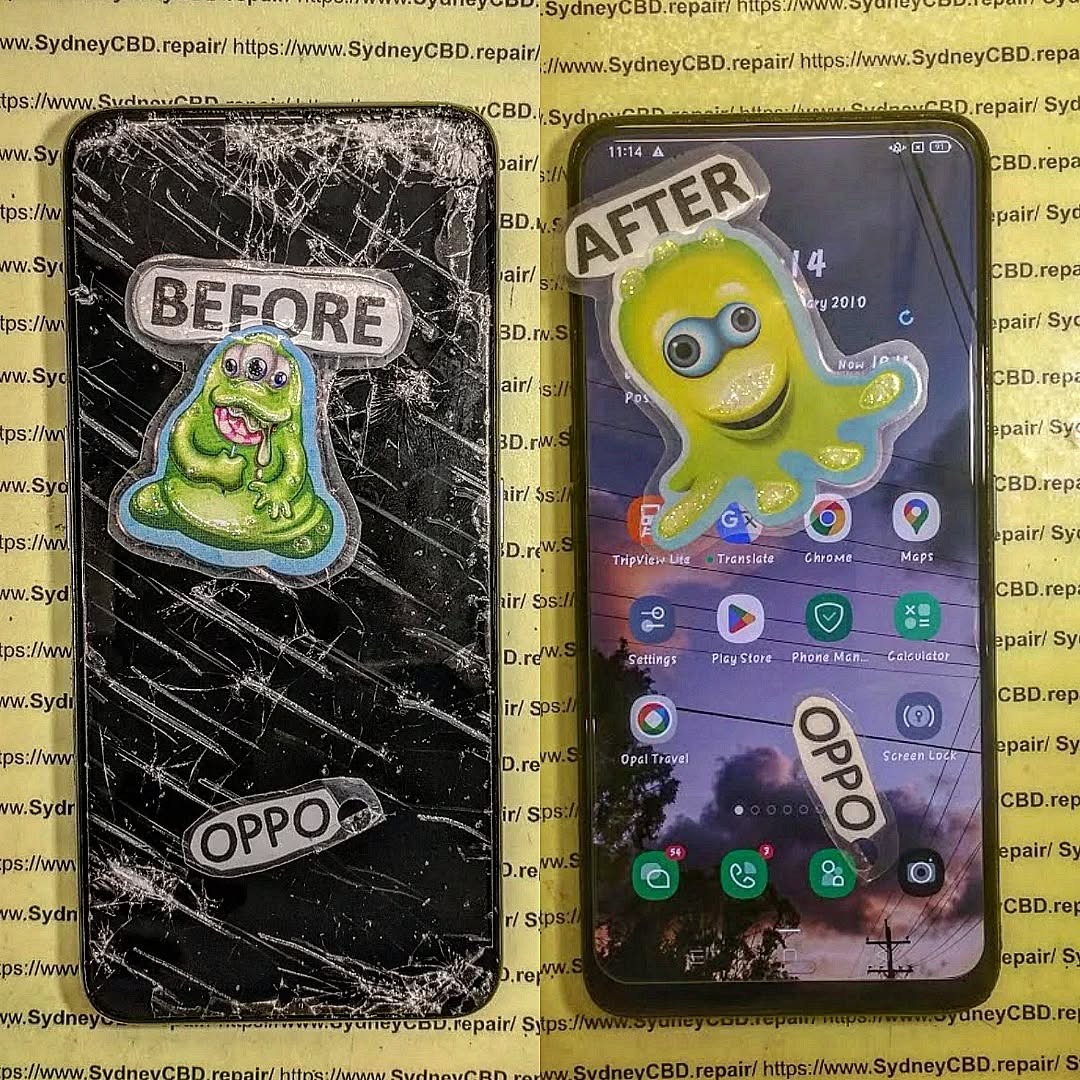
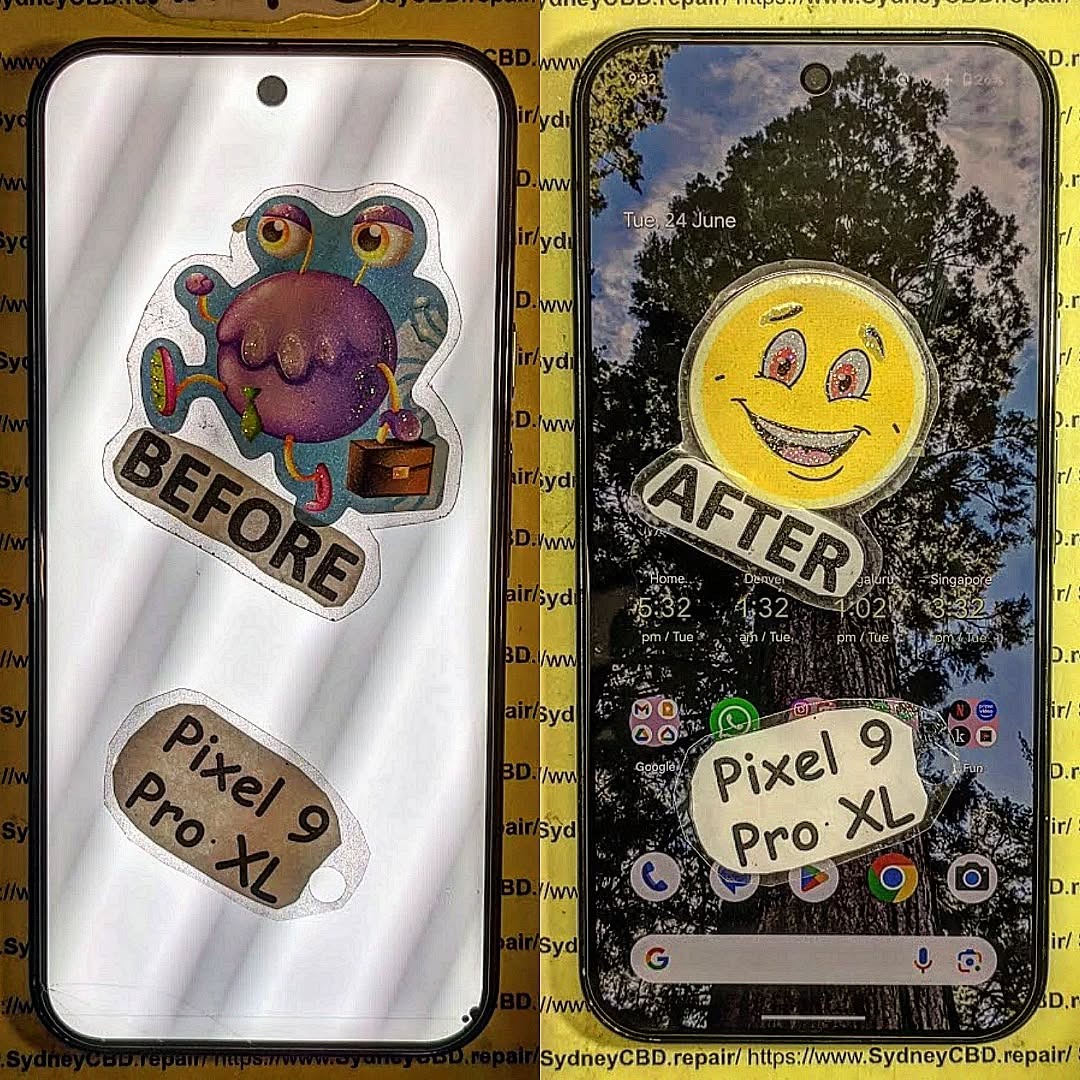
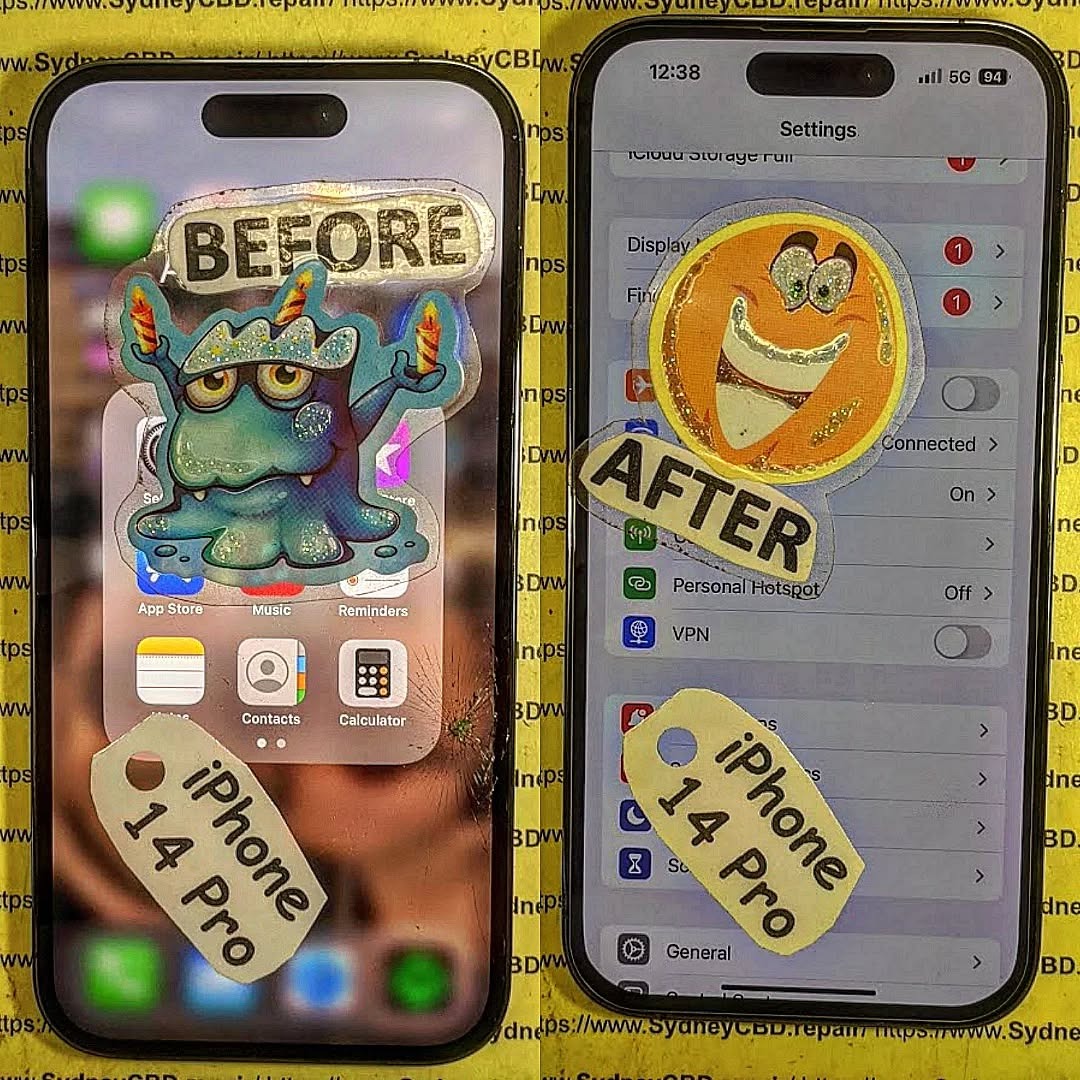
Beyond Screens: Fixing Rare Phone Components That Keep Your Device Alive
When people think of phone repairs, the first thing that comes to mind is usually a cracked screen or a weak battery. But modern smartphones are made up of hundreds of tiny components, and sometimes it’s the less obvious parts that fail and cause the biggest headaches.
At Sydney CBD Repair Centre, we’ve seen it all—repairs that go far beyond just screens and batteries. From malfunctioning microphones to faulty vibration motors, these rare repairs may not get much attention, but they play a critical role in keeping your device fully functional.
Even though these parts aren’t flashy, they’re essential for your daily use. Fixing them restores not just your phone’s functionality, but also your peace of mind.
🛠 Professional Repair vs DIY
These rare components are extremely delicate. Attempting DIY fixes can cause irreversible motherboard damage. Professional repair shops like Sydney CBD Repair Centre have the specialized tools and genuine replacement parts needed to handle them safely.
👨🔧 Why Choose Sydney CBD Repair Centre for Rare Component Repairs?
Genuine Parts Guarantee – no cheap knock-offs.
Expert Technicians – experienced with both common and rare repairs.
Same Day Repairs – get your phone back fast.
90-Day Warranty – peace of mind after every fix.
2000+ 5-Star Reviews – trusted by thousands of happy customers.
✅ Final Thoughts
Smartphones are complex machines, and it’s not always the screen or battery that causes problems. Rare phone components can fail too, and when they do, you need a trusted repair shop that knows how to handle them.
That’s where Sydney CBD Repair Centre comes in. Whether it’s your earpiece, microphone, or fingerprint sensor, we’ve got the expertise to restore your phone to full working order.
How to Choose the Right Phone Repair Shop in Sydney: 12 Smart Tips You Can’t Miss
📝 Introduction
Choosing the right phone repair shop in Sydney can feel overwhelming, especially with so many options available. Whether you’re dealing with a cracked screen, faulty battery, or water damage, your priority is simple: getting your device back in working order—fast, affordably, and with quality you can count on.
But not all repair shops are created equal.
In this guide, you’ll discover 12 smart tips to help you make an informed decision when selecting a phone repair shop in Sydney. From checking technician certifications to evaluating post-repair support, we cover it all. Let’s dive in.
When your phone breaks, it’s tempting to look for the quickest and cheapest fix. But phones today are complex devices, and one wrong move can cause further damage. That’s why professional repair matters. A qualified technician will:
Use proper tools and techniques.
Avoid shortcuts that risk long-term issues.
Provide warranties on both parts and service.
Investing in a professional repair isn’t just about fixing the issue—it’s about protecting your phone’s lifespan and value.
Before stepping foot into any repair shop, do a little homework.
– Online Reviews and Ratings
Platforms like Google Reviews, Trustpilot, and Facebook are great for scoping out other customers’ experiences. Look for shops with:
High ratings (4.5 stars or more)
Detailed customer feedback
Consistent praise for service, speed, and communication
For example, Sydney CBD Repair Centre boasts more than 2000 positive reviews—a clear indicator of trust and customer satisfaction.
– Word of Mouth Matters
Ask friends, family, or coworkers where they’ve had their phones fixed. Local recommendations often reveal hidden gems.
3. Check for Certifications and Technical Expertise
Not every technician is trained to handle complex repairs, especially for newer models like the iPhone 16 or Galaxy S24.
– Certified Technicians vs Freelancers
Always ask if the technicians are certified by manufacturers or industry bodies. Certifications show a level of credibility and ongoing education. Be wary of freelance technicians without any official credentials.
4. Ask About Warranty Policies
A professional shop stands behind its work. Always ask:
How long is the warranty? (Standard is 30-90 days)
What does it cover? (Parts, labor, recurring issues?)
Is the warranty void if you open the phone again?
Sydney CBD Repair Centre offers a 90-day warranty, providing peace of mind and accountability.
5. Prioritise Repair Shops That Use Genuine Parts
Using genuine or OEM parts ensures that your phone performs as it should post-repair. Cheap alternatives can:
Drain your battery faster
Affect touch sensitivity
Reduce screen brightness and resolution
Ask the shop directly: “Do you use original parts?”
6. Turnaround Time: How Fast Can They Fix It?
Some shops will promise quick service but take days to complete your repair. Clarify:
Estimated repair time (1 hour? Same day?)
Do they stock common parts in-house?
Will you need to make an appointment or can you walk in?
Sydney CBD Repair Centre offers same-day express repairs for many issues.
7. Compare Pricing, But Don’t Be Fooled by Cheap Rates
It’s tempting to go with the lowest price, but when it comes to phone repair, you usually get what you pay for.
What to Watch For:
Hidden fees (diagnostic charges, labor, etc.)
Suspiciously low prices that may mean low-quality parts
No written quote—always get one!
Use pricing as a factor, not the only decision-maker.
8. Evaluate Customer Service and Communication
From the moment you walk in, the team should be helpful, transparent, and professional.
Look for:
Friendly staff willing to answer your questions
Clear communication about pricing and timelines
Updates during the repair process if delays occur
Poor service is a red flag—even if they’re technically skilled.
9. Look for Specialisation in Your Phone Brand
Some shops are better with Apple, others with Samsung, Google Pixel, or OnePlus. Ask:
“Do you specialise in my phone model?”
“Have you worked on this issue before?”
“Do you have the correct parts available?”
This ensures a smoother repair process and better results.
10. Visit the Store—Is It Clean, Organised, and Transparent?
First impressions matter. A shop’s appearance often reflects their professionalism.
Look for:
Neat, organised workspace
Clearly displayed prices or repair policies
Staff wearing uniforms or ID badges
If they’re messy with their tools, how careful will they be with your phone?
11. Ask About Post-Repair Support
What happens if the issue returns in a week?
A good repair shop should offer:
Free diagnostics if problems recur
No-hassle warranty support
A system to track repair history
This shows they care about the customer experience, not just the transaction.
12. Trust a Repair Shop With a Solid Local Reputation
When in doubt, choose a shop that has been around for years and consistently delivers quality.
Sydney CBD Repair Centre has:
Over 6 years of proven service
2000+ 5-star Google reviews
Recognition as a 6-time award winner
Shops with that level of community trust don’t take shortcuts—they rely on their reputation.
❓ FAQs
How do I know if a repair shop uses genuine parts?
Ask directly and look for written confirmation on invoices. Reputable shops, like Sydney CBD Repair Centre, openly advertise genuine part usage.
What should I avoid when choosing a repair shop?
Avoid shops that don’t offer warranties, use vague language, or refuse to show you a price list.
How long does a typical phone repair take?
It varies, but simple issues like screen replacements often take under an hour at well-equipped shops.
Is it better to go with a manufacturer repair centre or third party?
Third-party shops are often faster and cheaper. Just make sure they’re certified and offer genuine parts and warranties.
What’s included in a phone repair warranty?
Usually, it covers parts and labor for a set period (30–90 days). Some cover return visits if issues reoccur.
How do I check a repair shop’s certification?
Look for certificates displayed in-store, ask directly, or check their website for brand partnerships and training acknowledgments.
✅ Conclusion
Choosing the right phone repair shop in Sydney isn’t just about price—it’s about trust, quality, and peace of mind. With these 12 smart tips, you’re now equipped to spot a professional repair centre that delivers top-notch results.
Don’t take chances with your tech. For those in Sydney, Sydney CBD Repair Centre ticks all the boxes—genuine parts, certified technicians, same-day service, and a stellar reputation.
When your phone breaks, trust the repair shop that thousands of Sydneysiders already do.
The Ultimate Repair Guide: Fixing a Cracked iPhone 14 Pro Display – Fast, Safe & Reliable
📱 Introduction
Cracked your iPhone 14 Pro screen? You’re not alone. Accidental drops, impact stress, or simple wear and tear can damage even the toughest displays. But before you panic or try a risky DIY fix, let’s walk through everything you need to know about fixing a cracked iPhone 14 Pro display — from diagnosis to repair, and the safest way to restore your device to like-new condition.
🌟 What Makes the iPhone 14 Pro Display Unique?
Super Retina XDR OLED Display
Apple’s iPhone 14 Pro comes with a 6.1-inch OLED panel offering:
High brightness levels (up to 2000 nits outdoors)
Deep contrast and HDR support
ProMotion technology for 120Hz refresh rate
This is not your average screen—it’s precision-engineered and integrated deeply into the phone’s performance.
Ceramic Shield and Dynamic Island
Apple’s Ceramic Shield promises enhanced durability, but it’s still glass—and glass can crack. Also, the Dynamic Island houses sensors critical to Face ID and the front camera system, making proper screen alignment and part compatibility absolutely essential.
While there are countless tutorials online, replacing an iPhone 14 Pro display is not beginner-friendly. You’ll need:
Precision tools
Steady hands
Patience
And a willingness to void your warranty
Why Apple’s Display Lockdown Matters
Apple uses serial number validation to tie the screen to the phone’s logic board. If you install a non-genuine screen:
Face ID will stop working
Brightness and colour calibration may be off
Your phone may show a “Unknown Part” warning
🛠️ Tools & Parts Required for Repair
Pentalobe and tri-point screwdrivers
Plastic pry tools and suction cup
Display adhesive seal
Heat gun or iOpener
Anti-static gloves
OEM iPhone 14 Pro display assembly
Unless you’re trained in microsoldering and Apple repairs, this isn’t a casual DIY job.
🧷 iPhone 14 Pro Screen Replacement – Step-by-Step Overview
⚠️ Warning: This is a simplified overview. Attempt only if you’re a trained technician.
1. Power Down and Open the Device
Remove screws near the Lightning port
Heat and gently pry open the screen from the frame
2. Disconnect Battery and Display
Remove display shield
Disconnect battery first (ALWAYS!)
Detach display cables and front sensor module
3. Install the New Screen
Connect the new display
Reattach the Face ID module
Align perfectly with housing
4. Reassemble and Test
Replace adhesive seals
Reinstall the display carefully
Power on and check touch, brightness, True Tone, Face ID, and front camera
🚫 Risks of Using Inauthentic or Low-Quality Parts
Cheap aftermarket screens might:
Lose True Tone and Face ID
Suffer from ghost touches or lag
Break more easily
Drain battery faster
At Sydney CBD Repair Centre, we only use genuine Apple parts or high-grade OEM equivalents tested for performance and compatibility.
💰 How Much Does It Cost to Replace an iPhone 14 Pro Screen?
Apple vs Third-Party Repair Pricing
Provider
Estimated Cost (AUD)
Warranty
Apple Store
$500–$600+
Yes
Sydney CBD Repair Centre
$350–$450 (Genuine Parts)
Yes – 90 Days
Value of Warranty and Genuine Parts
With professional repair, you get:
Peace of mind
Warranty coverage
Original functionality restored
Certified repair process
👨🔧 Why Choose Professional Repair?
Time, Tools, and Technical Expertise
iPhone 14 Pro repairs demand more than skill—they require:
Knowledge of device architecture
Ability to transfer Face ID modules safely
Professional-grade tools and clean environment
Warranty-Backed Repairs from Sydney CBD Repair Centre
Same-day repairs (in most cases)
Genuine parts only
2000+ 5-star reviews on Google
Trusted Sydney repair shop for over 6 years
Transparent pricing with no hidden fees
📍 Visit us in the heart of Sydney CBD
📞 Call: +61280114119
❓ FAQs
1. Is it possible to repair only the glass and not the full screen?
No. On the iPhone 14 Pro, glass, touch, and OLED are fused—meaning a full display replacement is required.
2. Will my data be safe during repair?
Yes. Screen repairs don’t affect internal storage, but it’s always best to back up your data before any repair.
3. Can I keep using my iPhone with a cracked screen?
You can, but it’s not recommended. Cracks can worsen and cause internal damage over time.
4. How long does the repair take at Sydney CBD Repair Centre?
Typically, 1–3 hours, depending on parts availability and queue.
5. Will Face ID work after the repair?
Yes – if Face ID module is properly transferred and a genuine screen is used. We handle this with care during repairs.
6. Do you offer a warranty on the repair?
Absolutely. We provide a 90-day warranty on parts and labour for screen replacements.
✅ Conclusion
Fixing a cracked iPhone 14 Pro display isn’t just about restoring visuals—it’s about preserving functionality, safety, and value. While DIY might seem tempting, the complexity of Apple’s design means professional repair is the safest and most reliable path forward.
At Sydney CBD Repair Centre, we combine genuine parts, certified expertise, and same-day service to get your phone back in action—quickly and professionally.
Don’t compromise your device. Visit us today and see why we’re Sydney’s #1 trusted phone repair centre.
So, is it worth fixing a broken Pixel 8a screen? The short answer: yes — in most cases, repair is far more economical and environmentally friendly than replacing the device entirely. In this guide, we’ll help you understand repair options, cost comparisons, and how you can get your Pixel 8a screen fixed professionally in Sydney without overpaying.
📱 Common Pixel 8a Screen Issues
Cracked Glass vs Full Screen Damage
Not all screen damage is created equal. A simple crack in the top glass may look bad, but it might not affect the display or touch functionality. In contrast, internal LCD or OLED damage may require a full screen replacement. Understanding the type of damage can impact the repair method and cost.
Touchscreen Unresponsiveness
Sometimes, the Pixel 8a screen may appear intact but stop responding to touch. This issue often stems from impact damage or internal disconnection. It requires professional diagnostics to determine the underlying cause.
Display Discoloration or Dead Pixels
Color distortions, flickering, or dead spots on the screen are telltale signs of internal panel damage. This type of defect cannot be fixed by replacing only the top glass — you’ll need a full display assembly replacement.
Using genuine Pixel parts ensures color accuracy, touch responsiveness, and durability. However, they come at a premium. Aftermarket parts are cheaper but may have quality compromises. At Sydney CBD Repair Centre, we only use genuine parts to maintain your phone’s original performance.
Technician Experience and Location
Prices vary based on technician skill and geographic location. Highly rated repair shops in central areas like the Sydney CBD may charge slightly more — but often deliver far superior service and faster turnaround.
Warranty and Service Guarantees
Shops that offer repair warranties (like our 90-day coverage) may charge a bit more, but the peace of mind is worth it. If something goes wrong after the repair, you’re covered.
A new Pixel 8a can cost anywhere from $799 AUD to over $900 AUD with taxes. Compared to a $250 screen repair, replacement is 3x more expensive. Unless your phone is severely damaged or outdated, screen repair is clearly the cost-effective choice.
🧰 Professional Repairs vs DIY: Pros and Cons
Factor
Professional Repair
DIY Kit
Price
Higher upfront
Cheaper
Risk
Minimal
High (device damage)
Warranty
Included
None
Skill Required
None
Advanced
Tools Needed
Provided by technician
Must be bought separately
DIY repairs might seem tempting, but one mistake could damage internal components beyond repair. That’s why most experts — including us — recommend leaving it to professionals.
🏆 Benefits of Repairing Your Pixel 8a at Sydney CBD Repair Centre
Why Choose Us for Pixel 8a Screen Repair?
With over 2000 5-star reviews and six years of award-winning service, Sydney CBD Repair Centre is the #1 trusted name for Pixel screen repairs in Sydney.
Transparent Pricing and Genuine Parts
We never cut corners. You get clear pricing upfront, and we use only genuine Google parts — ensuring quality repairs that last.
Fast Turnaround Times with Same-Day Repairs
Drop in during your lunch break, and get your Pixel 8a screen replaced within hours. Same-day express service means minimal disruption to your life.
💬 Customer Testimonials & Google Reviews
“Absolutely the best repair experience I’ve ever had. Fast, affordable, and super friendly staff!” — Mark T., Sydney
“My Pixel 8a looks brand new! I wouldn’t trust anyone else with my phone.” — Lucy H., Bondi
“They used genuine parts, explained everything, and had my phone back in 2 hours. 10/10!” — Daniel G., Surry Hills
🛡️ How to Prevent Future Screen Damage
Use a Tempered Glass Protector
This affordable add-on can absorb impacts and prevent glass cracks in minor drops.
Invest in a Quality Case
Choose shockproof, drop-tested cases with raised edges to protect both the screen and body.
Insurance and Care Plans
Consider coverage from your mobile carrier or third-party protection services for peace of mind.
❓ Frequently Asked Questions (FAQs)
1. How long does a Pixel 8a screen repair take?
At Sydney CBD Repair Centre, we complete most repairs on the same day, often within 1–2 hours.
2. Will the replacement screen be as good as the original?
Yes, we use genuine parts to ensure your phone feels and performs like new.
3. Is screen repair covered under Google warranty?
Accidental damage usually isn’t covered under standard warranties. Repairing it privately is often faster and more cost-effective.
4. Can I repair my Pixel 8a screen at home?
While possible, it’s risky. DIY repair requires advanced tools and skills, and it voids any remaining warranty.
5. Do you offer a warranty on your screen repairs?
Absolutely! We provide a 90-day warranty on all screen repairs.
6. How do I book a repair appointment?
You can call us at +61280114119 or visit our location here to walk in anytime.
✅ Conclusion: Is It Worth Fixing Your Pixel 8a Screen?
Yes — repairing your Pixel 8a screen is absolutely worth it. You save money, reduce electronic waste, and get back a fully functional device. Especially with trusted repair partners like Sydney CBD Repair Centre, you’re guaranteed expert care, genuine parts, and lightning-fast service.
📍 About Sydney CBD Repair Centre
SydneyCBDrepairCentreTeam-854-553.jpg
David from Sydney CBD Repair Centre — The Best place to fix mobile phones 6 Years In A Row! We’re Sydney’s Top Mobile Phone Repair Shop, trusted by over 2000 happy customers. Our technicians repair screens, batteries, ports, and more for all major brands. Located in the heart of Sydney CBD, we’re your local experts for fast, reliable, and professional phone repairs.
Visit us for:
✓ Same Day Express Repairs
✓ Genuine Parts Guarantee
✓ Professional Technicians
✓ Competitive Pricing
✓ 2000+ 5-Star Google Reviews
✓ 6-Time Award Winner for Best Phone Repairs