Just a week after iOS 11 was launched to the public, Apple has quickly followed up with iOS 11.0.1, a small update intended to address bugs and fix various issues with the software.
Release notes accompanying iOS 11.0.1 simply state that the update “includes bug fixes and improvements for your iPhone or iPad.”
There are two builds of the software: 15A402 for current iPhones and iPads, and build 15A403 for the forthcoming iPhone X.
iOS 11 includes a new voice for Siri, as well as the ARKit tools that developers can use to create advanced augmented reality applications. It also boasts a redesigned App Store, and various features like Do Not Disturb While Driving and a revamped Music app.
On the iPad, iOS 11 brings an all-new app dock that can be used for multitasking and app switching, as well as dragging and dropping files in between applications.
iOS 11 is compatible with the iPhone 5s and newer, the iPad 2 and up, the iPad Air and newer, and all iPad Pros. It is also compatible with the sixth-generation iPod touch.
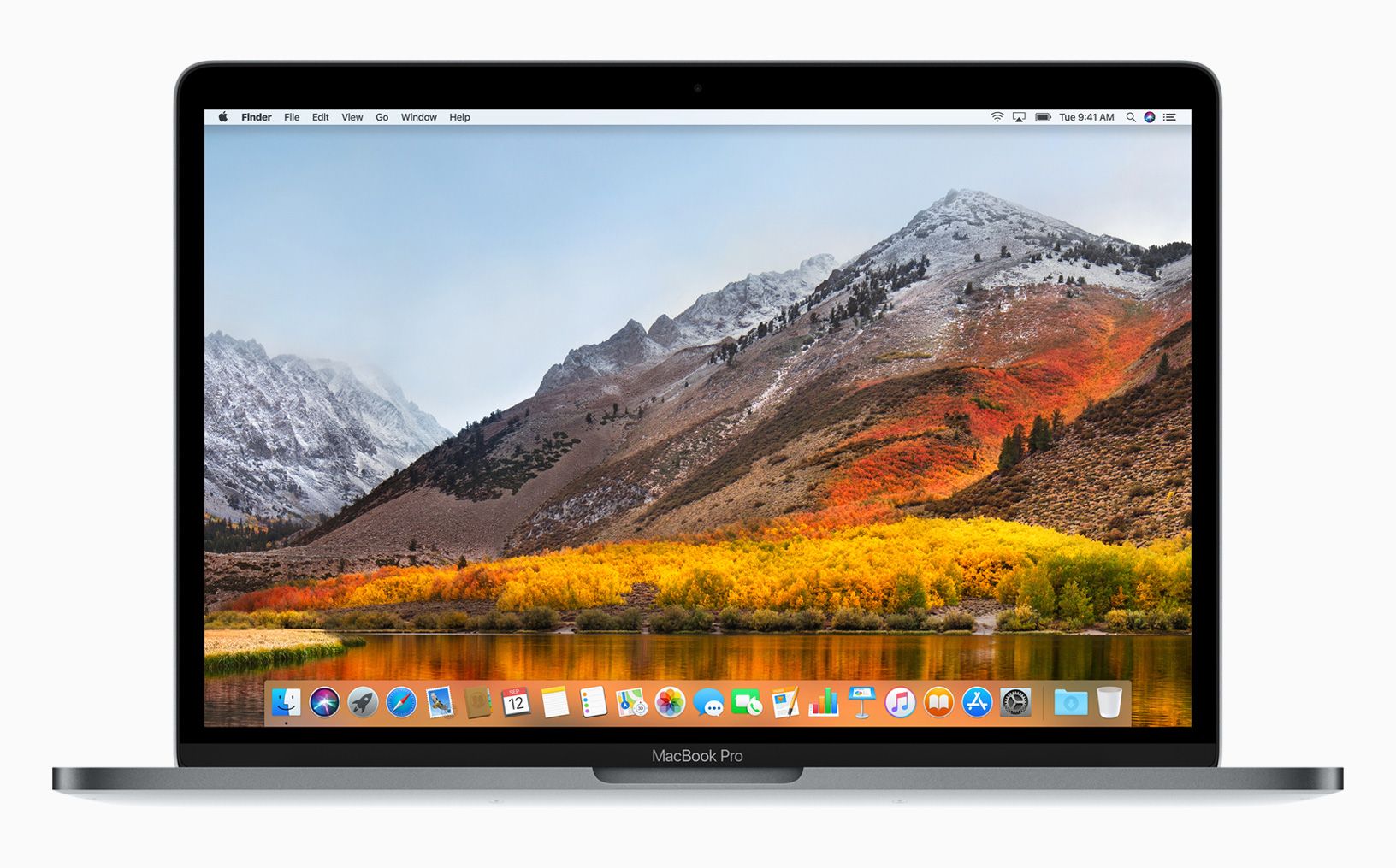
macOS High Sierra brings powerful, new core storage, video and graphics technologies to the Mac.
Apple today announced macOS High Sierra, the latest release of the world’s most advanced desktop operating system, is now available as a free update.
With macOS High Sierra, Mac users gain powerful new core storage, video and graphics technologies. A new file system ensures more efficient and reliable storage, and support for High-Efficiency Video Coding (HEVC) brings stunning 4K video at lower file sizes. Metal 2 powers virtual reality content creation, faster performance and more. The Core ML developer framework makes it easy to create apps with powerful machine learning that predict, learn and become more intelligent. macOS High Sierra also includes a number of refinements to the apps Mac users enjoy everyday, including Photos and Safari.
An all-new file system makes common operations such as copying files and directories nearly instantaneous.
“macOS High Sierra is an important update that makes the Mac more capable and responsive, while laying the foundation for future innovations,” said Craig Federighi, Apple’s senior vice president of Software Engineering. “High Sierra introduces new technologies for VR, high-efficiency video streaming, advances in storage technology and more, while apps such as Photos, Safari, Mail and Notes are refined to give users even more reasons to love their Mac.”
New features in macOS High Sierra:
Apple File System (APFS)
APFS is a new, advanced storage architecture providing an extensible foundation to support new features and future storage technologies on the Mac.
APFS brings support for the latest high-capacity storage devices and delivers enhanced performance, security and reliability.
With APFS, common operations such as copying files and directories are nearly instantaneous.
Data is protected from power outages and system crashes thanks to advanced data integrity features.
APFS currently supports every Mac with all‑flash internal storage — support for Fusion and HDD Mac systems will be available in a future update.
High-Efficiency Video Coding (HEVC) Support
HEVC, a new video standard, enables 4K video streaming while requiring 40 percent less storage space.
HEVC (H.265) is a new industry standard that enables extremely efficient compression, streaming and playback of video.
HEVC enables users to watch 4K video files at full quality, while requiring 40 percent less storage space than the current H.264 standard.1
With HEVC, Apple is enabling high-quality 4K video streaming on networks where only HD streaming was previously possible.2
Hardware acceleration on the new iMac and MacBook Pro delivers incredibly fast and power-efficient HEVC encoding and playback.
Developers like Adobe, Blackmagic Design, GoPro and more are joining Apple in adopting HEVC.
Metal 2
Metal 2, Apple’s advanced graphics technology, enables machine learning, computer vision and more.
Metal is Apple’s advanced graphics technology and the fastest, most efficient way to tap into GPU power on the Mac.
Metal 2 supports next-generation experiences like machine learning used in speech recognition, natural language processing and computer vision.
Metal 2 features a refined API and improved performance that’s helping developers, including Unity, Epic, Valve, Pixelmator and more, accelerate their future apps.
With the combination of Thunderbolt 3 and Metal 2, the most demanding Mac users can now access powerful external GPUs.
Core ML
With Core ML, Apple brings the power of machine learning to all Apple developers, enabling the creation of entirely new kinds of apps.
Core ML takes full advantage of Metal and Accelerate, delivering incredible power, speed and efficiency to machine learning operations such as computer vision, natural language and support for convolutional and recurrent neural networks.
All of the computation and processing driven through Core ML is done on-device in a way that respects customers’ data and privacy.
Developers are already using Core ML to enhance apps like Pixelmator Pro, which uses machine learning to detect and understand various features within images and create intelligent editing solutions.
Virtual Reality Support
macOS High Sierra now supports VR content creation on the Mac.
macOS High Sierra adds support for VR content creation for the first time, enabling developers to create immersive gaming, 3D and VR content on the Mac.
Leading VR companies are working with Apple to drive VR innovation on the Mac with features coming later this year.
Valve is optimizing its SteamVR platform for macOS and enabling connection of the HTC Vive headset, while Unity and Epic are bringing their VR development tools to macOS.
Later this year, Final Cut Pro X will add support for professional 360-degree VR workflows with the ability to import, edit and export 360-degree video on the Mac.
Photos Update
Photos gets a significant update with a revamped UI, new editing tools and useful third-party integrations.
An updated, always-on sidebar and new filtering and selection tools make photo organization quick and easy.
A refreshed editing UI includes powerful new editing tools like Curves, for fine-tuning contrast, and Selective Color, for making adjustments to a specific color range.
Live Photos can now be edited with fun effects, like Loop, Bounce and Long Exposure, and users can also choose a different key photo.
Third-party editors like Photoshop, Pixelmator and other apps can be launched from Photos, with edits saved back to the Photos library.
Support for third-party project extensions provides access to printing and publishing services from Shutterfly, WhiteWall, Wix, ifolor, Mimeo and Mpix from right within the app.
macOS High Sierra brings refinements to everyday Mac apps, including Siri, Safari, Notes and more.
Additional app refinements:
Safari stops media with audio from automatically playing in the browser, and Reader can automatically open articles in a clean, uncluttered format.
Intelligent Tracking Prevention in Safari detects and eliminates cookies and other data used by advertisers for cross-site tracking, to help keep a user’s browsing private.
Siri on the Mac responds with a more natural voice and learns music preferences, creates custom playlists and answers music trivia when using Apple Music.
Touch Bar on MacBook Pro gets new Control Strip options plus an improved color picker and more video controls.
Notes adds simple tables, allowing a user to type in cells, make edits and move rows and columns.
Spotlight provides flight status information, including departure and arrival times, delays, gates, terminals and even a map of the flight path.
Touch Bar on MacBook Pro gets even more Control Strip options.
Pricing and Availability
macOS High Sierra is available as a free update starting today from the Mac App Store. macOS High Sierra supports all Macs introduced in late 2009 or later. Some features may not be available in all regions or languages. For more information, visit: apple.com/macos/high-sierra.
There has been a swath of frustration spreading through the community of iPhone and iPad users. All across social media, and especially on this Reddit thread, there have been complaints about apps taking tens of seconds to open all together in iOS 11.
” Ever since I upgraded, launching apps is an absolute chore. Safari, Reddit, ESPN, Yahoo, texts, etc all have a terrible time opening. They either crash back to home, freeze and require closing the app or take well over a minute to load. I never had a single issue with my 7+ before last night and now suddenly it’s like this phone is stuck in quicksand. I’ve never had to hard reset this phone before but I’ve had to do it twice in the past two days.
Is anyone else experiencing this? Or is there a fix? “— /u/leejoness
343 comments followed with many of them agreeing that there has been trouble had with the update, if not in slowness then with UI functionality for apps.
One fix? Go back to iOS 10.3.3 and let things sort themselves out for a while.
Deactivate “Find My iPhone.” It is under the iCloud section of the settings.
Connect your device to your computer and make sure the latest version of iTunes is installed.
Force Restart your device and enter into Device Firmware Update mode:
For the iPhone 7 and later, hold the Volume Down and Sleep/Wake buttons for 10 seconds, then let go of the Sleep/Wake button and continue to hold the Volume Down.
For the iPhone 6s and earlier, hold the Sleep/Wake button and Home buttons for 8 seconds, then just the Home button for another several seconds.
If iTunes pops up a prompt saying that it has detected a device in recovery mode, click OK.
Or, take it from our Editor-in-Chief, Anton D. Nagy.
While most users should update to iOS 11 using the standard software update mechanisms within Settings app or iTunes, another more technical option is available that utilizes device-specific firmware (IPSW) to install iOS 11 onto an iPhone or iPad.
In general, usingIPSW to update iOS system software is considered advanced and is therefore only appropriate for more technically competent individuals. Nonetheless, it’s not terribly complicated and just about anyone can perform the procedure should they need to, if they follow instructions properly.
Why use IPSW to install iOS 11?
It’s important to point out that most users should just update to iOS 11 using the usual Software Update approach detailed here. But for those who use firmware, the primary reasons most individuals may use IPSW to install any new iOS versions are:
Storage considerations: You can update a storage constrained device since the firmware is not downloaded to the iPhone or iPad as it is through the Settings OTA method
Bandwidth considerations: You can download an IPSW file once from anywhere (either with higher speed internet access, or without a bandwidth cap) and then use the IPSW file to update
Updating multiple same devices: You can multiple devices compatible with the same firmware file with a single firmware, thus preventing the need to re-download the update. For example, if your household as three iPhone 7 Plus devices, a single IPSW can be used to update all three
Troubleshooting bricked devices: if an iPhone or iPad fails to properly install iOS 11 or the device is in an unusable state brought on by a failed software update (often referred to as being “bricked” because it is inoperable), you can often restore a device with IPSW via Recovery or DFU mode
There are other reasons to use IPSW as well, but we’ll assume if you’re going the route of installing iOS 11 via firmware then you already know why you’re doing so and have a compelling reason to proceed.
Updating to iOS 11 Manually with Firmware and iTunes
This walkthrough demonstrates using IPSW firmware files for updating an iPhone or iPad to iOS 11 that is operating as usual. Note that you can also use IPSW files when a device is in recovery mode or DFU mode if need be, but that is not specifically covered here.
Back up the iPhone or iPad before beginning, do not skip a device backup otherwise you may suffer permanent data loss
Download the iOS 11 IPSW file corresponding to the device you wish to update, and save it somewhere easy to find like the desktop
Launch iTunes and connect the iPhone, iPad, or iPod touch to the computer using a USB cable
Select the device in iTunes by clicking the little device icon in the iTunes
Select the IPSW firmware file by performing the following in iTunes:
Mac: OPTION + Click on the “Update” button in iTunes
Windows: SHIFT + Click on the ‘Update’ button in iTunes
Locate and select the IPSW file you downloaded earlier
Confirm that you want to install iOS 11 by choosing ‘Update’ when requested
Let iTunes update and install iOS 11 on the device
When completed, the iPhone, iPad, or iPod touch will reboot with iOS 11 successfully installed.
Regardless of whether you update to iOS 11 using IPSW as shown here, or using the simpler traditional software update methods in Settings or through iTunes, the device will be on iOS 11 and ready to go.
For most users, iOS 11 goes well and they are able to enjoy the new interesting features available in iOS 11. There are mixed reports of poor battery life after iOS 11 update, but most of those energy issues can be resolved with a few simple tips if need be.
Although it received no special mention at last week’s event, Apple quietly released tvOS 11 yesterday alongside its considerably larger updates to iOS 11 and watchOS 4. While it’s a surprisingly minor update considering the new version number, tvOS 11 does add a few small and interesting improvements that help enhance the Apple TV experience.
Automatic Dark Mode
tvOS 10 introduced a new Dark Mode to the Apple TV — a welcome change in our opinion from the garishly bright white background that heralded the fourth-generation Apple TV UI. We’ve generally been pretty content to use Dark Mode on our Apple TVs all the time, but we can understand some users may want to switch back and forth, using the original Light Mode during the daytime, but switching the more subdued Dark Mode at night, so tvOS 11 now allows for this with a new “Automatic” option.
You’ll be prompted to enable Location Services the first time you switch this on, as tvOS will use your current location to figure out sunrise and sunset times. Once enabled, the Apple TV will switch into Dark Mode at sunset, and back into Light Mode at sunrise.
iCloud Home Screen Sync
It seems that one of Apple’s goals with its new releases this year is to sync even more information via iCloud; iOS 11 users will gain the ability to sync Messages and Siri information between devices using iCloud, and tvOS 11 isn’t left out of the iCloud game either — you’ll be able to store your Home screen layout in iCloud, along with your installed apps, so that this information can be synced across multiple Apple TVs, and restored should you ever have to reset or replace your Apple TV. It was a feature that was kind of conspicuously missing in tvOS 10, so it’s good to see Apple finally addressing it.
The option to enable this can be found in the your iCloud account settings (Settings, Accounts, iCloud) as “One Home Screen,” and is simply an on/off toggle.
AirPlay
The AirPlay Settings now include an additional setting that allows you to decide whether users can stream to your Apple TV via AirPlay from any device within Wi-Fi range, or whether AirPlay devices have to already be joined to the same Wi-Fi network as your Apple TV.
The Security options available will also depend on which Access option you choose: “Same Network” allows you to select “None” as an option, relying simply on your normal Wi-Fi access controls; however if you choose to grant access to “Everyone” then you’ll need to at least require a first-time passcode as the minimum security, to prevent just anybody in the neighbourhood from randomly broadcasting to your Apple TV.
This will make it easier to allow guests and visitors to stream to your Apple TV without having to first join your Wi-Fi network, and we can see this being especially useful in conference room or classroom environments.
Video Playback
The standard video player has received a couple of interesting tweaks. While a single tap on the Siri Remote touchpad brings up the scrubber timeline as before, tapping a second time will now switch to a time-of-day display, showing the current time by the playback position and an estimate of what time the video will finish at the end of the timeline.
You can also now double-tap on the Siri Remote touchpad to zoom in and out when viewing 4:3 or 2.35:1 content, and a triple-tap will toggle subtitles on and off, if available; this could previously be accomplished with an accessibility shortcut, however now it’s built-in and works independently of the accessibility shortcut option, which remains assigned to a triple-click of the Menu button, as before.
Computers
The Computers tvOS app — used for accessing content stored in your local iTunes library — has been something of an anachronism in the Apple TV environment, maintaining a UI that was far more reminiscent of the third-generation Apple TV, with vertical hierarchical menus for navigating content. tvOS 11 finally brings the Computers app into line with the rest of the tvOS experience, adding a top navigation bar for content types such as Music, Movies, TV Shows, Podcasts, and Audiobooks, as well as a new “Search” option. As before, only available content types will be listed here, so if you don’t have any movies in your iTunes library, you won’t see the “Movies” heading.
The Music section basically inherits the style of the Music app redesign from tvOS 10, while the other sections such as Movies and TV Shows now match the style of the TV app and corresponding iTunes apps. Individual movie and TV show items also gain the same type of info screens found in the tvOS iTunes apps.
Music
The tvOS Music app gains the new social features found in iOS 11 and iTunes 12.7, with the ability to search for and follow other Apple Music profiles and see what your friends are listening to.
You can search for other users from the standard search window, and you can access your own profile by swiping up to your profile picture in the “For You” section.
The Music settings (Settings, Apps, Music) gain the additional “Use Listening History” setting, similar to the option found in iTunes 12.7, to allow you to choose whether the music you listen to on your Apple TV will be visible to your followers on Apple Music and influence your “For You” recommendations. If multiple family members listen to your Apple TV music library, you’ll probably want to turn this option off unless each family member normally switches to their own Apple ID before listening.
If you don’t want to use any of the Apple Music sharing services on your Apple TV, the Restrictions settings include a new option to hide music profiles and posts entirely.
TV App
Apple has expanded its TV App internationally with the release of tvOS 11, with Canada and Australia gaining access to the new app this week (albeit with a limited number of content providers thus far), and France, Germany, Norway, Sweden and the UK expected to get the TV app later this year. Beyond the wider availability, the app itself doesn’t appear to have gained any significant enhancements, however.
Apple has released watchOS 4 and tvOS 11 to users with Apple Watch and Apple TV. The new watchOS 4 and tvOS 11 software updates bring a variety of changes and updates to the Apple Watch and Apple TV experience.
watchOS 4 for Apple Watch includes a new Siri watch face, improved activity tracking, a new Music app, and other adjustments and new features.
tvOS 11 includes home screen adjustments for multiple Apple TV devices, the ability to control Apple TV via an iOS device Control Center, new language support, as well as a variety other new features and changes.
watchOS 4 is compatible with all Apple Watch devices, where as tvOS 11 is compatible with the latest Apple TV hardware.
The software updates can be installed via the respective Settings applications on tvOS or the accompanying Apple Watch settings app on a paired iPhone.
Updating to watchOS 4 on Apple Watch
For watchOS 4, open the Apple Watch app on the paired iPhone and then go to the Software Update section to install the latest version available.
Compatible Apple TV hardware can find the tvOS 11 update available in the Settings app Software Update section. Users can also update via iTunes and a computer if desired.
Apple has released Safari 11 for macOS Sierra 10.12.6 and Mac OS X El Capitan 10.11.6. The update to Safari includes various security patches, bug fixes, and includes a handful of new features for the Mac web browser.
Perhaps the most noteworthy feature of Safari 11 is that it stops media from automatically playing audio on most websites, thereby helping to prevent the user from having to mute tabs and tracking down which tab is playing sound when unexpected audio starts playing on sites like Facebook or many news websites.
Mac users can find the Safari 11 software update available in the Mac App Store Updates tab. You must be on the most recent version of Sierra or El Capitan to find the software update available, if you’re running a prior release of either Mac OS version the update does not appear to be available.
The release notes for Safari 11 include a focus on the following features and changes:
Stop media with audio from automatically playing on most websites
Adds the ability to configure Reader, content blockers, page zoom, and auto-play settings on a per-website basis, or for all websites
Improves AutoFill accuracy from Contacts cards
Includes updated media controls for HTML video and audio
Enhances performance and efficiency
Safari 11 as a separate download is only available for Sierra and El Capitan. Safari 11 is included by default in macOS High Sierra 10.13, which is due for widespread public release for Mac users on September 25.
As soon as you get your shiny new iPhone 8, you’ll probably want to download some apps. So Apple took the opportunity to update its developer app review guidelines to make sure the App Store is in tip top shape. According to 9to5 Mac, it’s now officially cracking down on misleading apps.
The App Store has already had policies against such apps already, but the recent update makes it more explicit. The ban is against apps “including content or services that it does not actually offer.” As those fake antivirus apps don’t actually work, they’re definitely on this list. Apple has already removed a number of these apps from the App Store, but this new guideline makes the ban explicit so that they can’t get on in the first place.
In addition, the new guidelines also include clauses for ARKit and Face ID. Apple wants the ARKit apps you see in the App Store to be more than just one-note apps with single objects, adding that it needs to offer “rich and integrated augmented reality experiences.” As for Face ID, Apple added that it must offer an alternate unlocking method for children under the age of 13.
It’ll also now be possible for apps to offer 100 percent of funds to be gifted from one person to another without using In-App Purchases, thus bypassing the need to give 30 percent of it to Apple. The caveat is that giving said money must be an optional choice.
Last but not least, there is also a new clause that explicitly prohibits apps that “facilitate human trafficking and/or the exploitation of children.” They’ve always been illegal anyway, but Apple is simply adding language to make it more explicit that it will take legal action if it finds such apps.
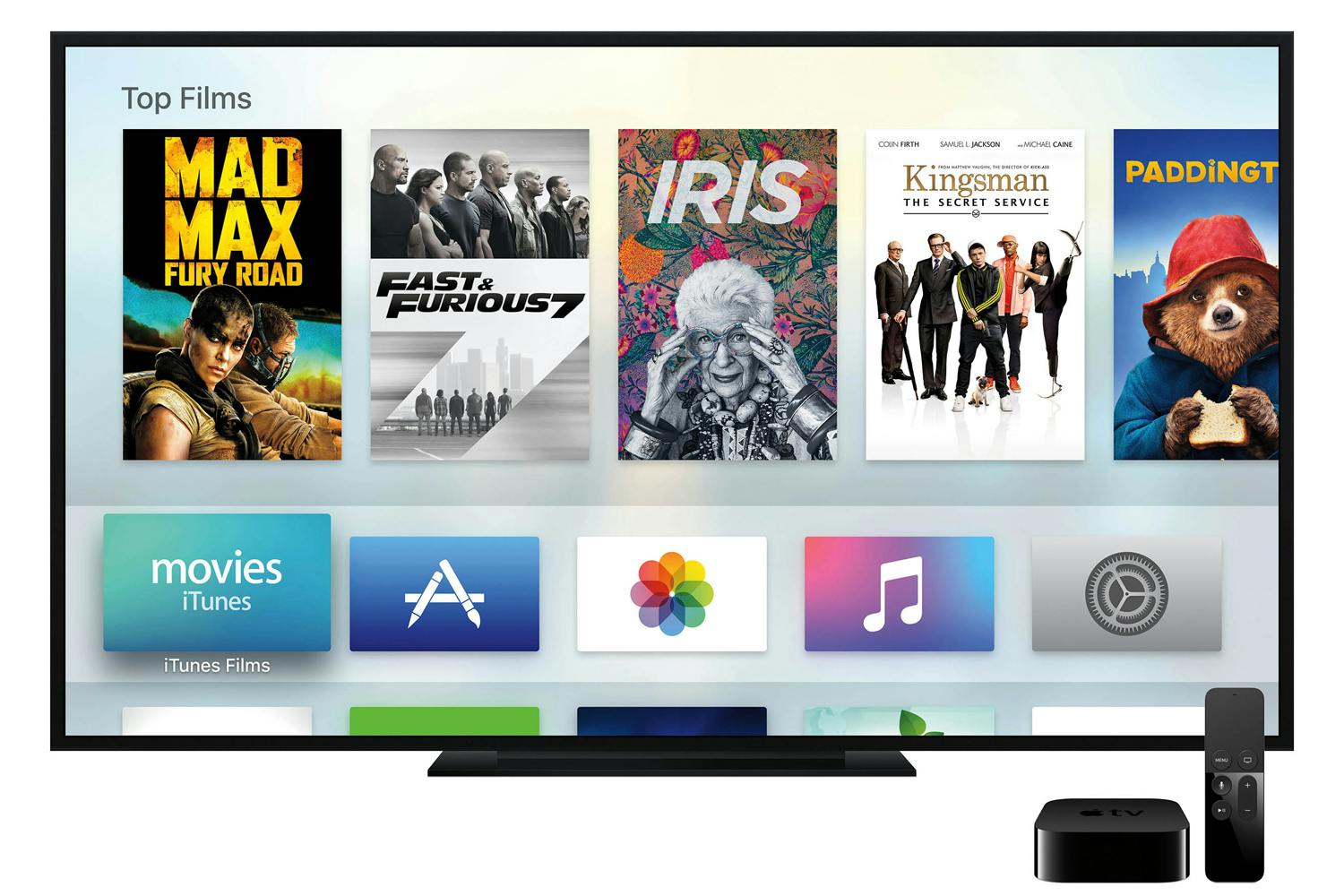
Apple TV 4K delivers a stunning cinematic experience at home, along with an incredible selection of 4K HDR content on iTunes, Netflix and more.
Cupertino, California — Apple today introduced the new Apple TV 4K designed to deliver a stunning cinematic experience at home. With support for both 4K and High Dynamic Range (HDR), Apple TV 4K features unbelievably sharp, crisp images, richer, more true-to-life colors, and far greater detail in both dark and bright scenes. With Apple TV 4K, viewers can enjoy a growing selection of 4K HDR movies on iTunes. iTunes users will get automatic upgrades of HD titles in their existing iTunes library to 4K HDR versions when they become available. Apple TV 4K will also offer 4K HDR content from popular video services, including Netflix and Amazon Prime Video, coming soon.
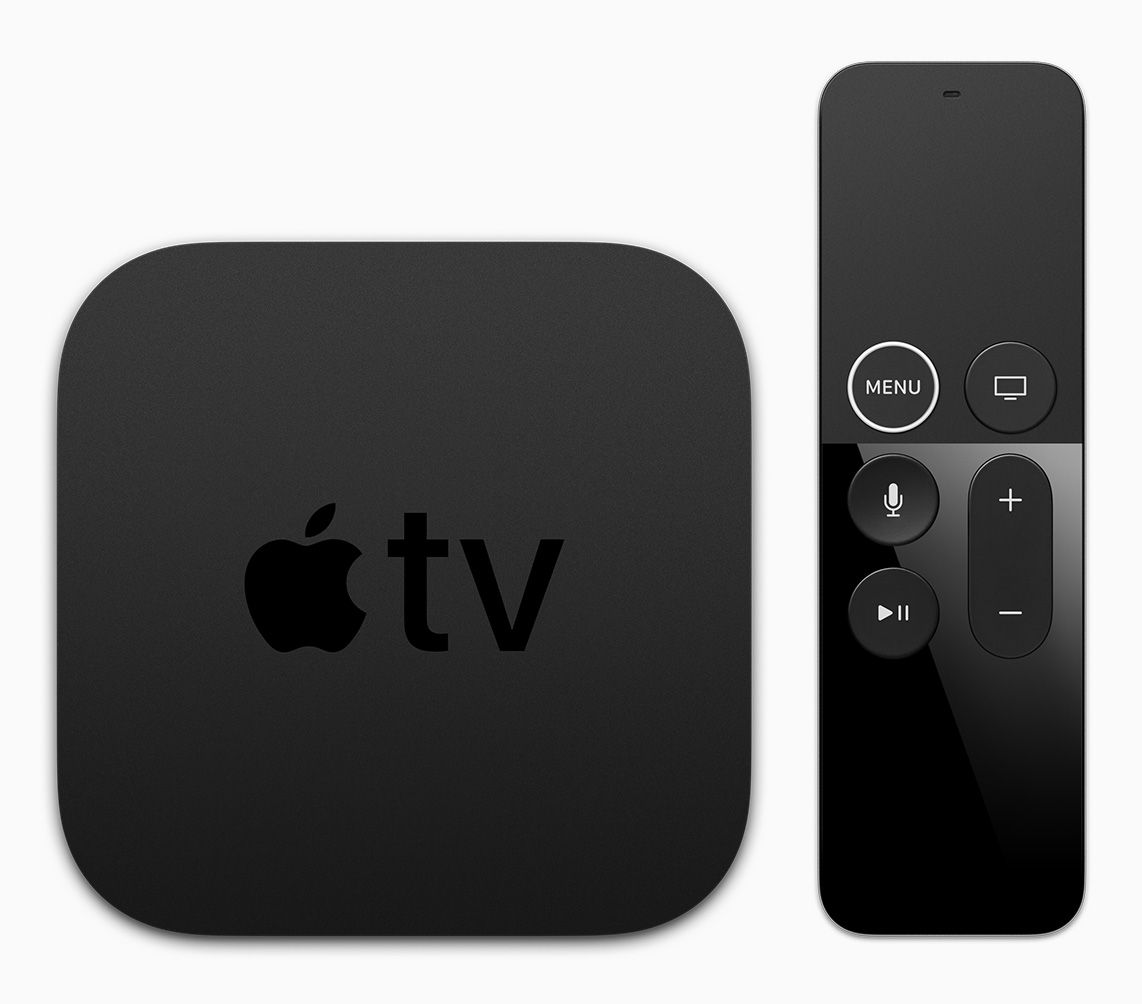
With the introduction of Apple TV 4K, the Siri Remote gets a subtle redesign with a new white circle around the “menu” button.
“Bring the magic of the cinema straight to your living room with the new Apple TV 4K,” said Eddy Cue, Apple’s senior vice president of Internet Software and Services. “Customers will love watching stunning 4K HDR movies from an impressive catalog on iTunes, while also getting automatic upgrades of 4K HDR movies already in their iTunes library and enjoying 4K content on services like Netflix and Amazon Prime Video, coming soon.”
4K and HDR
The combination of 4K HDR on Apple TV 4K lets viewers enjoy unbelievably sharp, crisp images, richer, more true-to-life colors and far greater detail in both dark and bright scenes (image for simulation and dramatic effect only).
Built on the groundbreaking A10X Fusion chip — the same chip that powers iPad Pro — the new Apple TV 4Kdelivers a vivid 4K HDR experience.
Support for both Dolby Vision and HDR10 ensures users can enjoy incredible-looking TV shows and movies on any HDR TV.
Built-in high-performance 4K video scaler makes HD content look better than ever on a 4K TV.
Always outputting to the highest resolution possible allows viewers to get the most out of their TV, whether it’s an older HDTV or the latest 4K Dolby Vision OLED.
Automatic detection of a 4K TV’s capabilities optimizes setup for the best quality picture.
Siri and the Apple TV App
The TV app will expand to seven countries by the end of the year, making it easier for viewers to discover and watch TV shows and movies from multiple apps in one place.
Siri and the Apple TV app are easy ways to find and play exactly what you want. The TV app brings all your favorite shows and movies together, and Siri makes it possible to search and access content across Apple TV using just your voice.
The TV app supports over 60 services on Apple TV and iOS devices, with more being added all the time. Whether you’re at home or on the go, it’s easy to discover and watch TV shows and movies from multiple apps in one place.
Siri is smart about 4K HDR, so it’s unbelievably simple to find movies and TV shows in the highest picture quality across your apps (e.g., “Show me movies in 4K”).
Later this year, the TV app is making it easier than ever to watch and get updates about live sports just by saying “Watch the Warriors game” or “What’s the score of the Cubs game?”
Sports fans in the US will be able to track their favorite teams and get on-screen notifications whenever they are playing, as well as see all the teams, leagues and sporting events currently playing through a dedicated Sports tab.2
Starting this month, the TV app will be available in Australia and Canada, in addition to the US. And, by the end of the year, it will expand to France, Germany, Norway, Sweden and the UK.
Apple TV at Home
Apple TV 4K is the perfect big screen companion to iPhone and iPad, bringing family and friends together for an incredible viewing experience.
Apple TV is the perfect addition to any household, with great apps from the App Store on Apple TV, as well as photos, videos, music and more. If you already own an iPhone or iPad, there’s no better choice in the living room than Apple TV.
Users can share recent photos and videos from your iPhone and iPad, including the best Memories, with friends and family on the biggest screen, with iCloud on Apple TV.
It’s also simple to send movies, TV shows, home videos and photos from iPhone or iPad instantly to the TV using AirPlay from your iOS devices.
With support for AirPlay 2, coming later this year, Apple TV can control multiple AirPlay 2-compatible speakers as well as your home theater speakers to create the ultimate home music experience.
Apple TV goes beyond entertainment to help deliver on Apple’s vision of the smart home. Since Apple TV is always at home, it’s perfectly suited to act as a home hub for all of your HomeKit accessories, enabling remote access as well as automated control (e.g., automatically turning on the lights at sunset).
Pricing and Availability
Apple TV 4K starts at $179 (US) for 32GB or $199 (US) for 64GB, joining Apple TV (4th generation) 32GB at $149 (US), available from apple.com and Apple Stores, as well as through select Apple Authorized Resellers and carriers (prices may vary). Customers will be able to order both Apple TV 4K models beginning Friday, September 15, with availability beginning Friday, September 22. For more information, visit apple.com/tv.
Apple revolutionized personal technology with the introduction of the Macintosh in 1984. Today, Apple leads the world in innovation with iPhone, iPad, Mac, Apple Watch and Apple TV. Apple’s four software platforms — iOS, macOS, watchOS and tvOS — provide seamless experiences across all Apple devices and empower people with breakthrough services including the App Store, Apple Music, Apple Pay and iCloud. Apple’s more than 100,000 employees are dedicated to making the best products on earth, and to leaving the world better than we found it.
1 Subscription may be required to access some content. Not all content is available in 4K HDR. 4K resolution requires 4K capable TV. Playback quality will depend on hardware and Internet connection. 2 Live sports are subject to blackout.
Apple’s 2017 iPhones will inevitably influence the top end of the smartphone market. Here’s how it looks at the moment, with a number of key launches expected soon.
Smartphones are the focus of most people’s digital lives these days, and are likely to remain so until computing becomes truly ‘ambient’ — probably involving some seamless combination of wearables (particularly augmented reality [AR] goggles), IoT devices, cloud services and artificial intelligence (AI).
Following the launch of the iPhone 8, 8 Plus and X, it’s a good time to take stock of the current state of the smartphone market by examining the vital statistics of leading vendors’ flagship handsets.
Apple‘s new iPhones, and Samsung‘s Galaxy S8/S8+ and Galaxy Note 8, show the general direction in which top-end smartphones are heading: powerful, attractive (and expensive) handsets whose user experiences increasingly leverage AI and AR, integrated with an ecosystem of add-on devices and services in various sectors including gaming, AR and VR, smart home, healthcare, shopping and office productivity.
Following last year’s well-publicised Galaxy Note 7 debacle and strong fourth-quarter performance from Apple, Samsung briefly ceded first place to its main rival in the Q4 2016 smartphone market. However, the Korean company swiftly returned to the number-one spot in 2017 (see chart). Apple‘s new iPhones face stiff competition from Samsung, Huawei and other top-five vendors, and from several manufacturers in the ‘Others’ category — including Google, HTC, LG, Motorola, Nokia, OnePlus and Sony — that also offer premium smartphones.
“Despite some key launches in the second quarter from some well-known players, all eyes will be on the ultra-high-end flagships set to arrive this fall,” said Anthony Scarsella, research manager with IDC’s Worldwide Quarterly Mobile Phone Tracker, when the Q2 2017 figures were released at the beginning of August. “With devices like the iPhone 8, Pixel 2, Note 8, and V30 in the pipeline, the competition will be fierce come September. We expect all the key players to promote their latest and greatest flagships with an assortment of deals, bundles, and trade-in offers across a variety of channels in most key markets,” he added.
Here’s how the flagship smartphone market looks following Apple‘s 2017 iPhone launch, presented as far as possible in graphical form. (Note: we’ll update this article as new handsets from Google, Huawei, LG and any other leading vendors are released.)
DESIGN
Screen size & Pixel density
Screen size — measured in inches across the diagonal — is a smartphone’s defining design characteristic, and the range on offer from leading vendors is now very wide. BlackBerry‘s 4.5-inch keyboard-equipped KEYone is the smallest, while Samsung‘s Galaxy Note 8 currently leads the field at 6.3 inches, with 16 out of the 25 handsets covered here falling between 5.5 and 6 inches. Display technologies are split between IPS LCD (Apple, BlackBerry, Huawei, HTC, LG [G6], Sony) and various species of OLED (Apple [iPhone X], Google, HP, Huawei [Mate 9 Pro], LG [V30], Motorola, OnePlus and Samsung).
Recent developments in smartphone displays include curved minimal-bezel screens with on-screen home buttons, 18:9 aspect ratio, Gorilla Glass 5 screen protection and — in the HTC U Ultra — a small secondary screen for notifications and other useful information (an idea recently dropped by LG when updating the V20 to the V30). Samsung‘s Note 8 is the only handset covered here that offers a stylus (the S-Pen). Apple‘s 2017 iPhones add True Tone technology (first seen in the 2016 9.7-inch iPad Pro) that automatically adjusts colour temperature and intensity to the ambient light, while the iPhone X made more space for the screen by removing the home button (and Touch ID) altogether.
The other key statistic here is pixel density, measured as pixels per inch (ppi), which factors in the display resolution. The graph below shows that Samsung (Galaxy S8) and LG (G6) lead the mainstream field with pixel densities of 567 and 564ppi respectively. The outlier is Sony‘s 5.5-inch Xperia XZ Premium, which offers a maximum 4K resolution of 3,840 by 2,160 for a massive 807ppi. This looks extremely impressive, but note that, for much of the time, the Xperia XZ Premium works at 1,080p resolution to save battery life, resulting in a much more mundane 403.5ppi.
Not everyone is comfortable with a large-screen handset, but if you want a leading-edge device, that’s increasingly what you’re being offered. If you’re happy with a large screen (>5.5in.) and also want high pixel density (>500ppi), you should be looking at Samsung‘s Galaxy Note 8 and Galaxy S8+, LG‘s V30 or, if you’re happy to run Windows 10 Mobile, the HP Elite x3. If your hands are on the small side, the 5.3-inch Nokia 8 offers a good combination of moderate screen size and high resolution (550ppi).
Screen-to-body ratio & Thickness
Another key smartphone design metric is the screen-to-body ratio, which measures how much of a handset’s fascia is occupied by screen compared to non-display elements like bezels, camera lenses and control buttons.
If low screen/body ratios are ‘old-fashioned’, then Apple’s 2016 iPhone 7 and 7 Plus were showing their age at 65.5 percent and 67.5 percent respectively — and their 8 and 8 Plus successors have done nothing to change that. Apart from BlackBerry‘s KEYone, only four other handsets have sub-70 percent ratios: Google Pixel, HTC U Ultra, Nokia 8 and Sony Xperia XZ Premium. The 4.5-inch KEYone is an outlier at 55.9 percent because, of course, it has a hardware keyboard, which decreases the screen-to-body ratio (and also increases the thickness compared to touchscreen-only handsets — see below).
At the other end of the scale, Samsung‘s Galaxy S8, S8+ and Note 8 handsets, with their curved Infinity Display screens and on-screen home buttons, lead the field with screen/body ratios of 83-84 percent. LG‘s V30 and Apple‘s new iPhone X are the only other flagship handsets with screen/body ratios over 80 percent.
Smartphone vendors often make much of the slimness of their handsets, and it’s clear from the chart below that Huawei is particularly keen on this design feature. Conversely, Samsung and Google (and BlackBerry) deliver notably thicker handsets:
Motorola‘s modular Moto Z2 Force, at 6.1mm with no Mods fitted, is the thinnest handset here. There are trade-offs though: the camera lens housing protrudes from the rear, and the device’s body is too thin to accommodate a 3.5mm headset jack. With the increasing use of glass on both the front and back of premium handsets (to accommodate wireless charging), most people immediately put their expensive and shiny new handset in a protective case, which renders the quest for extreme slimness somewhat pointless.
Volume & Weight
As you’d expect, there’s a clear relationship between a smartphone’s physical volume and its weight, although the variation around the trendline is interesting.
For example, the handsets that are thick for their screen/body ratio — notably the HTC-designed Google Pixel and Pixel XL, HTC U Ultra and U11 — are also relatively light for their volume, suggesting that there’s plenty of room for components inside the case. Another handset that’s below the weight/volume trendline is Samsung‘s Galaxy Note 8 — evidence, perhaps, of design changes following the Note 7 debacle (especially as the Note 8 also packs a smaller-capacity 3,300mAh battery than its ill-fated predecessor, which ran on a 3500mAh unit). Conversely, it’s noteworthy how Apple‘s iPhone 8 Plus is particularly heavy (at 202g) for its volume, that the iPhone 8 and 8 Plus are slightly bulkier and heavier than their predecessors, and that the 5.8-inch iPhone X is considerably lighter and more compact than Samsung’s 6.3-inch Galaxy Note 8.
Dust and water resistance
Another key smartphone design factor is resistance to the ingress of foreign matter, as commonly indicated by a two-digit IP rating: the first number describes dust resistance on a 1-6 scale, while the second describes water resistance on a 1-8 scale. The highest rating among the flagship handsets covered here is IP68, where ‘6’ indicates that the device is ‘dust tight’ and ‘8’ signifies that it can withstand immersion in water (usually at least 30 minutes to depth of at least 1m).
An IP rating of 5 for dust means the device is merely ‘dust protected’, while 7 for water means it can withstand immersion in up to 1m for 30 minutes, 4 means it can resist ‘splashing water’ and 3 means it can handle ‘spraying water’, both of the latter for at least 10 minutes.
IP ratings are not available for the BlackBerry KEYone, Huawei (and Honor) handsets, HTC U Ultra, Motorola Moto Z2 Force (although it does claim a ‘water repellent nano-coating’) and OnePlus 5. However, two of the flagship smartphones — the LG V30 and HP Elite X3 — also boast a military-grade MIL-STD 810G ruggedness certification.
Somewhat surprisingly, Apple‘s 2017 iPhones did not bump up their IP ratings from IP67 to IP68, to match Samsung‘s Galaxy S8/8+/Note 8. Looking ahead, it will be surprising if Google‘s second-generation Pixel handsets don’t move beyond IP53.
PLATFORM
Chipsets, CPU & GPU performance
A flagship smartphone should do its job — launching, running and switching between apps, and displaying on-screen content — quickly and smoothly, without any delays or glitches that would mar the user experience. It shouldn’t become uncomfortably hot in operation either — or, of course, burst into flames.
Chipsets from four main vendors power the handsets covered here:
Apple‘s 4-core A10 Fusion (iPhone 7/7 plus) and 6-core AI- and AR-optimised A11 Bionic(iPhone 8/8Plus/X)
Samsung‘s 8-core Exynos 8995 in the Galaxy S8/S8+/Note 8 (worldwide versions)
Qualcomm’s mid-range 8-core Snapdragon 625 (BlackBerry KEYone); 4-core 820 (HP Elite x3) and 821 (Google Pixel/XL, HTC U Ultra, LG G6); and top-end 8-core 835 (HTC U11, LG V30, Moto Z2 Force, OnePlus 5, Galaxy S8/S8+/Note 8 [US/China versions], Sony Xperia XZ Premium)
HiSilicon’s Kirin 960 in the Huawei and Honor handsets.
Here’s how these platforms shape up in terms of processor and graphics performance, as measured by the Primate Labs’ multi-core Geekbench 4 (Gb4) and Futuremark’s 3DMark Ice Storm Unlimited (ISU) benchmarks respectively:
The top-performing chipset — on these measures at any rate — is the Qualcomm Snapdragon 835, with Gb4 and ISU scores of up to 6500 and 40000 respectively. Note that the Exynos 8995 versions of the Samsung S8 and S8+ deliver better CPU results but weaker GPU performance (benchmarks are currently only available for the Exynos 8995 version of the Galaxy Note 8).
Apple‘s A10 Fusion-powered iPhone 7 and 7 Plus were strong performers, with scores of around 5400 (Gb4) and 37000 (ISU), and the new A11 Bionic-powered iPhones are sure to see a significant speed bump when benchmarks appear (here’s a leaked report). At the 2017 launch, Apple claimed that the A11 Bionic’s two performance CPU cores are 25 percent faster than the A10, while its four high-efficiency cores are 70 percent faster. Apple‘s 2nd-generation performance controller is reportedly 70 percent faster for multithreaded workloads, while the A11’s GPU is 30 percent faster and delivers A10-level performance at half the power, according to Apple.
Also prominent are the Kirin 960-powered handsets from Huawei and Honor, which cluster around the 6000 (Gb4)/27000 (ISU) mark. Again, we expect to see a performance boost when the AI-optimised Kirin 970 chipset becomes available in the Huawei Mate 10 and Mate 10 Pro in October.
The remaining Snapdragon 821-powered smartphones on this chart — notably Google‘s Pixel and Pixel XL — are well behind the 2017 curve, and will certainly be updated with the 835 chipset in due course. Very much in last place in this company is BlackBerry‘s KEYone, which is powered by Qualcomm’s mid-range 8-core Snapdragon 625 SoC.
RAM & Storage
When it comes to memory, the clear leader of the pack is the OnePlus 5, which is currently unique in offering 8GB or 6GB of RAM. Next come seven flagship handsets with a maximum of 6GB, all of which bar the Samsung Galaxy Note 8 also have a 4GB variant. The most common RAM complement is 4GB, which is the only choice with 11 handsets and the maximum for BlackBerry‘s KEYone (which also comes with 3GB).
Apple has always fitted less RAM in its iPhones than the Android competition, and that hasn’t changed with its 2017 handsets: the iPhone X and 8 Plus have 3GB (like the iPhone 7 Plus), while the iPhone 8 has 2GB (like the iPhone 7).
As far as internal storage is concerned, Apple‘s 2017 iPhones stand out with their maximum complement of 256GB — a feature that betrays the company’s disdain for external storage expansion via a MicroSD card slot. Samsung‘s Galaxy Note 8 also offers a maximum of 256GB (in some territories), but has a MicroSD card slot too, making it the top choice for the data-hungry.
Google‘s Pixel handsets and the OnePlus 5 also lack MicroSD expansion and, like the previous-generation iPhone 7 and 7 Plus, provide up to 128GB rather than 256GB of internal storage.
The most common maximum internal storage complement is 128GB, which is offered by 13 of the 25 handsets covered here.
CAMERAS
Rear cameras
Cameras have become a key battleground for smartphone makers, and several approaches are currently on view among the flagship population. Although it wasn’t the first to do so, Apple kick-started a trend last year by offering dual rear cameras on the iPhone 7 Plus: a primary 12-megapixel (MP) camera with an f/1.8 wide-angle lens and optical image stabilisation (OIS), and a secondary camera with an f/2.8 telephoto lens with 2x optical zoom but no OIS.
As well as adding telephoto capability, Apple‘s dual-camera system allowed depth information to be calculated, enabling features like bokeh — sharp foreground and blurred background — to be supported on portrait shots that were previously the province of expensive digital SLR cameras with high-end optics.
Apple‘s 2017 dual-camera phones, the iPhone 8 Plus and iPhone X, remain at 12MP but the sensors are bigger, faster and deliver better low-light performance, according to Apple. The iPhone 8 Plus has the same basic lens specs as the 7 Plus (f/1.8 wa + OIS, f/2.8 tele), while the iPhone X has an f/2.4 aperture on the telephoto lens and implements OIS on both cameras. Apple also takes advantage of A11 Bionic chip’s machine-learning optimisation and custom ISP to deliver a (beta) Portrait Mode feature called Portrait Lighting: here, depth sensing and facial mapping are combined to deliver real-time analysis of the light on a subject’s face and provide alternative lighting schemes — either pre- or post-capture.
For dual-camera handsets, the top bar is the wide angle or colour camera, while the bottom bar is the telephoto or black-and-white camera.
Huawei‘s Leica-branded camera system pairs 12MP RGB and 20MP monochrome sensors with 27mm f/2.2 lenses (f/1.8 in the P10 Plus), supporting OIS on the primary colour camera. As well as enabling true monochrome shooting and adding detail to blended RGB/mono shots, the 20MP secondary camera supplies depth information for bokeh-style images. The Honor 8 Pro has a similar (non-Leica-branded) system, but the secondary mono camera is 12MP rather than 20MP and there’s no support for OIS.
LG uses two 13MP sensors on the G6, one coupled with an f/1.8 autofocus lens with OIS and the other with an f/2.4 wide-angle lens lacking both OIS and autofocus. The LG V30 takes a similar approach, but uses a 16MP primary sensor with an f/1.6 lens (with AF and OIS) and a 13MP secondary sensor with an f/1.9 lens (no AF or OIS).
Both Motorola and Nokia take the Huawei approach, with colour and monochrome cameras: the Nokia 8’s Zeiss-branded system supports OIS on the colour camera, but the Moto Z2 Force does not offer OIS on either.
OnePlus and Samsung (Galaxy Note 8) go for the wide-angle/telephoto dual camera design, OnePlus with 16MP (wa) and 20MP (tele) cameras and electronic image stabilisation (EIS) rather than OIS, and Samsung with two 12MP cameras, both with OIS. Samsung also introduces a couple of neat dual-camera features: Live Focus lets you adjust the bokeh effect pre- and post-capture, while Dual Capture simultaneously captures photos from both the wide-angle and telephoto cameras.
Single rear cameras are an increasing rarity among the flagship population, but are headed (in resolution terms) by Sony and HP, with 19MP and 16MP units in the Xperia XZ Premium and Elite x3 respectively.
Front cameras
The fashion for ‘selfies’ and authentication via face recognition means that front-facing cameras, once something of an afterthought with a nod to video calls, have seen significant recent evolution.
Samsung, for example, offers both face recognition and iris scanning on its Galaxy S8, S8+ and Note 8 handsets, as well as a capable 8MP camera, while the Nokia 8’s Dual Capture feature lets you take pictures with the front and rear camera simultaneously (a.k.a. ‘Bothies’). Even more recently Apple more than matched Samsung’s functionality with the front-facing TrueDepth camera system and Face ID on the new iPhone X:
Apple’s True Depth camera system occupies a notch at the top of the iPhone X’s OLED screen.
To analyse your physiognomy, the flood illuminator detects your face, the infrared camera takes an IR image, and the dot projector places than 30,000 IR dots on your face. These data are fed into a neural network (in the A11 Bionic chip) to create a mathematical model of your face, which is then checked against the stored model on the handset — all in real time. The True Depth camera also enables Portrait Mode selfies with Portrait Lighting, and animated emoji called ‘Animoji’.
Here are the front camera megapixel counts for the 25 handsets under consideration, 12 of which are 8MP units:
Video
Video capture is becoming an increasingly important smartphone camera feature — witness the fact that all bar one of the handsets covered here can record 4k (2160p) video with at least a frame rate of 30fps. The exception is BlackBerry‘s KEYone, which doesn’t support 4k video capture at any frame rate. Apple‘s new iPhones just upped the ante by supporting 4k video at 60fps, which will doubtless kick off another round of feature catch-up.
Slow-motion video is another popular feature, and Sony‘s Xperia XZ Premium leads the field here, supporting HD (720p) video capture at a startling ‘super-slo-mo’ 960fps. The current ‘standard’ for slo-mo video is 720p at 240fps, although Apple has again pushed the boundary by supporting full HD (1080p) video at 240fps in the iPhone 8, 8 Plus and X.
As resolutions and frame rates rise, image stabilisation — either optical or electronic — will become ever more important. It’s noticeably absent from Motorola‘s Moto Z2 Force, for example.
BATTERY
Battery capacity
As flagship smartphones pack in faster processors, more memory, larger and higher-resolution screens, and ever more functions, so the toll on the handset’s battery increases. There are multiple trade-offs here: no smartphone user wants to have to recharge during a typical day’s usage, but manufacturers cannot simply fit ever higher-capacity batteries into designs that need to be as lightweight and elegant as possible in order to keep buyers interested. Get it wrong and a vendor can have a Galaxy Note 7-style debacle on its hands.
The state of the art in smartphone batteries is currently around 4,000mAh, while 14 of the 22 handsets charted here have battery capacities between 3,000 and 4,000mAh. Apple has not divulged the battery specs for the iPhone 8, 8 Plus and X, and we’re awaiting the teardown analyses that will supply them.
Battery life
A bigger battery obviously means longer battery life, as the chart below clearly shows. But given that design and safety constraints preclude the shoehorning of big batteries into tight-fitting cases, manufacturers also need to make it as convenient as possible for users — especially ‘power’ users who subject their devices to heavy workloads — to recharge their handsets.
Following LG‘s decision to drop the removable battery when updating the V20 to the V30, this feature is now absent from all of the top-end smartphones covered here. Fast charging is supported on all but the now-outdated iPhone 7 and 7 Plus, while wireless charging is available on Apple‘s new iPhones (8, 8 Plus and X), HP‘s Elite x3, the LG G6 and V30, and Samsung‘s Galaxy S8, S8+ and Note 8.
PRICES
High-end smartphones are never going to be cheap, but Apple‘s newly launched iPhone X has broken new ground — the combination of Apple‘s historically high margins and a significant amount of new technology have seen to that. The entry-level 64GB iPhone X configuration costs $999, and if you must have the top-end 256GB model, be prepared to part with a princely $1,149 (and the same figure in UK pounds).
That’s a record for a mainstream flagship handset, although you can spend even sillier money on specialist secure/luxury devices like Sirin Labs’ Solarin if you really want to (although, as it turned out, few did).
Here are the list prices in US dollars for most of the premium handsets covered in this feature:
Notes: the LG V30 prices are converted from Korean won; the Nokia 8 price is converted from euros. The following handsets are not officially available in the US: Honor 8 Pro, Huawei Mate 9 Pro, Huawei P10 and P10 Plus. Where available, prices for entry-level and top-end configurations are shown.
Outlook
Recent launches from Samsung and Apple have highlighted the increasing importance of artificial intelligence and augmented reality in high-end smartphones, with the underlying chipsets and developer resources evolving appropriately. At least for now, the smartphone will remain the portable hub for your digital life, and the flow of new devices will continue apace.
We aim to keep this roundup updated as new products, specification details and benchmarks appear. The next big launches expected are Google‘s second-generation Pixel handsets, Huawei‘s Mate 10 and 10 Pro, and LG‘s G7. Check back for updated information on these and other devices.












 Apple TV 4K delivers a stunning cinematic experience at home, along with an incredible selection of 4K HDR content on iTunes, Netflix and more.